


 Скачать презентацию Scalla In s Out s xrootd cmsd Andrew Hanushevsky
a7adee8669698ce78d49dd940dc3e749.ppt
- Количество слайдов: 47
 Scalla In’s & Out’s xrootd /cmsd Andrew Hanushevsky SLAC National Accelerator Laboratory OSG Administrator’s Work Shop Stanford University/SLAC 13 -November-08 http: //xrootd. slac. stanford. edu
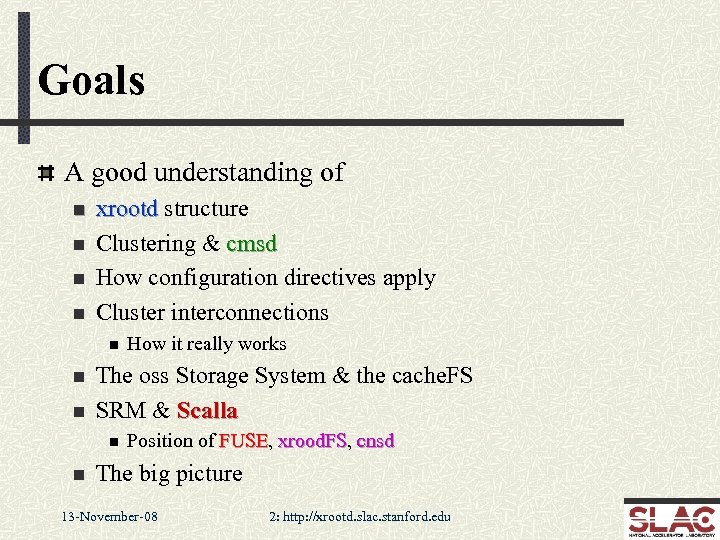 Goals A good understanding of n n xrootd structure Clustering & cmsd How configuration directives apply Cluster interconnections n n n The oss Storage System & the cache. FS SRM & Scalla n n How it really works Position of FUSE, xrood. FS, cnsd FUSE xrood. FS The big picture 13 -November-08 2: http: //xrootd. slac. stanford. edu
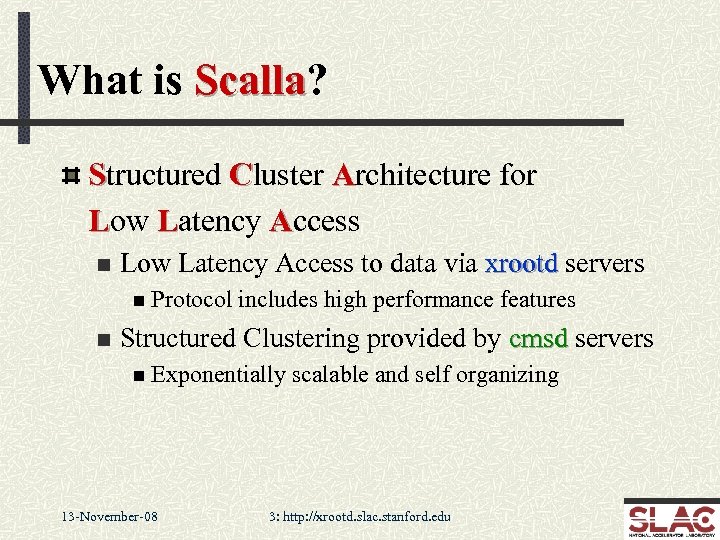 What is Scalla? Scalla Structured Cluster Architecture for Low Latency Access n Low Latency Access to data via xrootd servers n Protocol n includes high performance features Structured Clustering provided by cmsd servers n Exponentially 13 -November-08 scalable and self organizing 3: http: //xrootd. slac. stanford. edu
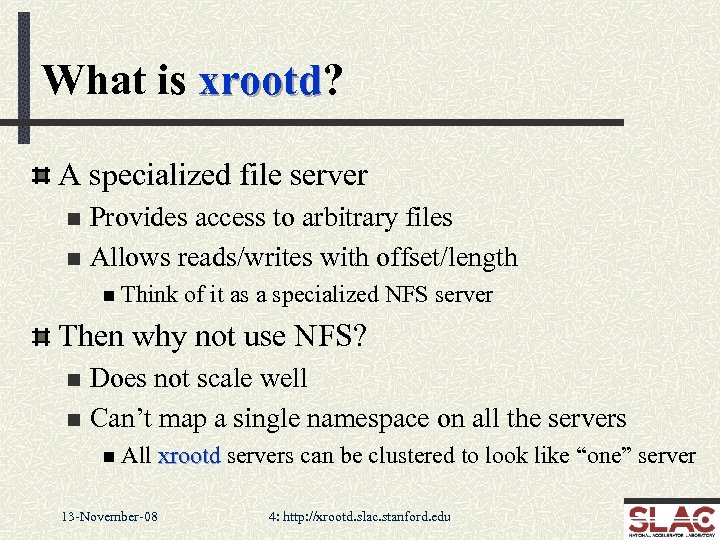 What is xrootd? xrootd A specialized file server Provides access to arbitrary files n Allows reads/writes with offset/length n n Think of it as a specialized NFS server Then why not use NFS? Does not scale well n Can’t map a single namespace on all the servers n n All 13 -November-08 xrootd servers can be clustered to look like “one” server 4: http: //xrootd. slac. stanford. edu
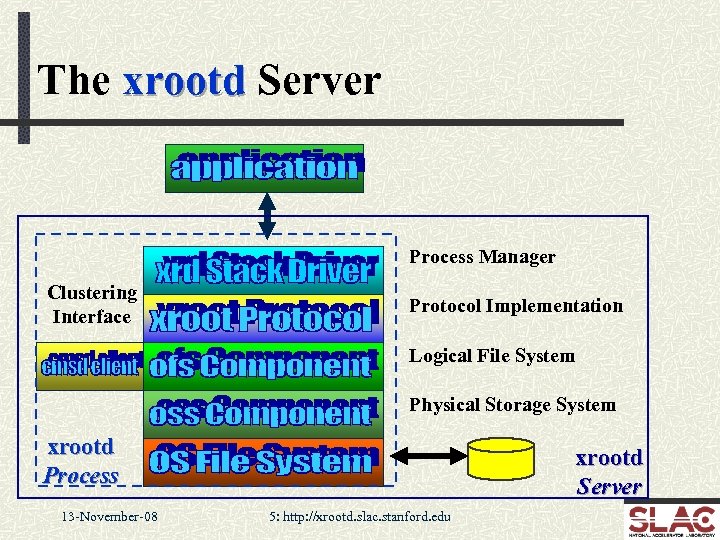 The xrootd Server Process Manager Clustering Interface Protocol Implementation Logical File System Physical Storage System xrootd Process 13 -November-08 xrootd Server 5: http: //xrootd. slac. stanford. edu
 How Is xrootd Clustered? By a management service provided by cmsd processes n n n Oversees the health and name space on each xrootd server Maps file names to the servers that have the file Informs client via an xrootd server about the file’s location n All done in real time without using any databases Each xrootd server process talks to a local cmsd process n Communicate over a Unix named (i. e. , file system) socket Local cmsd’s communicate to a manager cmsd elsewhere cmsd n Communicate over a TCP socket Each process has a specific role in the cluster 13 -November-08 6: http: //xrootd. slac. stanford. edu
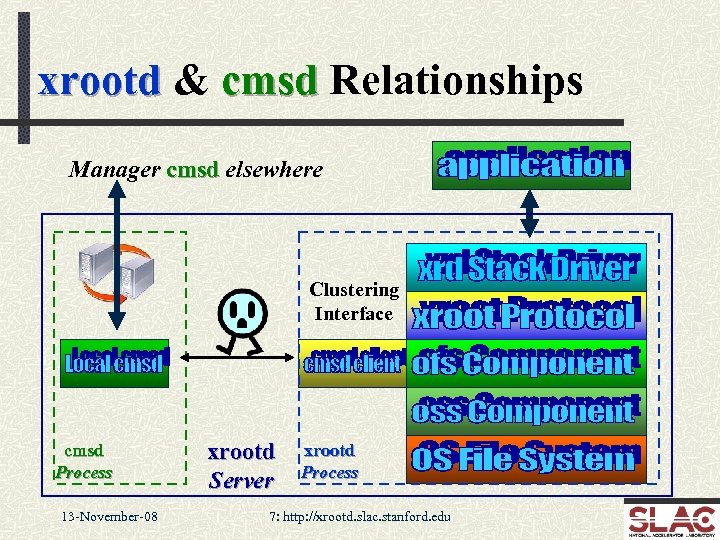 xrootd & cmsd Relationships Manager cmsd elsewhere Clustering Interface cmsd Process 13 -November-08 xrootd Server xrootd Process 7: http: //xrootd. slac. stanford. edu
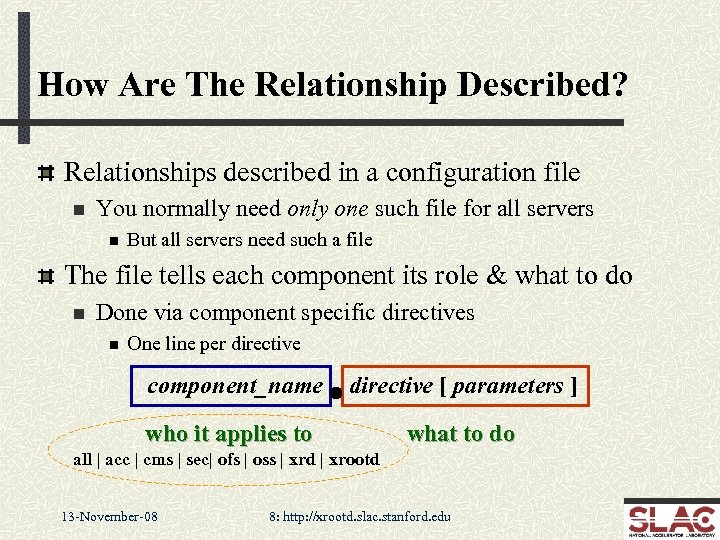 How Are The Relationship Described? Relationships described in a configuration file n You normally need only one such file for all servers n But all servers need such a file The file tells each component its role & what to do n Done via component specific directives n One line per directive component_name directive [ parameters ] who it applies to what to do all | acc | cms | sec| ofs | oss | xrd | xrootd 13 -November-08 8: http: //xrootd. slac. stanford. edu
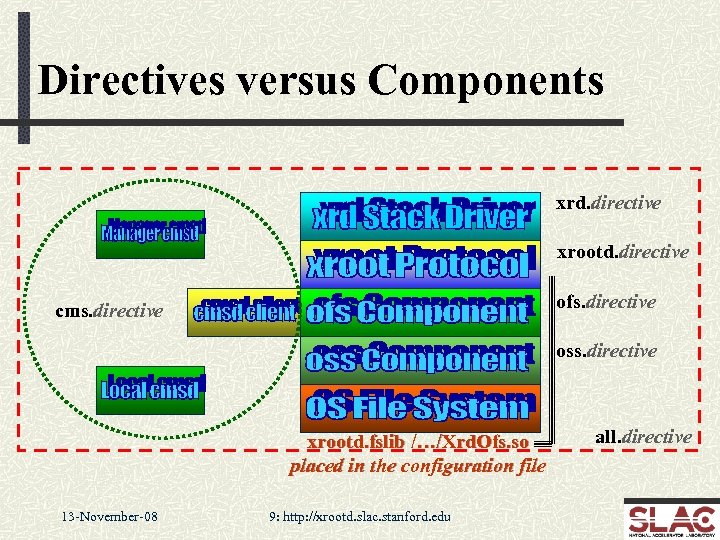 Directives versus Components xrd. directive xrootd. directive ofs. directive cms. directive oss. directive xrootd. fslib /…/Xrd. Ofs. so placed in the configuration file 13 -November-08 9: http: //xrootd. slac. stanford. edu all. directive
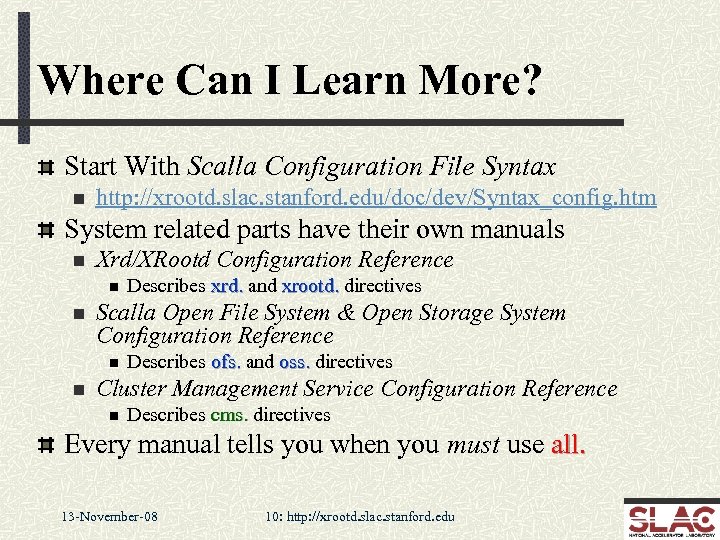 Where Can I Learn More? Start With Scalla Configuration File Syntax n http: //xrootd. slac. stanford. edu/doc/dev/Syntax_config. htm System related parts have their own manuals n Xrd/XRootd Configuration Reference n n Scalla Open File System & Open Storage System Configuration Reference n n Describes xrd. and xrootd. directives Describes ofs. and oss. directives Cluster Management Service Configuration Reference n Describes cms. directives Every manual tells you when you must use all. 13 -November-08 10: http: //xrootd. slac. stanford. edu
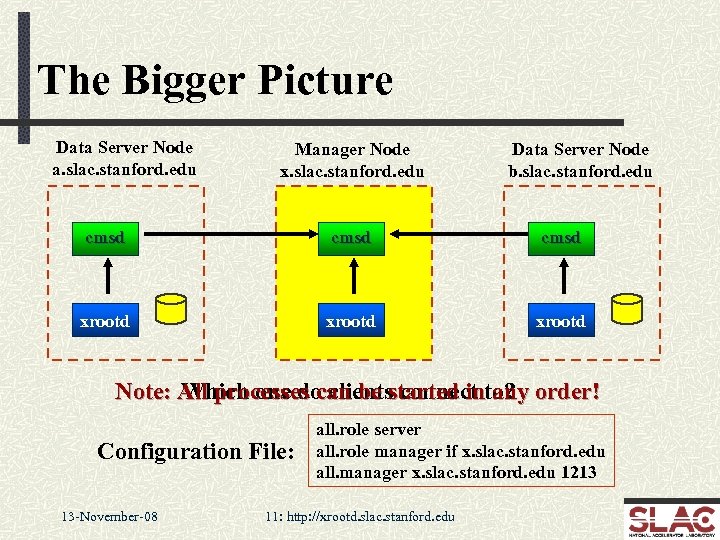 The Bigger Picture Data Server Node a. slac. stanford. edu Manager Node x. slac. stanford. edu Data Server Node b. slac. stanford. edu cmsd xrootd Note: All processes can be started into? order! Which one do clients connect any Configuration File: 13 -November-08 all. role server all. role manager if x. slac. stanford. edu all. manager x. slac. stanford. edu 1213 11: http: //xrootd. slac. stanford. edu
 Then How Do I Get To A Server? Clients always connect to manager’s xrootd Client’s think this is the right file server n But the manager only pretends to be a file server n n Clients really don’t know the difference Manager finds out which server has client’s file n Then magic happens… 13 -November-08 12: http: //xrootd. slac. stanford. edu
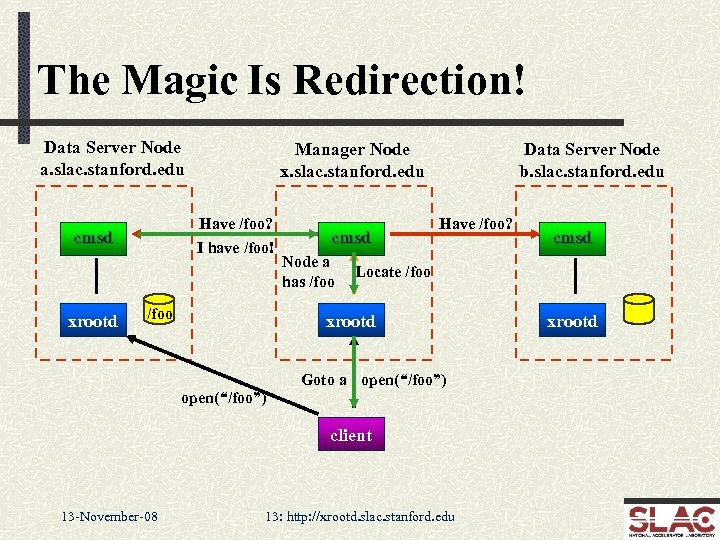 The Magic Is Redirection! Data Server Node a. slac. stanford. edu Have /foo? I have /foo! cmsd xrootd Manager Node x. slac. stanford. edu /foo cmsd Node a has /foo Data Server Node b. slac. stanford. edu Have /foo? Locate /foo xrootd Goto a open(“/foo”) client 13 -November-08 cmsd 13: http: //xrootd. slac. stanford. edu xrootd
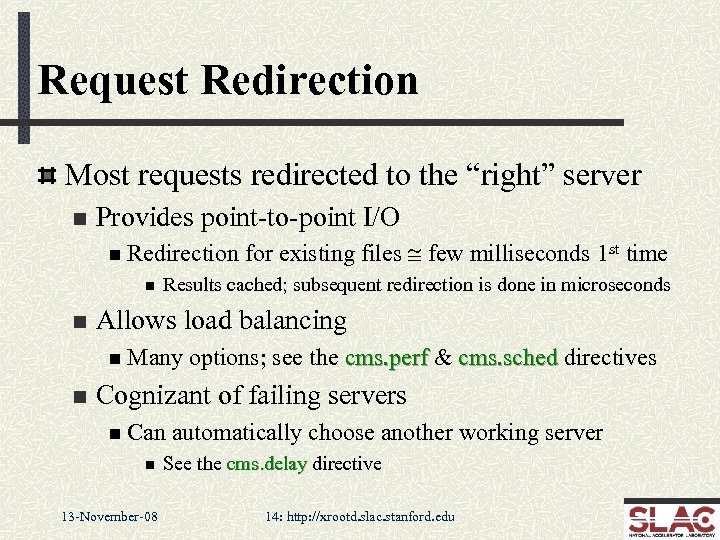 Request Redirection Most requests redirected to the “right” server n Provides point-to-point I/O n Redirection n n Results cached; subsequent redirection is done in microseconds Allows load balancing n Many n for existing files @ few milliseconds 1 st time options; see the cms. perf & cms. sched directives Cognizant of failing servers n Can n 13 -November-08 automatically choose another working server See the cms. delay directive 14: http: //xrootd. slac. stanford. edu
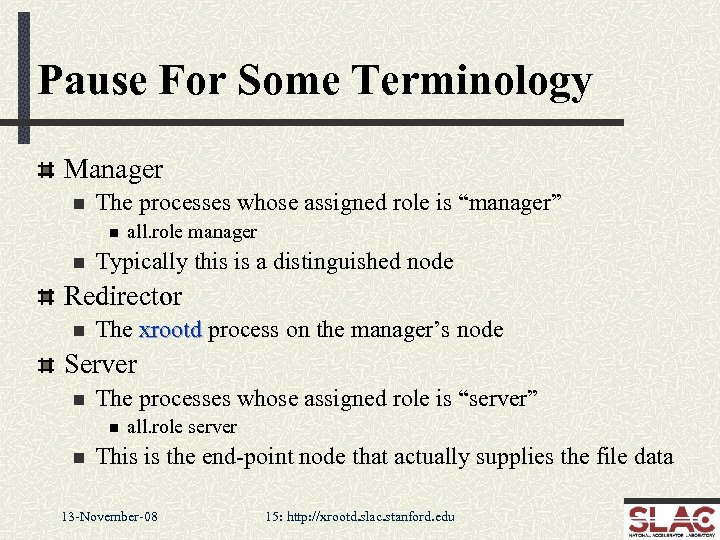 Pause For Some Terminology Manager n The processes whose assigned role is “manager” n n all. role manager Typically this is a distinguished node Redirector n The xrootd process on the manager’s node Server n The processes whose assigned role is “server” n n all. role server This is the end-point node that actually supplies the file data 13 -November-08 15: http: //xrootd. slac. stanford. edu
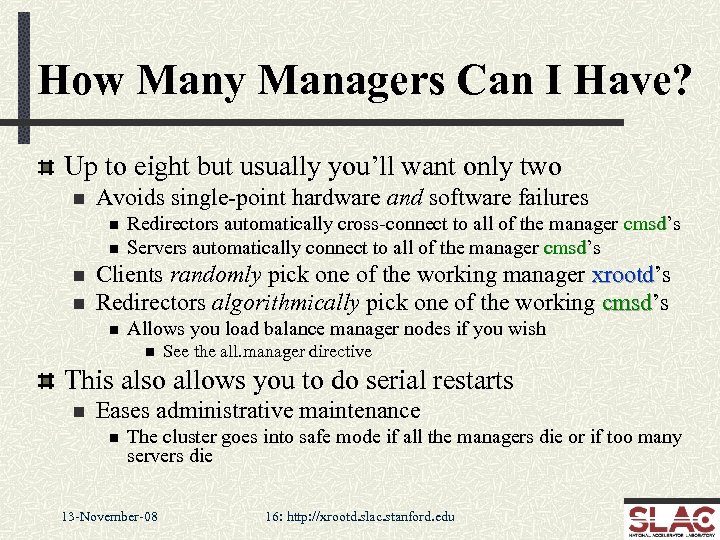 How Many Managers Can I Have? Up to eight but usually you’ll want only two n Avoids single-point hardware and software failures n n Redirectors automatically cross-connect to all of the manager cmsd’s cmsd Servers automatically connect to all of the manager cmsd’s cmsd Clients randomly pick one of the working manager xrootd’s xrootd Redirectors algorithmically pick one of the working cmsd’s cmsd n Allows you load balance manager nodes if you wish n See the all. manager directive This also allows you to do serial restarts n Eases administrative maintenance n The cluster goes into safe mode if all the managers die or if too many servers die 13 -November-08 16: http: //xrootd. slac. stanford. edu
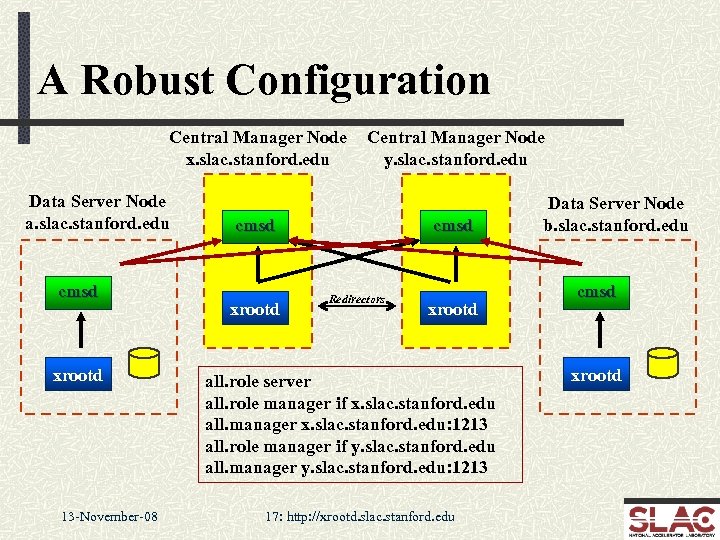 A Robust Configuration Central Manager Node x. slac. stanford. edu Data Server Node a. slac. stanford. edu cmsd xrootd 13 -November-08 Central Manager Node y. slac. stanford. edu cmsd xrootd cmsd Redirectors xrootd all. role server all. role manager if x. slac. stanford. edu all. manager x. slac. stanford. edu: 1213 all. role manager if y. slac. stanford. edu all. manager y. slac. stanford. edu: 1213 17: http: //xrootd. slac. stanford. edu Data Server Node b. slac. stanford. edu cmsd xrootd
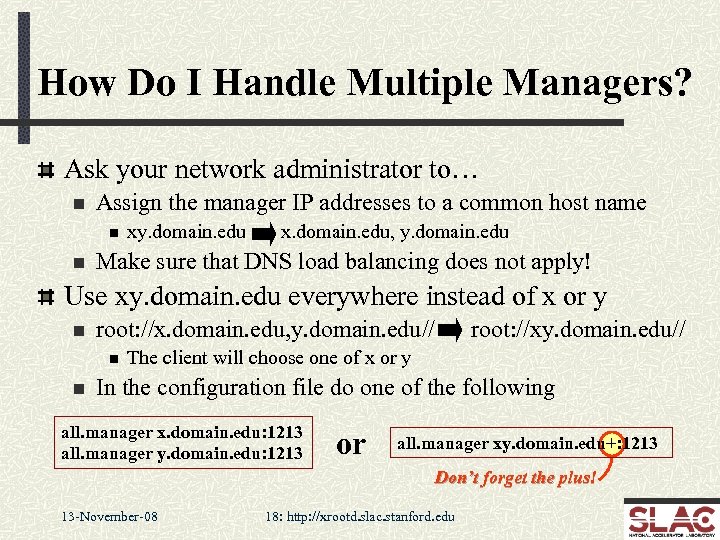 How Do I Handle Multiple Managers? Ask your network administrator to… n Assign the manager IP addresses to a common host name n n xy. domain. edu x. domain. edu, y. domain. edu Make sure that DNS load balancing does not apply! Use xy. domain. edu everywhere instead of x or y n root: //x. domain. edu, y. domain. edu// n n root: //xy. domain. edu// The client will choose one of x or y In the configuration file do one of the following all. manager x. domain. edu: 1213 all. manager y. domain. edu: 1213 or all. manager xy. domain. edu+: 1213 Don’t forget the plus! 13 -November-08 18: http: //xrootd. slac. stanford. edu
 A Quick Recapitulation The system is highly structured n n n Server xrootd’s provide the data xrootd Manager xrootd’ provide the redirection xrootd The cmsd’s manage the cluster cmsd n Locate files and monitor the health of all the servers Client’s initially contact a redirector n They are then redirected to a data server The structure is described by the config file n Usually the same one is used everywhere 13 -November-08 19: http: //xrootd. slac. stanford. edu
 Things You May Want To Do Automatically restart failing processes n Best done via a crontab entry running a restart script n Most people use root but you can use the xrootd/cmsd’s uid xrootd cmsd Renice server cmsd’s cmsd n As root: renice –n -10 –p cmsd_pid n Allows cmsd to get CPU even when the system is busy n Can be automated via the start-up script n 13 -November-08 One reason why most people use root for start/restart 20: http: //xrootd. slac. stanford. edu
 Things You Really Need To Do Plan for log and core file management n /var/adm/xrootd/core & /var/adm/xrootd/logs n Log rotation can be automated via command line options Over-ride the default administrative path n See the all. adminpath directive n Place where Unix named sockets are created n /tmp is the (bad) default consider using /var/adm/xrootd/admin Plan on configuring your storage space & SRM n n These are xrootd specific ofs & oss options SRM requires you run FUSE, cnsd, and Best. Man FUSE cnsd 13 -November-08 21: http: //xrootd. slac. stanford. edu
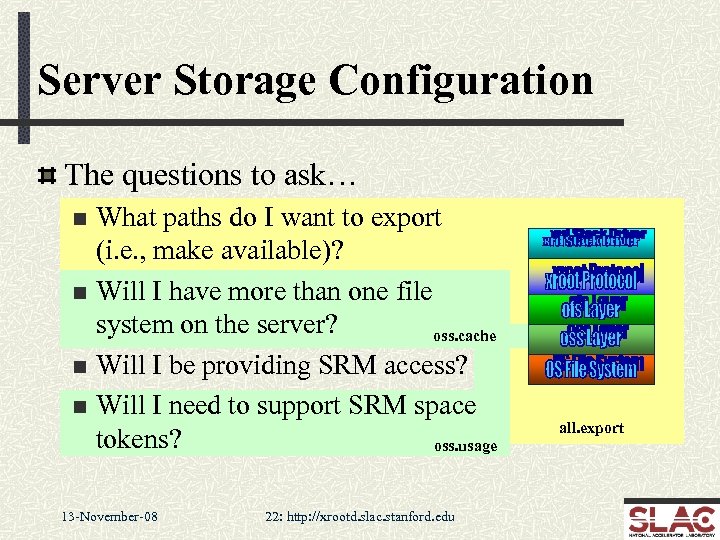 Server Storage Configuration The questions to ask… What paths do I want to export (i. e. , make available)? n Will I have more than one file system on the server? oss. cache n Will I be providing SRM access? n Will I need to support SRM space tokens? oss. usage n 13 -November-08 22: http: //xrootd. slac. stanford. edu all. export
 Exporting Paths Use the all. export directive Used by xrootd to allow access to exported paths n Used by cmsd to search for files in exported paths n Many options available n r/o and r/w are the two most common Refer to the manual n Scalla Open File System & Open Storage System Configuration Reference 13 -November-08 23: http: //xrootd. slac. stanford. edu
 But My Exports Are Mounted Elsewhere! Common issue n n Say you need to mount your file system on /myfs But you want to export /atlas within /myfs What to do? Use the oss. localroot directive n Only the oss component needs to know about this n n 13 -November-08 oss. localroot /myfs all. export /atlas Makes /atlas a visible path but internally always prefixes it with /myfs So, open(“/atlas/foo”) actually opens “/myfs/atlas/foo” 24: http: //xrootd. slac. stanford. edu
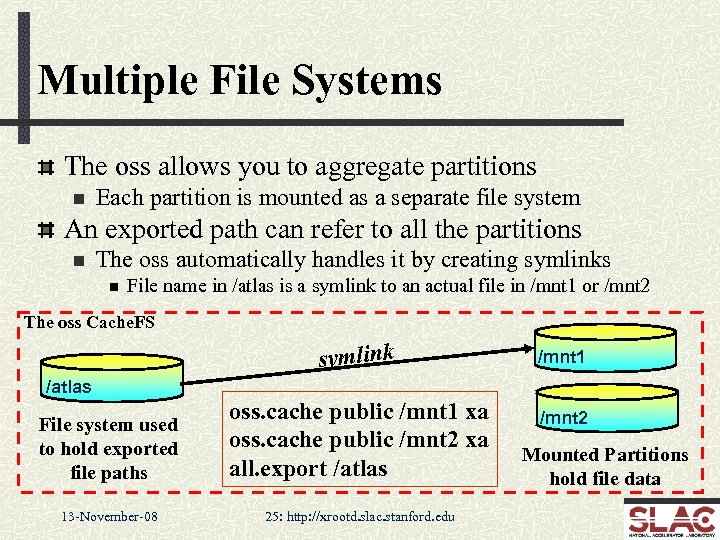 Multiple File Systems The oss allows you to aggregate partitions n Each partition is mounted as a separate file system An exported path can refer to all the partitions n The oss automatically handles it by creating symlinks n File name in /atlas is a symlink to an actual file in /mnt 1 or /mnt 2 The oss Cache. FS symlink /mnt 1 /atlas File system used to hold exported file paths oss. cache public /mnt 1 xa oss. cache public /mnt 2 xa all. export /atlas 13 -November-08 25: http: //xrootd. slac. stanford. edu /mnt 2 Mounted Partitions hold file data
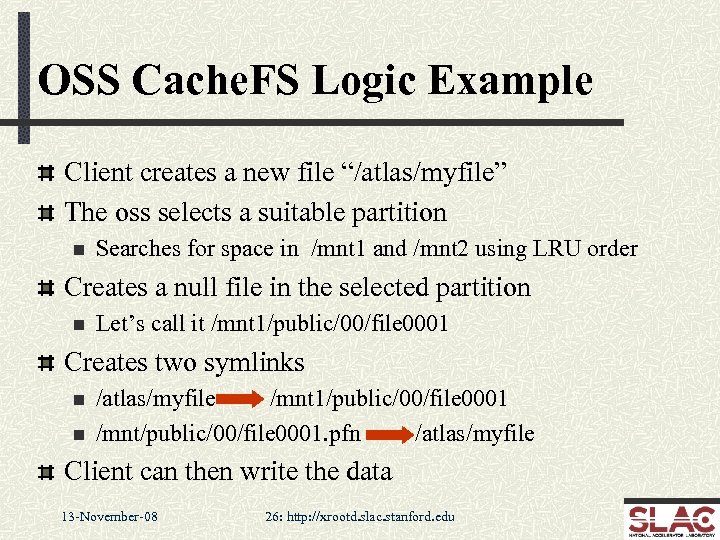 OSS Cache. FS Logic Example Client creates a new file “/atlas/myfile” The oss selects a suitable partition n Searches for space in /mnt 1 and /mnt 2 using LRU order Creates a null file in the selected partition n Let’s call it /mnt 1/public/00/file 0001 Creates two symlinks n n /atlas/myfile /mnt 1/public/00/file 0001 /mnt/public/00/file 0001. pfn /atlas/myfile Client can then write the data 13 -November-08 26: http: //xrootd. slac. stanford. edu
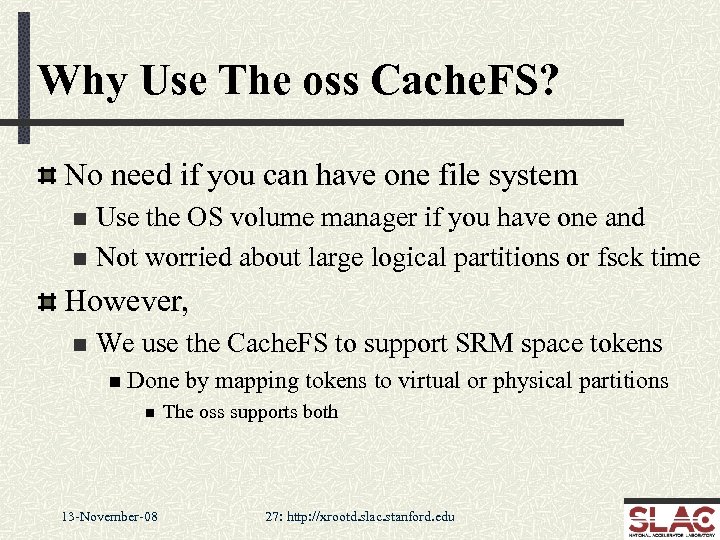 Why Use The oss Cache. FS? No need if you can have one file system Use the OS volume manager if you have one and n Not worried about large logical partitions or fsck time n However, n We use the Cache. FS to support SRM space tokens n Done n 13 -November-08 by mapping tokens to virtual or physical partitions The oss supports both 27: http: //xrootd. slac. stanford. edu
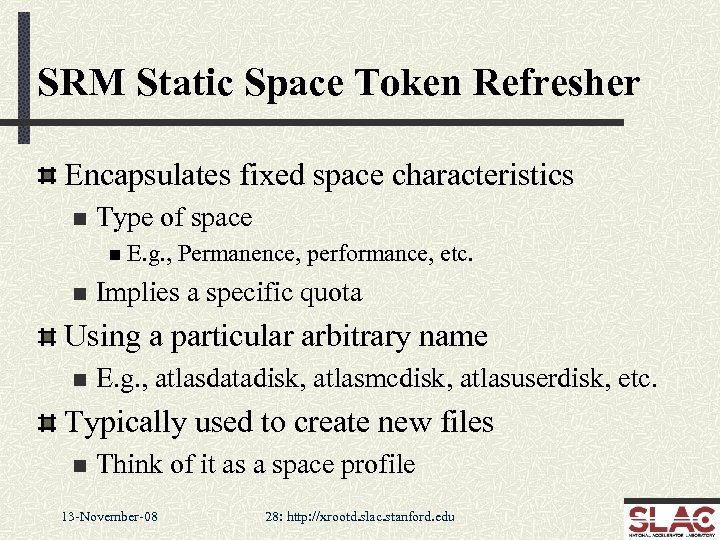 SRM Static Space Token Refresher Encapsulates fixed space characteristics n Type of space n E. g. , n Permanence, performance, etc. Implies a specific quota Using a particular arbitrary name n E. g. , atlasdatadisk, atlasmcdisk, atlasuserdisk, etc. Typically used to create new files n Think of it as a space profile 13 -November-08 28: http: //xrootd. slac. stanford. edu
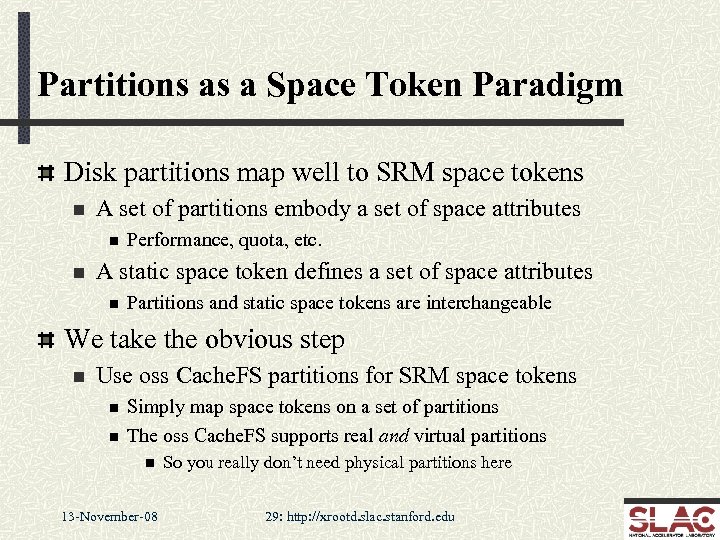 Partitions as a Space Token Paradigm Disk partitions map well to SRM space tokens n A set of partitions embody a set of space attributes n n Performance, quota, etc. A static space token defines a set of space attributes n Partitions and static space tokens are interchangeable We take the obvious step n Use oss Cache. FS partitions for SRM space tokens n n Simply map space tokens on a set of partitions The oss Cache. FS supports real and virtual partitions n 13 -November-08 So you really don’t need physical partitions here 29: http: //xrootd. slac. stanford. edu
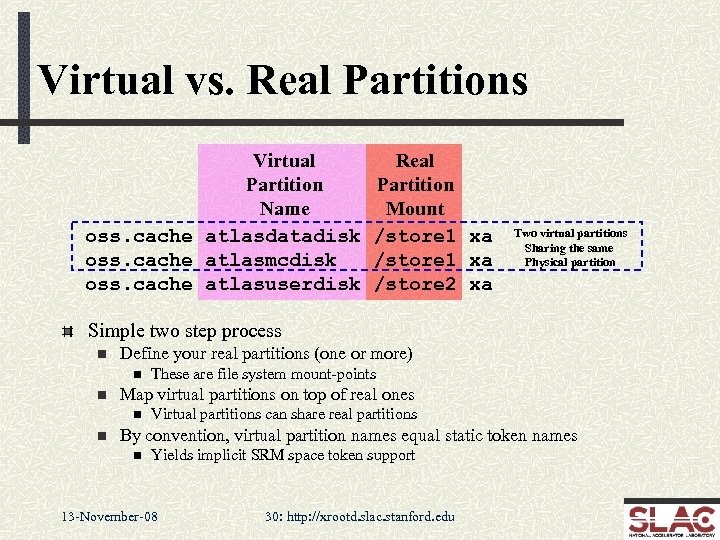 Virtual vs. Real Partitions Virtual Partition Name oss. cache atlasdatadisk oss. cache atlasmcdisk oss. cache atlasuserdisk Real Partition Mount /store 1 xa /store 2 xa Two virtual partitions Sharing the same Physical partition Simple two step process n Define your real partitions (one or more) n n Map virtual partitions on top of real ones n n These are file system mount-points Virtual partitions can share real partitions By convention, virtual partition names equal static token names n Yields implicit SRM space token support 13 -November-08 30: http: //xrootd. slac. stanford. edu
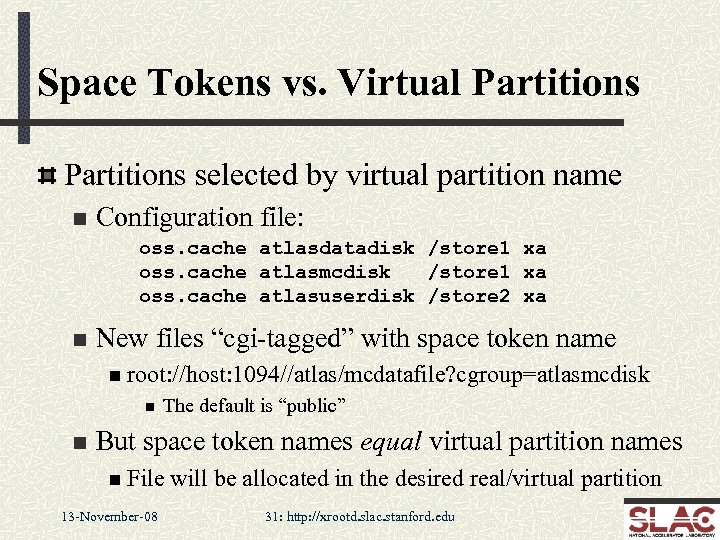 Space Tokens vs. Virtual Partitions selected by virtual partition name n Configuration file: oss. cache atlasdatadisk /store 1 xa oss. cache atlasmcdisk /store 1 xa oss. cache atlasuserdisk /store 2 xa n New files “cgi-tagged” with space token name n root: //host: 1094//atlas/mcdatafile? cgroup=atlasmcdisk n n The default is “public” But space token names equal virtual partition names n File 13 -November-08 will be allocated in the desired real/virtual partition 31: http: //xrootd. slac. stanford. edu
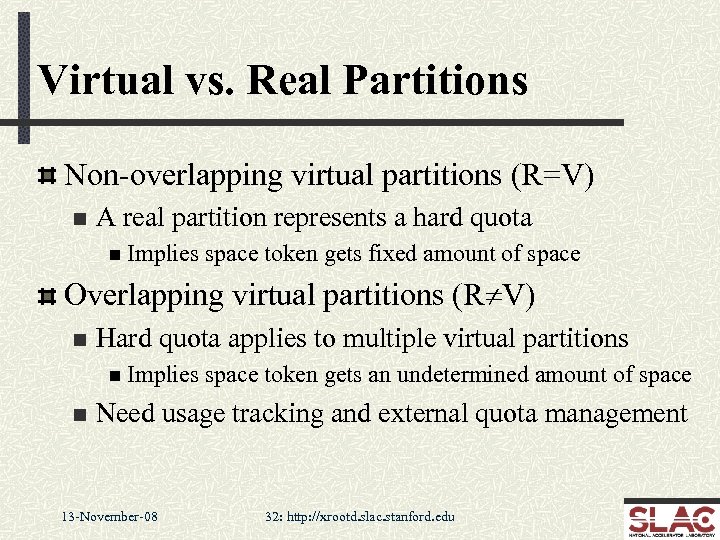 Virtual vs. Real Partitions Non-overlapping virtual partitions (R=V) n A real partition represents a hard quota n Implies space token gets fixed amount of space Overlapping virtual partitions (R¹V) n Hard quota applies to multiple virtual partitions n Implies n space token gets an undetermined amount of space Need usage tracking and external quota management 13 -November-08 32: http: //xrootd. slac. stanford. edu
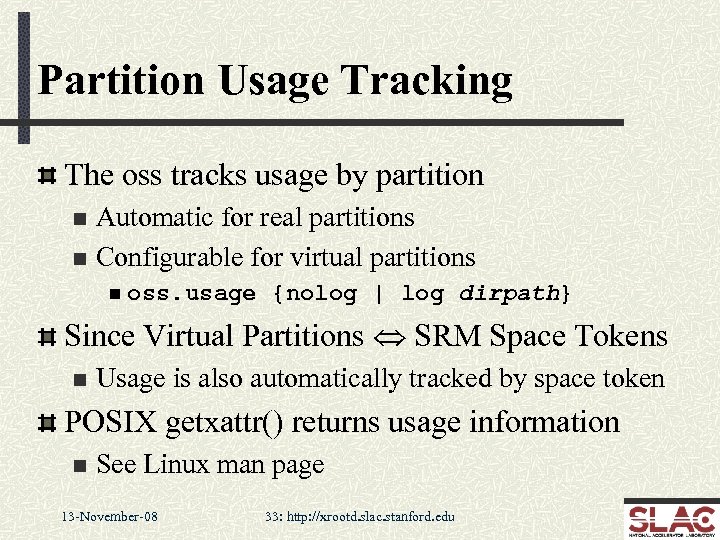 Partition Usage Tracking The oss tracks usage by partition Automatic for real partitions n Configurable for virtual partitions n n oss. usage {nolog | log dirpath} Since Virtual Partitions Û SRM Space Tokens n Usage is also automatically tracked by space token POSIX getxattr() returns usage information n See Linux man page 13 -November-08 33: http: //xrootd. slac. stanford. edu
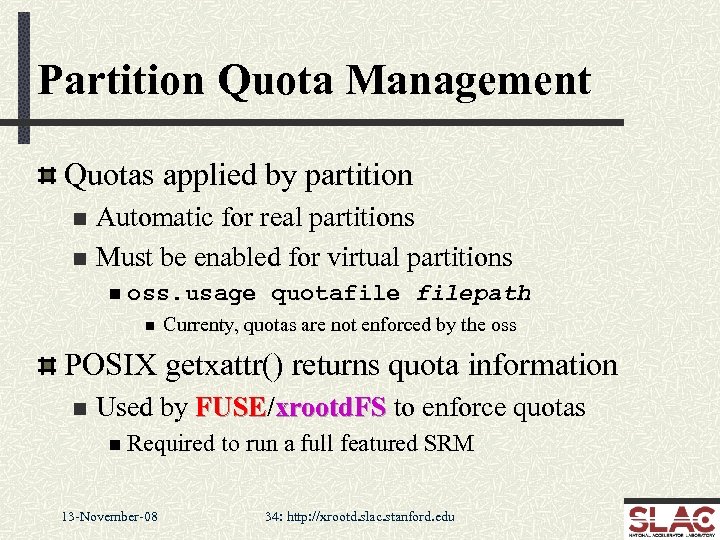 Partition Quota Management Quotas applied by partition Automatic for real partitions n Must be enabled for virtual partitions n n oss. usage n quotafilepath Currenty, quotas are not enforced by the oss POSIX getxattr() returns quota information n Used by FUSE/xrootd. FS to enforce quotas FUSE n Required 13 -November-08 to run a full featured SRM 34: http: //xrootd. slac. stanford. edu
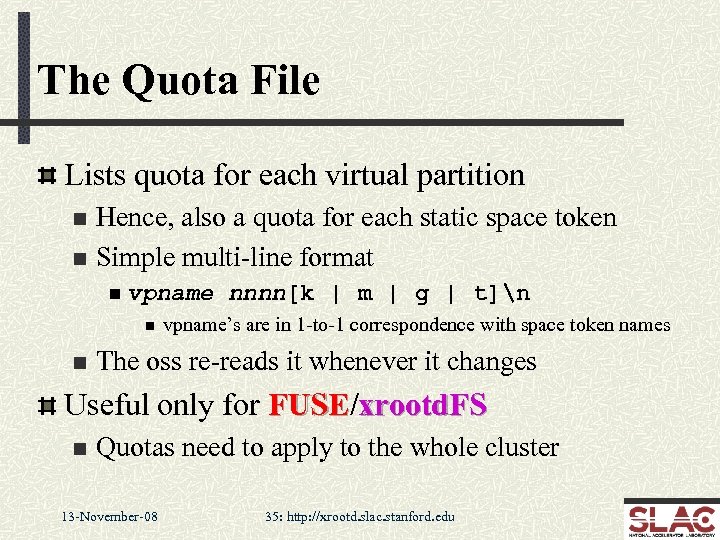 The Quota File Lists quota for each virtual partition Hence, also a quota for each static space token n Simple multi-line format n n vpname n n nnnn[k | m | g | t]n vpname’s are in 1 -to-1 correspondence with space token names The oss re-reads it whenever it changes Useful only for FUSE/xrootd. FS FUSE n Quotas need to apply to the whole cluster 13 -November-08 35: http: //xrootd. slac. stanford. edu
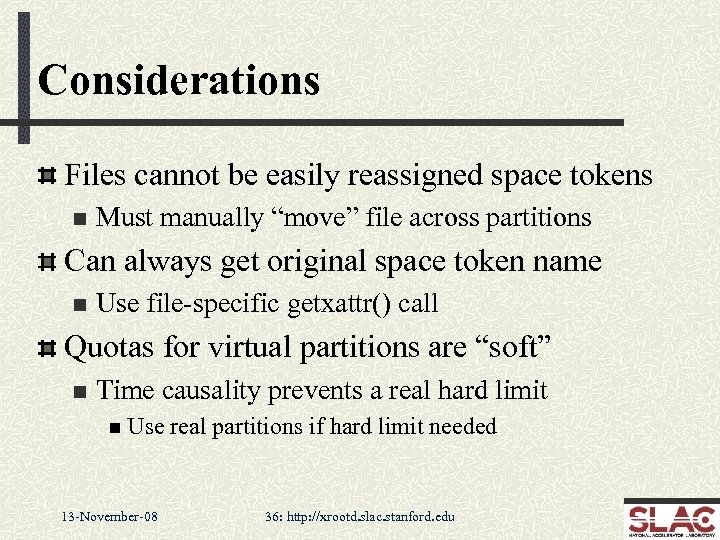 Considerations Files cannot be easily reassigned space tokens n Must manually “move” file across partitions Can always get original space token name n Use file-specific getxattr() call Quotas for virtual partitions are “soft” n Time causality prevents a real hard limit n Use 13 -November-08 real partitions if hard limit needed 36: http: //xrootd. slac. stanford. edu
 SRM & Scalla: The Big Issue Scalla implements a distributed name space n n Very scalable and efficient Sufficient for data analysis SRM needs a single view of the complete name space n n This requires deploying additional components Composite Name Space Daemon (cnsd) cnsd n n Provides the complete name space FUSE/xrootd. FS FUSE n n Provides the single view via a file system interface Compatible with all stand-alone SRM’s (e. g. , Best. Man & Sto. RM) 13 -November-08 37: http: //xrootd. slac. stanford. edu
 The Composite Name Space A new xrootd instance is used to maintain the complete name space for the cluster n n Only holds the full paths & file sizes, no more Normally runs on one of the manager nodes The cnsd needs to run on all the server nodes n n Captures xrootd name space requests (e. g. , rm) Re-Issues the request to the new xrootd instance This is the cluster’s composite name space n Composite because each server node adds to the name space n There is no pre-registration of names; it all happens on-the-fly 13 -November-08 38: http: //xrootd. slac. stanford. edu
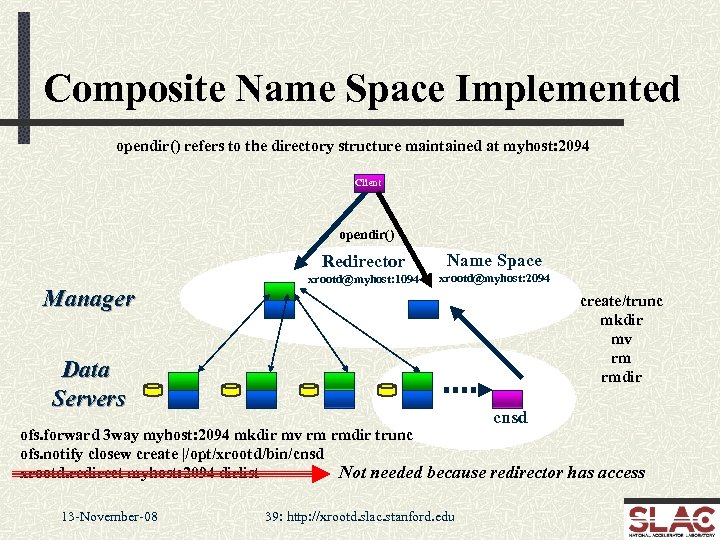 Composite Name Space Implemented opendir() refers to the directory structure maintained at myhost: 2094 Client opendir() Redirector Manager xrootd@myhost: 1094 Name Space xrootd@myhost: 2094 create/trunc mkdir mv rm rmdir Data Servers cnsd ofs. forward 3 way myhost: 2094 mkdir mv rm rmdir trunc ofs. notify closew create |/opt/xrootd/bin/cnsd Not needed because redirector has access xrootd. redirect myhost: 2094 dirlist 13 -November-08 39: http: //xrootd. slac. stanford. edu
 Some Caveats Name space is reasonably accurate n n Usually sufficient for SRM operations cnsd’s do log events to circumvent transient failures cnsd n n The log is replayed when the name space xrootd recovers But, the log is not infinite n n The composite name space can be audited n Means comparing and resolving multiple name spaces n n Invariably inconsistencies will arise Time consuming in terms of elapsed time • But can happen while the system is running Tools to do this are still under development n Consider contributing such software 13 -November-08 40: http: //xrootd. slac. stanford. edu
 The Single View Now that there is a composite cluster name space we need an SRM-compatible view The easiest way is to use a file system view n Best. Man and Sto. RM actually expect this The additional component is FUSE 13 -November-08 41: http: //xrootd. slac. stanford. edu
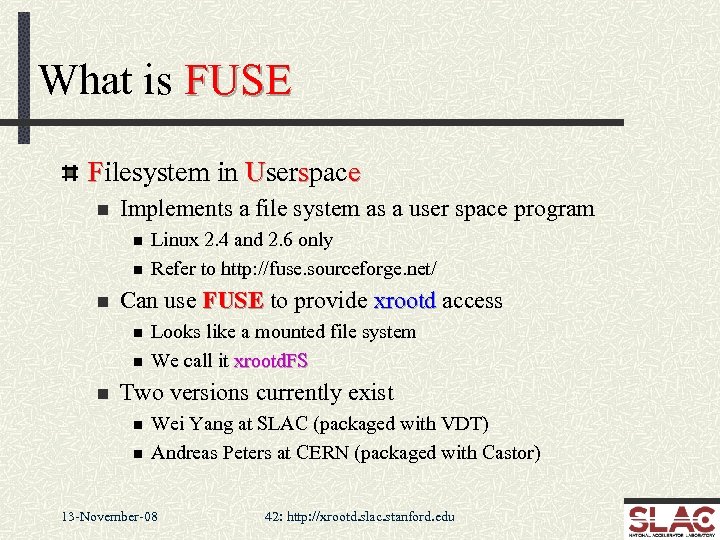 What is FUSE Filesystem in Userspace n Implements a file system as a user space program n n n Can use FUSE to provide xrootd access n n n Linux 2. 4 and 2. 6 only Refer to http: //fuse. sourceforge. net/ Looks like a mounted file system We call it xrootd. FS Two versions currently exist n n Wei Yang at SLAC (packaged with VDT) Andreas Peters at CERN (packaged with Castor) 13 -November-08 42: http: //xrootd. slac. stanford. edu
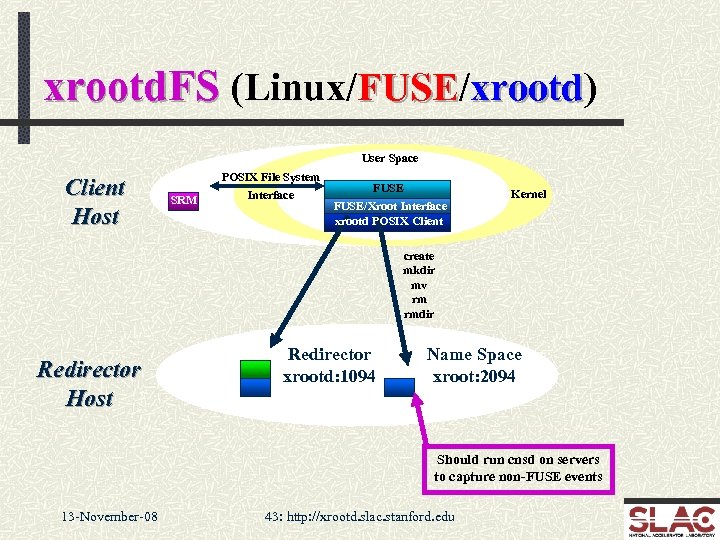 xrootd. FS (Linux/FUSE/xrootd) FUSE xrootd User Space Client Host POSIX File System SRM Interface FUSE/Xroot Interface xrootd POSIX Client opendir Kernel create mkdir mv rm rmdir Redirector Host Redirector xrootd: 1094 Name Space xroot: 2094 Should run cnsd on servers to capture non-FUSE events 13 -November-08 43: http: //xrootd. slac. stanford. edu
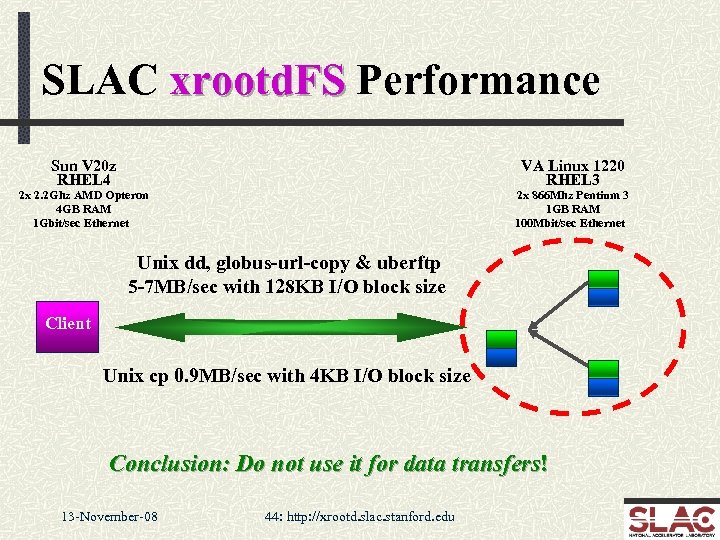 SLAC xrootd. FS Performance Sun V 20 z RHEL 4 VA Linux 1220 RHEL 3 2 x 2. 2 Ghz AMD Opteron 4 GB RAM 1 Gbit/sec Ethernet 2 x 866 Mhz Pentium 3 1 GB RAM 100 Mbit/sec Ethernet Unix dd, globus-url-copy & uberftp 5 -7 MB/sec with 128 KB I/O block size Client Unix cp 0. 9 MB/sec with 4 KB I/O block size Conclusion: Do not use it for data transfers! 13 -November-08 44: http: //xrootd. slac. stanford. edu
 More Caveats FUSE must be administratively installed n n n Requires root access Difficult if many machines (e. g. , batch workers) Easier if it only involves an SE node (i. e. , SRM gateway) Performance is limited n Kernel-FUSE interactions are not cheap n n CERN modified FUSE shows very good transfer performance Rapid file creation (e. g. , tar) is limited Recommend that it be kept away from general users 13 -November-08 45: http: //xrootd. slac. stanford. edu
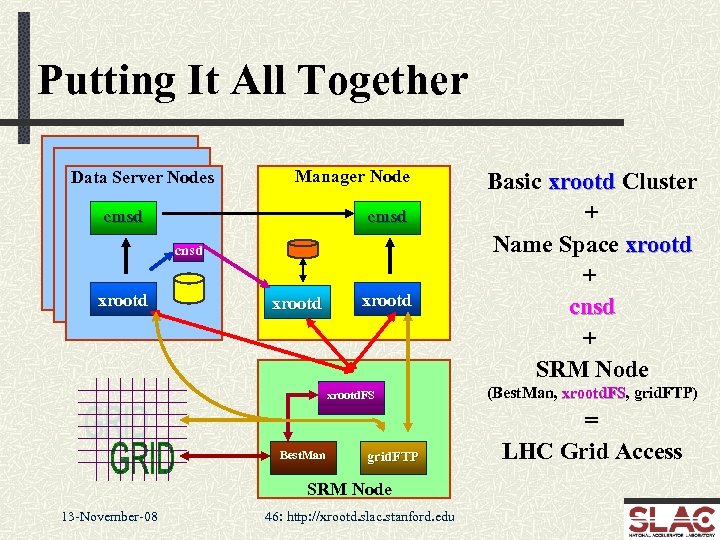 Putting It All Together Data Server Nodes Manager Node cmsd cnsd xrootd. FS Best. Man grid. FTP SRM Node 13 -November-08 46: http: //xrootd. slac. stanford. edu Basic xrootd Cluster + Name Space xrootd + cnsd + SRM Node (Best. Man, xrootd. FS, grid. FTP) xrootd. FS = LHC Grid Access
 Acknowledgements Software Contributors n n CERN: Derek Feichtinger, Fabrizio Furano, Andreas Peters Fermi: Tony Johnson (Java) Root: Gerri Ganis, Bertrand Bellenot SLAC: Jacek Becla, Tofigh Azemoon, Wilko Kroeger Operational Collaborators n BNL, INFN, IN 2 P 3 Partial Funding n US Department of Energy n Contract DE-AC 02 -76 SF 00515 with 13 -November-08 Stanford University 47: http: //xrootd. slac. stanford. edu