


 Скачать презентацию Scaling Service Requests Linux ipvsadm iptoip
a6fb413f9aefc3f8ab6cc68acabde3cc.ppt
- Количество слайдов: 10
 Scaling Service Requests Linux: ipvsadm & iptoip
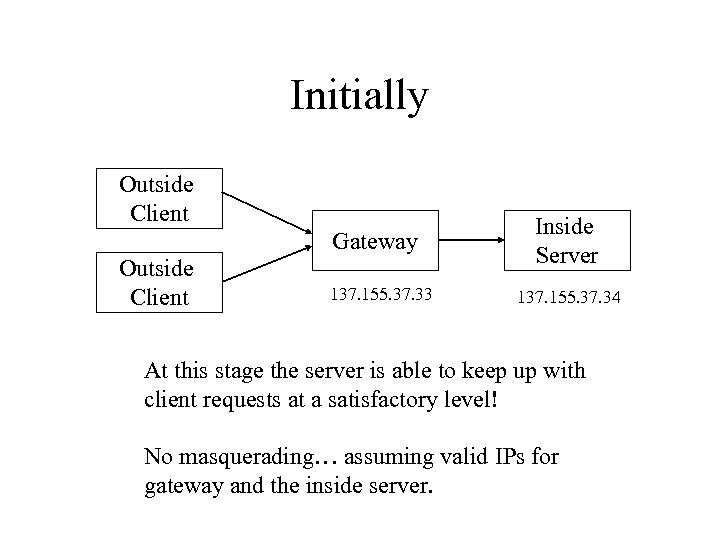 Initially Outside Client Gateway Outside Client 137. 155. 37. 33 Inside Server 137. 155. 37. 34 At this stage the server is able to keep up with client requests at a satisfactory level! No masquerading… assuming valid IPs for gateway and the inside server.
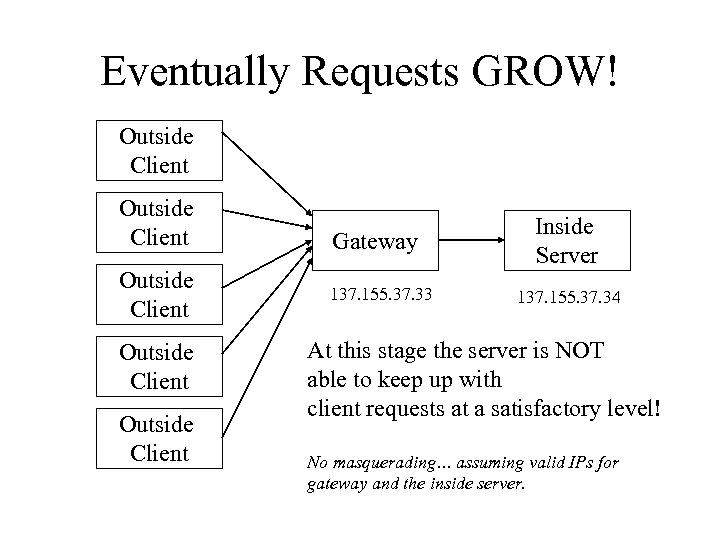 Eventually Requests GROW! Outside Client Outside Client Gateway 137. 155. 37. 33 Inside Server 137. 155. 37. 34 At this stage the server is NOT able to keep up with client requests at a satisfactory level! No masquerading… assuming valid IPs for gateway and the inside server.
 Solutions? • Software configuration of the server to allocate multiple server processes – manage preallocation if necessary • Hardware – Buy another server • requires reconfiguration and upgrading as demand grows – Create a scalable solution that grows incrementally as the demand grows • USE ipvsadm!
 ipvsadm as a scalable solution • Set to look at a port / ip and map the request to a different set of ips • Allows different load balancing algorithms • Requires only that you duplicate the original server machine. • Provides hardware and software concurrency.
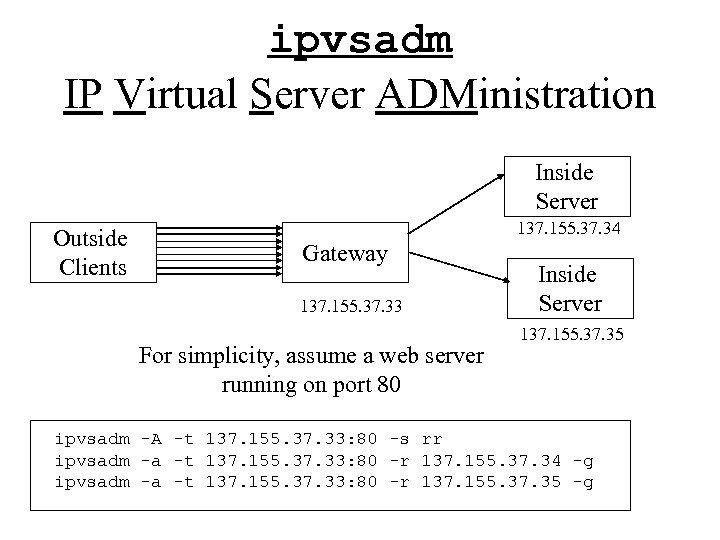 ipvsadm IP Virtual Server ADMinistration Inside Server Outside Clients 137. 155. 37. 34 Gateway 137. 155. 37. 33 For simplicity, assume a web server running on port 80 Inside Server 137. 155. 37. 35 ipvsadm -A -t 137. 155. 37. 33: 80 -s rr ipvsadm -a -t 137. 155. 37. 33: 80 -r 137. 155. 37. 34 -g ipvsadm -a -t 137. 155. 37. 33: 80 -r 137. 155. 37. 35 -g
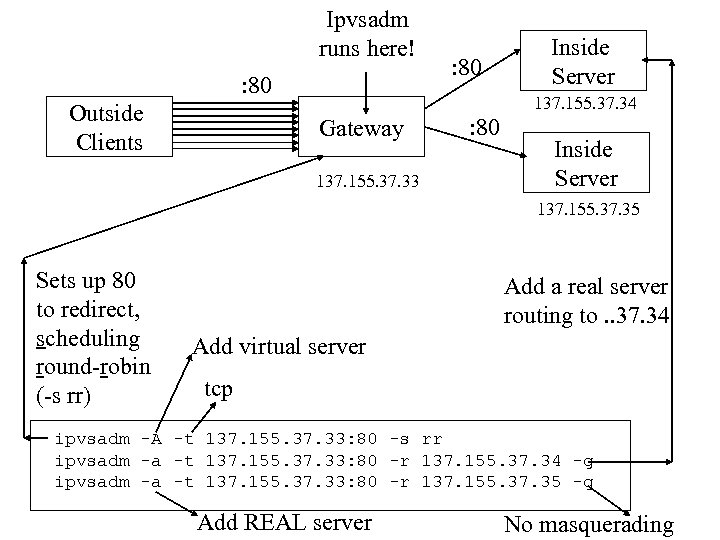 Ipvsadm runs here! : 80 Outside Clients : 80 Inside Server 137. 155. 37. 34 Gateway 137. 155. 37. 33 : 80 Inside Server 137. 155. 37. 35 Sets up 80 to redirect, scheduling round-robin (-s rr) Add a real server routing to. . 37. 34 Add virtual server tcp ipvsadm -A -t 137. 155. 37. 33: 80 -s rr ipvsadm -a -t 137. 155. 37. 33: 80 -r 137. 155. 37. 34 -g ipvsadm -a -t 137. 155. 37. 33: 80 -r 137. 155. 37. 35 -g Add REAL server No masquerading
 What if you are masquerading? • Add the server behind the firewall. • Use basically the same approach but set up a few simple modifications • First, don’t use -g which indicates standard gateway forwarding, instead use -m • Second, be sure to add commands to allow forwarding masqueraded packet to ipchains/iptables/etc. for packets behind the firewall going out.
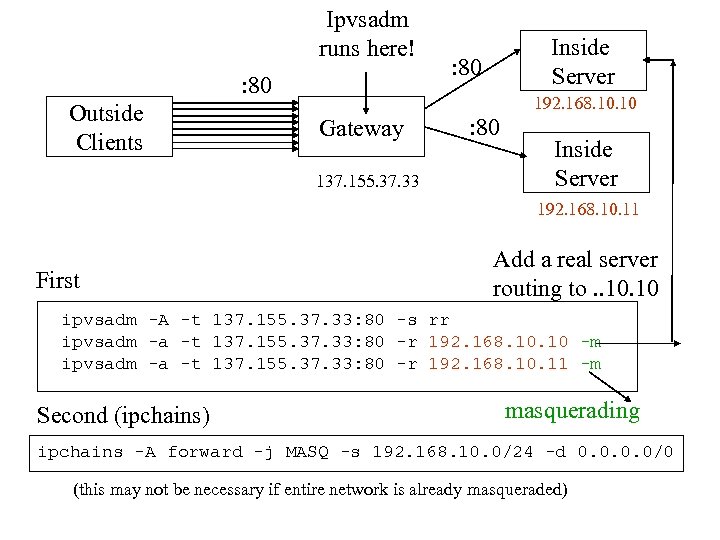 Ipvsadm runs here! : 80 Outside Clients Inside Server : 80 192. 168. 10 Gateway 137. 155. 37. 33 : 80 Inside Server 192. 168. 10. 11 First Add a real server routing to. . 10 ipvsadm -A -t 137. 155. 37. 33: 80 -s rr ipvsadm -a -t 137. 155. 37. 33: 80 -r 192. 168. 10 -m ipvsadm -a -t 137. 155. 37. 33: 80 -r 192. 168. 10. 11 -m Second (ipchains) masquerading ipchains -A forward -j MASQ -s 192. 168. 10. 0/24 -d 0. 0/0 (this may not be necessary if entire network is already masqueraded)
 Other points • Setting up ftp requires some special configuration (see man pages) • iptoip can do some of this for you but it only does TCP not UDP • use -u to map UDP services • files for linux configuration in /etc/sysconfig but file names may vary.