


 Скачать презентацию SAP University Alliances Version 2 20 Authors Hans-Jürgen
e940689da590383621b7283907b3d688.ppt
- Количество слайдов: 60
 SAP University Alliances Version 2. 20 Authors Hans-Jürgen Scheruhn Bret Wagner Stefan Weidner Product SAP ERP 6. 0 Eh. P 4 Global Bike Inc. Level Beginner Focus Cross-functional integration Production Planning and Execution (PP) In addition to the standard Production Planning and Execution slides, this presentation includes links to the GBI enterprise model provided by a team at Hochschule Harz in Germany led by Prof. Dr. Hans-Jürgen Scheruhn. The model is based on an architecture of four IT integration layers which were created for the GBI curriculum using ARIS Business Designer for SAP and are made available to the SAP UA community using ARIS Web. Publisher. All necessary licenses for this project were provided by Software AG. Each link in the presentation is indicated by the symbol of all links can be found on the second last slide. . A list © SAP AG
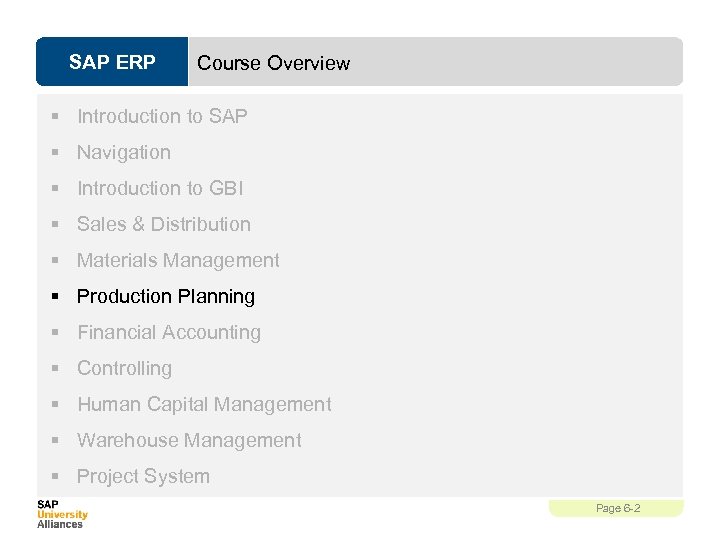 SAP ERP Course Overview § Introduction to SAP § Navigation § Introduction to GBI § Sales & Distribution § Materials Management § Production Planning § Financial Accounting § Controlling § Human Capital Management § Warehouse Management § Project System Page 6 -2
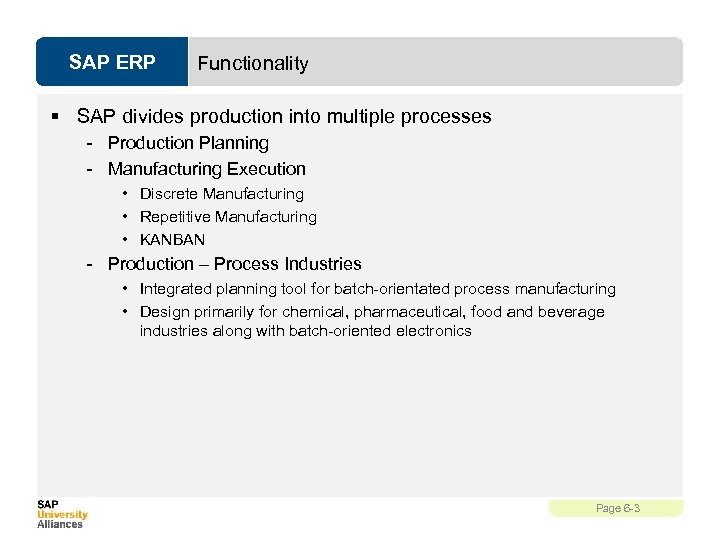 SAP ERP Functionality § SAP divides production into multiple processes - Production Planning - Manufacturing Execution • Discrete Manufacturing • Repetitive Manufacturing • KANBAN - Production – Process Industries • Integrated planning tool for batch-orientated process manufacturing • Design primarily for chemical, pharmaceutical, food and beverage industries along with batch-oriented electronics Page 6 -3
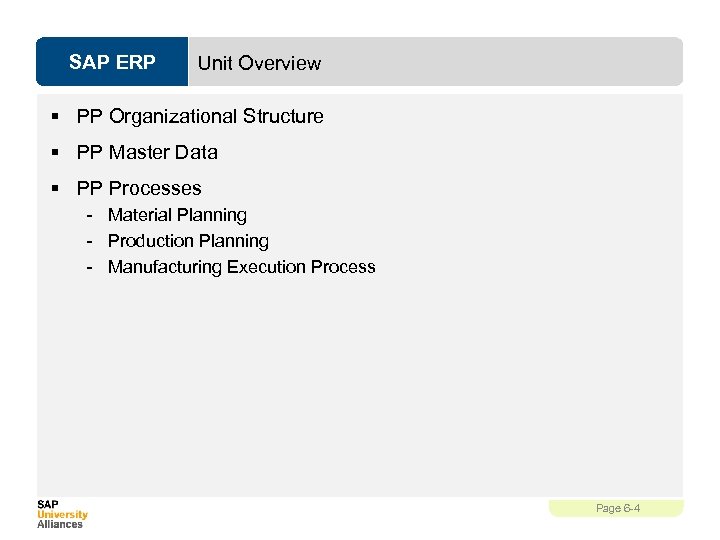 SAP ERP Unit Overview § PP Organizational Structure § PP Master Data § PP Processes - Material Planning - Production Planning - Manufacturing Execution Process Page 6 -4
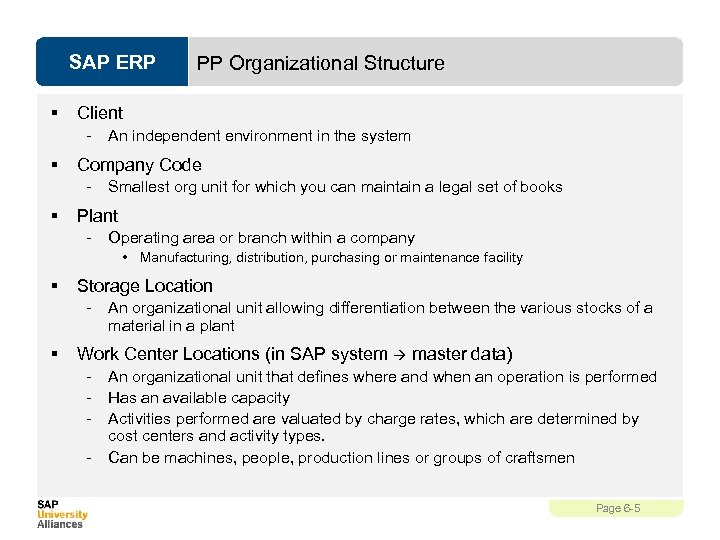 SAP ERP § Client - § An independent environment in the system Company Code - § PP Organizational Structure Smallest org unit for which you can maintain a legal set of books Plant - Operating area or branch within a company • Manufacturing, distribution, purchasing or maintenance facility § Storage Location - § An organizational unit allowing differentiation between the various stocks of a material in a plant Work Center Locations (in SAP system master data) - An organizational unit that defines where and when an operation is performed Has an available capacity Activities performed are valuated by charge rates, which are determined by cost centers and activity types. Can be machines, people, production lines or groups of craftsmen Page 6 -5
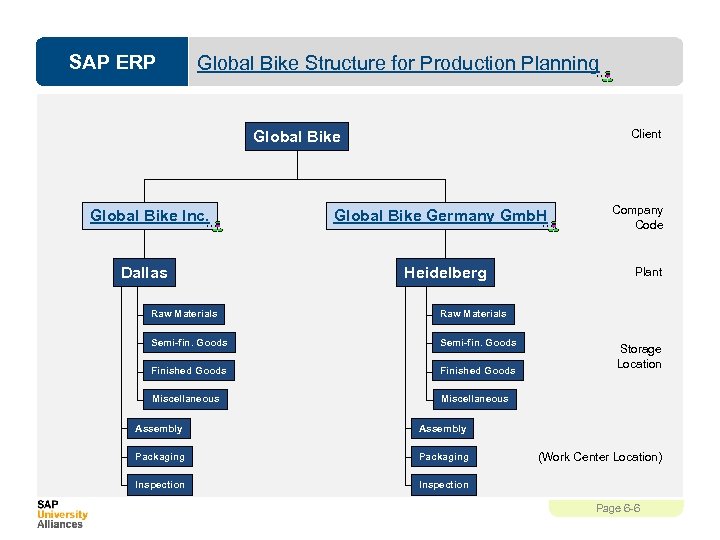 SAP ERP Global Bike Structure for Production Planning Client Global Bike Inc. Dallas Global Bike Germany Gmb. H Heidelberg Raw Materials Semi-fin. Goods Finished Goods Miscellaneous Plant Raw Materials Semi-fin. Goods Company Code Miscellaneous Assembly Packaging Inspection Storage Location Inspection (Work Center Location) Page 6 -6
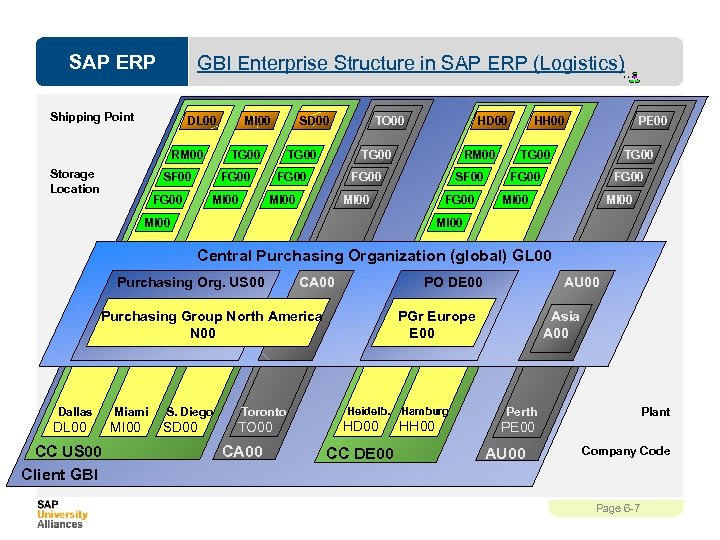 SAP ERP GBI Enterprise Structure in SAP ERP (Logistics) Shipping Point DL 00 RM 00 Storage Location MI 00 TG 00 SF 00 HD 00 RM 00 FG 00 MI 00 TO 00 TG 00 FG 00 SD 00 SF 00 MI 00 FG 00 HH 00 PE 00 TG 00 FG 00 MI 00 Central Purchasing Organization (global) GL 00 Purchasing Org. US 00 CA 00 PO DE 00 Purchasing Group North America N 00 Dallas DL 00 CC US 00 Client GBI Miami MI 00 S. Diego Toronto SD 00 TO 00 CA 00 AU 00 PGr Europe E 00 Heidelb. HD 00 CC DE 00 Hamburg HH 00 Asia A 00 Plant Perth PE 00 AU 00 Company Code Page 6 -7
 SAP ERP PP Master Data § Material § Bill of Materials (BOM) § Routing § Work Center § Product Group Data Model PP Page 6 -8
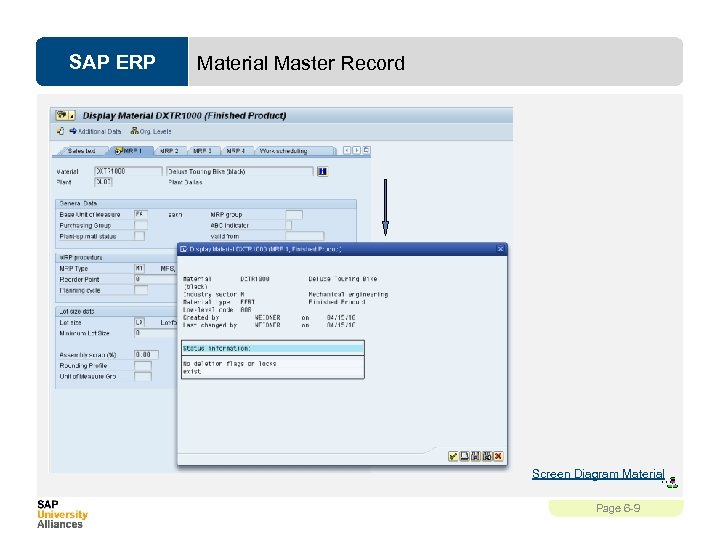 SAP ERP Material Master Record Screen Diagram Material Page 6 -9
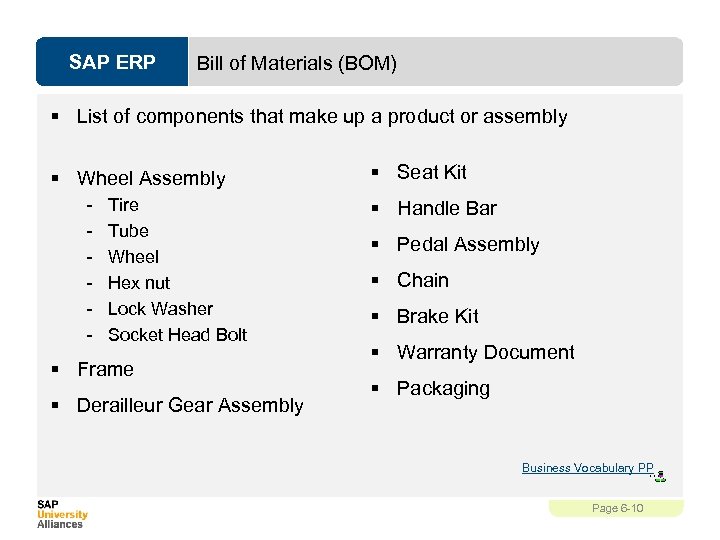 SAP ERP Bill of Materials (BOM) § List of components that make up a product or assembly § Wheel Assembly - Tire Tube Wheel Hex nut Lock Washer Socket Head Bolt § Frame § Derailleur Gear Assembly § Seat Kit § Handle Bar § Pedal Assembly § Chain § Brake Kit § Warranty Document § Packaging Business Vocabulary PP Page 6 -10
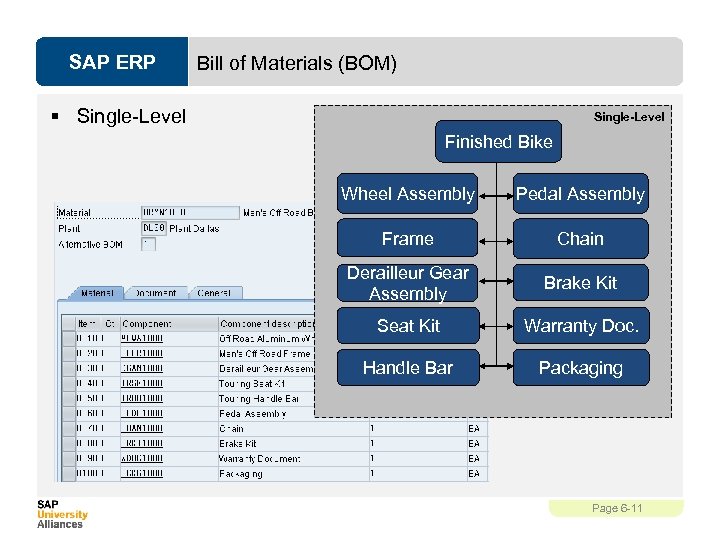 SAP ERP Bill of Materials (BOM) § Single-Level Finished Bike Wheel Assembly Pedal Assembly Frame Chain Derailleur Gear Assembly Brake Kit Seat Kit Warranty Doc. Handle Bar Packaging Page 6 -11
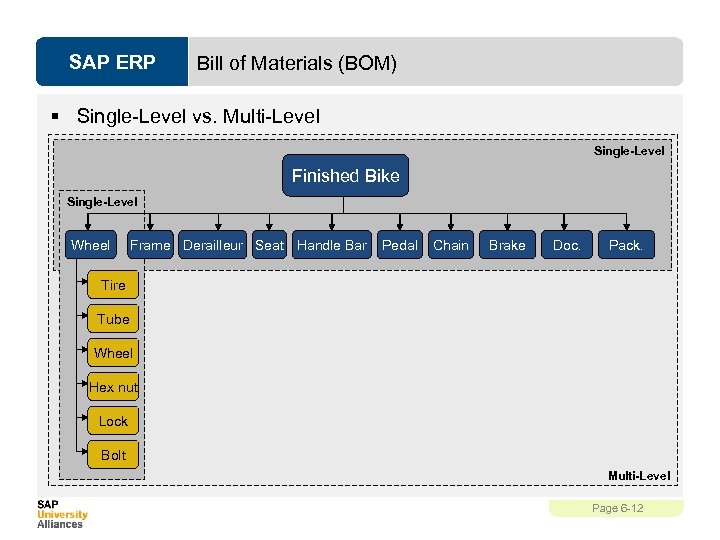 SAP ERP Bill of Materials (BOM) § Single-Level vs. Multi-Level Single-Level Finished Bike Single-Level Wheel Frame Derailleur Seat Handle Bar Pedal Chain Brake Doc. Pack. Tire Tube Wheel Hex nut Lock Bolt Multi-Level Page 6 -12
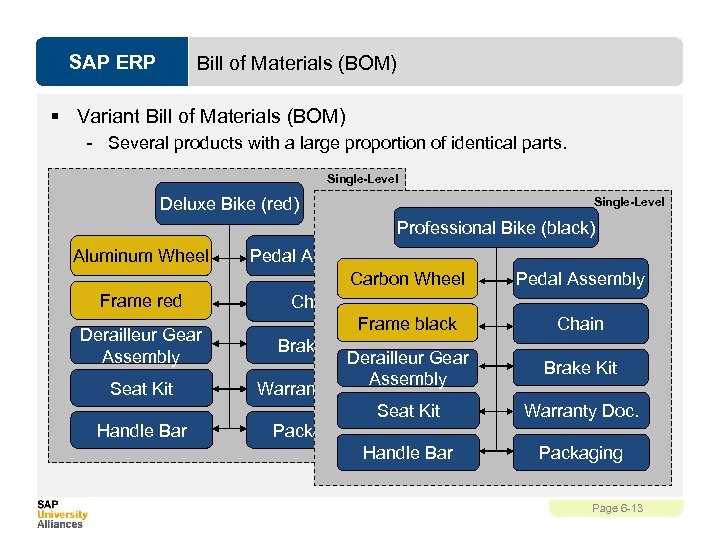 SAP ERP Bill of Materials (BOM) § Variant Bill of Materials (BOM) - Several products with a large proportion of identical parts. Single-Level Deluxe Bike (red) Single-Level Professional Bike (black) Aluminum Wheel Frame red Derailleur Gear Assembly Seat Kit Handle Bar Pedal Assembly Carbon Wheel Chain Frame black Brake Kit Derailleur Gear Assembly Warranty Doc. Seat Kit Packaging Handle Bar Pedal Assembly Chain Brake Kit Warranty Doc. Packaging Page 6 -13
 SAP ERP BOM – Item Categories § Item Categories - Stock Item Non-stock Item Variable Material – Sheet of steel Intra Item – Phantom material – process industry Class Item – place holder Document Item Text Item Business Vocabulary PP Page 6 -14
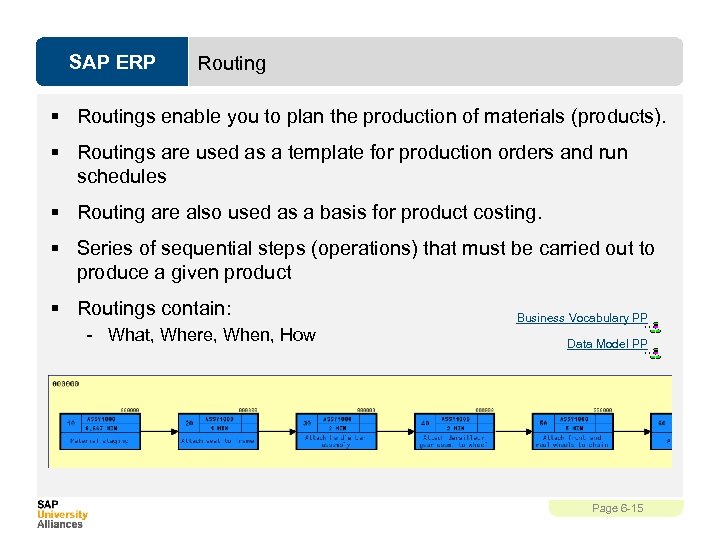 SAP ERP Routing § Routings enable you to plan the production of materials (products). § Routings are used as a template for production orders and run schedules § Routing are also used as a basis for product costing. § Series of sequential steps (operations) that must be carried out to produce a given product § Routings contain: - What, Where, When, How Business Vocabulary PP Data Model PP Page 6 -15
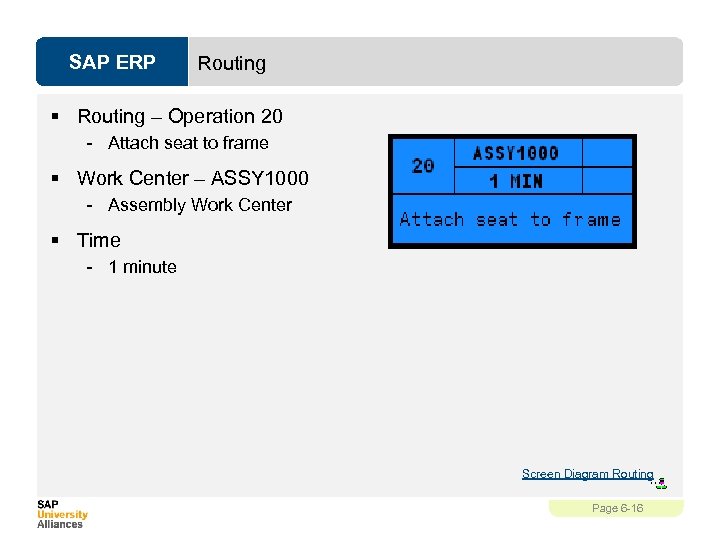 SAP ERP Routing § Routing – Operation 20 - Attach seat to frame § Work Center – ASSY 1000 - Assembly Work Center § Time - 1 minute Screen Diagram Routing Page 6 -16
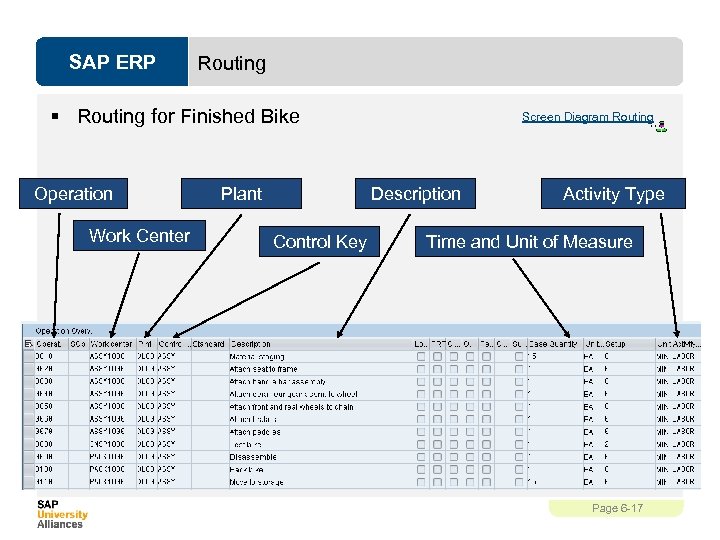 SAP ERP Routing § Routing for Finished Bike Operation Work Center Plant Screen Diagram Routing Description Control Key Activity Type Time and Unit of Measure Page 6 -17
 SAP ERP Work Center § A location within a plant where value-added work (operations or activities) are performed - Work Centers can represent • People or Groups of People • Machines or Groups of Machines • Assembly Lines § Work center used to define capacities - Labor Machine Output Emissions § Capacities used in - Capacity requirements planning (CRP) - Detailed scheduling - Costing Business Vocabulary PP Data Model PP Page 6 -18
 SAP ERP Work Center § Work centers capture and use the following Resource Related data - Basic Data • Person Responsible, Location of Work Center - Scheduling Information • Queues and Move Times (interoperation), Formula Keys - Costing Data • Cost Center, Activity Types - Personnel Data • People, Positions, Qualifications - Capacity Planning • Available Capacity, Formulas, Operating Time - Default Data • Control Key, Standard Text Key Page 6 -19
 SAP ERP Product Group § Aggregate planning that group together materials or other product groups (Product Families) § Multi- or Single- Level Product Groups - The lowest level must always consist of materials Business Vocabulary PP Page 6 -20
 SAP ERP PP Processes § Production Planning & Execution - Forecasting Sales and Operations Planning (SOP) Demand Management Master Production Scheduling (MPS) Material Requirement Planning (MRP) § Production Order Page 6 -21
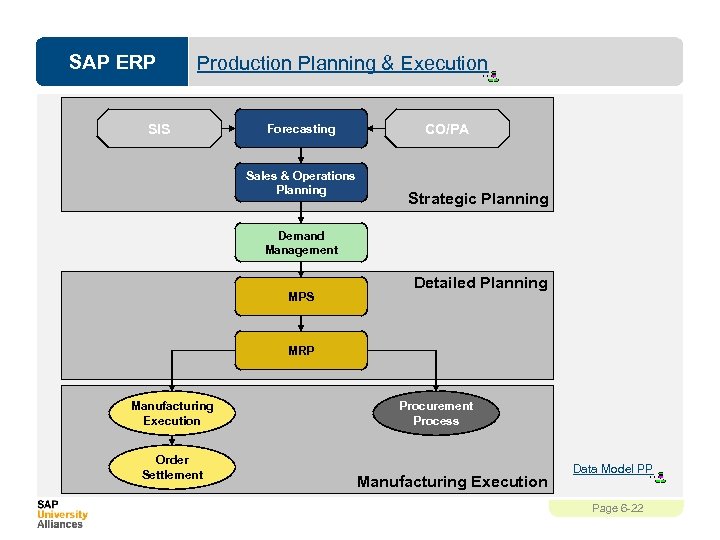 SAP ERP Production Planning & Execution SIS Forecasting Sales & Operations Planning CO/PA Strategic Planning Demand Management MPS Detailed Planning MRP Manufacturing Execution Order Settlement Procurement Process Manufacturing Execution Data Model PP Page 6 -22
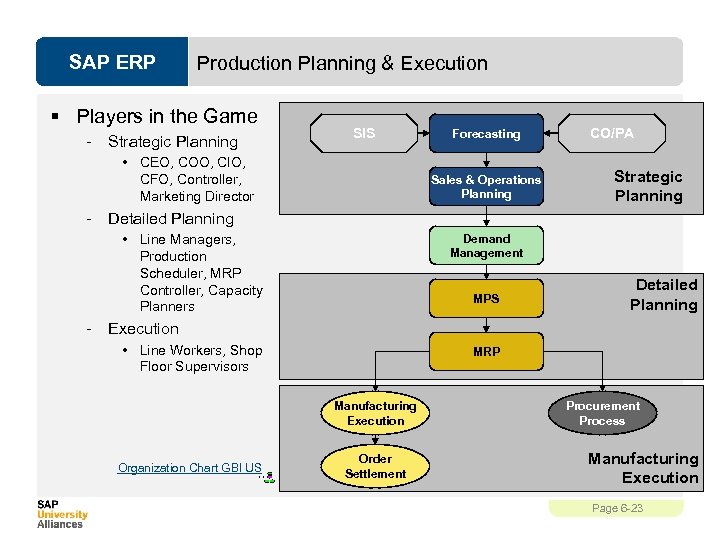 SAP ERP Production Planning & Execution § Players in the Game - Strategic Planning SIS • CEO, COO, CIO, CFO, Controller, Marketing Director - Sales & Operations Planning CO/PA Strategic Planning Detailed Planning • Line Managers, Production Scheduler, MRP Controller, Capacity Planners - Forecasting Demand Management MPS Detailed Planning Execution • Line Workers, Shop Floor Supervisors MRP Manufacturing Execution Organization Chart GBI US Order Settlement Procurement Process Manufacturing Execution Page 6 -23
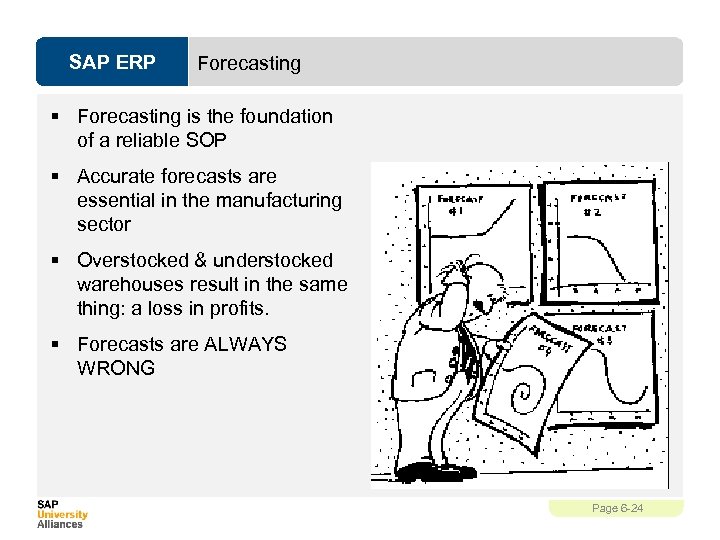 SAP ERP Forecasting § Forecasting is the foundation of a reliable SOP § Accurate forecasts are essential in the manufacturing sector § Overstocked & understocked warehouses result in the same thing: a loss in profits. § Forecasts are ALWAYS WRONG Page 6 -24
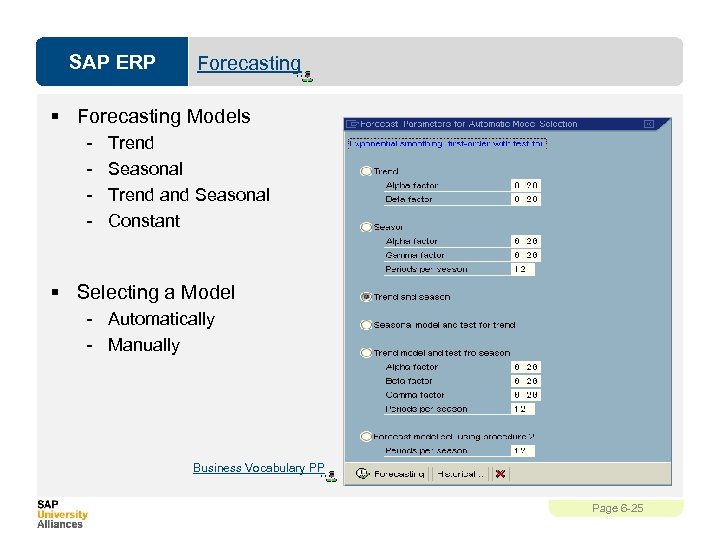 SAP ERP Forecasting § Forecasting Models - Trend Seasonal Trend and Seasonal Constant § Selecting a Model - Automatically - Manually Business Vocabulary PP Page 6 -25
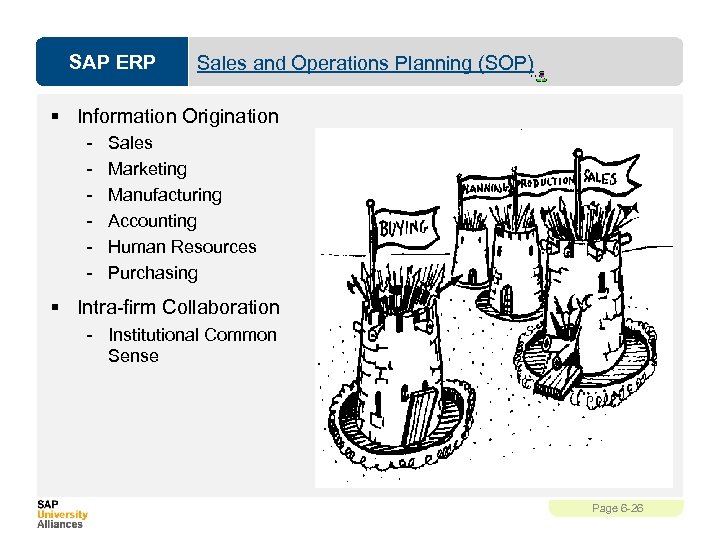 SAP ERP Sales and Operations Planning (SOP) § Information Origination - Sales Marketing Manufacturing Accounting Human Resources Purchasing § Intra-firm Collaboration - Institutional Common Sense Page 6 -26
 SAP ERP Sales and Operations Planning (SOP) § Flexible forecasting and planning tool § Usually consists of three steps: - Sales Plan - Production Plan - Rough Cut Capacity Plan § Planned at an aggregate level in time buckets Data Model PP Page 6 -27
 SAP ERP Demand Management § Link between Strategic Planning (SOP) & Detailed Planning (MPS/MRP) § The results of Demand Mgmt is called the Demand Program, it is generated from our independent requirements - PIR and CIR Business Vocabulary PP Data Model PP Page 6 -28
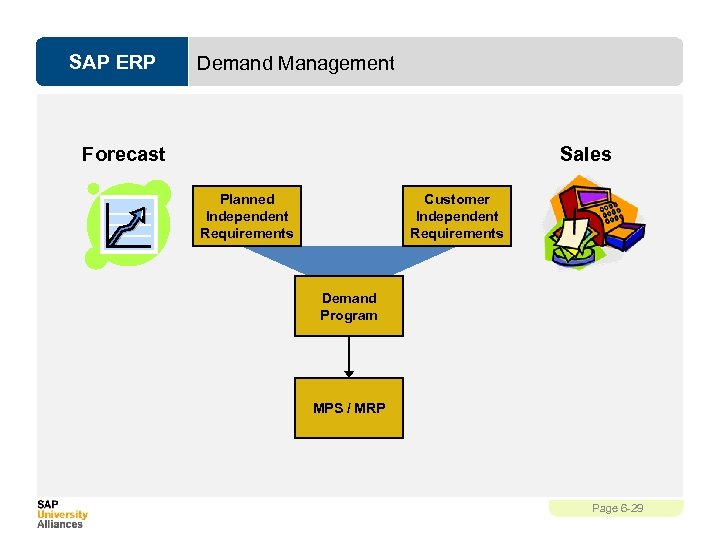 SAP ERP Demand Management Forecast Sales Planned Independent Requirements Customer Independent Requirements Demand Program MPS / MRP Page 6 -29
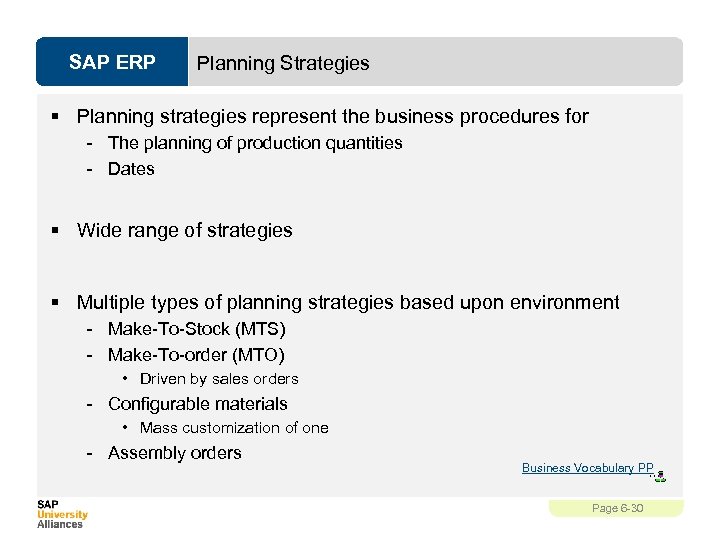 SAP ERP Planning Strategies § Planning strategies represent the business procedures for - The planning of production quantities - Dates § Wide range of strategies § Multiple types of planning strategies based upon environment - Make-To-Stock (MTS) - Make-To-order (MTO) • Driven by sales orders - Configurable materials • Mass customization of one - Assembly orders Business Vocabulary PP Page 6 -30
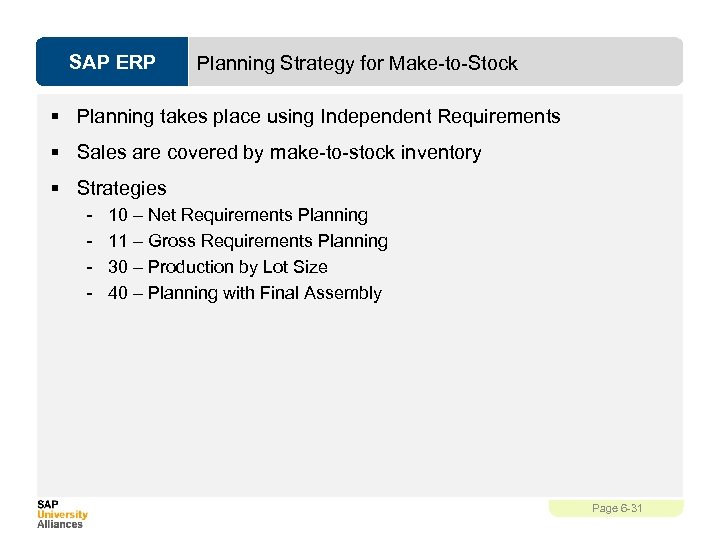 SAP ERP Planning Strategy for Make-to-Stock § Planning takes place using Independent Requirements § Sales are covered by make-to-stock inventory § Strategies - 10 – Net Requirements Planning 11 – Gross Requirements Planning 30 – Production by Lot Size 40 – Planning with Final Assembly Page 6 -31
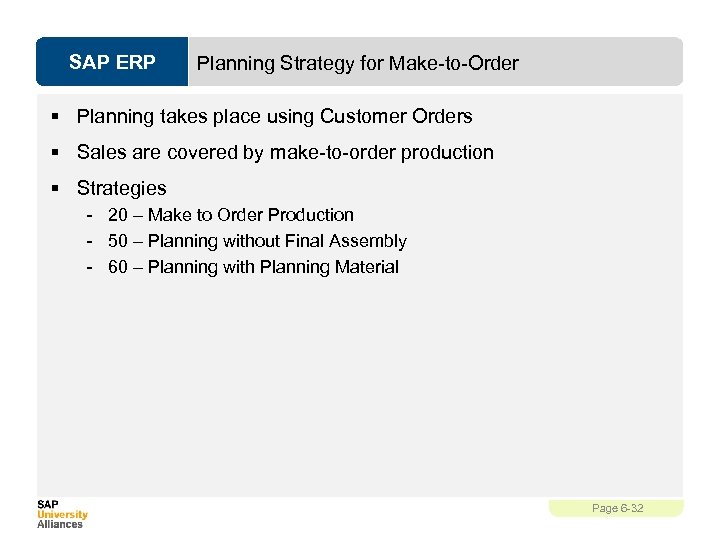 SAP ERP Planning Strategy for Make-to-Order § Planning takes place using Customer Orders § Sales are covered by make-to-order production § Strategies - 20 – Make to Order Production - 50 – Planning without Final Assembly - 60 – Planning with Planning Material Page 6 -32
 SAP ERP Master Production Scheduling (MPS) § MPS allows a company to distinguish planning methods between materials that have a strong influence on profit or use critical resources and those that do not Page 6 -33
 SAP ERP Material Requirement Planning (MRP) § In MRP, the system calculates the net requirements while considering available warehouse stock and scheduled receipts from purchasing and production § During MRP, all levels of the bill of material are planned § The output of MRP is a detailed production and/or purchasing plan § Detailed planning level - Primary Functions - Monitor inventory stocks - Determine material needs • Quantity • Timing - Generate purchase or production orders Business Vocabulary PP Page 6 -34
 SAP ERP Demand-Independent vs. Dependent § Independent Demand – Original source of the demand. § Dependent Demand – Source of demand resides at another level. Business Vocabulary PP Page 6 -35
 SAP ERP Material Requirement Planning (MRP) § MRP is used to ensure the availability of materials based on the need generated by MPS or the Demand Program - 5 Logical Steps • • • Net Requirements Calculation Lot Size Calculation Procurement Type Scheduling BOM Explosion Data Model PP Page 6 -36
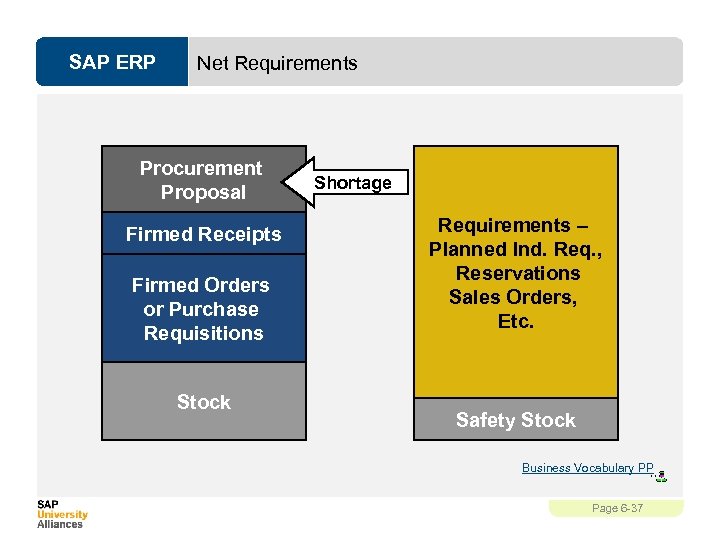 SAP ERP Net Requirements Procurement Proposal Firmed Receipts Firmed Orders or Purchase Requisitions Stock Shortage Requirements – Planned Ind. Req. , Reservations Sales Orders, Etc. Safety Stock Business Vocabulary PP Page 6 -37
 SAP ERP Lot sizing § Static - Based on fixed values in the Material Master § Periodic - Groups net requirements together from multiple periods § Optimum - Calculates the optimum lot size for a several periods of net requirements Business Vocabulary PP Page 6 -38
 SAP ERP Procurement Type § External Procurement - Purchase Requisition - Purchase Order - Schedule Line § Internal Procurement - Planned Order - Production Order - Process Order Screen Diagram Material Business Vocabulary PP Page 6 -39
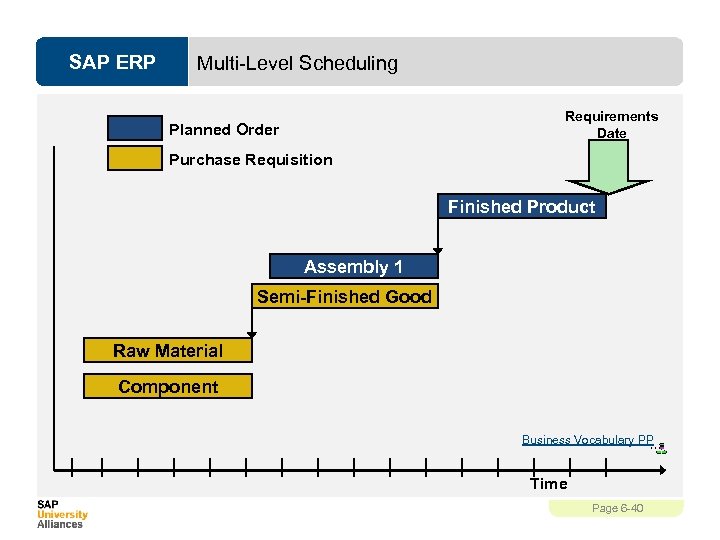 SAP ERP Multi-Level Scheduling Requirements Date Planned Order Purchase Requisition Finished Product Assembly 1 Semi-Finished Good Raw Material Component Business Vocabulary PP Time Page 6 -40
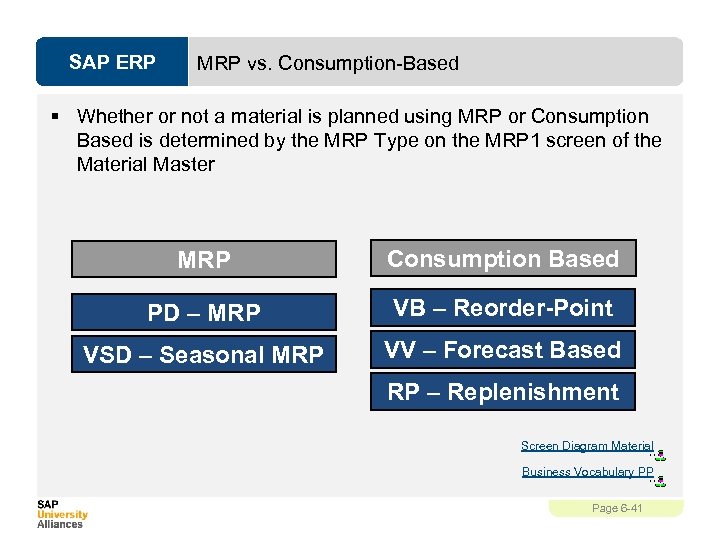 SAP ERP MRP vs. Consumption-Based § Whether or not a material is planned using MRP or Consumption Based is determined by the MRP Type on the MRP 1 screen of the Material Master MRP Consumption Based PD – MRP VB – Reorder-Point VSD – Seasonal MRP VV – Forecast Based RP – Replenishment Screen Diagram Material Business Vocabulary PP Page 6 -41
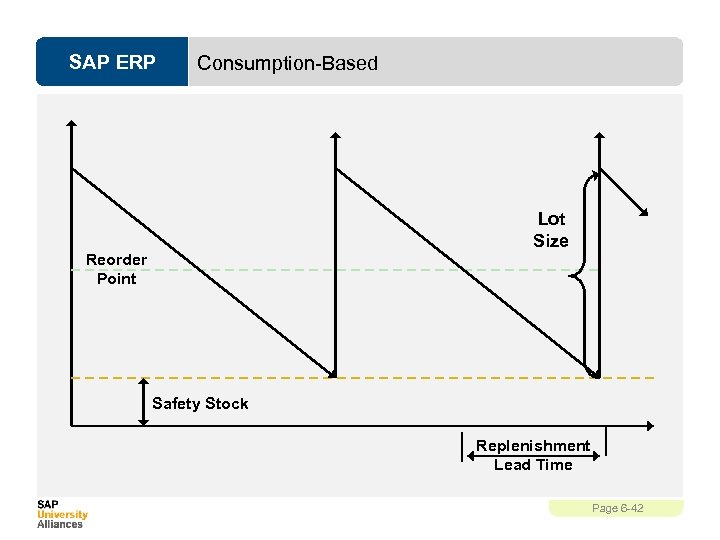 SAP ERP Consumption-Based Lot Size Reorder Point Safety Stock Replenishment Lead Time Page 6 -42
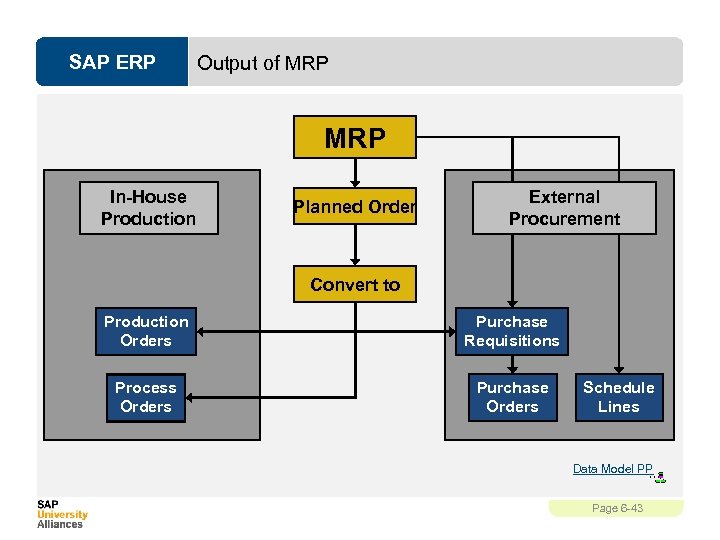 SAP ERP Output of MRP In-House Production Planned Order External Procurement Convert to Production Orders Purchase Requisitions Process Orders Purchase Orders Schedule Lines Data Model PP Page 6 -43
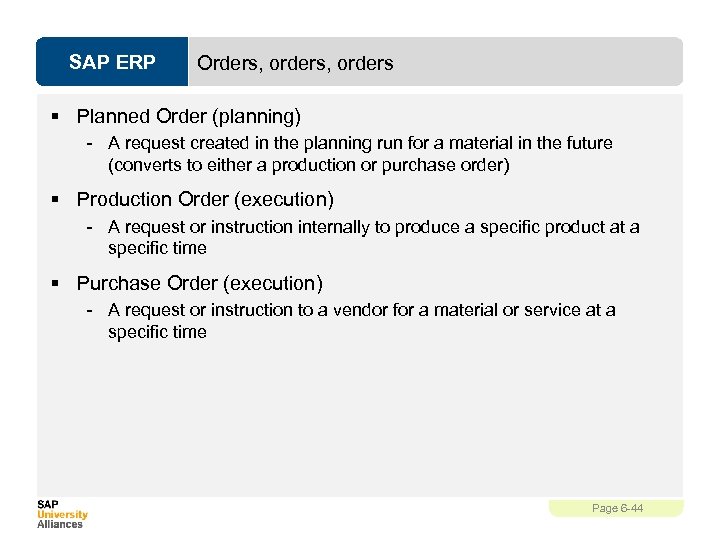 SAP ERP Orders, orders § Planned Order (planning) - A request created in the planning run for a material in the future (converts to either a production or purchase order) § Production Order (execution) - A request or instruction internally to produce a specific product at a specific time § Purchase Order (execution) - A request or instruction to a vendor for a material or service at a specific time Page 6 -44
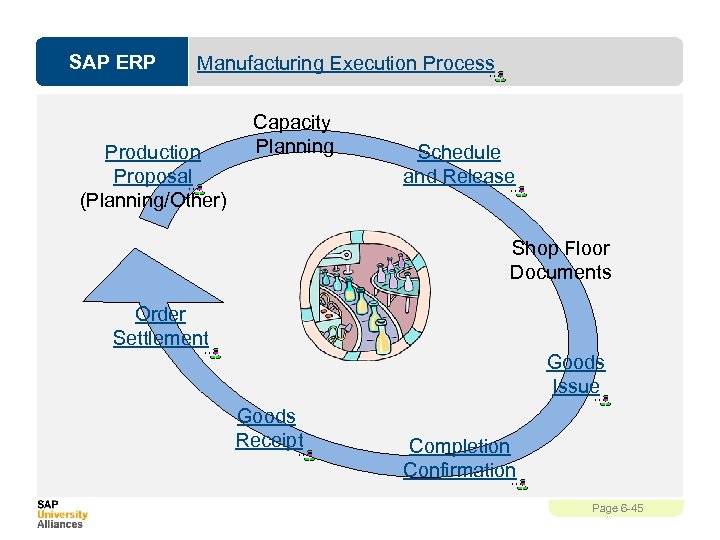 SAP ERP Manufacturing Execution Process Production Proposal (Planning/Other) Capacity Planning Schedule and Release Shop Floor Documents Order Settlement Goods Issue Goods Receipt Completion Confirmation Page 6 -45
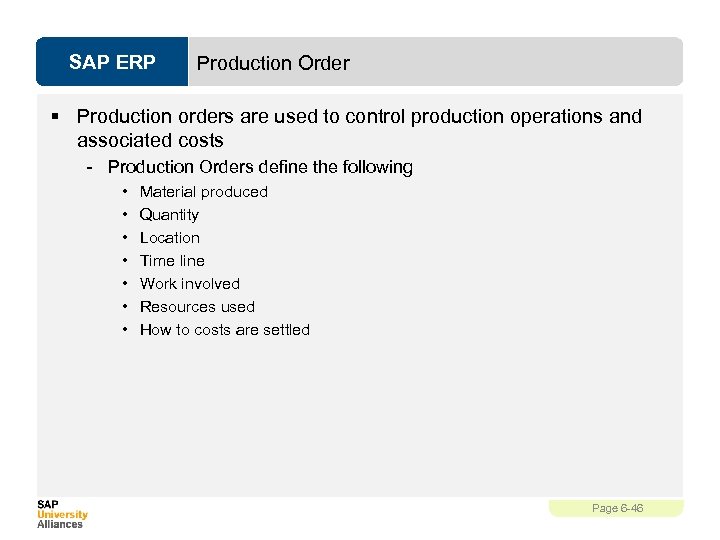 SAP ERP Production Order § Production orders are used to control production operations and associated costs - Production Orders define the following • • Material produced Quantity Location Time line Work involved Resources used How to costs are settled Page 6 -46
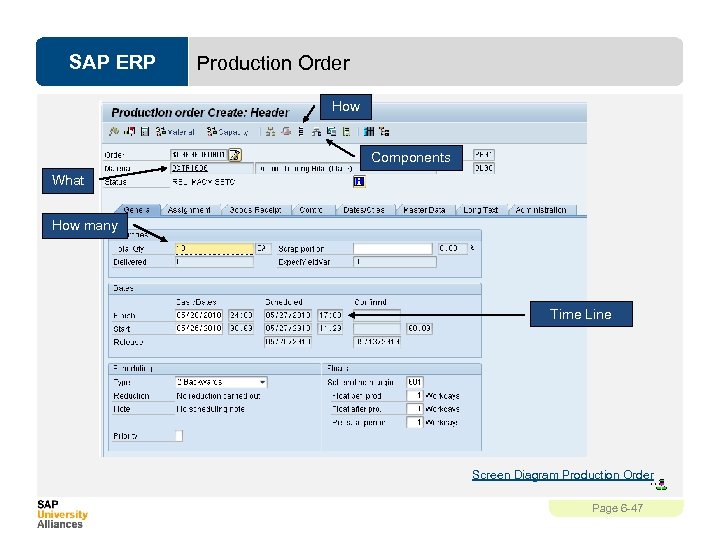 SAP ERP Production Order How Components What How many Time Line Screen Diagram Production Order Page 6 -47
 SAP ERP Schedule § Calculates the production dates and capacity requirements for all operations within an order - Determines a Routing • Operation specific time lines • Material Consumption Points - Material Master • Scheduling Margin Key (Floats) - Work Center • Formulas • Standard Inter-operation Times Page 6 -48
 SAP ERP Release § Two release processes - Header Level • Entire order and all operations are released for processing, order is given a REL status - Operation Level • Individual operations within an order are released • Order is given a PREL status • Not until the last operation is released does the order obtains a REL status § Automatic vs. manual Page 6 -49
 SAP ERP Availability Check § Automatic check to determine whether the component, production resource tools, or capacities in an order are available - Can be automatic or manually executed - Determines availability on the required date § Generates an availability log - Displays results of the check - Missing parts list - Reservations that could not be verified Page 6 -50
 SAP ERP Schedule & Release § The time between scheduling and releasing an order is used for company checks and any preparation needed for the processing of the order § Once an order has been released it is ready for execution, we can at this time - Print shop floor documents - Execute goods movements - Accept confirmations against the order Page 6 -51
 SAP ERP Shop Floor Documents § Shop Floor Documents are printed upon release of the Production Order, examples would be: - Operation-based Lists • Time Tickets, Confirmation Slips - Component-based Lists • Material Withdrawal Slips, Pull List (consumption list) - PRT Lists • Overview of PRT’s used and in which operations - Multi-Purpose Lists • Operation Control Ticket, Object Overview Page 6 -52
 SAP ERP Material Withdrawal § When a production order is created it references a BOM to determine the necessary components to produce the material. § It then places a reservation on each of the components. § Upon release of the order (or operation) you can withdraw the reserved materials from inventory - Reservation is updated - Inventory is updated - Costs are assigned to the order as actual costs Page 6 -53
 SAP ERP Confirmations § Confirmations are used to monitor and track the progression of an order through its production cycle - Confirmation can be done at the operation or order level § Exact confirmation shortly after completion of an operation is essential for realistic production planning and control § Data that needs confirmation include - Quantities – yield, scrap, rework Activity data – setup time, machine time Dates – setup, processing, teardown started or finished Personnel data – employee who carried out the operation, number of employee involved in the operation Work center Goods movements – planned and unplanned Variance reasons PRT usage Screen Diagram Confirmations Page 6 -54
 SAP ERP Goods Receipt § Acceptance of the confirmed quantity of output from the production order into stock - Effects of the Goods Receipt • • Updates stock quantity Updates stock value Price stored for future valuation changes Production order is updated - Three documents are created • Material document • Accounting document • Controlling document Document Flow Page 6 -55
 SAP ERP Order Settlement § Consists of settling the actual costs incurred in the order to one or more receiver cost objects - Receivers could include: a material, a cost center, an internal order, a sales order, a project, a network, a fixed asset § Parameters for Order Settlement - Settlement Profile • Specifics the receivers, distributions rules and method - Settlement Structure • Determines how the debit cost elements are assigned to the settlement cost elements § Settlement Rule - Automatically assigned on creation of order, the parameters are used to define this rule • Has one or more distribution rules assigned to it • Distribution rules defines: cost receiver, settlement share, settlement type Page 6 -56
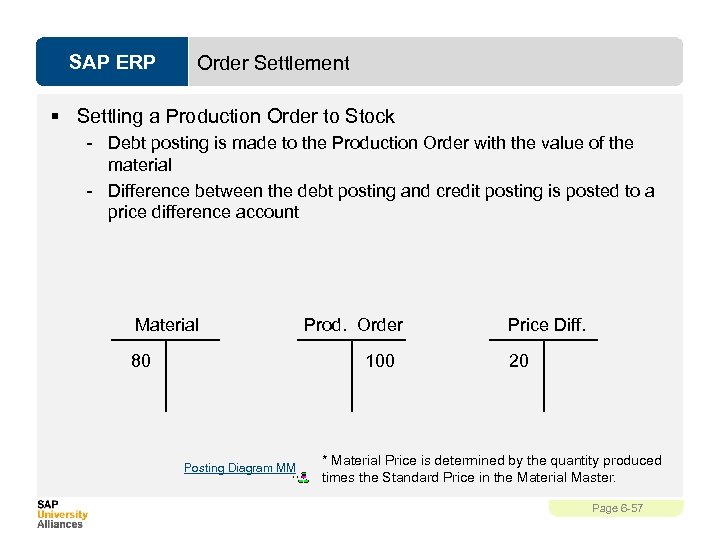 SAP ERP Order Settlement § Settling a Production Order to Stock - Debt posting is made to the Production Order with the value of the material - Difference between the debt posting and credit posting is posted to a price difference account Material 80 Prod. Order 100 Posting Diagram MM Price Diff. 20 * Material Price is determined by the quantity produced times the Standard Price in the Material Master. Page 6 -57
 SAP ERP Order Settlement § Costs analyzed - Primary • Materials • External Processing - Secondary • Production, Material, and Administrative Overhead • Labor § Cost Analysis Reporting - Calculate and analyze planned costs, target costs, and actual costs of the production order. - Calculate and analyze variances Page 6 -58
![SAP ERP Overview of ARIS models (PP) [slide number] [slide title] [model name assigned]](https://present5.com/presentation/e940689da590383621b7283907b3d688/image-59.jpg "SAP ERP Overview of ARIS models (PP) [slide number] [slide title] [model name assigned]") SAP ERP Overview of ARIS models (PP) [slide number] [slide title] [model name assigned] [level of abstraction (1 -4)] Levels of abstraction (1 -4) (1) Core level (2) Overview level (3) Detailed level (4) Document level 6 -6 Global Bike Structure for Production Planning : „GBI Structure Production“(1 -3) 6 -6 Global Bike Inc. and Global Bike Germany Gmb. H: „GBI Org Chart USA/DE“(1 -3) 6 -7 GBI Enterprise Structure in SAP ERP (Logistics) : „GBI System Organization Units“(1 -3) 6 -8 Data Model PP: „Data Model Production Planning“(3) 6 -9 Screen Diagram Material: Screen Diagram “Trading Good Basic Data / MMH 1”(4) 6 -14 Business Vocabulary PP: “Business Vocabulary PP”(3) 6 -16 Screen Diagram Routing: Screen Diagram “Change Routing/ CA 02”(4) 6 -17 Screen Diagram Routing: Screen Diagram “Change Routing / CA 02”(4) 6 -22 Production Planning & Execution : Value added Chain Diagram “GBI_PP”(2) and Data Model PP 6 -23 Organization Chart GBI US: „Organization Chart Global Bike Inc. “(1 -3) 6 -25 Forecasting: e. EPC „Create Consumption Value for Finished Product“(3) and Business Vocabulary PP 6 -26 Sales and Operations Planning (SOP) : e. EPC „Create Sales and Operations Plan“(3) 6 -28 Demand Management: e. EPC „Create Sales and Operations Plan“(3) Business Vocabulary PP and Data Model PP 6 -33 Master Production Scheduling (MPS): e. EPC „Run MPS with MRP“(3) 6 -34 Material Requirement Planning (MRP): e. EPC „ Run MPS with MRP“(3) and Business Vocabulary PP 6 -38 Material Master: Screen Diagram “Create Trading Goods MRP 1 / MMH 1”(4) and Business Vocabulary PP 6 -39 Screen Diagram Material: Screen Diagram “Create Trading Goods MRP 2 / MMH 1”(4) and Business Vocabulary PP 6 -41 Screen Diagram Material: Screen Diagram “Create Trading Goods MRP 2 / MMH 1”(4) and Business Vocabulary PP 6 -45 Manufacturing Execution Process: Value added Chain “GBI_PP” (2) and 6 other e. EPCs 6 -47 Screen Diagram Production Order: Screen Diagram “Convert Planned Order / CO 04”(4) 6 -48 Schedule: e. EPC „Convert Planned Order into Production Order“(3) 6 -49 Release: e. EPC „ Convert Planned Order into Production Order“(3) 6 -50 Availability Check: e. EPC „ Convert Planned Order into Production Order“(3) 6 -53 Material Withdrawal: e. EPC „Issue Goods to Production Order“(3) 6 -54 Confirmations: e. EPC „Confirm Production Completion“(3) and Screen Diagram Confirmations 6 -55 Goods Receipt: e. EPC „Receive Goods from Production Order“(3) and Document Flow 6 -56 Order Settlement: e. EPC „Settle Costs of Production Order“(3) 6 -57 Posting Diagram MM: Information Carrier Diagram “FI-MM Integration Point”(3) All assigned models and its objects are linked to each other. This enables the model user to horizontally navigate (via Object Occurrences) within one level of abstraction and to vertically navigate (via Object Hierarchy) between the 4 levels of abstraction. Page 6 -59
SAP ERP Overview of ARIS models (PP) [slide number] [slide title] [model name assigned] [level of abstraction (1 -4)] Levels of abstraction (1 -4) (1) Core level (2) Overview level (3) Detailed level (4) Document level 6 -6 Global Bike Structure for Production Planning : „GBI Structure Production“(1 -3) 6 -6 Global Bike Inc. and Global Bike Germany Gmb. H: „GBI Org Chart USA/DE“(1 -3) 6 -7 GBI Enterprise Structure in SAP ERP (Logistics) : „GBI System Organization Units“(1 -3) 6 -8 Data Model PP: „Data Model Production Planning“(3) 6 -9 Screen Diagram Material: Screen Diagram “Trading Good Basic Data / MMH 1”(4) 6 -14 Business Vocabulary PP: “Business Vocabulary PP”(3) 6 -16 Screen Diagram Routing: Screen Diagram “Change Routing/ CA 02”(4) 6 -17 Screen Diagram Routing: Screen Diagram “Change Routing / CA 02”(4) 6 -22 Production Planning & Execution : Value added Chain Diagram “GBI_PP”(2) and Data Model PP 6 -23 Organization Chart GBI US: „Organization Chart Global Bike Inc. “(1 -3) 6 -25 Forecasting: e. EPC „Create Consumption Value for Finished Product“(3) and Business Vocabulary PP 6 -26 Sales and Operations Planning (SOP) : e. EPC „Create Sales and Operations Plan“(3) 6 -28 Demand Management: e. EPC „Create Sales and Operations Plan“(3) Business Vocabulary PP and Data Model PP 6 -33 Master Production Scheduling (MPS): e. EPC „Run MPS with MRP“(3) 6 -34 Material Requirement Planning (MRP): e. EPC „ Run MPS with MRP“(3) and Business Vocabulary PP 6 -38 Material Master: Screen Diagram “Create Trading Goods MRP 1 / MMH 1”(4) and Business Vocabulary PP 6 -39 Screen Diagram Material: Screen Diagram “Create Trading Goods MRP 2 / MMH 1”(4) and Business Vocabulary PP 6 -41 Screen Diagram Material: Screen Diagram “Create Trading Goods MRP 2 / MMH 1”(4) and Business Vocabulary PP 6 -45 Manufacturing Execution Process: Value added Chain “GBI_PP” (2) and 6 other e. EPCs 6 -47 Screen Diagram Production Order: Screen Diagram “Convert Planned Order / CO 04”(4) 6 -48 Schedule: e. EPC „Convert Planned Order into Production Order“(3) 6 -49 Release: e. EPC „ Convert Planned Order into Production Order“(3) 6 -50 Availability Check: e. EPC „ Convert Planned Order into Production Order“(3) 6 -53 Material Withdrawal: e. EPC „Issue Goods to Production Order“(3) 6 -54 Confirmations: e. EPC „Confirm Production Completion“(3) and Screen Diagram Confirmations 6 -55 Goods Receipt: e. EPC „Receive Goods from Production Order“(3) and Document Flow 6 -56 Order Settlement: e. EPC „Settle Costs of Production Order“(3) 6 -57 Posting Diagram MM: Information Carrier Diagram “FI-MM Integration Point”(3) All assigned models and its objects are linked to each other. This enables the model user to horizontally navigate (via Object Occurrences) within one level of abstraction and to vertically navigate (via Object Hierarchy) between the 4 levels of abstraction. Page 6 -59
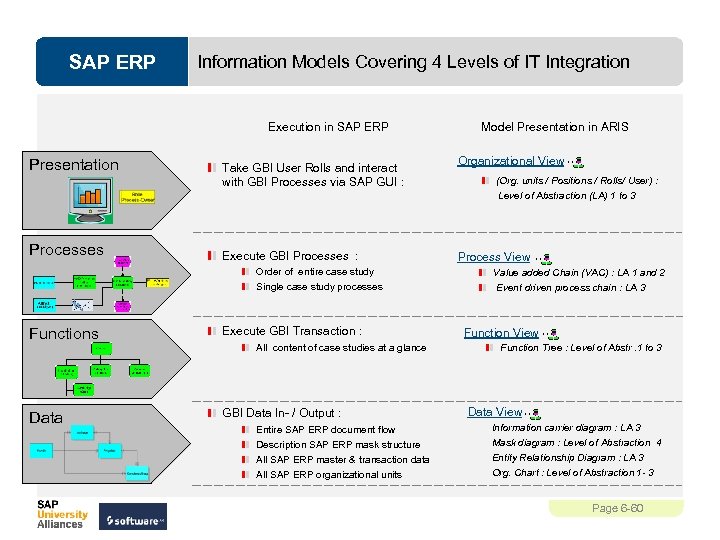 SAP ERP Information Models Covering 4 Levels of IT Integration Execution in SAP ERP Presentation Processes Take GBI User Rolls and interact with GBI Processes via SAP GUI : Execute GBI Processes : Order of entire case study Single case study processes Functions Execute GBI Transaction : Data GBI Data In- / Output : All content of case studies at a glance Entire SAP ERP document flow Description SAP ERP mask structure All SAP ERP master & transaction data All SAP ERP organizational units Model Presentation in ARIS Organizational View (Org. units / Positions / Rolls/ User) : Level of Abstraction (LA) 1 to 3 Process View Value added Chain (VAC) : LA 1 and 2 Event driven process chain : LA 3 Function View Function Tree : Level of Abstr. 1 to 3 Data View Information carrier diagram : LA 3 Mask diagram : Level of Abstraction 4 Entity Relationship Diagram : LA 3 Org. Chart : Level of Abstraction 1 - 3 Page 6 -60