 Скачать презентацию SAP Best Practices Foundation for Your Success in
e38dd4019034296edbcad032ffda2830.ppt
- Количество слайдов: 19



SAP Best Practices Foundation for Your Success in the Midmarket - Solution Builder - SAP Best Practices, SAP AG Last update: 04. 01. 2008
Agenda Solution Builder Overview © SAP 2008 / SAP Best Practices 2007 Page 2
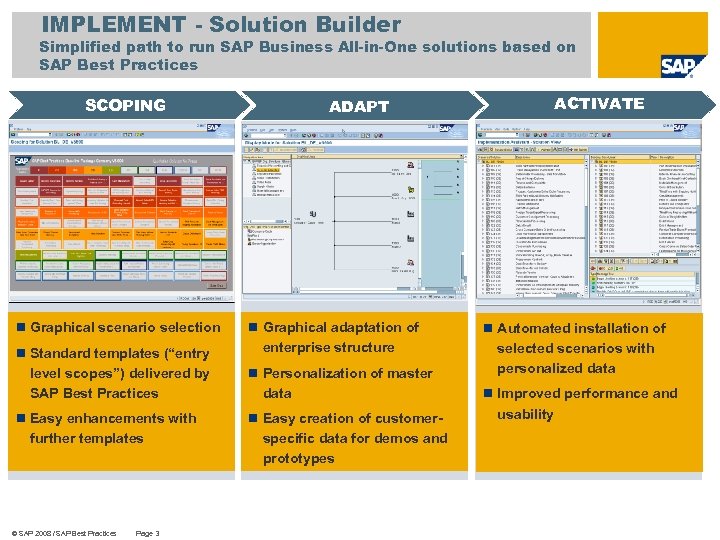
IMPLEMENT - Solution Builder Simplified path to run SAP Business All-in-One solutions based on SAP Best Practices SCOPING n Graphical scenario selection n Standard templates (“entry level scopes”) delivered by SAP Best Practices n Easy enhancements with further templates © SAP 2008 / SAP Best Practices Page 3 ADAPT n Graphical adaptation of enterprise structure n Personalization of master data n Easy creation of customerspecific data for demos and prototypes ACTIVATE n Automated installation of selected scenarios with personalized data n Improved performance and usability
What is the Solution Builder for SAP Business All-in-One Solutions? KEY MESSAGE n The Solution Builder will replace the SAP Best Practices Installation Assistant n The Solution Builder is technically fully compatible to previous SAP Best Practices deliveries (regarding technical Implementation) n Additional functionality for managing SAP Solutions and facilitating end-user procedures Solution Builder n Enhancement n Backwards n Fully of the SAP Best Practices Installation Assistant compatibility (previous deliveries are technically supported) compatible to existing SAP Best Practices technical structure n Focus on “Solutions” * (like e. g. SAP Best Practices Offerings) n Clearer separation of consultant and development related tasks n Extended functionality for development & deployment * The term “Solution“ is not fully compliant with the official term Solution according to the SAP Taxonomy ant therefore put in parenthesis in this presentation. © SAP 2008 / SAP Best Practices Page 4
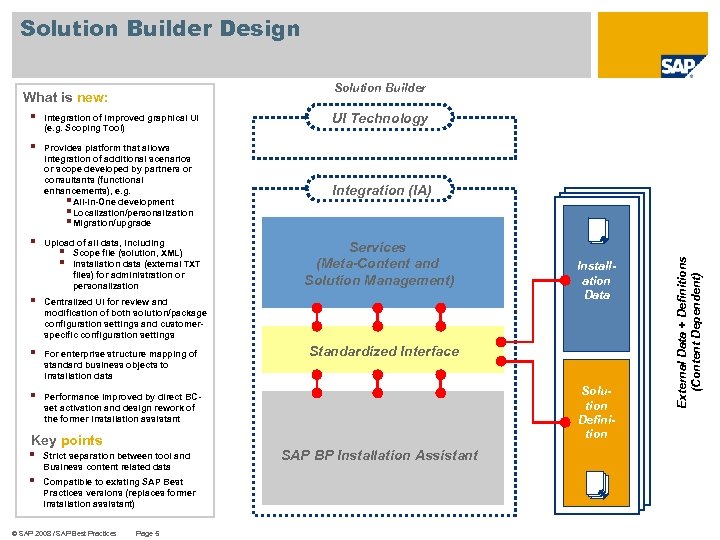
Solution Builder Design Solution Builder § Integration of improved graphical UI (e. g. Scoping Tool) § Provides platform that allows integration of additional scenarios or scope developed by partners or consultants (functional enhancements), e. g. § All-in-One development § Localization/personalization § Migration/upgrade § Upload of all data, including § Scope file (solution, XML) § Installation data (external TXT files) for administration or personalization § For enterprise structure mapping of standard business objects to installation data § Integration (IA) Services (Meta-Content and Solution Management) Centralized UI for review and modification of both solution/package configuration settings and customerspecific configuration settings § UI Technology Performance improved by direct BCset activation and design rework of the former installation assistant Key points § Strict separation between tool and Business content related data § Compatible to existing SAP Best Practices versions (replaces former installation assistant) © SAP 2008 / SAP Best Practices Page 5 Installation Data Standardized Interface Solution Definition SAP BP Installation Assistant External Data + Definitions (Content Dependent) What is new:
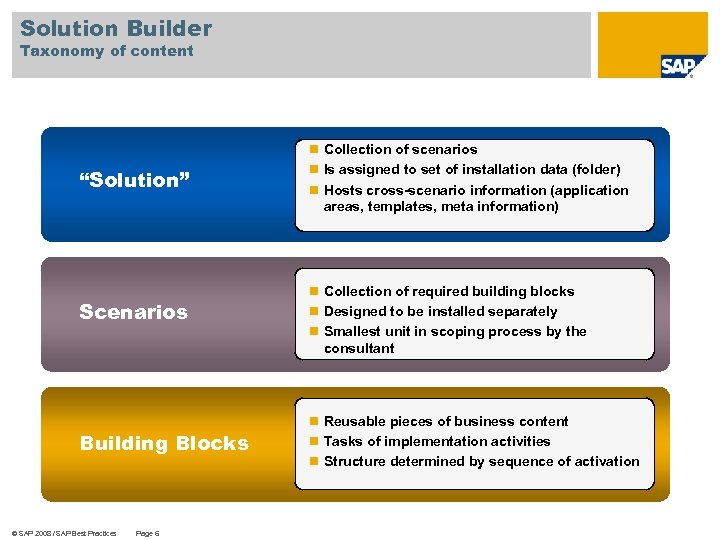
Solution Builder Taxonomy of content “Solution” Scenarios Building Blocks © SAP 2008 / SAP Best Practices Page 6 n Collection of scenarios n Is assigned to set of installation data (folder) n Hosts cross-scenario information (application areas, templates, meta information) n Collection of required building blocks n Designed to be installed separately n Smallest unit in scoping process by the consultant n Reusable pieces of business content n Tasks of implementation activities n Structure determined by sequence of activation
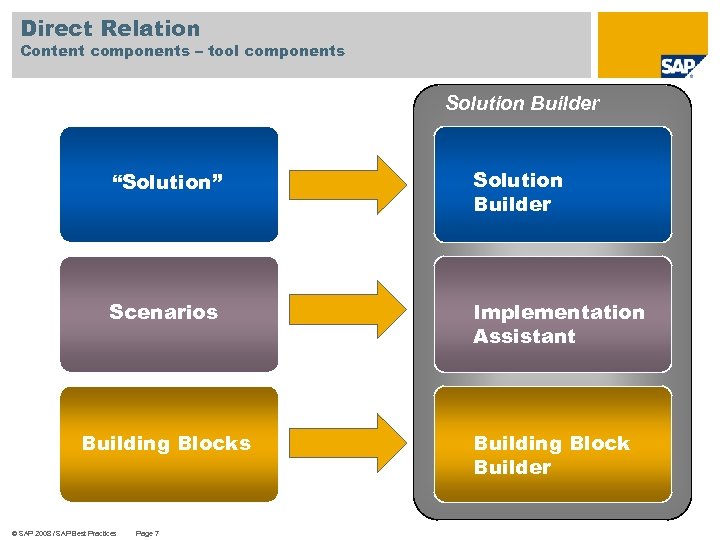
Direct Relation Content components – tool components Solution Builder “Solution” Solution Builder Scenarios Implementation Assistant Building Blocks © SAP 2008 / SAP Best Practices Page 7 Building Block Builder
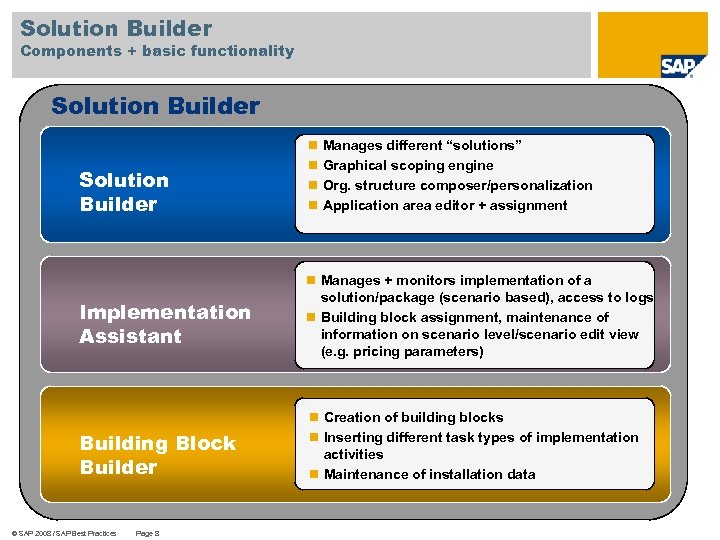
Solution Builder Components + basic functionality Solution Builder Implementation Assistant Building Block Builder © SAP 2008 / SAP Best Practices Page 8 n Manages different “solutions” n Graphical scoping engine n Org. structure composer/personalization n Application area editor + assignment n Manages + monitors implementation of a solution/package (scenario based), access to logs n Building block assignment, maintenance of information on scenario level/scenario edit view (e. g. pricing parameters) n Creation of building blocks n Inserting different task types of implementation activities n Maintenance of installation data
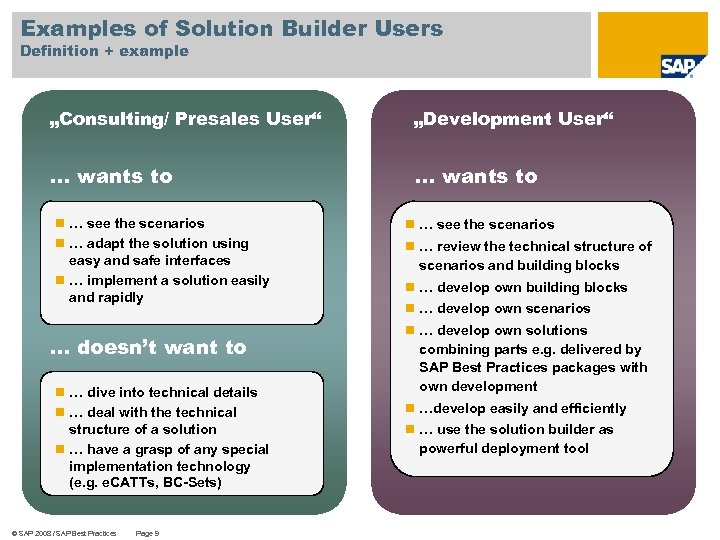
Examples of Solution Builder Users Definition + example „Consulting/ Presales User“ „Development User“ … wants to n … see the scenarios n … adapt the solution using easy and safe interfaces n … implement a solution easily and rapidly … doesn’t want to n … dive into technical details n … deal with the technical structure of a solution n … have a grasp of any special implementation technology (e. g. e. CATTs, BC-Sets) © SAP 2008 / SAP Best Practices Page 9 n … see the scenarios n … review the technical structure of scenarios and building blocks n … develop own scenarios n … develop own solutions combining parts e. g. delivered by SAP Best Practices packages with own development n …develop easily and efficiently n … use the solution builder as powerful deployment tool
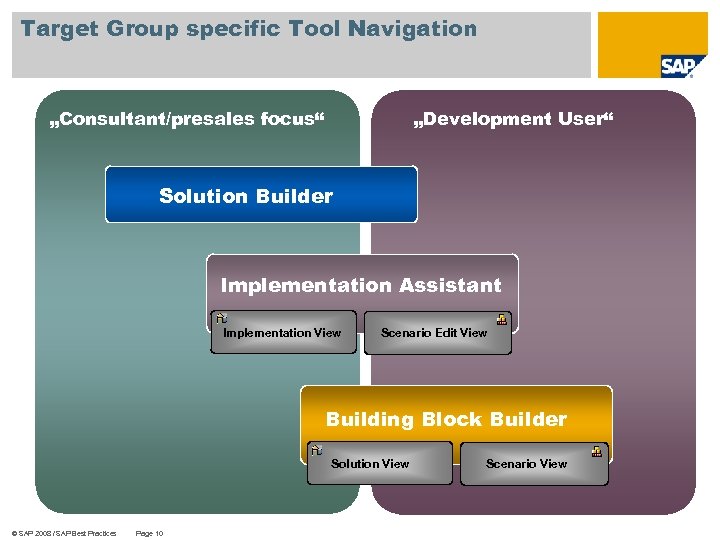
Target Group specific Tool Navigation „Consultant/presales focus“ „Development User“ Solution Builder Implementation Assistant Implementation View Scenario Edit View Building Block Builder Solution View © SAP 2008 / SAP Best Practices Page 10 Scenario View
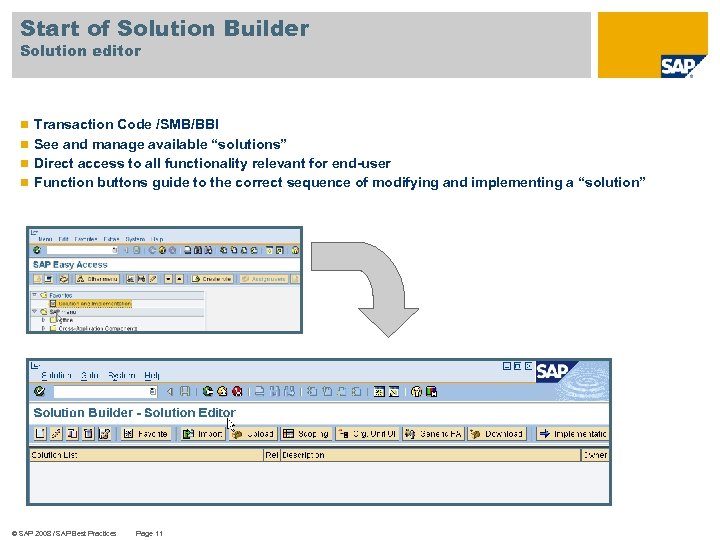
Start of Solution Builder Solution editor n Transaction Code /SMB/BBI n See and manage available “solutions” n Direct access to all functionality relevant for end-user n Function buttons guide to the correct sequence of modifying and implementing a “solution” © SAP 2008 / SAP Best Practices Page 11
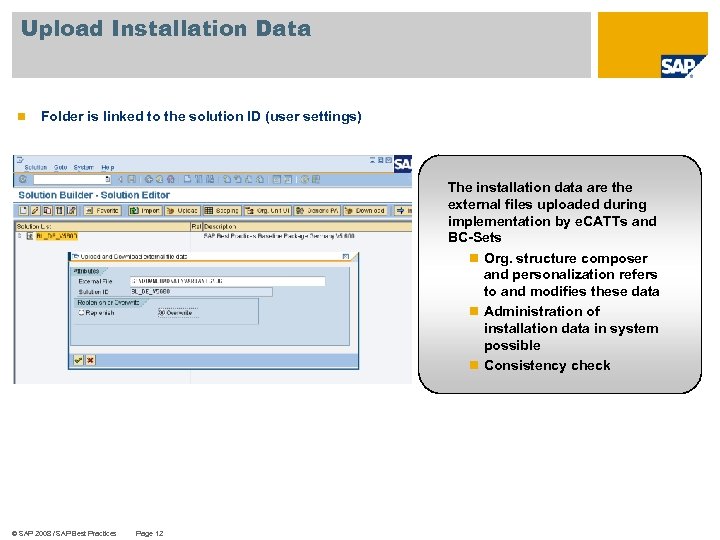
Upload Installation Data n Folder is linked to the solution ID (user settings) The installation data are the external files uploaded during implementation by e. CATTs and BC-Sets n Org. structure composer and personalization refers to and modifies these data n Administration of installation data in system possible n Consistency check © SAP 2008 / SAP Best Practices Page 12
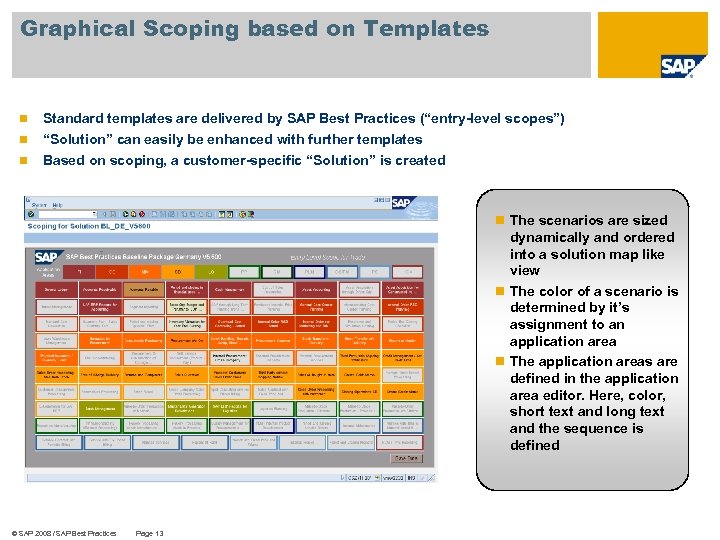
Graphical Scoping based on Templates n Standard templates are delivered by SAP Best Practices (“entry-level scopes”) n “Solution” can easily be enhanced with further templates Based on scoping, a customer-specific “Solution” is created n n The scenarios are sized dynamically and ordered into a solution map like view n The color of a scenario is determined by it’s assignment to an application area n The application areas are defined in the application area editor. Here, color, short text and long text and the sequence is defined © SAP 2008 / SAP Best Practices Page 13
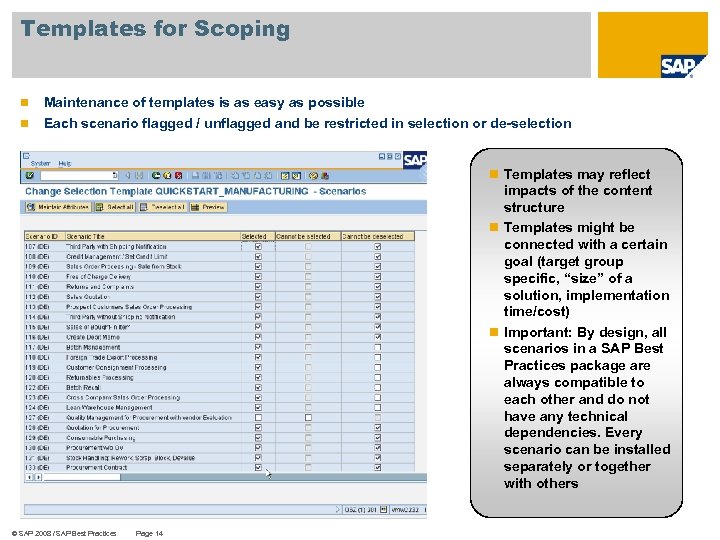
Templates for Scoping n Maintenance of templates is as easy as possible n Each scenario flagged / unflagged and be restricted in selection or de-selection n Templates may reflect impacts of the content structure n Templates might be connected with a certain goal (target group specific, “size” of a solution, implementation time/cost) n Important: By design, all scenarios in a SAP Best Practices package are always compatible to each other and do not have any technical dependencies. Every scenario can be installed separately or together with others © SAP 2008 / SAP Best Practices Page 14
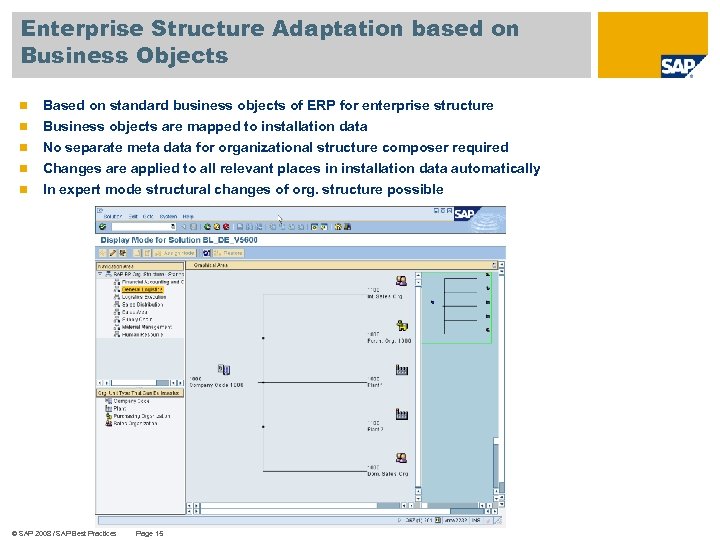
Enterprise Structure Adaptation based on Business Objects n Based on standard business objects of ERP for enterprise structure n Business objects are mapped to installation data No separate meta data for organizational structure composer required Changes are applied to all relevant places in installation data automatically In expert mode structural changes of org. structure possible n n n © SAP 2008 / SAP Best Practices Page 15
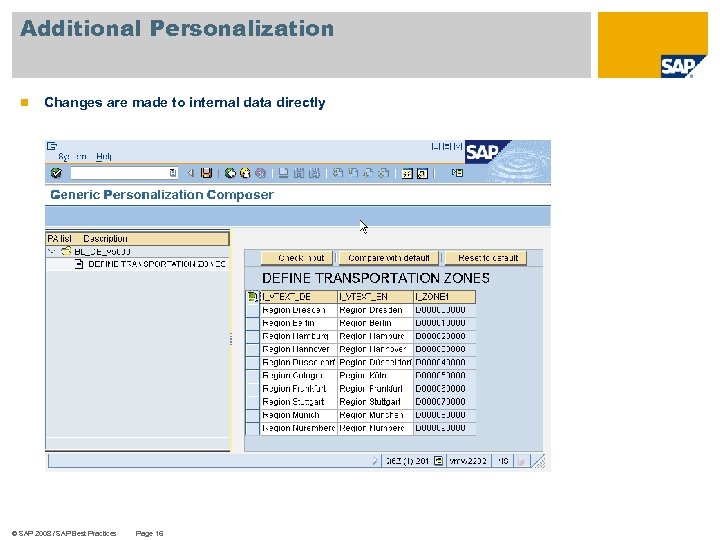
Additional Personalization n Changes are made to internal data directly © SAP 2008 / SAP Best Practices Page 16
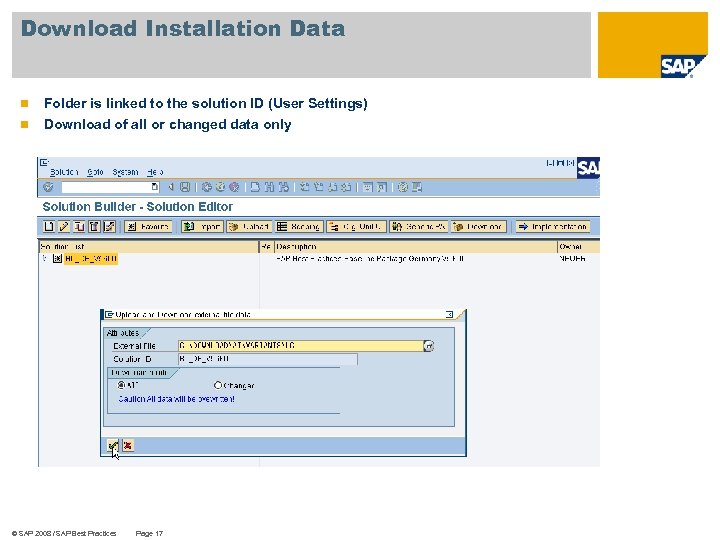
Download Installation Data n Folder is linked to the solution ID (User Settings) n Download of all or changed data only © SAP 2008 / SAP Best Practices Page 17
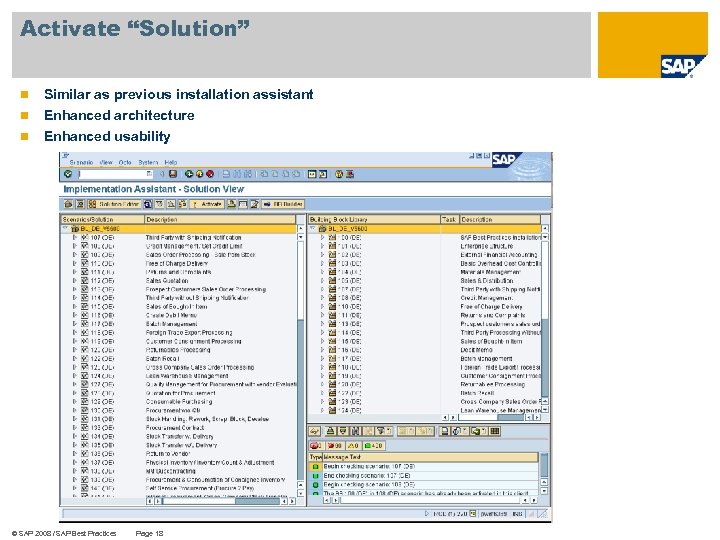
Activate “Solution” n Similar as previous installation assistant n Enhanced architecture Enhanced usability n © SAP 2008 / SAP Best Practices Page 18
Thank you! Name SAP Best Practices SAP AG Tel. +# Fax +# Mobil +# Name@sap. com © SAP 2008 / SAP Best Practices Page 19
Скачать презентацию SAP Best Practices Foundation for Your Success in
e38dd4019034296edbcad032ffda2830.ppt