


 Скачать презентацию Sales Performance Project Key User Training SPR IT
9673963e9be4e1633a75044d52ac4281.ppt
- Количество слайдов: 75
 Sales Performance Project Key User Training SPR IT Team
 Topics • • Project Background Project Objective System Structure Concept – Approval • WEB Tool • CO-APPROVAL (BU and Regions) • Transparency – Integrated Reports • Reports on WEB • Real-Time • Central Data Source – No gap between Corporate and the Regions. – Key combination – Mail Notifications 2
 Topics • Design-In Application – How to apply Design-In Application in SAP – How to logon SPR – Approval Function in SPR – Display Application in SPR – Error Handling when SAP data update transmit fail – Upload Inter-BU Design-In Data (for DET Fan sell to Power Supplier only due to no billing creating) • Report – Design-In Report – Ship-to Report – Trading Report • Background Job – Update User Profile – Trigger Reminder Mail – Auto Approval Mail – Update Condition Master • Authorization 3
 Background • 高階主管無法即時掌握各 Regions的 Sales 的 Productivity and Performance • Region office與 corporate 各自表述 sales performance report, sales performance 定義及計算方式差異 , 不同 data source, 造成資料不一致. • 現行 design-In設計沒有考慮到不同 BU/BG之間的產品 及客戶差異性 • Duplication 造成業績虛增 • 高階主管無法獲得整合性的資訊. 4
 Project Objective • 提供主管更即時 , 精準的掌握各地業務 的 productivity 及 performance • 改善 region office與 Corp. 各自表述 sales performance report的情況. • 提供整合性的 sales performance report • 統一 sales performance 的定義及計算方 式. • 提供 user friendly 的操作平台. • 提供適用於所有 BG/BU 的 design-in 申 請流程 via WEB 平台. 5
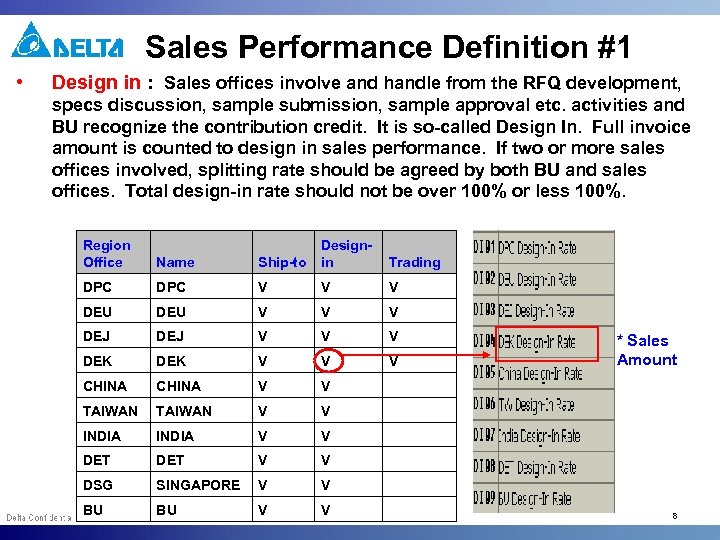 Sales Performance Definition #1 • Design in : Sales offices involve and handle from the RFQ development, specs discussion, sample submission, sample approval etc. activities and BU recognize the contribution credit. It is so-called Design In. Full invoice amount is counted to design in sales performance. If two or more sales offices involved, splitting rate should be agreed by both BU and sales offices. Total design-in rate should not be over 100% or less 100%. Region Office Ship-to Designin Name Trading DPC V V V DEU V V V DEJ V V V DEK V V V CHINA V V TAIWAN V V INDIA V V DET V V DSG SINGAPORE V V BU BU V V * Sales Amount 8
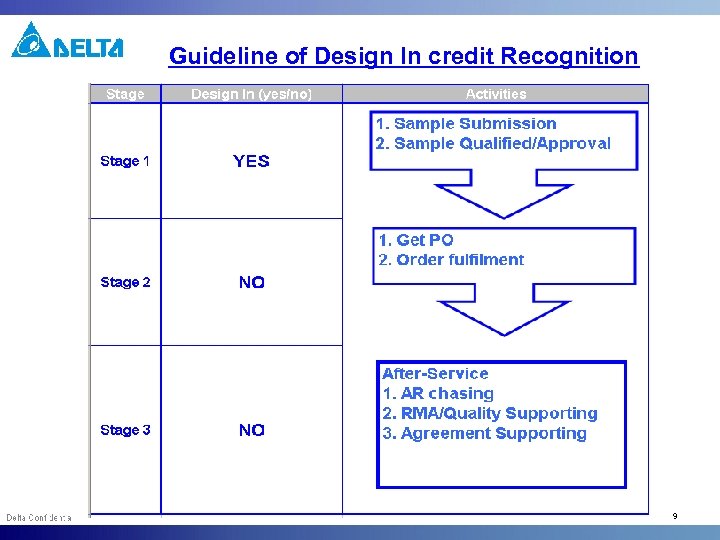 Guideline of Design In credit Recognition 9
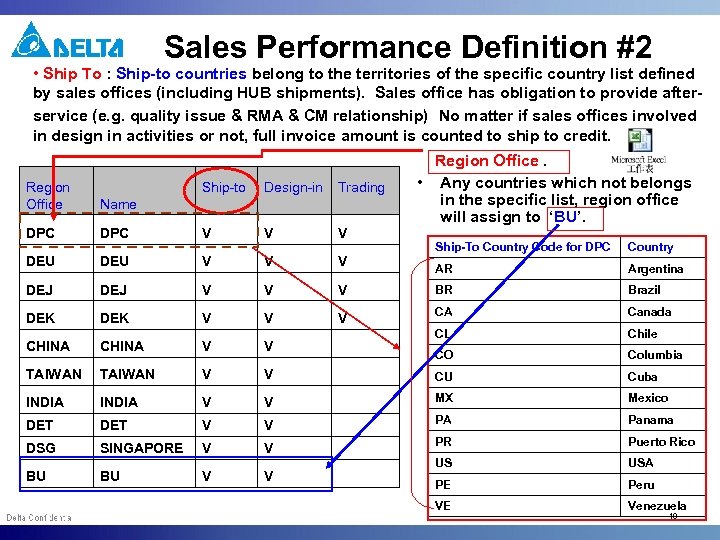 Sales Performance Definition #2 • Ship To : Ship-to countries belong to the territories of the specific country list defined by sales offices (including HUB shipments). Sales office has obligation to provide afterservice (e. g. quality issue & RMA & CM relationship) No matter if sales offices involved in design in activities or not, full invoice amount is counted to ship to credit. Region Office Ship-to Design-in Trading Name DPC V V V DEU V V DEJ V DEK CHINA Region Office. • Any countries which not belongs in the specific list, region office will assign to ‘BU’. Ship-To Country Code for DPC Country V AR Argentina V V BR Brazil V V V CA Canada CHINA V V CL Chile CO Columbia TAIWAN V V CU Cuba INDIA V V MX Mexico DET V V PA Panama DSG SINGAPORE V V PR Puerto Rico US USA PE Peru VE Venezuela BU BU V V 10
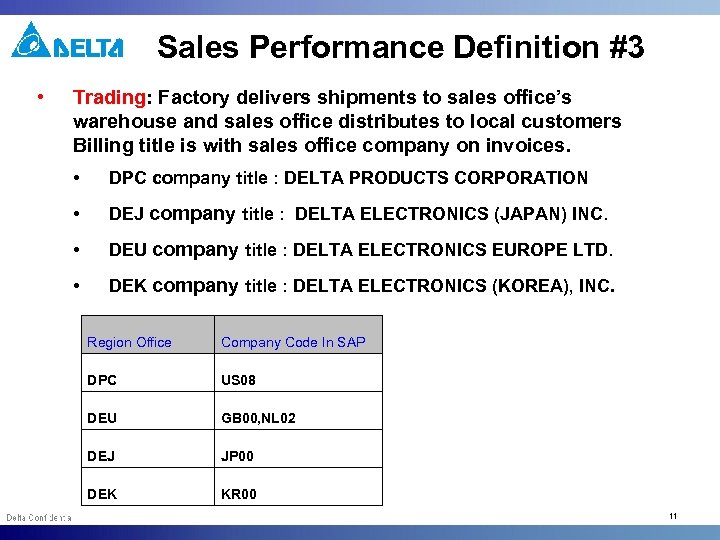 Sales Performance Definition #3 • Trading: Factory delivers shipments to sales office’s warehouse and sales office distributes to local customers Billing title is with sales office company on invoices. • DPC company title : DELTA PRODUCTS CORPORATION • DEJ company title : DELTA ELECTRONICS (JAPAN) INC. • DEU company title : DELTA ELECTRONICS EUROPE LTD. • DEK company title : DELTA ELECTRONICS (KOREA), INC. Region Office Company Code In SAP DPC US 08 DEU GB 00, NL 02 DEJ JP 00 DEK KR 00 11
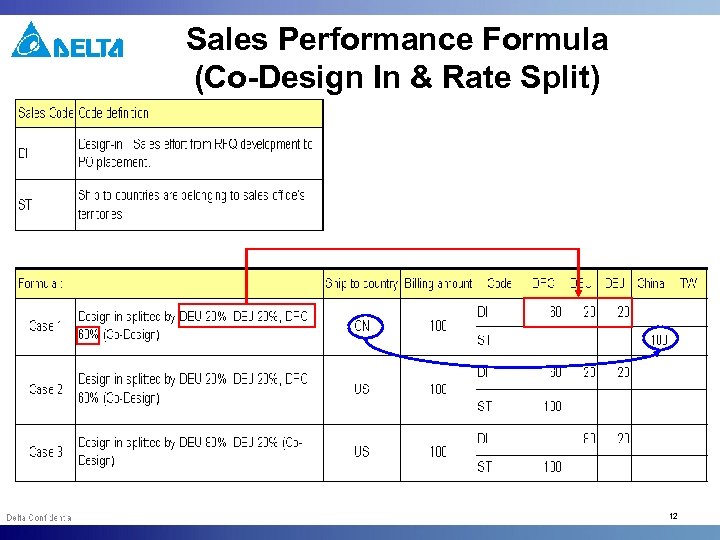 Sales Performance Formula (Co-Design In & Rate Split) 12
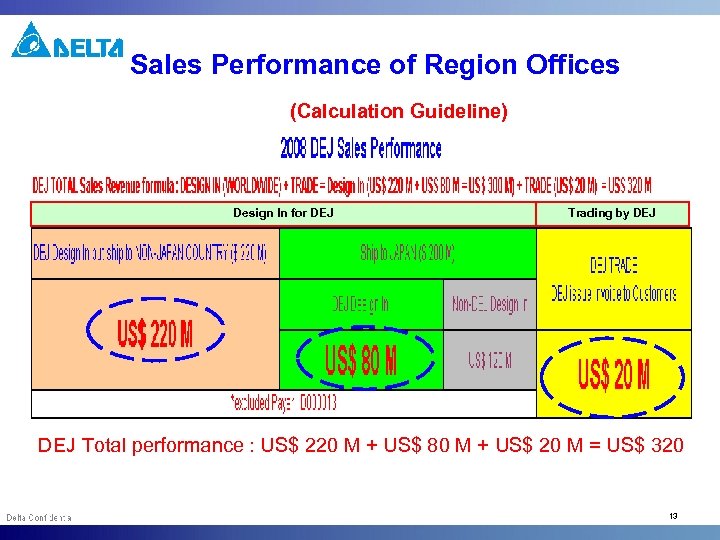 Sales Performance of Region Offices (Calculation Guideline) Design In for DEJ Trading by DEJ Total performance : US$ 220 M + US$ 80 M + US$ 20 M = US$ 320 13
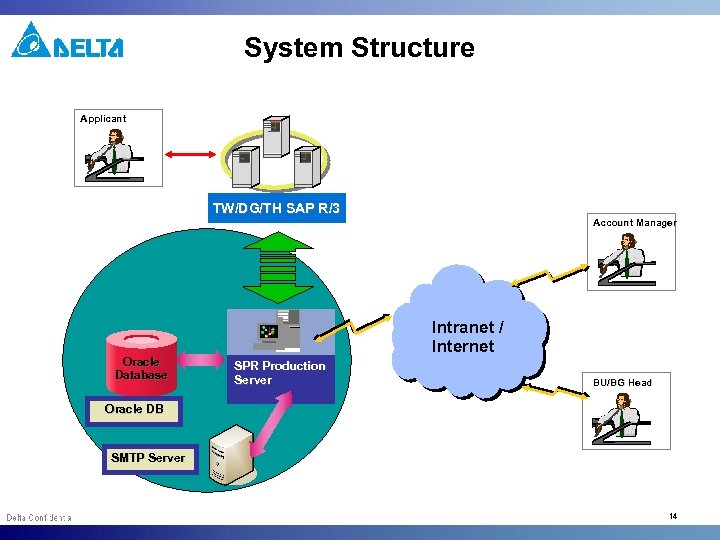 System Structure Applicant TW/DG/TH SAP R/3 Account Manager Oracle Database Intranet / Internet SPR Production Server BU/BG Head Oracle DB SMTP Server 14
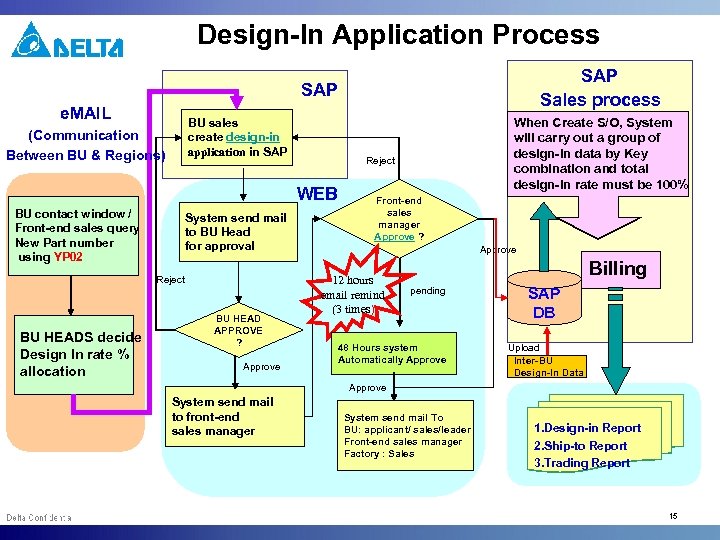 Design-In Application Process SAP Sales process SAP e. MAIL BU sales create design-in application in SAP (Communication Between BU & Regions) Reject WEB BU contact window / Front-end sales query New Part number using YP 02 System send mail to BU Head for approval Reject BU HEADS decide Design In rate % allocation BU HEAD APPROVE ? Approve When Create S/O, System will carry out a group of design-in data by Key combination and total design-in rate must be 100% Front-end sales manager Approve ? Approve 12 hours email remind (3 times) Billing pending 48 Hours system Automatically Approve SAP DB Upload Inter-BU Design-In Data Approve System send mail to front-end sales manager System send mail To BU: applicant/ sales/leader Front-end sales manager Factory : Sales 1. Design-in Report 2. Ship-to Report 3. Trading Report 15
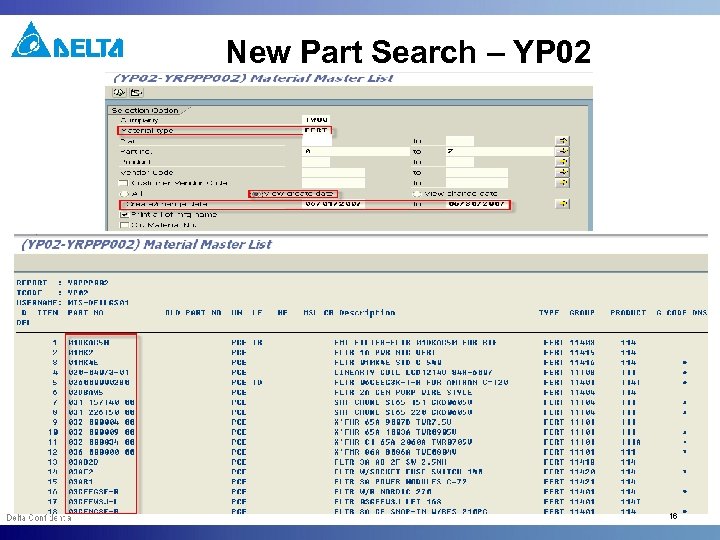 New Part Search – YP 02 16
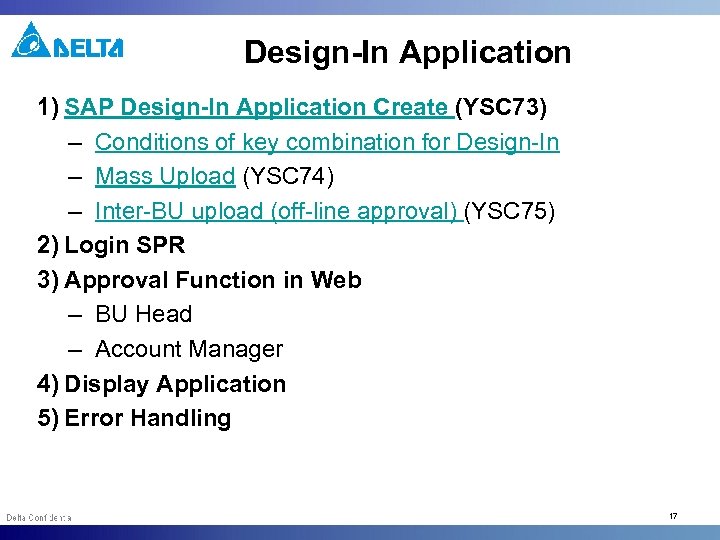 Design-In Application 1) SAP Design-In Application Create (YSC 73) – Conditions of key combination for Design-In – Mass Upload (YSC 74) – Inter-BU upload (off-line approval) (YSC 75) 2) Login SPR 3) Approval Function in Web – BU Head – Account Manager 4) Display Application 5) Error Handling 17
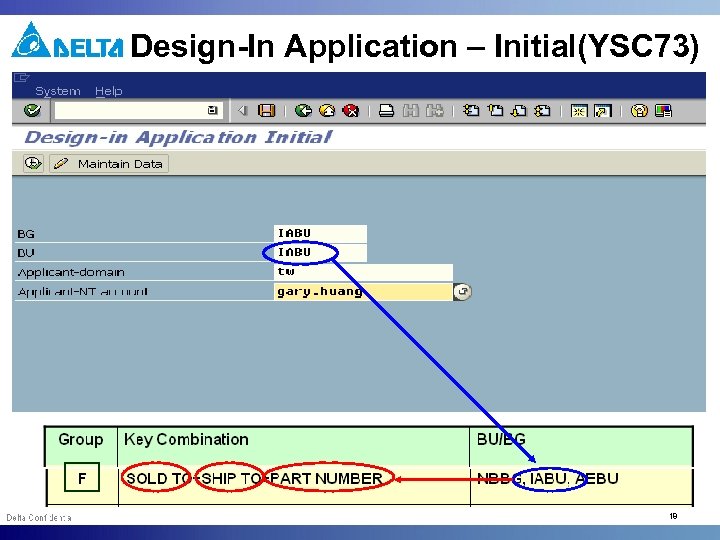 Design-In Application – Initial(YSC 73) 18
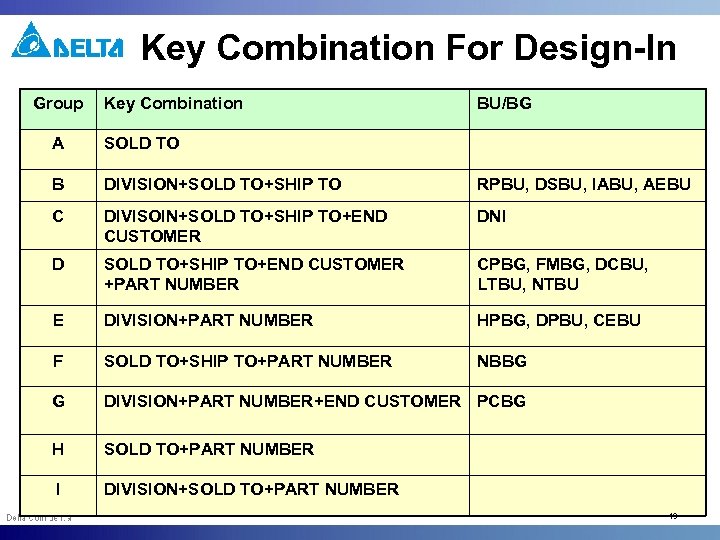 Key Combination For Design-In Group Key Combination BU/BG A SOLD TO B DIVISION+SOLD TO+SHIP TO RPBU, DSBU, IABU, AEBU C DIVISOIN+SOLD TO+SHIP TO+END CUSTOMER DNI D SOLD TO+SHIP TO+END CUSTOMER +PART NUMBER CPBG, FMBG, DCBU, LTBU, NTBU E DIVISION+PART NUMBER HPBG, DPBU, CEBU F SOLD TO+SHIP TO+PART NUMBER NBBG G DIVISION+PART NUMBER+END CUSTOMER PCBG H SOLD TO+PART NUMBER I DIVISION+SOLD TO+PART NUMBER 19
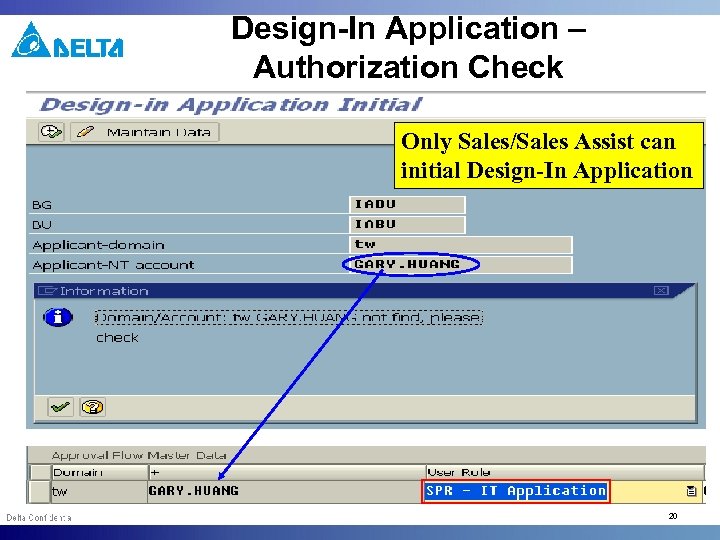 Design-In Application – Authorization Check Only Sales/Sales Assist can initial Design-In Application 20
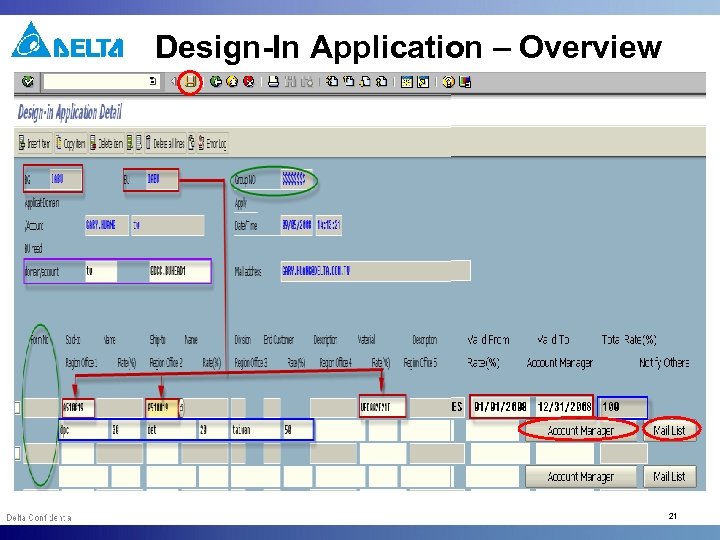 Design-In Application – Overview 21
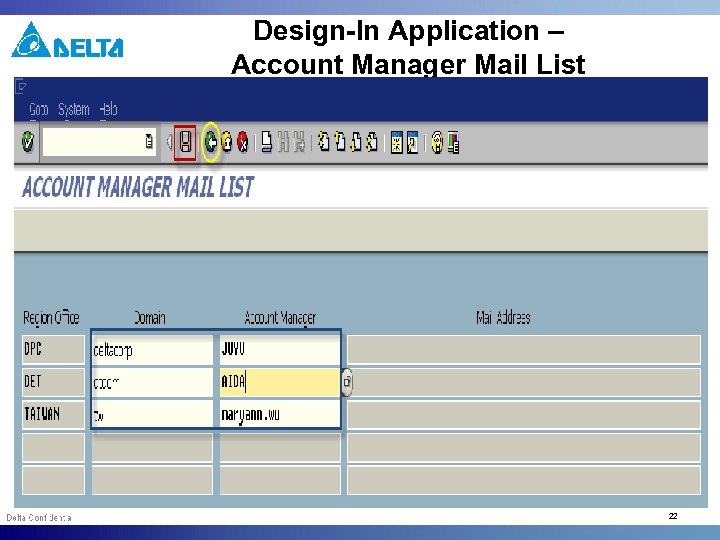 Design-In Application – Account Manager Mail List 22
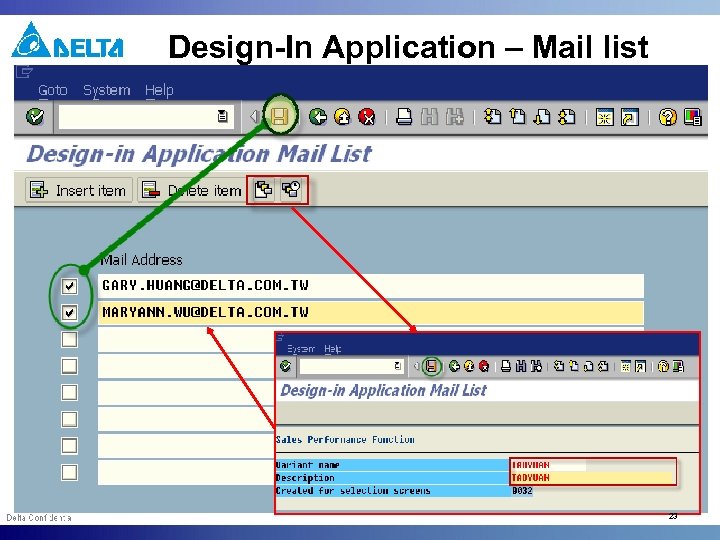 Design-In Application – Mail list 23
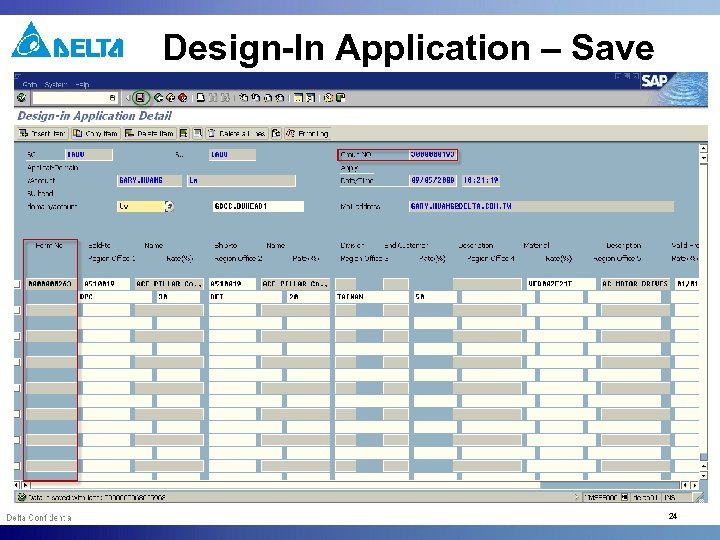 Design-In Application – Save 24
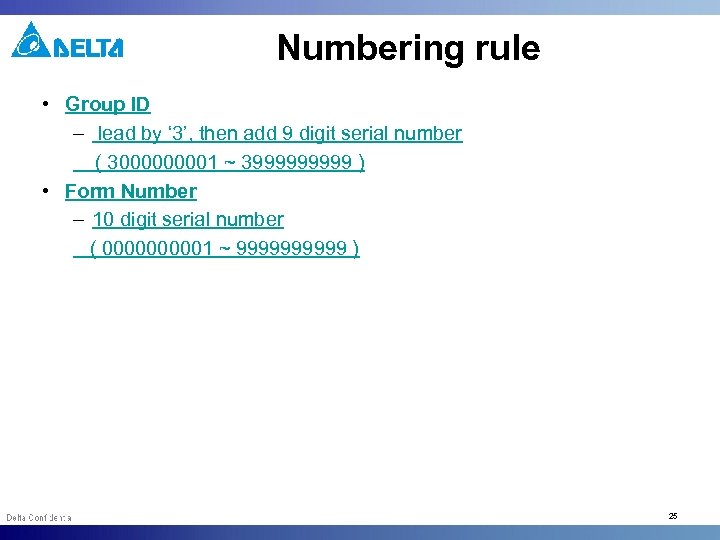 Numbering rule • Group ID – lead by ‘ 3’, then add 9 digit serial number ( 300001 ~ 399999 ) • Form Number – 10 digit serial number ( 000001 ~ 99999 ) 25
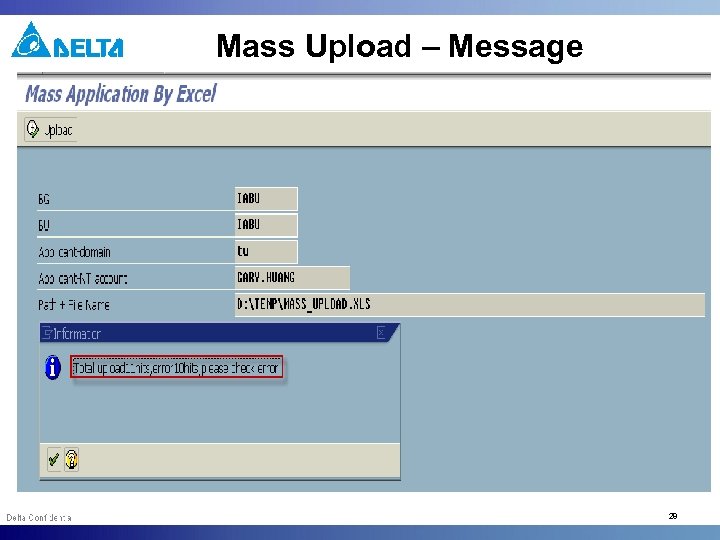
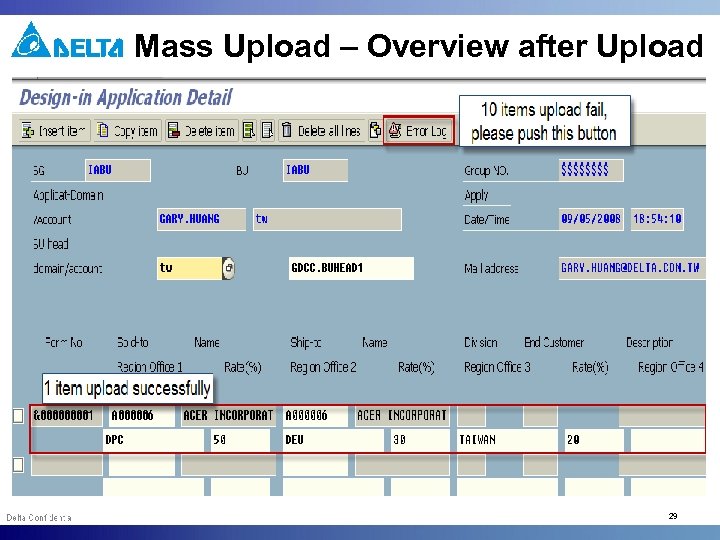
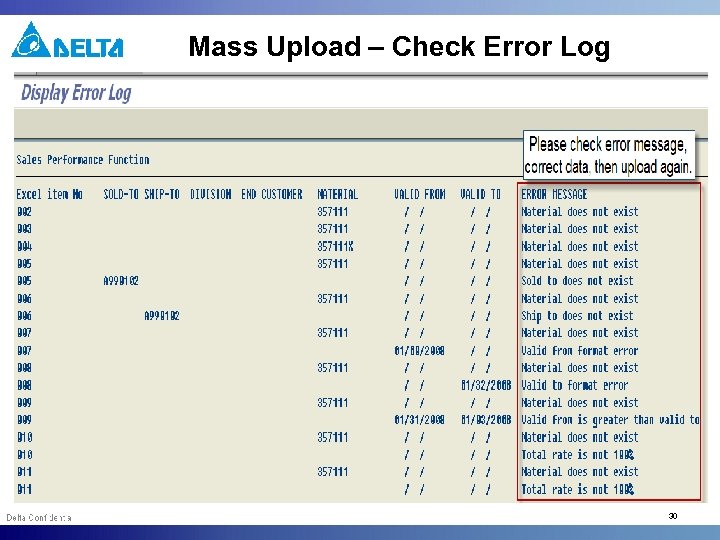
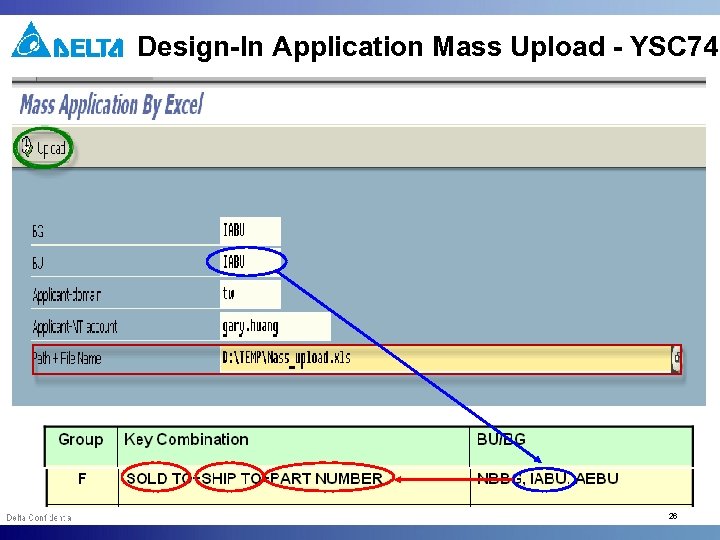 Design-In Application Mass Upload - YSC 74 26
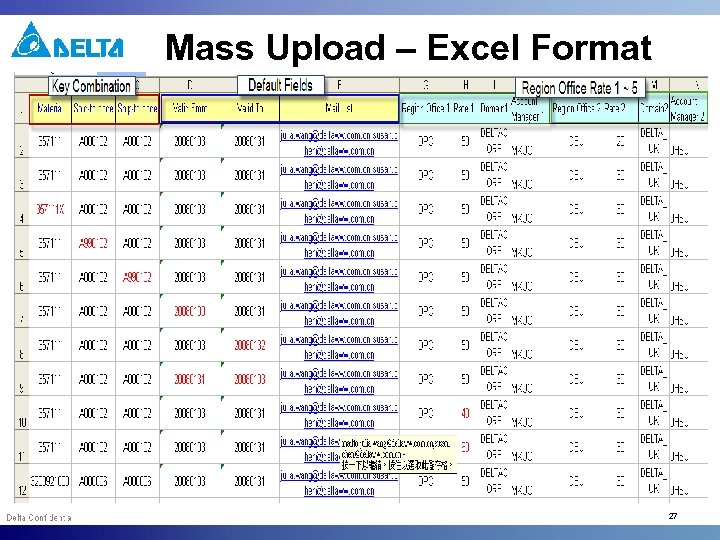 Mass Upload – Excel Format 27
 Mass Upload – Message 28
 Mass Upload – Overview after Upload 29
 Mass Upload – Check Error Log 30
 Under Approval Notification 31
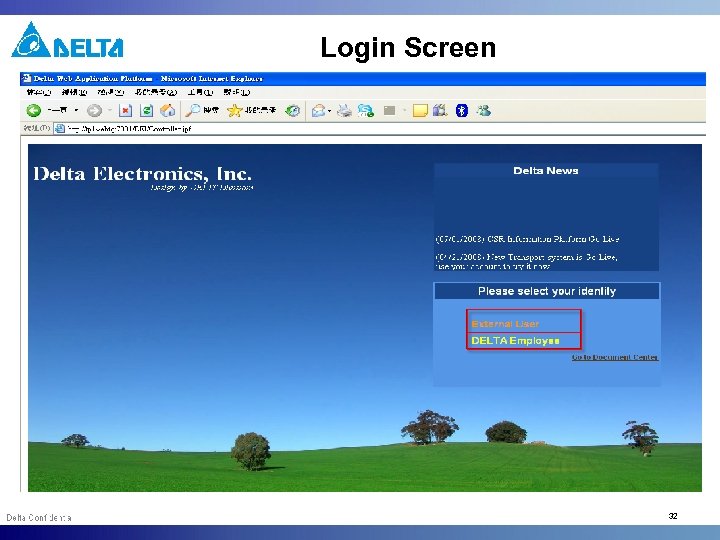 Login Screen 32
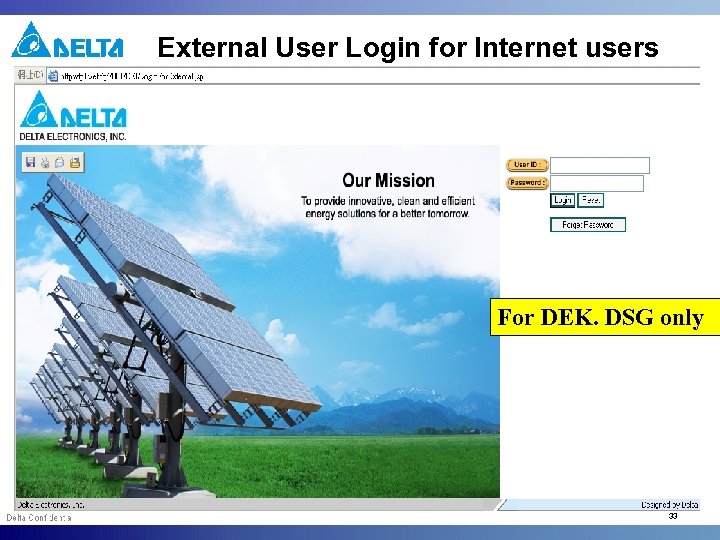 External User Login for Internet users For DEK. DSG only 33
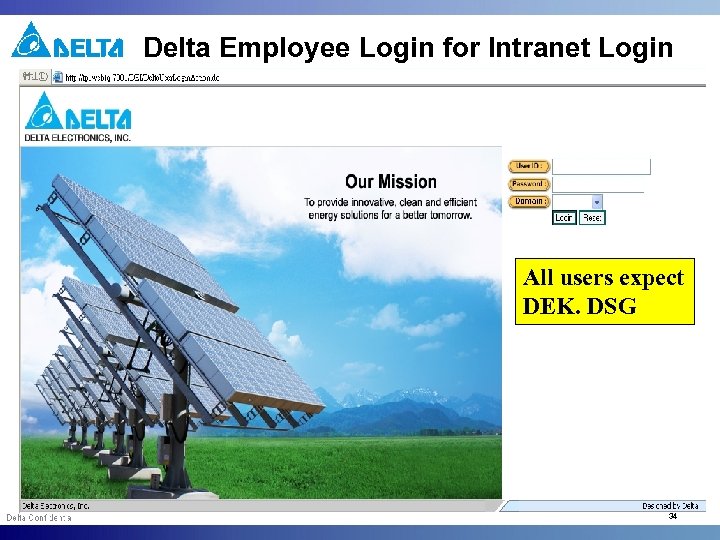 Delta Employee Login for Intranet Login All users expect DEK. DSG 34
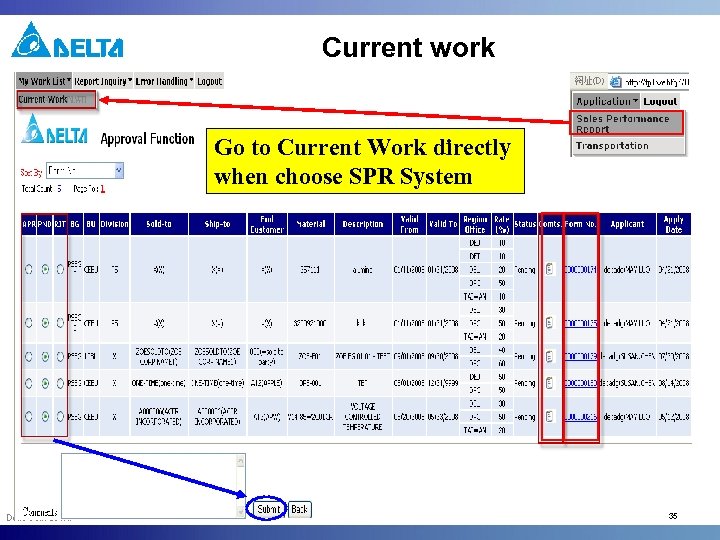 Current work Go to Current Work directly when choose SPR System 35
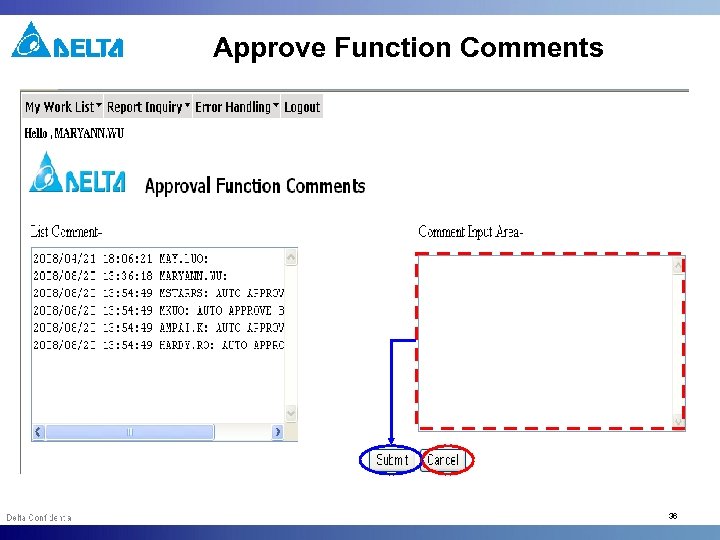 Approve Function Comments 36
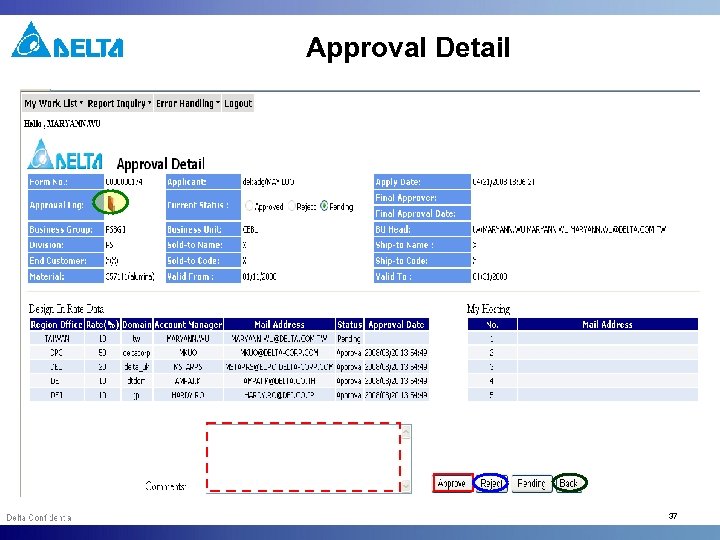 Approval Detail 37
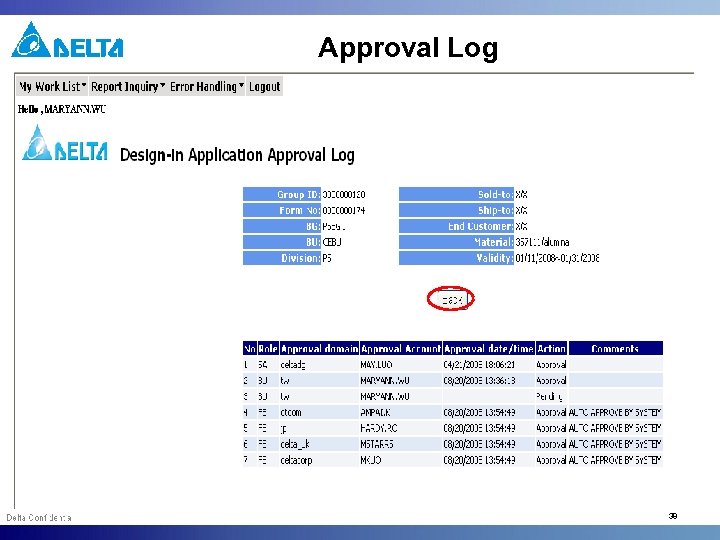 Approval Log 38
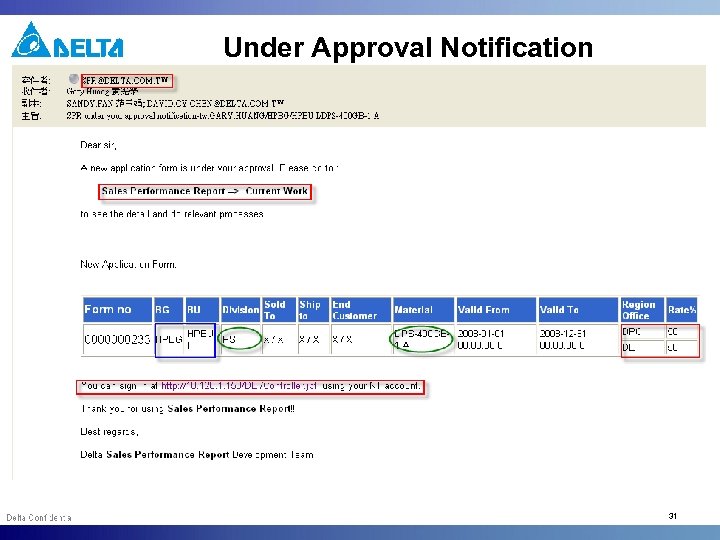
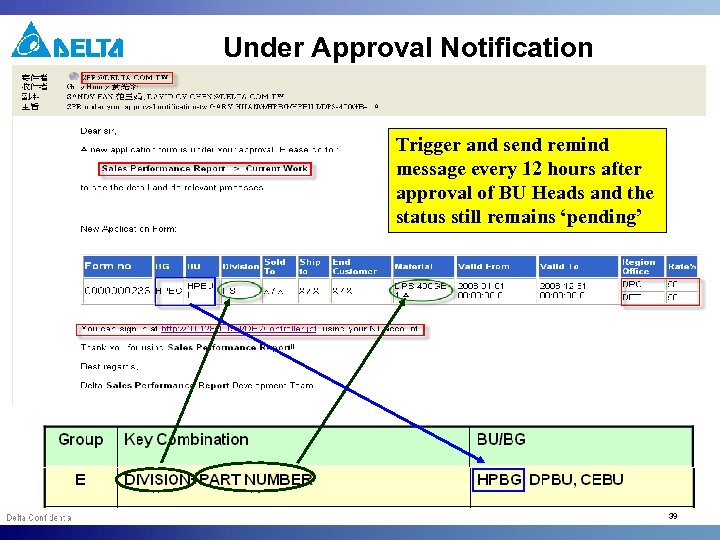 Under Approval Notification Trigger and send remind message every 12 hours after approval of BU Heads and the status still remains ‘pending’ 39
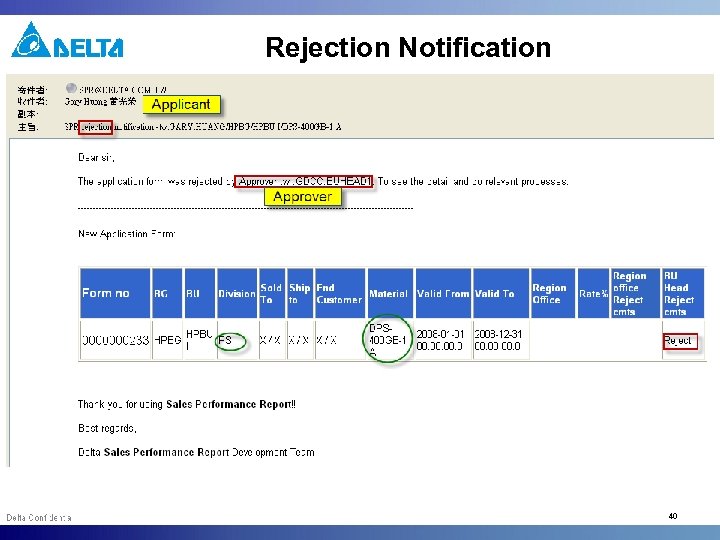 Rejection Notification 40
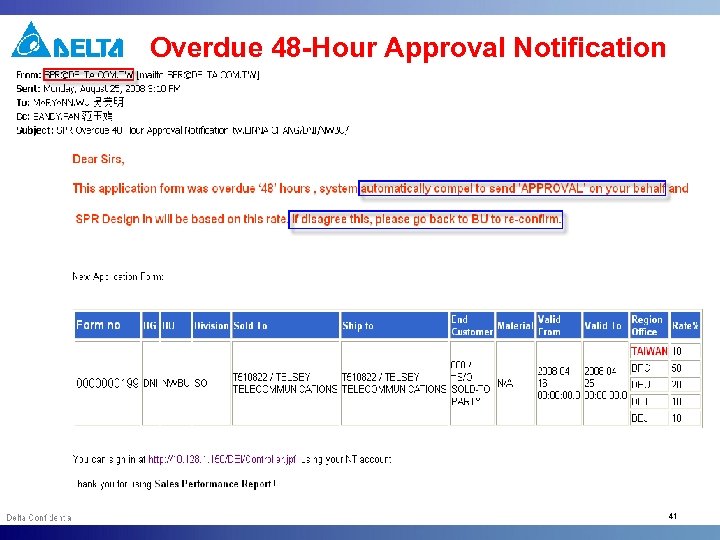 Overdue 48 -Hour Approval Notification 41
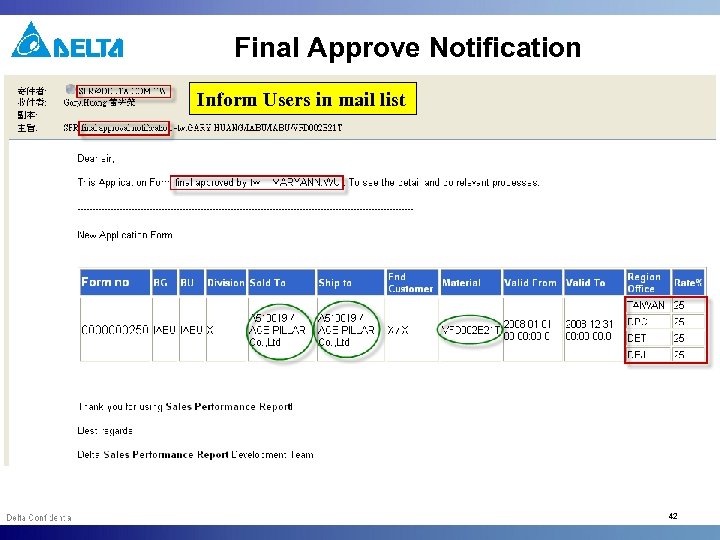 Final Approve Notification Inform Users in mail list 42
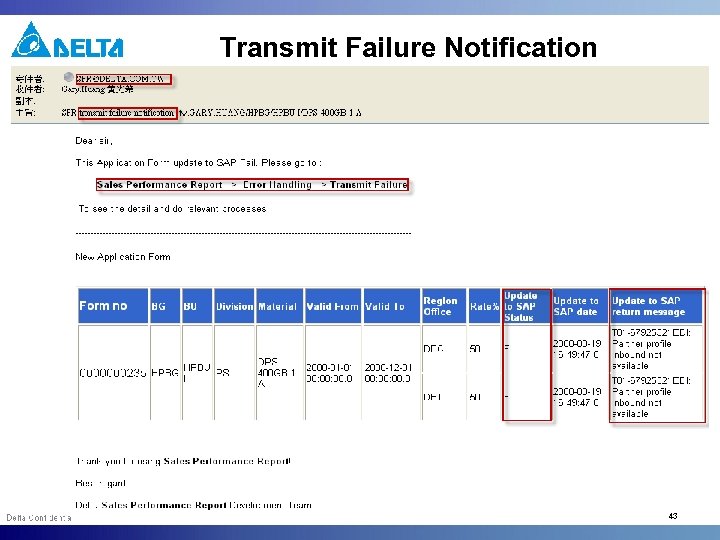 Transmit Failure Notification 43
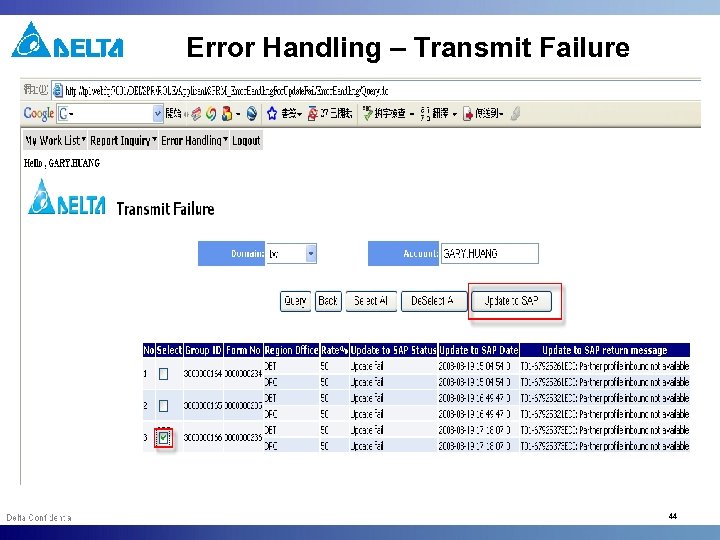 Error Handling – Transmit Failure 44
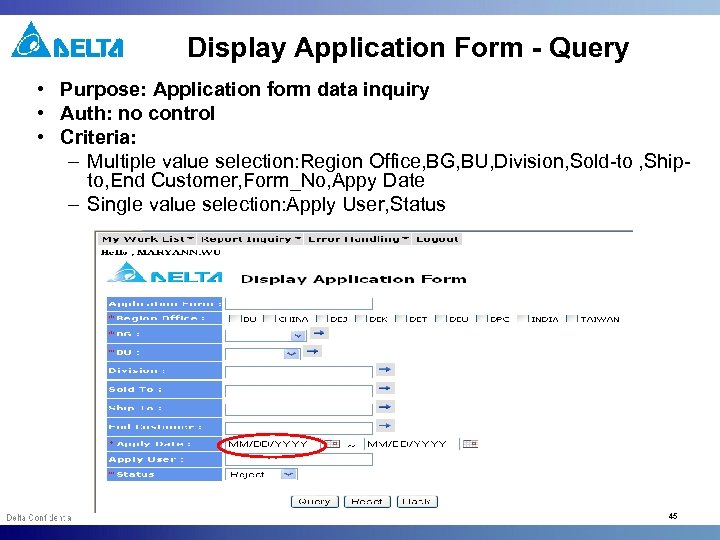 Display Application Form - Query • Purpose: Application form data inquiry • Auth: no control • Criteria: – Multiple value selection: Region Office, BG, BU, Division, Sold-to , Shipto, End Customer, Form_No, Appy Date – Single value selection: Apply User, Status 45
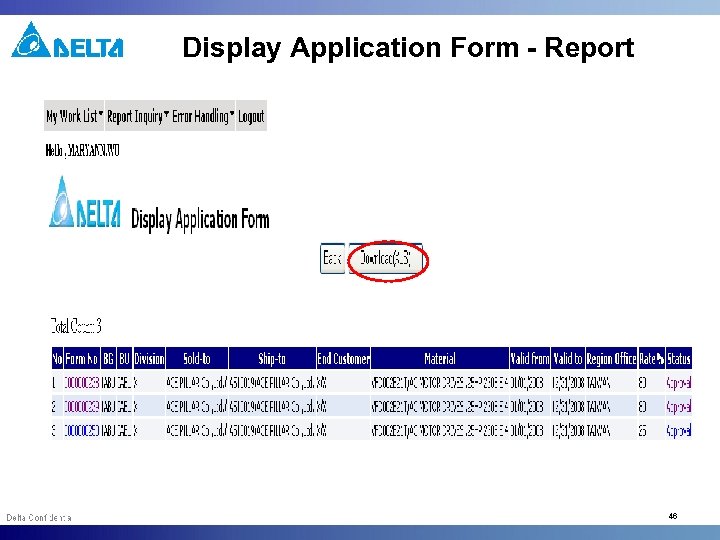 Display Application Form - Report 46
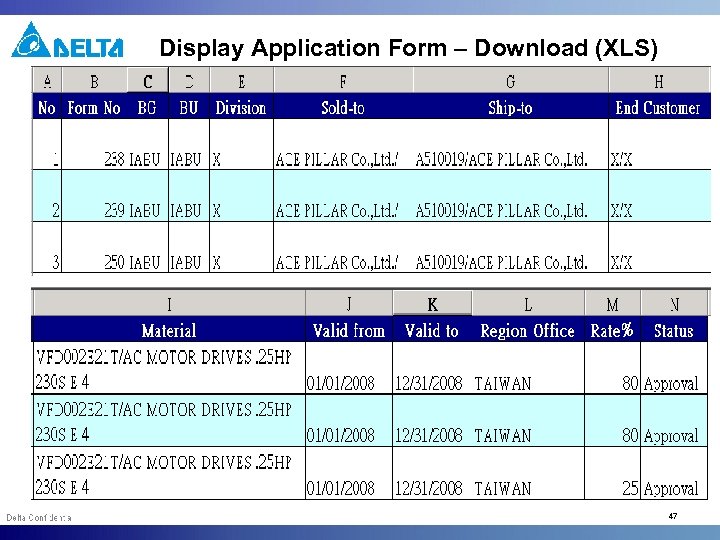 Display Application Form – Download (XLS) 47
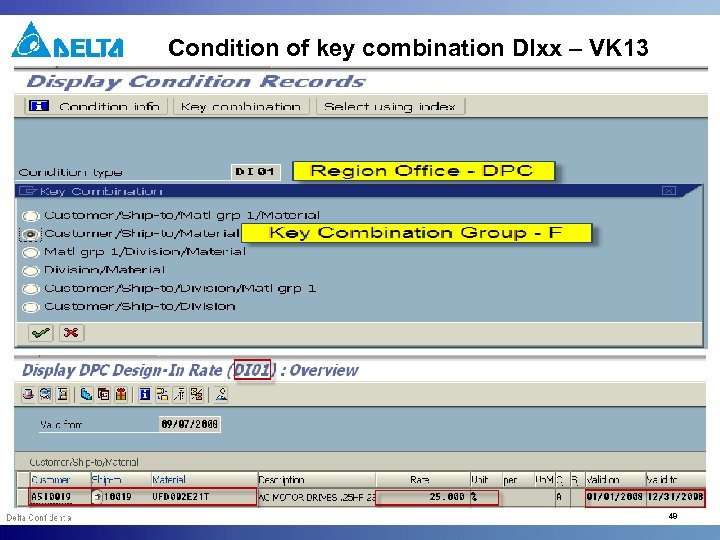 Condition of key combination DIxx – VK 13 48
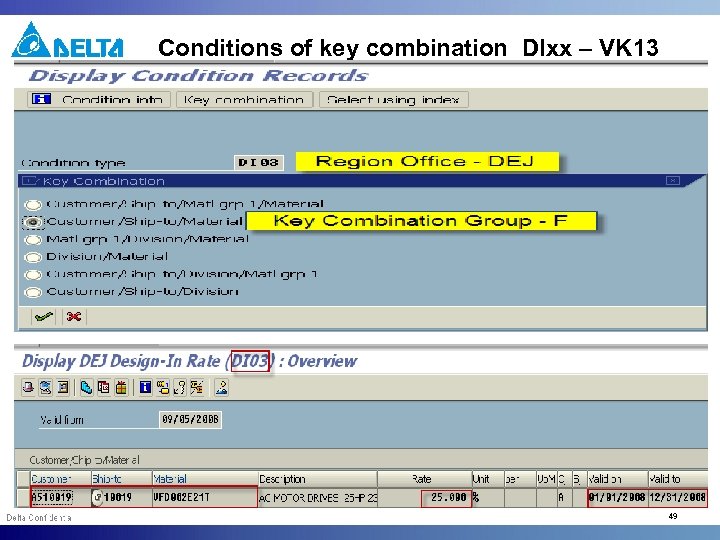 Conditions of key combination DIxx – VK 13 49
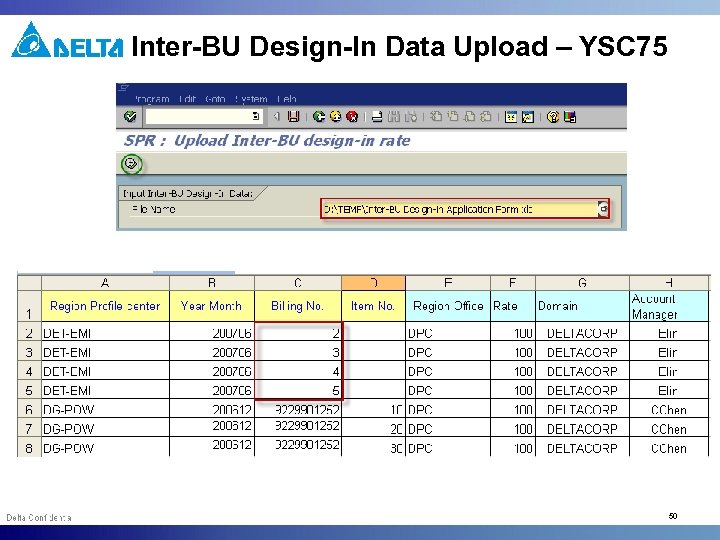 Inter-BU Design-In Data Upload – YSC 75 50
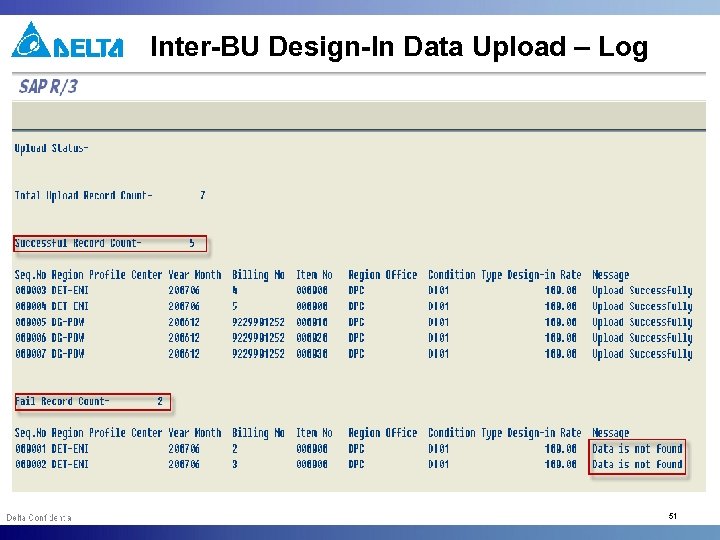 Inter-BU Design-In Data Upload – Log 51
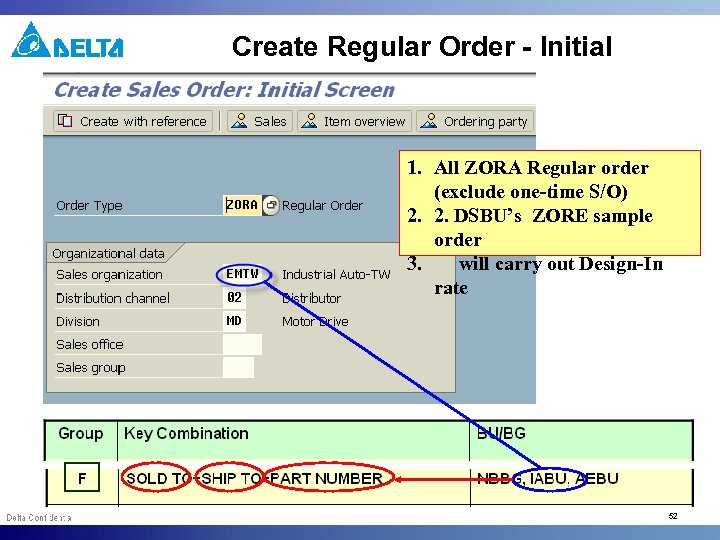 Create Regular Order - Initial 1. All ZORA Regular order (exclude one-time S/O) 2. 2. DSBU’s ZORE sample order 3. will carry out Design-In rate 52
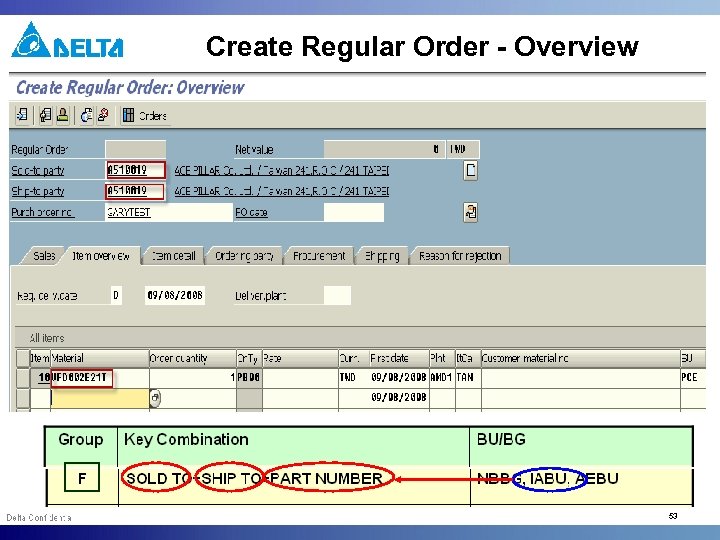 Create Regular Order - Overview 1. All ZORA regular order (exclude one-time S/O) 2. 2. VDBG’s ZORE sample order 3. will carry out Design-In rate 53
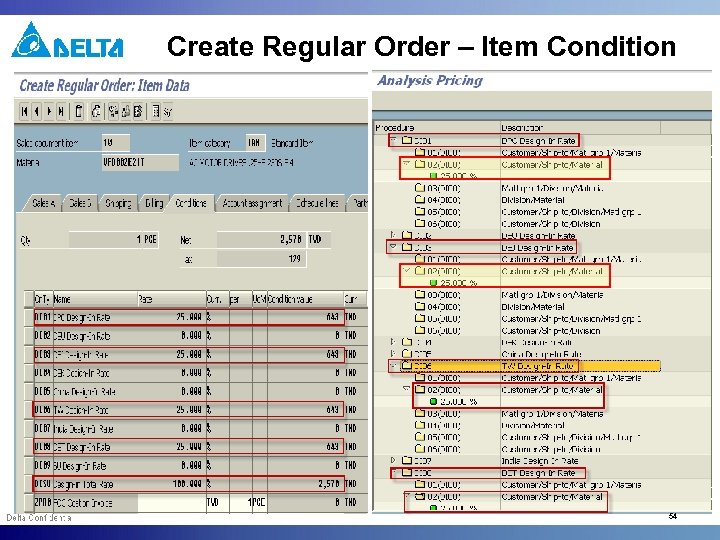 Create Regular Order – Item Condition 54
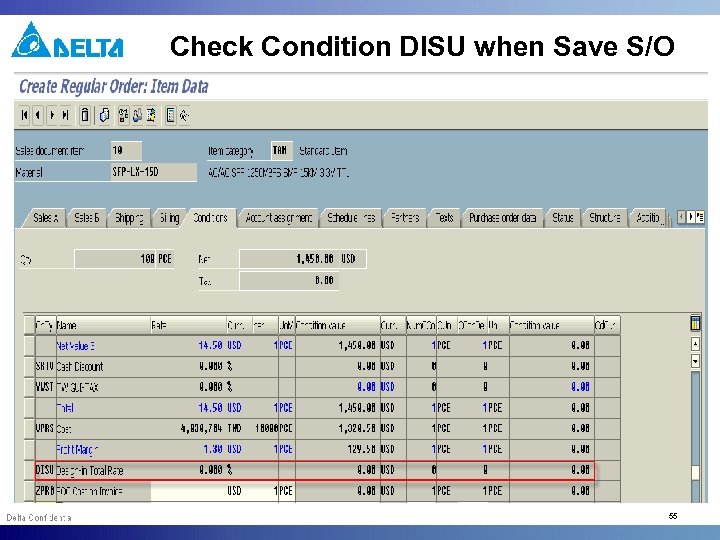 Check Condition DISU when Save S/O 55
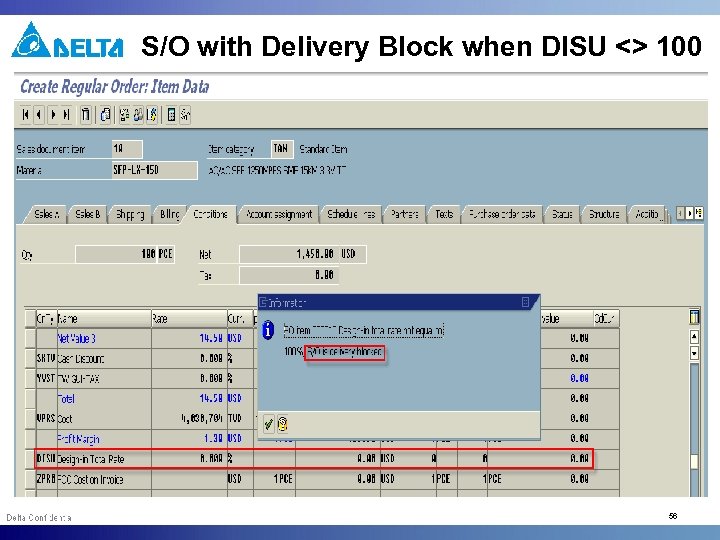 S/O with Delivery Block when DISU <> 100 56
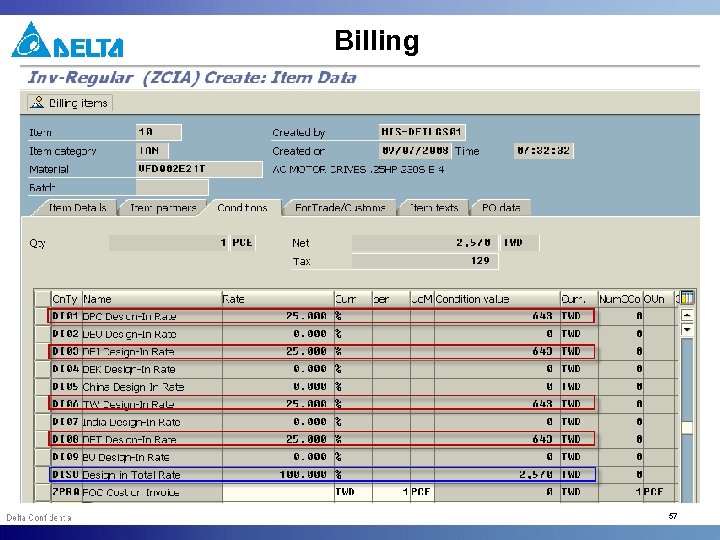 Billing 57
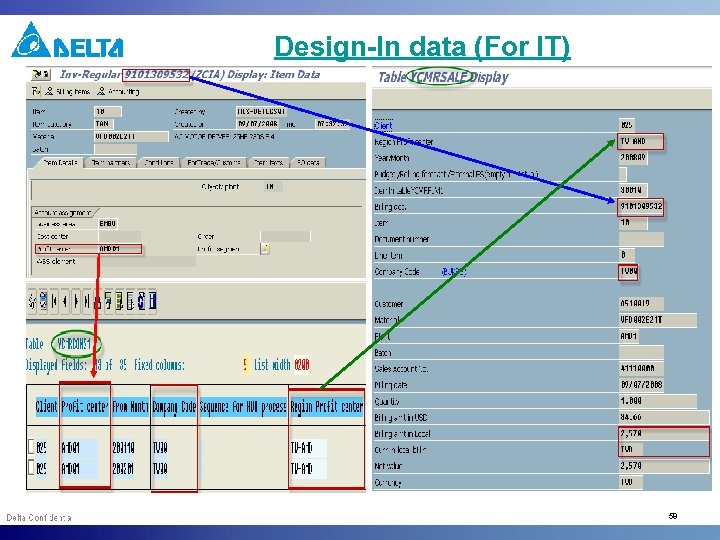 Design-In data (For IT) 58
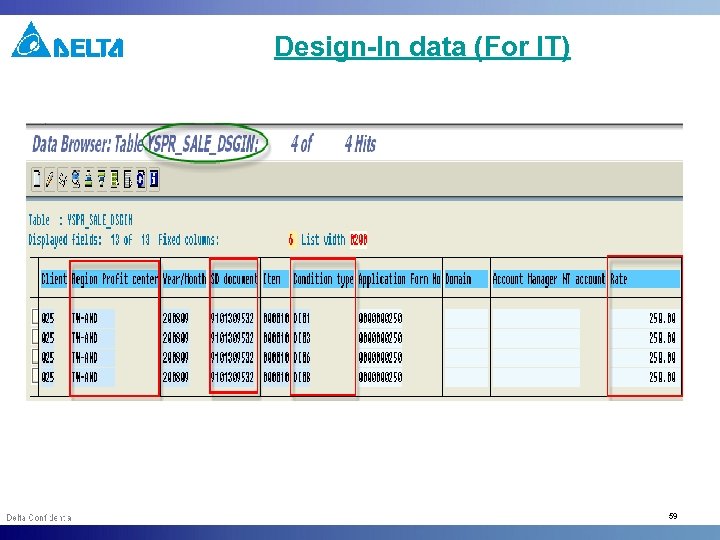 Design-In data (For IT) 59
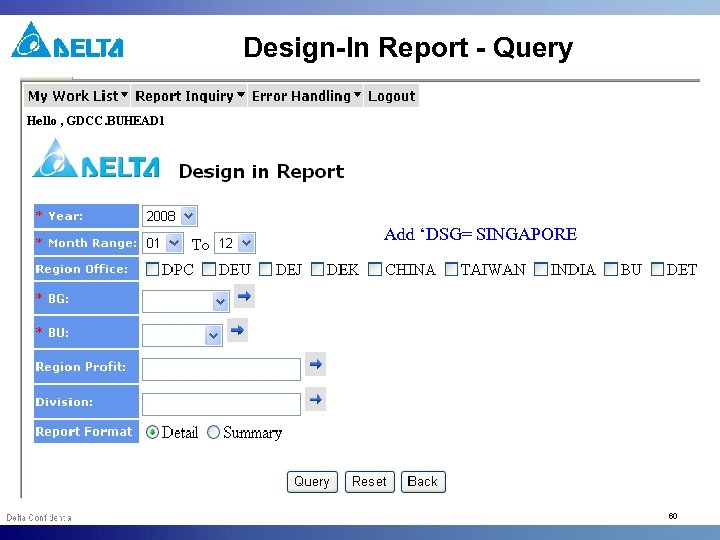 Design-In Report - Query Add ‘DSG= SINGAPORE 60
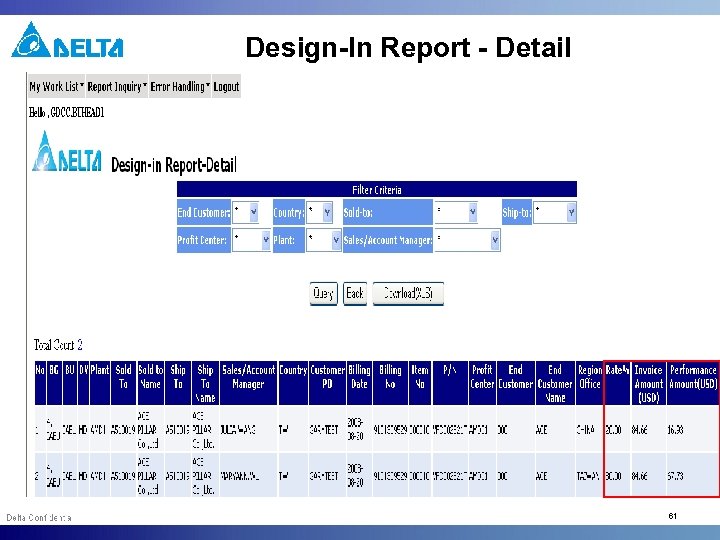 Design-In Report - Detail 61
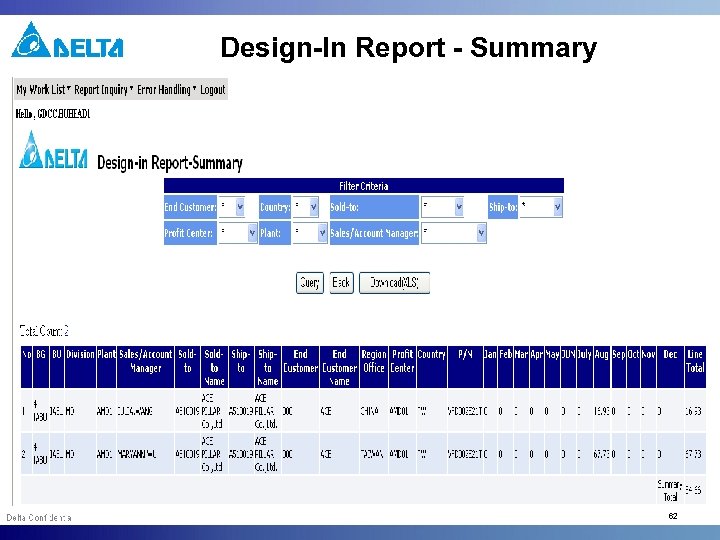 Design-In Report - Summary 62
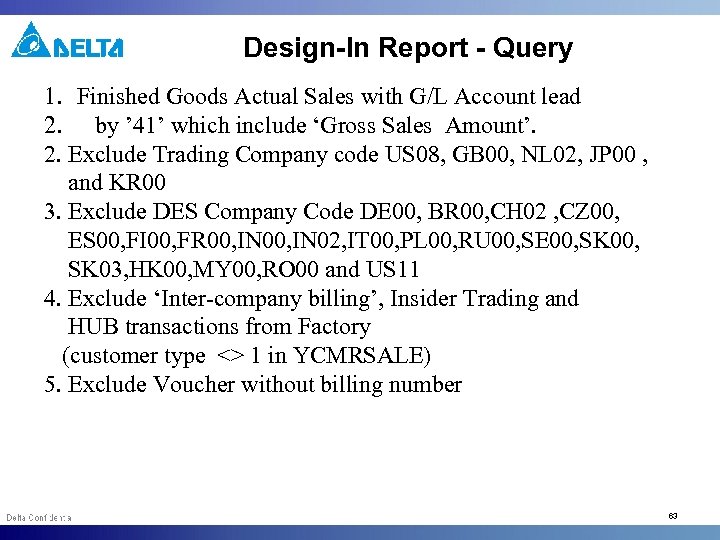 Design-In Report - Query 1. Finished Goods Actual Sales with G/L Account lead 2. by ’ 41’ which include ‘Gross Sales Amount’. 2. Exclude Trading Company code US 08, GB 00, NL 02, JP 00 , and KR 00 3. Exclude DES Company Code DE 00, BR 00, CH 02 , CZ 00, ES 00, FI 00, FR 00, IN 02, IT 00, PL 00, RU 00, SE 00, SK 03, HK 00, MY 00, RO 00 and US 11 4. Exclude ‘Inter-company billing’, Insider Trading and HUB transactions from Factory (customer type <> 1 in YCMRSALE) 5. Exclude Voucher without billing number 63
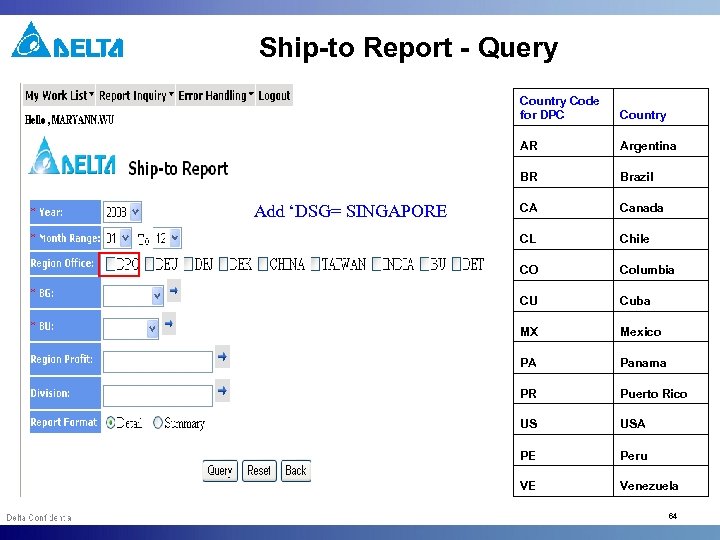 Ship-to Report - Query Country Code for DPC AR Argentina BR Add ‘DSG= SINGAPORE Country Brazil CA Canada CL Chile CO Columbia CU Cuba MX Mexico PA Panama PR Puerto Rico US USA PE Peru VE Venezuela 64
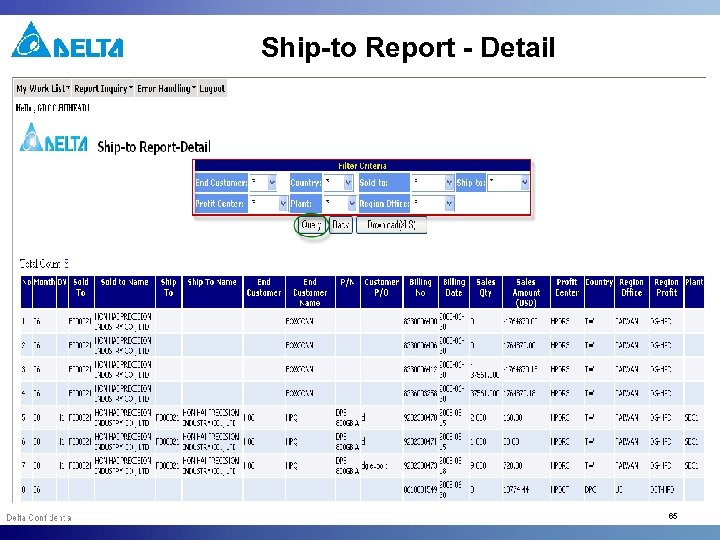 Ship-to Report - Detail 65
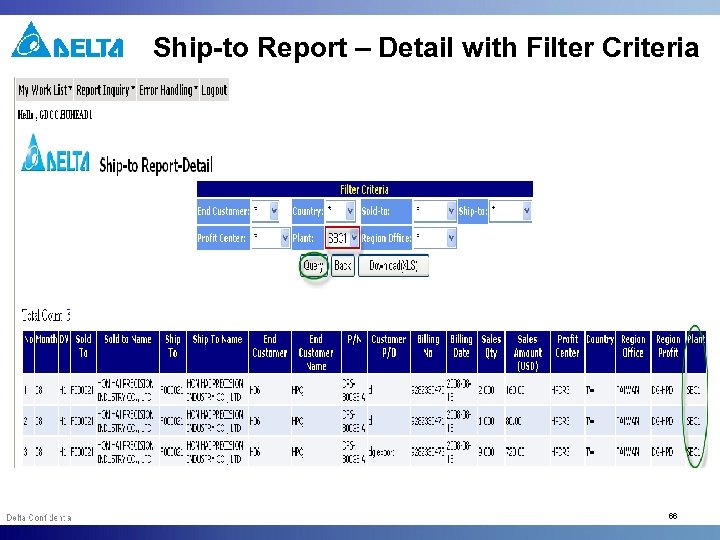 Ship-to Report – Detail with Filter Criteria 66
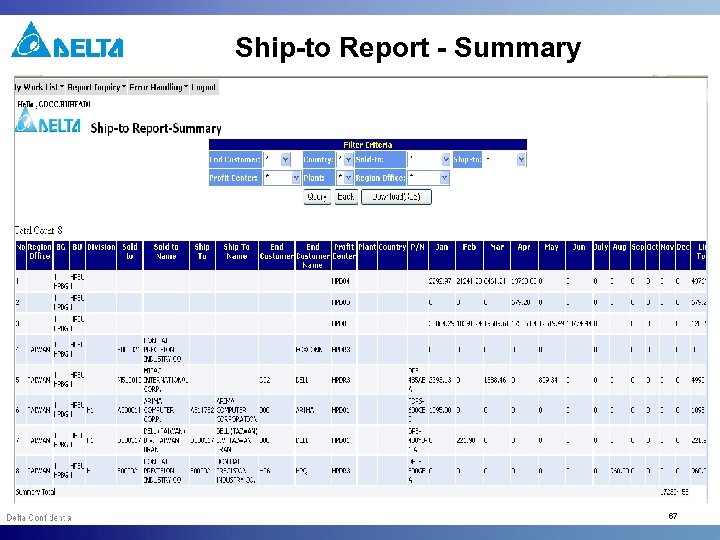 Ship-to Report - Summary 67
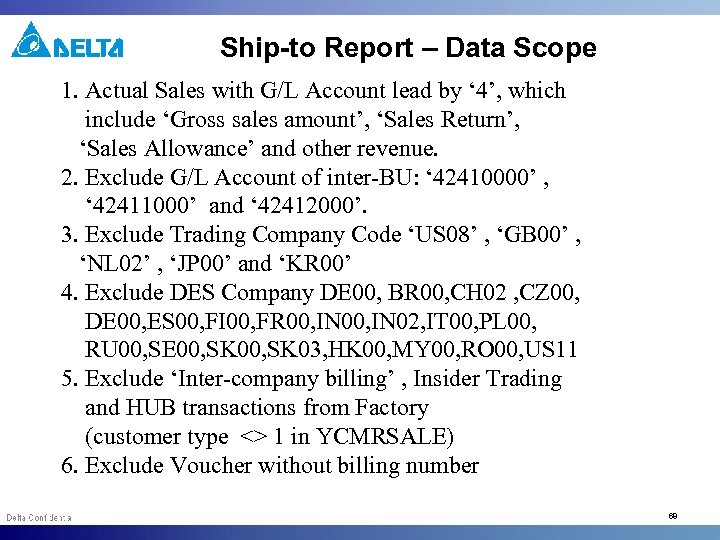 Ship-to Report – Data Scope 1. Actual Sales with G/L Account lead by ‘ 4’, which include ‘Gross sales amount’, ‘Sales Return’, ‘Sales Allowance’ and other revenue. 2. Exclude G/L Account of inter-BU: ‘ 42410000’ , ‘ 42411000’ and ‘ 42412000’. 3. Exclude Trading Company Code ‘US 08’ , ‘GB 00’ , ‘NL 02’ , ‘JP 00’ and ‘KR 00’ 4. Exclude DES Company DE 00, BR 00, CH 02 , CZ 00, DE 00, ES 00, FI 00, FR 00, IN 02, IT 00, PL 00, RU 00, SE 00, SK 03, HK 00, MY 00, RO 00, US 11 5. Exclude ‘Inter-company billing’ , Insider Trading and HUB transactions from Factory (customer type <> 1 in YCMRSALE) 6. Exclude Voucher without billing number 68
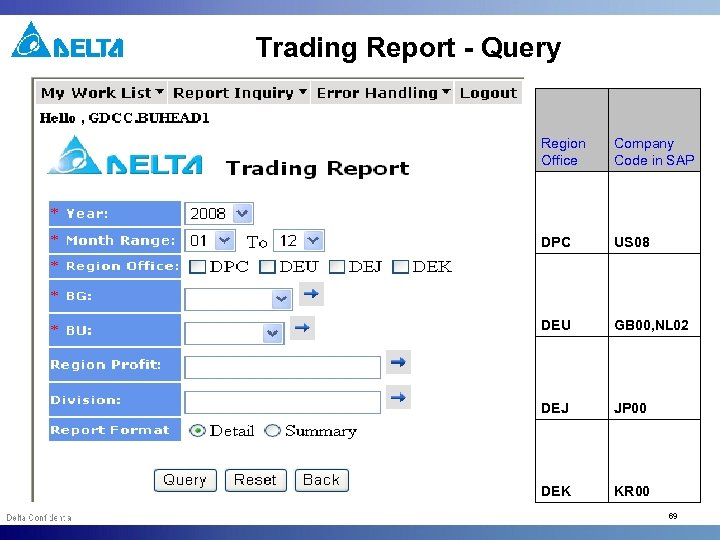 Trading Report - Query Region Office Company Code in SAP DPC US 08 DEU GB 00, NL 02 DEJ JP 00 DEK KR 00 69
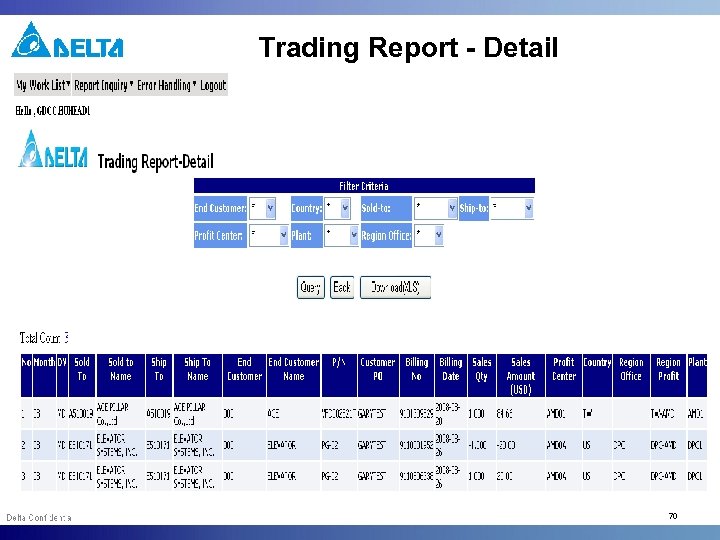 Trading Report - Detail 70
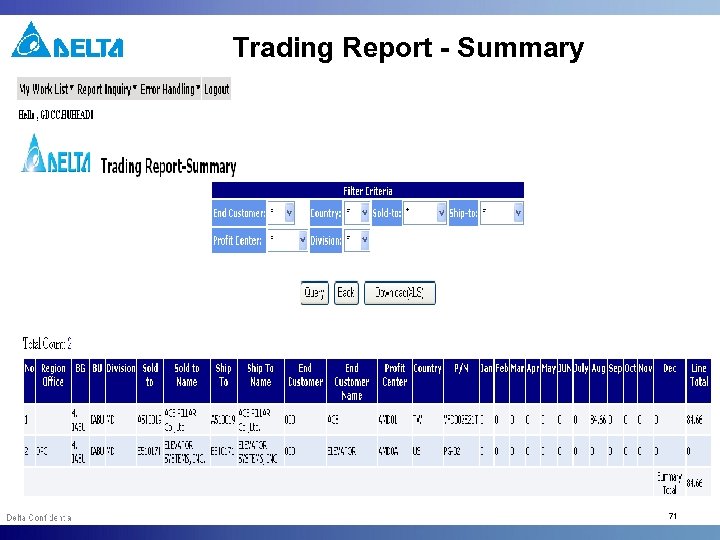 Trading Report - Summary 71
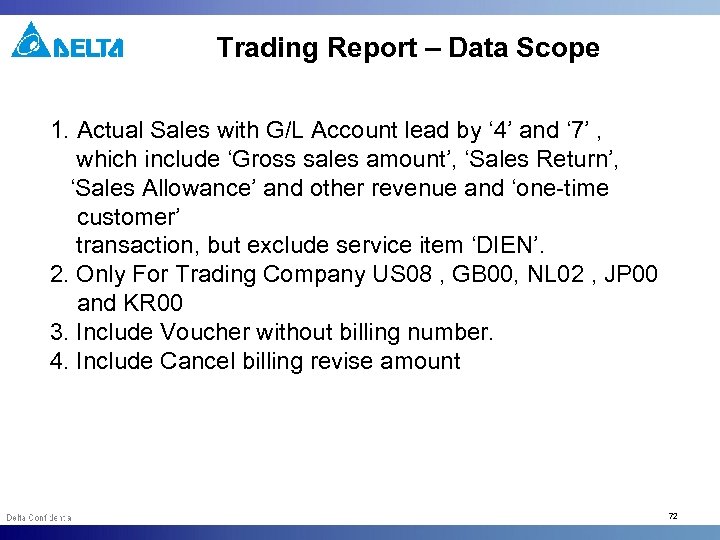 Trading Report – Data Scope 1. Actual Sales with G/L Account lead by ‘ 4’ and ‘ 7’ , which include ‘Gross sales amount’, ‘Sales Return’, ‘Sales Allowance’ and other revenue and ‘one-time customer’ transaction, but exclude service item ‘DIEN’. 2. Only For Trading Company US 08 , GB 00, NL 02 , JP 00 and KR 00 3. Include Voucher without billing number. 4. Include Cancel billing revise amount 72
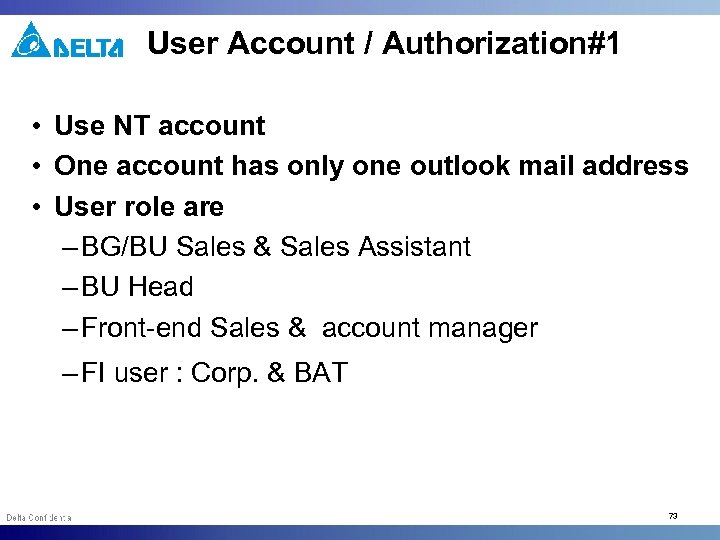 User Account / Authorization#1 • Use NT account • One account has only one outlook mail address • User role are – BG/BU Sales & Sales Assistant – BU Head – Front-end Sales & account manager – FI user : Corp. & BAT 73
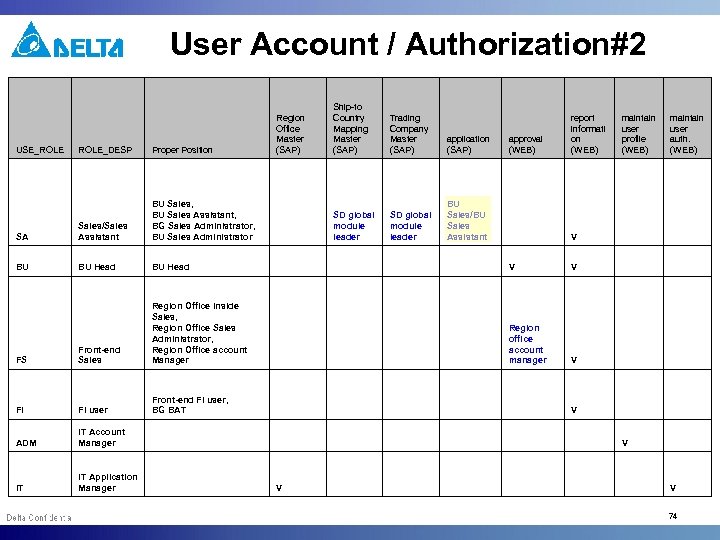 User Account / Authorization#2 USE_ROLE Region Office Master (SAP) Ship-to Country Mapping Master (SAP) Trading Company Master (SAP) application (SAP) SD global module leader approval (WEB) report informati on (WEB) maintain user profile (WEB) maintain user auth. (WEB) BU Sales/BU Sales Assistant V V V ROLE_DESP Proper Position SA Sales/Sales Assistant BU Sales, BU Sales Assistant, BG Sales Administrator, BU Sales Administrator SD global module leader BU BU Head FS Front-end Sales Region Office Inside Sales, Region Office Sales Administrator, Region Office account Manager Region office account manager FI FI user Front-end FI user, BG BAT V ADM IT Account Manager V IT IT Application Manager V V 74
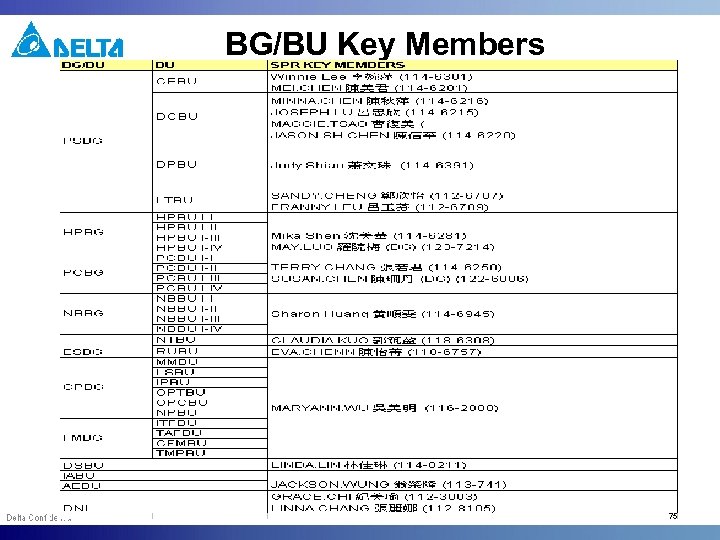 BG/BU Key Members 75
 IT Supporting Team • DG – Julia Wang 王月華 / Huggins 胡敏 • WJ - Qiutian. Zhu 朱會娟 (WJ) 152 -5432 • TJ - Jason. Wang 王源 (TJ); • DEI - Gary. Huang 黃光榮 112 -5431 • DEJ – may. yang 楊美娟 (DEJ) • DPC – Eunice / Mindy • DET - Porntip. S Sae-Oh (DET); Suwanna Sanonglak (DET) • DEU – Timo Lee 76
 Thank you !! 77