 Скачать презентацию sales logiq Web Design 2 0 The Power
8190fe68db8381c67aecabd52e80c6b5.ppt
- Количество слайдов: 49




sales logiq Web Design 2. 0 The Power of Design Patterns Mike Baxter www. saleslogiq. com
sales logiq What is a Design Pattern “Each pattern describes a problem which occurs over and over again in our environment, and then describes the core of the solution to that problem in such a way that you can use this solution a million times over without ever doing it the same way twice” Christopher Alexander, 1977 Pattern Language
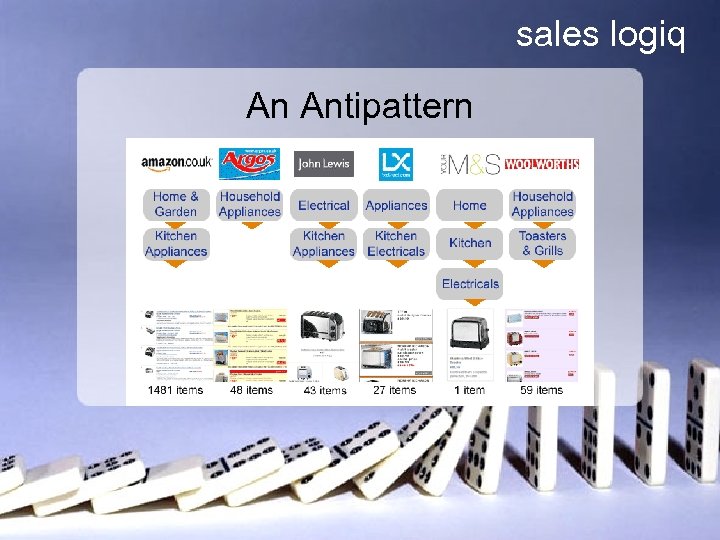
sales logiq An Antipattern
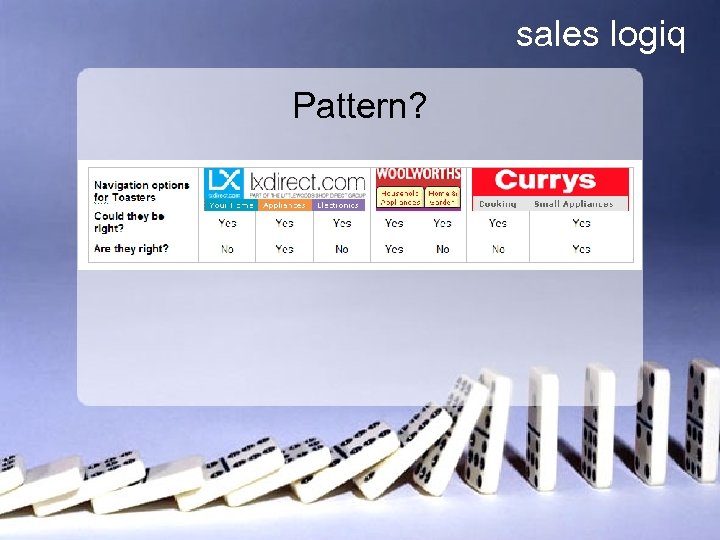
sales logiq Pattern?
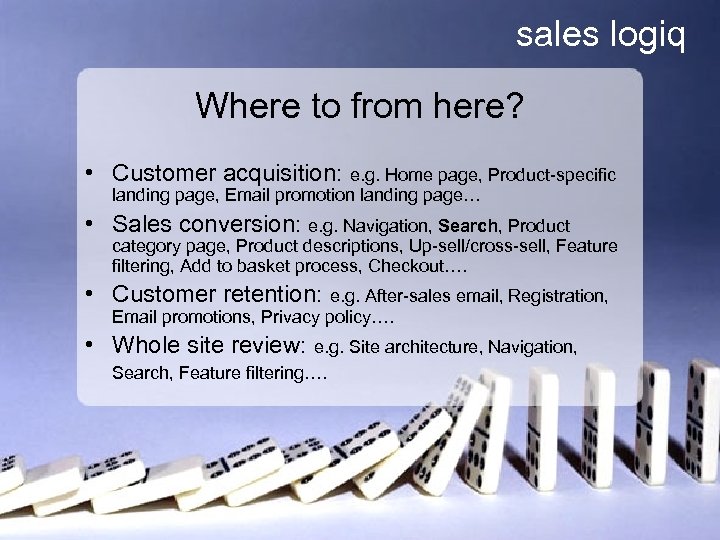
sales logiq E-commerce Design Patterns • Customer acquisition: e. g. Home page, Product-specific landing page, Email promotion landing page… • Sales conversion: e. g. Navigation, Search, Product category page, Product descriptions, Up-sell/cross-sell, Feature filtering, Add to basket process, Checkout…. • Customer retention: e. g. After-sales email, Registration, Email promotions, Privacy policy…. • Whole site review: e. g. Site architecture, Navigation, Search, Feature filtering….
sales logiq Presenting the Search Box A text box and a button – how difficult can it be? Search
sales logiq Design Pattern – Search Box Problem summary: Enabling the customer to initiate an onsite keyword search
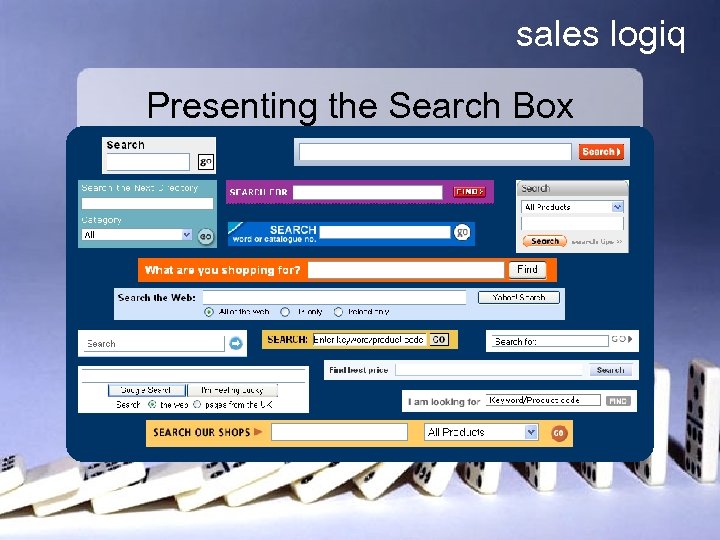
sales logiq Presenting the Search Box
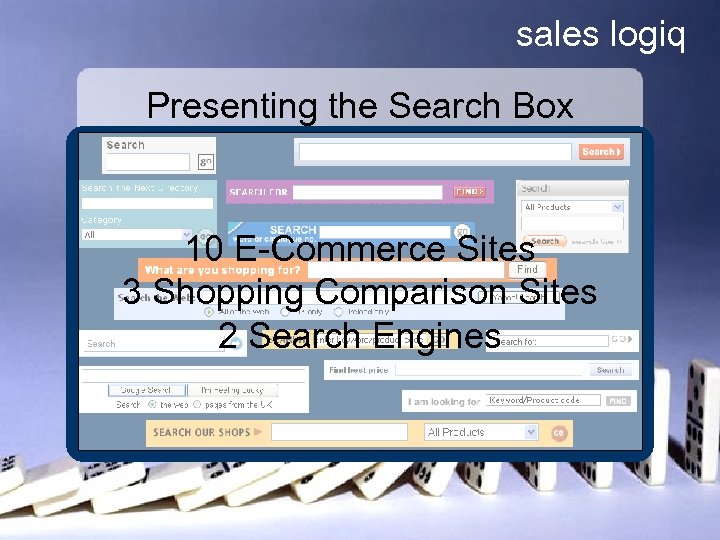
sales logiq Presenting the Search Box 10 E-Commerce Sites 3 Shopping Comparison Sites 2 Search Engines
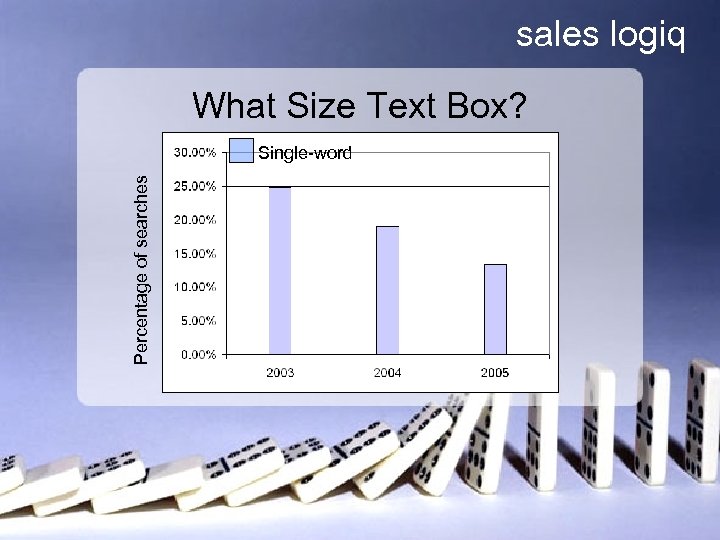
sales logiq What Size Text Box? Percentage of searches Single-word
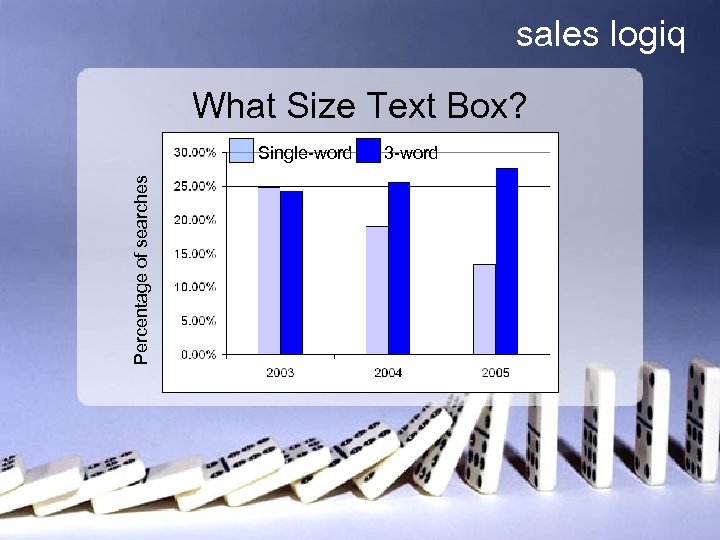
sales logiq What Size Text Box? Percentage of searches Single-word 3 -word
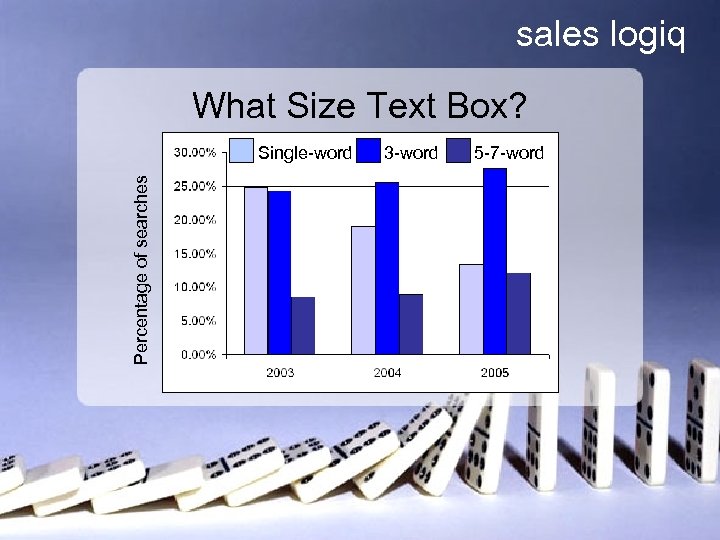
sales logiq What Size Text Box? Percentage of searches Single-word 3 -word 5 -7 -word
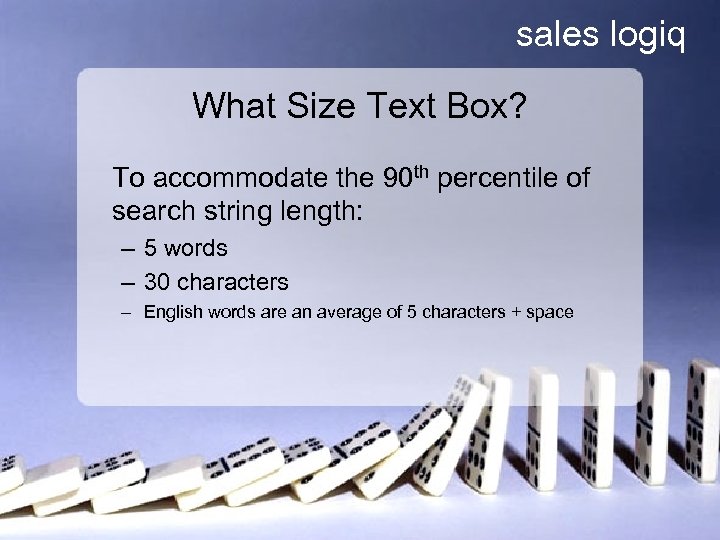
sales logiq What Size Text Box? To accommodate the 90 th percentile of search string length: – 5 words – 30 characters – English words are an average of 5 characters + space
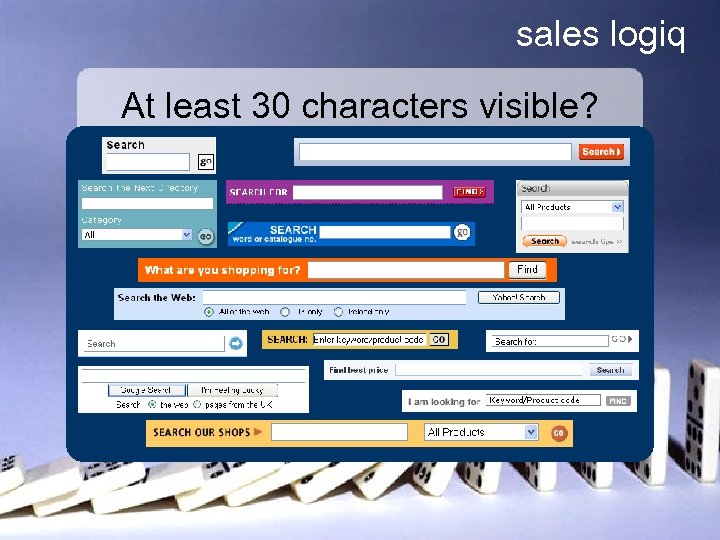
sales logiq At least 30 characters visible?
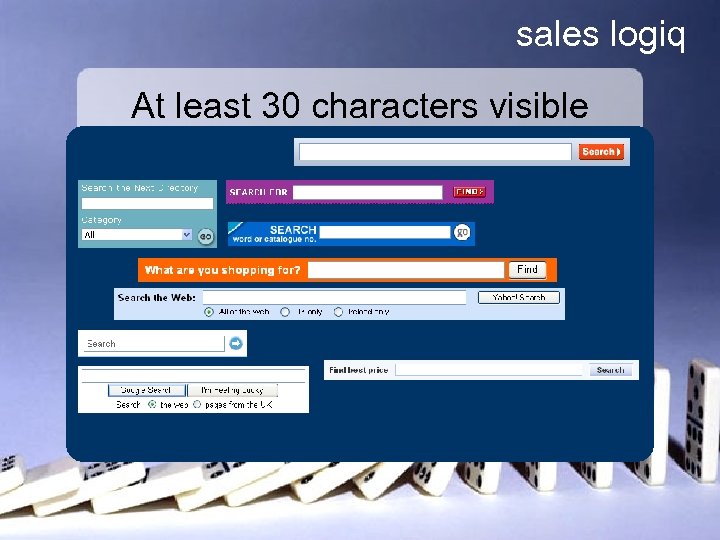
sales logiq At least 30 characters visible
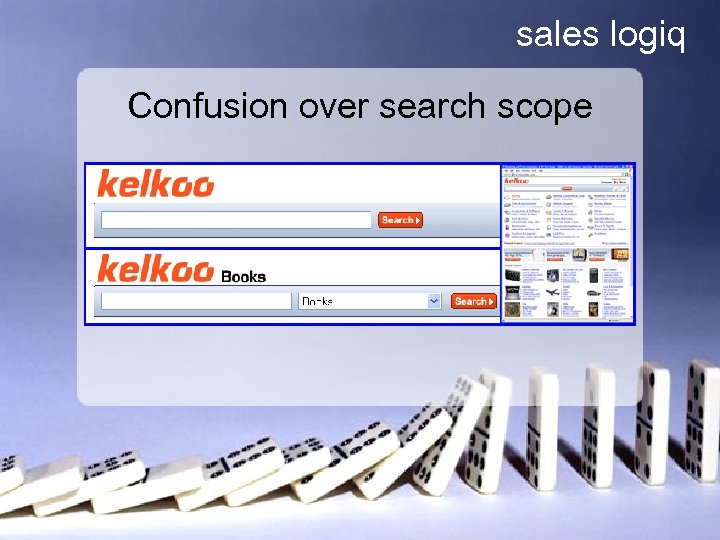
sales logiq Confusion over search scope
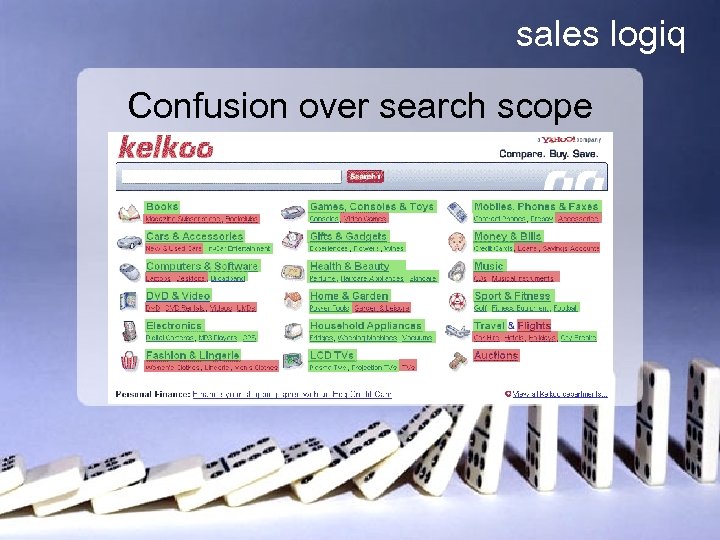
sales logiq Confusion over search scope
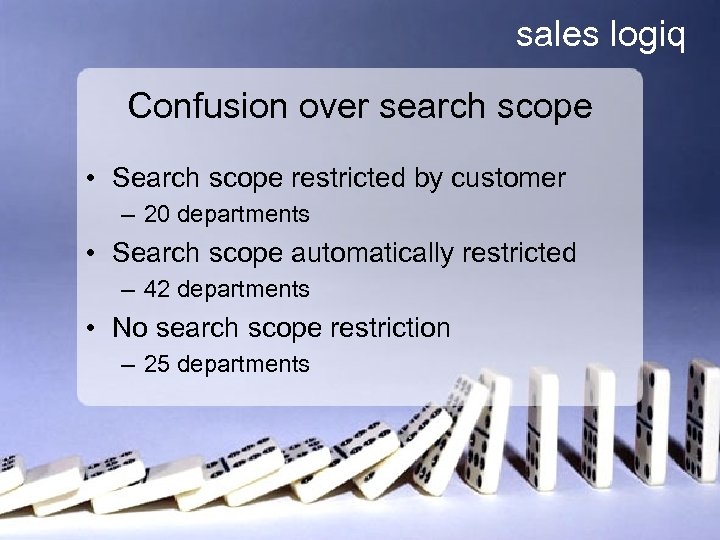
sales logiq Confusion over search scope • Search scope restricted by customer – 20 departments • Search scope automatically restricted – 42 departments • No search scope restriction – 25 departments
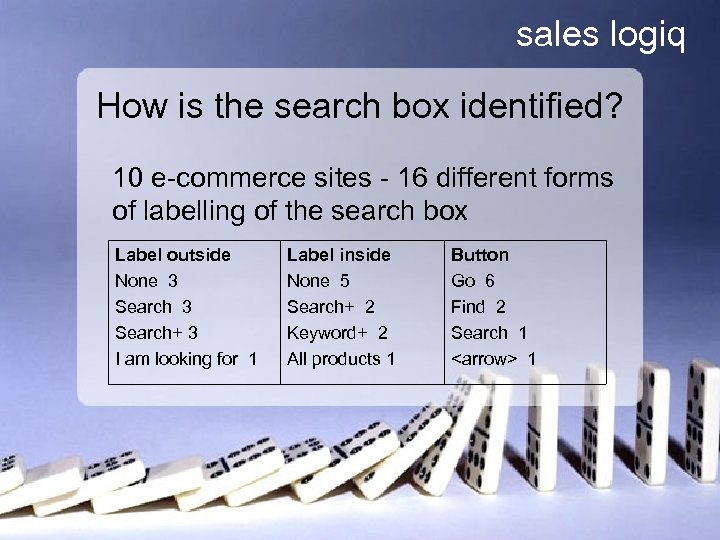
sales logiq How is the search box identified? 10 e-commerce sites - 16 different forms of labelling of the search box Label outside None 3 Search+ 3 I am looking for 1 Label inside None 5 Search+ 2 Keyword+ 2 All products 1 Button Go 6 Find 2 Search 1 <arrow> 1
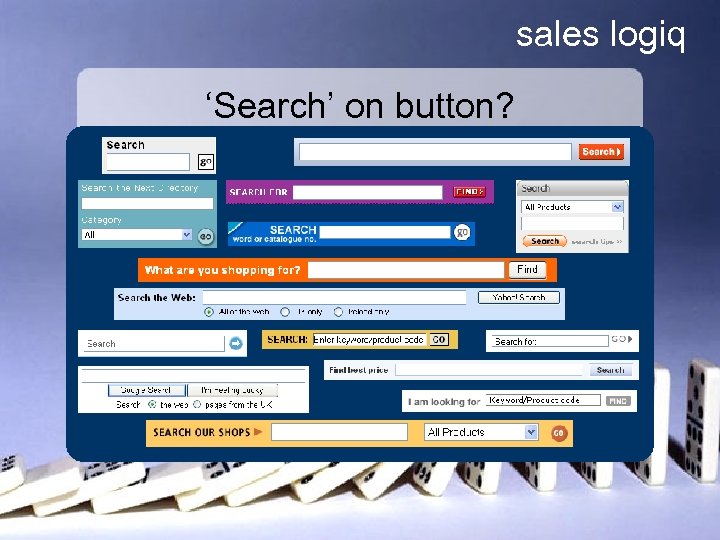
sales logiq ‘Search’ on button?
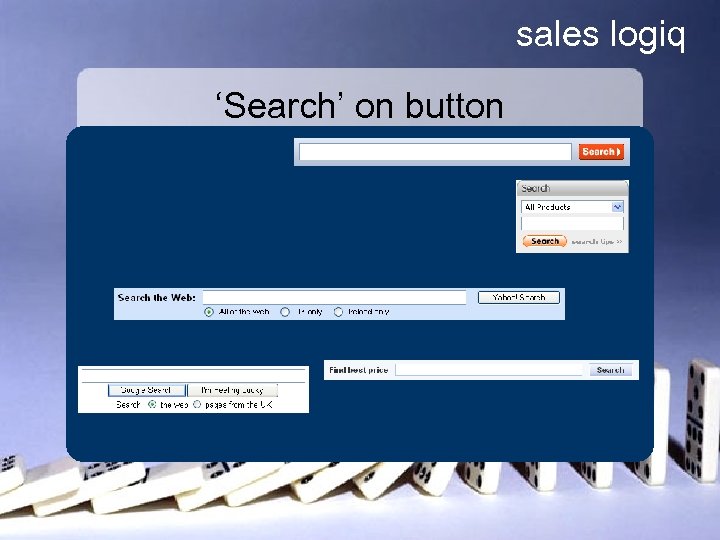
sales logiq ‘Search’ on button
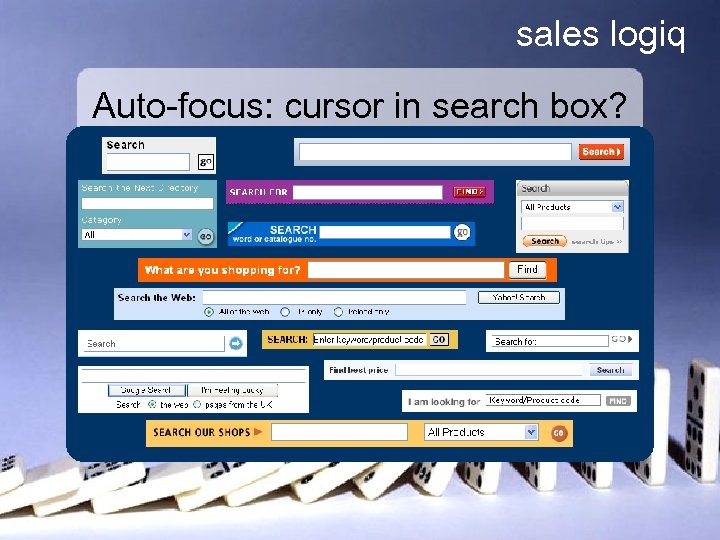
sales logiq Auto-focus: cursor in search box?
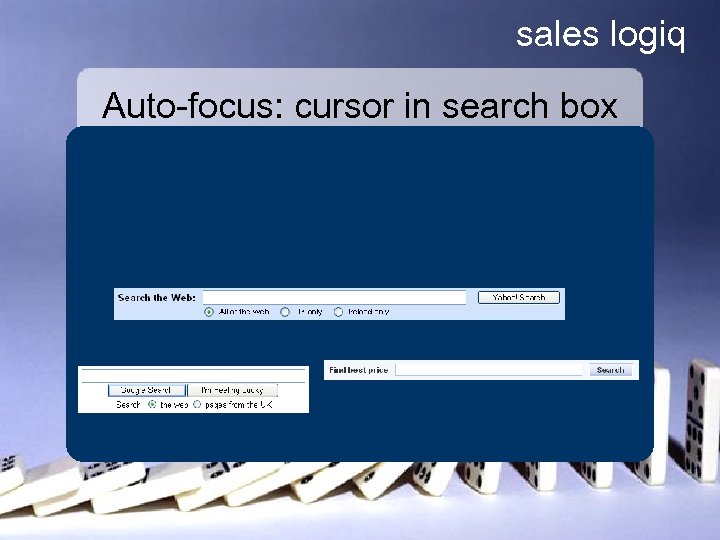
sales logiq Auto-focus: cursor in search box
sales logiq A Design Pattern • • Problem summary Example Solution Rationale
sales logiq Search Box - Solution 1. 2. 3. 4. 5. 6. Consistency & Visual Prominence Large text box Auto-suggest effective keywords Auto-focus on the search box when the page loads Clarity of search 'scope' Having 'search' as the input button label
sales logiq Search Box - Solution 2. Large text box Solution: wide enough for 30 characters (~175 px) Rationale: • 56% of all keyword searches (in the major search engines) use 3 or more keywords. • In order to accommodate the 90 th percentile keyword length we need space for 5 keywords or 30 characters (the average word length in English is 5 letters +space). One. Stat. com, 2005
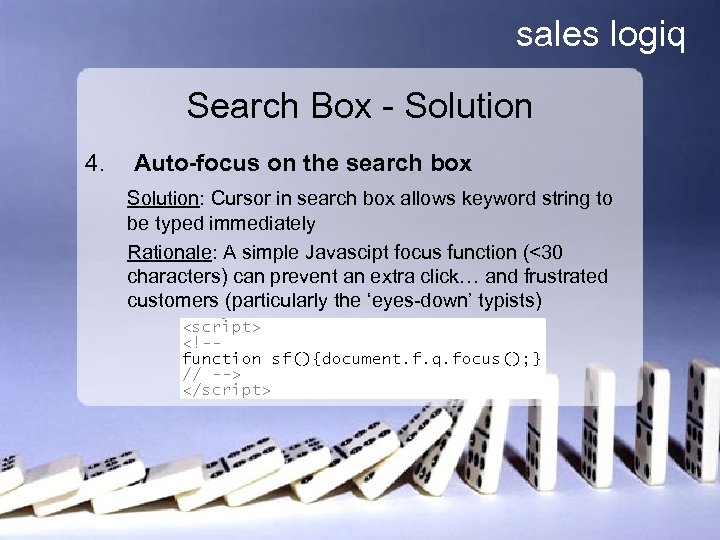
sales logiq Search Box - Solution 4. Auto-focus on the search box Solution: Cursor in search box allows keyword string to be typed immediately Rationale: A simple Javascipt focus function (<30 characters) can prevent an extra click… and frustrated customers (particularly the ‘eyes-down’ typists)
sales logiq Presenting the Search Box A text box and a button – how difficult can it be? Search
sales logiq Search • Search – design pattern cluster – Blog on Search strategy • Search Box Pattern – 6 solution elements • Search Process Pattern – 5 solution elements • Search Results Pattern – 10 solution elements
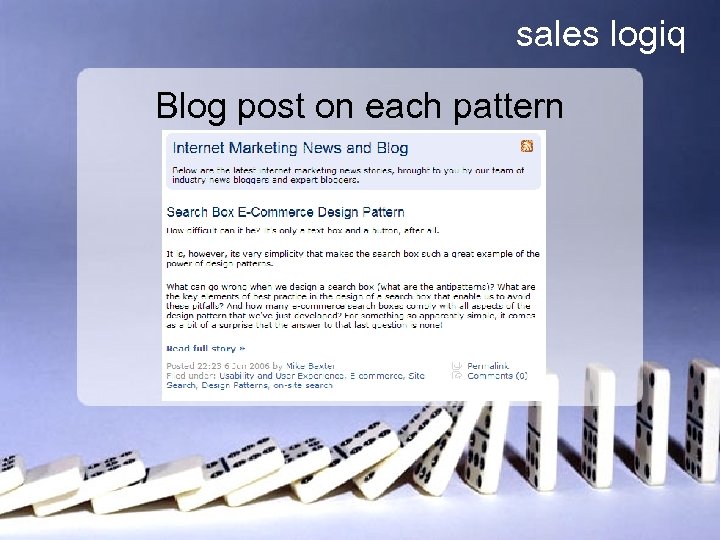
sales logiq Blog post on each pattern

sales logiq Design Patterns in Action How do we integrate E-Commerce Design Patterns into the e-commerce team?
sales logiq Design Patterns – e. Bay’s story • • • Lots of people Fast turnaround Inconsistent design Kept ‘reinventing the wheel’ Lost information J Reffell & M Alpern, 2005
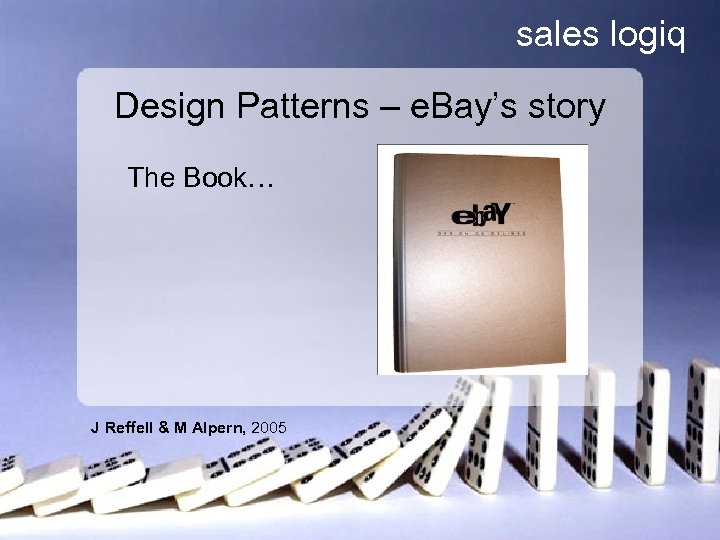
sales logiq Design Patterns – e. Bay’s story The Book… J Reffell & M Alpern, 2005
sales logiq Design Patterns – e. Bay’s story The Book… • • Obsolete the day it was printed Actively dangerous within 6 months Big & unwieldy Now a collector’s item J Reffell & M Alpern, 2005
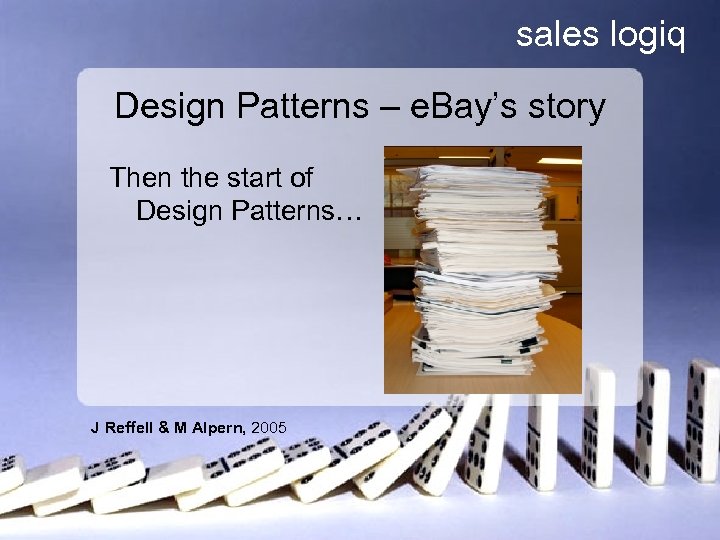
sales logiq Design Patterns – e. Bay’s story Then the start of Design Patterns… J Reffell & M Alpern, 2005
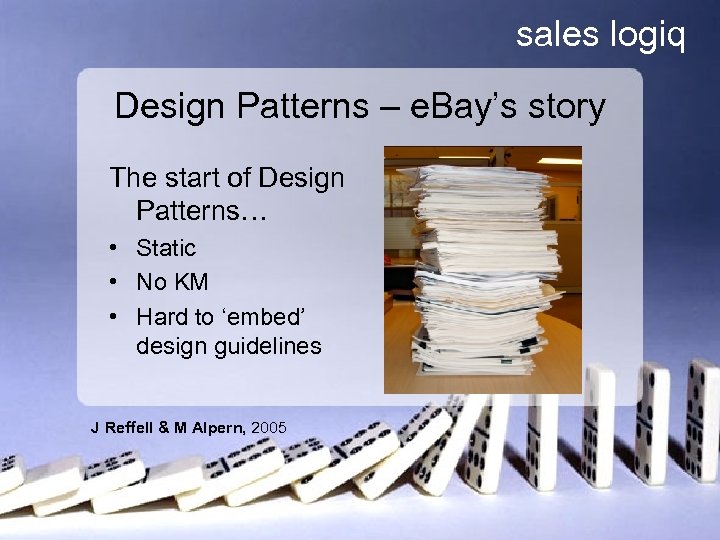
sales logiq Design Patterns – e. Bay’s story The start of Design Patterns… • Static • No KM • Hard to ‘embed’ design guidelines J Reffell & M Alpern, 2005
sales logiq Design Patterns – e. Bay’s story Then the Code… J Reffell & M Alpern, 2005 <table border="0" cellpadding="0" cellspacing="0" width="100%" bgcolor="#D 6 DEFF"> <tr><td colspan="5" bgcolor="#9999 CC"><img border="0"src=https: //titan. c orp. ebay. com/ui/en_us/defa ult/images/spacer. gif, Dana. I nfo=toolbox. corp. ebay. com+ height="2" width="1"></td></tr>
sales logiq Design Patterns – e. Bay’s story Then the Process… J Reffell & M Alpern, 2005
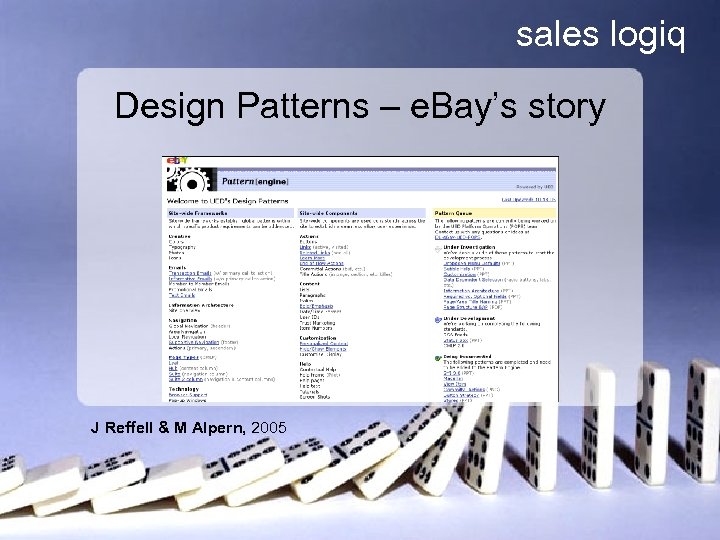
sales logiq Design Patterns – e. Bay’s story J Reffell & M Alpern, 2005
sales logiq E-Commerce Design Patterns So, design patterns are good, but the devil is in the detail!
sales logiq E-Commerce Design Patterns So, design patterns are good, but the devil is in the detail! In light of e. Bay and others’ experience of design patterns in practice, how do we see E-Commerce Design Patterns integrating into the e-commerce team?
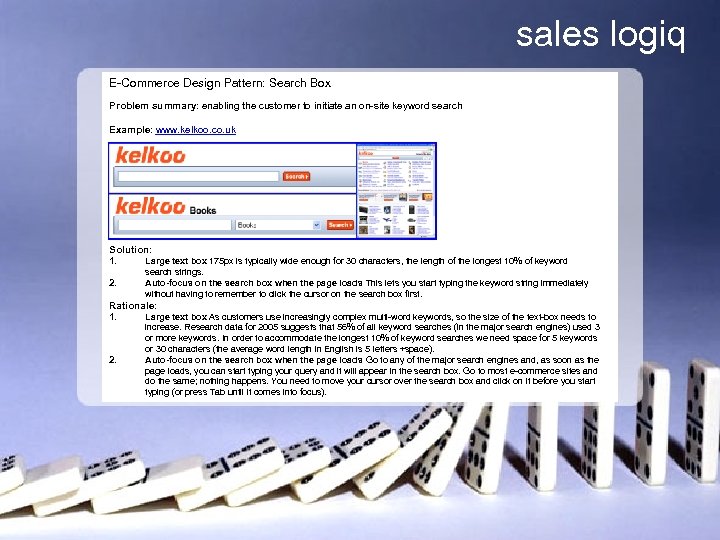
sales logiq E-Commerce Design Pattern: Search Box Problem summary: enabling the customer to initiate an on-site keyword search Example: www. kelkoo. co. uk Solution: 1. 2. Large text box 175 px is typically wide enough for 30 characters, the length of the longest 10% of keyword search strings. Auto-focus on the search box when the page loads This lets you start typing the keyword string immediately without having to remember to click the cursor on the search box first. Rationale: 1. 2. Large text box As customers use increasingly complex multi-word keywords, so the size of the text-box needs to increase. Research data for 2005 suggests that 56% of all keyword searches (in the major search engines) used 3 or more keywords. In order to accommodate the longest 10% of keyword searches we need space for 5 keywords or 30 characters (the average word length in English is 5 letters +space). Auto-focus on the search box when the page loads Go to any of the major search engines and, as soon as the page loads, you can start typing your query and it will appear in the search box. Go to most e-commerce sites and do the same; nothing happens. You need to move your cursor over the search box and click on it before you start typing (or press Tab until it comes into focus).
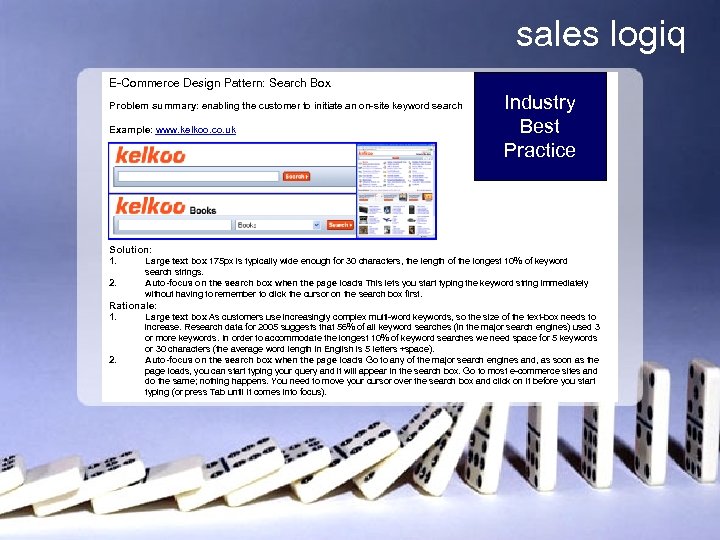
sales logiq E-Commerce Design Pattern: Search Box Problem summary: enabling the customer to initiate an on-site keyword search Example: www. kelkoo. co. uk Industry Best Practice Solution: 1. 2. Large text box 175 px is typically wide enough for 30 characters, the length of the longest 10% of keyword search strings. Auto-focus on the search box when the page loads This lets you start typing the keyword string immediately without having to remember to click the cursor on the search box first. Rationale: 1. 2. Large text box As customers use increasingly complex multi-word keywords, so the size of the text-box needs to increase. Research data for 2005 suggests that 56% of all keyword searches (in the major search engines) used 3 or more keywords. In order to accommodate the longest 10% of keyword searches we need space for 5 keywords or 30 characters (the average word length in English is 5 letters +space). Auto-focus on the search box when the page loads Go to any of the major search engines and, as soon as the page loads, you can start typing your query and it will appear in the search box. Go to most e-commerce sites and do the same; nothing happens. You need to move your cursor over the search box and click on it before you start typing (or press Tab until it comes into focus).
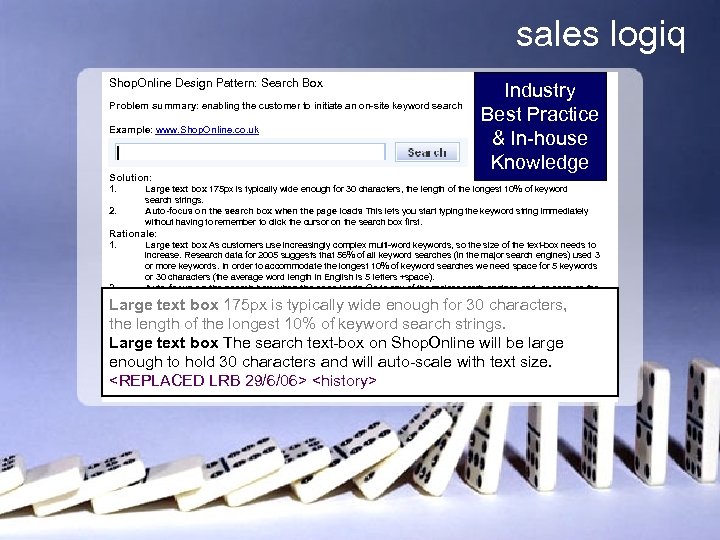
sales logiq Shop. Online Design Pattern: Search Box Problem summary: enabling the customer to initiate an on-site keyword search Example: www. Shop. Online. co. uk Solution: 1. 2. Industry Best Practice & In-house Knowledge Large text box 175 px is typically wide enough for 30 characters, the length of the longest 10% of keyword search strings. Auto-focus on the search box when the page loads This lets you start typing the keyword string immediately without having to remember to click the cursor on the search box first. Rationale: 1. 2. Large text box As customers use increasingly complex multi-word keywords, so the size of the text-box needs to increase. Research data for 2005 suggests that 56% of all keyword searches (in the major search engines) used 3 or more keywords. In order to accommodate the longest 10% of keyword searches we need space for 5 keywords or 30 characters (the average word length in English is 5 letters +space). Auto-focus on the search box when the page loads Go to any of the major search engines and, as soon as the page loads, you can start typing your query and it will appear in the search box. Go to most e-commerce sites and do the same; nothing happens. You need to move your cursor over the search box and click on it before you start typing (or press Tab until it comes into focus). Large text box 175 px is typically wide enough for 30 characters, the length of the longest 10% of keyword search strings. Large text box The search text-box on Shop. Online will be large enough to hold 30 characters and will auto-scale with text size. <REPLACED LRB 29/6/06> <history>
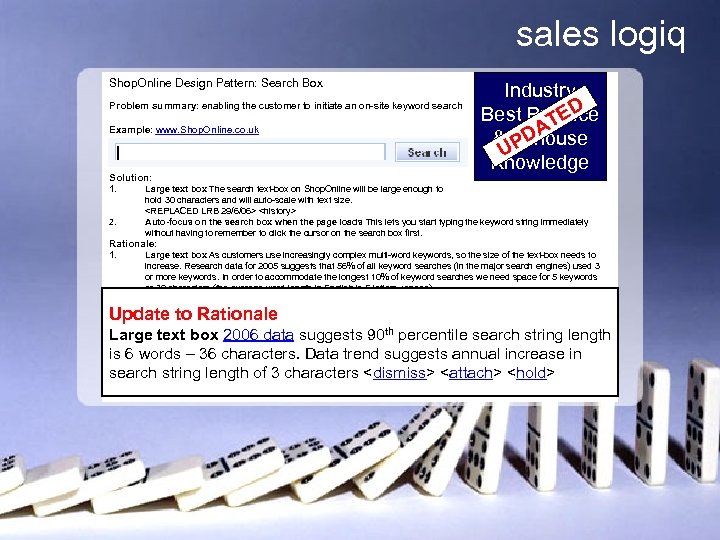
sales logiq Shop. Online Design Pattern: Search Box Problem summary: enabling the customer to initiate an on-site keyword search Example: www. Shop. Online. co. uk Solution: 1. 2. Industry Best Practice ED T DA & In-house UP Knowledge Large text box The search text-box on Shop. Online will be large enough to hold 30 characters and will auto-scale with text size. <REPLACED LRB 29/6/06> <history> Auto-focus on the search box when the page loads This lets you start typing the keyword string immediately without having to remember to click the cursor on the search box first. Rationale: 1. 2. Large text box As customers use increasingly complex multi-word keywords, so the size of the text-box needs to increase. Research data for 2005 suggests that 56% of all keyword searches (in the major search engines) used 3 or more keywords. In order to accommodate the longest 10% of keyword searches we need space for 5 keywords or 30 characters (the average word length in English is 5 letters +space). Auto-focus on the search box when the page loads Go to any of the major search engines and, as soon as the page loads, you can start typing your query and it will appear in the search box. Go to most e-commerce sites and do the same; nothing happens. You need to move your cursor over the search box and click on it before you start typing (or press Tab until it comes into focus). th Update to Rationale Large text box 2006 data suggests 90 percentile search string length is 6 words – 36 characters. Data trend suggests annual increase in search string length of 3 characters <dismiss> <attach> <hold>
sales logiq Where to from here? • Customer acquisition: e. g. Home page, Product-specific landing page, Email promotion landing page… • Sales conversion: e. g. Navigation, Search, Product category page, Product descriptions, Up-sell/cross-sell, Feature filtering, Add to basket process, Checkout…. • Customer retention: e. g. After-sales email, Registration, Email promotions, Privacy policy…. • Whole site review: e. g. Site architecture, Navigation, Search, Feature filtering….
sales logiq E-Commerce Design Patterns OR Customer Experience Design Patterns

sales logiq We need your help! • Industry best practice can only be captured in industry gets involved! • Please get in touch! Tell us what you think. Tell us if you’d be happy to be contacted to talk more.
sales logiq Web Design 2. 0 - the power of design patterns Thanks! Have a look www. e-consultancy. com/research/e-commerce-design-patterns/ http: //www. e-consultancy. com/news-blog/ Mike Baxter mike@saleslogiq. com 07740 664696
Скачать презентацию sales logiq Web Design 2 0 The Power
8190fe68db8381c67aecabd52e80c6b5.ppt