


 Скачать презентацию Sage MAS ERP What s New in Sage MAS
0704dc523d883c06b1aaa2faf51bd5b1.ppt
- Количество слайдов: 72
 Sage MAS ERP What’s New in Sage MAS 500 v 7. 3 Save time. Do more. Grow faster. Kevin Karle Senior Solution Consultant February 18, 2011
 Sage MAS ERP Credit Card Processing New Module
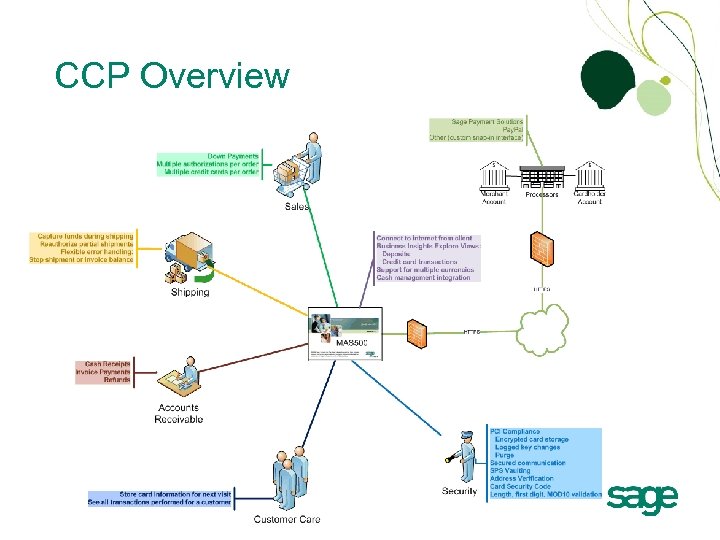 CCP Overview
 Value Proposition – Credit Card • Shorten the cash conversion process and improve cash flow – – – – – Simplify the order to cash process Accept down payments Capture funds during shipping Stop shipments for failed credit cards Reauthorize partial shipments Quickly and easily process payment receipts Decrease days sales outstanding Reduce write offs Open your business to new customers
 Value Proposition (continued) • Free to customers using Sage Payment Solutions or PSG Credit Card Processing • Reduce transaction fees – – Authorize transactions Perform address verification Capture Level I and Level II transactions Require card security codes • Reduce data entry and keying errors – Securely store credit card information for reuse – Use check digit validation
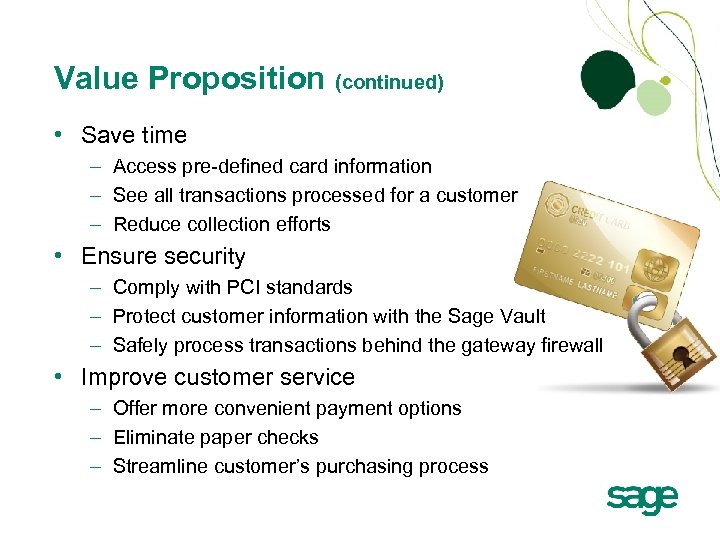 Value Proposition (continued) • Save time – Access pre-defined card information – See all transactions processed for a customer – Reduce collection efforts • Ensure security – Comply with PCI standards – Protect customer information with the Sage Vault – Safely process transactions behind the gateway firewall • Improve customer service – Offer more convenient payment options – Eliminate paper checks – Streamline customer’s purchasing process
 Sage MAS ERP Desktop Enhancements
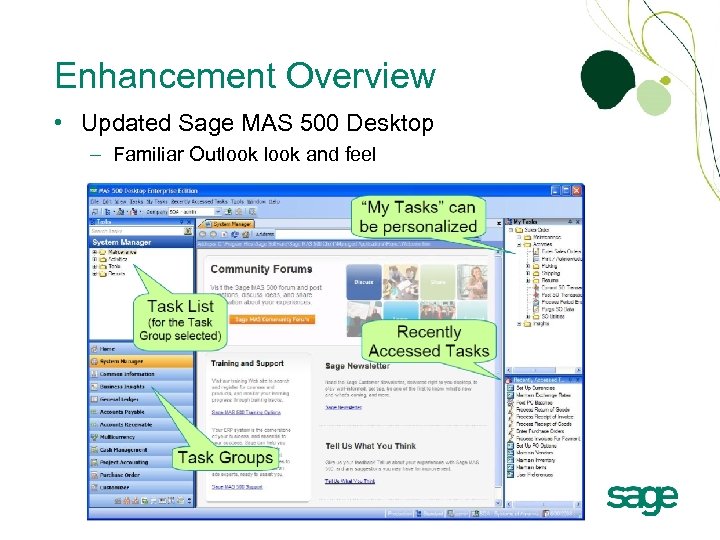 Enhancement Overview • Updated Sage MAS 500 Desktop – Familiar Outlook and feel
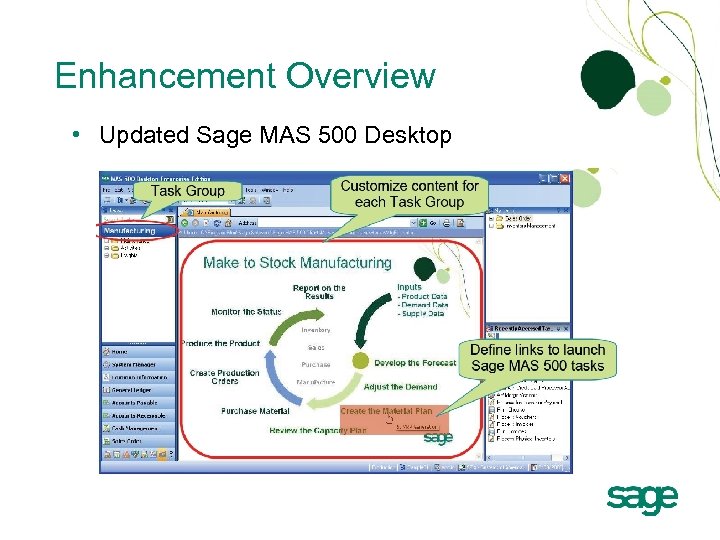 Enhancement Overview • Updated Sage MAS 500 Desktop
 Value Proposition - Desktop • Improve ease of use – Simplify navigation – Gain faster access to frequently used tasks – Personalize the Tasks Explorer Bar to deliver role-centric adaptability • Save time – Automatically update Recently Accessed Tasks based on individual activity – Customize content for each task group according to business needs (i. e. , web page, links to documents, statement of policies, or workflow diagrams) • Streamline current workflows – Effectively organize information for each user’s needs
 Sage MAS ERP Accounts Payable Enhancements
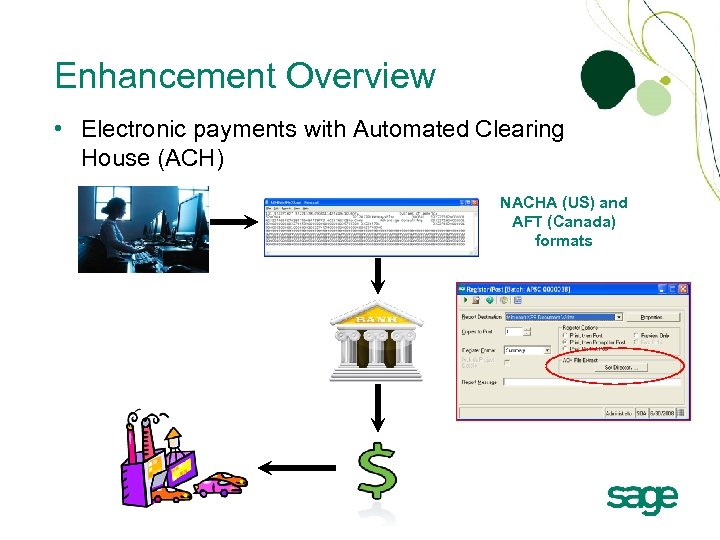 Enhancement Overview • Electronic payments with Automated Clearing House (ACH) NACHA (US) and AFT (Canada) formats
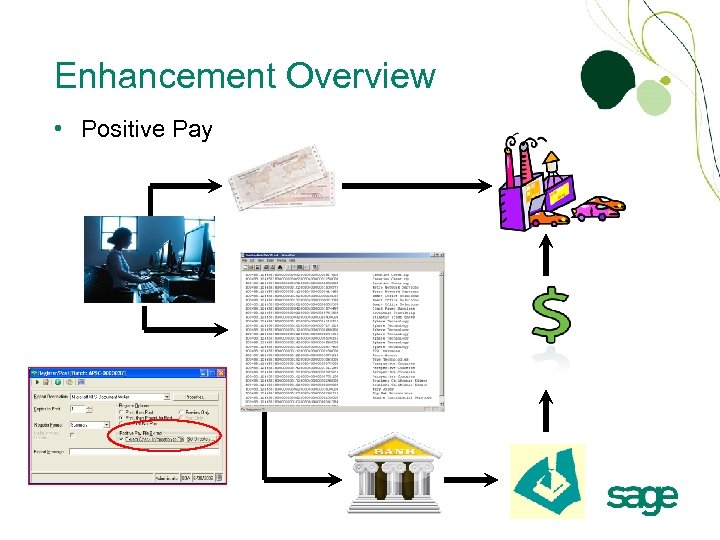 Enhancement Overview • Positive Pay
 Enhancement Overview • PDF Document Transmittal – Generate and send important vendor documents in PDF format – Increase security with documents that cannot be edited • Vendor Merge – Eliminate duplicate vendor records by merging a source vendor into a target vendor – Merge all aging and history records
 Value Proposition – AP • Save money – Reduce costs associated with paper checks and postage – Eliminate lost or stolen checks – Reduce late fees associated with lost checks – Reduce bank fees and administrative costs – Eliminate check fraud • Improve vendor relations – Improve cash flow for your vendors • Eliminate manual processes – Generate and email secure PDF documents – Automate the merge of duplicate vendor records – Improve reporting accuracy
 Sage MAS ERP Inventory Management Enhancements
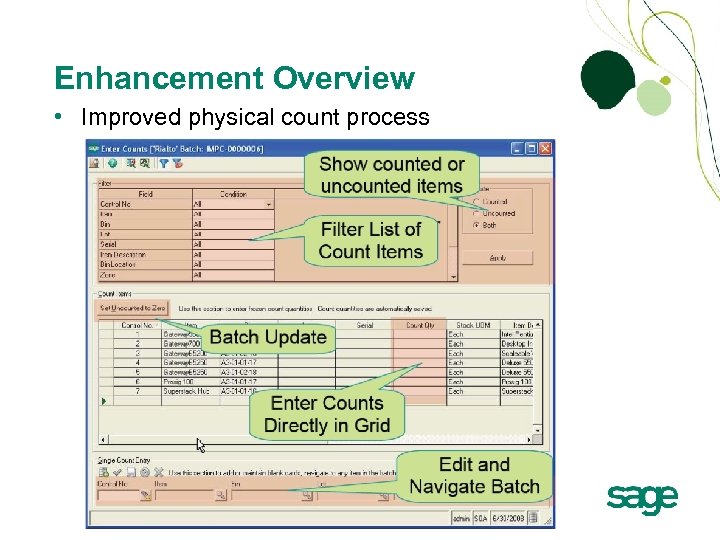 Enhancement Overview • Improved physical count process
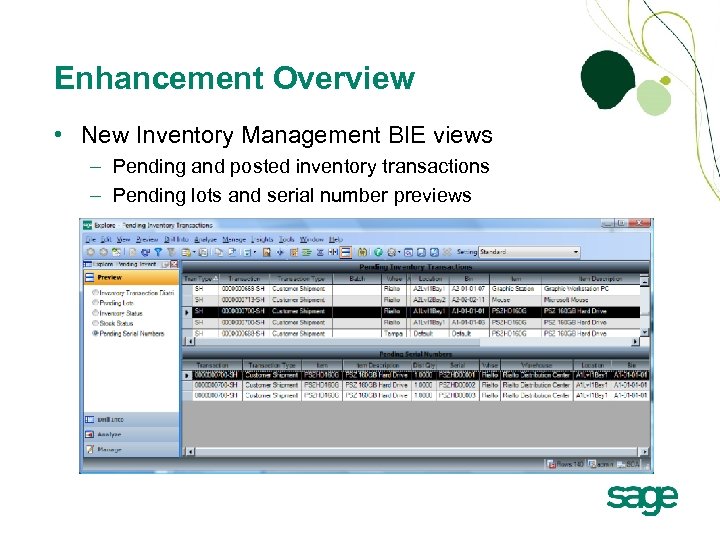 Enhancement Overview • New Inventory Management BIE views – Pending and posted inventory transactions – Pending lots and serial number previews
 Value Proposition – Inventory • Improve productivity – Provide a simplified method for performing counts – Automatically set uncounted items to zero • Reduce inventory costs – Perform counts more frequently – Reduce shrinkage – Improve auditing capabilities • Accurately track inventory investment • Improve decision making – Always have the information you need at your fingertips
 Sage MAS ERP Sales Order Enhancements
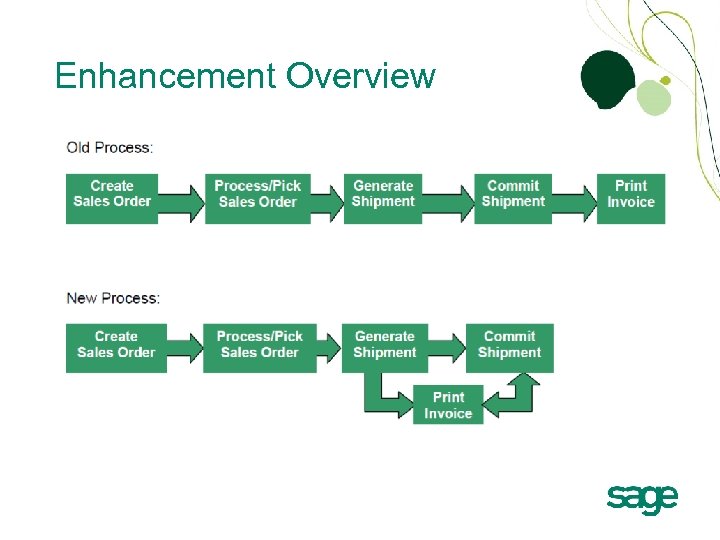 Enhancement Overview
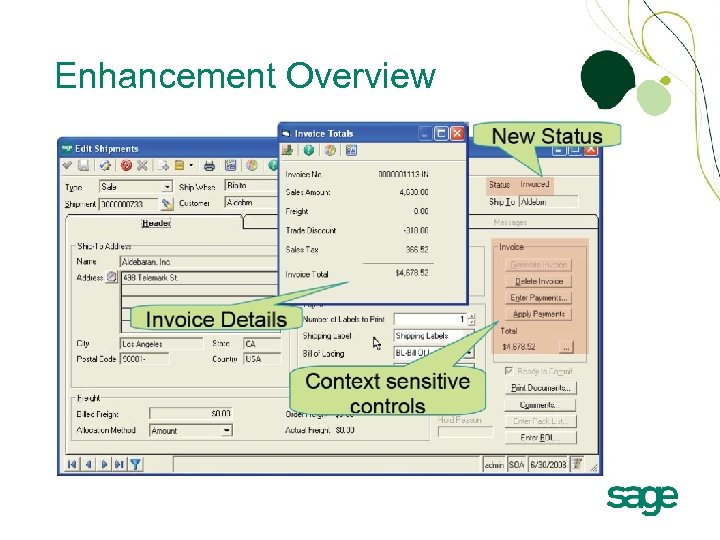 Enhancement Overview
 Value Proposition – Sales Order • Improve customer service – Quickly print invoice before committing shipment – Provide flexible credit card payment options • Improve productivity – Leverage a more flexible and streamlined process for sales orders – Experience improved system performance – Process commitments after hours without impacting sales order processing – Cascade order header changes to order lines • Improve cash flow – Accept credit card during order entry
 Sage MAS ERP Accounts Receivable Enhancements
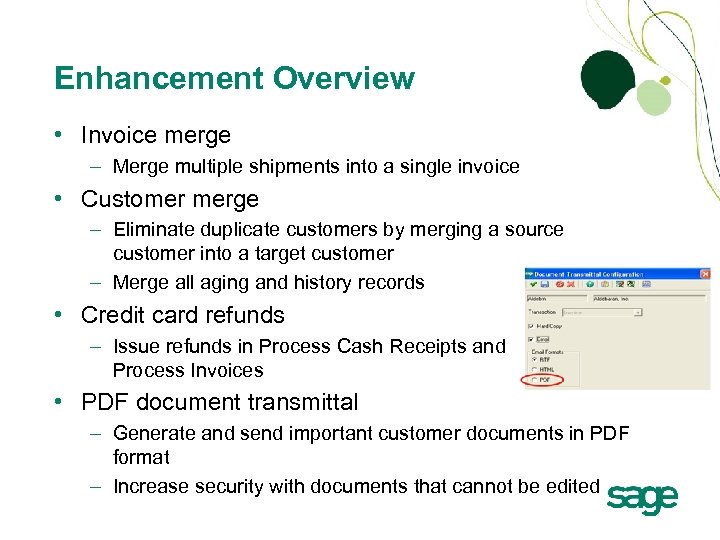 Enhancement Overview • Invoice merge – Merge multiple shipments into a single invoice • Customer merge – Eliminate duplicate customers by merging a source customer into a target customer – Merge all aging and history records • Credit card refunds – Issue refunds in Process Cash Receipts and Process Invoices • PDF document transmittal – Generate and send important customer documents in PDF format – Increase security with documents that cannot be edited
 Value Proposition – AR • Improve data accuracy – Merge duplicate records – Provide more accurate customer reporting (including aging and history • Improve customer service – Deliver faster access to all customer and invoice data – Support credit card refunds • Save time – Generate customer documents as PDF automatically
 Sage MAS ERP Business Insights Explorer Enhancements
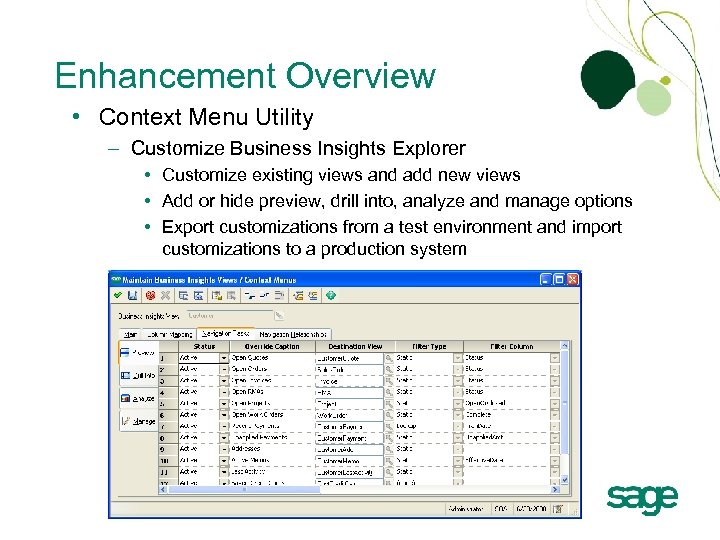 Enhancement Overview • Context Menu Utility – Customize Business Insights Explorer • Customize existing views and add new views • Add or hide preview, drill into, analyze and manage options • Export customizations from a test environment and import customizations to a production system
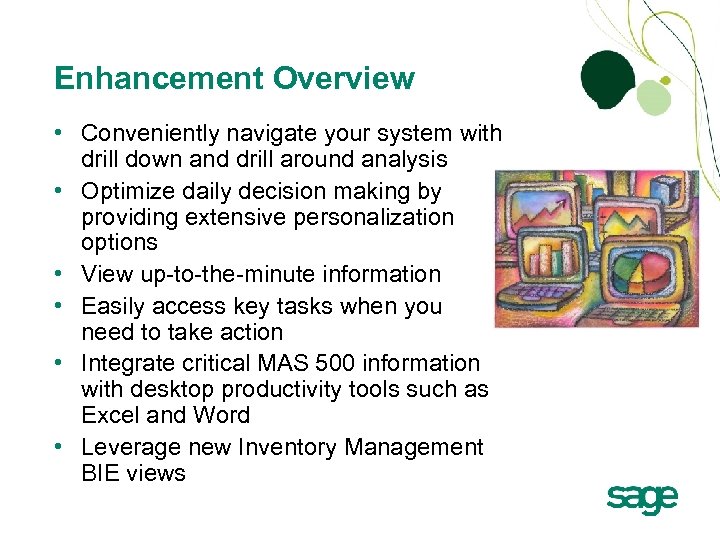 Enhancement Overview • Conveniently navigate your system with drill down and drill around analysis • Optimize daily decision making by providing extensive personalization options • View up-to-the-minute information • Easily access key tasks when you need to take action • Integrate critical MAS 500 information with desktop productivity tools such as Excel and Word • Leverage new Inventory Management BIE views
 Value Proposition – BIE • Focus on the most critical information for your business – Personalize views of key business information – Drill down and around to related data – Take action with direct access to MAS 500 tasks • Make effective and timely business decisions – Apply query, reporting and statistical analysis – Assess the state of your business
 Sage MAS ERP Performance and Scalability Enhancements
 Enhancement Overview v 7. 3 Performance Improvements Compared to v 7. 2 • • • Create and Process Sales Order – 90% more transactions per second Create Invoice – 100% more transactions per second Create Purchase Order – 50% more transactions per second Create Vouchers – 200% more transactions per second Create Journal Entry – 60% more transactions per second Cash Receipts Entry load and process – up to 99% faster on large loads Enter Sales Order and Print Invoice – approximately 75% faster Sales Order Shipment Commit – approximately 70% faster Manufacturing Work Order Posting – up to 95% faster on large postings Manufacturing Labor Transaction Posting – up to 89% faster on large postings Crystal Reports® – significantly improved
 Value Proposition – Performance • • Improve employee efficiency and productivity Improve employee satisfaction Improve customer service Do more with fewer resources
 Demonstration
 Sage MAS ERP Sage MAS Intelligence (SMI) for MAS 500 Kevin Karle Senior Solution Consultant
 Sage MAS Intelligence • Provides a simple and easy to use reporting solution leveraging Excel • Delivers customizable and flexible reporting and analysis • Replaces FRx as the financial report writer for all new financial reports • Allows reports to be output to a specific file location, published to HTML, or emailed to recipients • Eliminates “loose” Excel spreadsheet use by providing a user friendly and centralized interface • Ensures a “single version of the truth” via a suite of preformatted report templates
 What is Sage MAS Intelligence? User Desktop Report Manager Excel Workbook Data Data Data Security Data Web Server Connector Warehouse Sales Office Remote Office
 SMI Modules • Report Manager – – • Create new reports from existing data Sort, filter, and aggregate data Email, schedule, and publish reports Receive 4 Report Managers licenses in addition to each purchased FRx Report Manager if on current a support plan Report Viewer – Run reports real-time with drill down capabilities – Change report parameters – Receive licenses for each purchased FRx Drill Down Viewer
 SMI Modules • Report Designer – Generate financial statements – Edit existing financial layouts and create new layouts using drag and drop functionality • Connector – Connect to an unlimited number of ODBC-compliant data sources – Provide real-time financial and non-financial consolidations • Security Manager – Control access to SMI modules – Control ability to add, edit and delete reports
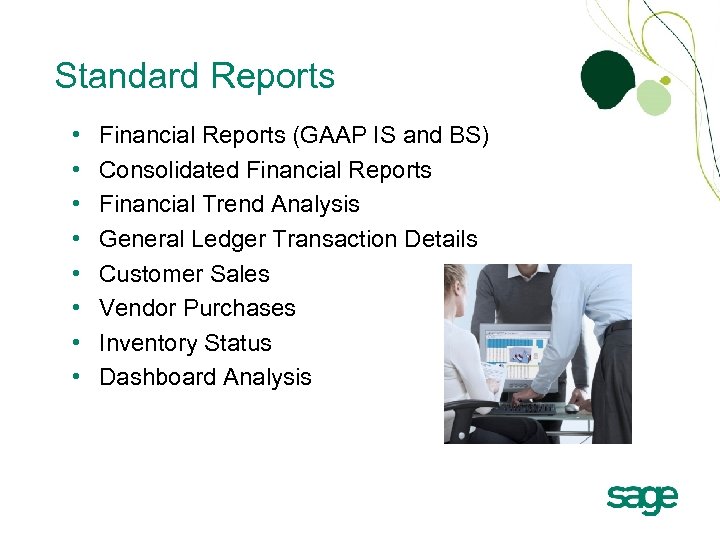 Standard Reports • • Financial Reports (GAAP IS and BS) Consolidated Financial Reports Financial Trend Analysis General Ledger Transaction Details Customer Sales Vendor Purchases Inventory Status Dashboard Analysis
 Report Designer • • Makes financial report design simple, flexible and fast Includes predefined financial report templates Uses drag and drop functionality for report creation Delivers pre-defined financial formulas with support for new formula creation Supports segmented chart of accounts, column-based reporting and consolidations Includes drill down to detailed ledger transactions Provides “what if” analysis Requires Excel 2007
 Connector • Establish and maintain data links for customized reports • Connect to any ODBC-compliant data sources • Create an unlimited number of containers • Add fields or other data to the container • Provide access to data using the Report Manager
 Report Manager • Create, edit and manage reports • Leverage data from one or more tables and/or data sources • Select columns • Establish filters • Define runtime parameters and default values • Use system variables to dynamically determine a value at runtime • Link changes back to the report template
 Dashboards • Consolidates information from multiple sources • Delivers information in a visual interface to display performance metrics • Allows user to interact with the data (drill down) • Focuses on key trends, comparisons and exceptions • Delivers the most common application of business intelligence
 Business Benefits • Quickly generate financial statements and other reports from predefined templates – Deliver a rapid ROI via a suite of delivered standard reports • Edit and create new financial layouts using drag and drop – Leverage ease of use • Simplify, automate and control the entire reporting process – Improve productivity • Leverage data across your entire organization – Provide complete flexibility – Improve decision making
 Business Benefits • Add newly created accounts with one-click refresh – Improve productivity • Improve planning and forecasting decisions with “what if” analysis – Become proactive versus reactive • Leverage native Excel for report presentation – Leverage existing knowledge in your organization – Eliminate manual repetitive work in Excel – Enhance report presentation
 Resources http: //www. sagemas. com/lp/sagemas/SMI/index. html • • • Product Brochure FAQ Drivers of Success White Paper Intelligence Component Comparison (FRx) Available Training Courses from Sage University Installation Guide and Installation Video
 Sage MAS ERP What’s Coming in SAGE MAS 500 v 7. 4?
 A CLOSER LOOK
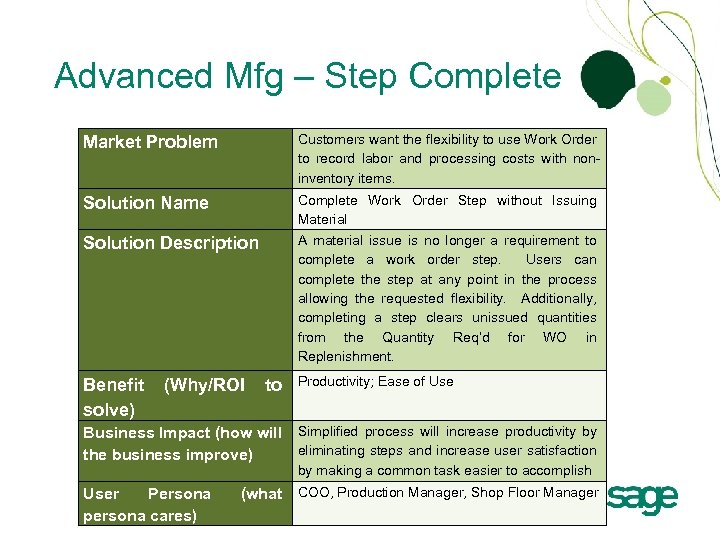 Advanced Mfg – Step Complete Market Problem Customers want the flexibility to use Work Order to record labor and processing costs with noninventory items. Solution Name Complete Work Order Step without Issuing Material Solution Description A material issue is no longer a requirement to complete a work order step. Users can complete the step at any point in the process allowing the requested flexibility. Additionally, completing a step clears unissued quantities from the Quantity Req’d for WO in Replenishment. Benefit solve) (Why/ROI to Productivity; Ease of Use Business Impact (how will Simplified process will increase productivity by eliminating steps and increase user satisfaction the business improve) by making a common task easier to accomplish User Persona persona cares) (what COO, Production Manager, Shop Floor Manager
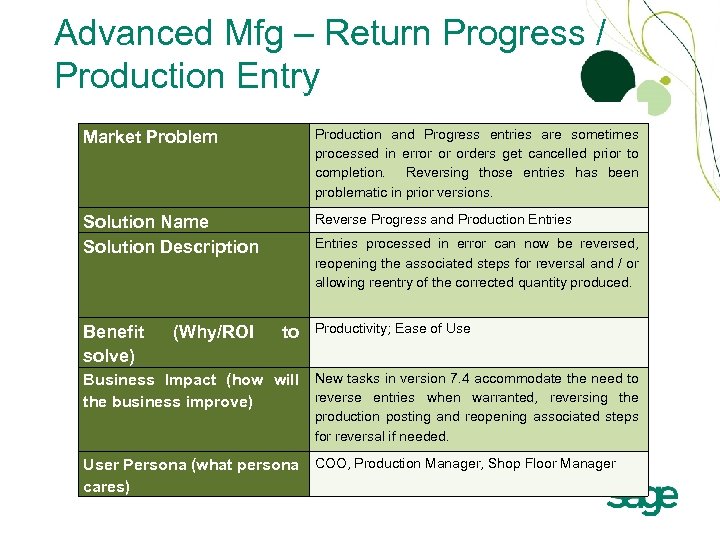 Advanced Mfg – Return Progress / Production Entry Market Problem Production and Progress entries are sometimes processed in error or orders get cancelled prior to completion. Reversing those entries has been problematic in prior versions. Solution Name Solution Description Reverse Progress and Production Entries Benefit solve) (Why/ROI Entries processed in error can now be reversed, reopening the associated steps for reversal and / or allowing reentry of the corrected quantity produced. to Productivity; Ease of Use Business Impact (how will New tasks in version 7. 4 accommodate the need to reverse entries when warranted, reversing the business improve) production posting and reopening associated steps for reversal if needed. User Persona (what persona COO, Production Manager, Shop Floor Manager cares)
 Advanced Mfg – Preferred Bins Market Problem Preferred bin capabilities applied to both distribution and manufacturing picking. Users want the ability to assign separate preferred bins depending on the purpose of the pick. Solution Name Solution Description Assign Manufacturing Preferred Bins Benefit solve) (Why/ROI Enhancements to Maintain Inventory provide added controls to streamline the manufacturing process and automaterial issues by identifying a Manufacturing Preferred Bin for a Warehouse and Item on the Inventory Control tab. Users can optionally set the Distribution Preferred Bin(s) to be used for manufacturing as well or, choose to set distinct manufacturing preferences. to Productivity; Ease of Use Business Impact (how will New settings in version 7. 4 accommodate the need to have separate distribution and manufacturing the business improve) User Persona persona cares) (what bin preferences. COO, Production Manager, Shop Floor Manager
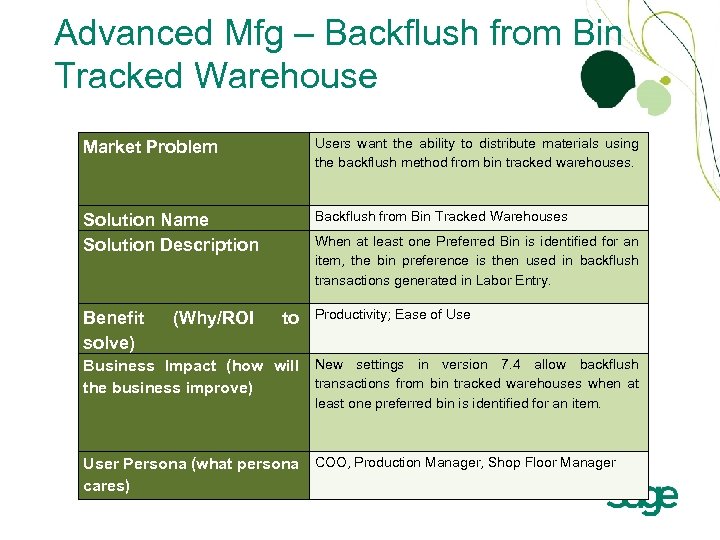 Advanced Mfg – Backflush from Bin Tracked Warehouse Market Problem Users want the ability to distribute materials using the backflush method from bin tracked warehouses. Solution Name Solution Description Backflush from Bin Tracked Warehouses Benefit solve) (Why/ROI When at least one Preferred Bin is identified for an item, the bin preference is then used in backflush transactions generated in Labor Entry. to Productivity; Ease of Use Business Impact (how will New settings in version 7. 4 allow backflush transactions from bin tracked warehouses when at the business improve) least one preferred bin is identified for an item. User Persona (what persona COO, Production Manager, Shop Floor Manager cares)
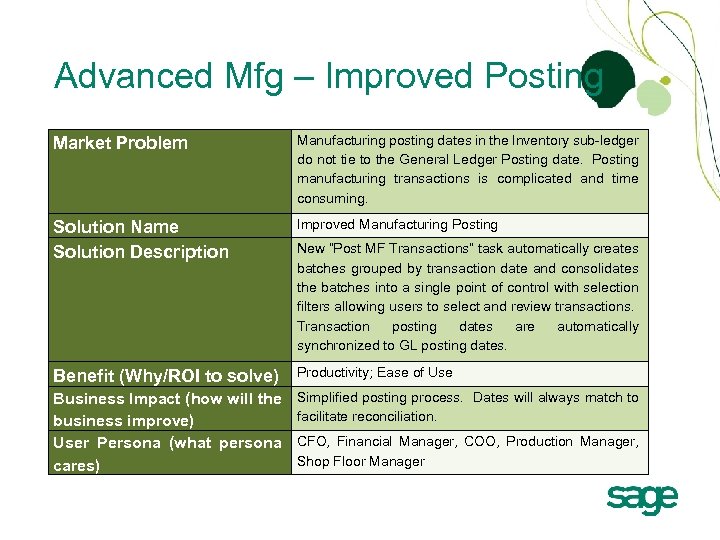 Advanced Mfg – Improved Posting Market Problem Manufacturing posting dates in the Inventory sub-ledger do not tie to the General Ledger Posting date. Posting manufacturing transactions is complicated and time consuming. Solution Name Solution Description Improved Manufacturing Posting Benefit (Why/ROI to solve) Productivity; Ease of Use Business Impact (how will the business improve) User Persona (what persona cares) Simplified posting process. Dates will always match to facilitate reconciliation. New “Post MF Transactions” task automatically creates batches grouped by transaction date and consolidates the batches into a single point of control with selection filters allowing users to select and review transactions. Transaction posting dates are automatically synchronized to GL posting dates. CFO, Financial Manager, COO, Production Manager, Shop Floor Manager
 MANUFACTURING DEMOS
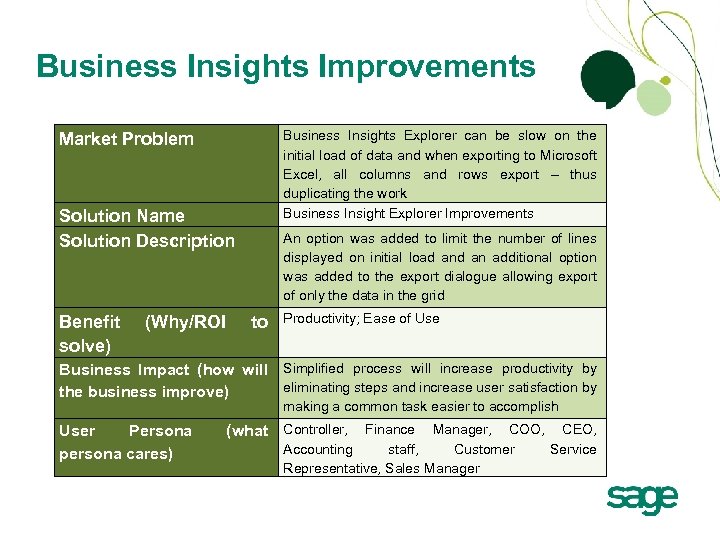 Business Insights Improvements Business Insights Explorer can be slow on the initial load of data and when exporting to Microsoft Excel, all columns and rows export – thus duplicating the work Business Insight Explorer Improvements Market Problem Solution Name Solution Description Benefit solve) (Why/ROI An option was added to limit the number of lines displayed on initial load an additional option was added to the export dialogue allowing export of only the data in the grid to Productivity; Ease of Use Business Impact (how will Simplified process will increase productivity by eliminating steps and increase user satisfaction by the business improve) making a common task easier to accomplish User Persona persona cares) (what Controller, Finance Manager, COO, CEO, Accounting staff, Customer Service Representative, Sales Manager
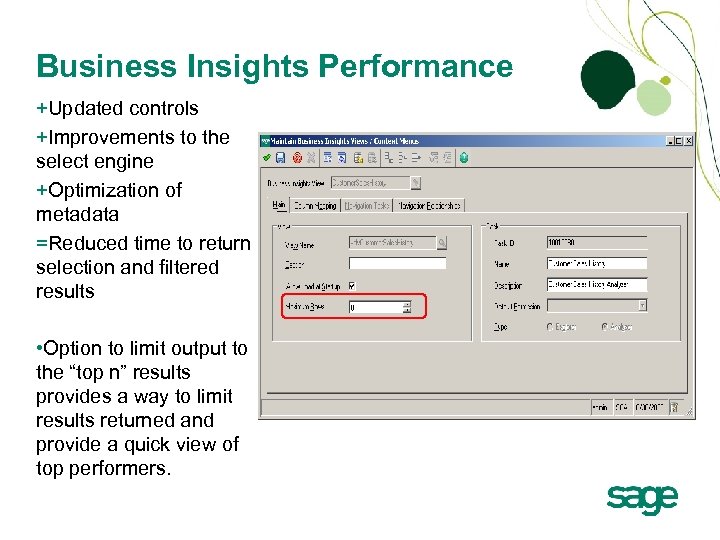 Business Insights Performance +Updated controls +Improvements to the select engine +Optimization of metadata =Reduced time to return selection and filtered results • Option to limit output to the “top n” results provides a way to limit results returned and provide a quick view of top performers.
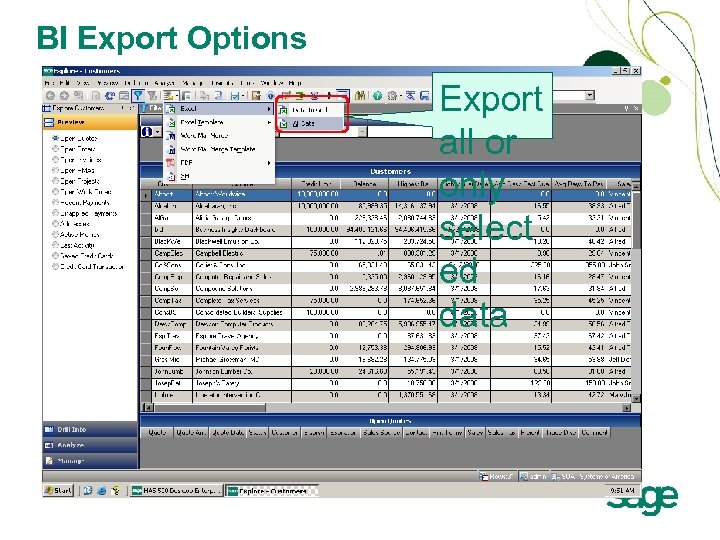 BI Export Options Export all or only select ed data
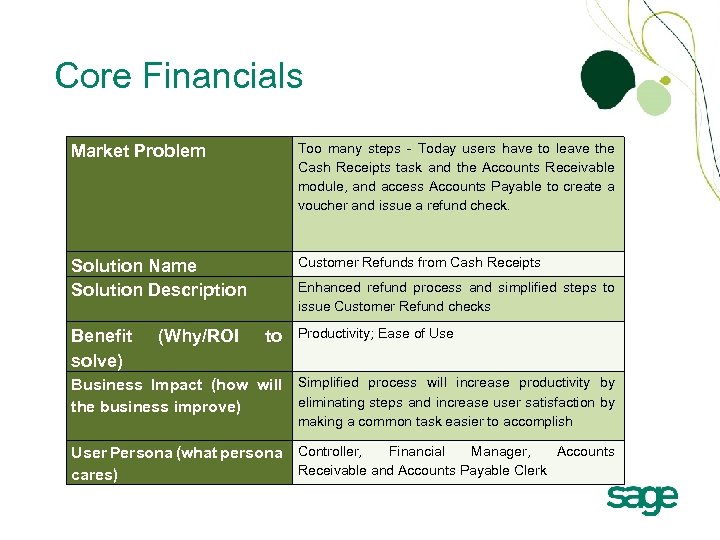 Core Financials Market Problem Too many steps - Today users have to leave the Cash Receipts task and the Accounts Receivable module, and access Accounts Payable to create a voucher and issue a refund check. Solution Name Solution Description Customer Refunds from Cash Receipts Benefit solve) (Why/ROI Enhanced refund process and simplified steps to issue Customer Refund checks to Productivity; Ease of Use Business Impact (how will Simplified process will increase productivity by eliminating steps and increase user satisfaction by the business improve) making a common task easier to accomplish Financial Manager, Accounts User Persona (what persona Controller, Receivable and Accounts Payable Clerk cares)
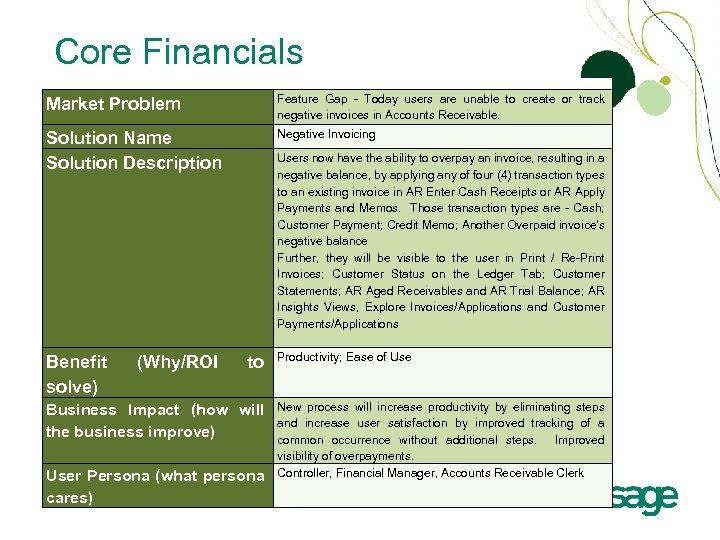 Core Financials Market Problem Feature Gap - Today users are unable to create or track negative invoices in Accounts Receivable. Solution Name Solution Description Negative Invoicing Benefit solve) (Why/ROI Users now have the ability to overpay an invoice, resulting in a negative balance, by applying any of four (4) transaction types to an existing invoice in AR Enter Cash Receipts or AR Apply Payments and Memos. Those transaction types are - Cash; Customer Payment; Credit Memo; Another Overpaid invoice’s negative balance Further, they will be visible to the user in Print / Re-Print Invoices; Customer Status on the Ledger Tab; Customer Statements; AR Aged Receivables and AR Trial Balance; AR Insights Views, Explore Invoices/Applications and Customer Payments/Applications to Business Impact (how will the business improve) User Persona (what persona cares) Productivity; Ease of Use New process will increase productivity by eliminating steps and increase user satisfaction by improved tracking of a common occurrence without additional steps. Improved visibility of overpayments. Controller, Financial Manager, Accounts Receivable Clerk
 ACCOUNTS RECEIVABLE DEMOS
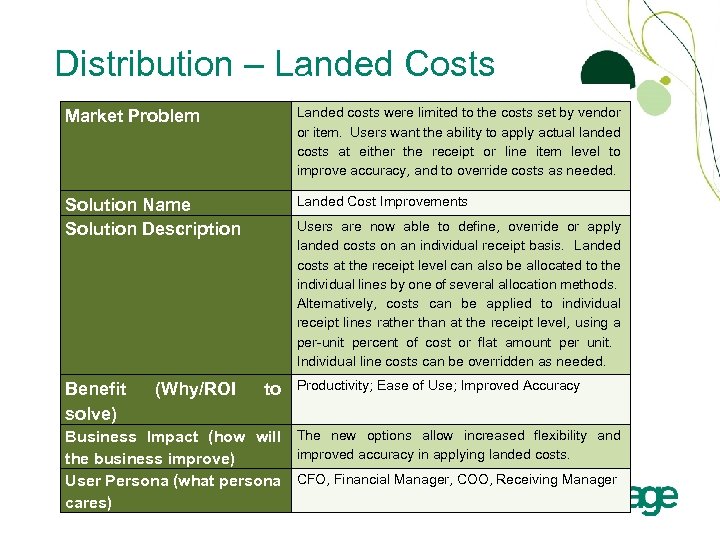 Distribution – Landed Costs Market Problem Landed costs were limited to the costs set by vendor or item. Users want the ability to apply actual landed costs at either the receipt or line item level to improve accuracy, and to override costs as needed. Solution Name Solution Description Landed Cost Improvements Benefit solve) (Why/ROI Users are now able to define, override or apply landed costs on an individual receipt basis. Landed costs at the receipt level can also be allocated to the individual lines by one of several allocation methods. Alternatively, costs can be applied to individual receipt lines rather than at the receipt level, using a per-unit percent of cost or flat amount per unit. Individual line costs can be overridden as needed. to Productivity; Ease of Use; Improved Accuracy Business Impact (how will The new options allow increased flexibility and improved accuracy in applying landed costs. the business improve) User Persona (what persona CFO, Financial Manager, COO, Receiving Manager cares)
 LANDED COST DEMO
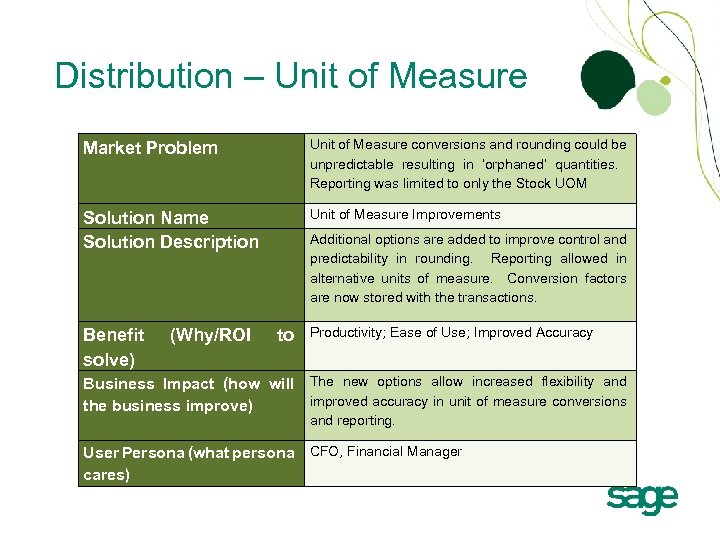 Distribution – Unit of Measure Market Problem Unit of Measure conversions and rounding could be unpredictable resulting in ‘orphaned’ quantities. Reporting was limited to only the Stock UOM Solution Name Solution Description Unit of Measure Improvements Benefit solve) (Why/ROI Additional options are added to improve control and predictability in rounding. Reporting allowed in alternative units of measure. Conversion factors are now stored with the transactions. to Productivity; Ease of Use; Improved Accuracy Business Impact (how will The new options allow increased flexibility and improved accuracy in unit of measure conversions the business improve) and reporting. User Persona (what persona CFO, Financial Manager cares)
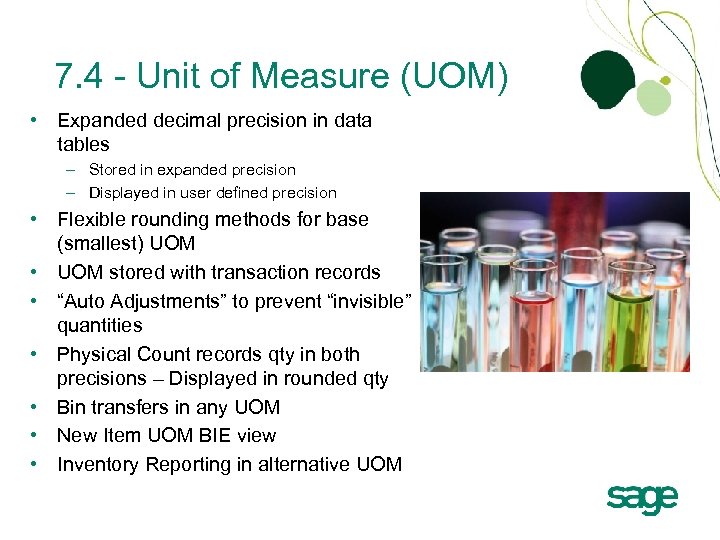 7. 4 - Unit of Measure (UOM) • Expanded decimal precision in data tables – Stored in expanded precision – Displayed in user defined precision • Flexible rounding methods for base (smallest) UOM • UOM stored with transaction records • “Auto Adjustments” to prevent “invisible” quantities • Physical Count records qty in both precisions – Displayed in rounded qty • Bin transfers in any UOM • New Item UOM BIE view • Inventory Reporting in alternative UOM
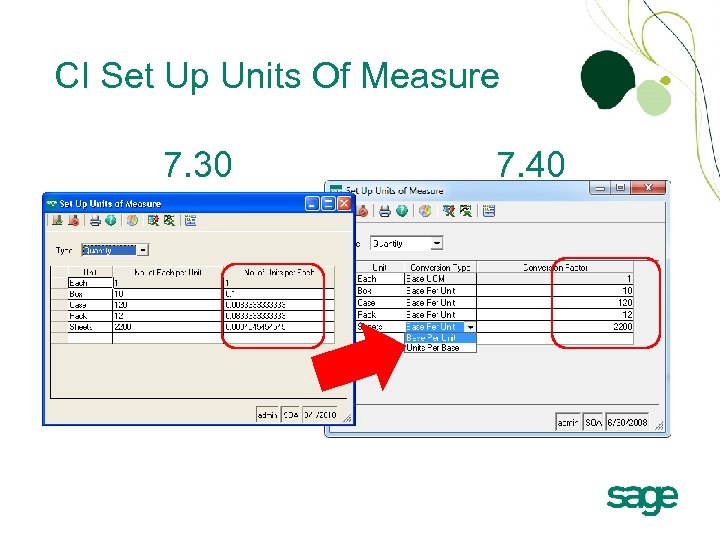 CI Set Up Units Of Measure 7. 30 7. 40
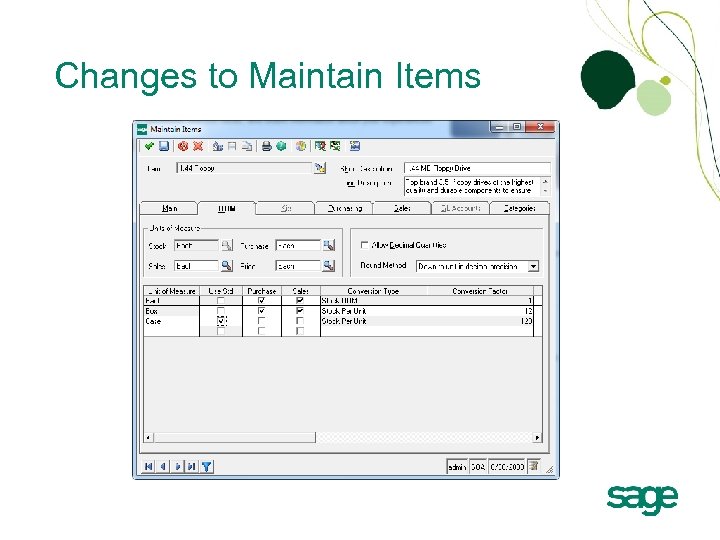 Changes to Maintain Items
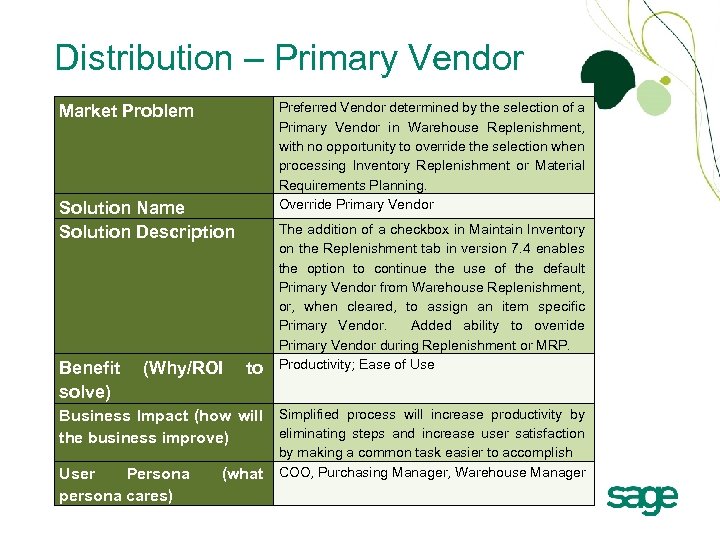 Distribution – Primary Vendor Preferred Vendor determined by the selection of a Primary Vendor in Warehouse Replenishment, with no opportunity to override the selection when processing Inventory Replenishment or Material Requirements Planning. Override Primary Vendor Market Problem Solution Name Solution Description Benefit solve) (Why/ROI to The addition of a checkbox in Maintain Inventory on the Replenishment tab in version 7. 4 enables the option to continue the use of the default Primary Vendor from Warehouse Replenishment, or, when cleared, to assign an item specific Primary Vendor. Added ability to override Primary Vendor during Replenishment or MRP. Productivity; Ease of Use Business Impact (how will Simplified process will increase productivity by eliminating steps and increase user satisfaction the business improve) User Persona persona cares) (what by making a common task easier to accomplish COO, Purchasing Manager, Warehouse Manager
 PRIMARY VENDOR DEMO
 Technology Updates Crystal XI R 2 (v 11. 5) Microsoft Office 2010 Updated third-party controls Visual Studio 2010 and. Net Framework 4. x Operating System and SQL Server Service Packs – SQL Server 2008 R 2 – Availability of Run-Time SQL Server
 Sage MAS ERP Q&A
 kevin. karle@sage. com