 Скачать презентацию Russian-IUG 24 -25 November 2015 Tomsk Russia Nabil
7e9dca9546b95d841b4c971765a9cf76.ppt
- Количество слайдов: 27




Russian-IUG 24 -25 November 2015 Tomsk, Russia Nabil Saadallah Manager Business Development Mobile Applications the library is open
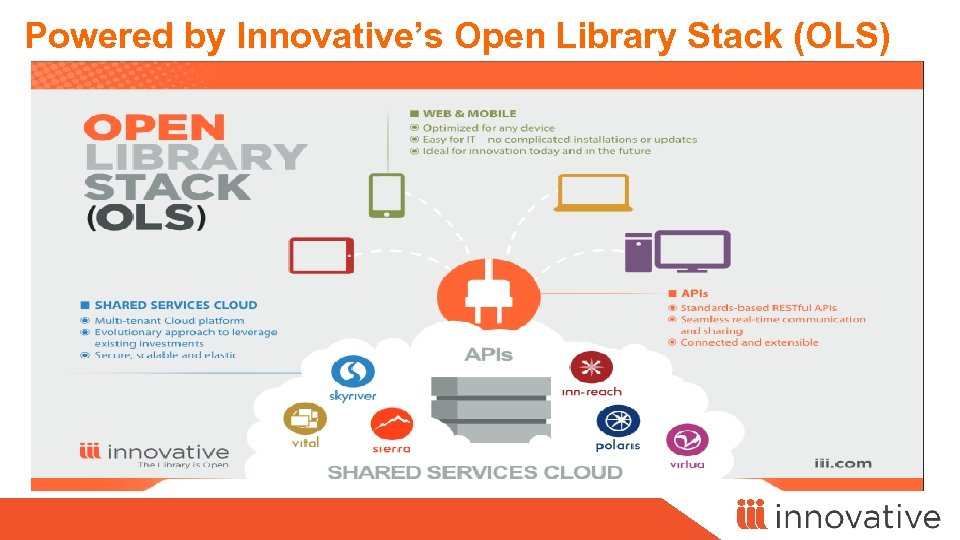
Powered by Innovative’s Open Library Stack (OLS)
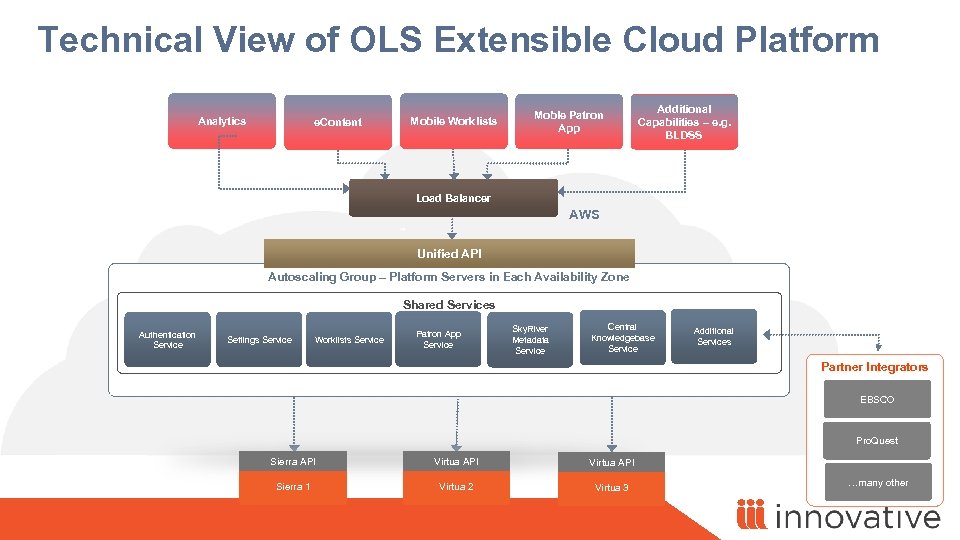
Technical View of OLS Extensible Cloud Platform Analytics e. Content Mobile Worklists Moble Patron App Additional Capabilities – e. g. BLDSS Load Balancer AWS Unified API Autoscaling Group – Platform Servers in Each Availability Zone Shared Services Authentication Service Settings Service Worklists Service Patron App Service Sky. River Metadata Service Central Knowledgebase Service Additional Services Partner Integrators EBSCO Pro. Quest Sierra API Virtua API Sierra 1 Virtua 2 Virtua 3 …many other

Mobile Worklists App
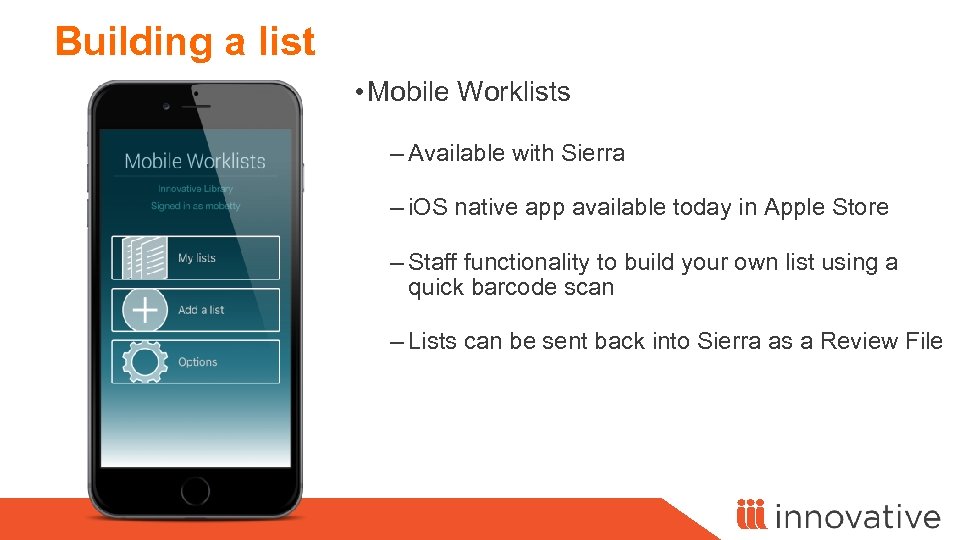
Building a list • Mobile Worklists – Available with Sierra – i. OS native app available today in Apple Store – Staff functionality to build your own list using a quick barcode scan – Lists can be sent back into Sierra as a Review File
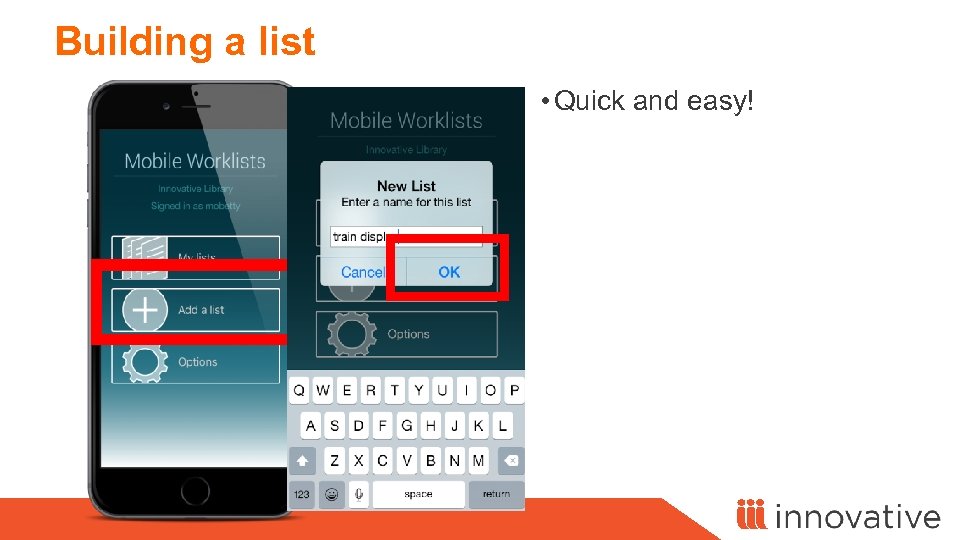
Building a list • Quick and easy!
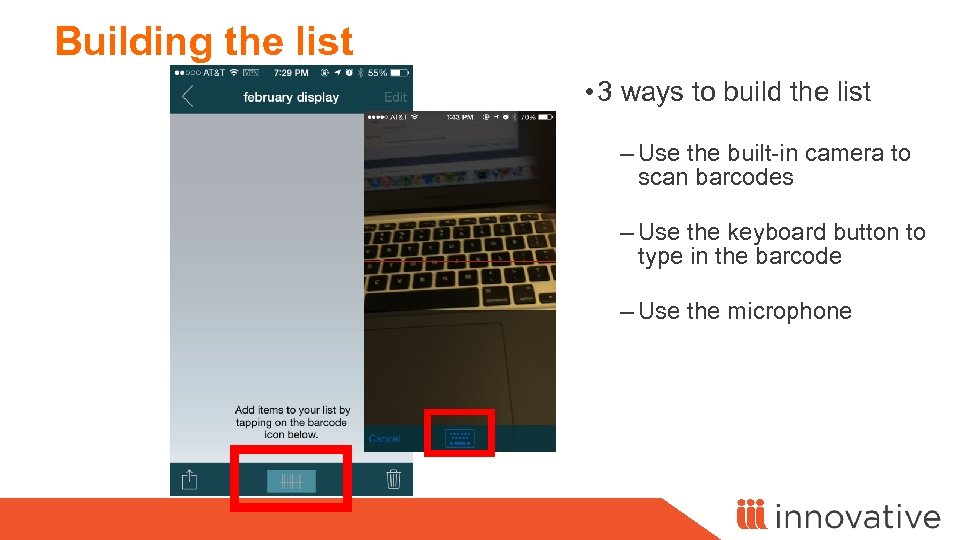
Building the list • 3 ways to build the list – Use the built-in camera to scan barcodes – Use the keyboard button to type in the barcode – Use the microphone
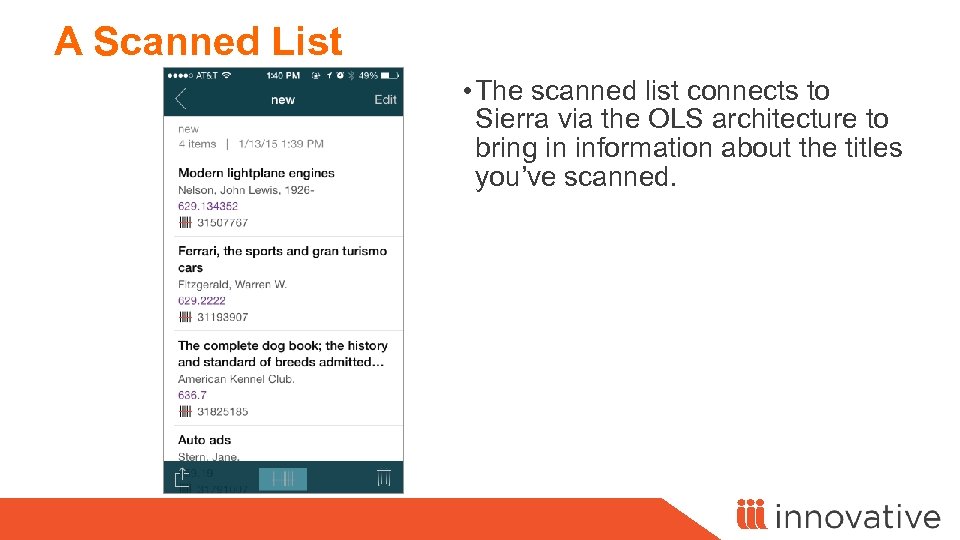
A Scanned List • The scanned list connects to Sierra via the OLS architecture to bring in information about the titles you’ve scanned.
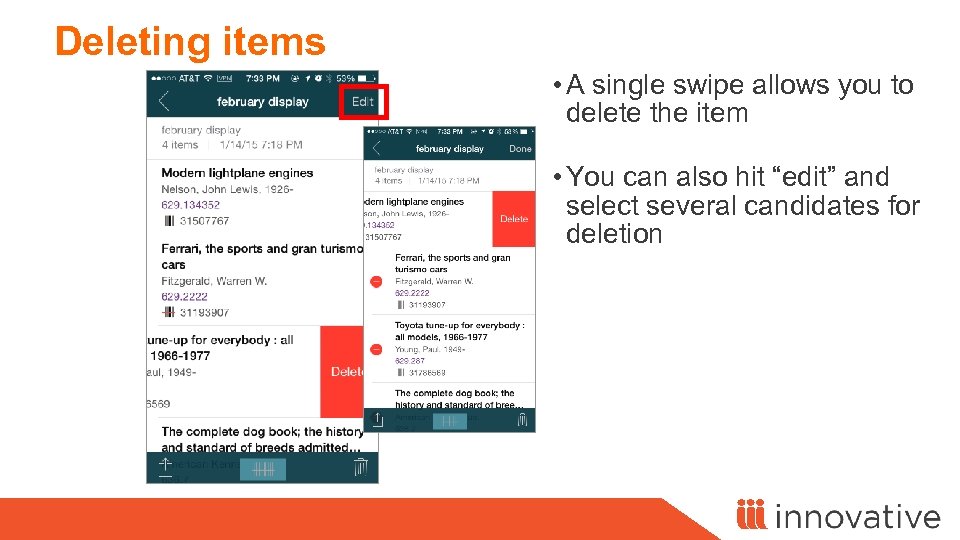
Deleting items • A single swipe allows you to delete the item • You can also hit “edit” and select several candidates for deletion
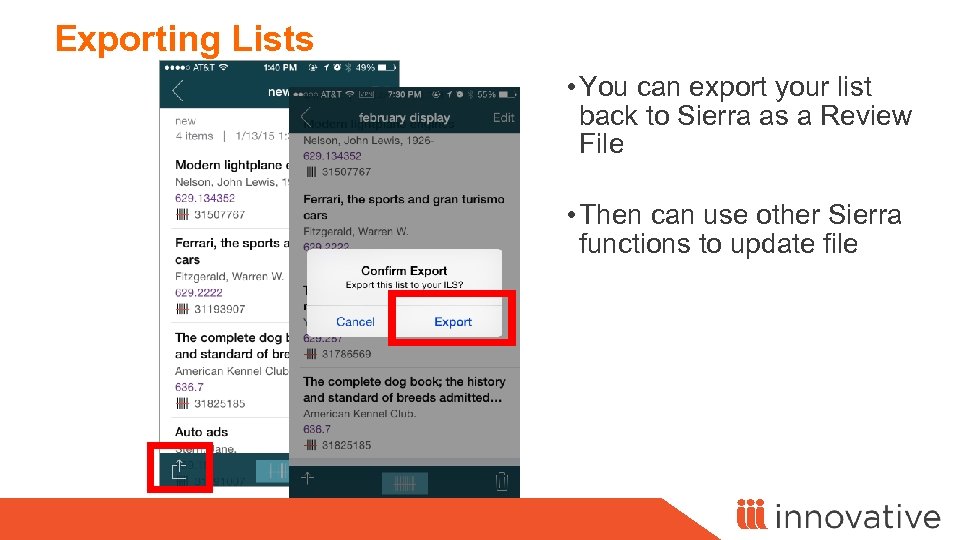
Exporting Lists • You can export your list back to Sierra as a Review File • Then can use other Sierra functions to update file
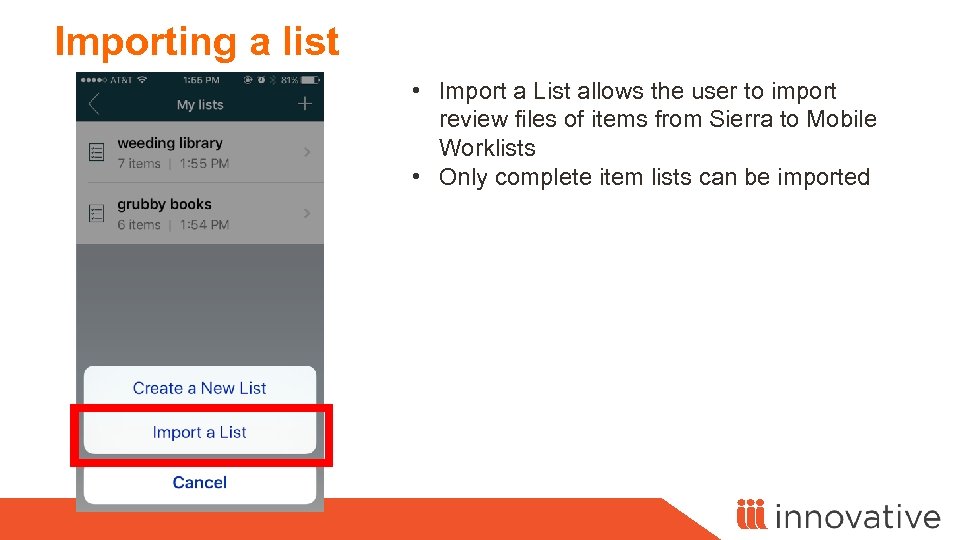
Importing a list • Import a List allows the user to import review files of items from Sierra to Mobile Worklists • Only complete item lists can be imported
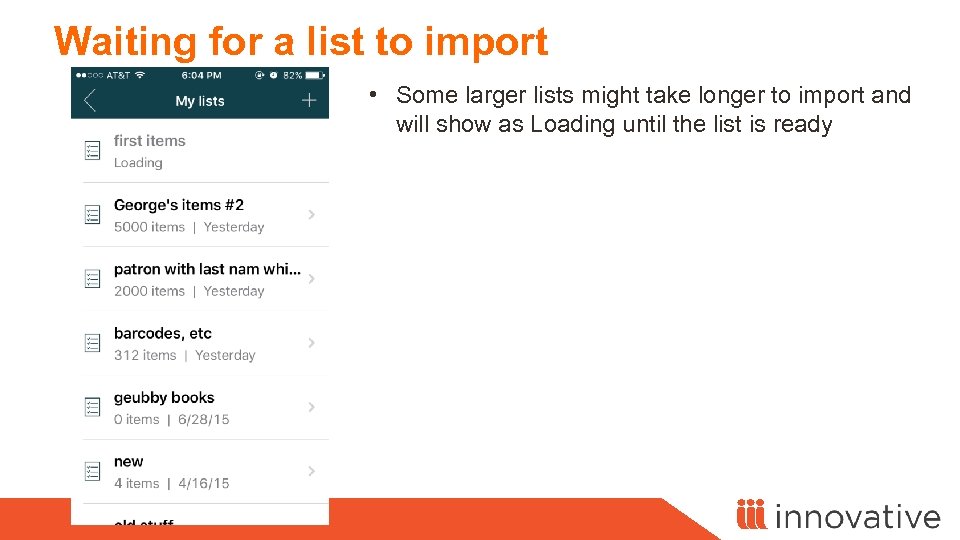
Waiting for a list to import • Some larger lists might take longer to import and will show as Loading until the list is ready
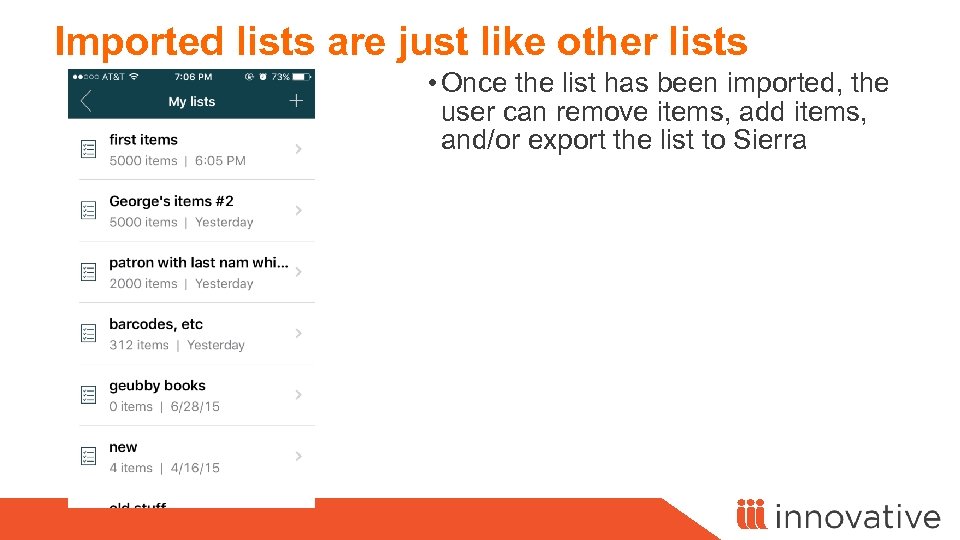
Imported lists are just like other lists • Once the list has been imported, the user can remove items, add items, and/or export the list to Sierra
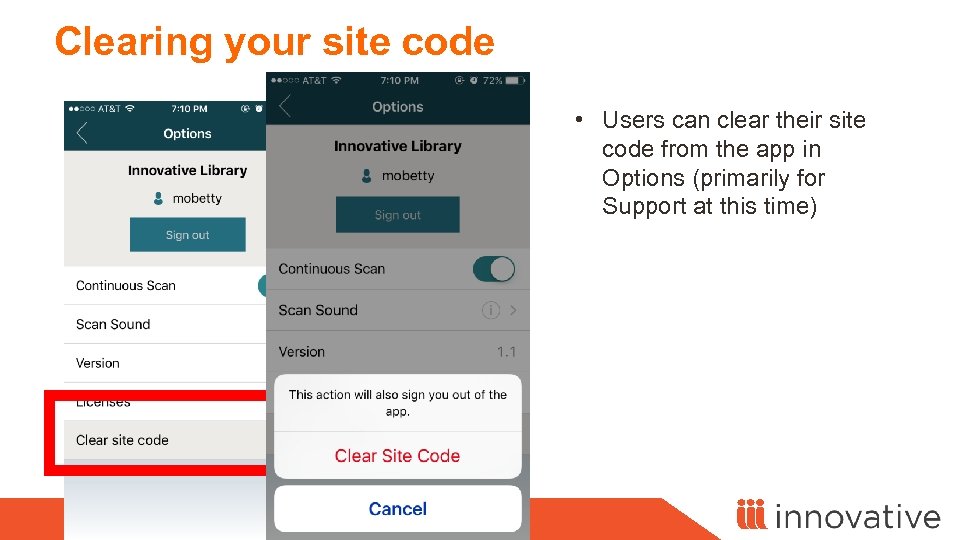
Clearing your site code • Users can clear their site code from the app in Options (primarily for Support at this time)
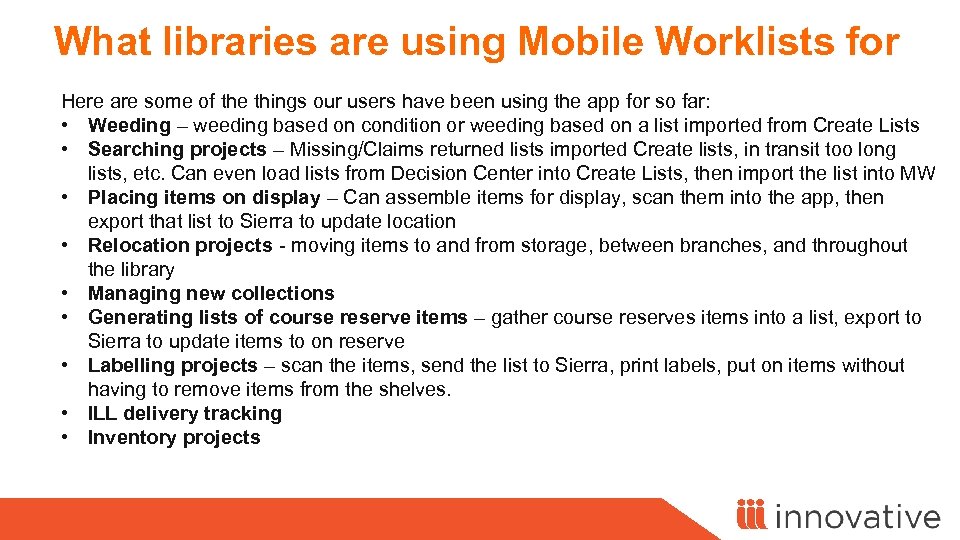
What libraries are using Mobile Worklists for Here are some of the things our users have been using the app for so far: • Weeding – weeding based on condition or weeding based on a list imported from Create Lists • Searching projects – Missing/Claims returned lists imported Create lists, in transit too long lists, etc. Can even load lists from Decision Center into Create Lists, then import the list into MW • Placing items on display – Can assemble items for display, scan them into the app, then export that list to Sierra to update location • Relocation projects - moving items to and from storage, between branches, and throughout the library • Managing new collections • Generating lists of course reserve items – gather course reserves items into a list, export to Sierra to update items to on reserve • Labelling projects – scan the items, send the list to Sierra, print labels, put on items without having to remove items from the shelves. • ILL delivery tracking • Inventory projects
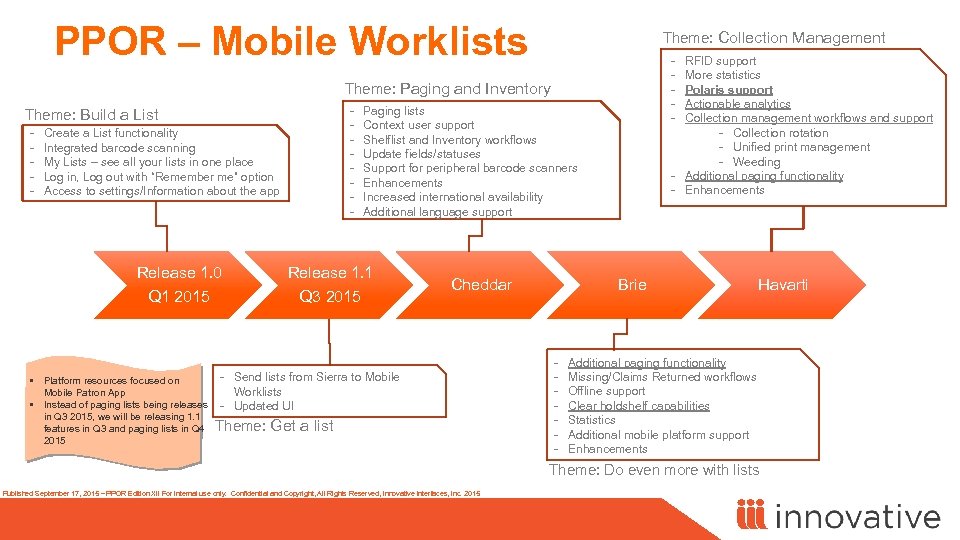
PPOR – Mobile Worklists Theme: Collection Management - RFID support More statistics Polaris support Actionable analytics Collection management workflows and support - Collection rotation - Unified print management - Weeding - Additional paging functionality - Enhancements Theme: Paging and Inventory Theme: Build a List - Create a List functionality Integrated barcode scanning My Lists – see all your lists in one place Log in, Log out with “Remember me” option Access to settings/Information about the app Release 1. 0 Q 1 2015 - Paging lists Context user support Shelflist and Inventory workflows Update fields/statuses Support for peripheral barcode scanners Enhancements Increased international availability Additional language support Release 1. 1 Q 3 2015 Cheddar - Send lists from Sierra to Mobile • Platform resources focused on Worklists Mobile Patron App • Instead of paging lists being releases - Updated UI in Q 3 2015, we will be releasing 1. 1 features in Q 3 and paging lists in Q 4 Theme: Get a list 2015 Brie - Havarti Additional paging functionality Missing/Claims Returned workflows Offline support Clear holdshelf capabilities Statistics Additional mobile platform support Enhancements Theme: Do even more with lists Published September 17, 2015 – PPOR Edition XII For internal use only. Confidential and Copyright, All Rights Reserved, Innovative Interfaces, Inc. 2015
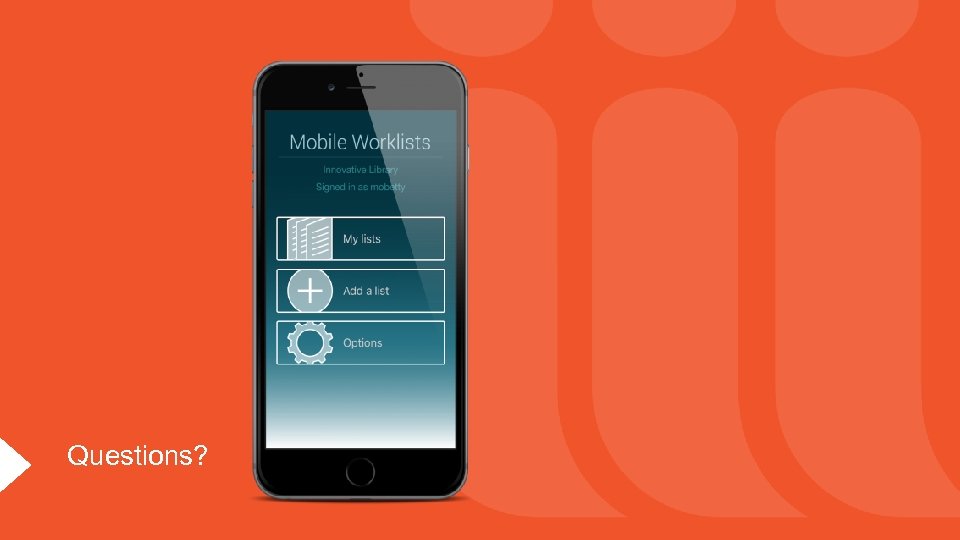
Questions?

My. Library! Patron Mobile App

My. Library! App A mobile patron experience the library is open

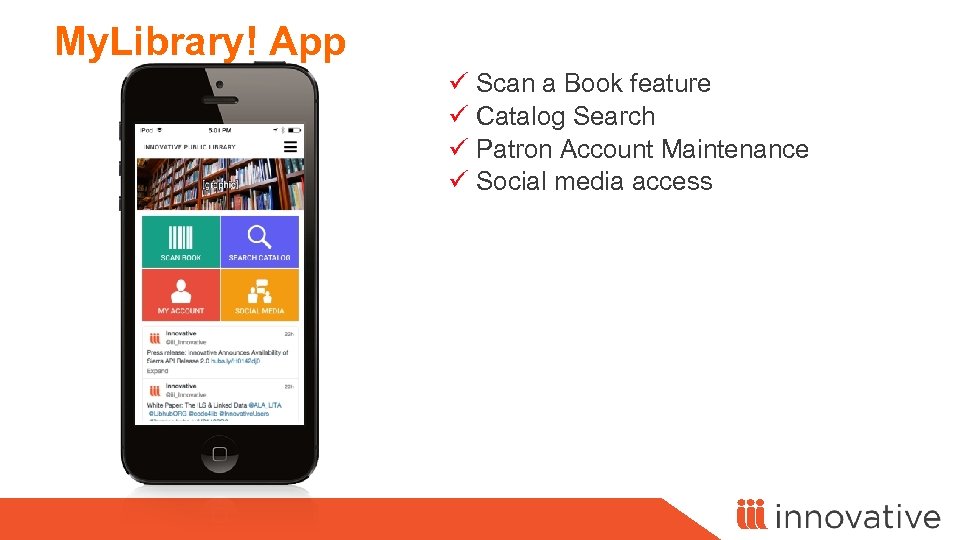
My. Library! App ü Scan a Book feature ü Catalog Search ü Patron Account Maintenance ü Social media access
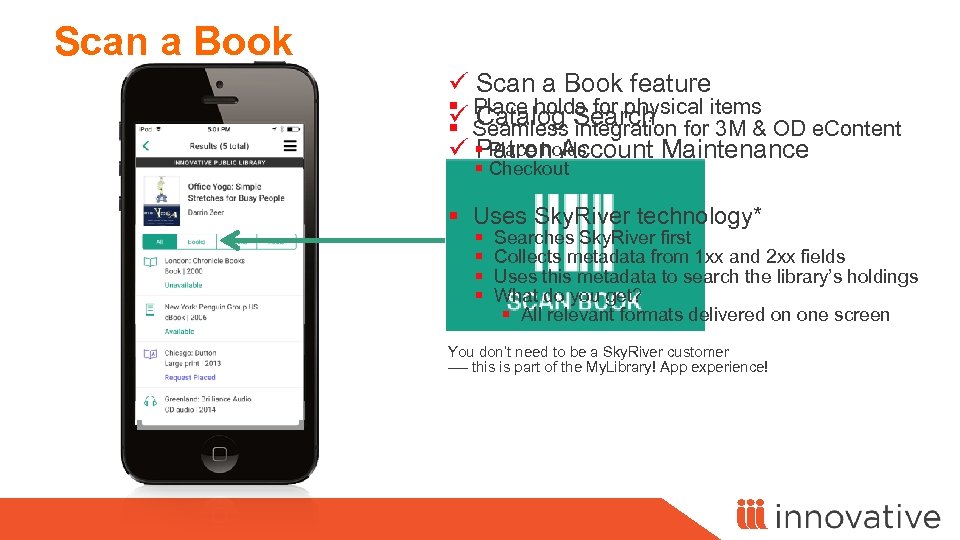
Scan a Book ü Scan a Book feature § Place holds for physical items ü Catalog Search § Seamless integration for 3 M & OD e. Content § Place holds ü Patron Account Maintenance § Checkout ü Social Media Access § Uses Sky. River technology* § Searches Sky. River first § Collects metadata from 1 xx and 2 xx fields § Uses this metadata to search the library’s holdings § What do you get? § All relevant formats delivered on one screen You don’t need to be a Sky. River customer ---- this is part of the My. Library! App experience!
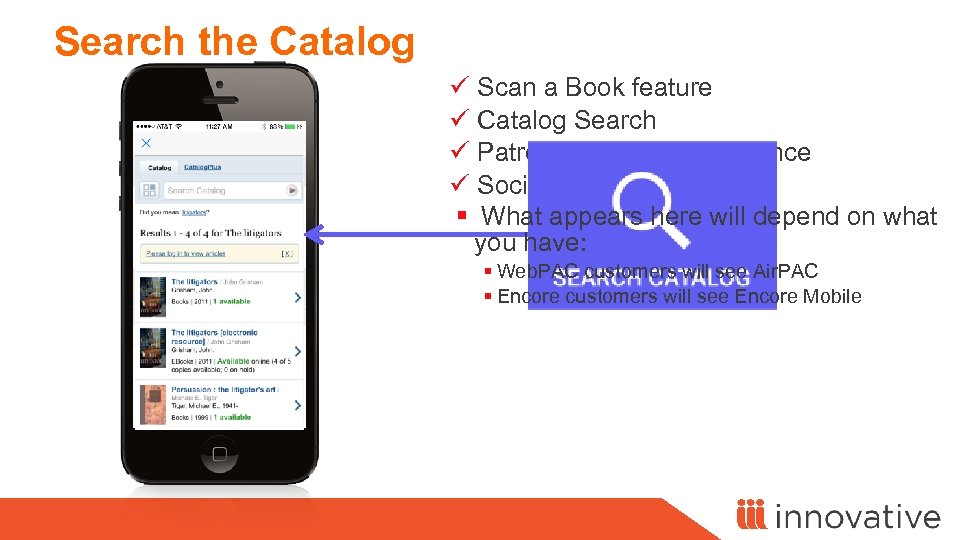
Search the Catalog ü Scan a Book feature ü Catalog Search ü Patron Account Maintenance ü Social media access § What appears here will depend on what you have: § Web. PAC customers will see Air. PAC § Encore customers will see Encore Mobile
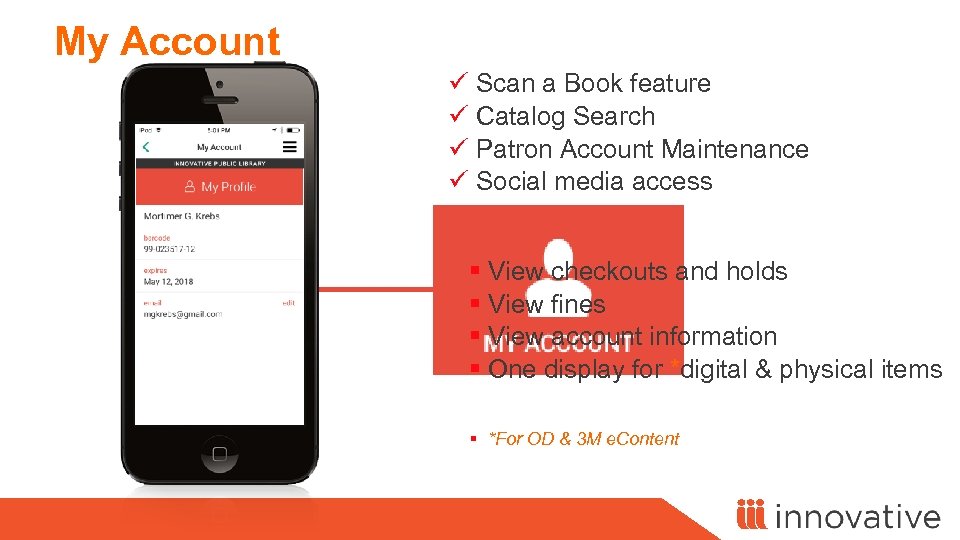
My Account ü Scan a Book feature ü Catalog Search ü Patron Account Maintenance ü Social media access § View checkouts and holds § View fines § View account information § One display for *digital & physical items § *For OD & 3 M e. Content
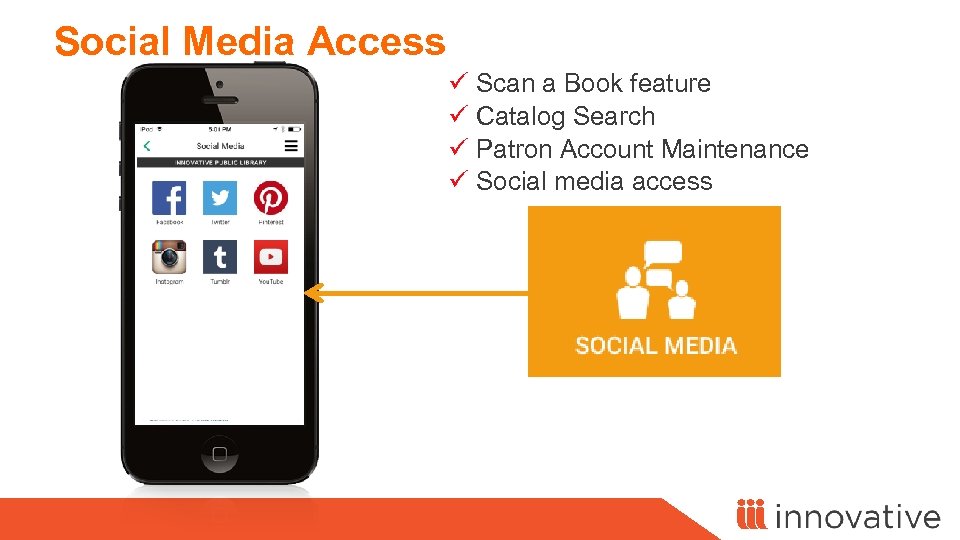
Social Media Access ü Scan a Book feature ü Catalog Search ü Patron Account Maintenance ü Social media access
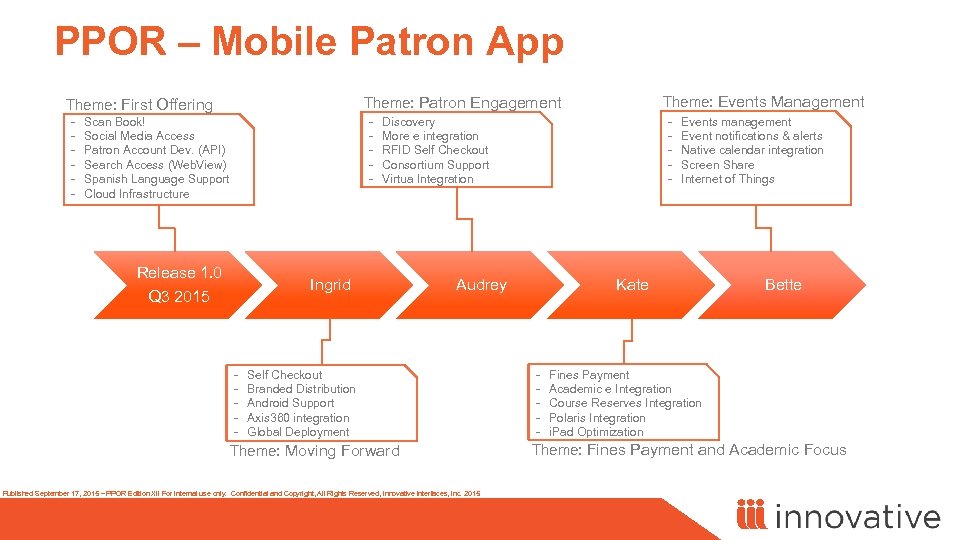
PPOR – Mobile Patron App - Theme: Events Management Theme: Patron Engagement Theme: First Offering - Scan Book! Social Media Access Patron Account Dev. (API) Search Access (Web. View) Spanish Language Support Cloud Infrastructure Release 1. 0 Q 3 2015 Ingrid - - Discovery More e integration RFID Self Checkout Consortium Support Virtua Integration Audrey Self Checkout Branded Distribution Android Support Axis 360 integration Global Deployment Theme: Moving Forward Published September 17, 2015 – PPOR Edition XII For internal use only. Confidential and Copyright, All Rights Reserved, Innovative Interfaces, Inc. 2015 Events management Event notifications & alerts Native calendar integration Screen Share Internet of Things Kate - Bette Fines Payment Academic e Integration Course Reserves Integration Polaris Integration i. Pad Optimization Theme: Fines Payment and Academic Focus

Questions?
Скачать презентацию Russian-IUG 24 -25 November 2015 Tomsk Russia Nabil
7e9dca9546b95d841b4c971765a9cf76.ppt