


 Скачать презентацию ROSA DPC and data dissemination F Tataranni A
9e14d4265baa135cedcfdb972cf37498.ppt
- Количество слайдов: 24
 ROSA DPC and data dissemination F. Tataranni, A. Gallipoli, M. Doubell tataranni@consorzio-innova. it gallipoli@consorzio-innova. it doubell@consorzio-innova. it
 ROSA DPC and Product Dissemination • Overview and operational scenario • Architecture • Data Providers and Input/Output Data • Processing Approach • Features and capabilities • Development/Runtime Environment • Deployment Configuration • Product Dissemination
 ROSA DPC – Overview In the framework of the OCEANSAT-2 mission, the data derived by occultation events observed by the ROSA instrument will be downloaded by the Italian receiving station located at CNM, and then processed by ROSA Data Processors, integrated in a fully featured environment named ROSA Data Processing Centre, completely developed by Italian universities, research centers and industrial partners.
 ROSA DPC – Overview • The ROSA DPC is currently under development. • It integrates stable and consolidated versions of the processing software, organized in modules named data generators, able to generate, starting from ROSA sensor data and support data from external data sources, output data up to the level 3, including quality check information, on a daily basis • A subset of reconditioned CHAMP and COSMIC data has been loaded into the DPC and is currently being used by the development and integration team for testing purposes
 ROSA DPC – Overview • A ROSA data archive will be populated following the launch of the OCEANSAT-2 satellite. • ROSA DPC capabilities can be extended – to handle with data from future ROSA missions (i. e. SAC-D) – to provided more enhanced processing capabilities and products by integrating future evolutions of the processing software
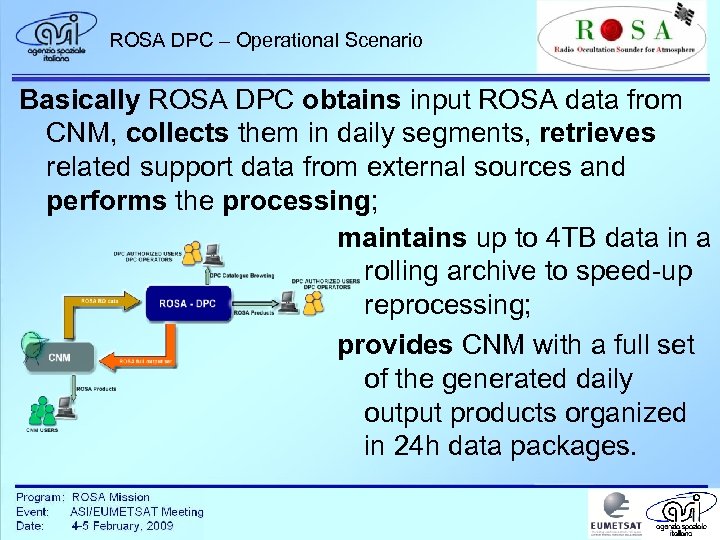 ROSA DPC – Operational Scenario Basically ROSA DPC obtains input ROSA data from CNM, collects them in daily segments, retrieves related support data from external sources and performs the processing; maintains up to 4 TB data in a rolling archive to speed-up reprocessing; provides CNM with a full set of the generated daily output products organized in 24 h data packages.
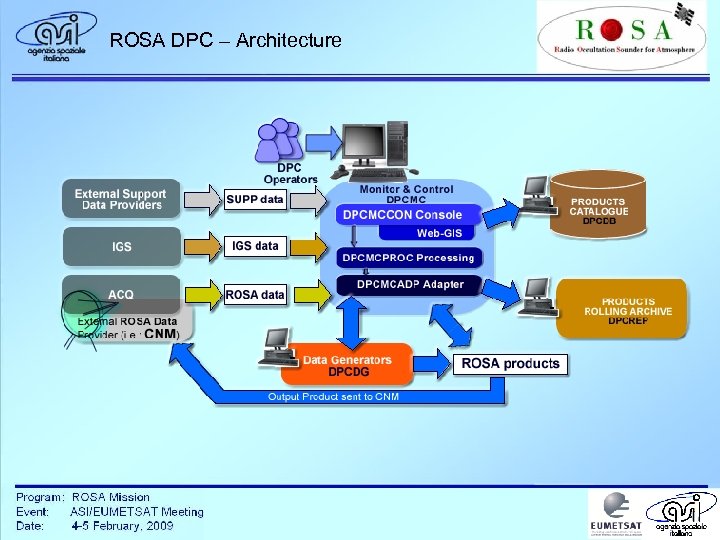 ROSA DPC – Architecture
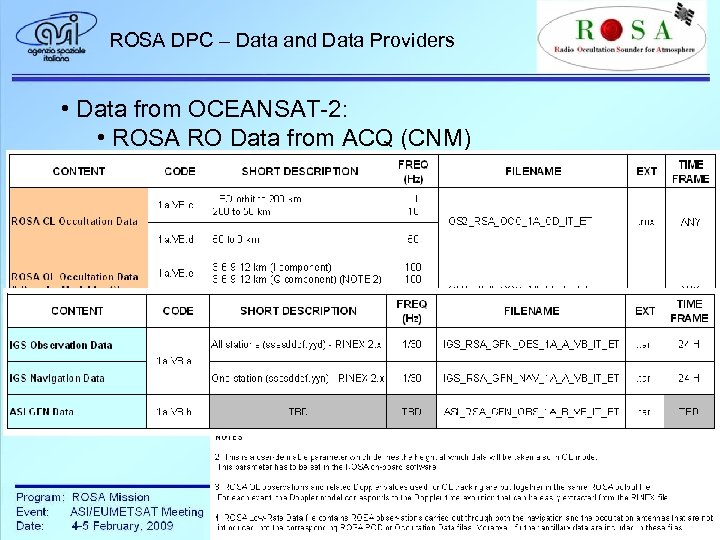 ROSA DPC – Data and Data Providers • Data from OCEANSAT-2: • ROSA RO Data from ACQ (CNM) • Other External Data: • Ground Network Data from IGS (GFN ASI/COSMO) • GPS Orbit Data from IGS • Earth Orientation Parameters from IERS • Solar and Geomagnetic Activity Data from NGDC
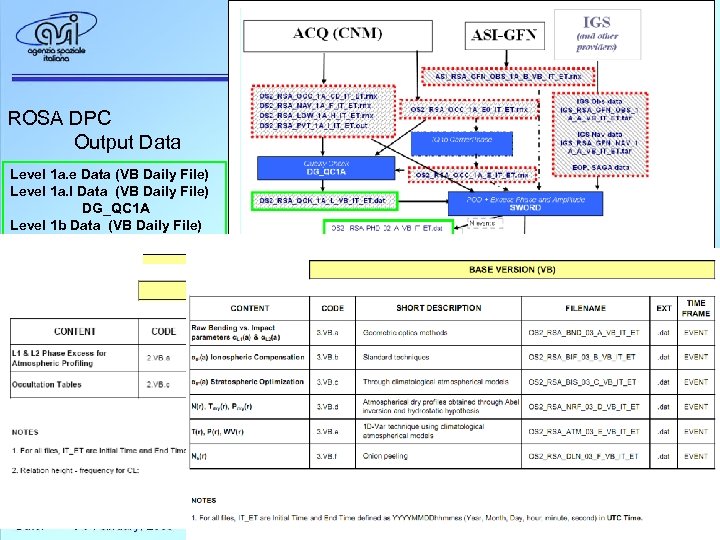 ROSA DPC Output Data Level 1 a. e Data (VB Daily File) Level 1 a. l Data (VB Daily File) DG_QC 1 A Level 1 b Data (VB Daily File) SWOr. D Level 2 Data SWOr. D Level 3 Data DG_BEND – 3 a DG_BDIF – 3 b DG_BISI – 3 c DG_NREF – 3 d DG_ATMO – 3 e DG_DELN – 3 f
 ROSA DPC – Processing Approach • Processing of data, on routine basis, is fully automated • Processing software is modular and organized in a processing workflow, monitored and controlled through an operational console • Despite of automation, an authorized operator is allowed to manage the processing manually, if necessary or if any contingency requires human intervention
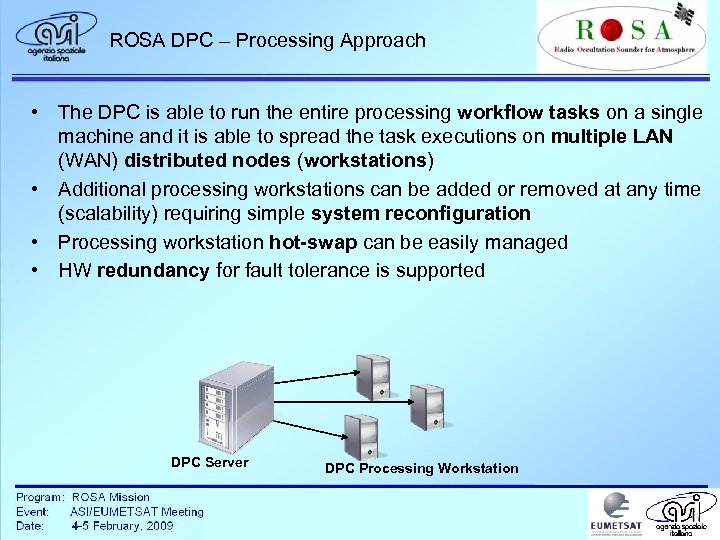 ROSA DPC – Processing Approach • The DPC is able to run the entire processing workflow tasks on a single machine and it is able to spread the task executions on multiple LAN (WAN) distributed nodes (workstations) • Additional processing workstations can be added or removed at any time (scalability) requiring simple system reconfiguration • Processing workstation hot-swap can be easily managed • HW redundancy for fault tolerance is supported DPC Server DPC Processing Workstation
 ROSA DPC – M&C Console The DPC has a web-based interface to provide its operators with a wide range of monitoring and control functionalities. The main are: • monitoring and control of ongoing processing • improved data reprocessing using products available in the rolling archive • definition of reprocessing parameters • system administration and configuration • product handling • generation and printing of processing activity reports • product data browsing
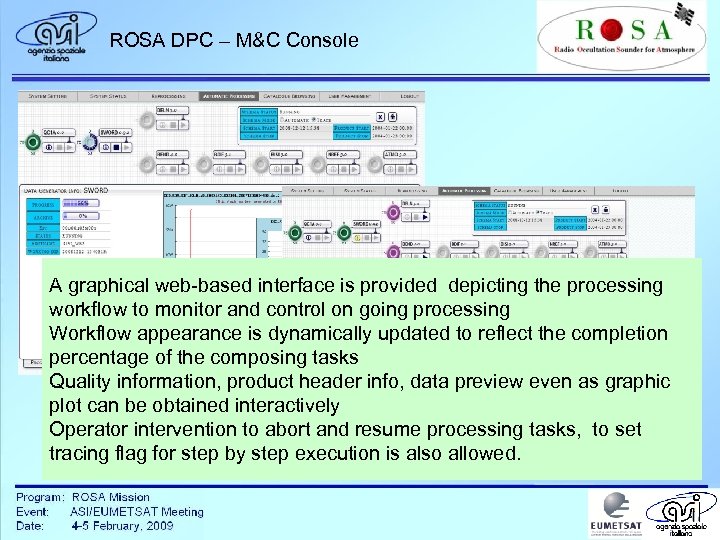 ROSA DPC – M&C Console A graphical web-based interface is provided depicting the processing workflow to monitor and control on going processing Workflow appearance is dynamically updated to reflect the completion percentage of the composing tasks Quality information, product header info, data preview even as graphic plot can be obtained interactively Operator intervention to abort and resume processing tasks, to set tracing flag for step by step execution is also allowed.
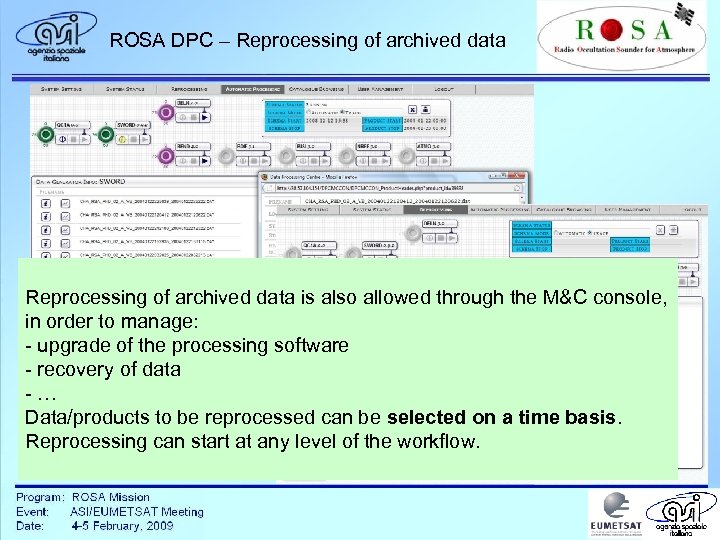 ROSA DPC – Reprocessing of archived data is also allowed through the M&C console, in order to manage: - upgrade of the processing software - recovery of data -… Data/products to be reprocessed can be selected on a time basis. Reprocessing can start at any level of the workflow.
 ROSA DPC – Product Browsing The DPC provides several user-friendly product browsing functionalities, such as: - search catalogued products - preview catalogued products - download catalogued products made available through a WEB-GIS interface to all development team members and other authorized users
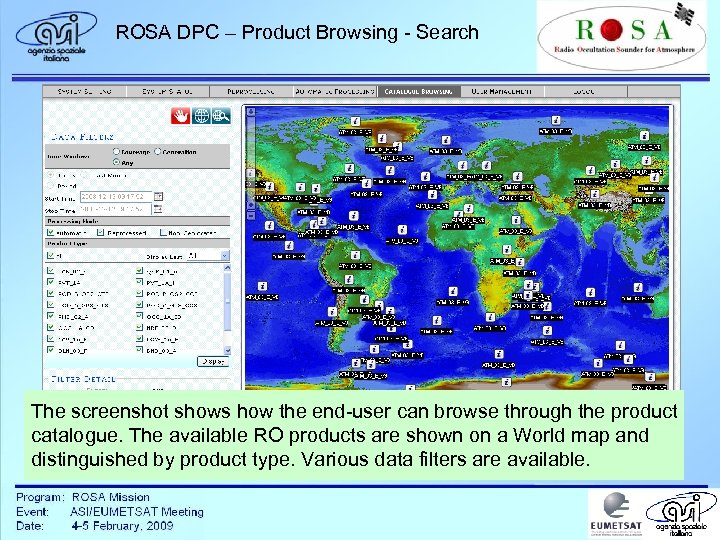 ROSA DPC – Product Browsing - Search The screenshot shows how the end-user can browse through the product catalogue. The available RO products are shown on a World map and distinguished by product type. Various data filters are available.
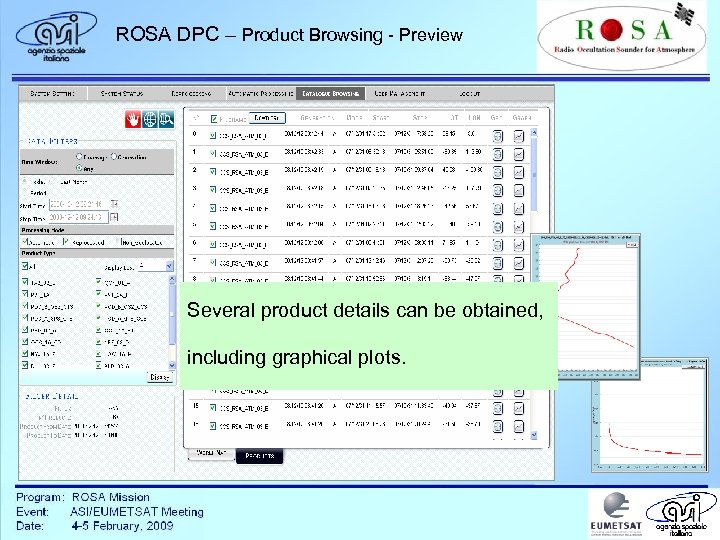 ROSA DPC – Product Browsing - Preview Several product details can be obtained, including graphical plots.
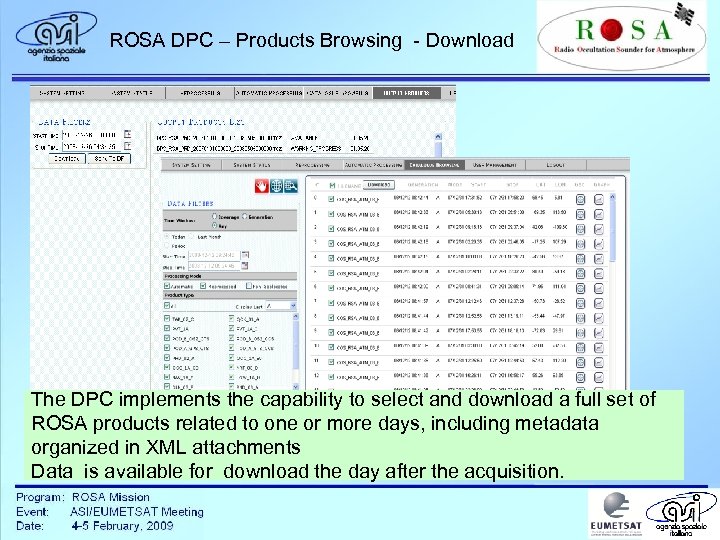 ROSA DPC – Products Browsing - Download The DPC implements the capability to select and download a full set of ROSA products related to one or more days, including metadata organized in XML attachments Data is available for download the day after the acquisition.
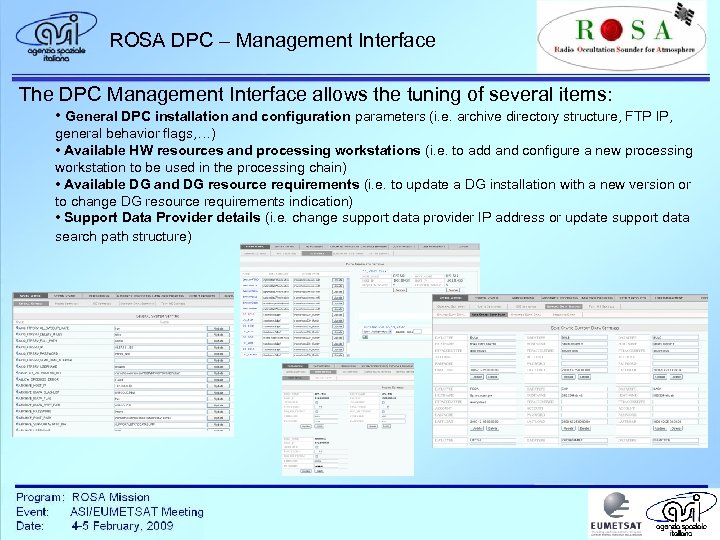 ROSA DPC – Management Interface The DPC Management Interface allows the tuning of several items: • General DPC installation and configuration parameters (i. e. archive directory structure, FTP IP, general behavior flags, …) • Available HW resources and processing workstations (i. e. to add and configure a new processing workstation to be used in the processing chain) • Available DG and DG resource requirements (i. e. to update a DG installation with a new version or to change DG resource requirements indication) • Support Data Provider details (i. e. change support data provider IP address or update support data search path structure)
 ROSA DPC – Framework Development Environment The ROSA DPC framework is developed using open source libraries/tools; • DPC back-end components are developed in JAVA (crossplatform) • The DPC front-end Web-GUI is developed in PHP and JSAJAX (cross-platform and easy installation). • The DPC database is based on Postgre. SQL DBMS with Post. GIS extension. • The Web-GIS interface is implemented using PHPmapscript libraries of UNMMapserver, Java. Script and AJAX. • Each Data Generator is handled by DPC through a JAVA adapter component.
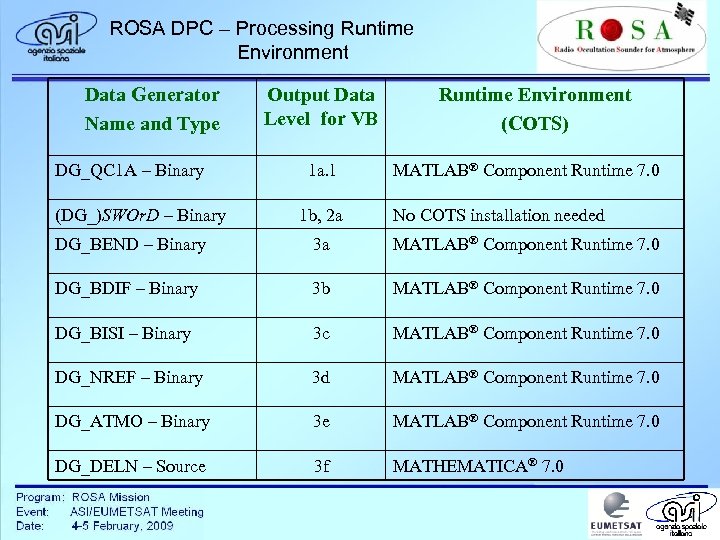 ROSA DPC – Processing Runtime Environment Data Generator Name and Type DG_QC 1 A – Binary (DG_)SWOr. D – Binary Output Data Level for VB 1 a. l 1 b, 2 a Runtime Environment (COTS) MATLAB® Component Runtime 7. 0 No COTS installation needed DG_BEND – Binary 3 a MATLAB® Component Runtime 7. 0 DG_BDIF – Binary 3 b MATLAB® Component Runtime 7. 0 DG_BISI – Binary 3 c MATLAB® Component Runtime 7. 0 DG_NREF – Binary 3 d MATLAB® Component Runtime 7. 0 DG_ATMO – Binary 3 e MATLAB® Component Runtime 7. 0 DG_DELN – Source 3 f MATHEMATICA® 7. 0
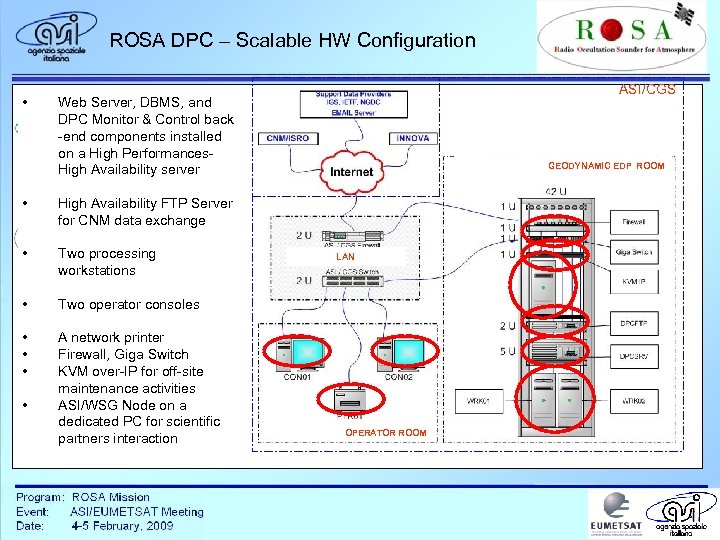 ROSA DPC – Scalable HW Configuration • ASI/CGS Web Server, DBMS, and DPC Monitor & Control back -end components installed on a High Performances. High Availability server • High Availability FTP Server for CNM data exchange • Two processing workstations GEODYNAMIC EDP ROOM • • • LAN D AP ROCESSING network printer Firewall, Giga Switch C over-IP for KVM ENTRE off-site ATA Two operator consoles maintenance activities AND ASI/WSG Node on a dedicated PC for scientific ASI NODE partners interaction WSG OPERATOR ROOM
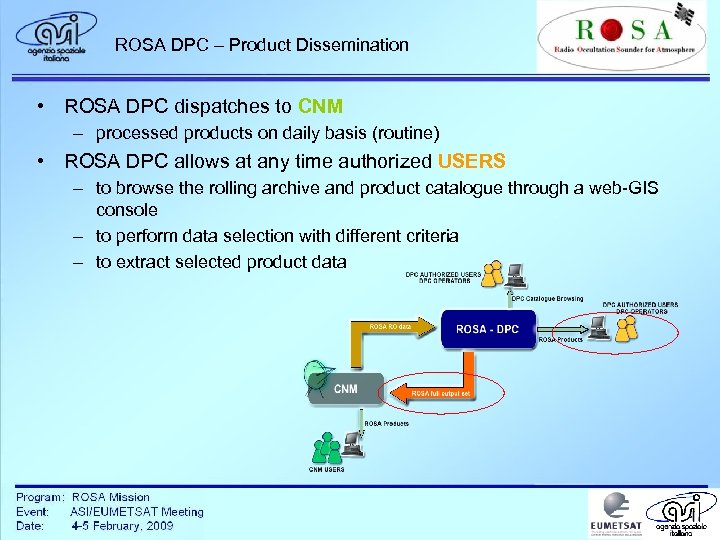 ROSA DPC – Product Dissemination • ROSA DPC dispatches to CNM – processed products on daily basis (routine) • ROSA DPC allows at any time authorized USERS – to browse the rolling archive and product catalogue through a web-GIS console – to perform data selection with different criteria – to extract selected product data
 Thank you for your time!