


 Скачать презентацию Roland Versa Works 3 X Roland Versa
e737487992031c25ebfffb1b4aea33b5.ppt
- Количество слайдов: 12
 Roland Versa. Works 3. X
 Roland Versa. Works 3. X
 Versa. Works, Key Features – NO cost, bundled with every Roland printer – Almost feature complete – Adobe Postscript interpreter – Full bi-directional connectivity to all newer Roland printers, cutters and Print&Cut devices – Easy to use GUI – Free automatic updates – Media manager included
 New Functions from RVW 3. 01 • Improvement in quality & stability by the latest Postscript engine • Supports Adobe CPSI 3018 – Server Function • Supports multiple printers from 1 PC • Simple operation for users with multiple printers • Supports cutters
 Adobe CPSI 3018 Improvement in quality & stability Improving the performance stability by adopting the newest CPSI 3018. Improvements in RIP Speed by Customized CMS Improvement in gradations quality Improved quality by enhanced smooth shade rendering
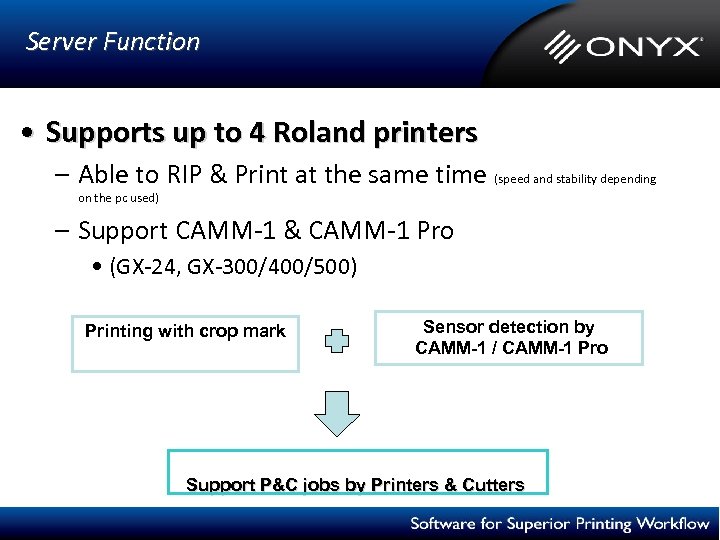 Server Function • Supports up to 4 Roland printers – Able to RIP & Print at the same time (speed and stability depending on the pc used) – Support CAMM-1 & CAMM-1 Pro • (GX-24, GX-300/400/500) Printing with crop mark Sensor detection by CAMM-1 / CAMM-1 Pro Support P&C jobs by Printers & Cutters
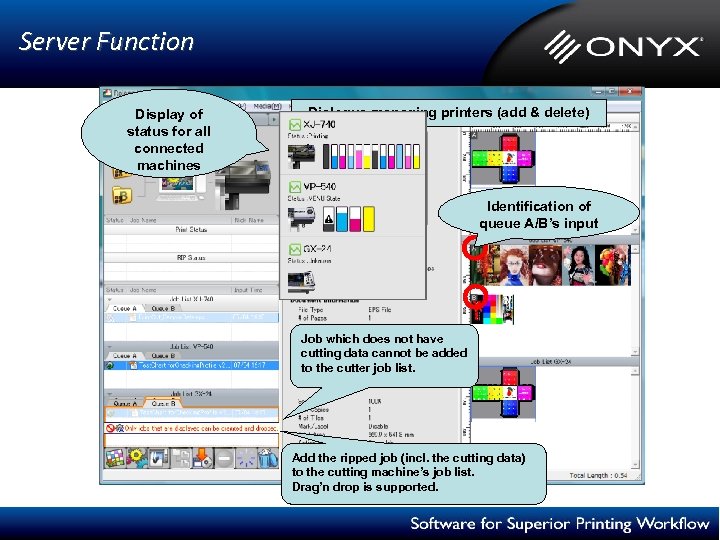 Server Function Display of status for all connected machines Dialogue managing printers (add & delete) Identification of queue A/B’s input Job which does not have cutting data cannot be added to the cutter job list. Add the ripped job (incl. the cutting data) to the cutting machine’s job list. Drag’n drop is supported.
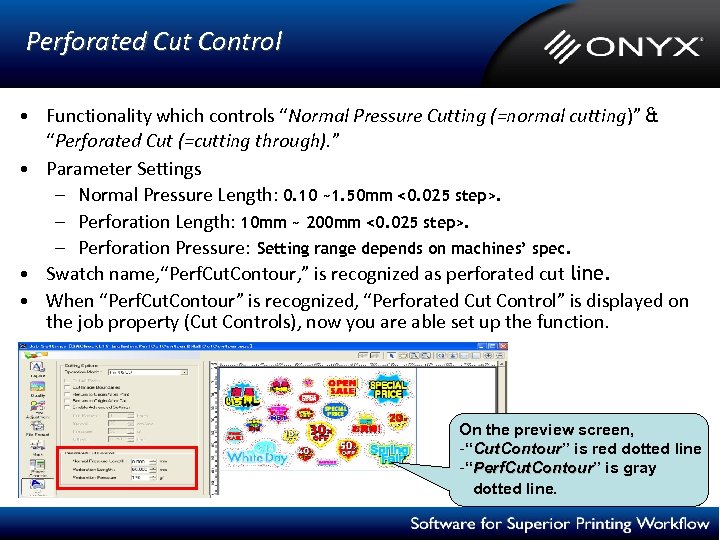 Perforated Cut Control • Functionality which controls “Normal Pressure Cutting (=normal cutting)” & “Perforated Cut (=cutting through). ” • Parameter Settings – Normal Pressure Length: 0. 10 ~1. 50 mm <0. 025 step>. – Perforation Length: 10 mm ~ 200 mm <0. 025 step>. – Perforation Pressure: Setting range depends on machines’ spec. • Swatch name, “Perf. Cut. Contour, ” is recognized as perforated cut line. • When “Perf. Cut. Contour” is recognized, “Perforated Cut Control” is displayed on the job property (Cut Controls), now you are able set up the function. On the preview screen, -“Cut. Contour” is red dotted line Cut. Contour -“Perf. Cut. Contour” is gray Perf. Cut. Contour dotted line.
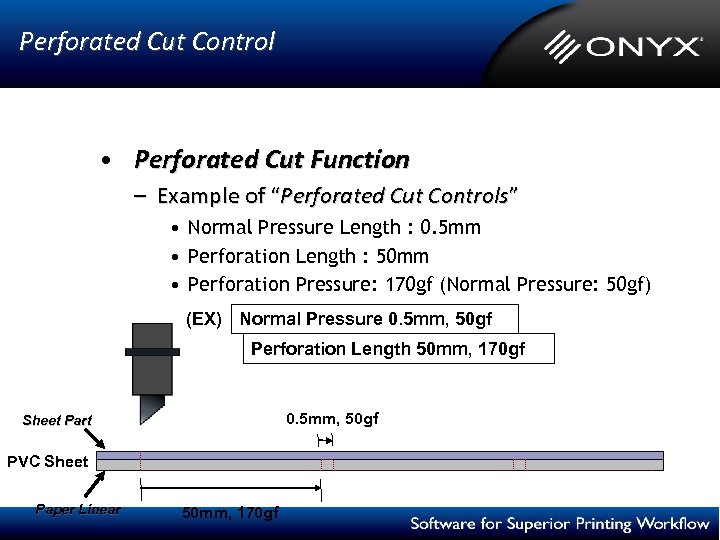 Perforated Cut Control • Perforated Cut Function – Example of “Perforated Cut Controls” • Normal Pressure Length : 0. 5 mm • Perforation Length : 50 mm • Perforation Pressure: 170 gf (Normal Pressure: 50 gf) (EX) Normal Pressure 0. 5 mm, 50 gf Perforation Length 50 mm, 170 gf 0. 5 mm, 50 gf Sheet Part PVC Sheet Paper Linear 50 mm, 170 gf
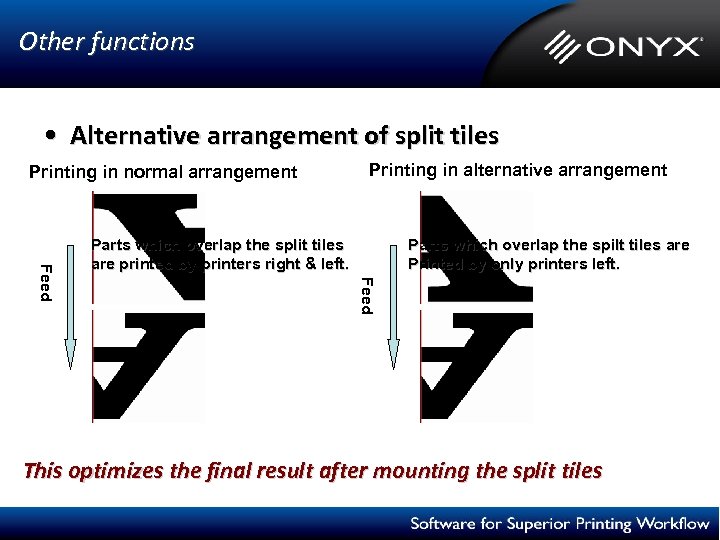 Other functions • Alternative arrangement of split tiles Printing in normal arrangement Printing in alternative arrangement Parts which overlap the spilt tiles are Printed by only printers left. Feed Parts which overlap the split tiles are printed by printers right & left. This optimizes the final result after mounting the split tiles
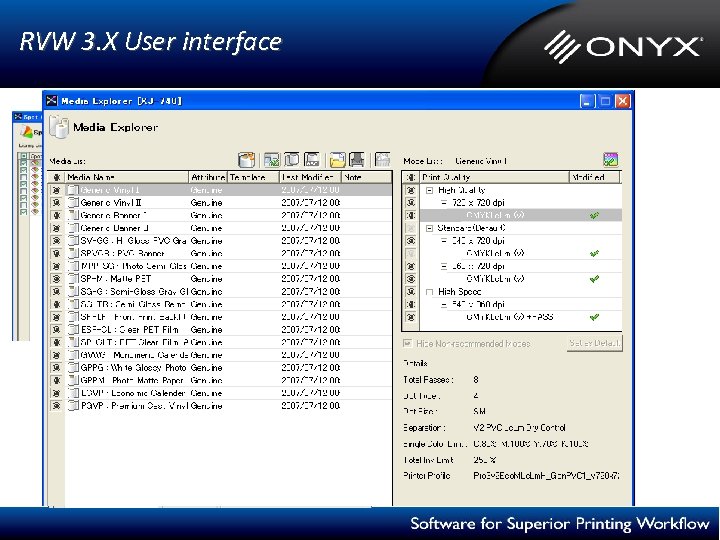 RVW 3. X User interface
 Questions? Thank you!