


 Скачать презентацию Rodney Rock Eastern Canada Systems Engineer Citrix Systems
9ce32c9ca181e1599bb2685cac1178b7.ppt
- Количество слайдов: 53

 Rodney Rock Eastern Canada Systems Engineer Citrix Systems, Inc.
 Citrix® Meta. Frame XP™ Presentation Server Agenda • How Printing Works • How Meta. Frame Printing Works • Client/Server Printing within Meta. Frame XP • Meta. Frame Universal Printer Driver • Printer Driver Replication • Printer Compatibility • Printer Bandwidth • Debug / Troubleshooting
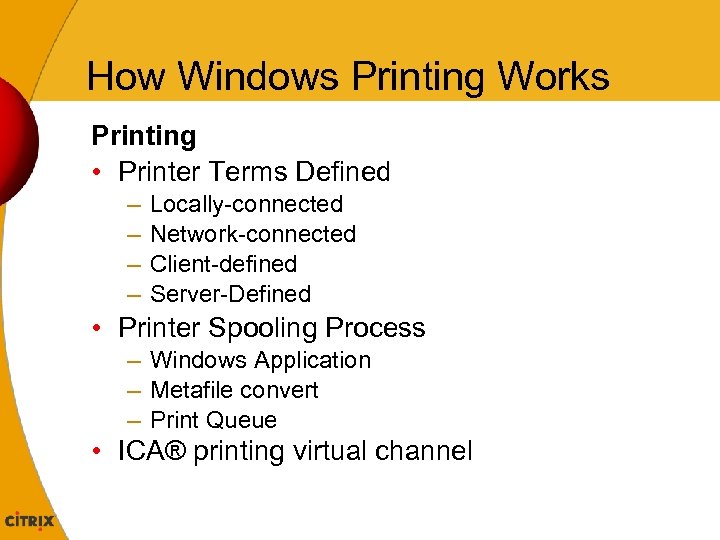 How Windows Printing Works Printing • Printer Terms Defined – – Locally-connected Network-connected Client-defined Server-Defined • Printer Spooling Process – Windows Application – Metafile convert – Print Queue • ICA® printing virtual channel
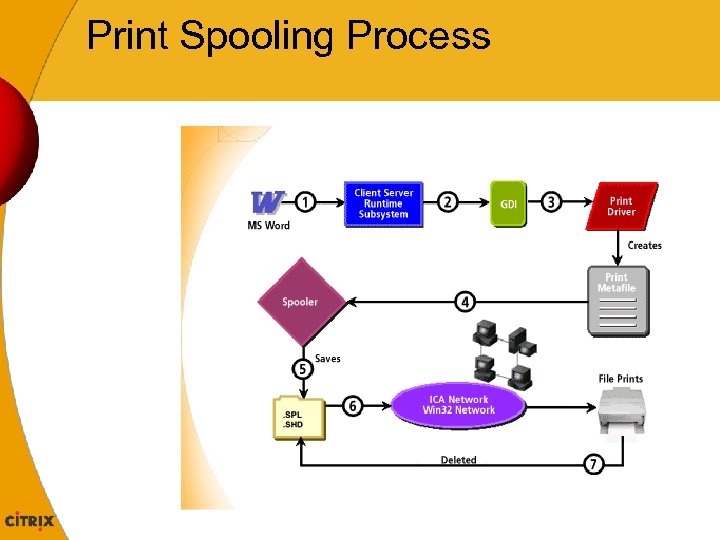 Print Spooling Process
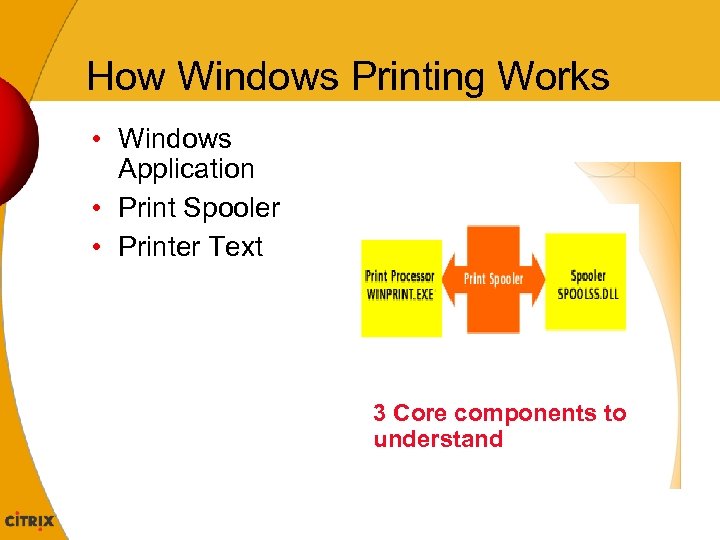 How Windows Printing Works • Windows Application • Print Spooler • Printer Text 3 Core components to understand
 How Windows Printing Works Windows Application Process • Output generation for Printing – Formatting pages – Adding page Numbering • Graphic Device Interface (GDI) • Enhanced metafile (EMF) – NOT printer-specific – Middleman • Applications and printer
 How Windows Printing Works Print Spooler function • Receive EMF • Translate EMF file to. SPL • Print Spool file – Detailed specific instructions in native language – Resolution, payper tray , form feed and the rasterized image. • Quality insurance – Print spooler transfer to Printer.
 How Windows Printing Works Final Phase • Printer – Receives spool file – Printer outputs file –NO MATTER WHAT !
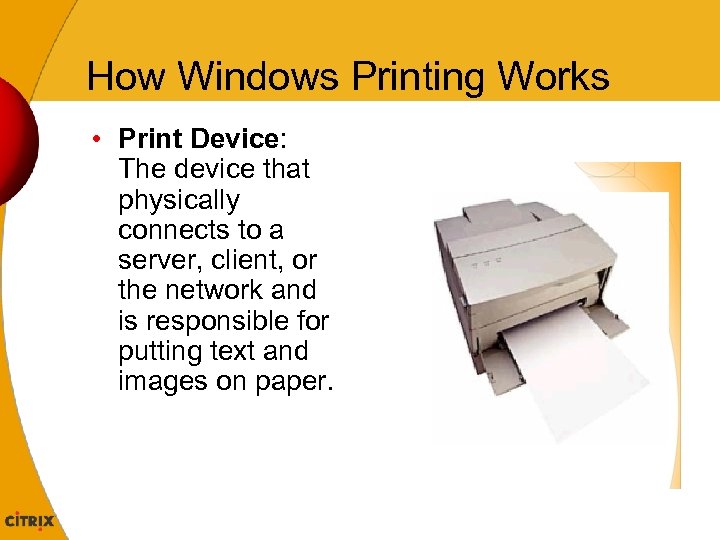 How Windows Printing Works • Print Device: The device that physically connects to a server, client, or the network and is responsible for putting text and images on paper.
 How Windows Printing Works Basic Printer Terminology • Locally-connected printers – physically connected • Network-connected printers – connected to a network (TCP/IP) • Client-defined printers – connected by a cable or port to an ICA client device • Server-defined printers – specified on the Meta. Frame XP Presentation Server
 ICA Printing Virtual Channel • Text frame with an image • Position graphic behind image • Place/move accent frame piece depending on image placement
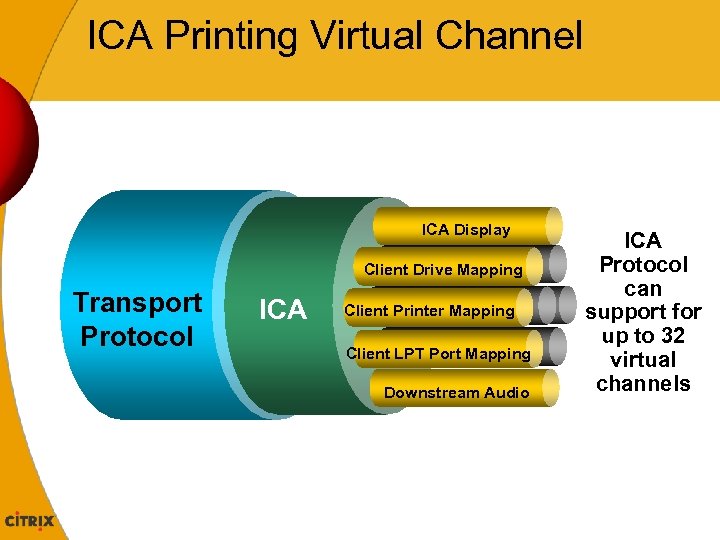 ICA Printing Virtual Channel ICA Display Client Drive Mapping Transport Protocol ICA Client Printer Mapping Client LPT Port Mapping Downstream Audio ICA Protocol can support for up to 32 virtual channels
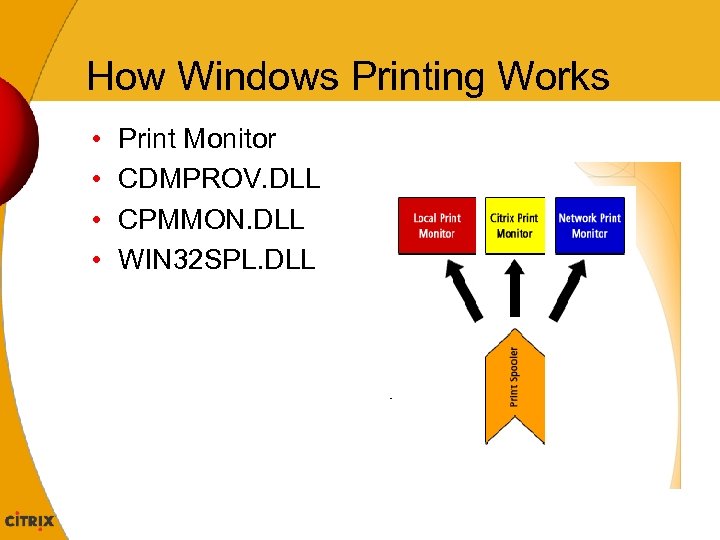 How Windows Printing Works • • Print Monitor CDMPROV. DLL CPMMON. DLL WIN 32 SPL. DLL
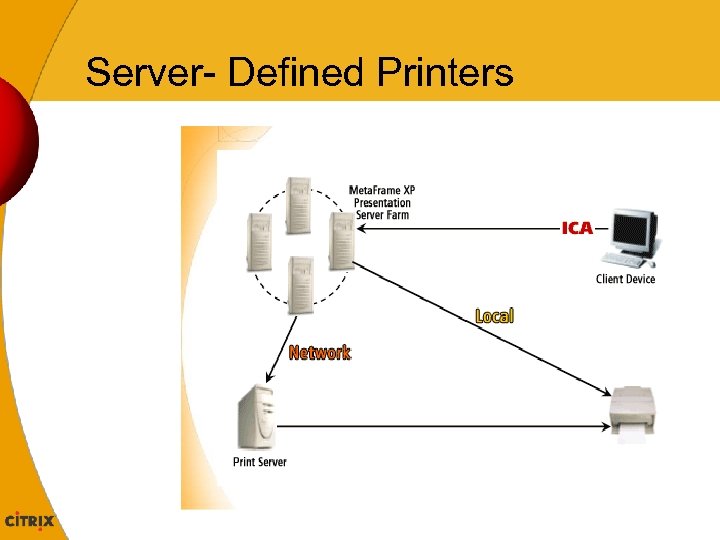 Server- Defined Printers
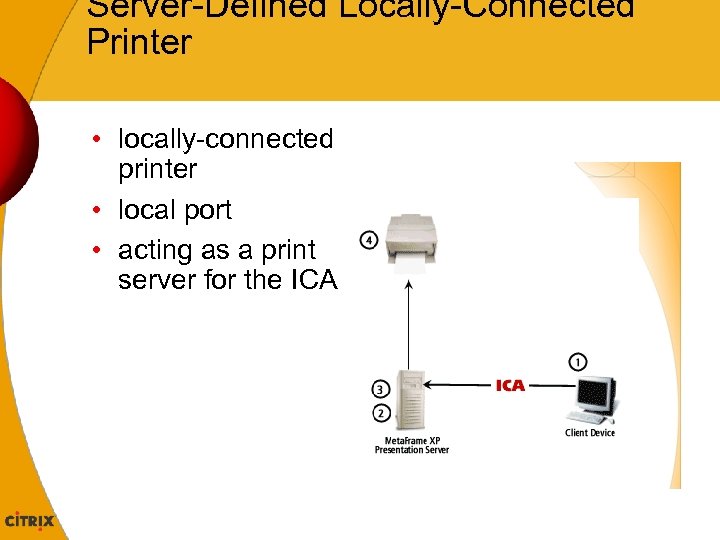 Server-Defined Locally-Connected Printer • locally-connected printer • local port • acting as a print server for the ICA
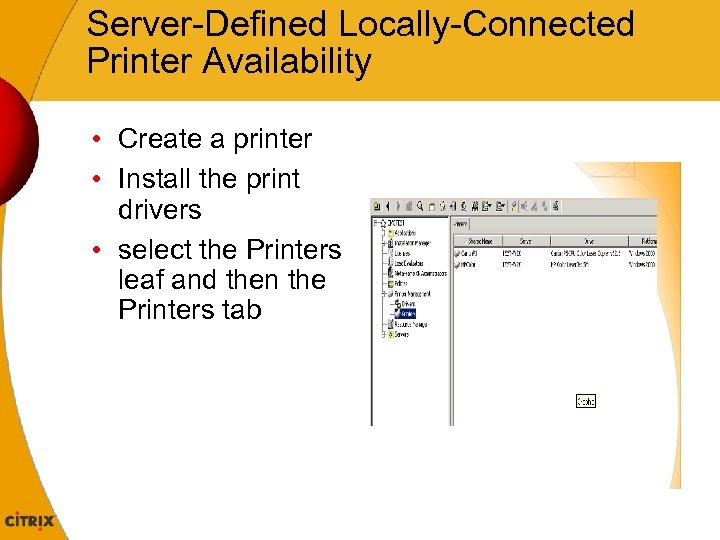 Server-Defined Locally-Connected Printer Availability • Create a printer • Install the print drivers • select the Printers leaf and then the Printers tab
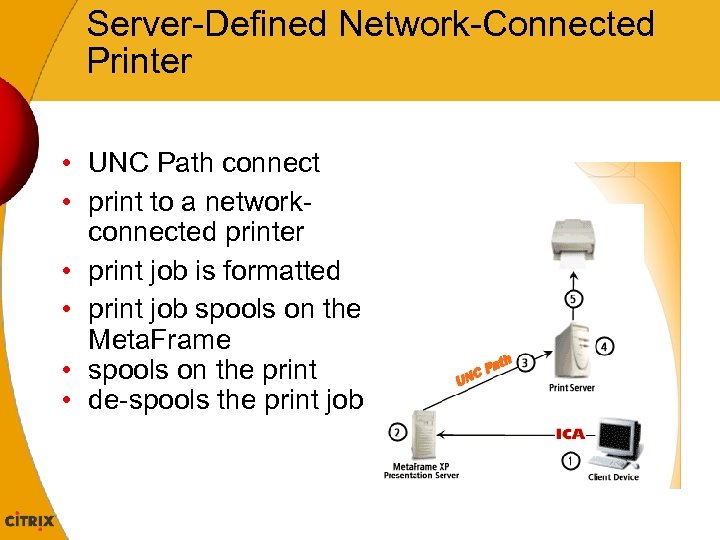 Server-Defined Network-Connected Printer • UNC Path connect • print to a networkconnected printer • print job is formatted • print job spools on the Meta. Frame • spools on the print • de-spools the print job
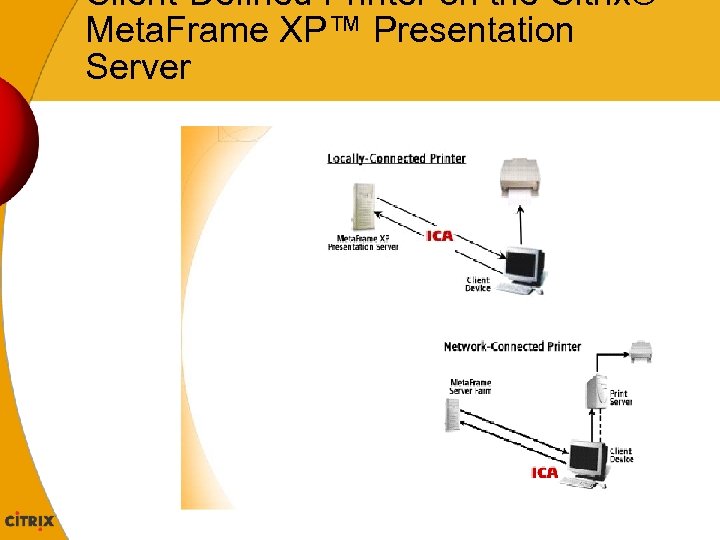 Client-Defined Printer on the Citrix® Meta. Frame XP™ Presentation Server
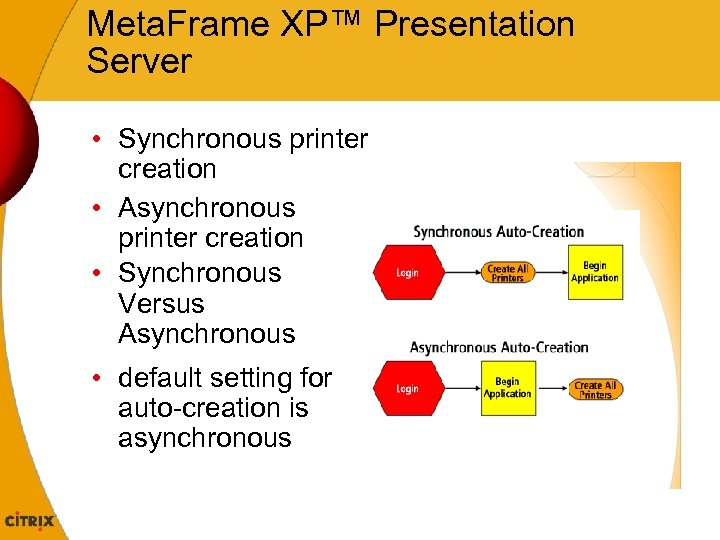 Meta. Frame XP™ Presentation Server • Synchronous printer creation • Asynchronous printer creation • Synchronous Versus Asynchronous • default setting for auto-creation is asynchronous
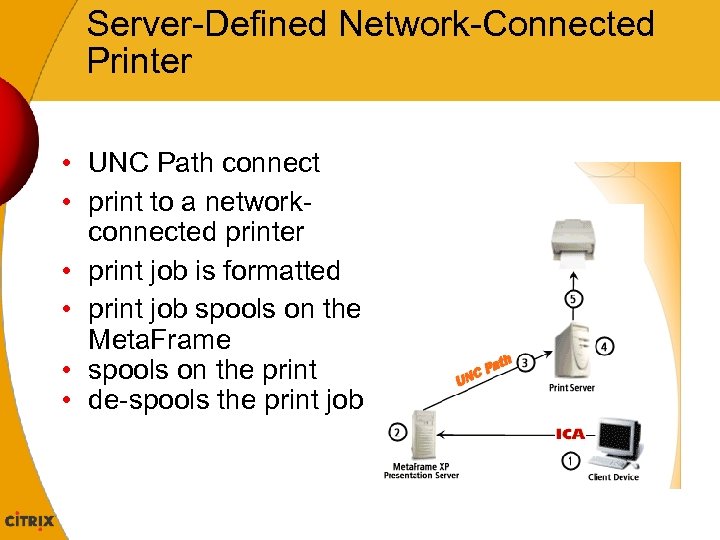 Server-Defined Network-Connected Printer • UNC Path connect • print to a networkconnected printer • print job is formatted • print job spools on the Meta. Frame • spools on the print • de-spools the print job
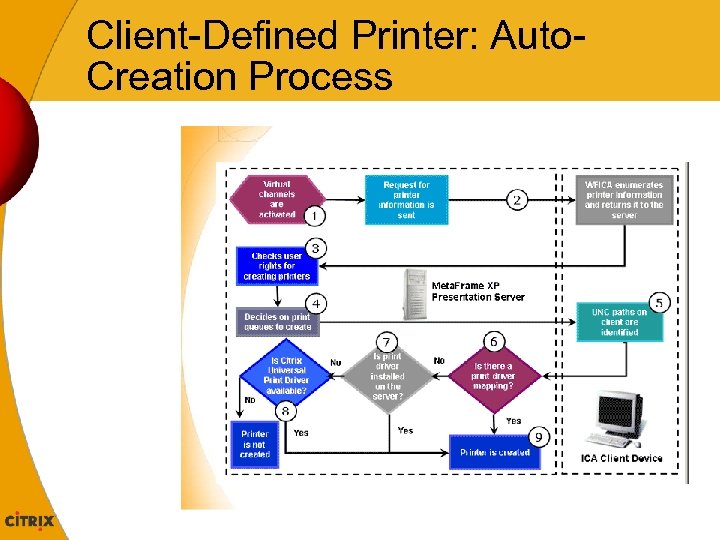 Client-Defined Printer: Auto. Creation Process
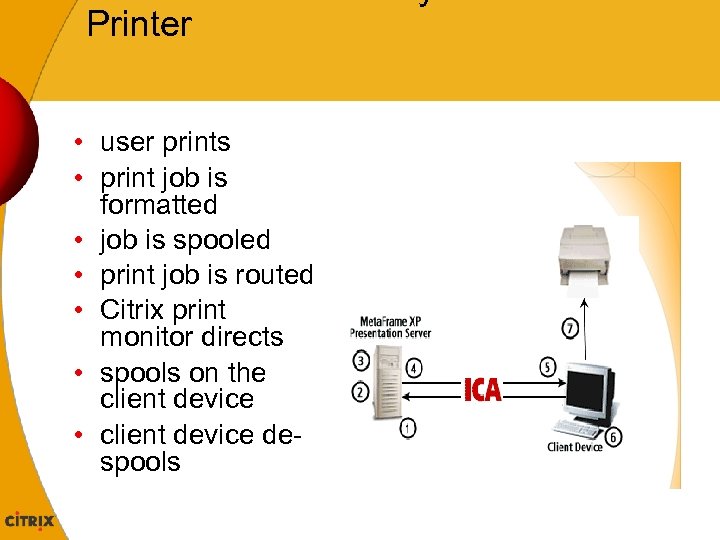 Printer • user prints • print job is formatted • job is spooled • print job is routed • Citrix print monitor directs • spools on the client device • client device despools
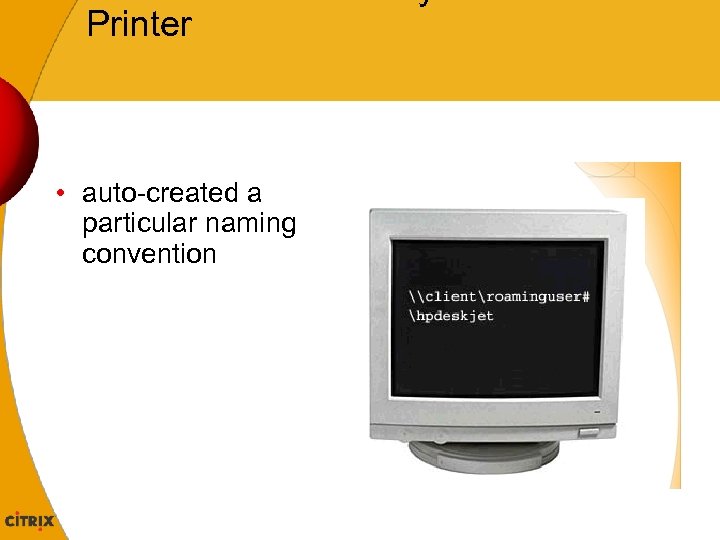 Printer • auto-created a particular naming convention
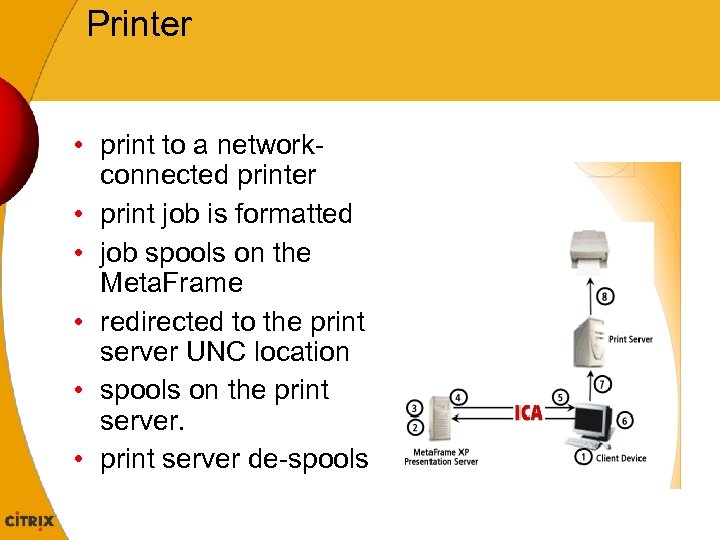 Printer • print to a networkconnected printer • print job is formatted • job spools on the Meta. Frame • redirected to the print server UNC location • spools on the print server. • print server de-spools
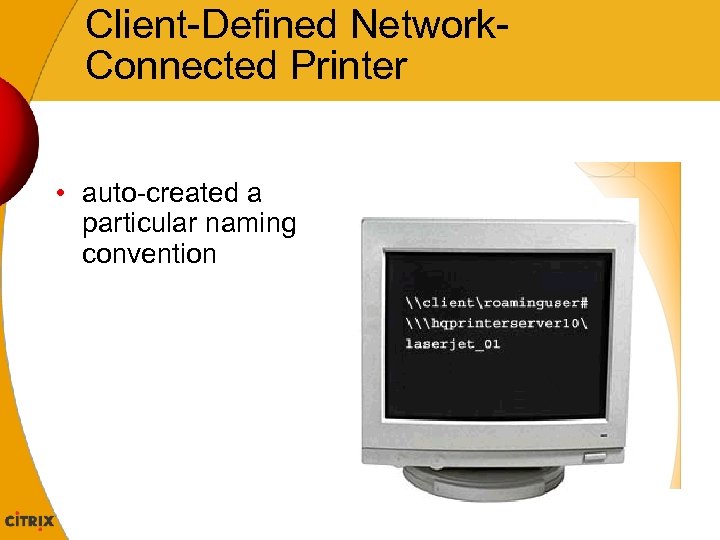 Client-Defined Network. Connected Printer • auto-created a particular naming convention
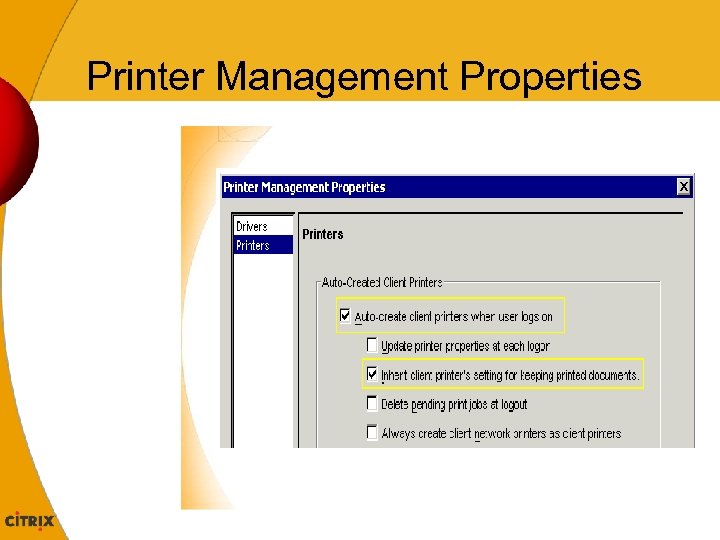 Printer Management Properties
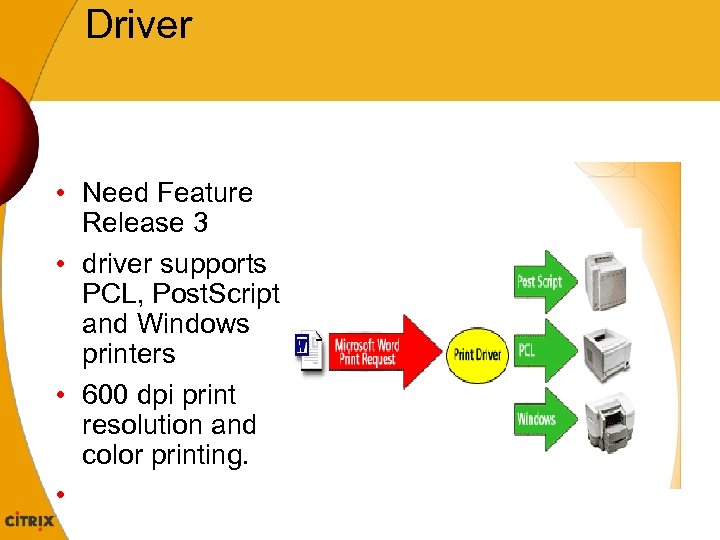 Driver • Need Feature Release 3 • driver supports PCL, Post. Script and Windows printers • 600 dpi print resolution and color printing. •
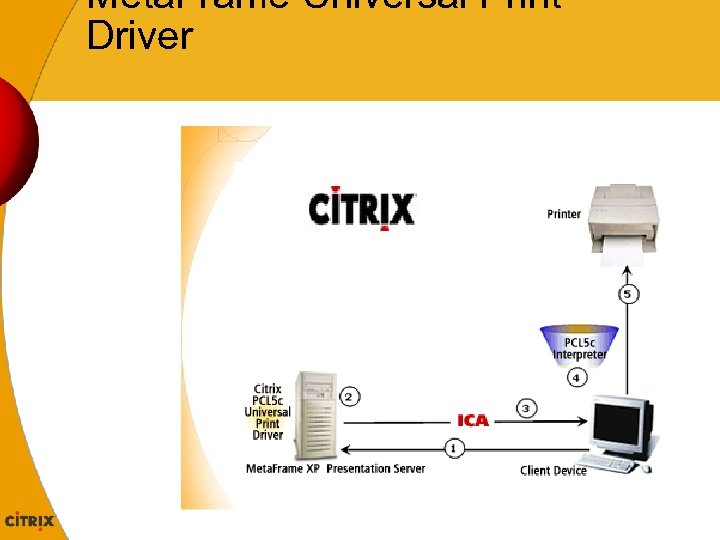 Meta. Frame Universal Print Driver
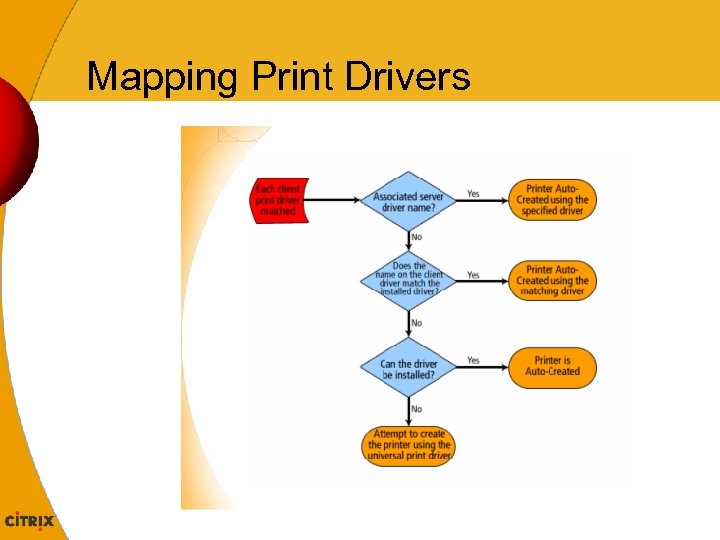 Mapping Print Drivers
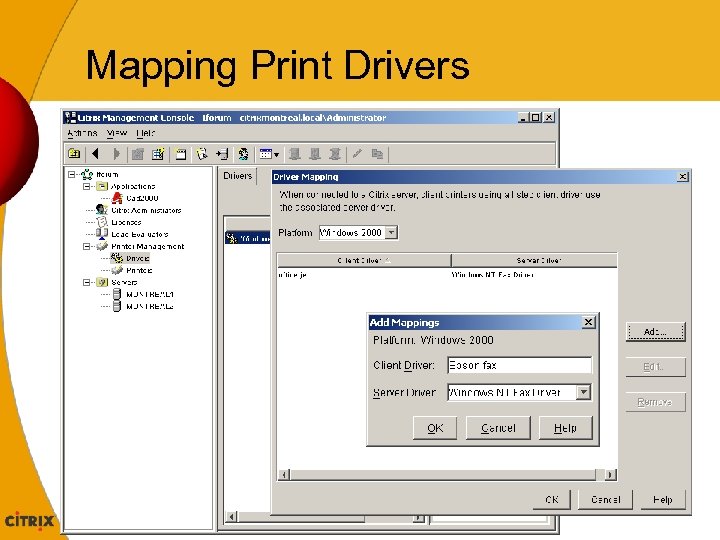 Mapping Print Drivers
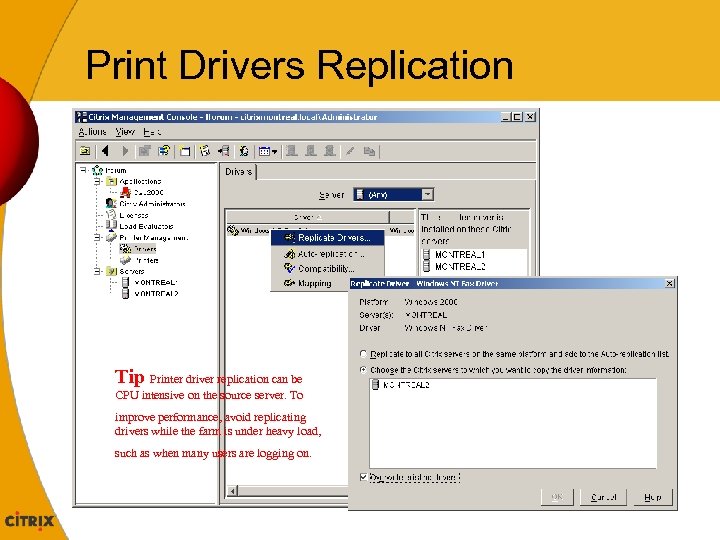 Print Drivers Replication Tip Printer driver replication can be CPU intensive on the source server. To improve performance, avoid replicating drivers while the farm is under heavy load, such as when many users are logging on.
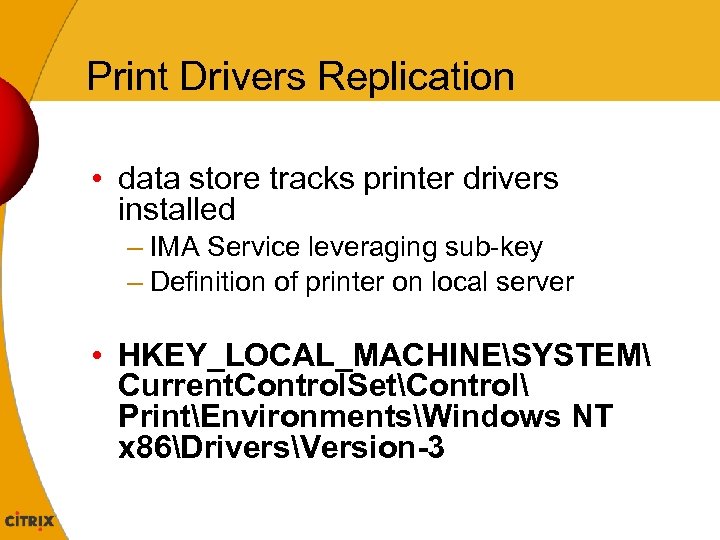 Print Drivers Replication • data store tracks printer drivers installed – IMA Service leveraging sub-key – Definition of printer on local server • HKEY_LOCAL_MACHINESYSTEM Current. Control. SetControl PrintEnvironmentsWindows NT x 86DriversVersion-3
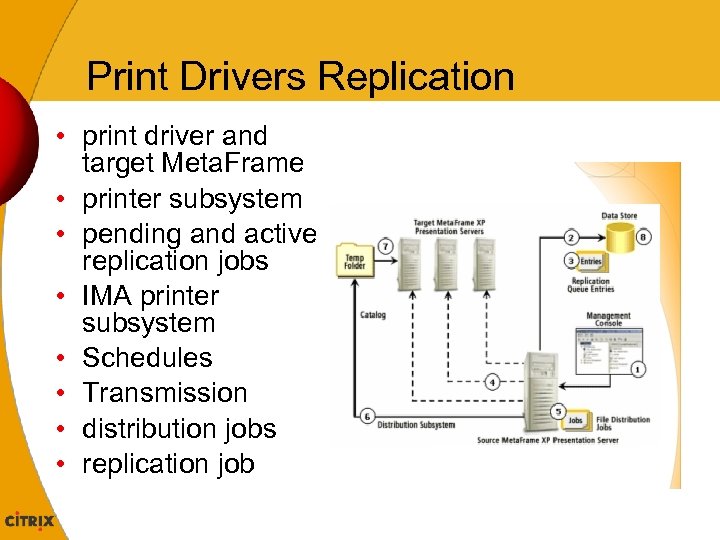 Print Drivers Replication • print driver and target Meta. Frame • printer subsystem • pending and active replication jobs • IMA printer subsystem • Schedules • Transmission • distribution jobs • replication job
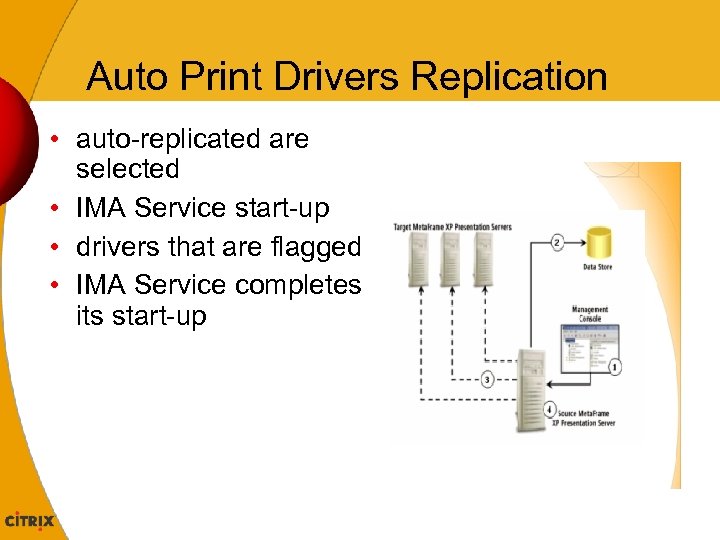 Auto Print Drivers Replication • auto-replicated are selected • IMA Service start-up • drivers that are flagged • IMA Service completes its start-up
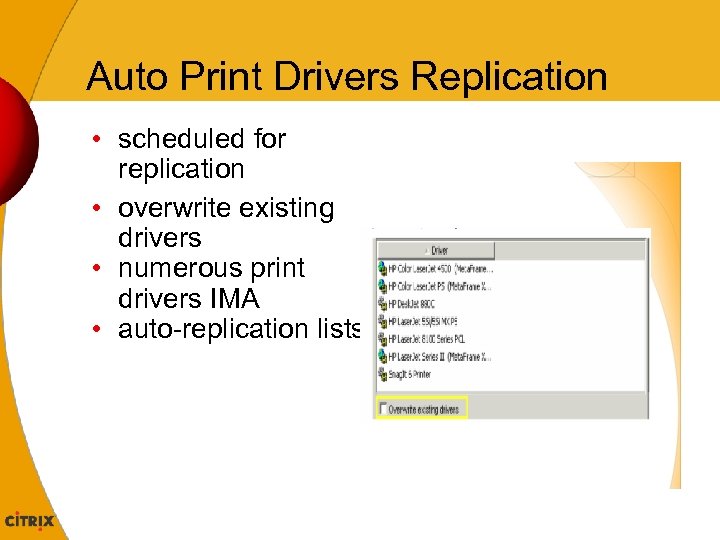 Auto Print Drivers Replication • scheduled for replication • overwrite existing drivers • numerous print drivers IMA • auto-replication lists
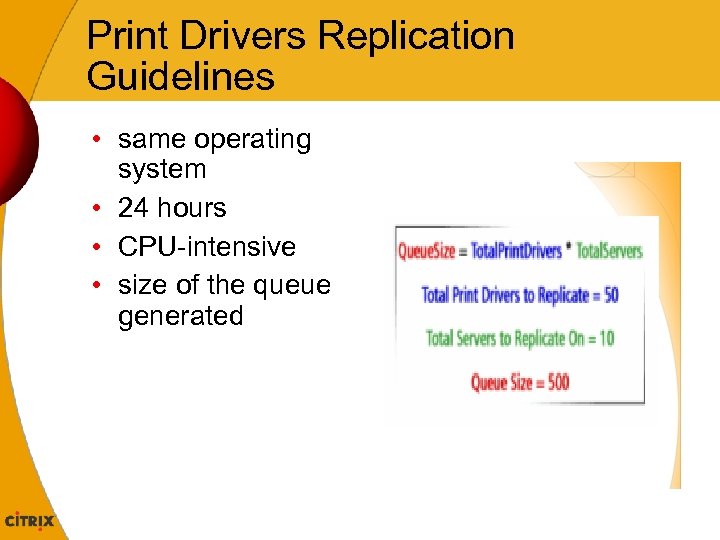 Print Drivers Replication Guidelines • same operating system • 24 hours • CPU-intensive • size of the queue generated
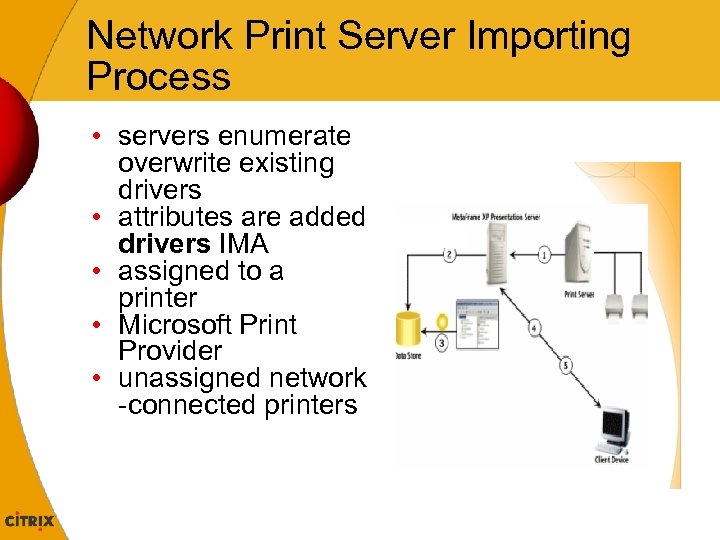 Network Print Server Importing Process • servers enumerate overwrite existing drivers • attributes are added drivers IMA • assigned to a printer • Microsoft Print Provider • unassigned network -connected printers
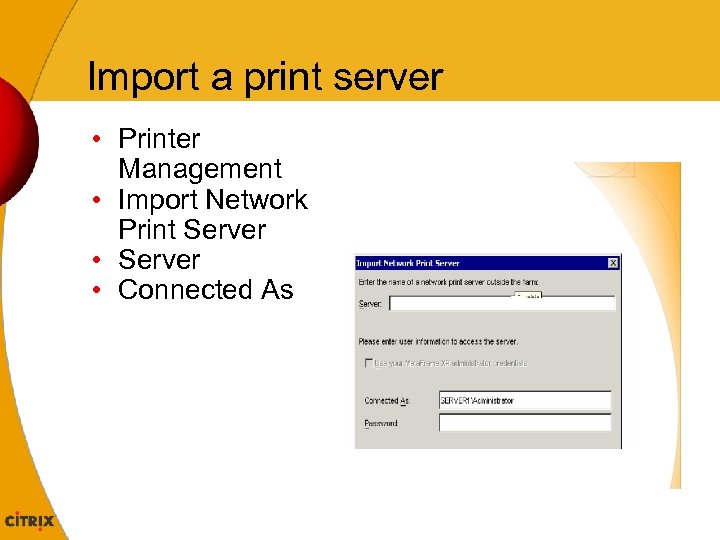 Import a print server • Printer Management • Import Network Print Server • Connected As
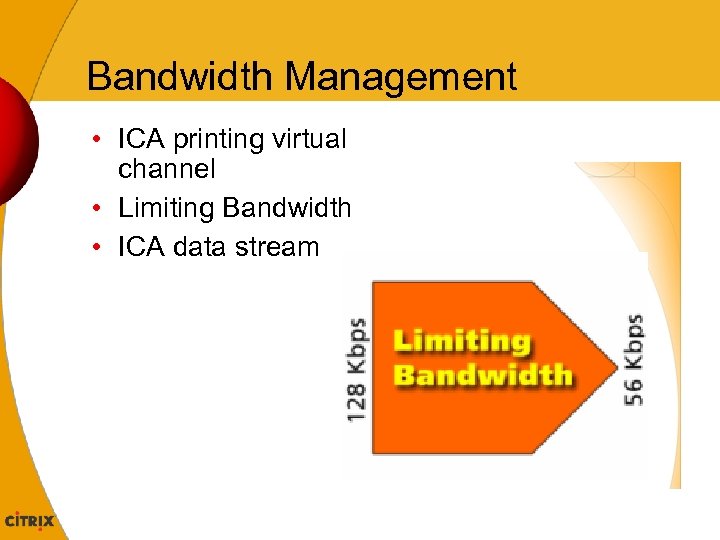 Bandwidth Management • ICA printing virtual channel • Limiting Bandwidth • ICA data stream
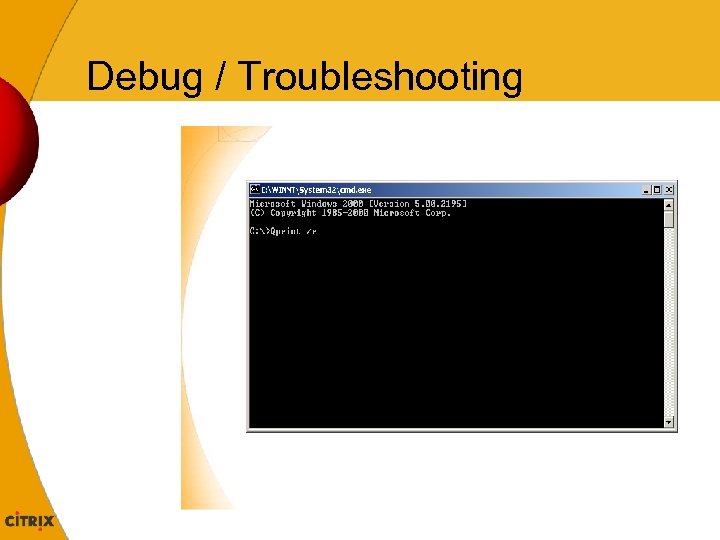
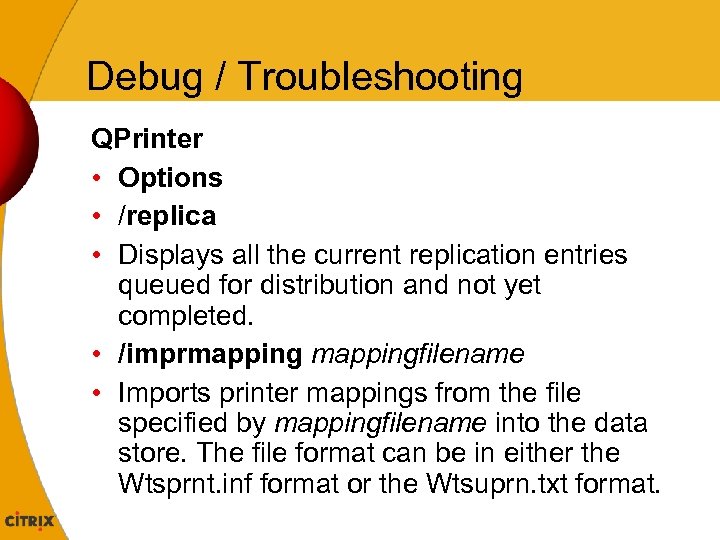 Debug / Troubleshooting QPrinter • Options • /replica • Displays all the current replication entries queued for distribution and not yet completed. • /imprmappingfilename • Imports printer mappings from the file specified by mappingfilename into the data store. The file format can be in either the Wtsprnt. inf format or the Wtsuprn. txt format.
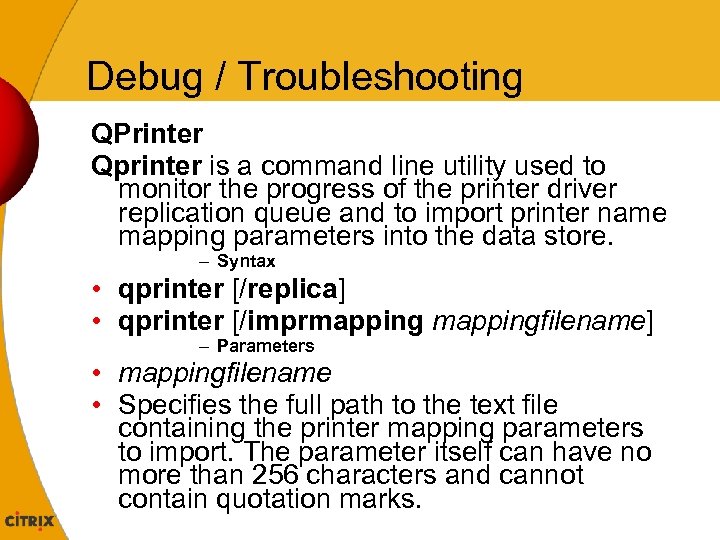 Debug / Troubleshooting QPrinter Qprinter is a command line utility used to monitor the progress of the printer driver replication queue and to import printer name mapping parameters into the data store. – Syntax • qprinter [/replica] • qprinter [/imprmappingfilename] – Parameters • mappingfilename • Specifies the full path to the text file containing the printer mapping parameters to import. The parameter itself can have no more than 256 characters and cannot contain quotation marks.
 Debug / Troubleshooting
 Debug / Troubleshooting
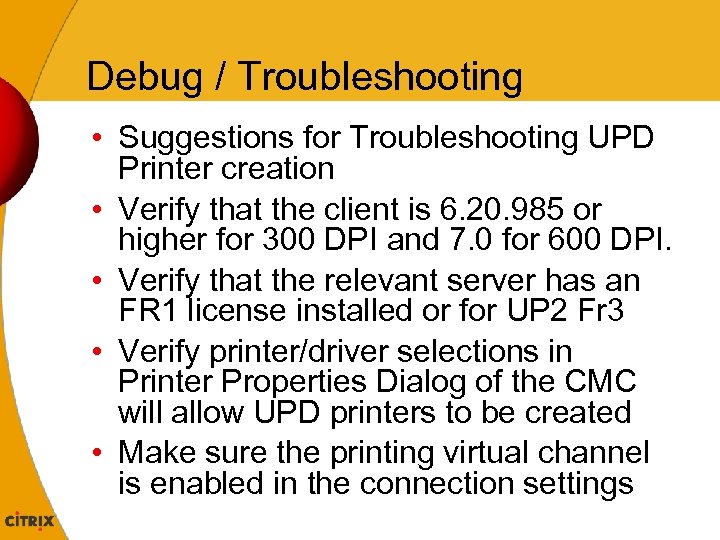 Debug / Troubleshooting • Suggestions for Troubleshooting UPD Printer creation • Verify that the client is 6. 20. 985 or higher for 300 DPI and 7. 0 for 600 DPI. • Verify that the relevant server has an FR 1 license installed or for UP 2 Fr 3 • Verify printer/driver selections in Printer Properties Dialog of the CMC will allow UPD printers to be created • Make sure the printing virtual channel is enabled in the connection settings
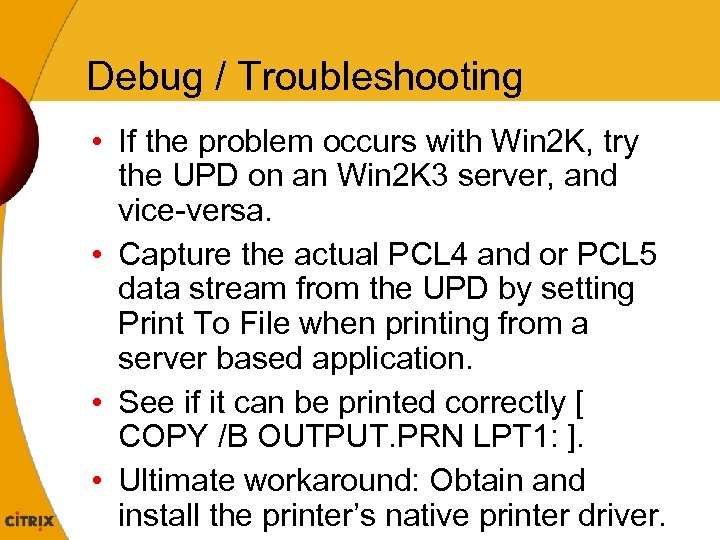 Debug / Troubleshooting • If the problem occurs with Win 2 K, try the UPD on an Win 2 K 3 server, and vice-versa. • Capture the actual PCL 4 and or PCL 5 data stream from the UPD by setting Print To File when printing from a server based application. • See if it can be printed correctly [ COPY /B OUTPUT. PRN LPT 1: ]. • Ultimate workaround: Obtain and install the printer’s native printer driver.
 Debug / Troubleshooting • Remove UPD – FR 2: Remove HKLMSoftware. CitrixUniveral. Print. DriversPC L 4 reg key – FR 3: Remove PCL 4 and/or PCL 5 c from the Driver List reg value at HKLMSoftware. CitrixUniveral. Print. Drivers • UPD and native drivers creation behaving consistently – Connected directly as \serverprintername – Printcfg. exe simply cannot detect this case
 Debug / Troubleshooting • Win 2 K SP 4 – Q 824309, Q 822428 and CTX 102523 • default the printer with the first one of the alphabetical order. – "rundll 32 printui. dll, Print. UIEntry /y /n "printer" command place it in a usrlogon. cmd script • imporing of Linux based Print server through the CMC – add the following line to the smb. conf file – use client driver = yes – Restart Samba (generally /etc/rc. d/init. d/smg restart)
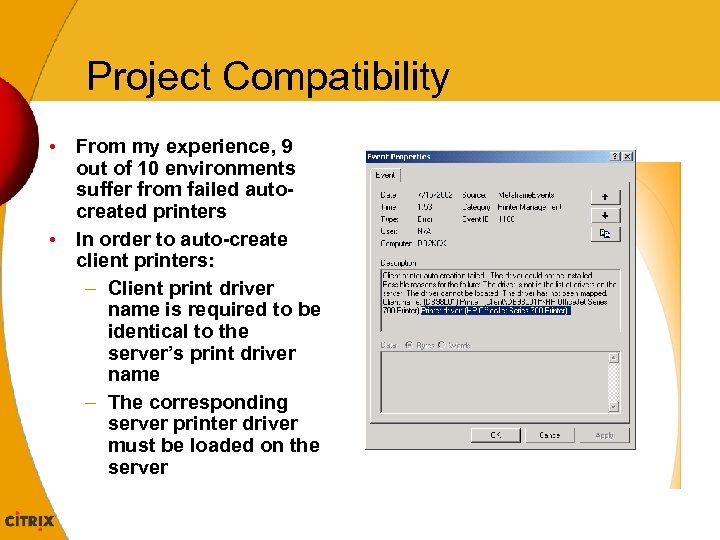 Project Compatibility • From my experience, 9 out of 10 environments suffer from failed autocreated printers • In order to auto-create client printers: – Client print driver name is required to be identical to the server’s print driver name – The corresponding server printer driver must be loaded on the server
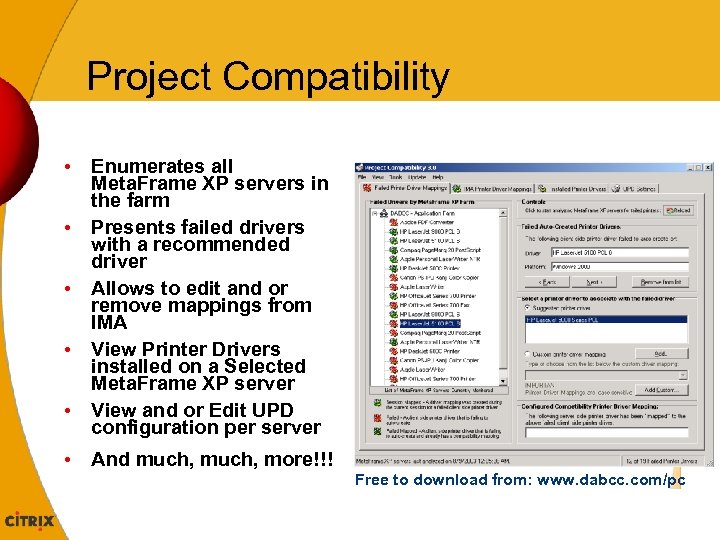 Project Compatibility • Enumerates all Meta. Frame XP servers in the farm • Presents failed drivers with a recommended driver • Allows to edit and or remove mappings from IMA • View Printer Drivers installed on a Selected Meta. Frame XP server • View and or Edit UPD configuration per server • And much, more!!! Free to download from: www. dabcc. com/pc
 Other i. Forum Activities Citrix Technology Lab • Preview the Access Suite • Get a glimpse of technologies on the horizon • Engage in discussions with Citrix Engineers • Opportunity to meet representatives from – Product Development – Technical Support – Consulting • Located in the Dolphin Hotel - Asia 3
 Other i. Forum Activities Citrix Solutions Workshop • Hosted by Citrix Consulting • Free 45 minute whiteboard sessions • Discuss your environmental challenges • Explore available Citrix Solutions • Sign-up at the Consulting Booth in the Exhibit Hall – Limited Availability – Reservation Required
 Thank You https: //citrix. learning. accenture. com