


 Скачать презентацию Relay Control Relay Control — Introduction Two-position
f43bebbd569162e8a83ef8355dd37ef1.ppt
- Количество слайдов: 81
 Relay Control
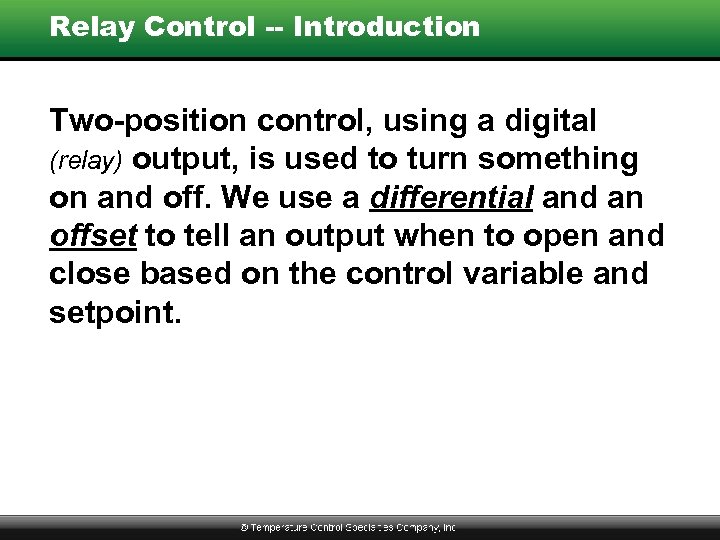 Relay Control -- Introduction Two-position control, using a digital (relay) output, is used to turn something on and off. We use a differential and an offset to tell an output when to open and close based on the control variable and setpoint.
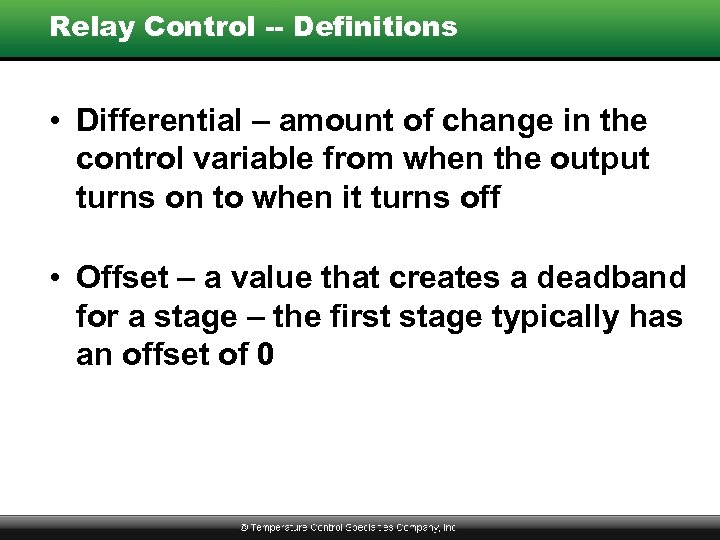 Relay Control -- Definitions • Differential – amount of change in the control variable from when the output turns on to when it turns off • Offset – a value that creates a deadband for a stage – the first stage typically has an offset of 0
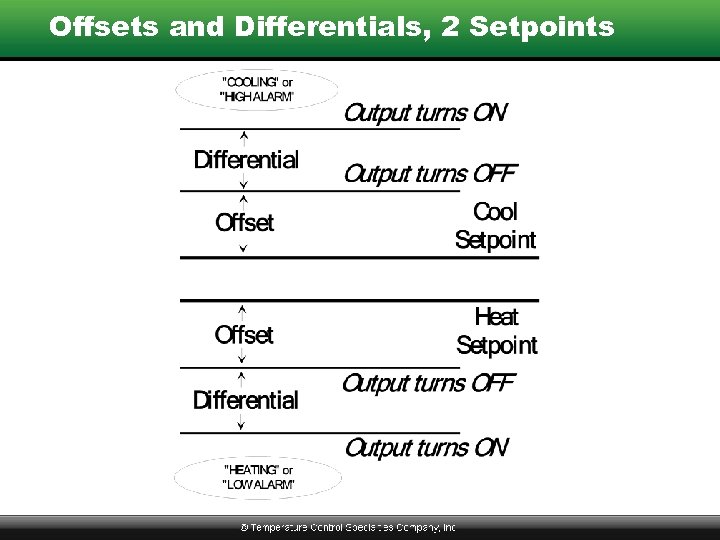 Offsets and Differentials, 2 Setpoints
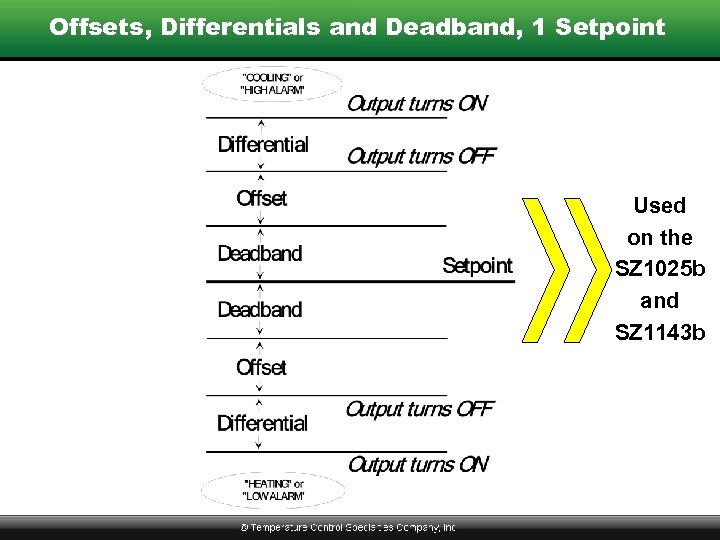 Offsets, Differentials and Deadband, 1 Setpoint Used on the SZ 1025 b and SZ 1143 b
 Proportional Control
 Proportional Control -- Introduction Analog outputs are called modulating outputs. These outputs vary based on how far the input is away from setpoint. Modulating outputs provide tighter control than two position outputs.
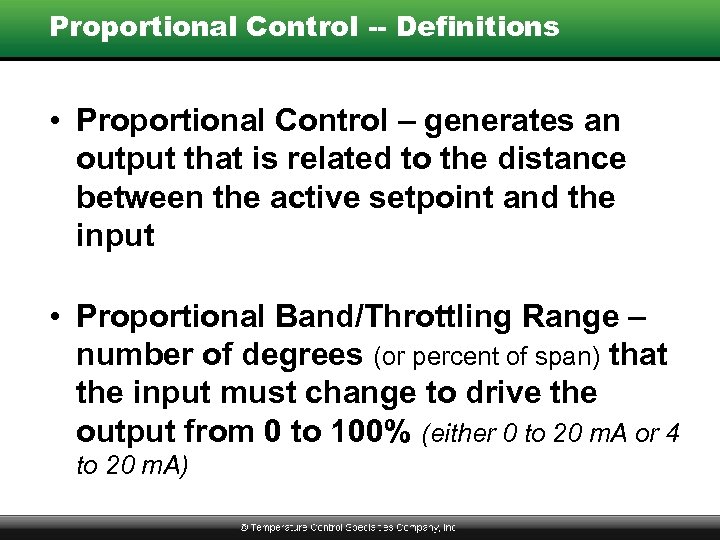 Proportional Control -- Definitions • Proportional Control – generates an output that is related to the distance between the active setpoint and the input • Proportional Band/Throttling Range – number of degrees (or percent of span) that the input must change to drive the output from 0 to 100% (either 0 to 20 m. A or 4 to 20 m. A)
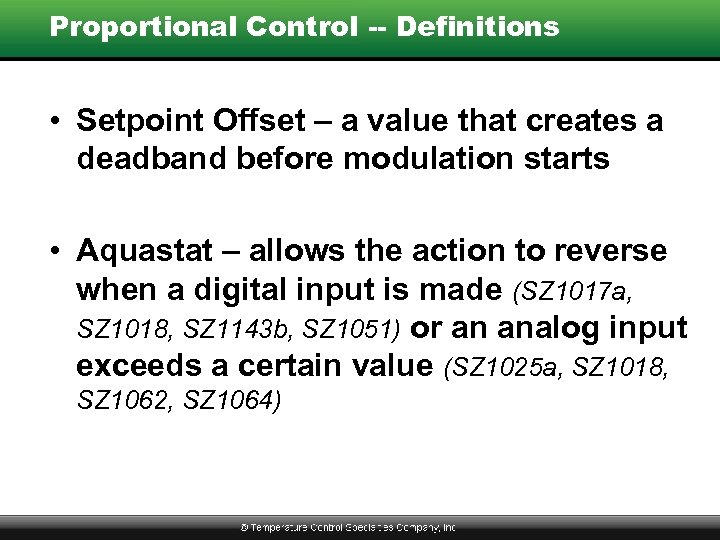 Proportional Control -- Definitions • Setpoint Offset – a value that creates a deadband before modulation starts • Aquastat – allows the action to reverse when a digital input is made (SZ 1017 a, SZ 1018, SZ 1143 b, SZ 1051) or an analog input exceeds a certain value (SZ 1025 a, SZ 1018, SZ 1062, SZ 1064)
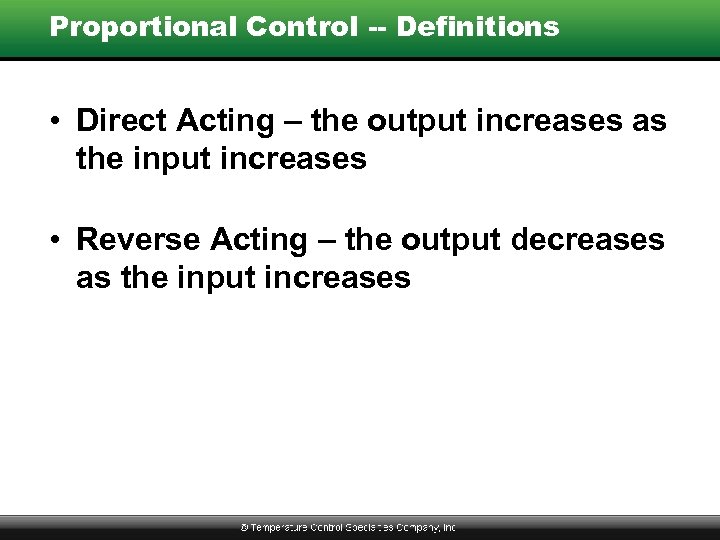 Proportional Control -- Definitions • Direct Acting – the output increases as the input increases • Reverse Acting – the output decreases as the input increases
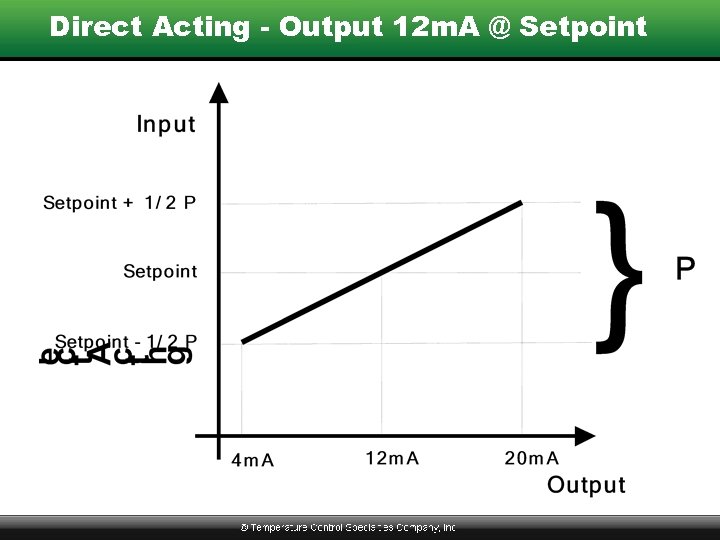 Direct Acting - Output 12 m. A @ Setpoint
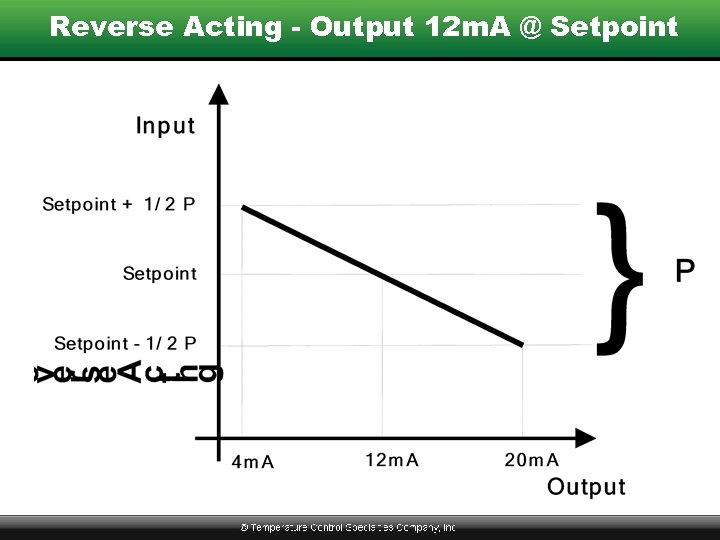 Reverse Acting - Output 12 m. A @ Setpoint
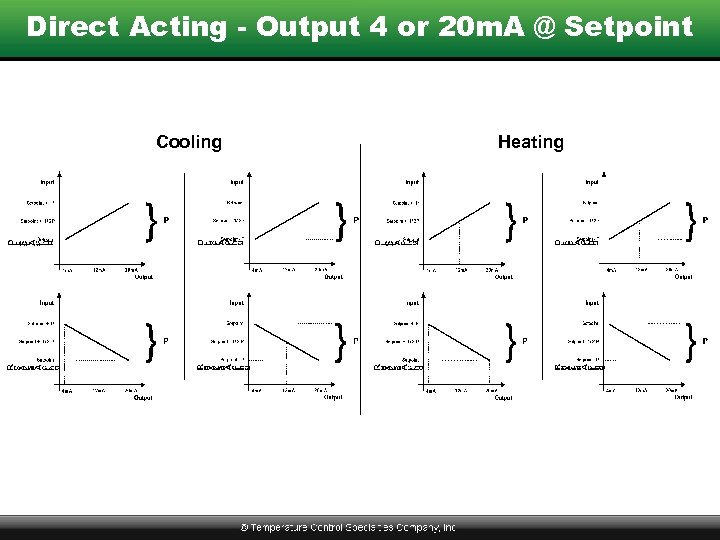 Direct Acting - Output 4 or 20 m. A @ Setpoint Cooling Heating
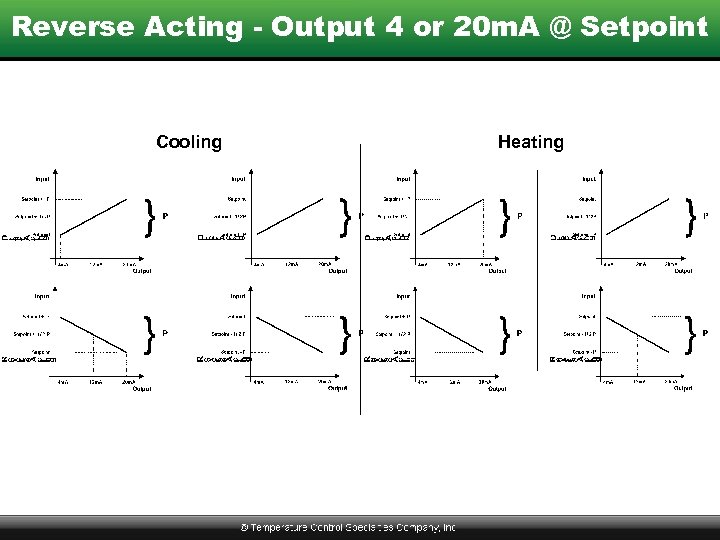 Reverse Acting - Output 4 or 20 m. A @ Setpoint Cooling Heating
 Keypad Programming
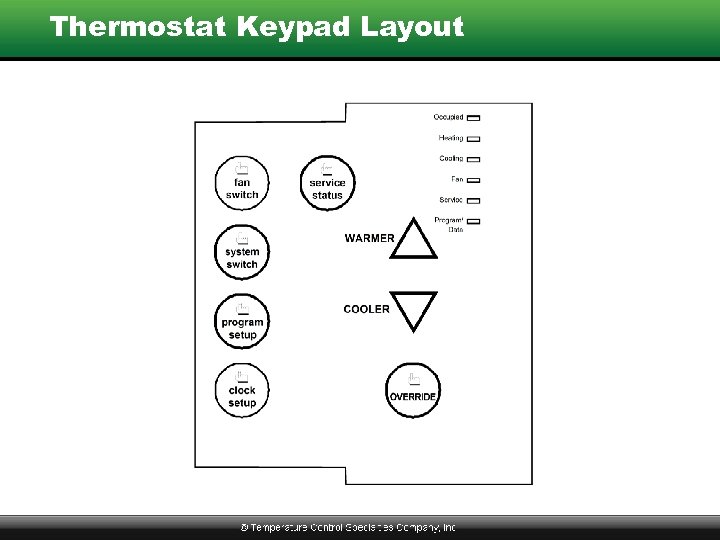 Thermostat Keypad Layout
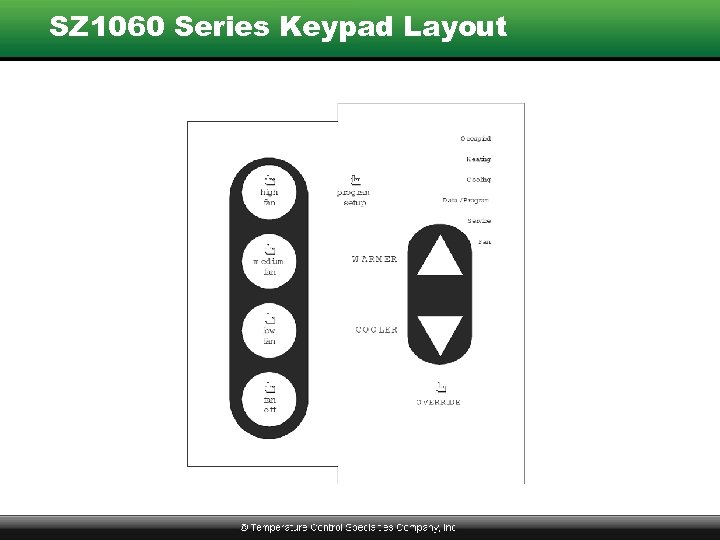 SZ 1060 Series Keypad Layout
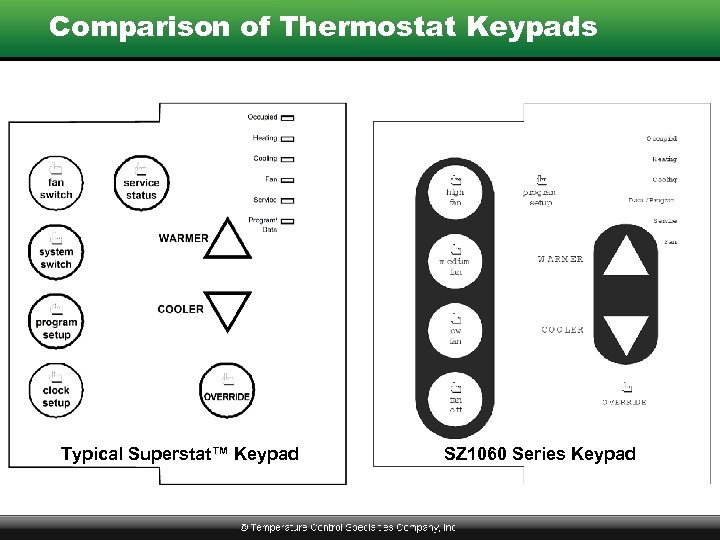 Comparison of Thermostat Keypads Typical Superstat™ Keypad SZ 1060 Series Keypad
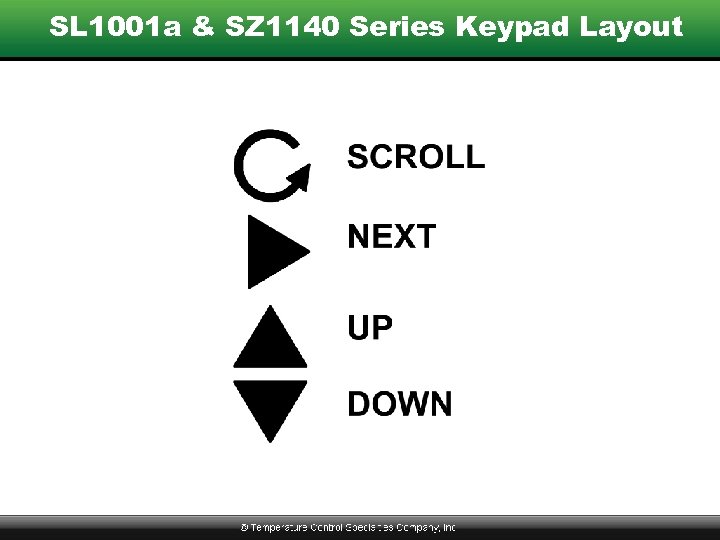 SL 1001 a & SZ 1140 Series Keypad Layout
 Conventional Thermostats • Menu-by-Menu Example – Follow Along Using Demo Panel – Slides Printed in Handout – Catalog Page 183 • All Thermostats Basically the Same • Complete Sequences in Product Manuals • All Sequences in Product Catalog • www. tcsbasys. com
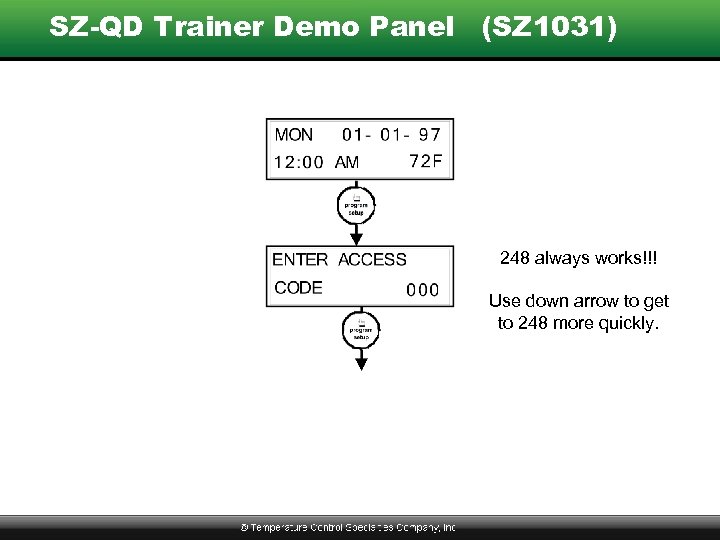 SZ-QD Trainer Demo Panel (SZ 1031) 248 always works!!! Use down arrow to get to 248 more quickly.
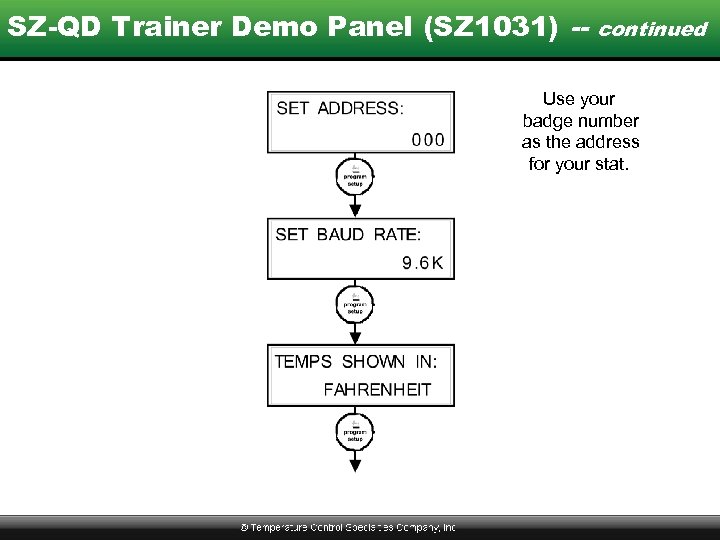 SZ-QD Trainer Demo Panel (SZ 1031) -- continued Use your badge number as the address for your stat.
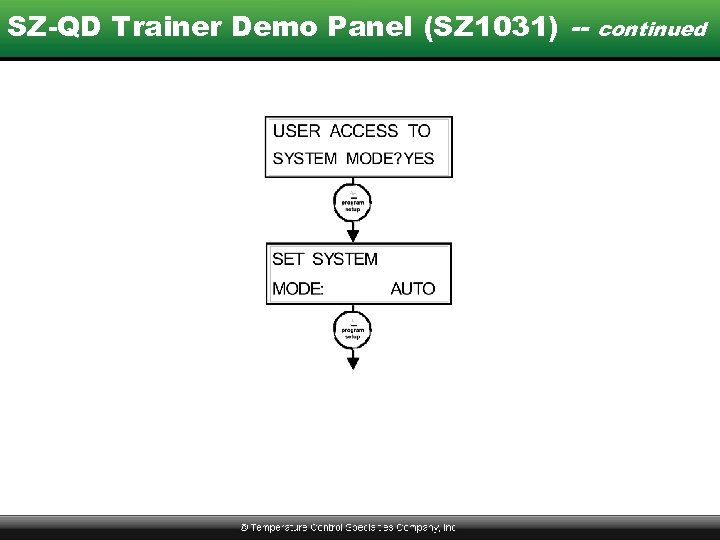 SZ-QD Trainer Demo Panel (SZ 1031) -- continued
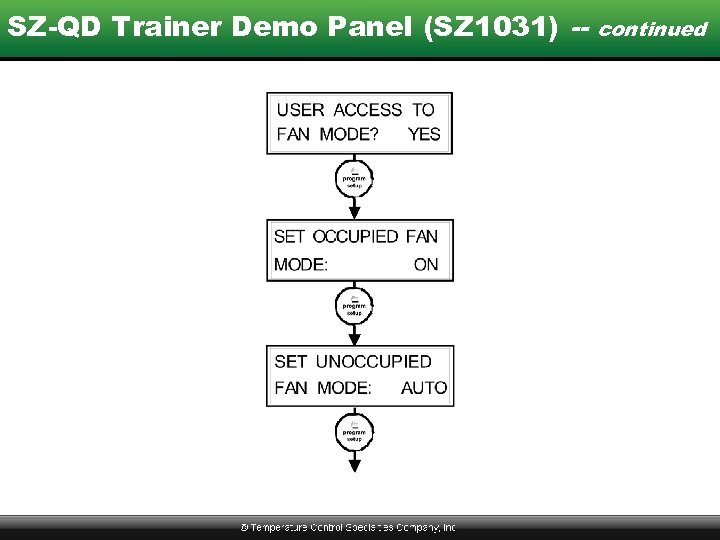 SZ-QD Trainer Demo Panel (SZ 1031) -- continued
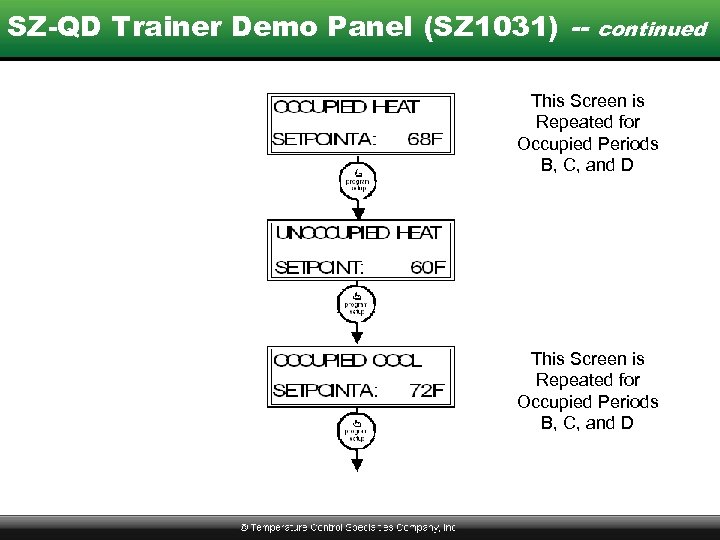 SZ-QD Trainer Demo Panel (SZ 1031) -- continued This Screen is Repeated for Occupied Periods B, C, and D
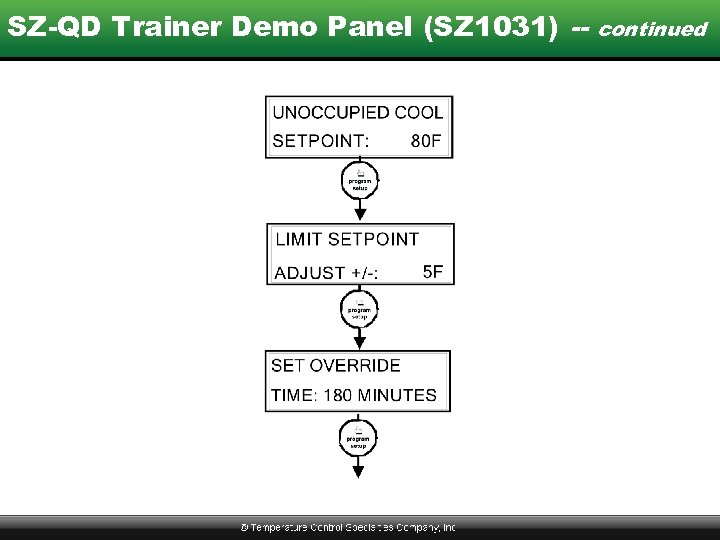 SZ-QD Trainer Demo Panel (SZ 1031) -- continued
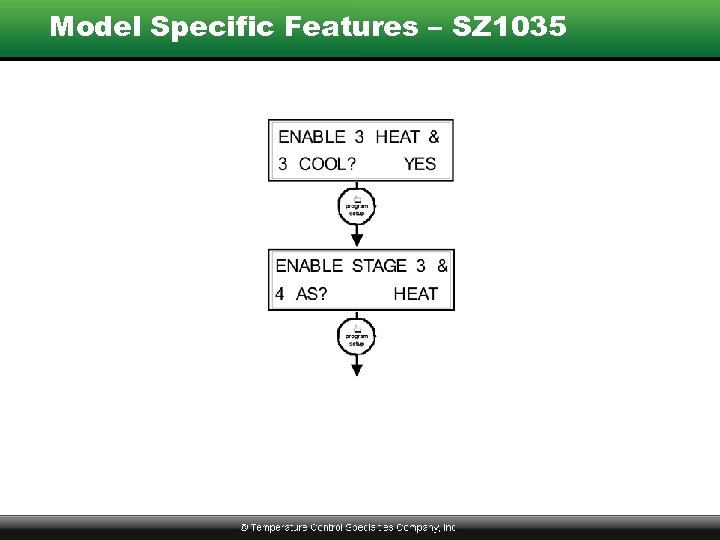 Model Specific Features – SZ 1035
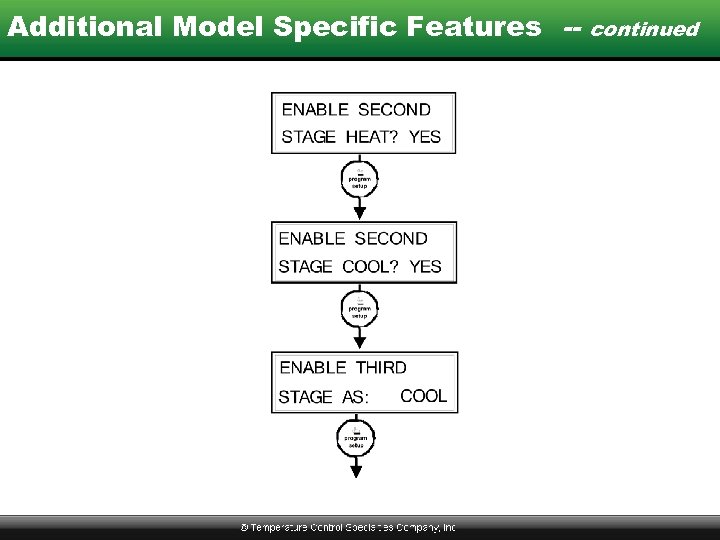 Additional Model Specific Features -- continued
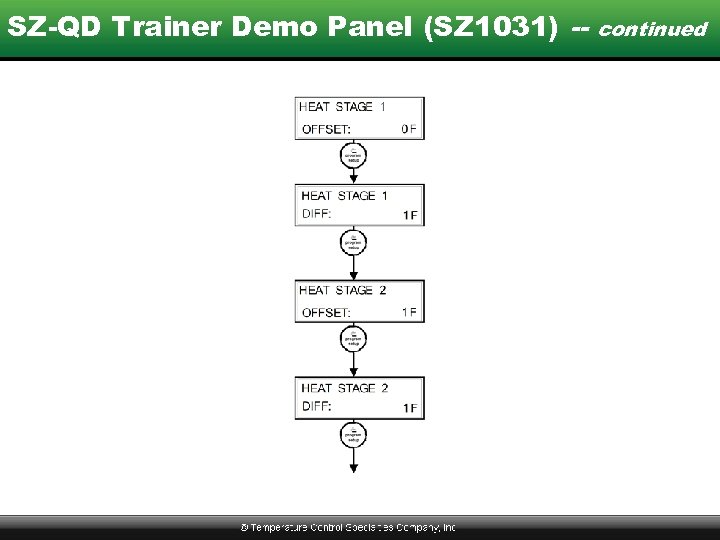 SZ-QD Trainer Demo Panel (SZ 1031) -- continued
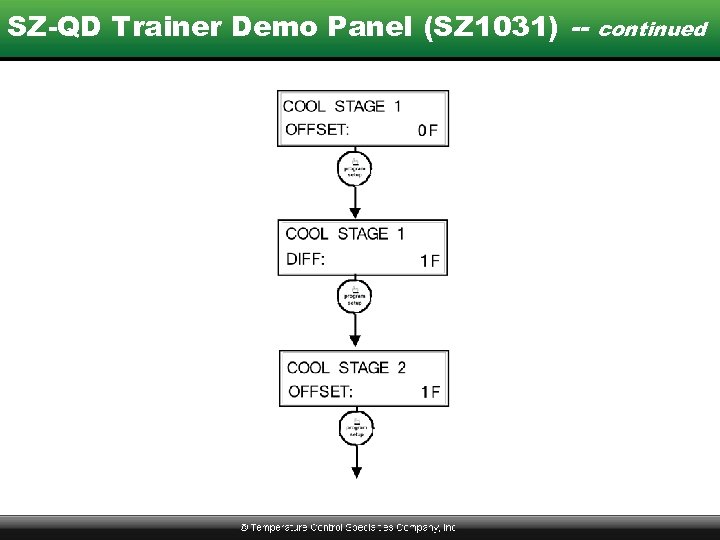 SZ-QD Trainer Demo Panel (SZ 1031) -- continued
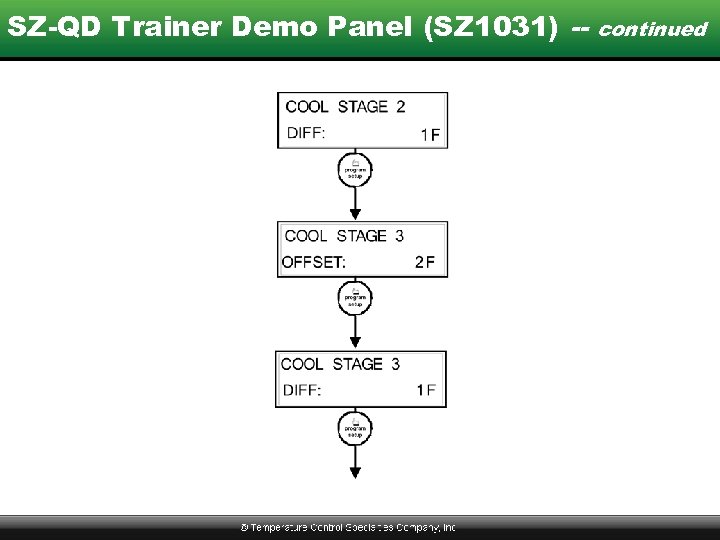 SZ-QD Trainer Demo Panel (SZ 1031) -- continued
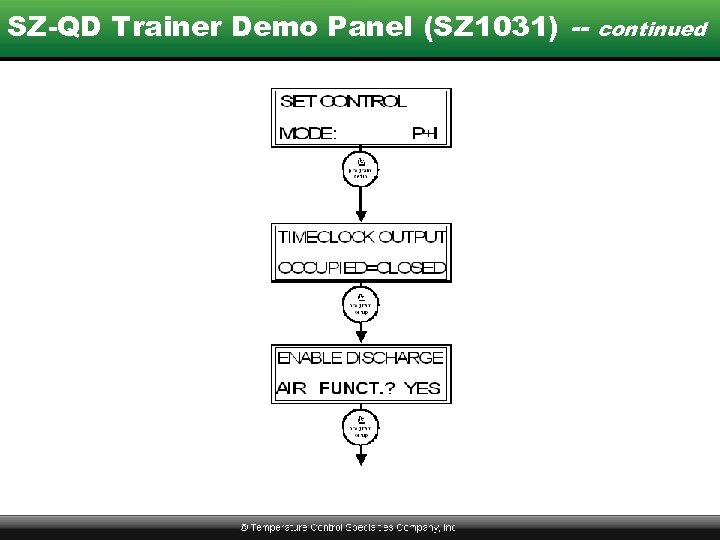 SZ-QD Trainer Demo Panel (SZ 1031) -- continued
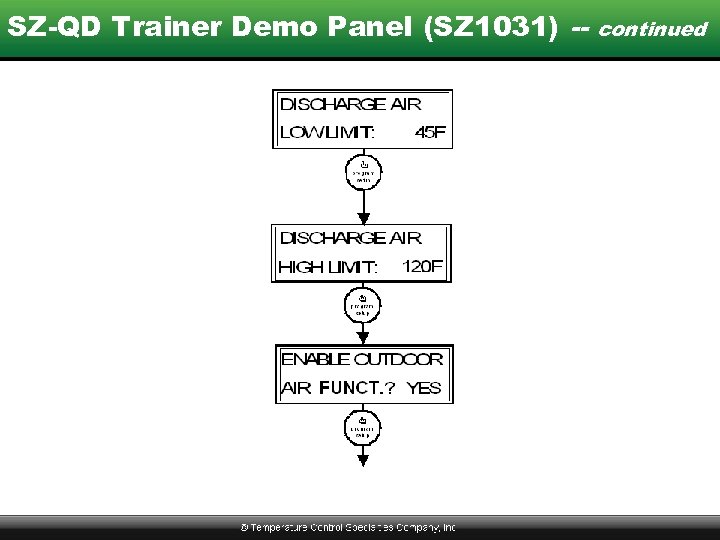 SZ-QD Trainer Demo Panel (SZ 1031) -- continued
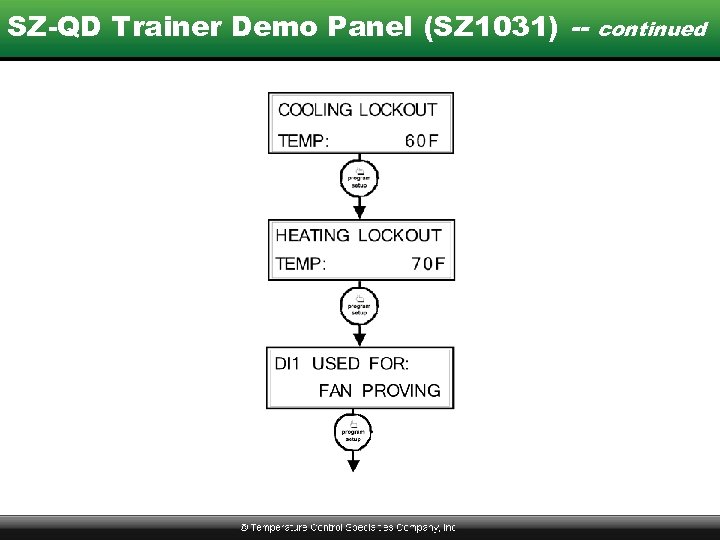 SZ-QD Trainer Demo Panel (SZ 1031) -- continued
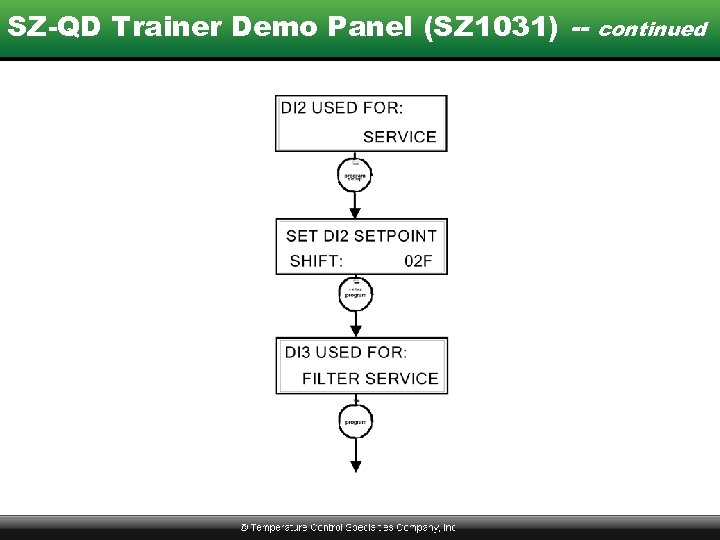 SZ-QD Trainer Demo Panel (SZ 1031) -- continued
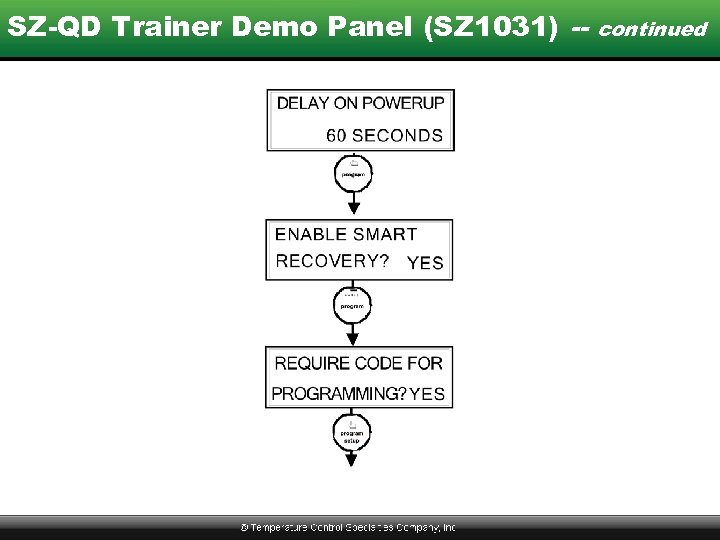 SZ-QD Trainer Demo Panel (SZ 1031) -- continued
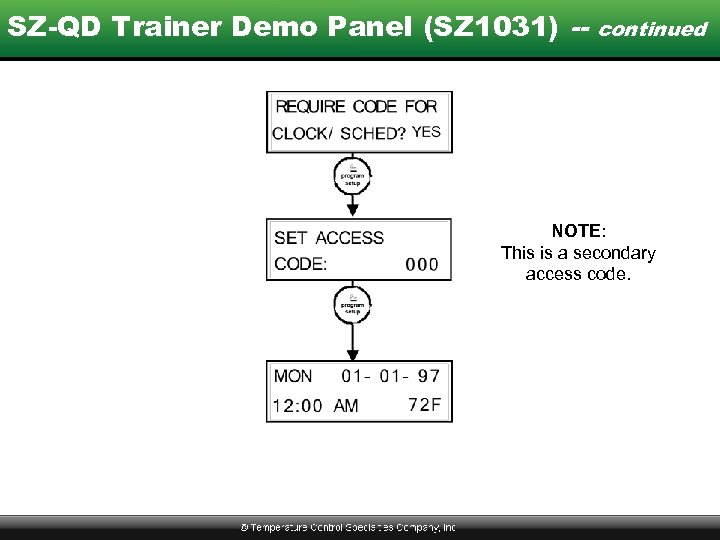 SZ-QD Trainer Demo Panel (SZ 1031) -- continued NOTE: This is a secondary access code.
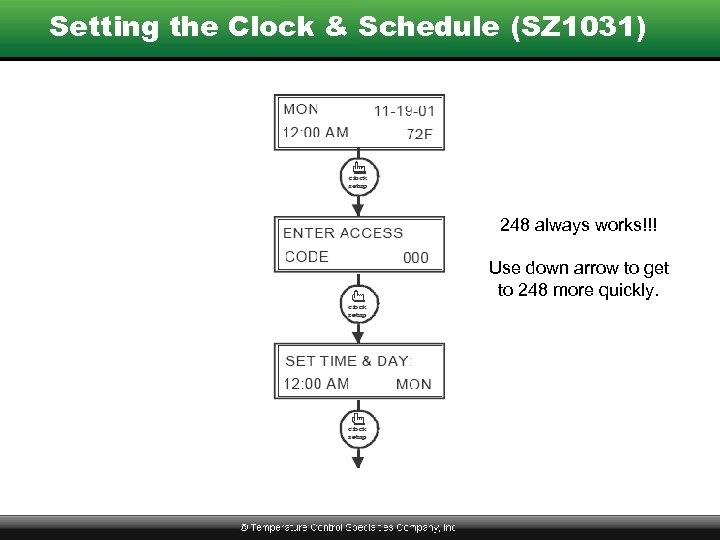 Setting the Clock & Schedule (SZ 1031) 248 always works!!! Use down arrow to get to 248 more quickly.
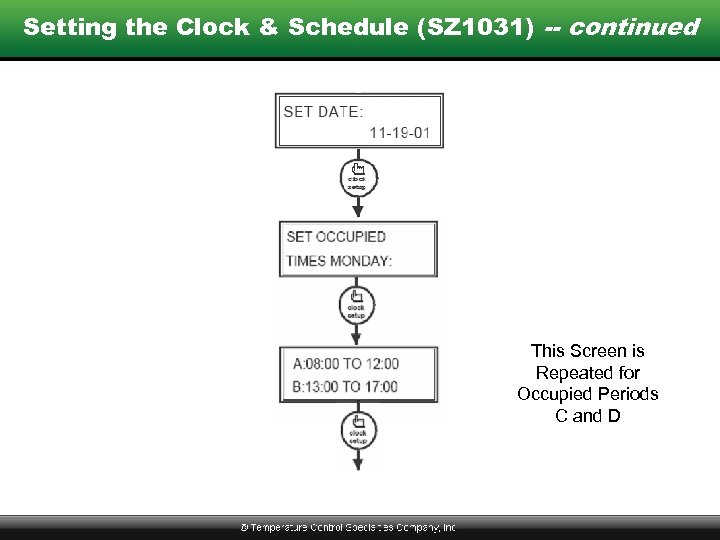 Setting the Clock & Schedule (SZ 1031) -- continued This Screen is Repeated for Occupied Periods C and D
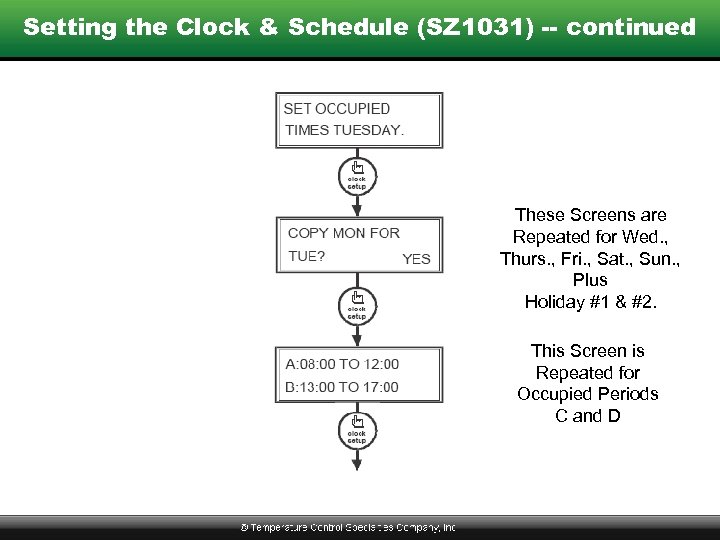 Setting the Clock & Schedule (SZ 1031) -- continued These Screens are Repeated for Wed. , Thurs. , Fri. , Sat. , Sun. , Plus Holiday #1 & #2. This Screen is Repeated for Occupied Periods C and D
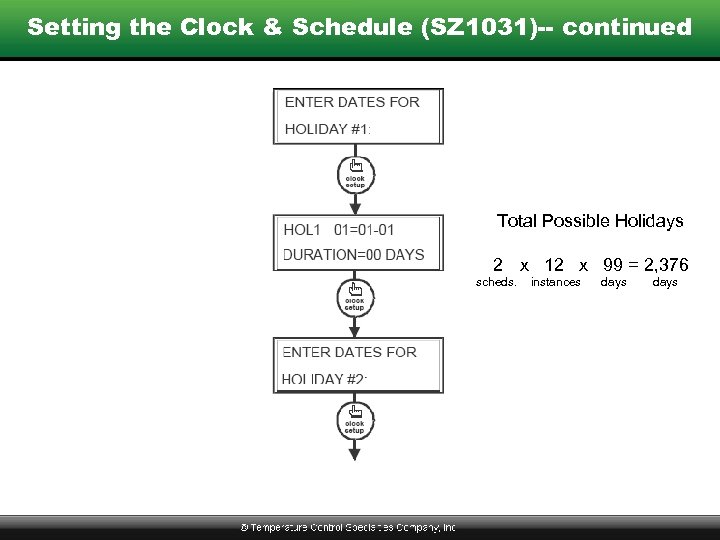 Setting the Clock & Schedule (SZ 1031)-- continued Total Possible Holidays 2 x 12 x 99 = 2, 376 scheds. instances days .
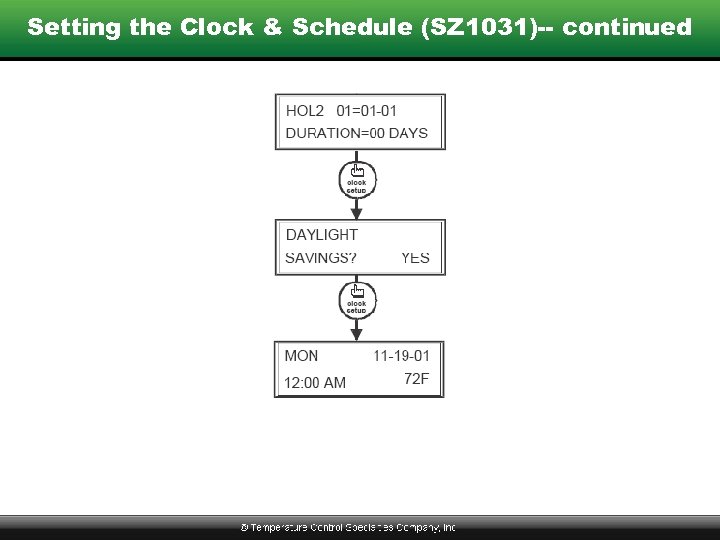 Setting the Clock & Schedule (SZ 1031)-- continued
 Where to Get Help or Answers • • Instructions Sent with Product TCS Basys Controls Catalog Training & Reference Manual www. tcsbasys. com • Call TCS Directly – 800 -288 -9383
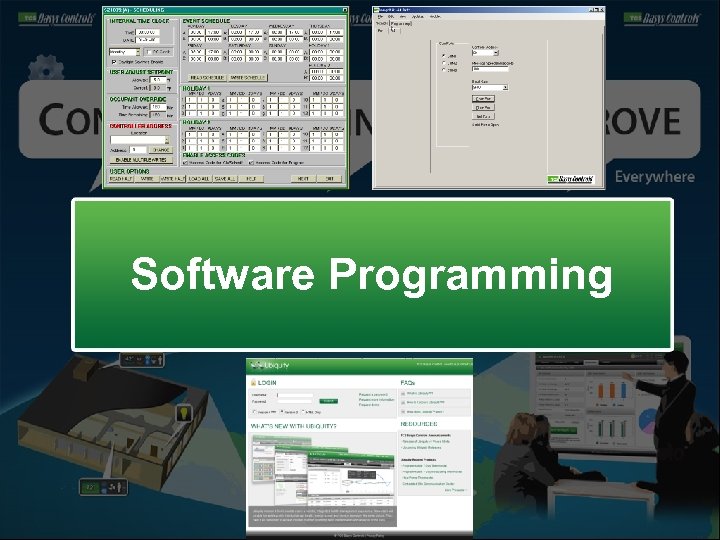 Software Programming
 PC Based Software -- Revelation Professional • Menu Driven Programming • Use for Network Setup & Testing, Commissioning, & Load Balancing • “Read” Before Making Changes • “Write” Before Going to NEXT Menu • “Write” vs. “Write Half / Write Page” • “Load All” & “Save All” Options *** NOT SUPPORTED AS OF JAN 2009 ***
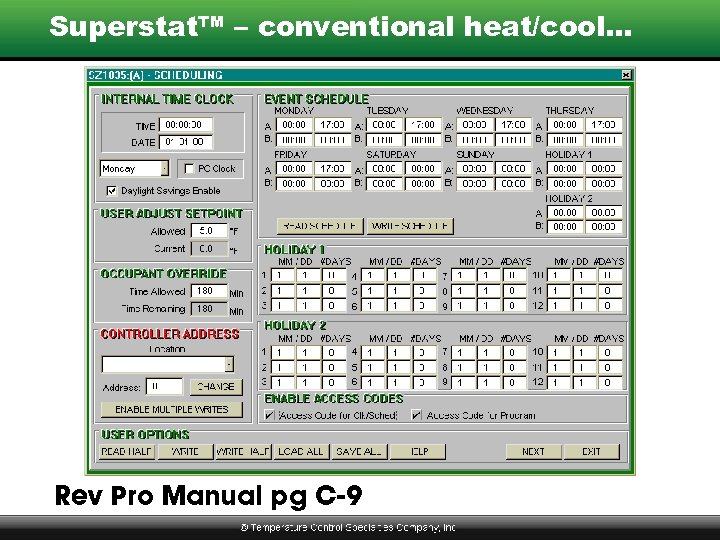 Superstat™ – conventional heat/cool… Rev Pro Manual pg C-9
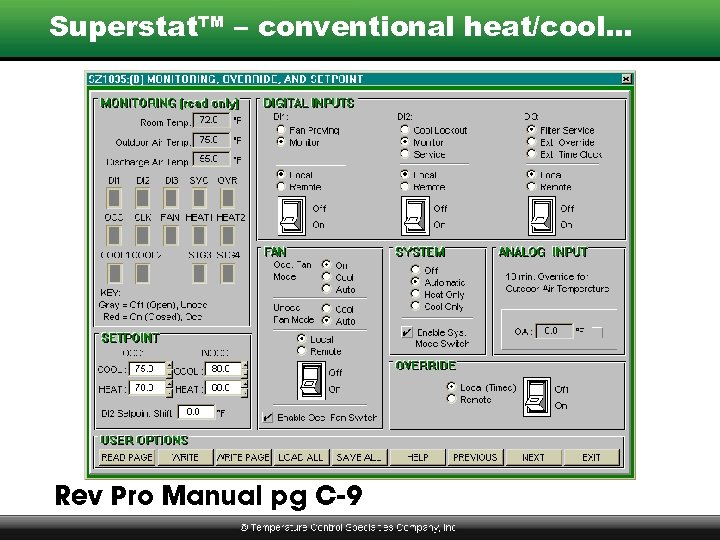 Superstat™ – conventional heat/cool… Rev Pro Manual pg C-9
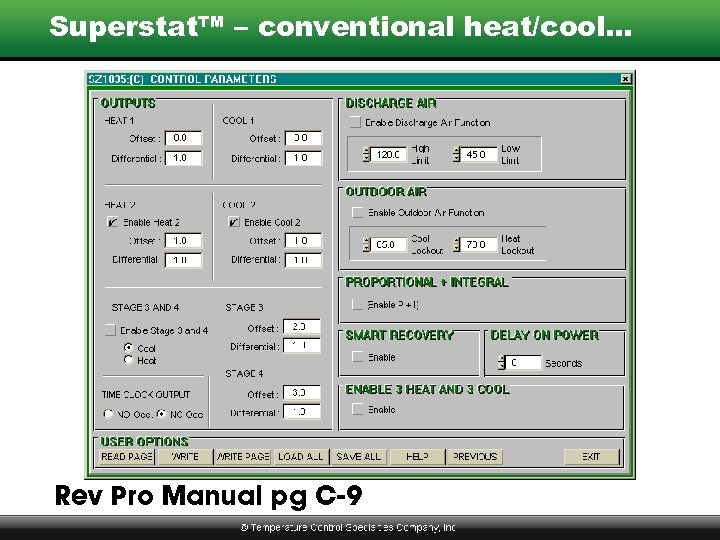 Superstat™ – conventional heat/cool… Rev Pro Manual pg C-9
 PC Based Software -- Insight Similar to Revelation Professional… • Tab Driven Interface • Uses Same Datasheets as Ubiquity • Use for Network Setup & Testing, Commissioning, & Load Balancing • Shows Current Values (no “read” required) • “Write Page” Before Going to New Tab *** NEW SOLUTION AS OF JAN 2009 ***
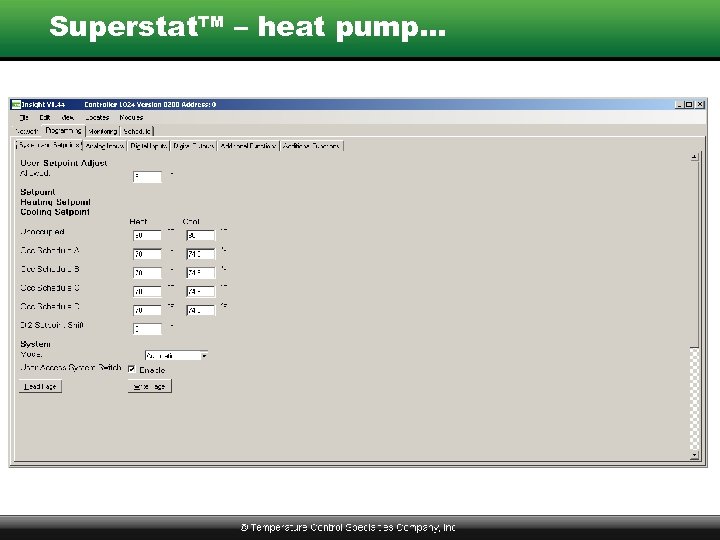 Superstat™ – heat pump…
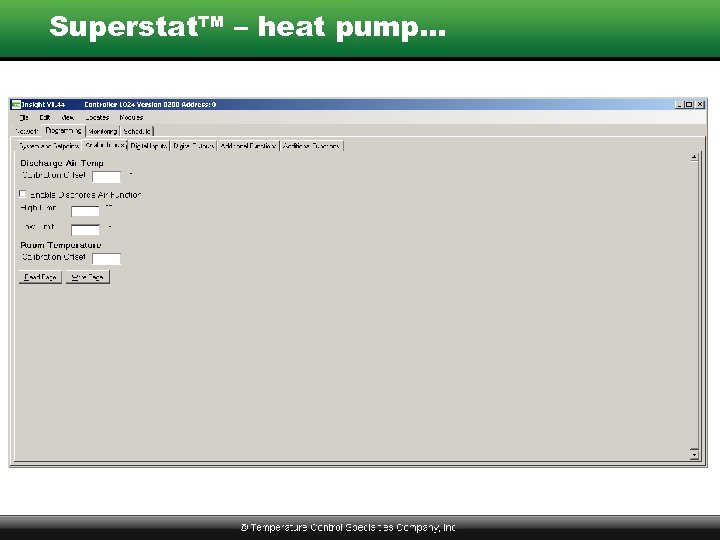 Superstat™ – heat pump…
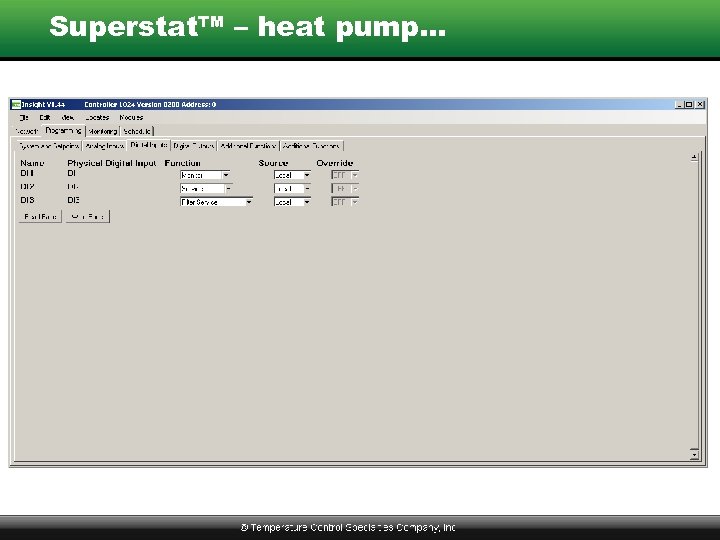 Superstat™ – heat pump…
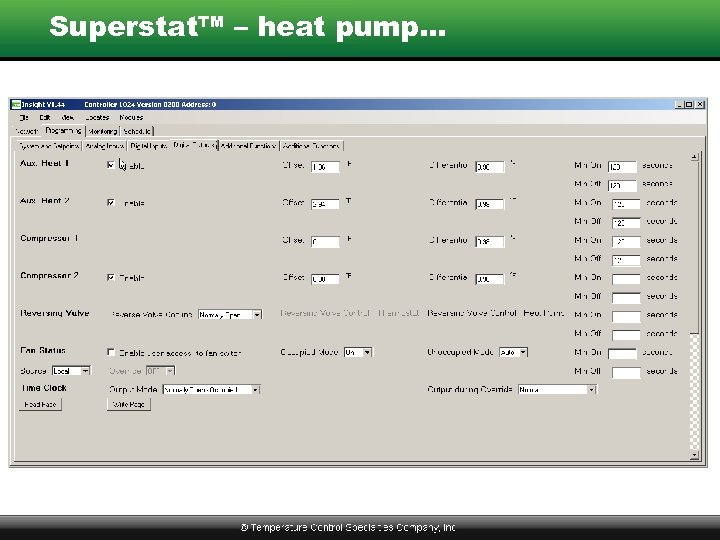 Superstat™ – heat pump…
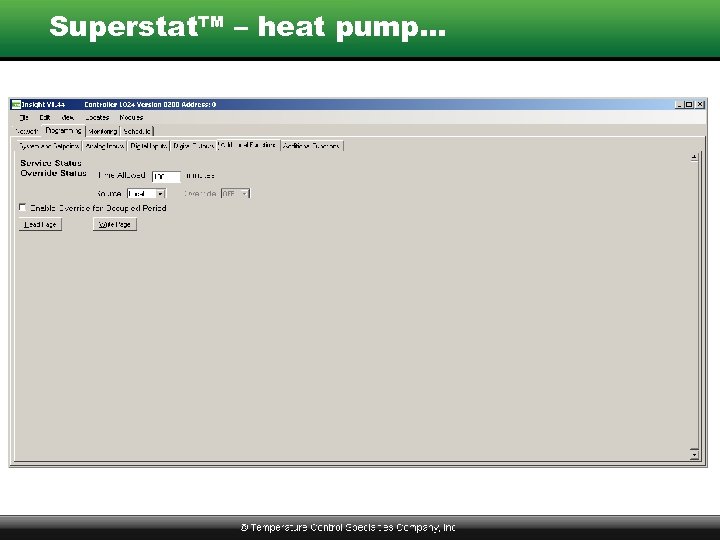 Superstat™ – heat pump…
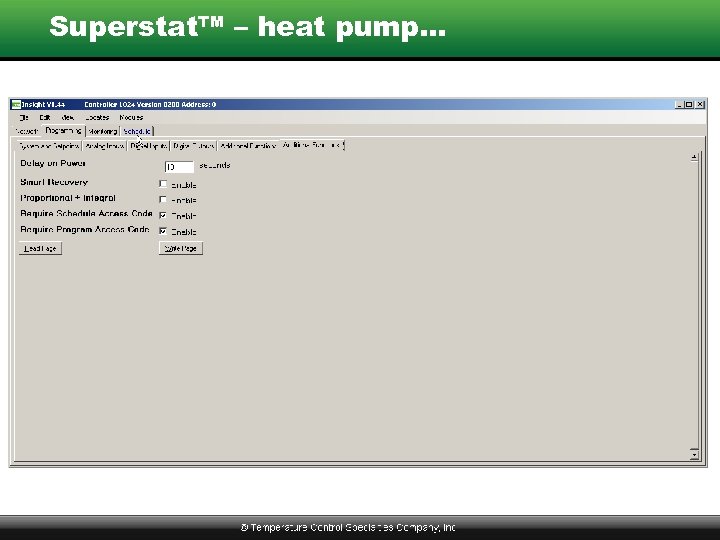 Superstat™ – heat pump…
 Internet Style Software – Ubiquity Similar to Revelation Professional… • Single Page for All Programming Info • Shows Current Values (no “read” required) • Writes All Values on “Submit” • “Read Controller” Option (if needed)
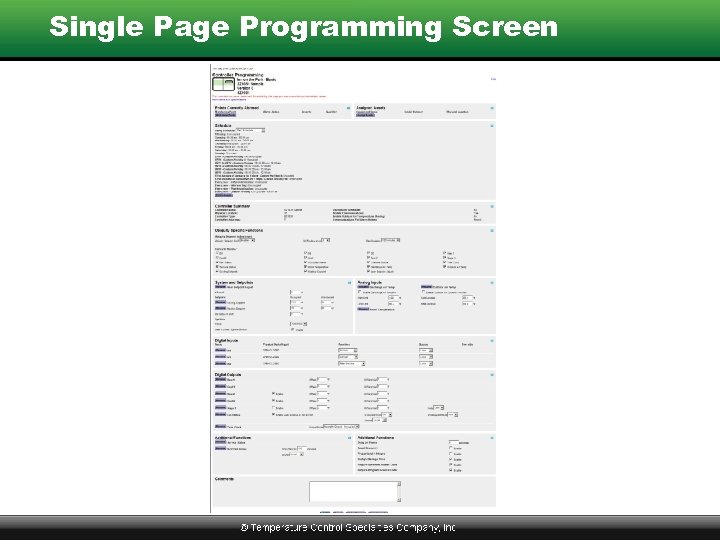 Single Page Programming Screen
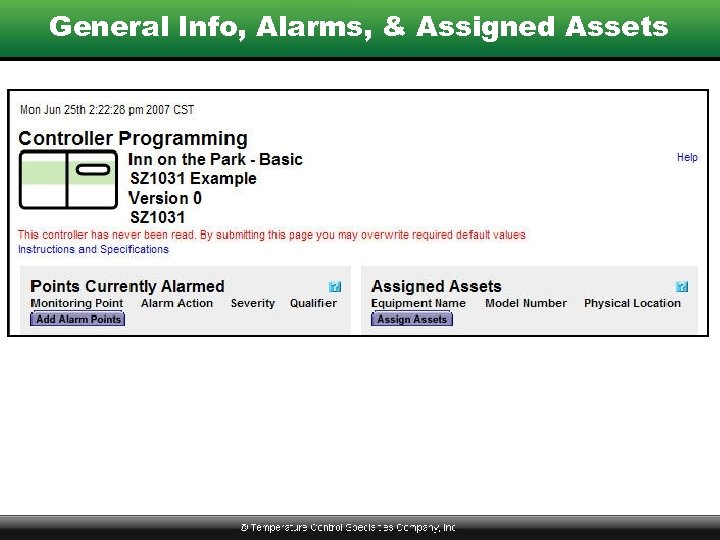 General Info, Alarms, & Assigned Assets
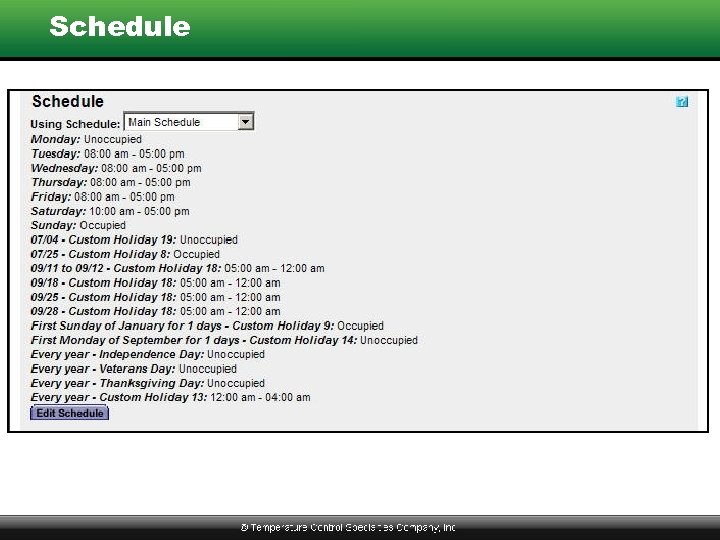 Schedule
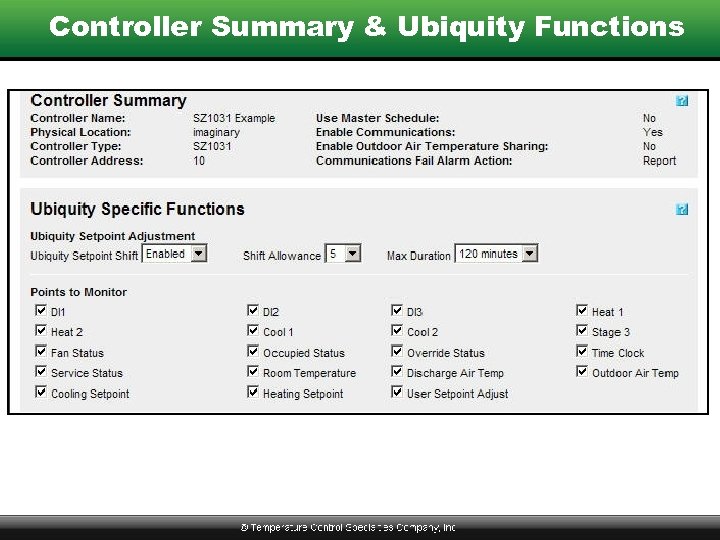 Controller Summary & Ubiquity Functions
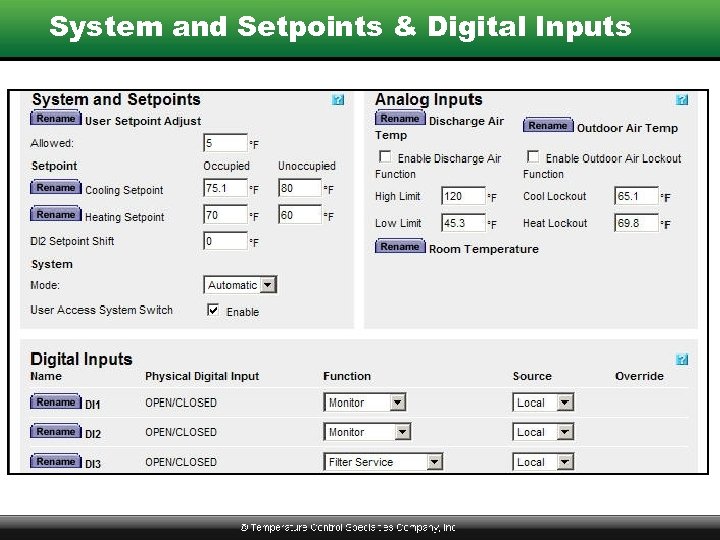 System and Setpoints & Digital Inputs
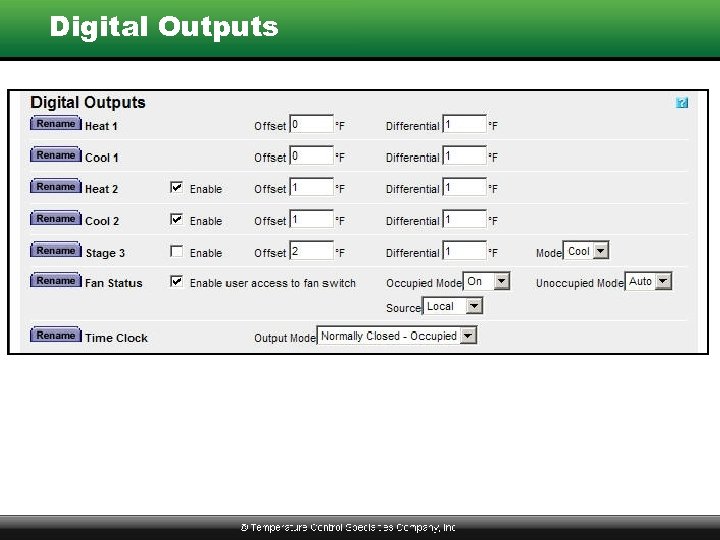 Digital Outputs
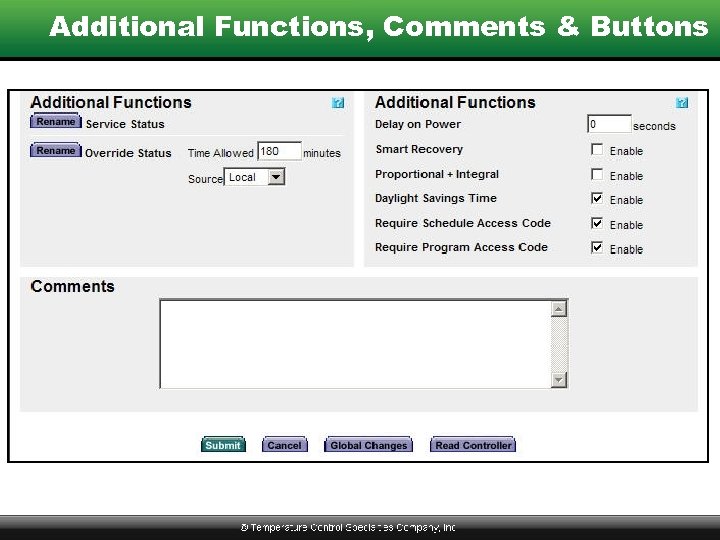 Additional Functions, Comments & Buttons
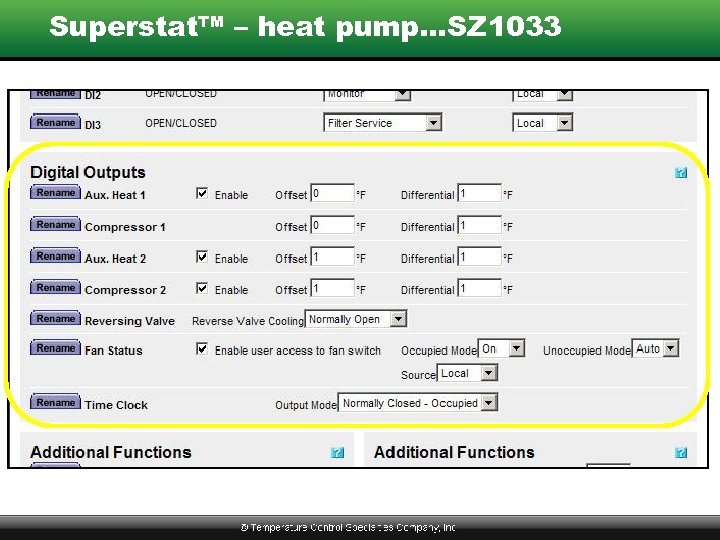 Superstat™ – heat pump…SZ 1033
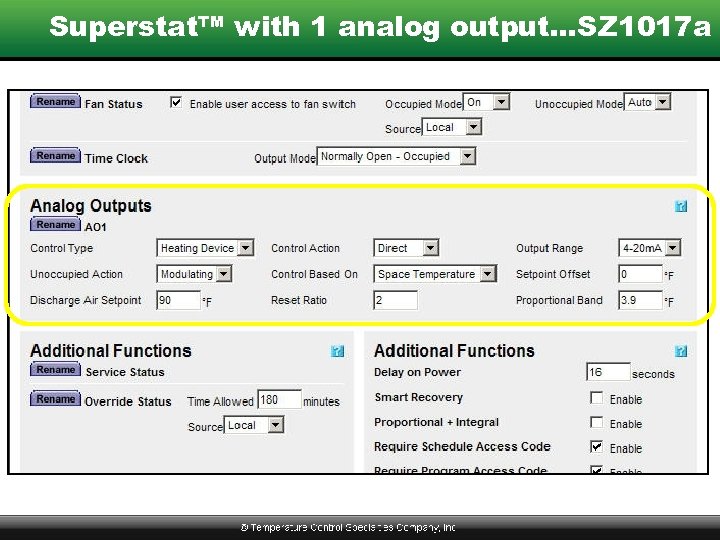 Superstat™ with 1 analog output…SZ 1017 a
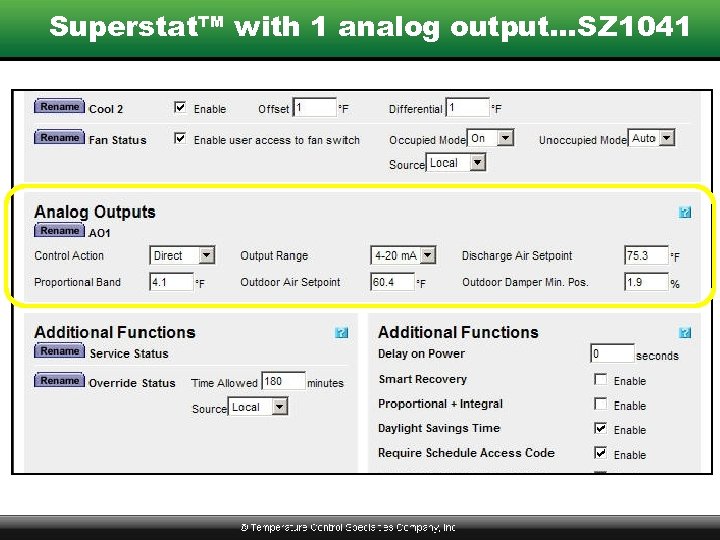 Superstat™ with 1 analog output…SZ 1041
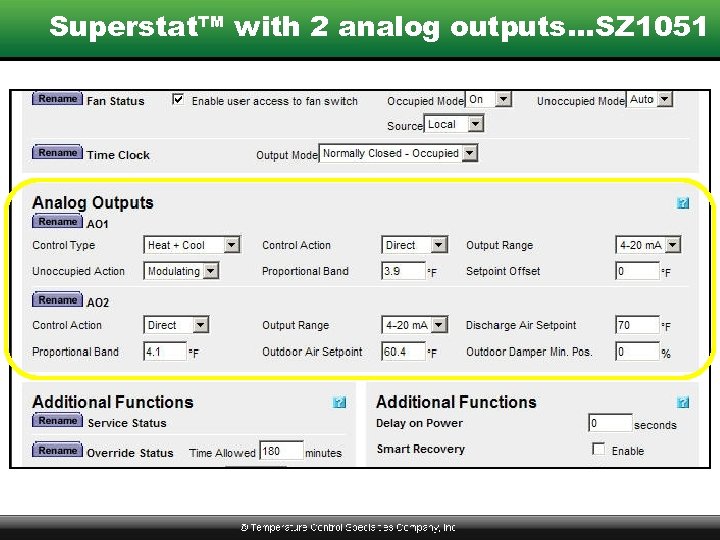 Superstat™ with 2 analog outputs…SZ 1051
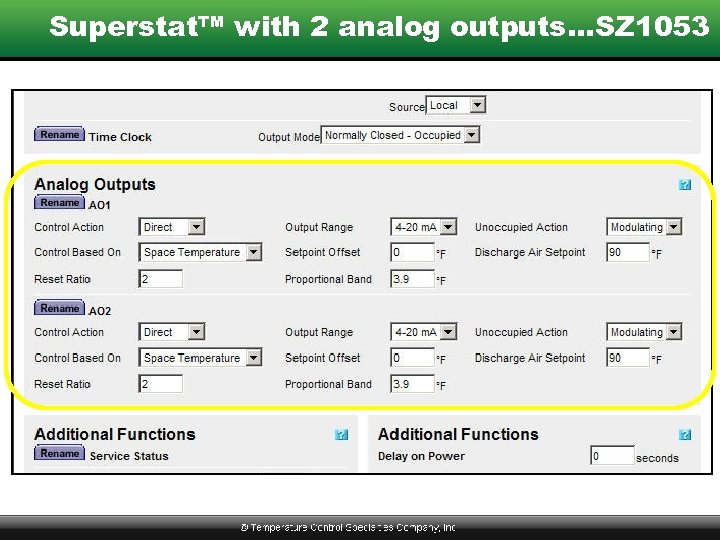 Superstat™ with 2 analog outputs…SZ 1053
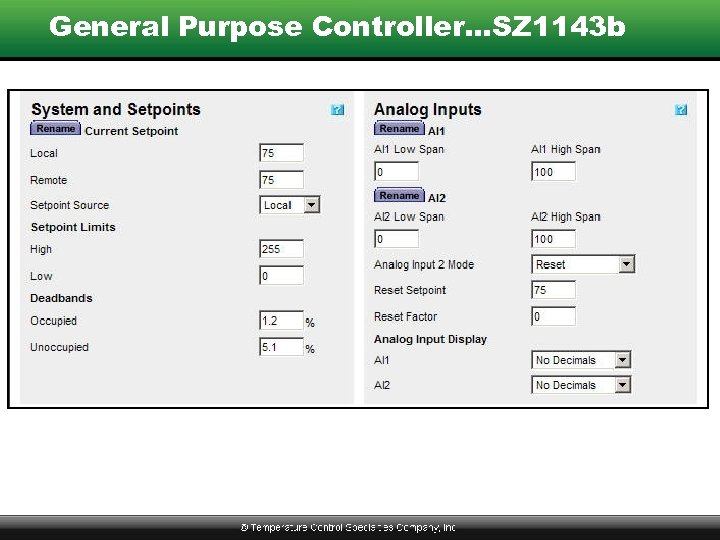 General Purpose Controller…SZ 1143 b
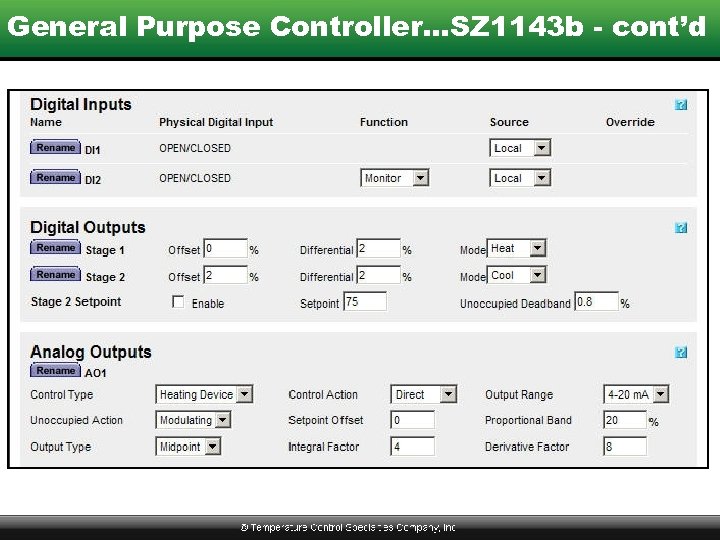 General Purpose Controller…SZ 1143 b - cont’d
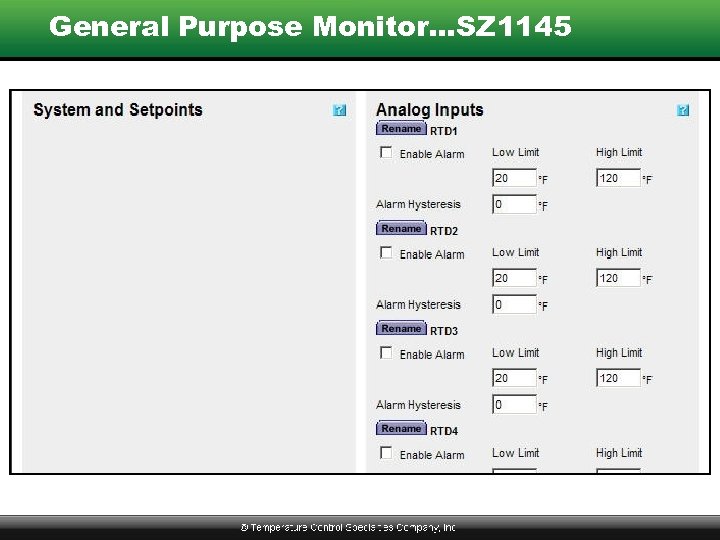 General Purpose Monitor…SZ 1145
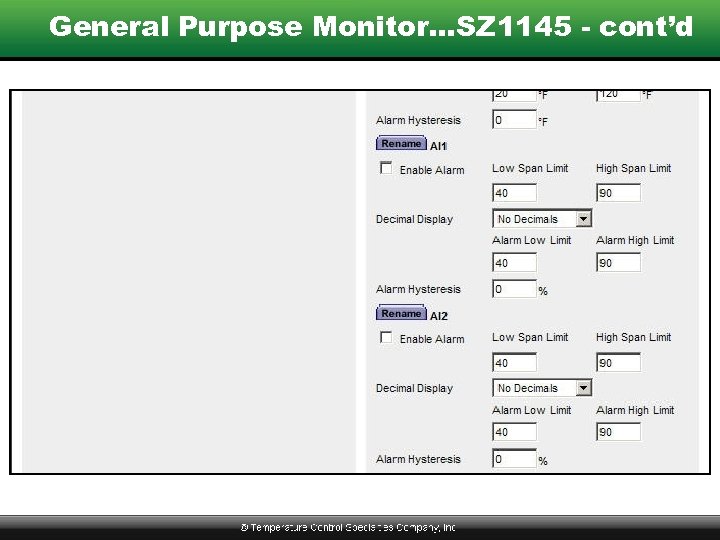 General Purpose Monitor…SZ 1145 - cont’d
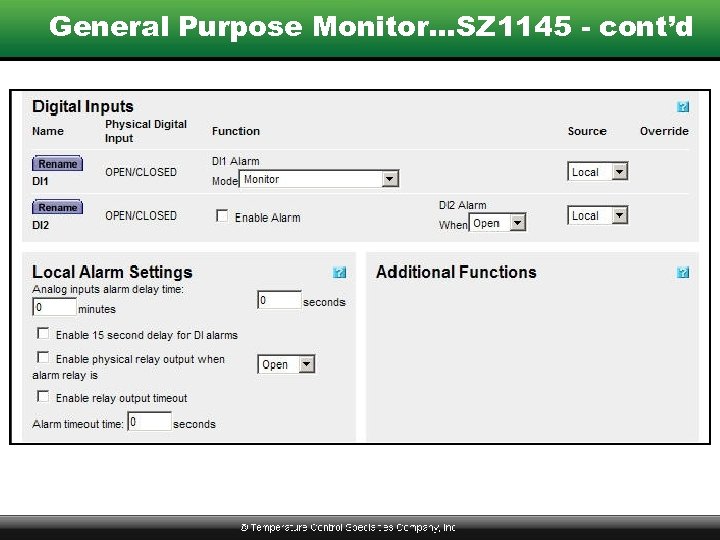 General Purpose Monitor…SZ 1145 - cont’d
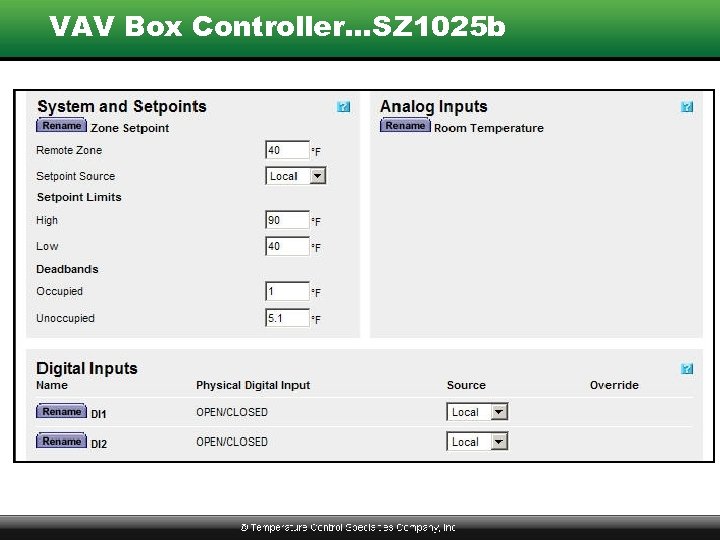 VAV Box Controller…SZ 1025 b
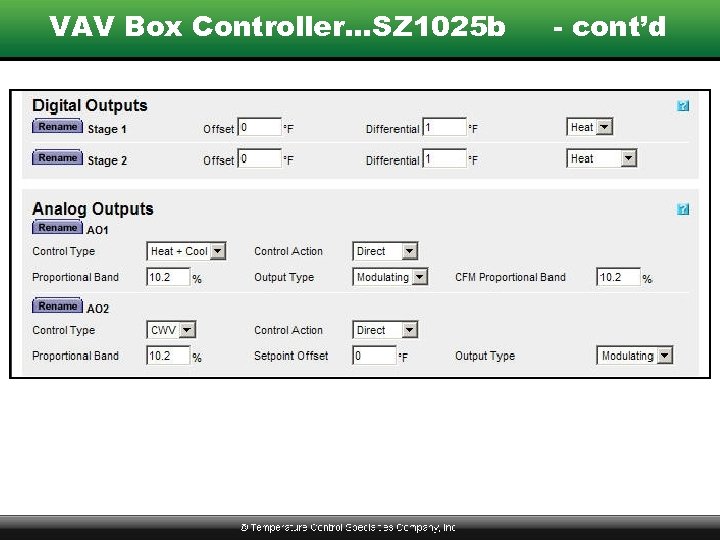 VAV Box Controller…SZ 1025 b - cont’d
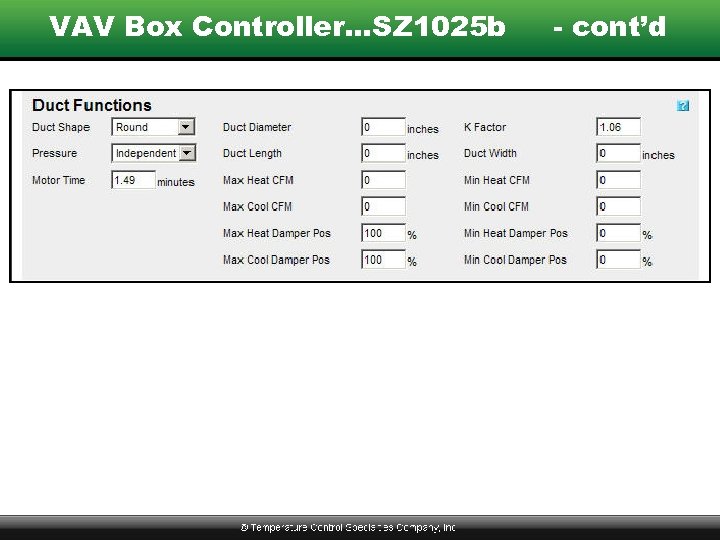 VAV Box Controller…SZ 1025 b - cont’d
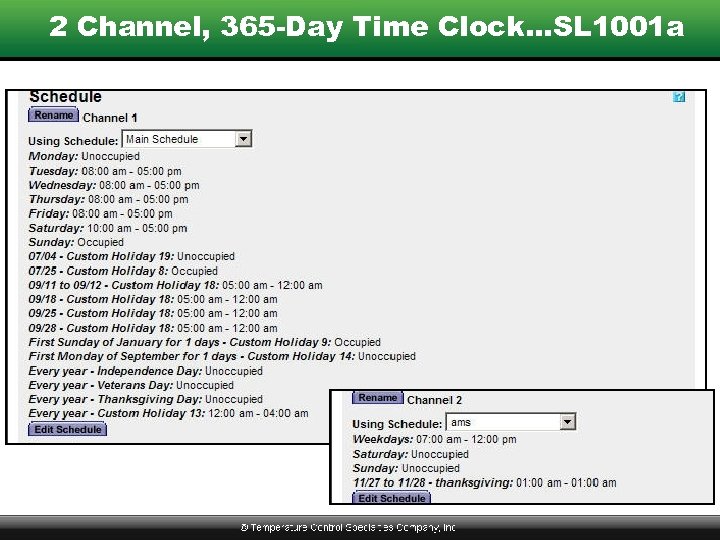 2 Channel, 365 -Day Time Clock…SL 1001 a
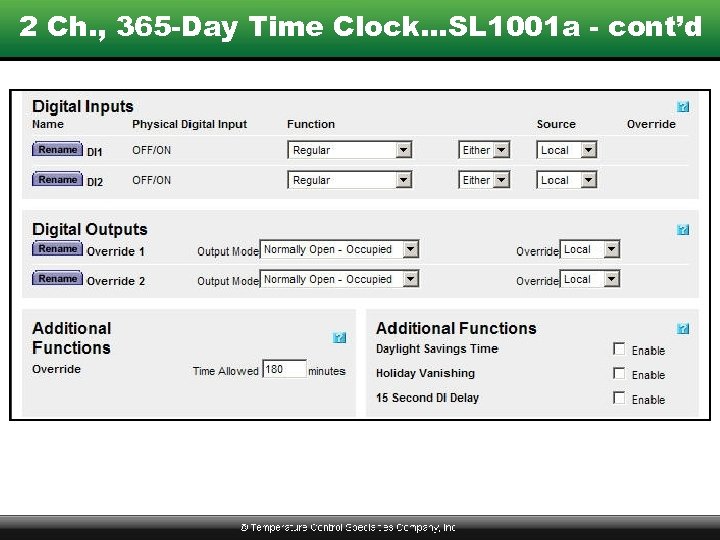 2 Ch. , 365 -Day Time Clock…SL 1001 a - cont’d
 Where to Get Help or Answers • • Instructions Sent with Product TCS Basys Controls Catalog Training & Reference Manual www. tcsbasys. com • Call TCS Directly – 800 -288 -9383
 Controller Wiring