 Скачать презентацию Ready For A Directory Enabled World Nand Mulchandani
aa33b5dd734b879928d0656cfeadf73c.ppt
- Количество слайдов: 20



Ready For A Directory Enabled World? Nand Mulchandani Co-Founder, Oblix, Inc. nand@oblix. com March 31, 1999
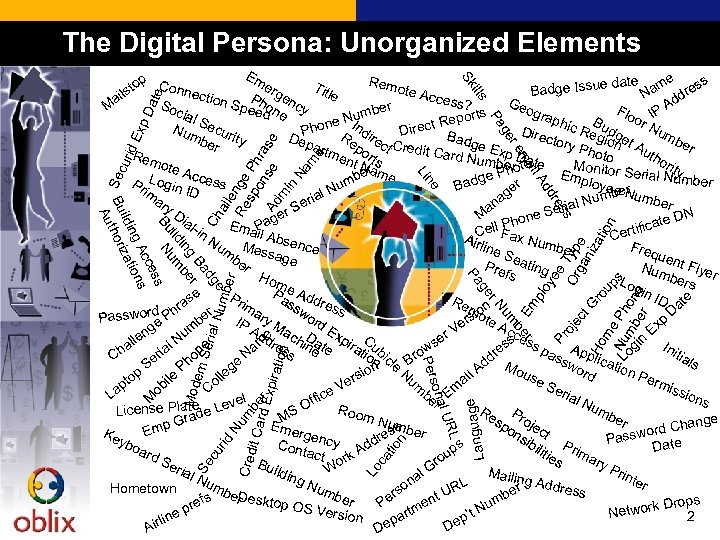
The Digital Persona: Unorganized Elements all e Re nge sp Ph o r Ad nse ase m in Na m e Ch ye n tio ca Lo e g Langua tion Nu m Cred it Ca be rd Er xpira oj e Em plo umb er cu rid Mod em Seri r be al N um r. N L R al U son Per Se e Or Typ ga e ct niz G Ho ro ati me on up s Nu Ph mb on er e s ge Pa Pr Exp rid e dg Ba r g in be ild um Bu N s ces s Ac ng ation ildi z Bu thori Au s re dd ne Se cu Li il A ma re ge Pa Da te ills Sk Em p Rem e date ame ess erg Tit to Conne ote A Badge Issu le N ils ction dr ccess Ph e a Geo Soc Spee on ncy ? Ad r M e F gra d e ial I rts umb phic Bu loor NP Sec e Nn Repo I d ct on Nu R dg Dire Ph um Dire mb urity Bad Re ire Dep ctory egionet A be ge E er artm po ct Credit C r Pho uth ard Nu xp Da to Rem ent rts ori mberotote Mo Na r y h Emp nitor Serial Ntumb be me ge P r Log Access er m Pr loye r ad u B e. N im in ID be um ge l. N a ar ria ber Num y. D an Se erial r S M e e DN ial P on Ema. Pag icate ll F h -in if Ce ax Cert Airl Nu M il Absen Num Freq ine ce ber e m Sea uen be ssage ting Pre r Num t Flyer fs Hom bers Log e. A in I Pa dd Pr se D ate Re n ss r im ra mio wo ess h r ot a D s Password P IP ry M rd be e er e Ac xp m Ad e ac D Ex E ng c r. V d s ess Nu e a in In lle m re hine te pira Cub se l a g w pa App es ss tio ic itia ria hon Na ro Ch ssw lica Lo dr n le B ls e d M tion Se n N g P ord ous io p l. A le Per l rs um e. S ile to ai mis Ve m Co eria ap ob sion be E e L l fic M l. N s r Of late e Leve um Roo Re Pr License P ad S ber m. N M sp oje Gr nge umb Eme on ct mp rd Cha ss er o E Ke rge sib re Passw ate ybo s Cont ncy Add ilit Prim D ard act up ies ary Se ro ork Bui Pri rial W ldin l. G Mailin nte Nu g. N g Add na L r mb um ress R Hometown so er b ber t. U D s er esktop er P en um Drops ref OS Ve rtm rsion Network ep ’t N 2 p lin pa De Air De
Overview • Directory Enabled Applications • Directory Enabled Infrastructure • Issues to consider when deploying Directories – How do Directory Servers fit into everything – Scope and use of the Directory – Implementation considerations • Longer term issues with Directories 3
The Power of the Directory Enabled Network • The power of a Directory is directly proportional to the number of applications using it • Directories hold the promise of enabling a new class of applications – Rich and comprehensive profiles drive personalization – Ubiquity of configuration information drives universal access – Infrastructure (like the network) automatically work with the applications – Ability to set global policies in a single place – Extensive access control to setup and enforce policies – User centric vs. Administrator centric focus • Directory-enable existing applications – Can replace parts of the applications to enable Directory use – Can synchronize application information into the Directory 4
What does “Directory Enabled” mean? • Any application that uses or stores information in the Directory • Basic Information to keep in the Directory – User Profile Information – Application Configuration Information – Business Rules & Policy Information • Directory Enabled Infrastructure – – Directory Enabled Networking (DEN) Messaging Servers Single Signon Application Configuration Information • Directory Enabled Applications – Messaging Clients, Address books – Project Management – Corporate Services Automation (CSA) 5
Directory Enabling Your Applications • Use Directory authentication – Eliminate multiple user authentication databases • Store application configuration information in the Directory – Can run multiple copies of the products without having to deal with configuration information – Can manage configuration information through standard admin consoles (e. g. Netscape Mission Control) • Add per-user configuration information with user object – Current trend is to use auxiliary classes to store this information – Can distribute change management of this information using applications like Oblix CSA – Per-user configuration is not tied down to a particular computer or workstation – Information can be used by other applications as well 6
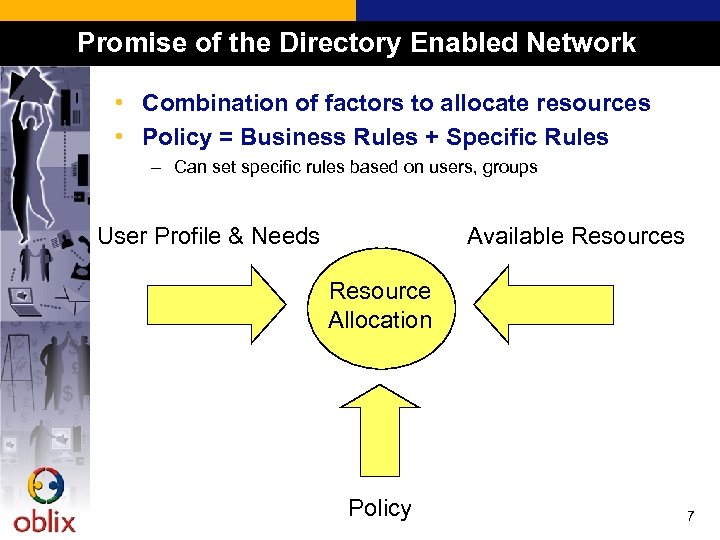
Promise of the Directory Enabled Network • Combination of factors to allocate resources • Policy = Business Rules + Specific Rules – Can set specific rules based on users, groups User Profile & Needs Available Resources Resource Allocation Policy 7
Considerations in Directory deployment • It is important to understand how the Directory fits in with the organization – Existing business processes – Organizational/Environmental considerations • Scope and use of the Directory – – NOS vs. Extranet Authentication only vs. complete profiles Publishing vs. Infrastructure Is the Directory only for use by IT infrastructure? • Implementation considerations – – Tree design issues Access Control Data sources and synchronization Directory Management 8
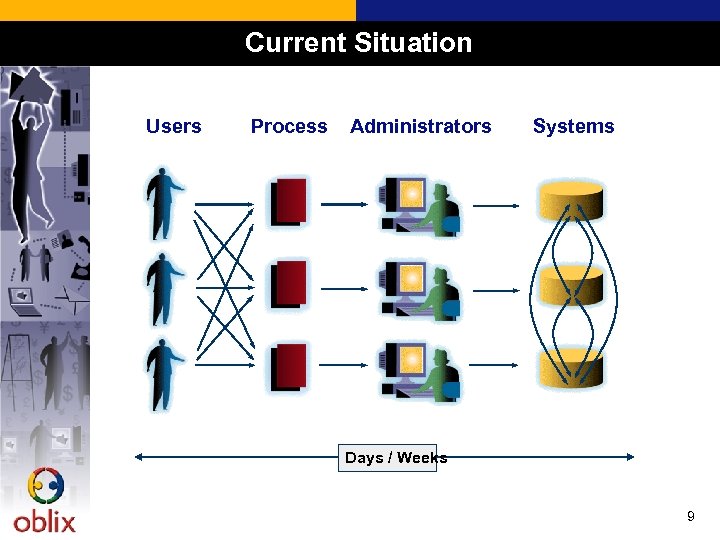
Current Situation Users Process Administrators Systems Days / Weeks 9
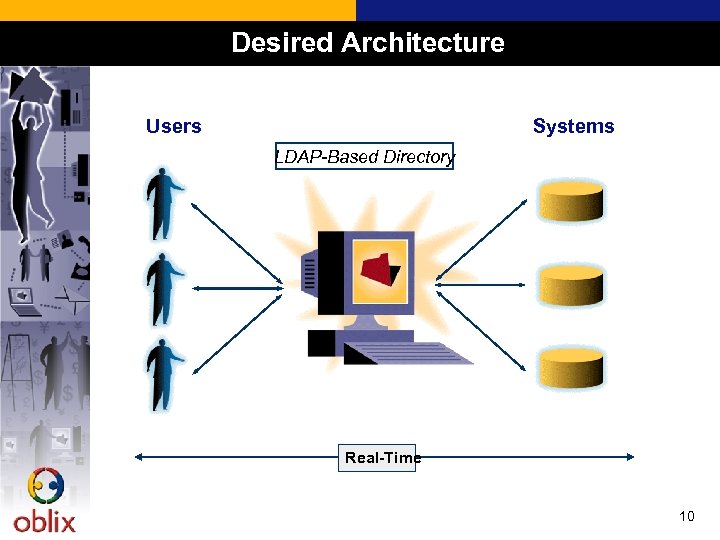
Desired Architecture Users Systems LDAP-Based Directory Real-Time 10
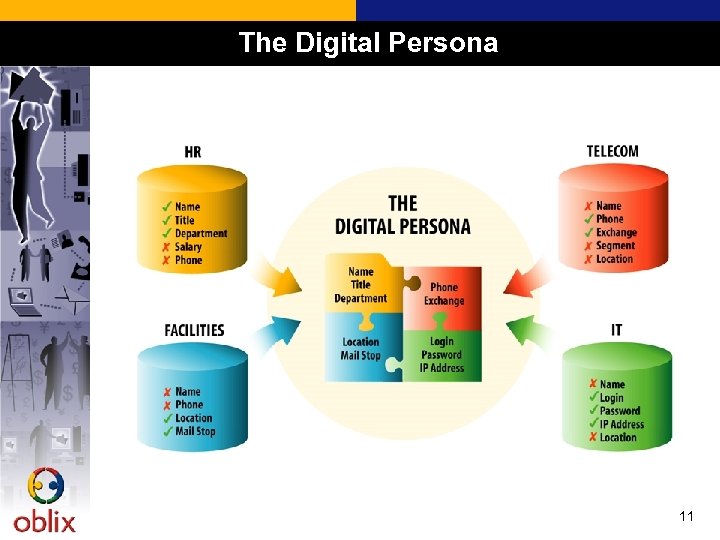
The Digital Persona 11
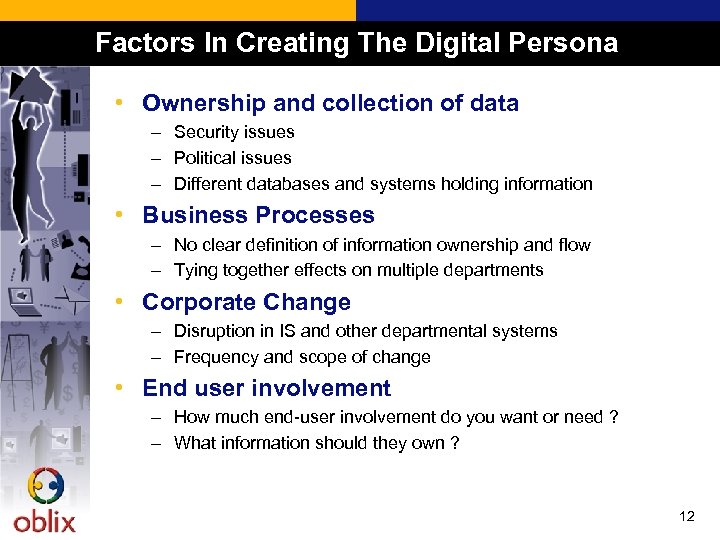
Factors In Creating The Digital Persona • Ownership and collection of data – Security issues – Political issues – Different databases and systems holding information • Business Processes – No clear definition of information ownership and flow – Tying together effects on multiple departments • Corporate Change – Disruption in IS and other departmental systems – Frequency and scope of change • End user involvement – How much end-user involvement do you want or need ? – What information should they own ? 12
Key Questions • Where does the information come from ? – Department specific databases and applications • Who owns the data ? – IS – Other departments (HR, Facilities, Telco) – Employees and Managers • Who manages the data ? – IS wants to manage their own data but not all the data – Other departments want to own their own data but don’t have access to it • How is it all automated ? – Manual entry by a few people is simply not possible • Where are the savings ? – Infrastructure is not enough, need applications and other uses of data 13
Volume and Complexity of Change • Constant change in the user base affects the Directory – Rolling out these new services can place a new load on administrators to keep up with the constant change in the user base • Integration with the rest of the enterprise – With the concept of the integrated network, it is no longer possible to have disconnected business processes – The Directory is fundamental and cannot exist in isolation – Requires coordination with HR, Facilities, Telco, etc. • Policies cannot be centrally created and managed by a single group – All that IS should do is set policies, and let the different departments take care of what they want to do within those constraints – Need to understand organizational/cost structure to set policies 14
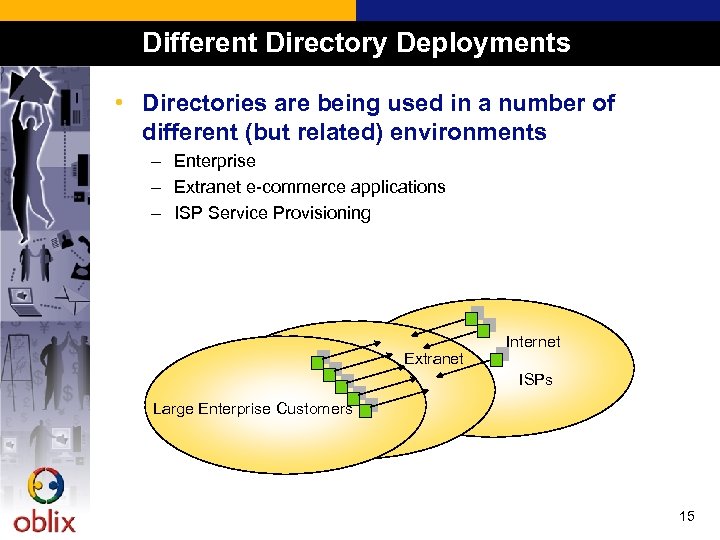
Different Directory Deployments • Directories are being used in a number of different (but related) environments – Enterprise – Extranet e-commerce applications – ISP Service Provisioning Extranet Internet ISPs Large Enterprise Customers 15
Enterprise Directory Deployment • Single Directory with all user profiles? – Short term, customers are deploying Directories for specific reasons or in conjunction with other systems (like Messaging Servers) • Cross-Vendor Directory replication is very important – If there is more than one Directory, then need to synchronize the various systems – Unfortunately, cross-vendor Directory replication does not entirely work • Transition will happen over time 16
Extranet/ISP Directory Deployment • Extranet/ISP: Access control based on user profiles – Profiles control application use, information, etc. • Extranet: Internal vs. External users – Typically not stored in the same Directory as the internal users – Need to rollout self-service to manage support costs • ISP: Policy management outside the firewall – Bandwidth control for customers 17
Directory Tree Design • How do we create a single Directory structure based on different views of the organization? • Network Administrators – “Everyone in a subnet” – “Everyone in a domain” • HR – “Everyone in a division” – “Everyone in a cost-accounting group” • Facilities – “Everyone in this building” • Telecom – “Everyone on a particular switch” 18
Example: Directory Enabled Networking • Each DS uses its own tree structure – Some are flexible, and some are not – Different between Active Directory and Netscape Directory Server • Policies are setup at the tree level – Can setup overall policies based on organizational unit (ou), or even for specific users • Impact of Directory structure – Access control and policy creation can be rendered useless with a flat tree structure – Can find alternate ways of defining membership (dynamic groups, common attributes) 19
Longer-term issues with Directory Servers • Infrastructure Issues – Scalability – Replication • Same vendor server to server • Different vendor server to server – Inter-operability between different servers – “Platform” independence – Security and authentication • Certificates, etc. • Proxy connections and access control • Application Support Issues – Schema design and extension – Directory structure and layout • Organizational, Network-oriented, Geographic, Flat – Access control to support a variety of different uses – Transaction support 20
Скачать презентацию Ready For A Directory Enabled World Nand Mulchandani
aa33b5dd734b879928d0656cfeadf73c.ppt