 Скачать презентацию Ready Fire Aim Oops maybe we should Aim
f656b45186eca0eaf6363eee18d032b2.ppt
- Количество слайдов: 39



Ready, Fire, Aim Oops, maybe we should Aim 1 st Larry Marine Intuitive Design Group © 2005 Intuitive Design Group, Inc.
Some Typical Project Problems n n n n Unclear objectives Vague requirements Inconsistent agendas Assumptions, opinions, and cultures Poor communication across departments Emotionally biased design ideas Ready, Fire, Aim! © 2005 Intuitive Design Group, Inc.
Ready, Fire, Aim n Innovate, then build a market around it q n It’s the common product design approach q q q n n Define a solution, then find a problem it solves QFD Six Sigma TQM A feature or technology-oriented approach Throw the dart, then rush a target under it © 2005 Intuitive Design Group, Inc.
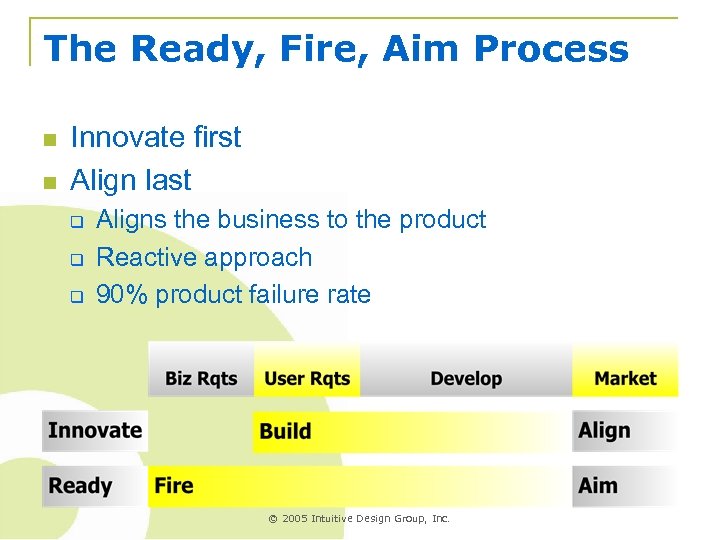
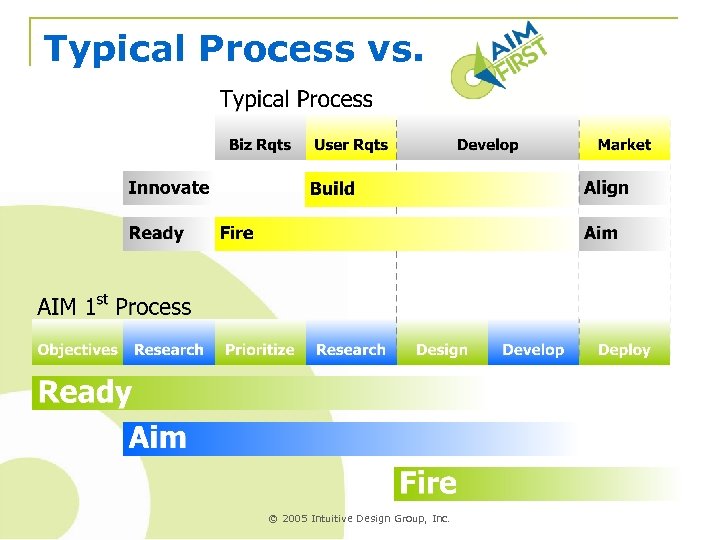
The Ready, Fire, Aim Process n n Innovate first Align last q q q Aligns the business to the product Reactive approach 90% product failure rate © 2005 Intuitive Design Group, Inc.
Ready, Aim, Fire n n n Identify the key business objectives Look for the market that fits the objectives Innovate the product to fit that market q n n Creates a cross-cultural team from the outset A more task-oriented approach q q n Define the problem, THEN the solutions Objectives, metrics, and priorities Users and tasks, not features Find the target, then throw the dart © 2005 Intuitive Design Group, Inc.
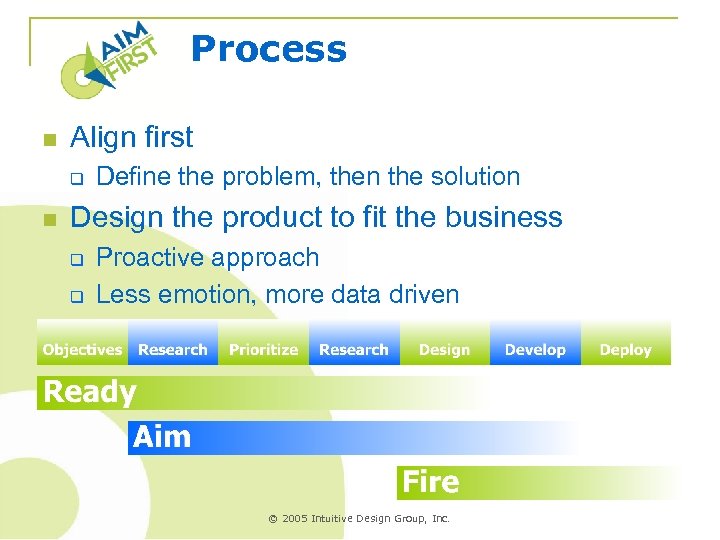
Process n Align first q n Define the problem, then the solution Design the product to fit the business q q Proactive approach Less emotion, more data driven © 2005 Intuitive Design Group, Inc.
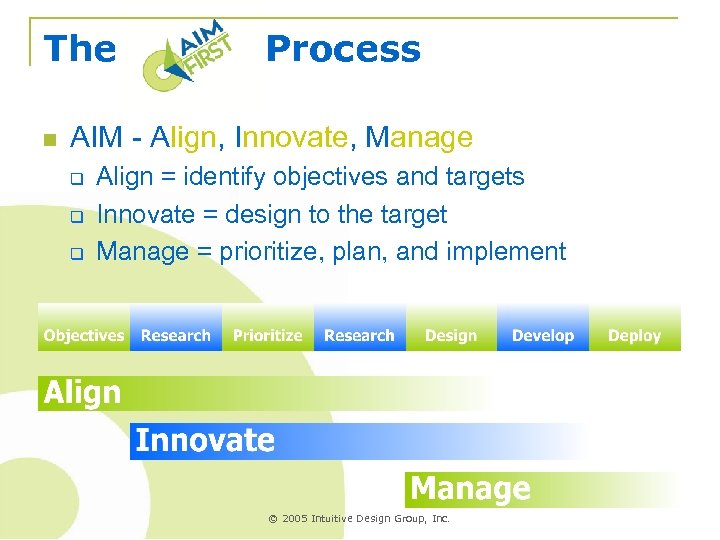
The n Process AIM - Align, Innovate, Manage q q q Align = identify objectives and targets Innovate = design to the target Manage = prioritize, plan, and implement © 2005 Intuitive Design Group, Inc.
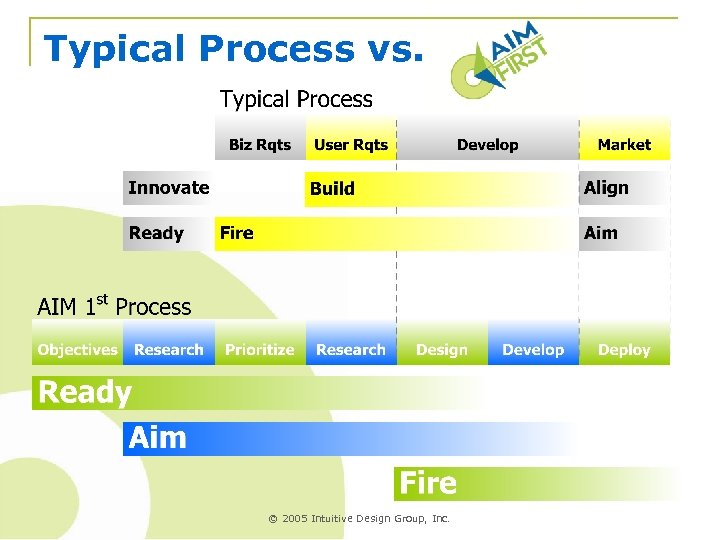
Typical Process vs. © 2005 Intuitive Design Group, Inc.
Establish the Goal, First n If you don’t know where you are going, q n n n Any road will get you there – Lewis Carroll What business goals must be achieved? What marketing objectives support them? Who is in that target market domain? What are their biggest problems? How feasible is it to solve their problems? © 2005 Intuitive Design Group, Inc.
Example: Web Content Monitor n Original target: q n Original tasks: q q n Corporate IT admin level users Set content filters Run prohibited access attempt reports Original design q q Very techie interface “One screen fits all” approach © 2005 Intuitive Design Group, Inc.
Identify Objectives (Ready) n Business Goals and Metrics q q n Increase revenue or decrease costs Metrics must be observable and measurable Marketing Objectives q q Deepen existing relationships Source customers from competitors Attract new customers in existing market Open new markets © 2005 Intuitive Design Group, Inc.
Example: Objectives n Increase revenues q n Profitability reached after 1, 000 licenses sold Increase market share q q Wide open market Few competitors Few users signed up Lots of potential users © 2005 Intuitive Design Group, Inc.
Observations vs. Interviews n n n Interviews and Surveys limit your insight Users constrained by their perceptions of the problems and the current technology You know more about the problem and the potential opportunities than your users Claimed vs. actual behavior The unspoken info is often more valuable Avoid automating current frustrations © 2005 Intuitive Design Group, Inc.
New or Existing Target Users? n n n Who do you observe? Go to the right users that fit your goals Generally speaking: q q Existing users can’t help you sell to new markets Can’t reduce costs by observing non-users New market ideas come from non-users Competitor’s users help you source customers from your competitors © 2005 Intuitive Design Group, Inc.
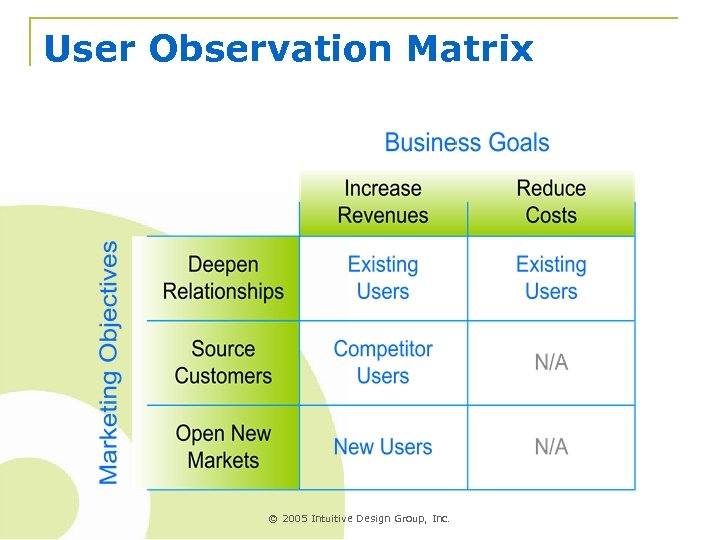
User Observation Matrix © 2005 Intuitive Design Group, Inc.
Initial User Research n Get an idea of what problems exist q q n Work backwards q q q n Focus on identifying key tasks Get more details later Identify the desired outcomes Identify the task artifacts Identify the task triggers 4 -6 users of each type q q Avoid analysis paralysis Users and influencers © 2005 Intuitive Design Group, Inc.
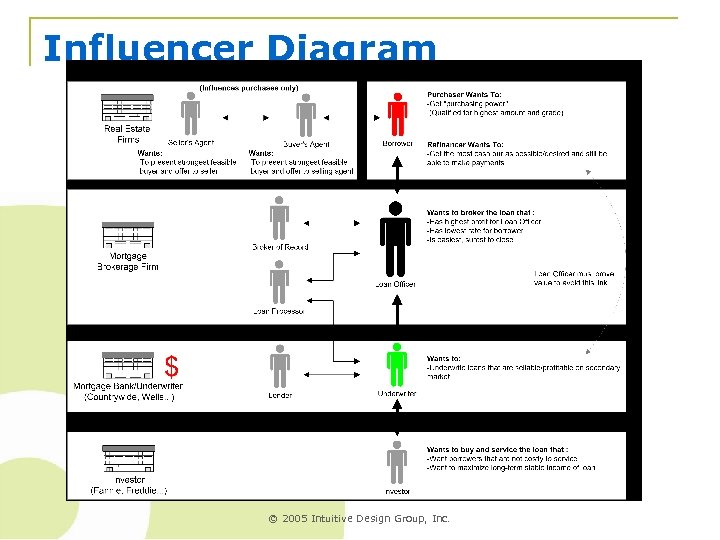
Influencer Diagram © 2005 Intuitive Design Group, Inc.
Example: Research – Round 1 n n n Initial findings showed IT is NOT the user HR executives set content access limits HR managers run reports to verify violations q q Need to iterate with different report settings Wait hours and days to get reports from IT HR required by law to address violations by EOD Asking IT to run reports violates privacy laws © 2005 Intuitive Design Group, Inc.
Prioritize (Aim) n n n List the user roles (personas) & influencers List the tasks, not features, for each role Rate the impact from 3 key perspectives q q q n Users Business and Marketing Technology Focus on the priorities q q q Desirability Profitability Feasibility © 2005 Intuitive Design Group, Inc.
Prioritization Process n Users: Importance to their goals Biz: Importance to the stated objectives Tech: Feasibility of implementing MUST have equal distribution of scores n Biz & Users: 1 is lower, 3 is higher priority n n n q n 3 = right now, 2 = next version, 1 = next year Tech: 1 is harder, 3 is easier to implement © 2005 Intuitive Design Group, Inc.
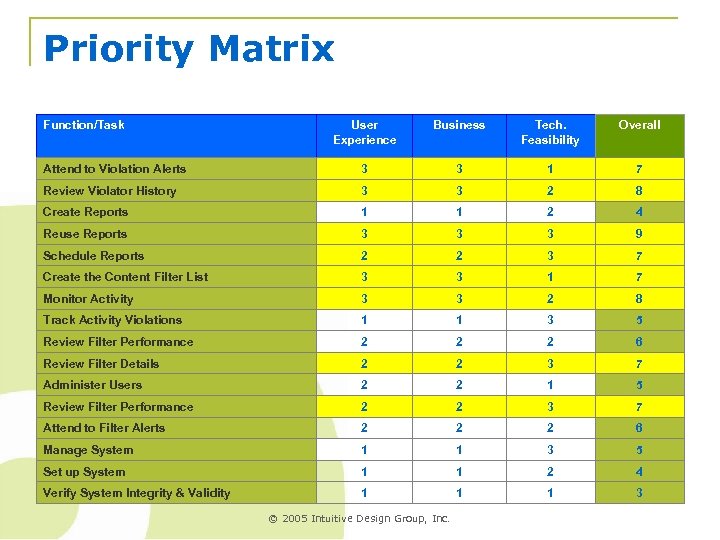
Priority Matrix Function/Task User Experience Business Tech. Feasibility Overall Attend to Violation Alerts 3 3 1 7 Review Violator History 3 3 2 8 Create Reports 1 1 2 4 Reuse Reports 3 3 3 9 Schedule Reports 2 2 3 7 Create the Content Filter List 3 3 1 7 Monitor Activity 3 3 2 8 Track Activity Violations 1 1 3 5 Review Filter Performance 2 2 2 6 Review Filter Details 2 2 3 7 Administer Users 2 2 1 5 Review Filter Performance 2 2 3 7 Attend to Filter Alerts 2 2 2 6 Manage System 1 1 3 5 Set up System 1 1 2 4 Verify System Integrity & Validity 1 1 1 3 © 2005 Intuitive Design Group, Inc.
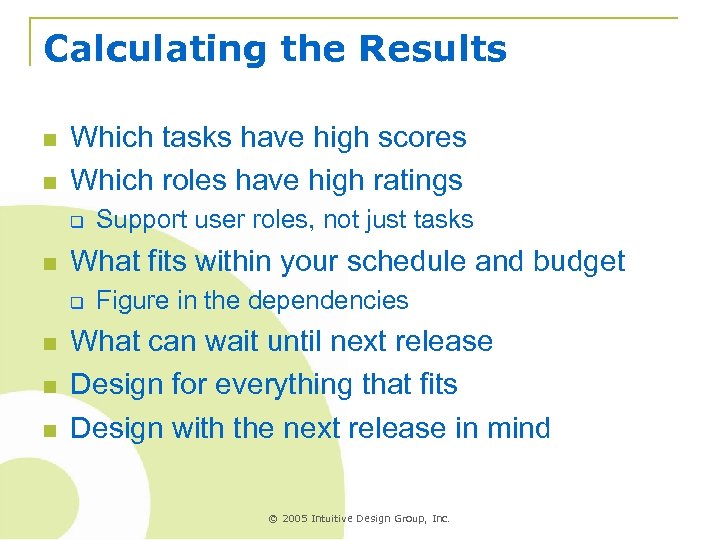
Calculating the Results n n Which tasks have high scores Which roles have high ratings q n What fits within your schedule and budget q n n n Support user roles, not just tasks Figure in the dependencies What can wait until next release Design for everything that fits Design with the next release in mind © 2005 Intuitive Design Group, Inc.
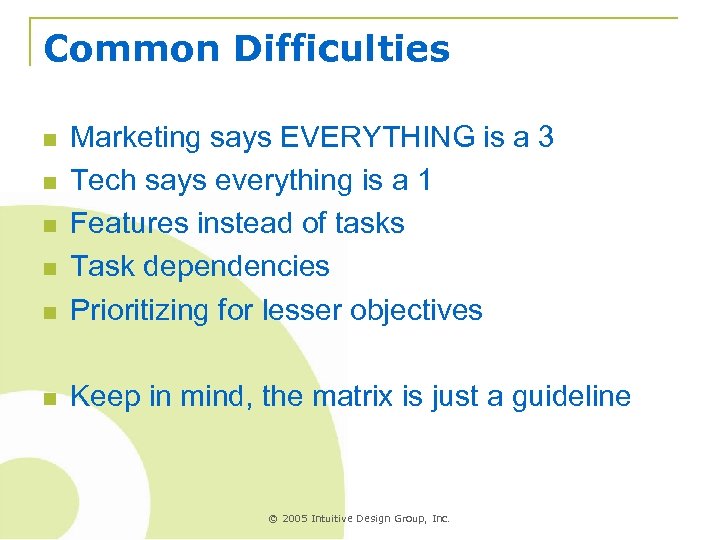
Common Difficulties n Marketing says EVERYTHING is a 3 Tech says everything is a 1 Features instead of tasks Task dependencies Prioritizing for lesser objectives n Keep in mind, the matrix is just a guideline n n © 2005 Intuitive Design Group, Inc.
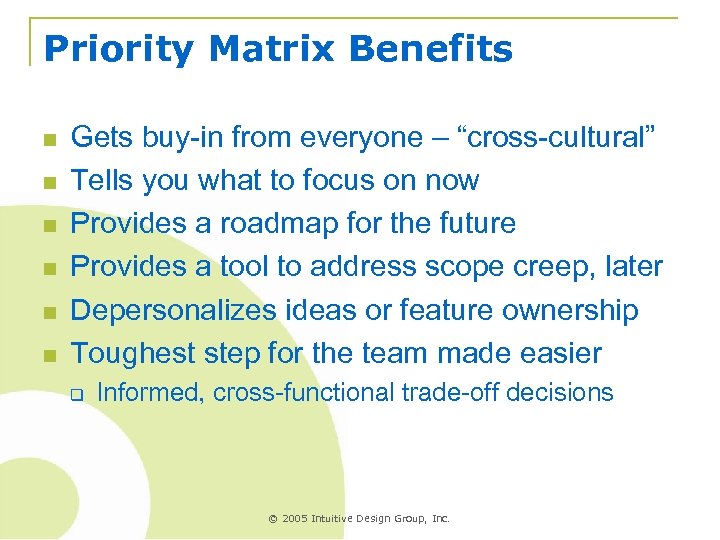
Priority Matrix Benefits n n n Gets buy-in from everyone – “cross-cultural” Tells you what to focus on now Provides a roadmap for the future Provides a tool to address scope creep, later Depersonalizes ideas or feature ownership Toughest step for the team made easier q Informed, cross-functional trade-off decisions © 2005 Intuitive Design Group, Inc.
Example: Priorities n n New users mean new marketing approach Refocus product for new users and tasks q q Interaction and navigation design Task and feature organization Take advantage of existing architecture Cast out existing interface design (and users) © 2005 Intuitive Design Group, Inc.
User Research – Round 2 n n n Focus on the prioritized user & tasks Identify complete tasks Get more details Collect artifacts Test ideas or concepts on users © 2005 Intuitive Design Group, Inc.
Example: Research – Round 2 n Focus on HR users and their tasks q q Content filter settings Report templates Report archiving (for later use in case of lawsuit) Automatic alert mechanism © 2005 Intuitive Design Group, Inc.
Create Task Flows n n Focus on one user role at a time Focus on one task at a time, per user role q n Work backwards q q n Flow out the complete task What’s the goal What does it take to achieve that goal We use colored sticky-notes © 2005 Intuitive Design Group, Inc.
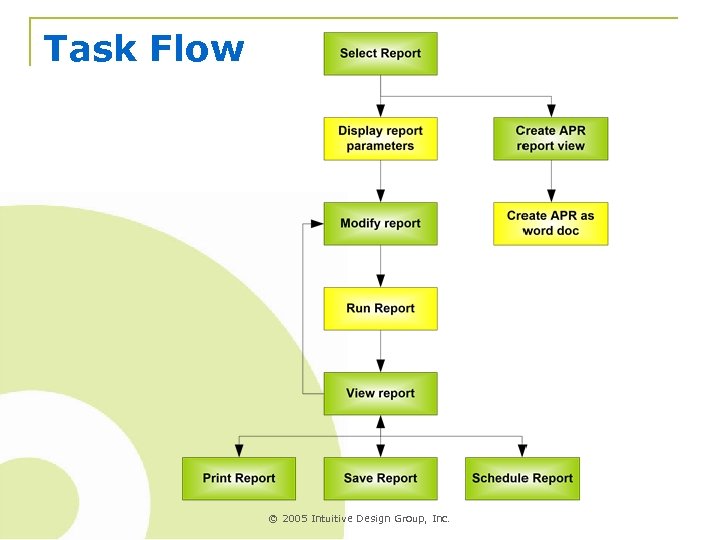
Task Flow © 2005 Intuitive Design Group, Inc.
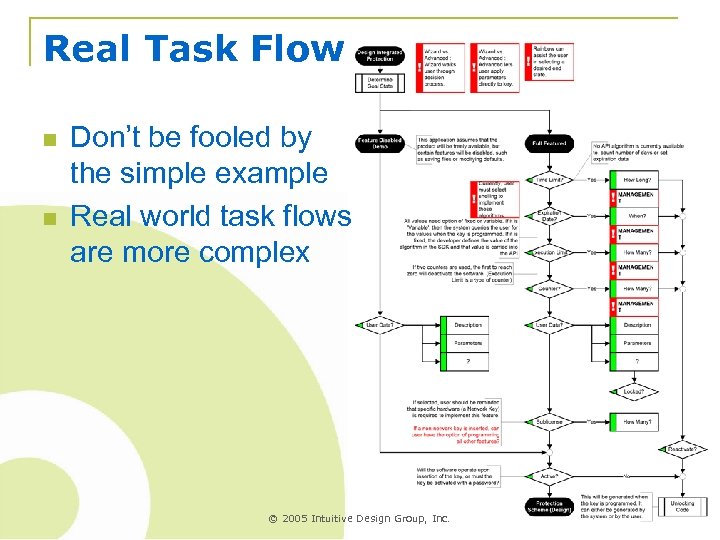
Real Task Flow n n Don’t be fooled by the simple example Real world task flows are more complex © 2005 Intuitive Design Group, Inc.
Design (Fire) n n Follow the priority matrix Focus on the key users’ tasks q q n Design for the target users q q n Task-oriented design model Similar features replicated in several places New users means new interface model Existing users means leverage an interface model Allow for growth of next priority tasks q Design for now, with an eye on the future © 2005 Intuitive Design Group, Inc.
Design for the Tasks (Fire) n n n Again, work backwards Focus on the desired results Design interfaces for the greens Hide the yellows Stick to the task q q q Avoid “cool” ideas that don’t directly fit the task Design for the task not the technology Keep in mind what “success” is for the user © 2005 Intuitive Design Group, Inc.
Example: Design n Role based access q q q n HR executive HR manager Department manager Distributed tasks across users q q q Set/change content limits (per dept. or user) Run violation reports and address violations Monitor users for continued violations © 2005 Intuitive Design Group, Inc.
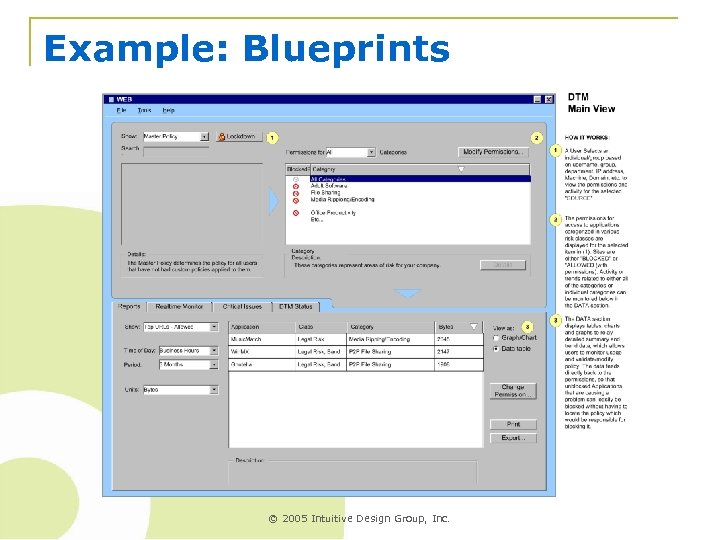
Example: Blueprints © 2005 Intuitive Design Group, Inc.
Final Deliverable n n Objectives and Metrics Users and Tasks Priorities Design blueprints q q Navigation Interaction Screen/Page Layouts System Behaviors © 2005 Intuitive Design Group, Inc.
Rely on Checklists, not Memory n Most processes depend on memory to know how and when to perform each step q n They also generate irrelevant paperwork AIM First uses deliverables as a checklist to drive your user research and design process q q q Objectives & Metrics User research Matrix Priority Matrix Task Flows Design Wireframes © 2005 Intuitive Design Group, Inc.
Fitting n Not a matter of what to do but when to do it q n q q q n Reorganize your current processes Define the problem, first q n into Your Process Clarify business & marketing objectives Get a target market and go observe them Identify potential directions, but not designs General ideas and product concepts Prioritize objectives and tasks Design to solve the prioritized problems © 2005 Intuitive Design Group, Inc.
Typical Process vs. © 2005 Intuitive Design Group, Inc.
Successful Results n Task-oriented designs q n Easily fits into your current processes q q n Make it easier for your users to succeed at the tasks that make you money Doesn’t require much process re-engineering Avoids wasting time and resources Improves communication between depts. q q q Gets cross-functional input early Avoids opinion wars Sets clear and appropriate expectations © 2005 Intuitive Design Group, Inc.
Скачать презентацию Ready Fire Aim Oops maybe we should Aim
f656b45186eca0eaf6363eee18d032b2.ppt