 Скачать презентацию Reading Data in Web Pages A very
40e58cdd900c4cbf1c980a45dd58c48a.ppt
- Количество слайдов: 84



Reading Data in Web Pages • A very common application of PHP is to have an HTML form gather information from a website's visitor and then use PHP to do process that information. • In the classroom PCs the configuration has been implemented so that each PC does have a Web server software (Apache HTTP Server) of it’s own. • All the HTML files must be saved to the directory C: Program FilesApache GroupApache 2htdocsYour. Personal. Foulder. Na me • This means that http: //localhost will display the home page of the local web site. Reading Data in Web Pages t. Myn 1
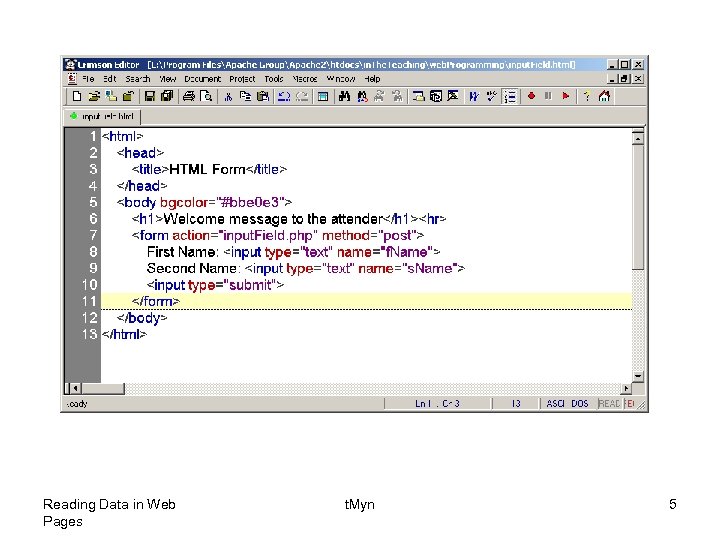
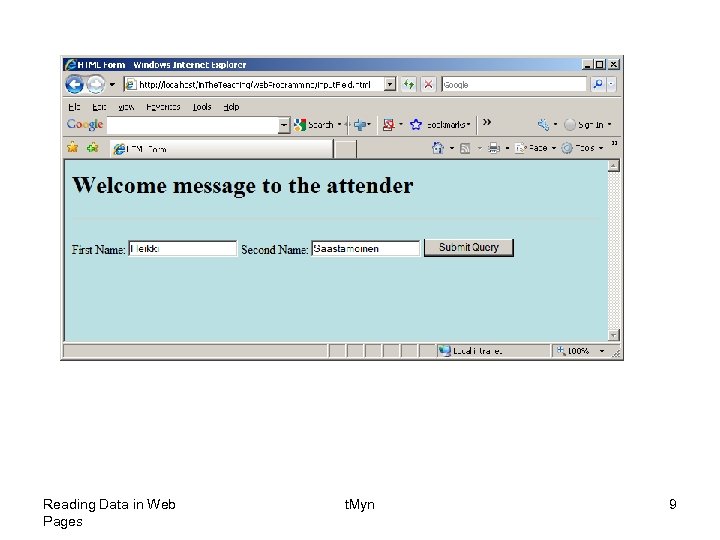
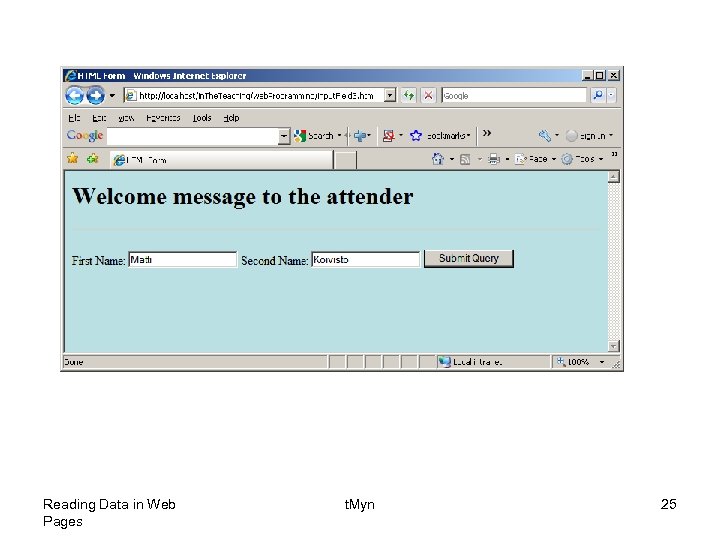
• The PHP $_GET and $_POST variables are used to retrieve information from forms, like user input. • The most important thing to notice when dealing with HTML forms and PHP is that any form element in an HTML page will automatically be available to your PHP scripts. • The example below contains an HTML form with two text input fields and a submit button. Reading Data in Web Pages t. Myn 2
• Text fields are one line areas that allow the user to input text. • The name setting adds an internal name to the field so the program that handles the form can identify the fields. • The value setting defines what will appear in the box as the default value. Reading Data in Web Pages t. Myn 3
• When a visitor clicks a submit button, the form is sent to the address specified in the action setting of the <form> tag. • The name setting adds an internal name to the button so the program that handles the form doesn't confuse the button with the other fields. • The value setting defines what is written on the button. Reading Data in Web Pages t. Myn 4
Reading Data in Web Pages t. Myn 5
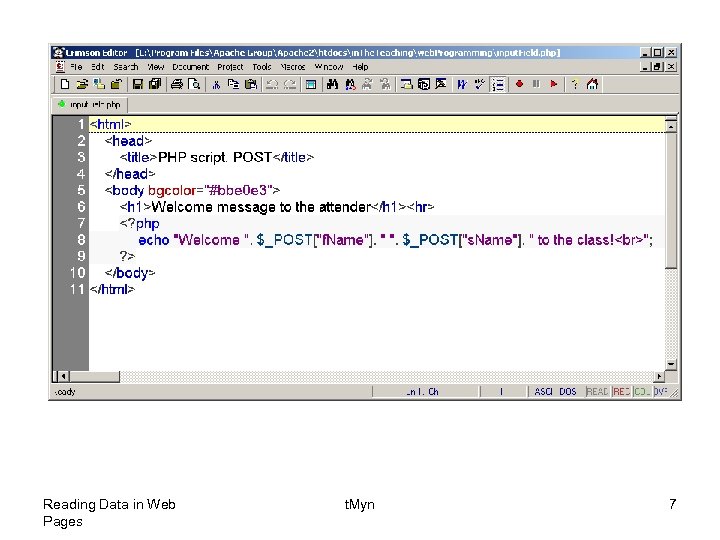
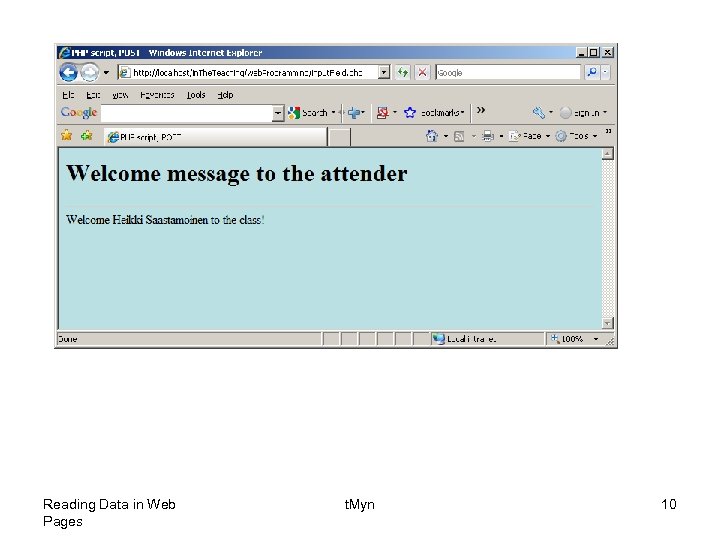
• When a user fills out the form above and click on the submit button, the form data is sent to a PHP file, called “input. Field. php": • " input. Field. php" looks like this: Reading Data in Web Pages t. Myn 6
Reading Data in Web Pages t. Myn 7
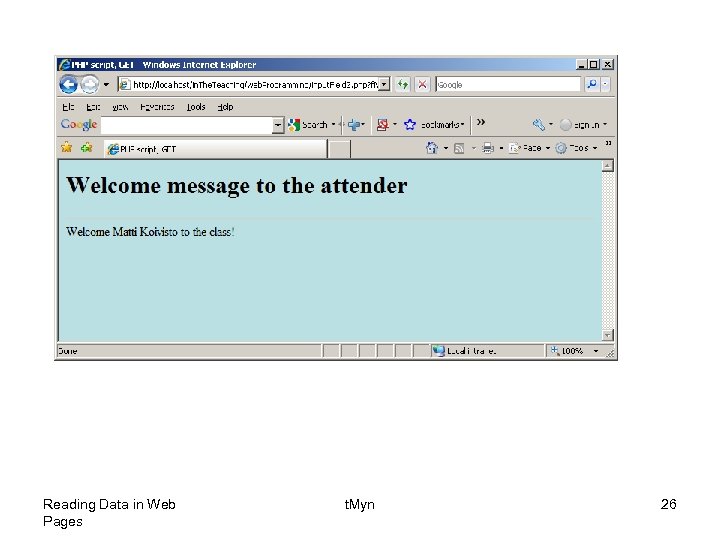
• Be sure to take notice the names of the form data names, as they represent the keys in the "$_POST" associative array. • Next the output could be something like this: Reading Data in Web Pages t. Myn 8
Reading Data in Web Pages t. Myn 9
Reading Data in Web Pages t. Myn 10
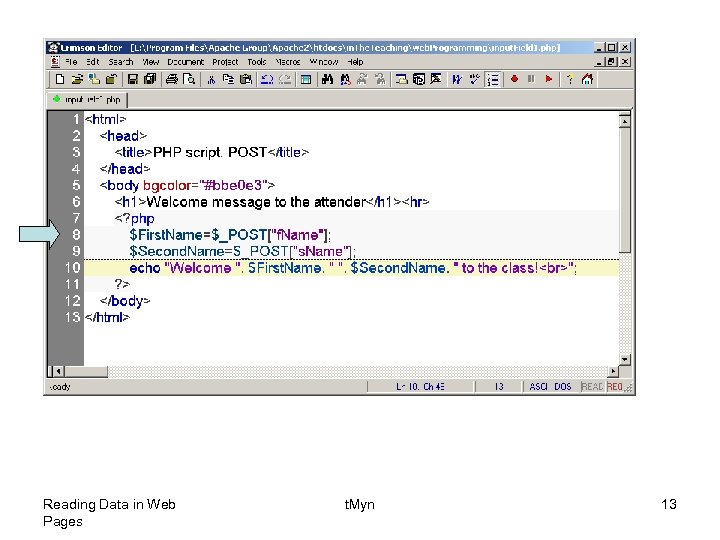
• The built-in $_POST function is used to collect values from a form sent with method="post". • Information sent from a form with the POST method is invisible to others and has no limits on the amount of information to send. • Note: However, there is an 8 Mb max size for the POST method, by default (can be changed by setting the post_max_size in the php. ini file). • When the user clicked the "Submit" button in the previous example, the URL looked like this: http: //localhost/in. The. Teaching/web. Programm ing/input. Field. php. The. • “input. Field. php" file was able to use the $_POST function to collect form data (the names of the form fields will automatically be the keys in the $_POST array). Reading Data in Web Pages t. Myn 11
• Another way to get this information would be to create two new variables and set them equal to the values that have been "posted“: Reading Data in Web Pages t. Myn 12
Reading Data in Web Pages t. Myn 13
• When to use method="post"? • Information sent from a form with the POST method is invisible to others and has no limits on the amount of information to send. • However, because the variables are not displayed in the URL, it is not possible to bookmark the page. Reading Data in Web Pages t. Myn 14
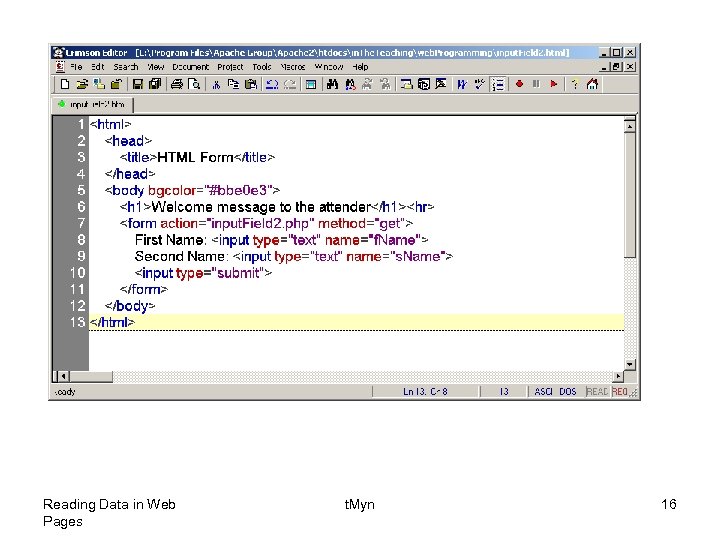
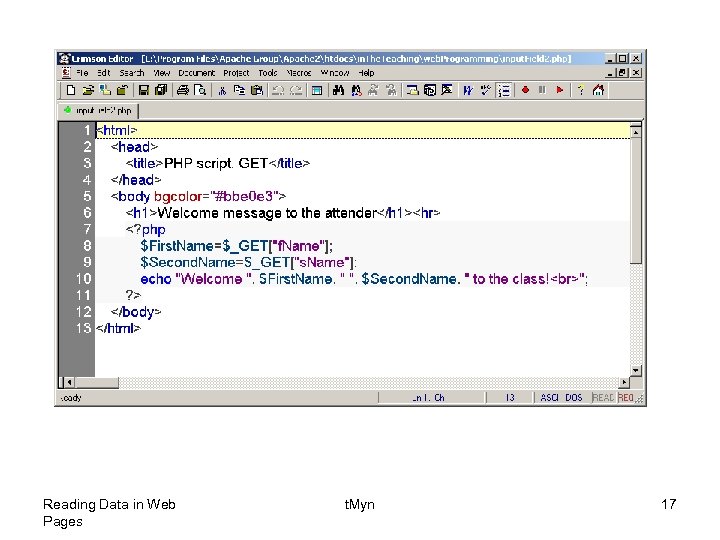
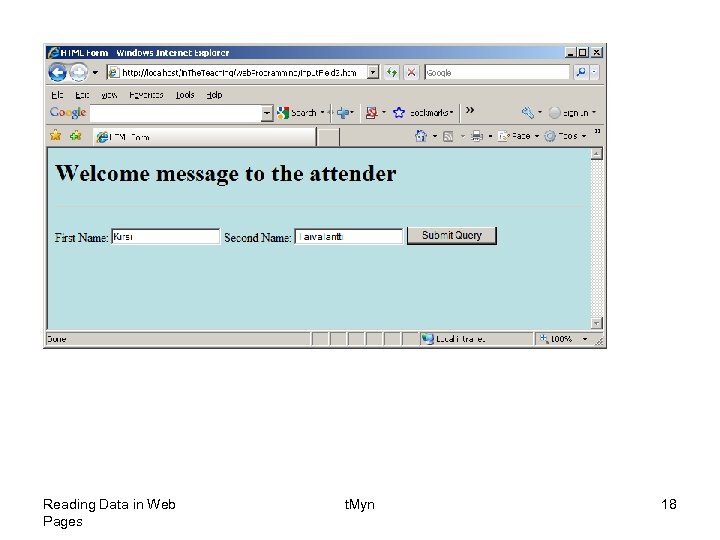
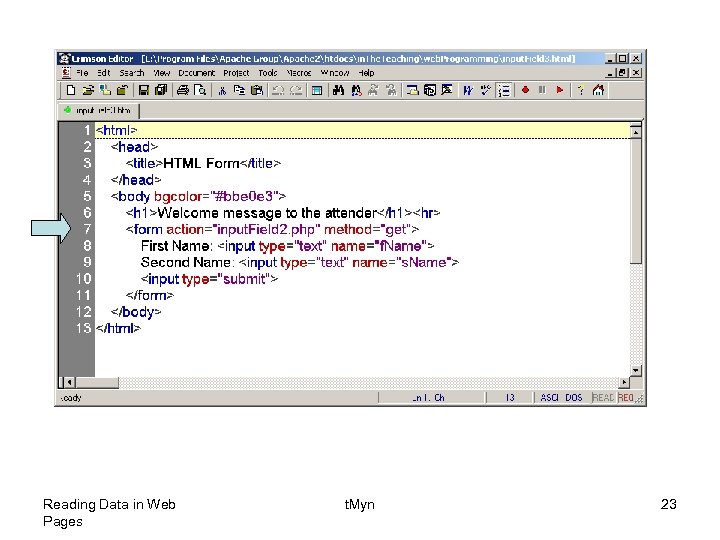
• The built-in $_GET function is used to collect values from a form sent with method="get". • Information sent from a form with the GET method is visible to everyone (it will be displayed in the browser's address bar) and has limits on the amount of information to send (max. 100 characters). • The get method passes the variables along to the “input. Field 2. php" web page by appending them onto the end of the URL. Reading Data in Web Pages t. Myn 15
Reading Data in Web Pages t. Myn 16
Reading Data in Web Pages t. Myn 17
Reading Data in Web Pages t. Myn 18
Reading Data in Web Pages t. Myn 19
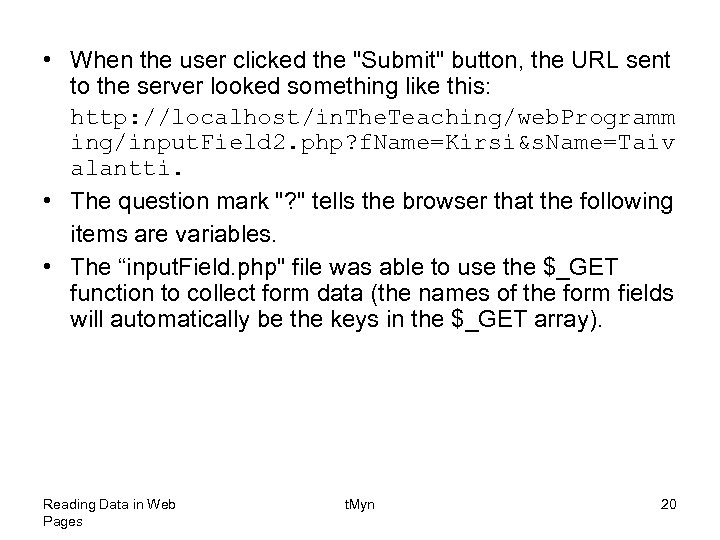
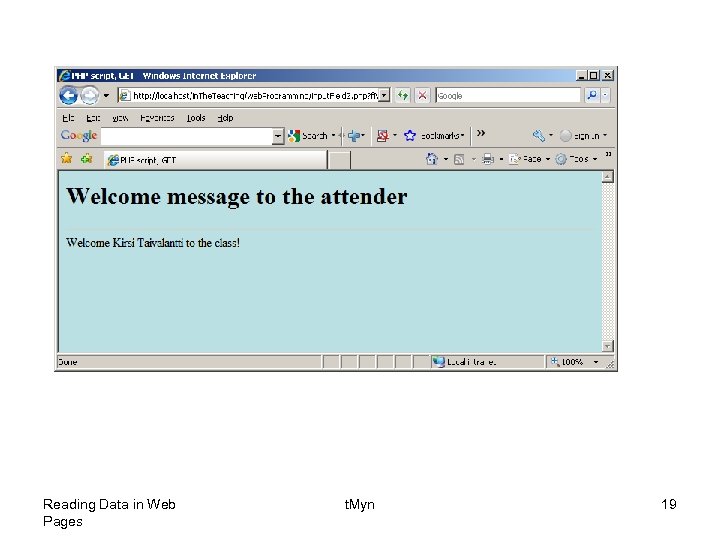
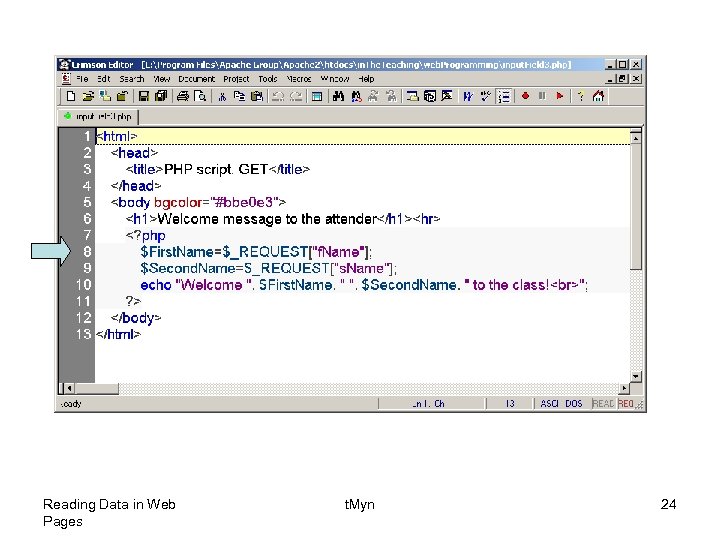
• When the user clicked the "Submit" button, the URL sent to the server looked something like this: http: //localhost/in. The. Teaching/web. Programm ing/input. Field 2. php? f. Name=Kirsi&s. Name=Taiv alantti. • The question mark "? " tells the browser that the following items are variables. • The “input. Field. php" file was able to use the $_GET function to collect form data (the names of the form fields will automatically be the keys in the $_GET array). Reading Data in Web Pages t. Myn 20
• When to use method="get"? • When using method="get" in HTML forms, all variable names and values are displayed in the URL. • Note: Because of the above behavior this method should not be used when sending passwords or other sensitive information! • However, because the variables are displayed in the URL, it is possible to bookmark the page. This can be useful in some cases. • Note: The get method is not suitable for large variable values; the value cannot exceed 100 characters. Reading Data in Web Pages t. Myn 21
• The PHP $_REQUEST Function • The PHP built-in $_REQUEST function contains the contents of both $_GET, $_POST, and $_COOKIE. • The $_REQUEST function can be used to collect form data sent with both the GET and POST methods. Reading Data in Web Pages t. Myn 22
Reading Data in Web Pages t. Myn 23
Reading Data in Web Pages t. Myn 24
Reading Data in Web Pages t. Myn 25
Reading Data in Web Pages t. Myn 26
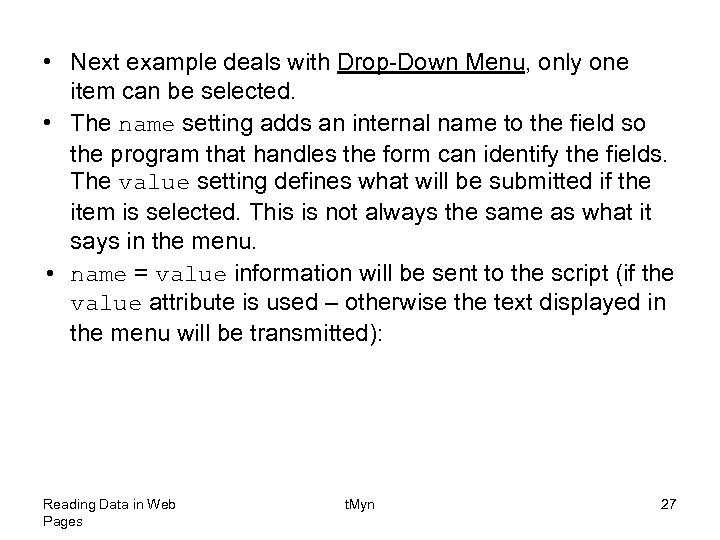
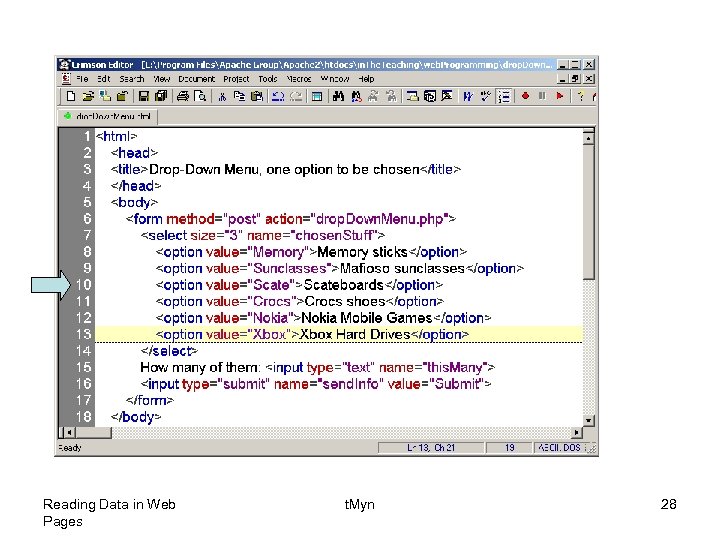
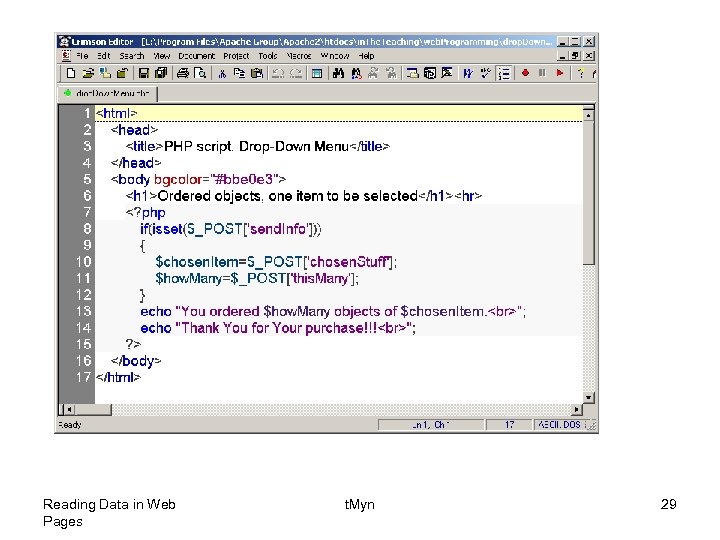
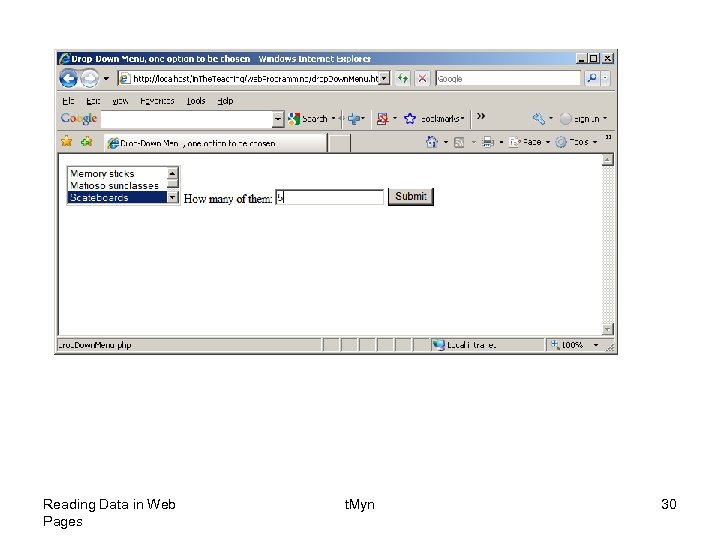
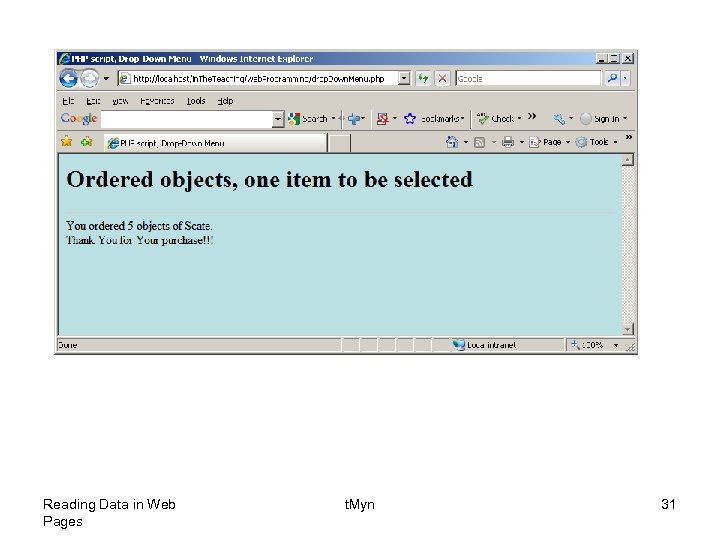
• Next example deals with Drop-Down Menu, only one item can be selected. • The name setting adds an internal name to the field so the program that handles the form can identify the fields. The value setting defines what will be submitted if the item is selected. This is not always the same as what it says in the menu. • name = value information will be sent to the script (if the value attribute is used – otherwise the text displayed in the menu will be transmitted): Reading Data in Web Pages t. Myn 27
Reading Data in Web Pages t. Myn 28
Reading Data in Web Pages t. Myn 29
Reading Data in Web Pages t. Myn 30
Reading Data in Web Pages t. Myn 31
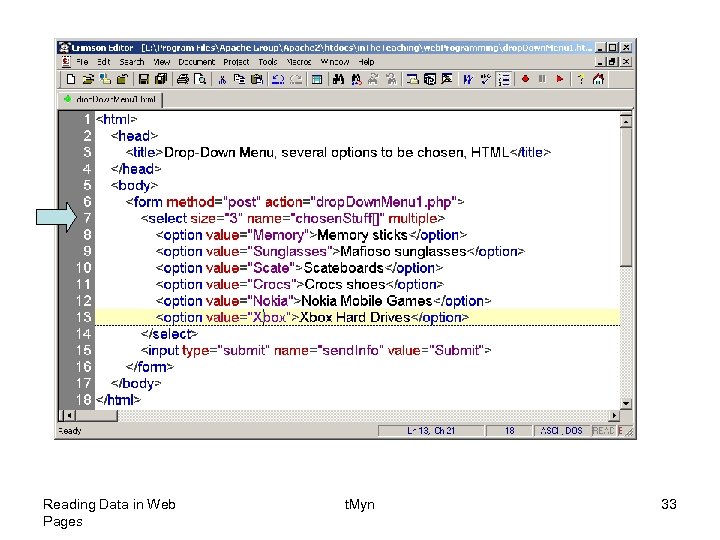
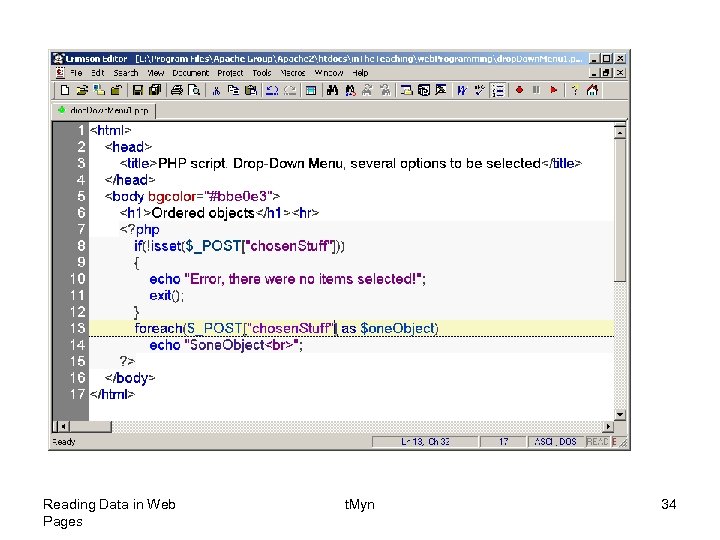
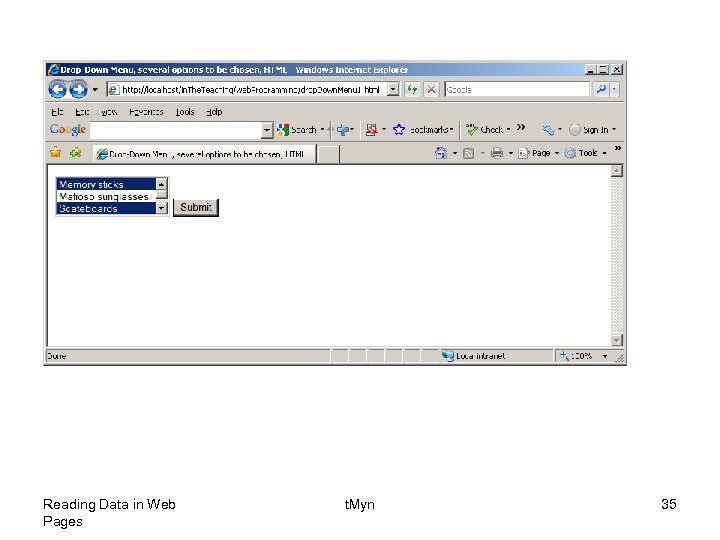
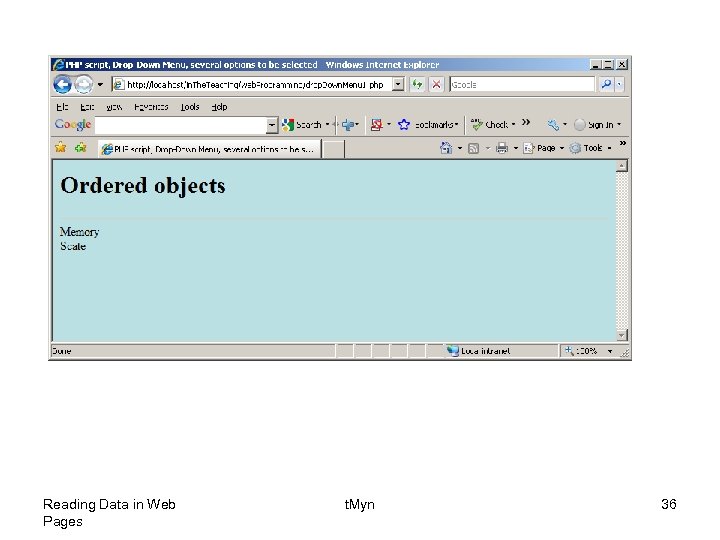
• Again an example with Drop-Down Menu, now several items can be selected. • The multiple setting will allow for multiple selections if present. • Here we must give the control the name of an array, not just a name. Reading Data in Web Pages t. Myn 32
Reading Data in Web Pages t. Myn 33
Reading Data in Web Pages t. Myn 34
Reading Data in Web Pages t. Myn 35
Reading Data in Web Pages t. Myn 36
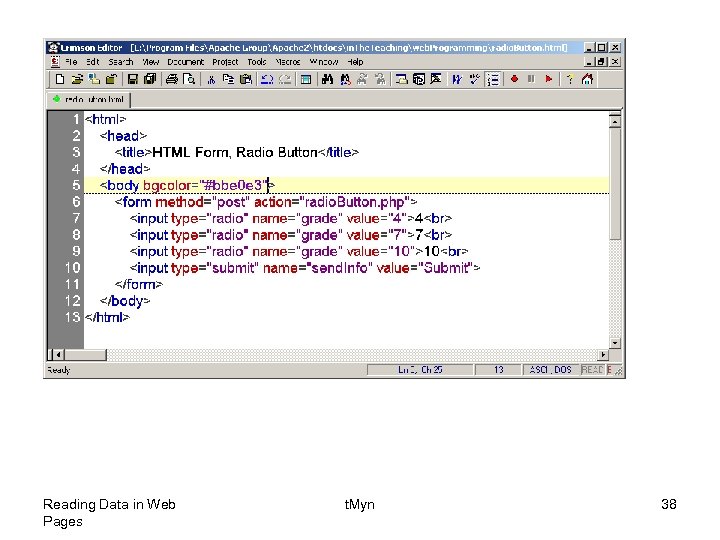
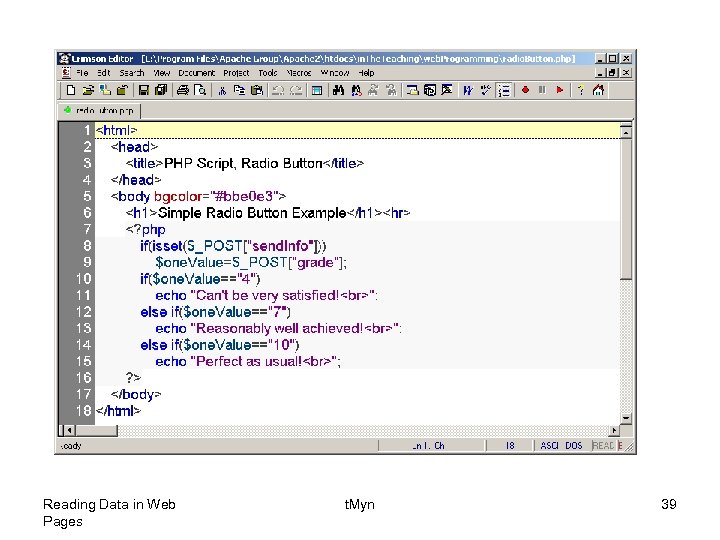
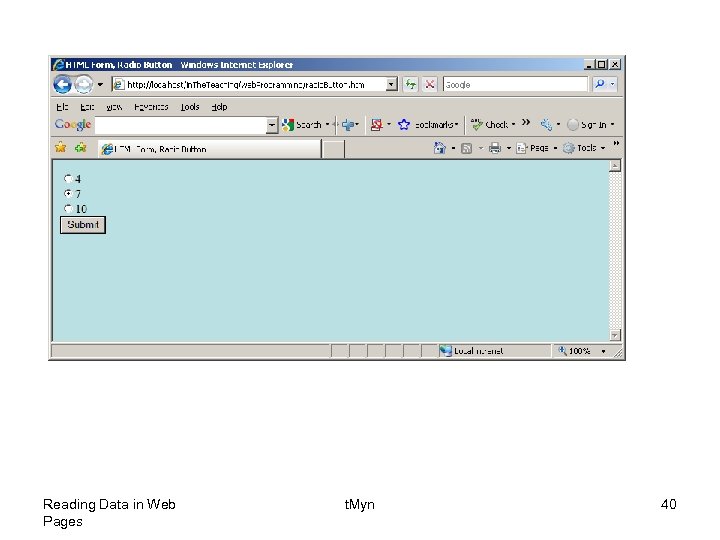
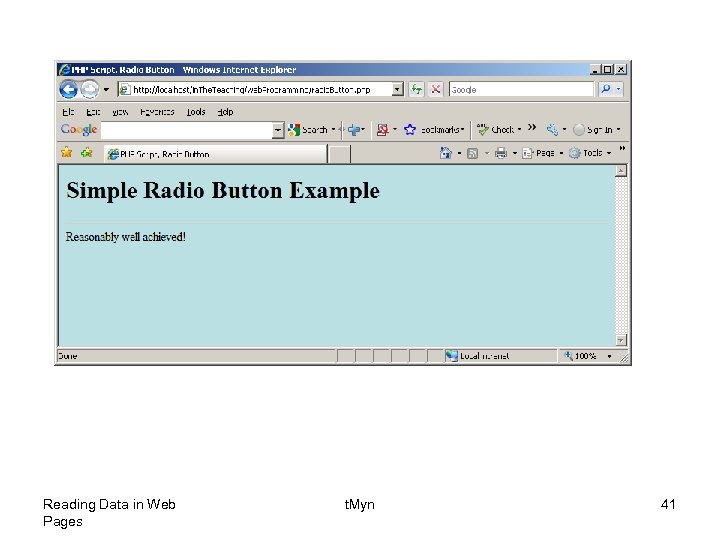
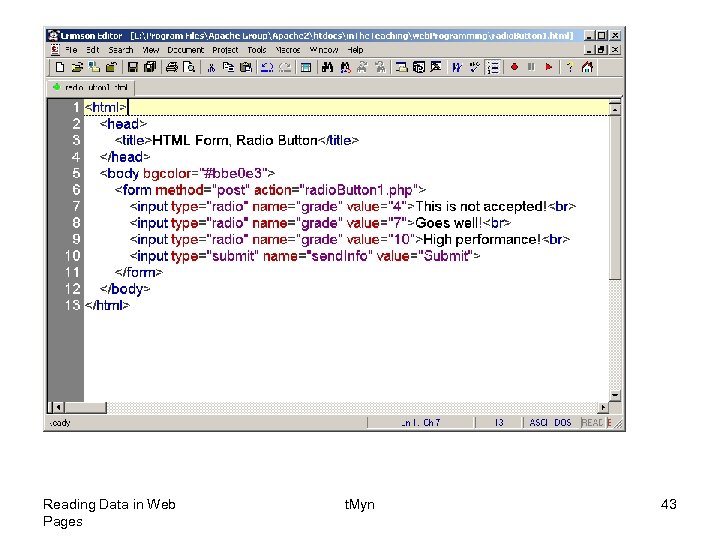
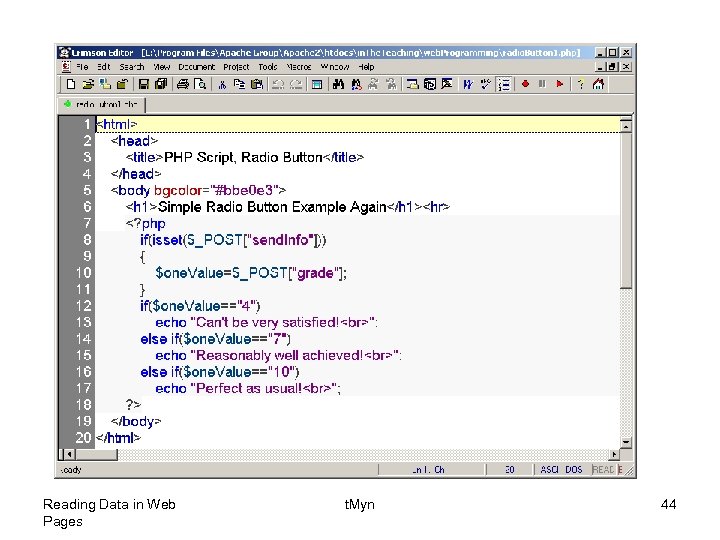
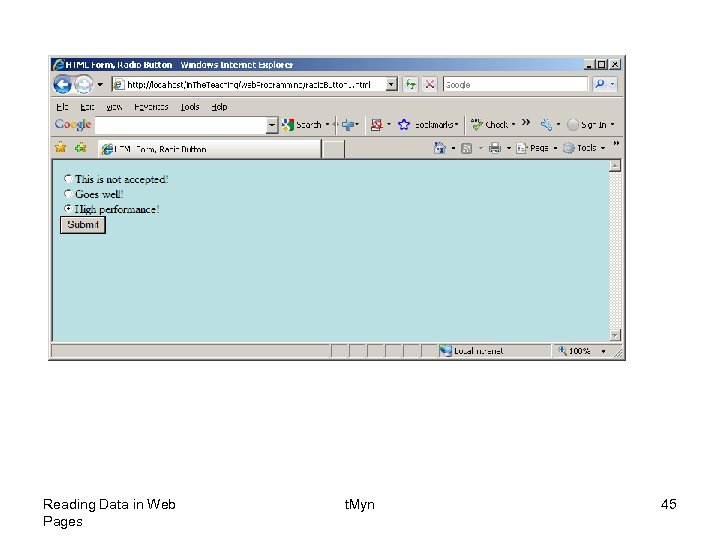
• Radio buttons are used when you want to let the visitor select one - and just one - option from a set of alternatives. If more options are to be allowed at the same time you should use check boxes instead. • The name setting tells which group of radio buttons the field belongs to. When you select one button, all other buttons in the same group are unselected. If you couldn't define which group the current button belongs to, you could only have one group of radio buttons on each page. • The value setting defines what will be submitted if checked. Reading Data in Web Pages t. Myn 37
Reading Data in Web Pages t. Myn 38
Reading Data in Web Pages t. Myn 39
Reading Data in Web Pages t. Myn 40
Reading Data in Web Pages t. Myn 41
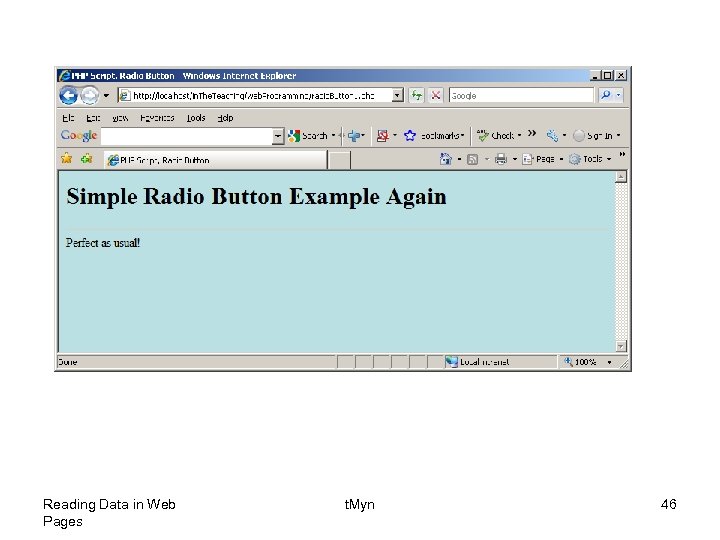
• Next example is only slightly modified compared to the previous one: Reading Data in Web Pages t. Myn 42
Reading Data in Web Pages t. Myn 43
Reading Data in Web Pages t. Myn 44
Reading Data in Web Pages t. Myn 45
Reading Data in Web Pages t. Myn 46
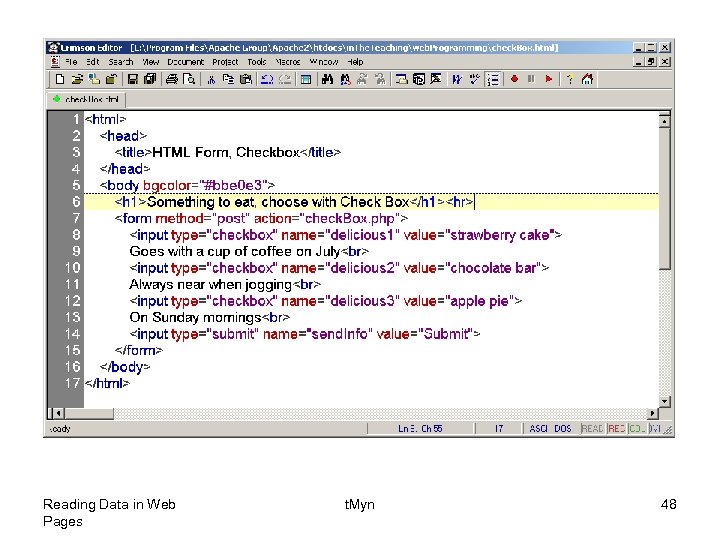
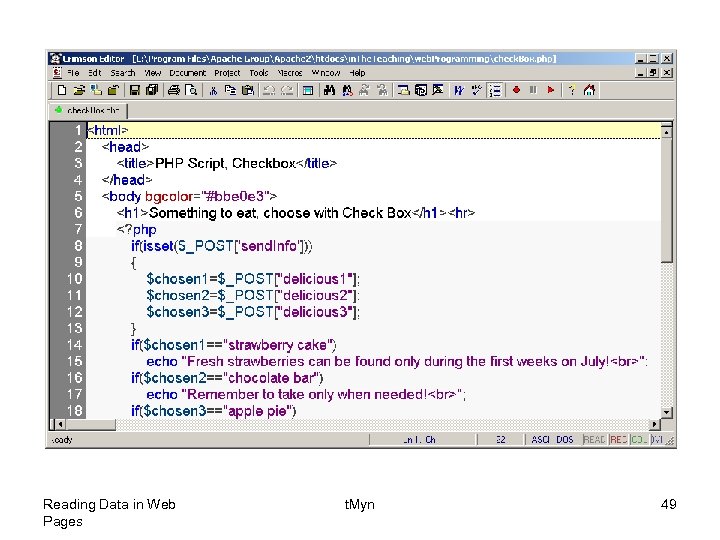
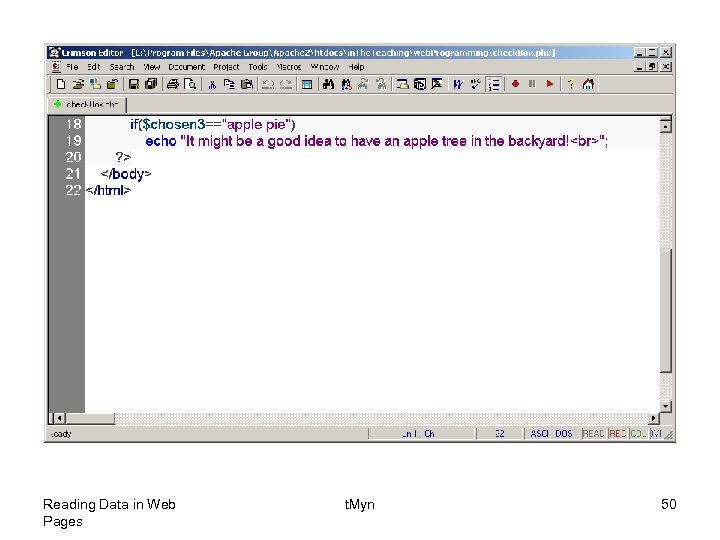
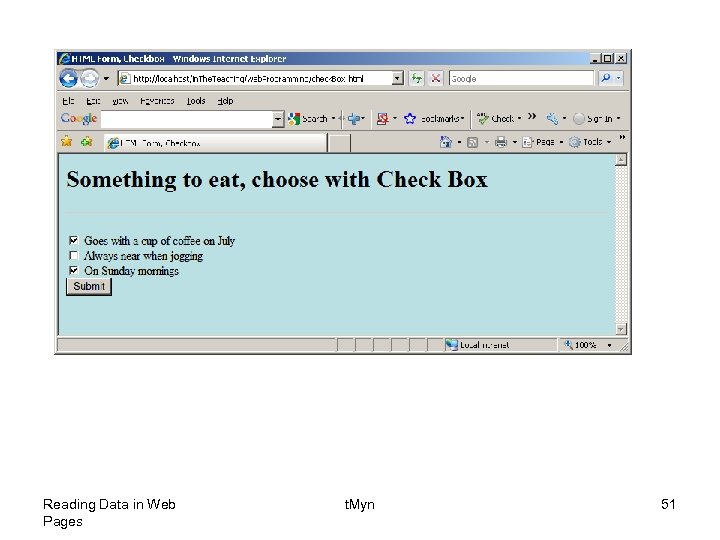
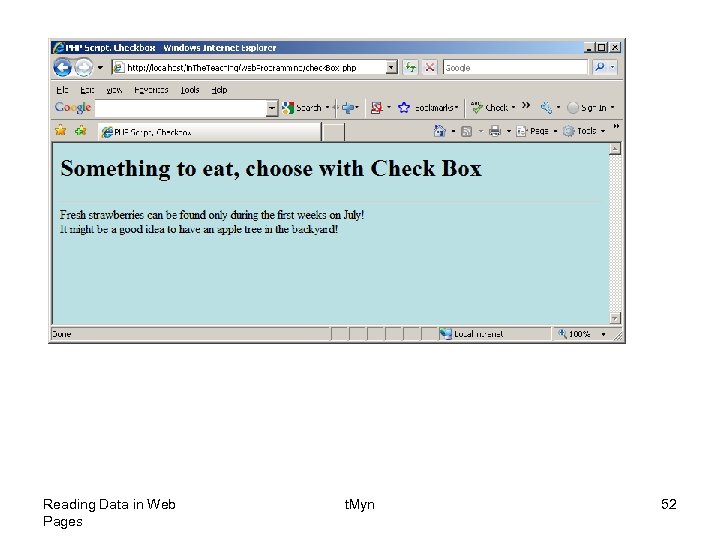
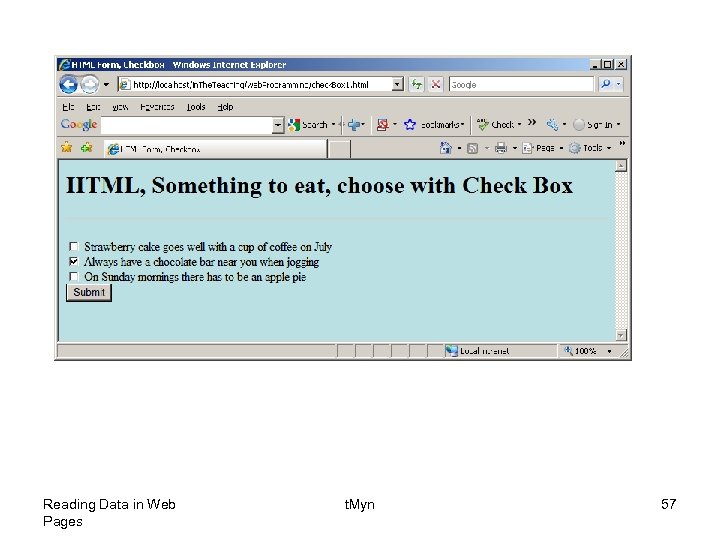
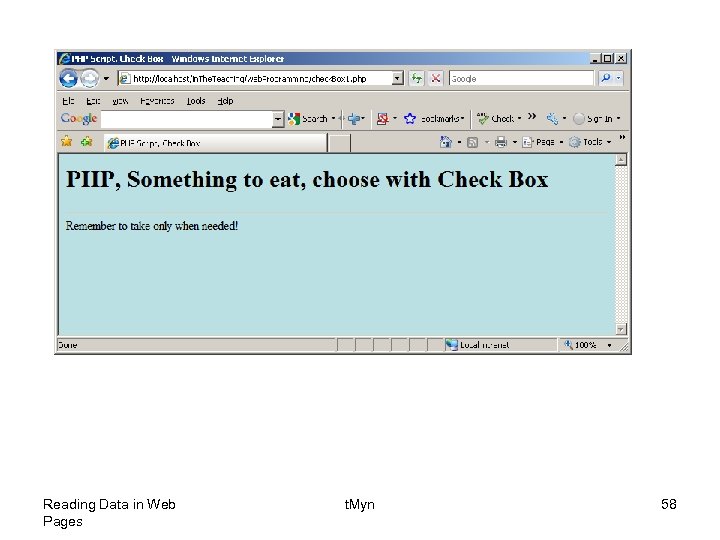
• Check boxes are used when you want to let the visitor select one or more options from a set of alternatives. • The name setting adds an internal name to the field so the program that handles the form can identify the fields. • The value setting defines what will be submitted if checked. Reading Data in Web Pages t. Myn 47
Reading Data in Web Pages t. Myn 48
Reading Data in Web Pages t. Myn 49
Reading Data in Web Pages t. Myn 50
Reading Data in Web Pages t. Myn 51
Reading Data in Web Pages t. Myn 52
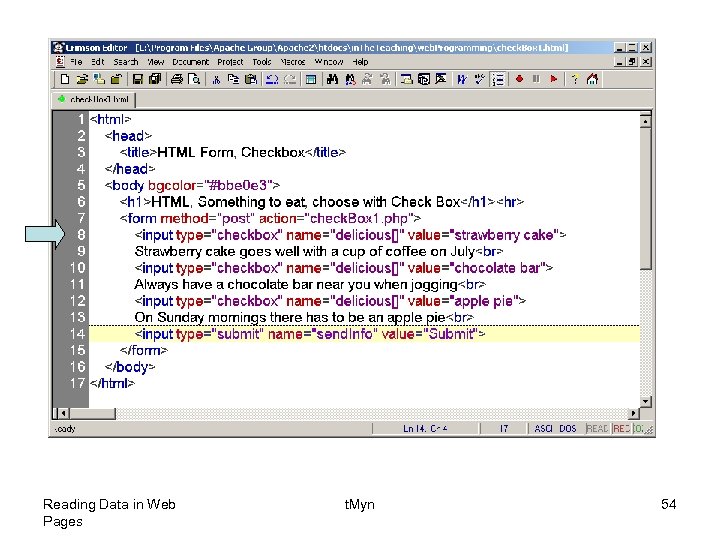
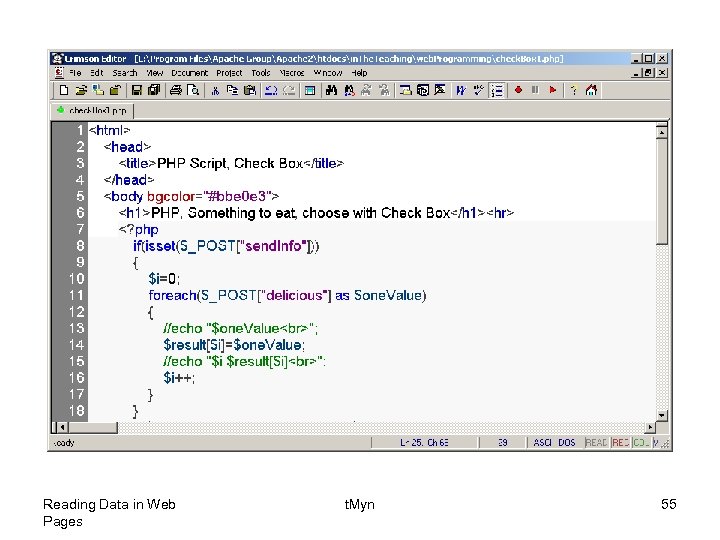
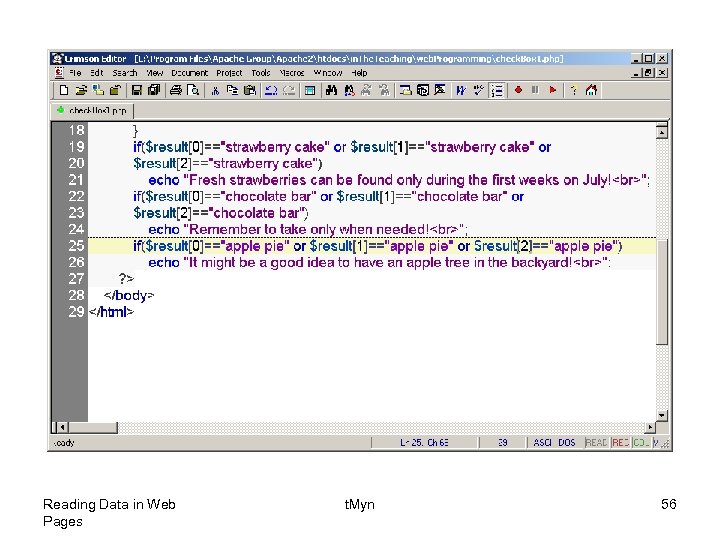
• A minor modification to the previous one, let us give the name setting the name of an array: Reading Data in Web Pages t. Myn 53
Reading Data in Web Pages t. Myn 54
Reading Data in Web Pages t. Myn 55
Reading Data in Web Pages t. Myn 56
Reading Data in Web Pages t. Myn 57
Reading Data in Web Pages t. Myn 58
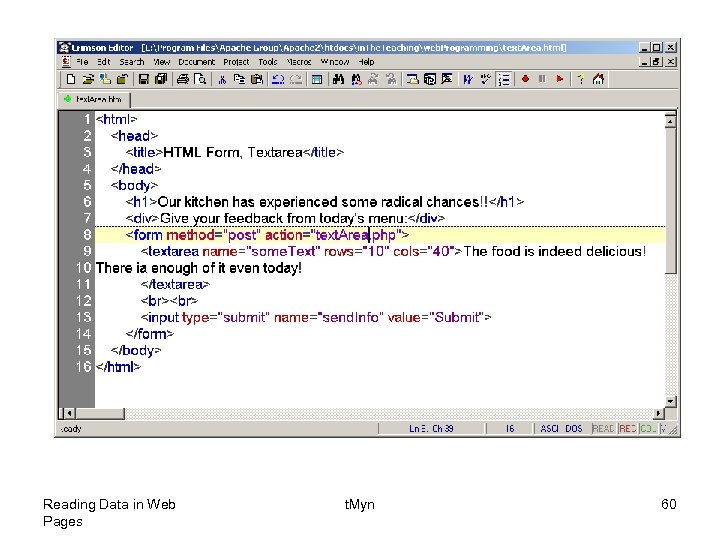
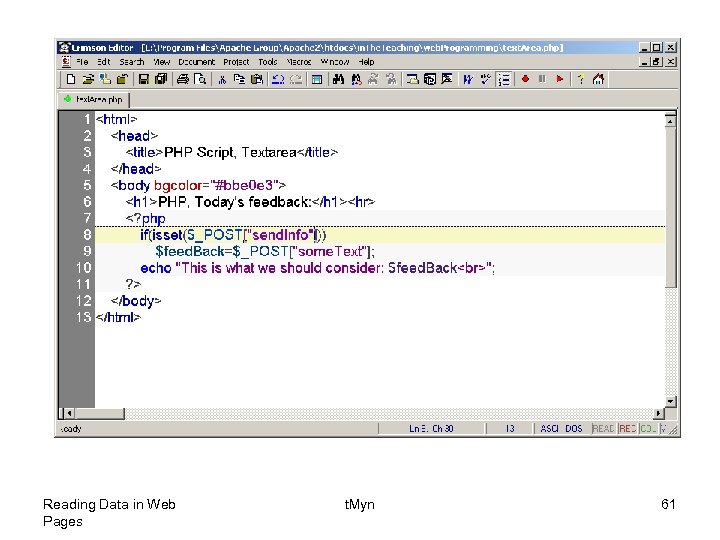
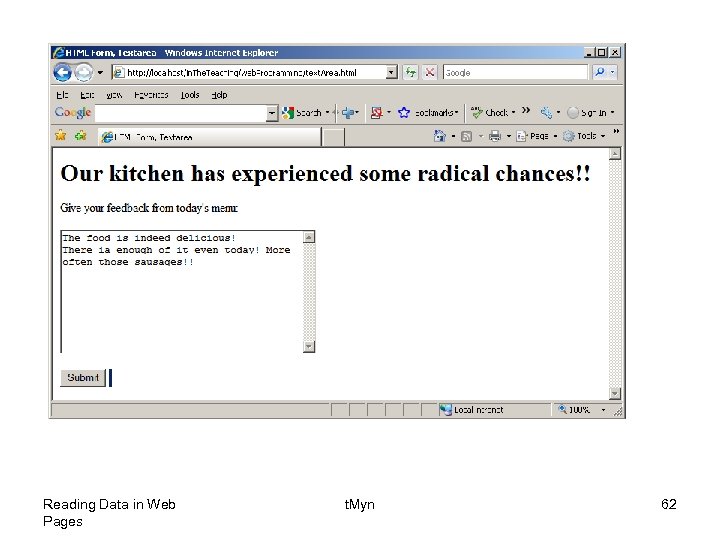
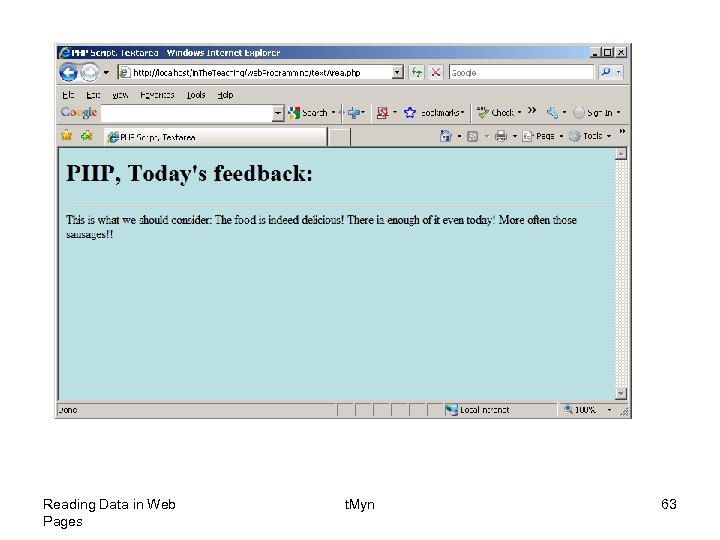
• Text areas are text fields that can span several lines. • Unlike most other form fields, text areas are not defined with an <input> tag. • Instead you enter a <textarea> tag where you want the text area to start and a closing </textarea> tag where you want the area to end. • Everything written between these tags will be presented in the text area box. • The name setting adds an internal name to the field so the program that handles the form can identify the fields. Reading Data in Web Pages t. Myn 59
Reading Data in Web Pages t. Myn 60
Reading Data in Web Pages t. Myn 61
Reading Data in Web Pages t. Myn 62
Reading Data in Web Pages t. Myn 63
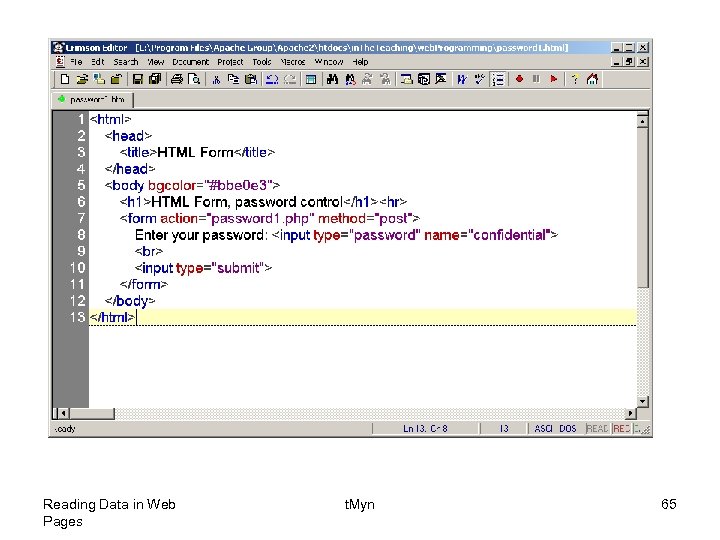
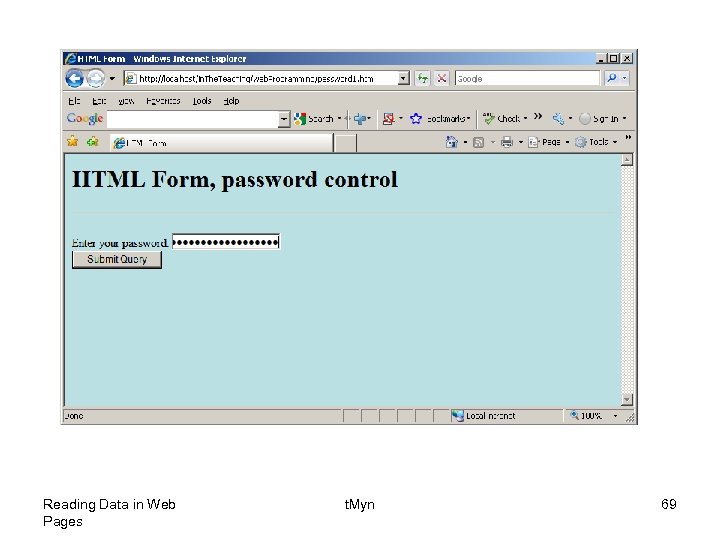
• Password fields are similar to text fields. • The difference is that what is entered into a password field shows up as dots on the screen. This is, of course, to prevent others from reading the password on the screen. • The name setting adds an internal name to the field so the program that handles the form can identify the fields. Reading Data in Web Pages t. Myn 64
Reading Data in Web Pages t. Myn 65
Reading Data in Web Pages t. Myn 66
Reading Data in Web Pages t. Myn 67
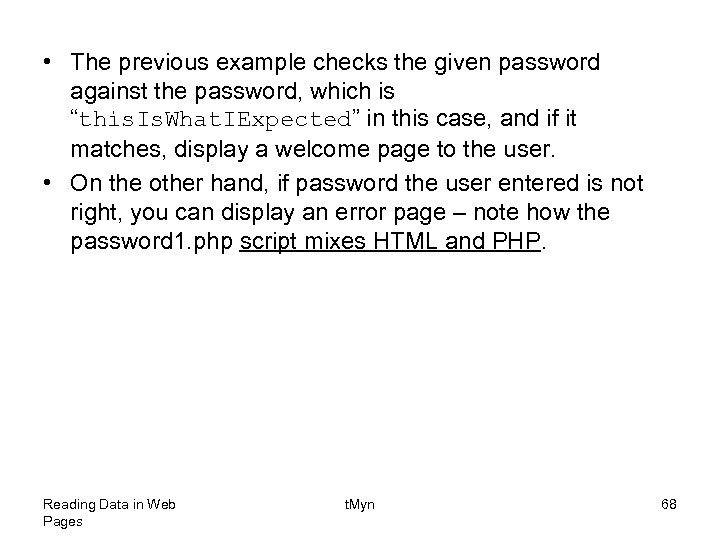
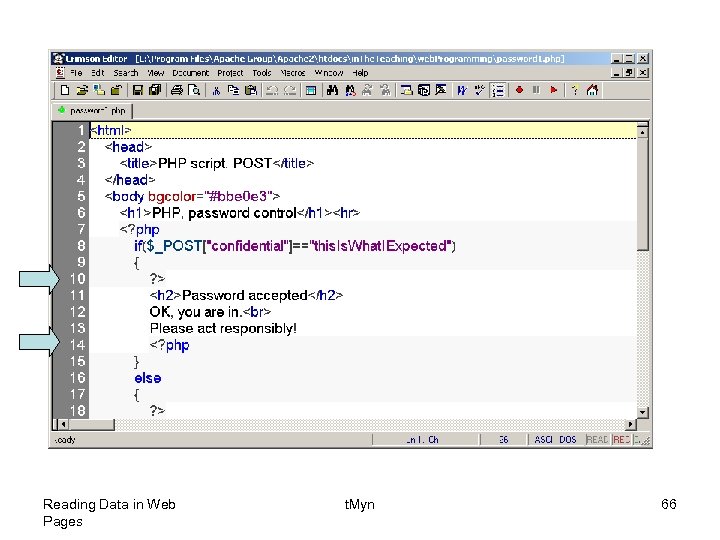
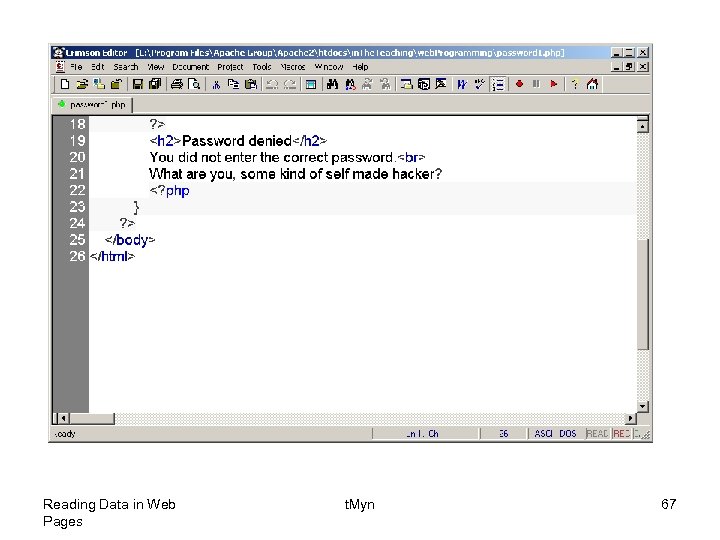
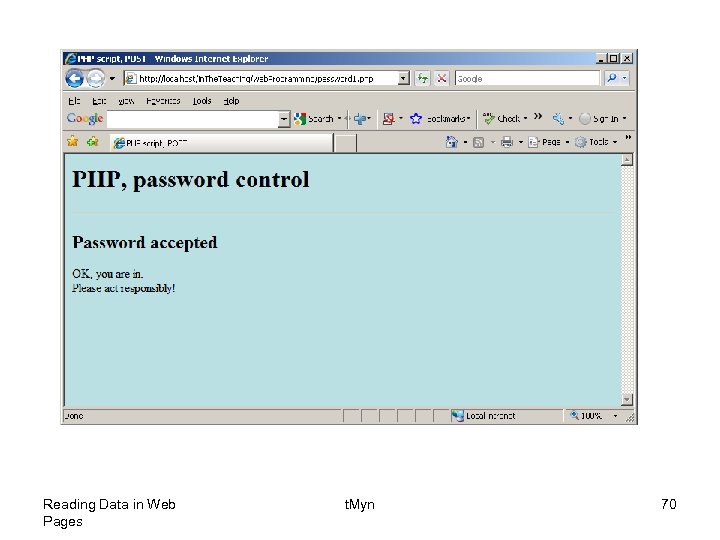
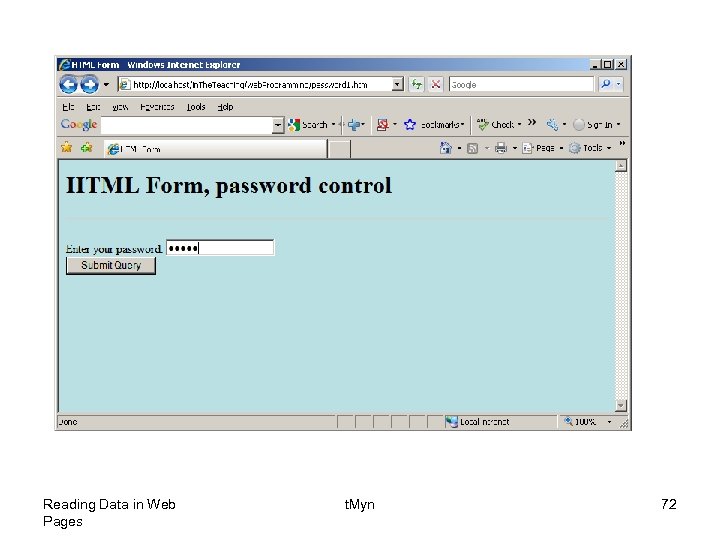
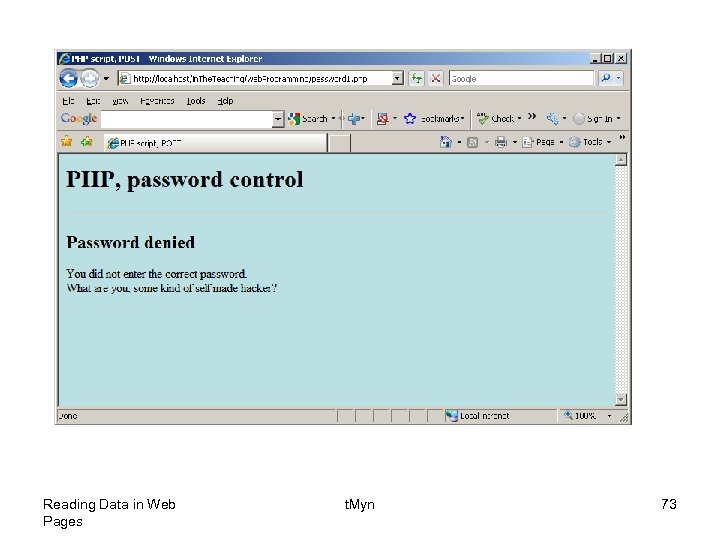
• The previous example checks the given password against the password, which is “this. Is. What. IExpected” in this case, and if it matches, display a welcome page to the user. • On the other hand, if password the user entered is not right, you can display an error page – note how the password 1. php script mixes HTML and PHP. Reading Data in Web Pages t. Myn 68
Reading Data in Web Pages t. Myn 69
Reading Data in Web Pages t. Myn 70
• If you do not enter the right password: Reading Data in Web Pages t. Myn 71
Reading Data in Web Pages t. Myn 72
Reading Data in Web Pages t. Myn 73
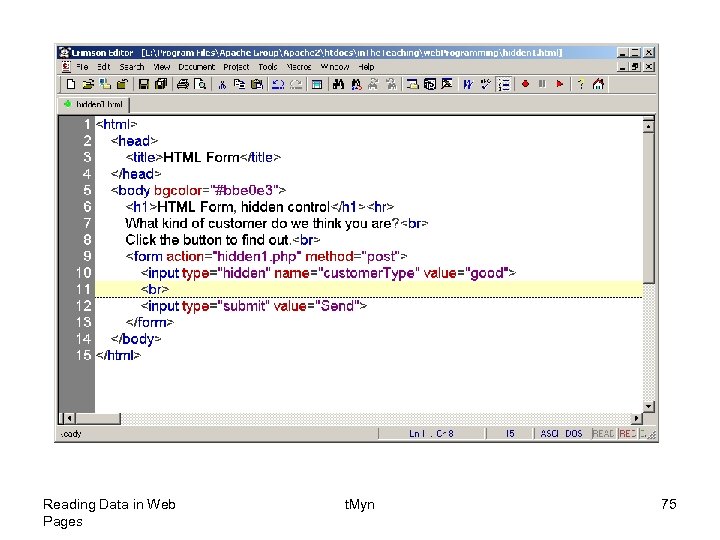
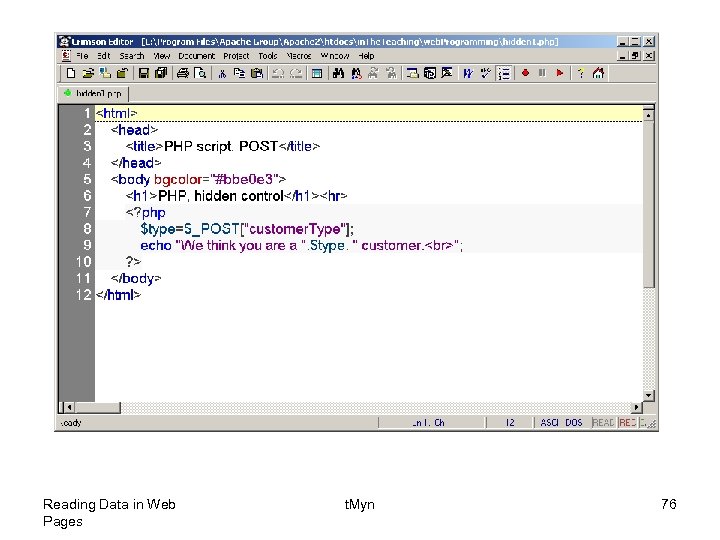
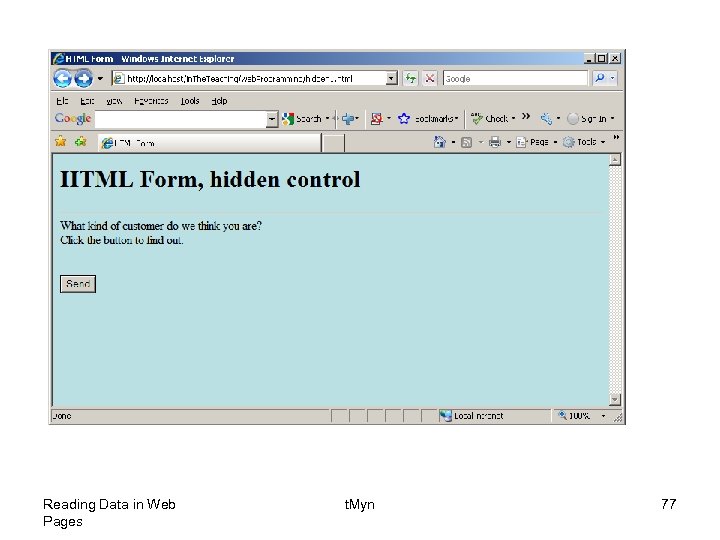
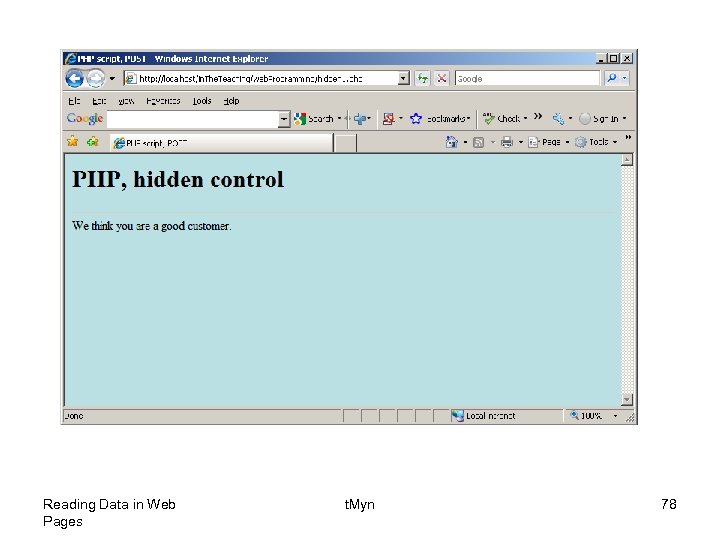
• Hidden fields are similar to text fields, with one very important difference! • The difference is that the hidden field does not show on the page. Therefore the visitor can't type anything into a hidden field, which leads to the purpose of the field: to submit information that is not entered by the visitor. • The name setting adds an internal name to the field so the program that handles the form can identify the fields. • The value setting defines what will be sent once the form is submitted. Reading Data in Web Pages t. Myn 74
Reading Data in Web Pages t. Myn 75
Reading Data in Web Pages t. Myn 76
Reading Data in Web Pages t. Myn 77
Reading Data in Web Pages t. Myn 78
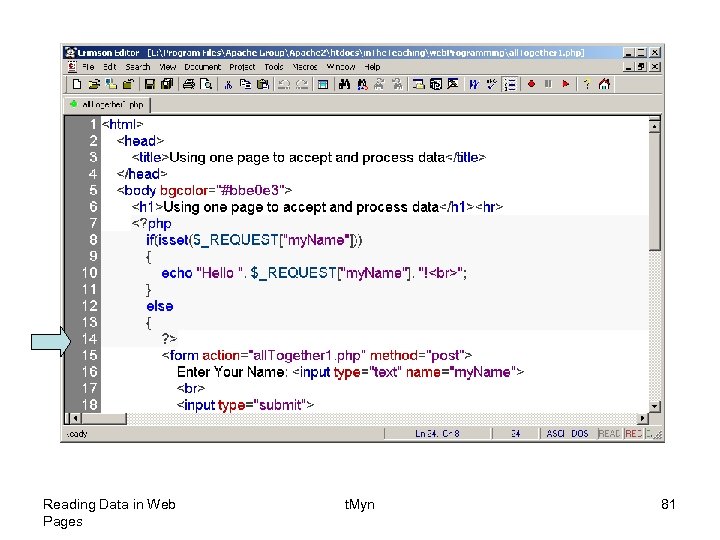
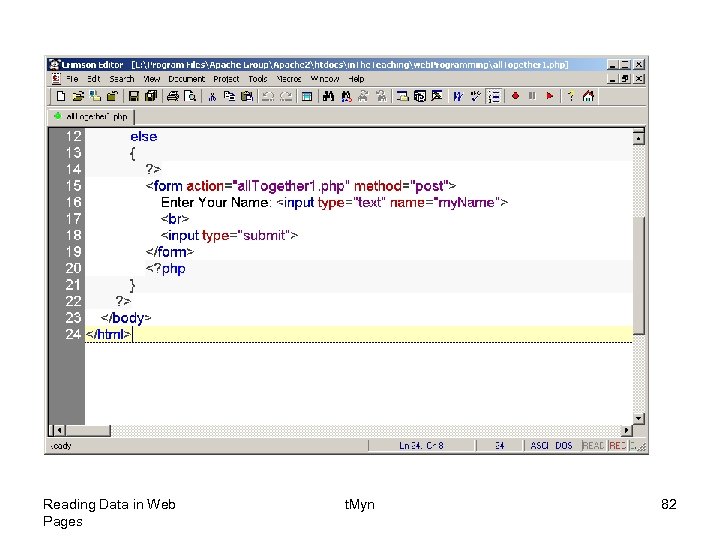
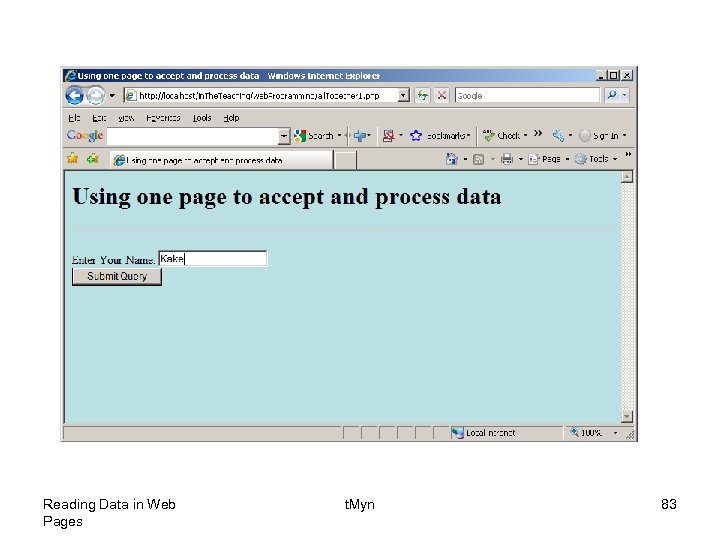
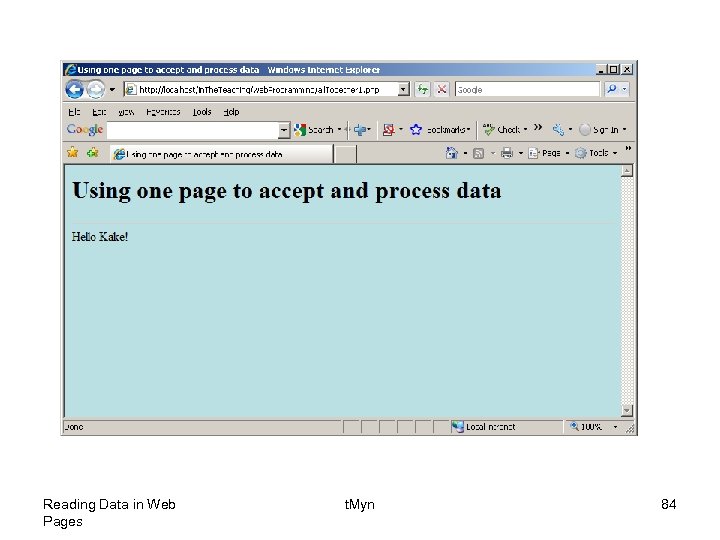
• Putting it all in one page • So far, the applications we have developed have relied on an HTML start page that connects to a PHP page. • However, it can all be handled with one PHP page. • Next is an example, which asks the name of the user. • The name will be stored in the $_REQUEST array under the name “my. Name”. • That means that if data is waiting for you in the $_REQUEST array under the name “my. Name”, you should display that data. If data is not waiting for you, you should display the welcome page that asks for the name. Reading Data in Web Pages t. Myn 79
• You can check if data is waiting for you with the PHP isset() function, which returns TRUE if an array element exists Reading Data in Web Pages t. Myn 80
Reading Data in Web Pages t. Myn 81
Reading Data in Web Pages t. Myn 82
Reading Data in Web Pages t. Myn 83
Reading Data in Web Pages t. Myn 84
Скачать презентацию Reading Data in Web Pages A very
40e58cdd900c4cbf1c980a45dd58c48a.ppt