


 Скачать презентацию RE DESIGNING THE ONLINE LEARNING EXPERIENCE A workshop for
0de81d8b023fa5ff9c7dc5a66b4e9e2e.ppt
- Количество слайдов: 36
 (RE)DESIGNING THE ONLINE LEARNING EXPERIENCE A workshop for Peralta Community College District Summer 2017 Kevin Kelly, Ed. D This work is licensed under a Creative Commons Attribution-Share. Alike 4. 0 International License.
 2 Introductions and getting started Please introduce yourself and answer the following question in one sentence: What is one goal you want to achieve during this particular Distance Education workshop?
 3 Session Objectives Teaching Technology • (Re)Design course-level • Navigate Canvas learning outcomes • Plan assessments, activities & course materials based on outcomes • Consider UDL strategies & best practices to use • Modify course Settings • Explore Canvas Outcomes • Create a Canvas module to support online learners
 4 COURSE (RE)DESIGN • (Re)write or add learning outcomes for 1 or more modules • Plan assessments, activities & materials for each outcome
 5 “The key to success is to appreciate how people learn, understand the thought process that goes into instructional design, what works well, and a range of different ways of achieving goals. ” - Tim Buff
 6 OEI Rubric Section A. 1: Course Design - Objectives The OEI Course Design Rubric has an entire section on Objectives: • Objectives are made available in a variety of areas in the course (within the syllabus and each individual learning unit or module) • Objectives are clearly written at the appropriate level and reflect desired outcomes • Objectives are written in measurable outcomes (students know what they are expected to be able to do)
 7 (Re)writing learning outcomes • Start with the usual: What should students be able to do by the end of the course? Examples: • Use metacognitive strategies designed to improve your learning • Explore different technologies specifically for learning Online Course Structure & Student Support 7
 8 (Re)writing learning objectives • Add/revise outcomes for scope, specificity (granular): • course level • module/unit level • activity level (? ) Online Course Structure & Student Support 8
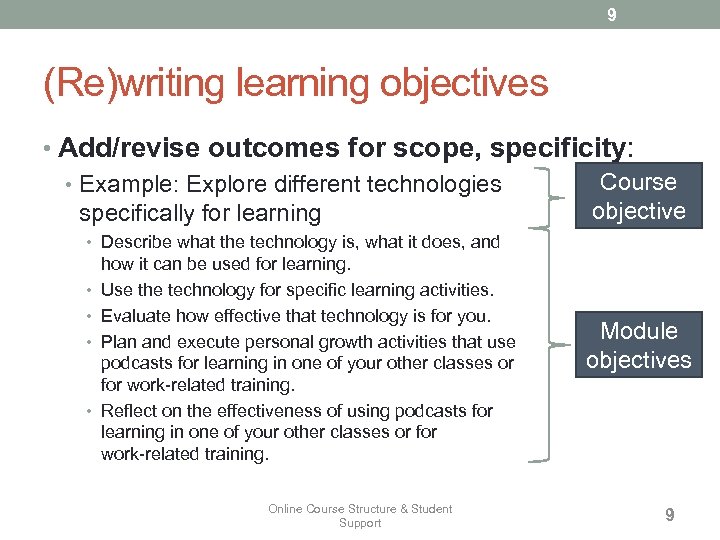 9 (Re)writing learning objectives • Add/revise outcomes for scope, specificity: Course • Example: Explore different technologies objective specifically for learning • Describe what the technology is, what it does, and • • how it can be used for learning. Use the technology for specific learning activities. Evaluate how effective that technology is for you. Plan and execute personal growth activities that use podcasts for learning in one of your other classes or for work-related training. Reflect on the effectiveness of using podcasts for learning in one of your other classes or for work-related training. Online Course Structure & Student Support Module objectives 9
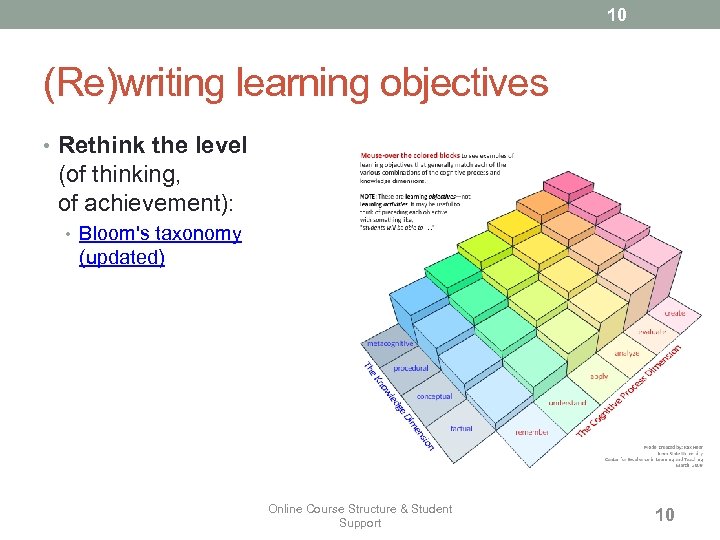 10 (Re)writing learning objectives • Rethink the level (of thinking, of achievement): • Bloom's taxonomy (updated) Online Course Structure & Student Support 10
 11 (Re)writing learning objectives • Identifying types of objectives • Cognitive (knowledge) • Example verbs: define, explain, predict, compare, evaluate, design • Psychomotor (skills) • Example verbs: watch, operate, write, perform • Affective (attitudes or feelings) • Example verbs: select, discuss, justify, integrate, revise
 12 (Re)writing learning objectives • Cognitive (knowledge) - Bloom’s Taxonomy (revised) • Remembering: Recall/recognize specific information • Understanding: Lowest level of understanding • Applying: Implement (use) information • Analyzing: Break information into parts and describe the relationship • Evaluating: Make a judgment about materials or methods • Creating: Generate new ideas, products and ways of viewing things Image source: http: //www. iftf. org See http: //itc. utk. edu/~bobannon/ classifications. html#cognitive_domain
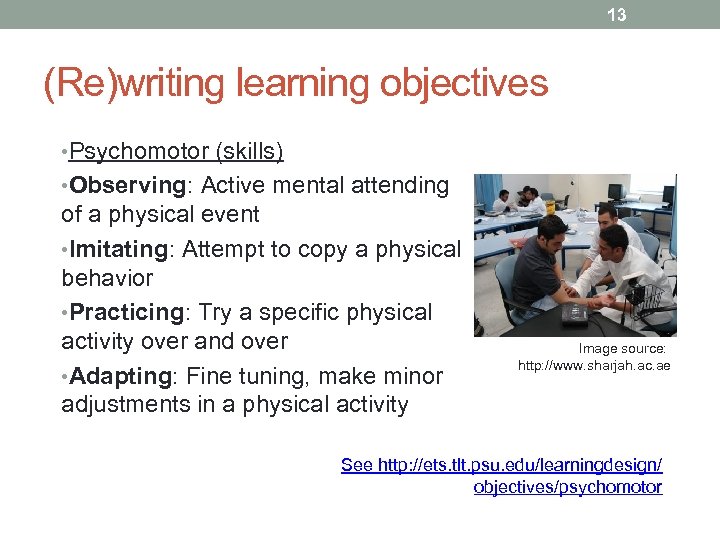 13 (Re)writing learning objectives • Psychomotor (skills) • Observing: Active mental attending of a physical event • Imitating: Attempt to copy a physical behavior • Practicing: Try a specific physical activity over and over • Adapting: Fine tuning, make minor adjustments in a physical activity Image source: http: //www. sharjah. ac. ae See http: //ets. tlt. psu. edu/learningdesign/ objectives/psychomotor
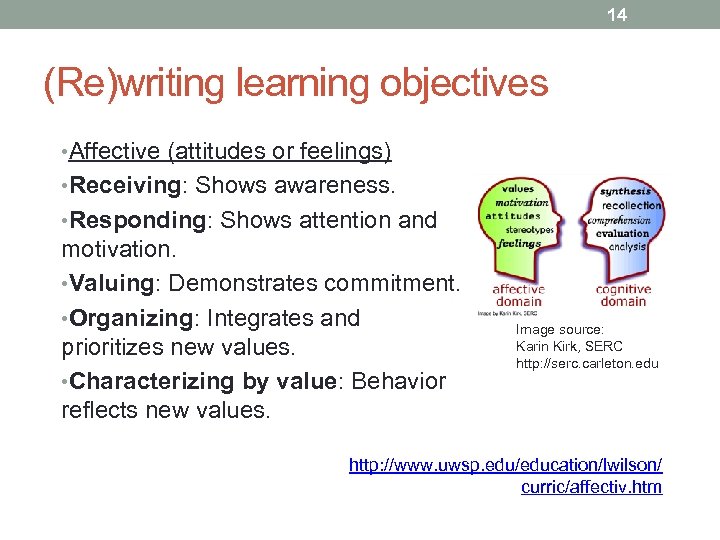 14 (Re)writing learning objectives • Affective (attitudes or feelings) • Receiving: Shows awareness. • Responding: Shows attention and motivation. • Valuing: Demonstrates commitment. • Organizing: Integrates and prioritizes new values. • Characterizing by value: Behavior reflects new values. Image source: Karin Kirk, SERC http: //serc. carleton. edu http: //www. uwsp. edu/education/lwilson/ curric/affectiv. htm
 15 (Re)writing learning objectives • Revise for context (tech-enabled, asynchronous distance learning): Does teaching online allow you, or force you, to do something differently? • In some cases, technology enables new approaches • In some cases, learning at a distance forces us to do things differently… • REMEMBER: beware of the assumption trap— Distance learning does NOT mean 100% of the learning must be done sitting in front of a screen. Online Course Structure & Student Support 15
 16 Activity: (Re)write learning objectives Task (3 -5 min): • Review your course objectives • (Re)write one course-level objective • Add unit or module-level objectives
 17 Activity: Share • 3 to 5 faculty will share before/after versions of their objectives
 18 OEI Rubric Section A. 3: Course Design - Learner Engagement • It is clear how the instructional • Tools available within the course strategies will enable students to reach course objectives • Course design includes guidance for learners to work with content in meaningful ways • Individualized learning opportunities, remedial activities, or resources for advanced learning activities are provided management system (CMS) are used to facilitate learning by engaging students with course content • Technologies are used creatively in ways that transcend traditional, teacher-centered instruction • Learners have the opportunity to give anonymous feedback to the instructor regarding course design and course content both during course delivery and after course completion
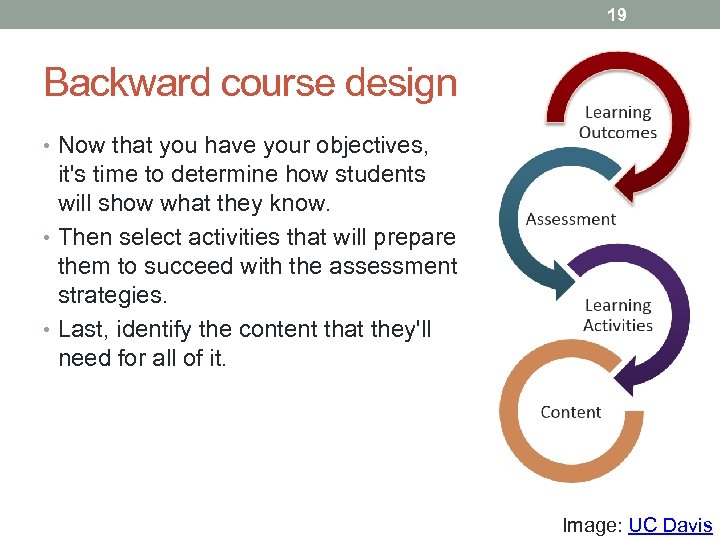 19 Backward course design • Now that you have your objectives, it's time to determine how students will show what they know. • Then select activities that will prepare them to succeed with the assessment strategies. • Last, identify the content that they'll need for all of it. Image: UC Davis
 20 Activity Task (5 min): • Use the worksheet to map assessment strategies, activities and course materials to your objectives • Share elements of your map with a neighbor • NOTE: This map will become a checklist for you as you work on your course this week!
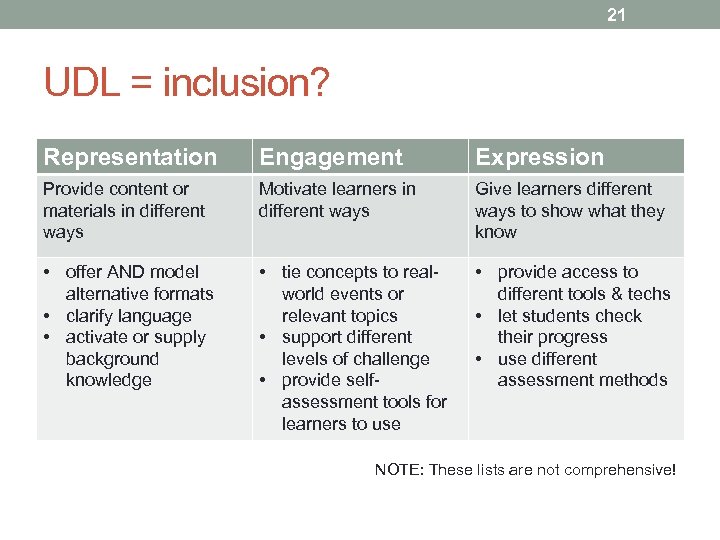 21 UDL = inclusion? Representation Engagement Expression Provide content or materials in different ways Motivate learners in different ways Give learners different ways to show what they know • offer AND model alternative formats • clarify language • activate or supply background knowledge • tie concepts to realworld events or relevant topics • support different levels of challenge • provide selfassessment tools for learners to use • provide access to different tools & techs • let students check their progress • use different assessment methods NOTE: These lists are not comprehensive!
 BIO-BREAK (10 MIN) Image CC BY Rishabh Mishra
 23 GETTING STARTED WITH CANVAS • Navigate Canvas • Modify course settings • Explore Canvas Outcomes
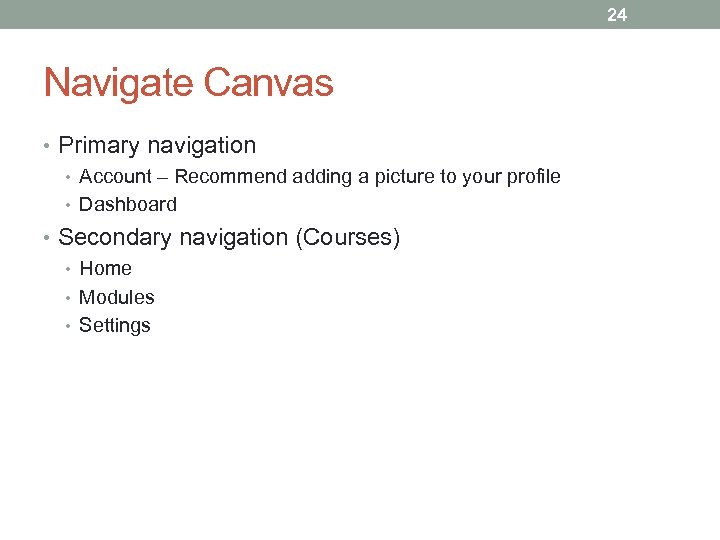 24 Navigate Canvas • Primary navigation • Account – Recommend adding a picture to your profile • Dashboard • Secondary navigation (Courses) • Home • Modules • Settings
 25 Modify Canvas Settings • Start date (Starts) • End date (Ends) • Visibility • Course Statistics • Student View
 26 Set up Outcomes in Canvas • Add an outcome • Discuss outcome "groups"
 27 CREATE A MODULE TO SUPPORT ONLINE LEARNERS
 28 OEI Rubric Section D. 2: Learner Support – Policies & Support • Software used for the course is • Institutional policies, adequately supported by the institution, including information for students on where they can obtain help • All activities that might create educational records (as defined by the Family Educational Records Privacy Act) or that involve regular effective contact are conducted within district- or college-supported systems materials, and forms relevant for learner success (e. g. , plagiarism) are clearly labeled and easy to find; links allow easy navigation from the course to the information and back • Course/instructor policies regarding decorum, behavior, and netiquette are easy to find and written clearly to avoid confusion • Links to institutional services such as the library, or writing center, are clearly labeled and easy to find
 29 Readiness and Preparation • How will you help students assess their readiness and prepare for online learning? • There a wide variety of online readiness surveys out there • OEI has online readiness tutorials
 30 Software • Will you do anything in your class that requires special software? • Most common: Fee for Microsoft Office free reader for Adobe PDF • Specialties: e. g. , Media production
 31 Policies • Let's review some common policies for an online course syllabus • Some are new • Some may be different than F 2 F course policies • Some are the same as F 2 F course policies
 32 Links to Support (outside your class) • What student support services are appropriate for your class? Relevant to your students? • Academic • Writing, Tutoring, Library (any research projects? ), Advising, Bookstore • Non-academic • Counseling, Financial Aid, Registration
 33 Activity • Task (10 -15 min): Create a module to support online learners • Readiness (Survey) and Preparation (links to OEI site) • Links to software (e. g. , Adobe PDF reader) • Policies • Links to support services (academic and non-academic)
 34 SHARING COURSE DESIGN IDEAS
 35 Show & Tell • Before we get too far along, let's look at each other's courses to get ideas: • If you show a Moodle course, describe what elements you want to keep as you transition to Canvas • If you show a Canvas course, we know it's a work in progress. We are interested in what you have done already!
 36 LUNCH BREAK Image: Buffet - CC BY SA Prinsotel Hotels