 Скачать презентацию RDBMS-based GIS Using Spatial Ware with SQL Server
08b71913707870b02d75c2c811392f9f.ppt
- Количество слайдов: 13



RDBMS-based GIS Using Spatial. Ware with SQL Server to manage forestry maps A case Study of Port Blakely Tree Farms Chris Lacy, GIS Forester, Port Blakely Tree Farms Philip Woods, GIS Contractor, Isolines. net January 10 th, 2006
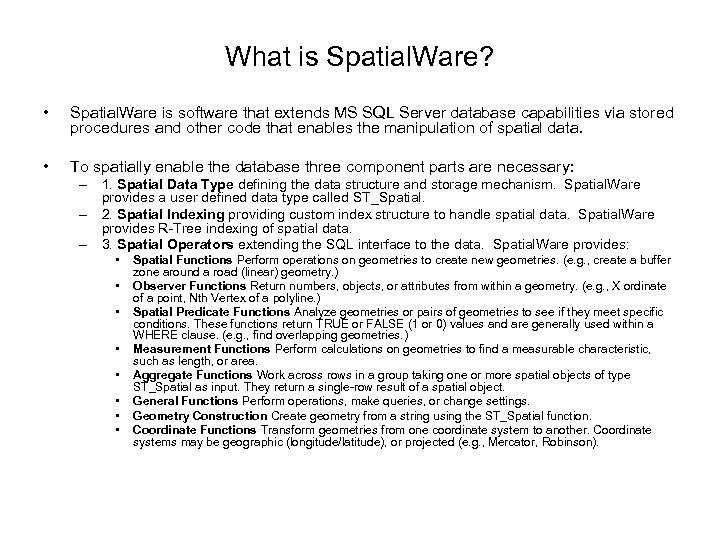
What is Spatial. Ware? • Spatial. Ware is software that extends MS SQL Server database capabilities via stored procedures and other code that enables the manipulation of spatial data. • To spatially enable the database three component parts are necessary: – 1. Spatial Data Type defining the data structure and storage mechanism. Spatial. Ware provides a user defined data type called ST_Spatial. – 2. Spatial Indexing providing custom index structure to handle spatial data. Spatial. Ware provides R-Tree indexing of spatial data. – 3. Spatial Operators extending the SQL interface to the data. Spatial. Ware provides: • • Spatial Functions Perform operations on geometries to create new geometries. (e. g. , create a buffer zone around a road (linear) geometry. ) Observer Functions Return numbers, objects, or attributes from within a geometry. (e. g. , X ordinate of a point, Nth Vertex of a polyline. ) Spatial Predicate Functions Analyze geometries or pairs of geometries to see if they meet specific conditions. These functions return TRUE or FALSE (1 or 0) values and are generally used within a WHERE clause. (e. g. , find overlapping geometries. ) Measurement Functions Perform calculations on geometries to find a measurable characteristic, such as length, or area. Aggregate Functions Work across rows in a group taking one or more spatial objects of type ST_Spatial as input. They return a single-row result of a spatial object. General Functions Perform operations, make queries, or change settings. Geometry Construction Create geometry from a string using the ST_Spatial function. Coordinate Functions Transform geometries from one coordinate system to another. Coordinate systems may be geographic (longitude/latitude), or projected (e. g. , Mercator, Robinson).
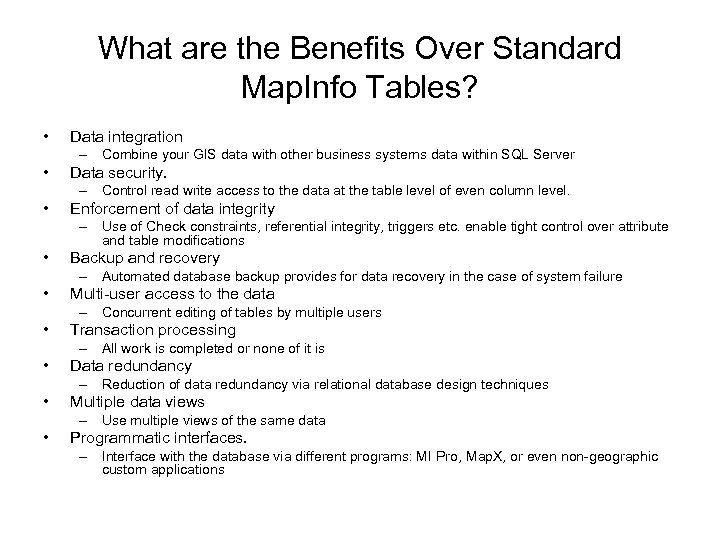
What are the Benefits Over Standard Map. Info Tables? • Data integration – Combine your GIS data with other business systems data within SQL Server • Data security. – Control read write access to the data at the table level of even column level. • Enforcement of data integrity – Use of Check constraints, referential integrity, triggers etc. enable tight control over attribute and table modifications • Backup and recovery – Automated database backup provides for data recovery in the case of system failure • Multi-user access to the data – Concurrent editing of tables by multiple users • Transaction processing – All work is completed or none of it is • Data redundancy – Reduction of data redundancy via relational database design techniques • Multiple data views – Use multiple views of the same data • Programmatic interfaces. – Interface with the database via different programs: MI Pro, Map. X, or even non-geographic custom applications
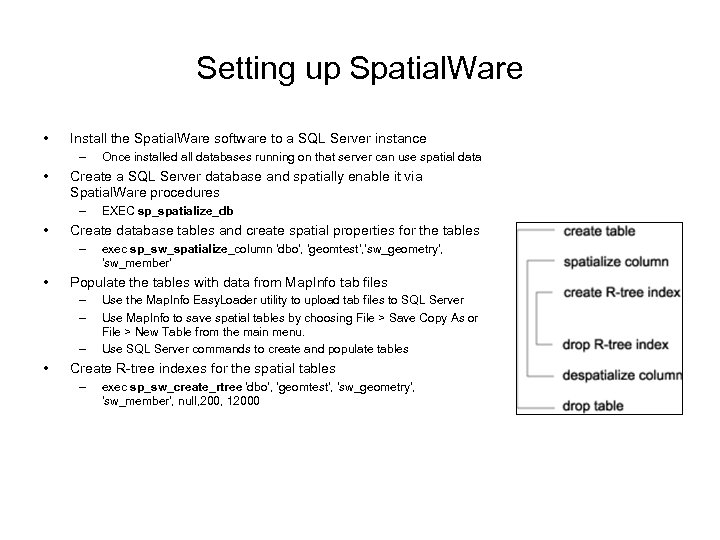
Setting up Spatial. Ware • Install the Spatial. Ware software to a SQL Server instance – • Create a SQL Server database and spatially enable it via Spatial. Ware procedures – • exec sp_sw_spatialize_column 'dbo', 'geomtest', 'sw_geometry', 'sw_member' Populate the tables with data from Map. Info tab files – – – • EXEC sp_spatialize_db Create database tables and create spatial properties for the tables – • Once installed all databases running on that server can use spatial data Use the Map. Info Easy. Loader utility to upload tab files to SQL Server Use Map. Info to save spatial tables by choosing File > Save Copy As or File > New Table from the main menu. Use SQL Server commands to create and populate tables Create R-tree indexes for the spatial tables – exec sp_sw_create_rtree 'dbo', 'geomtest', 'sw_geometry', 'sw_member', null, 200, 12000
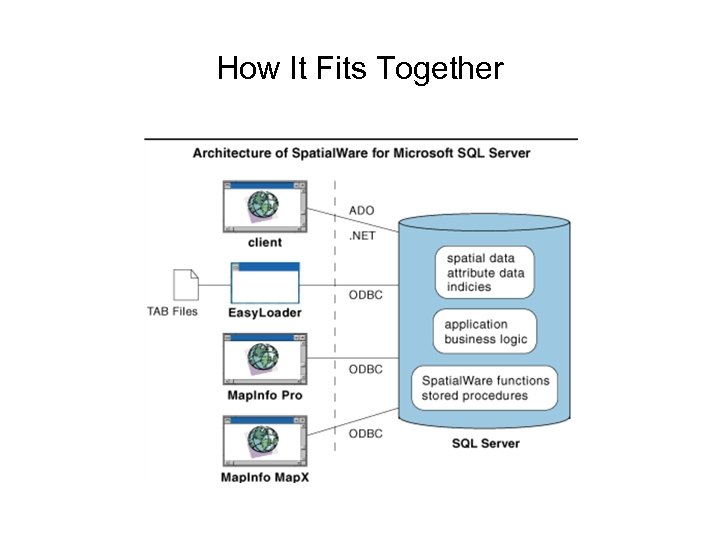
How It Fits Together
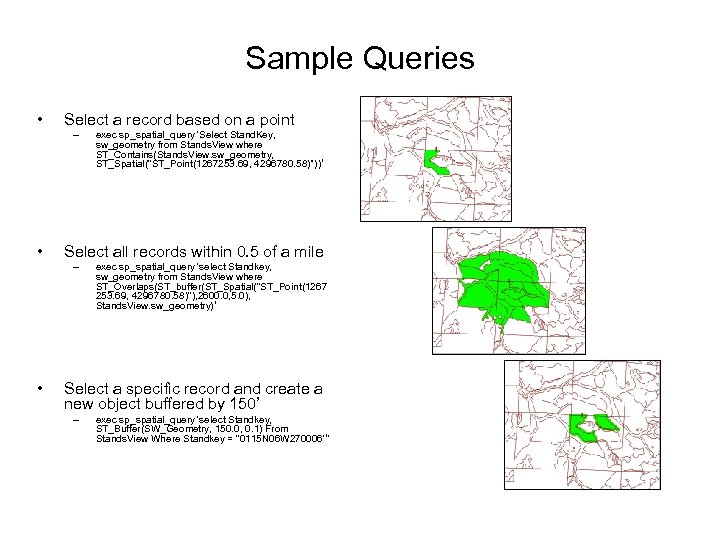
Sample Queries • Select a record based on a point – • Select all records within 0. 5 of a mile – • exec sp_spatial_query 'Select Stand. Key, sw_geometry from Stands. View where ST_Contains(Stands. View. sw_geometry, ST_Spatial(''ST_Point(1267253. 69, 4296780. 58)''))‘ exec sp_spatial_query 'select Standkey, sw_geometry from Stands. View where ST_Overlaps(ST_buffer(ST_Spatial(''ST_Point(1267 253. 69, 4296780. 58)''), 2600. 0, 5. 0), Stands. View. sw_geometry)‘ Select a specific record and create a new object buffered by 150’ – exec sp_spatial_query 'select Standkey, ST_Buffer(SW_Geometry, 150. 0, 0. 1) From Stands. View Where Standkey = ''0115 N 06 W 270006'‘’
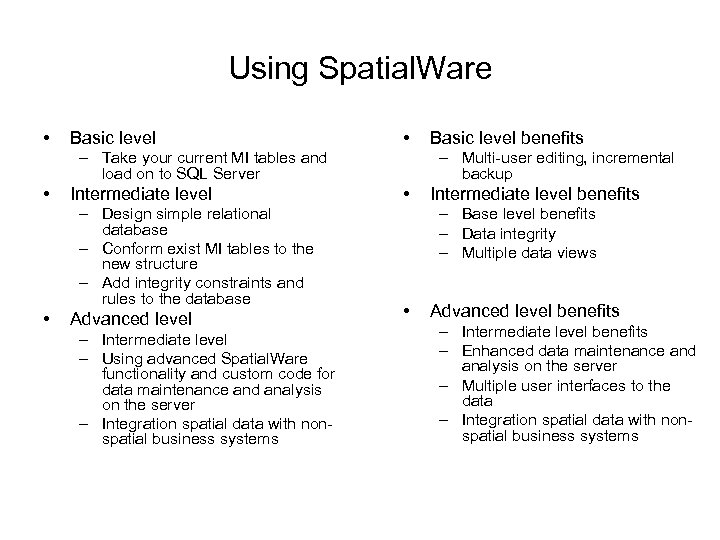
Using Spatial. Ware • Basic level • – Take your current MI tables and load on to SQL Server • Intermediate level – Design simple relational database – Conform exist MI tables to the new structure – Add integrity constraints and rules to the database • Advanced level – Intermediate level – Using advanced Spatial. Ware functionality and custom code for data maintenance and analysis on the server – Integration spatial data with nonspatial business systems Basic level benefits – Multi-user editing, incremental backup • Intermediate level benefits – Base level benefits – Data integrity – Multiple data views • Advanced level benefits – Intermediate level benefits – Enhanced data maintenance and analysis on the server – Multiple user interfaces to the data – Integration spatial data with nonspatial business systems
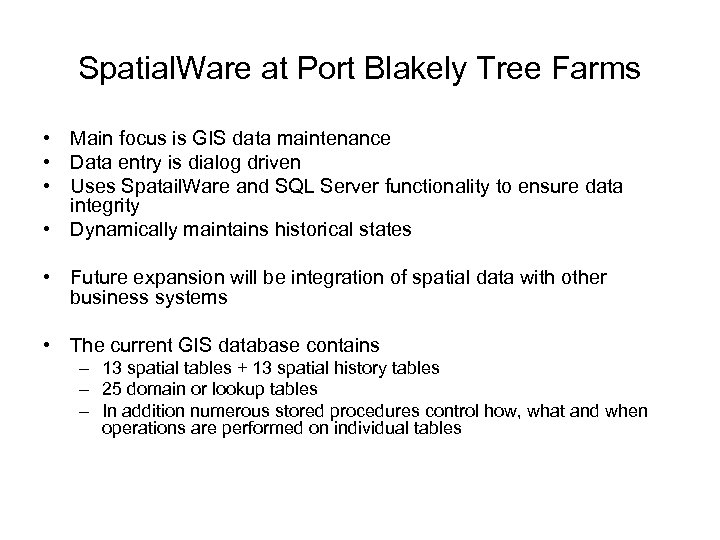
Spatial. Ware at Port Blakely Tree Farms • Main focus is GIS data maintenance • Data entry is dialog driven • Uses Spatail. Ware and SQL Server functionality to ensure data integrity • Dynamically maintains historical states • Future expansion will be integration of spatial data with other business systems • The current GIS database contains – 13 spatial tables + 13 spatial history tables – 25 domain or lookup tables – In addition numerous stored procedures control how, what and when operations are performed on individual tables
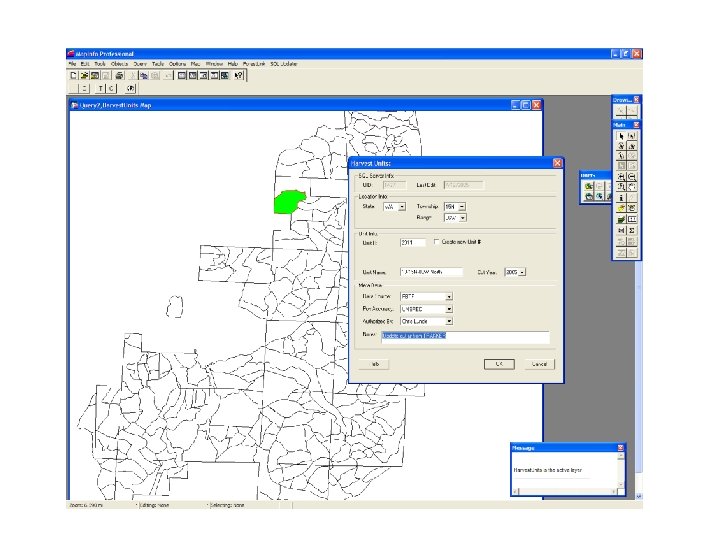
Uses at PBTF • Database maintenance – basic CRUD – Creation • Data created during maintenance process • New data sets uploaded to Spatial. Ware – Retrieval • Use of custom data views for different staff needs • Use of spatial queries for generating ad hoc data sets – Update • Use of Map. Info and custom data entry screens for data maintenance – Deletion • Use of Map. Info for record deletions
What Does it Take to Leverage Spatial. Ware? • Knowledge of Map. Info • Database design and development • Knowledge of Spatial. Ware • Knowledge of MS SQL Server
Conclusions So Far… • Practical to implement even in relatively small implementations • Provides a secure multi-user environment • Makes the data maintenance process easier to control – higher data quality and tracking • Provides the tools for server side analysis • Has enormous potential for corporate data integration
Contact Info’ • Chris Lacy – – GIS Forester Port Blakely Tree Farms clacy@portblakely. com http: //www. portblakely. com • Philip Woods – GIS Contractor – spatialpro@hotmail. com – http: //www. isolines. net
Скачать презентацию RDBMS-based GIS Using Spatial Ware with SQL Server
08b71913707870b02d75c2c811392f9f.ppt