


 Скачать презентацию Rapid software development Ian Sommerville 2004 Software Engineering
80c26f1bfaedcc2e7c4b92902559d453.ppt
- Количество слайдов: 53
 Rapid software development ©Ian Sommerville 2004 Software Engineering, 7 th edition. Chapter 17 Slide 1
 Objectives l l To explain how an iterative, incremental development process leads to faster delivery of more useful software To discuss the essence of agile development methods To explain the principles and practices of extreme programming To explain the roles of prototyping in the software process ©Ian Sommerville 2004 Software Engineering, 7 th edition. Chapter 17 Slide 2
 Topics covered l l Agile methods Extreme programming Rapid application development Software prototyping ©Ian Sommerville 2004 Software Engineering, 7 th edition. Chapter 17 Slide 3
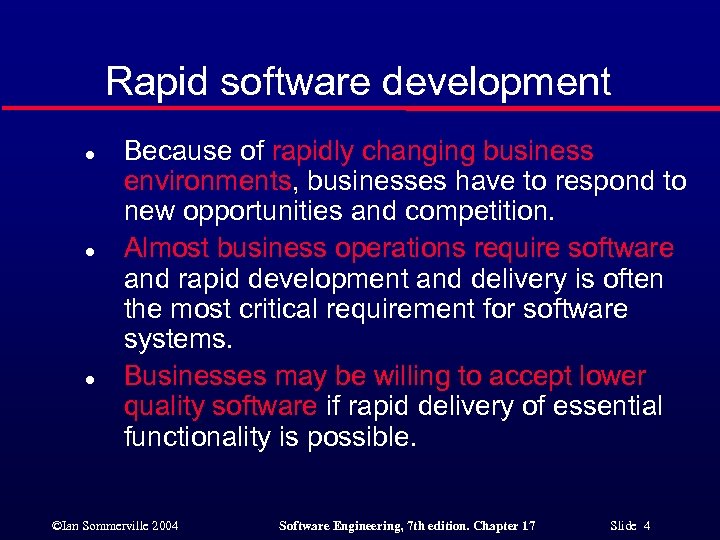 Rapid software development l l l Because of rapidly changing business environments, businesses have to respond to new opportunities and competition. Almost business operations require software and rapid development and delivery is often the most critical requirement for software systems. Businesses may be willing to accept lower quality software if rapid delivery of essential functionality is possible. ©Ian Sommerville 2004 Software Engineering, 7 th edition. Chapter 17 Slide 4
 Requirements l l l Because of the changing environment, it is often impossible to arrive at a stable, consistent set of system requirements. Therefore a waterfall model of development is impractical. An approach to development based on iterative specification and delivery is the only way to deliver useful software quickly. ©Ian Sommerville 2004 Software Engineering, 7 th edition. Chapter 17 Slide 5
 Characteristics of rapid software development 1. 2. 3. 4. 5. The processes of specification, design, implementation are concurrent. There is no detailed specification. Design documentation is minimised. The system is developed in a series of increments. End users evaluate each increment and make proposals for later increments. System user interfaces (which are difficult to specify in advance), are usually developed using an interactive development system (for example, interfaces might be developed by using an exploratory development, [see pg. 69 evolutionary development] ). ©Ian Sommerville 2004 Software Engineering, 7 th edition. Chapter 17 Slide 6
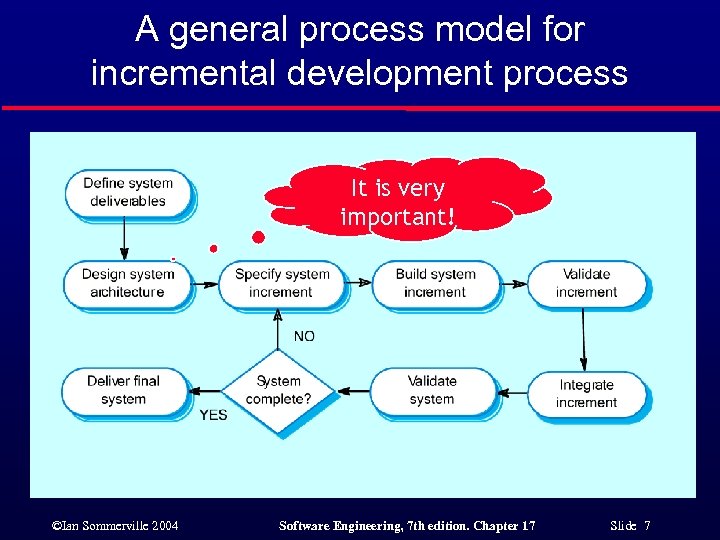 A general process model for incremental development process It is very important! ©Ian Sommerville 2004 Software Engineering, 7 th edition. Chapter 17 Slide 7
 Advantages of incremental development l l Accelerated delivery of customer services. Each increment delivers the highest priority functionality to the customer. User engagement with the system. Users have to be involved in the development which means the system is more likely to meet their requirements and the users are more committed to the system. ©Ian Sommerville 2004 Software Engineering, 7 th edition. Chapter 17 Slide 8
 Problems with incremental development (1/2) l Management problems • • l Progress can be hard to judge and problems hard to find because there is no documentation to demonstrate what has been done. Incremental development may require new and unfamiliar technologies to ensure rapid delivery: managers may find it difficult to use existing stuff (these stuff might lack of skills). Contractual problems • • Usually, normal contracts include a specification documentation; Without a specification, different forms of contract have to be used, but …. . 1. Developers may be unhappy to accept a fixed-price; 2. Customers may be unhappy to pay developers for the time spent in the projects; ©Ian Sommerville 2004 Software Engineering, 7 th edition. Chapter 17 Slide 9
 Problems with incremental development (2/2) l Validation problems 1. 2. 3. l Without a specification, what is the system being tested against? If there is a specification a V&V team can early use it for test in parallel with the system implementation; If there is no such a specification independent validation of incrementally developed system is difficult. Maintenance problems 1. 2. Continual change tends to corrupt software structure making it more expensive to change and evolve to meet new requirements. This means that only the original developers may understand the software: • 3. It could be profitable to use refactoring to maintain the system well structured; Moreover, if specialized technology, such as RAD (Rapid Application Development) is used to support rapid development (based on incremental development and delivery) the RAD technology itself may become obsolete. (See next slides for RAD) ©Ian Sommerville 2004 Software Engineering, 7 th edition. Chapter 17 Slide 10
 Large systems l l For some large systems, incremental iterative development and delivery may be impractical; This is especially true: 1. 2. 3. • But also these systems suffer the problem of uncertain and changing requirements, so: • l when multiple teams are working on different sites. Embedded systems where software depends on hardware development; Critical system: safety, security; a hybrid process may be used where a prototype is developed iteratively. As we will see in the last slides, you can get some of the benefits of an incremental development by a rapid and iterative implementation of a throw-away prototype within a waterfall or plan-based development approach. ©Ian Sommerville 2004 Software Engineering, 7 th edition. Chapter 17 Slide 11
 Prototyping l For some large systems, incremental iterative prototyping may be used where an experimental system is developed as a basis for: 1. 2. 3. l l formulating and /or validating requirements; exploring new design solution (e. g. , design interface); testing. A prototype system is not developed to be delivered to the customer, but …. . the term evolutionary prototyping is sometimes used to as a synonym of incremental development (i. e. , the prototype is not discarded but evolve to meet the customer’s requirements) ©Ian Sommerville 2004 Software Engineering, 7 th edition. Chapter 17 Slide 12
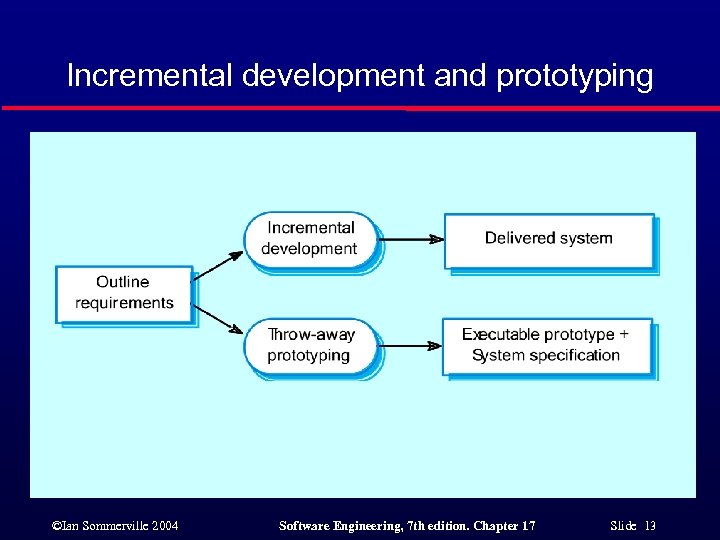 Incremental development and prototyping ©Ian Sommerville 2004 Software Engineering, 7 th edition. Chapter 17 Slide 13
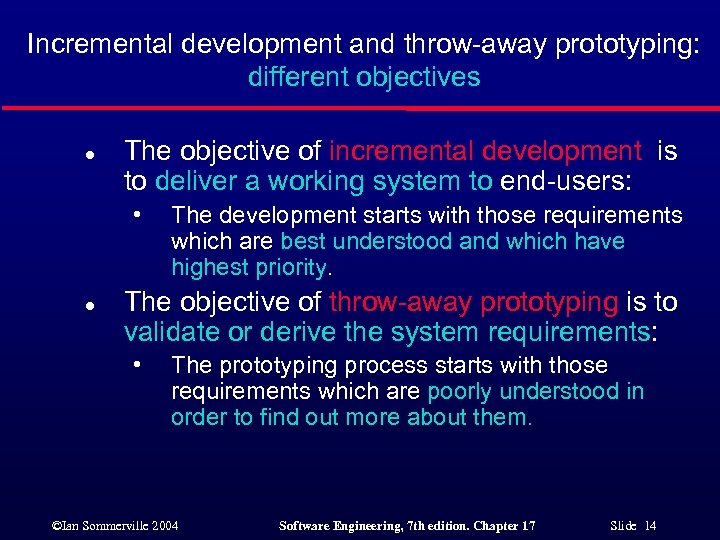 Incremental development and throw-away prototyping: different objectives l The objective of incremental development is to deliver a working system to end-users: • l The development starts with those requirements which are best understood and which have highest priority. The objective of throw-away prototyping is to validate or derive the system requirements: • The prototyping process starts with those requirements which are poorly understood in order to find out more about them. ©Ian Sommerville 2004 Software Engineering, 7 th edition. Chapter 17 Slide 14
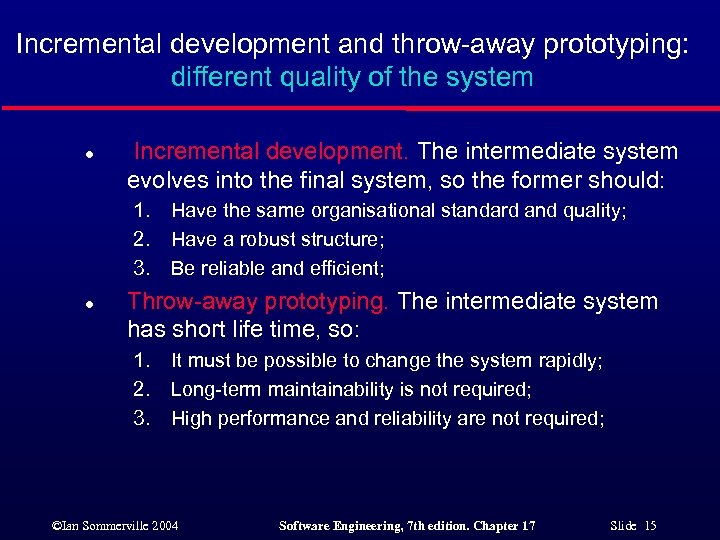 Incremental development and throw-away prototyping: different quality of the system l Incremental development. The intermediate system evolves into the final system, so the former should: 1. 2. 3. l Have the same organisational standard and quality; Have a robust structure; Be reliable and efficient; Throw-away prototyping. The intermediate system has short life time, so: 1. 2. 3. It must be possible to change the system rapidly; Long-term maintainability is not required; High performance and reliability are not required; ©Ian Sommerville 2004 Software Engineering, 7 th edition. Chapter 17 Slide 15
 Agile methods l Dissatisfaction with the overheads involved in design methods led to the creation of agile methods. These methods: • • • l Focus on the code rather than the documentation and design; Are based on an iterative approach to software development; Are intended to deliver working software quickly and evolve this quickly to meet changing requirements. Agile methods are probably best suited to small/medium-sized business systems or PC products. ©Ian Sommerville 2004 Software Engineering, 7 th edition. Chapter 17 Slide 16
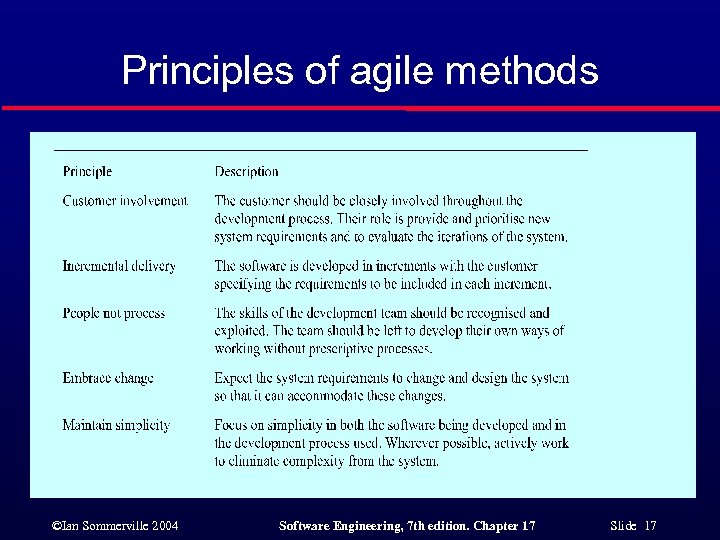 Principles of agile methods ©Ian Sommerville 2004 Software Engineering, 7 th edition. Chapter 17 Slide 17
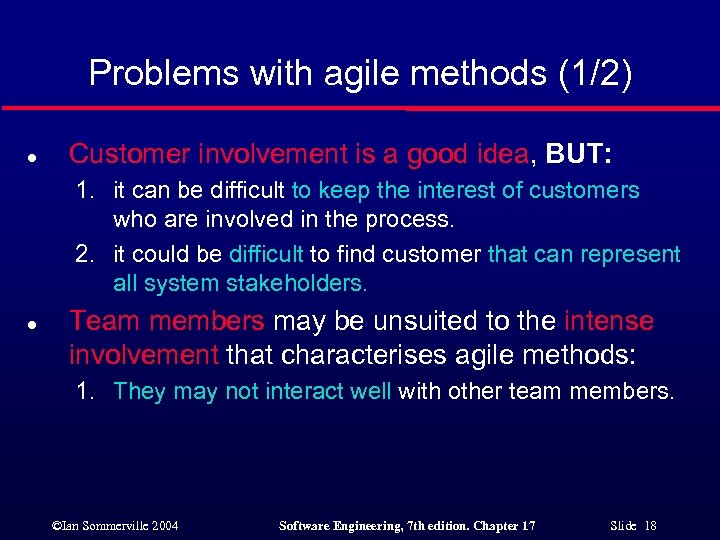 Problems with agile methods (1/2) l Customer involvement is a good idea, BUT: 1. it can be difficult to keep the interest of customers who are involved in the process. 2. it could be difficult to find customer that can represent all system stakeholders. l Team members may be unsuited to the intense involvement that characterises agile methods: 1. They may not interact well with other team members. ©Ian Sommerville 2004 Software Engineering, 7 th edition. Chapter 17 Slide 18
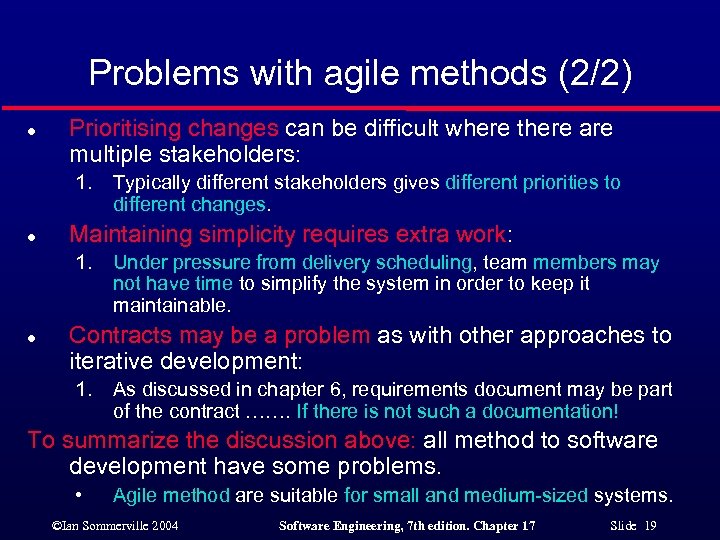 Problems with agile methods (2/2) l Prioritising changes can be difficult where there are multiple stakeholders: 1. l Maintaining simplicity requires extra work: 1. l Typically different stakeholders gives different priorities to different changes. Under pressure from delivery scheduling, team members may not have time to simplify the system in order to keep it maintainable. Contracts may be a problem as with other approaches to iterative development: 1. As discussed in chapter 6, requirements document may be part of the contract ……. If there is not such a documentation! To summarize the discussion above: all method to software development have some problems. • Agile method are suitable for small and medium-sized systems. ©Ian Sommerville 2004 Software Engineering, 7 th edition. Chapter 17 Slide 19
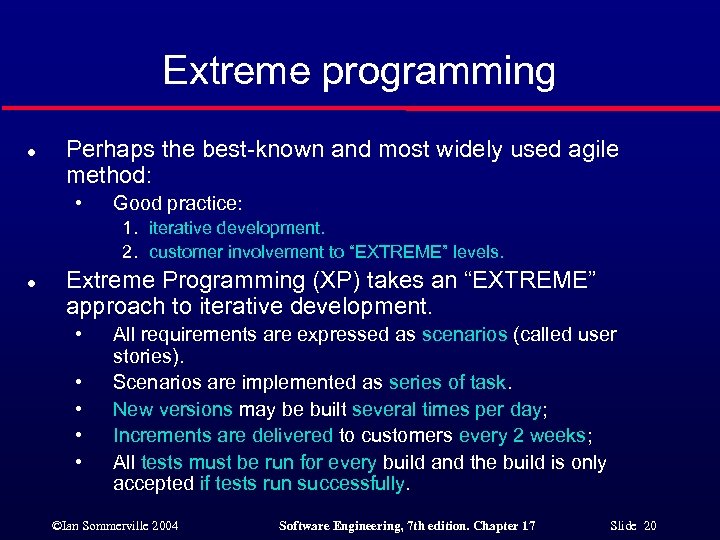 Extreme programming l Perhaps the best-known and most widely used agile method: • Good practice: 1. iterative development. 2. customer involvement to “EXTREME” levels. l Extreme Programming (XP) takes an “EXTREME” approach to iterative development. • • • All requirements are expressed as scenarios (called user stories). Scenarios are implemented as series of task. New versions may be built several times per day; Increments are delivered to customers every 2 weeks; All tests must be run for every build and the build is only accepted if tests run successfully. ©Ian Sommerville 2004 Software Engineering, 7 th edition. Chapter 17 Slide 20
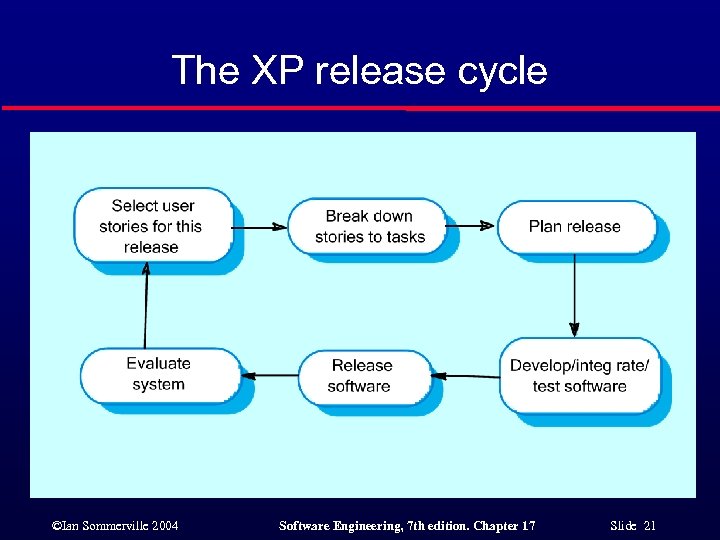 The XP release cycle ©Ian Sommerville 2004 Software Engineering, 7 th edition. Chapter 17 Slide 21
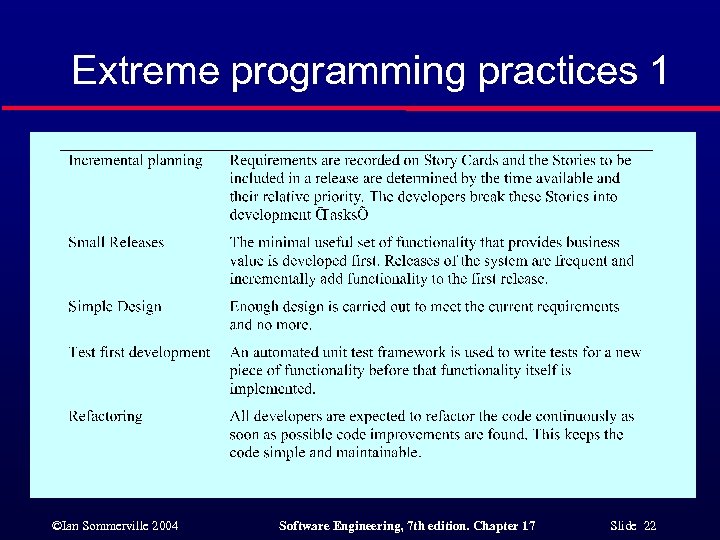 Extreme programming practices 1 ©Ian Sommerville 2004 Software Engineering, 7 th edition. Chapter 17 Slide 22
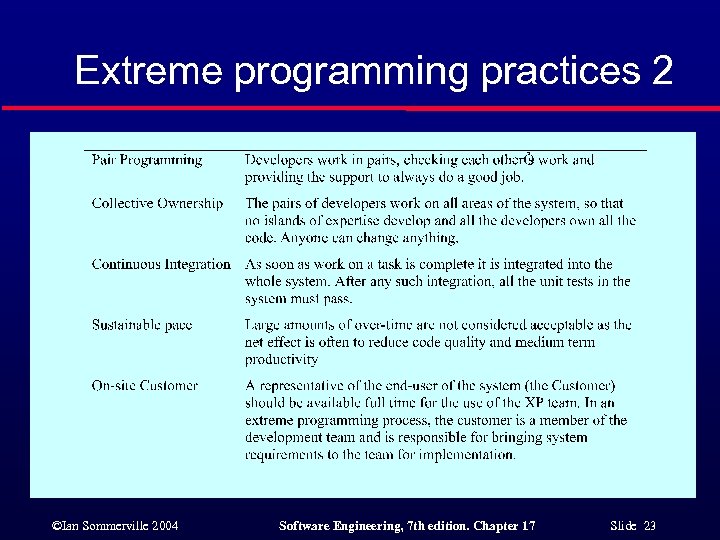 Extreme programming practices 2 ©Ian Sommerville 2004 Software Engineering, 7 th edition. Chapter 17 Slide 23
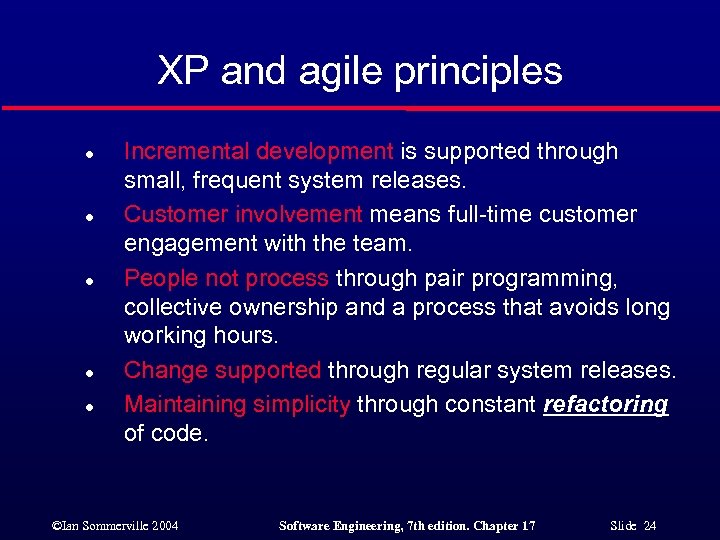 XP and agile principles l l l Incremental development is supported through small, frequent system releases. Customer involvement means full-time customer engagement with the team. People not process through pair programming, collective ownership and a process that avoids long working hours. Change supported through regular system releases. Maintaining simplicity through constant refactoring of code. ©Ian Sommerville 2004 Software Engineering, 7 th edition. Chapter 17 Slide 24
 Requirements scenarios l l l In XP, user requirements are expressed as scenarios or user stories. These are written on cards and the development team break them down into implementation tasks. Each task represent a discrete feature. The tasks are the basis of schedule and cost estimates. The customer chooses the stories for inclusion in the next release based on their priorities and the schedule estimates. ©Ian Sommerville 2004 Software Engineering, 7 th edition. Chapter 17 Slide 25
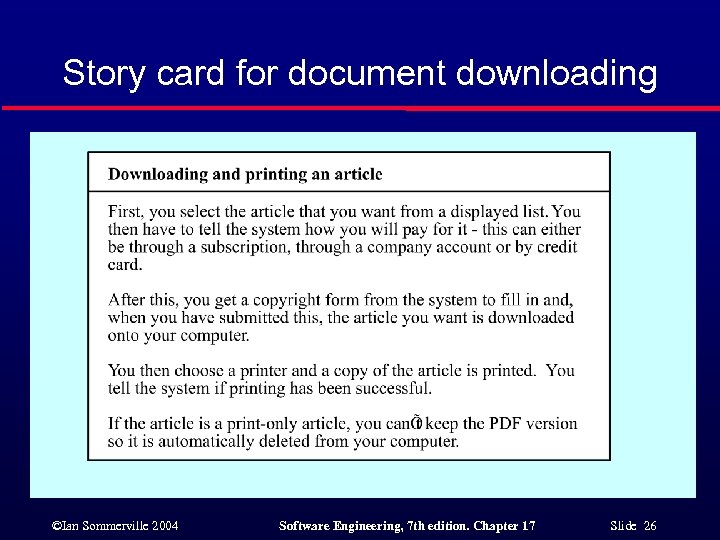 Story card for document downloading ©Ian Sommerville 2004 Software Engineering, 7 th edition. Chapter 17 Slide 26
 XP and change l l Conventional wisdom in software engineering is to design for change (i. e. , for traditional software process it is worth spending time and effort anticipating changes as this reduces costs later in the life cycle. XP, however, has discarded this principle. XP maintains that this is not worthwhile as changes cannot be reliably anticipated: • l Often changes anticipated never materialise and completely different changes are actually made. Rather, it proposes constant code improvement (refactoring) to make changes easier when they have to be implemented by maintaining a good structure. ©Ian Sommerville 2004 Software Engineering, 7 th edition. Chapter 17 Slide 27
 Testing in XP (1/3) Testing practice is different from iterative development and plan-based development: l l l In XP, there is no a full system specification that can be used by an external team to develop system test. As already said, this can lead to very informal testing and validation process. XP avoid some of the problems of testing and validation by reducing the likelihood that producing new system increments will produce error. ©Ian Sommerville 2004 Software Engineering, 7 th edition. Chapter 17 Slide 28
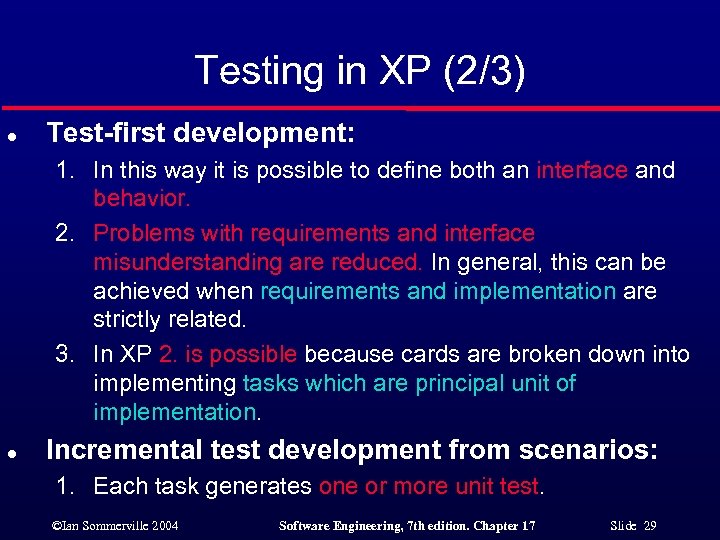 Testing in XP (2/3) l Test-first development: 1. In this way it is possible to define both an interface and behavior. 2. Problems with requirements and interface misunderstanding are reduced. In general, this can be achieved when requirements and implementation are strictly related. 3. In XP 2. is possible because cards are broken down into implementing tasks which are principal unit of implementation. l Incremental test development from scenarios: 1. Each task generates one or more unit test. ©Ian Sommerville 2004 Software Engineering, 7 th edition. Chapter 17 Slide 29
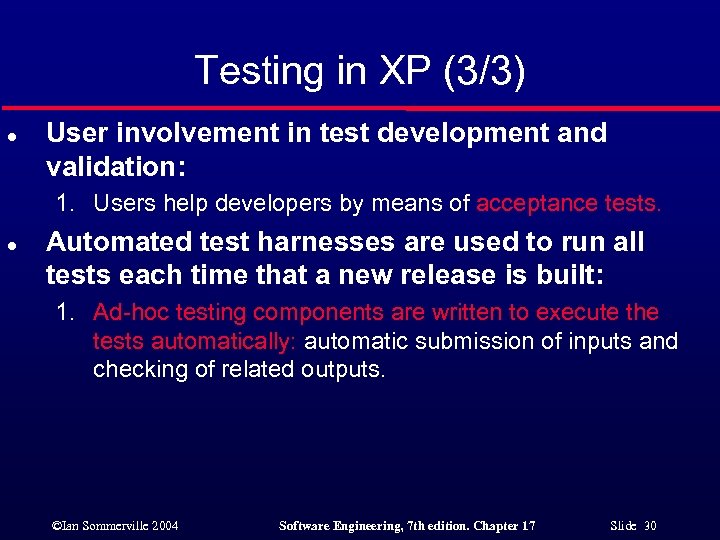 Testing in XP (3/3) l User involvement in test development and validation: 1. Users help developers by means of acceptance tests. l Automated test harnesses are used to run all tests each time that a new release is built: 1. Ad-hoc testing components are written to execute the tests automatically: automatic submission of inputs and checking of related outputs. ©Ian Sommerville 2004 Software Engineering, 7 th edition. Chapter 17 Slide 30
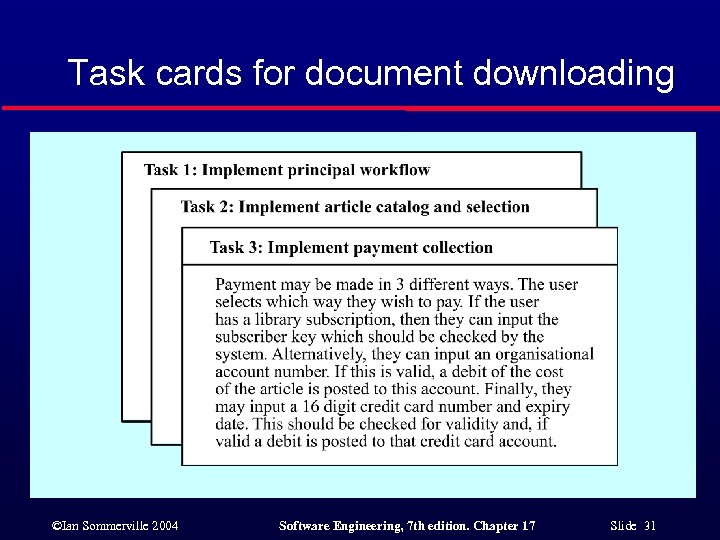 Task cards for document downloading ©Ian Sommerville 2004 Software Engineering, 7 th edition. Chapter 17 Slide 31
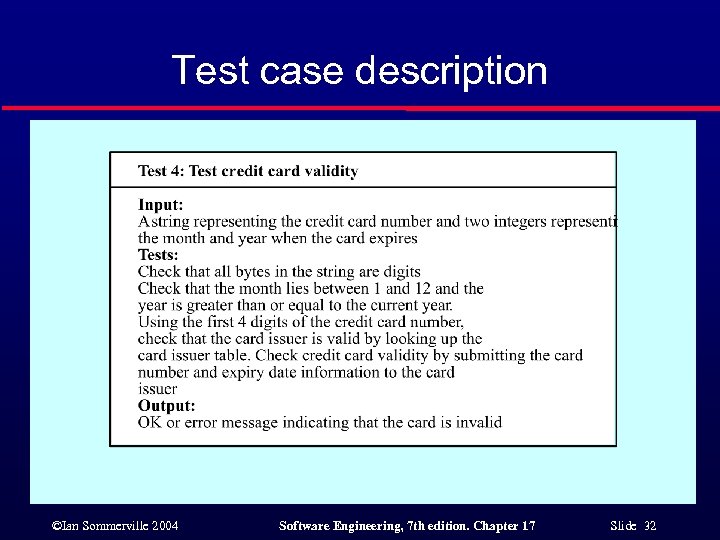 Test case description ©Ian Sommerville 2004 Software Engineering, 7 th edition. Chapter 17 Slide 32
 Test-first development (1/2) l l l TO SUMMARIZE: Writing tests before code clarifies the requirements to be implemented. Tests are written as programs rather than data so that they can be executed automatically. The test includes a check that it has executed correctly. All previous and new tests are automatically run when new functionality is added (regression testing). Thus checking that the new functionality has not introduced errors. P. S. : test-first development avoid problems of “test-lag”: • In fact, usually developers work at a faster pace than the tester and so it is a tendency to skip tests. ©Ian Sommerville 2004 Software Engineering, 7 th edition. Chapter 17 Slide 33
 Test-first development (2/2) l However, test-first development does not always work: 1. Programmers often prefer programming to testing. 2. Programmers write sometimes incomplete tests: 1. For example, it could be difficult to write test for user interface. 3. Customers may feel that providing the requirements is enough and can be reluctant to get involved in the testing process too. ©Ian Sommerville 2004 Software Engineering, 7 th edition. Chapter 17 Slide 34
 Pair programming l In XP, programmers work in pairs, sitting together to develop code (the pairs are changed). ADVANTAGES and DISADVANTAGES: 1. 2. This helps develop common ownership of code and spreads knowledge across the team (“egoless” programming). It serves as an informal review process as each line of code is looked at by more than 1 person: • 3. It encourages refactoring and the whole team can benefit from this: • l obviously this is a less formal and cheaper process with respect to formal program inspection and hence it probably does not find so many error. if you work alone with yourself and if you practice refactoring you may be judged less efficient …. but if you work in pair …. . and pair are changed … Measurements suggest that development productivity with pair programming is similar to that of two people working independently. ©Ian Sommerville 2004 Software Engineering, 7 th edition. Chapter 17 Slide 35
 Rapid Application Development l l l Agile methods (as iterative development approaches) have received a lot of attention but other approaches to Rapid Application Development have been used for many years. These are mainly designed to develop data-intensive business applications and rely on programming and presenting information from a database. These techniques are usually organized as a set of tool that allow data: 1. 2. 3. 4. 5. To be created; To be searched; To be displayed; To presented as report; etc. ©Ian Sommerville 2004 Software Engineering, 7 th edition. Chapter 17 Slide 36
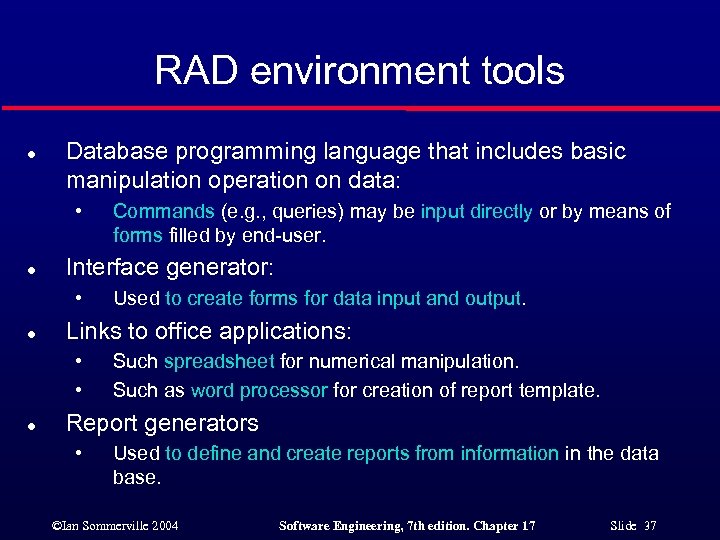 RAD environment tools l Database programming language that includes basic manipulation operation on data: • l Interface generator: • l Used to create forms for data input and output. Links to office applications: • • l Commands (e. g. , queries) may be input directly or by means of forms filled by end-user. Such spreadsheet for numerical manipulation. Such as word processor for creation of report template. Report generators • Used to define and create reports from information in the data base. ©Ian Sommerville 2004 Software Engineering, 7 th edition. Chapter 17 Slide 37
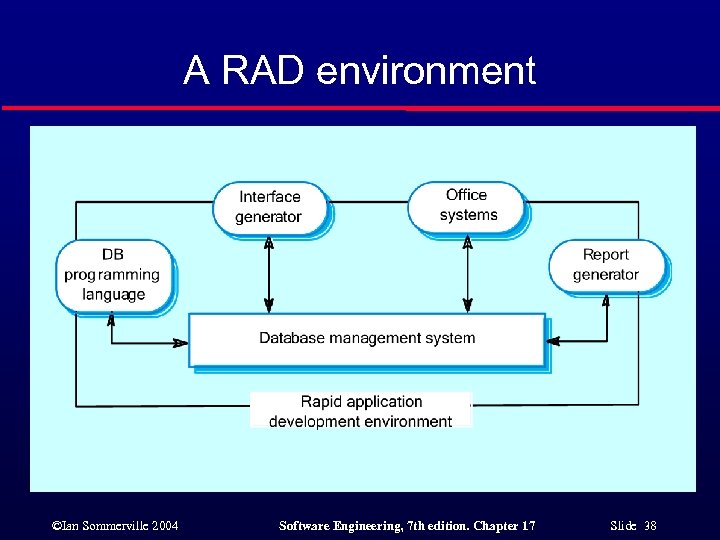 A RAD environment ©Ian Sommerville 2004 Software Engineering, 7 th edition. Chapter 17 Slide 38
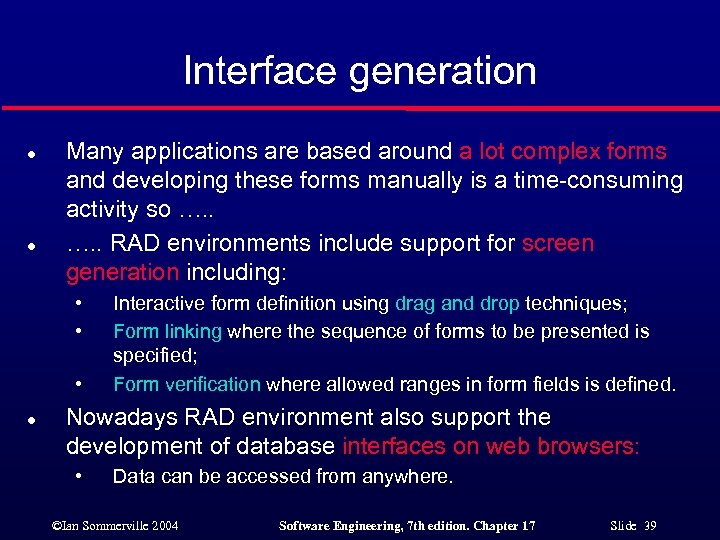 Interface generation l l Many applications are based around a lot complex forms and developing these forms manually is a time-consuming activity so …. . RAD environments include support for screen generation including: • • • l Interactive form definition using drag and drop techniques; Form linking where the sequence of forms to be presented is specified; Form verification where allowed ranges in form fields is defined. Nowadays RAD environment also support the development of database interfaces on web browsers: • Data can be accessed from anywhere. ©Ian Sommerville 2004 Software Engineering, 7 th edition. Chapter 17 Slide 39
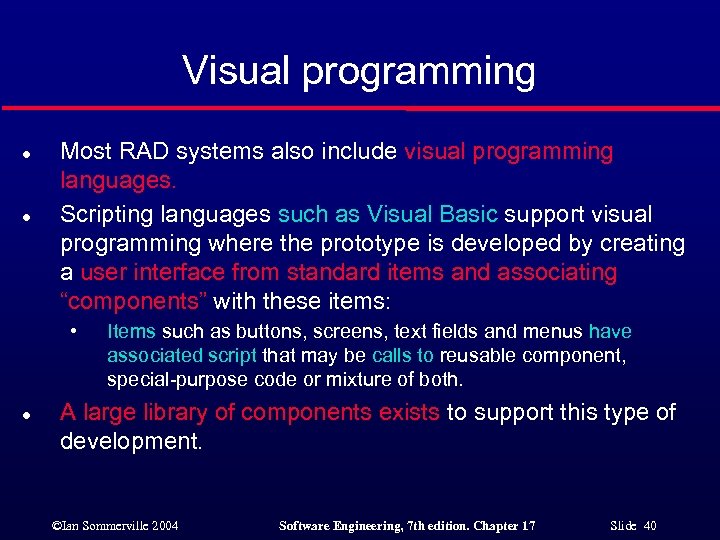 Visual programming l l Most RAD systems also include visual programming languages. Scripting languages such as Visual Basic support visual programming where the prototype is developed by creating a user interface from standard items and associating “components” with these items: • l Items such as buttons, screens, text fields and menus have associated script that may be calls to reusable component, special-purpose code or mixture of both. A large library of components exists to support this type of development. ©Ian Sommerville 2004 Software Engineering, 7 th edition. Chapter 17 Slide 40
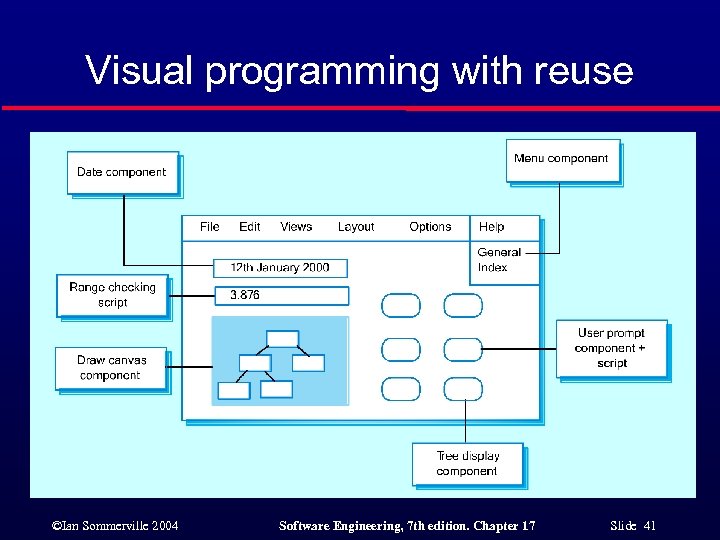 Visual programming with reuse ©Ian Sommerville 2004 Software Engineering, 7 th edition. Chapter 17 Slide 41
 Problems with visual development l Difficult to coordinate team-based development. l No explicit and well structured system architecture. l l Complex dependencies between parts of the program can cause maintainability problems. Since scripting languages are limited to a specific set of interaction objects, it can be difficult to implement non standard user interface. ©Ian Sommerville 2004 Software Engineering, 7 th edition. Chapter 17 Slide 42
 COTS reuse l l l Visual development is an approach to RAD that relies on integrating fine-grained component. An alternative effective approach to rapid development is to configure and link existing off the shelf systems (COTS) that could be complete applications For example, a requirements management system (discussed in Chapter 7) could be built by using: • A database to store requirements: • To store requirements. • A word processor to capture requirements and format reports (e. g. , Microsoft Word is a COTS): • To format report of requirements. • A spreadsheet for traceability management (e. g. , Microsoft Excel is a COTS): • To manage traceability tables. ©Ian Sommerville 2004 Software Engineering, 7 th edition. Chapter 17 Slide 43
 Compound documents: a container. l l l For some applications functionalities can be developed by using macros (e. g. , Words, Excel macros). This can done by creating a compound document that acts as a container. This is a document with active elements (such as a spreadsheet) that allow user computations. Each active element has an associated application which is invoked when that element is selected. In this way, the document itself is the integrator for the different applications: • different objects in the document are linked and typed so that accessing an object results in the associated application being initiated. ©Ian Sommerville 2004 Software Engineering, 7 th edition. Chapter 17 Slide 44
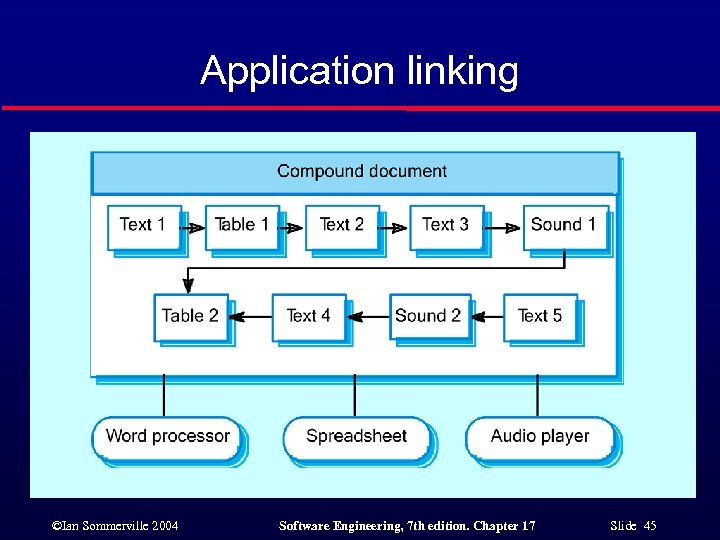 Application linking ©Ian Sommerville 2004 Software Engineering, 7 th edition. Chapter 17 Slide 45
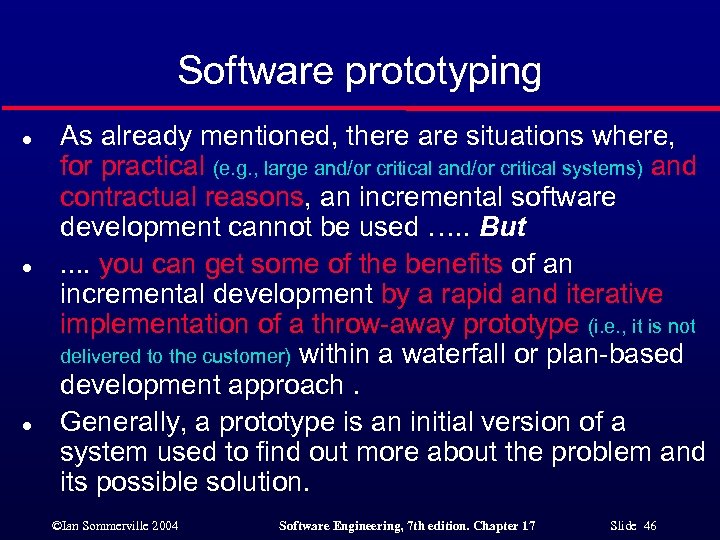 Software prototyping l l l As already mentioned, there are situations where, for practical (e. g. , large and/or critical systems) and contractual reasons, an incremental software development cannot be used …. . But. . you can get some of the benefits of an incremental development by a rapid and iterative implementation of a throw-away prototype (i. e. , it is not delivered to the customer) within a waterfall or plan-based development approach. Generally, a prototype is an initial version of a system used to find out more about the problem and its possible solution. ©Ian Sommerville 2004 Software Engineering, 7 th edition. Chapter 17 Slide 46
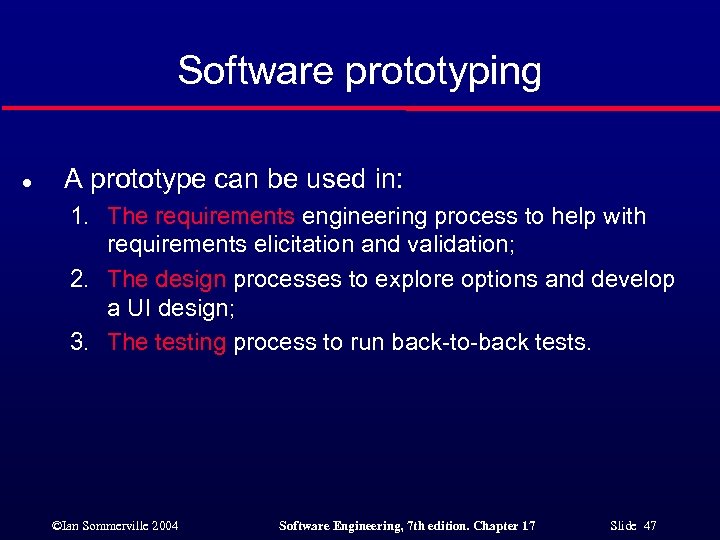 Software prototyping l A prototype can be used in: 1. The requirements engineering process to help with requirements elicitation and validation; 2. The design processes to explore options and develop a UI design; 3. The testing process to run back-to-back tests. ©Ian Sommerville 2004 Software Engineering, 7 th edition. Chapter 17 Slide 47
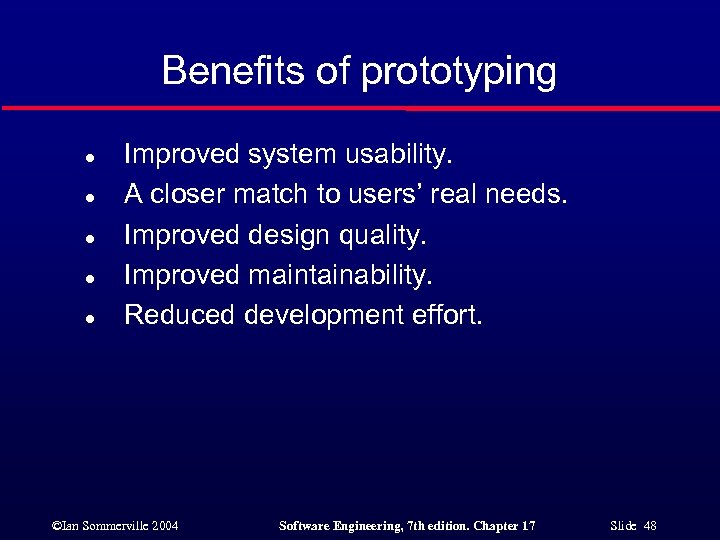 Benefits of prototyping l l l Improved system usability. A closer match to users’ real needs. Improved design quality. Improved maintainability. Reduced development effort. ©Ian Sommerville 2004 Software Engineering, 7 th edition. Chapter 17 Slide 48
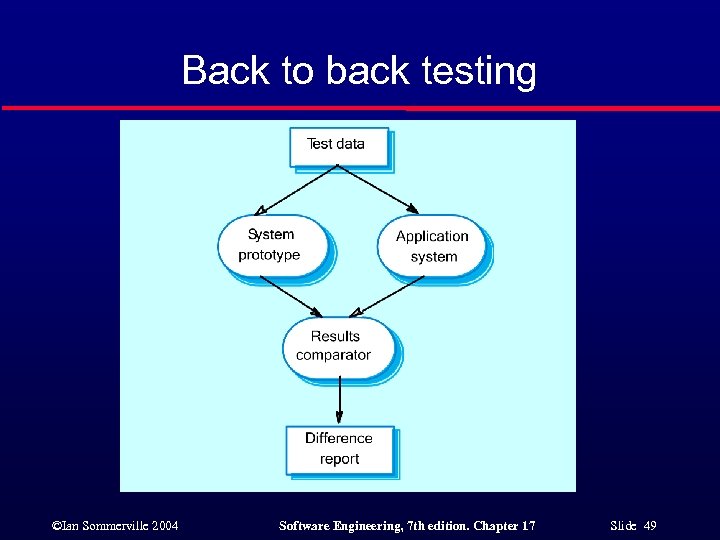 Back to back testing ©Ian Sommerville 2004 Software Engineering, 7 th edition. Chapter 17 Slide 49
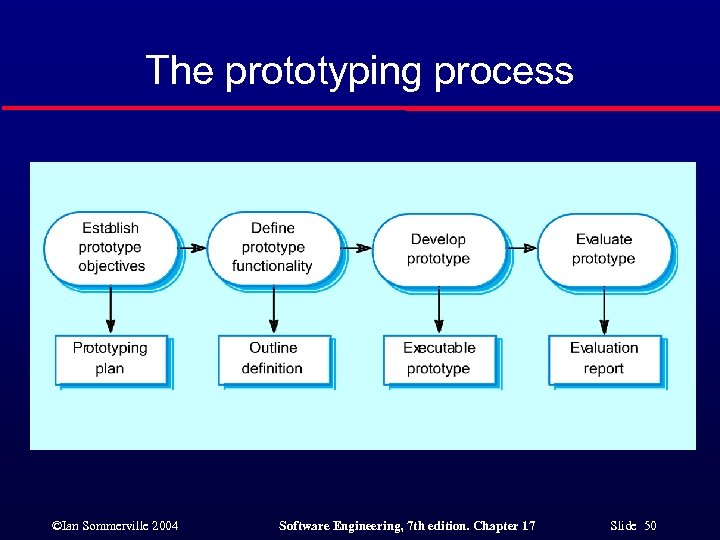 The prototyping process ©Ian Sommerville 2004 Software Engineering, 7 th edition. Chapter 17 Slide 50
 Throw-away prototypes l Prototypes should be discarded after development as they are not a good basis for a production system: 1. It may be impossible to tune the system to meet non -functional requirements (the prototype was not born to meet such requirements); 2. Prototypes are normally undocumented (just code); 3. The prototype structure is usually degraded through rapid change (so it results difficult to maintain); 4. The prototype probably will not meet normal organisational quality standards (they are usually relaxed during prototype development). ©Ian Sommerville 2004 Software Engineering, 7 th edition. Chapter 17 Slide 51
 Key points l l An iterative approach to software development leads to faster delivery of software. Agile methods are iterative development methods that aim to reduce development overhead and so produce software faster. Extreme programming includes practices such as systematic testing, continuous improvement and customer involvement. The approach to testing in XP is a particular strength where executable tests are developed before the code is written. ©Ian Sommerville 2004 Software Engineering, 7 th edition. Chapter 17 Slide 52
 Key points l l l Rapid application development environments include database programming languages, form generation tools and links to office applications. A throw-away prototype is used to explore requirements and design options. When implementing a throw-away prototype, start with the requirements you least understand; in incremental development, start with the best-understood requirements. ©Ian Sommerville 2004 Software Engineering, 7 th edition. Chapter 17 Slide 53