Скачать презентацию Radware Solutions for the Virtualized Data Center Presenter
2923ba5255913609912f97ff720eba11.ppt
- Количество слайдов: 43
 Radware Solutions for the Virtualized Data Center Presenter, Title January 2010
 Agenda • Introduction to virtualization • Virtualized, Mission Critical Applications Challenges • Radware Solution for Data Center Virtualization – App. Director value proposition in the virtual DC – USP #1: v. Adapter - Sync Virtualization with the ADC – USP #2: Virtual. Director - Optimize Qo. E and Maintain SLA • Radware solution for Virtual Desktops • Summary Slide 2
 Introduction to Server Virtualization
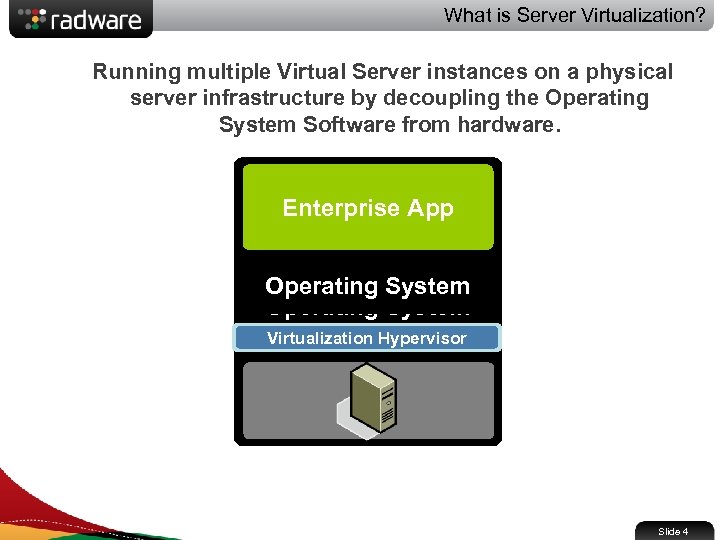 What is Server Virtualization? Running multiple Virtual Server instances on a physical server infrastructure by decoupling the Operating System Software from hardware. Enterprise App Operating System Virtualization Hypervisor Slide 4
 What is Server Virtualization? Run multiple operating Create shared pools Virtualization Main Benefits of server systems on a single server resources to optimize your infrastructure • CAPEX and OPEX savings: • Improved server utilization • Reduce hardware requirements by a 10: 1 ratio or better • Green IT • Improved Manageability • Accelerate service provisioning time by 50 -70% • Manage virtual machines from a central location Slide 5
 The Virtualization Market Gartner, October 26 2009 • 16% of workloads run on virtual environment today • Prediction: 50% of workloads will be running on 58 million virtual machines by 2012 IDC , October 26 2009 • 16. 5% of all new servers shipped in Q 2’ 09 were virtualized • An increase from 14. 5% in second quarter of 2008 Slide 6
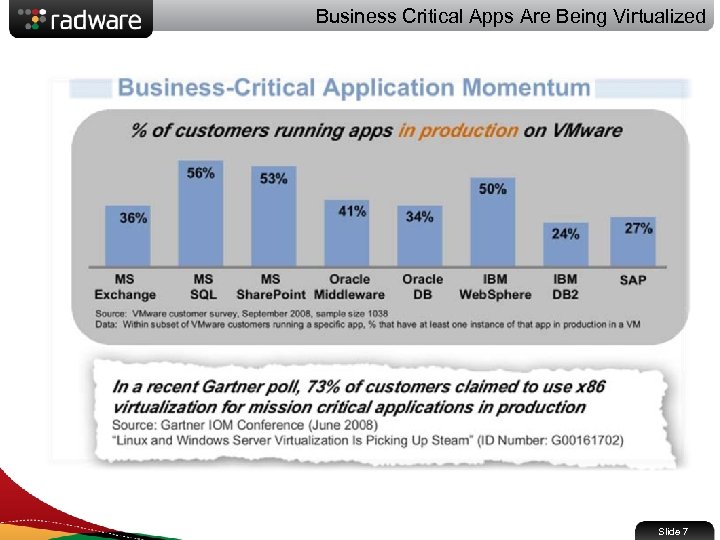 Business Critical Apps Are Being Virtualized Slide 7
 Server Virtualization Challenges for Mission Critical Apps
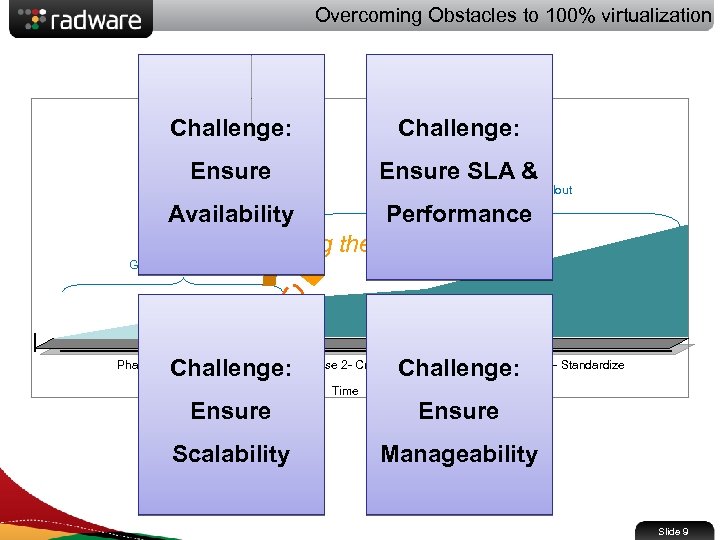 Overcoming Obstacles to 100% virtualization Challenge: Ensure SLA & Enterprise-wide rollout Availability Performance Crossing the Chasm Grass-root adoption Challenge: Phase 1 – Non Critical Apps Phase 3 - Standardize Challenge: Phase 2 - Critical Apps Time Ensure Scalability Manageability Slide 9
 App. Director Value Proposition in the Virtual Data Center
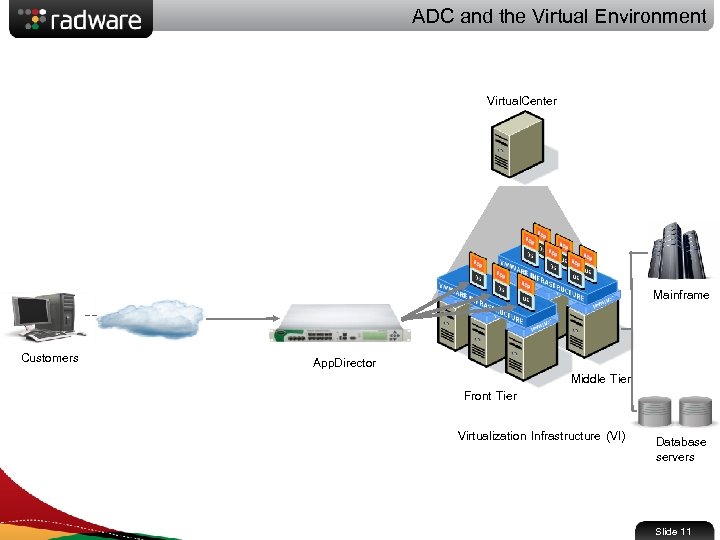 ADC and the Virtual Environment Virtual. Center Mainframe Customers App. Director Front Tier Middle Tier Virtualization Infrastructure (VI) Database servers Slide 11
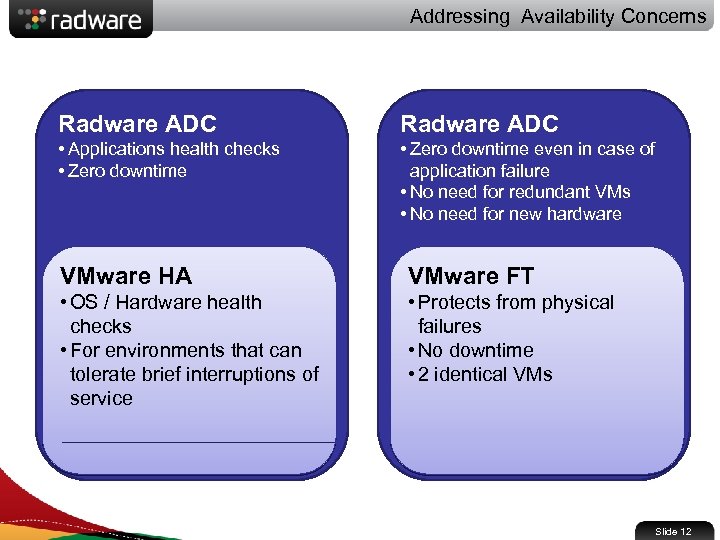 Addressing Availability Concerns Radware ADC • Applications health checks • Zero downtime even in case of application failure • No need for redundant VMs • No need for new hardware VMware HA VMware FT • OS / Hardware health checks • For environments that can tolerate brief interruptions of service • Protects from physical failures • No downtime • 2 identical VMs Slide 12
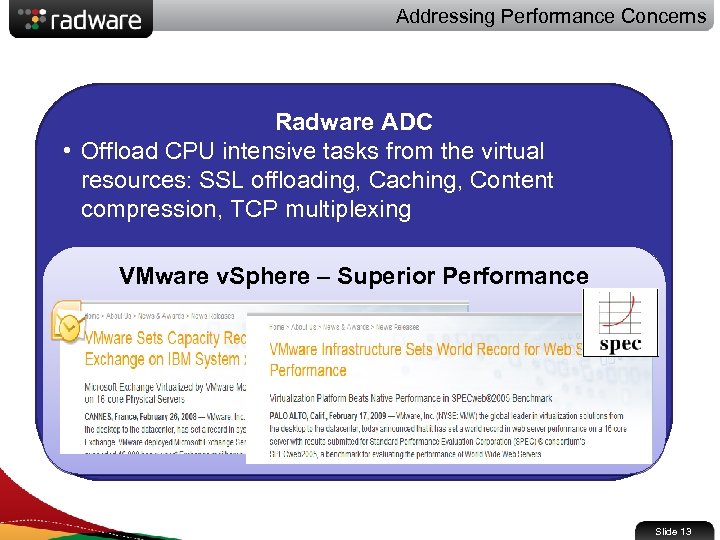 Addressing Performance Concerns Radware ADC • Offload CPU intensive tasks from the virtual resources: SSL offloading, Caching, Content compression, TCP multiplexing VMware v. Sphere – Superior Performance Slide 13
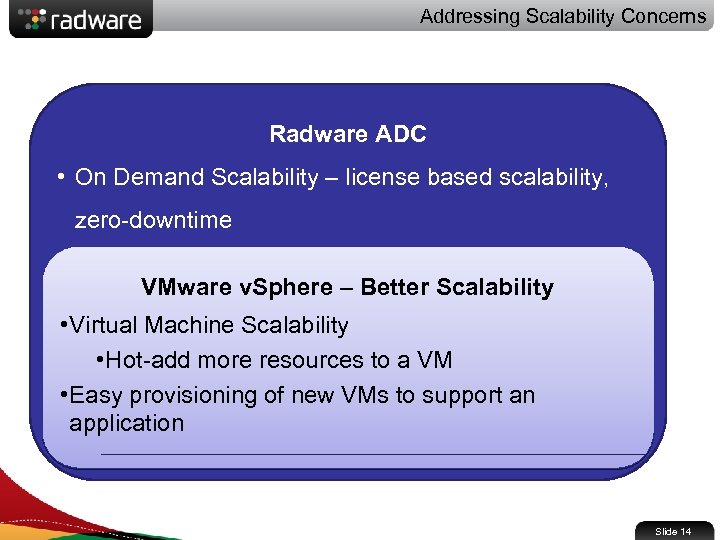 Addressing Scalability Concerns Radware ADC • On Demand Scalability – license based scalability, zero-downtime VMware v. Sphere – Better Scalability • Virtual Machine Scalability • Hot-add more resources to a VM • Easy provisioning of new VMs to support an application Slide 14
 USP #1: v. Adapter - Sync Virtualization with the ADC
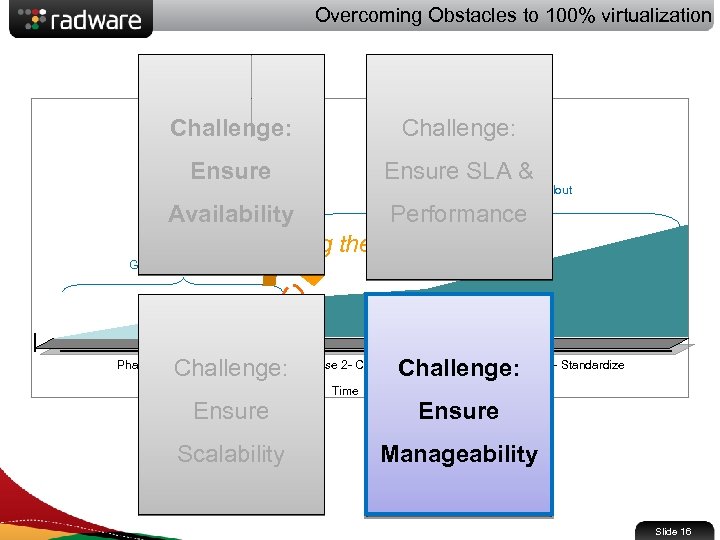 Overcoming Obstacles to 100% virtualization Challenge: Ensure SLA & Enterprise-wide rollout Availability Performance Crossing the Chasm Grass-root adoption Challenge: Phase 1 – Non Critical Apps Phase 3 - Standardize Challenge: Phase 2 - Critical Apps Time Ensure Scalability Manageability Slide 16
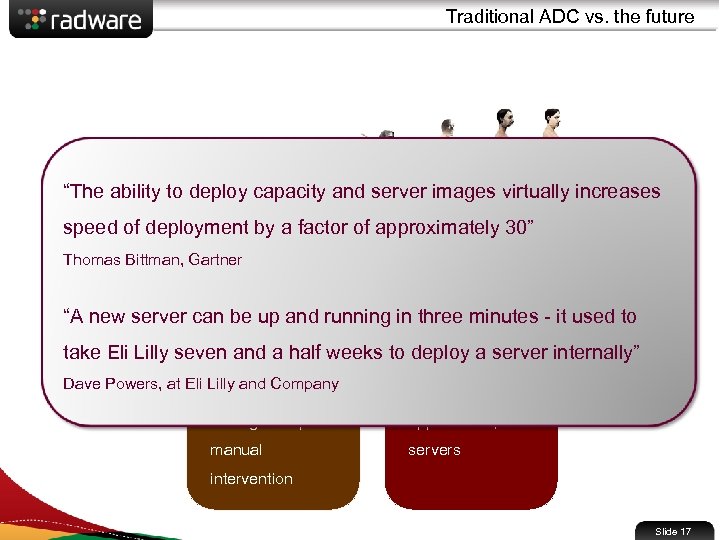 Traditional ADC vs. the future “The ability to deploy capacity and server images virtually increases speed of deployment by a factor of approximately 30” Static Data Center Thomas Bittman, Gartner • Changes are Virtual Data Center • Dynamic “A new server can be up and running in three minutes - it used to infrequent • Frequent updates take Eli Lilly seven and a half weeks to deploy a server internally” • Limited inter-team • Includes all tiers: Dave Powers, at Eli Lilly and Company communications • Changes require manual network, storage, applications, servers intervention Slide 17
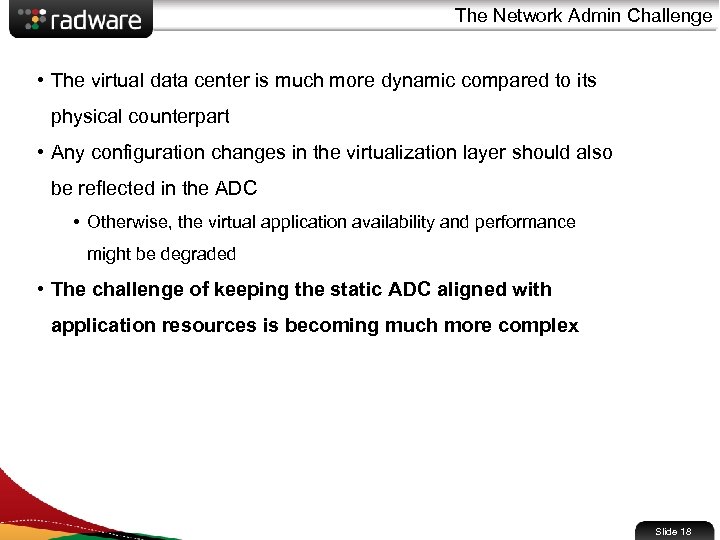 The Network Admin Challenge • The virtual data center is much more dynamic compared to its physical counterpart • Any configuration changes in the virtualization layer should also be reflected in the ADC • Otherwise, the virtual application availability and performance might be degraded • The challenge of keeping the static ADC aligned with application resources is becoming much more complex Slide 18
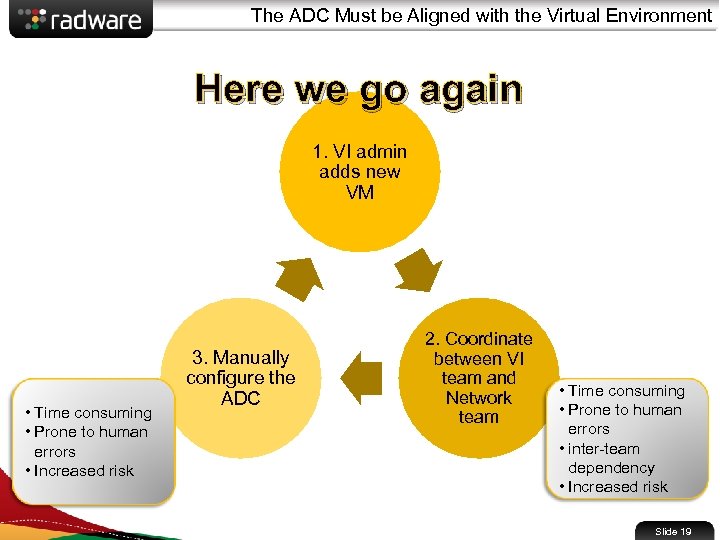 The ADC Must be Aligned with the Virtual Environment Here we go again 1. VI admin adds new VM • Time consuming • Prone to human errors • Increased risk 3. Manually configure the ADC 2. Coordinate between VI team and Network team • Time consuming • Prone to human errors • inter-team dependency • Increased risk Slide 19
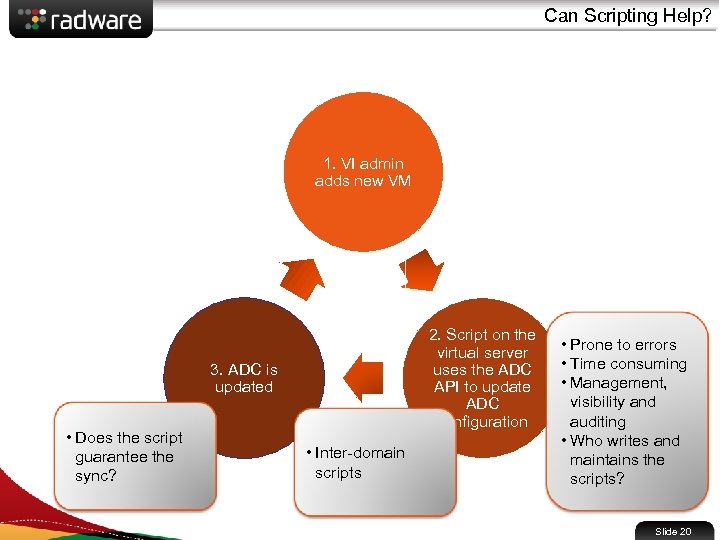 Can Scripting Help? 1. VI admin adds new VM 2. Script on the virtual server uses the ADC API to update ADC configuration 3. ADC is updated • Does the script guarantee the sync? • Inter-domain scripts • Prone to errors • Time consuming • Management, visibility and auditing • Who writes and maintains the scripts? Slide 20
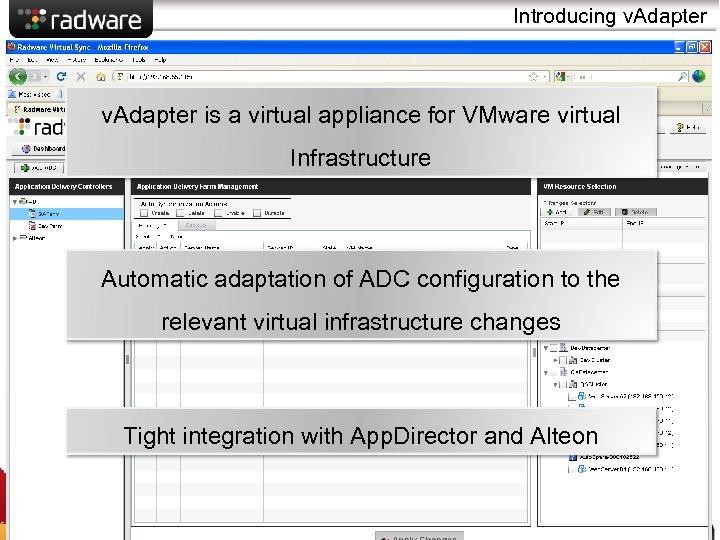 Introducing v. Adapter is a virtual appliance for VMware virtual Infrastructure Automatic adaptation of ADC configuration to the relevant virtual infrastructure changes Tight integration with App. Director and Alteon Slide 21
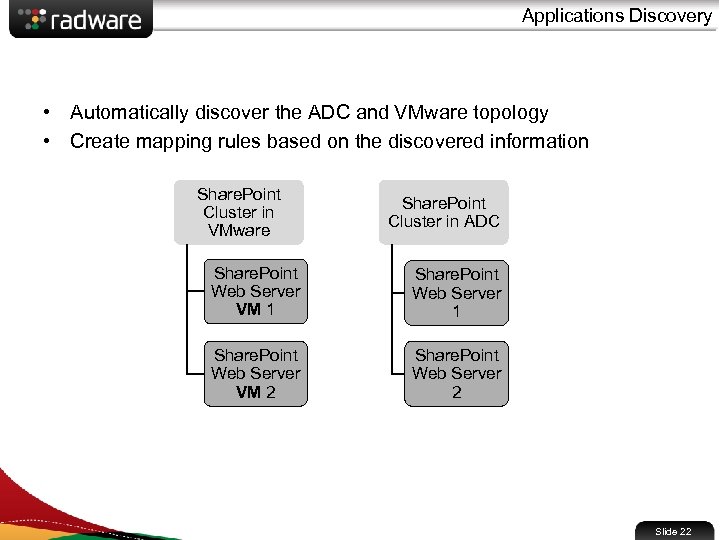 Applications Discovery • Automatically discover the ADC and VMware topology • Create mapping rules based on the discovered information Share. Point Cluster in VMware Share. Point Cluster in ADC Share. Point Web Server VM 1 Share. Point Web Server VM 2 Share. Point Web Server 2 Slide 22
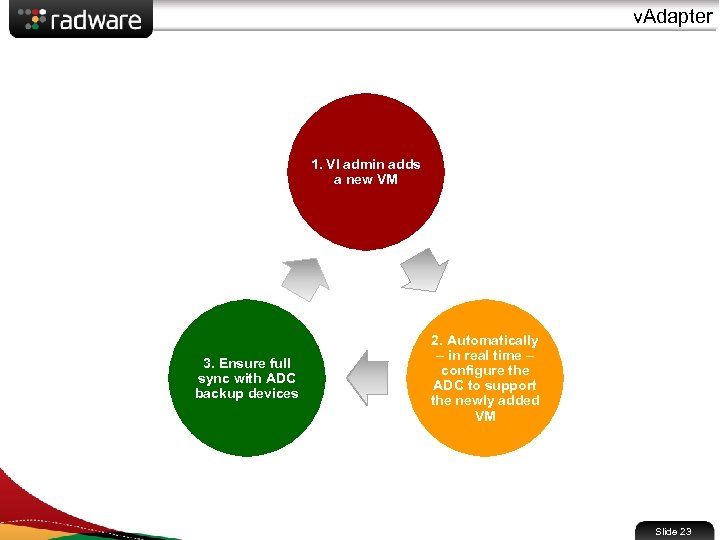 v. Adapter 1. VI admin adds a new VM 3. Ensure full sync with ADC backup devices 2. Automatically – in real time – configure the ADC to support the newly added VM Slide 23
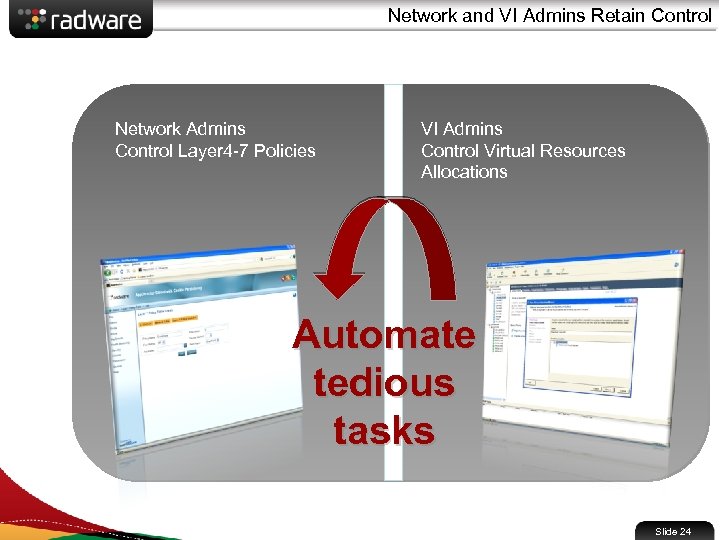 Network and VI Admins Retain Control Network Admins Control Layer 4 -7 Policies VI Admins Control Virtual Resources Allocations Automate tedious tasks Slide 24
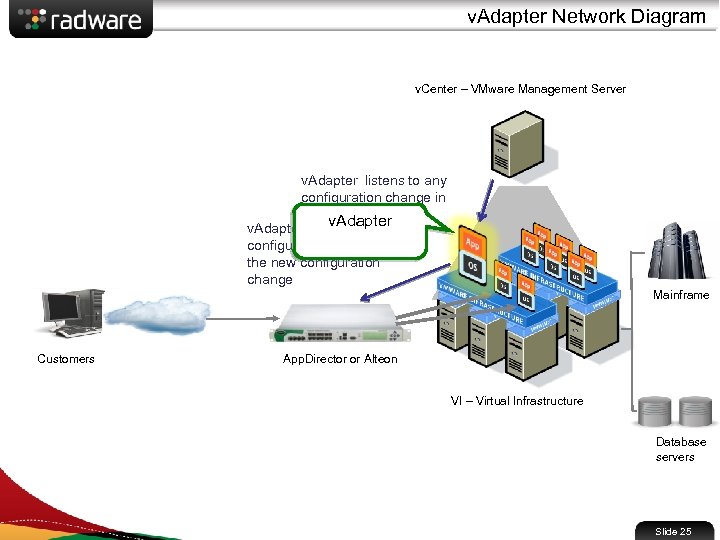 v. Adapter Network Diagram v. Center – VMware Management Server v. Adapter listens to any configuration change in v. Center v. Adapter automatically configures the ADC with the new configuration change Mainframe Customers App. Director or Alteon VI – Virtual Infrastructure Database servers Slide 25
 About v. Adapter • v. Adapter is offered to Radware’s ADC customers FREE of charge (a $3600 value) • Management is provided as: • A plug-in to VMware management system • A standalone Web-based management app which does not require any additional installation • Semi-automated mode • Automatic actions are pending admin confirmation • Full audit trail Slide 26
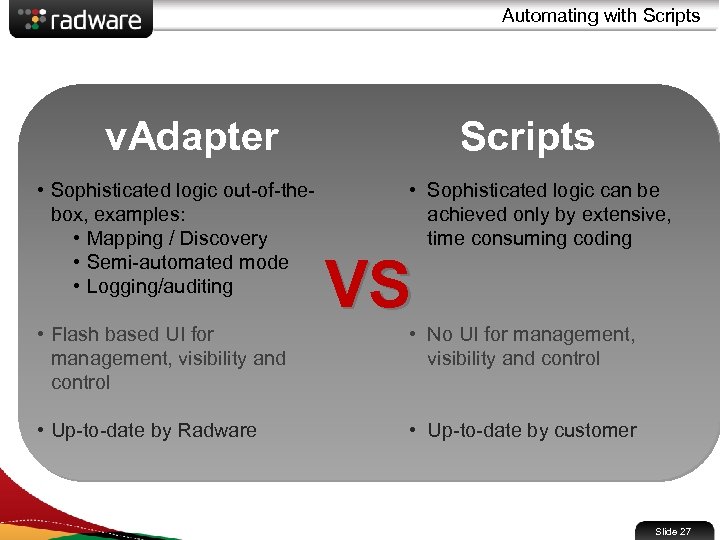 Automating with Scripts v. Adapter • Sophisticated logic out-of-thebox, examples: • Mapping / Discovery • Semi-automated mode • Logging/auditing • Flash based UI for management, visibility and control • Up-to-date by Radware Scripts • Sophisticated logic can be achieved only by extensive, time consuming coding VS • No UI for management, visibility and control • Up-to-date by customer Slide 27
 v. Adapter Benefits v. Adapter eliminates the need for: • Frequent manual ADC configuration updates • Constant coordination between network team and VI team • Scripting and manual configuration within the virtual environment Resulting in: • VI admin and network admin time savings • Risk reduction and elimination of human errors Slide 29
 USP #2: Virtual. Director – Optimize Qo. E
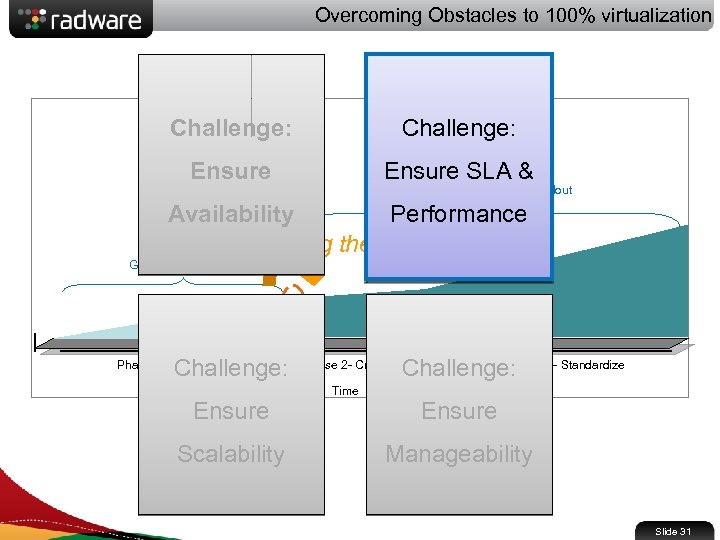 Overcoming Obstacles to 100% virtualization Challenge: Ensure SLA & Enterprise-wide rollout Availability Performance Crossing the Chasm Grass-root adoption Challenge: Phase 1 – Non Critical Apps Phase 3 - Standardize Challenge: Phase 2 - Critical Apps Time Ensure Scalability Manageability Slide 31
 Data Center Trends • More than half of companies are well down the infrastructure consolidation path Gartner 11/2006 IT Infrastructure customer survey • Customers … are seeking more advanced capabilities and tools for their virtual environments IDC 2006 customer survey • Virtualization is a major enabler for infrastructure automation, and will help accelerate the trend toward IT operations process automation Gartner Bittman 2007 • Automation is expected to play a strong role in managing virtualization resources in the next 18 months Server Virtualization Maturity Index, IDC Jan 2007 • Second phase of virtualization concentrates on the flexible allocation of resources to respond to business demand Gartner Bittman Slide 32
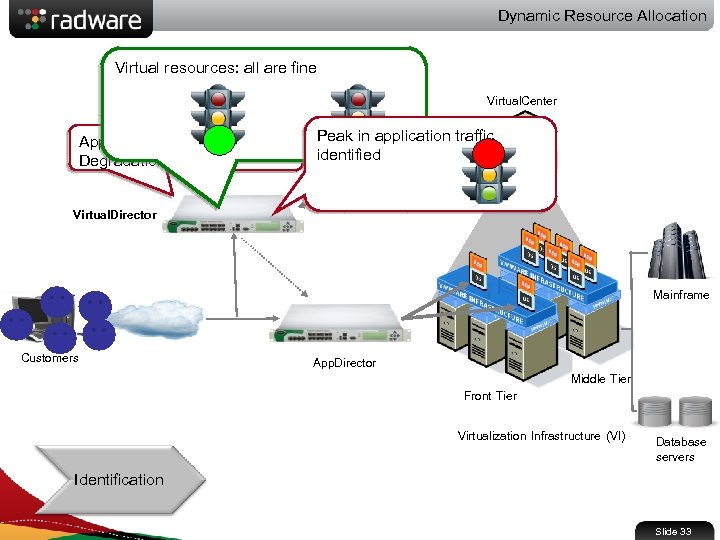 Dynamic Resource Allocation Virtual resources: all are fine Virtual. Center Application SLA / Qo. E Degradation Peak in application traffic identified Virtual. Director Mainframe Customers App. Director Front Tier Middle Tier Virtualization Infrastructure (VI) Database servers Identification Slide 33
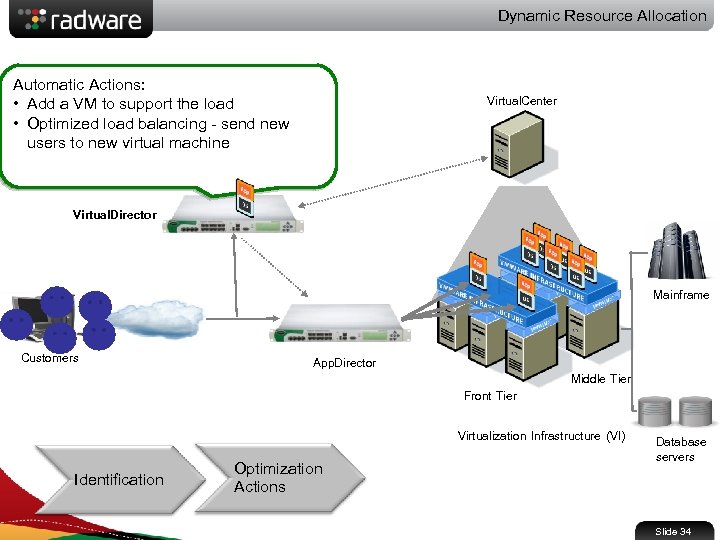 Dynamic Resource Allocation Automatic Actions: • Add a VM to support the load • Optimized load balancing - send new users to new virtual machine Virtual. Center Virtual. Director Mainframe Customers App. Director Front Tier Middle Tier Virtualization Infrastructure (VI) Identification Optimization Actions Database servers Slide 34
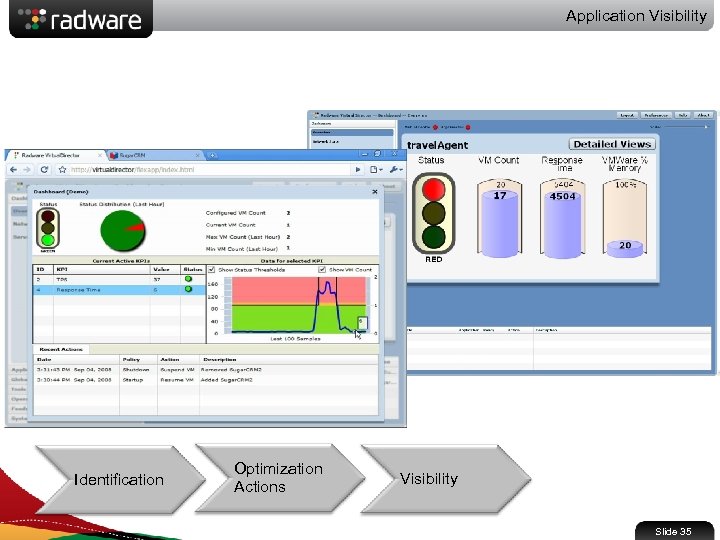 Application Visibility Identification Optimization Actions Visibility Slide 35
 Virtual. Director - Capabilities • Application status is determined by correlating different KPIs types: • Network KPIs • Business Events KPIs • Virtual Environment KPIs (CPU, Memory) • 3 rd party solutions KPIs • Actions examples: • Add / Remove virtual resources • Optimize load balancing • Align bandwidth with applications business needs • Align virtual resource allocation with business needs • Stop sending traffic to unhealthy VMs • Redirect traffic to a second data center or to the cloud Slide 36
 Virtual. Director – Capabilities cont • Tight integration between ADC and VMware • Gracefully stop sending traffic to VM instances before stopping their operation • Start sending traffic to new VM instances only after the VM is ready to handle the traffic • Visibility: • Real-time Dashboard • Full audit and logging of all actions for compliance • Powerful, flexible and easy to use scripting language enables: • Easy customization capabilities • Advanced identification of Qo. E problems • Customized policy engine • Advisory mode Slide 37
 Radware’s Solution for Virtual Desktop
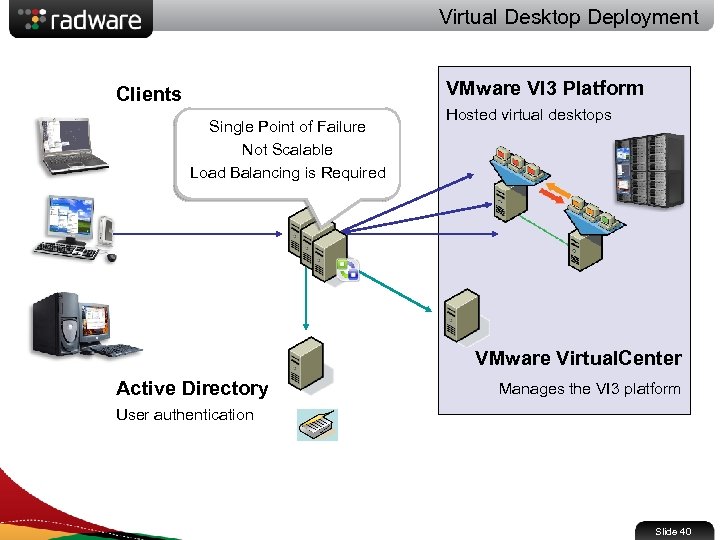 Virtual Desktop Deployment VMware VI 3 Platform Clients VMware Virtual Single Point of Failure Desktop Manager Not Scalable Manages connection from Load Balancing is Required client to hosted desktop Hosted virtual desktops VMware Virtual. Center Active Directory Manages the VI 3 platform User authentication Slide 40
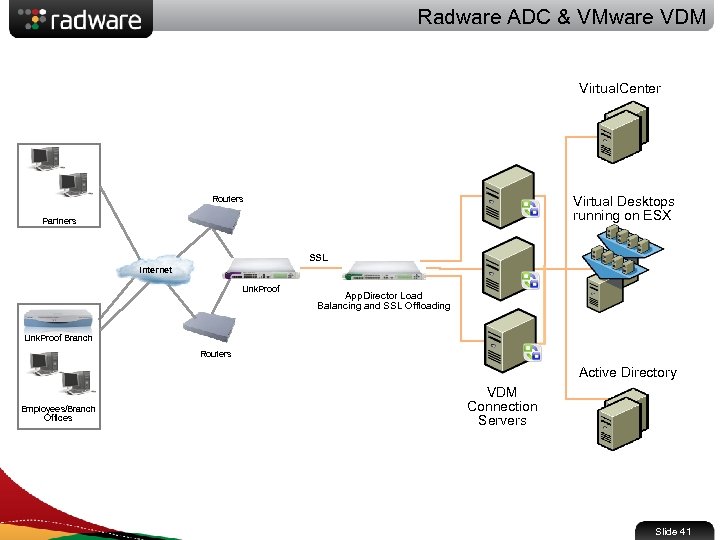 Radware ADC & VMware VDM Virtual. Center Virtual Desktops running on ESX Routers Partners SSL Internet Link. Proof App. Director Load Balancing and SSL Offloading Link. Proof Branch Routers Active Directory Employees/Branch Offices VDM Connection Servers Slide 41
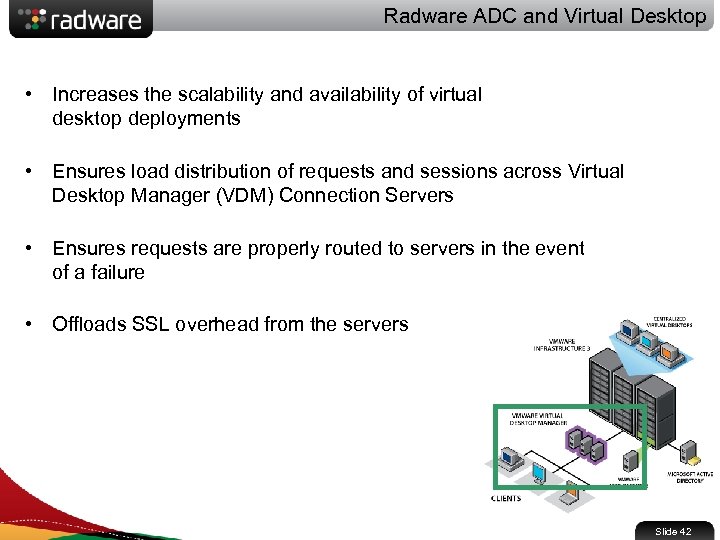 Radware ADC and Virtual Desktop • Increases the scalability and availability of virtual desktop deployments • Ensures load distribution of requests and sessions across Virtual Desktop Manager (VDM) Connection Servers • Ensures requests are properly routed to servers in the event of a failure • Offloads SSL overhead from the servers Slide 42
 Summary
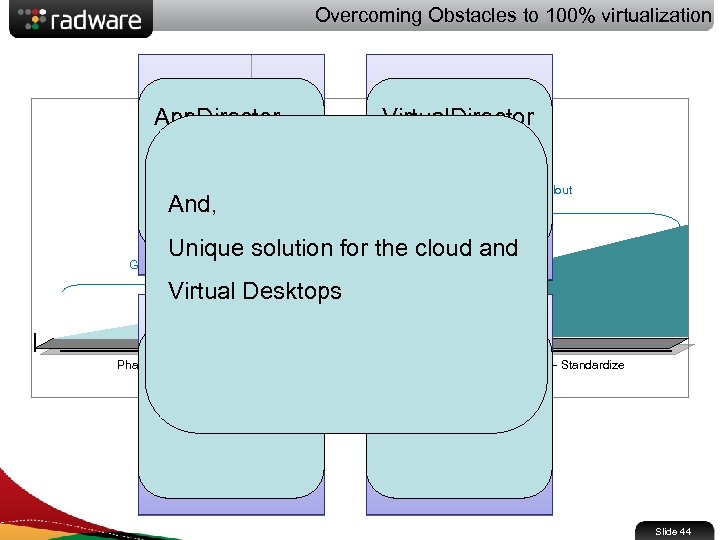 Overcoming Obstacles to 100% virtualization App. Director Challenge: Alteon Ensure Virtual. Director Challenge: App. Director Ensure SLA & Enterprise-wide rollout Alteon And, Availability Performance Crossing the Chasm Unique solution for the cloud and Grass-root adoption Virtual Desktops On-Demand Challenge: Phase 1 – Non Critical Apps Upgrades Ensure Scalability v. Adapter Phase 3 - Standardize Challenge: Phase 2 - Critical Apps Time Ensure Manageability Slide 44