


 Скачать презентацию QUESTIONS Do you think we need computer
71_72_Types of graphic_JPEG GIF and bitmap.pptx
- Количество слайдов: 16
 QUESTIONS: • Do you think we need computer graphics? • In which areas do we use computer graphics? • What kinds of computer graphics do you know? • What do you think is the difference between vector and bitmap graphics? • Where vector graphics are used? • Where bitmap graphics are used?
 TYPES OF GRAPHIC. BITMAP GRAPHICS. DIFFERENCES BETWEEN JPEG, GIF AND BITMAP.
 LEARNING OBJECTIVES Summarise the selection of generic application software for a range of tasks e. g. word processor, spreadsheet, desktop publisher (DTP), presentation software, graphics packages (bit mapped and vector graphics), and justify the choices
 EXPECTED RESULTS (SUCCESS CRITERIA) • Knows types of graphics • Knows and understands the purpose of vector and bitmap graphics • Are able to compare the advantages and disadvantages of vector and bitmap graphics • Are able to explain the advantages and disadvantages of graphic formats BMP and JPG
 BITMAPS Bitmaps are made up from individual pixels Bitmaps can be compressed to reduce the file size, although this may result in a loss of detail Each pixel represents a colour. Pixelation occurs when the image is enlarged Bitmaps take a lot of storage space as the information needs to be stored for every pixel Large bitmap images can take a long time to open and load The more pixels, the better the resolution and the quality of the image.
 VECTORS Vector graphics are created by mathematical equations and calculations Points in a vector graphic are described by a relative distance from the origin Vector graphics can be resized, made larger or smaller without losing any clarity Every line in a vector graphic is described by its features i. e. length, thickness, colour of line etc Objects in a vector graphic can be grouped together e. g. clipart the individual elements that make up the vector graphic can be edited independently, for example, moving, resizing, rotating, recolouring
 Bitmap Graphics - a collection of pixels from an image mapped to specific memory locations holding their binary colour value. Pixel - the smallest possible addressable area defined by a solid colour, represented as binary, in an image. Image Resolution - how many pixels an image contains per inch/cm. Screen Resolution - the number of pixels per row by the number of pixels per column. Colour depth - The number of bits used to represent the colour of a single pixel.
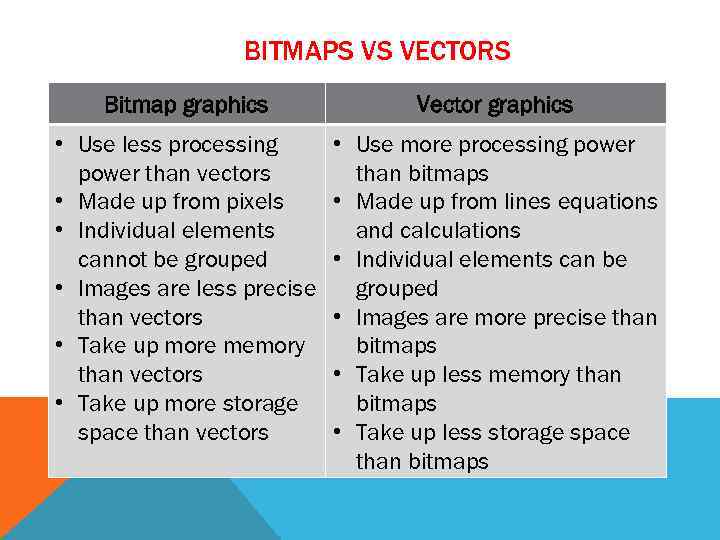 BITMAPS VS VECTORS Bitmap graphics Vector graphics • Use less processing power than vectors • Made up from pixels • Individual elements cannot be grouped • Images are less precise than vectors • Take up more memory than vectors • Take up more storage space than vectors • Use more processing power than bitmaps • Made up from lines equations and calculations • Individual elements can be grouped • Images are more precise than bitmaps • Take up less memory than bitmaps • Take up less storage space than bitmaps
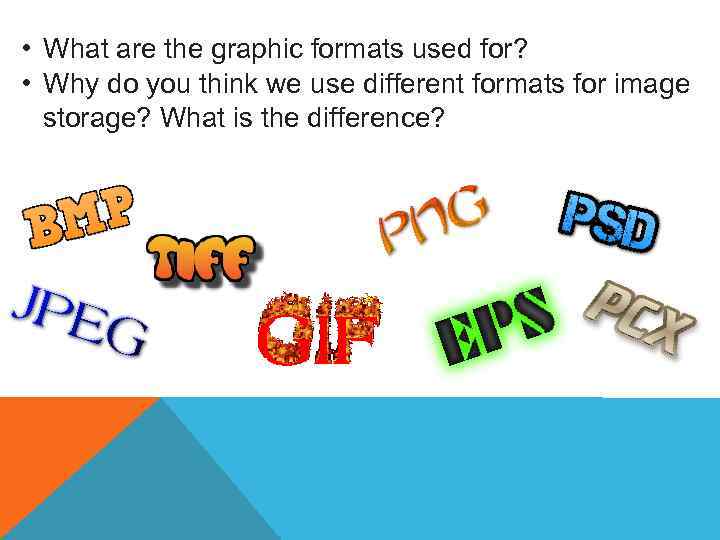 • What are the graphic formats used for? • Why do you think we use different formats for image storage? What is the difference?
 DIFFERENCES BETWEEN JPEG, GIF AND BITMAP
 LEARNING OBJECTIVES Summarise the selection of generic application software for a range of tasks.
 EXPECTED RESULTS (SUCCESS CRITERIA) • Are able to compare the advantages and disadvantages of vector and bitmap graphics • Are able to explain the advantages and disadvantages of graphic formats BMP and JPG
 INDIVIDUAL PRACTICAL WORK Work with a graphical editor Paint. You save the same image in different graphic formats BMP, GIF, JPEG. Then calculate the volume of the image using a formula and compare it to the file sizes that are specified in the file properties. Then answer the questions of the assignment.
 CONCLUSION • For BMP format, a formula is used to calculate the image volume and this type of format does not compress the image volume. • For GIF, JPEG formats, the formula is not applicable and these types of formats compress the image volume.
 TASK You fill out a comparative table between the graphic formats BMP, JPEG. After completing the assignment, you in pairs are checked, using the success criteria.
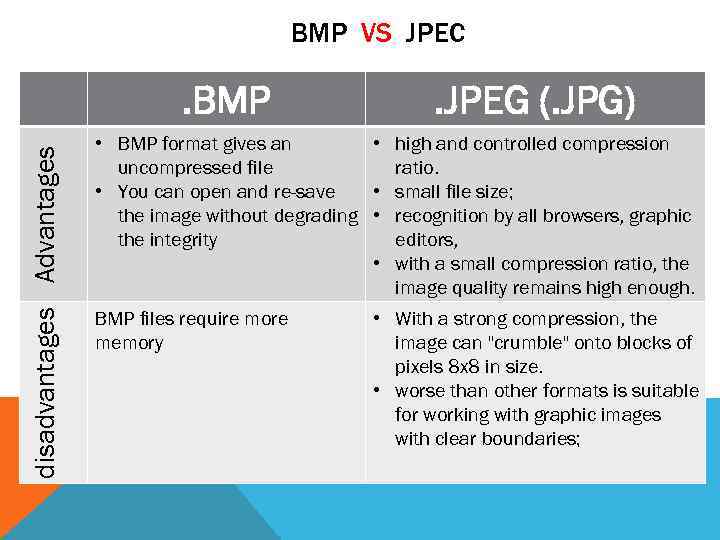 BMP VS JPEC disadvantages Advantages . BMP . JPEG (. JPG) • BMP format gives an • high and controlled compression uncompressed file ratio. • You can open and re-save • small file size; the image without degrading • recognition by all browsers, graphic the integrity editors, • with a small compression ratio, the image quality remains high enough. BMP files require more memory • With a strong compression, the image can "crumble" onto blocks of pixels 8 x 8 in size. • worse than other formats is suitable for working with graphic images with clear boundaries;