 Скачать презентацию Queries Learning Objective Create evaluate and improve search
63_64_Queries.ppt
- Количество слайдов: 15



Queries Learning Objective: Create, evaluate and improve search queries that use multiple criteria and relational operators to find specific information
Success criteria • know what is Queries • know the purpose of the Queries • can create Queries using the structure • can create Queries using commands SQL: SELECT, WHERE
My. SQL – RDBMS SQL stands for the Structured Query Language. It defines how to insert, retrieve, modify and delete data.
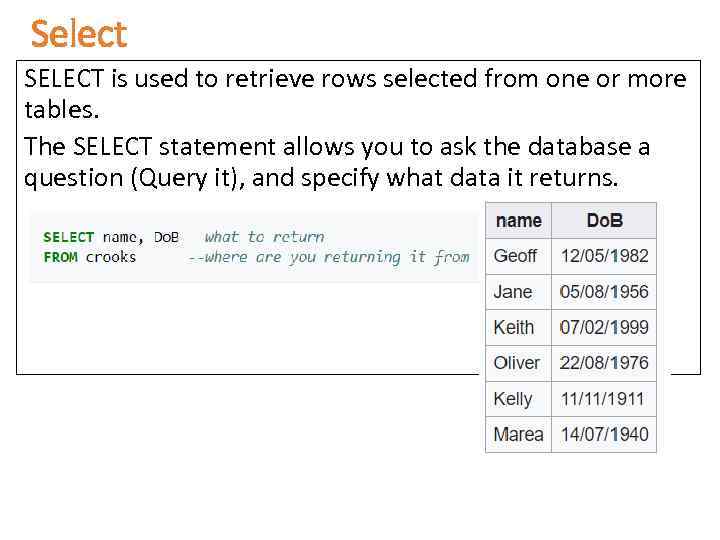
Select SELECT is used to retrieve rows selected from one or more tables. The SELECT statement allows you to ask the database a question (Query it), and specify what data it returns.
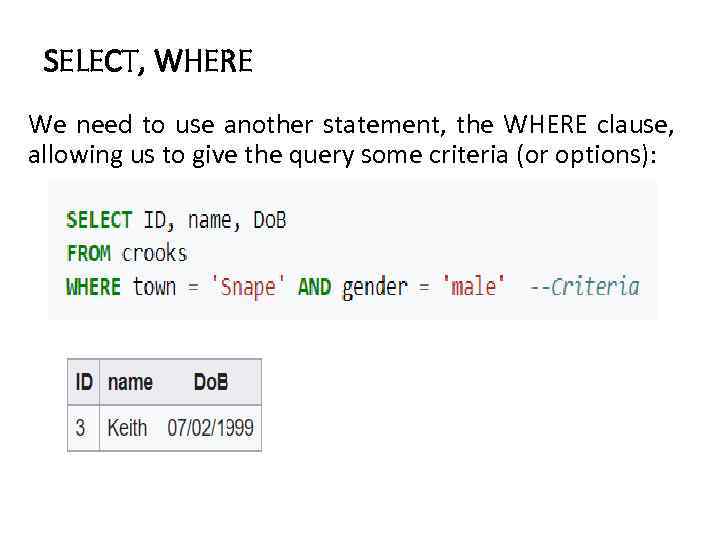
SELECT, WHERE We need to use another statement, the WHERE clause, allowing us to give the query some criteria (or options):
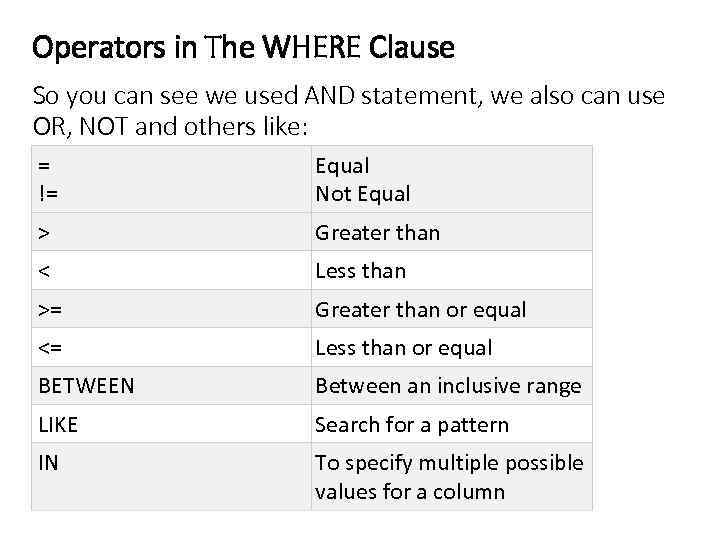
Operators in The WHERE Clause So you can see we used AND statement, we also can use OR, NOT and others like: = != Equal Not Equal > Greater than < Less than >= Greater than or equal <= Less than or equal BETWEEN Between an inclusive range LIKE Search for a pattern IN To specify multiple possible values for a column
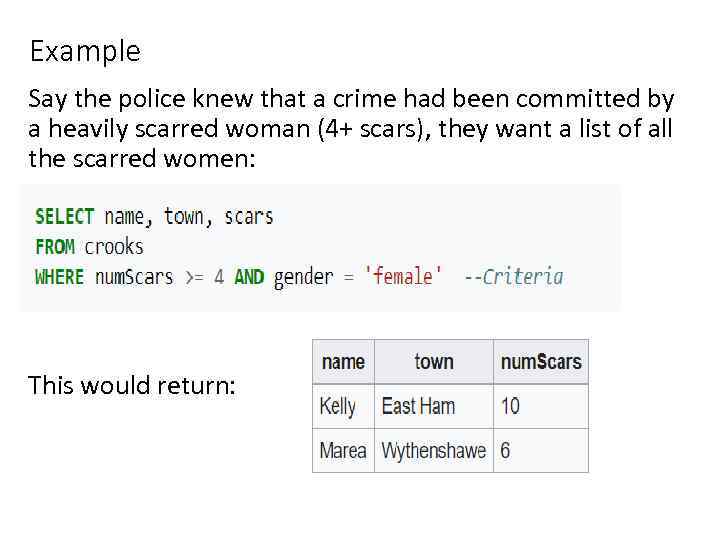
Example Say the police knew that a crime had been committed by a heavily scarred woman (4+ scars), they want a list of all the scarred women: This would return:
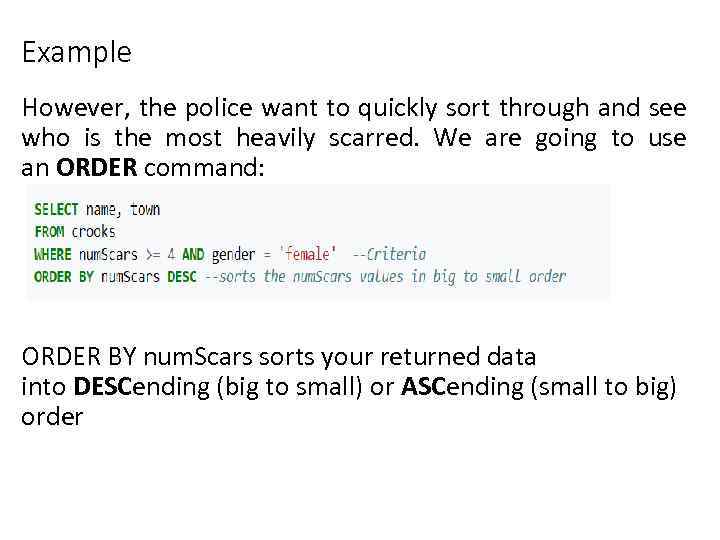
Example However, the police want to quickly sort through and see who is the most heavily scarred. We are going to use an ORDER command: ORDER BY num. Scars sorts your returned data into DESCending (big to small) or ASCending (small to big) order
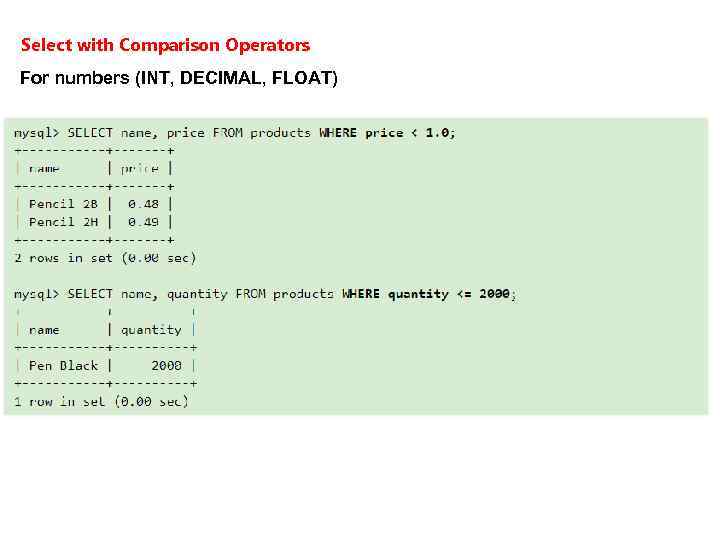
Select with Comparison Operators For numbers (INT, DECIMAL, FLOAT)
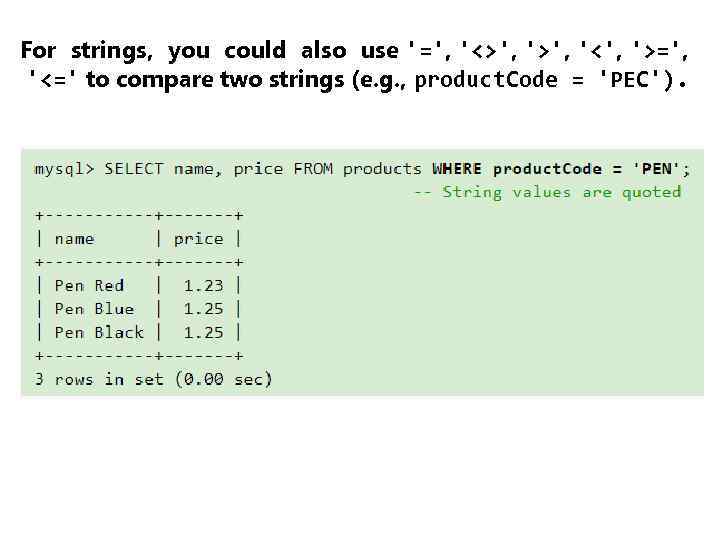
For strings, you could also use '=', '<>', '<', '>=', '<=' to compare two strings (e. g. , product. Code = 'PEC').
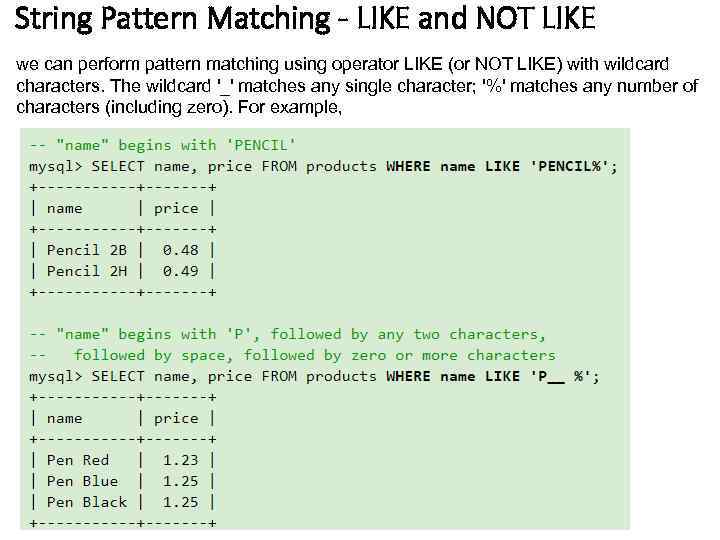
String Pattern Matching - LIKE and NOT LIKE we can perform pattern matching using operator LIKE (or NOT LIKE) with wildcard characters. The wildcard '_' matches any single character; '%' matches any number of characters (including zero). For example,
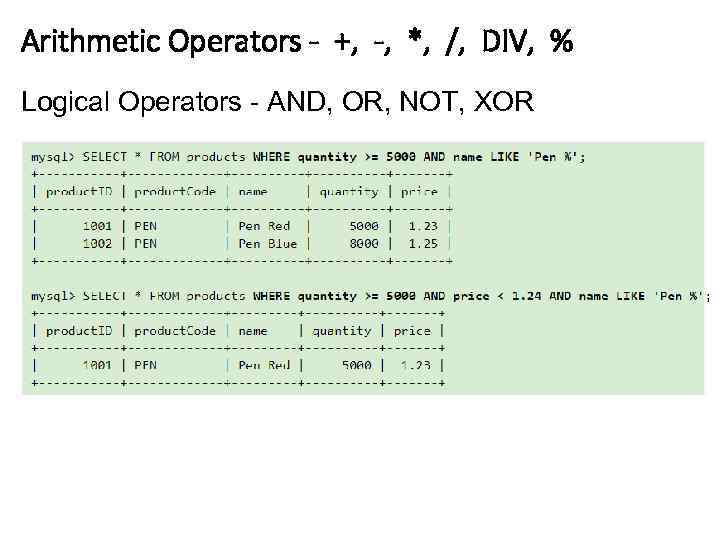
Arithmetic Operators - +, -, *, /, DIV, % Logical Operators - AND, OR, NOT, XOR
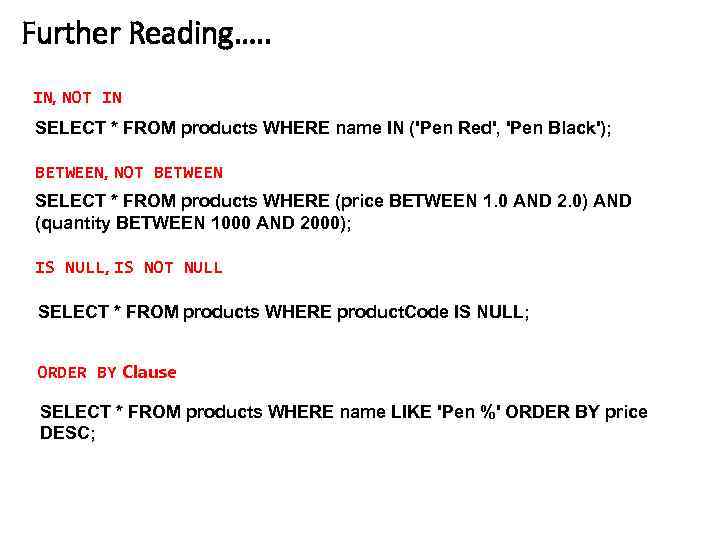
Further Reading…. . IN, NOT IN SELECT * FROM products WHERE name IN ('Pen Red', 'Pen Black'); BETWEEN, NOT BETWEEN SELECT * FROM products WHERE (price BETWEEN 1. 0 AND 2. 0) AND (quantity BETWEEN 1000 AND 2000); IS NULL, IS NOT NULL SELECT * FROM products WHERE product. Code IS NULL; ORDER BY Clause SELECT * FROM products WHERE name LIKE 'Pen %' ORDER BY price DESC;
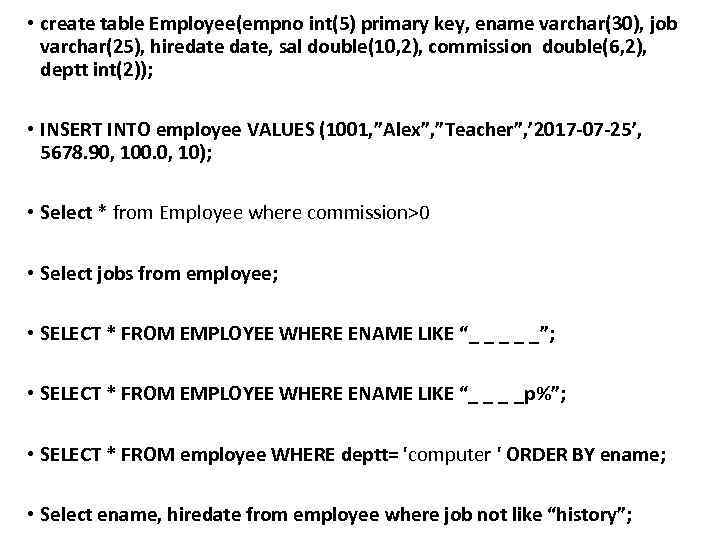
• create table Employee(empno int(5) primary key, ename varchar(30), job varchar(25), hiredate, sal double(10, 2), commission double(6, 2), deptt int(2)); • INSERT INTO employee VALUES (1001, ”Alex”, ”Teacher”, ’ 2017 -07 -25’, 5678. 90, 100. 0, 10); • Select * from Employee where commission>0 • Select jobs from employee; • SELECT * FROM EMPLOYEE WHERE ENAME LIKE “_ _ _”; • SELECT * FROM EMPLOYEE WHERE ENAME LIKE “_ _ _ _p%”; • SELECT * FROM employee WHERE deptt= 'computer ' ORDER BY ename; • Select ename, hiredate from employee where job not like “history”;
• http: //jtest. ru/bazyi-dannyix/sql-dlya-nachinayushhix-chast-3. html • https: //www. ntu. edu. sg/home/ehchua/programming/sql/My. SQL_Begi nner. html • https: //myrusakov. ru/ • http: //www. firststeps. ru/sql/r. php? 9
Скачать презентацию Queries Learning Objective Create evaluate and improve search
63_64_Queries.ppt