


 Скачать презентацию Qlikview Connector for use with SAP Netweaver R Adrian
e4cc4d2e9a9bb5d1c3ff3818d3fc1ba9.ppt
- Количество слайдов: 16
 Qlikview Connector for use with SAP Netweaver(R) Adrian Bereanu Enterprise Architecture, SAP Technologies
 Agenda Architecture and benefits of the Qlik. View Connectors for SAP Demo of real time extraction from SAP ECC 6. 0 (SQL connector) Demo tools that come with the connector (Script Builder Application) Demo building a few simple charts using data from SAP Demo of real time extraction from BW/BI 7. 0 (MDX connector) Templates (FI, SD, MM, HR, PP) Security Performance
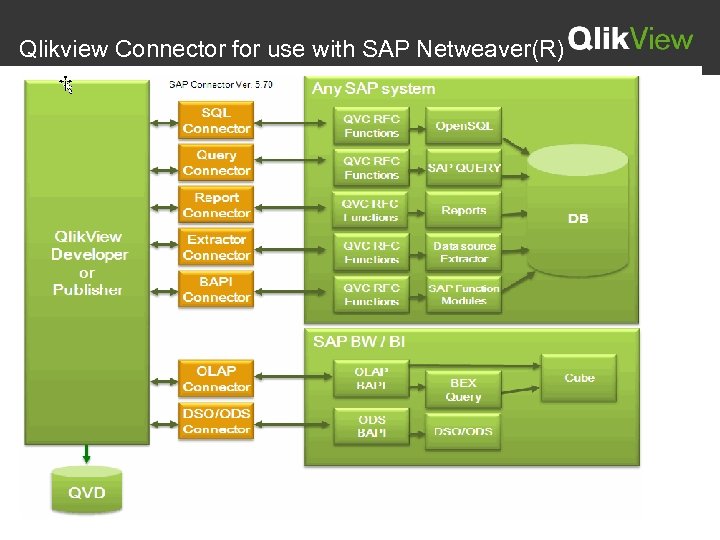
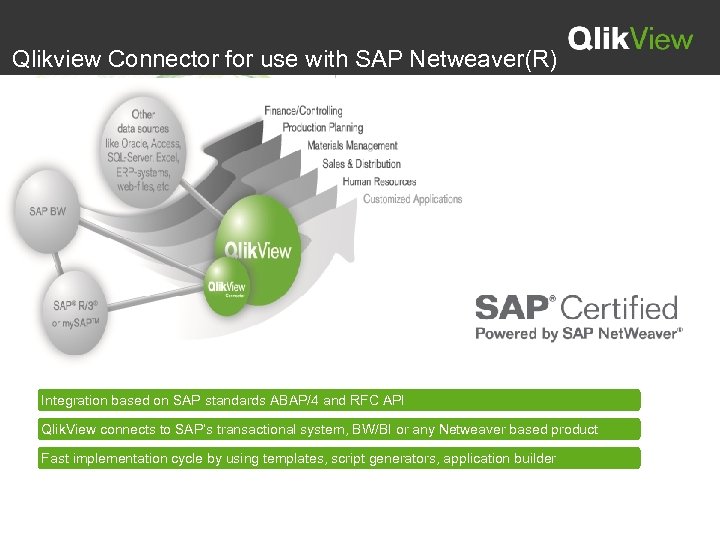 Qlikview Connector for use with SAP Netweaver(R) Integration based on SAP standards ABAP/4 and RFC API Qlik. View connects to SAP’s transactional system, BW/BI or any Netweaver based product Fast implementation cycle by using templates, script generators, application builder
 Qlikview Connector for use with SAP Netweaver(R)
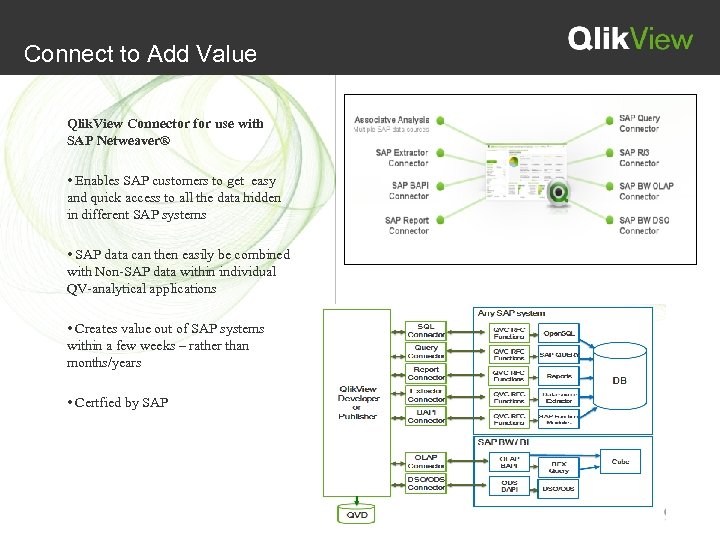 Connect to Add Value Qlik. View Connector for use with SAP Netweaver® • Enables SAP customers to get easy and quick access to all the data hidden in different SAP systems • SAP data can then easily be combined with Non-SAP data within individual QV-analytical applications • Creates value out of SAP systems within a few weeks – rather than months/years • Certfied by SAP
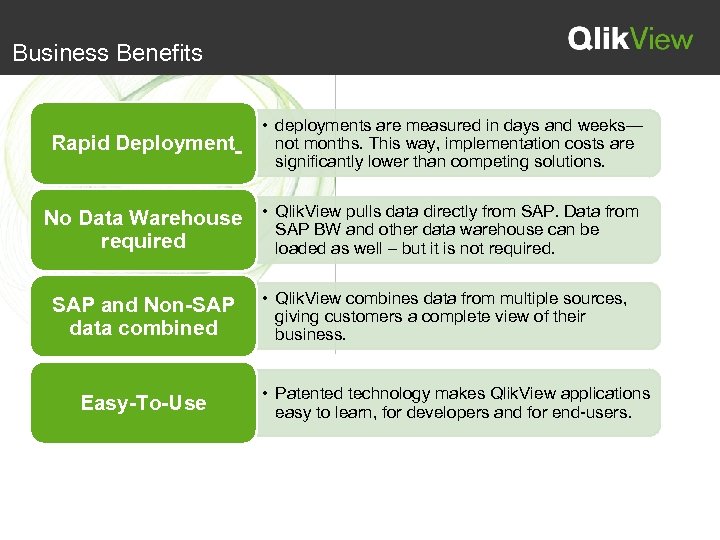 Business Benefits Rapid Deployment • deployments are measured in days and weeks— not months. This way, implementation costs are significantly lower than competing solutions. pulls data directly from SAP. Data No Data Warehouse • Qlik. View and other data warehouse can be from SAP BW required loaded as well – but it is not required. SAP and Non-SAP data combined Easy-To-Use • Qlik. View combines data from multiple sources, giving customers a complete view of their business. • Patented technology makes Qlik. View applications easy to learn, for developers and for end-users.
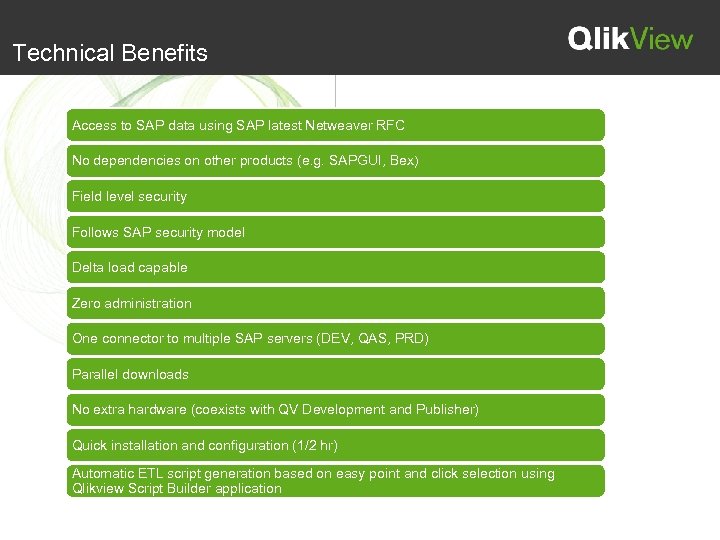 Technical Benefits Access to SAP data using SAP latest Netweaver RFC No dependencies on other products (e. g. SAPGUI, Bex) Field level security Follows SAP security model Delta load capable Zero administration One connector to multiple SAP servers (DEV, QAS, PRD) Parallel downloads No extra hardware (coexists with QV Development and Publisher) Quick installation and configuration (1/2 hr) Automatic ETL script generation based on easy point and click selection using Qlikview Script Builder application
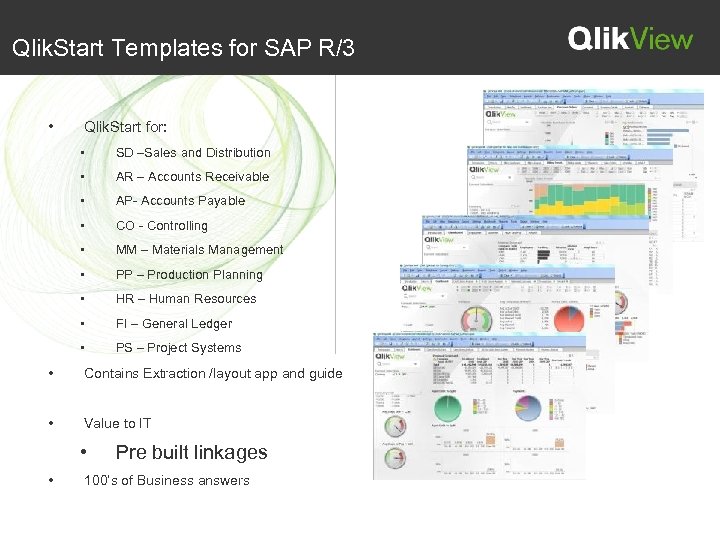 Qlik. Start Templates for SAP R/3 • Qlik. Start for: • SD –Sales and Distribution • AR – Accounts Receivable • AP- Accounts Payable • CO - Controlling • MM – Materials Management • PP – Production Planning • HR – Human Resources • FI – General Ledger • PS – Project Systems • Contains Extraction /layout app and guide • Value to IT • • Pre built linkages 100’s of Business answers
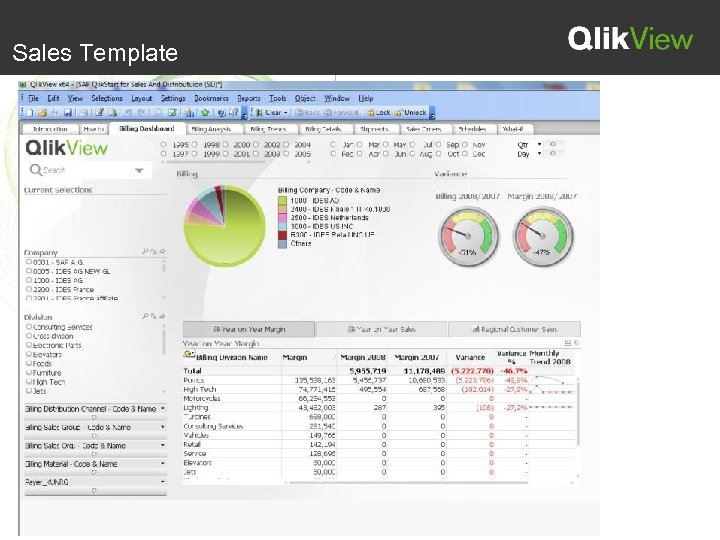 Sales Template
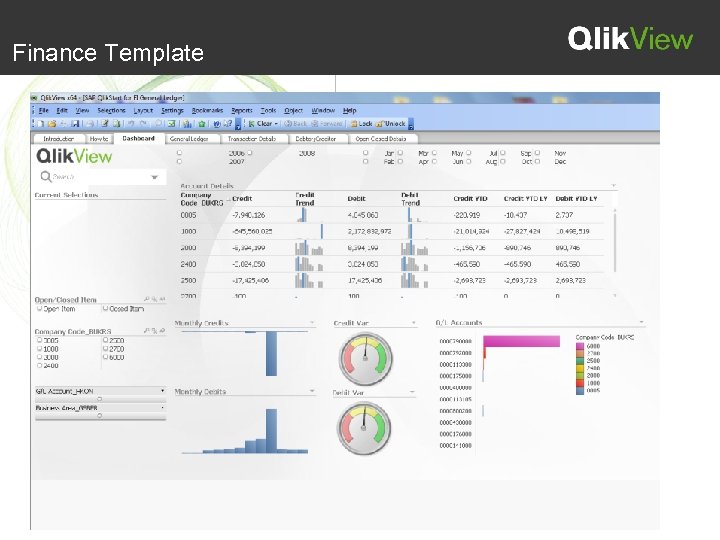 Finance Template
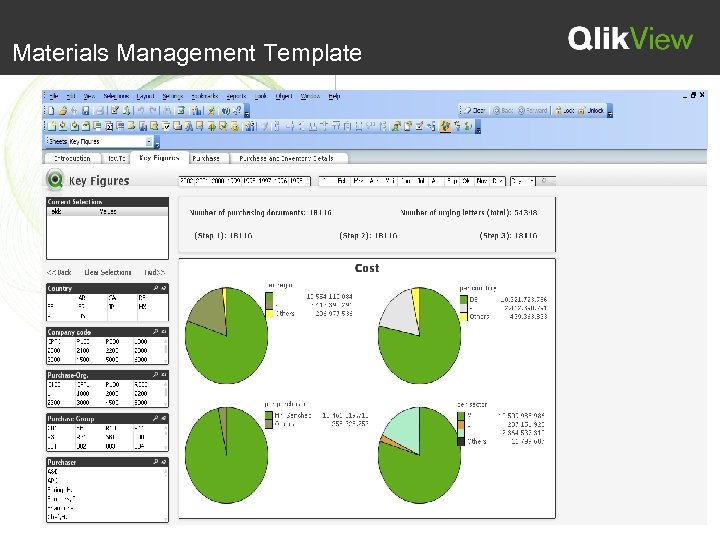 Materials Management Template
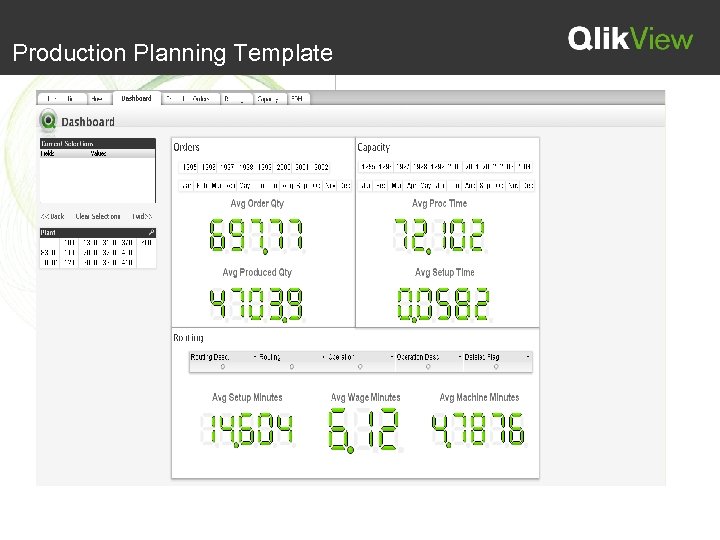 Production Planning Template
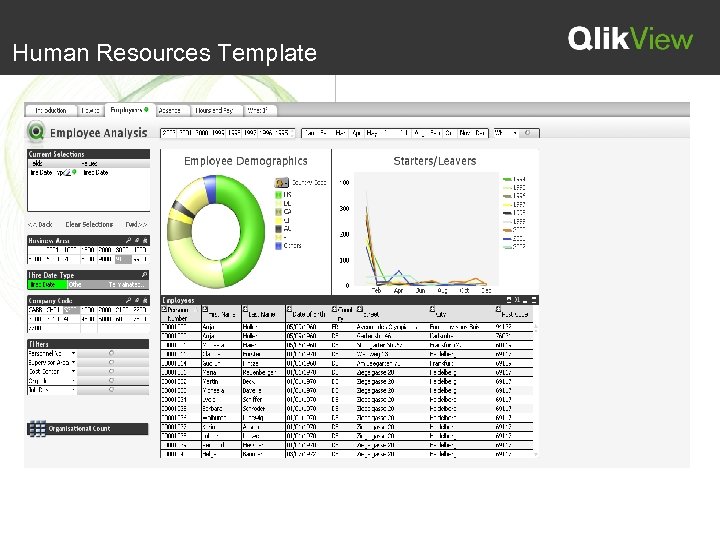 Human Resources Template
 Security Developer’s Level (extraction) • Adhere to SAP security model with roles and authorizations • Additional security provided by SAP Connector End User Level (access) • Qlikview native via Section Access • Through Publisher via Loop/Reduce/Distribute • Leverage SAP security
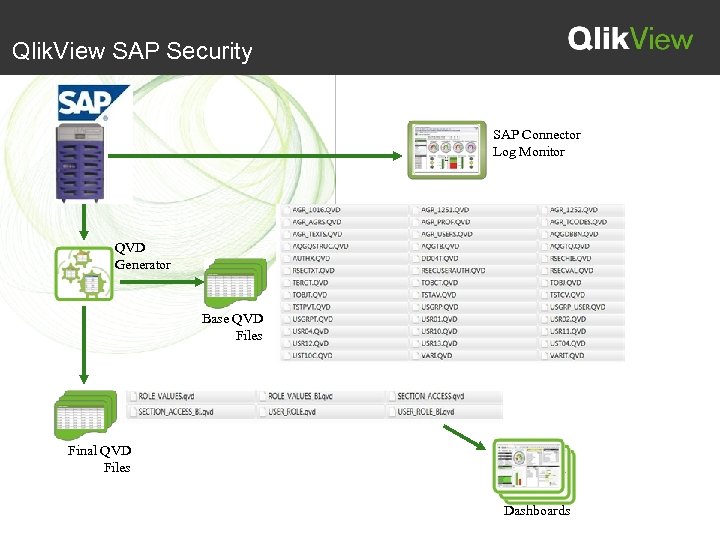 Qlik. View SAP Security SAP Connector Log Monitor QVD Generator Base QVD Files Final QVD Files Dashboards
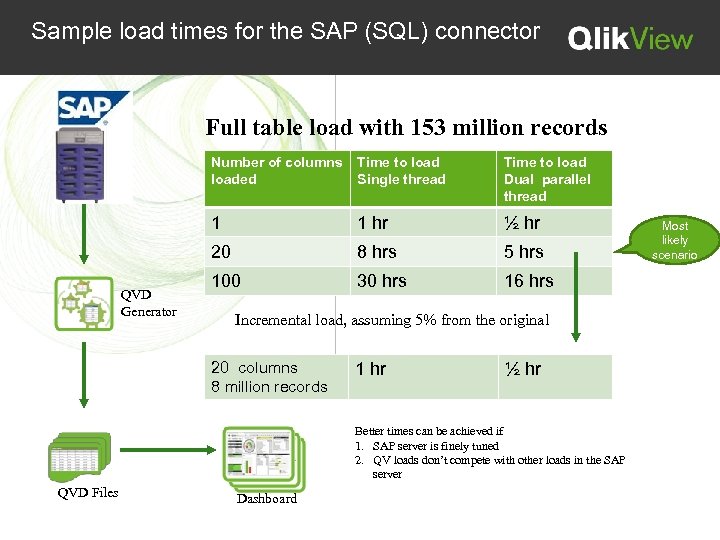 Sample load times for the SAP (SQL) connector Full table load with 153 million records Number of columns loaded Time to load Dual parallel thread 1 1 hr ½ hr 20 QVD Generator Time to load Single thread 8 hrs 5 hrs 100 30 hrs 16 hrs Incremental load, assuming 5% from the original 20 columns 8 million records 1 hr ½ hr Better times can be achieved if 1. SAP server is finely tuned 2. QV loads don’t compete with other loads in the SAP server QVD Files Dashboard Most likely scenario