 Скачать презентацию Public-key Infrastructure Computer Center CS NCTU Cryptosystems
e87706f6d8d647ef72357c847a44f617.ppt
- Количество слайдов: 34




Public-key Infrastructure
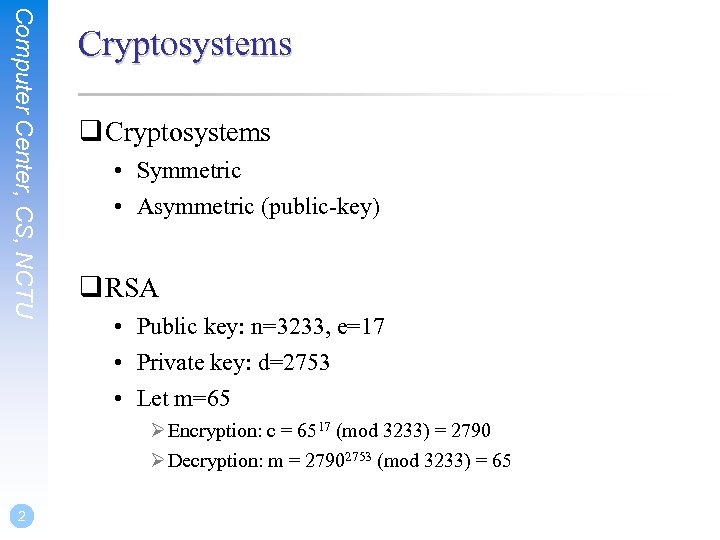
Computer Center, CS, NCTU Cryptosystems q Cryptosystems • Symmetric • Asymmetric (public-key) q RSA • Public key: n=3233, e=17 • Private key: d=2753 • Let m=65 Ø Encryption: c = 6517 (mod 3233) = 2790 Ø Decryption: m = 27902753 (mod 3233) = 65 2
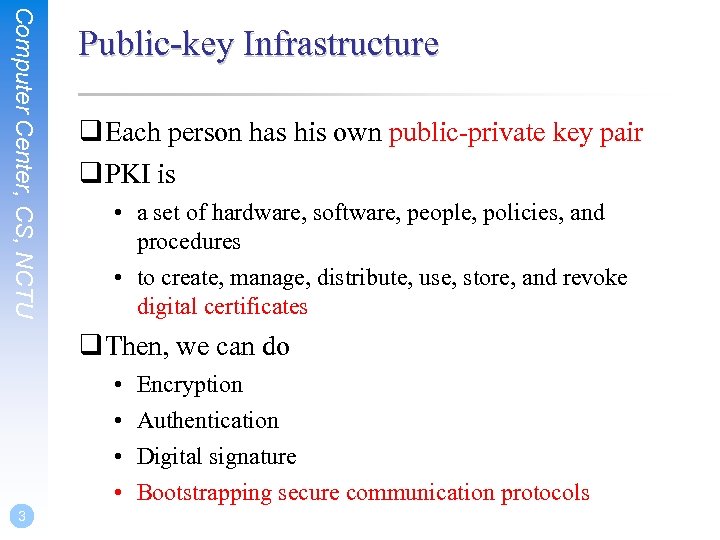
Computer Center, CS, NCTU Public-key Infrastructure q Each person has his own public-private key pair q PKI is • a set of hardware, software, people, policies, and procedures • to create, manage, distribute, use, store, and revoke digital certificates q Then, we can do • • 3 Encryption Authentication Digital signature Bootstrapping secure communication protocols
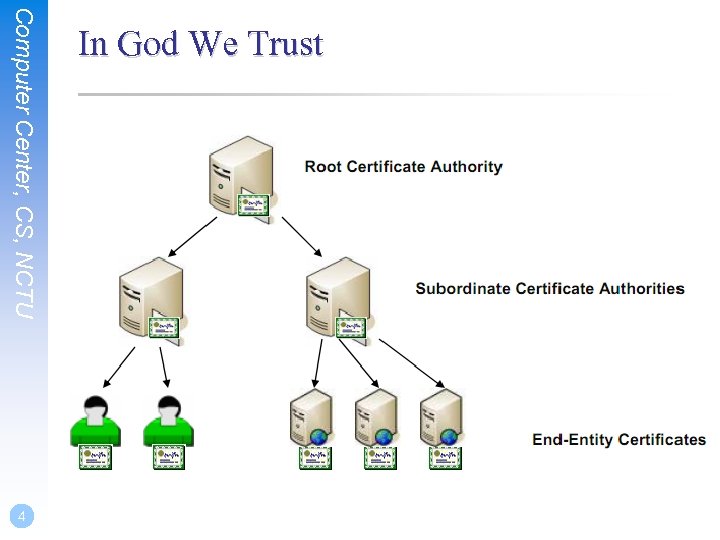
Computer Center, CS, NCTU 4 In God We Trust
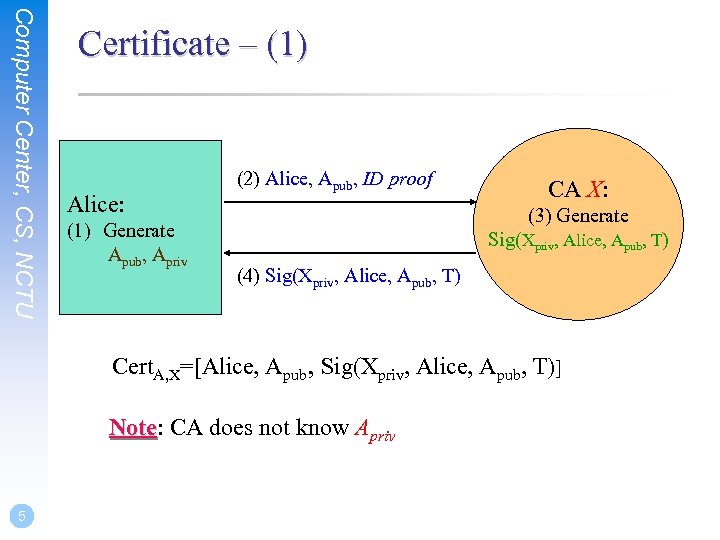
Computer Center, CS, NCTU Certificate – (1) Alice: (1) Generate Apub, Apriv (2) Alice, Apub, ID proof CA X: (3) Generate Sig(Xpriv, Alice, Apub, T) (4) Sig(Xpriv, Alice, Apub, T) Cert. A, X=[Alice, Apub, Sig(Xpriv, Alice, Apub, T)] Note: CA does not know Apriv Note 5
Computer Center, CS, NCTU Certificate – (2) q Also called • Network Identity q A certificate is issued by a CA X q A certificate of a user A consists: • • • The name of the issuer CA X His/her public key Apub The signature Sig(Xpriv, A, Apub, T) by the CA X The expiration date Applications Ø Encryption / Signature • 6 …
Computer Center, CS, NCTU Root CA q Root CA (最高層認證中心) • In Micro$oft: 「根目錄授權憑證」 • Root CA do not sign the certificates for users Ø Authorize CA to sign the certificates for users, instead. • Root CA signs for itself. Ø It is in the sky. • To trust Root CA Ø Install the certificate of Root CA via the secure channel 7
Computer Center, CS, NCTU Certificate and CA q Certificate Authority (CA) • “憑證授權” in Windows CHT version • In X. 509, it is itself a certificate Ø The data of CA Ø To sign certificates for others • Each CA contains a signature of Root CA. q To verify the validity of a certificate, check • the signature of Root CA in the certificate of CA • the signature of CA in this certificate 8
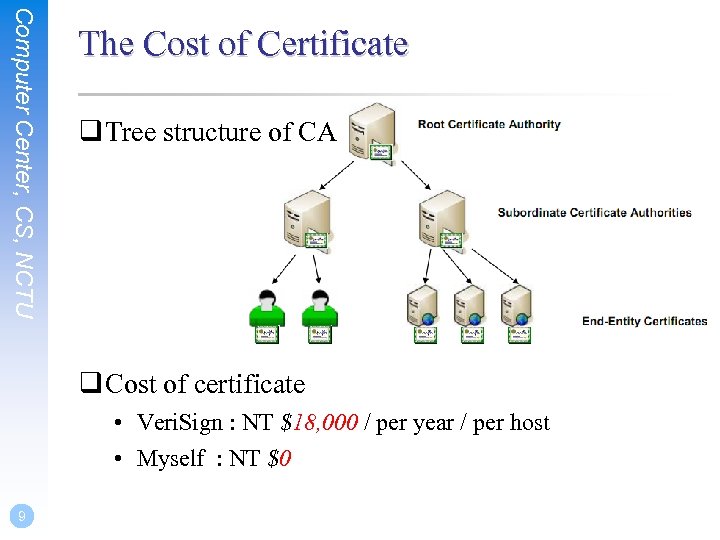
Computer Center, CS, NCTU The Cost of Certificate q Tree structure of CA q Cost of certificate • Veri. Sign : NT $18, 000 / per year / per host • Myself : NT $0 9
Computer Center, CS, NCTU Secure communication protocols q Security of transmitting DATA • Transmit session key first Ø Public-key cryptosystem • Transmit DATA by session key Ø Symmetric-key cryptosystem q Reference: http: //www. imacat. idv. tw/tech/sslcerts. html 10
SSL & TLS
Computer Center, CS, NCTU 12 SSL/TLS q SSL/TLS • Provide communication security over the Internet Ø Prevent eavesdropping and tampering • Encrypt the segments over Transport Layer
Computer Center, CS, NCTU History – (1) q SSL – developed by Netscape • SSL 1. 0: never publicly released • SSL 2. 0: released in 1995 Ø A number of security flaws • SSL 3. 0: released in 1996 Ø A complete redesign Ø Newer versions of SSL/TLS are based on SSL 3. 0 q TLS – IETF RFC • TLS 1. 0(SSL 3. 1): RFC 2246 in 1999. Ø Backward compatible to SSL 3. 0 Ø CBC vulnerability discovered in 2002 13
Computer Center, CS, NCTU 14 History – (2) q TLS – IETF RFC • TLS 1. 1(SSL 3. 2): RFC 4346 in 2006 Ø Prevent CBC attacks • TLS 1. 2(SSL 3. 3): RFC 5246 in 2008 Ø Enhance security strength Ø Introduce new cryptographic algorithms
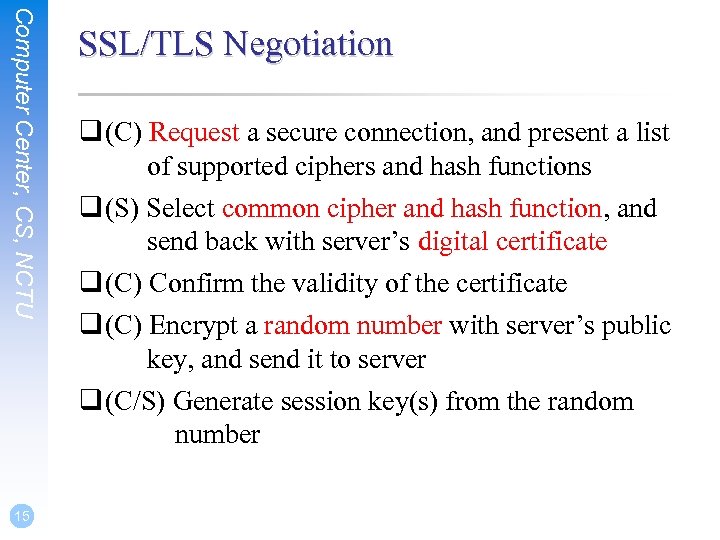
Computer Center, CS, NCTU 15 SSL/TLS Negotiation q (C) Request a secure connection, and present a list of supported ciphers and hash functions q (S) Select common cipher and hash function, and send back with server’s digital certificate q (C) Confirm the validity of the certificate q (C) Encrypt a random number with server’s public key, and send it to server q (C/S) Generate session key(s) from the random number
Computer Center, CS, NCTU SSL/TLS Applications q Implemented on top of Transport Layer prototols • TCP • UDP(DTLS) q Protect application-specific protocols • HTTP, FTP, SMTP, NNTP, … • VPN(Open. VPN), SIP, Vo. IP q Activate SSL/TLS connection • Use a different port number (https/433, smtps/465) • Use a protocol specific mechanism (STARTTLS) 16
Computer Center, CS, NCTU Support for Named-based Virtual Servers q All virtual servers belong to the same domain • Wildcard certificate • Add all virtual host names in subject. Alt. Name • Disadvantages Ø Certificate needs reissuing whenever adding a new virtual server Ø Cannot support named-based virtual hosts for web service q Server Name Indication (SNI) • RFC 4366 • http: //wiki. apache. org/httpd/Name. Based. SSLVHosts. With. SNI • The client browser must also support SNI 17
Open. SSL in Free. BSD
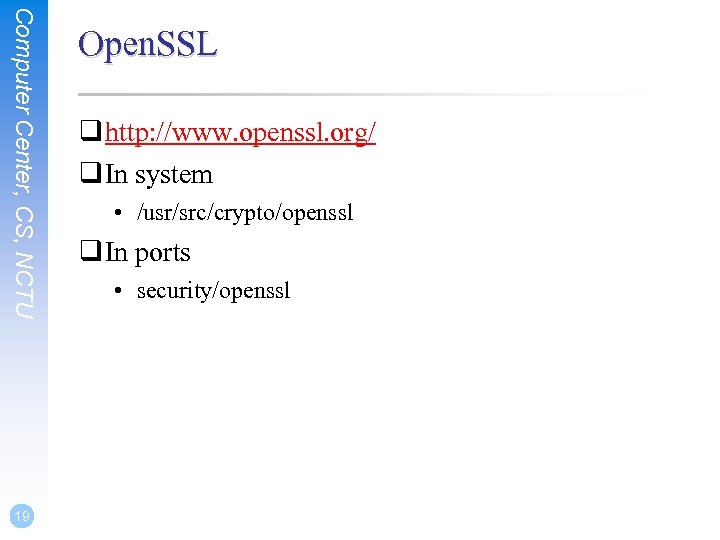
Computer Center, CS, NCTU 19 Open. SSL q http: //www. openssl. org/ q In system • /usr/src/crypto/openssl q In ports • security/openssl
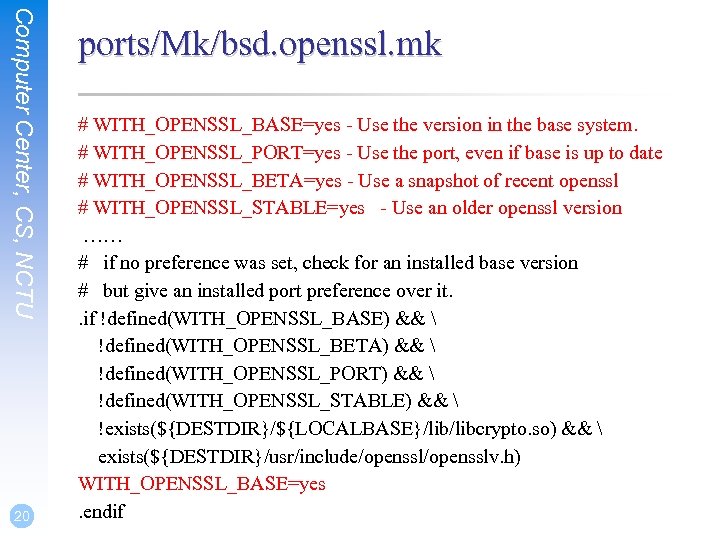
Computer Center, CS, NCTU 20 ports/Mk/bsd. openssl. mk # WITH_OPENSSL_BASE=yes - Use the version in the base system. # WITH_OPENSSL_PORT=yes - Use the port, even if base is up to date # WITH_OPENSSL_BETA=yes - Use a snapshot of recent openssl # WITH_OPENSSL_STABLE=yes - Use an older openssl version …… # if no preference was set, check for an installed base version # but give an installed port preference over it. . if !defined(WITH_OPENSSL_BASE) && !defined(WITH_OPENSSL_BETA) && !defined(WITH_OPENSSL_PORT) && !defined(WITH_OPENSSL_STABLE) && !exists(${DESTDIR}/${LOCALBASE}/libcrypto. so) && exists(${DESTDIR}/usr/include/opensslv. h) WITH_OPENSSL_BASE=yes. endif
Example: Apache SSL settings
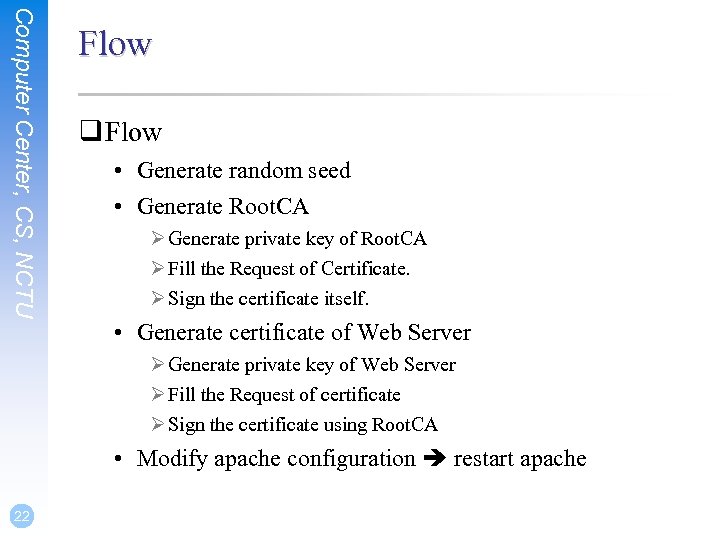
Computer Center, CS, NCTU Flow q Flow • Generate random seed • Generate Root. CA Ø Generate private key of Root. CA Ø Fill the Request of Certificate. Ø Sign the certificate itself. • Generate certificate of Web Server Ø Generate private key of Web Server Ø Fill the Request of certificate Ø Sign the certificate using Root. CA • Modify apache configuration restart apache 22
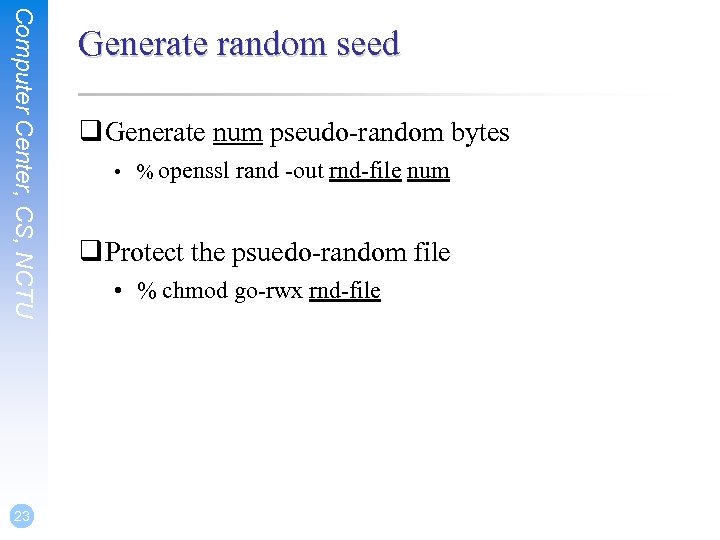
Computer Center, CS, NCTU 23 Generate random seed q Generate num pseudo-random bytes • % openssl rand -out rnd-file num q Protect the psuedo-random file • % chmod go-rwx rnd-file
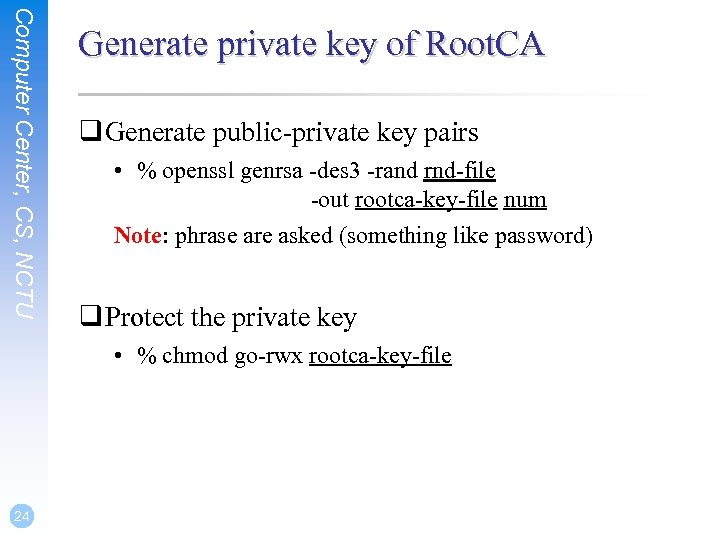
Computer Center, CS, NCTU Generate private key of Root. CA q Generate public-private key pairs • % openssl genrsa -des 3 -rand rnd-file -out rootca-key-file num Note: phrase are asked (something like password) q Protect the private key • % chmod go-rwx rootca-key-file 24
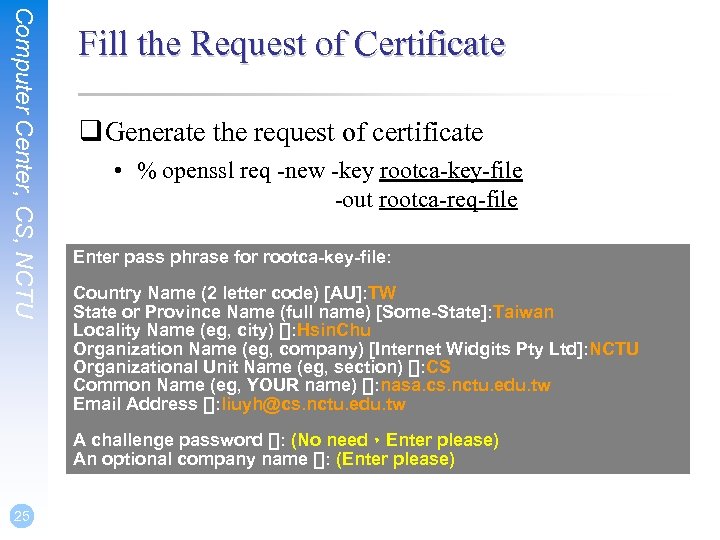
Computer Center, CS, NCTU Fill the Request of Certificate q Generate the request of certificate • % openssl req -new -key rootca-key-file -out rootca-req-file Enter pass phrase for rootca-key-file: Country Name (2 letter code) [AU]: TW State or Province Name (full name) [Some-State]: Taiwan Locality Name (eg, city) []: Hsin. Chu Organization Name (eg, company) [Internet Widgits Pty Ltd]: NCTU Organizational Unit Name (eg, section) []: CS Common Name (eg, YOUR name) []: nasa. cs. nctu. edu. tw Email Address []: liuyh@cs. nctu. edu. tw A challenge password []: (No need,Enter please) An optional company name []: (Enter please) 25
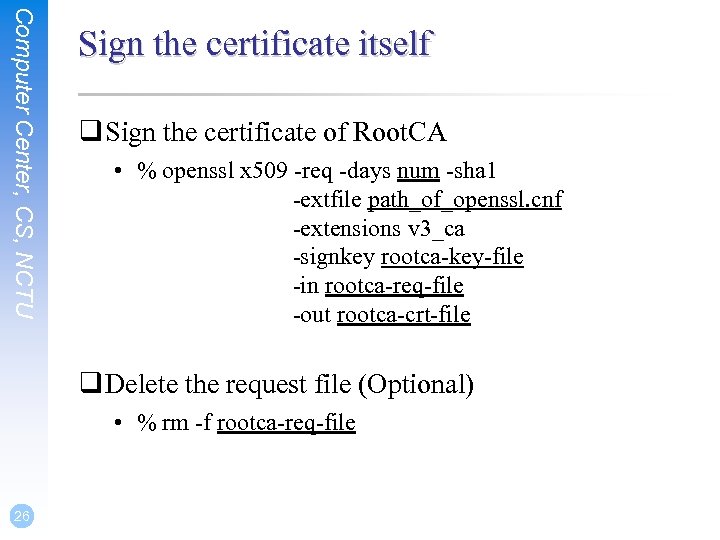
Computer Center, CS, NCTU Sign the certificate itself q Sign the certificate of Root. CA • % openssl x 509 -req -days num -sha 1 -extfile path_of_openssl. cnf -extensions v 3_ca -signkey rootca-key-file -in rootca-req-file -out rootca-crt-file q Delete the request file (Optional) • % rm -f rootca-req-file 26
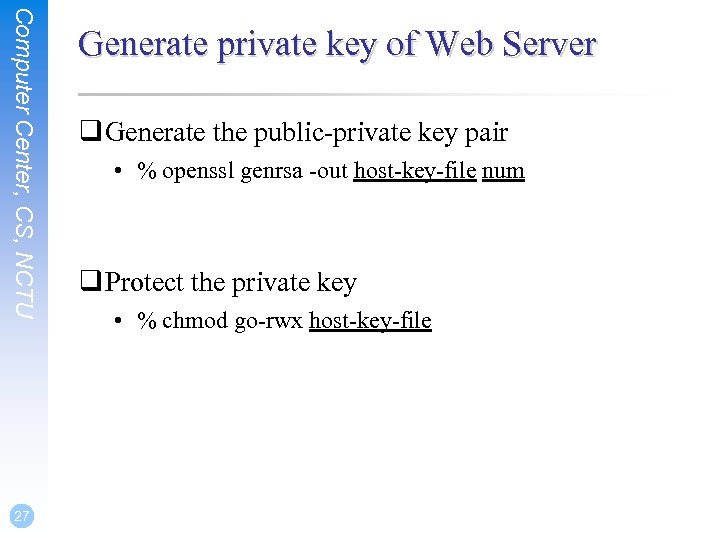
Computer Center, CS, NCTU 27 Generate private key of Web Server q Generate the public-private key pair • % openssl genrsa -out host-key-file num q Protect the private key • % chmod go-rwx host-key-file
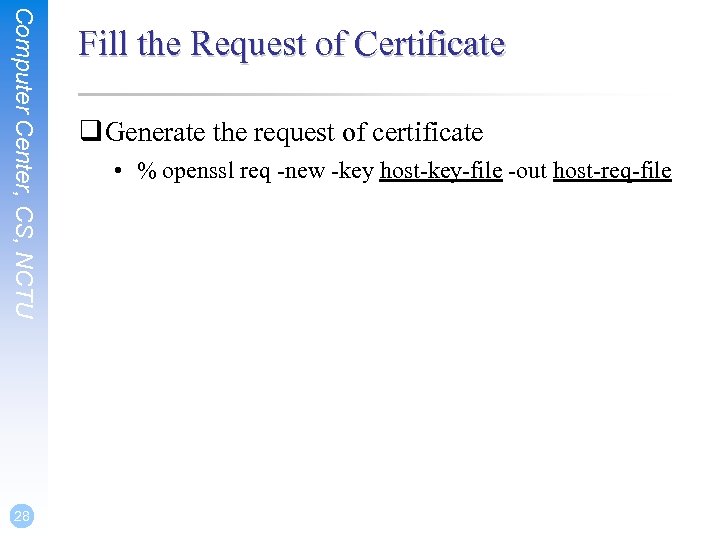
Computer Center, CS, NCTU 28 Fill the Request of Certificate q Generate the request of certificate • % openssl req -new -key host-key-file -out host-req-file
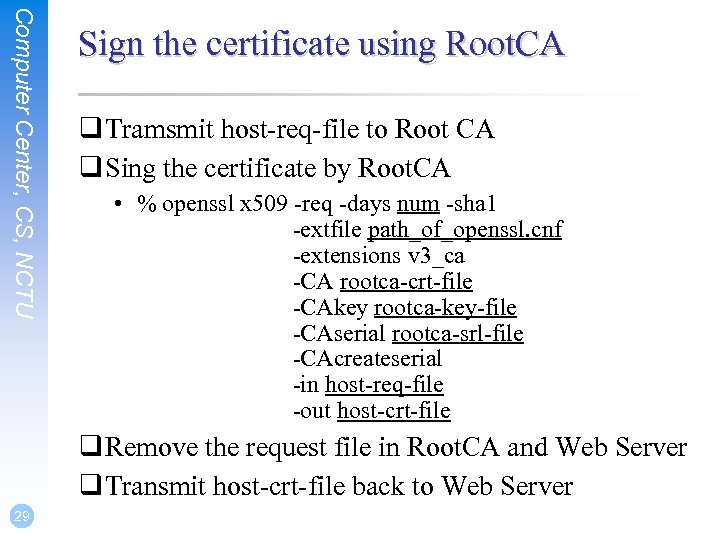
Computer Center, CS, NCTU Sign the certificate using Root. CA q Tramsmit host-req-file to Root CA q Sing the certificate by Root. CA • % openssl x 509 -req -days num -sha 1 -extfile path_of_openssl. cnf -extensions v 3_ca -CA rootca-crt-file -CAkey rootca-key-file -CAserial rootca-srl-file -CAcreateserial -in host-req-file -out host-crt-file q Remove the request file in Root. CA and Web Server q Transmit host-crt-file back to Web Server 29
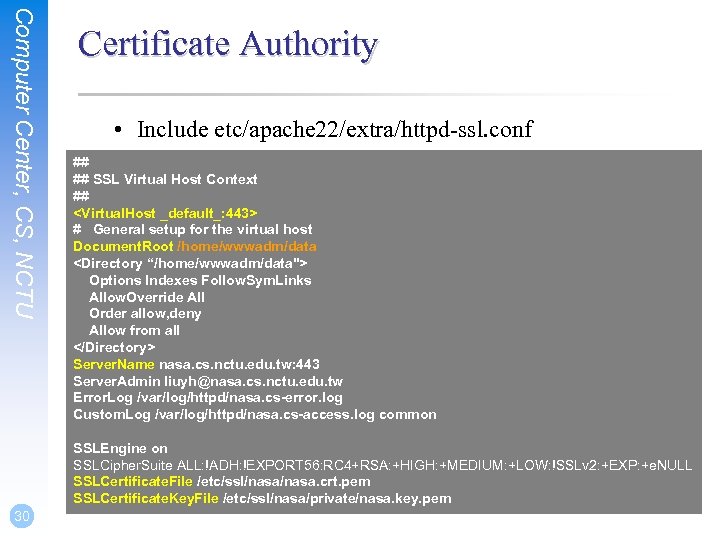
Computer Center, CS, NCTU Certificate Authority • Include etc/apache 22/extra/httpd-ssl. conf ## ## SSL Virtual Host Context ## <Virtual. Host _default_: 443> # General setup for the virtual host Document. Root /home/wwwadm/data <Directory “/home/wwwadm/data"> Options Indexes Follow. Sym. Links Allow. Override All Order allow, deny Allow from all </Directory> Server. Name nasa. cs. nctu. edu. tw: 443 Server. Admin liuyh@nasa. cs. nctu. edu. tw Error. Log /var/log/httpd/nasa. cs-error. log Custom. Log /var/log/httpd/nasa. cs-access. log common SSLEngine on SSLCipher. Suite ALL: !ADH: !EXPORT 56: RC 4+RSA: +HIGH: +MEDIUM: +LOW: !SSLv 2: +EXP: +e. NULL SSLCertificate. File /etc/ssl/nasa. crt. pem SSLCertificate. Key. File /etc/ssl/nasa/private/nasa. key. pem 30
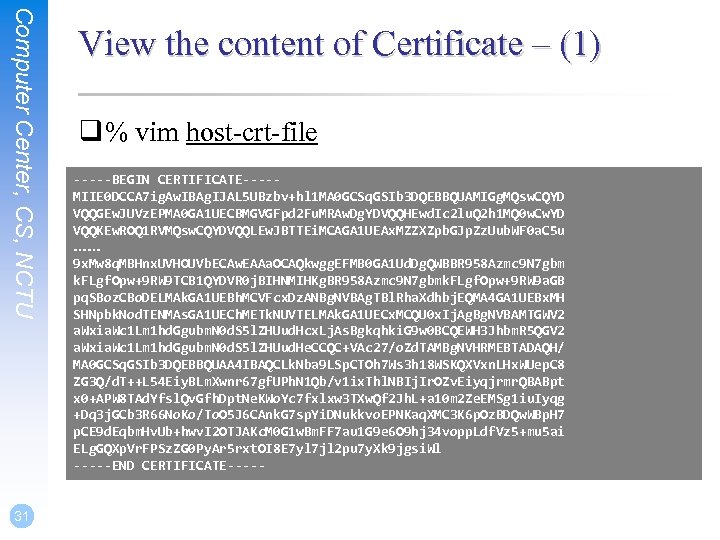
Computer Center, CS, NCTU 31 View the content of Certificate – (1) q % vim host-crt-file -----BEGIN CERTIFICATE----MIIE 0 DCCA 7 ig. Aw. IBAg. IJAL 5 UBzbv+hl 1 MA 0 GCSq. GSIb 3 DQEBBQUAMIGg. MQsw. CQYD VQQGEw. JUVz. EPMA 0 GA 1 UECBMGVGFpd 2 Fu. MRAw. Dg. YDVQQHEwd. Ic 2 lu. Q 2 h 1 MQ 0 w. Cw. YD VQQKEw. ROQ 1 RVMQsw. CQYDVQQLEw. JBTTEi. MCAGA 1 UEAx. MZZXZpb. GJp. Zz. Uub. WF 0 a. C 5 u …… 9 x. Mw 8 q. MBHnx. UVHOUVb. ECAw. EAAa. OCAQkwgg. EFMB 0 GA 1 Ud. Dg. QWBBR 958 Azmc 9 N 7 gbm k. FLgf. Opw+9 RW 9 TCB 1 QYDVR 0 j. BIHNMIHKg. BR 958 Azmc 9 N 7 gbmk. FLgf. Opw+9 RW 9 a. GB pq. SBoz. CBo. DELMAk. GA 1 UEBh. MCVFcx. Dz. ANBg. NVBAg. TBl. Rha. Xdhbj. EQMA 4 GA 1 UEBx. MH SHNpbk. Nod. TENMAs. GA 1 UECh. METk. NUVTELMAk. GA 1 UECx. MCQU 0 x. Ij. Ag. Bg. NVBAMTGWV 2 a. Wxia. Wc 1 Lm 1 hd. Ggubm. N 0 d. S 5 l. ZHUud. Hcx. Lj. As. Bgkqhki. G 9 w 0 BCQEWH 3 Jhbm. R 5 QGV 2 a. Wxia. Wc 1 Lm 1 hd. Ggubm. N 0 d. S 5 l. ZHUud. He. CCQC+VAc 27/o. Zd. TAMBg. NVHRMEBTADAQH/ MA 0 GCSq. GSIb 3 DQEBBQUAA 4 IBAQCLk. Nba 9 LSp. CTOh 7 Ws 3 h 18 WSKQXVxn. LHx. WUep. C 8 ZG 3 Q/d. T++L 54 Eiy. BLm. Xwnr 67 gf. UPh. N 1 Qb/v 1 ix. Thl. NBIj. Ir. OZv. Eiyqjrmr. QBABpt x 0+APW 8 TAd. Yfsl. Qv. Gfh. Dpt. Ne. KWo. Yc 7 fxlxw 3 TXw. Qf 2 Jh. L+a 10 m 2 Ze. EMSg 1 iu. Iyqg +Dq 3 j. GCb 3 R 66 No. Ko/To. O 5 J 6 CAnk. G 7 sp. Yi. DNukkvo. EPNKaq. XMC 3 K 6 p. Oz. BDQw. WBp. H 7 p. CE 9 d. Eqbm. Hv. Ub+hwv. I 2 OTJAKc. M 0 G 1 w. Bm. FF 7 au 1 G 9 e 6 O 9 hj 34 vopp. Ldf. Vz 5+mu 5 ai ELg. GQXp. Vr. FPSz. ZG 0 Py. Ar 5 rxt. OI 8 E 7 yl 7 jl 2 pu 7 y. Xk 9 jgsi. Wl -----END CERTIFICATE-----
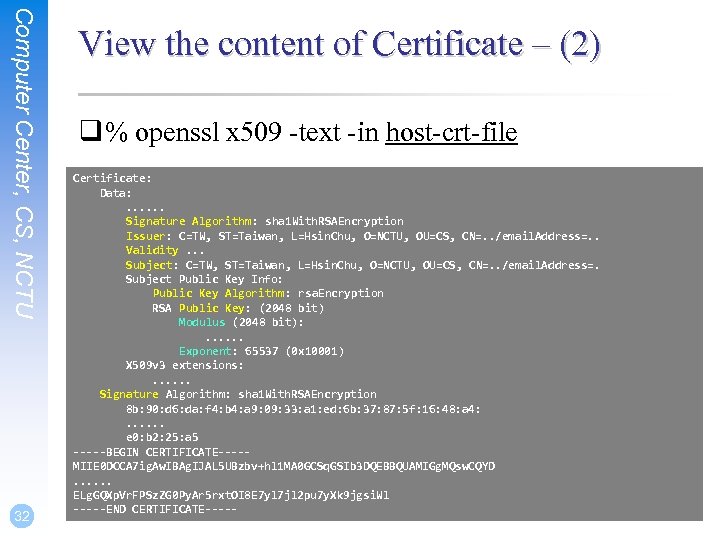
Computer Center, CS, NCTU 32 View the content of Certificate – (2) q % openssl x 509 -text -in host-crt-file Certificate: Data: . . . Signature Algorithm: sha 1 With. RSAEncryption Issuer: C=TW, ST=Taiwan, L=Hsin. Chu, O=NCTU, OU=CS, CN=. . /email. Address=. . Validity. . . Subject: C=TW, ST=Taiwan, L=Hsin. Chu, O=NCTU, OU=CS, CN=. . /email. Address=. Subject Public Key Info: Public Key Algorithm: rsa. Encryption RSA Public Key: (2048 bit) Modulus (2048 bit): . . . Exponent: 65537 (0 x 10001) X 509 v 3 extensions: . . . Signature Algorithm: sha 1 With. RSAEncryption 8 b: 90: d 6: da: f 4: b 4: a 9: 09: 33: a 1: ed: 6 b: 37: 87: 5 f: 16: 48: a 4: . . . e 0: b 2: 25: a 5 -----BEGIN CERTIFICATE----MIIE 0 DCCA 7 ig. Aw. IBAg. IJAL 5 UBzbv+hl 1 MA 0 GCSq. GSIb 3 DQEBBQUAMIGg. MQsw. CQYD. . . ELg. GQXp. Vr. FPSz. ZG 0 Py. Ar 5 rxt. OI 8 E 7 yl 7 jl 2 pu 7 y. Xk 9 jgsi. Wl -----END CERTIFICATE-----
Appendix
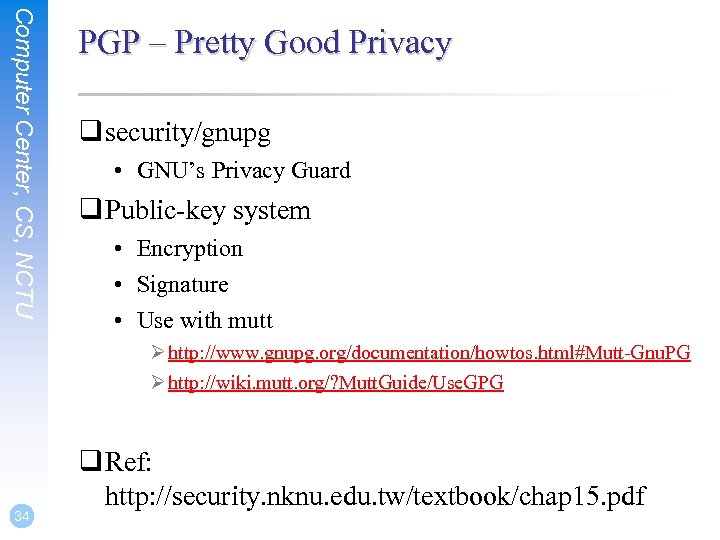
Computer Center, CS, NCTU PGP – Pretty Good Privacy q security/gnupg • GNU’s Privacy Guard q Public-key system • Encryption • Signature • Use with mutt Ø http: //www. gnupg. org/documentation/howtos. html#Mutt-Gnu. PG Ø http: //wiki. mutt. org/? Mutt. Guide/Use. GPG 34 q Ref: http: //security. nknu. edu. tw/textbook/chap 15. pdf
Скачать презентацию Public-key Infrastructure Computer Center CS NCTU Cryptosystems
e87706f6d8d647ef72357c847a44f617.ppt