 Скачать презентацию Provide X File System Presented by Brett Condy
9922d89f68bdf7b67f60aa2260ff63e8.ppt
- Количество слайдов: 50



Provide. X File System Presented by: Brett Condy
Presentation Overview v New Features v Summary of supported file types v Provide. X KEYED files v Local File Caching v Performance v Recovery and Repair v Troubleshooting and Analysis v Future Considerations
New Features • DB 2 Call Level Interface • Support for direct connections to IBM DB 2. • Accessed via "[DB 2]" control tag • Options similar to [ODB] • Except DB 2 Database name replaces DSN name • TCB(198) returns 1 if supported • Raw SQL support • Differs from ODB/OCI by producing Error #15 if a WRITE returns an SQL_SUCCESS_WITH_INFO • Row count and number of results columns are retrieved prior to error being returned • Developer must check MSG(-1) to determine whether error condition is critical
New Features • SYSTEM_JRNL DIRECTORY • Provides means to detect which files were in use at the time of system failure • Syntax: SYSTEM_JRNL DIRECTORY "directory name" • Tracking file created for every session with open / updated files in format: username. mmddhhmmss. log • Tracking file deleted after all files closed • Existence of file means task is still active or the task has terminated abnormally • Only tracks Provide. X KEYED and INDEXED files
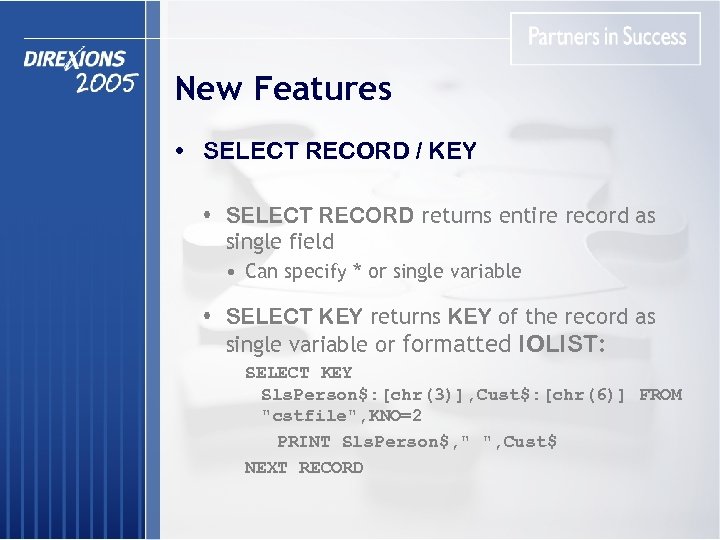
New Features • SELECT RECORD / KEY • SELECT RECORD returns entire record as single field • Can specify * or single variable • SELECT KEY returns KEY of the record as single variable or formatted IOLIST: SELECT KEY Sls. Person$: [chr(3)], Cust$: [chr(6)] FROM "cstfile", KNO=2 PRINT Sls. Person$, " ", Cust$ NEXT RECORD
New Features • SETDEV (channel) SEP=$. . $ • Provides ability to change standard field separator on a per-channel basis • Does not affect the physical file • Must be single character string or null • Null value indicates dynamic separators (length delimited) • Only supported for native Provide. X file types
New Features • ZLib Compression for VLR and EFF files • • Controlled by OPT="Z" on File Create Platform must support ZLib May not be portable across platforms All records are compressed • Even though they may result in larger strings • Simplifies analysis and recover utilities • No lead header byte for UCP( ) function • Extended records still broken down into BSZsized "chunks" for consistency with existing approach
New Features • FIN( ) Enhancements • New FIN(chan, "File_Create") • Key Names added to FIN(chan, "Key_Definition") • FIN(chan, "NUMREC") / FIN(chan, "Records_Used") • changed to reflect up-to-date info rather than last accessed by forcing file header reload
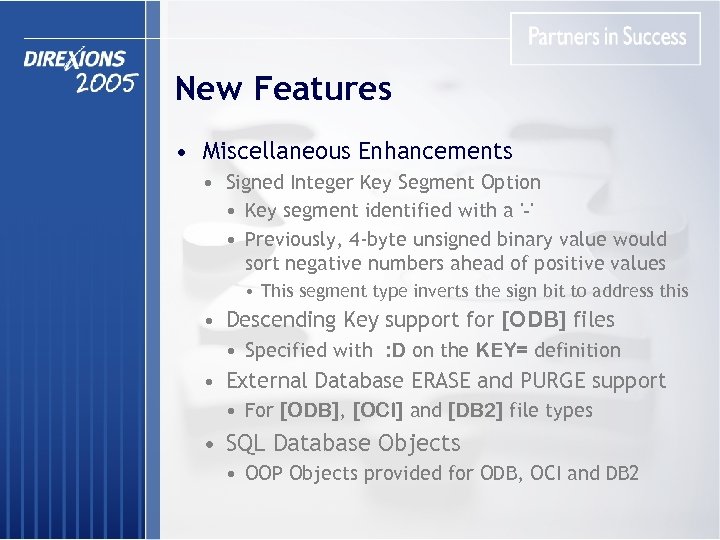
New Features • Miscellaneous Enhancements • Signed Integer Key Segment Option • Key segment identified with a '-' • Previously, 4 -byte unsigned binary value would sort negative numbers ahead of positive values • This segment type inverts the sign bit to address this • Descending Key support for [ODB] files • Specified with : D on the KEY= definition • External Database ERASE and PURGE support • For [ODB], [OCI] and [DB 2] file types • SQL Database Objects • OOP Objects provided for ODB, OCI and DB 2
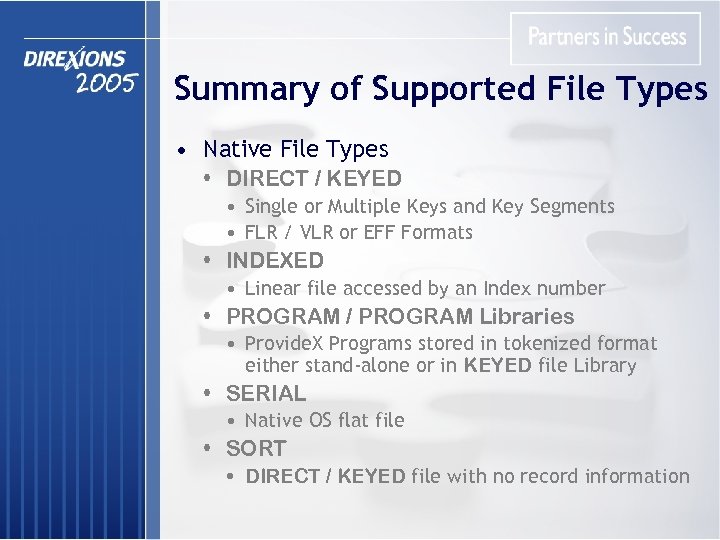
Summary of Supported File Types • Native File Types • DIRECT / KEYED • Single or Multiple Keys and Key Segments • FLR / VLR or EFF Formats • INDEXED • Linear file accessed by an Index number • PROGRAM / PROGRAM Libraries • Provide. X Programs stored in tokenized format either stand-alone or in KEYED file Library • SERIAL • Native OS flat file • SORT • DIRECT / KEYED file with no record information
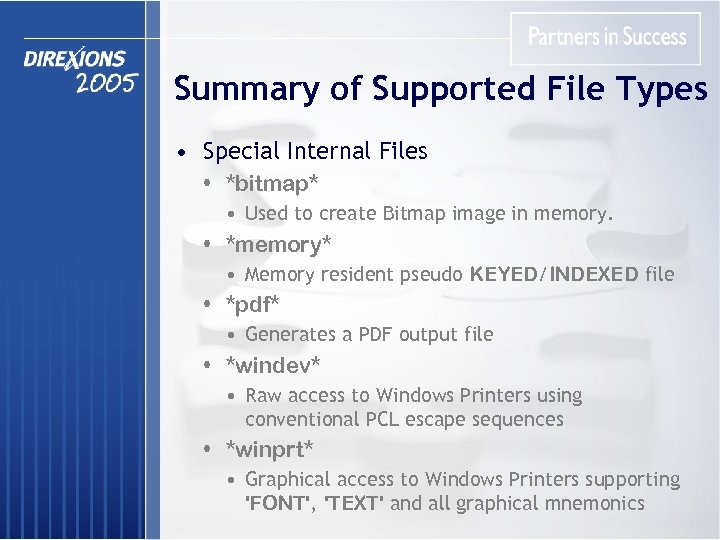
Summary of Supported File Types • Special Internal Files • *bitmap* • Used to create Bitmap image in memory. • *memory* • Memory resident pseudo KEYED/INDEXED file • *pdf* • Generates a PDF output file • *windev* • Raw access to Windows Printers using conventional PCL escape sequences • *winprt* • Graphical access to Windows Printers supporting 'FONT', 'TEXT' and all graphical mnemonics
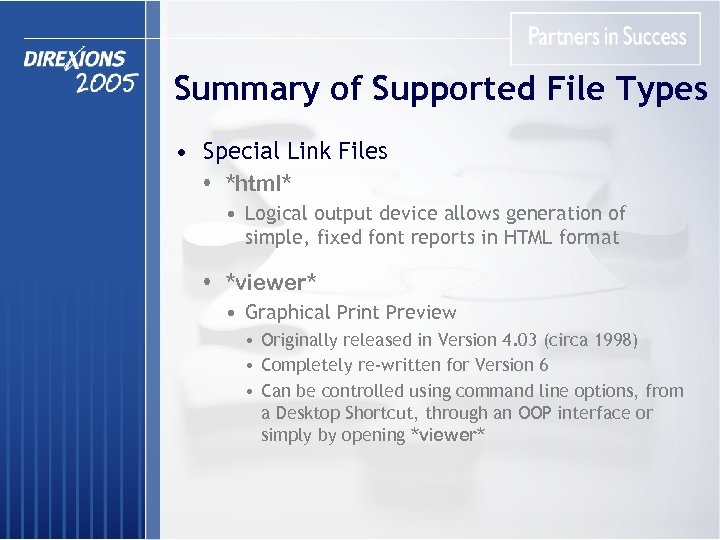
Summary of Supported File Types • Special Link Files • *html* • Logical output device allows generation of simple, fixed font reports in HTML format • *viewer* • Graphical Print Preview • Originally released in Version 4. 03 (circa 1998) • Completely re-written for Version 6 • Can be controlled using command line options, from a Desktop Shortcut, through an OOP interface or simply by opening *viewer*
![Summary of Supported File Types • Remote Access • [wdx] • Provides access to](https://present5.com/presentation/9922d89f68bdf7b67f60aa2260ff63e8/image-13.jpg "Summary of Supported File Types • Remote Access • [wdx] • Provides access to")
Summary of Supported File Types • Remote Access • [wdx] • Provides access to remote Wind. X-connected files using regular Provide. X commands • Files can be read and written to • Programs can be CALLed • [rpc: ] • Remote Process Control • Client-side issues requests to have Server execute program logic or to access Server-side files • Server-side PROCESS SERVER task listens for requests and executes program code locally, then returns the results to the Client • Critical sections of Data files do not travel across the wire thereby improving data integrity
![Summary of Supported File Types • External Database • [odb] • Provides access to](https://present5.com/presentation/9922d89f68bdf7b67f60aa2260ff63e8/image-14.jpg "Summary of Supported File Types • External Database • [odb] • Provides access to")
Summary of Supported File Types • External Database • [odb] • Provides access to external files using Microsoft's Open Data. Base Connectivity (ODBC) facility • [oci] • Oracle Call Program Interface allows direct access to Oracle Database • [db 2] • Allows access to IBM DB 2 data files through DB 2 Call Level Interface • COM interface can provide access as well • Utilizing OLE DB or other COM routines designed to provide access to database files/tables
![Summary of Supported File Types • External Interfaces • [dde] • Dynamic Data Exchange](https://present5.com/presentation/9922d89f68bdf7b67f60aa2260ff63e8/image-15.jpg "Summary of Supported File Types • External Interfaces • [dde] • Dynamic Data Exchange")
Summary of Supported File Types • External Interfaces • [dde] • Dynamic Data Exchange • Older Microsoft technology used to communicate with DDE Servers such as MSWord or MSExcel • [dll: ] • Dynamic Link Library support for file access • Used to access external files through a DLL interface by intercepting and processing all I/O directives • [tcp] • Transmission Control Protocol • Allows access to TCP/IP Sockets • Currently used by *NTHost / *NTSlave and Provide. X Application Server
Summary of Supported File Types • Additional File Types • BBx DIRECT and MKEYED files • C-Isam • COM / LPT access under Windows • Direct LPT access is not recommended • Pipe support in UNIX/Linux environments • Both single and bi-directional • UNC Shares • Universal Naming Convention • Windows based technology
Summary of Supported File Types • Link Files • Provide simple method of associating program logic with given device or channel • Comprised of a Device/File Name and Device Driver Program • The Device Driver is called after the Device/File Name is opened. • Commonly used to: • Define MNEMONICs for device/printer • Establish default settings / fonts for printers • Alter actual file being opened • This is how *viewer* and *html* operate
Provide. X KEYED Files • • • Most commonly used file type in BB apps Internally or externally defined keys Wide variety of key segment options Supports record sizes up to ~2 GB Available in three formats: • FLR – Fixed Length Records • VLR – Variable Length Records • EFF – Enhanced File Format • Supports up to 16 keys and 96 segments for FLR & VLR based files while EFF increases these to 255 keys and 255 segments per key
Provide. X KEYED Files • Embedded I/O • Provides means for intercepting all I/O functions performed on a KEYED file. • Embedded I/O Program is associated with a file either using the Data Dictionary utilities or the SETDEV PROGRAM directive. • Possible uses for Embedded I/O include: • Security and data encryption • Data replication / logging • Normalizing data files by redirecting alternate record types to "normal" files • Maintaining application level x-ref files • Troubleshooting invalid/bad data written to files More documentation available at www. pvx. com
Provide. X KEYED Files • FLR Format – Fixed Length Records • Original DIRECT / KEYED file format • Available since mid 1980's • Every record in file occupies defined record size • Issuing READ RECORD requires stripping of trailing NULLs • Less structured design than newer formats • Key blocks are scattered throughout file • Least efficient in terms of file recovery • Deleted records are only flagged, not physically removed from file • Physically limited to 2 GB in size
Provide. X KEYED Files • VLR Format – Variable Length Records • Introduced early 1990's • More Structured design than FLR • All information is stored in blocks or pages • Managed by Inventory pages • Records occupy only the space they require • Records combined into data pages / blocks • Defined by declaring negative record size when creating file • Supports logical file sizes up to ~248 GB using Multi-Segmented technique • Actual file size governed by file's block size
Provide. X KEYED Files • VLR Format – Multi-Segmented Files • Original design limited actual file size to 2 GB • Addressing scheme uses 4 -byte positive value as address of record while negative value identifies pointer to key block • VLR design provides additional bits within address which are used to identify File Segment / Extent for record / key pointer • Larger block sizes have more bits available and therefore can utilize more segments • Controlled by the 'MB' System Parameter • By default, 'MB' is disabled • Once active, Provide. X will determine if/when new File Segment is needed each time Inventory Segment is created
Provide. X KEYED Files • VLR Format – Multi-Segmented Files (Cont'd) • Segments created by appending three digit extension to primary file name • Example: • CSTFILE is the primary file • CSTFILE. 001 will be the first extent • Link files can be used for segment files • This allows the physical file segment to be located on a different drive or file system • Although not relevant today, this was an important consideration when Operating Systems could not support larger than 2 GB partitions • ERASE and RENAME do not affect file segments • Must be handled at application level
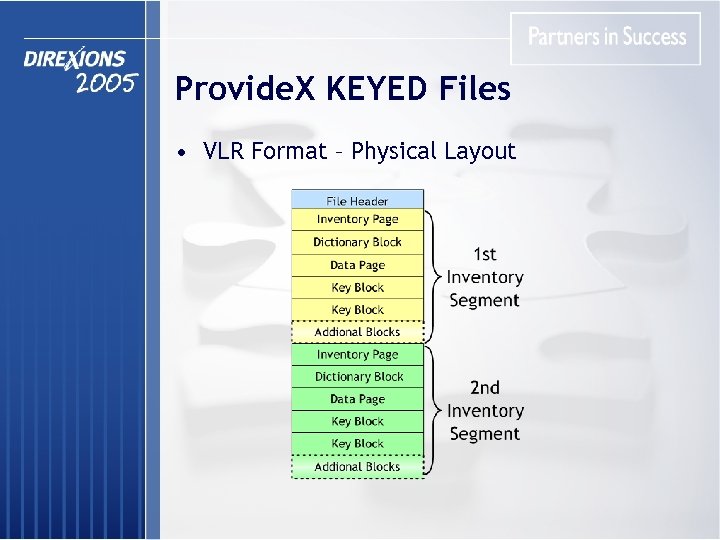
Provide. X KEYED Files • VLR Format – Physical Layout
Provide. X KEYED Files • EFF Format – Enhanced File Format • Design based on existing VLR format • Utilizes Shadow page technique • Provides for greater data integrity • Allows other tasks to READ the file while it is being updated • Supports Commit and Rollback functionality • Due primarily to the shadow page technique • Current implementation supports single files up to ~504 GB • Utilizing 3 -byte page number and 1 -byte Index • Next generation to utilize 4 -byte page / 2 -byte Index, allowing file sizes up to ~48, 000+GB
Provide. X KEYED Files • EFF Format – Enhanced File Format (Cont'd) • Creation of EFF files can be controlled by the 'KF' System Parameter • Simplifies migration to EFF • Setting 'KF'=2 will create EFF files for all DIRECT / KEYED / CREATE TABLE directives • Operating system / disk configuration must provide LFS (Large File Support) for files larger than 2 GB • Not available on Win 95/98/ME or SCO 5. 0. x • TCB(37) will report: • 0 – No EFF Support • 1 – EFF files limited to 2 GB • 2 – EFF file greater than 2 GB supported
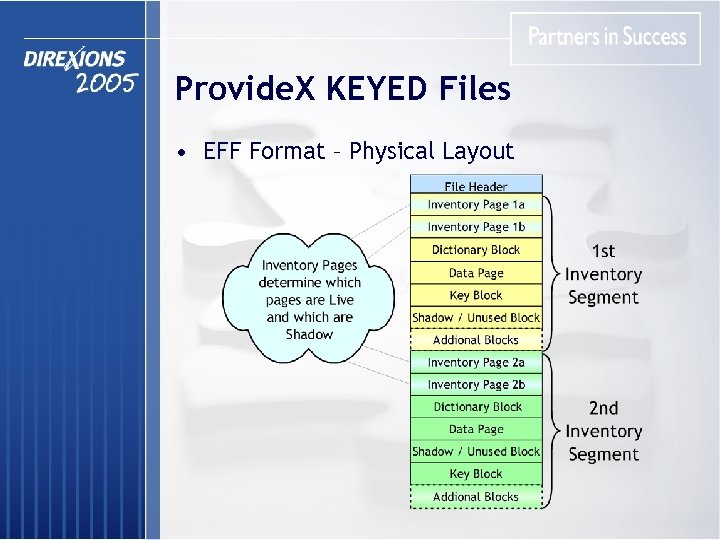
Provide. X KEYED Files • EFF Format – Physical Layout
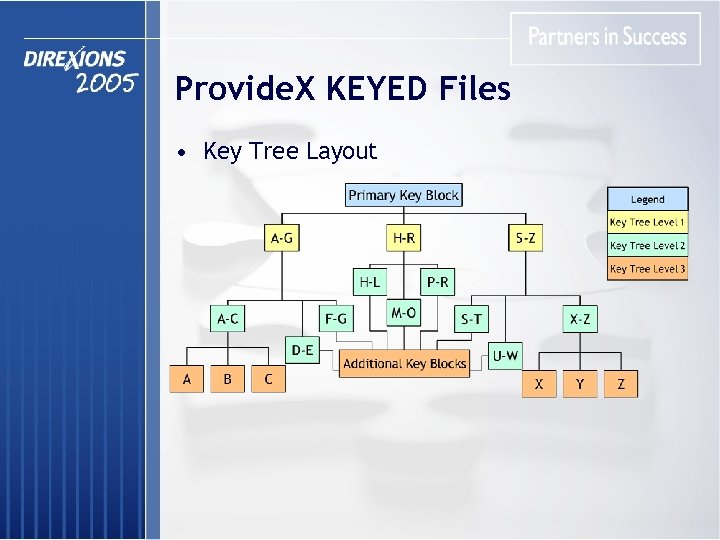
Provide. X KEYED Files • Key Tree Layout
Local File Caching • Originally designed to improve performance on LAN and WAN based systems • System maintains linked list of buffers • • Algorithm keeps most recently used buffers Buffers can be file specific or shared Only applies to KEYED files Shared buffers are limited to 4 K Key Blocks • Changes by other tasks discards buffers • Update Count field in File header incremented when WRITE or REMOVE is performed • If Update Count is different, then cached buffers are considered dirty and discarded
Local File Caching • Variety of factors control number of buffers • System Parameter 'BF' defaults to 10 • Determines number of shared 4 K buffers • Separate set of buffers for EFF and FLR/VLR files • System Parameter 'FB' defaults to 5 • Controls number of file specific buffers to use • File's Key Block Size • If larger than 4 K then file specific buffers used • Specifying , NBF= on the OPEN will allocate file specific buffers for the channel
Performance • Determining adequate number of buffers • Questions to calculate buffers for a file: • How many keys are on the file? • Each Key has its own Key Tree • How many levels are on the Key Tree? • Each level on the Key Tree will require a buffer • If the file is only being read: Buffers = #Tree. Levels + Data. Page + Inv. Page • If it is being updated: Buffers = #Tree. Levels * #Keys + Data. Page + Inv. Page • Is the file VLR or EFF format? • If so then add 1 or 2 buffers for Inventory Management
Performance • Determining adequate number of buffers • Questions to calculate shared session buffers: • How many files are used on average? • Single or low use files do not necessarily need buffers • Heavy use files may benefit from additional buffers • Is the session only reading or updating files? • Read only sessions require fewer buffers • Do files tend to be read sequentially? • If so then having key blocks in cache will significantly improve performance provided the file is not actively being updated • What is the typical Key Block size? • Files with larger than 4 K blocks should not be factored into the shared buffer calculation
Performance • Buffer utilization writing 100, 000 records to file with 5 keys
Performance • Impact number of buffers has on memory usage • Shared buffers will occupy 4 K per buffer (PRM('BF')) • Memory requirements for file-specific buffers are based on the file's key block size • OPEN LOAD / 'OL' System Parameter • For relatively static files, this can improve performance as blocks read from disk are effectively cached while the file is open • 'OL' (Open Load buffers) provides a means for limiting how many buffers will be used for an OPEN LOADed file
Performance • 'WD' (Write Defer) System Parameter • A lock is placed on a file's header to control access to a file in a multi-user environment. • While in effect, no other users can update the file. • In a peer-to-peer environment, applying and releasing this lock requires a network request. • 'WD' reduces lock requests by preserving the lock for a specified number of operations. • Pending 'WD' locks are automatically released under any of the following circumstances: • • number of 'WD' operations are performed File is closed Input requested from channel 0 (INPUT / OBTAIN / READ) WAIT statement is executed
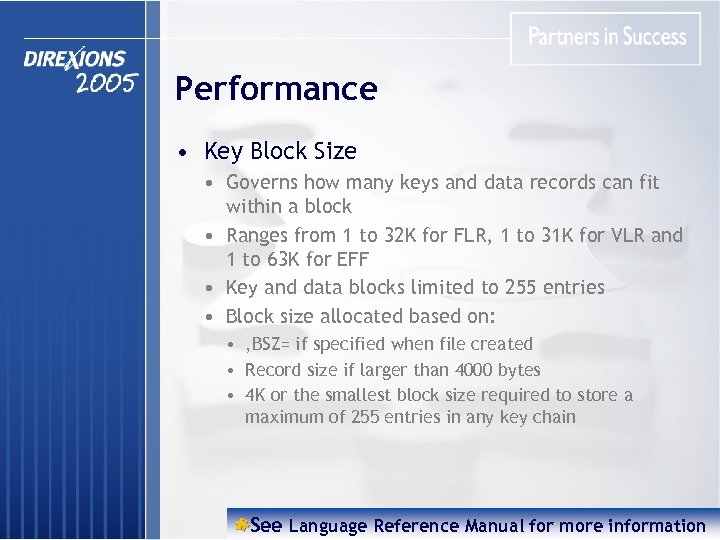
Performance • Key Block Size • Governs how many keys and data records can fit within a block • Ranges from 1 to 32 K for FLR, 1 to 31 K for VLR and 1 to 63 K for EFF • Key and data blocks limited to 255 entries • Block size allocated based on: • , BSZ= if specified when file created • Record size if larger than 4000 bytes • 4 K or the smallest block size required to store a maximum of 255 entries in any key chain See Language Reference Manual for more information
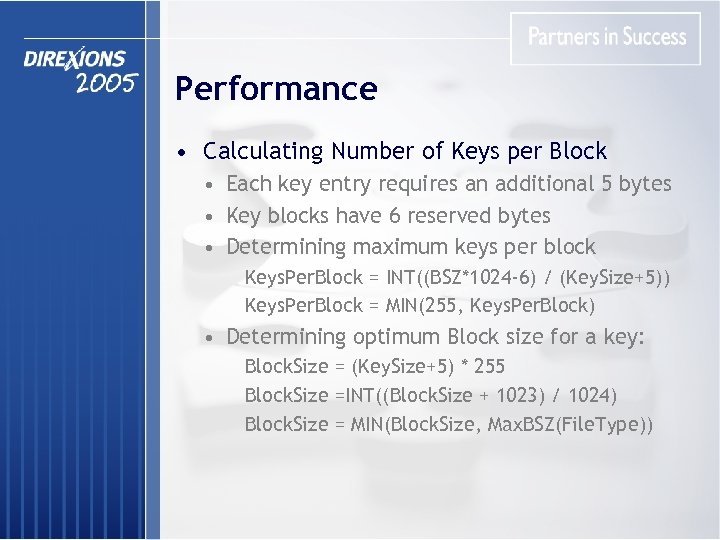
Performance • Calculating Number of Keys per Block • Each key entry requires an additional 5 bytes • Key blocks have 6 reserved bytes • Determining maximum keys per block Keys. Per. Block = INT((BSZ*1024 -6) / (Key. Size+5)) Keys. Per. Block = MIN(255, Keys. Per. Block) • Determining optimum Block size for a key: Block. Size = (Key. Size+5) * 255 Block. Size =INT((Block. Size + 1023) / 1024) Block. Size = MIN(Block. Size, Max. BSZ(File. Type))
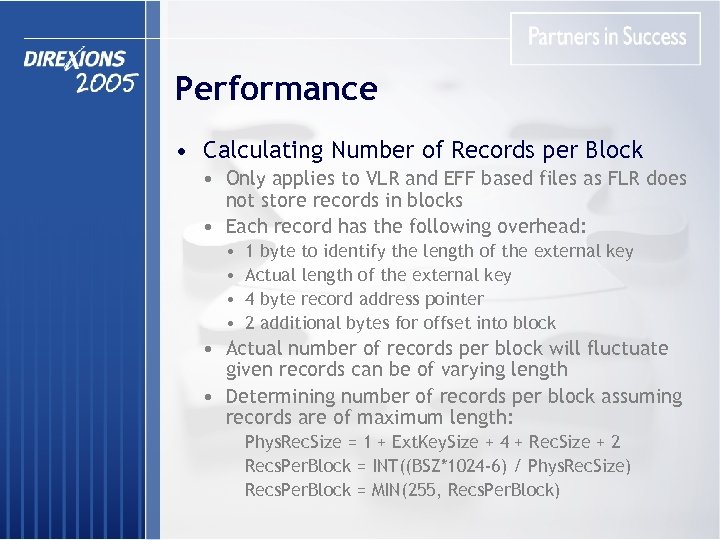
Performance • Calculating Number of Records per Block • Only applies to VLR and EFF based files as FLR does not store records in blocks • Each record has the following overhead: • • 1 byte to identify the length of the external key Actual length of the external key 4 byte record address pointer 2 additional bytes for offset into block • Actual number of records per block will fluctuate given records can be of varying length • Determining number of records per block assuming records are of maximum length: Phys. Rec. Size = 1 + Ext. Key. Size + 4 + Rec. Size + 2 Recs. Per. Block = INT((BSZ*1024 -6) / Phys. Rec. Size) Recs. Per. Block = MIN(255, Recs. Per. Block)
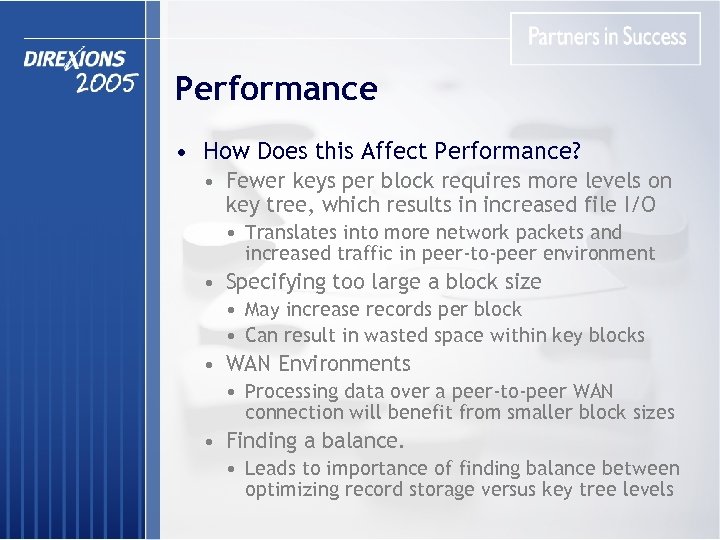
Performance • How Does this Affect Performance? • Fewer keys per block requires more levels on key tree, which results in increased file I/O • Translates into more network packets and increased traffic in peer-to-peer environment • Specifying too large a block size • May increase records per block • Can result in wasted space within key blocks • WAN Environments • Processing data over a peer-to-peer WAN connection will benefit from smaller block sizes • Finding a balance. • Leads to importance of finding balance between optimizing record storage versus key tree levels
Performance • Pre-Allocating Disk Space • FLR and VLR files can be predefined to the approximate size required to store specified number of records • Accomplished by specifying negative number of records on DIRECT or KEYED statement • This has a number of benefits: • Helps to ensure adequate disk space is available • Potentially reduces fragmentation of a file as it's allocated in one operation • Reduces time spent adding blocks to a file as it's written to
Recovery and Repair • Checking File Integrity • *ufac (Utility / File / Admin / Check) • Reads through all blocks in file and checks for number of possible error conditions • Exclusive access not required although results will not be accurate if file is updated • Disabling Index Trace will run much faster • Can be called and will exit with an ERR should file be damaged • Also available from GUI utility menu
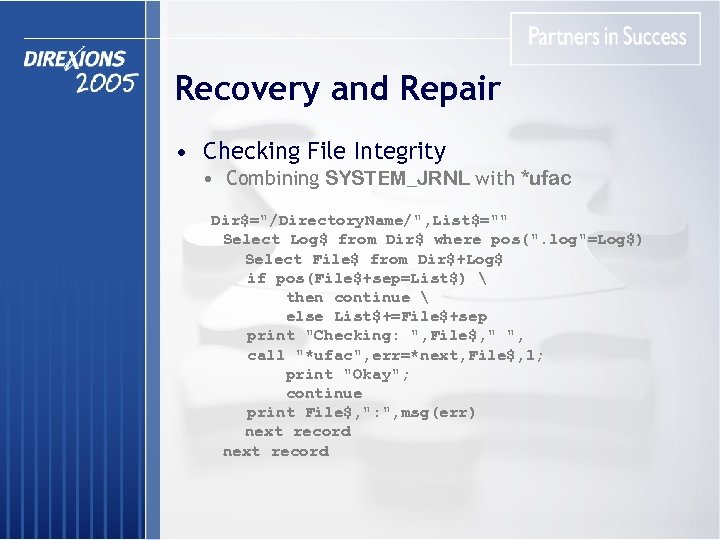
Recovery and Repair • Checking File Integrity • Combining SYSTEM_JRNL with *ufac Dir$="/Directory. Name/", List$="" Select Log$ from Dir$ where pos(". log"=Log$) Select File$ from Dir$+Log$ if pos(File$+sep=List$) then continue else List$+=File$+sep print "Checking: ", File$, " ", call "*ufac", err=*next, File$, 1; print "Okay"; continue print File$, ": ", msg(err) next record
Recovery and Repair • Repairing / Rebuilding Files • *ufar (Utility / File / Admin / Recover) • Attempts to apply "assumptions" about data based on the first 100 records • Incorrect assumptions leads to incorrect results • Also available from GUI utility menu • KEYED LOAD • Fastest method for rebuilding a file's key chains • Rebuilding files should be done on Server in peerto-peer environment
Troubleshooting and Analysis • Verify Reads and Writes • System Parameters 'VR' and 'VW' • Forces re-read of data after READ or WRITE to verify operation was completed successfully • Produces an Error #115: File I/O Verification Error if a problem is detected • Can help with identifying potential network or hardware problems • TCB statistics provided: 63 64 65 66 number of of READs Verified WRITEs Verified READ mis-compares WRITE mis-compares
Troubleshooting and Analysis • Tracing Options • Only available in Provide. X for Windows • Activated by specifying Debug. Plus=1 in INI file • Options provided are: • Trace file Opens • File open Failures • File IO operation trace • Can help to identify PREFIX and permission problems
Troubleshooting and Analysis • Errors Encountered when Accessing Files • Receiving Error #11: Record not found or Duplicate key on write when reading a file with DOM= usually indicates that the file is damaged and should be either checked or rebuilt • Any error numbers in the range 100 - 119 indicate a problem has been detected while accessing a particular portion of the file • Checking the file will likely only confirm problem • Rebuilding is almost always required
Troubleshooting and Analysis • Errors Encountered when Accessing Files • Error #121: Invalid program format • Reported when an Embedded I/O program cannot be loaded • Check the PREFIX and permissions of the program
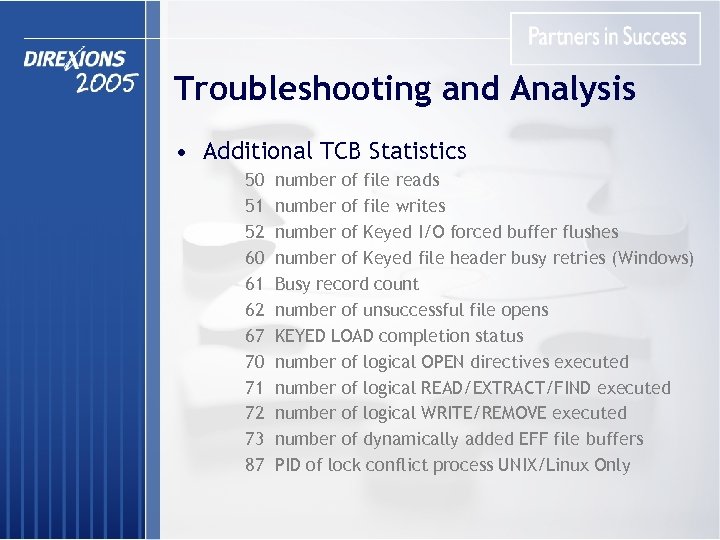
Troubleshooting and Analysis • Additional TCB Statistics 50 51 52 60 61 62 67 70 71 72 73 87 number of file reads number of file writes number of Keyed I/O forced buffer flushes number of Keyed file header busy retries (Windows) Busy record count number of unsuccessful file opens KEYED LOAD completion status number of logical OPEN directives executed number of logical READ/EXTRACT/FIND executed number of logical WRITE/REMOVE executed number of dynamically added EFF file buffers PID of lock conflict process UNIX/Linux Only
Future Considerations • File IO Server • • Formerly known as the ODBC Server Support for ZLib Compressed Files ZLib Compression to be used for C/S communication Provide native access from within Provide. X using an [rmt] tag • Dynamic Buffer Allocation • Shared file handles for VLR files

End of Presentation THANK YOU!
Скачать презентацию Provide X File System Presented by Brett Condy
9922d89f68bdf7b67f60aa2260ff63e8.ppt