 Скачать презентацию Protecting Confidential Client Data Presented by Insert Your
82d3aa4d33746ce8dcc40bc94aa77546.ppt
- Количество слайдов: 61



![Protecting Confidential Client Data! Presented by: [Insert Your Name Here]](https://present5.com/presentation/82d3aa4d33746ce8dcc40bc94aa77546/image-1.jpg "Protecting Confidential Client Data! Presented by: [Insert Your Name Here]")
Protecting Confidential Client Data! Presented by: [Insert Your Name Here]
Agenda § Background § Sizing Up the Problem § The Fix! ▬ Human Aspects ▬ Technology § Local § Remote § Sharing ▬ Disposing of Old Data
Background:
Sensational Headlines…daily! § Cyber-thieves shift nearly $450, 000 from Carson, CA city coffers (May 2007) using keylogger software. § T. J. Maxx data theft (some 45 million credit and debit card numbers) likely due to wireless ‘wardriving‘, i. e. thief with a laptop, a telescope antenna, and a wireless LAN adapter (December 2006).
Sensational Headlines…Daily! § Veterans Administration announces confidential information of 26. 5 million service personnel was stolen when employee’s home laptop was stolen (June 2006). § Over 600, 000 laptop thefts occurred in 2004, totaling an estimated $720 million in hardware losses and $5. 4 billion in theft of proprietary information.
The Times are a Changing § Over the next 3 years employees equipped with Notebooks or Tablet PCs will grow from 35% to 50% § 95% will be wirelessly enabled. § Knowledge workers will be mobile 50% of the time working from home, office, hotels, airports, customer sites, etc. § Iny 2008 75% of business cell phones will be smart phones (Blackberry, Treo, Communicator, etc. ) § Most have removable memory cards. § In their present state they do not offer adequate security (file encryption, “device kill”, firewalling, authentication, tracking and logging).
The Times are a Changing § Increase in mobility with devices “roaming wild” will cause a major upsurge in breaches: § Breaches may go undetected or undiscovered for long periods of time. § Problem could easily become overwhelming (identity theft will look like child’s play).
Information Security Management “Short List” ü Router/IP addressing ü Firewall ü Patches ü Anti§ Virus § Spam § Spyware ü Passwords / Passphrases ü Unprotected Shares ü Personal Firewall ü Web-based e-mail/ file sharing ü Wireless ü Physical Access ü Backups
Goals of IT Security Confidentiality § Data is only available to authorized individuals Integrity § Data can only be changed by authorized individuals Availability § Data and systems are available when needed
OVERALL GOAL: Reduce Risk to an Acceptable Level § Just because it can happen doesn’t mean it will. § Put threats into perspective by assessing: § Probability of attack § Value of business assets put at risk § Business cost and consequence of attack § REMEMBER – no policy, procedure, or measure can provide 100% security
Sizing Up the Problem:
What’s Confidential? § § § § Social Security # Credit/debit card numbers Driver’s license number Bank account numbers Birth dates PIN codes Medical records Mother’s maiden name?
Where Is Confidential Data Stored? In-House Systems § Physically secure? § Network access restricted to only authorized individuals? Backup Media § Physical location? § Format? Remote Users § Laptops, home computers & memory sticks?
Who Has Access? § Data access restricted to authorized individuals? § Shared passwords = shared data and no accountability § Wide open network = information free-forall
The Fix:
The Fix! § In short… Restrict access and/or Make it unreadable § Data is made “unreadable” using encryption technology.
The Fix! Encryption § Process of transforming information to make it unreadable to anyone except those possessing special key (to decrypt). Ciphers § Algorithm or code used to encrypt/decrypt information.
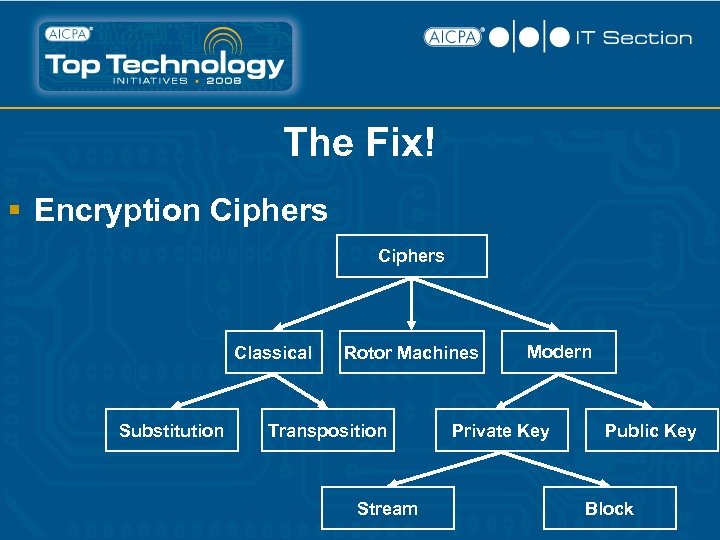
The Fix! § Encryption Ciphers Classical Substitution Rotor Machines Transposition Stream Modern Private Key Public Key Block
The Fix! Things to remember about encryption… § Use modern, public standards! § Longer key lengths are always better (increased computing power has made shorter keys vulnerable to cracking in shorter time) § Private keys are optimal
Human Aspects Policy § § Who is allowed access? When is access allowed? What users are allowed to do? Where is data permitted to be… § Accessed from (devices & locations? ) § Stored § § Network servers Desktops Laptops (data is now mobile) Thumb drives
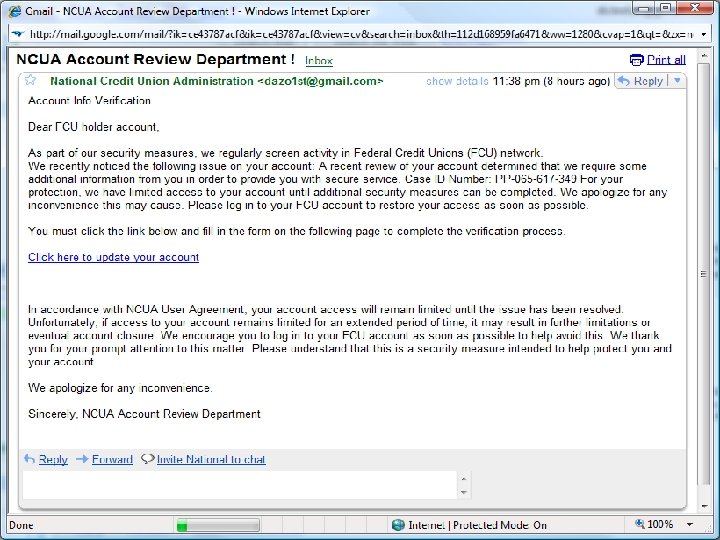
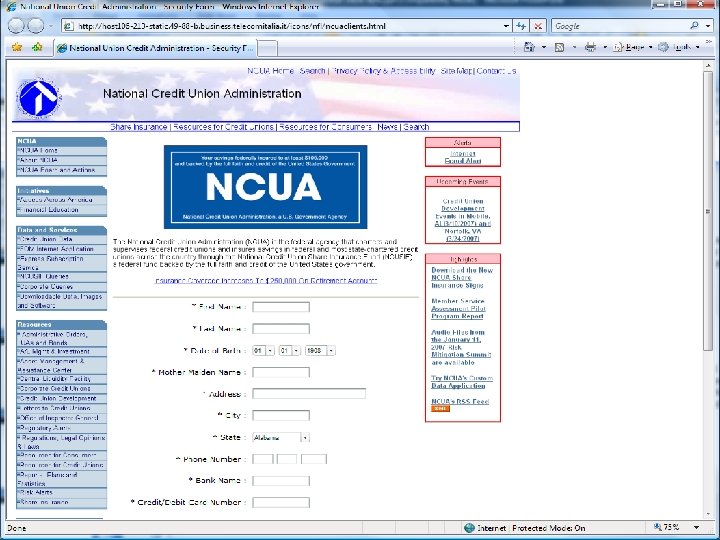
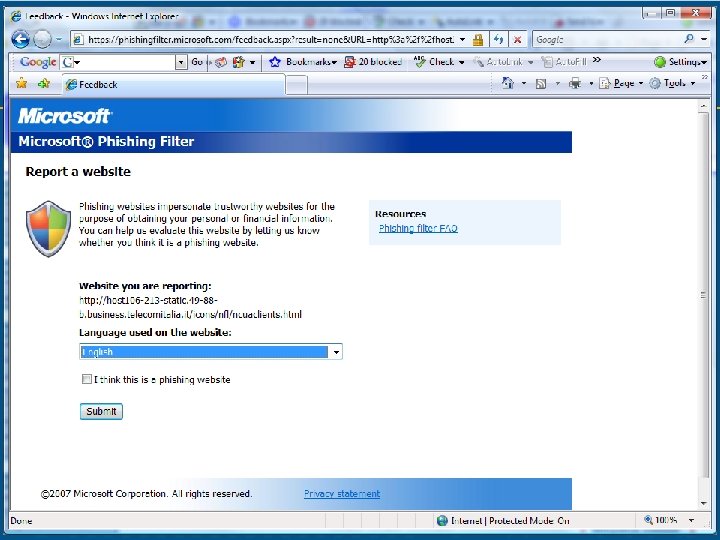
Human Aspects – Mitigating Risk Acceptable Use Policies § § Business data access rules: who, where, when and what Supported mobile devices and operating systems Required security measures and configurations Process for usage monitoring, auditing and enforcement (check your state and local laws) Non-Disclosure Agreements (NDA)? Training & Communication – regular and often? Social Engineering § “Click here” to download key logger! § Phishing attacks are still highly effective for stealing § Personal information § Login information – can then be used to access systems contain confidential data
Technology – Local Physical security § Sensitive data located on secure systems § Locked server room § Locker server cage(s)
Storage Media Hard drive encryption – Software-based § Windows Encrypting File System (EFS) § Supported on NTFS volumes (W 2 K, XP & Vista) § Encrypt/decrypt files and/or folders in real time § Uses certificate issued by Windows
Storage Media Hard drive encryption – Software-based § Vista Bit. Locker § Encrypts entire Windows Operating System volume § Available with: § Vista Ultimate § Vista Enterprise § Third party, commercial encryption software § True. Crypt § PGP Desktop Home
Storage Media Hard drive encryption – Hardware-based § Seagate Technology Momentus 5400 FDE. 2 laptop drive features built-in (hardware) encryption (March 2007) § Heart of the new hardware-based system is a special chip, built into the drive, that will serve to encode and decode all data traveling to or from the disk. § Requires password to boot machine § Disk is useless/inaccessible to others
Storage Media “Phone home” software § Software that monitors machines and notifies system administrators regarding: § Who is using § Where machine is located § What hardware and/or software changes are made § Example: § Compu. Trace
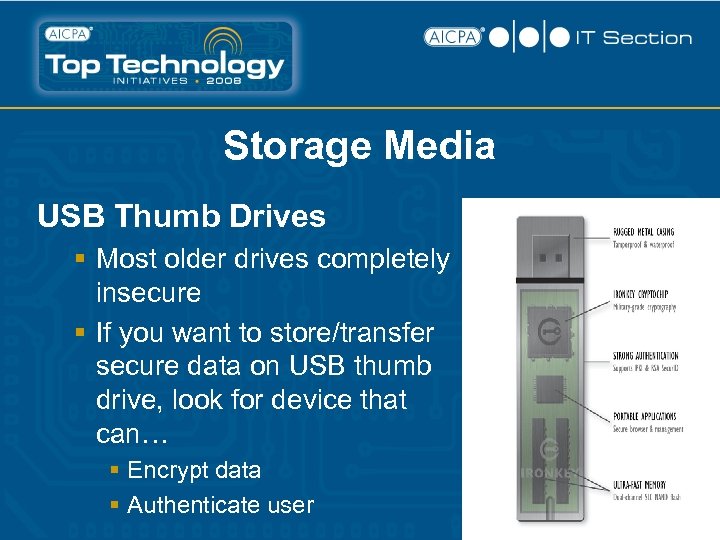
Storage Media USB Thumb Drives § Most older drives completely insecure § If you want to store/transfer secure data on USB thumb drive, look for device that can… § Encrypt data § Authenticate user
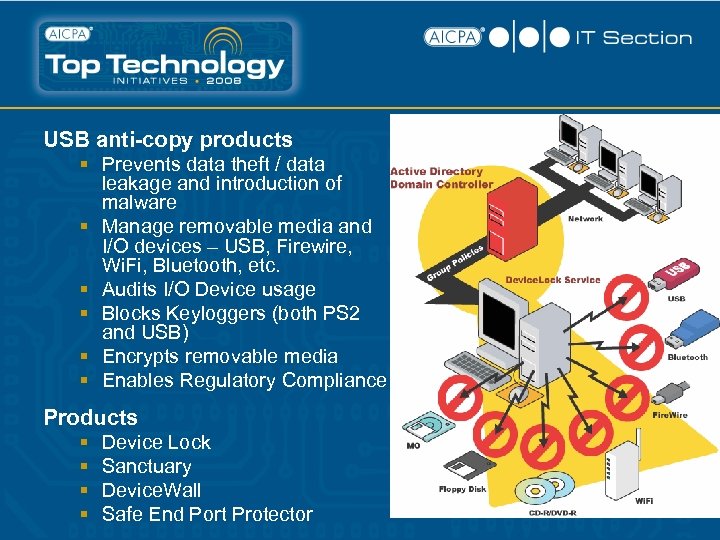
USB anti-copy products § Prevents data theft / data leakage and introduction of malware § Manage removable media and I/O devices – USB, Firewire, Wi. Fi, Bluetooth, etc. § Audits I/O Device usage § Blocks Keyloggers (both PS 2 and USB) § Encrypts removable media § Enables Regulatory Compliance Products § § Device Lock Sanctuary Device. Wall Safe End Port Protector
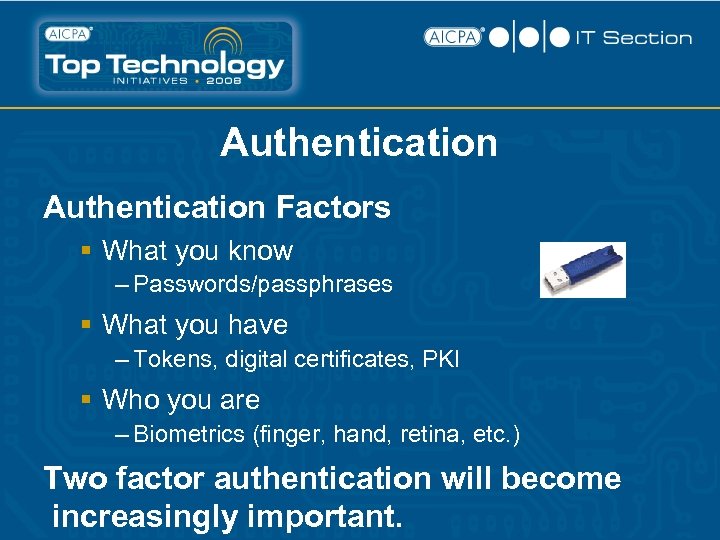
Authentication Factors § What you know – Passwords/passphrases § What you have – Tokens, digital certificates, PKI § Who you are – Biometrics (finger, hand, retina, etc. ) Two factor authentication will become increasingly important.
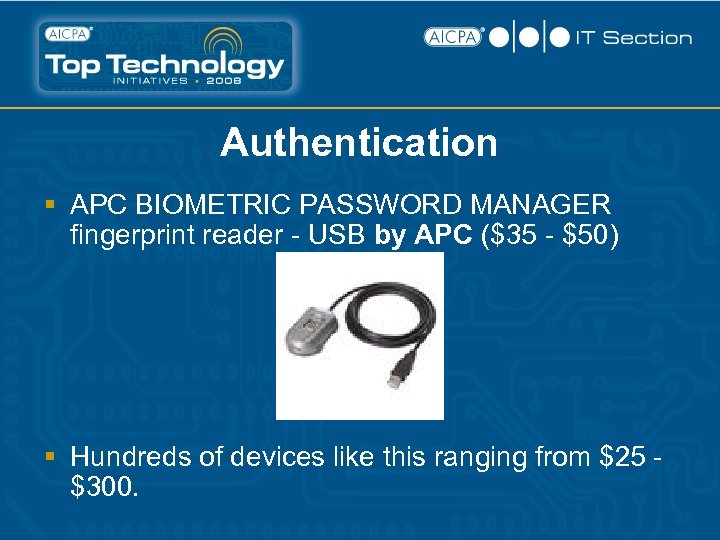
Authentication § APC BIOMETRIC PASSWORD MANAGER fingerprint reader - USB by APC ($35 - $50) § Hundreds of devices like this ranging from $25 $300.
Application Software In general, application passwords are poor protection (since most can be broken) § e. g. Passware (www. lostpassword. com) § Unlock 25 different applications including Windows, Office, Quick Books, Acrobat, Winzip, etc.
Mitigating Unsafe User Behavior Managed services – key piece of security puzzle § Spam, virus, content management and filtering, spyware, etc. § Benefits § Easier on the user § Easier on IT Mobile devices should be periodically reviewed: § Currency of software and patches § Health of machine § User logs § Recommendation: Quarterly or Trimester
VPN (Virtual Private Network) § A VPN is a private network that uses a public network (usually the Internet) to connect remote sites or users together. Instead of using a dedicated, real-world connection such as leased line, a VPN uses "virtual" connections routed through the Internet from the company's private network to the remote site or employee.
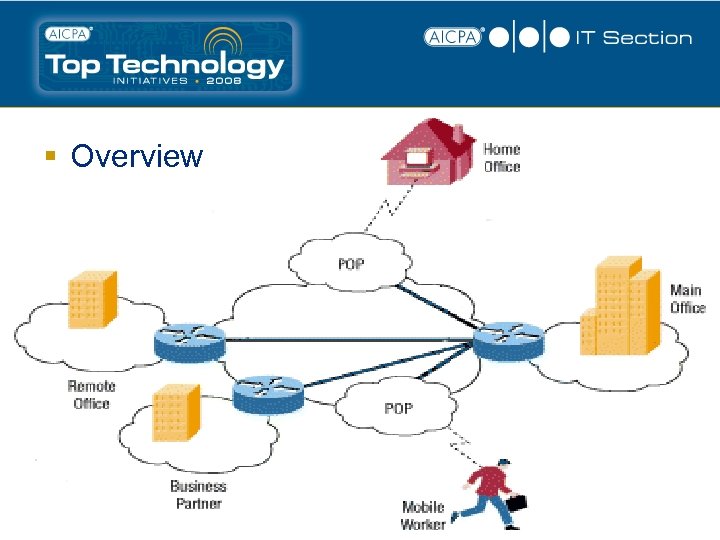
§ Overview
VPN (Virtual Private Network) Benefits § Extend geographic connectivity § Reduce transit time and transportation costs for remote users § Provide telecommuter support § Improve security § Reduce operational costs versus traditional WAN § Improve productivity § Direct printing to office § Direct connect to network drives
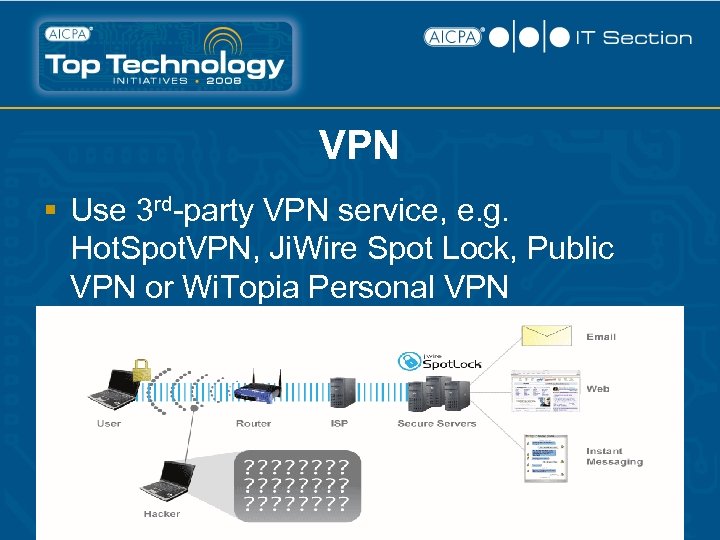
VPN § Use 3 rd-party VPN service, e. g. Hot. Spot. VPN, Ji. Wire Spot Lock, Public VPN or Wi. Topia Personal VPN
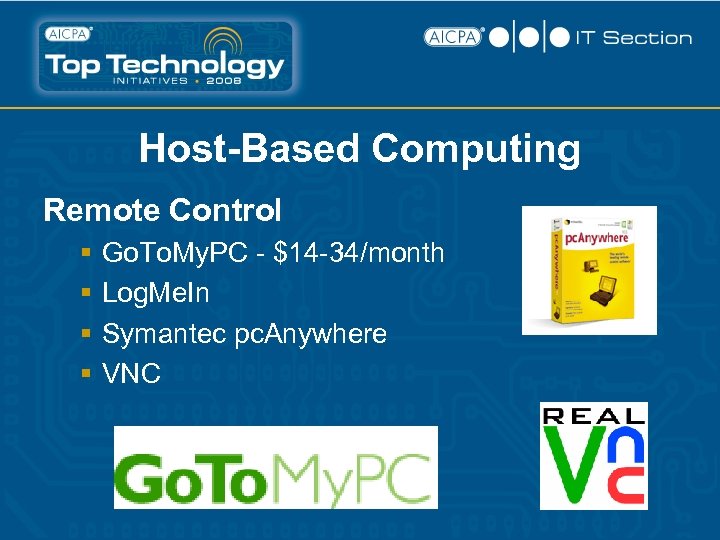
Host-Based Computing Remote Control § § Go. To. My. PC - $14 -34/month Log. Me. In Symantec pc. Anywhere VNC
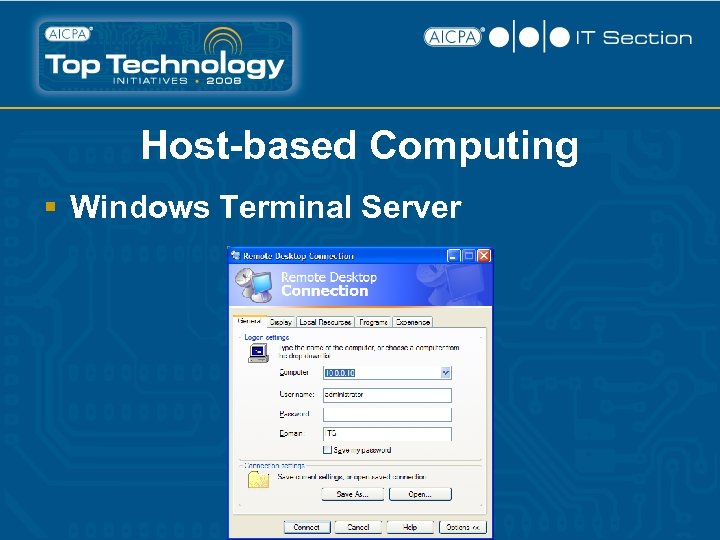
Host-based Computing § Windows Terminal Server
Digital Certificates § Implement digital certificates for internally hosted corporate web resources or webpresence, e. g. E-mail, CRM, B 2? site, etc. This allows all traffic to be encrypted via SSL (Secure Sockets Layer). § Pad lock indicates traffic is being encrypted and the web site owner’s identity can be verified (by certificate authority).
Wireless Security – Network Side § DON’T do a plug-n-play install! § Password protect administrative setup § Encryption: § WEP (good) – remember to change keys regularly § WPA (better) § WPA 2 (best) § Enter authorized MAC addresses on WAP § Use VPN or IPSec to encrypt all traffic § Walk perimeter to determine whether rogue WAPs are active
Wireless Security - End Users § No unprotected shares – all shares turned off § Ensure all mobile devices are updated with the latest security patches § Only use SSL websites when sending/entering sensitive data (credit cards and personal identity information) § Digitally sign data to make it difficult for hackers to change data during transport § Encrypt documents that contain sensitive data that will be sent over the Internet
Wireless Security - End Users § As a general rule (while not always possible) use Wi. Fi for Internet surfing only § Disable or remove wireless devices if they are not being used. This includes: § § Wi. Fi – 802. 11 a/b/g/n Bluetooth Infrared Cellular § Avoid hotspots where it is difficult to tell who is connected § Ad-hoc/peer-to-peer setting should be disabled
Wi. Fi Security - End Users Wi. Fi Best Practices § Use broadband wireless access (Ev. DO, 3 G/GPRS, EDGE, UMTS) to make wireless connections: § Verizon and Sprint Broadband services are very fast - $59. 99/month – unlimited access § Wireless carriers offer fairly good encryption and authentication
Wireless Recommendations § Consider using specialized security software to help mobile users detect threats and enforce company policies § Example - http: //www. airdefense. net
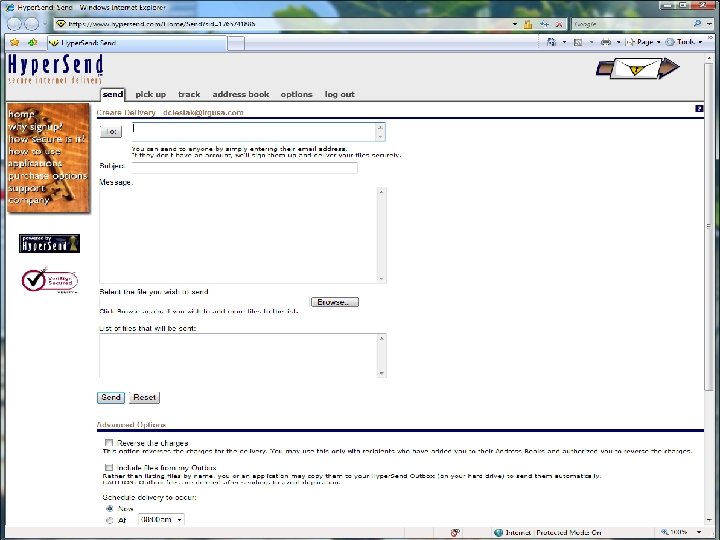
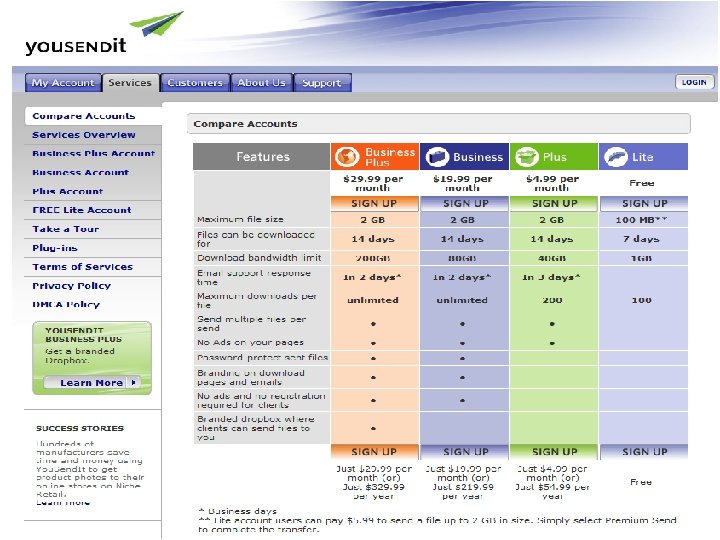
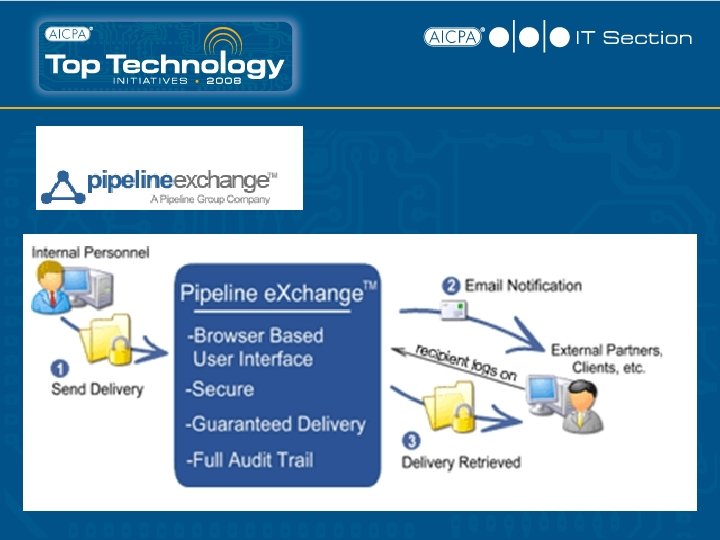
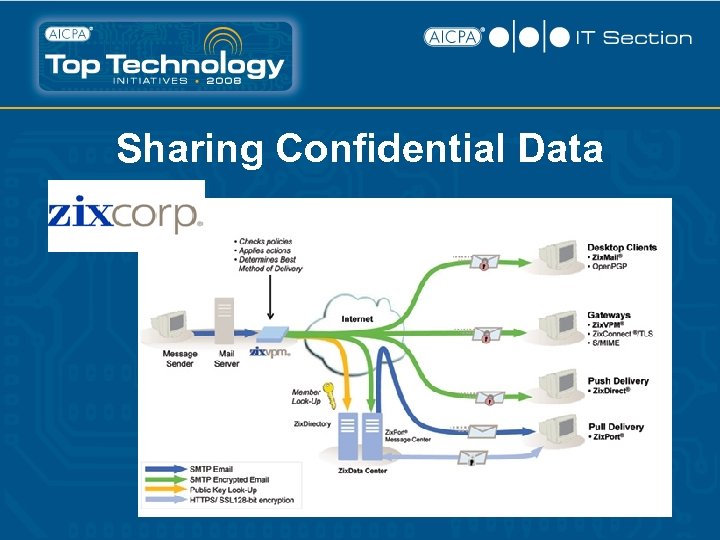
Sharing Confidential Data Options: § § § E-mail FTP / Secure FTP Secure transmission programs Customer portal / extranet 3 rd Party Hosted Data Exchange Digital Rights Management (DRM)
Sharing Confidential Data E-mail § As a general rule, e-mail is insecure! § In order to secure: § Digital Certificates / PKI § PGP § Verisign
Sharing Confidential Data Secure FTP § Secure FTP utilizes encryption to transfer files in a secure manner. § Can use a number of different strategies/approaches to accomplish. § Due to complexity, not often utilized for sharing data with clients.
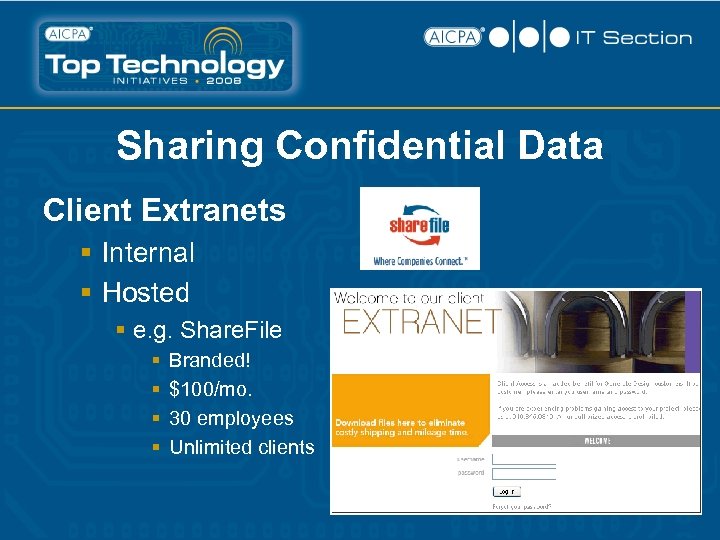
Sharing Confidential Data Client Extranets § Internal § Hosted § e. g. Share. File § § Branded! $100/mo. 30 employees Unlimited clients
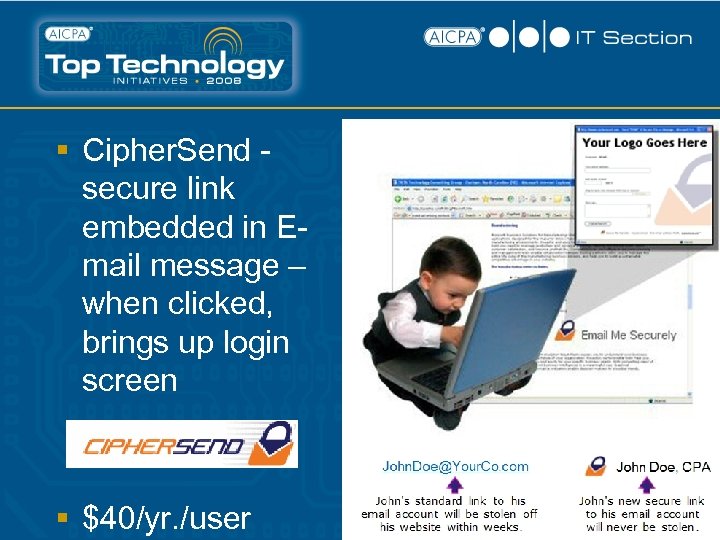
§ Cipher. Send secure link embedded in Email message – when clicked, brings up login screen § $40/yr. /user
Sharing Confidential Data
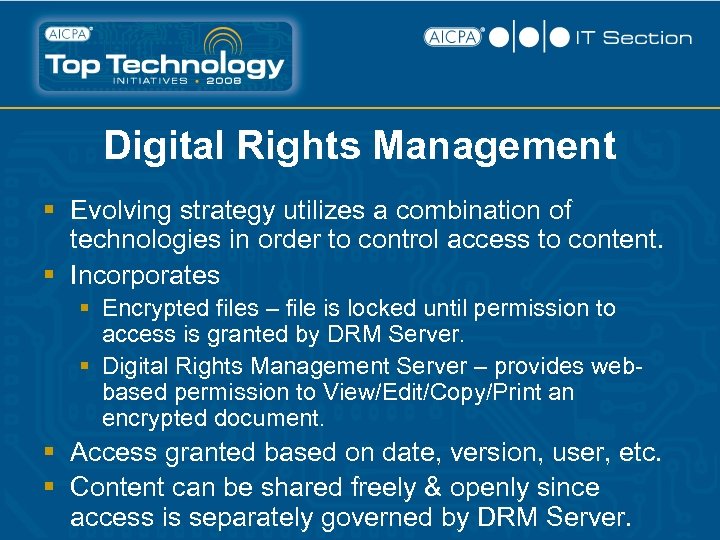
Digital Rights Management § Evolving strategy utilizes a combination of technologies in order to control access to content. § Incorporates § Encrypted files – file is locked until permission to access is granted by DRM Server. § Digital Rights Management Server – provides webbased permission to View/Edit/Copy/Print an encrypted document. § Access granted based on date, version, user, etc. § Content can be shared freely & openly since access is separately governed by DRM Server.
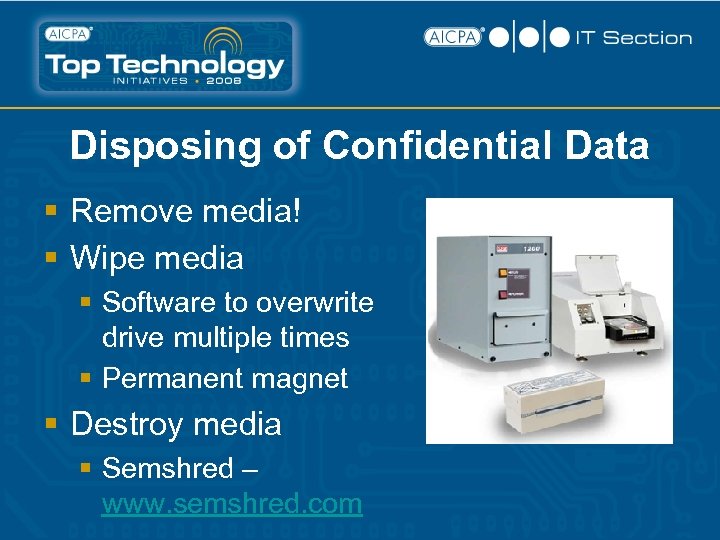
Disposing of Confidential Data § Remove media! § Wipe media § Software to overwrite drive multiple times § Permanent magnet § Destroy media § Semshred – www. semshred. com
Conclusion:
Keys to Implementing a Successful Security Strategy for Confidentiality § Define the scope § Users § Devices (don’t forget PDA’s and smart phones) § Locations § Define your usage policies § Communicate § Get buy in (if they don’t agree you won’t be successful) § Enforce with management tools § Don’t over engineer
![Contact Information [Insert Your Name] [Insert Firm Name Here] [Insert Address] [Insert Phone No.](https://present5.com/presentation/82d3aa4d33746ce8dcc40bc94aa77546/image-61.jpg "Contact Information [Insert Your Name] [Insert Firm Name Here] [Insert Address] [Insert Phone No.")
Contact Information [Insert Your Name] [Insert Firm Name Here] [Insert Address] [Insert Phone No. ] [Insert email address]
Скачать презентацию Protecting Confidential Client Data Presented by Insert Your
82d3aa4d33746ce8dcc40bc94aa77546.ppt