


 Скачать презентацию Project Status Enterprise Messaging Presentation Date Project
c13470217af2748069f7482656c61008.ppt
- Количество слайдов: 12
 Project Status Enterprise Messaging Presentation Date
 Project Status • Current status for NEW production system: – First physical i. Series in-house • Configured with Domino 8, Sametime, Quickr • Server currently fully populated as specifications – Second server in-house • Clustered, failover server that will also serve as disaster recovery – External “kiosk” (non-VPN) access will be available – Clients: • Web Client will be default • Outlook, Notes 8 “thick” client will be options on departmental basis
 Notes 8. 5 Major Client Capabilities & Enhancements • • • New Modern and Updated UI Native Client Support for Windows, Linux, and Mac Integrated IM (Sametime) including Searchable Chat History Built-in Archive Capability Built-in Single Attachment Storage Quickr Personal Edition Group/Team Calendar Overlay Calendar Federation (federate multiple types (Google/i. Cal Feed) Built-in RSS Feed Reader Plug-in Side Bar for Application Integration Leverage Google Gadgets in Side Bar Lotus Notes ID Vault
 Notes 8. 5 Major Client Capabilities & Enhancements • • • Single-Sign On for Windows Option Default Reply without History Drag-Drop from Sametime Contact List to e. Mail Visual Quota/Mail File Size Guage Drag/Drop of Text within Rich Text Editor Multiple Addresses for Person in Type. Ahead Forward contact as v. Card Collaboration History Conversation View of e. Mail View/Folder Layout Customizable
 Notes 8. 5 Major Client Capabilities & Enhancements • • • Support for IE 6, Firefox 2. x and 3. x, and Safari Support Windows, Mac, and i. Phone Integrated IM (Sametime) Full and Lite mode for different access options Managed Tabs Message Preview Pane (Horizontal or Vertical) More Feature Parity with Notes Client Spell-Check on Send Plug-in Side Bar for App Integration Leverage Google Gadgets Default Reply without History Visual Quota/Mail File Size Gauge
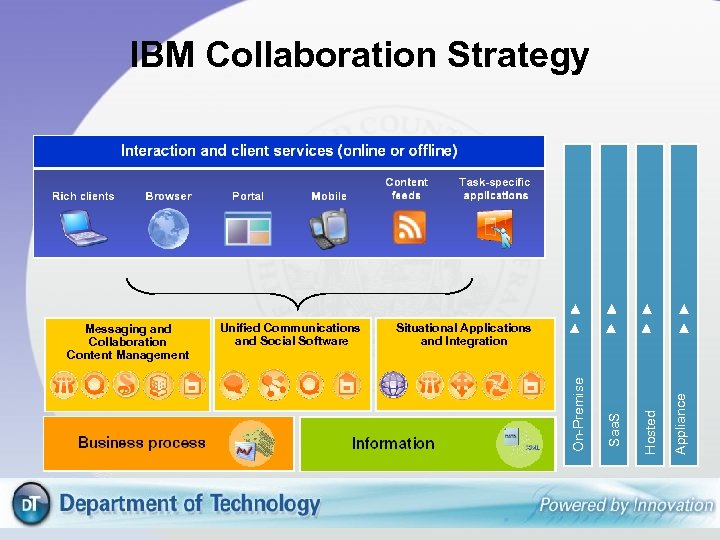 IBM Collaboration Strategy Appliance Hosted Situational Applications and Integration Saa. S Unified Communications and Social Software On-Premise Messaging and Collaboration Content Management
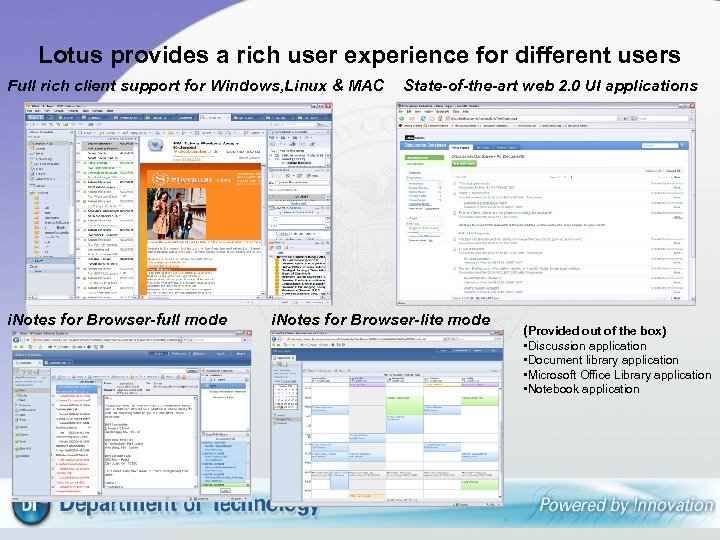 Lotus provides a rich user experience for different users Full rich client support for Windows, Linux & MAC i. Notes for Browser-full mode State-of-the-art web 2. 0 UI applications i. Notes for Browser-lite mode (Provided out of the box) • Discussion application • Document library application • Microsoft Office Library application • Notebook application
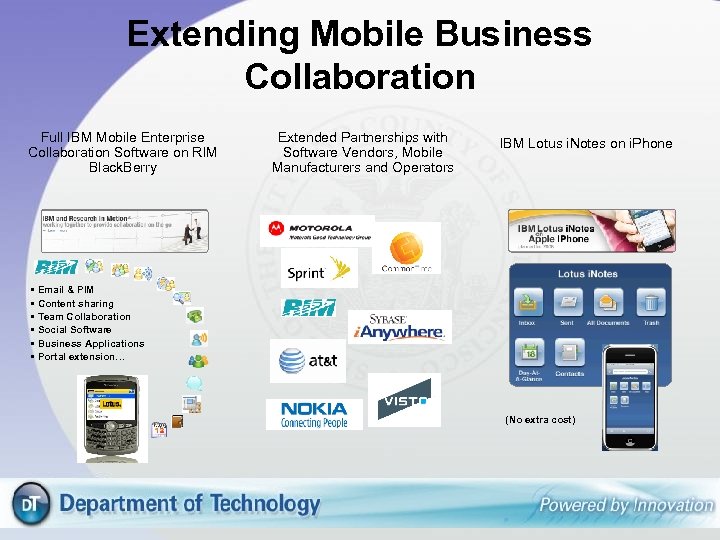 Extending Mobile Business Collaboration Full IBM Mobile Enterprise Collaboration Software on RIM Black. Berry Extended Partnerships with Software Vendors, Mobile Manufacturers and Operators IBM Lotus i. Notes on i. Phone • Email & PIM • Content sharing • Team Collaboration • Social Software • Business Applications • Portal extension… (No extra cost)
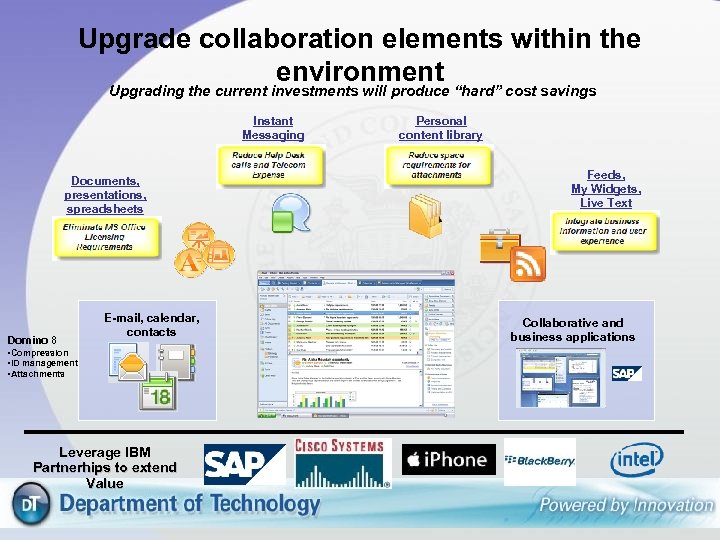 Upgrade collaboration elements within the environment Upgrading the current investments will produce “hard” cost savings Instant Messaging Documents, presentations, spreadsheets Domino 8 E-mail, calendar, contacts • Compression • ID management • Attachments Leverage IBM Partnerhips to extend Value Personal content library Feeds, My Widgets, Live Text Collaborative and business applications
 Lotus Domino 8. 5 – Additional significant management improvement to help lower operational costs Directory: ¥ ¥ Option to replace Domino Directory with LDAP directory (expected in Domino 8. 5. 2) Tools will be provided to migrate Domino person attributes into LDAP Active Directory will be first target followed by other leading directories Domino directory continues to be supported as integrated directory – no need to change Storage: ¥ ¥ Domino Attachment Object Store (DAOS) Provides efficient, file-system storage of large objects Automatically removes redundant storage of objects via efficient content comparison Results: Databases greatly reduced in size Substantial disk space savings I/O bandwidth savings
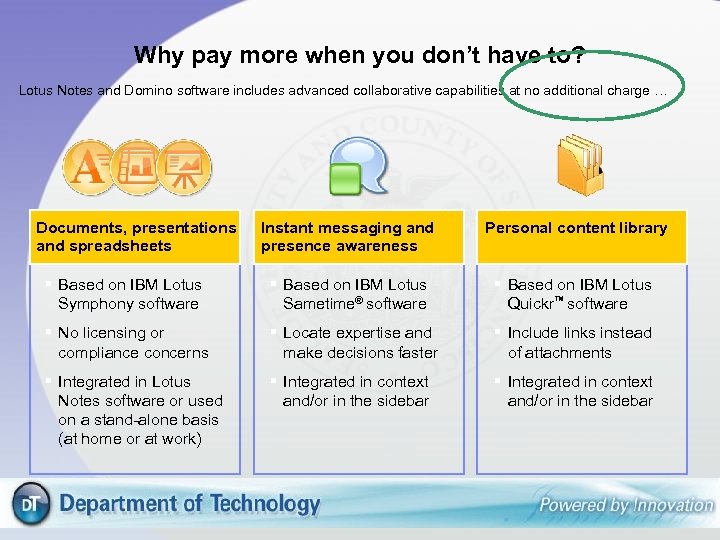 Why pay more when you don’t have to? Lotus Notes and Domino software includes advanced collaborative capabilities at no additional charge … Documents, presentations and spreadsheets Instant messaging and presence awareness Personal content library extra space Based on IBM Lotus Symphony software Based on IBM Lotus Sametime® software Based on IBM Lotus Quickr™ software No licensing or compliance concerns Locate expertise and make decisions faster Include links instead of attachments Integrated in Lotus Notes software or used on a stand-alone basis (at home or at work) Integrated in context and/or in the sidebar
 e. Discovery • Built-In Option 1. Domino Aggregation Application - leverage built-in application capabilities of Domino - can be setup to mine existing and restored mail files - write to aggregation DB (with select or all messages) - access to activate can be controlled by department or roles Add-on Options - IBM Solutions 1. IBM Content Collector - collect and archive all e. Mail messages - additional add-on server component - e. Mail messages placed into central repository - access to activate can be controlled by department or roles 2. IBM e. Discovery Manager - provides additional optimized and scalable search capability to Content Collector - access to activate can be controlled by department or roles