 Скачать презентацию Programming Using Tcl Tk Seree Chinodom seree buu ac th
306a3aa53a840b4737bcab761bb7e7b4.ppt
- Количество слайдов: 44



Programming Using Tcl/Tk Seree Chinodom seree@buu. ac. th http: //lecture. compsci. buu. ac. th/Tcl. Tk
“Programming productivity may be increased as much as five times when a suitable high-level language is used”. F. P. Brooks, “The Mythical Man-Month ” ] “representation] is important, because how information is represented can greatly affect how easy it is do do different things with it”. David Marr, “Vision”
Your Instructor u SMTS in Scientific Computing at Sandia National Labs u Writing Tcl code since Fall 1994 Ph. D. in Chemistry, MIT 1992 Using Tcl/Tk for systems integration, automated test, distributed computing Wrote XCELL Design Environment u u u Friedman-Hill, E. J. and J. M. O’Connor, The XCELL Integrated Product Realization Environment: A Toolbox for Agile Construction of Custom Parametric Design Software, Proceedings of the 1996 Agility Forum National Meeting, Boston, MA.
What you’ll need u u A computer with WWW & FTP access – )UNIX preferred; Win 95, Win 3. 1 PC or Mac OK( – Netscape Navigator (if available) for ‘Tclets’ A Tcl/Tk installation – http: //www. sunlabs. com/research/tcl/install. html ท Binaries and source – Textbook – Ousterhout’s Tcl and the Tk Toolkit ท )Addison-Wesley, ISBN 0 -201 -63337 -X( u Other reading material – Up-to-date man pages; Tk 4. 0 Porting document
Other References u Exploring Expect, Don Libes (O'Reilly, ISBN 156592 -090 -2( – Recommended reading. u Practical Programming in Tcl and Tk, Brent Welch (Prentice Hall, ISBN 0 -13 -182007 -9( u u – Lots of examples. Comes with a source disk. http: //www. sunlabs. com/research/tcl/ – Tcl/Tk home page. Source, docs, info. http: //www. sunlabs. com/research/tcl/plugin/ – Home page for the new Navigator plug-in
Who you are u Write on a piece of paper: – – – Your name What you do What you want to do with Tcl/Tk What other computer languages you know Anything you’d especially like to see covered
What I’ll do u u u Today: give an overview of the Tcl language Next four weeks: – Using the Tcl language – GUI development with Tk – Important Tcl extensions like expect – Integrating Tcl/Tk with C and C++ applications – Writing ‘Tclets’ for the WWW Put course notes on the Web: – http: //herzberg. ca. sandia. gov/Tcl. Course/ – Power. Point format only (sorry(
What you’ll do u u u Complete several small problem sets – Coding problems and questions Complete a term programming project – You should choose a small application that fills a real need or solves a real problem – Examples: GUI for a command-line utility; task automation; a game or puzzle – Briefly present your project at the last meeting Ask questions – Participation in class or via email is expected
Grading System u u u Grade: – 40% Homework – 40% Project – 20% Participation Scores: (None), OK, Good, Excellent Grading on a Curve. Mode is B. +
Overview of Tcl/Tk u Component technologies: – Tcl: embeddable scripting language – Tk: GUI toolkit and widgets based on Tcl. u The principle: universal scripting language controls everything: functions, interfaces, communication. u Results: – Raise the level of GUI programming: simpler, 5 -10 x faster application development than X, raw Win 32 – Greater power: programmable applications work together; cross-platform delivery – Active objects: replace data with scripts.
Outline u Tcl scripting language. u Tk toolkit. u Tk applications. u Survey of applications and extensions. u Conclusions.
Tcl: Tool Command Language u Interactive programs need command languages: – Typically redone for each application. – Result: weak, quirky. – emacs and csh powerful, but can't reuse. u Solution: reusable scripting language. – Interpreter is a C library. – Provides basic features: variables, procedures, etc. – Applications extend with additional features.
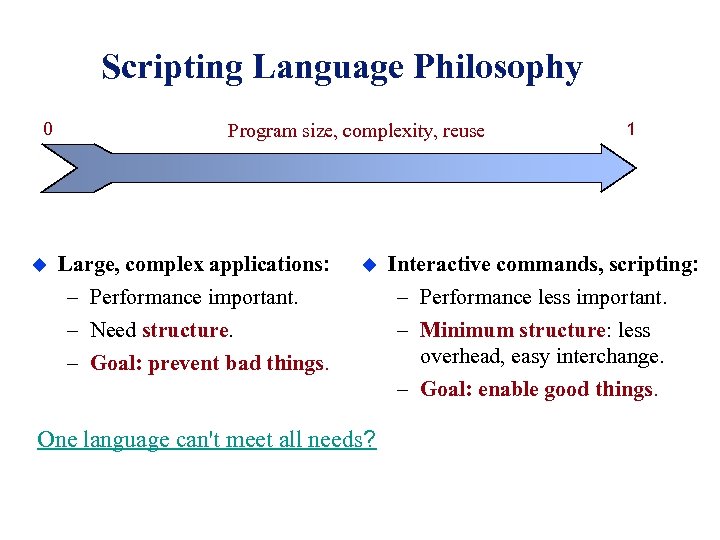
Scripting Language Philosophy 0 u Program size, complexity, reuse Large, complex applications: – Performance important. – Need structure. – Goal: prevent bad things. u 1 Interactive commands, scripting: – Performance less important. – Minimum structure: less overhead, easy interchange. – Goal: enable good things. One language can't meet all needs?
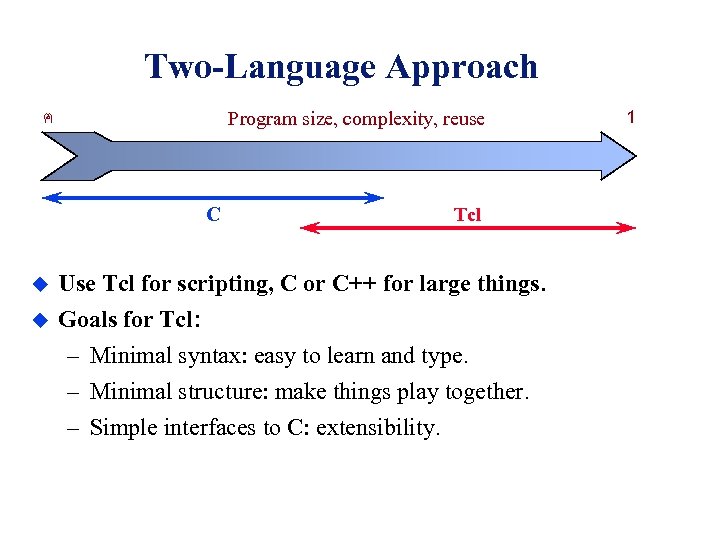
Two-Language Approach ฅ Program size, complexity, reuse C Tcl u Use Tcl for scripting, C or C++ for large things. u Goals for Tcl: – Minimal syntax: easy to learn and type. – Minimal structure: make things play together. – Simple interfaces to C: extensibility. 1
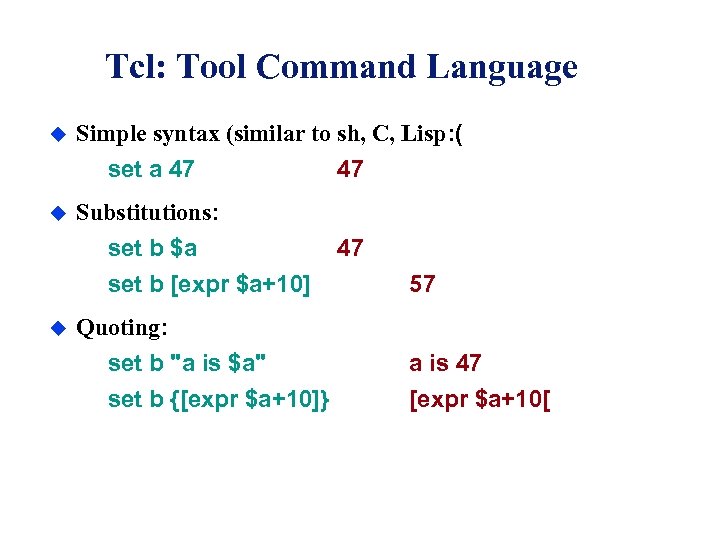
Tcl: Tool Command Language u Simple syntax (similar to sh, C, Lisp: ( set a 47 u Substitutions: set b $a set b [expr $a+10] u 47 47 57 Quoting: set b "a is $a" a is 47 set b {[expr $a+10]} [expr $a+10[
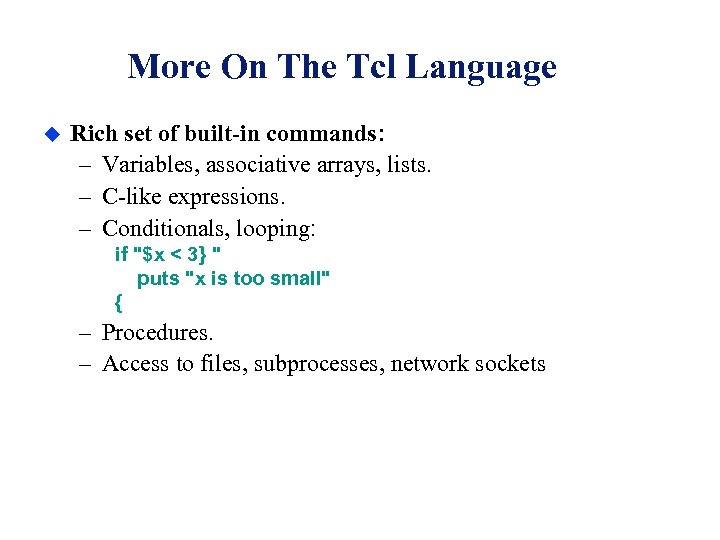
More On The Tcl Language u Rich set of built-in commands: – Variables, associative arrays, lists. – C-like expressions. – Conditionals, looping: if "$x < 3} " puts "x is too small" { – Procedures. – Access to files, subprocesses, network sockets
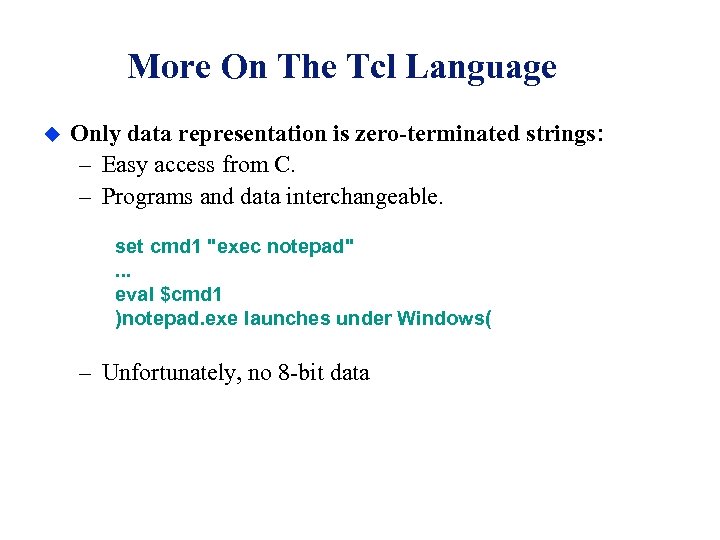
More On The Tcl Language u Only data representation is zero-terminated strings: – Easy access from C. – Programs and data interchangeable. set cmd 1 "exec notepad". . . eval $cmd 1 )notepad. exe launches under Windows( – Unfortunately, no 8 -bit data
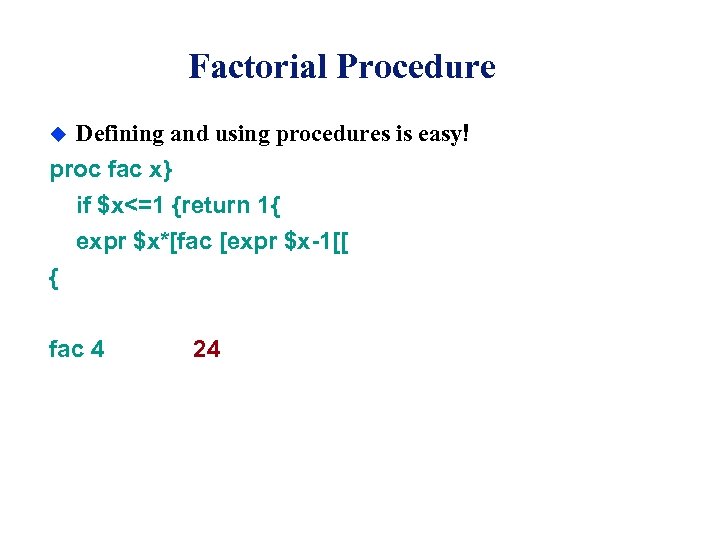
Factorial Procedure u Defining and using procedures is easy! proc fac x} if $x<=1 {return 1{ expr $x*[fac [expr $x-1[[ { fac 4 24
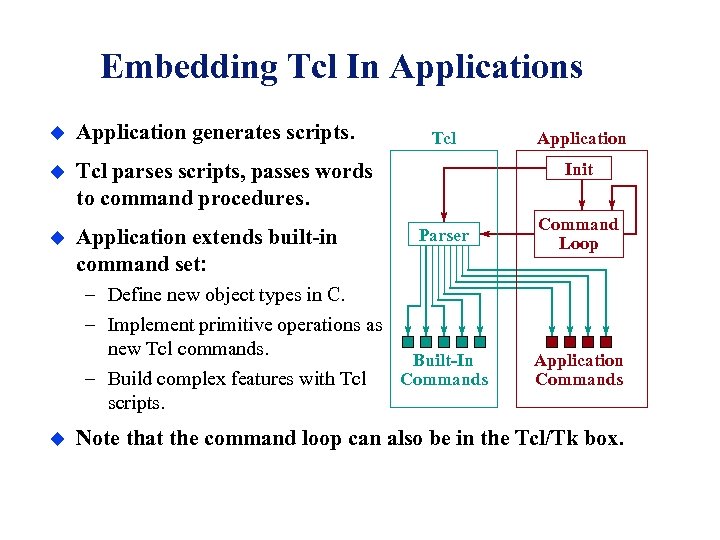
Embedding Tcl In Applications u Application generates scripts. u Tcl parses scripts, passes words to command procedures. u Application extends built-in command set: Tcl Init Parser – Define new object types in C. – Implement primitive operations as new Tcl commands. Built-In Commands – Build complex features with Tcl scripts. u Application Command Loop Application Commands Note that the command loop can also be in the Tcl/Tk box.
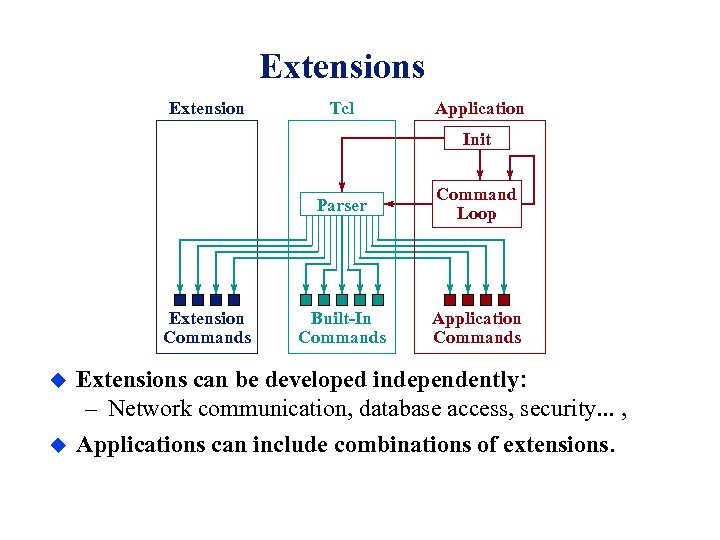
Extensions Extension Tcl Application Init Parser Extension Commands u u Command Loop Built-In Commands Application Commands Extensions can be developed independently: – Network communication, database access, security. . . , Applications can include combinations of extensions.
The Tk Toolkit u u u The problem: – Too hard to build applications with nice user interfaces. – Even harder to do so cross-platform The wrong solution: – C++, object-oriented toolkits, Java’s AWT – Only small improvement (10 -20%? ): must still program at a low level. The right solution: – Raise the level of programming. – Create interfaces by writing Tcl scripts.
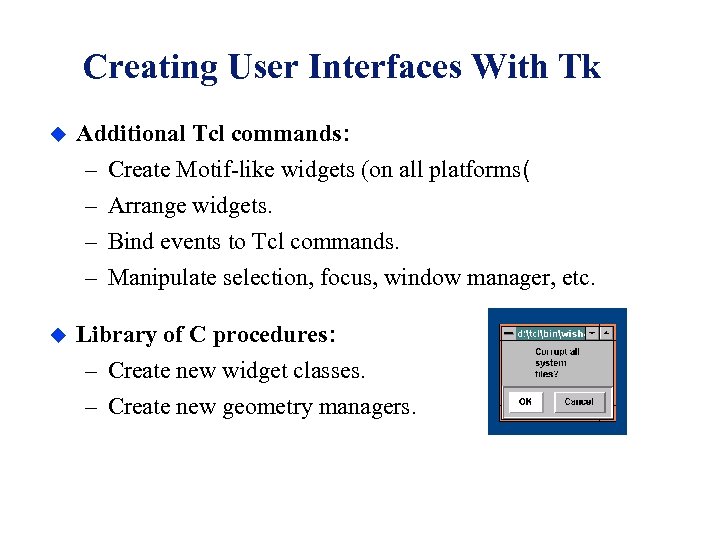
Creating User Interfaces With Tk u Additional Tcl commands: – – u Create Motif-like widgets (on all platforms( Arrange widgets. Bind events to Tcl commands. Manipulate selection, focus, window manager, etc. Library of C procedures: – Create new widget classes. – Create new geometry managers.

What's A Tk-Based Application? u The Tcl interpreter. u The Tk toolkit. u Optionally, application-specific C code (primitives: ( – New commands. Tcl commands – New widgets. u Tcl scripts (compose primitives into actions: ( – Build user interface. – Respond to events.
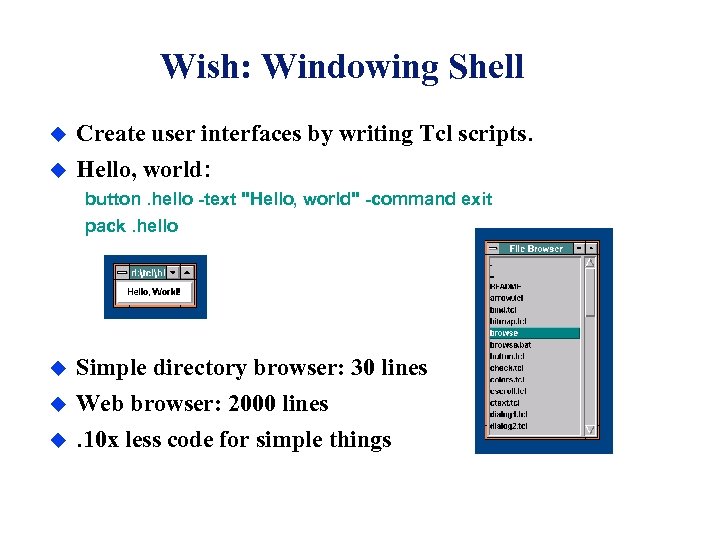
Wish: Windowing Shell u Create user interfaces by writing Tcl scripts. u Hello, world: button. hello -text "Hello, world" -command exit pack. hello u u u Simple directory browser: 30 lines Web browser: 2000 lines. 10 x less code for simple things
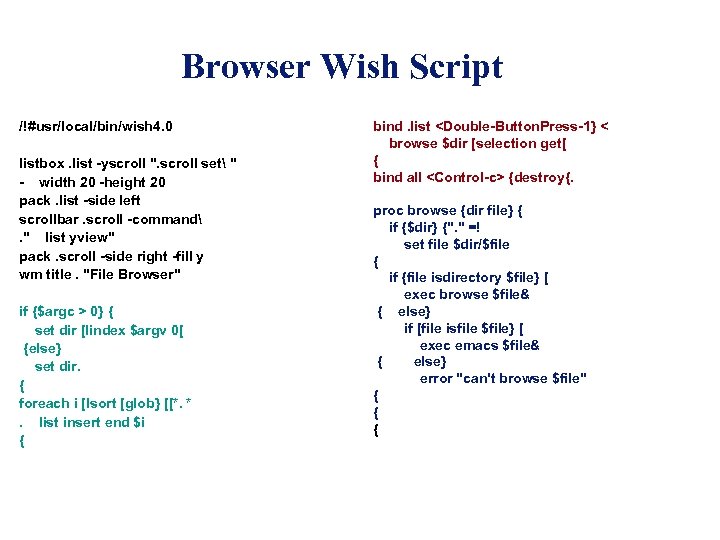
Browser Wish Script /!#usr/local/bin/wish 4. 0 listbox. list -yscroll ". scroll set " - width 20 -height 20 pack. list -side left scrollbar. scroll -command. " list yview" pack. scroll -side right -fill y wm title. "File Browser" if {$argc > 0} { set dir [lindex $argv 0[ {else} set dir. { foreach i [lsort [glob} [[*. *. list insert end $i { bind. list <Double-Button. Press-1} < browse $dir [selection get[ { bind all <Control-c> {destroy{. proc browse {dir file} { if {$dir} {". " =! set file $dir/$file { if {file isdirectory $file} [ exec browse $file& { else} if [file isfile $file} [ exec emacs $file& { else} error "can't browse $file" { { {
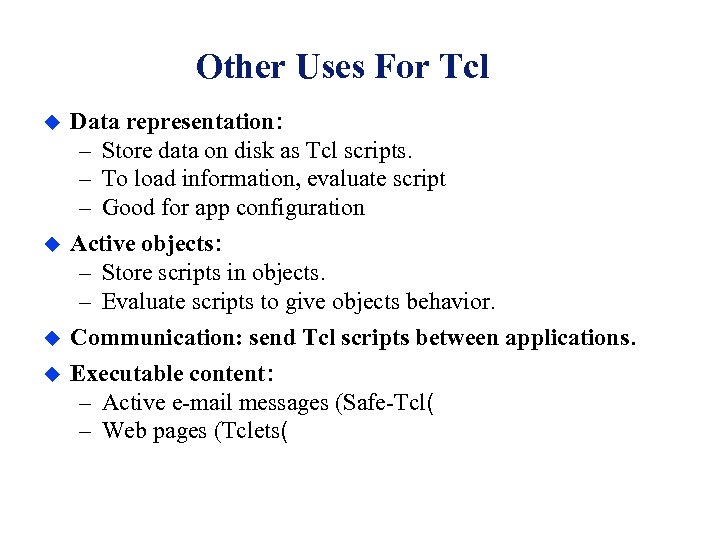
Other Uses For Tcl u u Data representation: – Store data on disk as Tcl scripts. – To load information, evaluate script – Good for app configuration Active objects: – Store scripts in objects. – Evaluate scripts to give objects behavior. Communication: send Tcl scripts between applications. Executable content: – Active e-mail messages (Safe-Tcl( – Web pages (Tclets(
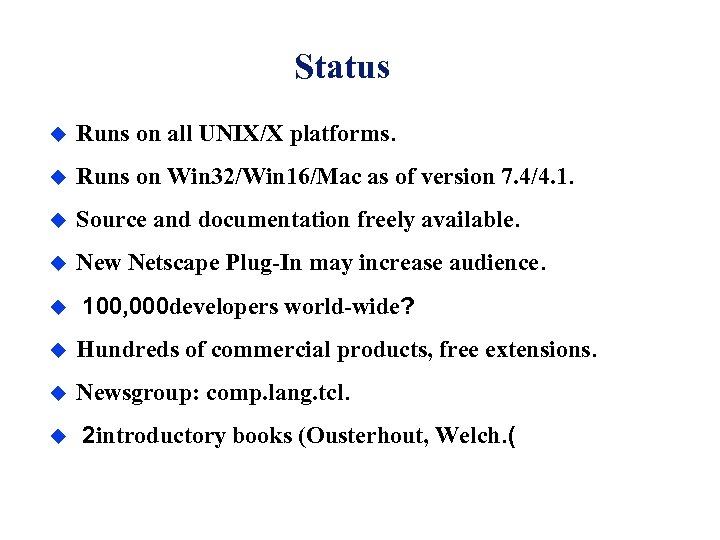
Status u Runs on all UNIX/X platforms. u Runs on Win 32/Win 16/Mac as of version 7. 4/4. 1. u Source and documentation freely available. u New Netscape Plug-In may increase audience. u 100, 000 developers world-wide? u Hundreds of commercial products, free extensions. u Newsgroup: comp. lang. tcl. u 2 introductory books (Ousterhout, Welch. (
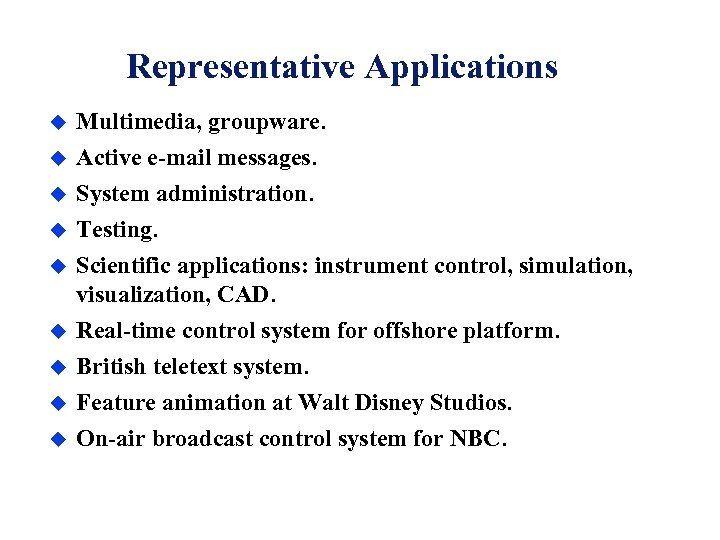
Representative Applications u Multimedia, groupware. u Active e-mail messages. System administration. Testing. Scientific applications: instrument control, simulation, visualization, CAD. Real-time control system for offshore platform. British teletext system. Feature animation at Walt Disney Studios. On-air broadcast control system for NBC. u u u u
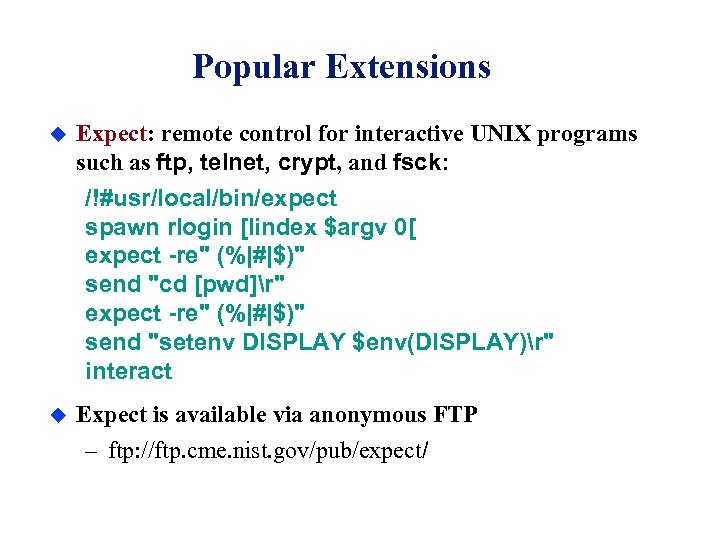
Popular Extensions u Expect: remote control for interactive UNIX programs such as ftp, telnet, crypt, and fsck: /!#usr/local/bin/expect spawn rlogin [lindex $argv 0[ expect -re" (%|#|$)" send "cd [pwd]r" expect -re" (%|#|$)" send "setenv DISPLAY $env(DISPLAY)r" interact u Expect is available via anonymous FTP – ftp: //ftp. cme. nist. gov/pub/expect/
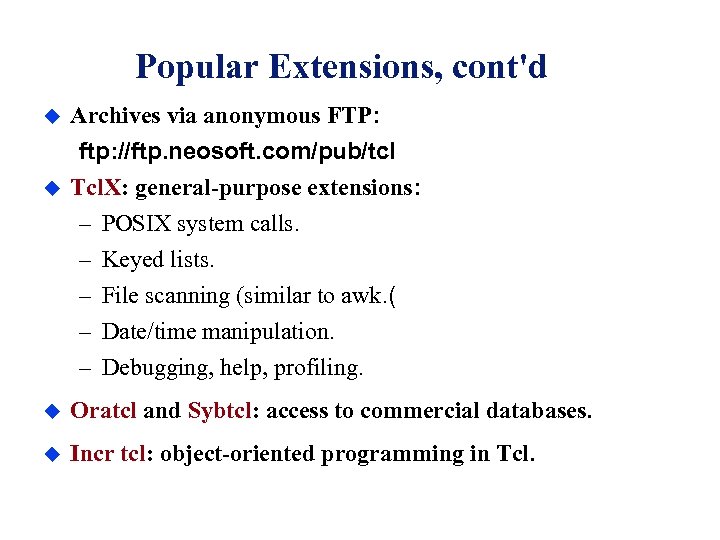
Popular Extensions, cont'd u u Archives via anonymous FTP: ftp: //ftp. neosoft. com/pub/tcl Tcl. X: general-purpose extensions: – POSIX system calls. – Keyed lists. – File scanning (similar to awk. ( – Date/time manipulation. – Debugging, help, profiling. u Oratcl and Sybtcl: access to commercial databases. u Incr tcl: object-oriented programming in Tcl.
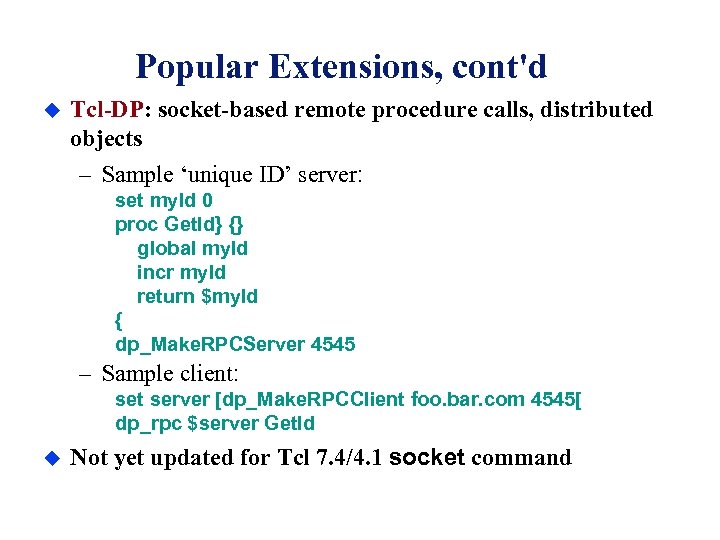
Popular Extensions, cont'd u Tcl-DP: socket-based remote procedure calls, distributed objects – Sample ‘unique ID’ server: set my. Id 0 proc Get. Id} {} global my. Id incr my. Id return $my. Id { dp_Make. RPCServer 4545 – Sample client: set server [dp_Make. RPCClient foo. bar. com 4545[ dp_rpc $server Get. Id u Not yet updated for Tcl 7. 4/4. 1 socket command
Where You Might Use Tcl and Tk u Creating graphical user interfaces. u Testing. Applications that need scripting or extension facilities. Platform-independent applications. Creating interactive content for the WWW. u u u
Drawbacks u Must learn new language – Substitution rules confusing to some people. – Competitors: Java. Script, Visual Basic… u Interpreted language has performance limits – Surprisingly high; not much worse than Java u C interfaces incompatible with Xt, Motif library. – Motif look-and-feel on PC, Mac for now.
What’s up at Sun Labs? u u u Create exciting Internet applications: – Netscape Plug-In available now! Increase accessibility: – More work on PC/Mac ports (native look and feel. ( – Spec. Tcl: interactive GUI builder (available now( – Better development tools (debugger, etc(. Improving the language/toolkit: – Incremental on-the-fly compiler (some progress( – Better support for modules, data structures. ท Dynamically loadable extensions now possible
Summing up. . . u u u High-level programming: – Less to learn. – Build applications more quickly. Universal scripting language: – Extend and modify applications at run-time. – Make many things work together. Use scripts instead of data: – Active objects, executable content. Tcl + Tk = shell of the 1990's?
Tcl Language Programming There are two parts to learning Tcl: . 1 Syntax and substitution rules: – Substitutions simple, but may be confusing at first. . 2 Built-in commands: – Can learn individually as needed. – Control structures are commands, not language syntax. TCL HAS NO FIXED GRAMMAR!
Basics u u u Tcl script= – Sequence of commands. – Commands separated by newlines, semi-colons. Tcl command= – One or more words separated by white space. – First word is command name, others are arguments. – Returns string result. Examples: set a 22 set the variable ‘a’ to 22 puts "Hello, World!" world’s shortest program
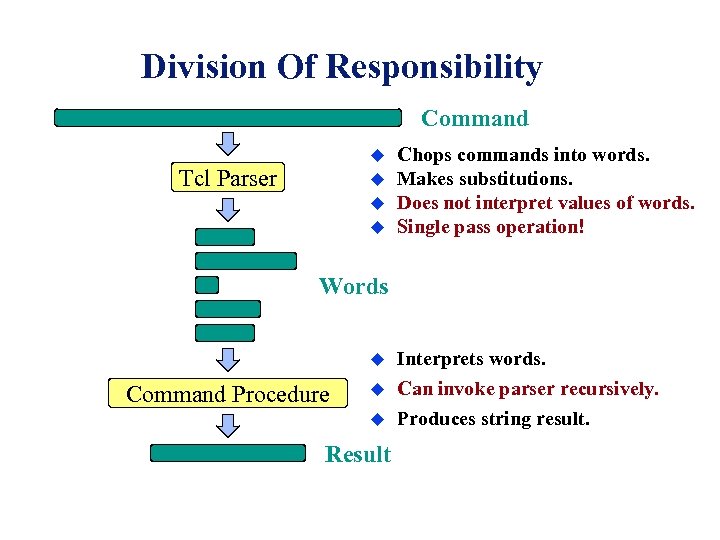
Division Of Responsibility Command u Tcl Parser u u u Chops commands into words. Makes substitutions. Does not interpret values of words. Single pass operation! Words u Command Procedure u u Result Interprets words. Can invoke parser recursively. Produces string result.
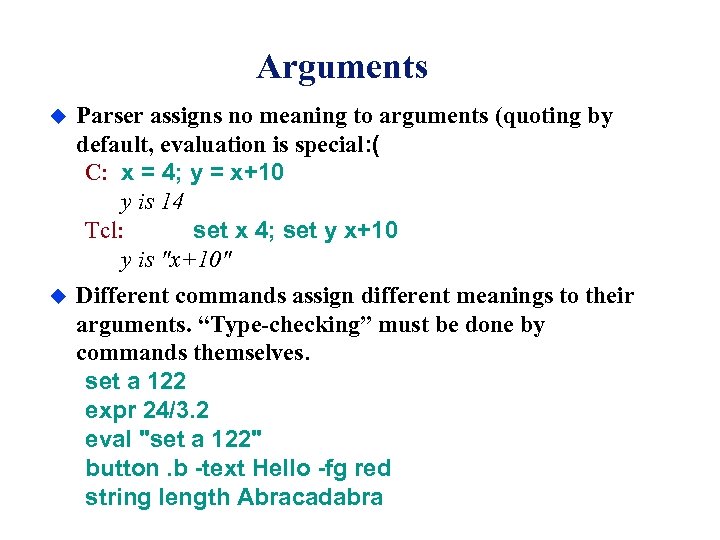
Arguments u u Parser assigns no meaning to arguments (quoting by default, evaluation is special: ( C: x = 4; y = x+10 y is 14 Tcl: set x 4; set y x+10 y is "x+10" Different commands assign different meanings to their arguments. “Type-checking” must be done by commands themselves. set a 122 expr 24/3. 2 eval "set a 122" button. b -text Hello -fg red string length Abracadabra
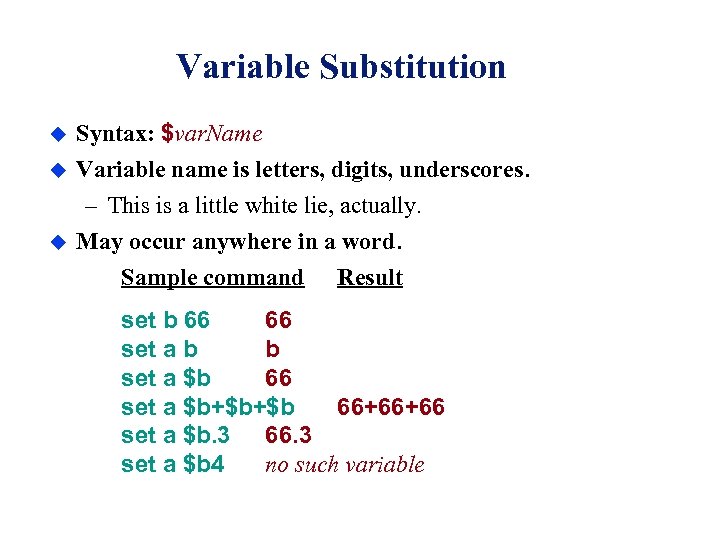
Variable Substitution u Syntax: $var. Name u Variable name is letters, digits, underscores. – This is a little white lie, actually. May occur anywhere in a word. Sample command Result u set b 66 66 set a b b set a $b 66 set a $b+$b+$b 66+66+66 set a $b. 3 66. 3 set a $b 4 no such variable
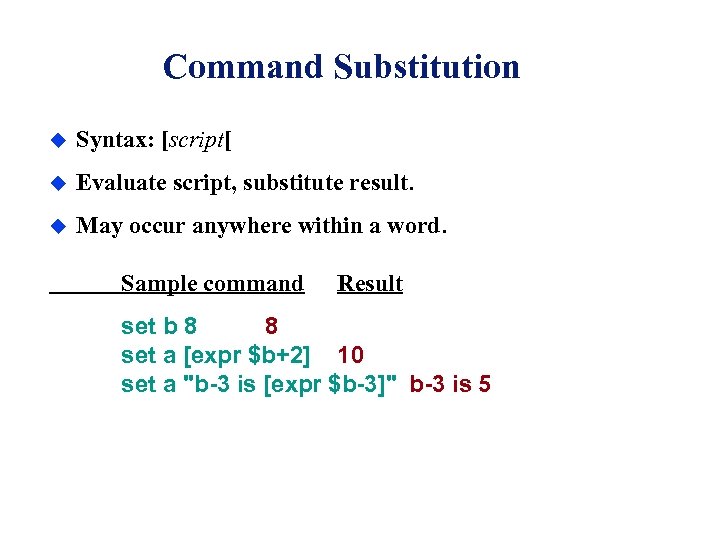
Command Substitution u Syntax: [script[ u Evaluate script, substitute result. u May occur anywhere within a word. Sample command Result set b 8 8 set a [expr $b+2] 10 set a "b-3 is [expr $b-3]" b-3 is 5
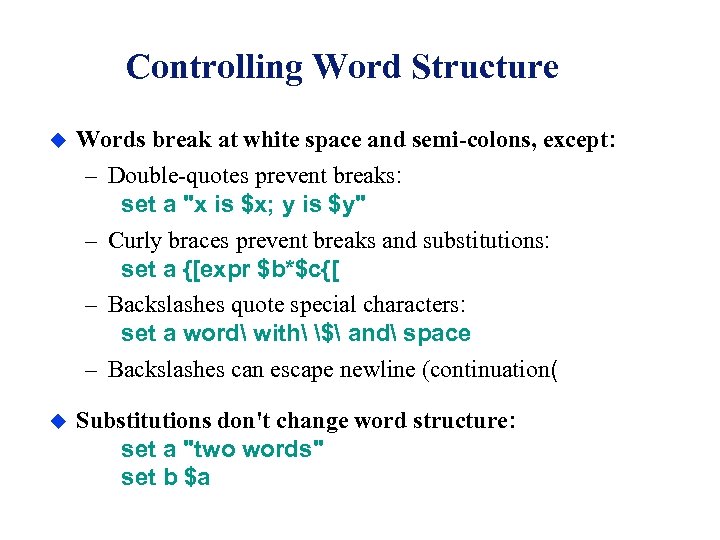
Controlling Word Structure u Words break at white space and semi-colons, except: – Double-quotes prevent breaks: set a "x is $x; y is $y" – Curly braces prevent breaks and substitutions: set a {[expr $b*$c{[ – Backslashes quote special characters: set a word with $ and space – Backslashes can escape newline (continuation( u Substitutions don't change word structure: set a "two words" set b $a
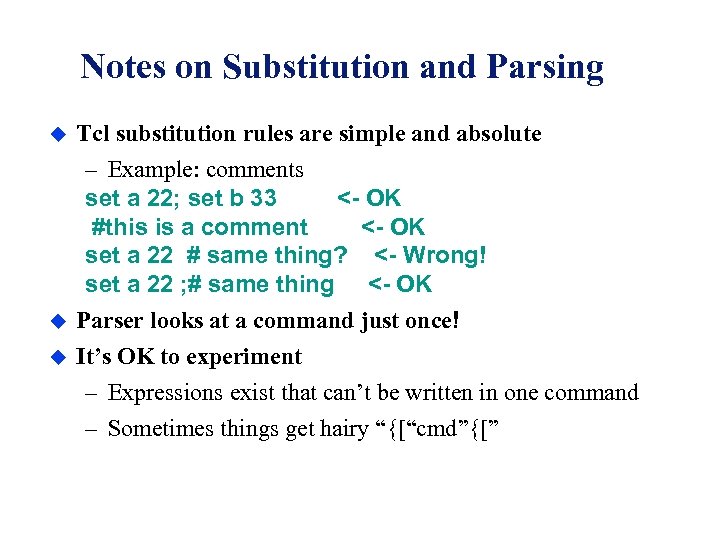
Notes on Substitution and Parsing u u u Tcl substitution rules are simple and absolute – Example: comments set a 22; set b 33 <- OK #this is a comment <- OK set a 22 # same thing? <- Wrong! set a 22 ; # same thing <- OK Parser looks at a command just once! It’s OK to experiment – Expressions exist that can’t be written in one command – Sometimes things get hairy “{[“cmd”{[”
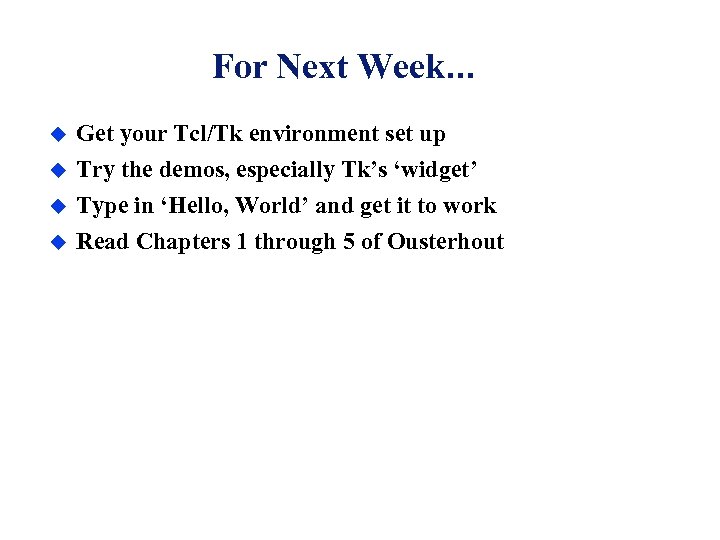
For Next Week. . . u Get your Tcl/Tk environment set up u Try the demos, especially Tk’s ‘widget’ Type in ‘Hello, World’ and get it to work Read Chapters 1 through 5 of Ousterhout u u
Скачать презентацию Programming Using Tcl Tk Seree Chinodom seree buu ac th
306a3aa53a840b4737bcab761bb7e7b4.ppt