 Скачать презентацию Programming in Objective -C 涂昆源 副教授 萬能科技大學 資訊
aebf7f78b7f847bf1343b78869873dba.ppt
- Количество слайдов: 189



Programming in Objective -C 涂昆源 副教授 萬能科技大學 資訊 程系 1
2
Part I The Objective-C 2. 0 Language 3
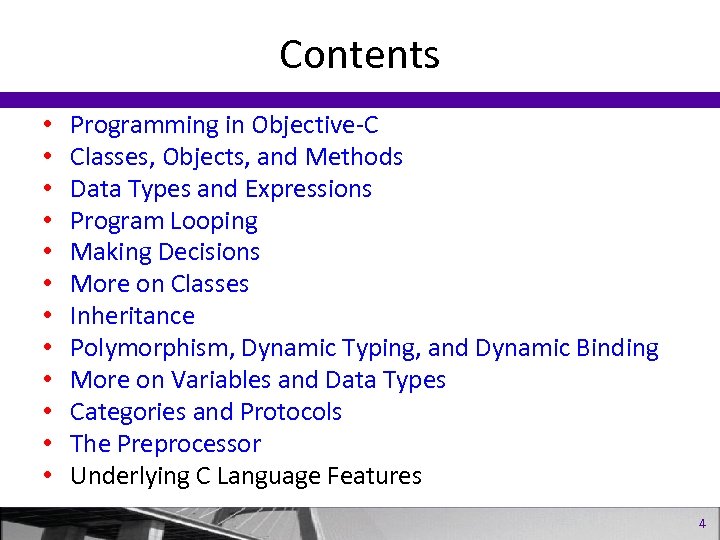
Contents • • • Programming in Objective-C Classes, Objects, and Methods Data Types and Expressions Program Looping Making Decisions More on Classes Inheritance Polymorphism, Dynamic Typing, and Dynamic Binding More on Variables and Data Types Categories and Protocols The Preprocessor Underlying C Language Features 4
Getting Started in Objective-C 5
Getting Started in Objective-C • • What Is Objective-C? Your First Program Steps for Using Xcode Working with Variables 6
What is Objective-C • An object-oriented programming language (OOP) • Designed by Brad Cox (early 1980 s) • Based on Small. Talk • Layered on the C language (1970 s) • Licensed by Ne. XT Software (1988) 7
What is Objective-C (cont’d)? • Apple Acquired Ne. XT Software (1996) • NEXTSTEP environment was basis for Mac OS X • Objective-C became the standard development language for apps written for Mac OS X and then later of the i. Pod Touch, i. Phone and i. Pad. 8
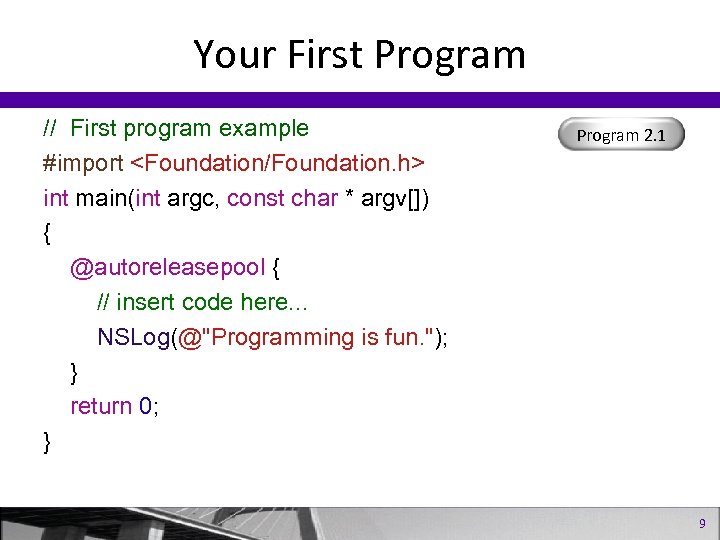
Your First Program // First program example #import <Foundation/Foundation. h> int main(int argc, const char * argv[]) { @autoreleasepool { // insert code here. . . NSLog(@"Programming is fun. "); } return 0; } Program 2. 1 9
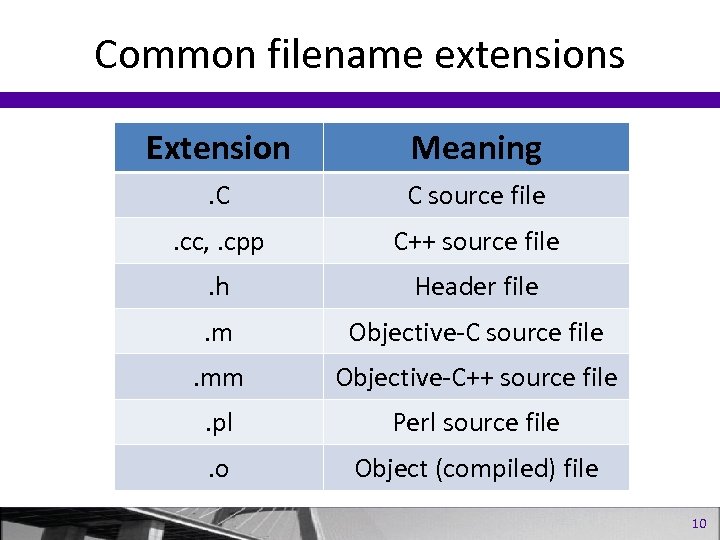
Common filename extensions Extension Meaning . C C source file . cc, . cpp C++ source file . h Header file . m Objective-C source file . mm Objective-C++ source file . pl Perl source file . o Object (compiled) file 10
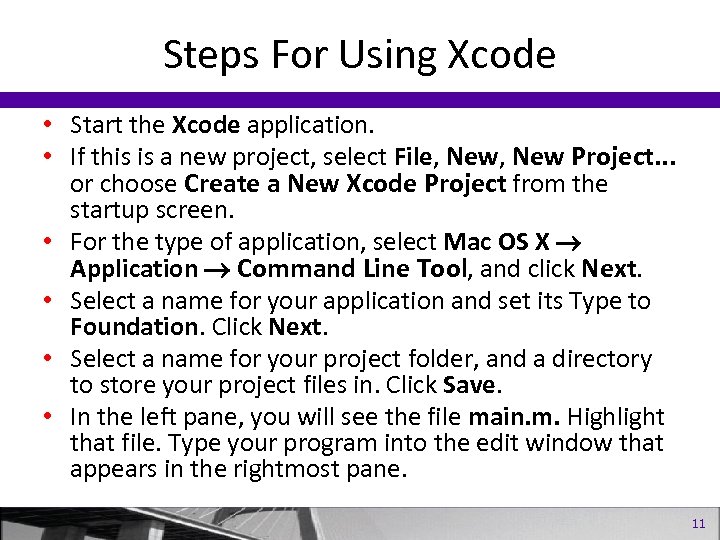
Steps For Using Xcode • Start the Xcode application. • If this is a new project, select File, New Project. . . or choose Create a New Xcode Project from the startup screen. • For the type of application, select Mac OS X Application Command Line Tool, and click Next. • Select a name for your application and set its Type to Foundation. Click Next. • Select a name for your project folder, and a directory to store your project files in. Click Save. • In the left pane, you will see the file main. m. Highlight that file. Type your program into the edit window that appears in the rightmost pane. 11
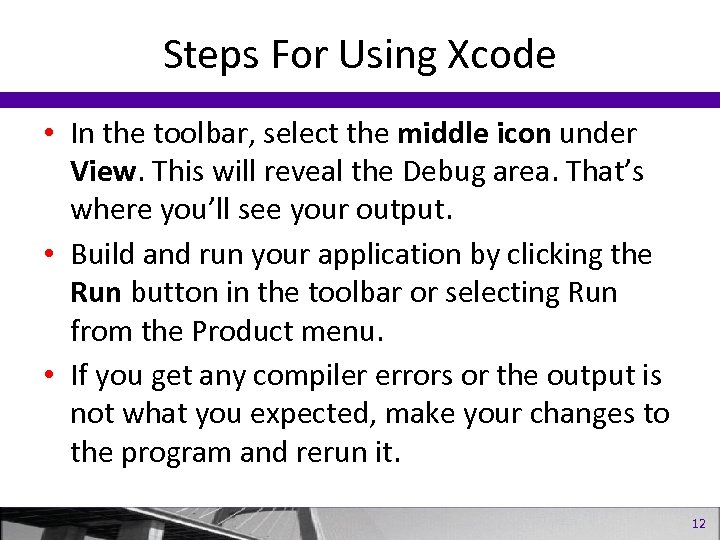
Steps For Using Xcode • In the toolbar, select the middle icon under View. This will reveal the Debug area. That’s where you’ll see your output. • Build and run your application by clicking the Run button in the toolbar or selecting Run from the Product menu. • If you get any compiler errors or the output is not what you expected, make your changes to the program and rerun it. 12
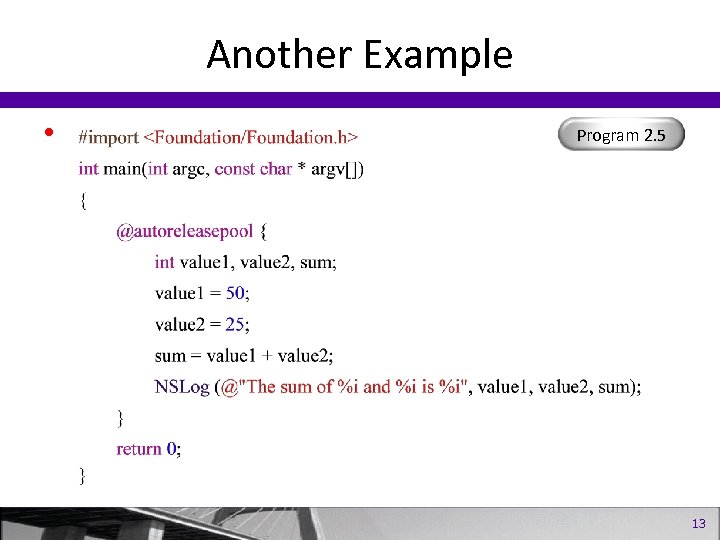
Another Example • Program 2. 5 13
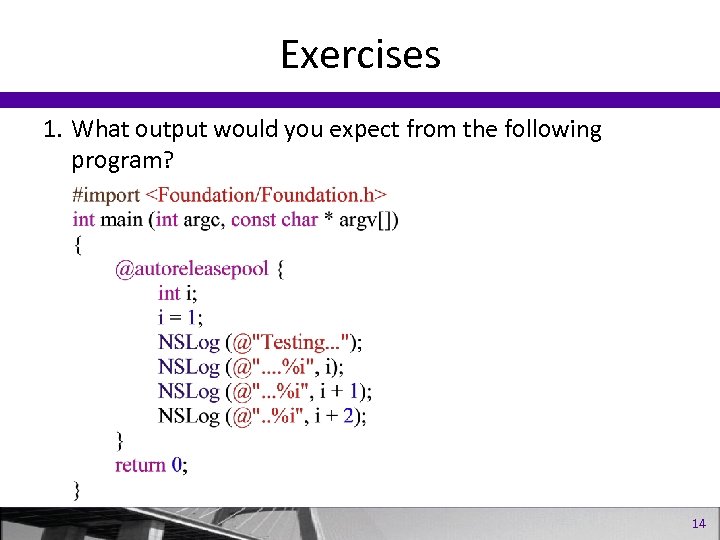
Exercises 1. What output would you expect from the following program? 14
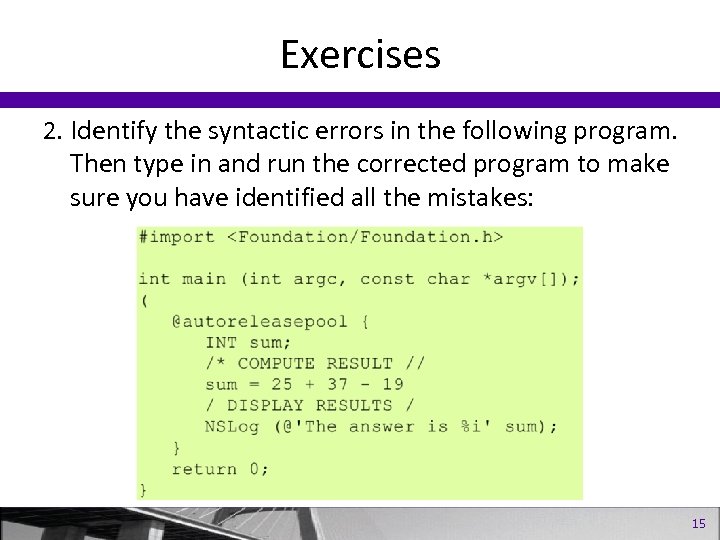
Exercises 2. Identify the syntactic errors in the following program. Then type in and run the corrected program to make sure you have identified all the mistakes: 15
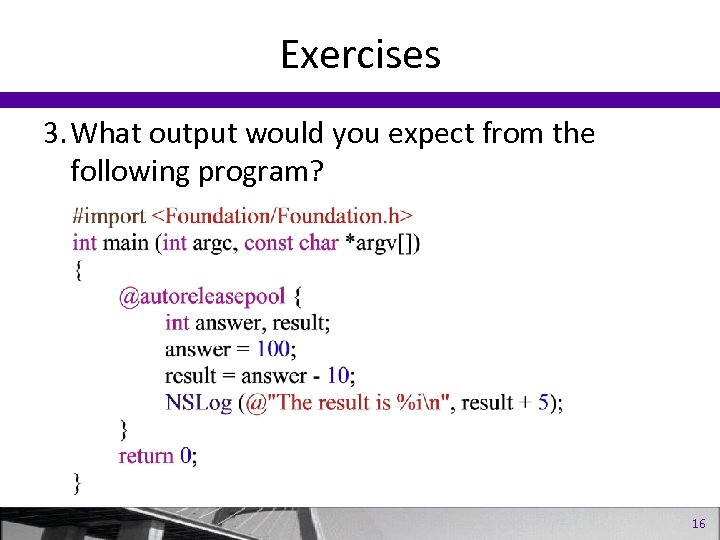
Exercises 3. What output would you expect from the following program? 16
Classes, Objects, and Methods 17
Classes, Objects, and Methods • • What Is a Class, Object, or Method? Writing a Class to Work with Fractions Accessing Instance Variables Working with Multiple Objects 18
What’s an Object? • An object is a thing • OOP is dealing with objects • Everyday example of an object: A car 19
What’s an Object? • Things you do with your car – Drive it – Fill it with gas – Wash it – Get it serviced 20
What’s an Instance? • An object comes from a class (e. g. Cars) • A unique occurrence of an object from a class is called an instance • Your car may be red, have 20” wheels, and a V 8 engine. Its VIN number uniquely identifies it 21
What’s a Method? • The action you perform on an object or on a class In Objective-C, the syntax is: [Classor. Instance method]; or [receiver message]; 22
Instances and Messages • First, create an new instance from a class: my. Car = [Car new]; • Next, you perform actions with that instance: [my. Car wash]; [my. Car drive]; [my. Car service]; [my. Car top. Down]; //my convertible! 23
Same Method, Different Objects You can use the same methods with other instances from the same calss: [sues. Car wash]; [sues. Car drive]; [sues. Car service]; 24
![Translation Objects you work with will be a little different: [my. Window erase]; [my.](https://present5.com/presentation/aebf7f78b7f847bf1343b78869873dba/image-25.jpg "Translation Objects you work with will be a little different: [my. Window erase]; [my.")
Translation Objects you work with will be a little different: [my. Window erase]; [my. Rect area]; [favorites show. Songs]; [phone. Number call]; Program 3. 1 25
Accessing Instance Variables • Instance methods can access their own instance variables • Class methods can’t • They’re hidden from everyone else (data encapsulation) 26
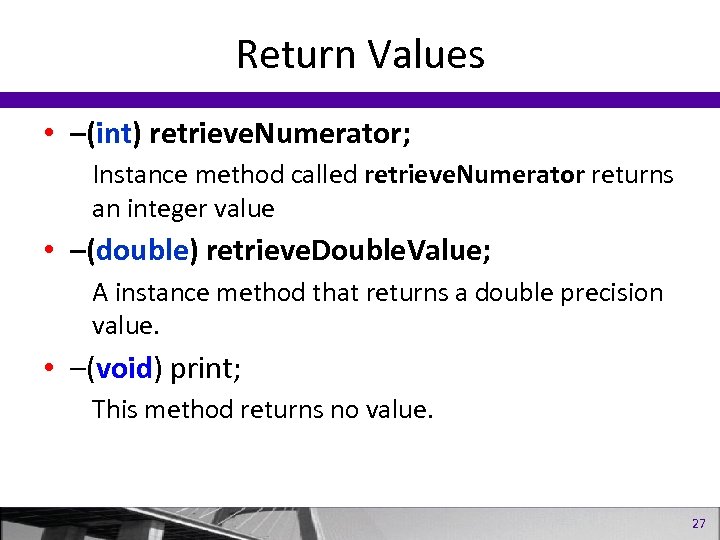
Return Values • –(int) retrieve. Numerator; Instance method called retrieve. Numerator returns an integer value • –(double) retrieve. Double. Value; A instance method that returns a double precision value. • –(void) print; This method returns no value. 27

Method Arguments • Both instance methods from Program 3. 2 –(void) set. Numerator: (int) n; Program 3. 2 –(void) set. Denominator: (int) d; – Both return no value. Each method takes an integer argument. • Method declaration 28
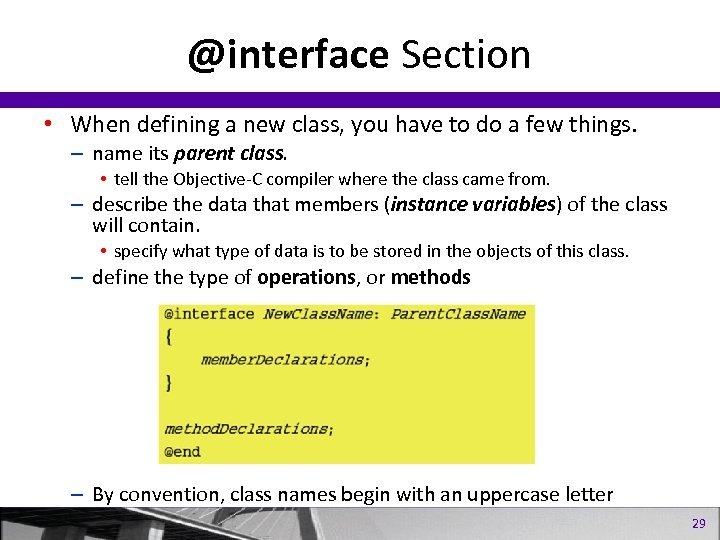
@interface Section • When defining a new class, you have to do a few things. – name its parent class. • tell the Objective-C compiler where the class came from. – describe the data that members (instance variables) of the class will contain. • specify what type of data is to be stored in the objects of this class. – define the type of operations, or methods – By convention, class names begin with an uppercase letter 29
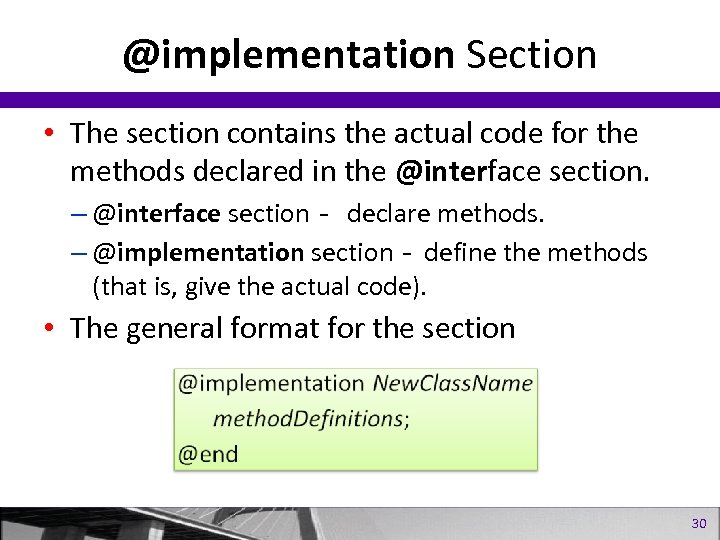
@implementation Section • The section contains the actual code for the methods declared in the @interface section. – @interface section- declare methods. – @implementation section- define the methods (that is, give the actual code). • The general format for the section 30
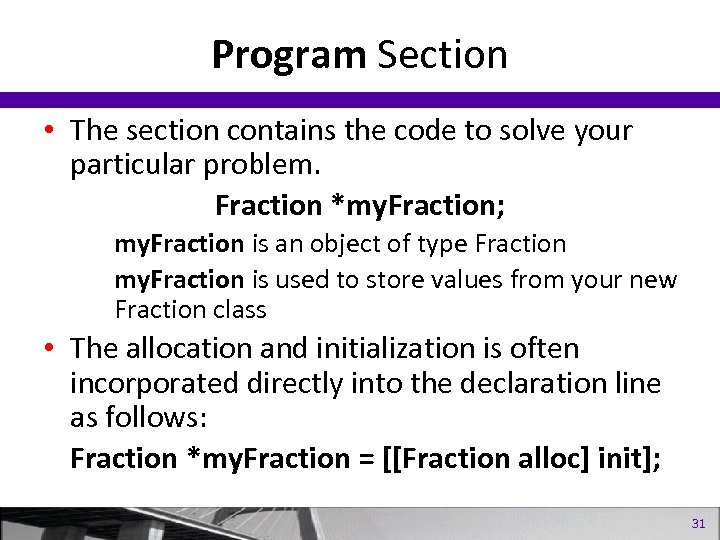
Program Section • The section contains the code to solve your particular problem. Fraction *my. Fraction; my. Fraction is an object of type Fraction my. Fraction is used to store values from your new Fraction class • The allocation and initialization is often incorporated directly into the declaration line as follows: Fraction *my. Fraction = [[Fraction alloc] init]; 31
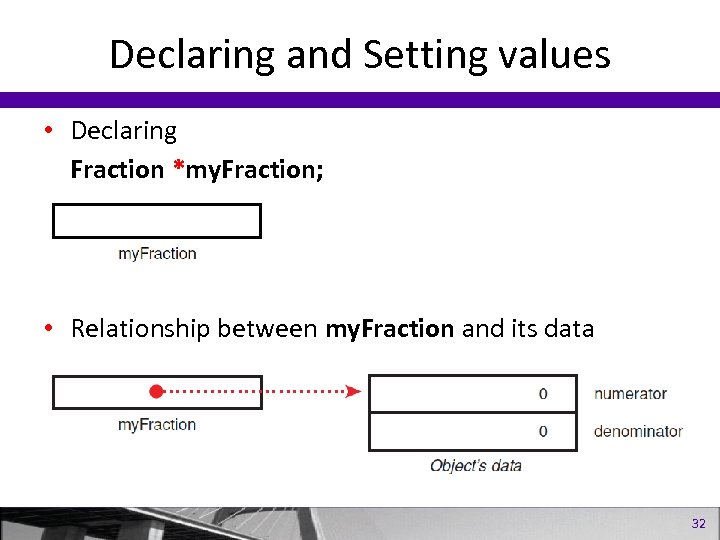
Declaring and Setting values • Declaring Fraction *my. Fraction; • Relationship between my. Fraction and its data 32
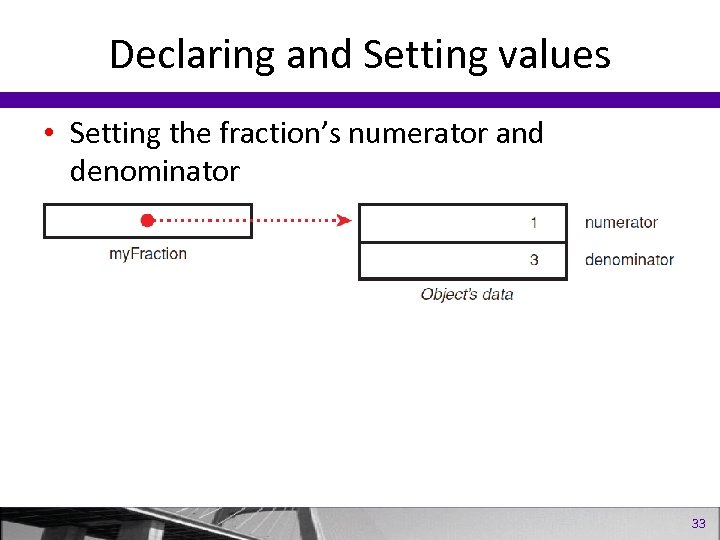
Declaring and Setting values • Setting the fraction’s numerator and denominator 33
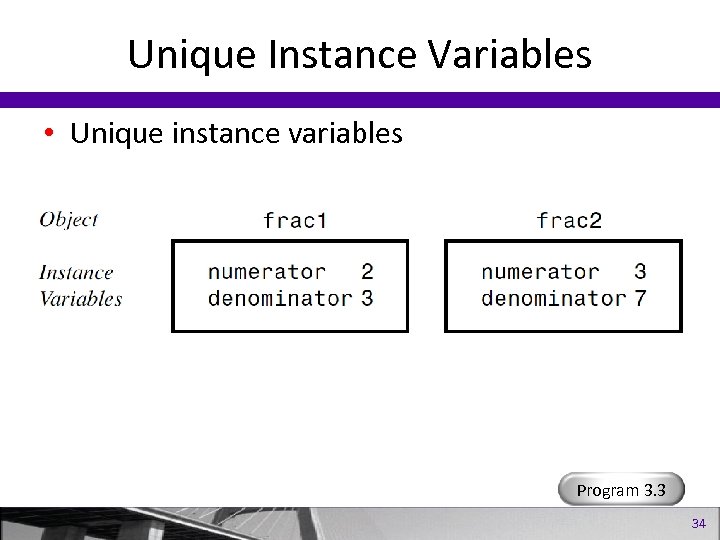
Unique Instance Variables • Unique instance variables Program 3. 3 34
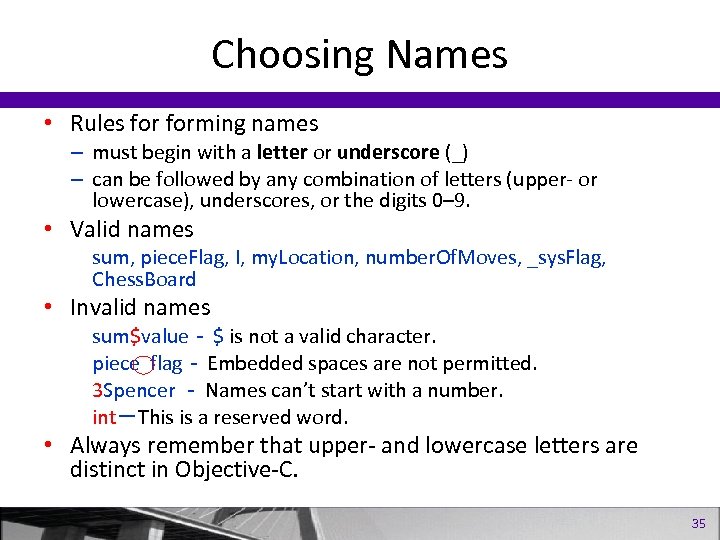
Choosing Names • Rules forming names – must begin with a letter or underscore (_) – can be followed by any combination of letters (upper- or lowercase), underscores, or the digits 0– 9. • Valid names sum, piece. Flag, I, my. Location, number. Of. Moves, _sys. Flag, Chess. Board • Invalid names sum$value- $ is not a valid character. piece flag- Embedded spaces are not permitted. 3 Spencer - Names can’t start with a number. int-This is a reserved word. • Always remember that upper- and lowercase letters are distinct in Objective-C. 35
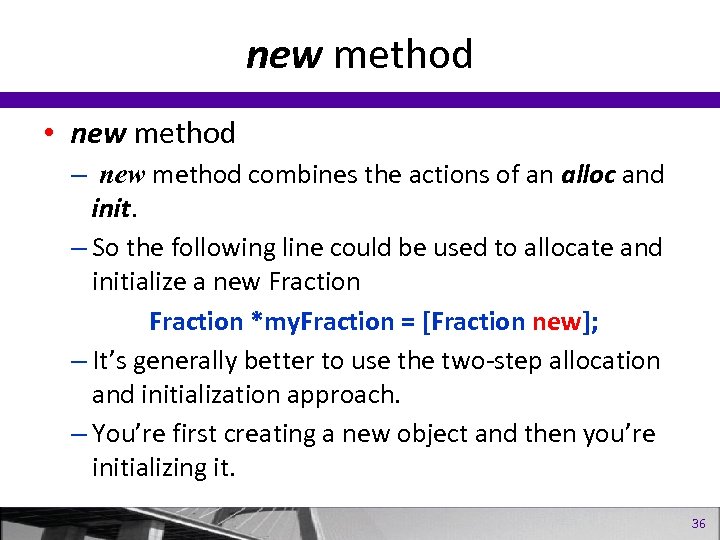
new method • new method – new method combines the actions of an alloc and init. – So the following line could be used to allocate and initialize a new Fraction *my. Fraction = [Fraction new]; – It’s generally better to use the two-step allocation and initialization approach. – You’re first creating a new object and then you’re initializing it. 36
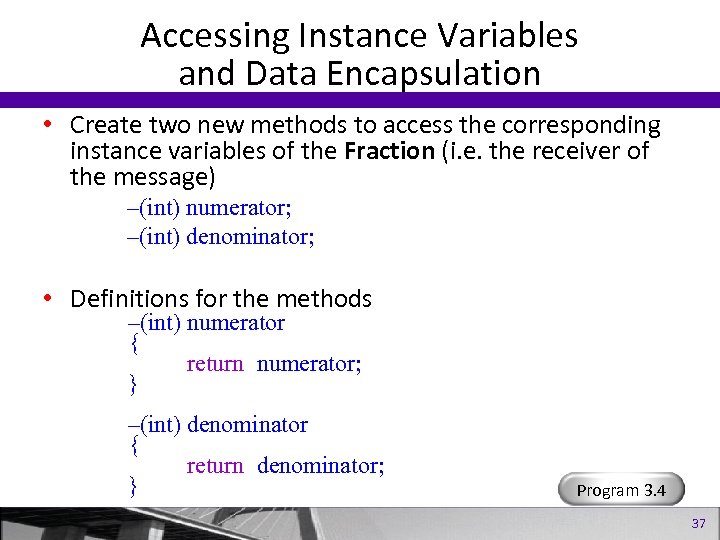
Accessing Instance Variables and Data Encapsulation • Create two new methods to access the corresponding instance variables of the Fraction (i. e. the receiver of the message) –(int) numerator; –(int) denominator; • Definitions for the methods –(int) numerator { return numerator; } –(int) denominator { return denominator; } Program 3. 4 37
Summary • Now you know how to – define your own class, create objects or instances of that class. – send messages to those objects. • In later chapters, You’ll learn how to – pass multiple arguments to your methods. – divide your class definitions into separate files. – use key concepts such as inheritance and dynamic binding. • In the next chapter, you’ll learn more about data types and writing expressions in Objective-C. 38
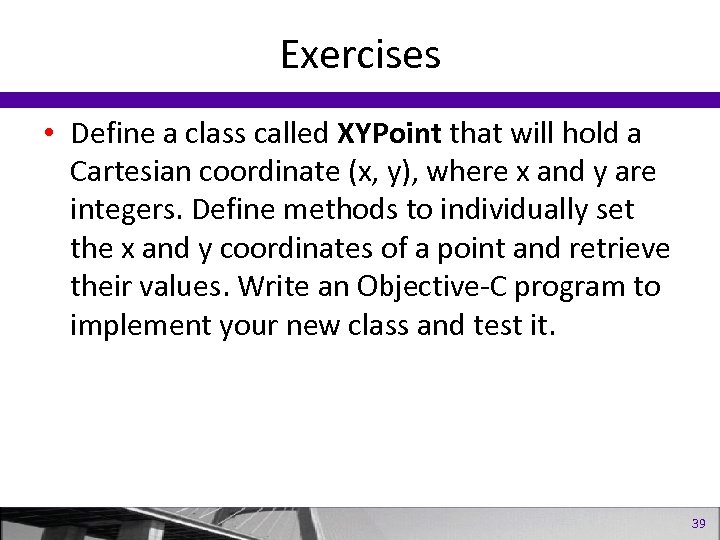
Exercises • Define a class called XYPoint that will hold a Cartesian coordinate (x, y), where x and y are integers. Define methods to individually set the x and y coordinates of a point and retrieve their values. Write an Objective-C program to implement your new class and test it. 39
Data Types and Expressions 40
Data Types and Expressions • • Basic Data Types Arithmetic Expression Assignment Operations Defining a Calculator Class 41
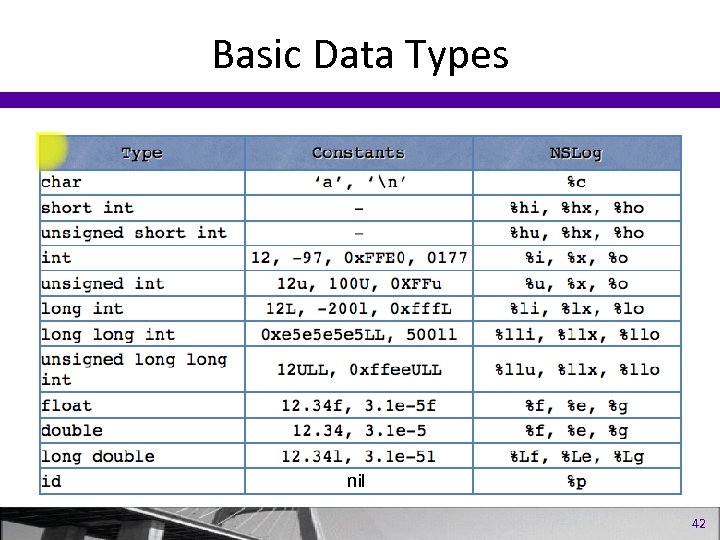
Basic Data Types nil 42
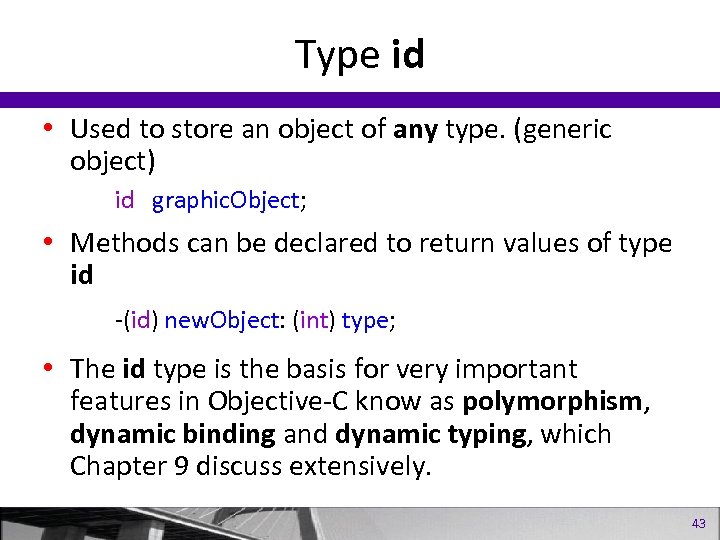
Type id • Used to store an object of any type. (generic object) id graphic. Object; • Methods can be declared to return values of type id -(id) new. Object: (int) type; • The id type is the basis for very important features in Objective-C know as polymorphism, dynamic binding and dynamic typing, which Chapter 9 discuss extensively. 43
![Basic Data Types (cont’d) #import <Foundation/Foundation. h> int main (int argc, char *argv[]) {](https://present5.com/presentation/aebf7f78b7f847bf1343b78869873dba/image-44.jpg "Basic Data Types (cont’d) #import <Foundation/Foundation. h> int main (int argc, char *argv[]) {")
Basic Data Types (cont’d) #import <Foundation/Foundation. h> int main (int argc, char *argv[]) { NSAutorelease. Pool * pool = [[NSAutorelease. Pool alloc] init]; integer. Var = 100; floating. Var = 331. 79; double. Var = 8. 44 e+11; char. Var = ‘W’; NSLog (@ ”integer. Var = %i”, integer. Var); NSLog (@”floating. Var = %f”, floating. Var); NSLog (@”double. Var = %e”, double. Var); NSLog (@”double. Var = %g”, double. Var); NSLog (@”char. Var = %c”, char. Var); [pool drain]; return 0; } Program 4. 1 44
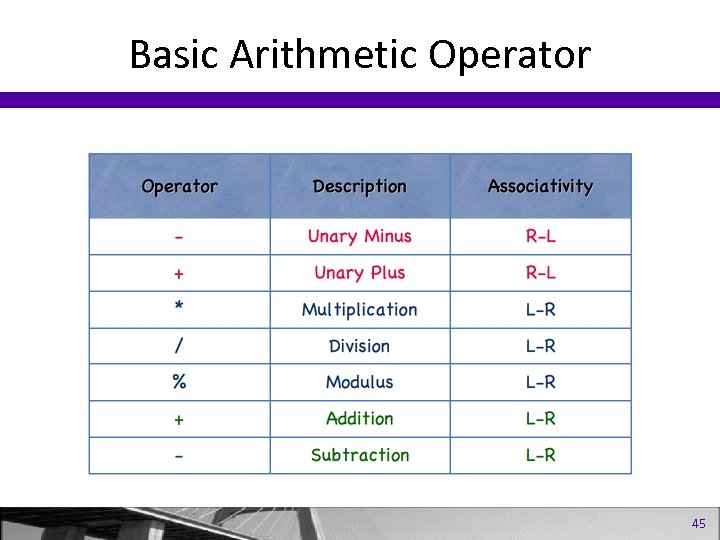
Basic Arithmetic Operator 45
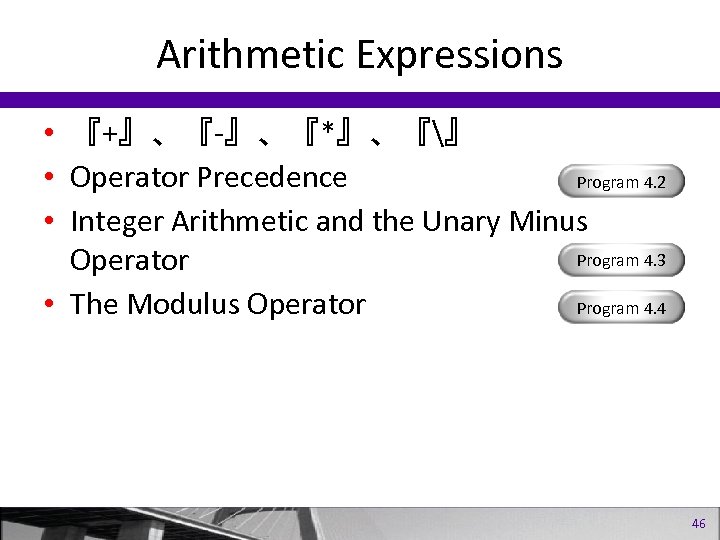
Arithmetic Expressions • 『+』、『-』、『*』、『』 • Operator Precedence Program 4. 2 • Integer Arithmetic and the Unary Minus Program 4. 3 Operator Program 4. 4 • The Modulus Operator 46
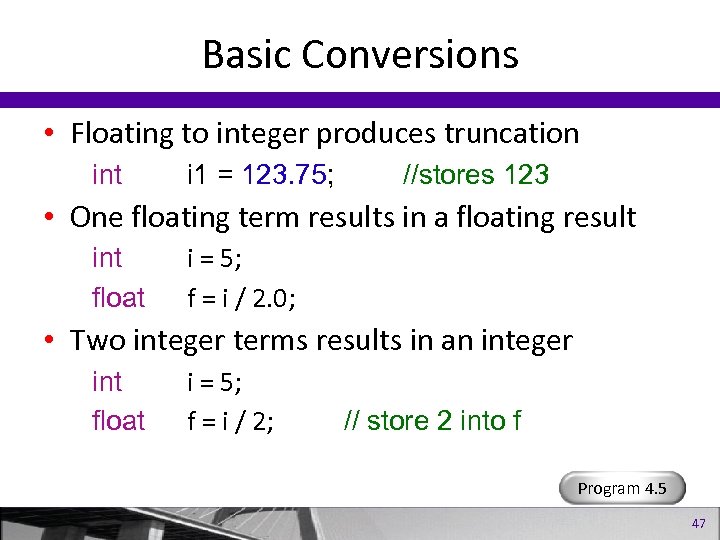
Basic Conversions • Floating to integer produces truncation int i 1 = 123. 75; //stores 123 • One floating term results in a floating result int float i = 5; f = i / 2. 0; • Two integer terms results in an integer int float i = 5; f = i / 2; // store 2 into f Program 4. 5 47
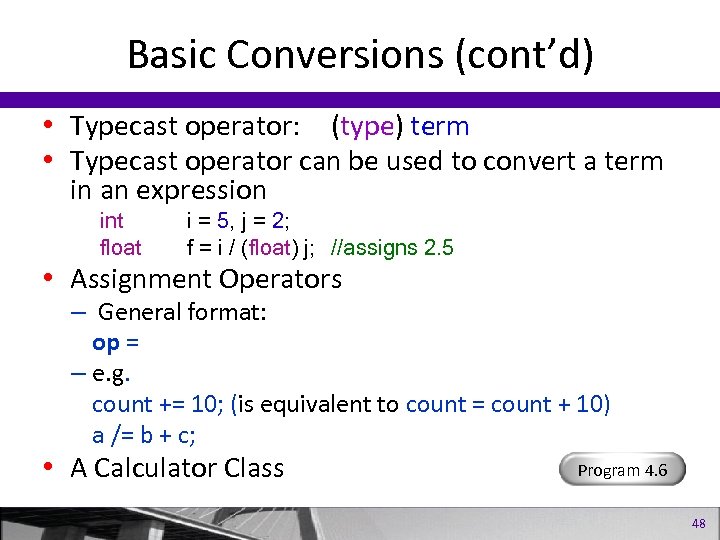
Basic Conversions (cont’d) • Typecast operator: (type) term • Typecast operator can be used to convert a term in an expression int float i = 5, j = 2; f = i / (float) j; //assigns 2. 5 • Assignment Operators – General format: op = – e. g. count += 10; (is equivalent to count = count + 10) a /= b + c; • A Calculator Class Program 4. 6 48
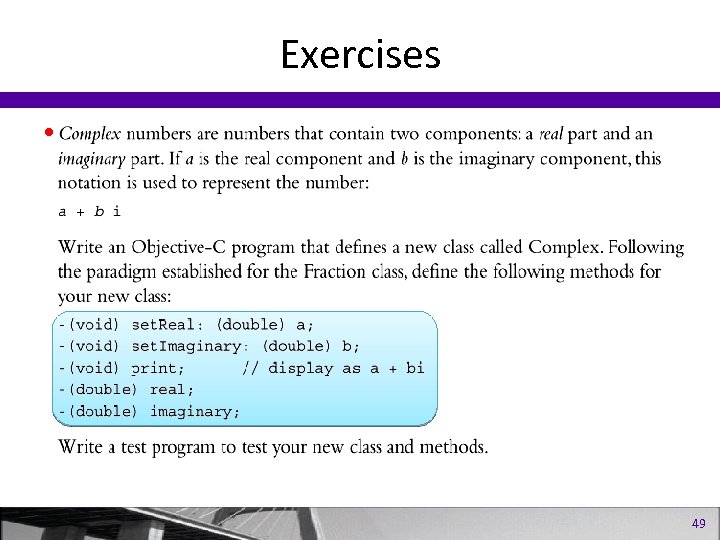
Exercises • 49
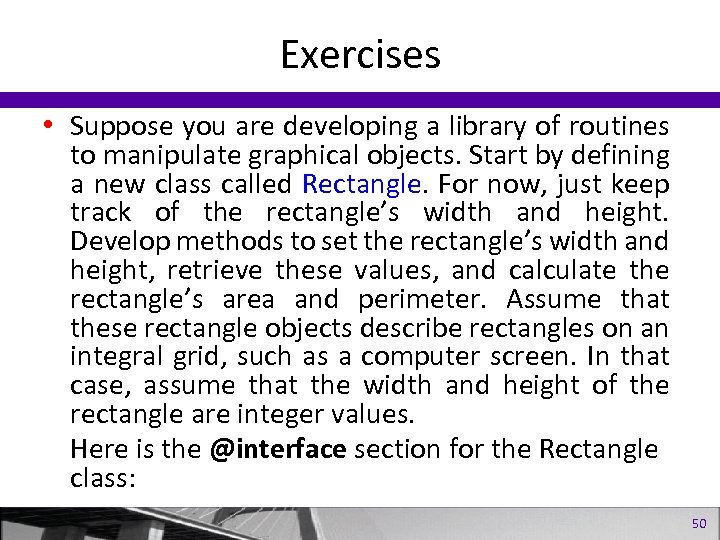
Exercises • Suppose you are developing a library of routines to manipulate graphical objects. Start by defining a new class called Rectangle. For now, just keep track of the rectangle’s width and height. Develop methods to set the rectangle’s width and height, retrieve these values, and calculate the rectangle’s area and perimeter. Assume that these rectangle objects describe rectangles on an integral grid, such as a computer screen. In that case, assume that the width and height of the rectangle are integer values. Here is the @interface section for the Rectangle class: 50
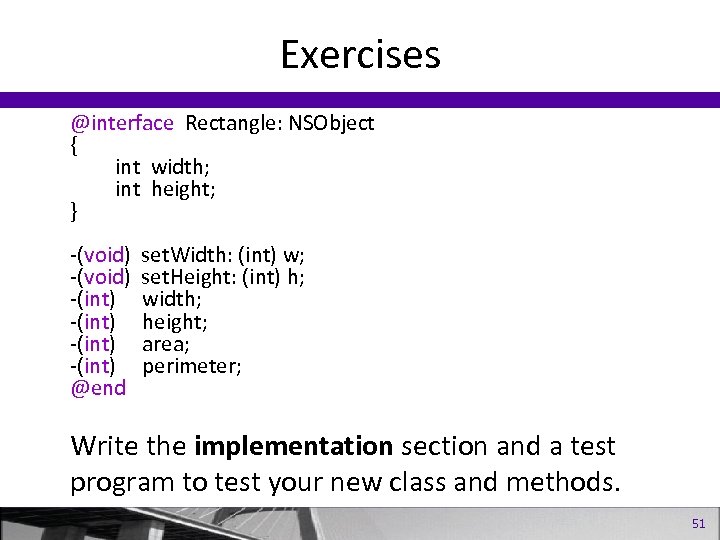
Exercises @interface Rectangle: NSObject { int width; int height; } -(void) -(int) @end set. Width: (int) w; set. Height: (int) h; width; height; area; perimeter; Write the implementation section and a test program to test your new class and methods. 51
Program Looping 52
Loops • • The for statement The do statement The while statement The break and continue statements 53
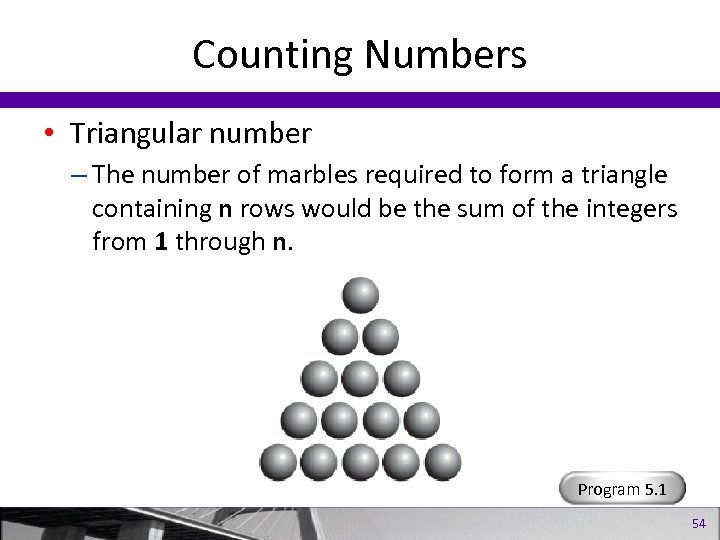
Counting Numbers • Triangular number – The number of marbles required to form a triangle containing n rows would be the sum of the integers from 1 through n. Program 5. 1 54
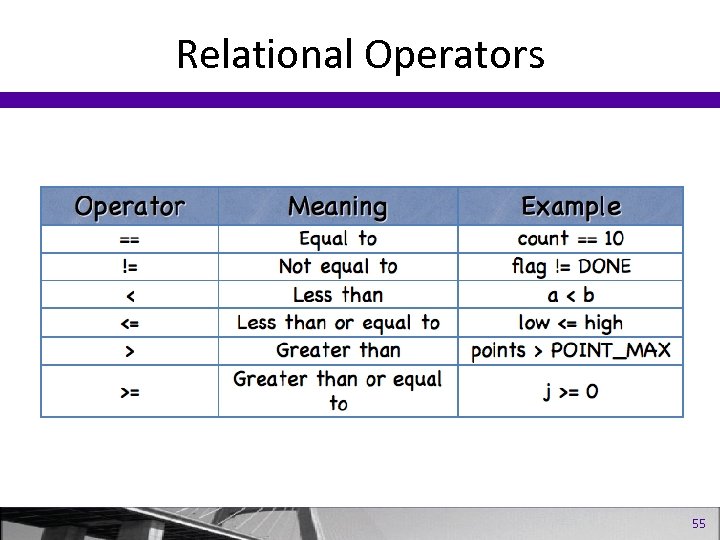
Relational Operators 55
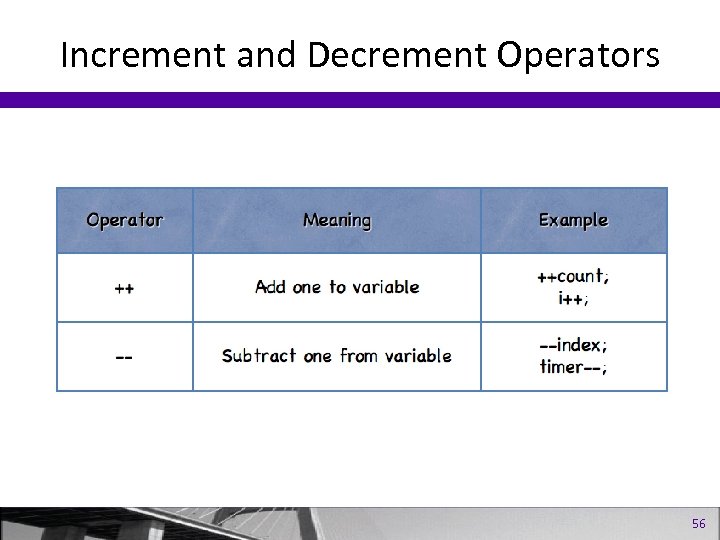
Increment and Decrement Operators 56
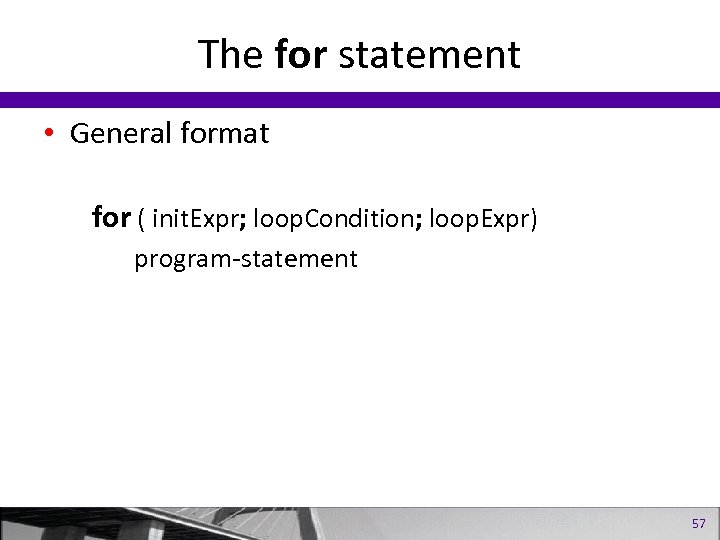
The for statement • General format for ( init. Expr; loop. Condition; loop. Expr) program-statement 57
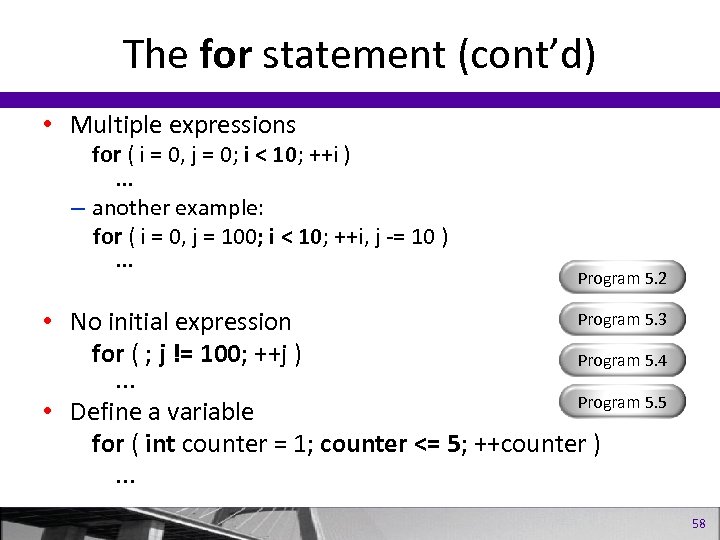
The for statement (cont’d) • Multiple expressions for ( i = 0, j = 0; i < 10; ++i ). . . – another example: for ( i = 0, j = 100; i < 10; ++i, j -= 10 ). . . Program 5. 2 Program 5. 3 • No initial expression for ( ; j != 100; ++j ) Program 5. 4. . . Program 5. 5 • Define a variable for ( int counter = 1; counter <= 5; ++counter ). . . 58
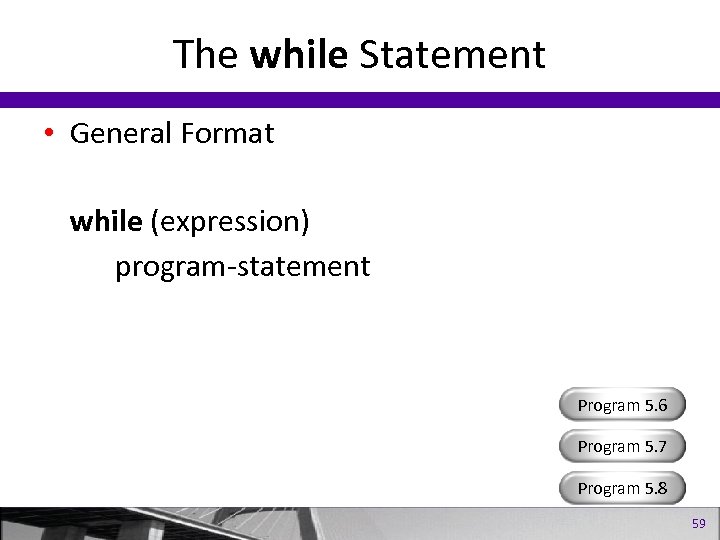
The while Statement • General Format while (expression) program-statement Program 5. 6 Program 5. 7 Program 5. 8 59
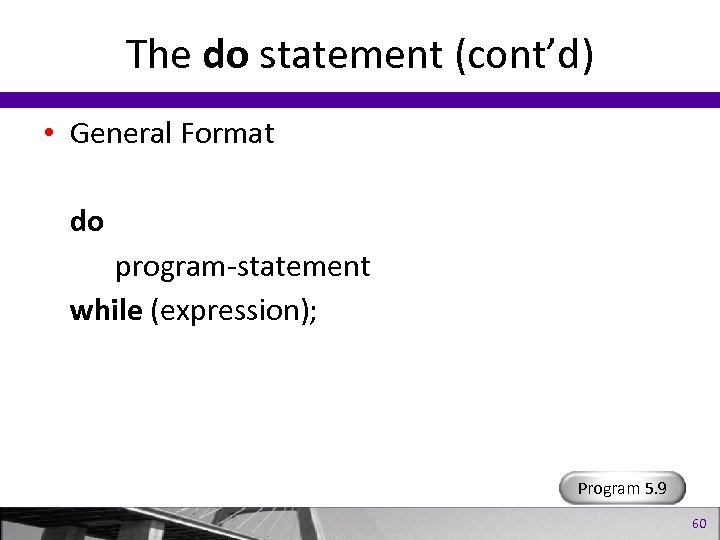
The do statement (cont’d) • General Format do program-statement while (expression); Program 5. 9 60
break and continue break; – The break statement causes execution of the loop to immediately terminate. continue; – The continue statement causes the statements up to the end of the loop to be skipped, but execution of the loop continues. 61
Making Decisions 62
Making Decisions • The if Statement • The switch Statement • The Conditional Operator and Boolean Variables 63
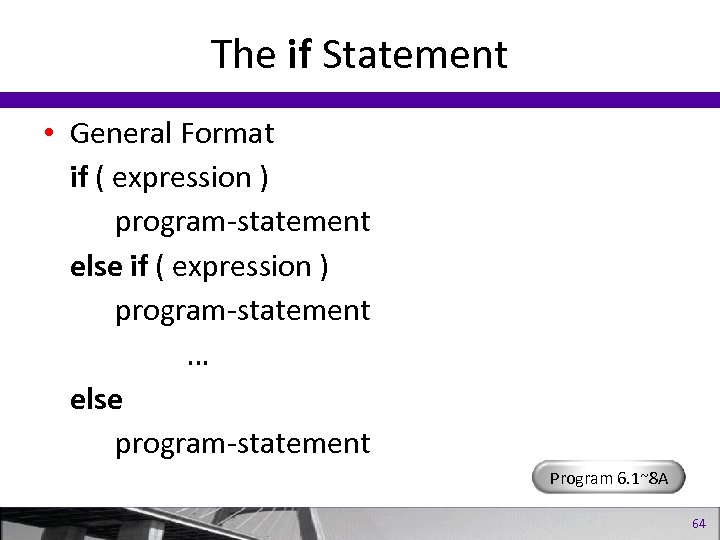
The if Statement • General Format if ( expression ) program-statement else if ( expression ) program-statement … else program-statement Program 6. 1~8 A 64
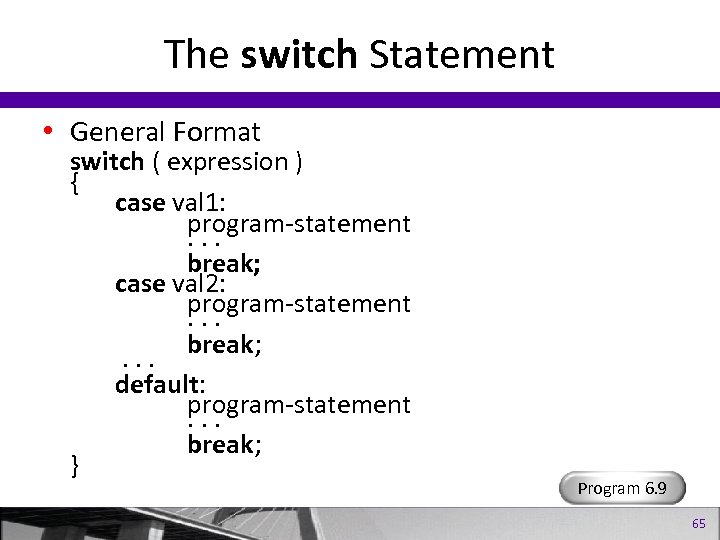
The switch Statement • General Format switch ( expression ) { case val 1: program-statement ··· break; case val 2: program-statement ··· break; ··· default: program-statement ··· break; } Program 6. 9 65
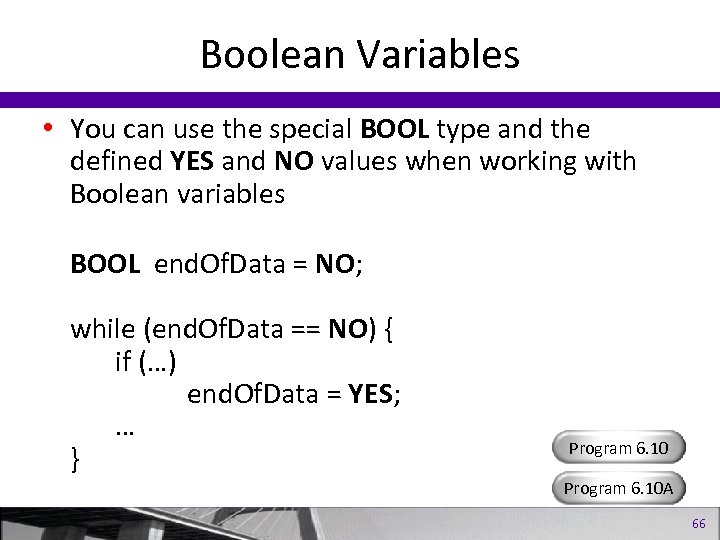
Boolean Variables • You can use the special BOOL type and the defined YES and NO values when working with Boolean variables BOOL end. Of. Data = NO; while (end. Of. Data == NO) { if (…) end. Of. Data = YES; … } Program 6. 10 A 66
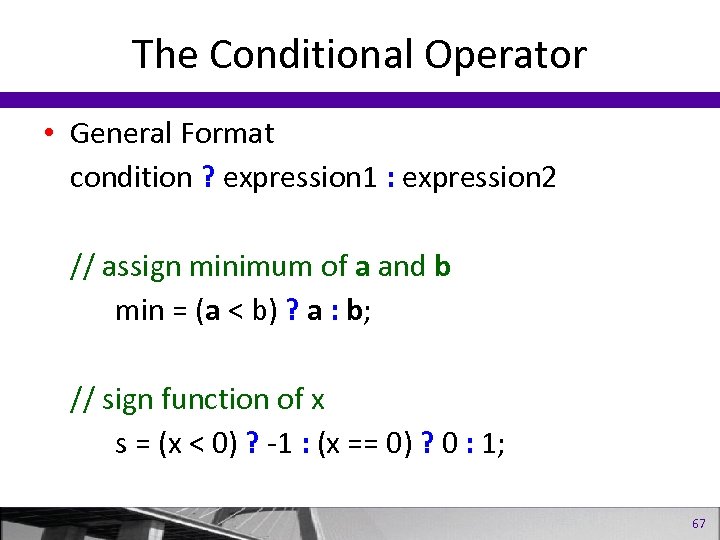
The Conditional Operator • General Format condition ? expression 1 : expression 2 // assign minimum of a and b min = (a < b) ? a : b; // sign function of x s = (x < 0) ? -1 : (x == 0) ? 0 : 1; 67
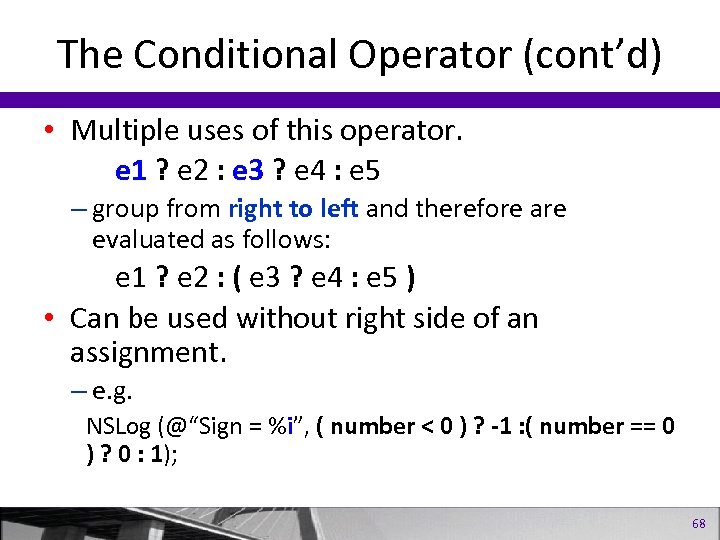
The Conditional Operator (cont’d) • Multiple uses of this operator. e 1 ? e 2 : e 3 ? e 4 : e 5 – group from right to left and therefore are evaluated as follows: e 1 ? e 2 : ( e 3 ? e 4 : e 5 ) • Can be used without right side of an assignment. – e. g. NSLog (@“Sign = %i”, ( number < 0 ) ? -1 : ( number == 0 ) ? 0 : 1); 68
More on Classes 69
Lesson 6: More on Classes • Properties, Synthesized Accessor Methods, and the Dot Operator • Multiple Method Arguments • Passing Objects as Arguments • Local Variables; The self Keyword • Allocating and Returning Objects in Methods Program 7. 1 70
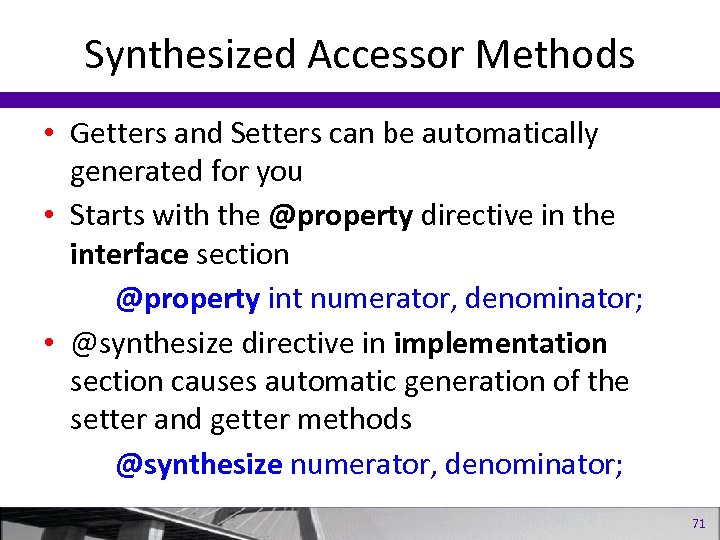
Synthesized Accessor Methods • Getters and Setters can be automatically generated for you • Starts with the @property directive in the interface section @property int numerator, denominator; • @synthesize directive in implementation section causes automatic generation of the setter and getter methods @synthesize numerator, denominator; 71
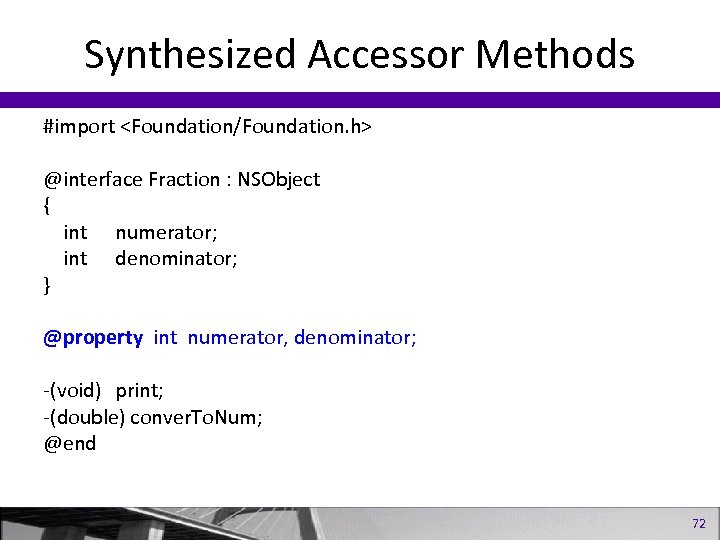
Synthesized Accessor Methods #import <Foundation/Foundation. h> @interface Fraction : NSObject { int numerator; int denominator; } @property int numerator, denominator; -(void) print; -(double) conver. To. Num; @end 72
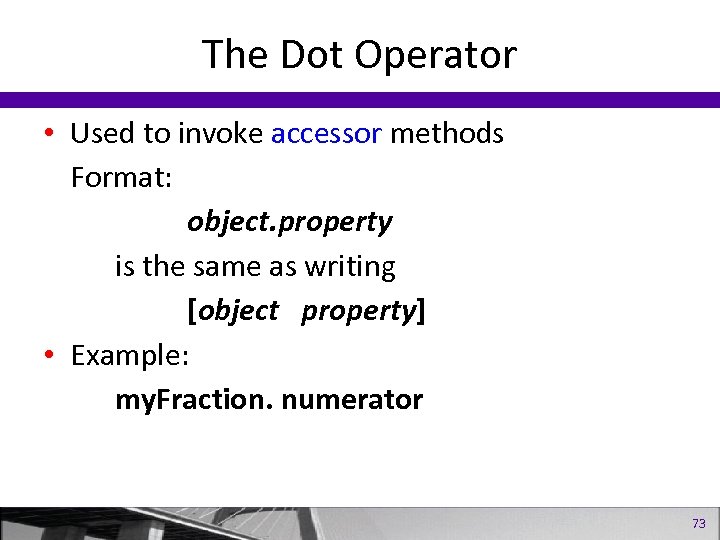
The Dot Operator • Used to invoke accessor methods Format: object. property is the same as writing [object property] • Example: my. Fraction. numerator 73
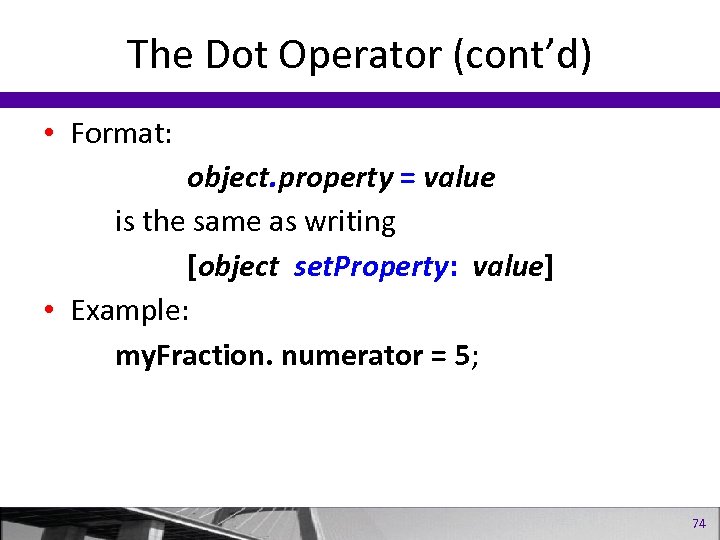
The Dot Operator (cont’d) • Format: object. property = value is the same as writing [object set. Property: value] • Example: my. Fraction. numerator = 5; 74
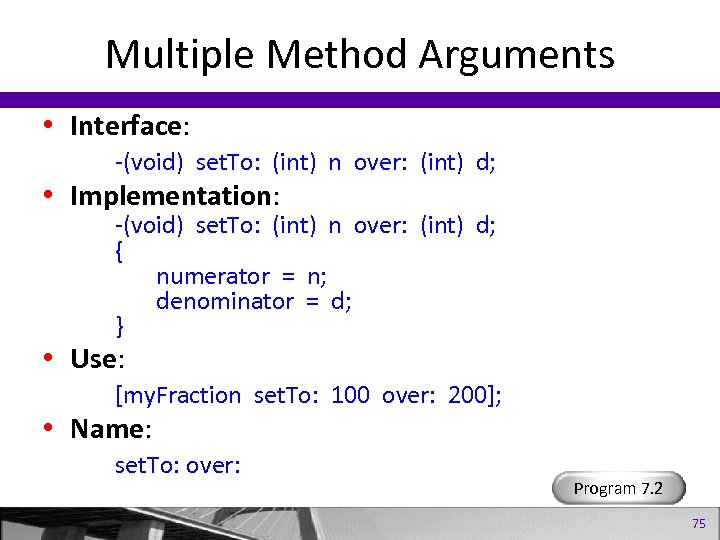
Multiple Method Arguments • Interface: -(void) set. To: (int) n over: (int) d; • Implementation: -(void) set. To: (int) n over: (int) d; { numerator = n; denominator = d; } • Use: [my. Fraction set. To: 100 over: 200]; • Name: set. To: over: Program 7. 2 75
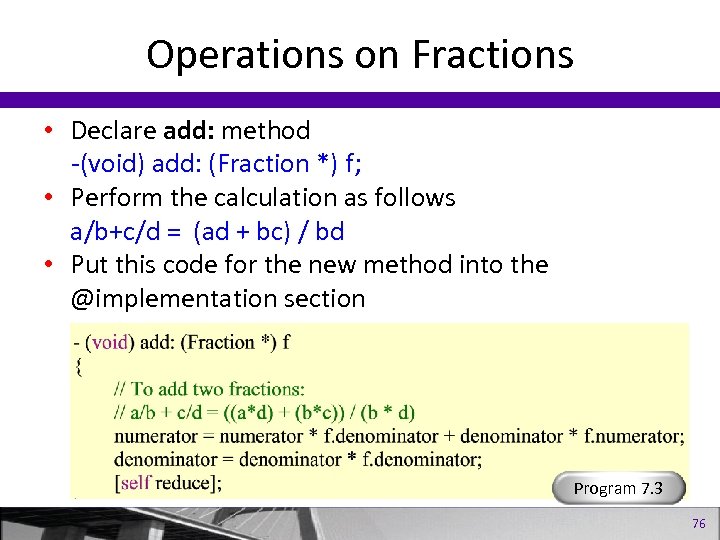
Operations on Fractions • Declare add: method -(void) add: (Fraction *) f; • Perform the calculation as follows a/b+c/d = (ad + bc) / bd • Put this code for the new method into the @implementation section Program 7. 3 76
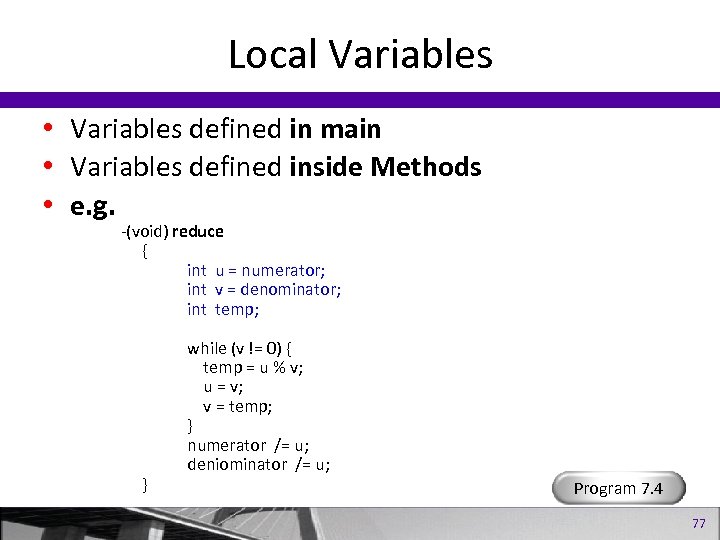
Local Variables • Variables defined in main • Variables defined inside Methods • e. g. -(void) reduce { int u = numerator; int v = denominator; int temp; } while (v != 0) { temp = u % v; u = v; v = temp; } numerator /= u; deniominator /= u; Program 7. 4 77
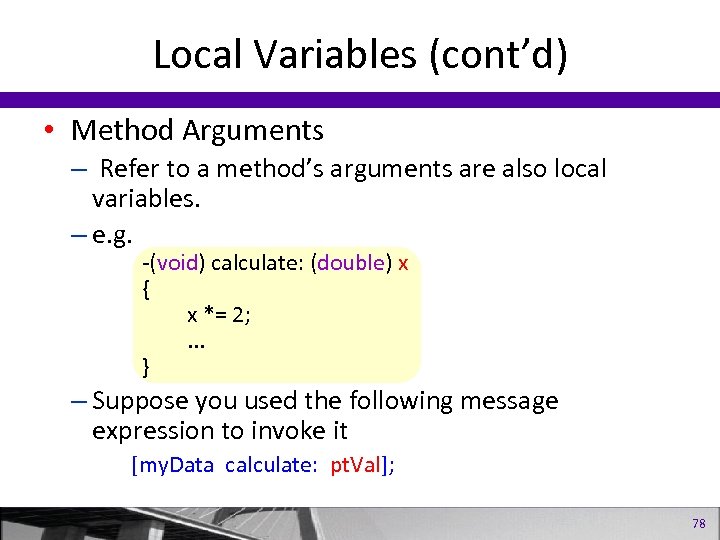
Local Variables (cont’d) • Method Arguments – Refer to a method’s arguments are also local variables. – e. g. -(void) calculate: (double) x { x *= 2; . . . } – Suppose you used the following message expression to invoke it [my. Data calculate: pt. Val]; 78
Local Variables (cont’d) • No default initial value. • Lose their value when the method returns. • static keyword can be used; default initial value is zero and retains value through method calls. • static variables can be declared in the file (outside of any method) to make them global, yet local to the file. 79
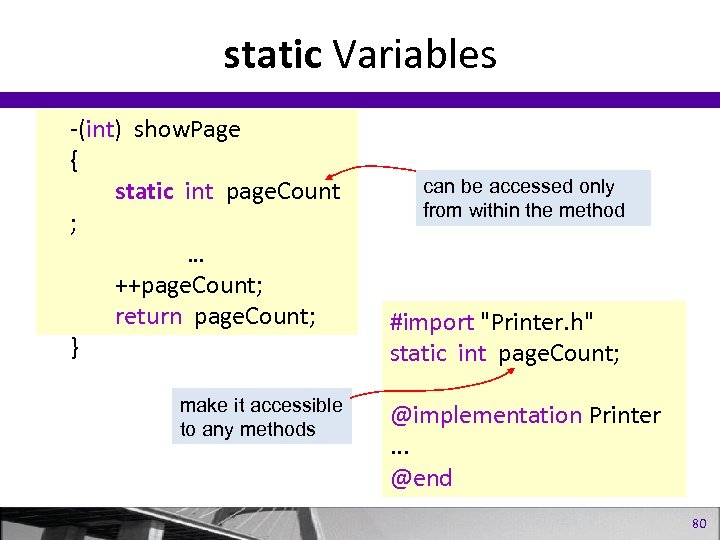
static Variables -(int) show. Page { static int page. Count ; … ++page. Count; return page. Count; } make it accessible to any methods can be accessed only from within the method #import "Printer. h" static int page. Count; @implementation Printer. . . @end 80
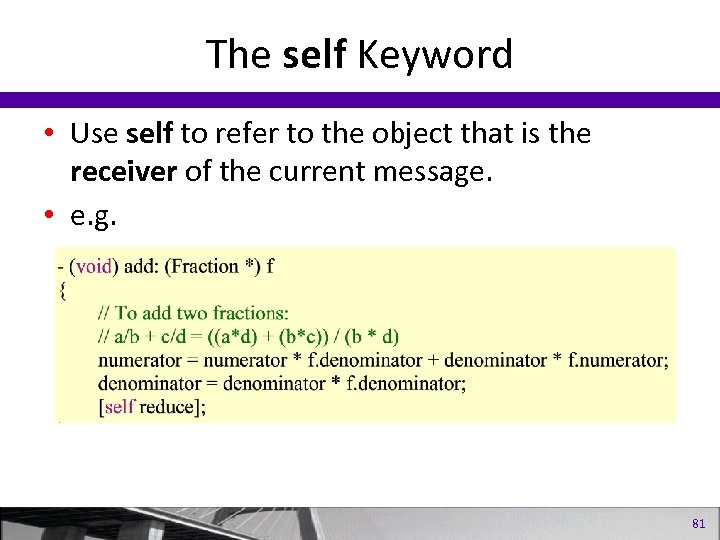
The self Keyword • Use self to refer to the object that is the receiver of the current message. • e. g. 81
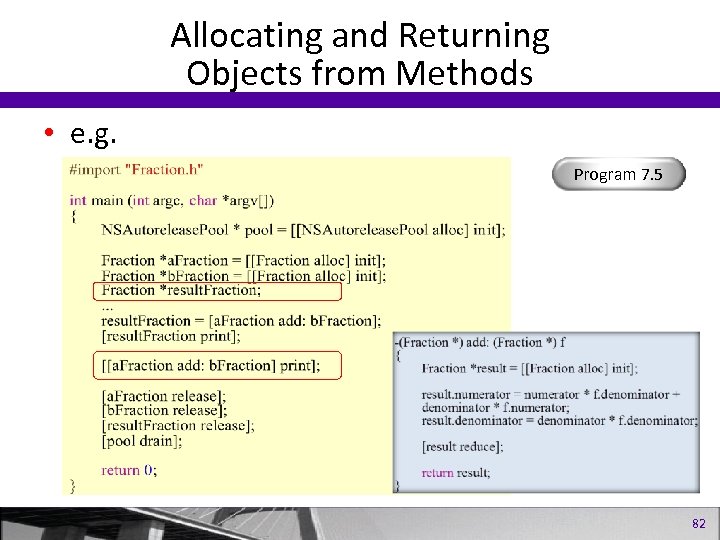
Allocating and Returning Objects from Methods • e. g. Program 7. 5 82
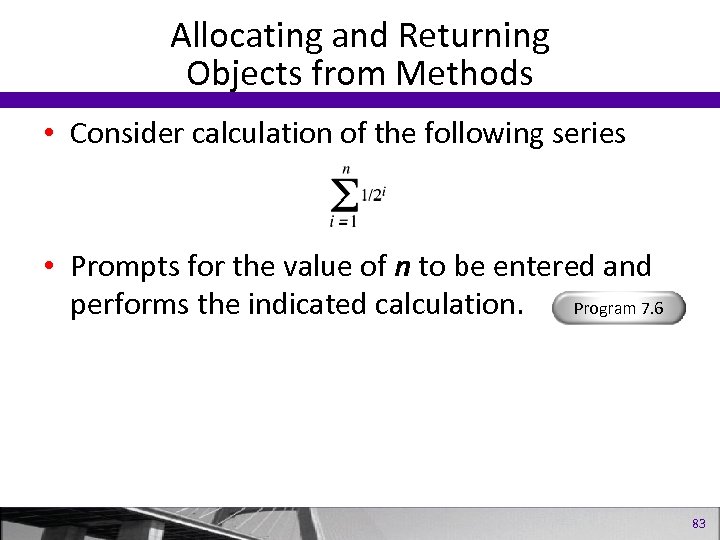
Allocating and Returning Objects from Methods • Consider calculation of the following series • Prompts for the value of n to be entered and performs the indicated calculation. Program 7. 6 83
Inheritance 84
Inheritance • • The Root Class: NSObject Parent Class or Superclass Subclasses: Extension through Inheritance Classes Owning Their Own Objects; Overriding Methods 85
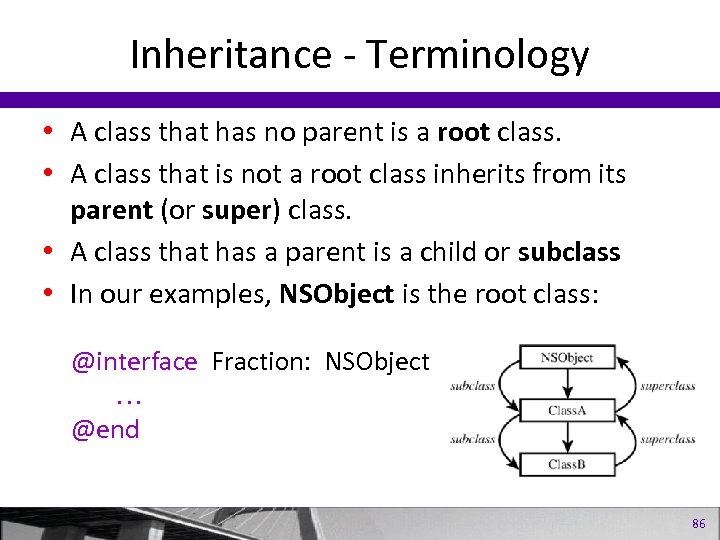
Inheritance - Terminology • A class that has no parent is a root class. • A class that is not a root class inherits from its parent (or super) class. • A class that has a parent is a child or subclass • In our examples, NSObject is the root class: @interface Fraction: NSObject @end 86
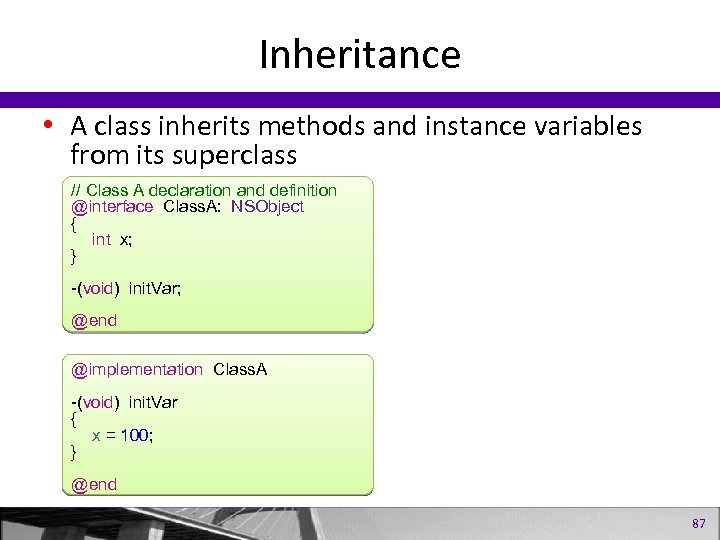
Inheritance • A class inherits methods and instance variables from its superclass // Class A declaration and definition @interface Class. A: NSObject { int x; } -(void) init. Var; @end @implementation Class. A -(void) init. Var { x = 100; } @end 87
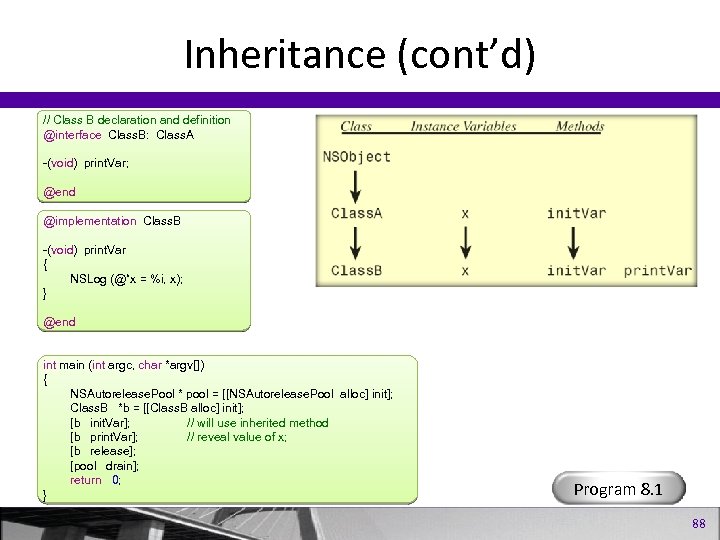
Inheritance (cont’d) // Class B declaration and definition @interface Class. B: Class. A -(void) print. Var; @end @implementation Class. B -(void) print. Var { NSLog (@“x = %i, x); } @end int main (int argc, char *argv[]) { NSAutorelease. Pool * pool = [[NSAutorelease. Pool alloc] init]; Class. B *b = [[Class. B alloc] init]; [b init. Var]; // will use inherited method [b print. Var]; // reveal value of x; [b release]; [pool drain]; return 0; } Program 8. 1 88
Extension Through Inheritance Adding New Methods • Declare a Rectangle class Program 8. 2 • Define the class • Create a new class called Square and have it be a subclass of Rectangle Program 8. 3 • Define the Square class 89
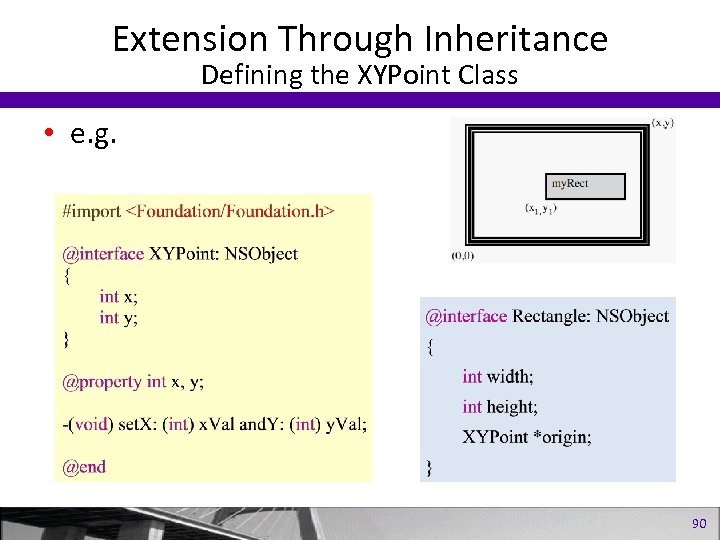
Extension Through Inheritance Defining the XYPoint Class • e. g. 90
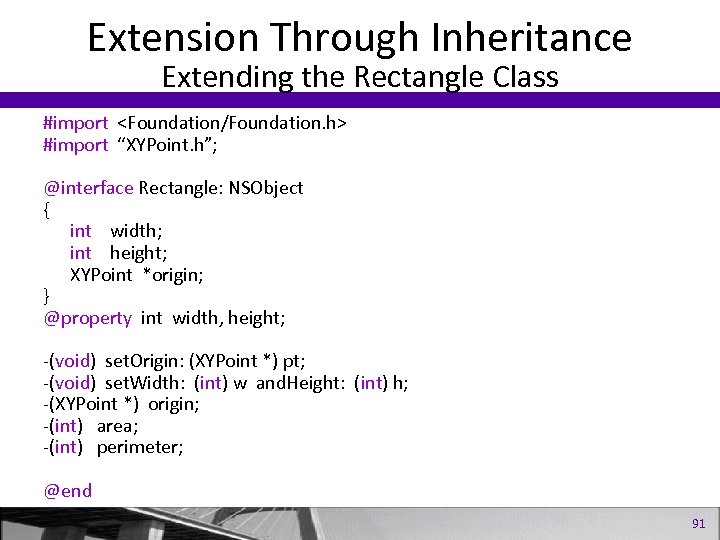
Extension Through Inheritance Extending the Rectangle Class #import <Foundation/Foundation. h> #import “XYPoint. h”; @interface Rectangle: NSObject { int width; int height; XYPoint *origin; } @property int width, height; -(void) set. Origin: (XYPoint *) pt; -(void) set. Width: (int) w and. Height: (int) h; -(XYPoint *) origin; -(int) area; -(int) perimeter; @end 91
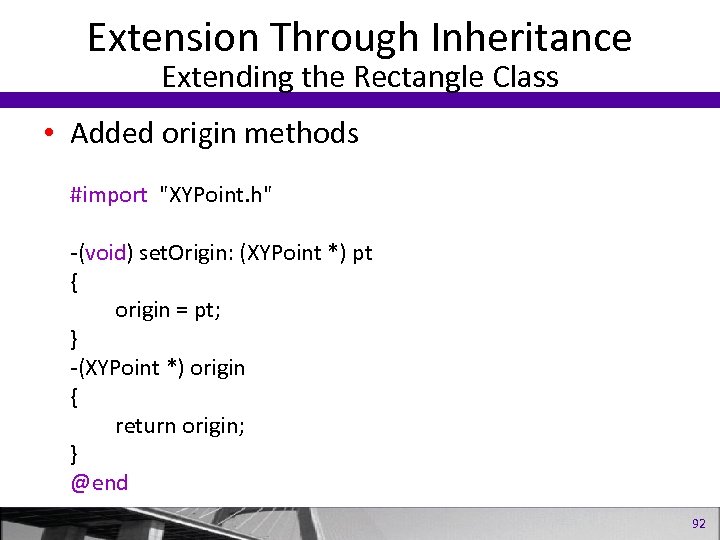
Extension Through Inheritance Extending the Rectangle Class • Added origin methods #import "XYPoint. h" -(void) set. Origin: (XYPoint *) pt { origin = pt; } -(XYPoint *) origin { return origin; } @end 92
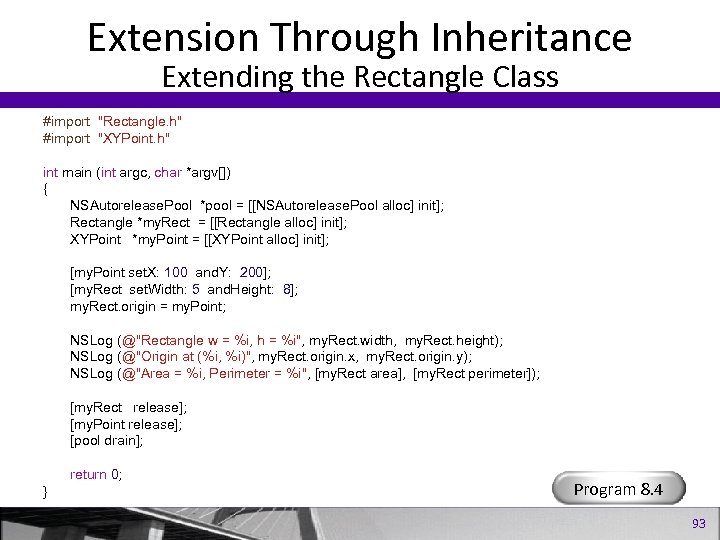
Extension Through Inheritance Extending the Rectangle Class #import "Rectangle. h" #import "XYPoint. h" int main (int argc, char *argv[]) { NSAutorelease. Pool *pool = [[NSAutorelease. Pool alloc] init]; Rectangle *my. Rect = [[Rectangle alloc] init]; XYPoint *my. Point = [[XYPoint alloc] init]; [my. Point set. X: 100 and. Y: 200]; [my. Rect set. Width: 5 and. Height: 8]; my. Rect. origin = my. Point; NSLog (@"Rectangle w = %i, h = %i", my. Rect. width, my. Rect. height); NSLog (@"Origin at (%i, %i)", my. Rect. origin. x, my. Rect. origin. y); NSLog (@"Area = %i, Perimeter = %i", [my. Rect area], [my. Rect perimeter]); [my. Rect release]; [my. Point release]; [pool drain]; return 0; } Program 8. 4 93
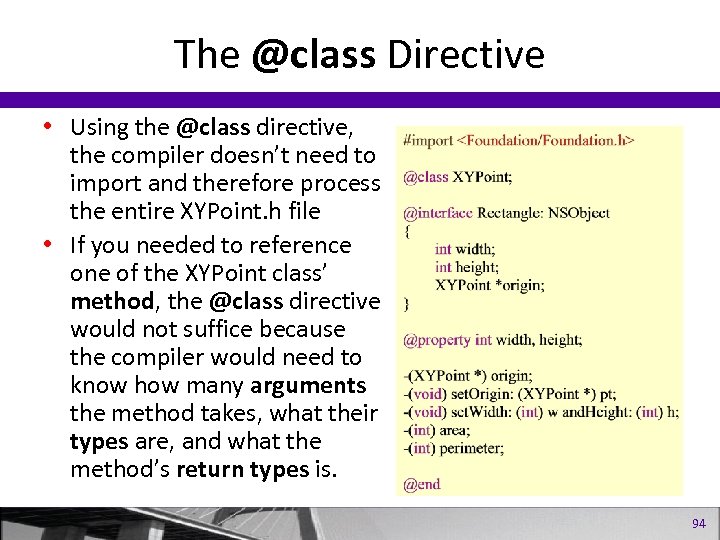
The @class Directive • Using the @class directive, the compiler doesn’t need to import and therefore process the entire XYPoint. h file • If you needed to reference one of the XYPoint class’ method, the @class directive would not suffice because the compiler would need to know how many arguments the method takes, what their types are, and what the method’s return types is. 94
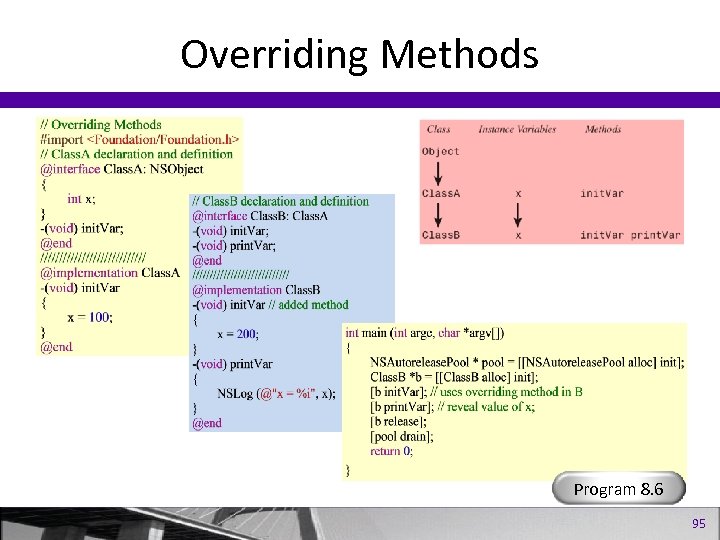
Overriding Methods Program 8. 6 95
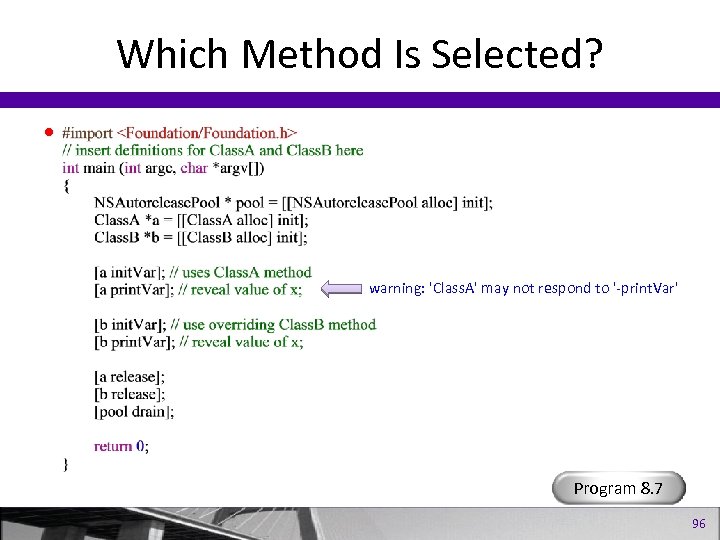
Which Method Is Selected? • warning: 'Class. A' may not respond to '-print. Var' Program 8. 7 96
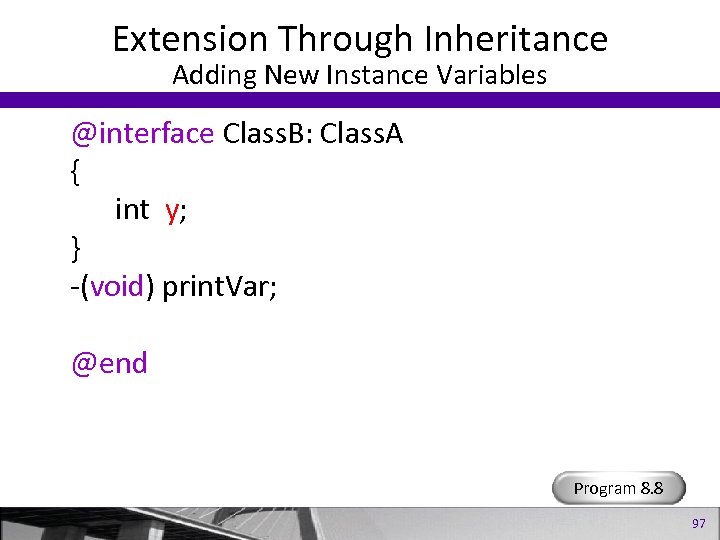
Extension Through Inheritance Adding New Instance Variables @interface Class. B: Class. A { int y; } -(void) print. Var; @end Program 8. 8 97
Polymorphism, Dynamic Typing & Dynamic Binding 98
Polymorphism, Dynamic Typing & Dynamic Binding • • Polymorphism The id Data Type Dynamic Binding and Dynamic Typing Static vs. Dynamic Typing 99
Polymorphism • Polymorphism allows the same method name to be shared among classes. • Polymorphism allows us to define methods in multiple classes. – Draw Method • The correct Method is selected. Program 9. 1 100
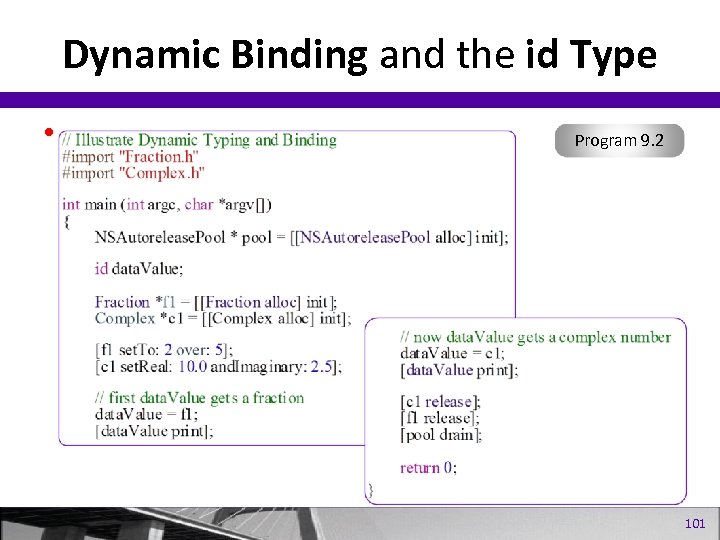
Dynamic Binding and the id Type • Program 9. 2 101
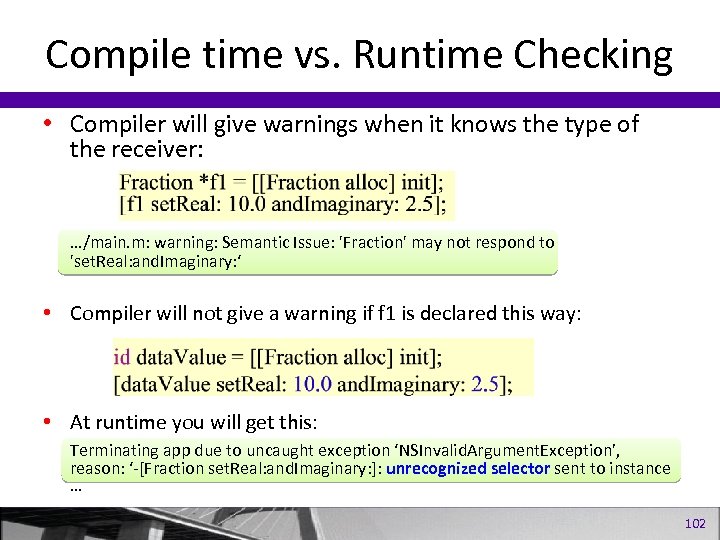
Compile time vs. Runtime Checking • Compiler will give warnings when it knows the type of the receiver: …/main. m: warning: Semantic Issue: 'Fraction' may not respond to 'set. Real: and. Imaginary: ‘ • Compiler will not give a warning if f 1 is declared this way: • At runtime you will get this: Terminating app due to uncaught exception ‘NSInvalid. Argument. Exception’, reason: ‘-[Fraction set. Real: and. Imaginary: ]: unrecognized selector sent to instance … 102
More on Variables and Data Types 103
More on Variables and Data Types • • Writing Initialization Methods The Designated Initializer Global Variables Using static and extern 104
Initializing Objects • Allocate a new instance of an object and then initialize Fraction *my. Fract = [[Fraction alloc] init]; • Assign some values to the new object [my. Fract set. To: 1 over: 3]; • You can define an init. With: over: method that initializes a fraction and sets its numerator and denominator to the two supplied arguments. Program 10. 1 105
Initializers • You’ve seen how to initialize and object using the init method • Classes (e. g. NSArray) often have different initialization methods: init. With. Array: copy. Items: init. With. Contents. Of. File: init. With. Contents. Of. URL: init. With. Objects: count: • e. g. my. Array = [[NSArray alloc] init. With. Array: my. Other. Array]; 106
Initializers • If your class has many initializers, one shoud be the designated initializer. • All other initializers should use the designated initializer • Anyone subclassing your class can override your designated initializer • Make sure any inherited instance variables are initialized 107
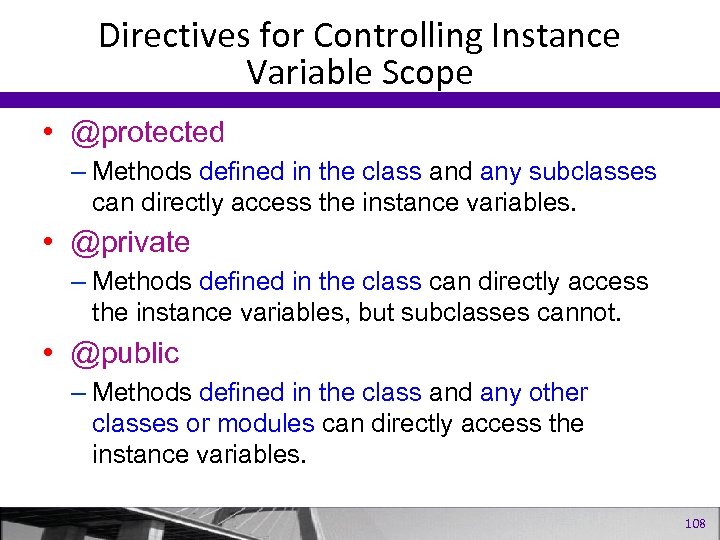
Directives for Controlling Instance Variable Scope • @protected – Methods defined in the class and any subclasses can directly access the instance variables. • @private – Methods defined in the class can directly access the instance variables, but subclasses cannot. • @public – Methods defined in the class and any other classes or modules can directly access the instance variables. 108
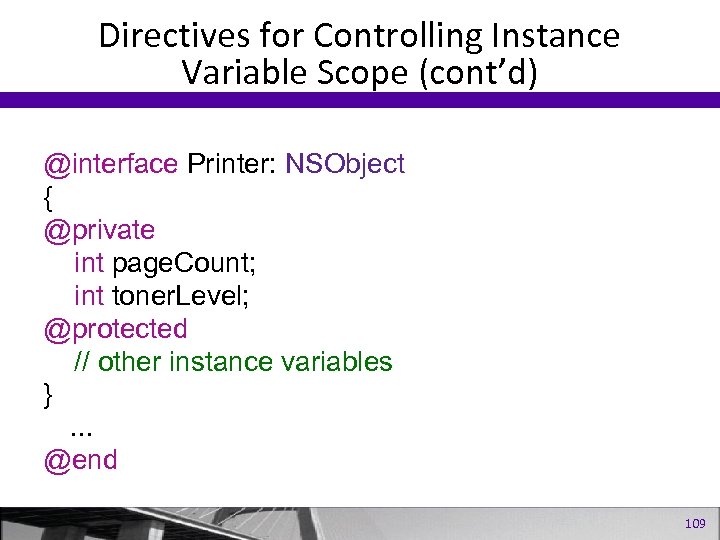
Directives for Controlling Instance Variable Scope (cont’d) @interface Printer: NSObject { @private int page. Count; int toner. Level; @protected // other instance variables }. . . @end 109
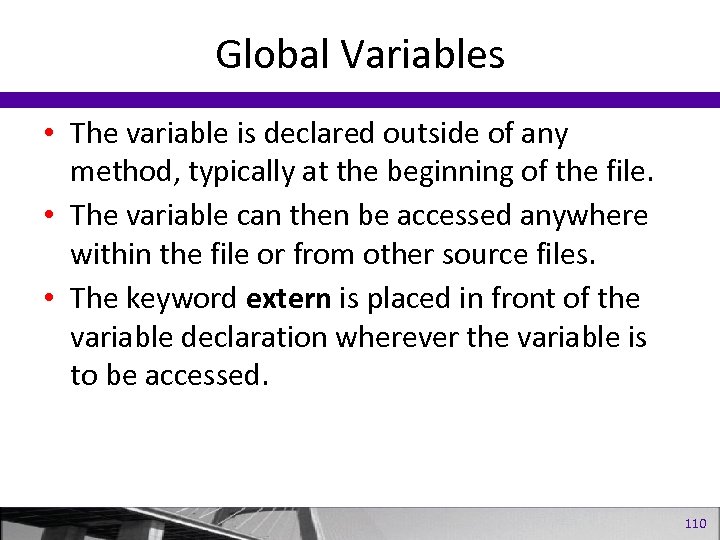
Global Variables • The variable is declared outside of any method, typically at the beginning of the file. • The variable can then be accessed anywhere within the file or from other source files. • The keyword extern is placed in front of the variable declaration wherever the variable is to be accessed. 110
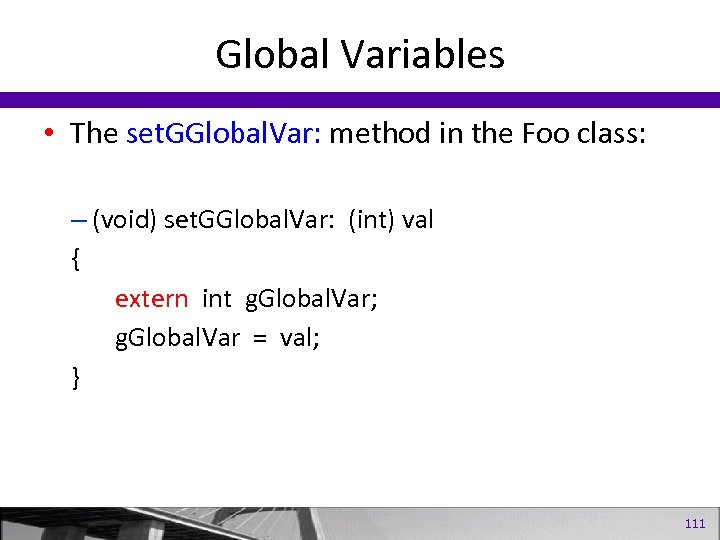
Global Variables • The set. GGlobal. Var: method in the Foo class: – (void) set. GGlobal. Var: (int) val { extern int g. Global. Var; g. Global. Var = val; } 111
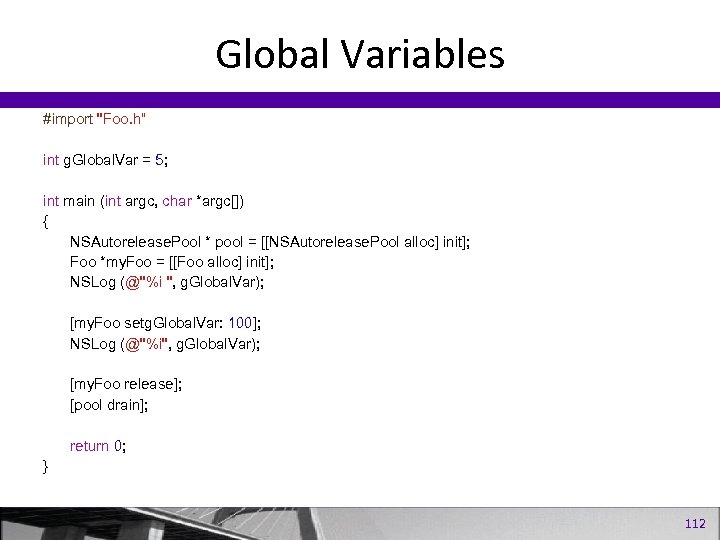
Global Variables #import "Foo. h“ int g. Global. Var = 5; int main (int argc, char *argc[]) { NSAutorelease. Pool * pool = [[NSAutorelease. Pool alloc] init]; Foo *my. Foo = [[Foo alloc] init]; NSLog (@"%i ", g. Global. Var); [my. Foo setg. Global. Var: 100]; NSLog (@"%i", g. Global. Var); [my. Foo release]; [pool drain]; return 0; } 112
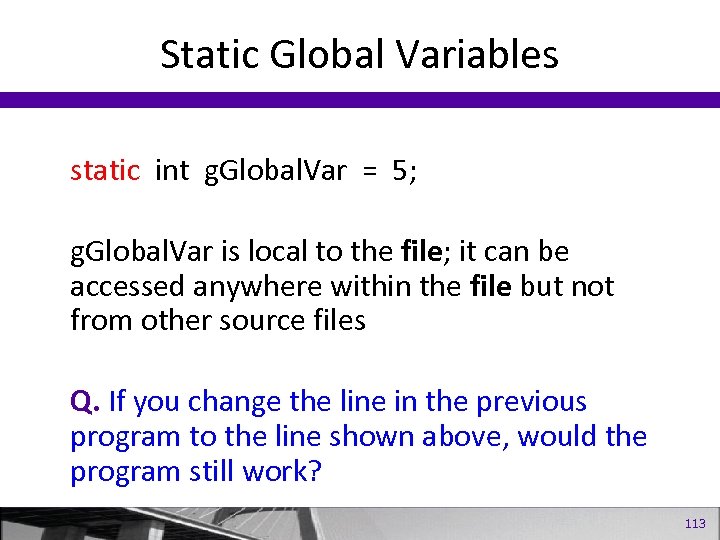
Static Global Variables static int g. Global. Var = 5; g. Global. Var is local to the file; it can be accessed anywhere within the file but not from other source files Q. If you change the line in the previous program to the line shown above, would the program still work? 113
Categories and Protocols 114
Categories and Protocols • • Categories Adding a Category to the Fraction Class Protocols Writing and Conforming to a Protocol Program 11. 1 115
Categories • For adding methods to an existing class without creating a subclass • Can be used to extend your own classes or framework classes (e. g. , NSString or NSArray) • For adding methods to a class in a modular fashing 116
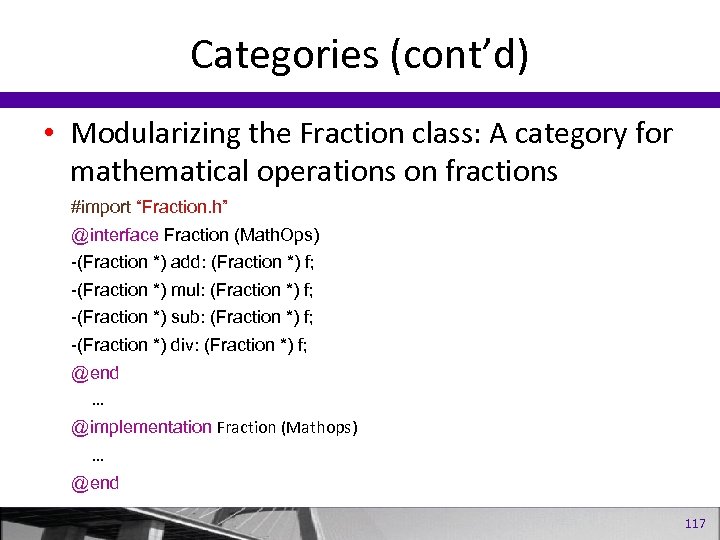
Categories (cont’d) • Modularizing the Fraction class: A category for mathematical operations on fractions #import “Fraction. h” @interface Fraction (Math. Ops) -(Fraction *) add: (Fraction *) f; -(Fraction *) mul: (Fraction *) f; -(Fraction *) sub: (Fraction *) f; -(Fraction *) div: (Fraction *) f; @end … @implementation Fraction (Mathops) … @end 117
Categories (cont’d) • A category can override a method in the class, but this is considered poor programming practice. • You can’t add instance variables • You don’t need to implement all the methods in a category. • The category should be consistent with the class and not used to turn a “square” into a “circle”. 118
Protocols • A protocol is a list of methods that is shared among classes. • The methods are meant to be implemented by someone else. • If you implement the methods, you conform to the protocol. • If you define your own protocol you can use the @optional directive to specify methods that are optional to implement. 119
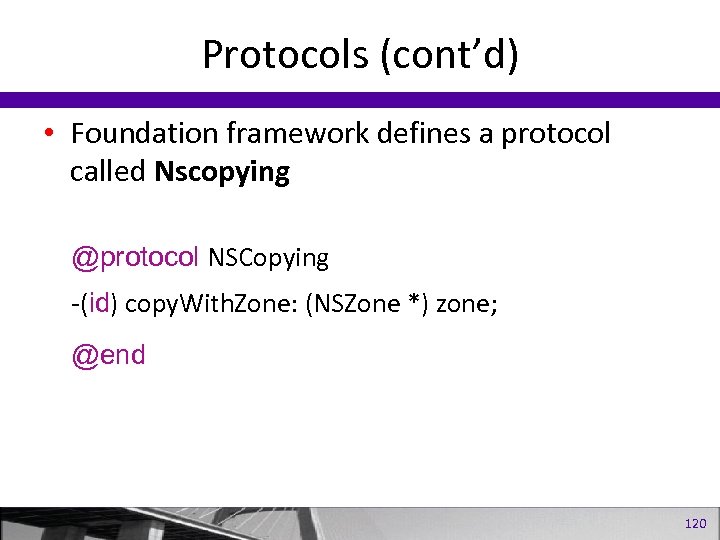
Protocols (cont’d) • Foundation framework defines a protocol called Nscopying @protocol NSCopying -(id) copy. With. Zone: (NSZone *) zone; @end 120
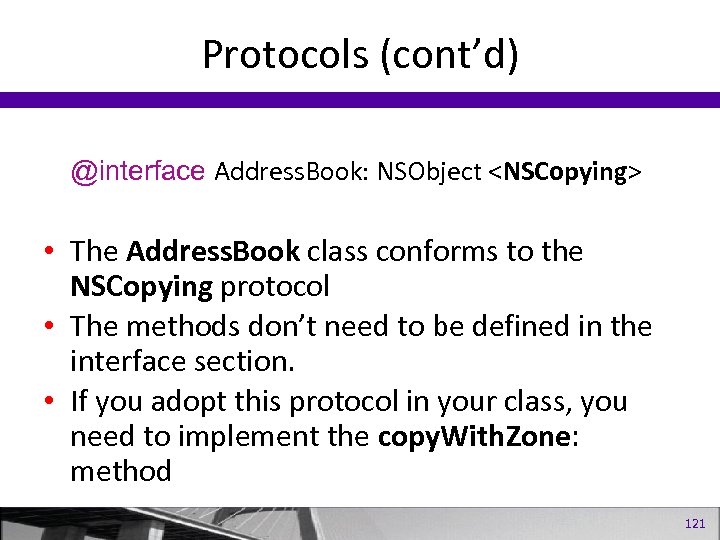
Protocols (cont’d) @interface Address. Book: NSObject <NSCopying> • The Address. Book class conforms to the NSCopying protocol • The methods don’t need to be defined in the interface section. • If you adopt this protocol in your class, you need to implement the copy. With. Zone: method 121
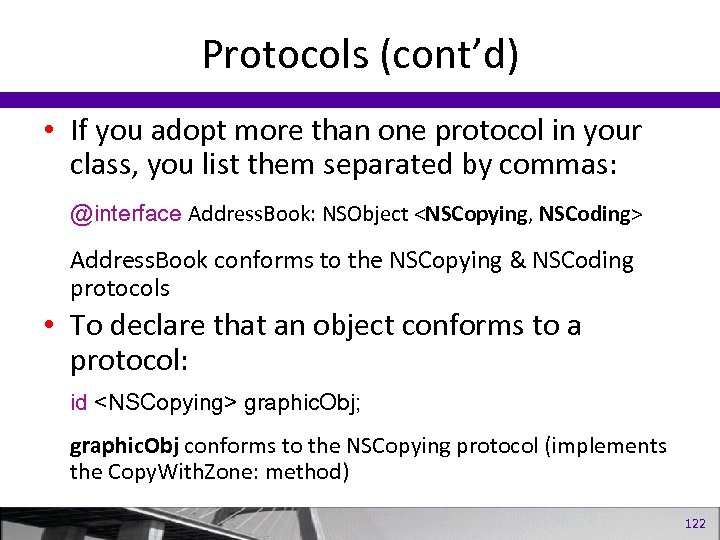
Protocols (cont’d) • If you adopt more than one protocol in your class, you list them separated by commas: @interface Address. Book: NSObject <NSCopying, NSCoding> Address. Book conforms to the NSCopying & NSCoding protocols • To declare that an object conforms to a protocol: id <NSCopying> graphic. Obj; graphic. Obj conforms to the NSCopying protocol (implements the Copy. With. Zone: method) 122
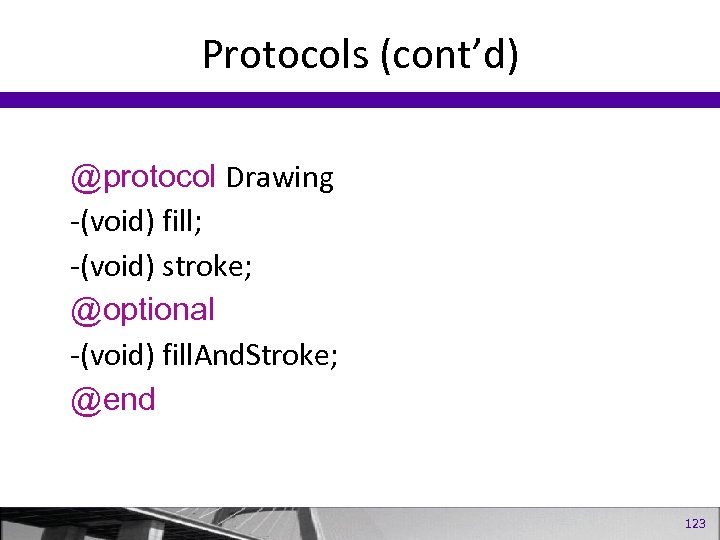
Protocols (cont’d) @protocol Drawing -(void) fill; -(void) stroke; @optional -(void) fill. And. Stroke; @end 123
Understanding self, _cmd, super • self is the receiver of the message – instance message:self is an instance of the class. – class message: self is the class itself. • In C++, the this keyword is almost equivalent to self in Obj. C. • One crucial difference – self is not a keyword. It is the name of an argument. Assigning to this in C++ will cause an error. Assigning to self in Objective-C is permitted. 124
@class Directive • Tell the compiler that a class will be referring to another class by name, but that the class doesn’t need to import the other class’ header file. • Although the @class directive allows Purchase to refer to the Trading. System class in its class interface, it does not allow Purchase to use Trading. System in its class implementation. 125
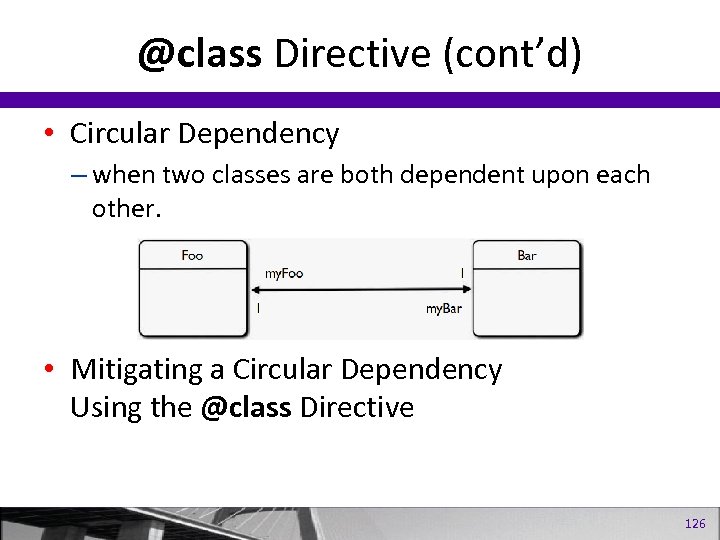
@class Directive (cont’d) • Circular Dependency – when two classes are both dependent upon each other. • Mitigating a Circular Dependency Using the @class Directive 126
@class Directive (cont’d) • @class is also useful if you have a circular dependency. That is, class A uses class B, and class B uses class A. If you try having each class #import the other, you’ll end up with compilation errors. But if you use @class B in A. h and @class A in B. h, the two classes can refer to each other happily. 127
Part II The Foundation Framework 128
Contents • • • Introduction to the Foundation Framework Numbers, Strings, and Collections Working with Files Memory Management Copying Objects Archiving 129
Introduction to Foundation Framework • A framework – A collection of classes, methods, functions, and documentation logically grouped together to make developing programs easier. – On Mac OS X, more than 90 frameworks are available for developing applications so that you can easily work with the Mac’s Address Book structure, burn CDs, play back DVDs, play movies with Quick. Time, play songs, and so on. 130
Introduction to Foundation Framework • Approximately 125 header files are available under Mac OS X. • As a convenience, you can simply use the following import: #import <Foundation/Foundation. h> 131
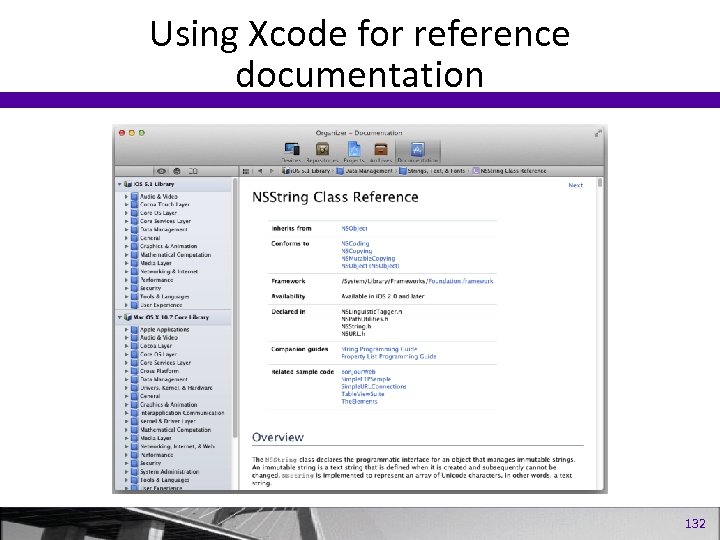
Using Xcode for reference documentation 132
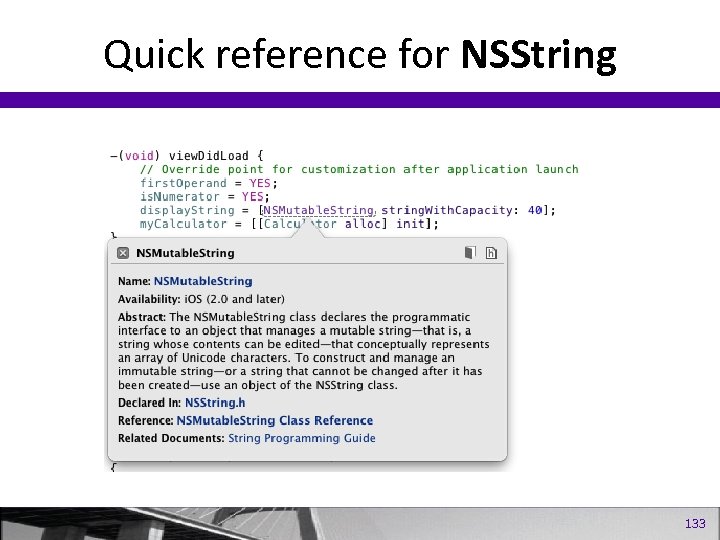
Quick reference for NSString 133
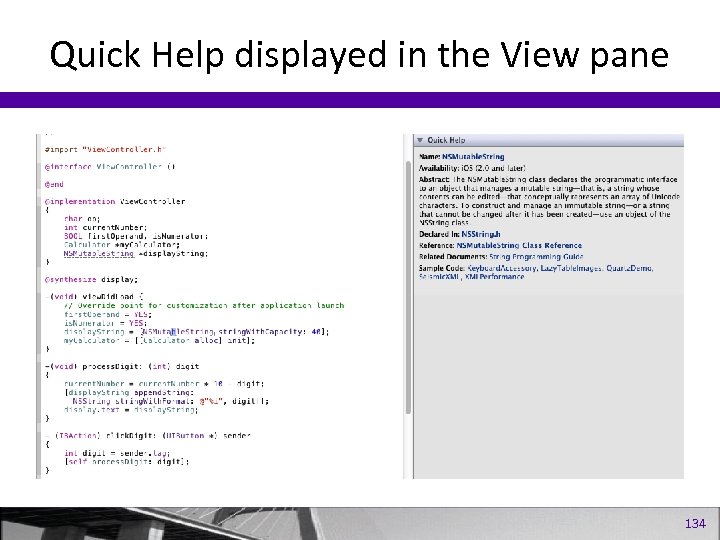
Quick Help displayed in the View pane 134
Numbers and Strings 135
Numbers and Strings • • • Numbers Objects String Objects Mutable vs Immutable Objects Using Strings in Your Apps Performing Operations on Strings 136
Numbers and Strings • Basic data types – integers, floats, long, etc. – You can’t send messages to them. • Sometimes, though, you need to work with these values as objects. – e. g. the Foundation object NSArray enables you to set up an array in which you can store values. Program 15. 1 137
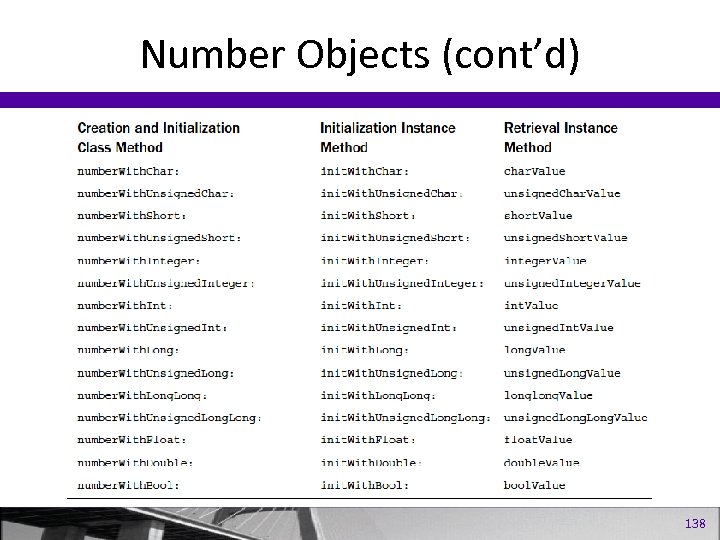
Number Objects (cont’d) 138
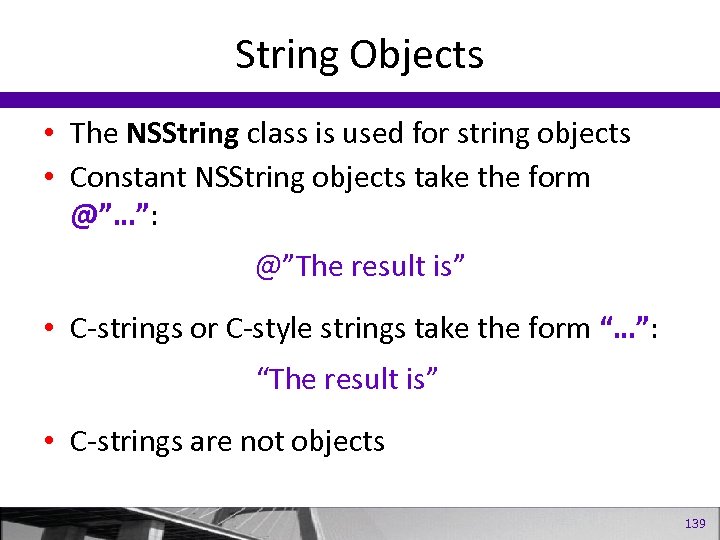
String Objects • The NSString class is used for string objects • Constant NSString objects take the form @”…”: @”The result is” • C-strings or C-style strings take the form “…”: “The result is” • C-strings are not objects 139
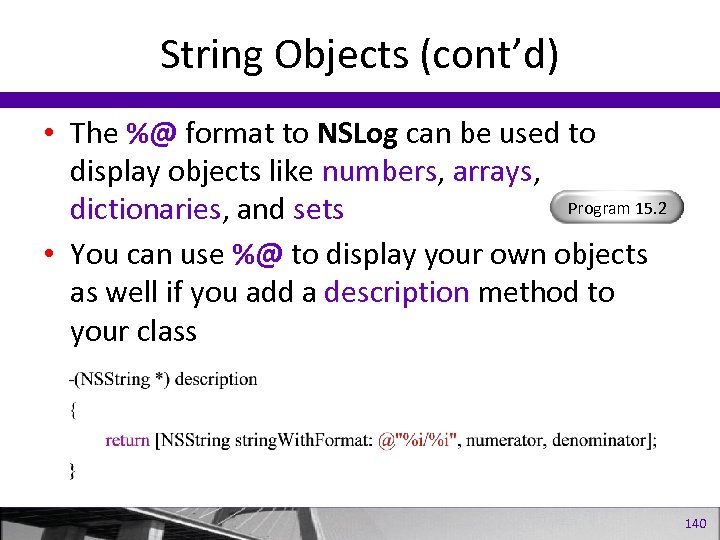
String Objects (cont’d) • The %@ format to NSLog can be used to display objects like numbers, arrays, Program 15. 2 dictionaries, and sets • You can use %@ to display your own objects as well if you add a description method to your class 140
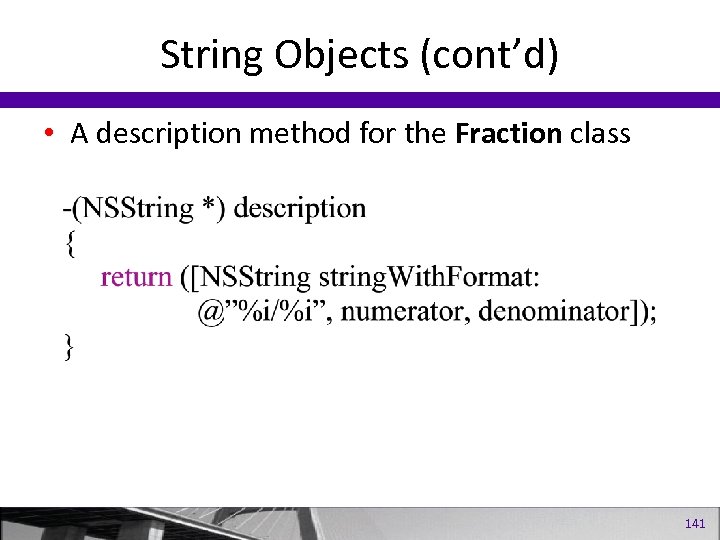
String Objects (cont’d) • A description method for the Fraction class 141
Mutable and Immutable Objects • An immutable object cannot be changed • Conversely, a mutable object can be changed • The NSString class works with immutable string objects • The NSMutable. String calss works with mutable string objects Program 15. 3 Program 15. 4 142
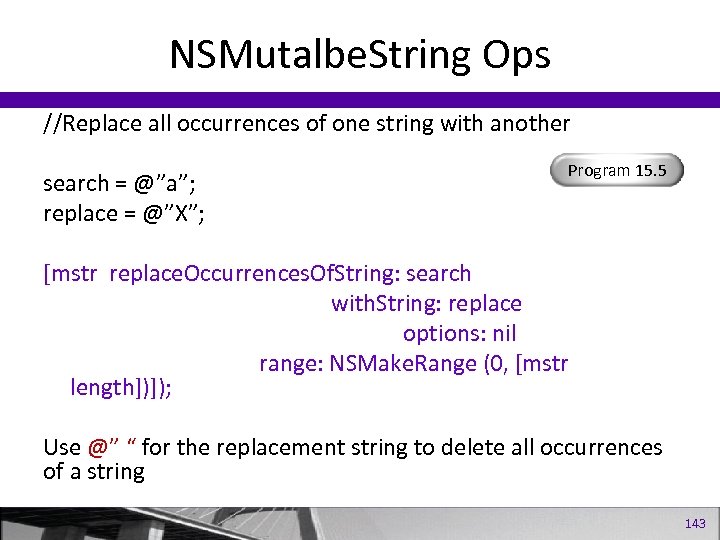
NSMutalbe. String Ops //Replace all occurrences of one string with another search = @”a”; replace = @”X”; Program 15. 5 [mstr replace. Occurrences. Of. String: search with. String: replace options: nil range: NSMake. Range (0, [mstr length])]); Use @” “ for the replacement string to delete all occurrences of a string 143
Collections 144
Collections • Array Objects • Dictionary Objects • Sets 145
Array Objects • • NSArray and NSMutable. Array classes An array is an ordered collection of objects Indexing begin at 0 Elements of an array can be any type of object Program 15. 6 Program 15. 7 146
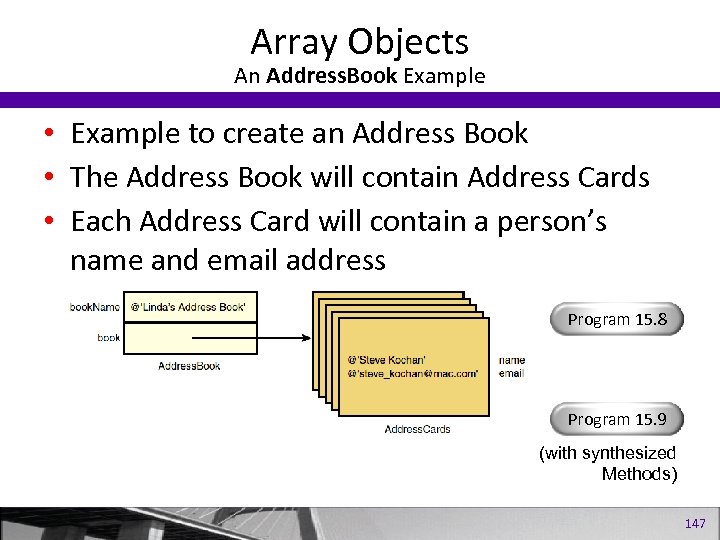
Array Objects An Address. Book Example • Example to create an Address Book • The Address Book will contain Address Cards • Each Address Card will contain a person’s name and email address Program 15. 8 Program 15. 9 (with synthesized Methods) 147
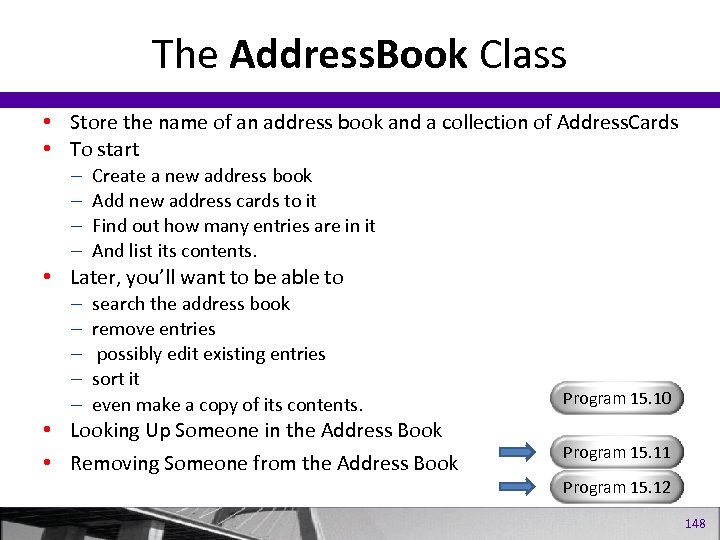
The Address. Book Class • Store the name of an address book and a collection of Address. Cards • To start – – Create a new address book Add new address cards to it Find out how many entries are in it And list its contents. • Later, you’ll want to be able to – – – search the address book remove entries possibly edit existing entries sort it even make a copy of its contents. • Looking Up Someone in the Address Book • Removing Someone from the Address Book Program 15. 10 Program 15. 11 Program 15. 12 148
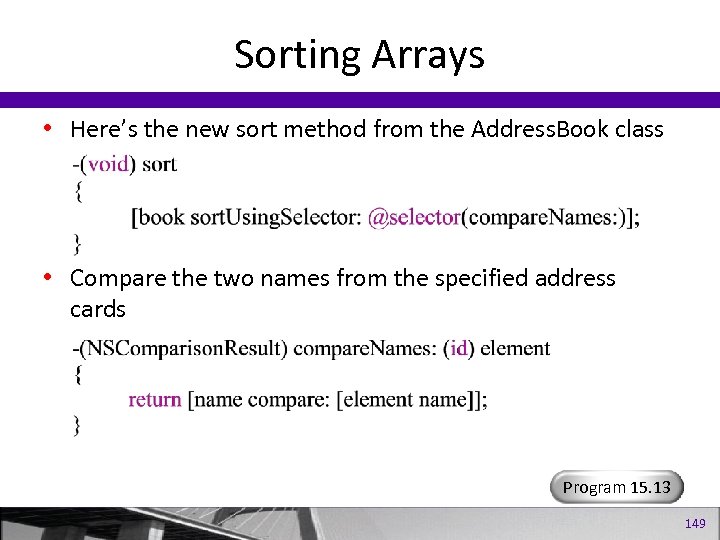
Sorting Arrays • Here’s the new sort method from the Address. Book class • Compare the two names from the specified address cards Program 15. 13 149
NSValue Class • A Foundation collection like an array can only store objects. That means you can’t store a basic data type like an int inside them. • To get around this problem – make arrays of NSNumber objects instead of arrays of ints. • wrapping – taking a data type like a structure and then converting it into an object • unwrapping – taking an object and extracting its underlying data type 150
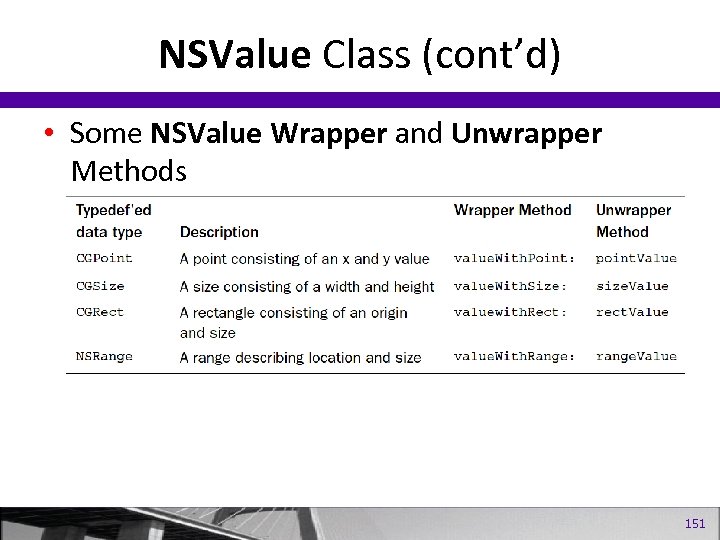
NSValue Class (cont’d) • Some NSValue Wrapper and Unwrapper Methods 151
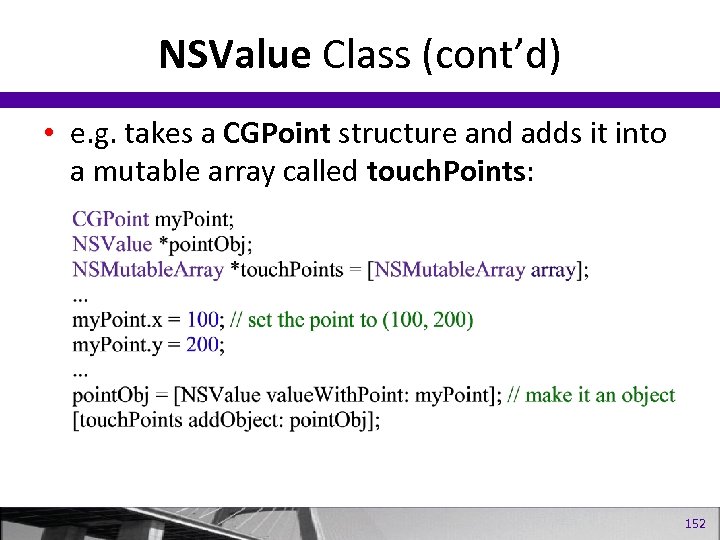
NSValue Class (cont’d) • e. g. takes a CGPoint structure and adds it into a mutable array called touch. Points: 152
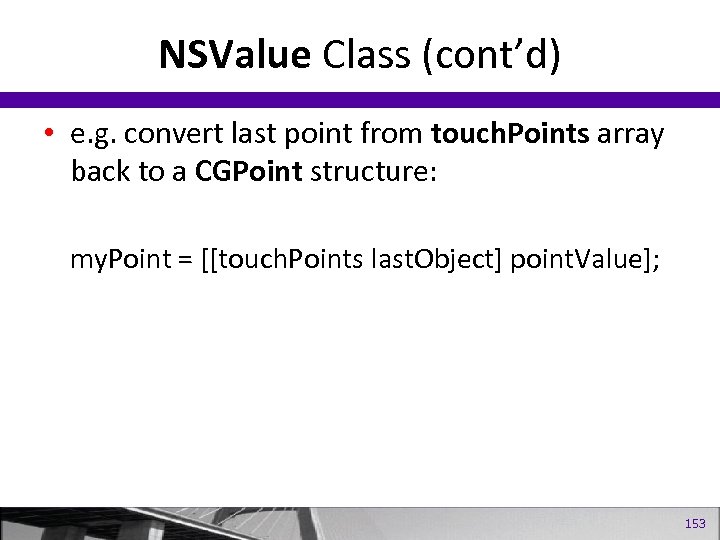
NSValue Class (cont’d) • e. g. convert last point from touch. Points array back to a CGPoint structure: my. Point = [[touch. Points last. Object] point. Value]; 153
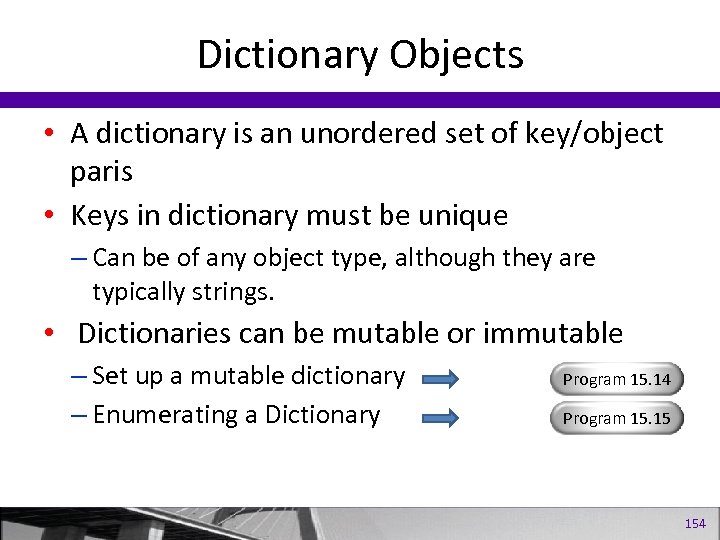
Dictionary Objects • A dictionary is an unordered set of key/object paris • Keys in dictionary must be unique – Can be of any object type, although they are typically strings. • Dictionaries can be mutable or immutable – Set up a mutable dictionary – Enumerating a Dictionary Program 15. 14 Program 15. 15 154
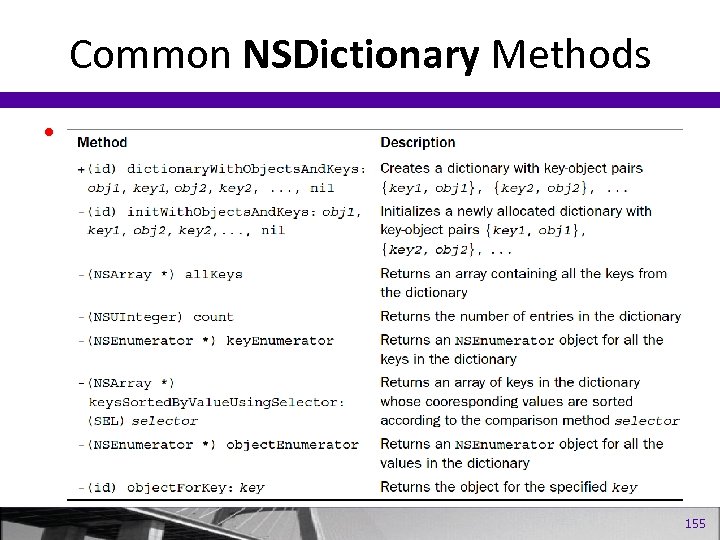
Common NSDictionary Methods • 155
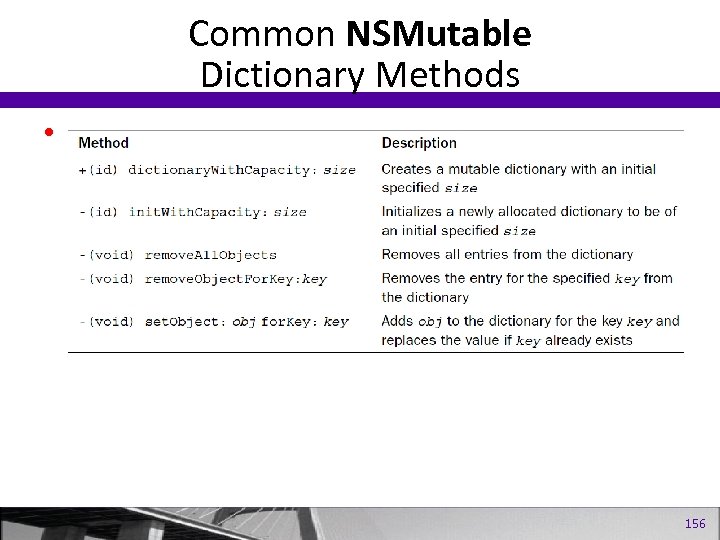
Common NSMutable Dictionary Methods • 156
Sets • A collection of unique objects • Can be mutable (NSSet) or immutable (NSMutable. Set) • Operations include searching, adding, removing members, comparing two sets, and finding the intersection and union of two sets • NSCounted. Set contains objects and counts of occurrences Program 15. 16 157
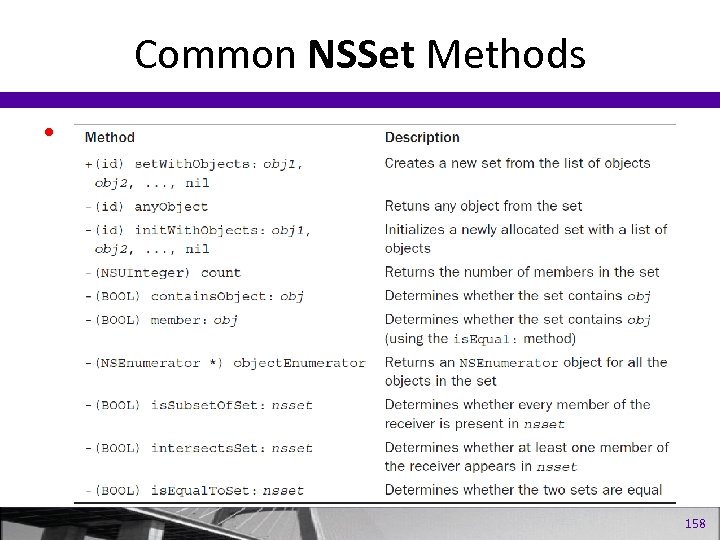
Common NSSet Methods • 158
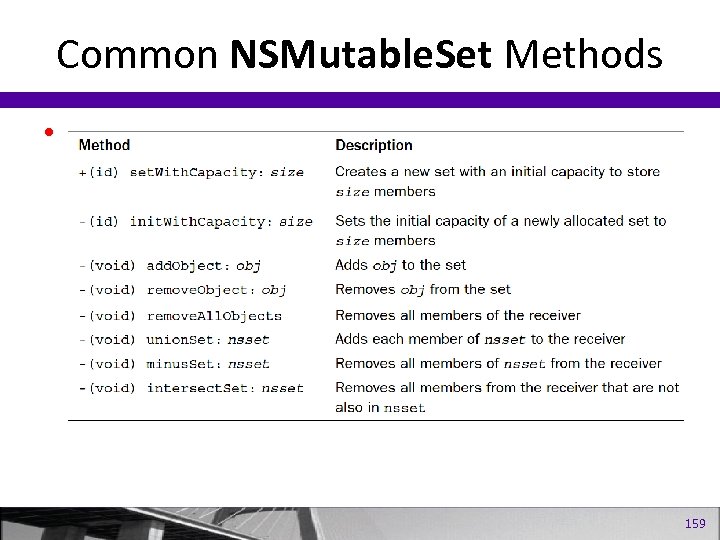
Common NSMutable. Set Methods • 159
Working with Files 160
Working with Files • • • Basic Operations Working with the NSData class Working with Directories Enumerating a Directory Working with Paths Working with URLs Program 16. 1 Program 16. 2 Program 16. 3 Program 16. 4 Program 16. 5 Program 16. 9 161
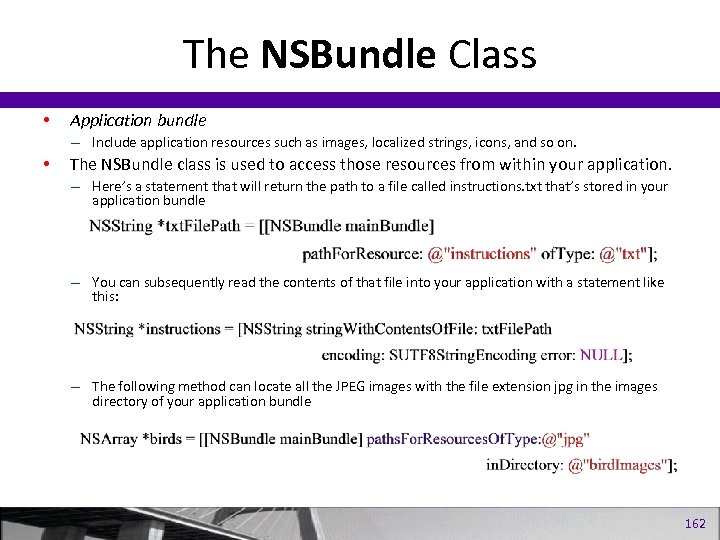
The NSBundle Class • Application bundle – Include application resources such as images, localized strings, icons, and so on. • The NSBundle class is used to access those resources from within your application. – Here’s a statement that will return the path to a file called instructions. txt that’s stored in your application bundle – You can subsequently read the contents of that file into your application with a statement like this: – The following method can locate all the JPEG images with the file extension jpg in the images directory of your application bundle 162
Memory Management 163
Memory Management • The Autorelease Pool • Manual Memory Management and Retain Count • Memory Management Rule 164
Understanding Memory Management 165
Objectives • To understand the different memory mangement strategies • To understand the autorelease pool • To understand the basic memory management rules for working with objects 166
Garbage Collection • Provides for automatic collection of unused objects • Enable from Edit > Edit Project Settings > GCC 4. x – Code Generation > Objective-C Garbage Collection • retain, release, autorelease, and dealloc method calls are ignored • Supported on i. OS 5 167
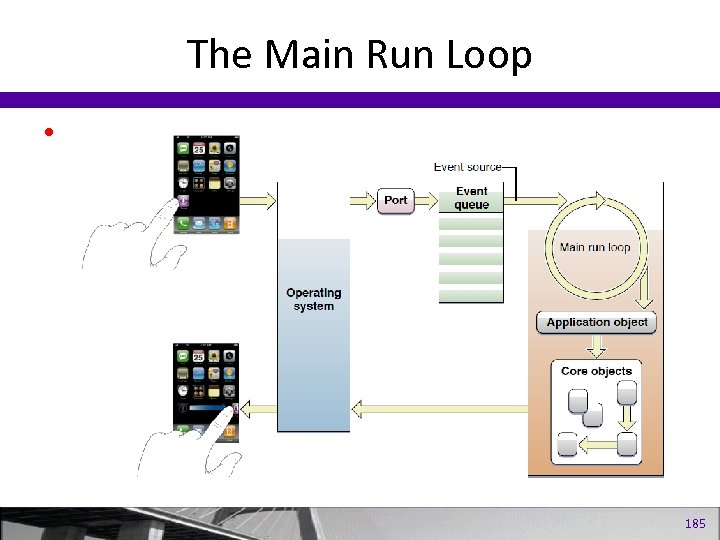
Autorelease Pool • Automatically created at the start and drained at the end of main • For Cocoa and i. Phone apps, automatically created at the start and destroyed at the end of every event loop 168
Autorelease Pool • You add an object to the current autorelease pool by sending it and autorelease message • Use autorelease to mark an object for later deletion—when the autorelease pool is destroyed • Framework objects are automatically added to the autorelease pool 169
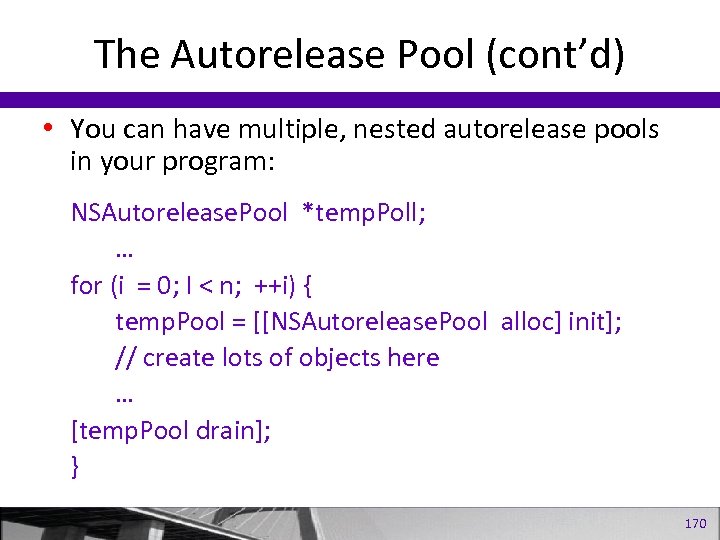
The Autorelease Pool (cont’d) • You can have multiple, nested autorelease pools in your program: NSAutorelease. Pool *temp. Poll; … for (i = 0; I < n; ++i) { temp. Pool = [[NSAutorelease. Pool alloc] init]; // create lots of objects here … [temp. Pool drain]; } 170
Manual Memory Management • Provides the most control over your memory • Requires you create your objects using alloc, copy, or new • Requires you to send a release message to the object when you’re done using it 171
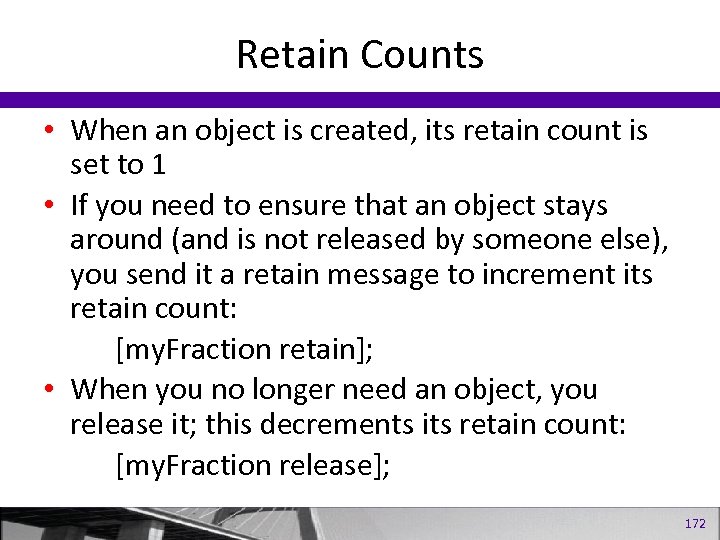
Retain Counts • When an object is created, its retain count is set to 1 • If you need to ensure that an object stays around (and is not released by someone else), you send it a retain message to increment its retain count: [my. Fraction retain]; • When you no longer need an object, you release it; this decrements its retain count: [my. Fraction release]; 172
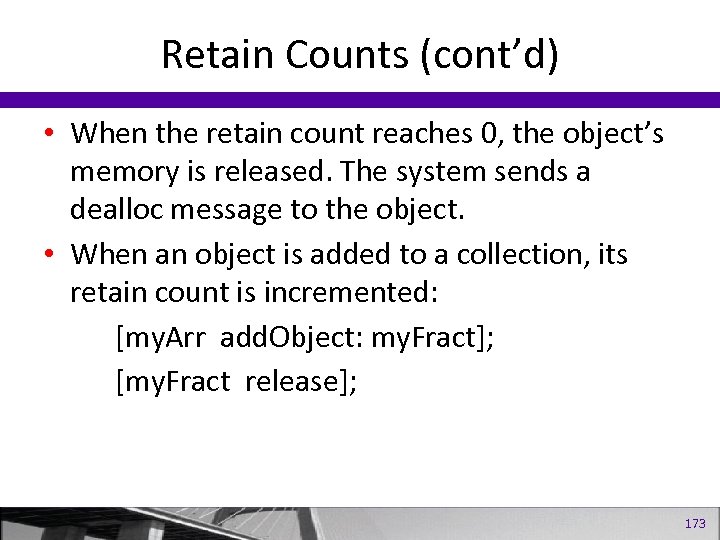
Retain Counts (cont’d) • When the retain count reaches 0, the object’s memory is released. The system sends a dealloc message to the object. • When an object is added to a collection, its retain count is incremented: [my. Arr add. Object: my. Fract]; [my. Fract release]; 173
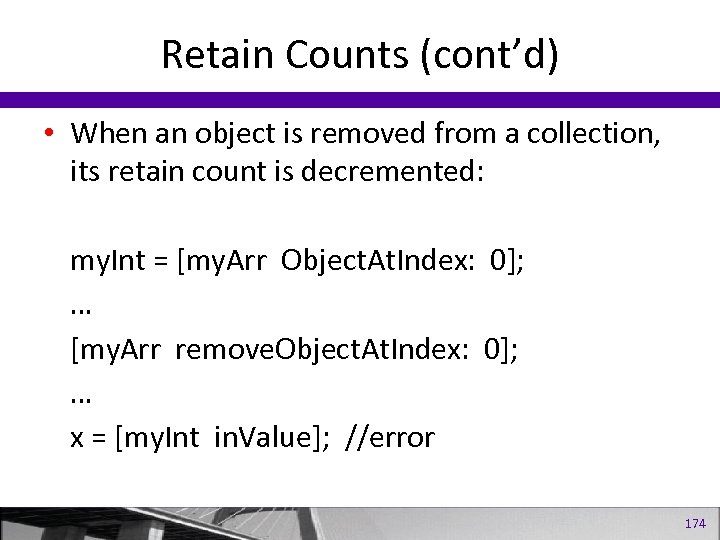
Retain Counts (cont’d) • When an object is removed from a collection, its retain count is decremented: my. Int = [my. Arr Object. At. Index: 0]; … [my. Arr remove. Object. At. Index: 0]; … x = [my. Int in. Value]; //error 174
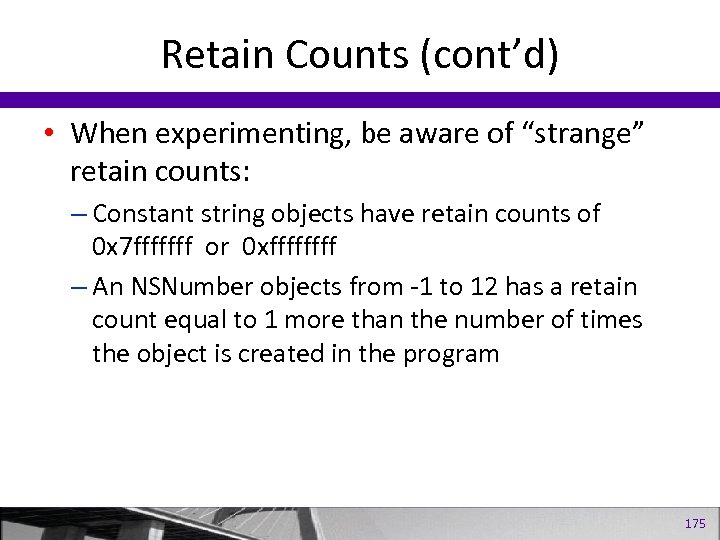
Retain Counts (cont’d) • When experimenting, be aware of “strange” retain counts: – Constant string objects have retain counts of 0 x 7 fffffff or 0 xffff – An NSNumber objects from -1 to 12 has a retain count equal to 1 more than the number of times the object is created in the program 175
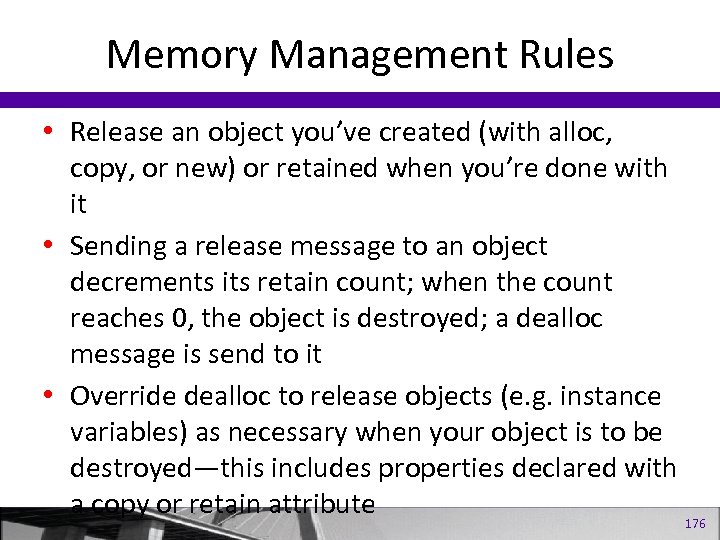
Memory Management Rules • Release an object you’ve created (with alloc, copy, or new) or retained when you’re done with it • Sending a release message to an object decrements its retain count; when the count reaches 0, the object is destroyed; a dealloc message is send to it • Override dealloc to release objects (e. g. instance variables) as necessary when your object is to be destroyed—this includes properties declared with a copy or retain attribute 176
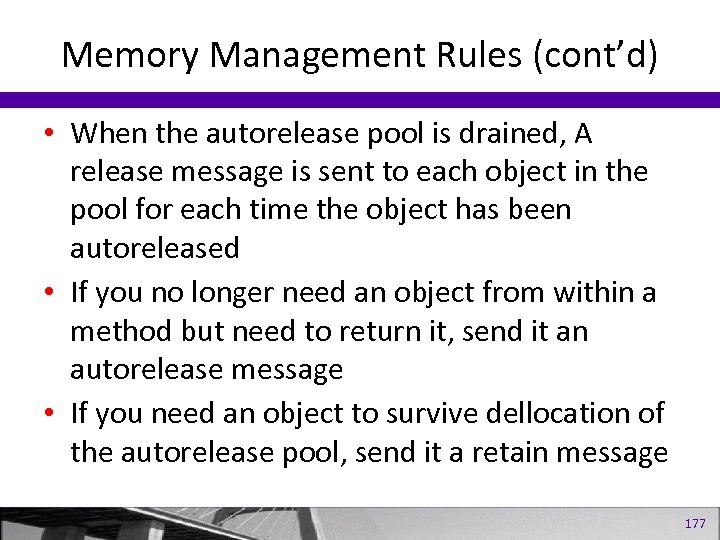
Memory Management Rules (cont’d) • When the autorelease pool is drained, A release message is sent to each object in the pool for each time the object has been autoreleased • If you no longer need an object from within a method but need to return it, send it an autorelease message • If you need an object to survive dellocation of the autorelease pool, send it a retain message 177
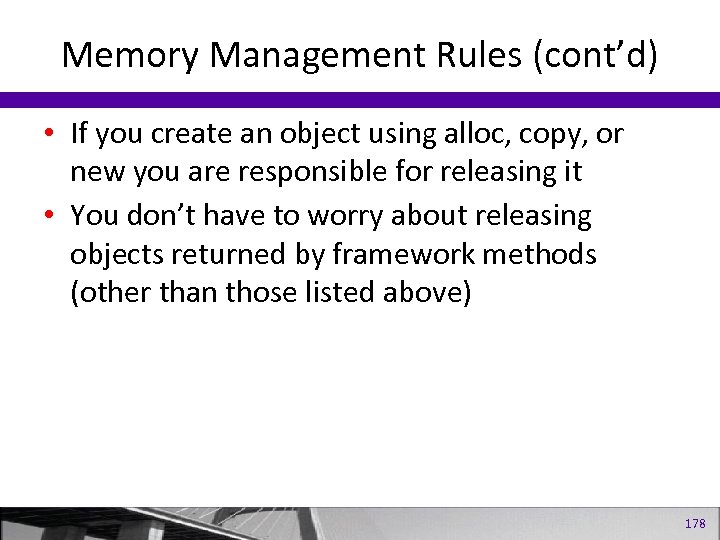
Memory Management Rules (cont’d) • If you create an object using alloc, copy, or new you are responsible for releasing it • You don’t have to worry about releasing objects returned by framework methods (other than those listed above) 178
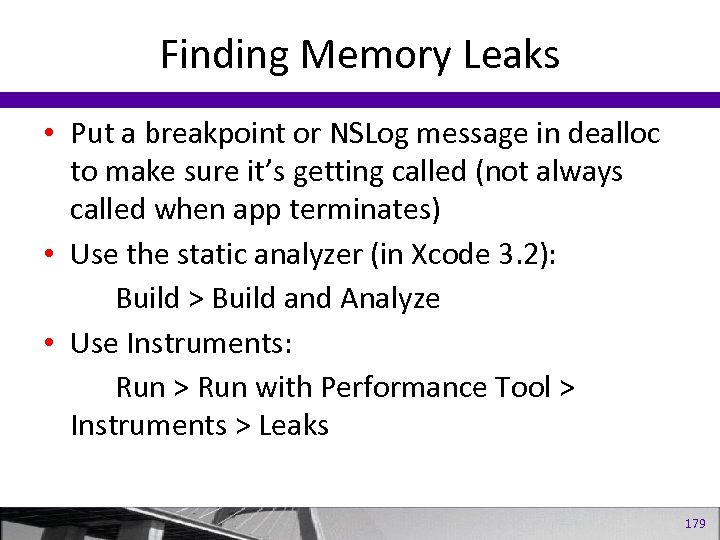
Finding Memory Leaks • Put a breakpoint or NSLog message in dealloc to make sure it’s getting called (not always called when app terminates) • Use the static analyzer (in Xcode 3. 2): Build > Build and Analyze • Use Instruments: Run > Run with Performance Tool > Instruments > Leaks 179
Part III Cocoa, Cocoa Touch, and the i. OS SDK 180
Introduction to Cocoa and Cocoa Touch • Consists of three frameworks – Foundation – Core Data – Application Kit (or App. Kit) • Classes associated with windows, buttons, lists, and so on. 181
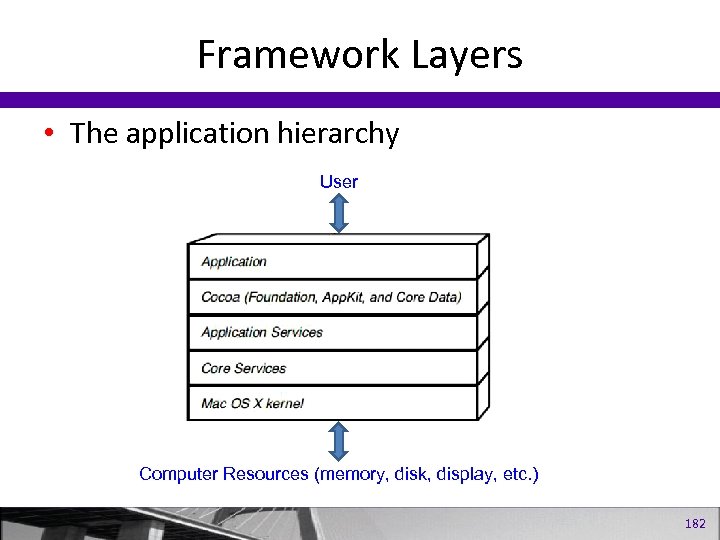
Framework Layers • The application hierarchy User Computer Resources (memory, disk, display, etc. ) 182
Cocoa Touch • i. OS devices such as the i. Phone, the i. Pod Touch, and the i. Pad run a scaled-down version of Mac OS X. • Cocoa Touch frameworks are for applications targeted for i. OS devices. – UIKit replaces the App. Kit framework – Provide many of the same types of objects as Cocoa, such as windows, views, buttons, text fields, and so on. – Provides classes for working with the accelerometer, gyroscope, triangulating location with GPS and Wi-Fi signals, and the touch-driven interfaces. 183
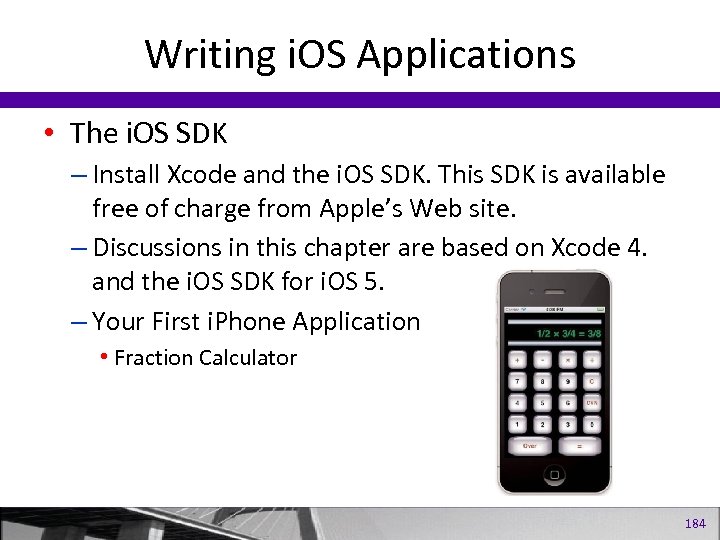
Writing i. OS Applications • The i. OS SDK – Install Xcode and the i. OS SDK. This SDK is available free of charge from Apple’s Web site. – Discussions in this chapter are based on Xcode 4. and the i. OS SDK for i. OS 5. – Your First i. Phone Application • Fraction Calculator 184
The Main Run Loop • 185
Key objects in an i. OS app 186
i. OS Fraction Calculator • Steps for creating the Frac. Cal App Create a new Single View Application. Enter your UI code into the View. Controller. h and. m files. Add the Fraction and Calculator classes to the project. Open View. Controller. xib to create the UI. Make the View window’s background black. Created a label and buttons and position them inside the View window. – Control-click-dragged from the label you created in the View window to the UILabel IBOutlet property display. – Control-click-dragged from each button in the View window to the appropriate IBAction method. For each digit button, you selected the click. Digit: method. Also, for each digit button, you set the tag property to the corresponding digit 0 -9 so that the click. Digit: method could identify which button was pressed. – – – 187
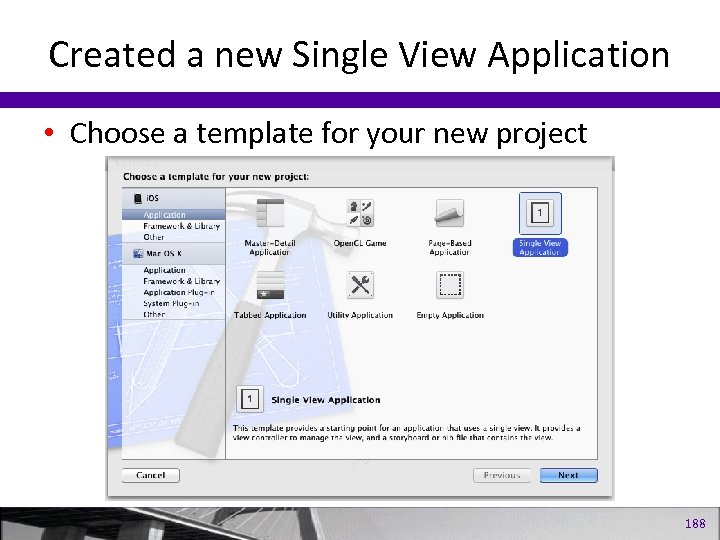
Created a new Single View Application • Choose a template for your new project 188
Exercises 1. Add a Convert button to the fraction calculator application. When the button is pressed, use the Fraction class’s convert. To. Num method to produce the numeric representation of the fractional result. Convert that result to a string and show it in the calculator’s display. 2. Modify the fraction calculator application so that a negative fraction can be entered if the – key gets pressed before a numerator is entered. 3. If the value of zero is keyed in for a denominator for either the first or second operand, display the string Error in the fraction calculator’s display. 4. Modify the fraction calculator application so that calculations can be chained. For example, allow for the following operation to be keyed: 1/5 + 2/7 – 3/8 = 189
Скачать презентацию Programming in Objective -C 涂昆源 副教授 萬能科技大學 資訊
aebf7f78b7f847bf1343b78869873dba.ppt