


 Скачать презентацию Programming Fundamentals 1 st lecture Content Ø
21fd95fd5e1112a2db1fa39d50718848.ppt
- Количество слайдов: 40
 Programming Fundamentals 1 st lecture
 Content Ø Steps of solving problems – steps of writing a computer program Ø Languages ELTE used when programming Ø The alogirithm Ø The specificaion Ø Languages describing and algorithm – structogram Ø Coding a program – programming tool 3/18/2018 2/42
 Steps of solving problems ELTE 3/18/2018 Example: build a house Ø What can you see from the process? Ø What is behind? 1. Assess the needs (aspects: size of family, their idea, money) 2. Design (plan, building material needs, engineer) 3. Organize (schedule, contractor…) 4. Building operations (supply material, building / contractor…) 5. Put in practice (have a look – how fancy, try out – how good) 6. Move in, live in (make corrections, detect problems) 3/42
 Steps of creating a computer program 1. 2. 3. ELTE 4. 5. 6. 7. 8. 9. 3/18/2018 Specify (from what? , what? ) specification Design (with what? , how? ) data and algorithm desc. Coding (how (computer)? ) program source code representation + implementation Testing (any bugs? ) error list (diagnosis) Search for bugs (where is the bug? ) bug location Correction (how is it correct? ) correct program Quality assurance (Q&A), efficiency (can we make better? , how? ) good program Documenting (how does it work? etc…) usable program Usage, maintenance (still works? ) durable program 4/42
 Language tiers ELTE Living language = English Specification Algorithm description Programming language Computer language (machine code) Converge the languages (English Computer) 3/18/2018 5/42
 The Algorithm ELTE 3/18/2018 Usage of drink dispensing machine: 1. Choose the drink! 2. Insert 1€! 3. Press the proper button! 4. Wait until the drink runs out! 5. Get the dring! 6. Drink it! 6/42
 The Algorithm Ø Executable ELTE 3/18/2018 (interpreter exists) Ø Can be executed step by step Ø The steps themselves are also algorithms Ø Exactly defined, with given order of steps Ø The description is finite, however the execution time can be infinite 7/42
 The Algorithm ELTE Usage of drink dispensing machine: 1. Choose the drink! 2. Insert 1€! 3. Press the proper button! 4. Repeat look at the glass! Until the drink runs out! 5. Get the dring! 6. Drink it! New element: Repetition based on a condition 3/18/2018 8/42
 The Algorithm ELTE Usage of drink dispensing machine: 1. Choose the drink! 2. If you have 1€ then Insert 1€! otherwise Insert 5 x 20 cents! 3. … New element: choice from two options, (can also be non-deterministic) 3/18/2018 9/42
 The Algorithm Insert 5 x 20 cents: 1. Repeat 5 times: Insert one 20 cents! ELTE New element: repeat given times 3/18/2018 10/42
 The Algorithm ELTE 3/18/2018 Structural elements of an algorithm: Ø Sequence (execute step by step) Ø Fork (choice from 2 or more activities based on condition) Ø Cycle (repeat given times, or until a condition turns true) 11/42
 Specification 1. 2. 3. ELTE 4. 5. 6. 7. 3/18/2018 Input data (identifier, domain set, unit) What we know about the input (precondition) Results (identifier, domain, …) The rule how to calculate the result (post condition) Requirements against the solution Restrictions Definitions of the applied notions 12/42
 Specification ELTE 3/18/2018 Specification has to be 1. Exact, full 2. Short, compact, formalized 3. Expressive, understandable Specification tools 1. Text description 2. Mathematical formulas 13/42
 Example: triangle (specification) ELTE Problem: Is it true that given 3 numbers represent the side lengths of a right angle triangle? Specification: Ø Input: x, y, z: Real Ø Output: possible: Logical Ø Precondition: x>0 and y>0 and z>0 Ø Post condition: possible=(x 2+y 2=z 2) Comment: we suppose z is the length of hypotenuse 3/18/2018 14/42
![Example: triangle (algorithm) Algorithm: ELTE In: x, y, z [x>0 and y>0 and z>0]](https://present5.com/presentation/21fd95fd5e1112a2db1fa39d50718848/image-15.jpg "Example: triangle (algorithm) Algorithm: ELTE In: x, y, z [x>0 and y>0 and z>0]") Example: triangle (algorithm) Algorithm: ELTE In: x, y, z [x>0 and y>0 and z>0] possible: =(x 2+y 2=z 2) Out: possible Comment: Later we will not include In and Out in our algorithms 3/18/2018 15/42
Example: triangle (algorithm) Algorithm: ELTE In: x, y, z [x>0 and y>0 and z>0] possible: =(x 2+y 2=z 2) Out: possible Comment: Later we will not include In and Out in our algorithms 3/18/2018 15/42
 Example: triangle (algorithm) Another algorithm (without In and Out): xx: =x 2 ELTE yy: =y 2 zz: =z 2 possible: =(xx+yy=zz) We can introduce helper (internal, own) variables. 3/18/2018 16/42
 Example: quadratic equation (specification) ELTE Problem: Let’s specify one root of a quadratic equation! The equation is: ax 2+bx+c=0 Questions: § What is the solution? – output § What does it mean: „being a solution”? – post condition § Does there a solution exist? – precondition § Are we sure there is only one solution? – output/post condition 3/18/2018 17/42
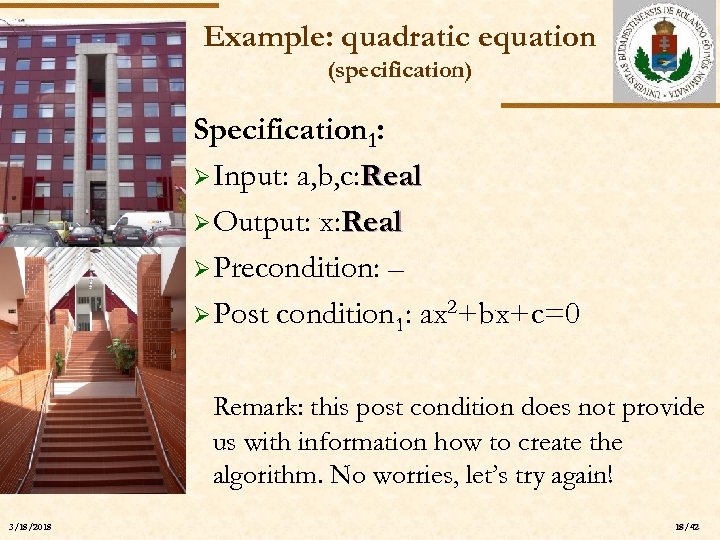 Example: quadratic equation (specification) ELTE Specification 1: Ø Input: a, b, c: Real Ø Output: x: Real Ø Precondition: – Ø Post condition 1: ax 2+bx+c=0 Remark: this post condition does not provide us with information how to create the algorithm. No worries, let’s try again! 3/18/2018 18/42
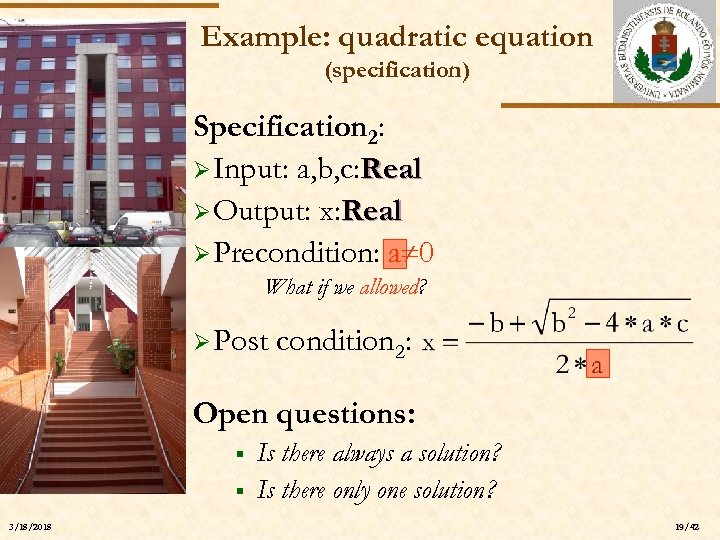 Example: quadratic equation (specification) ELTE Specification 2: Ø Input: a, b, c: Real Ø Output: x: Real Ø Precondition: a 0 What if we allowed? Ø Post condition 2: Open questions: § § 3/18/2018 Is there always a solution? Is there only one solution? 19/42
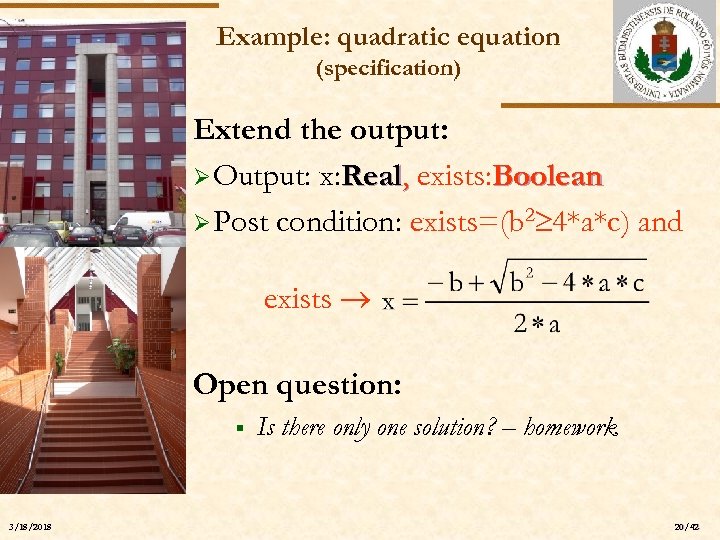 Example: quadratic equation (specification) Extend the output: Ø Output: x: Real, exists: Boolean Ø Post condition: exists=(b 2 4*a*c) and ELTE exists Open question: § 3/18/2018 Is there only one solution? – homework 20/42
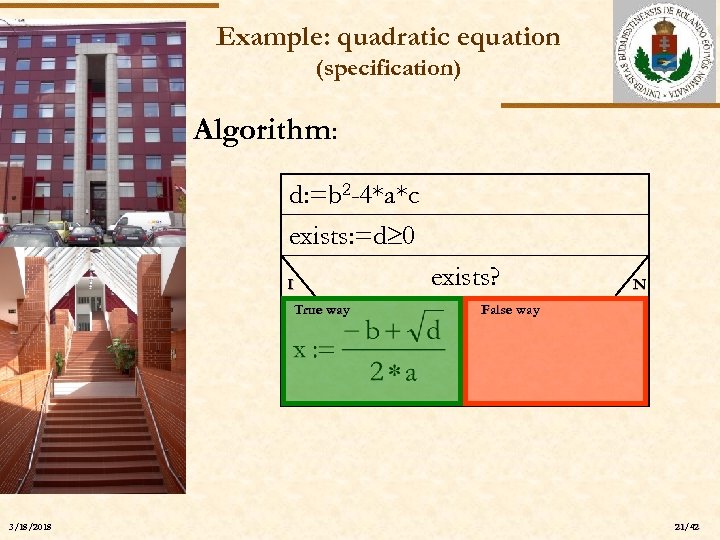 Example: quadratic equation (specification) Algorithm: ELTE d: =b 2 -4*a*c exists: =d 0 I True way 3/18/2018 exists? N False way 21/42
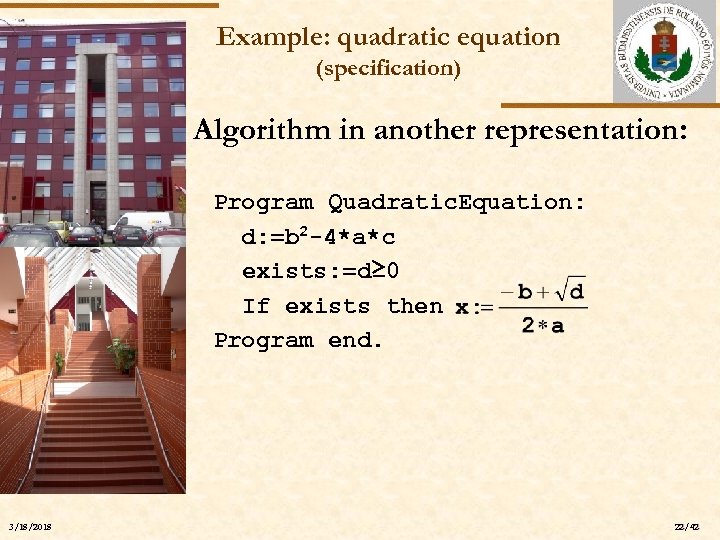 Example: quadratic equation (specification) Algorithm in another representation: ELTE 3/18/2018 Program Quadratic. Equation: d: =b 2 -4*a*c exists: =d≥ 0 If exists then Program end. 22/42
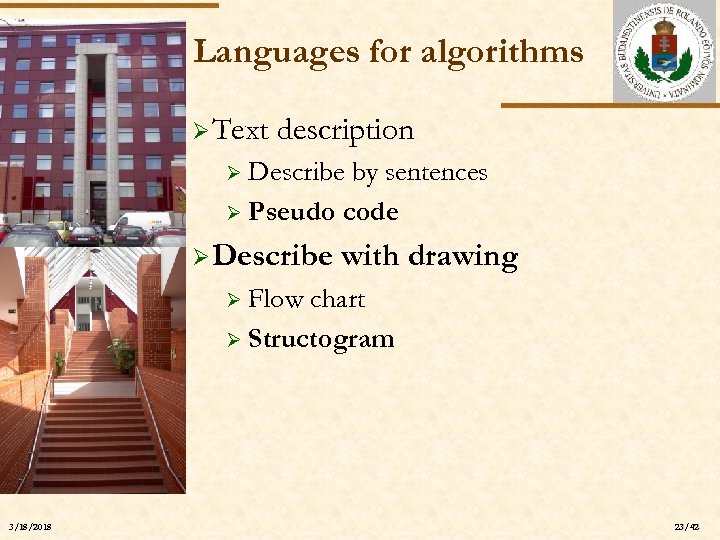 Languages for algorithms Ø Text description Describe by sentences Ø Pseudo code Ø ELTE Ø Describe with drawing Flow chart Ø Structogram Ø 3/18/2018 23/42
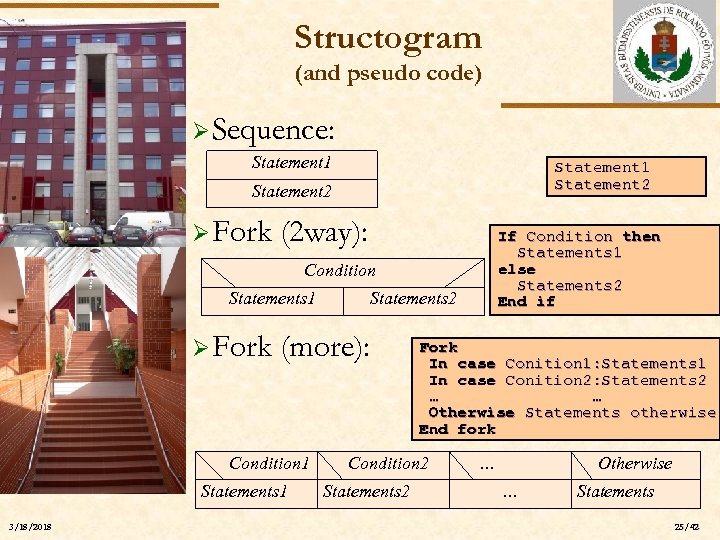 Structogram (and pseudo code) Ø Sequence: Statement 1 Statement 2 ELTE Ø Fork (2 way): If Condition then Statements 1 else Statements 2 End if Condition Statements 1 Ø Fork (more): Condition 1 Statements 1 3/18/2018 Statements 2 Fork In case Conition 1: Statements 1 In case Conition 2: Statements 2 … … Otherwise Statements otherwise End fork Condition 2 Statements 2 … Otherwise … Statements 25/42
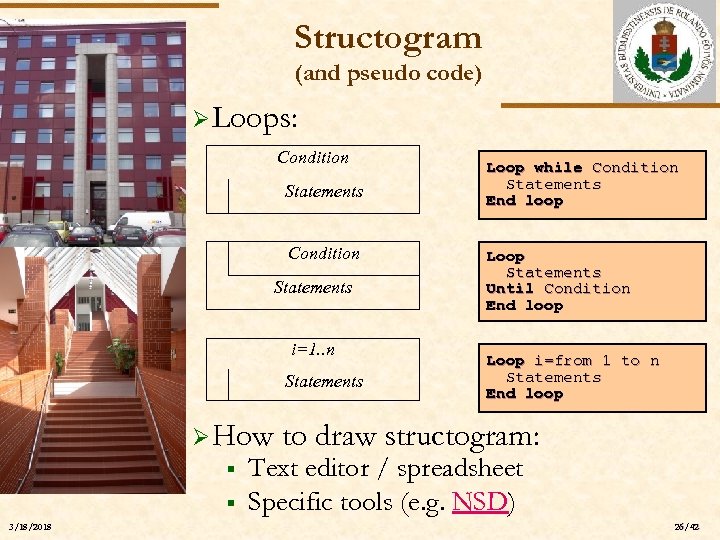 Structogram (and pseudo code) Ø Loops: Condition Statements Condition ELTE Statements i=1. . n Statements Ø How § § 3/18/2018 Loop while Condition Statements End loop Loop Statements Until Condition End loop Loop i=from 1 to n Statements End loop to draw structogram: Text editor / spreadsheet Specific tools (e. g. NSD) 26/42
 Coding (programming tool) Ø Framework (tool): Code: : Blocks Ø Download: ELTE www. codeblocks. org Ø Installation: easy 3/18/2018 27/42
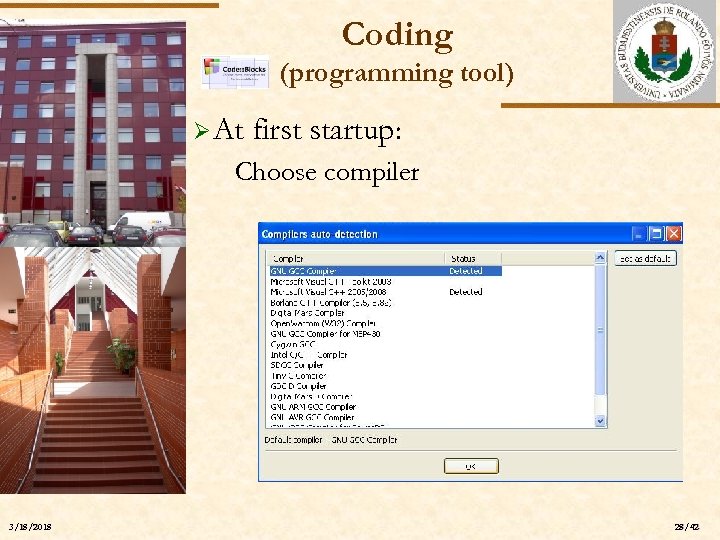 Coding (programming tool) Ø At first startup: Choose compiler ELTE 3/18/2018 28/42
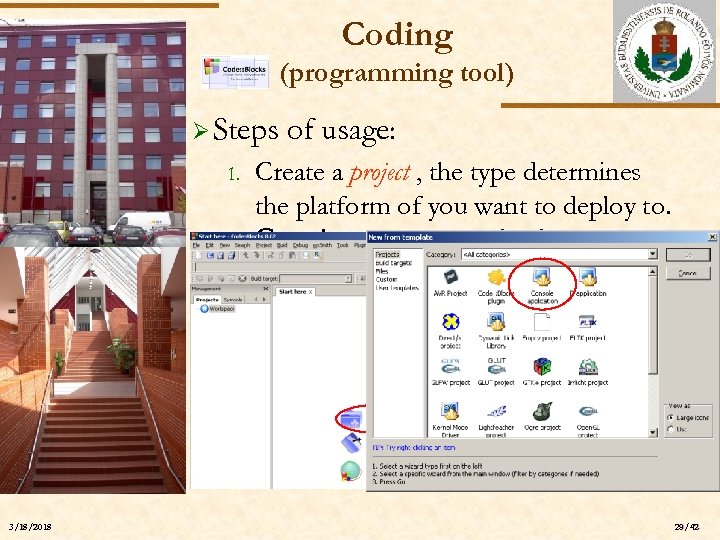 Coding (programming tool) Ø Steps 1. ELTE 2. 3/18/2018 of usage: Create a project , the type determines the platform of you want to deploy to. Create a new project sablon (template) választása: Console application 29/42
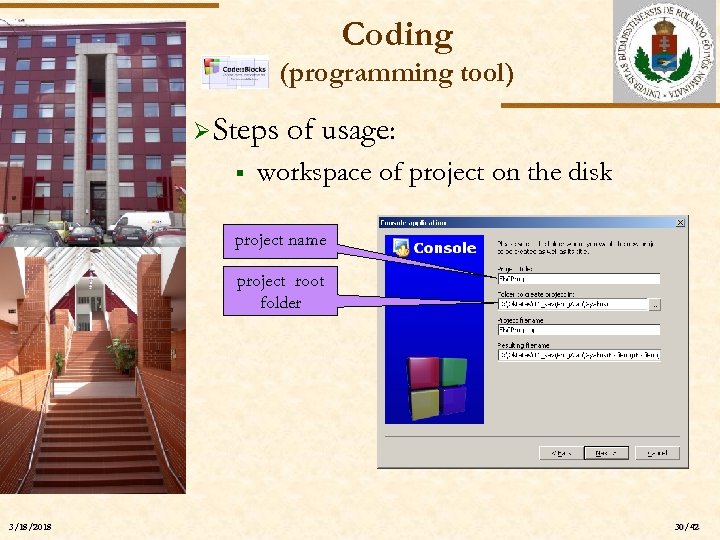 Coding (programming tool) Ø Steps § ELTE of usage: workspace of project on the disk project name project root folder 3/18/2018 30/42
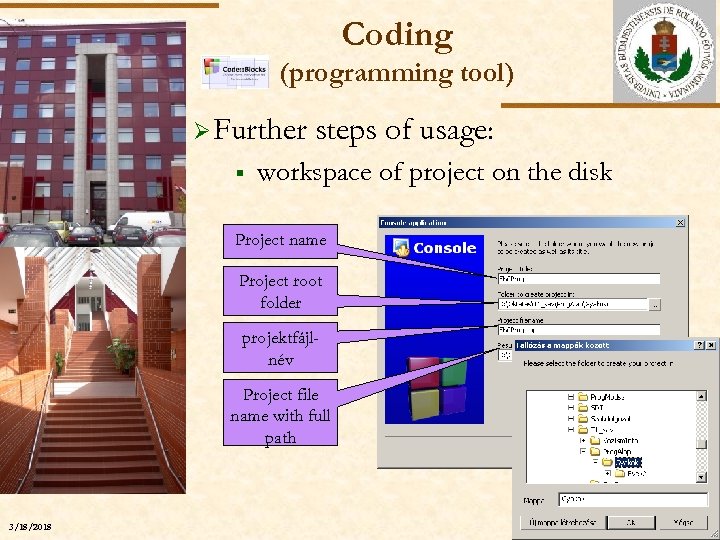 Coding (programming tool) Ø Further § ELTE steps of usage: workspace of project on the disk Project name Project root folder projektfájlnév Project file name with full path 3/18/2018 31/42
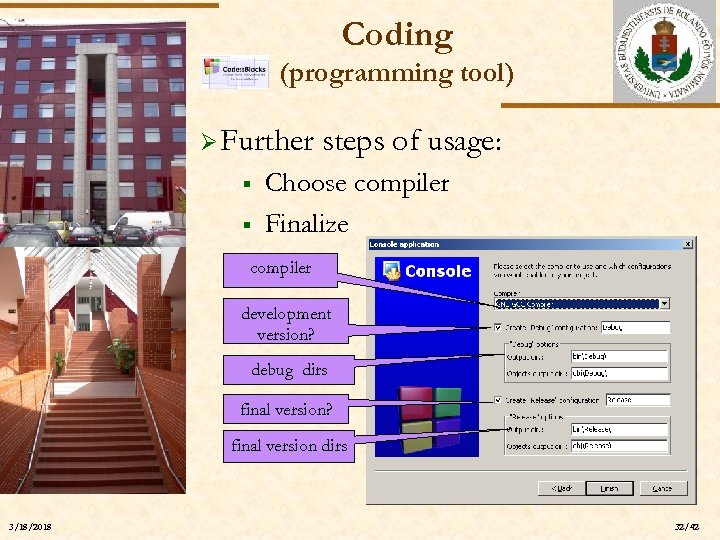 Coding (programming tool) Ø Further § § ELTE steps of usage: Choose compiler Finalize compiler development version? debug dirs final version? final version dirs 3/18/2018 32/42
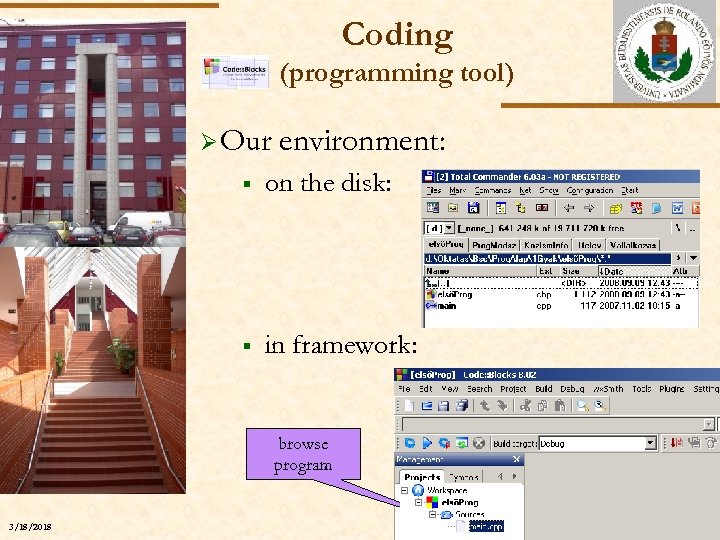 Coding (programming tool) Ø Our environment: § on the disk: § in framework: ELTE browse program 3/18/2018 33/42
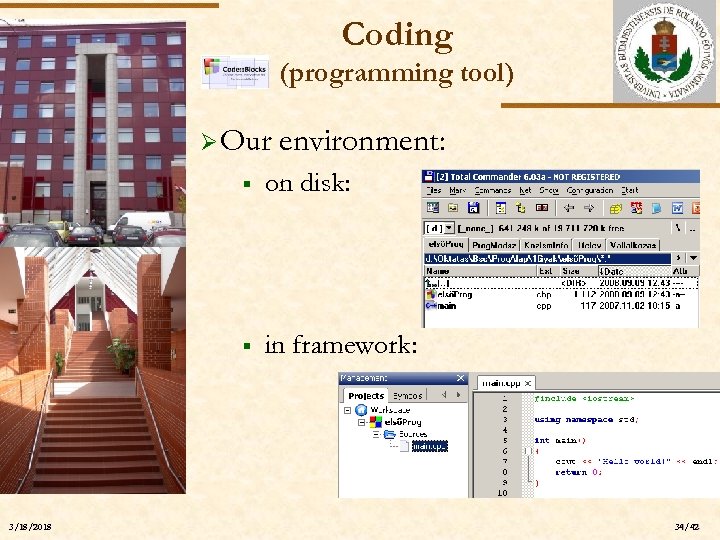 Coding (programming tool) Ø Our environment: § on disk: § in framework: ELTE 3/18/2018 34/42
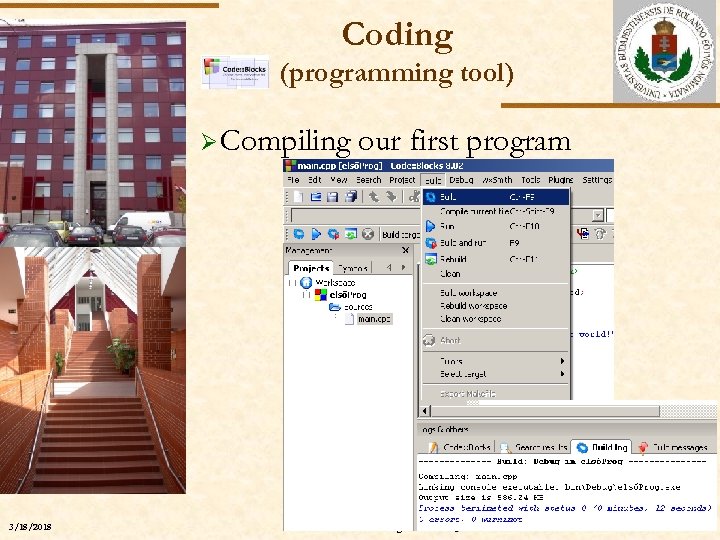 Coding (programming tool) Ø Compiling our first program ELTE 3/18/2018 Szlávi-Zsakó: Programozási alapismeretek 1. 35/42
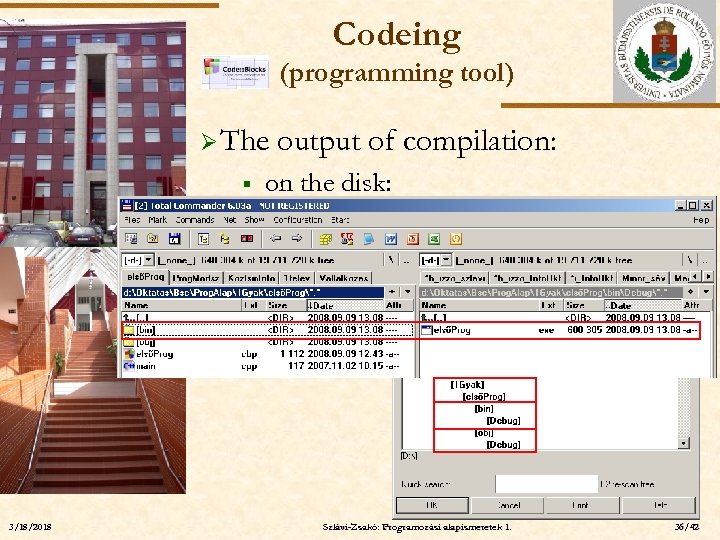 Codeing (programming tool) Ø The § output of compilation: on the disk: ELTE 3/18/2018 Szlávi-Zsakó: Programozási alapismeretek 1. 36/42
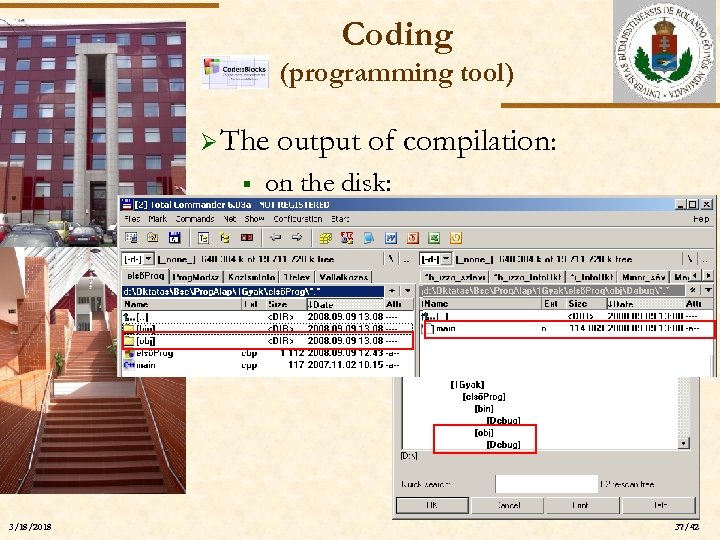 Coding (programming tool) Ø The § output of compilation: on the disk: ELTE 3/18/2018 37/42
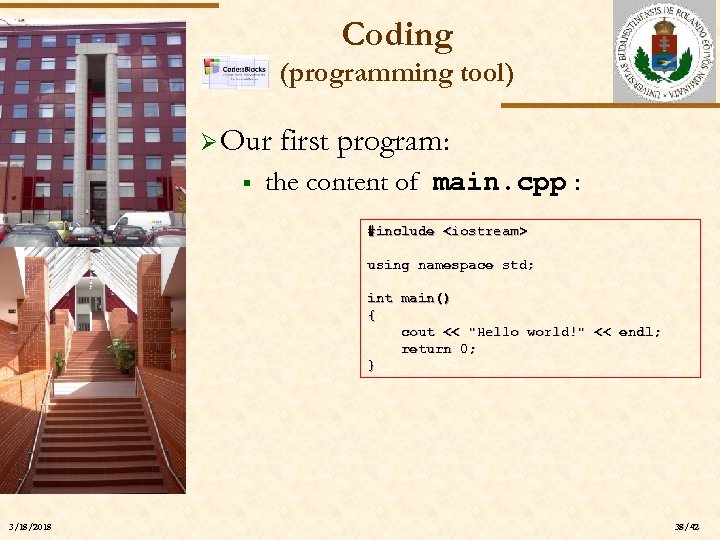 Coding (programming tool) Ø Our § first program: the content of main. cpp : #include
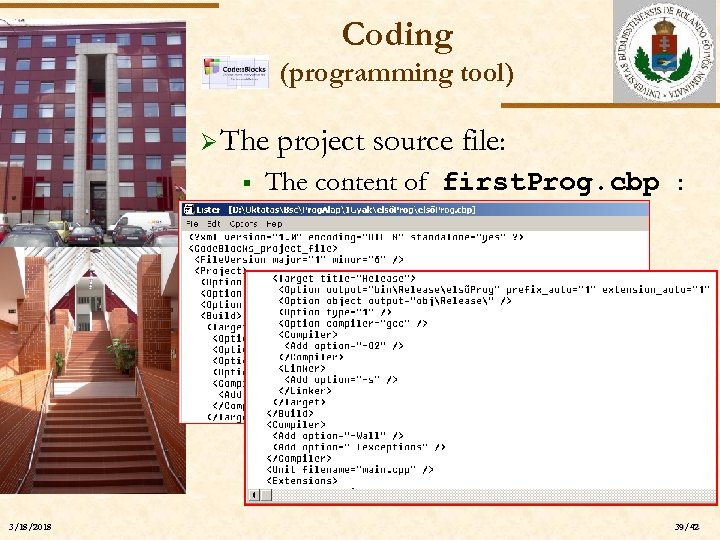 Coding (programming tool) Ø The § project source file: The content of first. Prog. cbp : ELTE (mily meglepő!) 3/18/2018 39/42
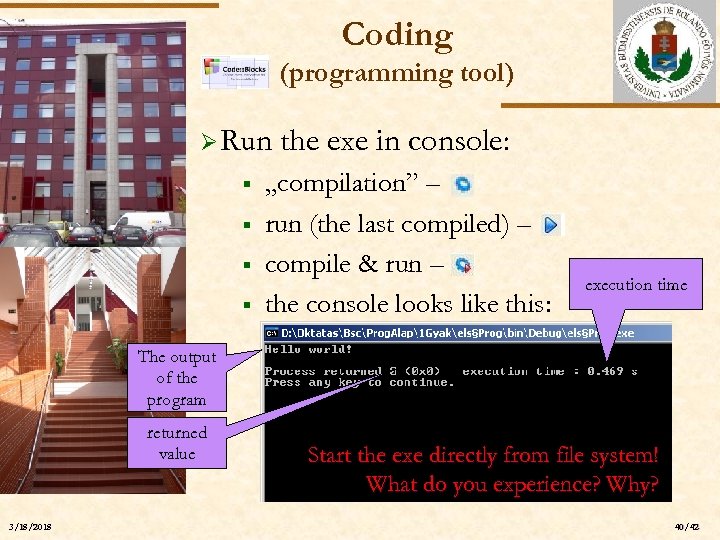 Coding (programming tool) Ø Run § § ELTE § § the exe in console: „compilation” – run (the last compiled) – compile & run – the console looks like this: execution time The output of the program returned value 3/18/2018 Start the exe directly from file system! What do you experience? Why? 40/42
 Programming Fundamentals End of 1 st lecture