


 Скачать презентацию Procurement Post Review A New Operations Portal Application
a08325fe6b53e61ce147f8d621d9d3e0.ppt
- Количество слайдов: 66
 Procurement Post Review A New Operations Portal Application
 Welcome • Presenter: Marcelo Donolo, OPCPR • Background of PPR Application: • • Need for a PPR System Development Methodology Board Approval Pilot Program
 Objectives
 Objectives • System Overview and Workflow • Pilot & Implementation • Next Steps
 System Overview
 System Overview • Functions 1. 2. 3. 4. 5. Electronic access End user recognition Document management Rating mechanism Reporting
 Business Workflow
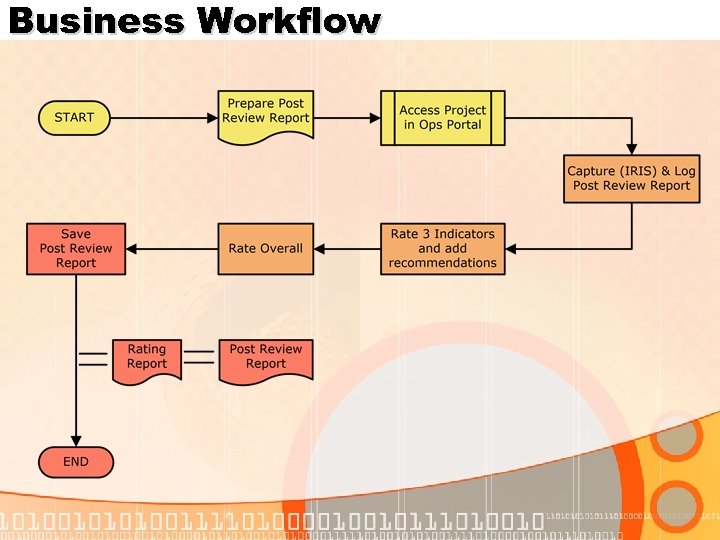 Business Workflow
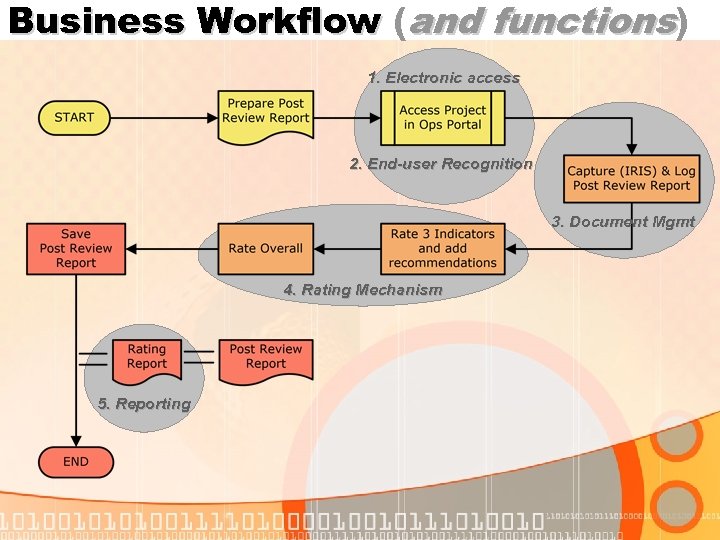 Business Workflow (and functions) 1. Electronic access 2. End-user Recognition 3. Document Mgmt 4. Rating Mechanism 5. Reporting
 Function 1: Electronic Access
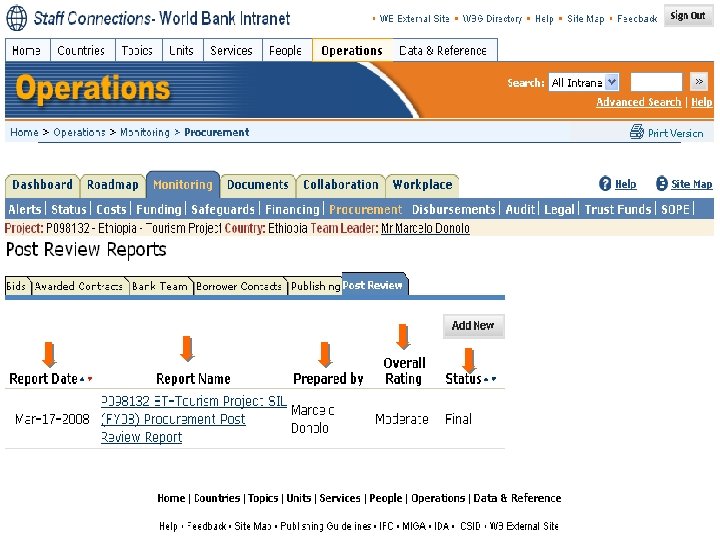
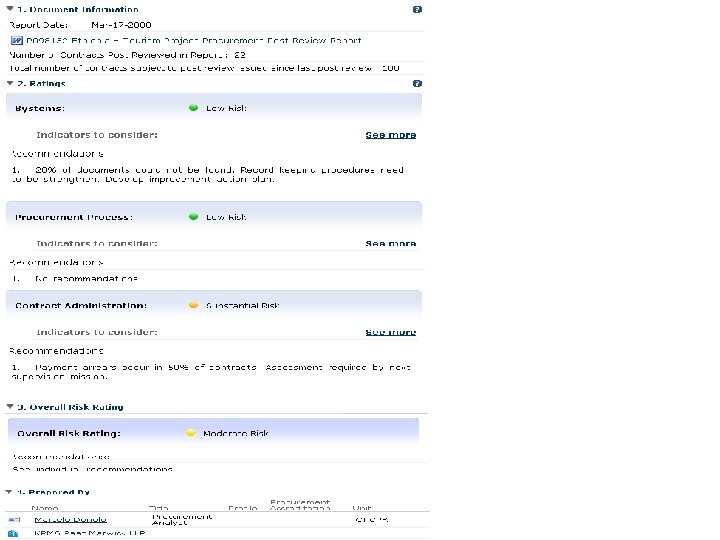
 Electronic Access • Post Review tab in Operations Portal • All bank staff can view • Only project team Reviewers can edit
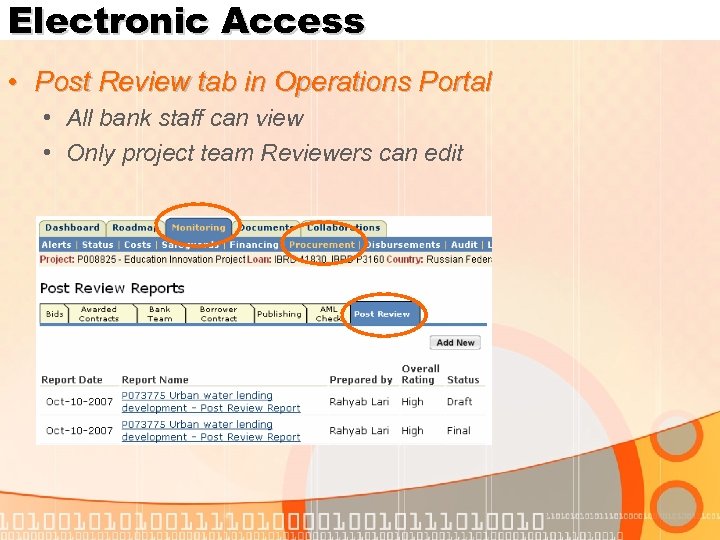 Electronic Access • Post Review tab in Operations Portal • All bank staff can view • Only project team Reviewers can edit
 Function 2: End-User Recognition
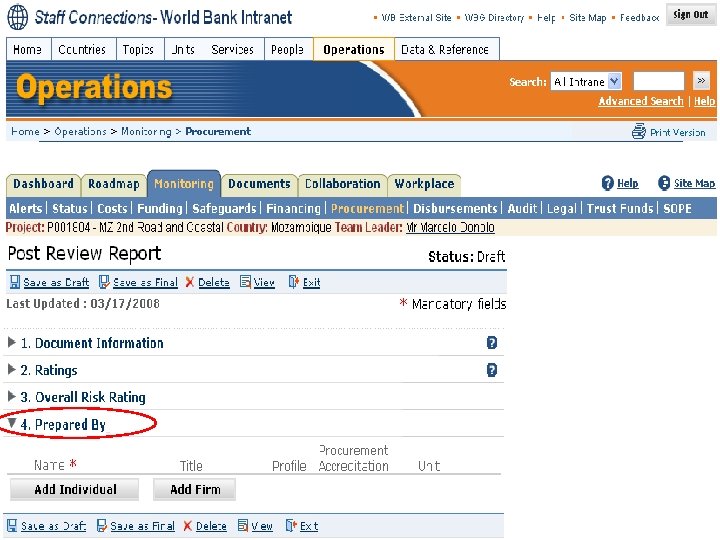
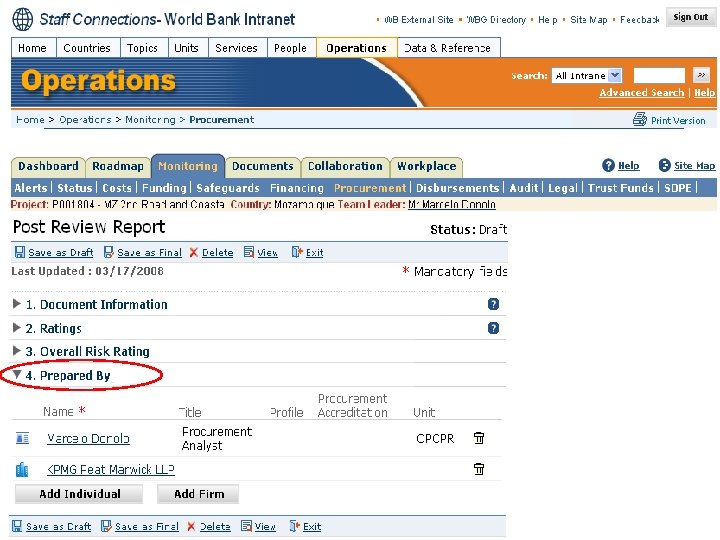
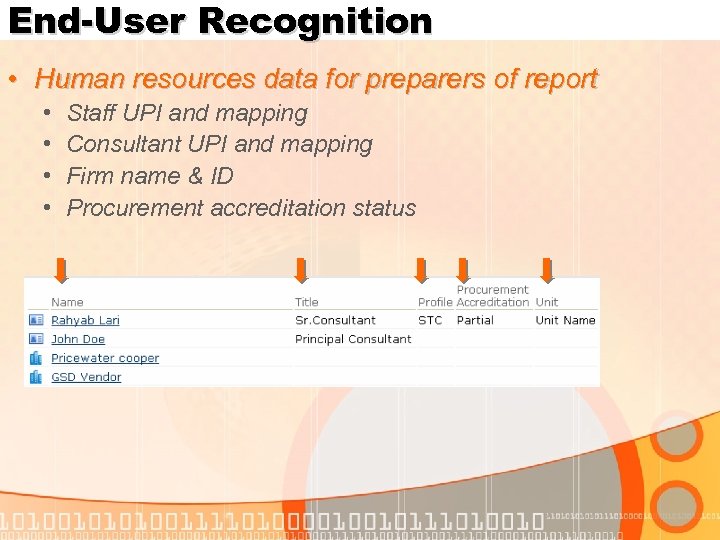 End-User Recognition • Human resources data for preparers of report • • Staff UPI and mapping Consultant UPI and mapping Firm name & ID Procurement accreditation status
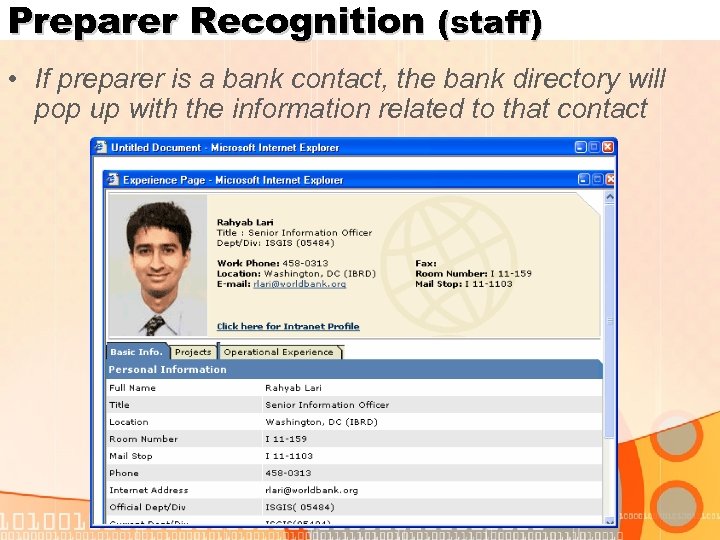 Preparer Recognition (staff) • If preparer is a bank contact, the bank directory will pop up with the information related to that contact
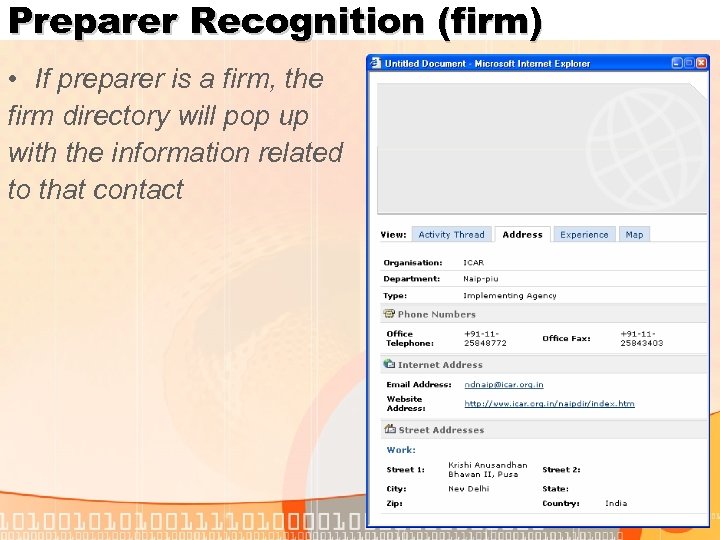 Preparer Recognition (firm) • If preparer is a firm, the firm directory will pop up with the information related to that contact
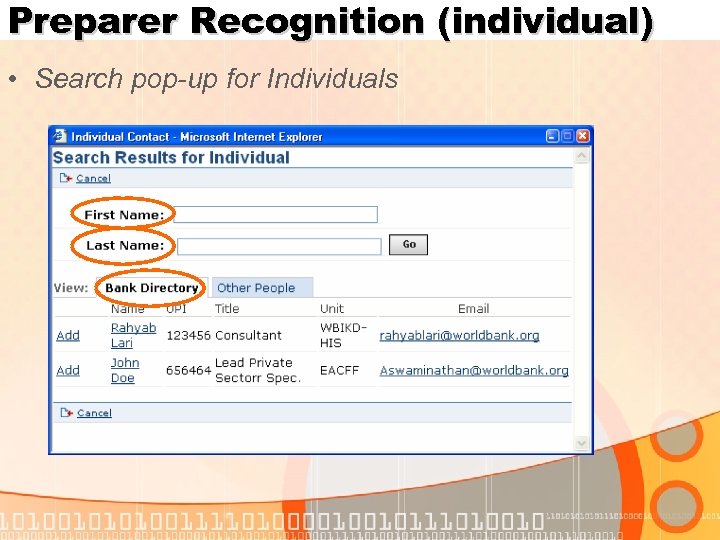 Preparer Recognition (individual) • Search pop-up for Individuals
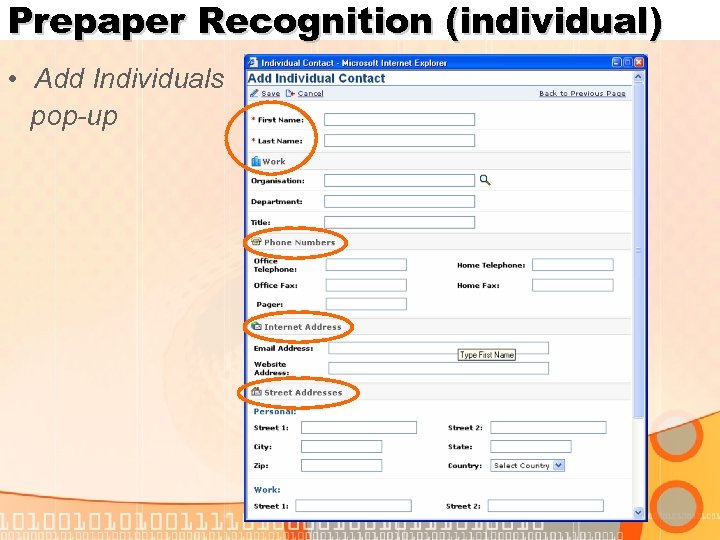 Prepaper Recognition (individual) • Add Individuals pop-up
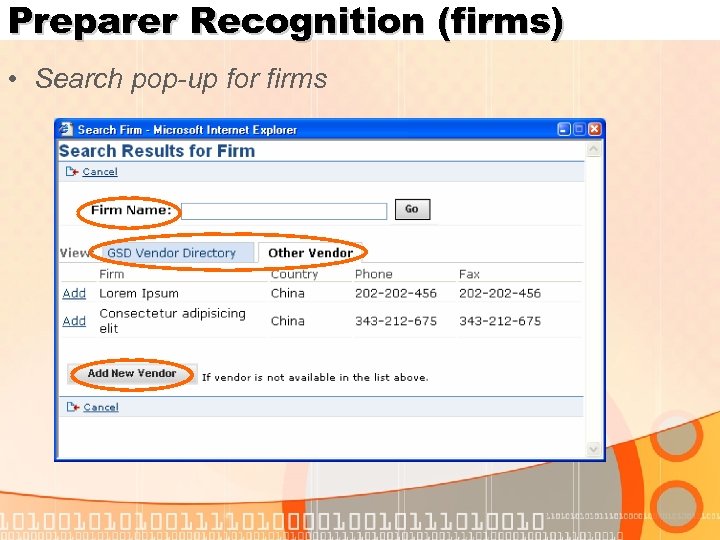 Preparer Recognition (firms) • Search pop-up for firms
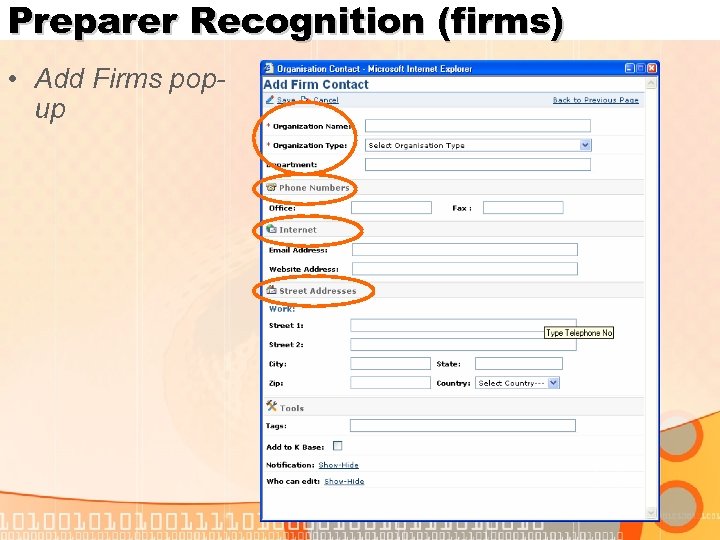 Preparer Recognition (firms) • Add Firms popup
 Function 3: Document Management
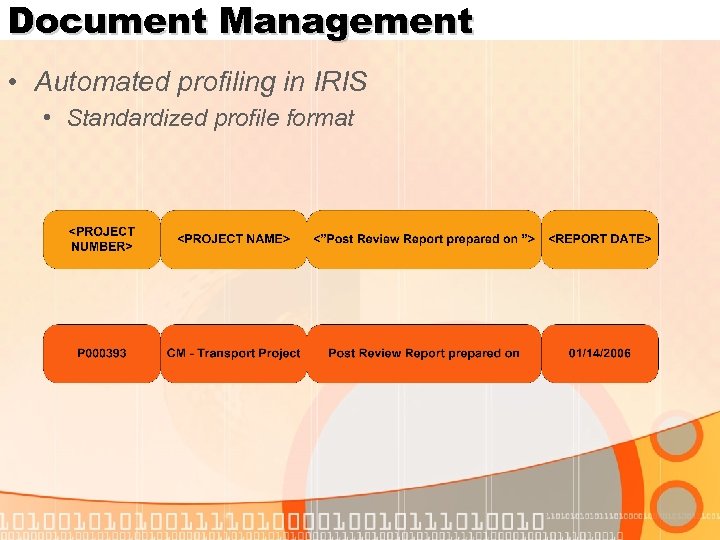 Document Management • Automated profiling in IRIS • Standardized profile format
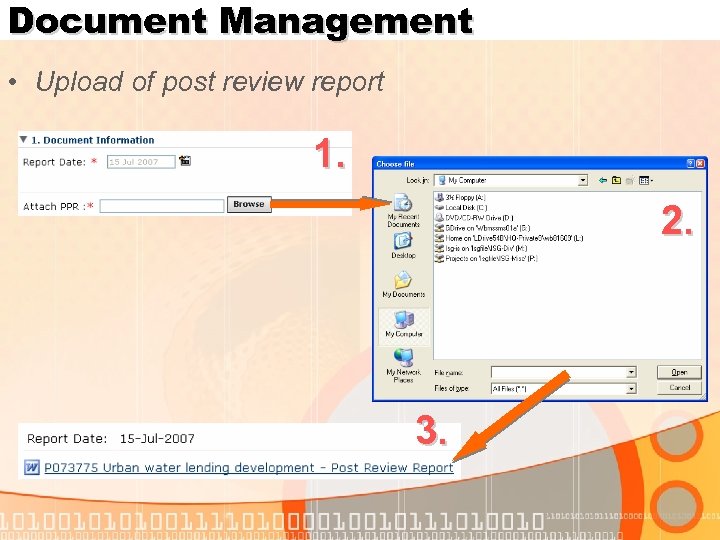 Document Management • Upload of post review report 1. 2. 3.
 Function 4: Rating Mechanism
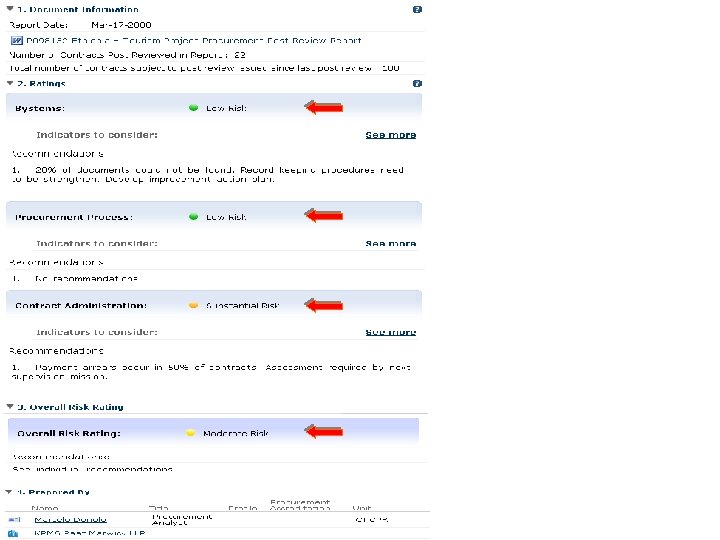
 Rating Mechanism • Based on 3 -indicator model • Indicator 1: Systems • Indicator 2: Procurement Process • Indicator 3: Contract Administration
 Rating Mechanism • Based on 3 -indicator model • Indicator 1: Systems • Indicator 2: Procurement Process • Indicator 3: Contract Administration • Rated against a 4 -point scale • Low, Medium, Substantial, High • Indicator + Overall rating
 3 -Indicator Model
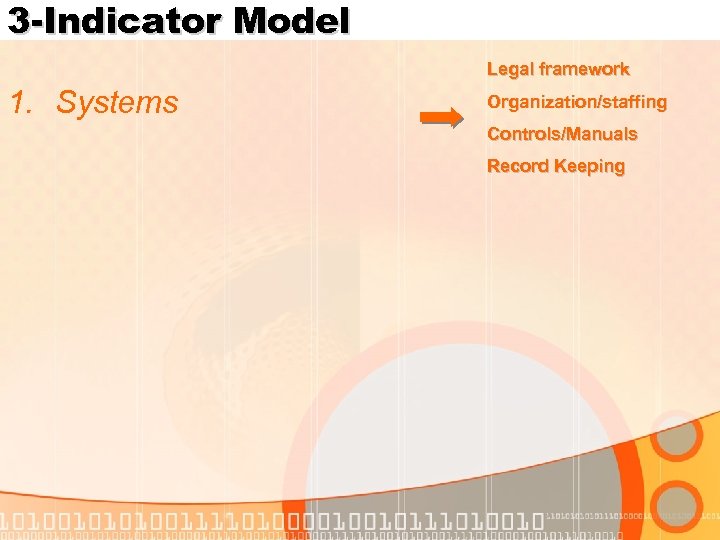 3 -Indicator Model Legal framework 1. Systems Organization/staffing Controls/Manuals Record Keeping
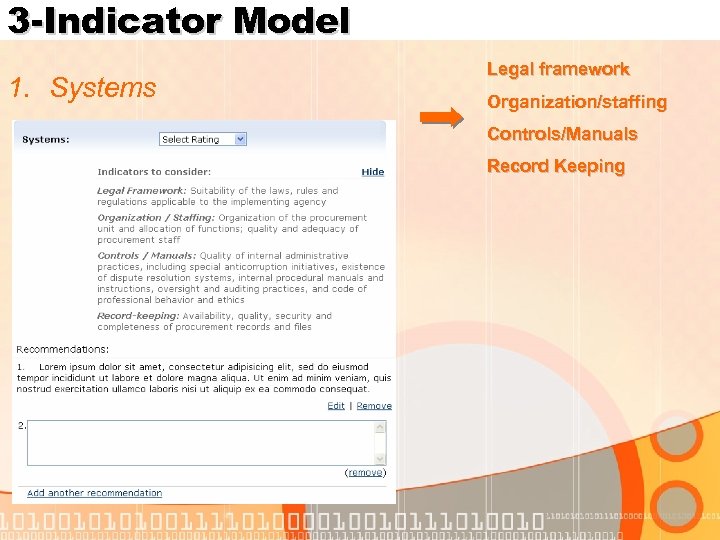 3 -Indicator Model 1. Systems Legal framework Organization/staffing Controls/Manuals Record Keeping
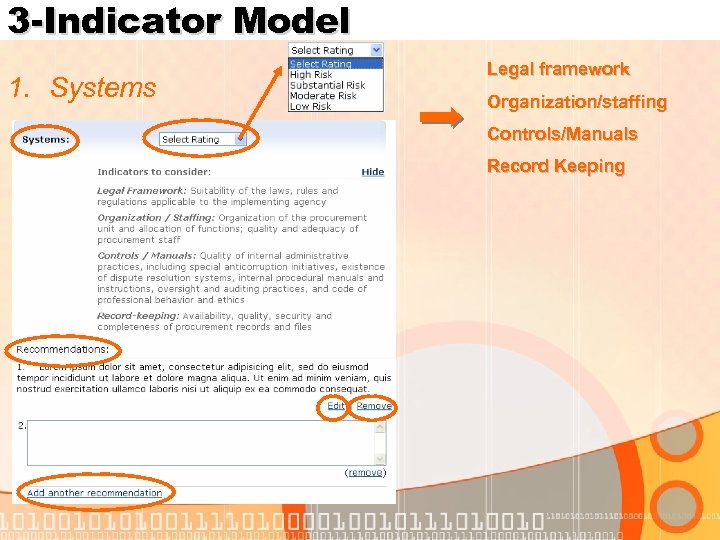 3 -Indicator Model 1. Systems Legal framework Organization/staffing Controls/Manuals Record Keeping
 3 -Indicator Model Publications 2. Procurement Process Bidding Evaluation Awards
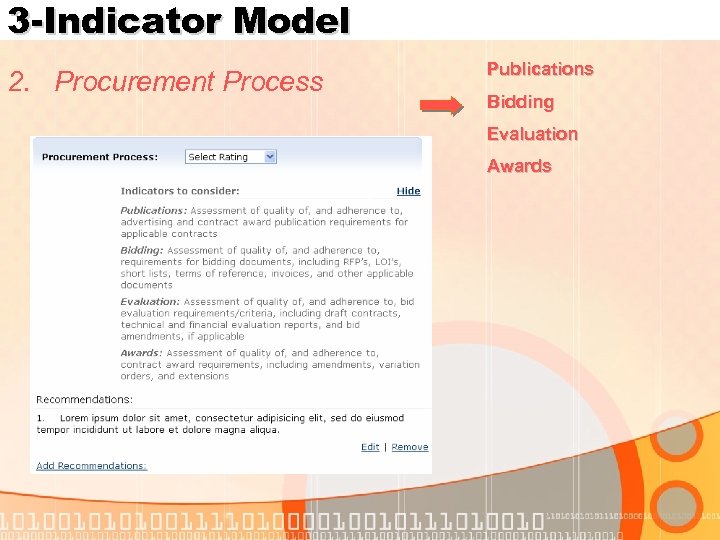 3 -Indicator Model 2. Procurement Process Publications Bidding Evaluation Awards
 3 -Indicator Model Implementation 3. Contract Administration Payments Compliance
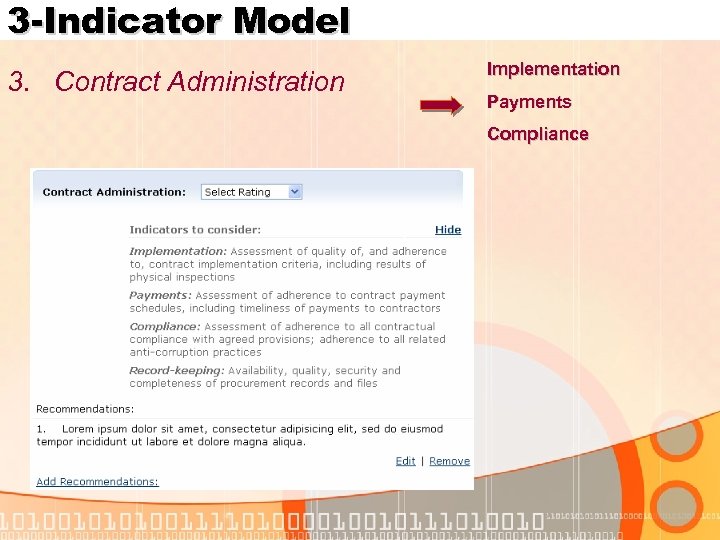 3 -Indicator Model 3. Contract Administration Implementation Payments Compliance
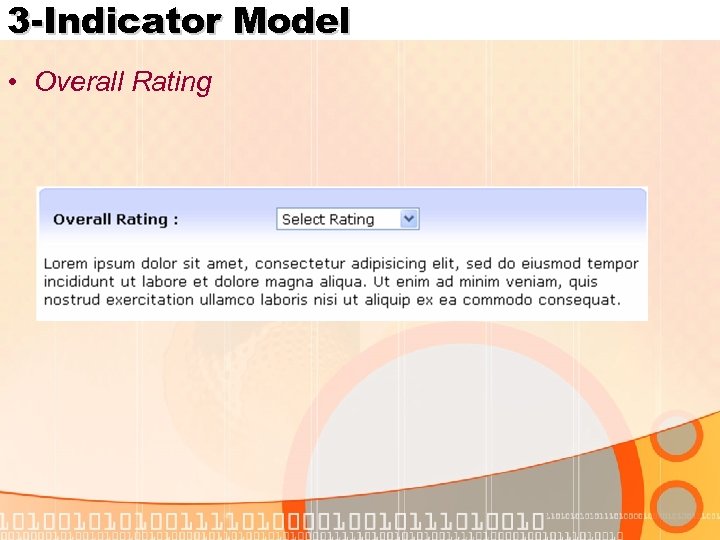 3 -Indicator Model • Overall Rating
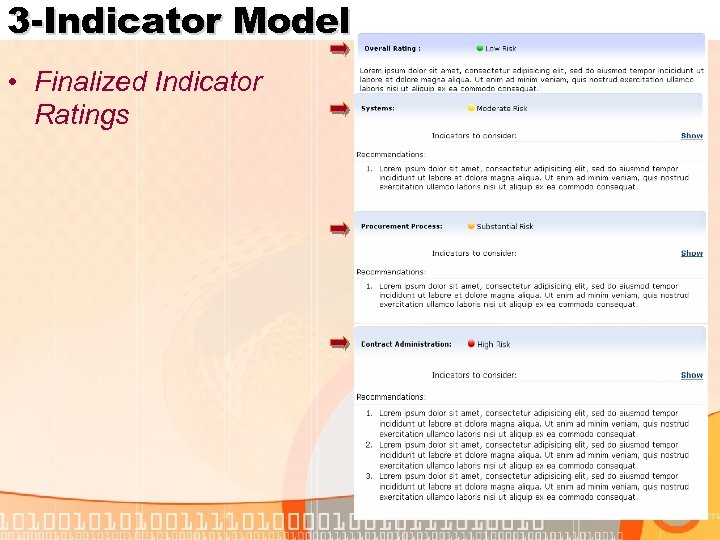 3 -Indicator Model • Finalized Indicator Ratings
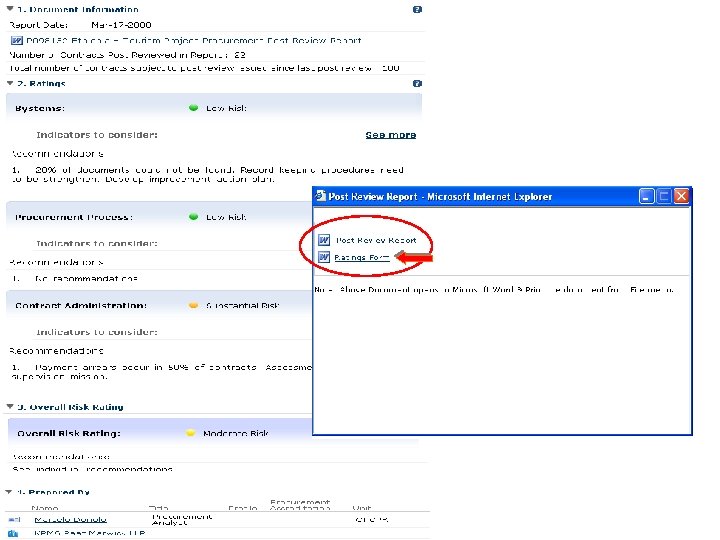
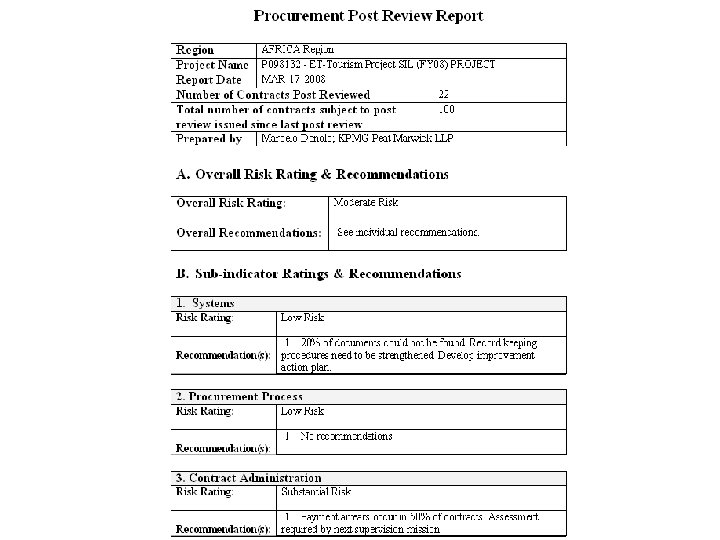
 Function 5: Reporting (Output) • Profiled PPR Report • Ratings Form
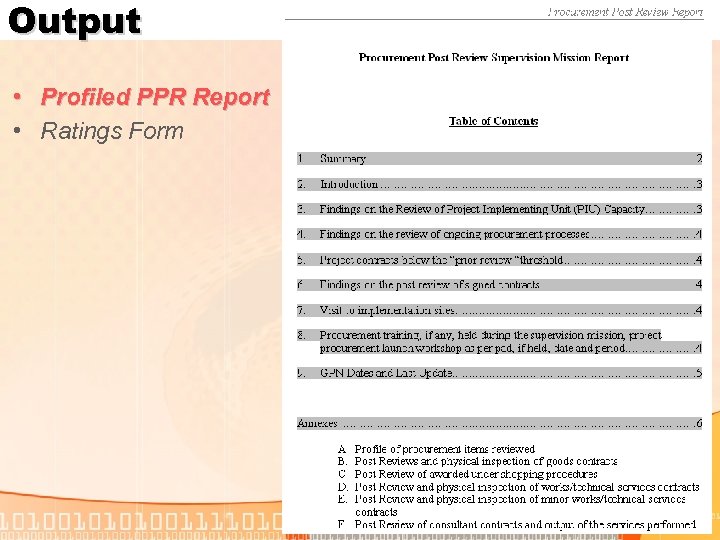 Output • Profiled PPR Report • Ratings Form
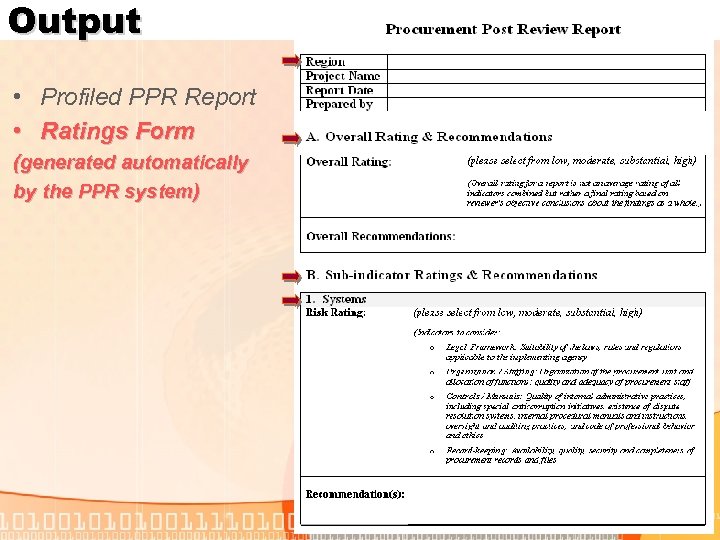 Output • Profiled PPR Report • Ratings Form (generated automatically by the PPR system)
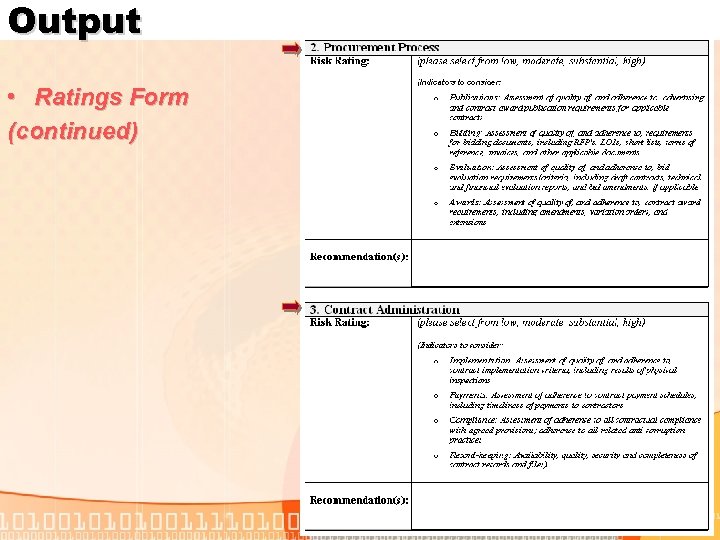 Output • Ratings Form (continued)
 Main Screenshots
 Main Screenshots • So……. what does it all look like?
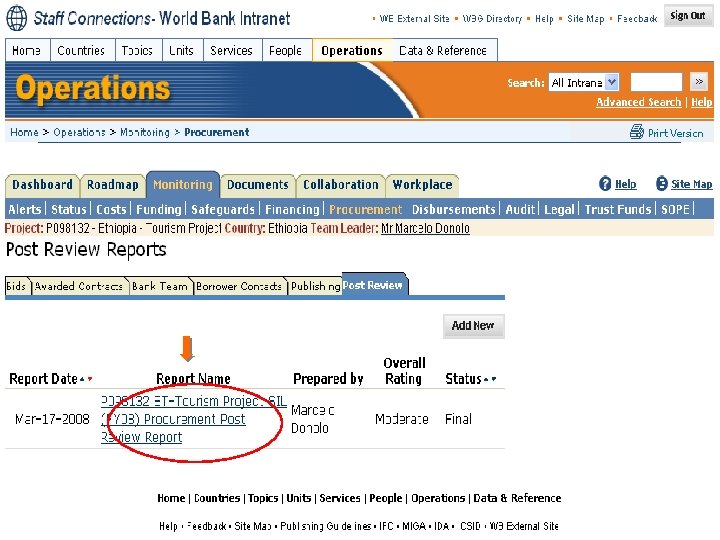
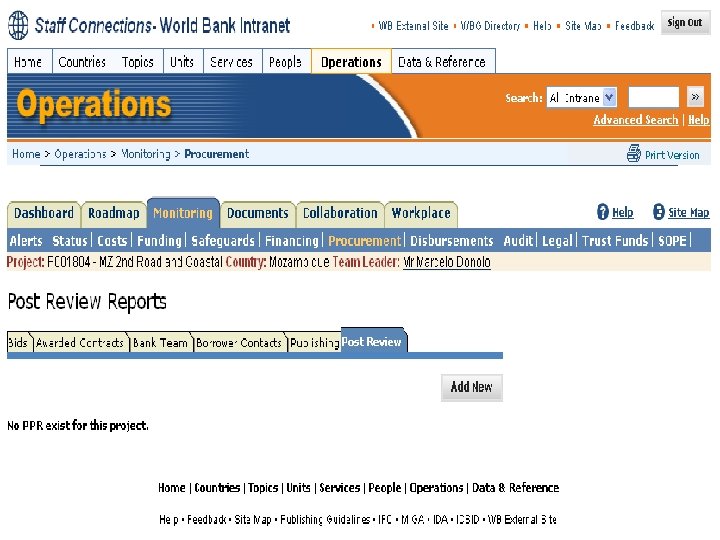 Accessing the PPR system:
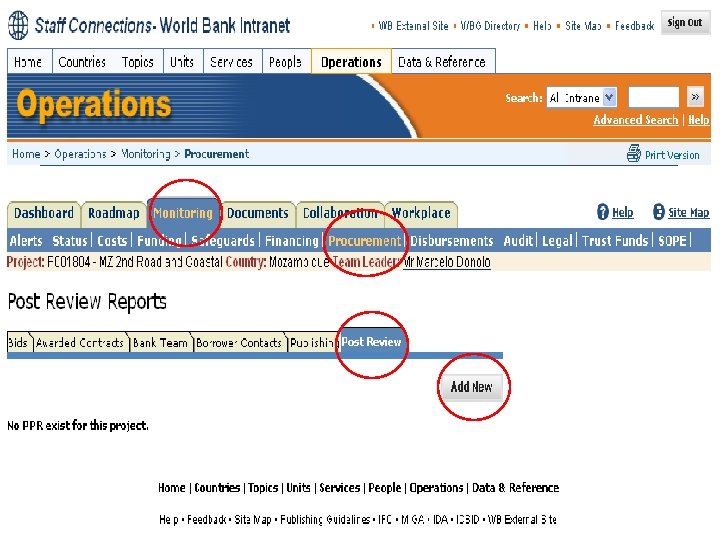 Accessing the PPR system:
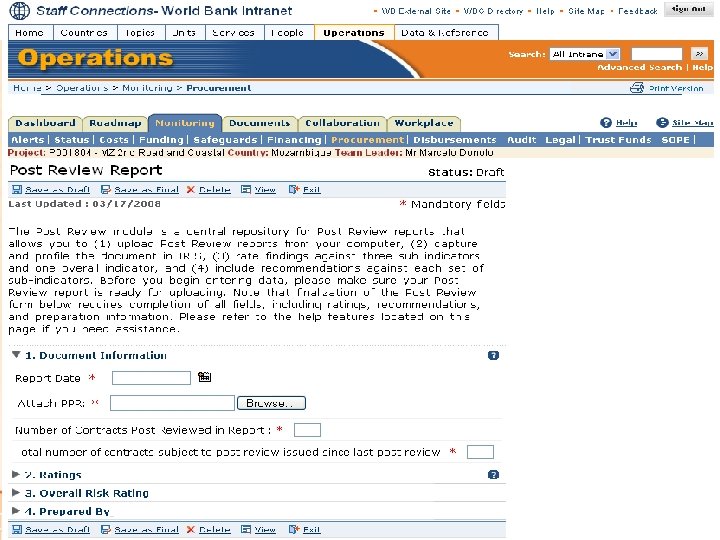 Adding a New PPR Report
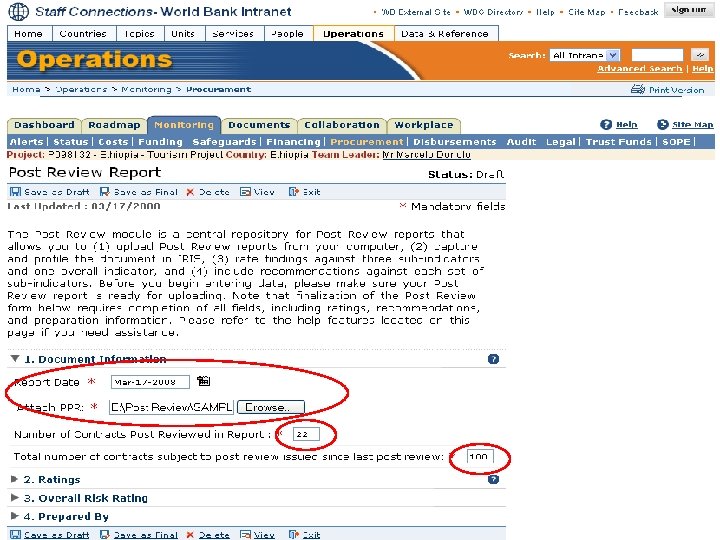
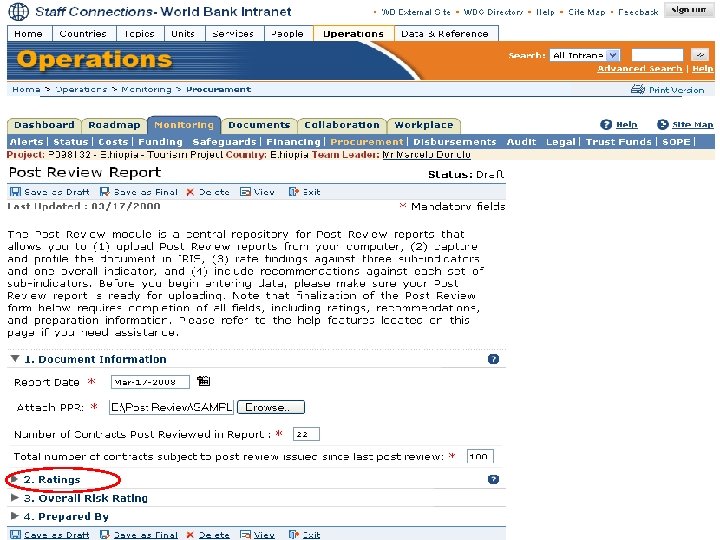
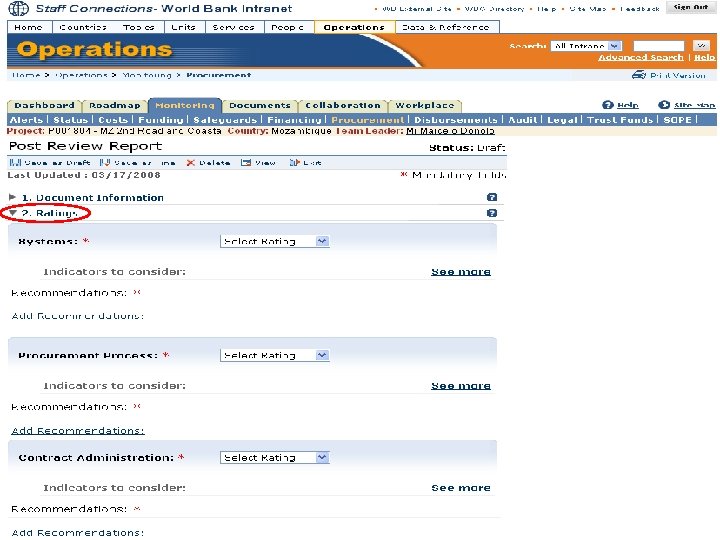 Adding a New PPR Report
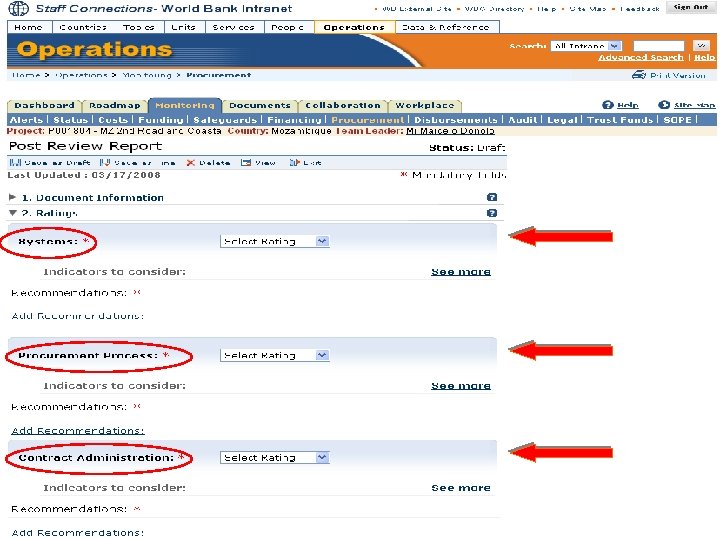 Adding a New PPR Report
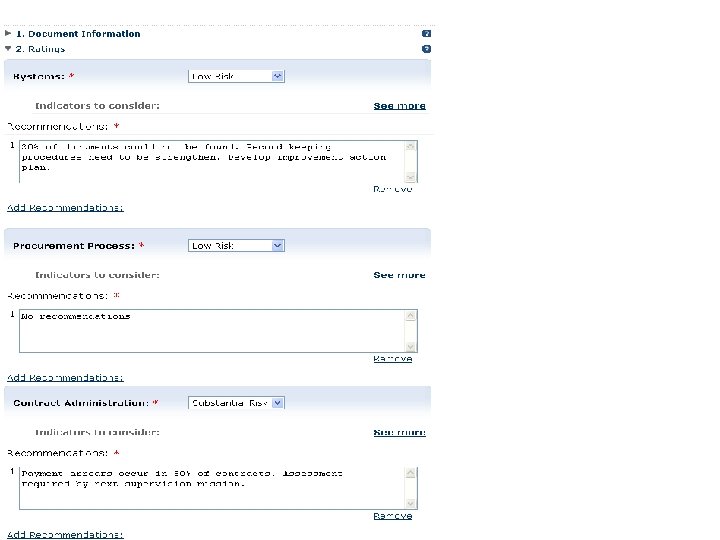
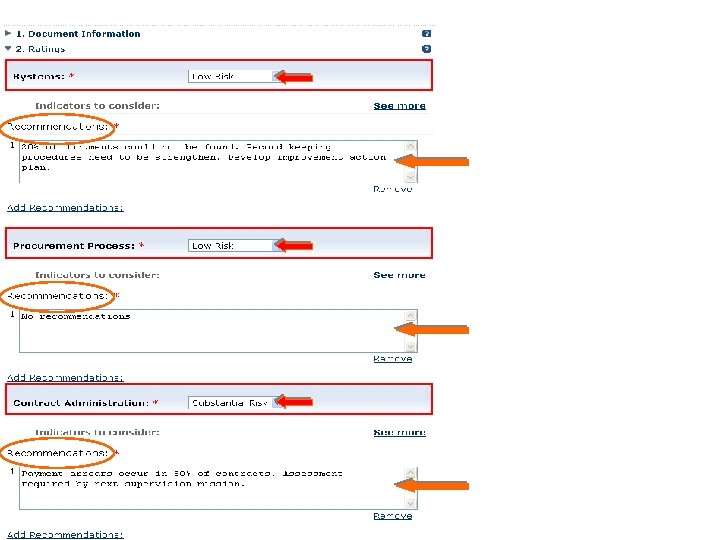
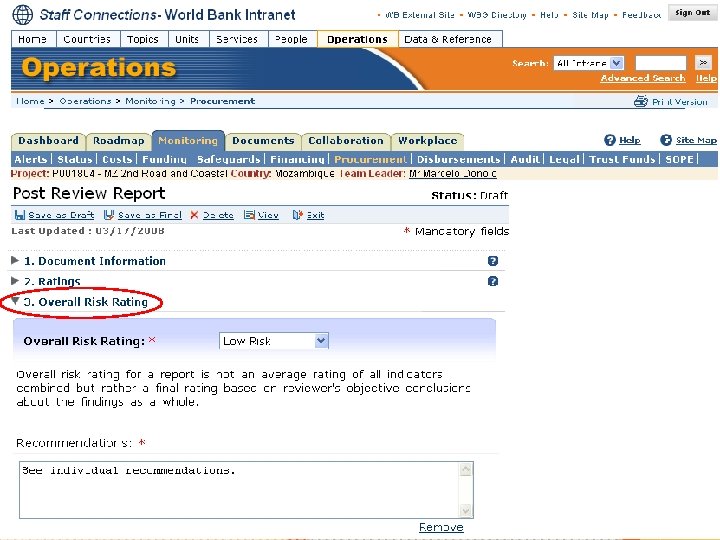
 Pilot & Implementation
 Pilot & Implementation • Program: • System is available (live) • Pilot program: Apr-Dec ‘ 08 • Target: 25% of all active IL projects • OPCPR and Regional support • End-user feedback
 Pilot & Implementation • PLEASE SIGN UP IF YOU ARE INTERESTED IN BEING PART OF THE PILOT (SEE HANDOUT) • Leave handout on your table/chair and we will collect it • You will receive notification via email on next steps for participating in the program
 Next Steps
 Next Steps • Phase II • Development: Jan–Mar ’ 09 • Launch: Apr ’ 09 • • Includes IPR capture and rating Data linkage to Dynamic Risk Module Data linkage to ISR Data linkage to Complaints Database Approval workflow to include RPMs Development of other end-user suggestions Reporting templates
 Questions?