


 Скачать презентацию Process of a Standard s Development ASTM International Officers
efd378d23d34d250205333981058c391.ppt
- Количество слайдов: 102
 Process of a Standard’s Development ASTM International Officers’ Training Workshop September 2012 Nicole Baldini Rick Lake Todd Sandler 1
 Objectives n Register a work item review development tools n Write a new or revise an existing standard n Ballot a standard n Review an edited standard n Publish a standard 2
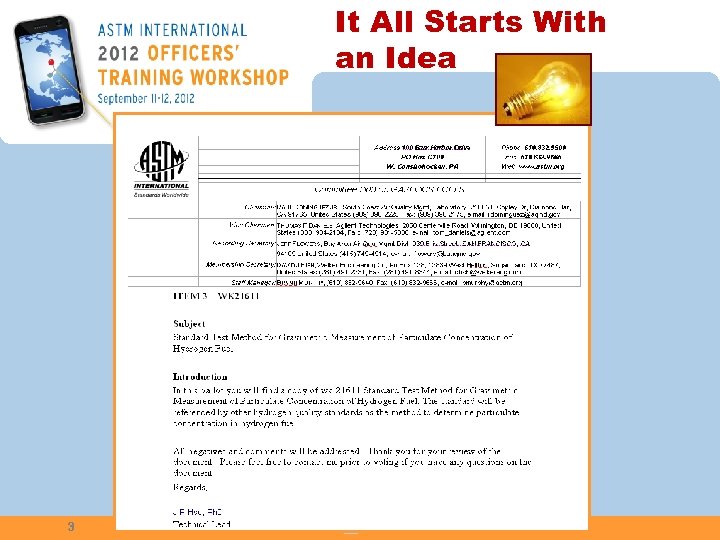 It All Starts With an Idea n Survey current status n Identify future directions and needs n Define goals and priorities n Develop implementation plan n Achieving success n Measuring progress n Re-assessing status 3
 Register a Work Item
 New Standard Activity n Determine if new standard is needed n Identify and gather key stakeholders n Identify Subcommittee n Register a Work Item
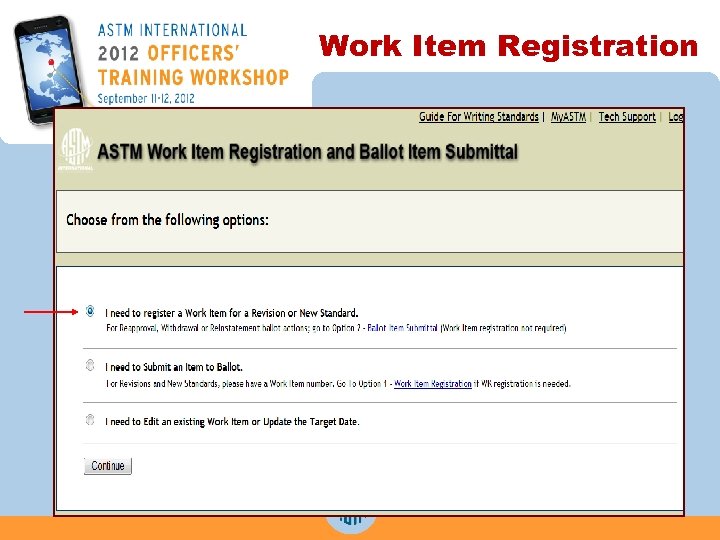
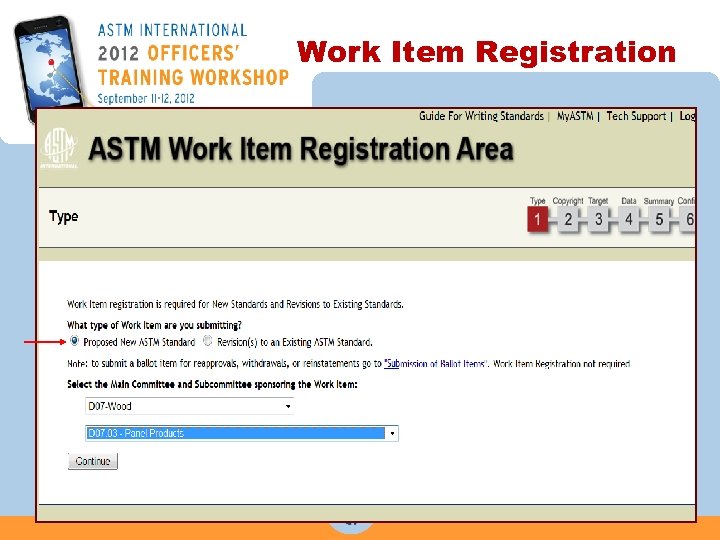
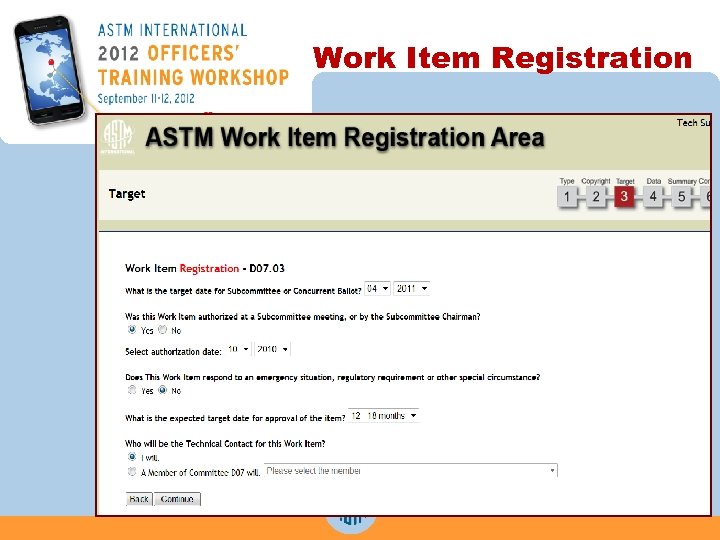
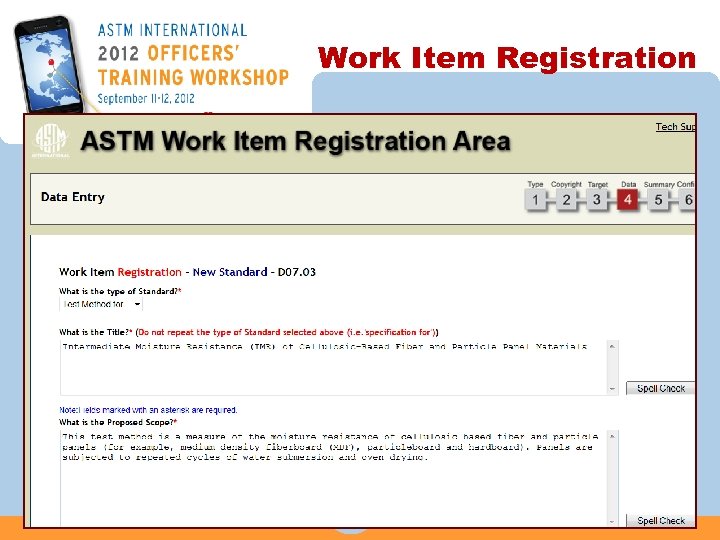
 Why Register a Work Item? n Provides a tracking number, “WK 5432” n Alerts those on the Standards Tracking Service n Can be searched on the ASTM website n Initiates the ASTM balloting process
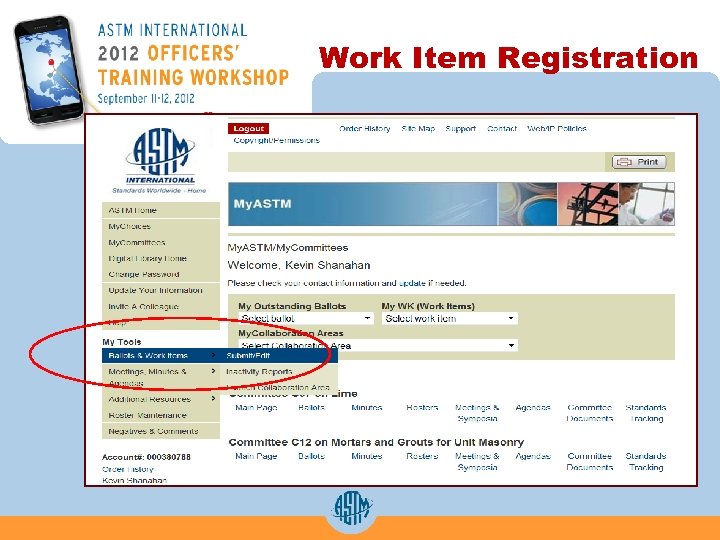
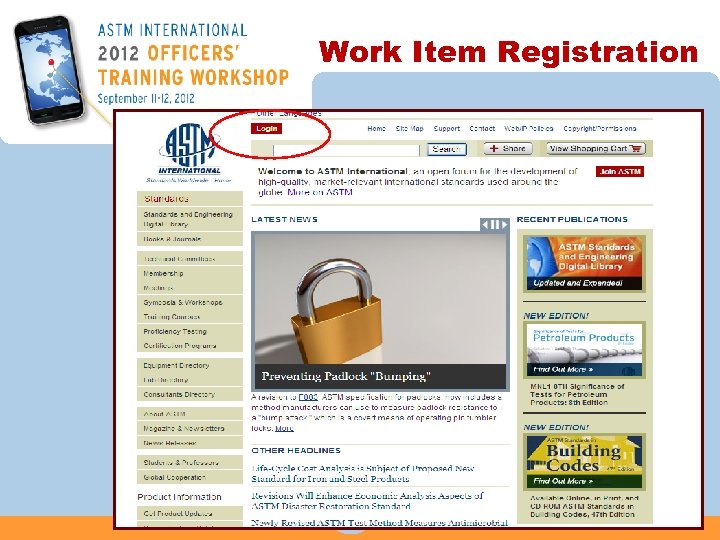 Work Item Registration
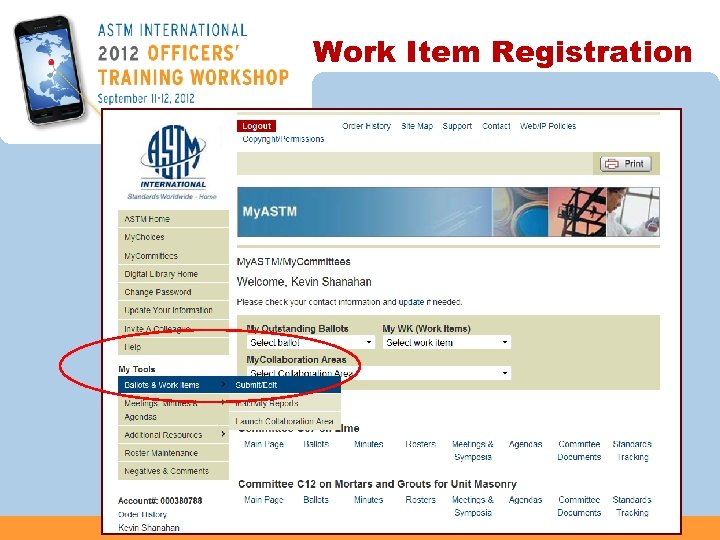 Work Item Registration
 Work Item Registration
 Work Item Registration
 Work Item Registration
 Work Item Registration
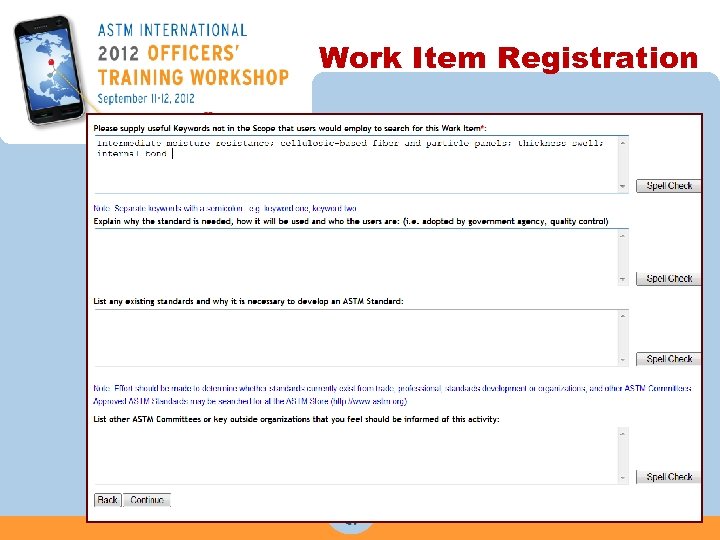 Work Item Registration
 Revisions Only n Register new work item to generate a request for MS WORD file of the latest version of the standard from ASTM International n E-mail sent to technical contact with a link to the current standard in MS WORD n Complete instructions are provided with the file
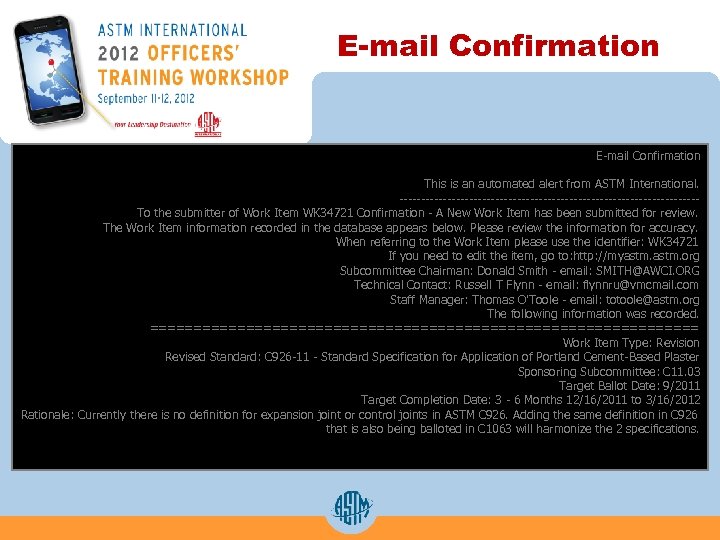 E-mail Confirmation This is an automated alert from ASTM International. ----------------------------------To the submitter of Work Item WK 34721 Confirmation - A New Work Item has been submitted for review. The Work Item information recorded in the database appears below. Please review the information for accuracy. When referring to the Work Item please use the identifier: WK 34721 If you need to edit the item, go to: http: //myastm. org Subcommittee Chairman: Donald Smith - email: SMITH@AWCI. ORG Technical Contact: Russell T Flynn - email: flynnru@vmcmail. com Staff Manager: Thomas O'Toole - email: totoole@astm. org The following information was recorded. ================================ Work Item Type: Revision Revised Standard: C 926 -11 - Standard Specification for Application of Portland Cement-Based Plaster Sponsoring Subcommittee: C 11. 03 Target Ballot Date: 9/2011 Target Completion Date: 3 - 6 Months 12/16/2011 to 3/16/2012 Rationale: Currently there is no definition for expansion joint or control joints in ASTM C 926. Adding the same definition in C 926 that is also being balloted in C 1063 will harmonize the 2 specifications.
 Development Tools
 Tools for Standards Development n. Virtual Meetings n. Collaboration Area n. Writing Tools n. Draft Templates n. Developmental Editing
 Virtual Meetings n Online document viewing and editing during the meeting n Arranged through your Staff Manager or through the My. ASTM Section of the website n Saves time and expenses on meeting face-to-face n ASTM uses Web. Ex Meetings, an excellent vehicle for these meetings
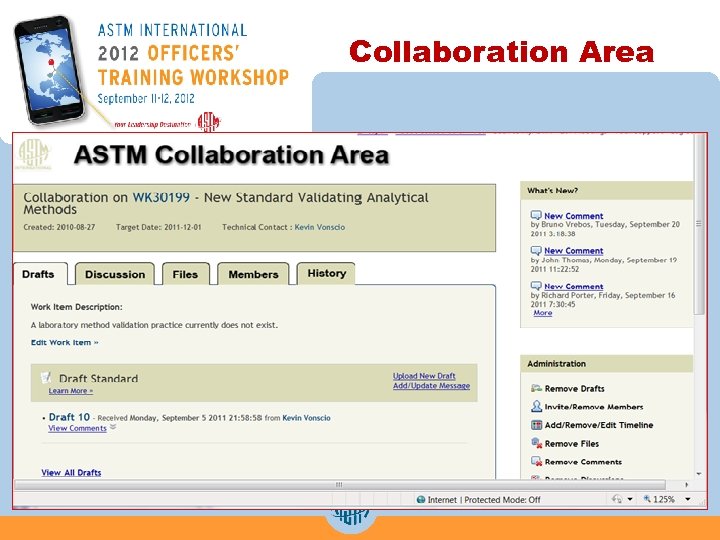 Collaboration Area
 Writing Tools
 Submit your draft in MS WORD n ASTM requests WORD for balloting purposes because it is the most common word processing program. n TCO takes your WORD file and converts it to PDF for the ASTM website online balloting area. n Developmental editor works directly with you in WORD to develop your draft. n Committee editor converts the WORD file into SGML (Standard Generalized Markup Language) for composition and electronic publishing purposes.
 Form and Style for ASTM Standards
 Form and Style Manual n ASTM Website www. astm. org under: • Technical Committees • Standards Development • ASTM Form and Style Manual (“Blue Book”) n Gives guidance and answers to most questions you may have while writing your standard n Your editor is available to answer questions you may have about the manual
 Form and Style n Parts A-C describe and define the five types of ASTM standards • Test Method, Specification, Guide/Practice, Classification and Terminology n Each section provides information on: • Mandatory and suggested sections for each type of standard • Annexes (Mandatory Information) Appendixes (Nonmandatory information) • Footnotes, References, and Summary of Changes
 Form and Style n Part D describes the use of the Modified Numbering Decimal System or the “Point” system • Information is provided for: • Numbering sections and subsections (including Annexes and Appendixes) • Numbering of Tables and Figures • Numbering of Equations, Notes and Supplementary Requirements
 Form and Style n Part E describes the use of Terminology in ASTM standards • Included is information on: • What terms should be defined • Use of Symbols, Acronyms and Abbreviations as Terminology • Form of a Terminology Standard – Each committee should have a main terminology standard
 Form and Style n Part F covers caveats, legal aspects, and special instructions • Included is information on: • Caveats: – Safety, fire, working document, and professional judgment • Patents • Source of supply and corresponding footnotes • Trademarks • Reagents and Materials
 Form and Style n Part G is the Standards Style Manual • Included in this section is: • Abbreviations and unit symbols • Creating and submitting figures for ballot • Table style • Spelling of words commonly found in ASTM standards • List of Generic vs. trademarked terms • References – Book, magazines, journals, bulletins, symposium, etc.
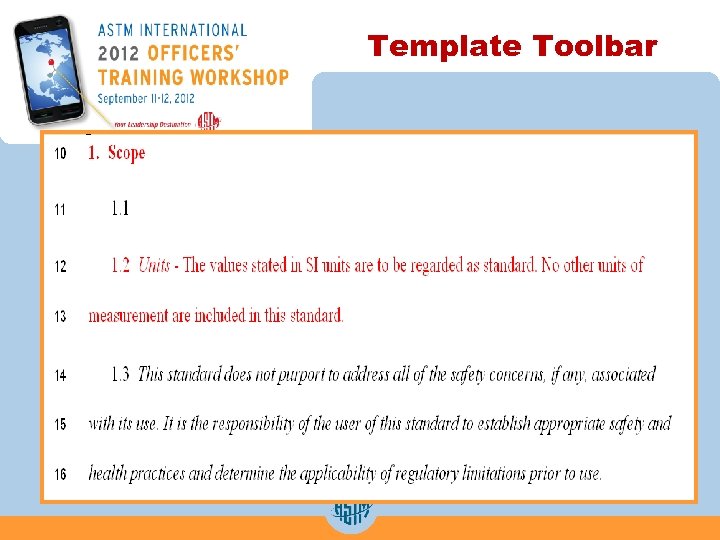
 Form and Style n Part H covers the use of SI units in ASTM standards • Included in this section is: • Format requirements for standards in SI units • Format requirements for standards in Inch-Pound units • Units statements for all types of standards – SI Only – Inch-Pound – Combined or dual standard • SI units must be included in all standards
 ASTM Templates
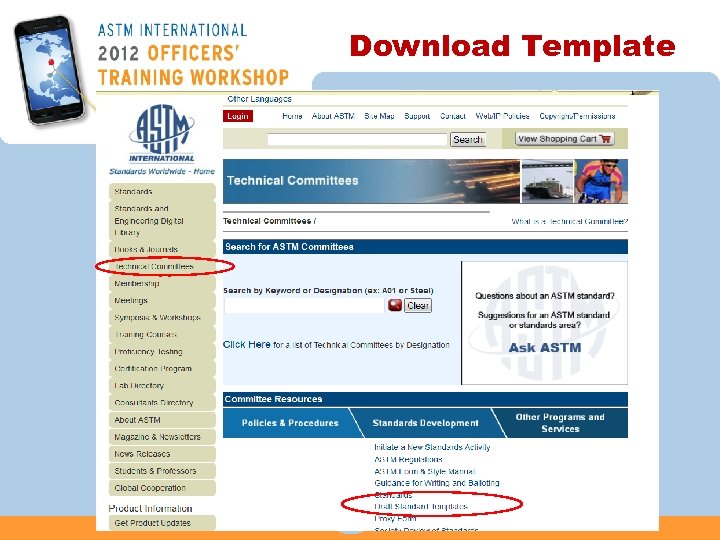
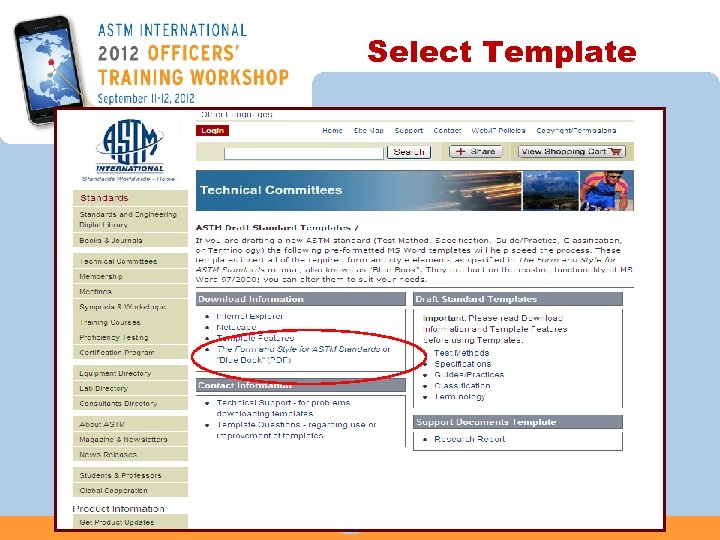
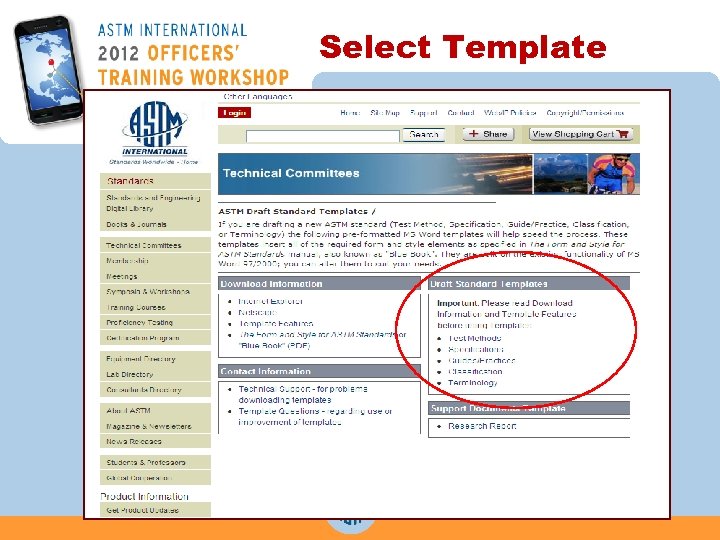
 About Templates n Available at www. astm. org on Technical Committees page under the link “Standards Development” n Templates for: Test Method, Specification, Guide/Practice, Classification, and Terminology n Detailed instructions are provided with the template
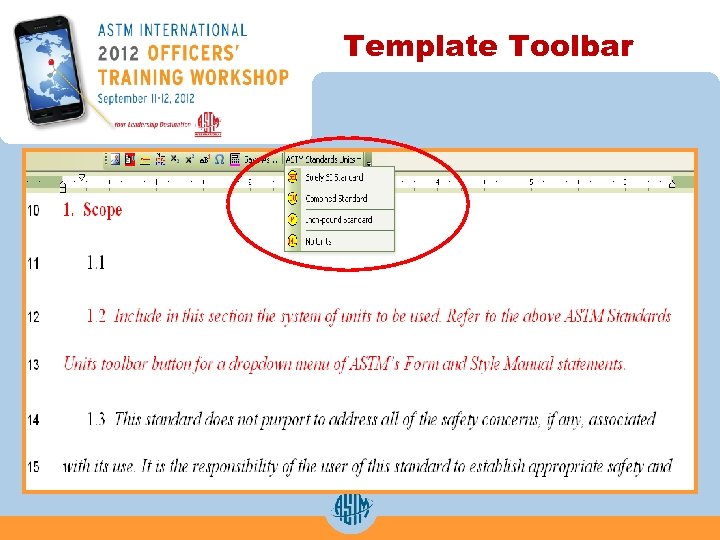
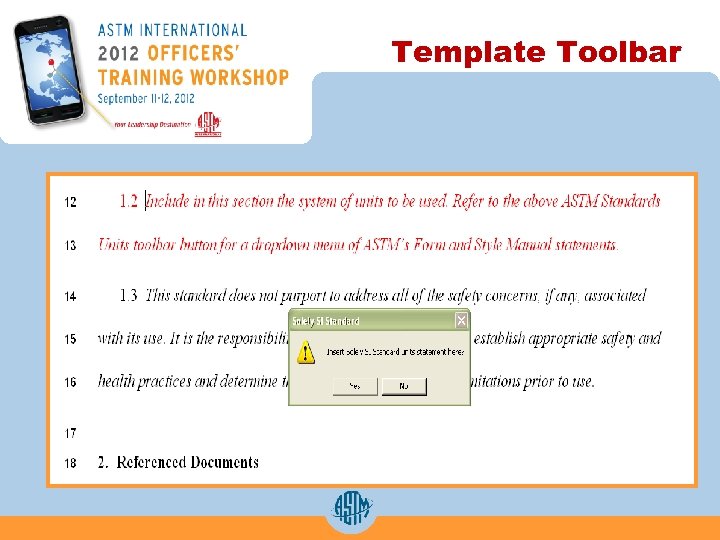
 Template Features n Suggested and mandatory headings are provided; mandatory headings are in RED n Dialog box prompts to insert Title and Footnote 1 n Ability to insert tables, figures and equations n Auto Numbering (this is a limited but helpful feature) n Layout in one column format for ballot/editing purposes
 Template Demonstration
 Download Template
 Select Template
 Select Template
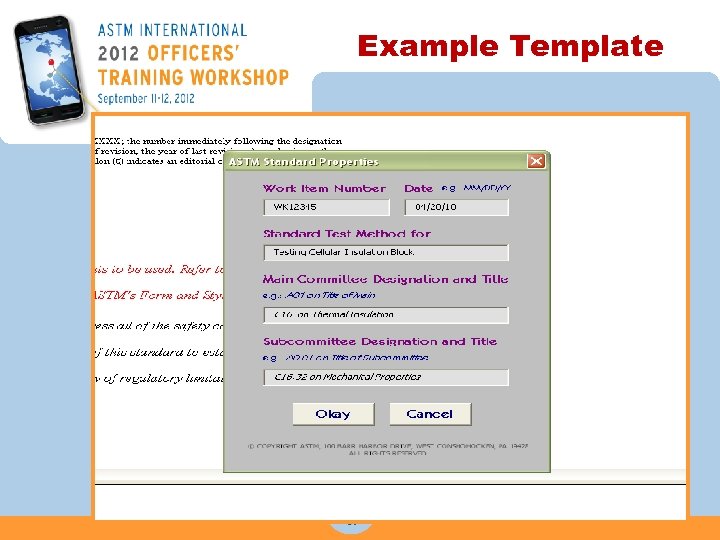 Example Template
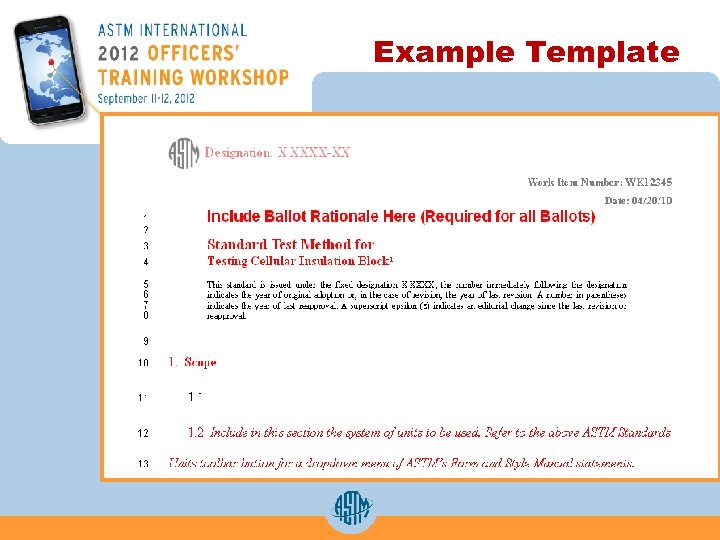 Example Template
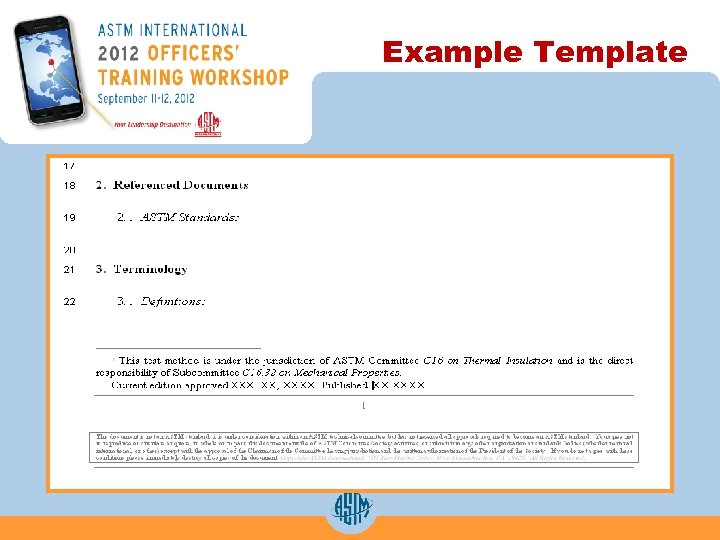 Example Template
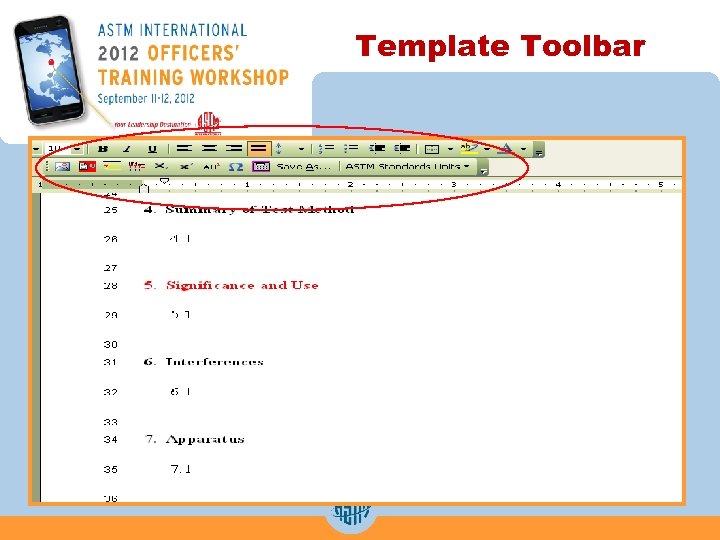 Template Toolbar
 Template Toolbar
 Template Toolbar
 Template Toolbar
 Developmental Editor
 Developmental Editor n If you have questions while writing a draft standard or using the template, contact the developmental editor. • Developmental editor can be reached by phone or e-mail. • kpeters@astm. org (Kathy Peters) 610 -832 -9650
 Developmental Editing n Developmental editor can help you with: • Answering questions about the Form and Style for ASTM Standards and how to apply our style to standards • Upfront editing of: • new • revised • reinstated standards • Assisting with artwork issues
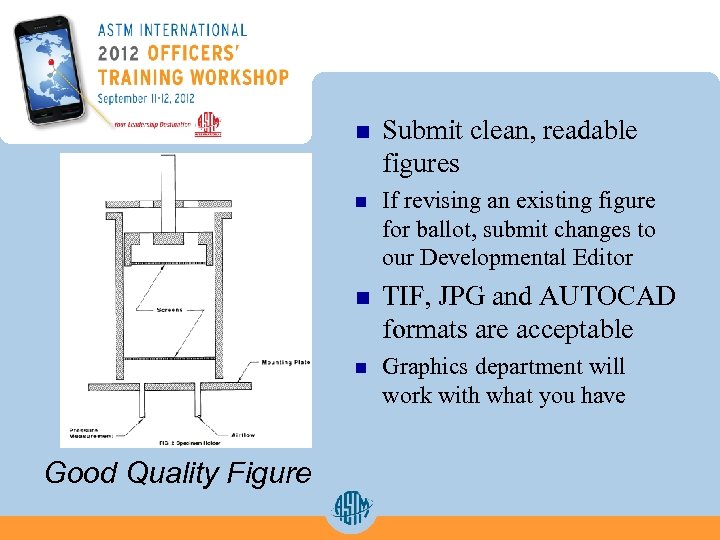 n n If revising an existing figure for ballot, submit changes to our Developmental Editor n TIF, JPG and AUTOCAD formats are acceptable n Good Quality Figure Submit clean, readable figures Graphics department will work with what you have
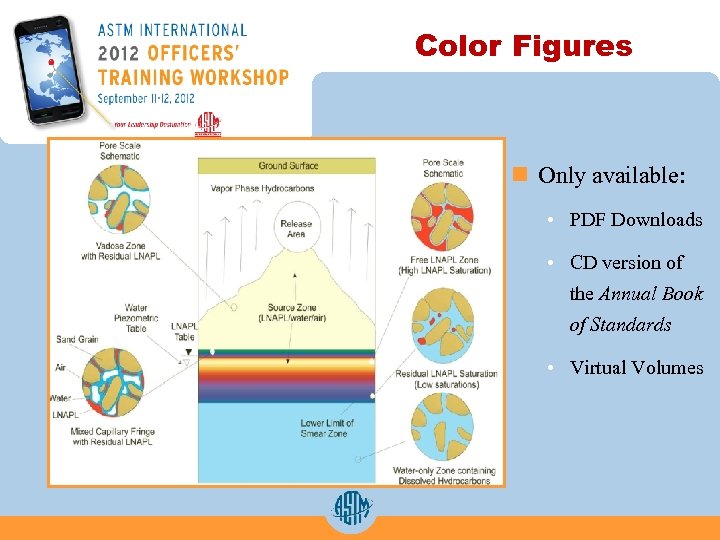 Color Figures n Only available: • PDF Downloads • CD version of the Annual Book of Standards • Virtual Volumes
 Prepare Revision for Ballot
 Registering Revisions n Register new work item n Registering generates a request for MS WORD™ file of the latest version of the standard from ASTM International • An email with a link to the WORDTM version of the standard will be sent to the technical contact • If you are the technical contact, you will have access to a WORDTM version of the standard on the work item summary page after you log in to My. ASTM
 Prepare Revision for Ballot n Always keep a clean copy of standard n Determine the sections that are going to be revised n Determine how much context is needed for a revision to make sense to the voter n Determine if entire document is to be balloted, or just sections
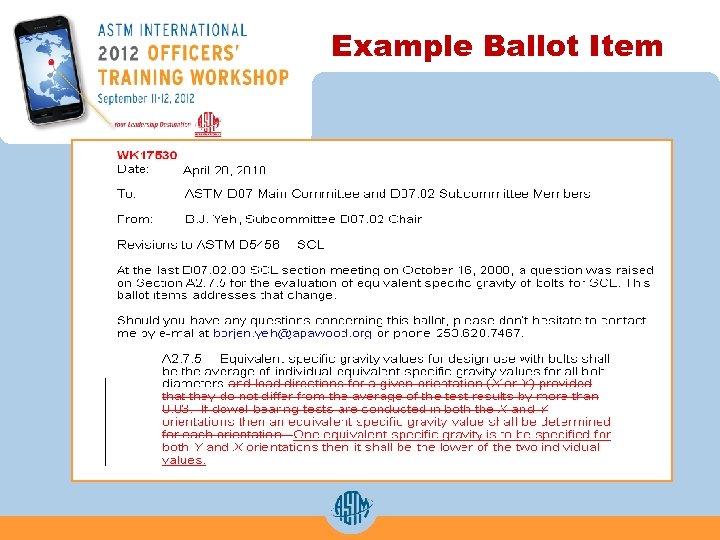 Example Ballot Item
 Submitting a Proposed Draft for Ballot
 Work Item Registration
 Submit Item for Ballot
 Submit Item for Ballot
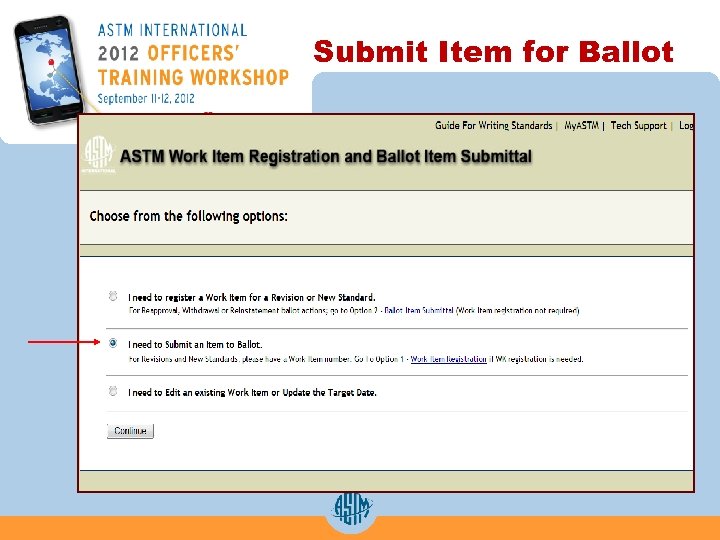
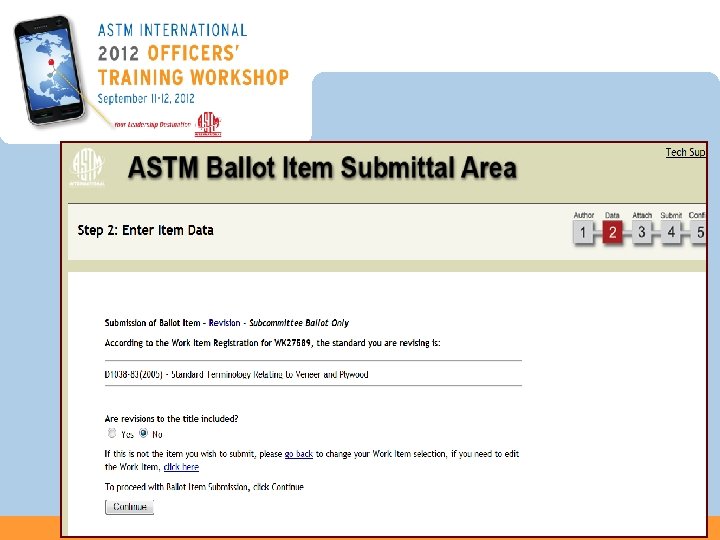 Submit Item for Ballot
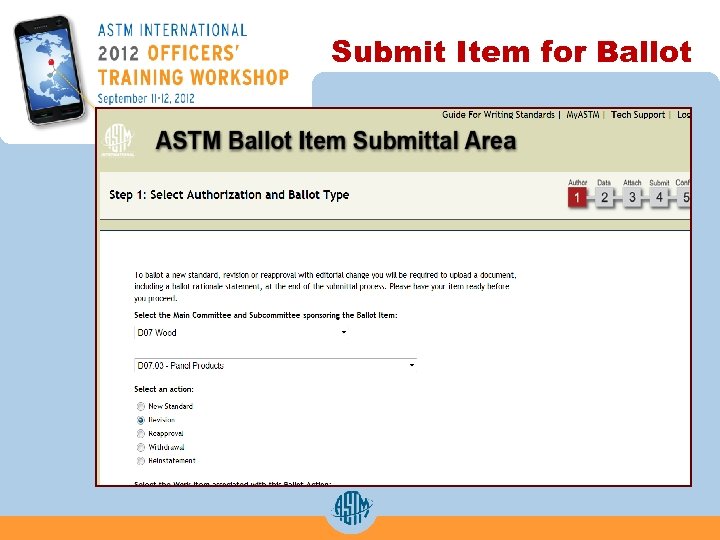
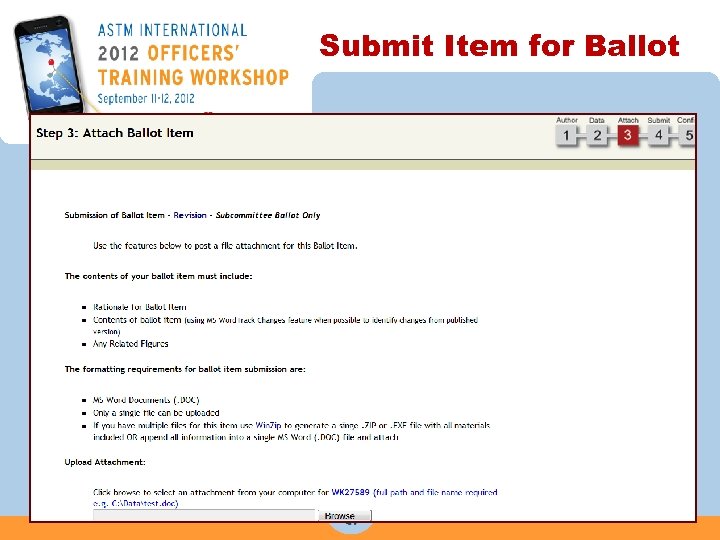 Submit Item for Ballot
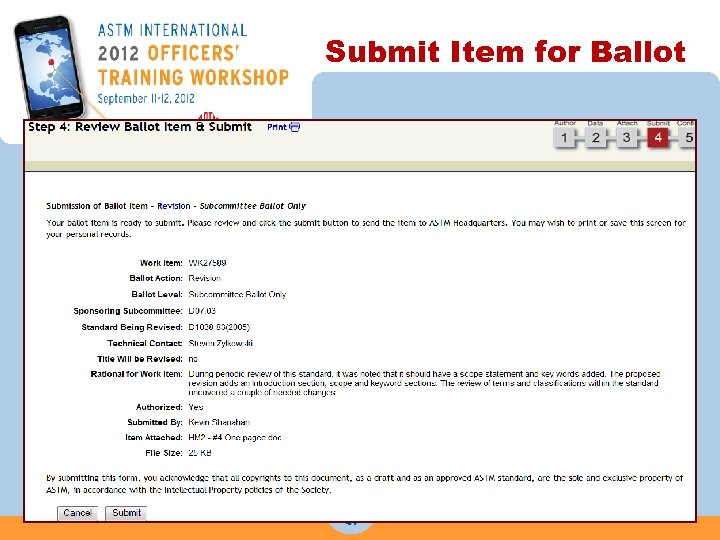 Submit Item for Ballot
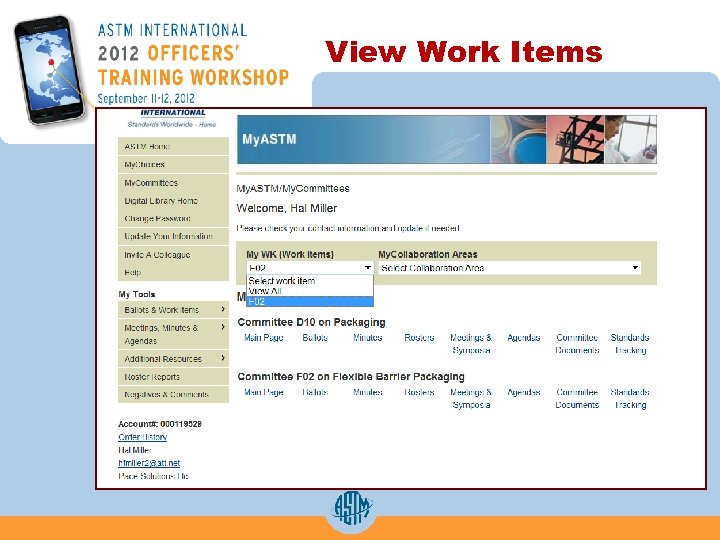 View Work Items My ASTM Work Items
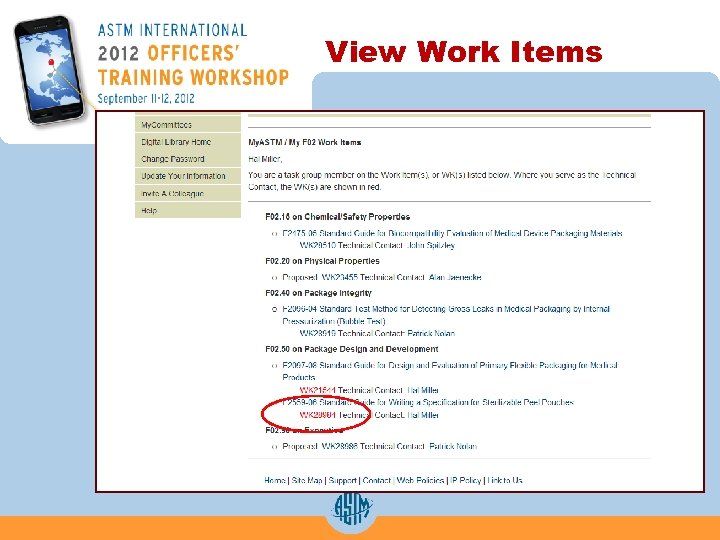 View Work Items My ASTM Work Item
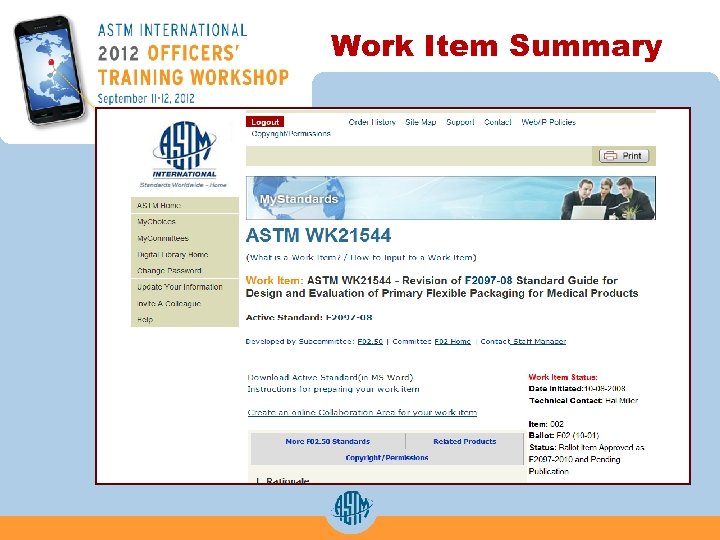 Work Item Summary
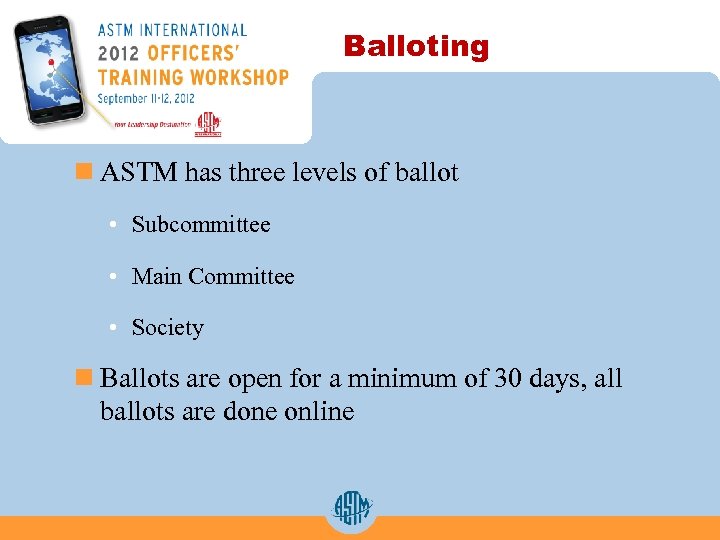 Balloting n ASTM has three levels of ballot • Subcommittee • Main Committee • Society n Ballots are open for a minimum of 30 days, all ballots are done online
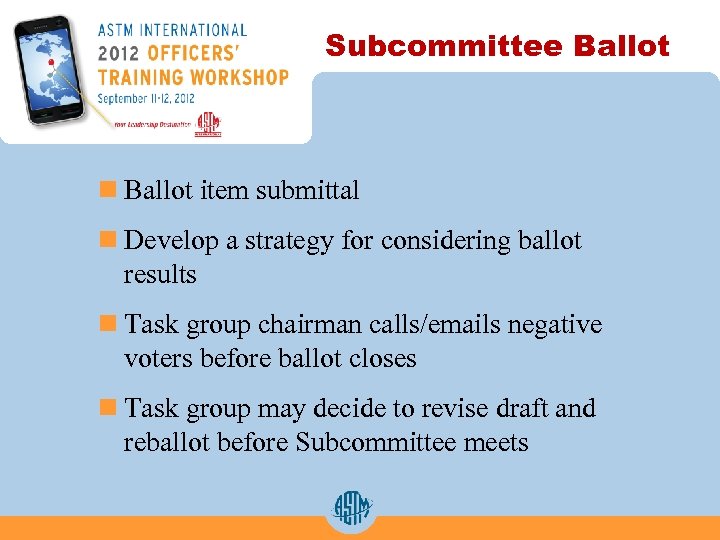 Subcommittee Ballot n Ballot item submittal n Develop a strategy for considering ballot results n Task group chairman calls/emails negative voters before ballot closes n Task group may decide to revise draft and reballot before Subcommittee meets
 Main Committee Ballot n Items that pass subcommittee ballot with no negatives move automatically to main committee ballot n Drafts that have been through at least one subcommittee ballot can be balloted at the main committee level
 Concurrent Sub/Main Ballot n During the balloting process: • Editor begins working on item with the start of the balloting process • Technical contact should contact negative voters while ballot is open in order to resolve the negative • Discuss strategy for how to resolve negative votes with your staff manager • Contact your staff manager with your negative ballot resolutions
 Negative Resolutions n Five possible resolutions: • Withdrawal with Editorial Changes • Persuasive • Not Related
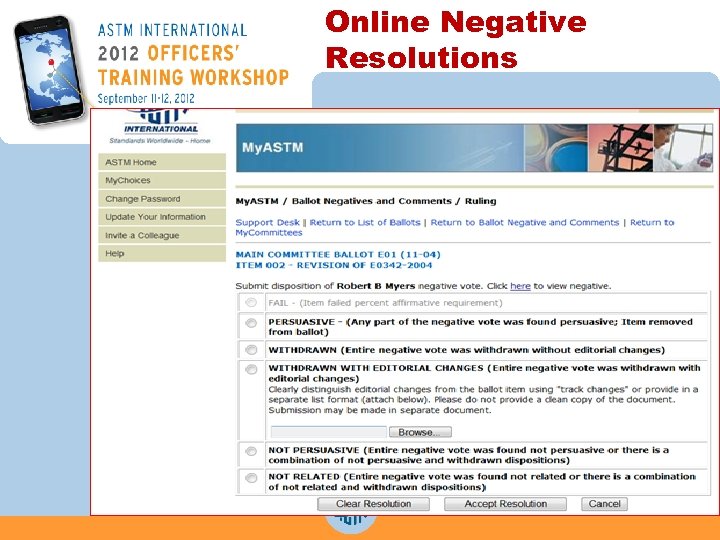 Online Negative Resolutions
 While the Standard is in the Ballot Process….
 While the Standard is Balloting… n The Editor begins the editing process, which includes: • Typesetting/converting Word document to SGML • Scanning and placing artwork • Ensuring the standard matches balloted draft • Ensuring that tables and figures are cited and numbered correctly • Verifying titles of ASTM standards in the Referenced Documents section and verifying that they are all cited in the text
 While the Standard is Balloting… n The Editor will also: • Ensure that section and cross-references are correct (for example, See Table 1) • Confirm that all mandatory sections are included and in the correct order • Review supplier footnotes for compliance with Part F in the Form and Style for ASTM Standards manual
 Typical Corrections n Grammar n Typographical errors n The editor will ensure that: • Certain formats or spellings appear consistently throughout the standard • Trademarked terms are replaced with generic terms (for example: “Pyrex” becomes “borosilicate glass”) • Technical terms are spelled in accordance with ASTM Form and Style. A few of the most corrected terms are: metre and litre
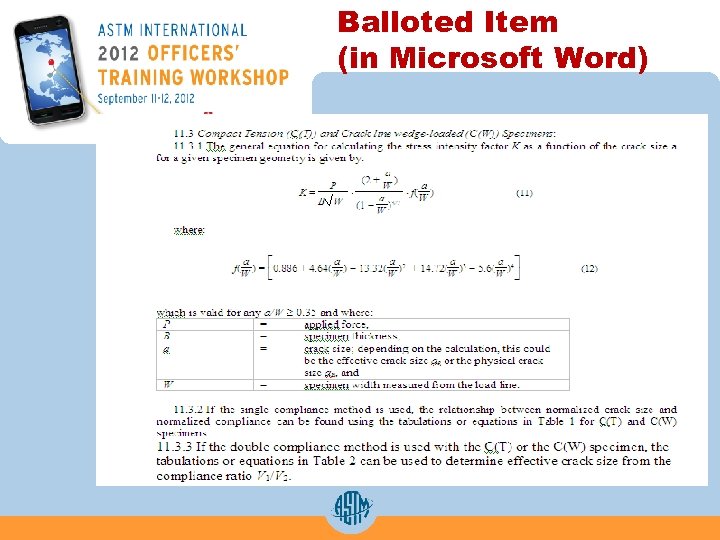 Balloted Item (in Microsoft Word)
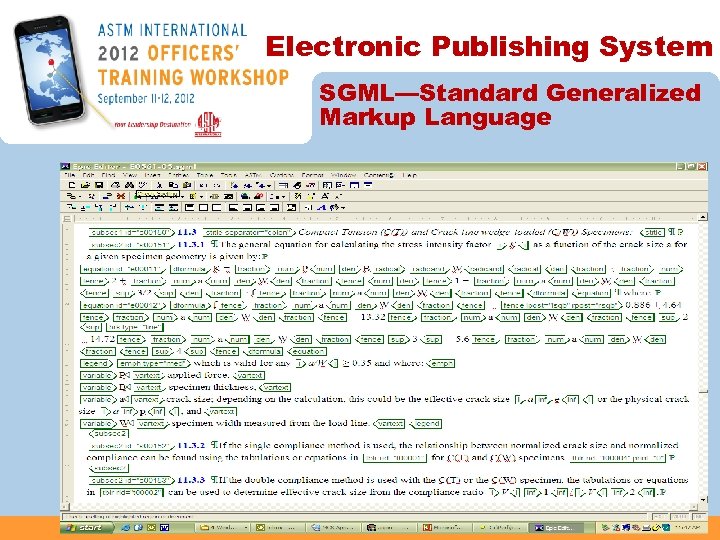 Electronic Publishing System SGML—Standard Generalized Markup Language
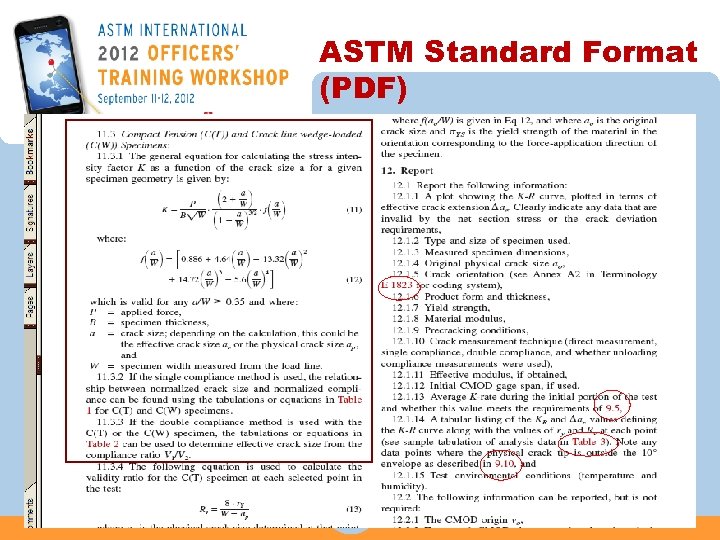 ASTM Standard Format (PDF)
 New Standard Receives Approval n A standard will receive official Society approval on the 1 st and 15 th of the month. n Once a standard receives society approval, the editor is notified and prepares the standard for review by the technical contact (reviewer) listed on the ballot. n If editorial changes were provided during the balloting process or as the result of negative vote resolution, the editor includes those changes in the standard sent for review.
 Review
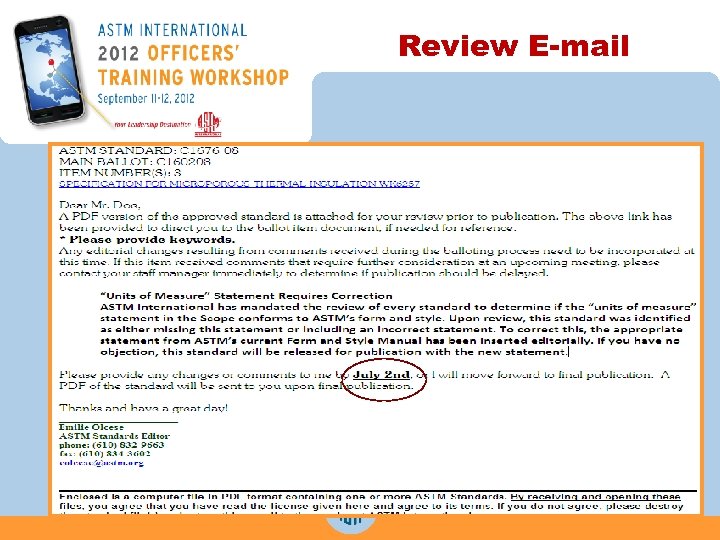
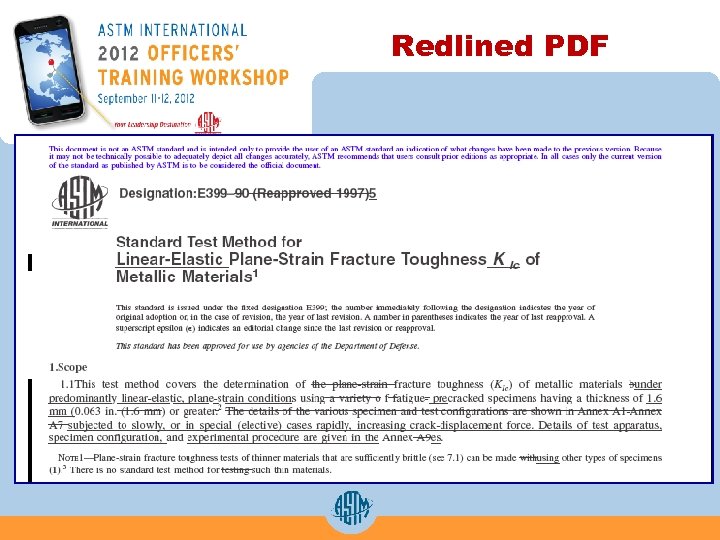
 Review Process n The editor e-mails a licensed PDF or redlined PDF of the standard for review. n This email: • Will provide a link to the online ballot item. • Will note if the “Units of Measure” statement in the Scope does not follow Form and Style and requires correction.
 Review E-mail
 Redlined PDF
 Reviewer’s Checklist ü Does the balloted information appears correctly in the printed standard? ü Did I include editorial changes? ü Did I review the units of measure statement? ü Did I answer the editor’s questions? • Typical questions include: • Citation of Referenced Documents in the text • Addition of Keywords ü Did I respond by the deadline (or ask for extension, if needed)?
 Changes: Editorial vs. Technical n Editorial changes do NOT change the meaning or intent of a standard and do NOT require balloting. • Changes can be made during review process n Technical changes CHANGE the meaning or intent of a standard and REQUIRE balloting. • Changes must be made on the next ballot
 Types of Editorial Changes n Reordering sections in accordance with the Form and Style for ASTM Standards n Summary of Changes without rationale n Updating titles in Referenced Documents n Updating footnote information n Changing titles in sections, tables, or figures, when justified by text n Errors in formatting n Errors in typesetting
 Types of Technical Changes n Adding, deleting, or changing: • Any section except Keywords • Requirements, values, and equations • Mandatory language (“shall” or “in accordance with”) with optional language, (“may, ” “can, ” “could, ” or “should”) n Summary of changes with rationale
 Publication
 Final Publication n Editor sends final approved document to ASTM website team n Within two weeks, standard is available online as a separate n The printed Book of Standards is a snapshot of what was completed at the time the book published, but the ASTM website will always have the most updated version of the standard
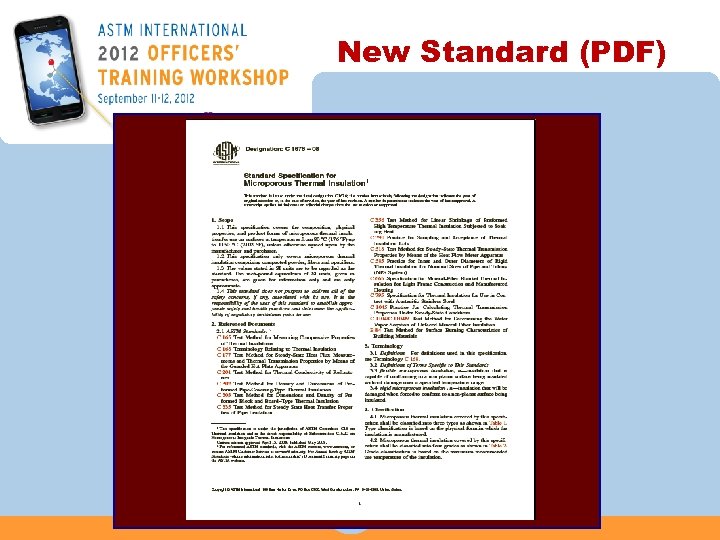 New Standard (PDF)
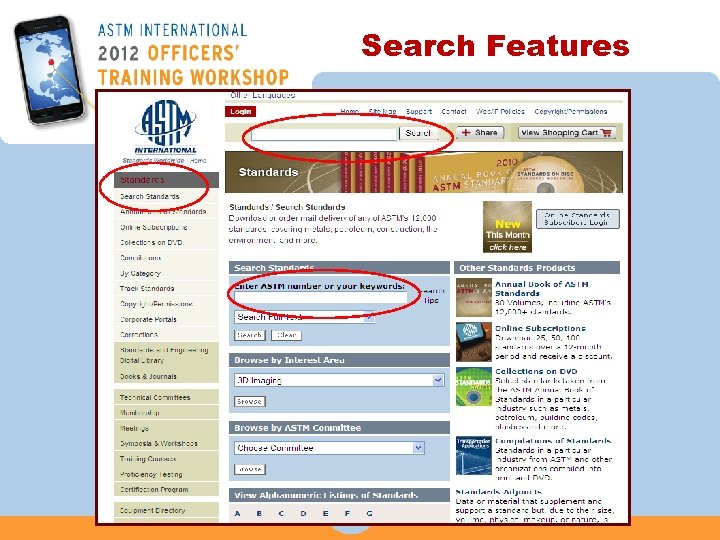 Search Features
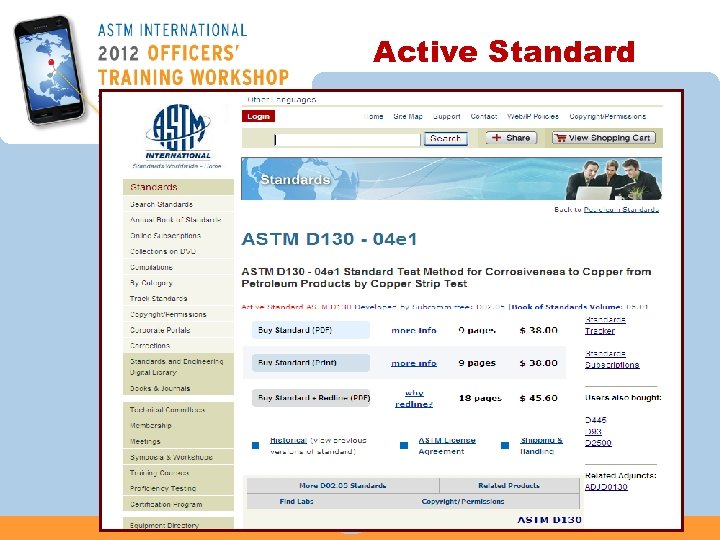 Active Standard
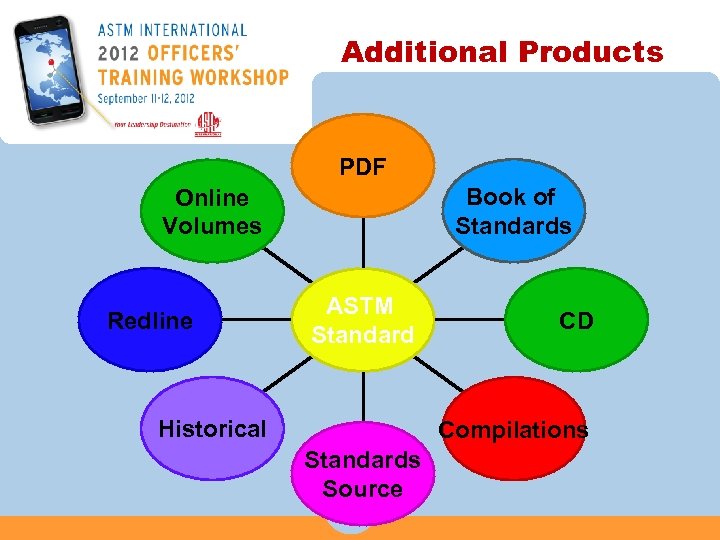 Additional Products PDF Book of Standards Online Volumes Redline ASTM Standard Historical CD Compilations Standards Source
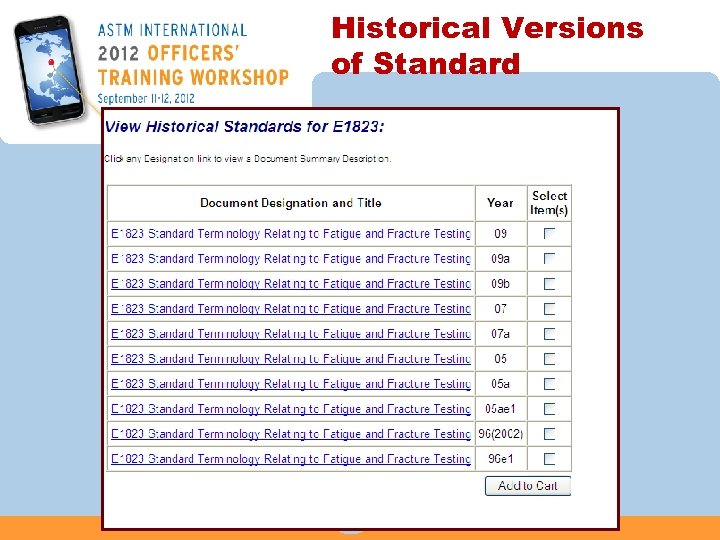 Historical Versions of Standard
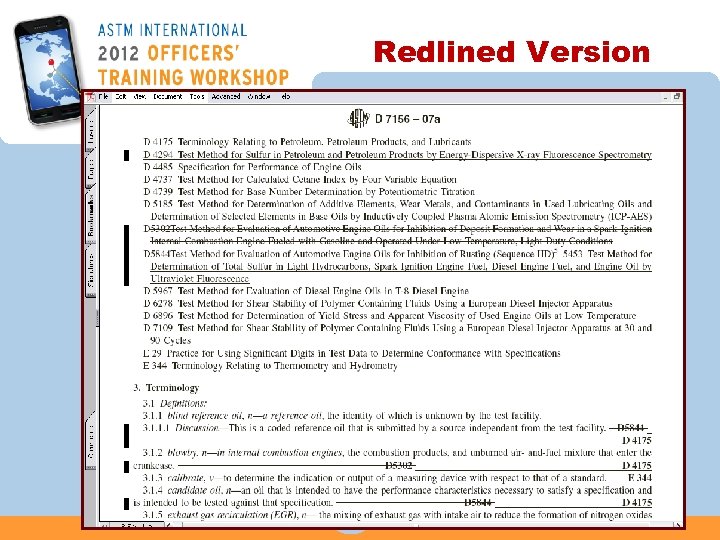 Redlined Version
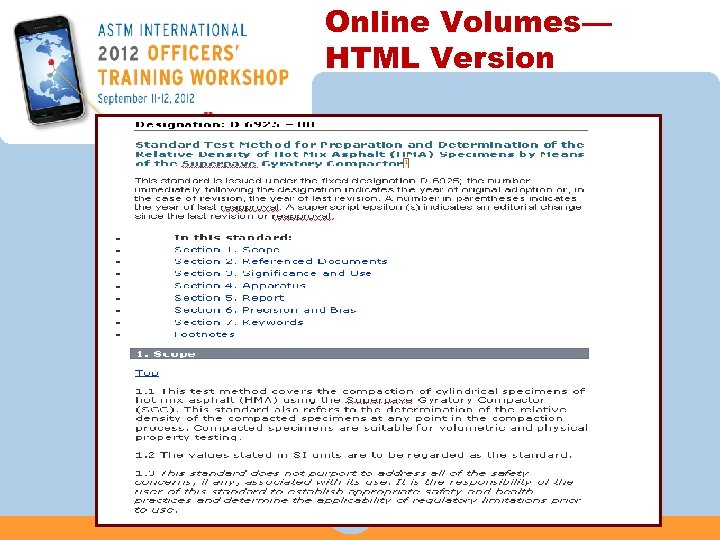 Online Volumes— HTML Version
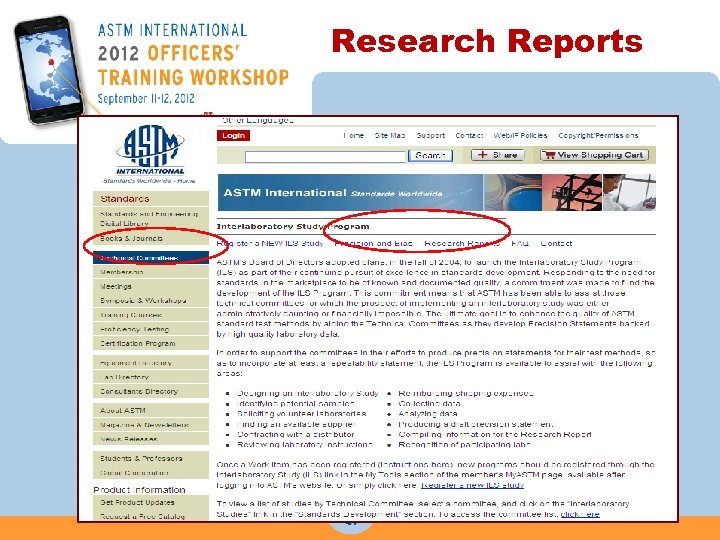
 Supplemental Information n Online Terminology Dictionary n Research Reports n Adjuncts
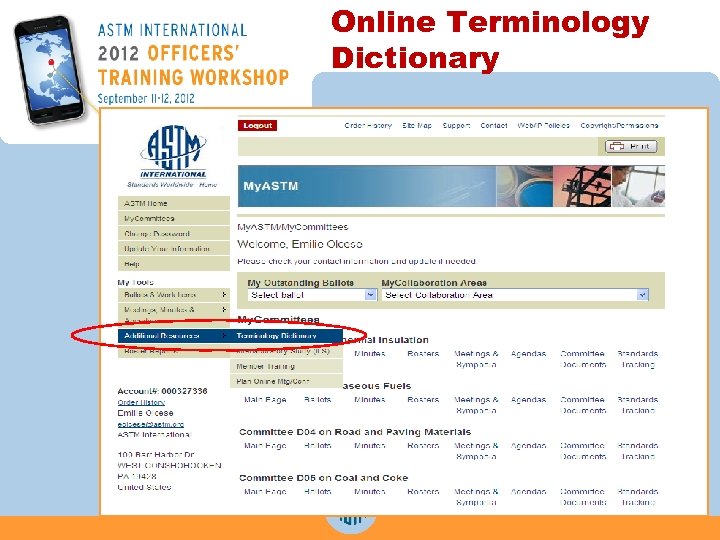 Online Terminology Dictionary
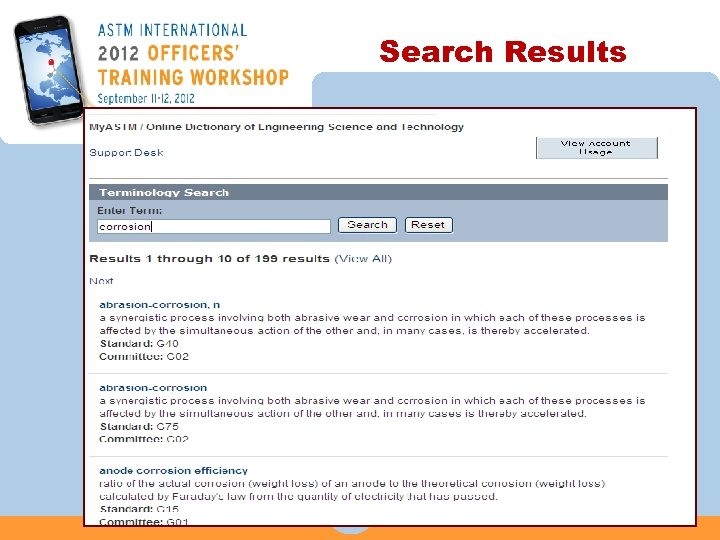 Search Results
 Research Reports n Contact the ILS department by phone or e-mail. • Caitlin Farrell, 610 -832 -9746, cfarrell@astm. org n Caitlin can help you with: • Questions about the research report process • Formatting using ASTM’s research report template • Assigning RR number
 Research Reports
 Adjuncts n Adjuncts are pieces of information that are essential to a standard but are too large or of a different format than the printed standard. • Blueprints • Copper strips • Online computer programs/spreadsheets • CDs • Color figures
 Review Objectives n Register a work item and reviewed all the development tools available n Write a new or revise an existing standard n Ballot a standard n Review an edited standard n Publish a standard
 Contact ASTM International Web : www. astm. org phone : +1 610/832 -9585 fax : +1 610/832 -9555 address : ASTM International 100 Barr Harbor Drive PO Box C 700 W. Conshohocken, PA 19428 -2959 USA
 Questions? Thank you!