


 Скачать презентацию Prism-MW Tutorial From Architecture to Design 2
cfa74ab1da261497990df3ec1dbce45f.ppt
- Количество слайдов: 28
 Prism-MW Tutorial
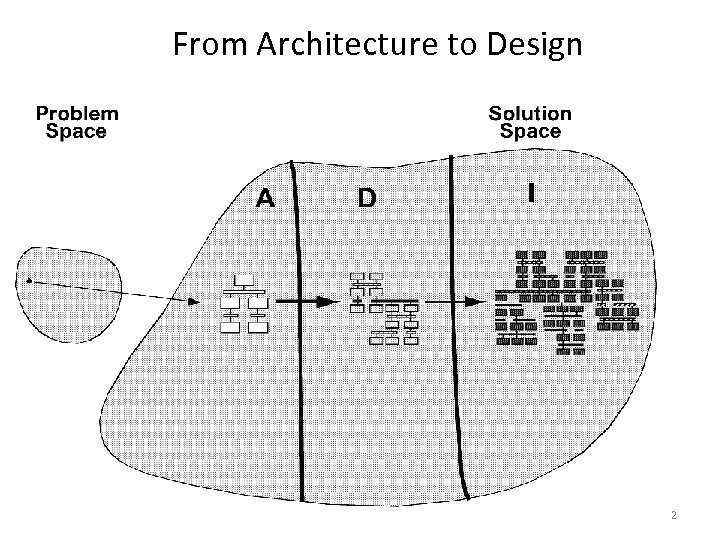 From Architecture to Design 2
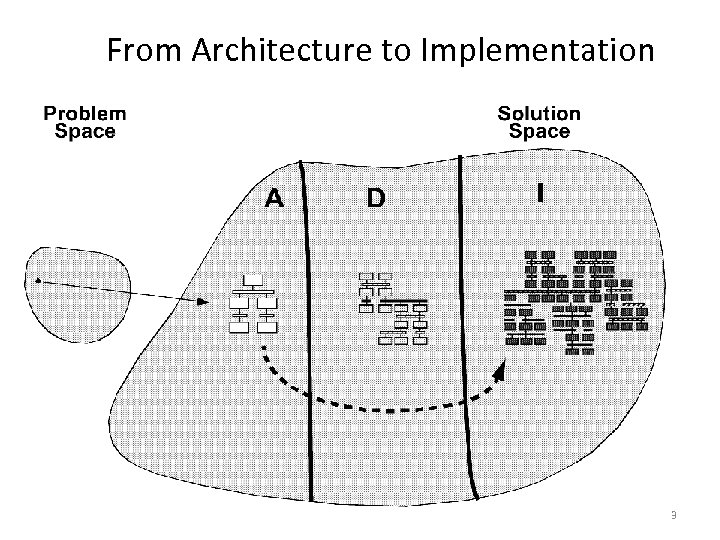 From Architecture to Implementation 3
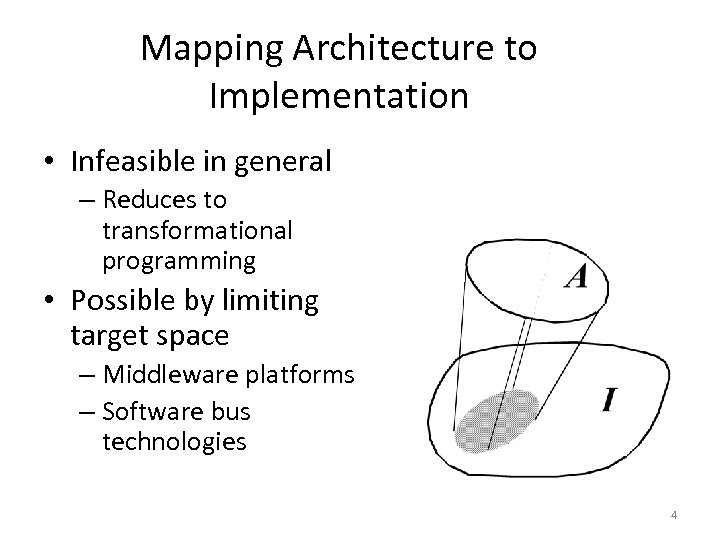 Mapping Architecture to Implementation • Infeasible in general – Reduces to transformational programming • Possible by limiting target space – Middleware platforms – Software bus technologies 4
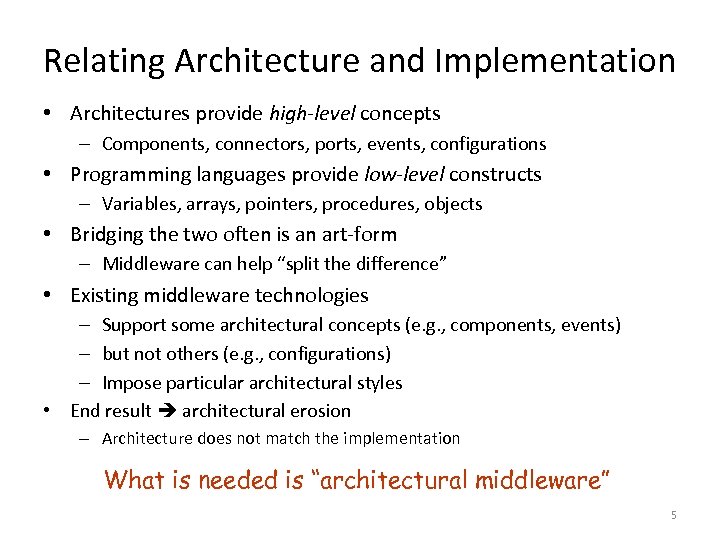 Relating Architecture and Implementation • Architectures provide high-level concepts – Components, connectors, ports, events, configurations • Programming languages provide low-level constructs – Variables, arrays, pointers, procedures, objects • Bridging the two often is an art-form – Middleware can help “split the difference” • Existing middleware technologies – Support some architectural concepts (e. g. , components, events) – but not others (e. g. , configurations) – Impose particular architectural styles • End result architectural erosion – Architecture does not match the implementation What is needed is “architectural middleware” 5
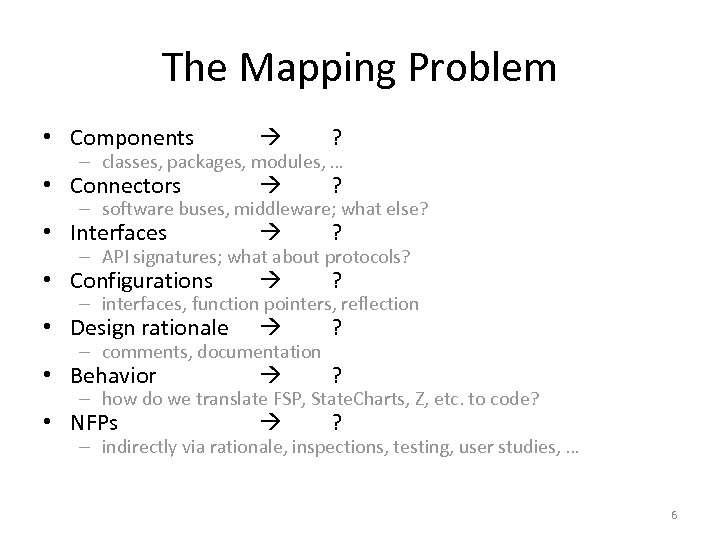 The Mapping Problem • Components ? • Connectors ? • Interfaces ? • Configurations ? • Design rationale ? • Behavior ? • NFPs ? – classes, packages, modules, … – software buses, middleware; what else? – API signatures; what about protocols? – interfaces, function pointers, reflection – comments, documentation – how do we translate FSP, State. Charts, Z, etc. to code? – indirectly via rationale, inspections, testing, user studies, … 6
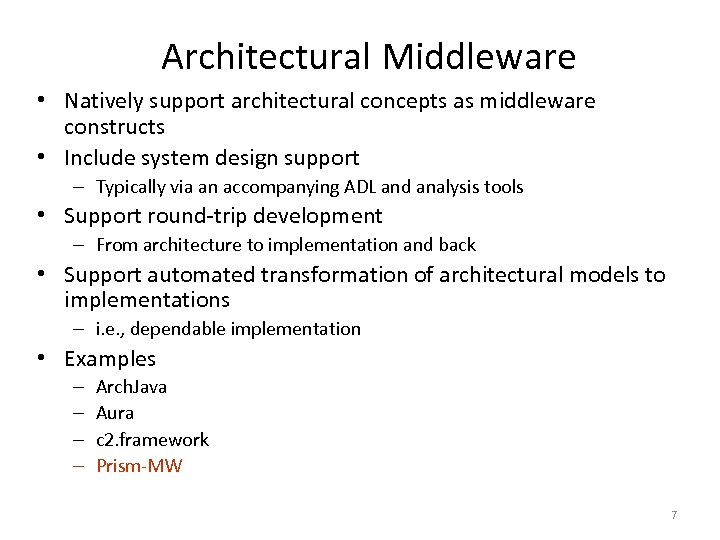 Architectural Middleware • Natively support architectural concepts as middleware constructs • Include system design support – Typically via an accompanying ADL and analysis tools • Support round-trip development – From architecture to implementation and back • Support automated transformation of architectural models to implementations – i. e. , dependable implementation • Examples – – Arch. Java Aura c 2. framework Prism-MW 7
 What Matters in an Architectural Framework • • • Matching assumptions Fidelity Platform support Efficiency … anything else? 8
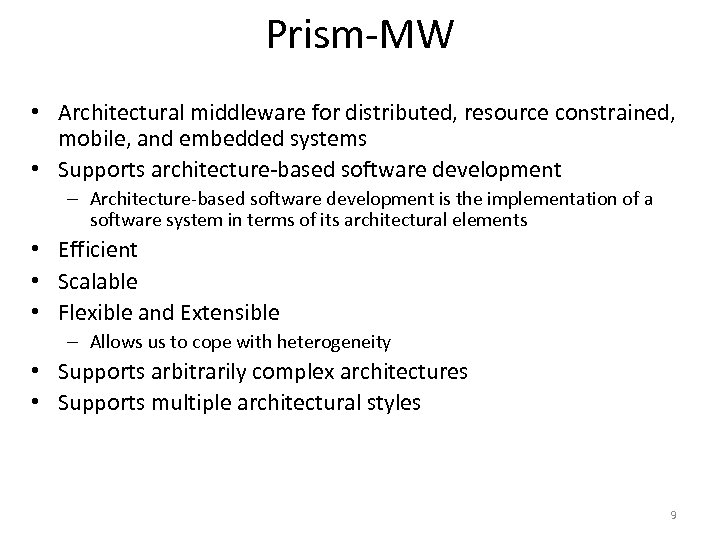 Prism-MW • Architectural middleware for distributed, resource constrained, mobile, and embedded systems • Supports architecture-based software development – Architecture-based software development is the implementation of a software system in terms of its architectural elements • Efficient • Scalable • Flexible and Extensible – Allows us to cope with heterogeneity • Supports arbitrarily complex architectures • Supports multiple architectural styles 9
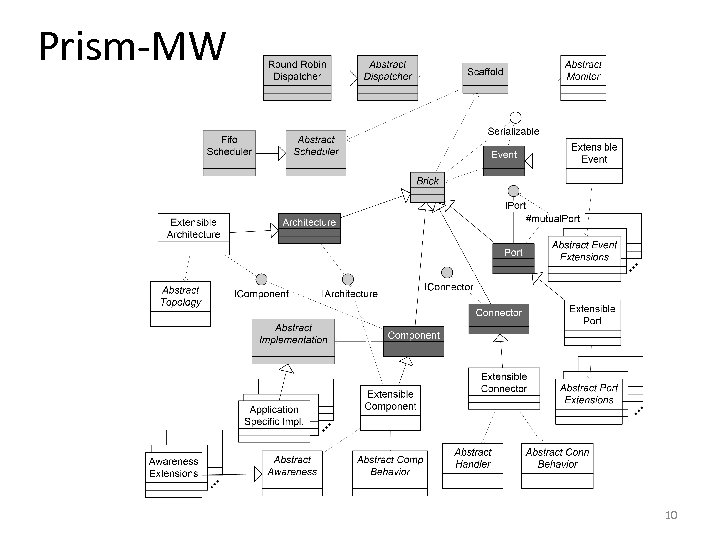 Prism-MW 10
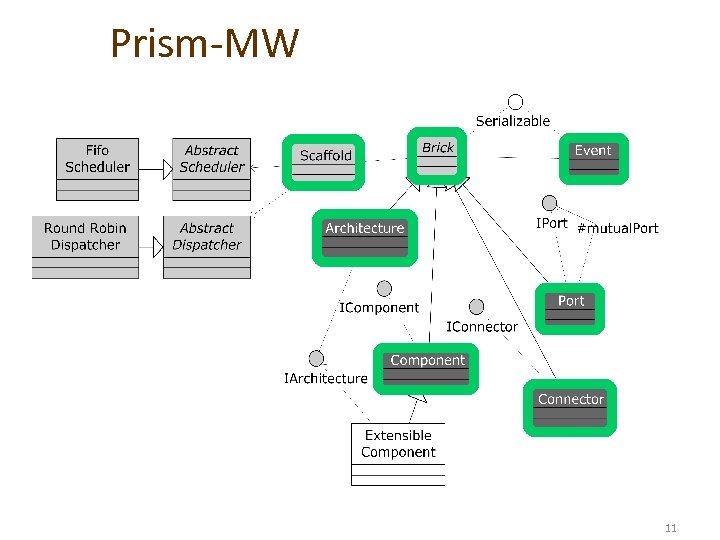 Prism-MW 11
![Using Prism-MW Component A class Demo. Arch { static public void main(String argv[]) {](https://present5.com/presentation/cfa74ab1da261497990df3ec1dbce45f/image-12.jpg "Using Prism-MW Component A class Demo. Arch { static public void main(String argv[]) {") Using Prism-MW Component A class Demo. Arch { static public void main(String argv[]) { Architecture arch = new Architecture ("DEMO"); // create components Component. A a = new Component. A ("A"); Component. B b = new Component. B ("B"); Component. D d = new Component. D ("D"); // create connectors Connector conn = new Connector("C"); // add components and connectors arch. add. Component(a); arch. add. Component(b); arch. add. Component(d); arch. add. Connector(conn); Component B Connector C C Component D Architecture - DEMO Component A Component B Component D } } // establish the interconnections arch. weld(a, conn); arch. weld(b, conn); Connector C C arch. weld(conn, d) 12
Using Prism-MW Component A class Demo. Arch { static public void main(String argv[]) { Architecture arch = new Architecture ("DEMO"); // create components Component. A a = new Component. A ("A"); Component. B b = new Component. B ("B"); Component. D d = new Component. D ("D"); // create connectors Connector conn = new Connector("C"); // add components and connectors arch. add. Component(a); arch. add. Component(b); arch. add. Component(d); arch. add. Connector(conn); Component B Connector C C Component D Architecture - DEMO Component A Component B Component D } } // establish the interconnections arch. weld(a, conn); arch. weld(b, conn); Connector C C arch. weld(conn, d) 12
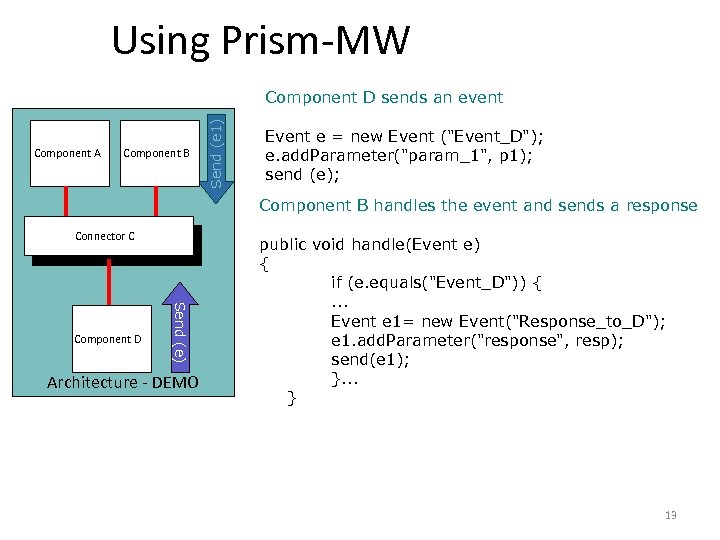 Using Prism-MW Component A Component B Send (e 1) Component D sends an event Event e = new Event ("Event_D"); e. add. Parameter("param_1", p 1); send (e); Component B handles the event and sends a response Connector C C Send (e) Component D Architecture - DEMO public void handle(Event e) { if (e. equals("Event_D")) {. . . Event e 1= new Event("Response_to_D"); e 1. add. Parameter("response", resp); send(e 1); }. . . } 13
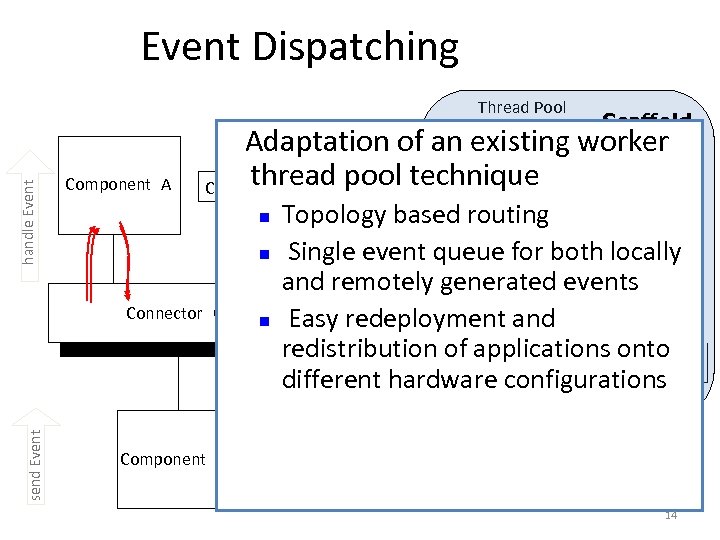 Event Dispatching Thread Pool Scaffold Adaptation of an existing worker thread Component B B pool technique Component handle Event E 2 Component A n E 2 send Event Connector C Component D n n Topology based routing Single event queue for both locally and remotely generated events Easy redeployment and redistribution. Xof. E applications onto E X E E 1 2 configurations different hardware 3 4 5 E 14
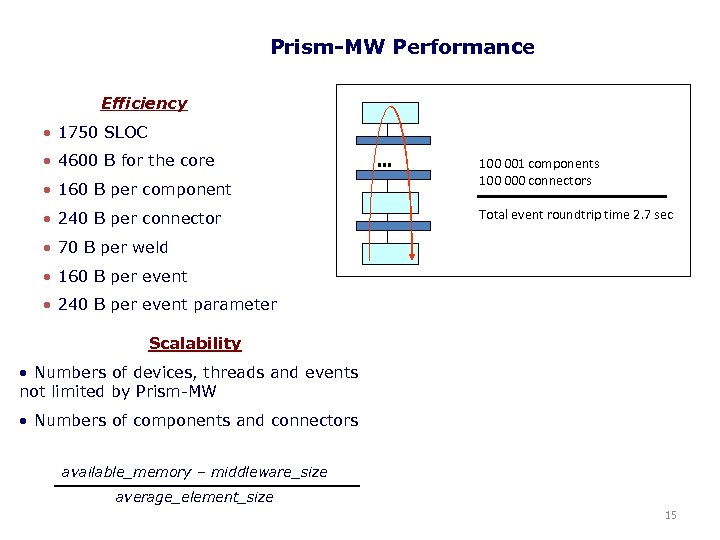 Prism-MW Performance Efficiency • 1750 SLOC • 4600 B for the core • 160 B per component • 240 B per connector … 100 001 components 100 000 connectors Total event roundtrip time 2. 7 sec • 70 B per weld • 160 B per event • 240 B per event parameter Scalability • Numbers of devices, threads and events not limited by Prism-MW • Numbers of components and connectors available_memory – middleware_size average_element_size 15
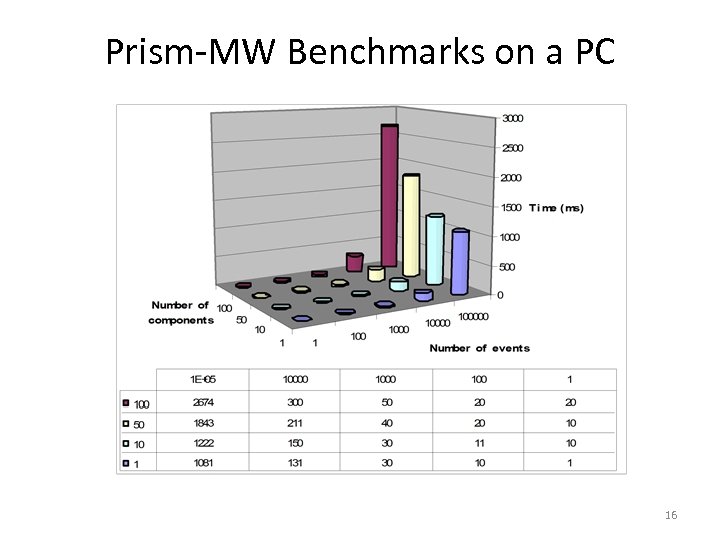 Prism-MW Benchmarks on a PC 16
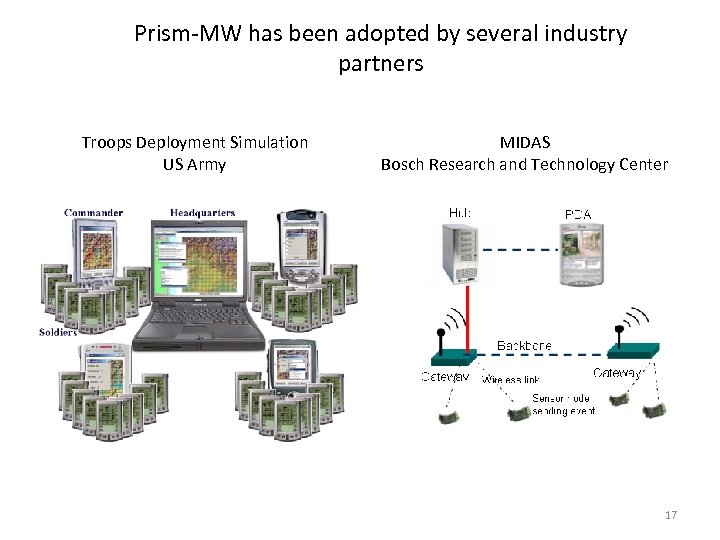 Prism-MW has been adopted by several industry partners Troops Deployment Simulation US Army MIDAS Bosch Research and Technology Center 17
 Recent Progress 18
 Obtaining Prism-MW Lite • Download Prism-MW Lite from http: //sunset. usc. edu/~softarch/Prism/code/Prism. MW-Lite. zip • Compile and develop your code on top of it • Alternatively, you could download Prism-MW Jar file and set the appropriate class paths • The easiest way to compile the source code is to use Eclipse – You can download the eclipse from: http: //www. eclipse. org/ – Create a Java project and import the source code – Eclipse will automatically compile the code for you 19
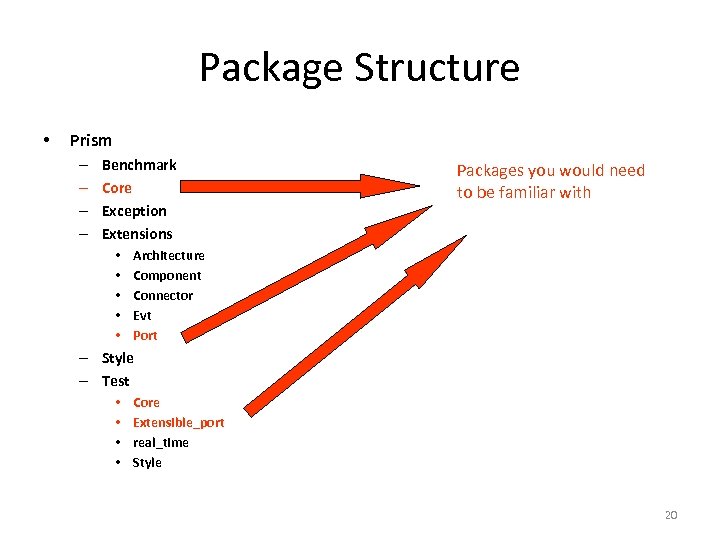 Package Structure • Prism – – Benchmark Core Exception Extensions • • • Packages you would need to be familiar with Architecture Component Connector Evt Port – Style – Test • • Core Extensible_port real_time Style 20
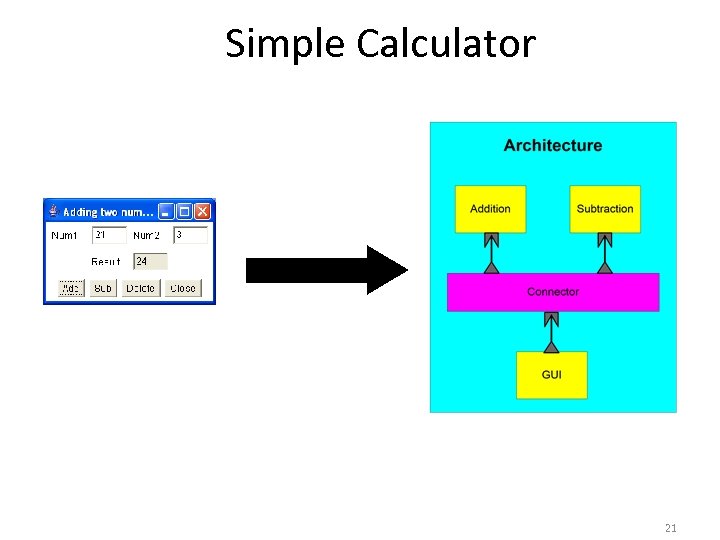 Simple Calculator 21
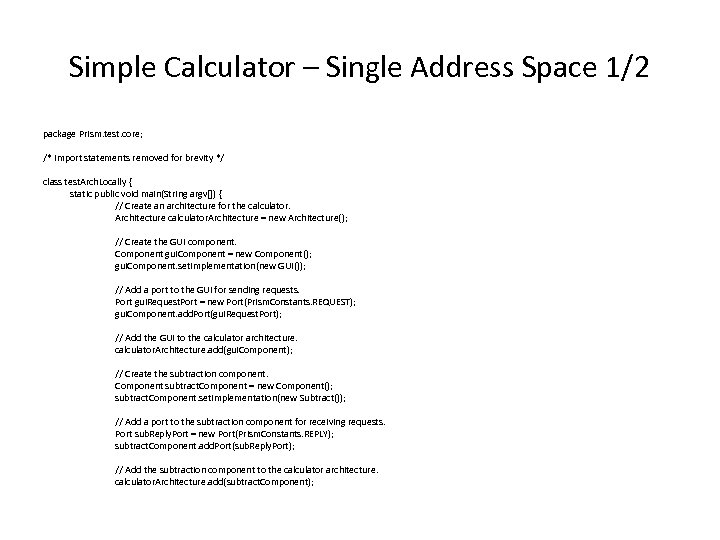 Simple Calculator – Single Address Space 1/2 package Prism. test. core; /* import statements removed for brevity */ class test. Arch. Locally { static public void main(String argv[]) { // Create an architecture for the calculator. Architecture = new Architecture(); // Create the GUI component. Component gui. Component = new Component(); gui. Component. set. Implementation(new GUI()); // Add a port to the GUI for sending requests. Port gui. Request. Port = new Port(Prism. Constants. REQUEST); gui. Component. add. Port(gui. Request. Port); // Add the GUI to the calculator architecture. calculator. Architecture. add(gui. Component); // Create the subtraction component. Component subtract. Component = new Component(); subtract. Component. set. Implementation(new Subtract()); // Add a port to the subtraction component for receiving requests. Port sub. Reply. Port = new Port(Prism. Constants. REPLY); subtract. Component. add. Port(sub. Reply. Port); // Add the subtraction component to the calculator architecture. calculator. Architecture. add(subtract. Component);
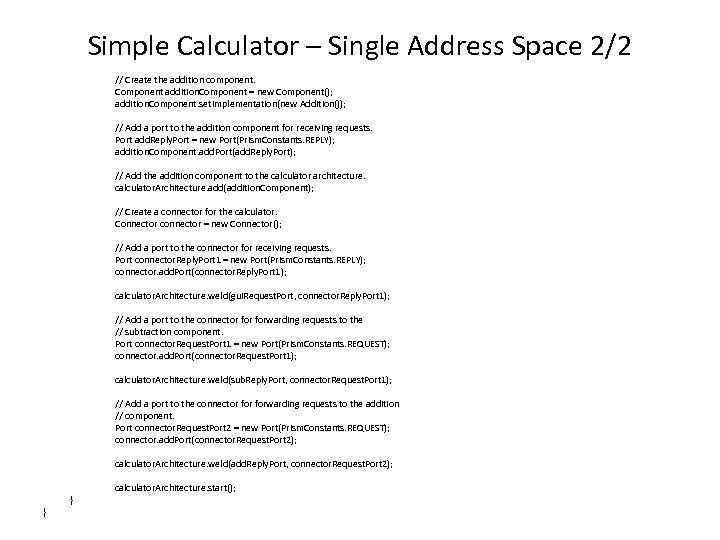 Simple Calculator – Single Address Space 2/2 // Create the addition component. Component addition. Component = new Component(); addition. Component. set. Implementation(new Addition()); // Add a port to the addition component for receiving requests. Port add. Reply. Port = new Port(Prism. Constants. REPLY); addition. Component. add. Port(add. Reply. Port); // Add the addition component to the calculator architecture. calculator. Architecture. add(addition. Component); // Create a connector for the calculator. Connector connector = new Connector(); // Add a port to the connector for receiving requests. Port connector. Reply. Port 1 = new Port(Prism. Constants. REPLY); connector. add. Port(connector. Reply. Port 1); calculator. Architecture. weld(gui. Request. Port, connector. Reply. Port 1); // Add a port to the connector forwarding requests to the // subtraction component. Port connector. Request. Port 1 = new Port(Prism. Constants. REQUEST); connector. add. Port(connector. Request. Port 1); calculator. Architecture. weld(sub. Reply. Port, connector. Request. Port 1); // Add a port to the connector forwarding requests to the addition // component. Port connector. Request. Port 2 = new Port(Prism. Constants. REQUEST); connector. add. Port(connector. Request. Port 2); calculator. Architecture. weld(add. Reply. Port, connector. Request. Port 2); } } calculator. Architecture. start();
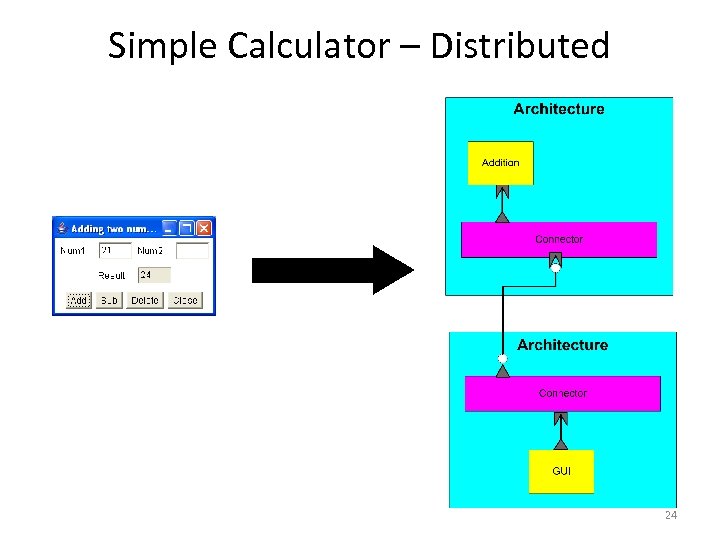 Simple Calculator – Distributed 24
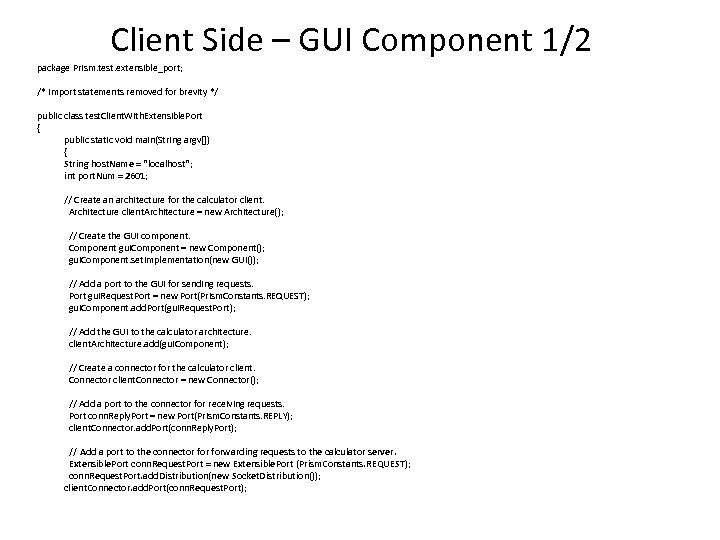 Client Side – GUI Component 1/2 package Prism. test. extensible_port; /* import statements removed for brevity */ public class test. Client. With. Extensible. Port { public static void main(String argv[]) { String host. Name = "localhost"; int port. Num = 2601; // Create an architecture for the calculator client. Architecture = new Architecture(); // Create the GUI component. Component gui. Component = new Component(); gui. Component. set. Implementation(new GUI()); // Add a port to the GUI for sending requests. Port gui. Request. Port = new Port(Prism. Constants. REQUEST); gui. Component. add. Port(gui. Request. Port); // Add the GUI to the calculator architecture. client. Architecture. add(gui. Component); // Create a connector for the calculator client. Connector = new Connector(); // Add a port to the connector for receiving requests. Port conn. Reply. Port = new Port(Prism. Constants. REPLY); client. Connector. add. Port(conn. Reply. Port); // Add a port to the connector forwarding requests to the calculator server. Extensible. Port conn. Request. Port = new Extensible. Port (Prism. Constants. REQUEST); conn. Request. Port. add. Distribution(new Socket. Distribution()); client. Connector. add. Port(conn. Request. Port);
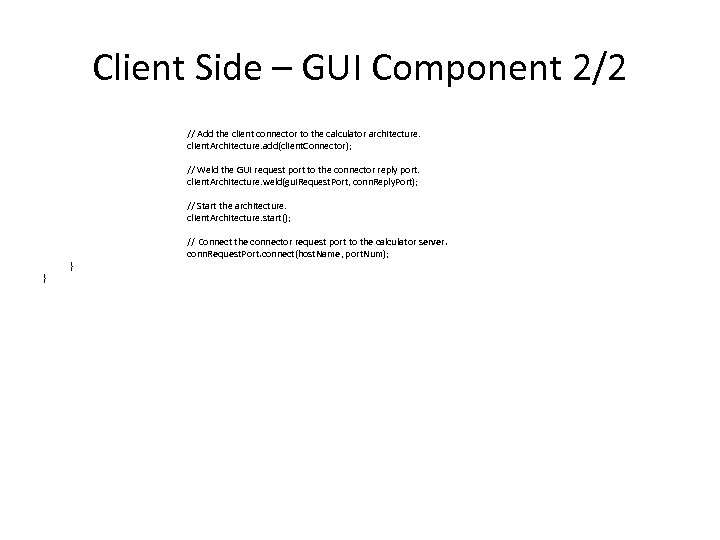 Client Side – GUI Component 2/2 // Add the client connector to the calculator architecture. client. Architecture. add(client. Connector); // Weld the GUI request port to the connector reply port. client. Architecture. weld(gui. Request. Port, conn. Reply. Port); // Start the architecture. client. Architecture. start(); } } // Connect the connector request port to the calculator server. conn. Request. Port. connect(host. Name, port. Num);
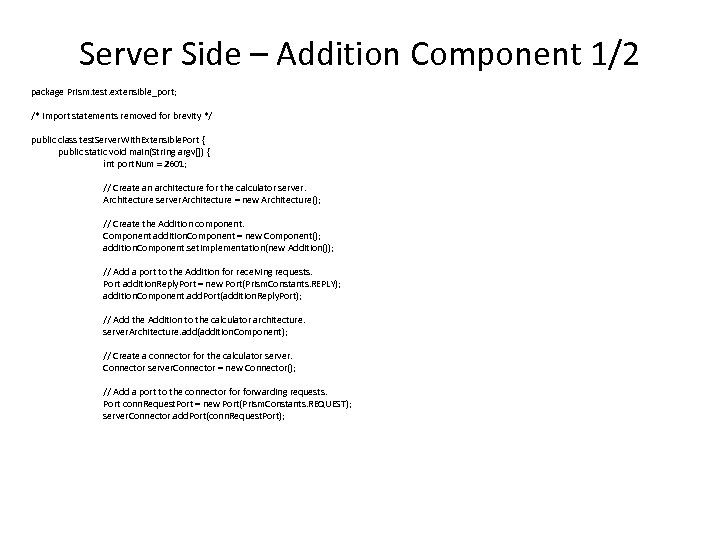 Server Side – Addition Component 1/2 package Prism. test. extensible_port; /* import statements removed for brevity */ public class test. Server. With. Extensible. Port { public static void main(String argv[]) { int port. Num = 2601; // Create an architecture for the calculator server. Architecture = new Architecture(); // Create the Addition component. Component addition. Component = new Component(); addition. Component. set. Implementation(new Addition()); // Add a port to the Addition for receiving requests. Port addition. Reply. Port = new Port(Prism. Constants. REPLY); addition. Component. add. Port(addition. Reply. Port); // Add the Addition to the calculator architecture. server. Architecture. add(addition. Component); // Create a connector for the calculator server. Connector = new Connector(); // Add a port to the connector forwarding requests. Port conn. Request. Port = new Port(Prism. Constants. REQUEST); server. Connector. add. Port(conn. Request. Port);
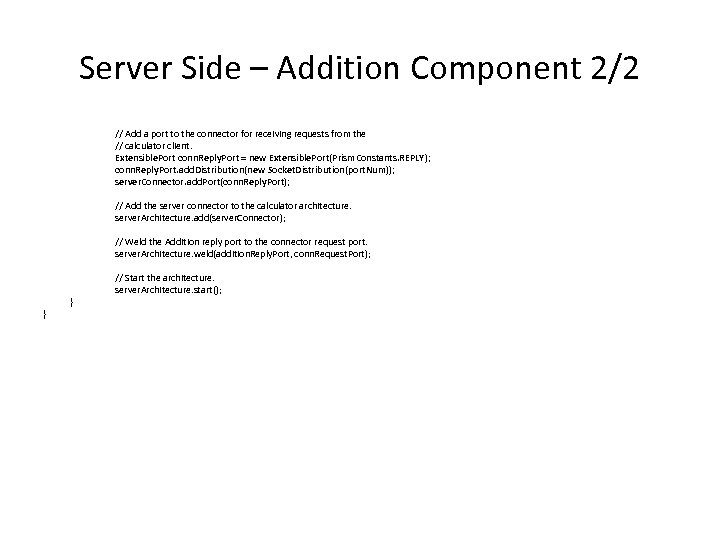 Server Side – Addition Component 2/2 // Add a port to the connector for receiving requests from the // calculator client. Extensible. Port conn. Reply. Port = new Extensible. Port(Prism. Constants. REPLY); conn. Reply. Port. add. Distribution(new Socket. Distribution(port. Num)); server. Connector. add. Port(conn. Reply. Port); // Add the server connector to the calculator architecture. server. Architecture. add(server. Connector); // Weld the Addition reply port to the connector request port. server. Architecture. weld(addition. Reply. Port, conn. Request. Port); } } // Start the architecture. server. Architecture. start();