 Скачать презентацию Printer Basics Easy fixes and other things to
09320d0c8907aab67255d1e10f37da96.ppt
- Количество слайдов: 17



Printer Basics Easy fixes and other things to look for.
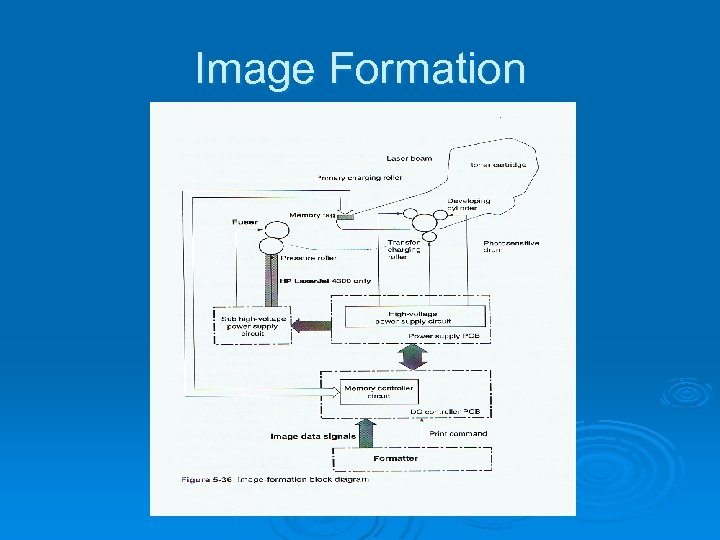
Image Formation
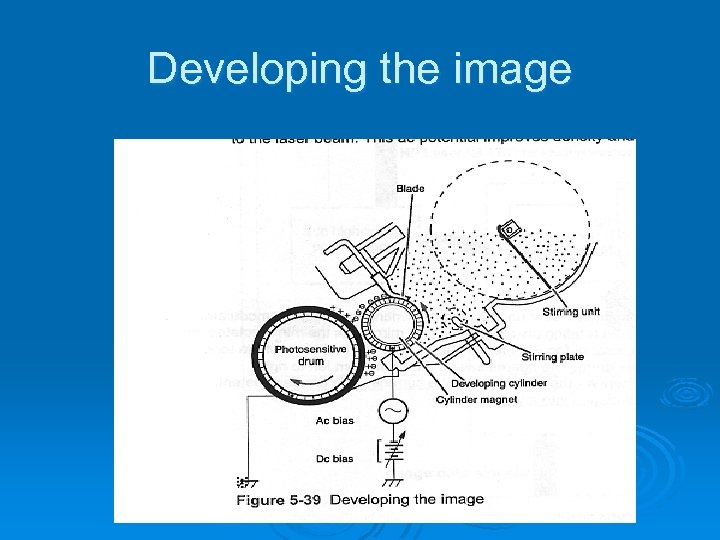
Developing the image
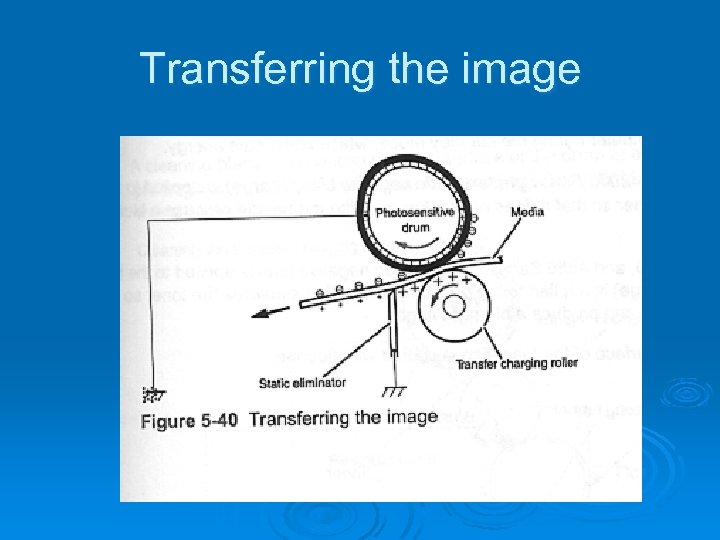
Transferring the image
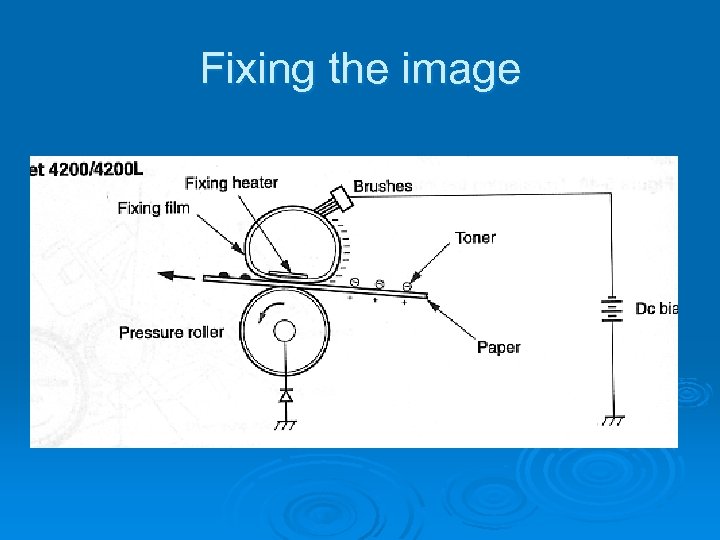
Fixing the image
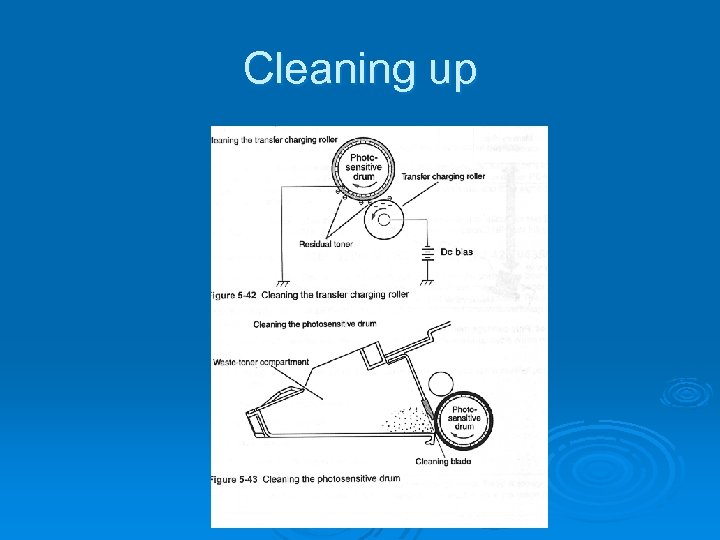
Cleaning up
Image Problems http: //HP image problems link
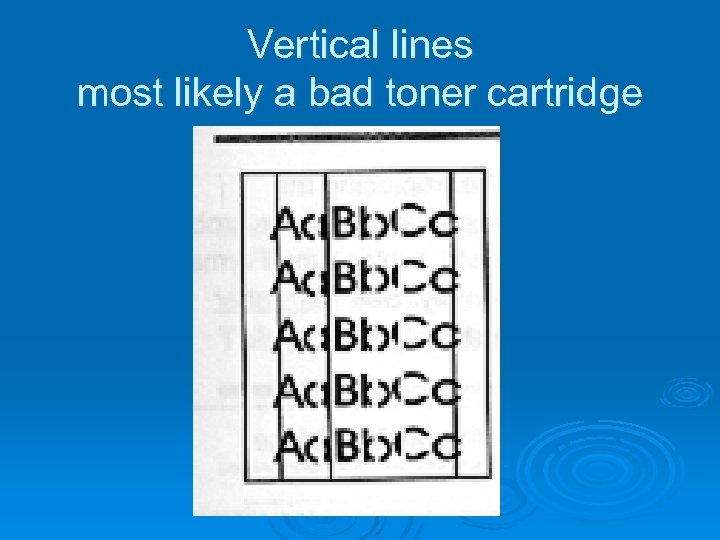
Vertical lines most likely a bad toner cartridge
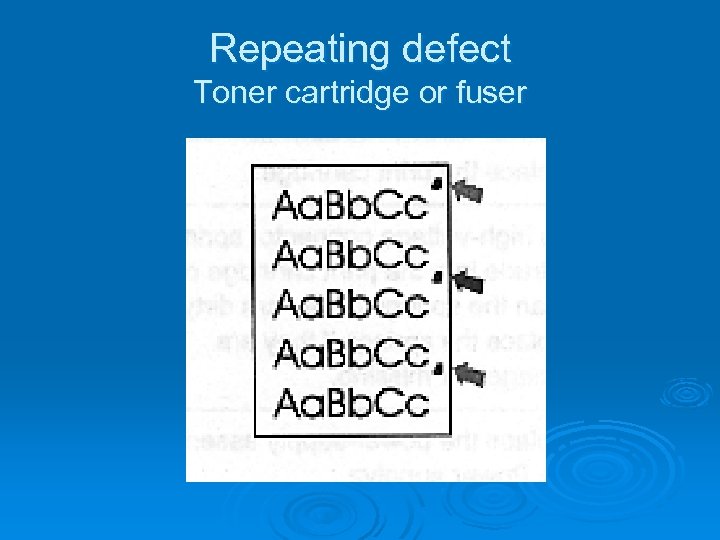
Repeating defect Toner cartridge or fuser
Paper jams Ø Worn feed separation rollers Ø Paper not stored properly, bent corners Ø Obstruction in the paper path Ø Worn parts in the paper trays Ø Paper tray settings wrong Ø Improper paper or tray settings in the menu Ø Bad fuser
Maintenance Ø Perform printer maintenance message Ø Keep clean Ø Spilled toner, wash with cold water
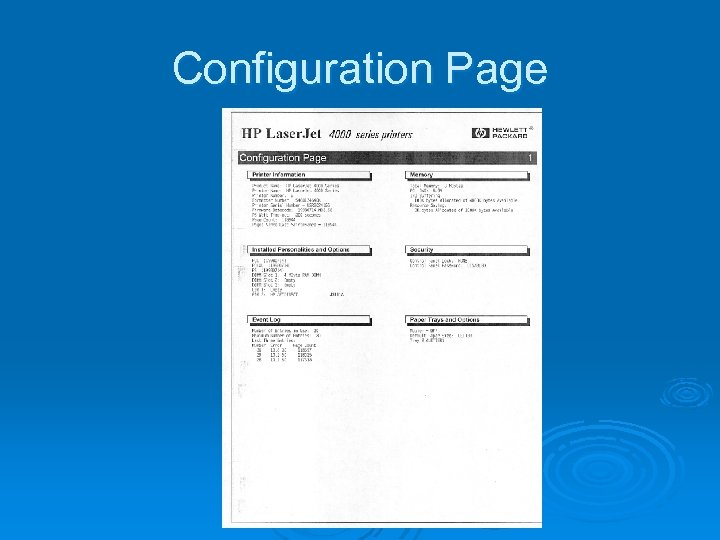
Configuration Page
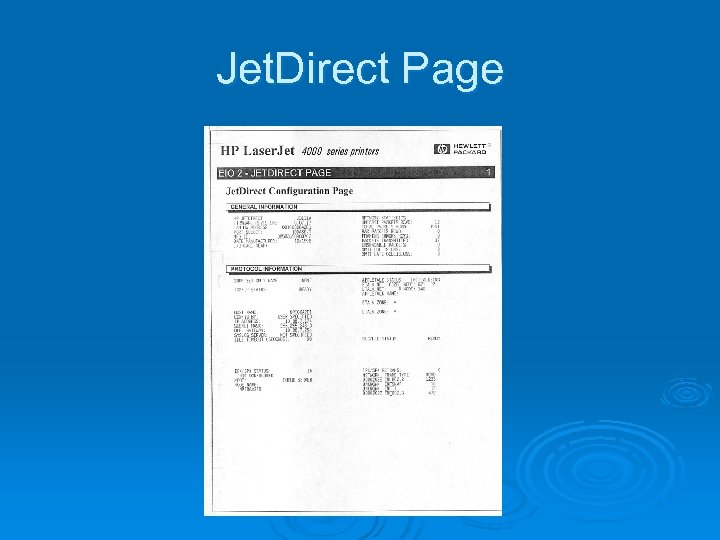
Jet. Direct Page
Network Printers When setting up a network printer use this naming convention 10. XX. 7. (numbers between 11 and 50) XX is your building number Write this number down, on the printer or in a folder
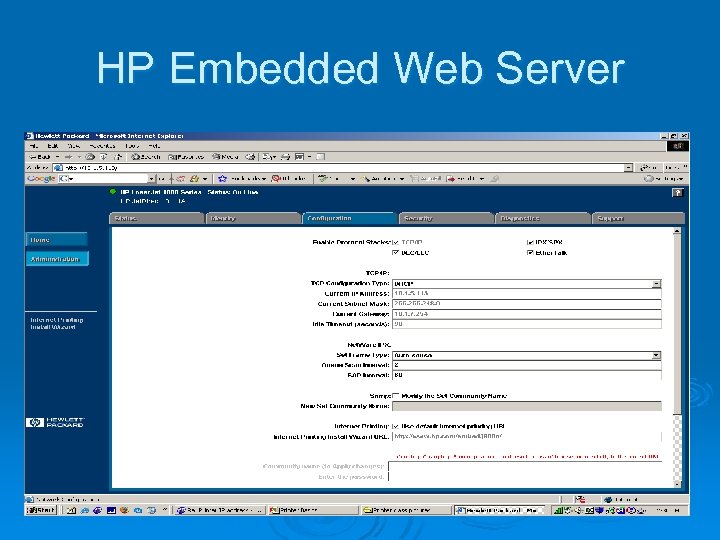
HP Embedded Web Server
Other ways of setting the IP address Ø Use HP Jet Direct software, Download HP Jet Direct Software Ø Manually set using the menu on the printer Typical HP control panel
Helpful links Ø http: //www. partsurfer. hp. com/ Ø http: //www. printerworks. com/ Ø http: //thenew. hp. com/ Ø http: //www. fixyourownprinter. com/ Ø http: //tech. groups. yahoo. com/group/printer repair/ Ø http: //www. partsnow. com/
Скачать презентацию Printer Basics Easy fixes and other things to
09320d0c8907aab67255d1e10f37da96.ppt