


 Скачать презентацию Preventing Automated Use of STMP Reservation System Using
58b452ae342a6d77ec18024c5200f317.ppt
- Количество слайдов: 16
 Preventing Automated Use of STMP Reservation System Using CAPTCHA
 Introduction n The ATCSCC Intranet/internet has a web interface for making arrival/departure reservations for Special Traffic Management Programs (STMP).
 Purpose n We are looking for ways to prevent automated tools from getting large number of reservations.
 Proposed Solution n A website security solution designed with CAPTCHA image is proposed to prevent automated STMP reservations.
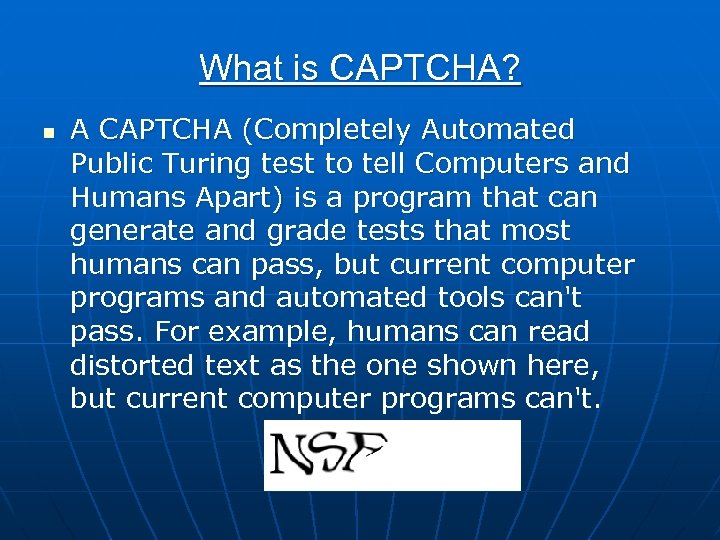 What is CAPTCHA? n A CAPTCHA (Completely Automated Public Turing test to tell Computers and Humans Apart) is a program that can generate and grade tests that most humans can pass, but current computer programs and automated tools can't pass. For example, humans can read distorted text as the one shown here, but current computer programs can't.
 Gimpy CAPTCHA n n n GIMPY CAPTCHA is a methodology where a word is randomly selected from a dictionary and a rendering of a distorted image of the word is shown. The user is then asked to type in the word. While human users have no problems typing the words displayed, current bots are simply unable to do the same.
 Process n n n User logs in. User fills in the reservation form. At the bottom of the form, user is shown a CAPTCHA image and asked to enter the characters in the image. User submits the reservation request. The web server processes the information. If the user response is correct, the reservation process is continued. If not, the user is shown an error page.
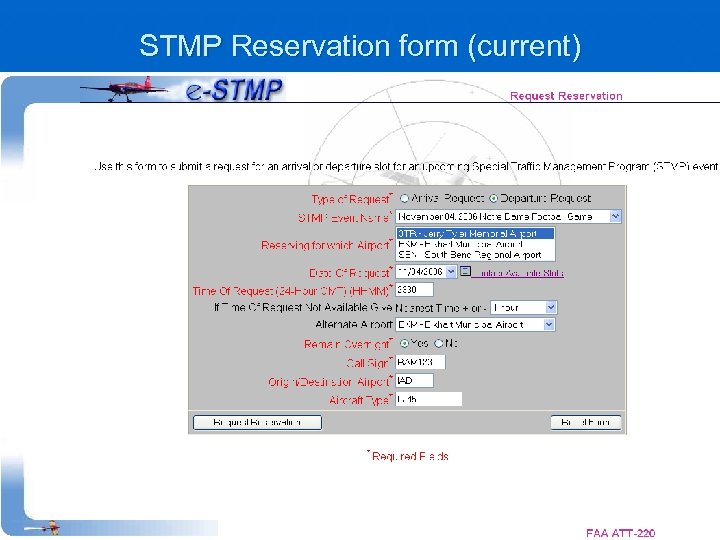 STMP Reservation form (current)
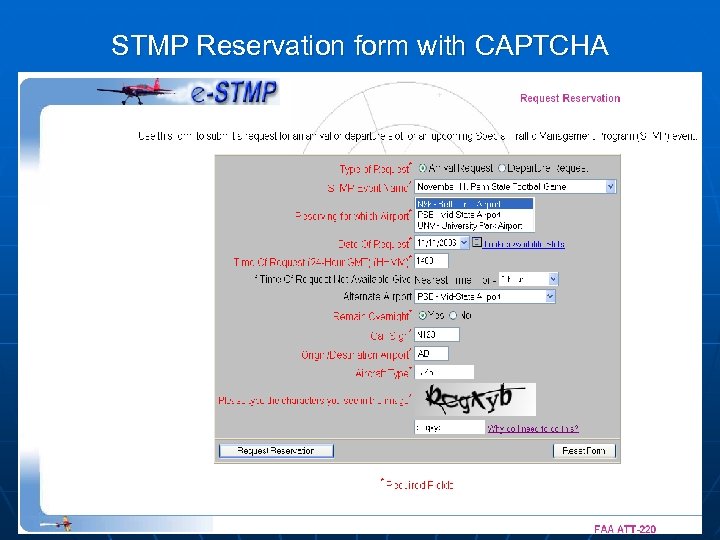 STMP Reservation form with CAPTCHA
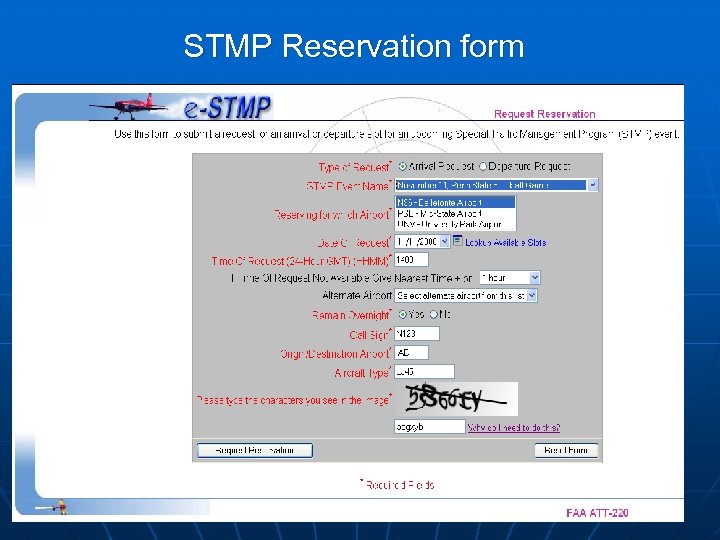 STMP Reservation form
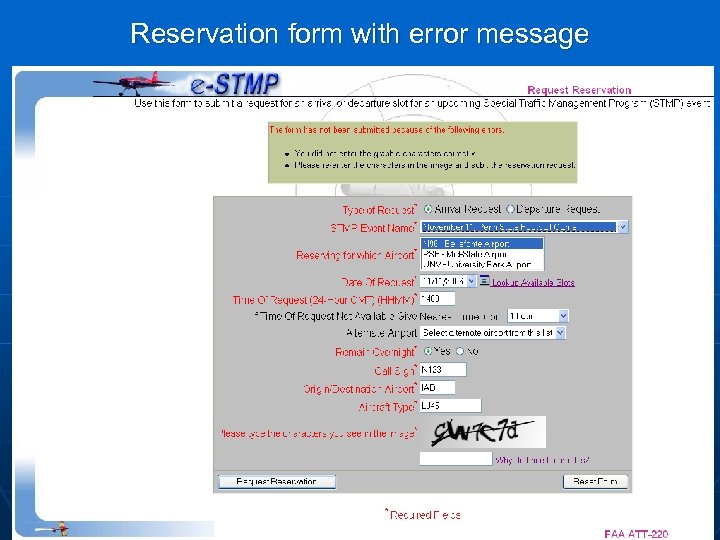 Reservation form with error message
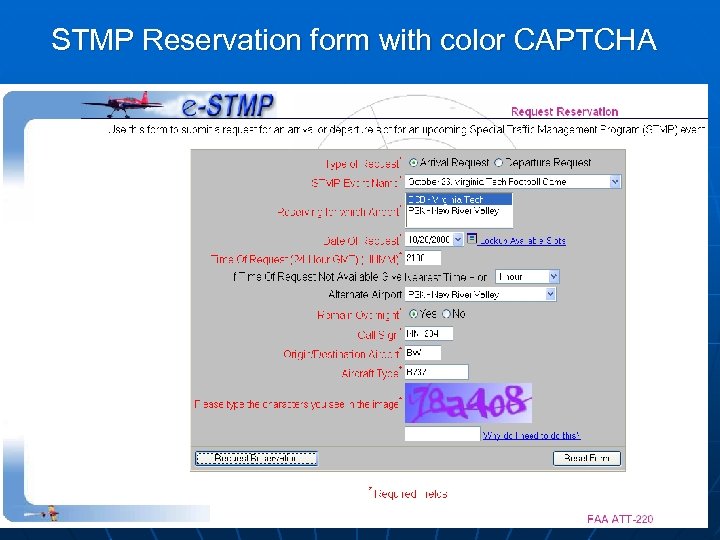 STMP Reservation form with color CAPTCHA
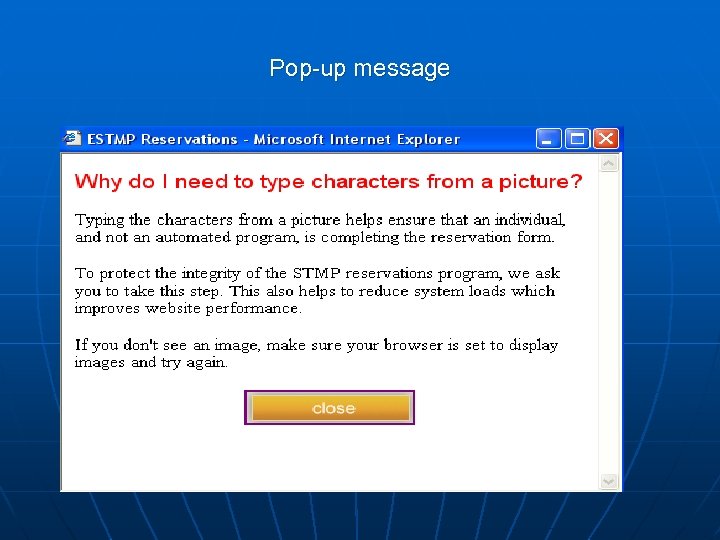 Pop-up message
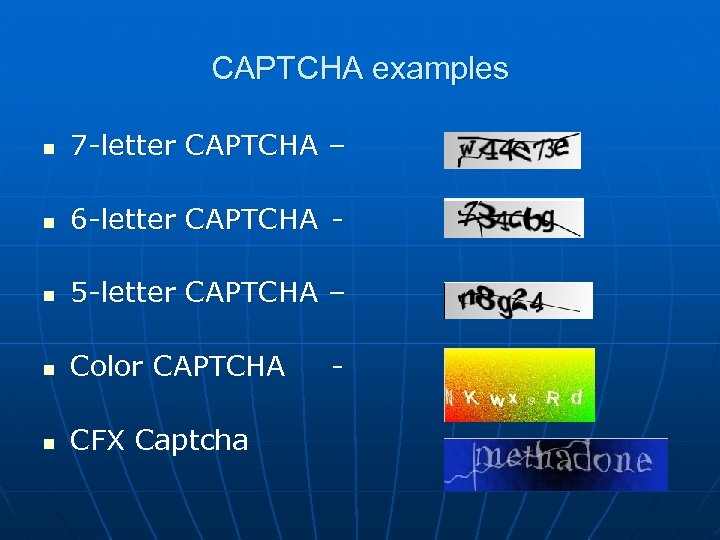 CAPTCHA examples n 7 -letter CAPTCHA – n 6 -letter CAPTCHA - n 5 -letter CAPTCHA – n Color CAPTCHA n CFX Captcha -
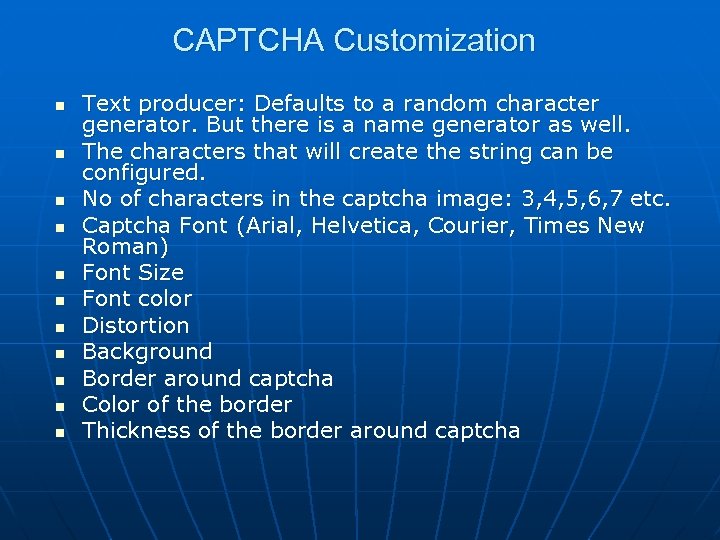 CAPTCHA Customization n n Text producer: Defaults to a random character generator. But there is a name generator as well. The characters that will create the string can be configured. No of characters in the captcha image: 3, 4, 5, 6, 7 etc. Captcha Font (Arial, Helvetica, Courier, Times New Roman) Font Size Font color Distortion Background Border around captcha Color of the border Thickness of the border around captcha
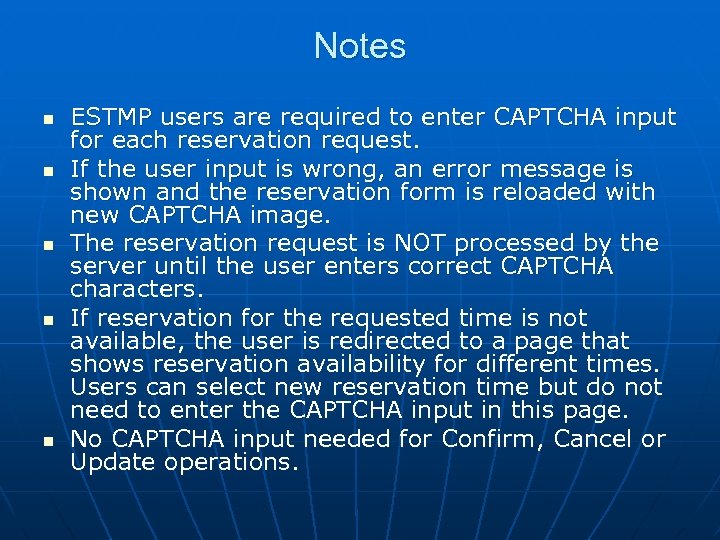 Notes n n n ESTMP users are required to enter CAPTCHA input for each reservation request. If the user input is wrong, an error message is shown and the reservation form is reloaded with new CAPTCHA image. The reservation request is NOT processed by the server until the user enters correct CAPTCHA characters. If reservation for the requested time is not available, the user is redirected to a page that shows reservation availability for different times. Users can select new reservation time but do not need to enter the CAPTCHA input in this page. No CAPTCHA input needed for Confirm, Cancel or Update operations.