


 Скачать презентацию Presentations LQ S The Learning Quality Support Unit
2ba679f5628ad0b005164e9db80e71b3.ppt
- Количество слайдов: 14
 Presentations LQ S ©The Learning Quality Support Unit, 2013 U
 Contents • Types of presentations • Techniques – Planning – Structure • Creating effective Power. Point presentations • Delivery
 Types of presentations • Oral • Posters • Clinical • Group
 Planning • Purpose/objective • Audience • Facilities
 Structure • Introduce • Main body –Follow order from introduction • Conclude • Questions?
 Slide style • One slide per point • Do not use full sentences • Use bullet points (4 -5) • Logical flow • Avoid animations
 • If you do not use bullet points to highlight key points and just fill your slides with unnecessary padding, it will be very difficult for your audience to read what you have put or for them to work out the point you are actually trying to make. They may also spend so much time trying to read what you have put that they do not listen to what you are saying and will not be looking at you. You might think that this is a good thing! However, if you are being marked on your presentations skills –presenting your work in this way will have a negative impact on your grade!
 Fonts • Size (28 point+) – Use secondary bullets for additional points (24 point +) – If it’s too small your audience will not be able to see the information • Style – Use Arial or Comic Sans – DO NOT USE CAPITALS – Complicated fonts are difficult to read
 Colours • Contrast the background (as in this example) • Occasional use of different colours – avoid using different colours for secondary points – if you do use a different colour make sure that your audience will be able to see the words • Use a light background
 Background • Simplicity • Clarity • Consistency
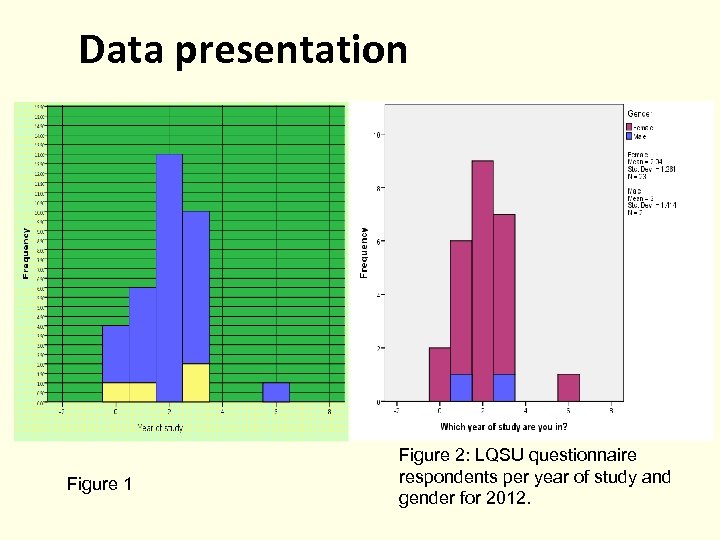 Data presentation Figure 1 Figure 2: LQSU questionnaire respondents per year of study and gender for 2012.
 Spelling and Grammar • Proof your slides for: – speling misteaks – the use of of repeated words – grammatical errors you might have make • If English is not your first language, have someone check your presentation! (adapted from International Association of Science and Technology for Development (IASTED) (n. d. )
 Delivery • • • Impress your audience Use aide memoires Engage your audience Use appropriate speeds and pitch/tone Stand to the side of the presentation Practice group presentations for flow and timings
 References • International Association of Science and Technology for Development (IASTED) (n. d. ). Making Power. Point Slides, Avoiding the Pitfalls of Bad Slides. Retrieved from http: //www. iasted. org/conferences/formattin g/presentations-tips. ppt