Скачать презентацию Presentation Title 1 2 Lines at the most
LXS_Template_EN_white.ppt
- Количество слайдов: 36
 Presentation Title 1. 2 Lines at the most. Subtitle, introduction of the speaker et cetera.
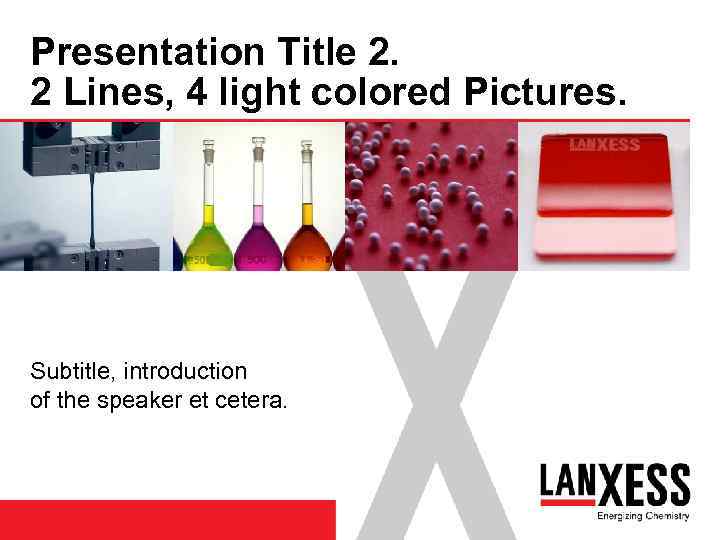 Presentation Title 2. 2 Lines, 4 light colored Pictures. Subtitle, introduction of the speaker et cetera.
 Presentation Title 2. 2 Lines, 4 light colored Pictures. Picture 1 Picture 2 Subtitle, introduction of the speaker et cetera. Picture 3 Picture 4
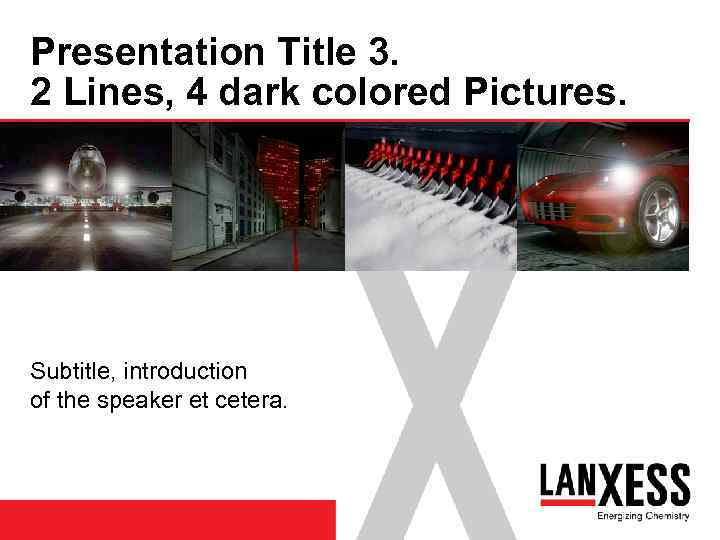 Presentation Title 3. 2 Lines, 4 dark colored Pictures. Subtitle, introduction of the speaker et cetera.
 Presentation Title 3. 2 Lines, 4 dark colored Pictures. Picture 1 Picture 2 Subtitle, introduction of the speaker et cetera. Picture 3 Picture 4
 Presentation Title 4. 2 Lines at the most, 1 Picture. Subtitle, introduction of the speaker et cetera.
 Presentation Title 4. 2 Lines at the most, 1 Picture 1 Subtitle, introduction of the speaker et cetera.
 Presentation Title 5. 2 Lines at the most, 2 Pictures. Subtitle, introduction of the speaker et cetera.
 Presentation Title 5. 2 Lines at the most, 2 Pictures. Picture 1 Subtitle, introduction of the speaker et cetera. Picture 2
 Main subject Text Chart. Basic text runs left-aligned and without indentions. It can span one or several lines. Line length and the font size 18 pt has been developed due to optimal legibility. The space between two paragraphs is 1. 5 lines and will appear automatically as soon you press the key for “enter”. 10 Title of presentation August 1, 2006
 Main subject Text Chart. Sub headline. Basic text runs left-aligned and without indentions. It can span one or several lines. Line length and the font size 18 pt has been developed due to optimal legibility. The space between two paragraphs is 1. 5 lines and will appear automatically as soon you press the key for “enter”. Important terms can be highlighted in Arial bold and/or colored in red. 11 Title of presentation August 1, 2006
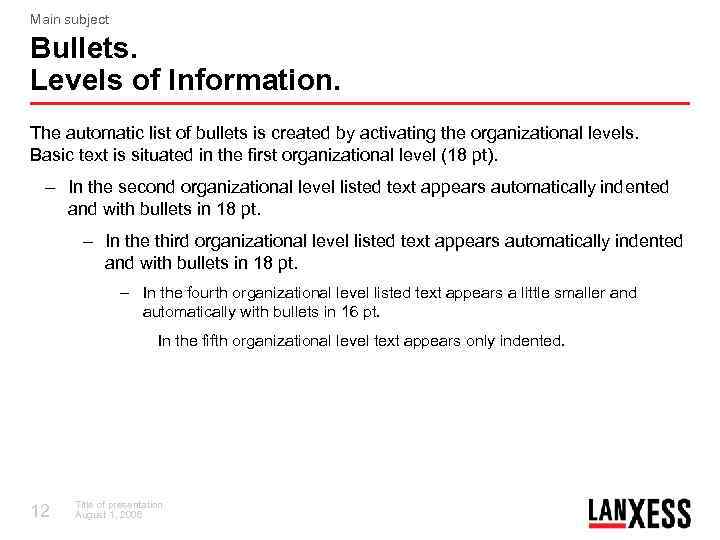 Main subject Bullets. Levels of Information. The automatic list of bullets is created by activating the organizational levels. Basic text is situated in the first organizational level (18 pt). – In the second organizational level listed text appears automatically indented and with bullets in 18 pt. – In the third organizational level listed text appears automatically indented and with bullets in 18 pt. – In the fourth organizational level listed text appears a little smaller and automatically with bullets in 16 pt. In the fifth organizational level text appears only indented. 12 Title of presentation August 1, 2006
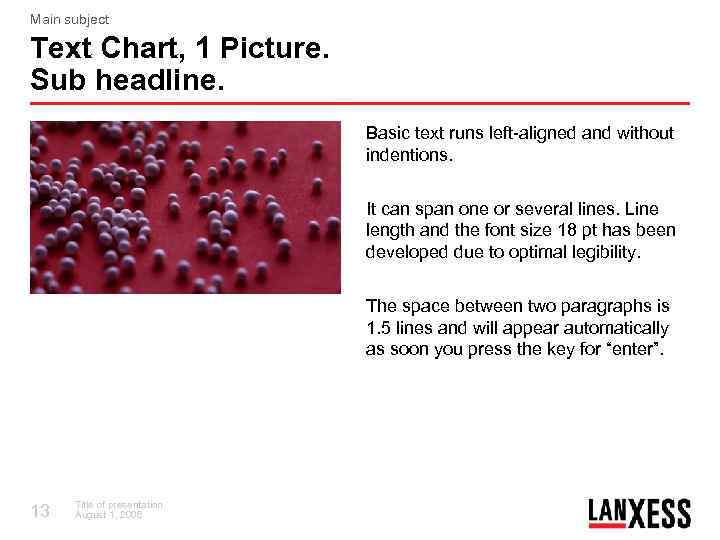 Main subject Text Chart, 1 Picture. Sub headline. Basic text runs left-aligned and without indentions. It can span one or several lines. Line length and the font size 18 pt has been developed due to optimal legibility. The space between two paragraphs is 1. 5 lines and will appear automatically as soon you press the key for “enter”. 13 Title of presentation August 1, 2006
 Main subject Text Chart, 1 Picture. Sub headline. Picture 1 Basic text runs left-aligned and without indentions. It can span one or several lines. Line length and the font size 18 pt has been developed due to optimal legibility. The space between two paragraphs is 1. 5 lines and will appear automatically as soon you press the key for “enter”. 14 Title of presentation August 1, 2006
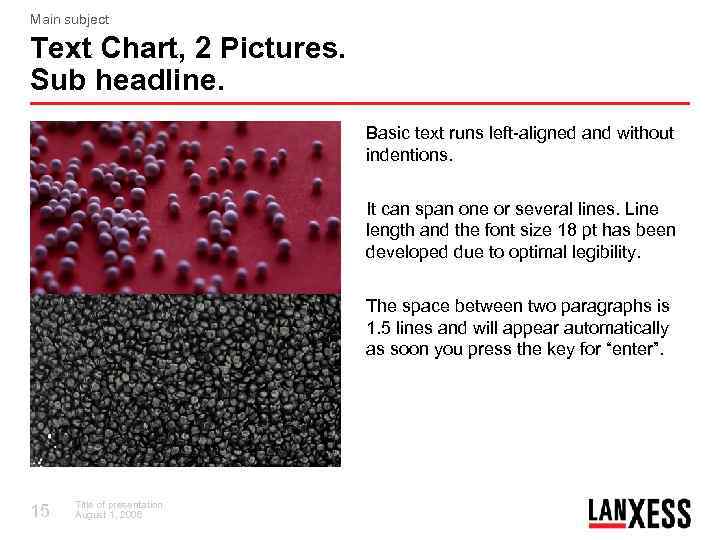 Main subject Text Chart, 2 Pictures. Sub headline. Basic text runs left-aligned and without indentions. It can span one or several lines. Line length and the font size 18 pt has been developed due to optimal legibility. The space between two paragraphs is 1. 5 lines and will appear automatically as soon you press the key for “enter”. 15 Title of presentation August 1, 2006
 Main subject Text Chart, 2 Pictures. Sub headline. Picture 1 Basic text runs left-aligned and without indentions. It can span one or several lines. Line length and the font size 18 pt has been developed due to optimal legibility. Picture 2 16 Title of presentation August 1, 2006 The space between two paragraphs is 1. 5 lines and will appear automatically as soon you press the key for “enter”.
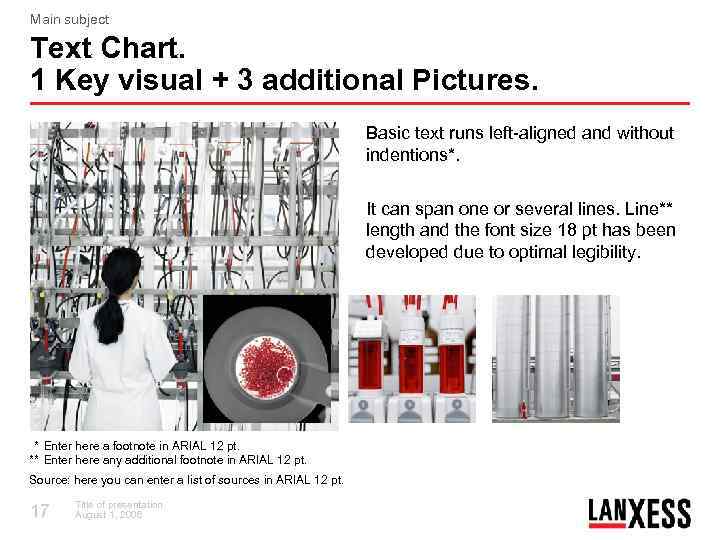 Main subject Text Chart. 1 Key visual + 3 additional Pictures. Basic text runs left-aligned and without indentions*. It can span one or several lines. Line** length and the font size 18 pt has been developed due to optimal legibility. * Enter here a footnote in ARIAL 12 pt. ** Enter here any additional footnote in ARIAL 12 pt. Source: here you can enter a list of sources in ARIAL 12 pt. 17 Title of presentation August 1, 2006
 Main subject Text Chart. 1 Key visual + 3 additional Pictures. Basic text runs left-aligned and without indentions*. Bild 1 It can span one or several lines. Line** length and the font size 18 pt has been developed due to optimal legibility. Bild 2 * Enter here a footnote in ARIAL 12 pt. ** Enter here any additional footnote in ARIAL 12 pt. Source: here you can enter a list of sources in ARIAL 12 pt. 18 Title of presentation August 1, 2006 Bild 3 Bild 4
 Chapter Divider. Text in 3 or 4 Lines at the most. Text color red.
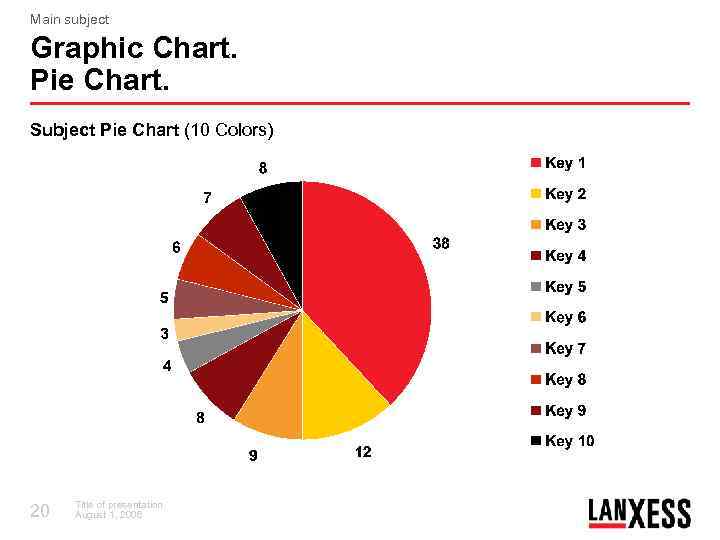 Main subject Graphic Chart. Pie Chart. Subject Pie Chart (10 Colors) 20 Title of presentation August 1, 2006
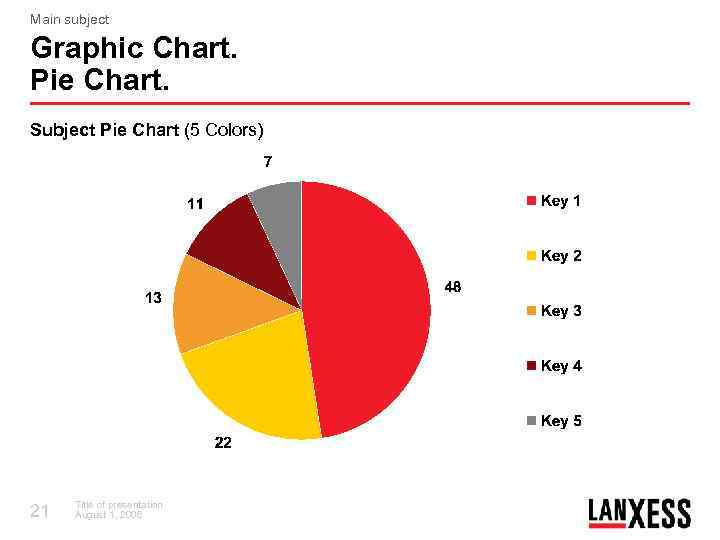 Main subject Graphic Chart. Pie Chart. Subject Pie Chart (5 Colors) 21 Title of presentation August 1, 2006
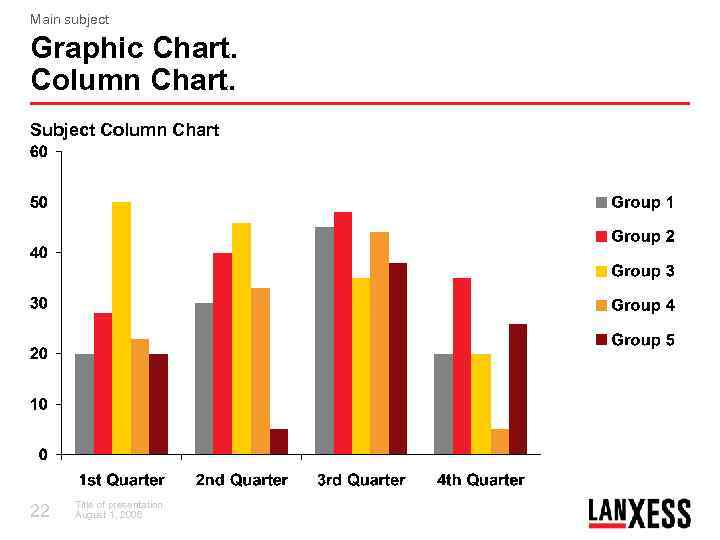 Main subject Graphic Chart. Column Chart. Subject Column Chart 22 Title of presentation August 1, 2006
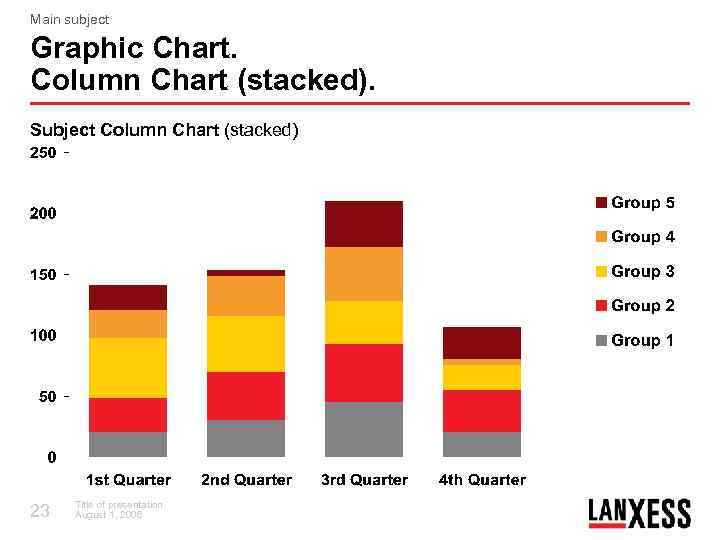 Main subject Graphic Chart. Column Chart (stacked). Subject Column Chart (stacked) 23 Title of presentation August 1, 2006
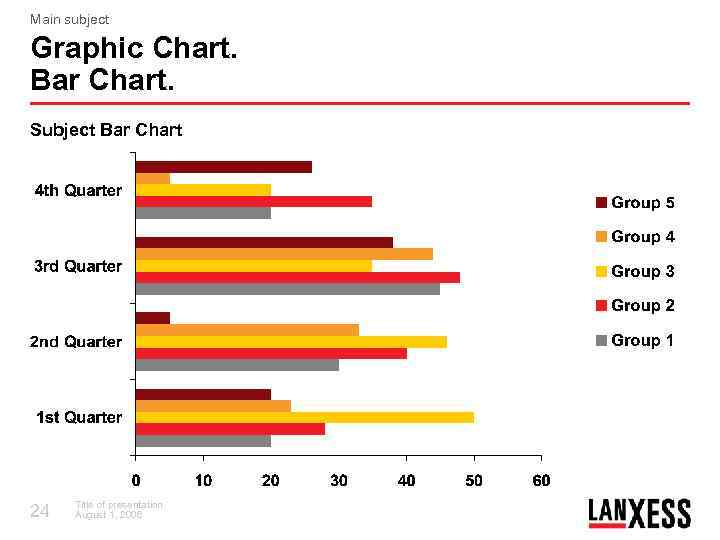 Main subject Graphic Chart. Bar Chart. Subject Bar Chart 24 Title of presentation August 1, 2006
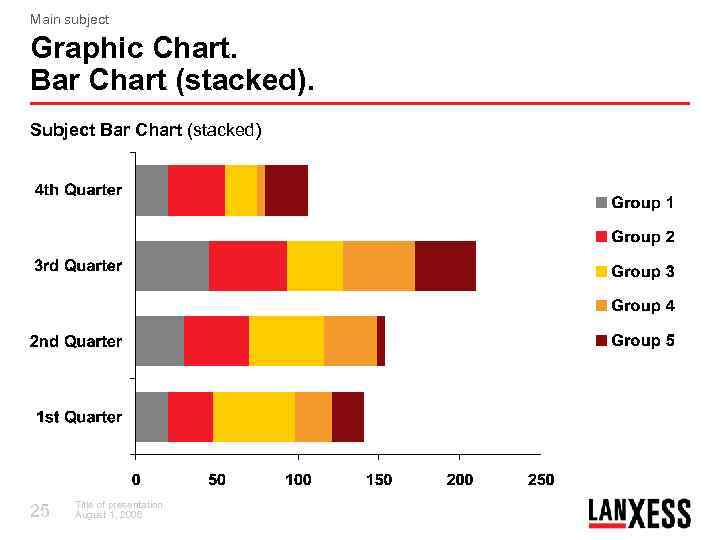 Main subject Graphic Chart. Bar Chart (stacked). Subject Bar Chart (stacked) 25 Title of presentation August 1, 2006
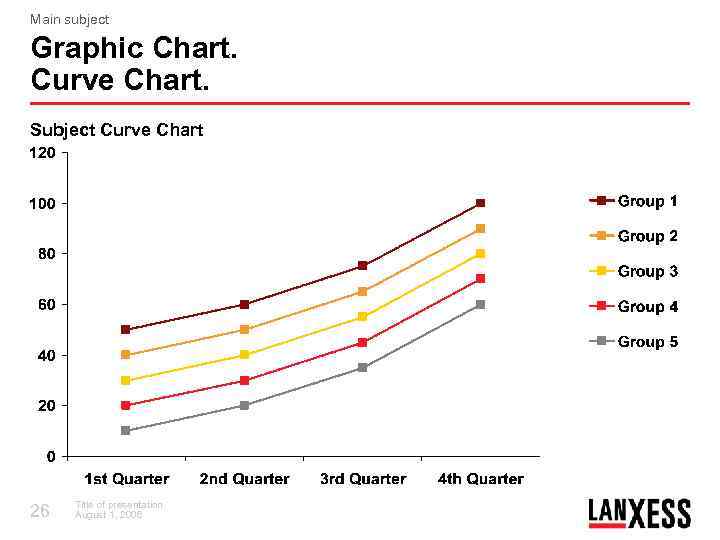 Main subject Graphic Chart. Curve Chart. Subject Curve Chart 26 Title of presentation August 1, 2006
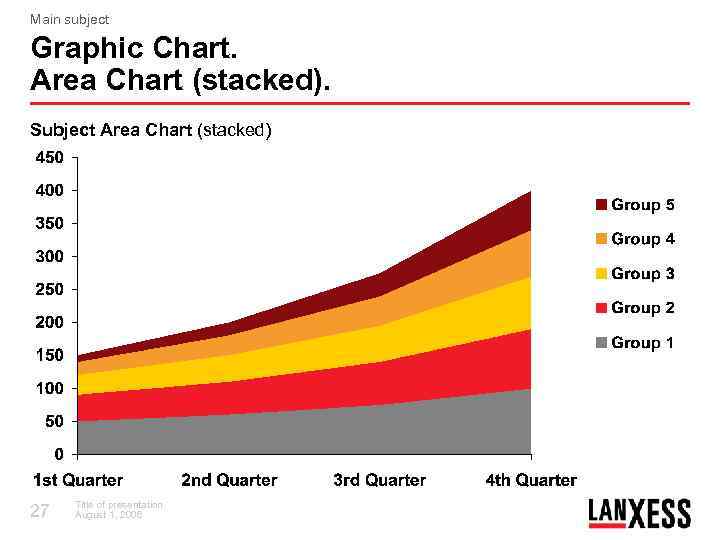 Main subject Graphic Chart. Area Chart (stacked). Subject Area Chart (stacked) 27 Title of presentation August 1, 2006
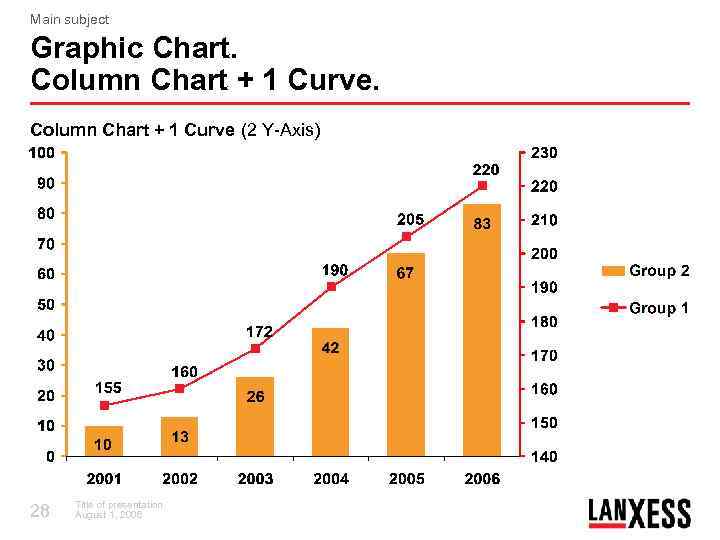 Main subject Graphic Chart. Column Chart + 1 Curve (2 Y-Axis) 28 Title of presentation August 1, 2006
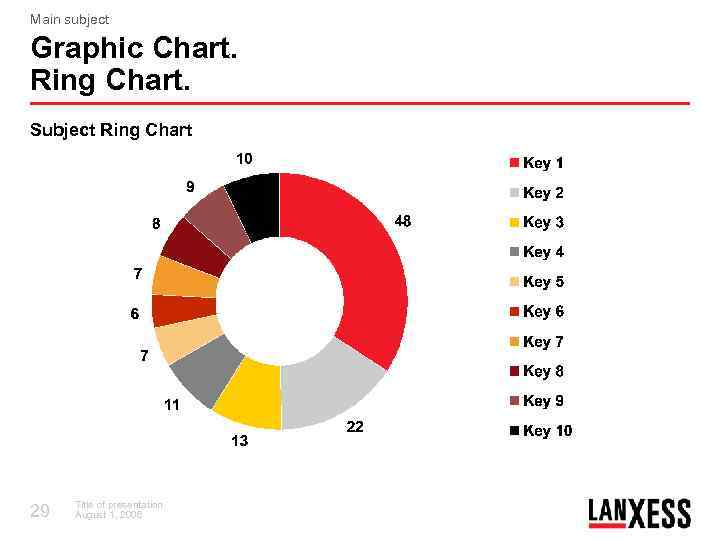 Main subject Graphic Chart. Ring Chart. Subject Ring Chart 29 Title of presentation August 1, 2006
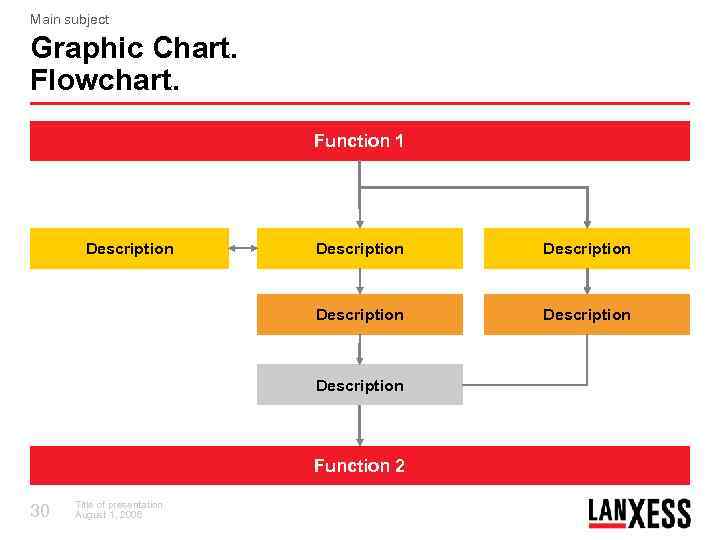 Main subject Graphic Chart. Flowchart. Function 1 Description Description Function 2 30 Title of presentation August 1, 2006
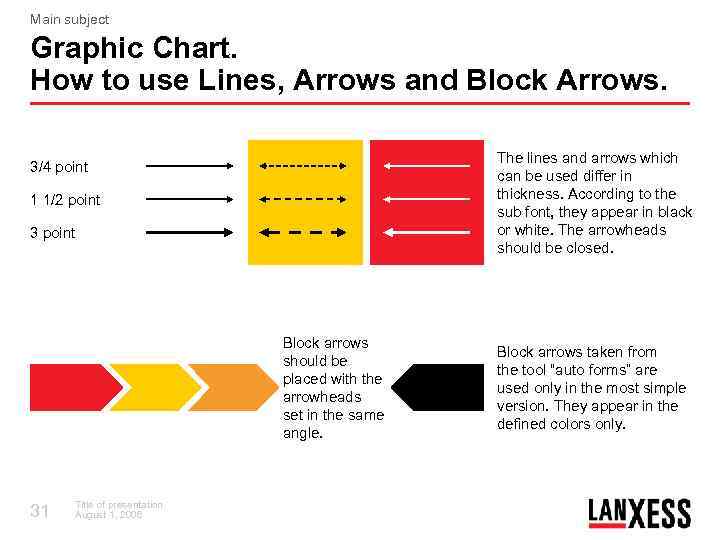 Main subject Graphic Chart. How to use Lines, Arrows and Block Arrows. The lines and arrows which can be used differ in thickness. According to the sub font, they appear in black or white. The arrowheads should be closed. 3/4 point 1 1/2 point 3 point Block arrows should be placed with the arrowheads set in the same angle. 31 Title of presentation August 1, 2006 Block arrows taken from the tool “auto forms” are used only in the most simple version. They appear in the defined colors only.
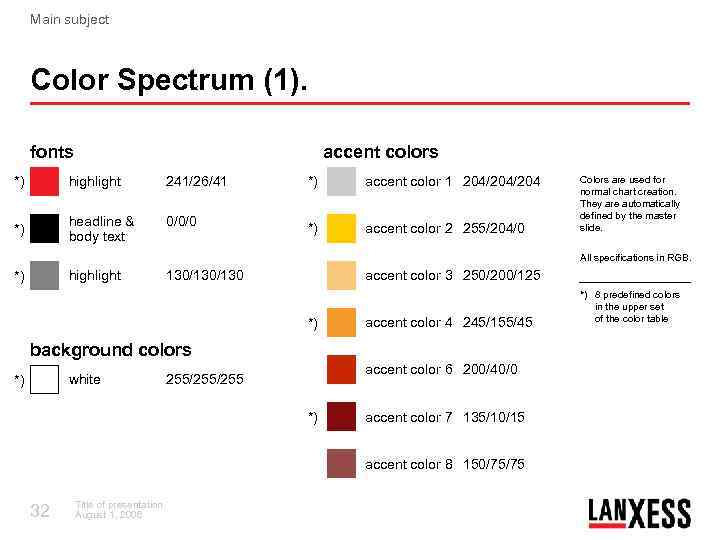 Main subject Color Spectrum (1). fonts accent colors *) highlight 241/26/41 *) headline & body text 0/0/0 *) accent color 1 204/204 *) accent color 2 255/204/0 Colors are used for normal chart creation. They are automatically defined by the master slide. All specifications in RGB. highlight *) 130/130 accent color 3 250/200/125 *) accent color 4 245/155/45 background colors white *) accent color 6 200/40/0 255/255 *) accent color 7 135/10/15 accent color 8 150/75/75 32 Title of presentation August 1, 2006 *) 8 predefined colors in the upper set of the color table
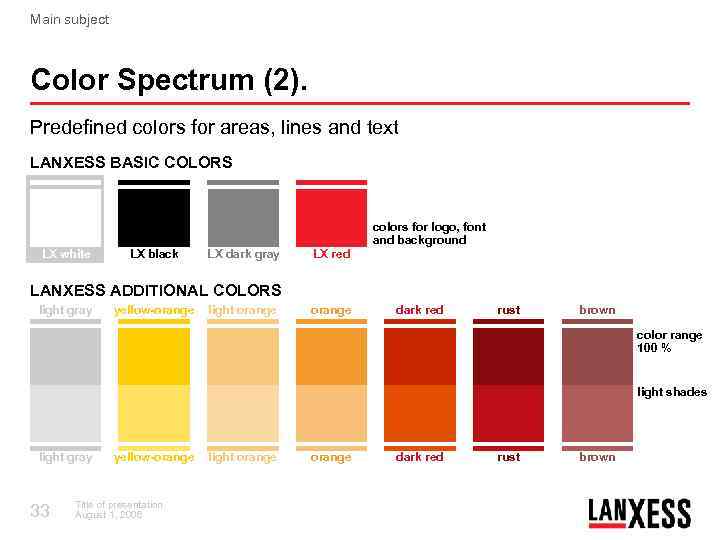 Main subject Color Spectrum (2). Predefined colors for areas, lines and text LANXESS BASIC COLORS colors for logo, font and background LX white LX black LX dark gray LX red LANXESS ADDITIONAL COLORS light gray yellow-orange light orange dark red rust brown color range 100 % light shades light gray 33 yellow-orange Title of presentation August 1, 2006 light orange dark red rust brown
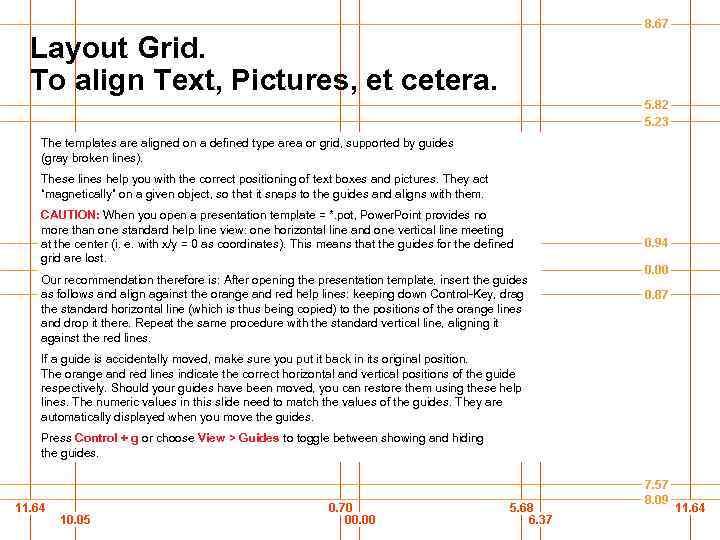 Layout Grid. To align Text, Pictures, et cetera. The templates are aligned on a defined type area or grid, supported by guides (gray broken lines). These lines help you with the correct positioning of text boxes and pictures. They act “magnetically” on a given object, so that it snaps to the guides and aligns with them. CAUTION: When you open a presentation template = *. pot, Power. Point provides no more than one standard help line view: one horizontal line and one vertical line meeting at the center (i. e. with x/y = 0 as coordinates). This means that the guides for the defined grid are lost. Our recommendation therefore is: After opening the presentation template, insert the guides as follows and align against the orange and red help lines: keeping down Control-Key, drag the standard horizontal line (which is thus being copied) to the positions of the orange lines and drop it there. Repeat the same procedure with the standard vertical line, aligning it against the red lines. If a guide is accidentally moved, make sure you put it back in its original position. The orange and red lines indicate the correct horizontal and vertical positions of the guide respectively. Should your guides have been moved, you can restore them using these help lines. The numeric values in this slide need to match the values of the guides. They are automatically displayed when you move the guides. Press Control + g or choose View > Guides to toggle between showing and hiding the guides.
 Thank You for Your Attention