


 Скачать презентацию Present and future of informatics in chemistry Symposium
ca07bef4b513f1f8b52a8e73b472385d.ppt
- Количество слайдов: 26
 Present and future of informatics in chemistry Symposium in Honor of Gary Wiggins Division of Chemical Information 223 rd ACS National Meeting, Chicago Phil Mc. Hale Elsevier MDL 25 March 2007 Copyright Elsevier MDL 2007
 Outline Informatics in chemistry? Where have we got to? What can we do now? What’s left to do? Where are we going? 2 Copyright Elsevier MDL 2007
 Informatics in chemistry? Cheminformatics vs. Chemoinformatics Structure representation Information acquisition Information management Information use 3 Copyright Elsevier MDL 2007
 This Awful Neologism …. Date: Fri, 17 Oct 1997 From: Wendy Warr Subject: Re: Cheminformatics/Two new refs. I wonder if any of the sources define this awful neologism ("chemoinformatics" or "cheminformatics"). Does it really differ from "chemical information" or "computational chemistry". As I have said before, I suspect that it is merely an image-enhancing name for some practitioners of computational chemistry. 4 Copyright Elsevier MDL 2007
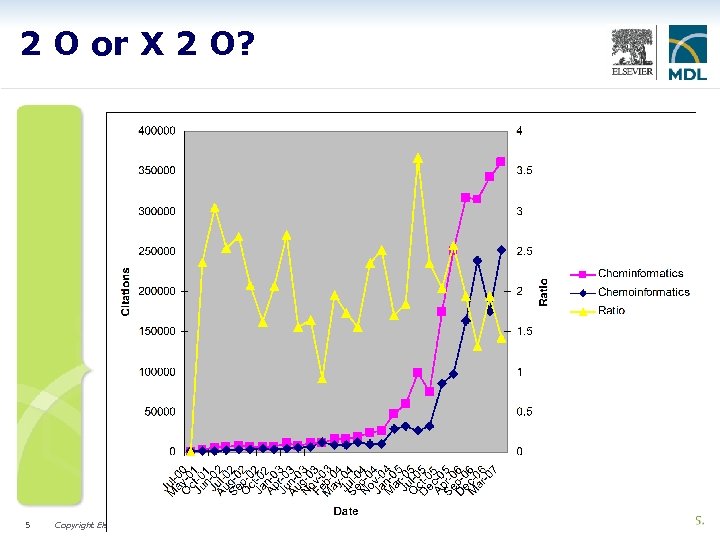 2 O or X 2 O? Data copyrighted (C) by Molinspiration Cheminformatics. http: //www. molinspiration. com/chemoinformatics. html 5 Copyright Elsevier MDL 2007
 The Building Blocks Molecules – 2 D, 3 D, stereoisomers, conformers, polymers, mixtures, formulations, sequences, combichem libraries, virtual libraries, Markush…. Reactions – reagents, products, catalysts, solvents, reacting centers, transition states, metabolic pathways …. Nomenclature, fragment codes, line notations, graphics, file formats 6 Copyright Elsevier MDL 2007
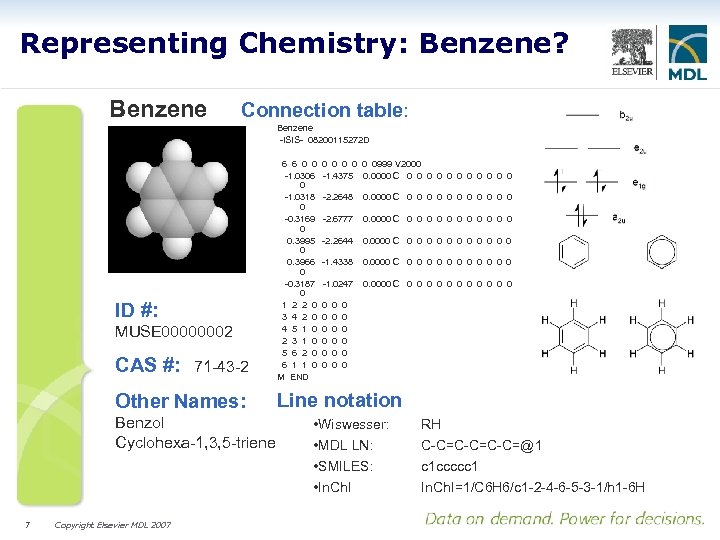 Representing Chemistry: Benzene? Benzene Connection table: Benzene -ISIS- 08200115272 D ID #: MUSE 00000002 CAS #: 71 -43 -2 Other Names: Benzol Cyclohexa-1, 3, 5 -triene 7 Copyright Elsevier MDL 2007 6 6 0 0 -1. 0306 0 -1. 0318 0 -0. 3169 0 0. 3995 0 0. 3966 0 -0. 3187 0 1 2 2 0 3 4 2 0 4 5 1 0 2 3 1 0 5 6 2 0 6 1 1 0 M END 0 0 0999 V 2000 -1. 4375 0. 0000 C 0 0 0 -2. 2648 0. 0000 C 0 0 0 -2. 6777 0. 0000 C 0 0 0 -2. 2644 0. 0000 C 0 0 0 -1. 4338 0. 0000 C 0 0 0 -1. 0247 0. 0000 C 0 0 0 0 0 0 0 0 Line notation • Wiswesser: • MDL LN: • SMILES: • In. Ch. I RH C-C=C-C=@1 c 1 ccccc 1 In. Ch. I=1/C 6 H 6/c 1 -2 -4 -6 -5 -3 -1/h 1 -6 H
 A Previous UI 8 Copyright Elsevier MDL 2007
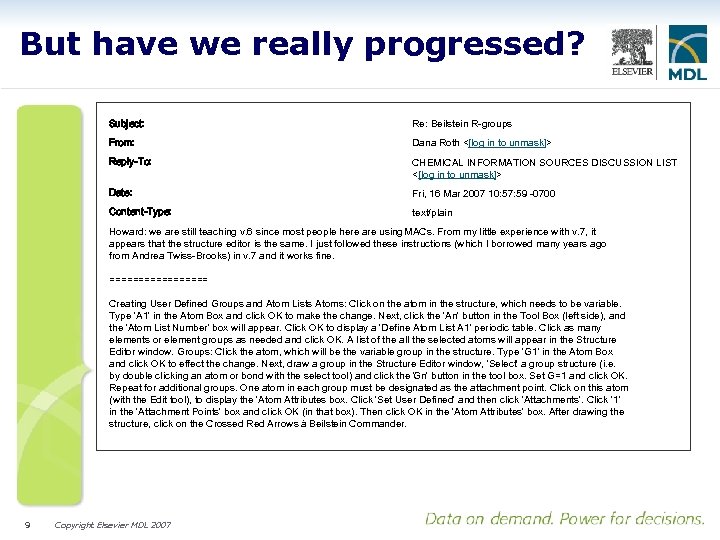 But have we really progressed? Subject: Re: Beilstein R-groups From: Dana Roth <[log in to unmask]> Reply-To: CHEMICAL INFORMATION SOURCES DISCUSSION LIST <[log in to unmask]> Date: Fri, 16 Mar 2007 10: 57: 59 -0700 Content-Type: text/plain Howard: we are still teaching v. 6 since most people here are using MACs. From my little experience with v. 7, it appears that the structure editor is the same. I just followed these instructions (which I borrowed many years ago from Andrea Twiss-Brooks) in v. 7 and it works fine. ========= Creating User Defined Groups and Atom Lists Atoms: Click on the atom in the structure, which needs to be variable. Type 'A 1' in the Atom Box and click OK to make the change. Next, click the 'An' button in the Tool Box (left side), and the 'Atom List Number' box will appear. Click OK to display a 'Define Atom List A 1' periodic table. Click as many elements or element groups as needed and click OK. A list of the all the selected atoms will appear in the Structure Editor window. Groups: Click the atom, which will be the variable group in the structure. Type 'G 1' in the Atom Box and click OK to effect the change. Next, draw a group in the Structure Editor window, 'Select' a group structure (i. e. by double clicking an atom or bond with the select tool) and click the 'Gn' button in the tool box. Set G=1 and click OK. Repeat for additional groups. One atom in each group must be designated as the attachment point. Click on this atom (with the Edit tool), to display the 'Atom Attributes box. Click 'Set User Defined' and then click 'Attachments'. Click '1' in the 'Attachment Points' box and click OK (in that box). Then click OK in the 'Atom Attributes' box. After drawing the structure, click on the Crossed Red Arrows à Beilstein Commander. 9 Copyright Elsevier MDL 2007
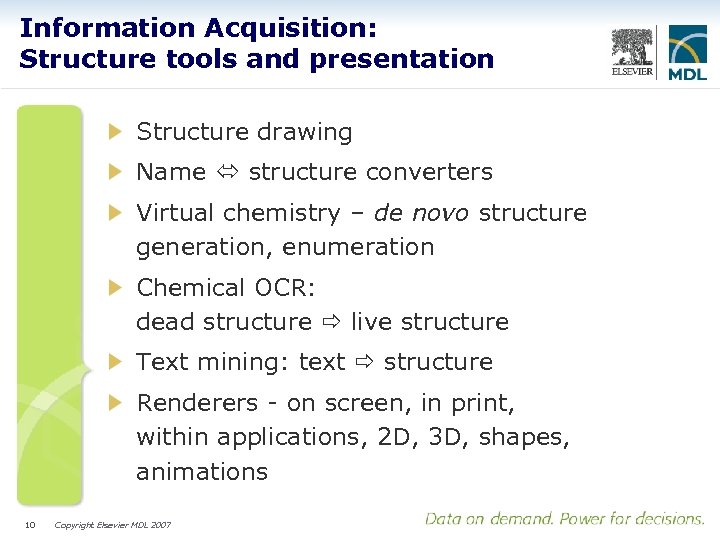 Information Acquisition: Structure tools and presentation Structure drawing Name structure converters Virtual chemistry – de novo structure generation, enumeration Chemical OCR: dead structure live structure Text mining: text structure Renderers - on screen, in print, within applications, 2 D, 3 D, shapes, animations 10 Copyright Elsevier MDL 2007
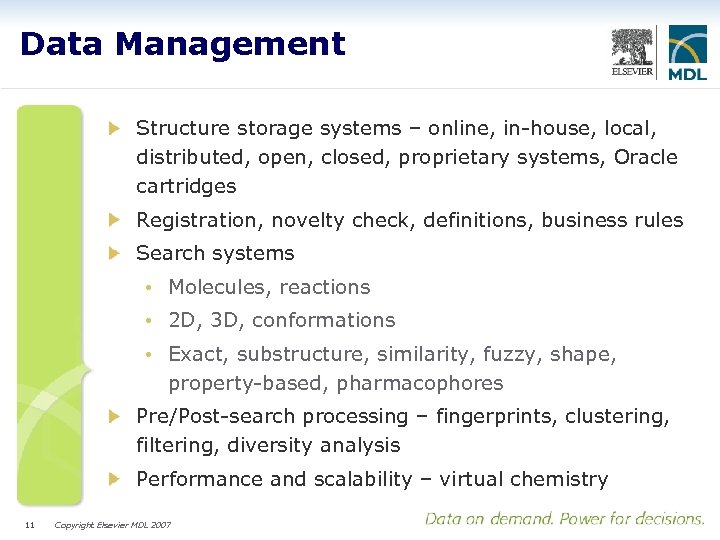 Data Management Structure storage systems – online, in-house, local, distributed, open, closed, proprietary systems, Oracle cartridges Registration, novelty check, definitions, business rules Search systems • Molecules, reactions • 2 D, 3 D, conformations • Exact, substructure, similarity, fuzzy, shape, property-based, pharmacophores Pre/Post-search processing – fingerprints, clustering, filtering, diversity analysis Performance and scalability – virtual chemistry 11 Copyright Elsevier MDL 2007
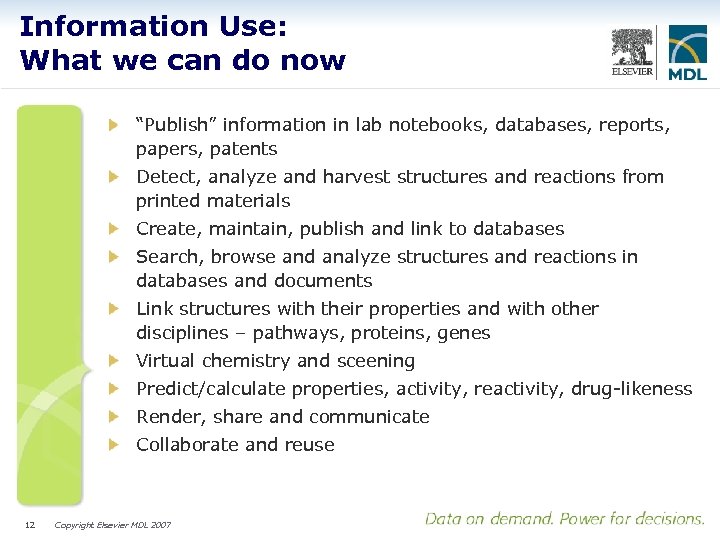 Information Use: What we can do now “Publish” information in lab notebooks, databases, reports, papers, patents Detect, analyze and harvest structures and reactions from printed materials Create, maintain, publish and link to databases Search, browse and analyze structures and reactions in databases and documents Link structures with their properties and with other disciplines – pathways, proteins, genes Virtual chemistry and sceening Predict/calculate properties, activity, reactivity, drug-likeness Render, share and communicate Collaborate and reuse 12 Copyright Elsevier MDL 2007
 Sample workflows Finding out what’s known about a molecule Exploring possible synthetic routes to a target molecule Assessing metabolic and toxic liabilities and outcomes 13 Copyright Elsevier MDL 2007
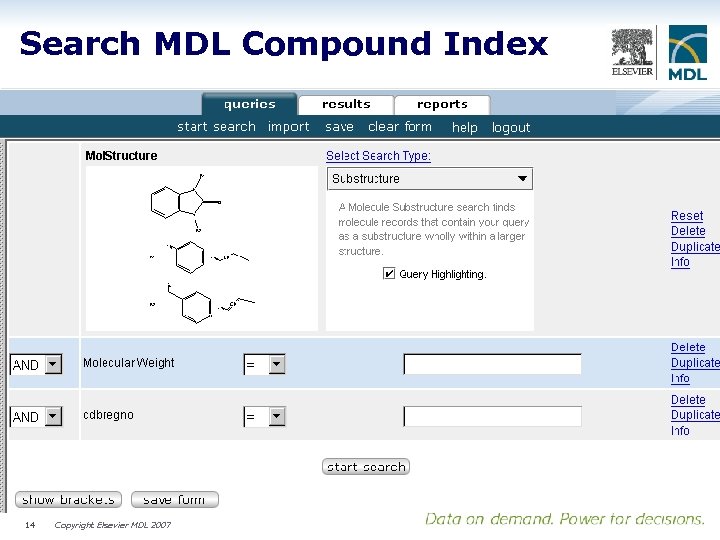 Search MDL Compound Index 14 Copyright Elsevier MDL 2007
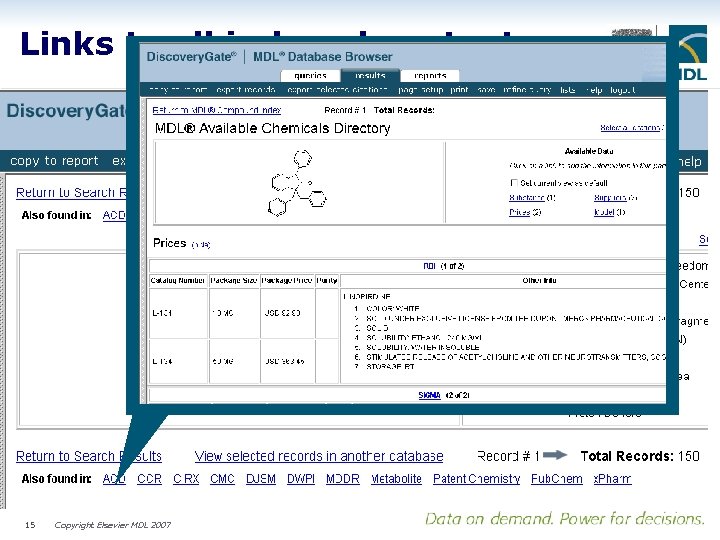 Links to all indexed content 15 Copyright Elsevier MDL 2007
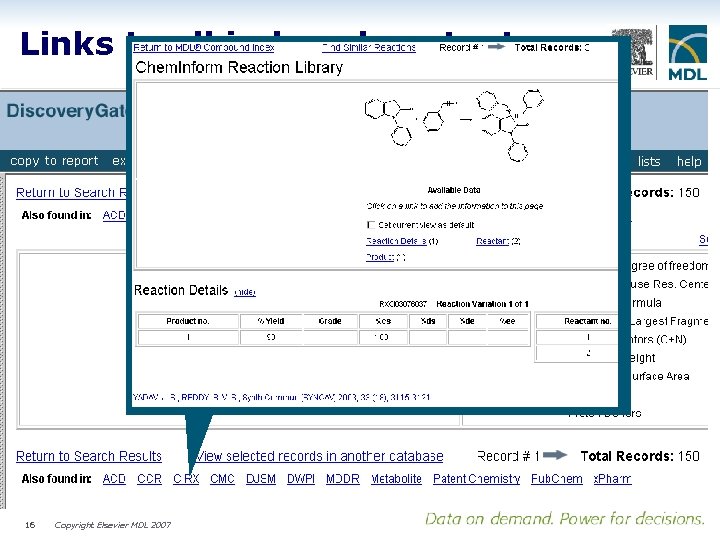 Links to all indexed content 16 Copyright Elsevier MDL 2007
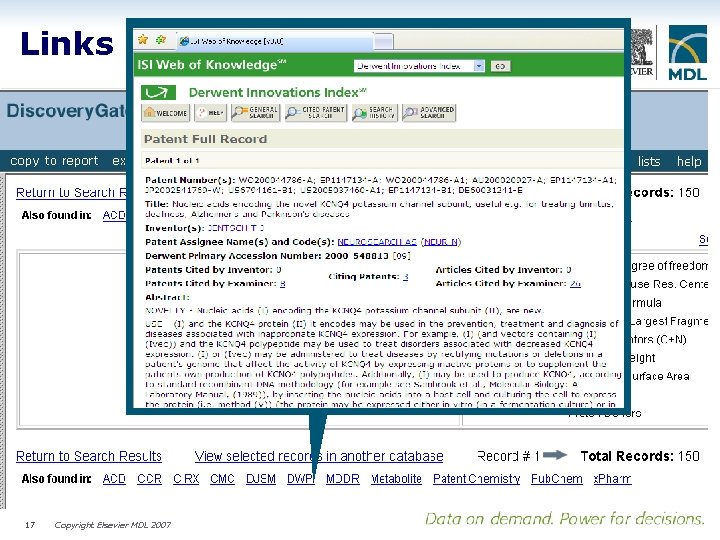 Links to all indexed content 17 Copyright Elsevier MDL 2007
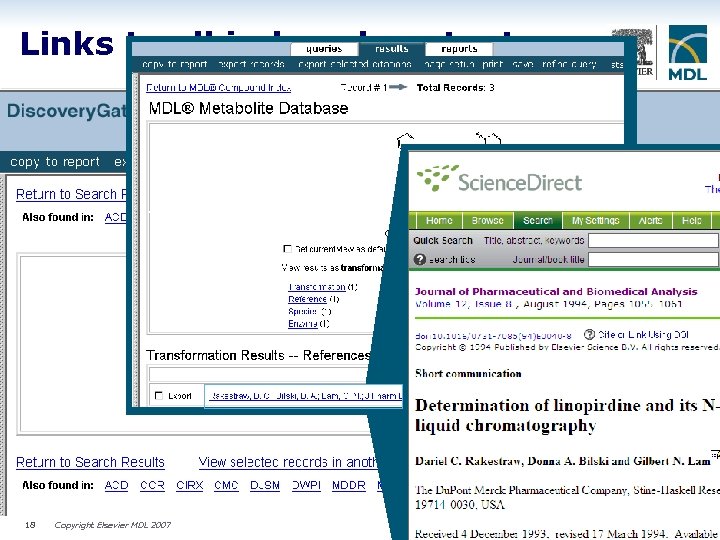 Links to all indexed content 18 Copyright Elsevier MDL 2007
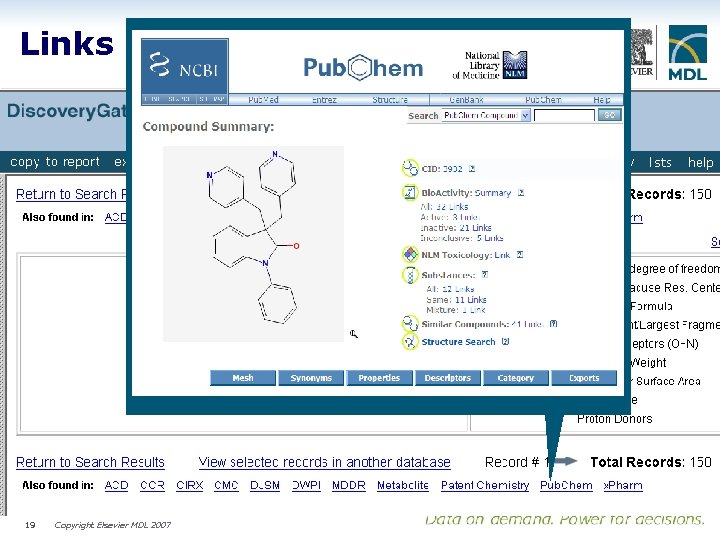 Links to all indexed content 19 Copyright Elsevier MDL 2007
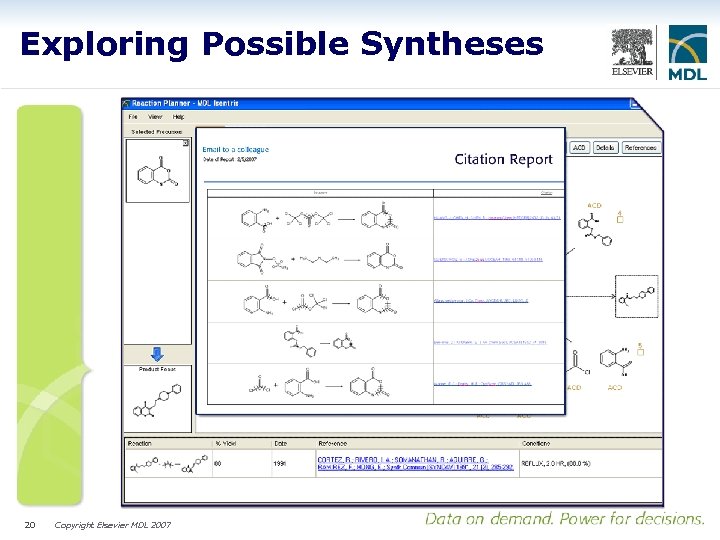 Exploring Possible Syntheses 20 Copyright Elsevier MDL 2007
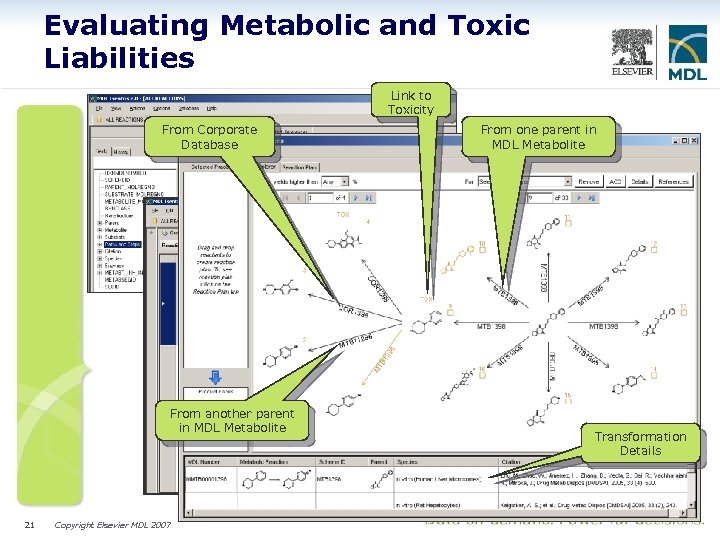 Evaluating Metabolic and Toxic Liabilities Link to Toxicity From Corporate Database From another parent in MDL Metabolite 21 Copyright Elsevier MDL 2007 From one parent in MDL Metabolite Transformation Details
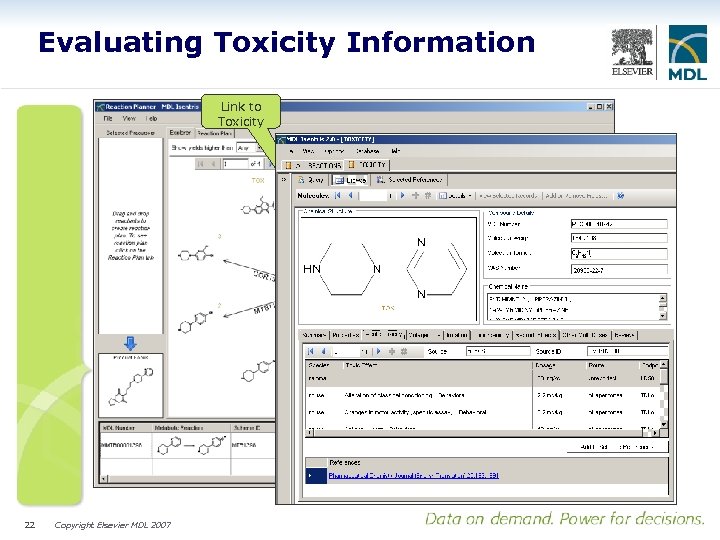 Evaluating Toxicity Information Link to Toxicity 22 Copyright Elsevier MDL 2007
 What’s left to do? Structure Representation • Generic structures and patents • More stereochemistry • Organometallics, composites, stuff • Biomolecules • Transition states, reaction mechanisms, pathways Information Acquisition • Authoring tools • Annotation - semantics • Web 2. 0 – social networking, wikis 23 Copyright Elsevier MDL 2007
 What else is left to do? Information Management • Integration • Performance • Timeliness • Accessibility • Portability Information Use • Better predictors: activity, ADMET, reactivity • Better virtual screening • Presenting QSAR results that chemists can act on • Capturing and automating intellectual processes: synthesis design • Knowledge extraction, inference generation 24 Copyright Elsevier MDL 2007
 Where are we going? Automated data capture and indexing • Papers, patents, theses …. Robust predictors and inference generators Blurring of boundaries • Internal and external information • Text and structures • Publications and databases • Small molecules and -omics • Mash ups in cranio >> in silico >> in vitro 25 Copyright Elsevier MDL 2007
 Thanks Gary 26 Copyright Elsevier MDL 2007