 Скачать презентацию Preparing to Practice Computers IT Presentation by
308ea4e36956f12bcf2df654a729e301.ppt
- Количество слайдов: 14



Preparing to Practice Computers & IT Presentation by Ofer Shimrat November 22, 2008
Introduction HIPAA Compliance Medical Applications Network Topology Wired or Wireless Desktop H/S Server H/S Network H/S Security H/S Backup & DR Insurance Productivity Health Insurance Portability & Accountability Act Medical Applications determine your needs Network Architecture & Types of Networks Wired Network or Wireless Network Desktop Hardware & Software Recommendations Server Hardware & Software Recommendations Network and Computer Security Backup Strategies and Disaster Recovery Insurance to protect your computer assets Productivity and Feature-Rich Enhancements Computer Best Practices and Conclusion 2
HIPAA Compliance Introduction HIPAA Compliance Medical Applications Network Topology Wired or Wireless Desktop H/S Server H/S Network H/S Security H/S Backup & DR Insurance Productivity Conclusion Health Insurance Portability and Accountability Act Enacted August 21, 1996 Applies to Health Plans, Providers & Clearinghouses Protects all “individually identifiable health information” Mandates patient record privacy in any transaction – Electronic – Paper – Oral Requires written security standards & procedures Staff must understand security logic “Minimum necessary” use & disclosure Appointment of a security manager Inventory and catalog all “exposed” IT components Sanctions for security policy violations Only as effective as your weakest link 3
Medical Software Applications Introduction HIPAA Compliance Medical Applications Network Topology Wired or Wireless Desktop H/S Server H/S Network H/S Security H/S Backup & DR Insurance Productivity Conclusion Software determines hardware - Integration Small or Solo Practice Medium Size Practice Large Practice Electronic Health Record (EHR) or EMR system Medical management systems Medical equipment applications Medical imaging applications Appointment Scheduling systems Electronic patient charts & scanning Billing applications Office productivity applications Wireless hardware applications 4
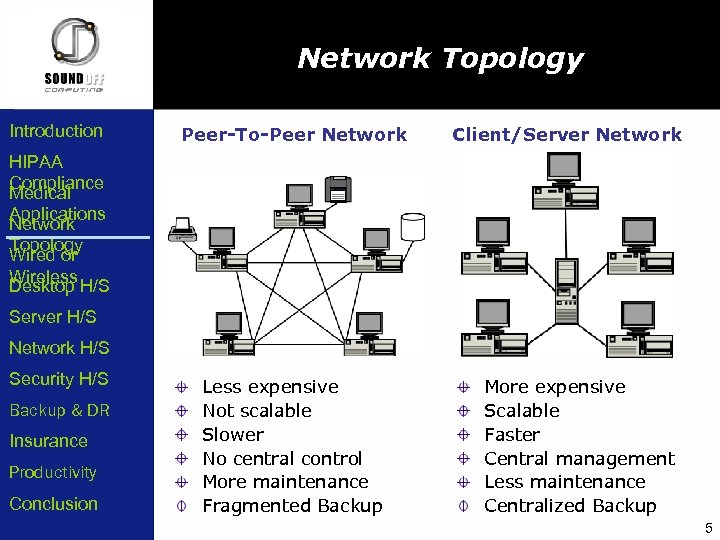
Network Topology Introduction Peer-To-Peer Network Client/Server Network HIPAA Compliance Medical Applications Network Topology Wired or Wireless Desktop H/S Server H/S Network H/S Security H/S Backup & DR Insurance Productivity Conclusion Less expensive Not scalable Slower No central control More maintenance Fragmented Backup More expensive Scalable Faster Central management Less maintenance Centralized Backup 5
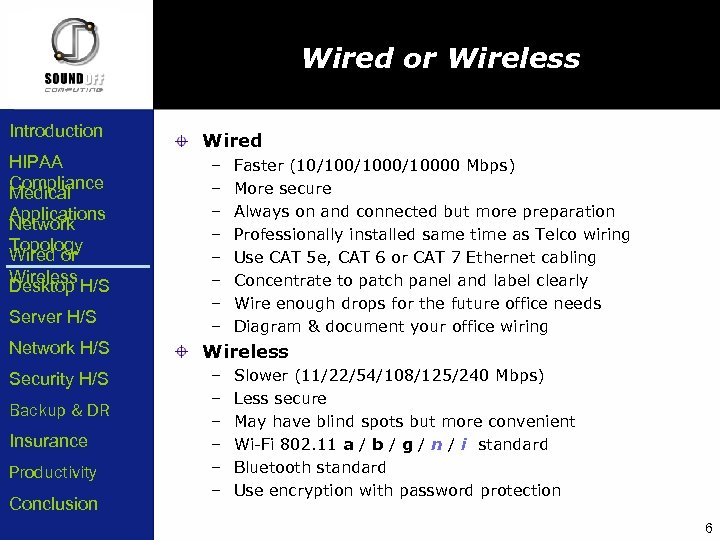
Wired or Wireless Introduction HIPAA Compliance Medical Applications Network Topology Wired or Wireless Desktop H/S Server H/S Network H/S Security H/S Backup & DR Insurance Productivity Conclusion Wired – – – – Faster (10/1000/10000 Mbps) More secure Always on and connected but more preparation Professionally installed same time as Telco wiring Use CAT 5 e, CAT 6 or CAT 7 Ethernet cabling Concentrate to patch panel and label clearly Wire enough drops for the future office needs Diagram & document your office wiring Wireless – – – Slower (11/22/54/108/125/240 Mbps) Less secure May have blind spots but more convenient Wi-Fi 802. 11 a / b / g / n / i standard Bluetooth standard Use encryption with password protection 6
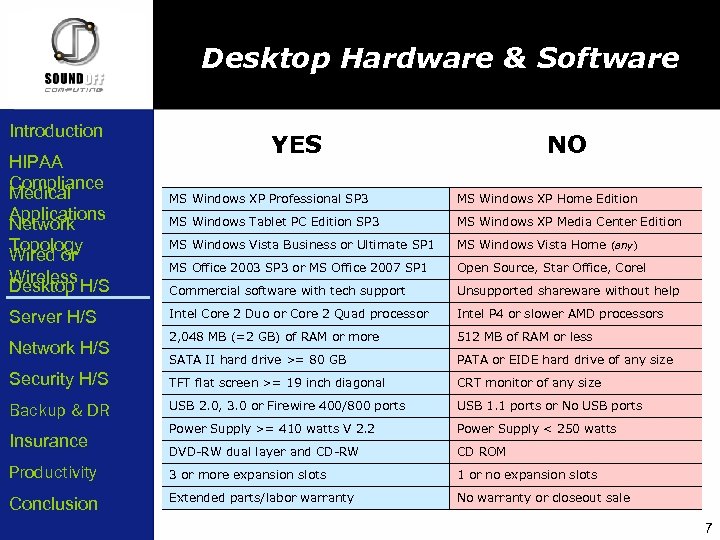
Desktop Hardware & Software Introduction HIPAA Compliance Medical Applications Network Topology Wired or Wireless Desktop H/S YES NO MS Windows XP Professional SP 3 MS Windows XP Home Edition MS Windows Tablet PC Edition SP 3 MS Windows XP Media Center Edition MS Windows Vista Business or Ultimate SP 1 MS Windows Vista Home (any) MS Office 2003 SP 3 or MS Office 2007 SP 1 Open Source, Star Office, Corel Commercial software with tech support Unsupported shareware without help Intel Core 2 Duo or Core 2 Quad processor Intel P 4 or slower AMD processors 2, 048 MB (=2 GB) of RAM or more 512 MB of RAM or less SATA II hard drive >= 80 GB PATA or EIDE hard drive of any size Security H/S TFT flat screen >= 19 inch diagonal CRT monitor of any size Backup & DR USB 2. 0, 3. 0 or Firewire 400/800 ports USB 1. 1 ports or No USB ports Power Supply >= 410 watts V 2. 2 Power Supply < 250 watts DVD-RW dual layer and CD-RW CD ROM Productivity 3 or more expansion slots 1 or no expansion slots Conclusion Extended parts/labor warranty No warranty or closeout sale Server H/S Network H/S Insurance 7
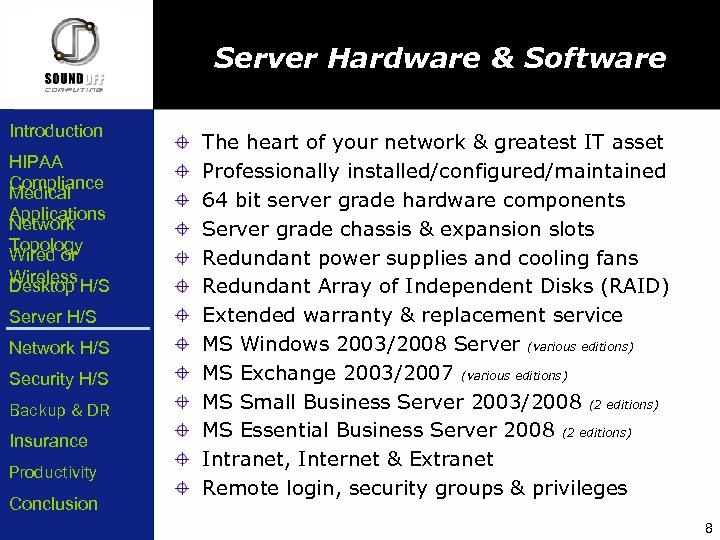
Server Hardware & Software Introduction HIPAA Compliance Medical Applications Network Topology Wired or Wireless Desktop H/S Server H/S Network H/S Security H/S Backup & DR Insurance Productivity Conclusion The heart of your network & greatest IT asset Professionally installed/configured/maintained 64 bit server grade hardware components Server grade chassis & expansion slots Redundant power supplies and cooling fans Redundant Array of Independent Disks (RAID) Extended warranty & replacement service MS Windows 2003/2008 Server (various editions) MS Exchange 2003/2007 (various editions) MS Small Business Server 2003/2008 (2 editions) MS Essential Business Server 2008 (2 editions) Intranet, Internet & Extranet Remote login, security groups & privileges 8
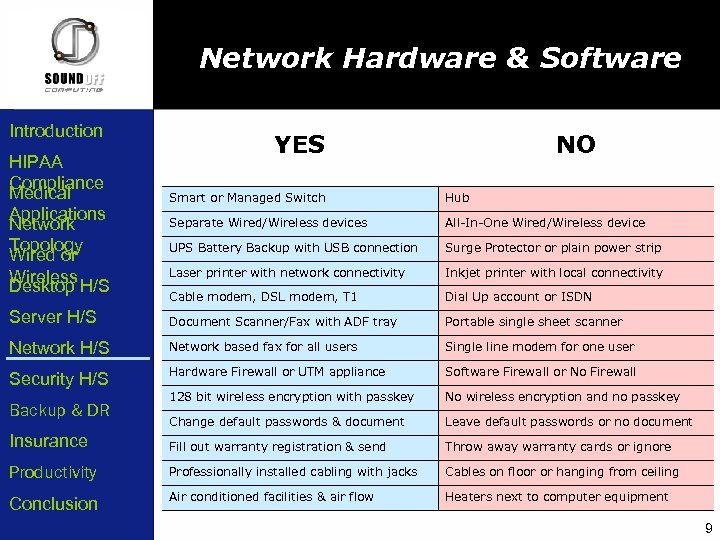
Network Hardware & Software Introduction HIPAA Compliance Medical Applications Network Topology Wired or Wireless Desktop H/S YES NO Smart or Managed Switch Hub Separate Wired/Wireless devices All-In-One Wired/Wireless device UPS Battery Backup with USB connection Surge Protector or plain power strip Laser printer with network connectivity Inkjet printer with local connectivity Cable modem, DSL modem, T 1 Dial Up account or ISDN Server H/S Document Scanner/Fax with ADF tray Portable single sheet scanner Network H/S Network based fax for all users Single line modem for one user Security H/S Hardware Firewall or UTM appliance Software Firewall or No Firewall 128 bit wireless encryption with passkey No wireless encryption and no passkey Change default passwords & document Leave default passwords or no document Insurance Fill out warranty registration & send Throw away warranty cards or ignore Productivity Professionally installed cabling with jacks Cables on floor or hanging from ceiling Conclusion Air conditioned facilities & air flow Heaters next to computer equipment Backup & DR 9
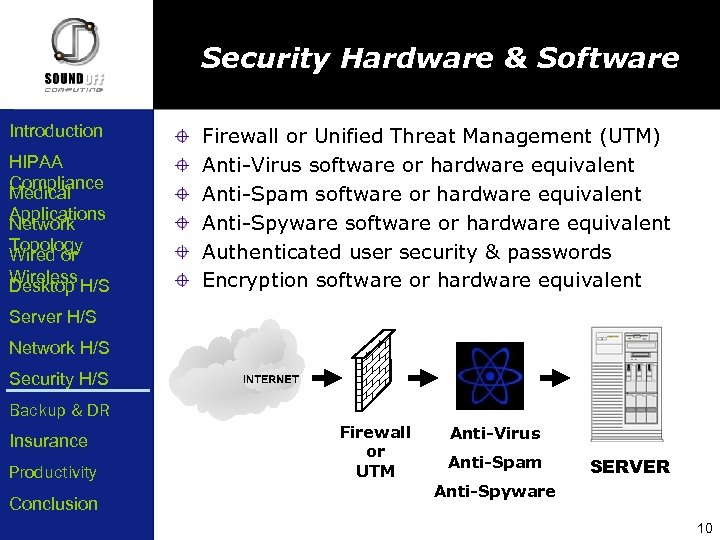
Security Hardware & Software Introduction HIPAA Compliance Medical Applications Network Topology Wired or Wireless Desktop H/S Firewall or Unified Threat Management (UTM) Anti-Virus software or hardware equivalent Anti-Spam software or hardware equivalent Anti-Spyware software or hardware equivalent Authenticated user security & passwords Encryption software or hardware equivalent Server H/S Network H/S Security H/S Backup & DR Insurance Productivity Conclusion Firewall or UTM Anti-Virus Anti-Spam SERVER Anti-Spyware 10
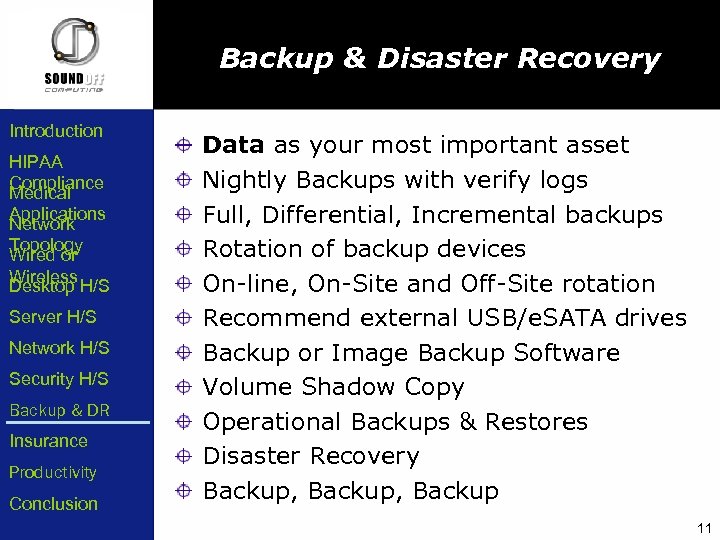
Backup & Disaster Recovery Introduction HIPAA Compliance Medical Applications Network Topology Wired or Wireless Desktop H/S Server H/S Network H/S Security H/S Backup & DR Insurance Productivity Conclusion Data as your most important asset Nightly Backups with verify logs Full, Differential, Incremental backups Rotation of backup devices On-line, On-Site and Off-Site rotation Recommend external USB/e. SATA drives Backup or Image Backup Software Volume Shadow Copy Operational Backups & Restores Disaster Recovery Backup, Backup 11
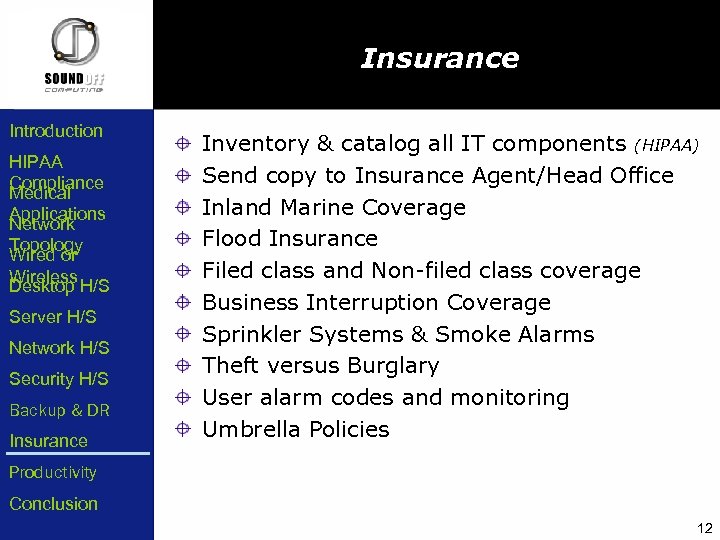
Insurance Introduction HIPAA Compliance Medical Applications Network Topology Wired or Wireless Desktop H/S Server H/S Network H/S Security H/S Backup & DR Insurance Inventory & catalog all IT components (HIPAA) Send copy to Insurance Agent/Head Office Inland Marine Coverage Flood Insurance Filed class and Non-filed class coverage Business Interruption Coverage Sprinkler Systems & Smoke Alarms Theft versus Burglary User alarm codes and monitoring Umbrella Policies Productivity Conclusion 12
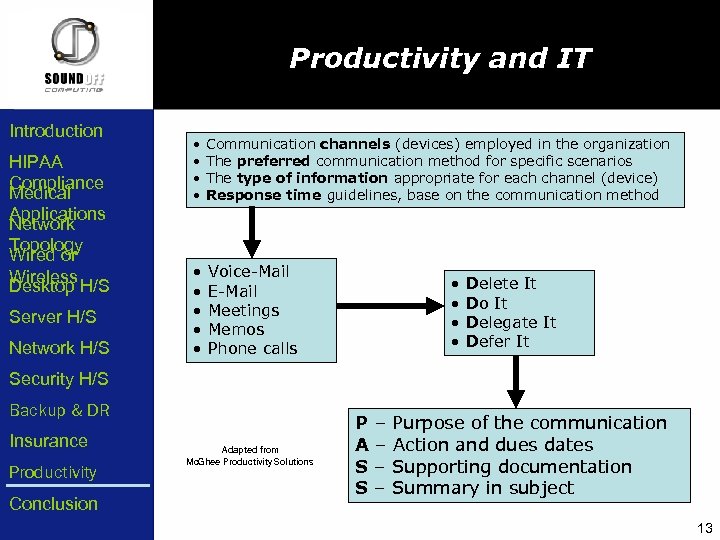
Productivity and IT Introduction HIPAA Compliance Medical Applications Network Topology Wired or Wireless Desktop H/S Server H/S Network H/S • • Communication channels (devices) employed in the organization The preferred communication method for specific scenarios The type of information appropriate for each channel (device) Response time guidelines, base on the communication method • • • Voice-Mail E-Mail Meetings Memos Phone calls • • Delete It Do It Delegate It Defer It Security H/S Backup & DR Insurance Productivity Conclusion Adapted from Mc. Ghee Productivity Solutions P – Purpose of the communication A – Action and dues dates S – Supporting documentation S – Summary in subject 13
Conclusion Introduction HIPAA Compliance Medical Applications Network Topology Wired or Wireless Desktop H/S Be HIPAA compliant Software determines what hardware Understand your network topology Choose hardware with the future in mind Backup, be secure, redundant & insured Server H/S Network H/S Security H/S Ofer Shimrat Backup & DR TEL: (858) 569 -0300 Insurance FAX: (858) 569 -0303 Productivity EML: ofer@soundoffcomputing. com Conclusion URL: www. soundoffcomputing. com 14
Скачать презентацию Preparing to Practice Computers IT Presentation by
308ea4e36956f12bcf2df654a729e301.ppt