


 Скачать презентацию Practical Implementation of SH Lighting and HDR Rendering
a0992b4e0ab420ddfc15845a1bc26a00.ppt
- Количество слайдов: 64
 Practical Implementation of SH Lighting and HDR Rendering on Play. Station 2 Yoshiharu Gotanda Tatsuya Shoji Research and Development Dept. tri-Ace Inc.
 This session • shows practical examples about – SH Lighting for the current hardware (Play. Station 2) – HDR Rendering
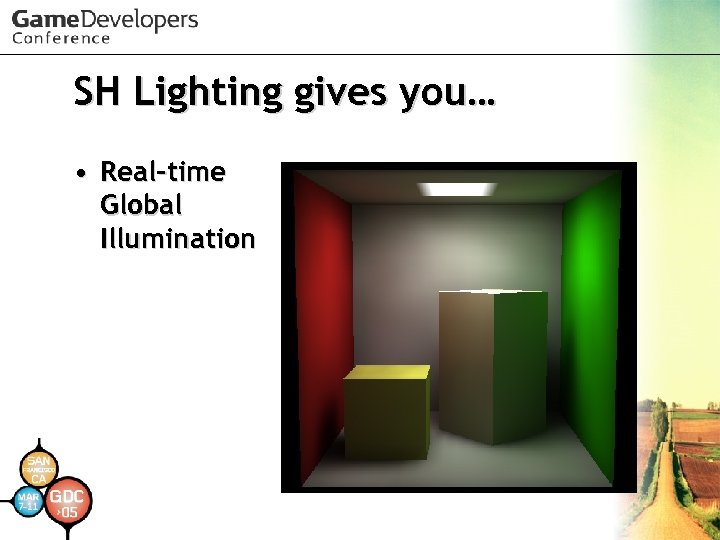 SH Lighting gives you… • Real-time Global Illumination
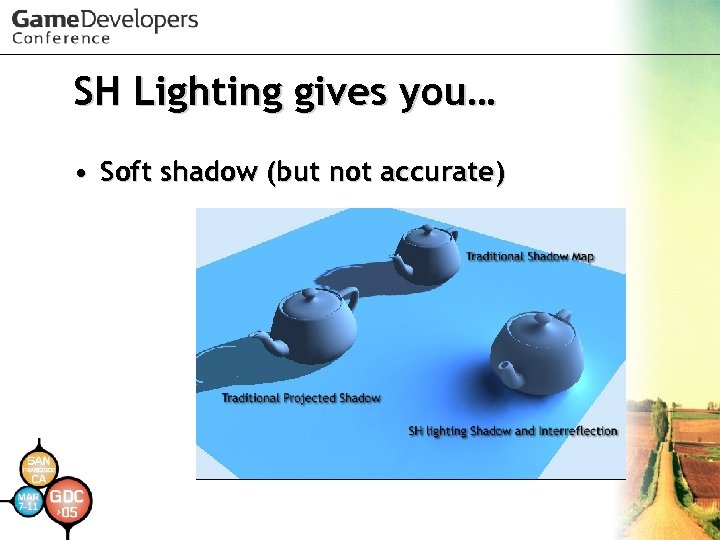 SH Lighting gives you… • Soft shadow (but not accurate)
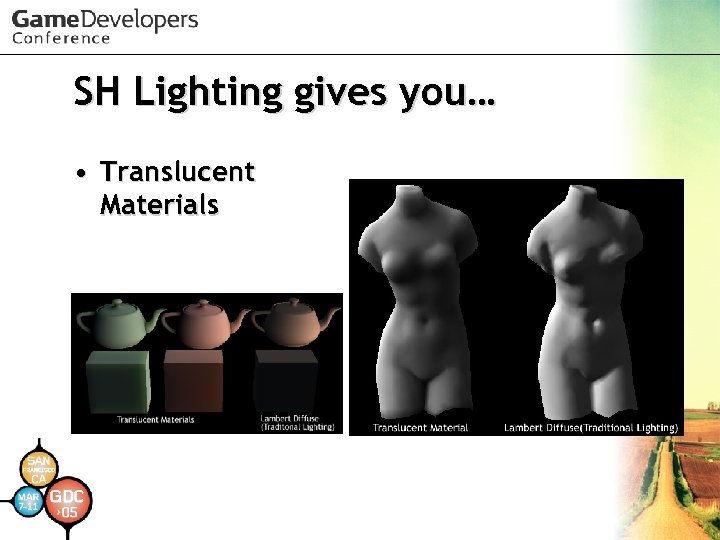 SH Lighting gives you… • Translucent Materials
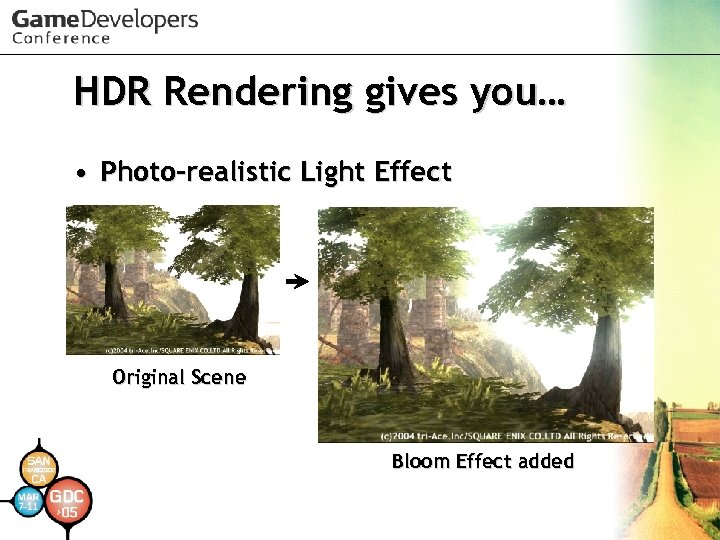 HDR Rendering gives you… • Photo-realistic Light Effect Original Scene Bloom Effect added
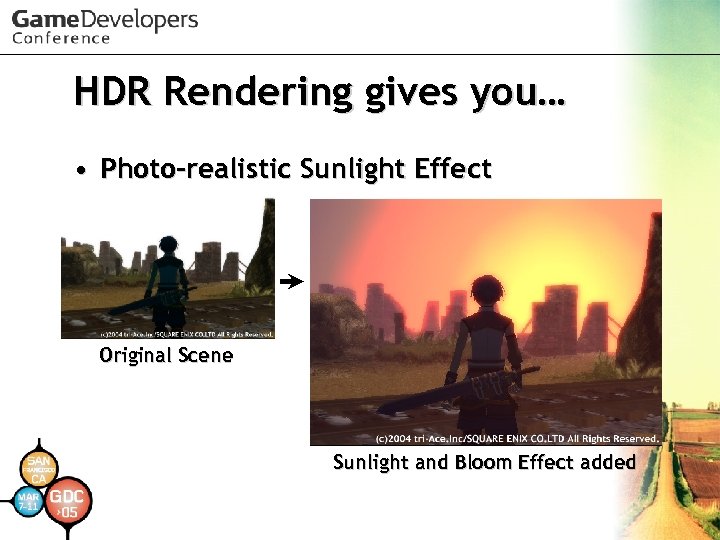 HDR Rendering gives you… • Photo-realistic Sunlight Effect Original Scene Sunlight and Bloom Effect added
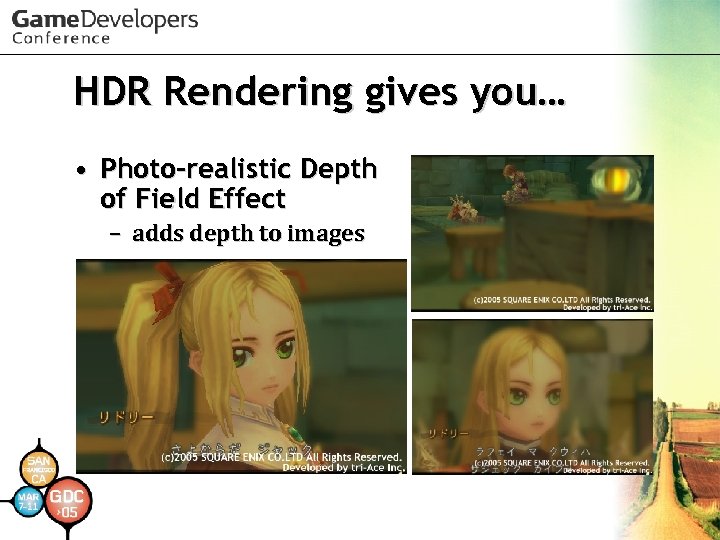 HDR Rendering gives you… • Photo-realistic Depth of Field Effect – adds depth to images
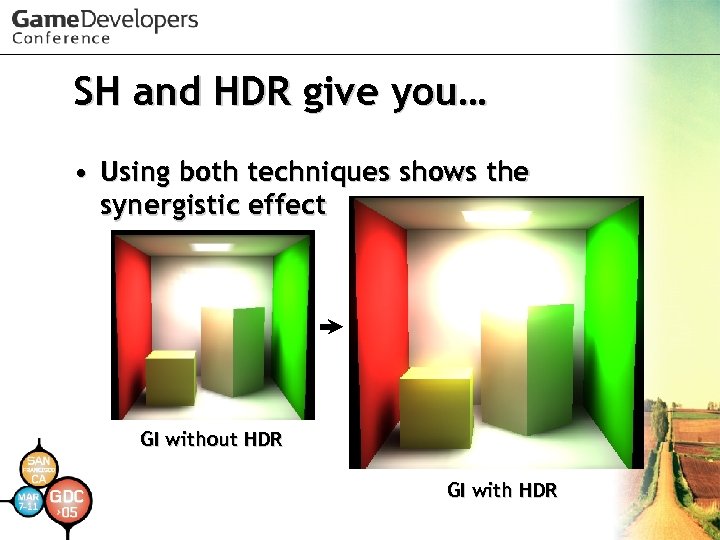 SH and HDR give you… • Using both techniques shows the synergistic effect GI without HDR GI with HDR
 Where to use SH and HDR • Don’t have to use all of them – SH lighting could be used to represent various light phenomena – HDR Rendering could be used to represent various optimal phenomena as well – There a lot of elements (backgrounds, characters, effects) in a game – It is important to let artists express themselves easily with limited resources for each element
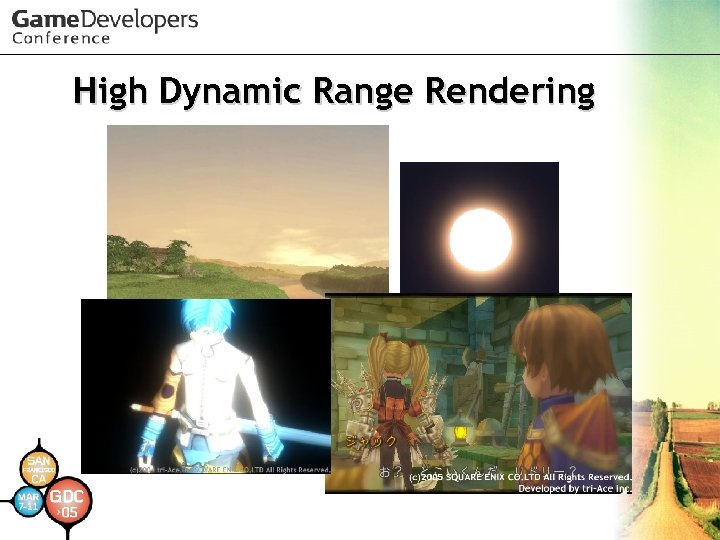 High Dynamic Range Rendering
 What is HDR? • Generally – Stands for High Dynamic Range – In simple terms, HDR means a greater range of value • In specific fields – HDR Images, HDR Rendering, HDR Effects, HDR Buffers … HDR has various meanings
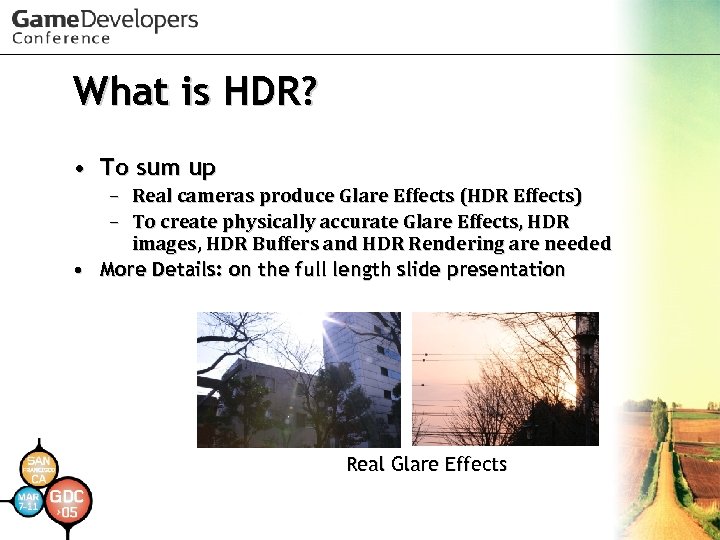 What is HDR? • To sum up – Real cameras produce Glare Effects (HDR Effects) – To create physically accurate Glare Effects, HDR images, HDR Buffers and HDR Rendering are needed • More Details: on the full length slide presentation Real Glare Effects
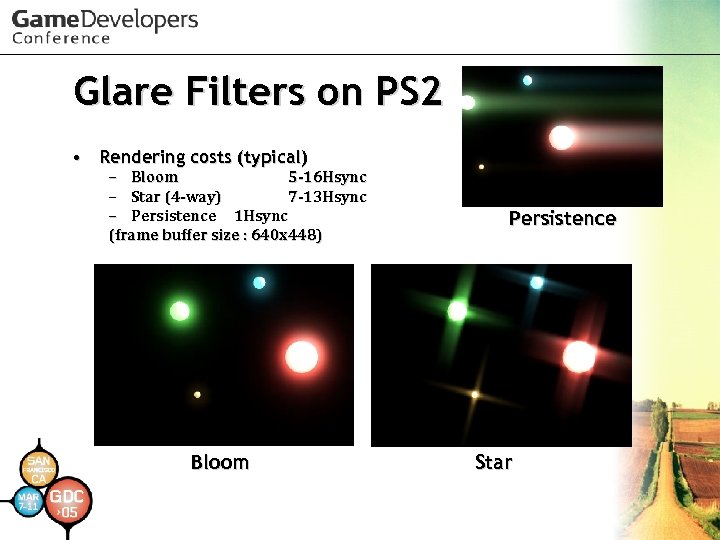 Glare Filters on PS 2 • Rendering costs (typical) – Bloom 5 -16 Hsync – Star (4 -way) 7 -13 Hsync – Persistence 1 Hsync (frame buffer size : 640 x 448) Bloom Persistence Star
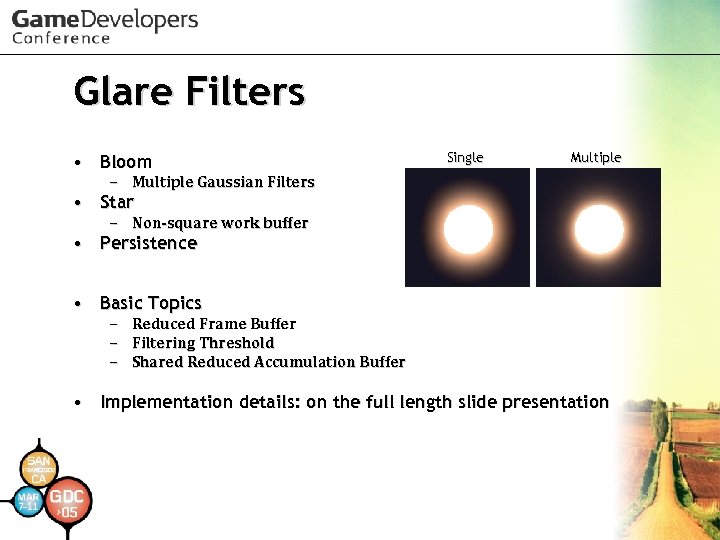 Glare Filters • Bloom Single Multiple – Multiple Gaussian Filters • Star – Non-square work buffer • Persistence • Basic Topics – – – Reduced Frame Buffer Filtering Threshold Shared Reduced Accumulation Buffer • Implementation details: on the full length slide presentation
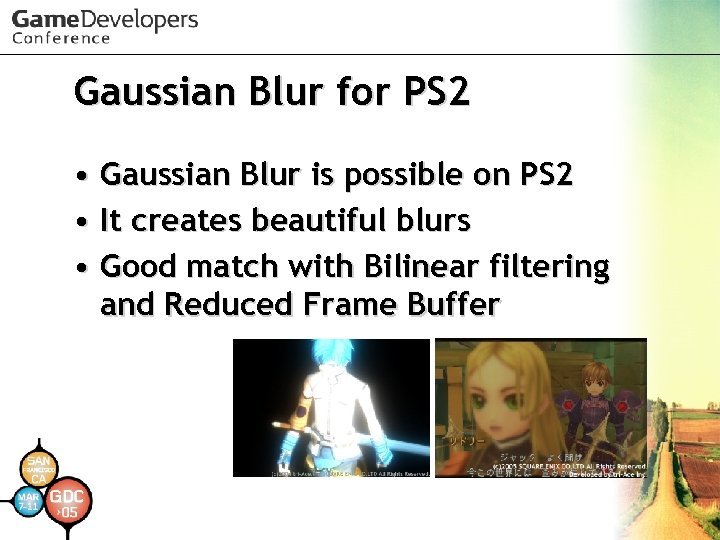 Gaussian Blur for PS 2 • Gaussian Blur is possible on PS 2 • It creates beautiful blurs • Good match with Bilinear filtering and Reduced Frame Buffer
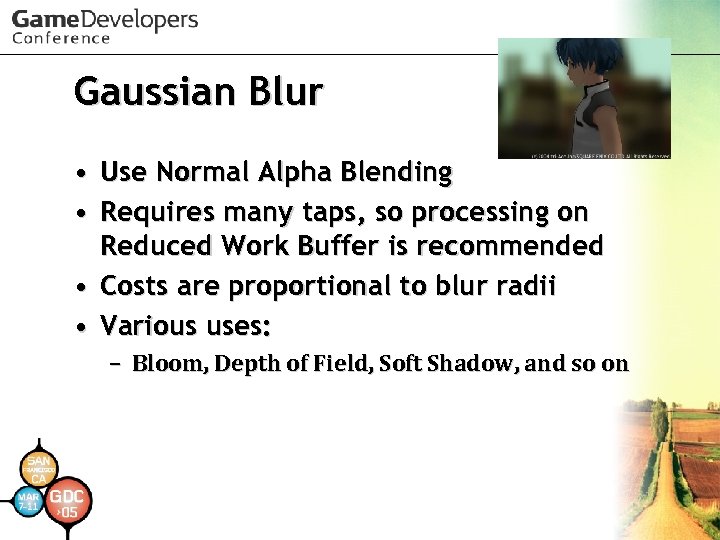 Gaussian Blur • Use Normal Alpha Blending • Requires many taps, so processing on Reduced Work Buffer is recommended • Costs are proportional to blur radii • Various uses: – Bloom, Depth of Field, Soft Shadow, and so on
 Gaussian Blur Details • On the full length slide presentation – Implementation – Lack of Buffer Precision – Optimization
 Depth of Field • Achievements of our system: – Reasonable rendering costs: • 8 -24 Hsync(typically), 35 Hsync • (frame buffer size : 640 x 448) – Extreme blurs – Accurate blur radii and handling by real camera parameters • Focal length and F-stop
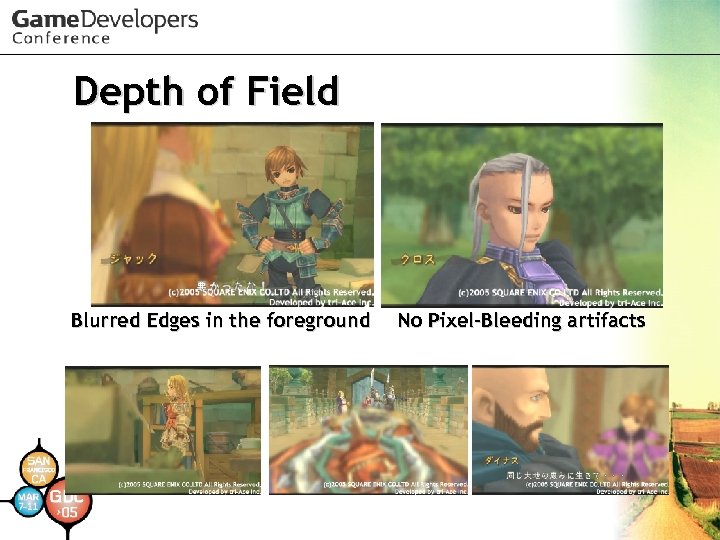 Depth of Field Blurred Edges in the foreground No Pixel-Bleeding artifacts
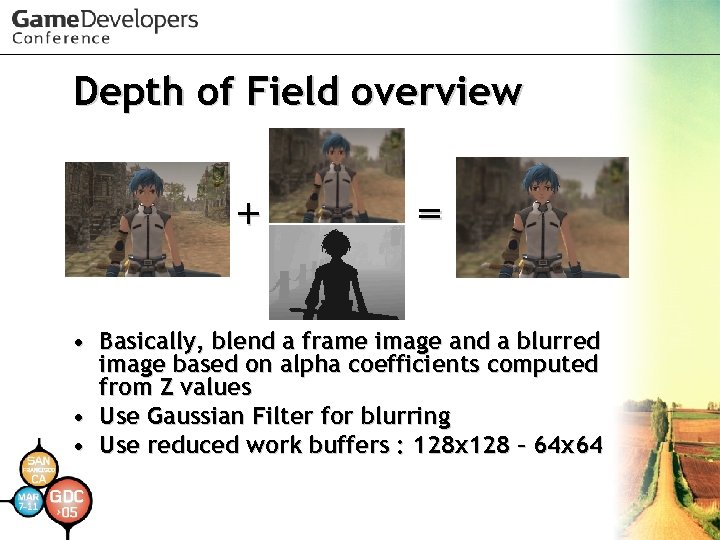 Depth of Field overview + = • Basically, blend a frame image and a blurred image based on alpha coefficients computed from Z values • Use Gaussian Filter for blurring • Use reduced work buffers : 128 x 128 – 64 x 64
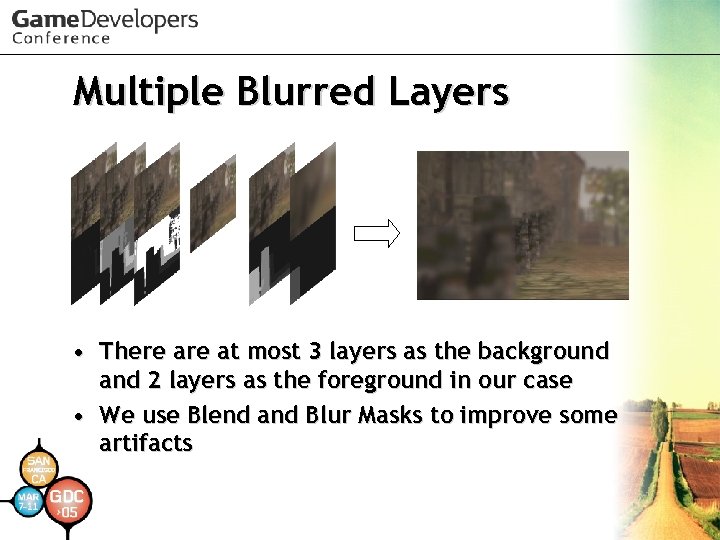 Multiple Blurred Layers • There at most 3 layers as the background and 2 layers as the foreground in our case • We use Blend and Blur Masks to improve some artifacts
 Depth of Field Details • On the full length slide presentation – – – – – Formula for Extent of Blur Hopping Issue with Layers Pixel-Bleeding Artifacts Edge on Blurred Foreground Unexpected Soft Focus Unnatural Blur Function Z Testing when Blending Layers Issue of Converting Z to RGB Converting Flow Overview
 Conversions of Frame Buffers • Swizzling Each Color Element from G to A or A to G • Converting Z to RGB with CLUT • Shifting Z bits Toward Upper Side • • Useful for various processes Implementation details: On the full length slide presentation
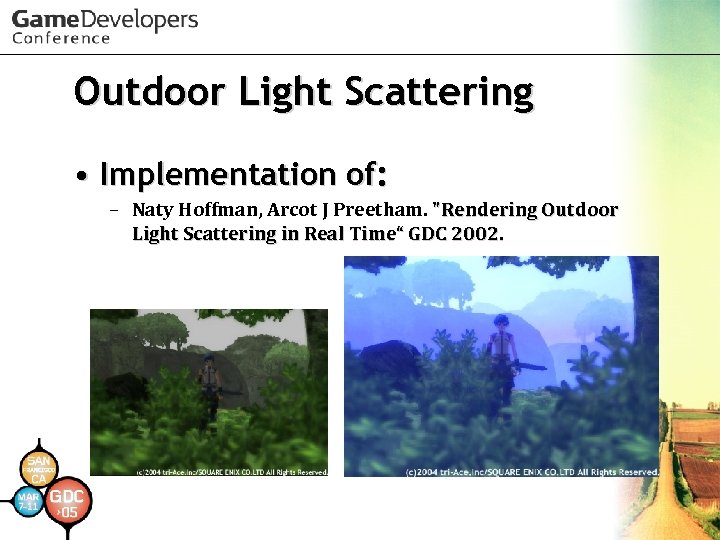 Outdoor Light Scattering • Implementation of: – Naty Hoffman, Arcot J Preetham. "Rendering Outdoor Light Scattering in Real Time“ GDC 2002.
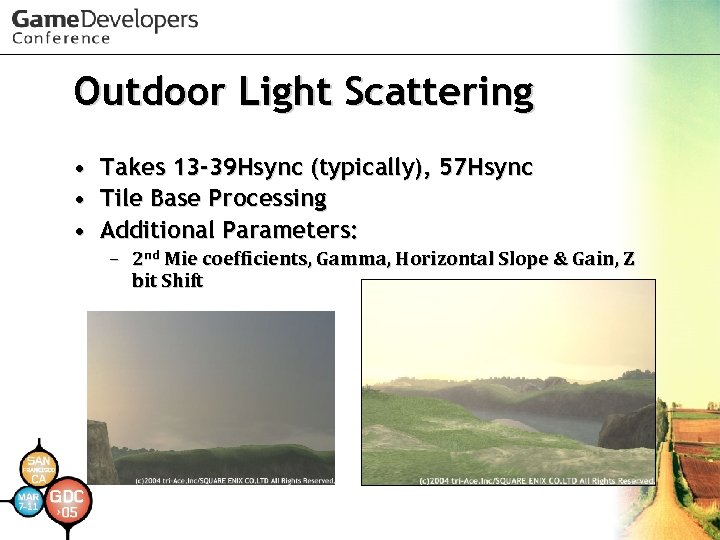 Outdoor Light Scattering • Takes 13 -39 Hsync (typically), 57 Hsync • Tile Base Processing • Additional Parameters: – 2 nd Mie coefficients, Gamma, Horizontal Slope & Gain, Z bit Shift
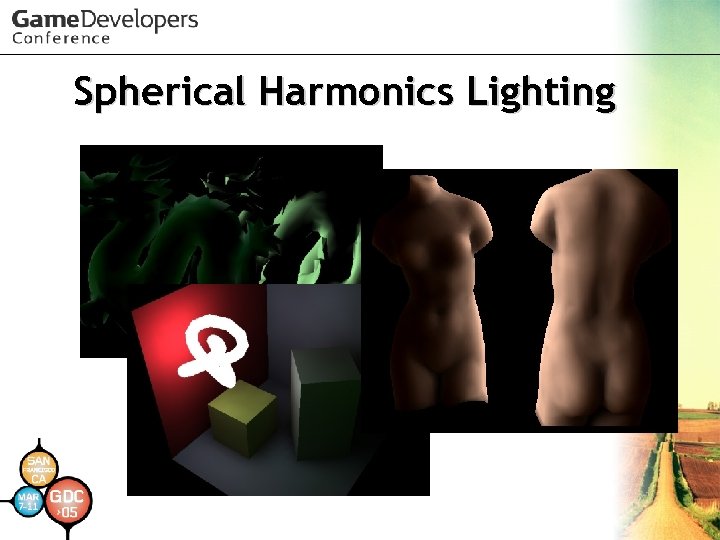 Spherical Harmonics Lighting
 How to use SH Lighting easily?
 How to use SH Lighting easily? • Use Direct. X 9 c!
 How to use SH Lighting easily? • Use Direct. X 9 c! – Of course, we know you want to implement it yourselves – SH Lighting implementation on Direct. X 9 c is useful – You should look over its documentation and samples
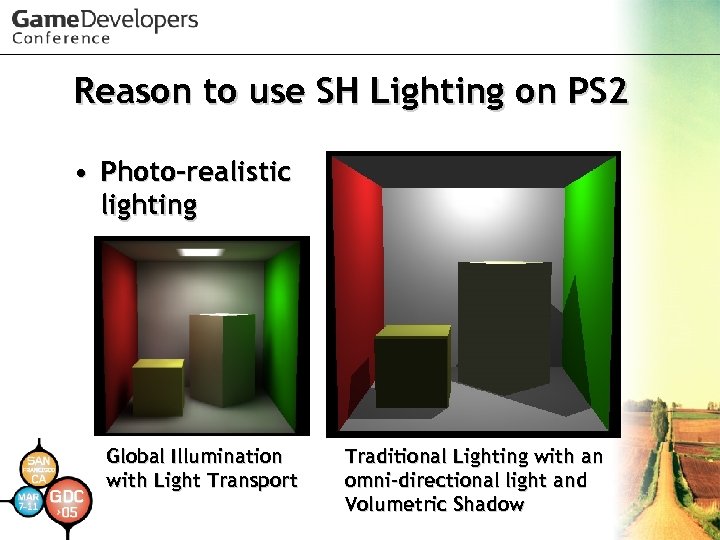 Reason to use SH Lighting on PS 2 • Photo-realistic lighting Global Illumination with Light Transport Traditional Lighting with an omni-directional light and Volumetric Shadow
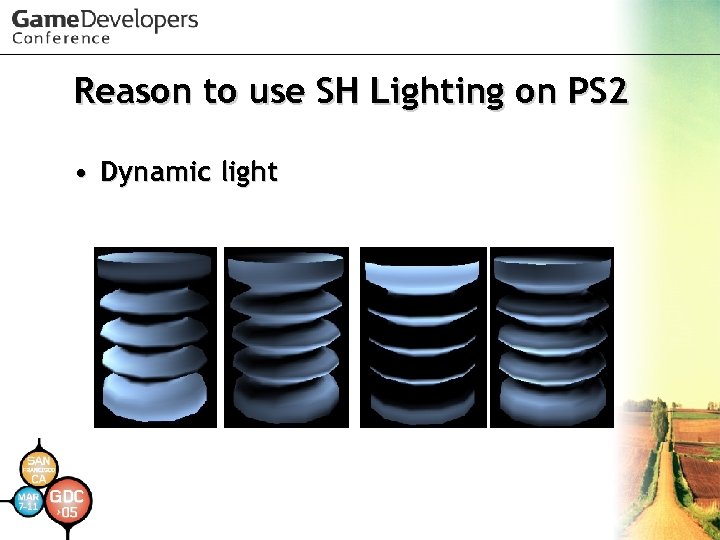 Reason to use SH Lighting on PS 2 • Dynamic light
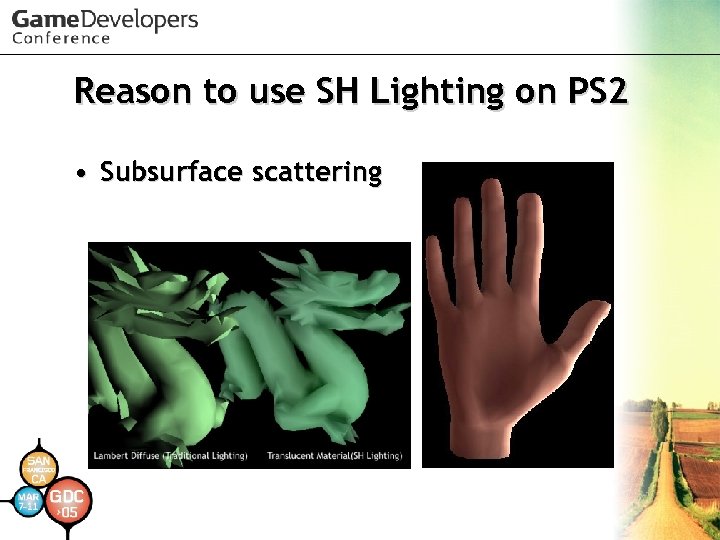 Reason to use SH Lighting on PS 2 • Subsurface scattering
 PRT • Precomputed Radiance Transfer was published by Peter Pike Sloan et al. in SIGRAPH 2002 – Compute incident light from all directions off line and compress it – Use compressed data for illuminating surface in real-time
 What to do with PRT • Limited real-time global illumination – Basically objects mustn't deform – Basically objects mustn't move • Limited B(SS)RDF simulation – Lambertian Diffuse – Glossy Specular – Arbitrary (low frequency) BRDF
 Limited Animation • SH Light position can move or rotate – But SH lights are regarded as infinite distance lights (directional light) • SH Light color and intensity can be animated – IBL can be used • Objects can move or rotate – But if objects affect each other, those objects can’t move • Because light effects are pre-computed!
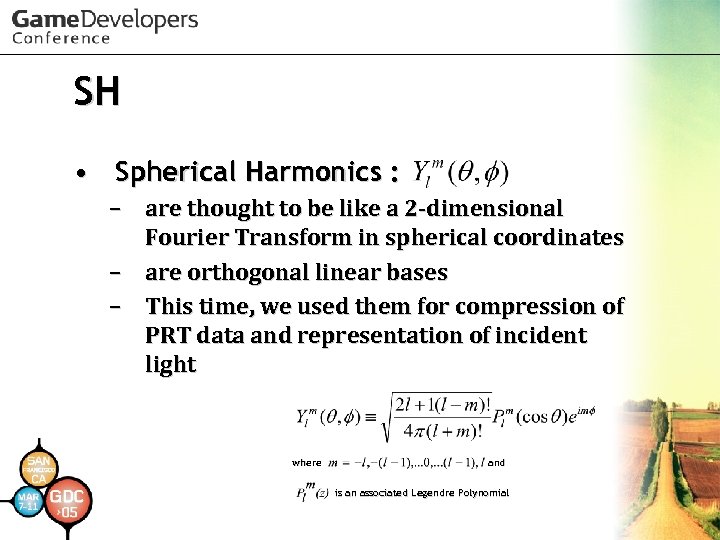 SH • Spherical Harmonics : – are thought to be like a 2 -dimensional Fourier Transform in spherical coordinates – are orthogonal linear bases – This time, we used them for compression of PRT data and representation of incident light where and is an associated Legendre Polynomial
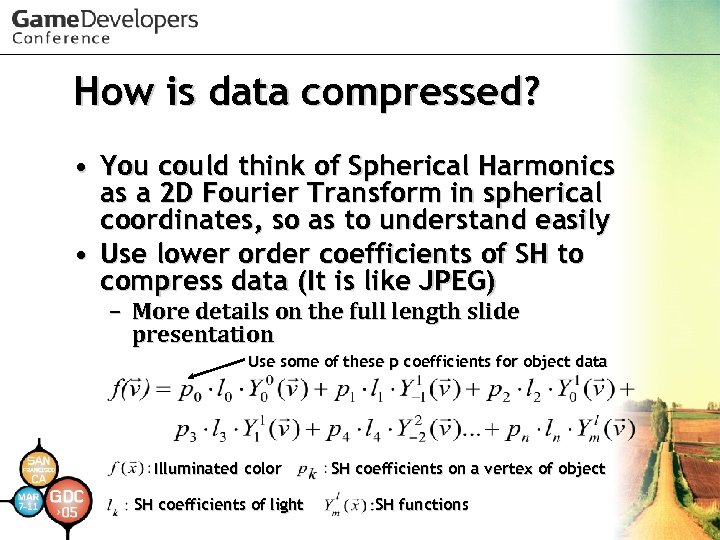 How is data compressed? • You could think of Spherical Harmonics as a 2 D Fourier Transform in spherical coordinates, so as to understand easily • Use lower order coefficients of SH to compress data (It is like JPEG) – More details on the full length slide presentation Use some of these p coefficients for object data Illuminated color SH coefficients of light SH coefficients on a vertex of object SH functions
 Why use linear transformations? • It is easy to handle with vector processors – A linear transformation is a set of dot products (f = a*x 0 + b*x 1 + c*x 2…. ) – Use only MULA, MADDA and MADD (PS 2) to decompress data (and light calculation) • For the Vertex (Pixel) Shader, dp 4 is useful for linear transformations – Compare SH with other linear transformations on the full length slide presentation
 Details of SH we use • It is tough to use SH Lighting on Play. Station 2 – Therefore we used only a few coefficients – Coefficient format : 16 bit fixed point (1: 2: 13) • Play. Station 2 doesn’t have a pixel shader – Only per-vertex lighting
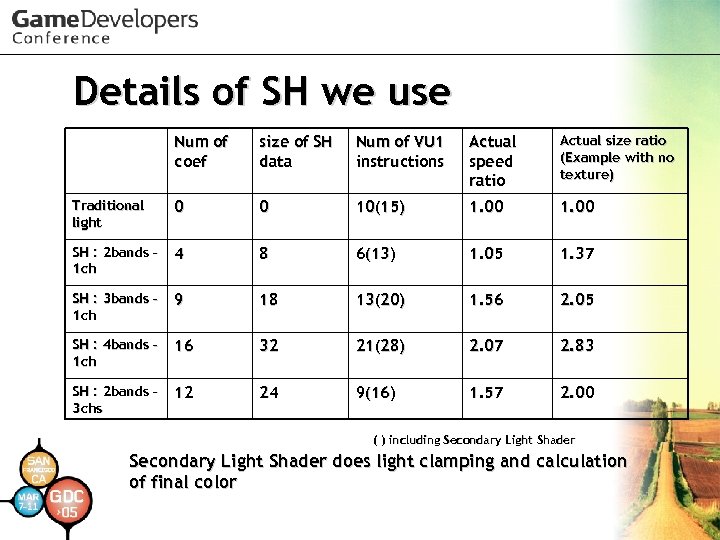 Details of SH we use Num of coef size of SH data Num of VU 1 instructions Actual speed ratio Actual size ratio (Example with no texture) Traditional light 0 0 10(15) 1. 00 SH : 2 bands – 1 ch 4 8 6(13) 1. 05 1. 37 SH : 3 bands – 1 ch 9 18 13(20) 1. 56 2. 05 SH : 4 bands – 1 ch 16 32 21(28) 2. 07 2. 83 SH : 2 bands – 3 chs 12 24 9(16) 1. 57 2. 00 ( ) including Secondary Light Shader does light clamping and calculation of final color
 Details of SH we use • Engineers think that SH can be used with at least the 5 th order (25 coefficients for each channel) • Practically, artists think SH is useful with even the 2 nd order (4 coefficients) • Artists will think about how to use it efficiently • More details on the full length slide presentation
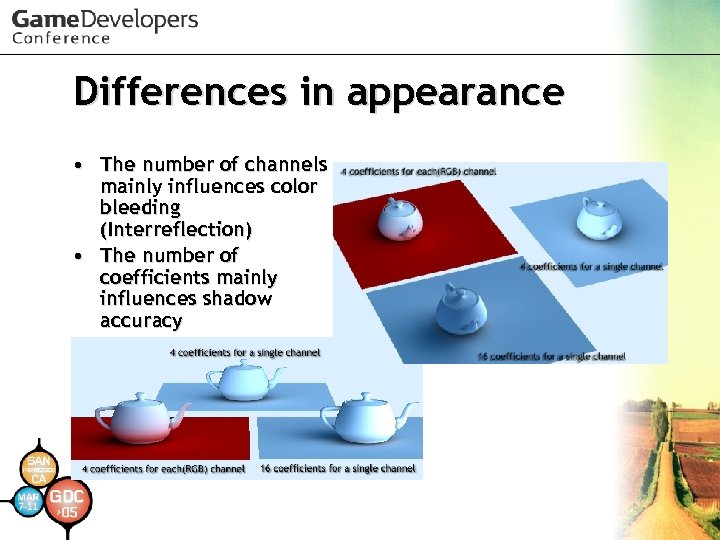 Differences in appearance • The number of channels mainly influences color bleeding (Interreflection) • The number of coefficients mainly influences shadow accuracy
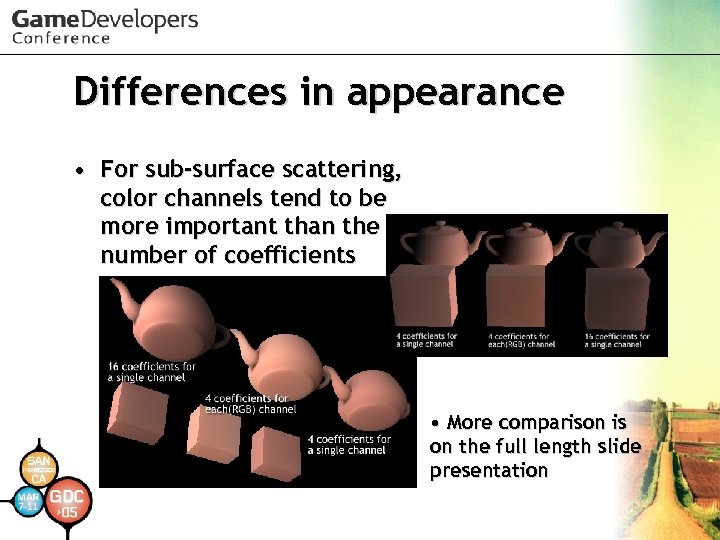 Differences in appearance • For sub-surface scattering, color channels tend to be more important than the number of coefficients • More comparison is on the full length slide presentation
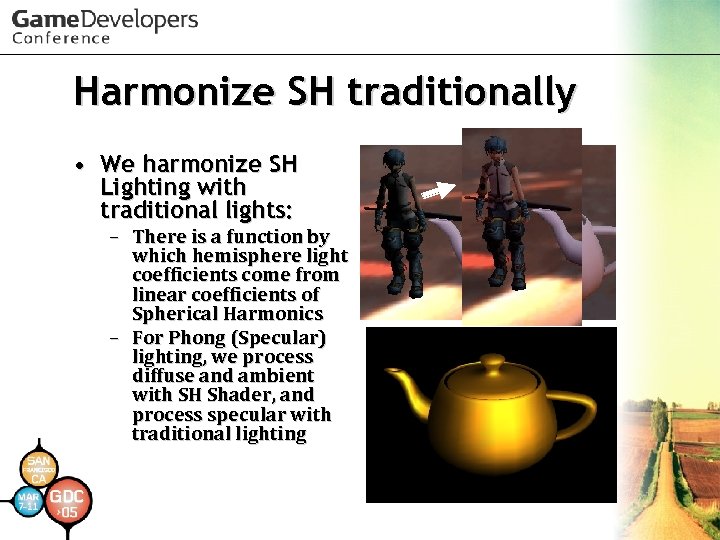 Harmonize SH traditionally • We harmonize SH Lighting with traditional lights: – There is a function by which hemisphere light coefficients come from linear coefficients of Spherical Harmonics – For Phong (Specular) lighting, we process diffuse and ambient with SH Shader, and process specular with traditional lighting
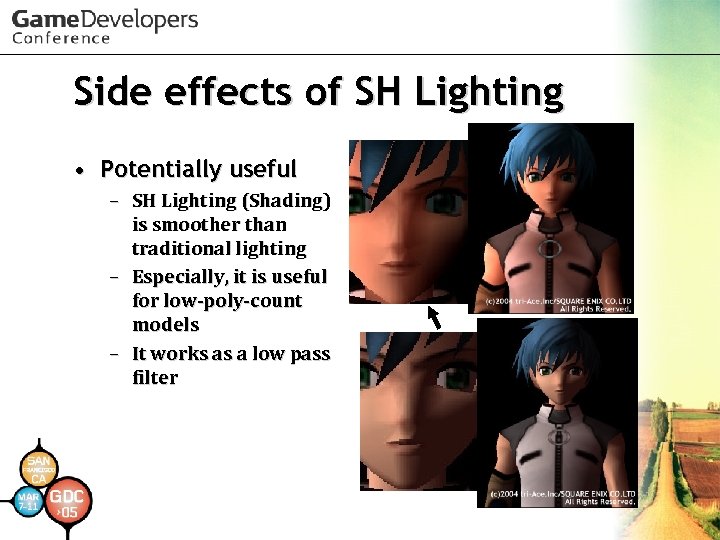 Side effects of SH Lighting • Potentially useful – SH Lighting (Shading) is smoother than traditional lighting – Especially, it is useful for low-poly-count models – It works as a low pass filter
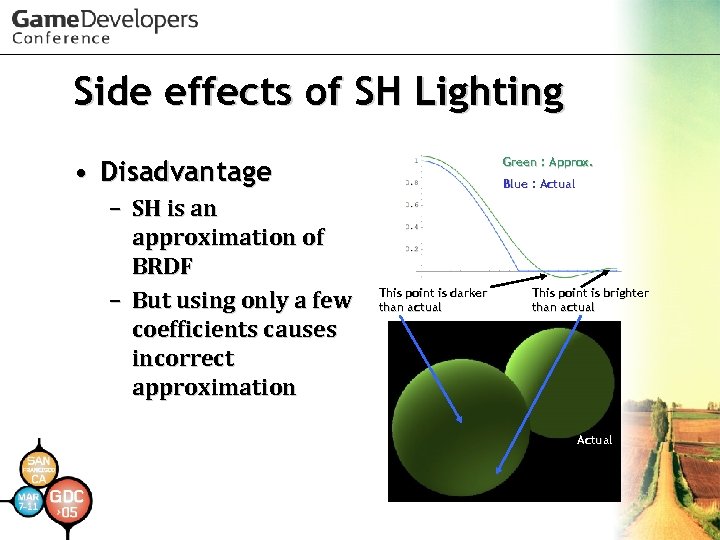 Side effects of SH Lighting • Disadvantage – SH is an approximation of BRDF – But using only a few coefficients causes incorrect approximation Green : Approx. Blue : Actual This point is darker than actual This point is brighter than actual Actual
 Our precomputation engine • supports : – – – Lambert diffuse shading Soft-edged shadow Sub-surface scattering Diffuse interreflection Light transport (detail later) • It is based on (Stratified) Monte Carlo ray-tracing – Implementation and optimization detail is on the full length slide presentation
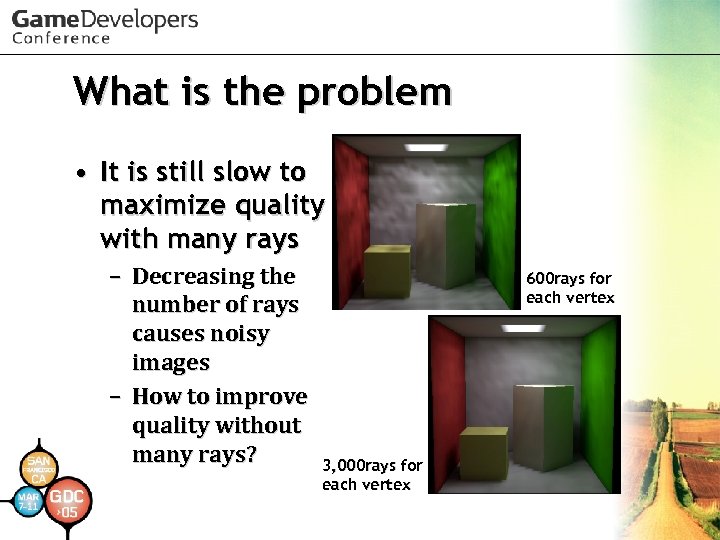 What is the problem • It is still slow to maximize quality with many rays – Decreasing the number of rays causes noisy images – How to improve quality without many rays? 600 rays for each vertex 3, 000 rays for each vertex
 Solving the problem • We use 2 -stage low pass filters to solve it – Diffuse interreflection low pass filter – Final low pass filter – Details on full length slide presentation
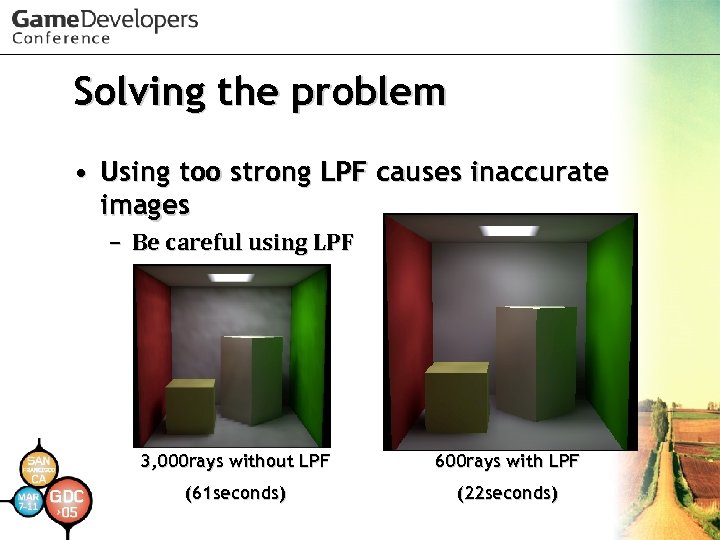 Solving the problem • Using too strong LPF causes inaccurate images – Be careful using LPF 3, 000 rays without LPF 600 rays with LPF (61 seconds) (22 seconds)
 Light Transport • It is our little technique for expanding SH Lighting shader – It is feasible to represent all frequency lighting (not specular) and area lights – BUT! Light position can't be animated – Only light color and intensity can be animated – Some lights don’t move • For example, torch in a dungeon, lights in a house • Particularly, most light sources in the background don’t need to move
 Details of Light Transport • It is not used on the Spherical Harmonic basis – Spherical Harmonics are orthogonal – It means that the coefficients are independent of each other – You can use some (SH) coefficients for other coefficients on a different basis – Details on the full length slide presentation
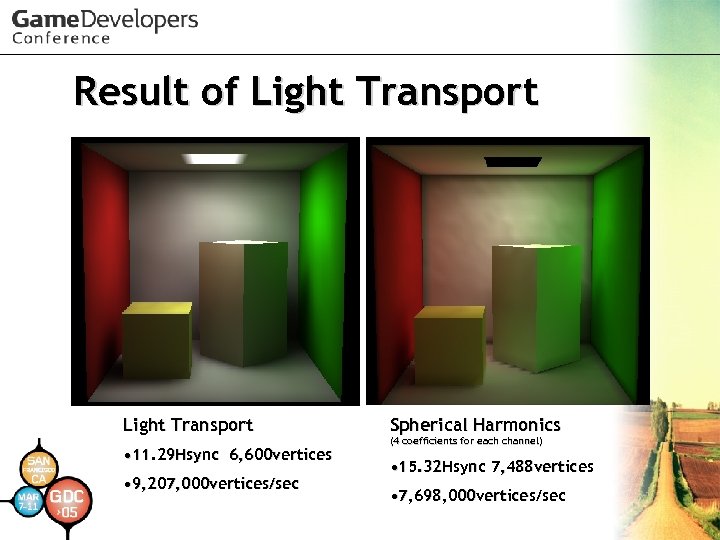 Result of Light Transport • 11. 29 Hsync 6, 600 vertices • 9, 207, 000 vertices/sec Spherical Harmonics (4 coefficients for each channel) • 15. 32 Hsync 7, 488 vertices • 7, 698, 000 vertices/sec
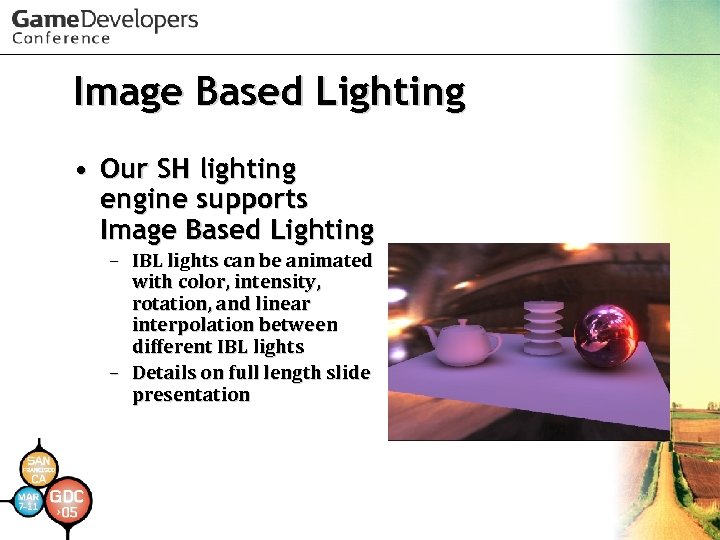 Image Based Lighting • Our SH lighting engine supports Image Based Lighting – IBL lights can be animated with color, intensity, rotation, and linear interpolation between different IBL lights – Details on full length slide presentation
 SH animation • Our SH Lighting engine supports limited animation – Skinning – Morphing
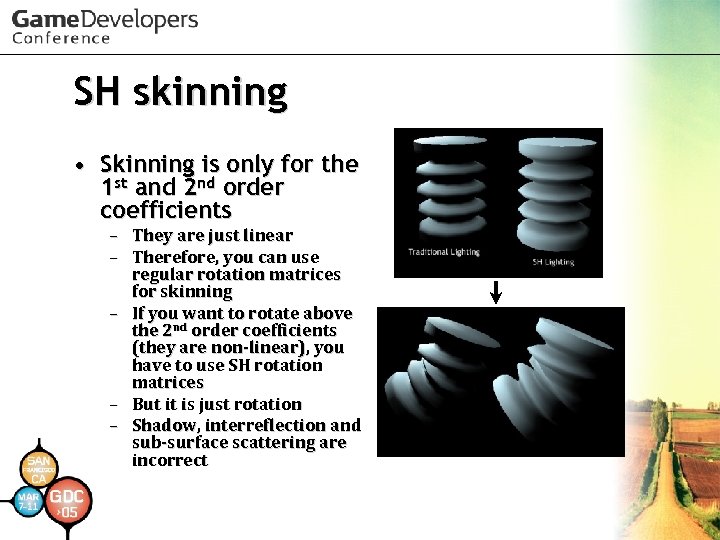 SH skinning • Skinning is only for the 1 st and 2 nd order coefficients – They are just linear – Therefore, you can use regular rotation matrices for skinning – If you want to rotate above the 2 nd order coefficients (they are non-linear), you have to use SH rotation matrices – But it is just rotation – Shadow, interreflection and sub-surface scattering are incorrect
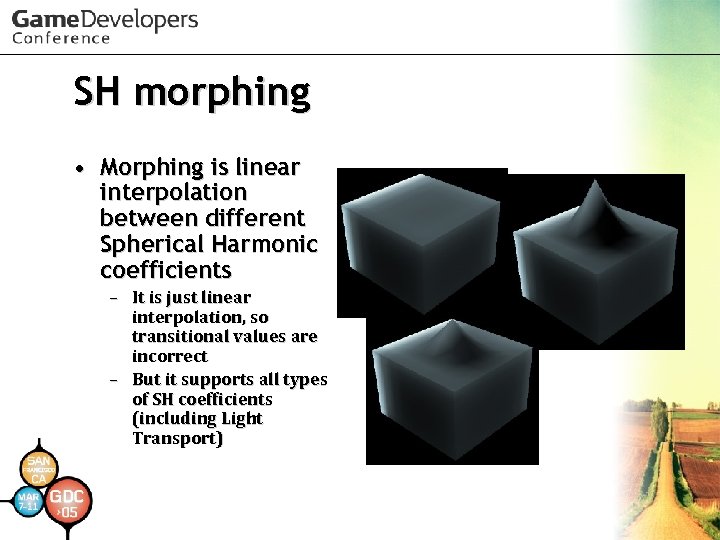 SH morphing • Morphing is linear interpolation between different Spherical Harmonic coefficients – It is just linear interpolation, so transitional values are incorrect – But it supports all types of SH coefficients (including Light Transport)
 Demo
Demo
 Future work • Higher quality effects with true HDR • More physically accurate optical or natural effects • Distributed precomputation engine • SH Lighting for next-gen hardware • See the full length slide presentation
 References • Masaki Kawase. "Frame Buffer Postprocessing Effects in DOUBLE-S. T. E. A. L (Wreckless)“ GDC 2003. • Masaki Kawase. "Practical Implementation of High Dynamic Range Rendering“ GDC 2004. • Naty Hoffman et al. "Rendering Outdoor Light Scattering in Real Time“ GDC 2002. • Akio Ooba. “GS Programming Men-keisan: Cho SIMD Keisanho” CEDEC 2002. • Arcot J. Preetham. "Modeling Skylight and Aerial Perspective" in "Light and Color in the Outdoors" SIGGRAPH 2003 Course.
 References • Peter-Pike Sloan et al. “Precomputed Radiance Transfer for Real-Time Rendering in Dynamic, Low-Frequency Lighting Environments. ” SIGGRAPH 2002. • Robin Green. “Spherical Harmonic Lighting: The Gritty Details. “ GDC 2003. • Miguel A. Blanco et al. “Evaluation of the rotation matrices in the basis of real spherical harmonics. ” ECCC-3 1997. • Henrik Wann Jensen “Realistic Image Synthesis Using Photon Mapping. ” A K PETERS LTD, 2001. • Paul Debevec “Light Probe Image Gallery” http: //www. debevec. org/
 Acknowledgements • We would like to thank – Satoshi Ishii, Daisuke Sugiura for suggestion to this session – All other staff in our company for screen shots in this presentation – Mike Hood for checking this presentation – Shinya Nishina for helping translation – The Stanford 3 D Scanning Repository http: //graphics. stanford. edu/data/3 Dscanrep/
 Thank you for your attention. • This slide presentation and the (latest) full length version are available on – http: //research. tri-ace. com/ • Please feel free to mail about this session to – research@tri-ace. co. jp