


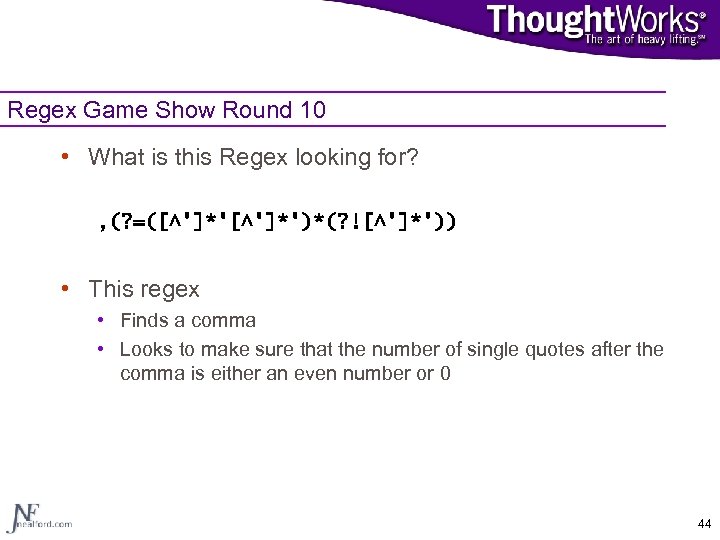
![Analysis of Game Show Round 10 , (? =([^']*')*(? ![^']*')) , Find a comma](https://present5.com/presentation/3cc9387d8c0c494467f14f412e505d7d/image-41.jpg "Analysis of Game Show Round 10 , (? =([^']*')*(? ![^']*')) , Find a comma")
 Скачать презентацию Power Regular Expressions Neal Ford Application Architect Thought
3cc9387d8c0c494467f14f412e505d7d.ppt
- Количество слайдов: 48
 Power Regular Expressions Neal Ford Application Architect Thought. Works www. nealford. com www. thoughtworks. com nford@thoughtworks. com memeagora. blogspot. com
 Questions, Slides, and Samples • Please feel free to ask questions anytime • The slides and samples will be available at www. nealford. com • I’ll show that address again at the end 2
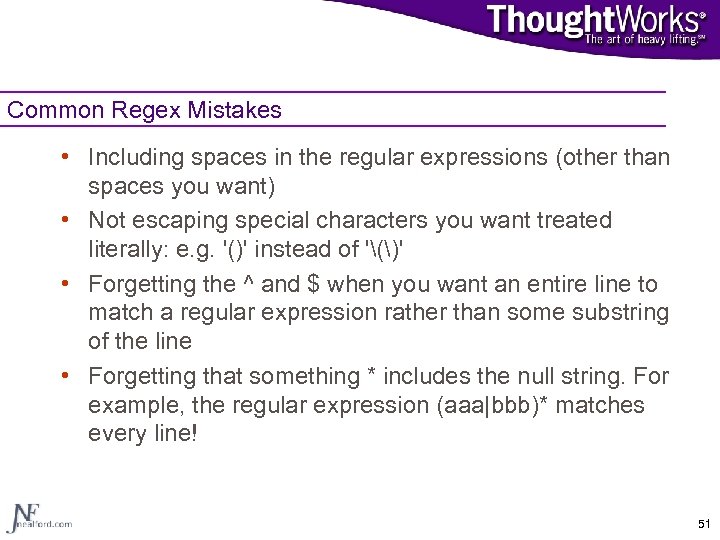
 What This Session Covers: • Regular expressions defined • Using the regex classes in Java • Regular expression techniques • • • Patterns Groups and subgroups Back references Greedy, reluctant, and possessive qualifiers Lookaheads and lookbehinds • Best practices • Common Regex mistakes 3
 Regular Expressions • Formally defined by information theory as defining the languages accepted by finite automata • Not the typical everyday use • Originally developed with neuron sets and switching circuits in mind • Used by compiler writing systems (lex and yacc), text editors, pattern matching, text processing, and logic 4
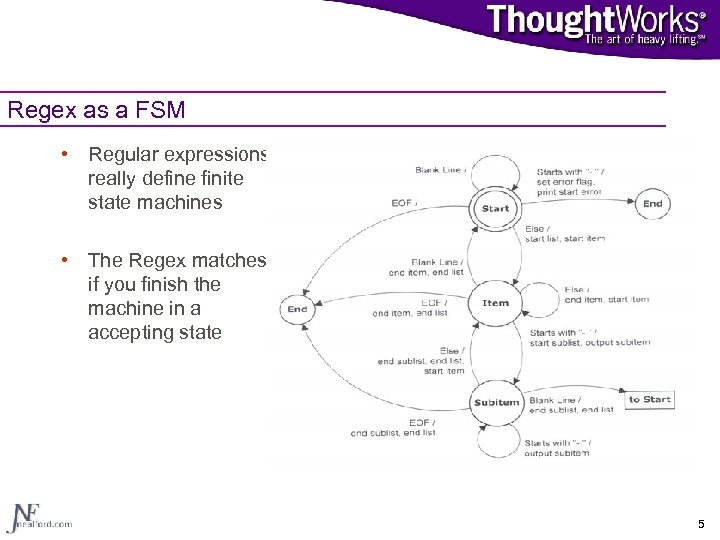 Regex as a FSM • Regular expressions really define finite state machines • The Regex matches if you finish the machine in a accepting state 5
 Regular Expressions in the Wild • Editors • • • Emacs/XEmacs Eclipse JBuilder Visual Slick. Edit Intelli. J • Command line tools • grep • find • Not all regular expressions are created equal 6
 Practical Regular Expressions • Describe text • Used for pattern matching in development (editors, command line tools) and programmatically • Examples: • Search and replace • grep (Global Regular Expression Print) • Thought to come from the ex command G/
 Simple Example • Let’s say you want to verify an email address in the form firstname_lastname@somewhere. org without regular expressions • Check for an “@” sign • Check that the end of the string has “. org” at the end • Check for an underscore with letters before and after it • This becomes very complex very quickly using String methods 8
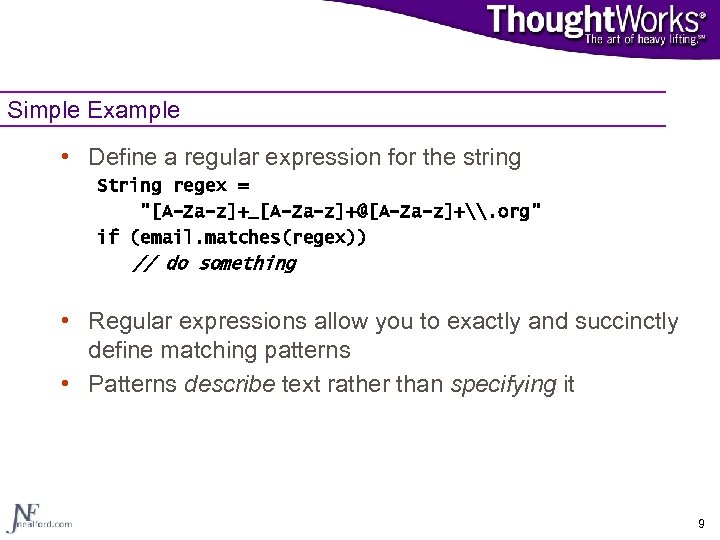 Simple Example • Define a regular expression for the string String regex = "[A-Za-z]+_[A-Za-z]+@[A-Za-z]+\. org" if (email. matches(regex)) // do something • Regular expressions allow you to exactly and succinctly define matching patterns • Patterns describe text rather than specifying it 9
 Regular Expressions in Java • A combination of several classes • • Pattern Matcher String class additions A new Exception class • Example. 11
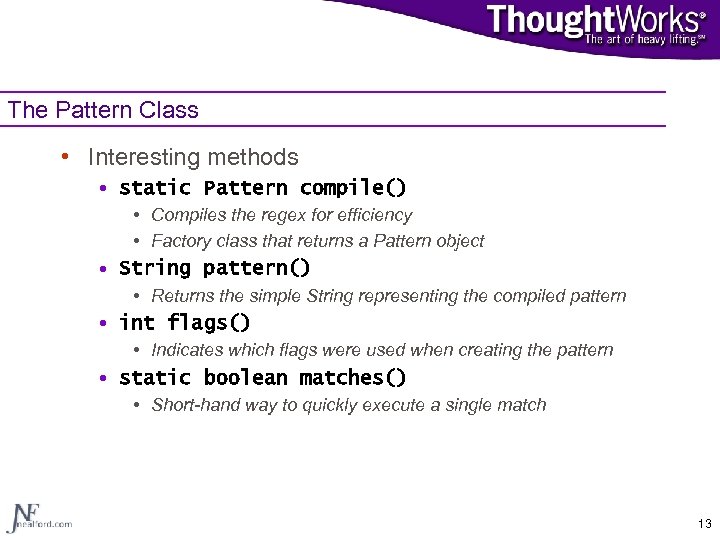 The Pattern Class • Interesting methods • static Pattern compile() • Compiles the regex for efficiency • Factory class that returns a Pattern object • String pattern() • Returns the simple String representing the compiled pattern • int flags() • Indicates which flags were used when creating the pattern • static boolean matches() • Short-hand way to quickly execute a single match 13
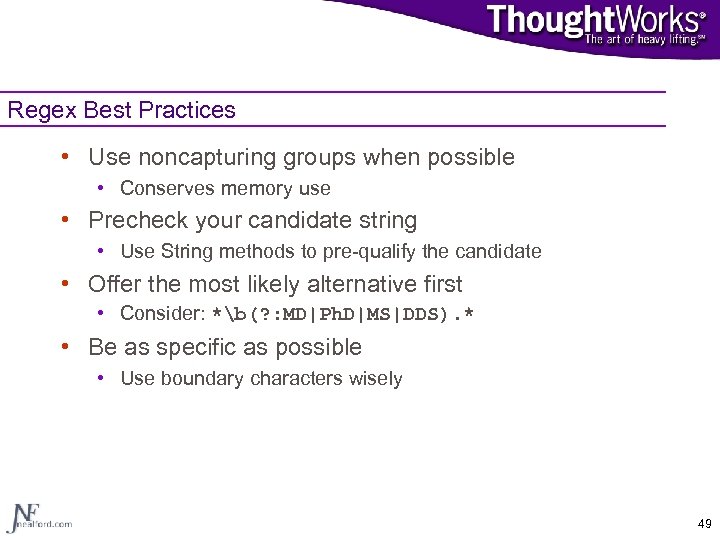
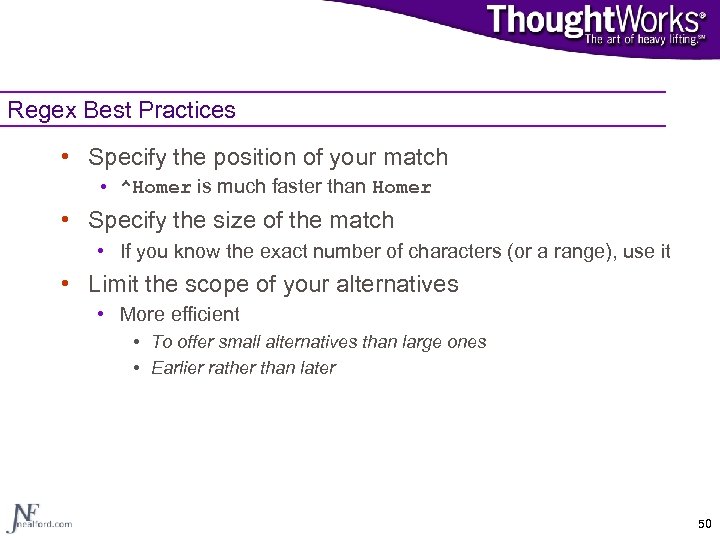
![The Pattern Class • Interesting methods • String[] split(Char. Sequence input) • Similar to](https://present5.com/presentation/3cc9387d8c0c494467f14f412e505d7d/image-12.jpg "The Pattern Class • Interesting methods • String[] split(Char. Sequence input) • Similar to") The Pattern Class • Interesting methods • String[] split(Char. Sequence input) • Similar to String. Tokenizer but uses regular expressions to delimit tokens • Be careful about your delimiters! • String[] split(Char. Sequence input, int limit) • • Limit allows you to control how many elements are returned Limit == 0 returns all matches Limit > 0 returns limit matches Limit < 0 returns as many matches as possible and trailing spaces • The value of limit isn’t important in this case, just the sign 14
The Pattern Class • Interesting methods • String[] split(Char. Sequence input) • Similar to String. Tokenizer but uses regular expressions to delimit tokens • Be careful about your delimiters! • String[] split(Char. Sequence input, int limit) • • Limit allows you to control how many elements are returned Limit == 0 returns all matches Limit > 0 returns limit matches Limit < 0 returns as many matches as possible and trailing spaces • The value of limit isn’t important in this case, just the sign 14
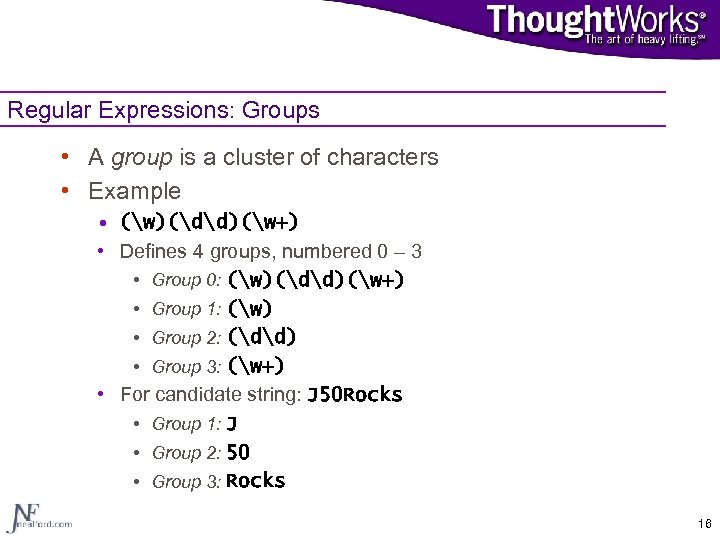 Regular Expressions: Groups • A group is a cluster of characters • Example • (w)(dd)(w+) • Defines 4 groups, numbered 0 – 3 • Group 0: (w)(dd)(w+) • Group 1: (w) • Group 2: (dd) • Group 3: (w+) • For candidate string: J 50 Rocks • Group 1: J • Group 2: 50 • Group 3: Rocks 16
 Using Groups • Groups allow you to specify operations on strings without knowing the details • From the previous example, you may not know what the string is, but you know the pattern • This allows you to rearrange it without knowing the contents • (Group 2)(Group 1)(Group 3) • IDE example 17
 The Matcher Class • Interesting Matcher methods • Matcher reset() • Clears all state information on the matcher, reverting it to its original state • int start() • Returns the starting index of the last successful match • int start(int group) • Allows you to specify a subgroup within a match • int end() • Returns the ending index of the last successful match + 1 • int end(int group) • Allows you to specify the subgroup of interest 19
 The Matcher Class • Interesting Matcher methods • String group() • Returns the substring of the candidate string that matches the original pattern • String group(int group) • Allows you to extract parts of a candidate string that match a subgroup within your pattern • int group. Count() • Returns the number of groups the Pattern defines • boolean matches() • Returns true the candidate string matches the pattern exactly 20
 The Matcher Class • Interesting Matcher methods • boolean find() • Parses just enough of the candidate string to find a match • Returns true if a substring is found and parsing stops • Returns false if no part of the candidate string matches the pattern • boolean find(int start) • Just like its overloaded counterpart except that you can specify where to start searching • boolean looking. At() • Compares as little of the string necessary to achieve a match. 21
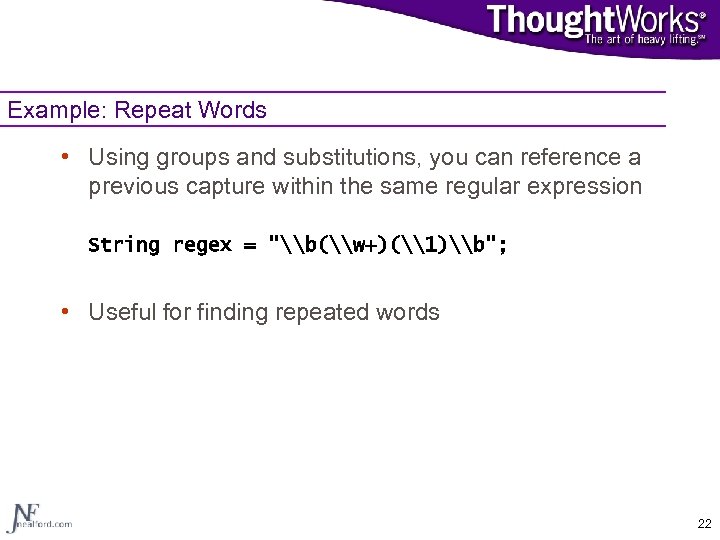 Example: Repeat Words • Using groups and substitutions, you can reference a previous capture within the same regular expression String regex = "\b(\w+)(\1)\b"; • Useful for finding repeated words 22
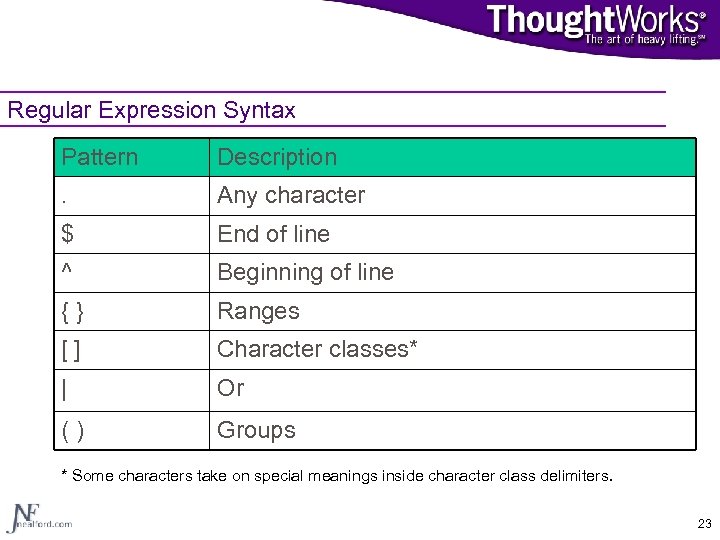 Regular Expression Syntax Pattern Description . Any character $ End of line ^ Beginning of line {} Ranges [] Character classes* | Or () Groups * Some characters take on special meanings inside character class delimiters. 23
![Command & Boundary Characters Pattern d Description Any digit [0 -9] D A non-digit](https://present5.com/presentation/3cc9387d8c0c494467f14f412e505d7d/image-20.jpg "Command & Boundary Characters Pattern d Description Any digit [0 -9] D A non-digit") Command & Boundary Characters Pattern d Description Any digit [0 -9] D A non-digit [^0 -9] w Word character [A-Za-z_0 -9] s White space b Word boundary 24
Command & Boundary Characters Pattern d Description Any digit [0 -9] D A non-digit [^0 -9] w Word character [A-Za-z_0 -9] s White space b Word boundary 24
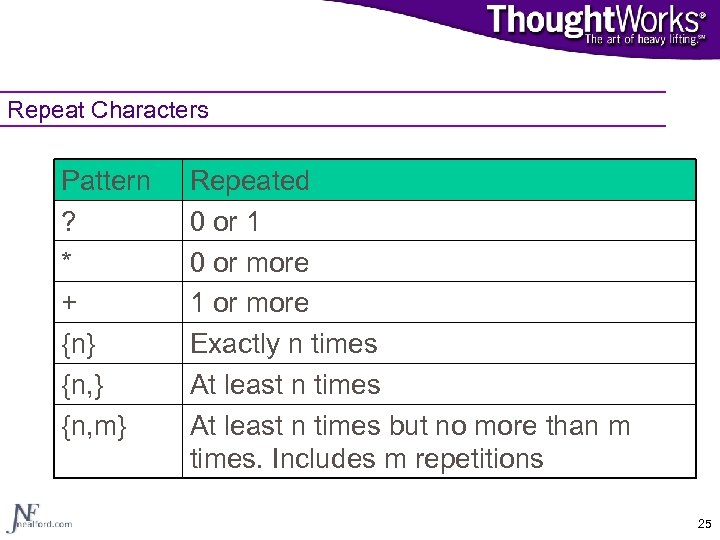 Repeat Characters Pattern ? * + {n} {n, m} Repeated 0 or 1 0 or more 1 or more Exactly n times At least n times but no more than m times. Includes m repetitions 25
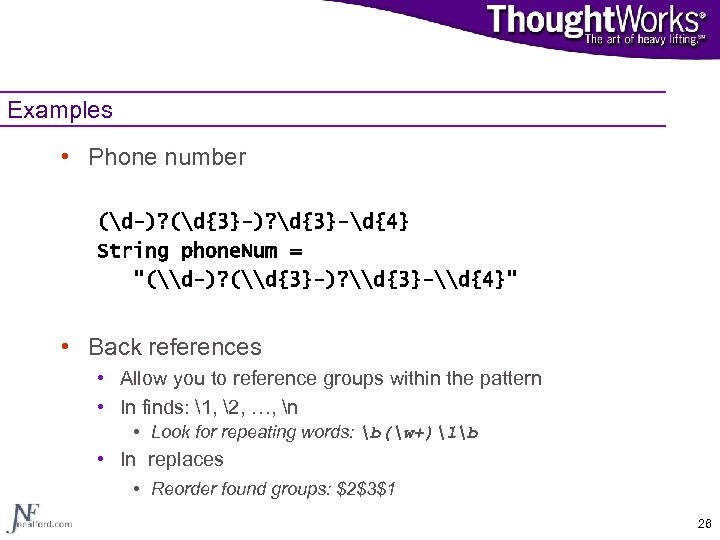 Examples • Phone number (d-)? (d{3}-)? d{3}-d{4} String phone. Num = "(\d-)? (\d{3}-)? \d{3}-\d{4}" • Back references • Allow you to reference groups within the pattern • In finds: 1, 2, …, n • Look for repeating words: b(w+)1b • In replaces • Reorder found groups: $2$3$1 26
![POSIX Character Classes Pattern p{Lower} p{Alpha} Description A lowercase letter [a-z] An upper- or](https://present5.com/presentation/3cc9387d8c0c494467f14f412e505d7d/image-23.jpg "POSIX Character Classes Pattern p{Lower} p{Alpha} Description A lowercase letter [a-z] An upper- or") POSIX Character Classes Pattern p{Lower} p{Alpha} Description A lowercase letter [a-z] An upper- or lowercase letter p{Alnum} A number or letter p{Punct} p{Cntrl} Punctuation A control character (x 00 -x 1 Fx 7 F] p{Graph} p{Space} Any visible character A whitespace character 27
POSIX Character Classes Pattern p{Lower} p{Alpha} Description A lowercase letter [a-z] An upper- or lowercase letter p{Alnum} A number or letter p{Punct} p{Cntrl} Punctuation A control character (x 00 -x 1 Fx 7 F] p{Graph} p{Space} Any visible character A whitespace character 27
![Regex Game Show Round 1 • What does this regex match? [0 -9]: [0](https://present5.com/presentation/3cc9387d8c0c494467f14f412e505d7d/image-24.jpg "Regex Game Show Round 1 • What does this regex match? [0 -9]: [0") Regex Game Show Round 1 • What does this regex match? [0 -9]: [0 -9]{2} [0 -9]? [0 -9]: [0 -9]{2}s(am|pm) • General format of time, but with flaws • Matches 99: 99 or 99: 99 am • Better version: (1[012]|[1 -9]): [0 -5][0 -9]s(am|pm) 28
Regex Game Show Round 1 • What does this regex match? [0 -9]: [0 -9]{2} [0 -9]? [0 -9]: [0 -9]{2}s(am|pm) • General format of time, but with flaws • Matches 99: 99 or 99: 99 am • Better version: (1[012]|[1 -9]): [0 -5][0 -9]s(am|pm) 28
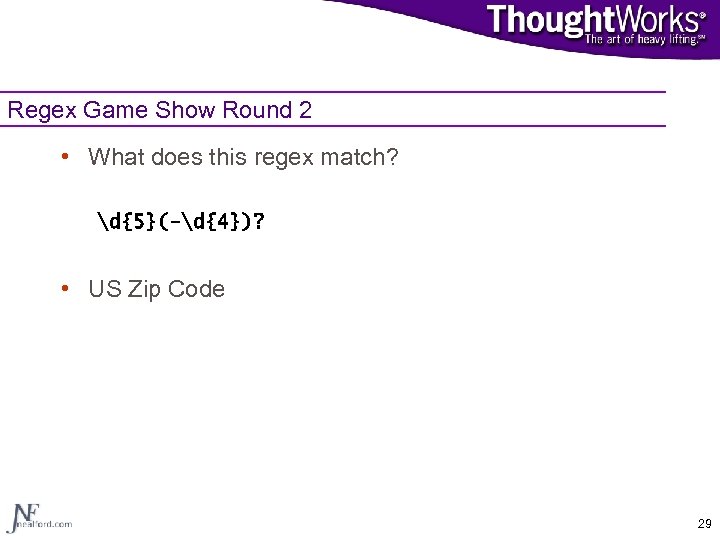 Regex Game Show Round 2 • What does this regex match? d{5}(-d{4})? • US Zip Code 29
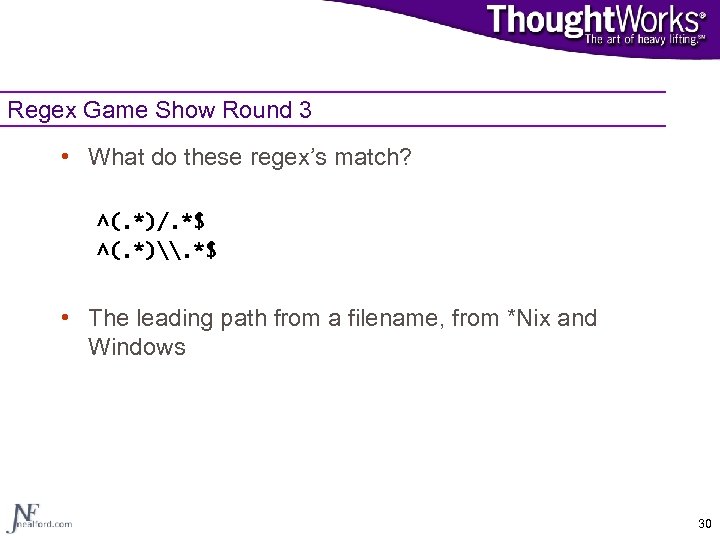 Regex Game Show Round 3 • What do these regex’s match? ^(. *)/. *$ ^(. *)\. *$ • The leading path from a filename, from *Nix and Windows 30
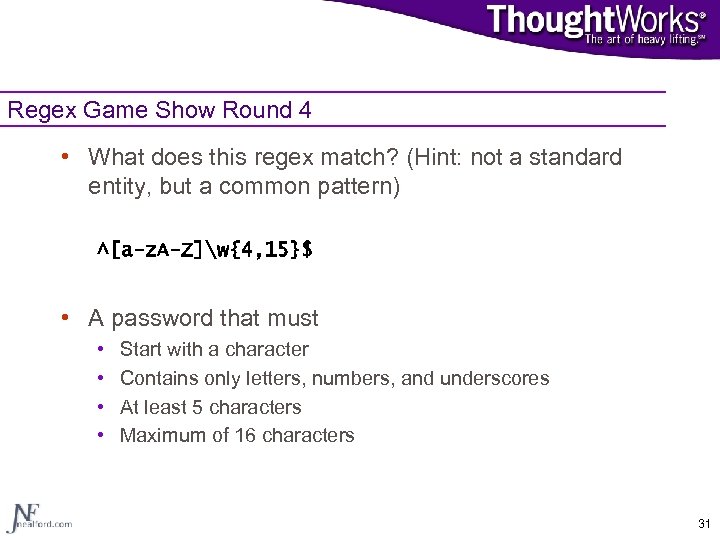 Regex Game Show Round 4 • What does this regex match? (Hint: not a standard entity, but a common pattern) ^[a-z. A-Z]w{4, 15}$ • A password that must • • Start with a character Contains only letters, numbers, and underscores At least 5 characters Maximum of 16 characters 31
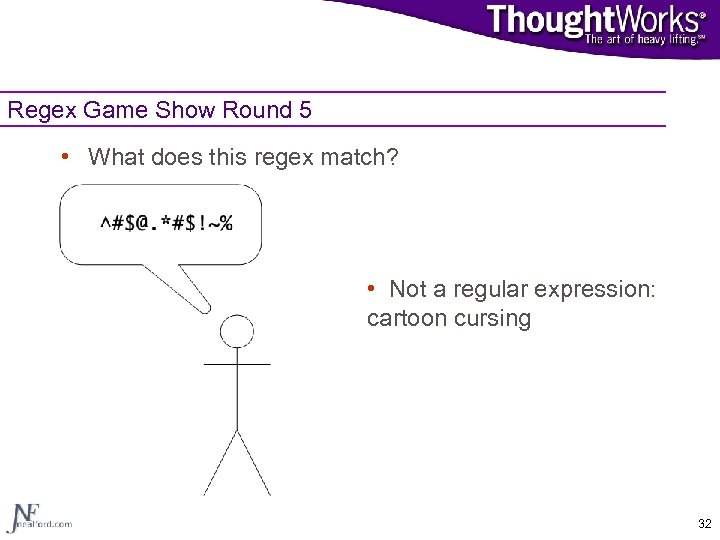 Regex Game Show Round 5 • What does this regex match? ^#$@. *#$!~% • Not a regular expression: cartoon cursing 32
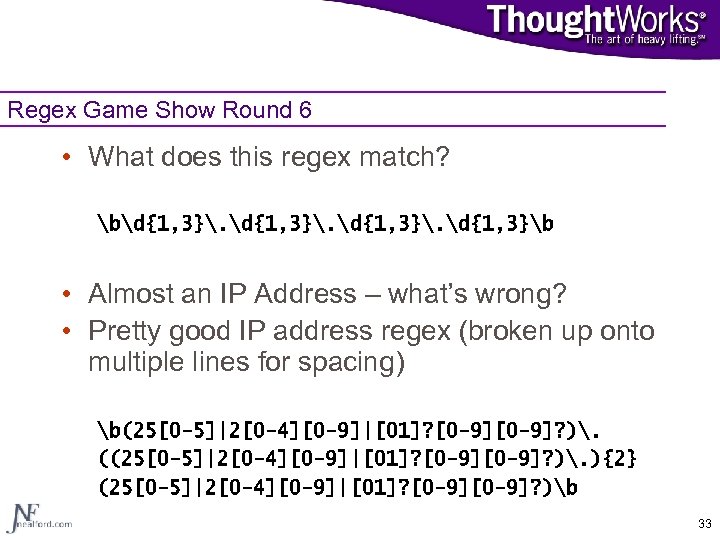 Regex Game Show Round 6 • What does this regex match? bd{1, 3}. d{1, 3}b • Almost an IP Address – what’s wrong? • Pretty good IP address regex (broken up onto multiple lines for spacing) b(25[0 -5]|2[0 -4][0 -9]|[01]? [0 -9]? ). ((25[0 -5]|2[0 -4][0 -9]|[01]? [0 -9]? ). ){2} (25[0 -5]|2[0 -4][0 -9]|[01]? [0 -9]? )b 33
![Regex Game Show Round 7 • What does this regex match? (0[1 -9]|1[012])[- /.](https://present5.com/presentation/3cc9387d8c0c494467f14f412e505d7d/image-30.jpg "Regex Game Show Round 7 • What does this regex match? (0[1 -9]|1[012])[- /.") Regex Game Show Round 7 • What does this regex match? (0[1 -9]|1[012])[- /. ] (0[1 -9]|[12][0 -9]|3[01])[- /. ] (19|20)dd • US Date • In the format mm/dd/yyyy • The separator may be -, s, /, or. 34
Regex Game Show Round 7 • What does this regex match? (0[1 -9]|1[012])[- /. ] (0[1 -9]|[12][0 -9]|3[01])[- /. ] (19|20)dd • US Date • In the format mm/dd/yyyy • The separator may be -, s, /, or. 34
![Regex Game Show Round 8 • What does this regex match? (BB|[^B]{2}) • Consider](https://present5.com/presentation/3cc9387d8c0c494467f14f412e505d7d/image-31.jpg "Regex Game Show Round 8 • What does this regex match? (BB|[^B]{2}) • Consider") Regex Game Show Round 8 • What does this regex match? (BB|[^B]{2}) • Consider these candidates • “BB or not BB, that is the question” • “To Be or not to be, that is the question” • “Call me Ishmael” • Matches them all! 35
Regex Game Show Round 8 • What does this regex match? (BB|[^B]{2}) • Consider these candidates • “BB or not BB, that is the question” • “To Be or not to be, that is the question” • “Call me Ishmael” • Matches them all! 35
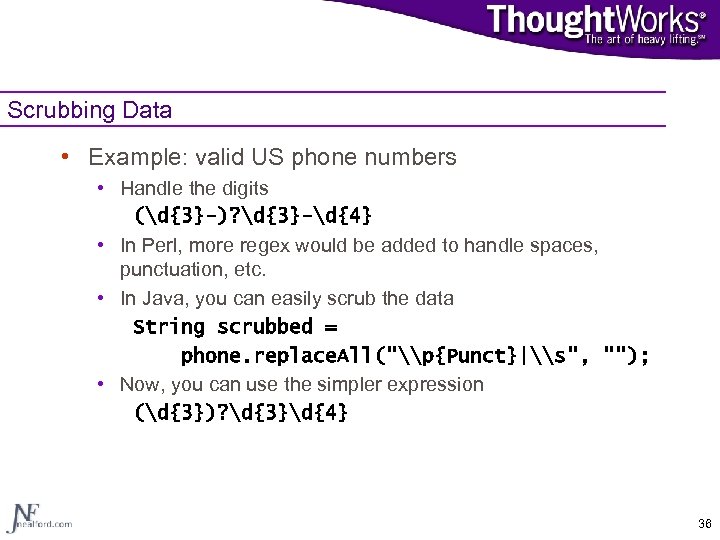 Scrubbing Data • Example: valid US phone numbers • Handle the digits (d{3}-)? d{3}-d{4} • In Perl, more regex would be added to handle spaces, punctuation, etc. • In Java, you can easily scrub the data String scrubbed = phone. replace. All("\p{Punct}|\s", ""); • Now, you can use the simpler expression (d{3})? d{3}d{4} 36
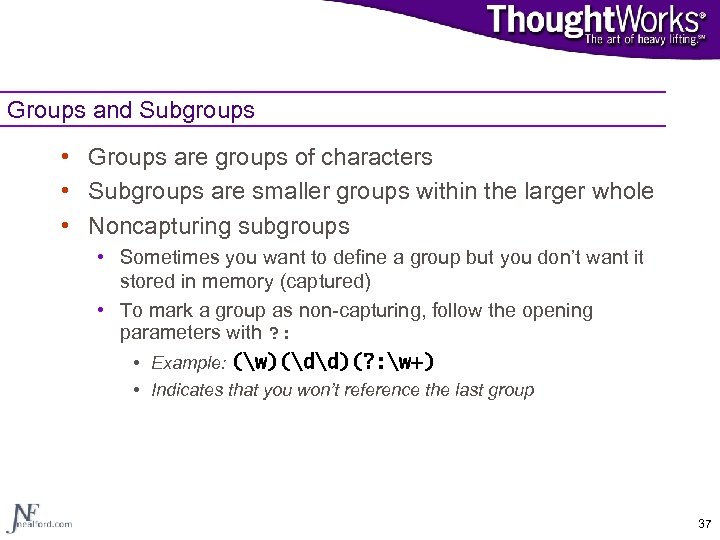 Groups and Subgroups • Groups are groups of characters • Subgroups are smaller groups within the larger whole • Noncapturing subgroups • Sometimes you want to define a group but you don’t want it stored in memory (captured) • To mark a group as non-capturing, follow the opening parameters with ? : • Example: (w)(dd)(? : w+) • Indicates that you won’t reference the last group 37
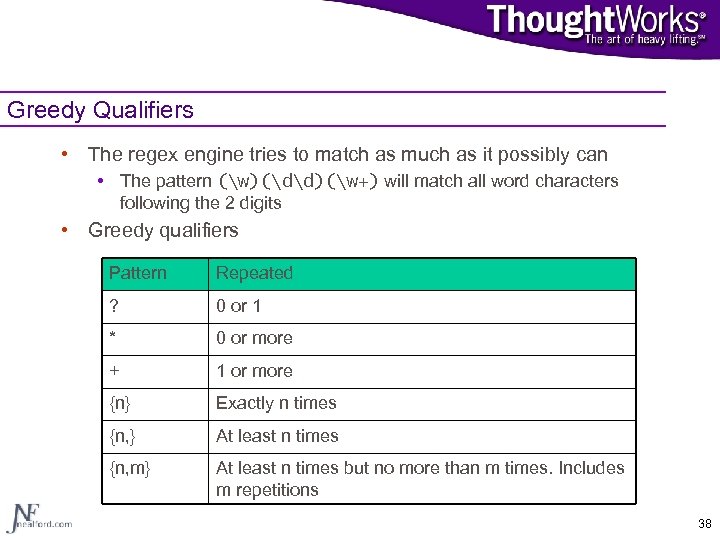 Greedy Qualifiers • The regex engine tries to match as much as it possibly can • The pattern (w)(dd)(w+) will match all word characters following the 2 digits • Greedy qualifiers Pattern Repeated ? 0 or 1 * 0 or more + 1 or more {n} Exactly n times {n, } At least n times {n, m} At least n times but no more than m times. Includes m repetitions 38
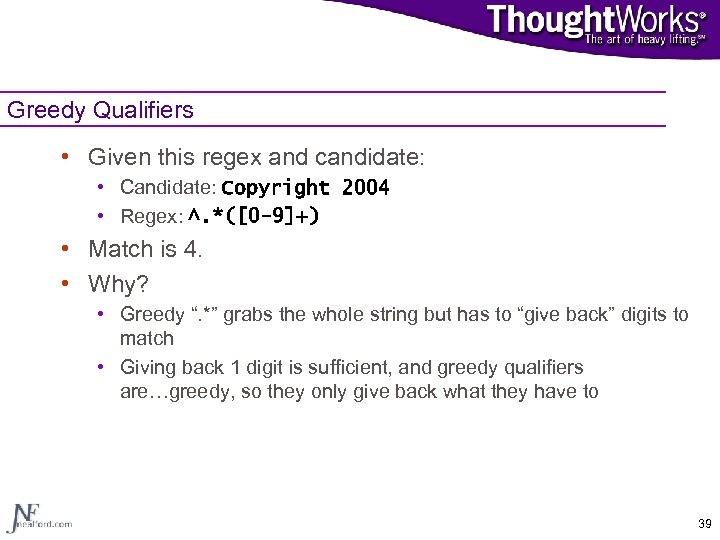 Greedy Qualifiers • Given this regex and candidate: • Candidate: Copyright 2004 • Regex: ^. *([0 -9]+) • Match is 4. • Why? • Greedy “. *” grabs the whole string but has to “give back” digits to match • Giving back 1 digit is sufficient, and greedy qualifiers are…greedy, so they only give back what they have to 39
 Possessive Qualifiers • Unique to Java! • Greedy and not generous • The regex engine, when encountering (w+): • Will try to match as many characters as possible • Will release those matches if such a release would help a later group achieve a match • Possessive qualifiers prevent this • Will NOT release matches if such a release would help a later group achieve a match • Append a “+” to existing greedy qualifier • (w++)(d{2})(w+) 40
 Reluctant (Lazy) Qualifiers • Opposite from greedy qualifiers • They try to match as little as possible • Formed by appending “? ” to existing greedy qualifiers • X+ • X{n, m} => X+? => X{n, m}? • Controls how the regex engine backtracks • Example 41
 Lookaheads • Positive lookaheads • “Peeks” to make sure the pattern exists in the candidate string • Does not consume the text • Formed by opening the group with the characters “? =“ • Example: (? =d{2}) confirms that the string has 2 digits in a row • Negative lookaheads • Allows the engine to confirm that something does not appear in the candidate string • Formed with “? !” • Lookaheads form a zero-width match 42
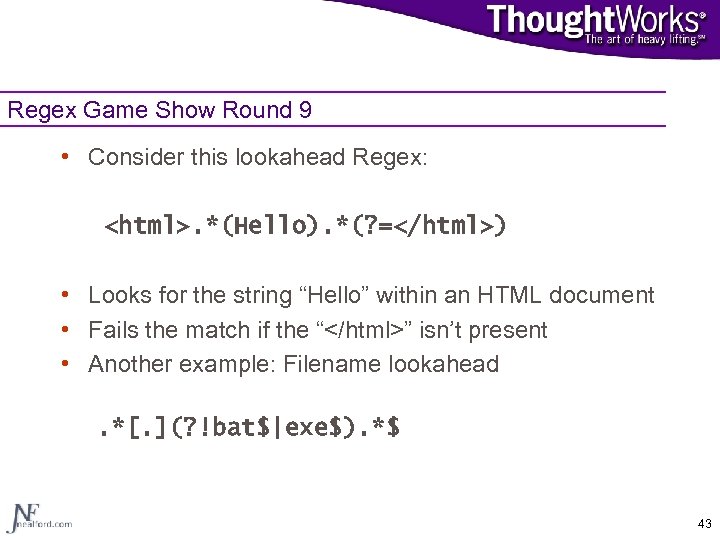 Regex Game Show Round 9 • Consider this lookahead Regex: . *(Hello). *(? =) • Looks for the string “Hello” within an HTML document • Fails the match if the “