


 Скачать презентацию POWER PRACTICE Chapter 3 Computers in the Learning
6b0539bb761beb5efab560ab18e00af6.ppt
- Количество слайдов: 34
 POWER PRACTICE Chapter 3 Computers in the Learning Environment START Copyright © Allyn & Bacon 2008 This multimedia product and its contents are protected under copyright law. The following are prohibited by law: • Any public performance or display, including transmission of any image over a network; • Preparation of any derivative work, including the extraction, in whole or in part, of any images; • Any rental, lease, or lending of the program.
 Welcome to your Power Practices are hyperlinked Power. Point slides that will provide you an interactive way to review chapter content. Hyperlinked presentations are easy to create and simple to use. With Power. Point or other presentation software, you too can create customized self-paced practice experiences for your students. Try the Power. Point Skills Builder exercise, Power. Point Flash Cards, to learn to create your own reviews. Click Here to Begin Copyright © Allyn & Bacon 2008
 Question 3. 1 What are the four primary components of a computer system? Click for Answer! Copyright © Allyn & Bacon 2008 Last Next
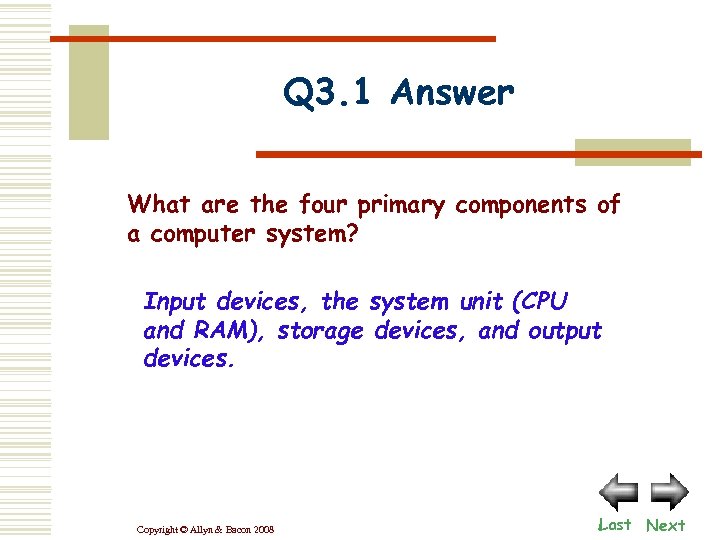 Q 3. 1 Answer What are the four primary components of a computer system? Input devices, the system unit (CPU and RAM), storage devices, and output devices. Copyright © Allyn & Bacon 2008 Last Next
 Question 3. 2 What is the difference between software and hardware? Click for Answer! Copyright © Allyn & Bacon 2008 Last Next
 Q 3. 2 Answer What is the difference between software and hardware? Hardware includes all of the physical components of a computer while software refers to the set of computer instructions (programs) that tell the hardware how to accomplish a task. Copyright © Allyn & Bacon 2008 Last Next
 Question 3. 3 What is the difference between RAM and ROM chips? Click for Answer! Copyright © Allyn & Bacon 2008 Last Next
 Q 3. 3 Answer What is the difference between RAM and ROM chips? RAM (Random Access Memory) are memory chips in which the CPU temporarily stores data. ROM (Read Only Memory) are special memory chips that store the startup instructions for a computer. Copyright © Allyn & Bacon 2008 Last Next
 Question 3. 4 What does the POST do and why is it important to teachers? Click for Answer! Copyright © Allyn & Bacon 2008 Last Next
 Q 3. 4 Answer What does the POST do and why is it important to teachers? The Power On Self Test (POST) is the diagnostic program that runs automatically as a part of the boot process. If there is something wrong with a hardware component, the POST will warn you about it. Copyright © Allyn & Bacon 2008 Last Next
 Question 3. 5 What does the operating system do? Click for Answer! Copyright © Allyn & Bacon 2008 Last Next
 Q 3. 5 Answer What does the operating system do? The operating system is the software that tells the computer how to function and how to manage its operations. It also provides the user with an interface, a way to communicate with the machine. Copyright © Allyn & Bacon 2008 Last Next
 Question 3. 6 How does a GUI operating system let you give commands? Click for Answer! Copyright © Allyn & Bacon 2008 Last Next
 Q 3. 6 Answer How does a GUI operating system let you give commands? A GUI operating system uses a system of icons and menus that let you point to and click on them in order to tell the machine what you want to do next. It also provides dialog boxes or windows that might ask you to answer a question or give specific instructions. Copyright © Allyn & Bacon 2008 Last Next
 Question 3. 7 What is the difference between an application program and a utility program? Click for Answer! Copyright © Allyn & Bacon 2008 Last Next
 Q 3. 7 Answer What is the difference between an application program and a utility program? An application program is a set of instructions that tells the computer how to complete a unique task, such as word processing. A utility program is the type of application that helps improve or monitor computer operations. Copyright © Allyn & Bacon 2008 Last Next
 Question 3. 8 What is the CPU and how does it relate to the other components of a computer? Click for Answer! Copyright © Allyn & Bacon 2008 Last Next
 Q 3. 8 Answer What is the CPU and how does it relate to the other components of a computer? The Central Processing Unit (CPU) is the microprocessor chip that is the brains of the computer. It manages and directs the flow of data to all other components. Copyright © Allyn & Bacon 2008 Last Next
 Question 3. 9 If both RAM and storage devices store data, how are they different? Click for Answer! Copyright © Allyn & Bacon 2008 Last Next
 Q 3. 9 Answer If both RAM and storage devices store data, how are they different? While both store data, they differ in that RAM is a chip which holds from 641 gigabytes of data. RAM is also volatile, which means that it can only hold data if power is on. Storage devices are usually types of disks. They hold anywhere from a few megabytes to many terabytes of data, and they are non-volatile. Copyright © Allyn & Bacon 2008 Last Next
 Question 3. 10 What are input devices and which types are the most common? Click for Answer! Copyright © Allyn & Bacon 2008 Last Next
 Q 3. 10 Answer What are input devices and which types are the most common? Input devices are the components of the computer that let you issue commands or enter data into the computer system. The most common input devices are the keyboard and mouse. Other popular input devices are a scanner, digital camera, and microphone. Copyright © Allyn & Bacon 2008 Last Next
 Question 3. 11 What are output devices and which of these are you most likely to find in a classroom? Click for Answer! Copyright © Allyn & Bacon 2008 Last Next
 Q 3. 11 Answer What are output devices and which of these are you most likely to find in a classroom? Output devices are the hardware components that move information out of the computer. The most common types are the computer monitor and the printer. Other popular output devices are speakers and digital displays. Copyright © Allyn & Bacon 2008 Last Next
 Question 3. 12 How do you decide which monitor is the best one to purchase? Click for Answer! Copyright © Allyn & Bacon 2008 Last Next
 Q 3. 12 Answer How do you decide which monitor is the best one to purchase? The quality of a monitor is measured by its resolution or the clarity of the image. Resolution is measured in pixels; the larger the number, the better the image. Monitors with larger screen sizes may be useful, but only if they are of sufficient resolution; or the image will be big but fuzzy. Copyright © Allyn & Bacon 2008 Last Next
 Question 3. 13 What is the difference between hard copy and soft copy? Click for Answer! Copyright © Allyn & Bacon 2008 Last Next
 Q 3. 13 Answer What is the difference between hard copy and soft copy? Hard copy is what printers produce. It is the physical, paper output. Soft copy is the electronic output that you see on the computer monitor. Content is more easily changed while viewing in soft copy, before finalizing in hard copy. Copyright © Allyn & Bacon 2008 Last Next
 Question 3. 14 What types of printers are available and which is best? Click for Answer! Copyright © Allyn & Bacon 2008 Last Next
 Q 3. 14 Answer What types of printers are available and which is best? Printer quality is measured in dpi (dot per inch). The higher the dpi, the crisper the printing. Ink jet and laser printers are the two most popular types. Ink jet printers squirt dots of black or colored ink onto a page to form letters. Laser printers melt black toner onto a page to form high quality letters. Your best choice depends on your use. Copyright © Allyn & Bacon 2008 Last Next
 Question 3. 15 What is the difference between magnetic and optical storage media? Click for Answer! Copyright © Allyn & Bacon 2008 Last Next
 Q 3. 15 Answer What is the difference the magnetic between optical storage media? Magnetic media stores data magnetically. The most common types of magnetic media are hard disks and floppy disks. Hard disks store thousands of times more data than floppies. Optical media uses laser light to store and read data on discs. Common types are CDROMS, CD-Rs, CD-RWs, and DVDs. Most CDs store about 650 megabytes of data and DVDs store multiple gigabytes of data. Copyright © Allyn & Bacon 2008 Last Next
 Question 3. 16 What are networks, and how can they be used in the classroom? Click for Answer! Copyright © Allyn & Bacon 2008 Last START
 Q 3. 16 Answer What are networks, and how can they be used in the classroom? Networks are groups of connected computers. Once computers are connected via a network, they can share hardware and software, and even use special software for communication and collaboration. Copyright © Allyn & Bacon 2008 Last START