


 Скачать презентацию Pocket GPS Manager PGM 2006 -06 -01 Expediting
f1939aad18f32873dd883b81cfea0907.ppt
- Количество слайдов: 48
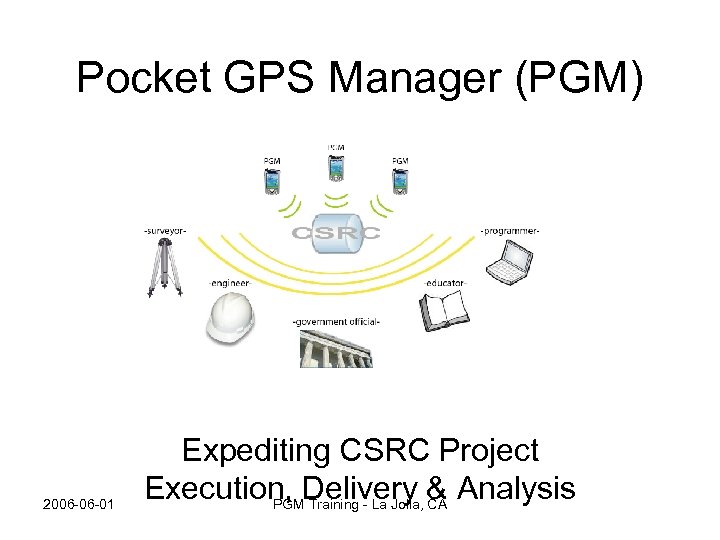 Pocket GPS Manager (PGM) 2006 -06 -01 Expediting CSRC Project Execution, Delivery & Analysis PGM Training - La Jolla, CA
 Outline Overview General background, rationale, target platforms and glossary Highlights Quick walk through some important features Development Technologies and people Technical Components Global architecture, server-side and client-side PGM Client Introduction Manager mode and Technician mode work cycles Future Developments More interesting features in store 2006 -06 -01 PGM Training - La Jolla, CA
 Overview General PGM is a client-server architecture focused on streamlining and catalyzing GPS campaigns using a flexible, open source approach to development. Minimally, PGM dramatically reduces, if not eliminates entirely, the dependency on paper “log sheets” from GPS campaigns – taking users through a fully-documented and automated electronic process of “uploads” and “downloads” with a common host server for the campaign. Maximally, PGM offers unprecedented opportunities for on-the-fly leveraging of GPS campaigns, shaving countless hours of valuable time from a “typical” GPS survey while enabling processes and public accessibility sorely needed. 2006 -06 -01 PGM Training - La Jolla, CA
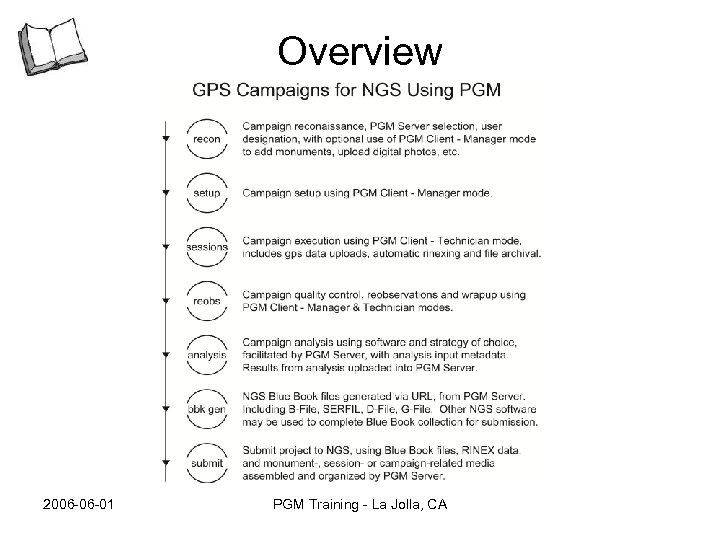 Overview PGM Hosted Campaigns 2006 -06 -01 PGM Training - La Jolla, CA
 Overview Rationale Expedite field-to-finish process by bypassing physical log sheets – removing transcription burden. Reduce ambiguities, errors of omission and commission. Improve fidelity of campaign information. Enhance operator-driven metadata generation and information collection using modern user interface with helpful conversions, calendars, choices and instructions. Modernize survey management using on-the-fly metadata submission and centralized (database-driven) project oversight by any number of parties or locations. 2006 -06 -01 PGM Training - La Jolla, CA
 Overview Target Platforms • Laptop/Desktop – Authorized (e. g. registered) parties involved in project can download, save, edit and upload project-related information from/to a central repository using PGM. • Personal Digital Assistant (PDA) – Same functionality, look and feel…different/smaller footprint. Internet connectivity required to “download” project templates and upload/submit work completed. Work-inprogress can be performed completely offline. 2006 -06 -01 PGM Training - La Jolla, CA
 Overview Glossary o Campaign : Top-level container for a given campaign. o Monument : Geodetic monuments to be occupied by GPS during campaign. o Observer : Individuals performing field occupation component of campaign. o Equipment : Uniquely identifiable pieces of equipment (e. g. receivers, antennae) o Session : An electronic “field log” and much, much more. Associated with time-dependent information such as equipment, measurements, observed conditions, commentary, etc. o Server : The PGM project involves a common client-server relationship including a client (PGM Client) and a server (PGM Server). o Mode : Primarily functional and authentication-oriented. o Campaign Download : Communication (over the internet) between a client and a server, whereby the entire “state” of a given campaign is loaded onto the client. o Session Upload : Communication (over the internet) between a client and a server, whereby a “completed” session is transferred to the server. 2006 -06 -01 PGM Training - La Jolla, CA
 Overview Online Resources o CSRC Web Site : http: //csrc. ucsd. edu/projects/pgm. html o Discussion Forums : Go to webpage above for link o User Guide :
 Highlights General • • Event-Driven Workflow GUI-Based Client Software Server-Side Development Platform Evolving System of Logic 2006 -06 -01 PGM Training - La Jolla, CA
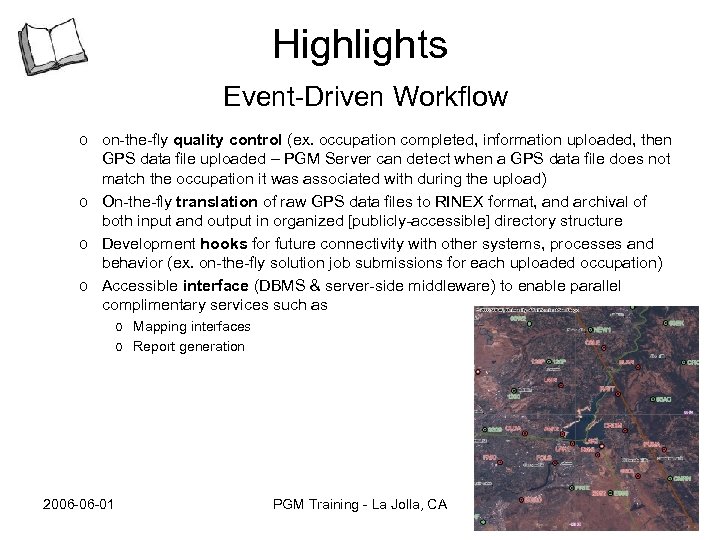 Highlights Event-Driven Workflow o on-the-fly quality control (ex. occupation completed, information uploaded, then GPS data file uploaded – PGM Server can detect when a GPS data file does not match the occupation it was associated with during the upload) o On-the-fly translation of raw GPS data files to RINEX format, and archival of both input and output in organized [publicly-accessible] directory structure o Development hooks for future connectivity with other systems, processes and behavior (ex. on-the-fly solution job submissions for each uploaded occupation) o Accessible interface (DBMS & server-side middleware) to enable parallel complimentary services such as o Mapping interfaces o Report generation 2006 -06 -01 PGM Training - La Jolla, CA
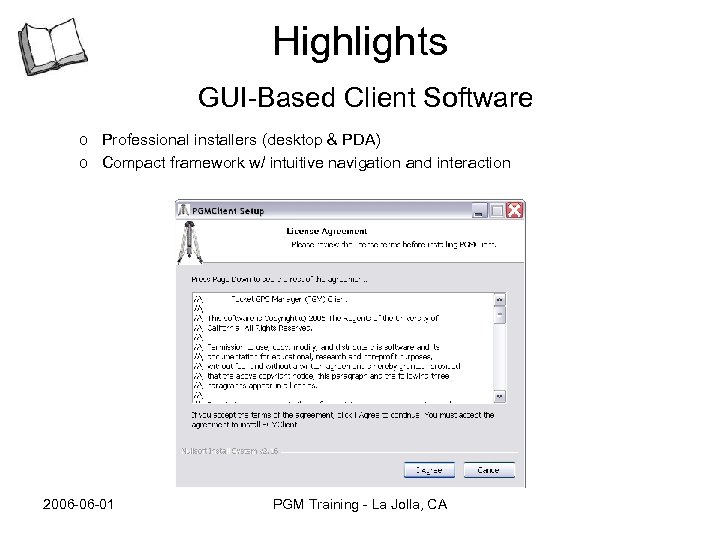 Highlights GUI-Based Client Software o Professional installers (desktop & PDA) o Compact framework w/ intuitive navigation and interaction 2006 -06 -01 PGM Training - La Jolla, CA
 Highlights Server-Side Development Platform Includes a versatile server component amenable to rapid development, customization and broader “institutional” use for other purposes. 2006 -06 -01 PGM Training - La Jolla, CA
 Highlights Evolving System of Logic Entire strategy (“PGM”) intended to catalyze rapid development and progression of geodetic IT systems, through an engagement with extensive pool of community experts, field-savvy professionals and developers. Input from community can be quickly assessed, dealt with and fit into the PGM system to benefit everyone. 2006 -06 -01 PGM Training - La Jolla, CA
 Development Technologies – PGM Client Java using combination of open source IBM Eclipse development platform and licensed IBM Web. Sphere Application Developer. XML using o. Xygen XML editor for schema & instance development and validation (an Eclipse plugin). 2006 -06 -01 PGM Training - La Jolla, CA
 Development Technologies – PGM Server Perl using combination of custom middleware, system utilities and CGI interfaces with open source modules from CPAN, XML parsing libraries from Apache, online service connectivity to the NGS (ex. datasheets, geoid calculations), and GPS shareware like teqc from Unavco, Inc. 2006 -06 -01 PGM Training - La Jolla, CA
 Development People PGM development has involved significant changes to the way the CSRC conducts IT operations. From relational database schemas, to GPS data file management, website development, XML schema modeling, standalone application development – PGM has already made a significant, positive, impact on the CSRC. Developers: – Ruey-Juin Chang – Paul Jamason – Michael Scharber Technical advisors and Community experts: – Yehuda Bock, Cecilia Whitaker, Peng Fang, Don D’Onofrio – Jim Frame, Greg Helmer, Art Andrew, Britt Klingenberg – Dave Minkel 2006 -06 -01 PGM Training - La Jolla, CA
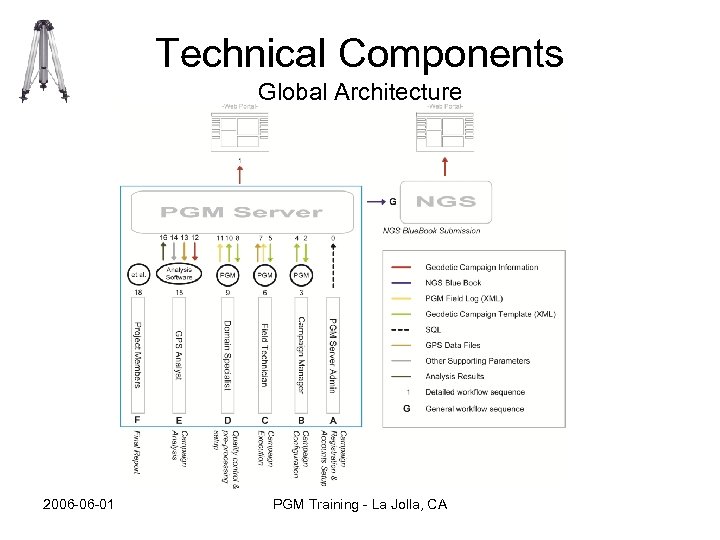 Technical Components Global Architecture 2006 -06 -01 PGM Training - La Jolla, CA
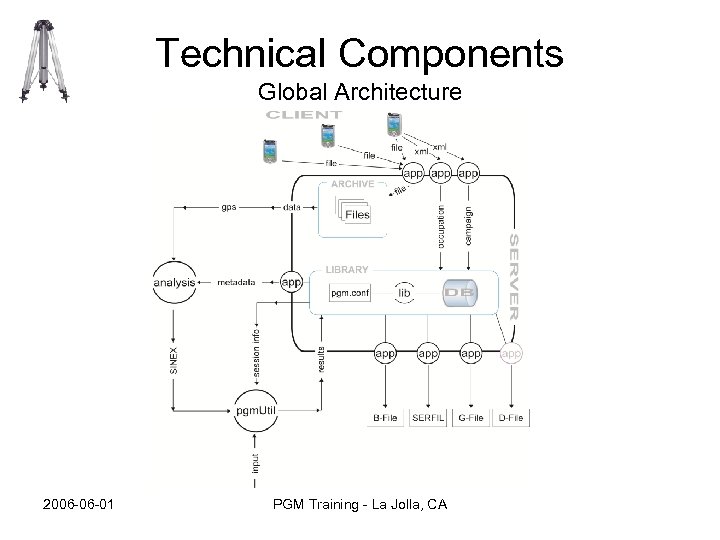 Technical Components Global Architecture 2006 -06 -01 PGM Training - La Jolla, CA
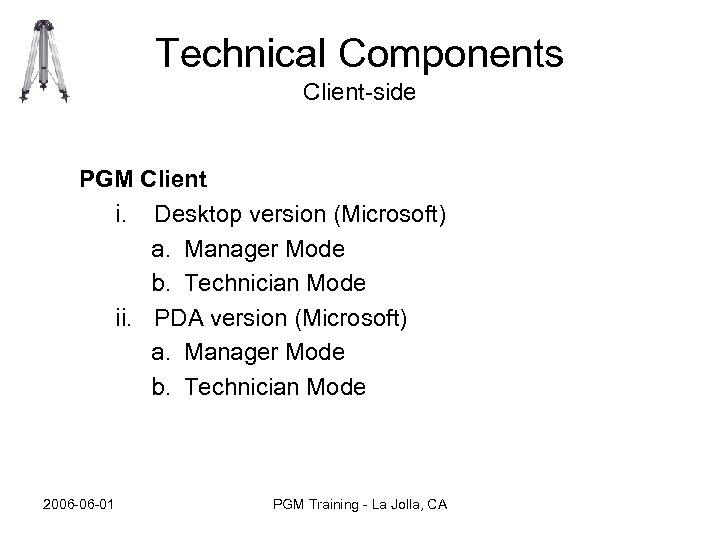 Technical Components Client-side PGM Client i. Desktop version (Microsoft) a. Manager Mode b. Technician Mode ii. PDA version (Microsoft) a. Manager Mode b. Technician Mode 2006 -06 -01 PGM Training - La Jolla, CA
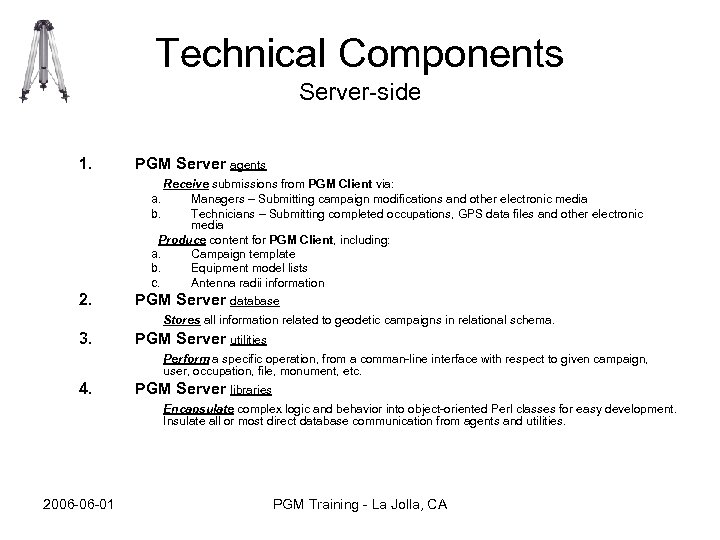 Technical Components Server-side 1. PGM Server agents Receive submissions from PGM Client via: Managers – Submitting campaign modifications and other electronic media Technicians – Submitting completed occupations, GPS data files and other electronic media Produce content for PGM Client, including: a. Campaign template b. Equipment model lists c. Antenna radii information a. b. 2. PGM Server database Stores all information related to geodetic campaigns in relational schema. 3. PGM Server utilities Perform a specific operation, from a comman-line interface with respect to given campaign, user, occupation, file, monument, etc. 4. PGM Server libraries Encapsulate complex logic and behavior into object-oriented Perl classes for easy development. Insulate all or most direct database communication from agents and utilities. 2006 -06 -01 PGM Training - La Jolla, CA
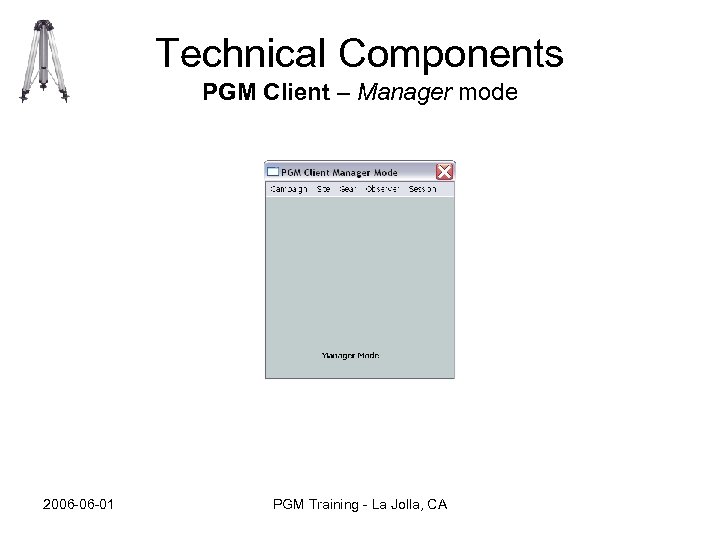
 Modes Managers and Technicians • PGM Client Manager mode Standardizes and formalizes campaign configuration process by establishing direct relationship, from start to finish, between campaign managers and CSRC operations. – Immediate and ongoing venue for quality control and campaign status: • Private • Public – Established mechanism for dispersal, and replication, of management roles: • CSRC staff can assist and/or advise managers using and conversing using identical tools, information and rules. • PGM Client Technician mode Removes presence of hard-copy field occupation logs from normal campaign execution and analysis functions. – Campaign Scope – Instructions applicable to entire campaign. – Occupation Scope – Instructions applicable to a single occupation. 2006 -06 -01 PGM Training - La Jolla, CA
 Versions PGM Client manager & PGM Client tech • PGM Client tech – Manager mode is disabled, regardless of user account – Nothing can be done to campaign template – “closed” sessions remain closed. Technician cannot edit later. • PGM Client manager – – – Manager Mode is enabled. Campaign templates can be edited & uploaded. “closed” sessions (using Technician mode) can be edited. “ace in the hole” for “What if…. ? ” situations Additional “server-level” details displayed to help diagnose problems, bugs, etc. (ex. object identifiers – monument ID, equipment unit ID) 2006 -06 -01 PGM Training - La Jolla, CA
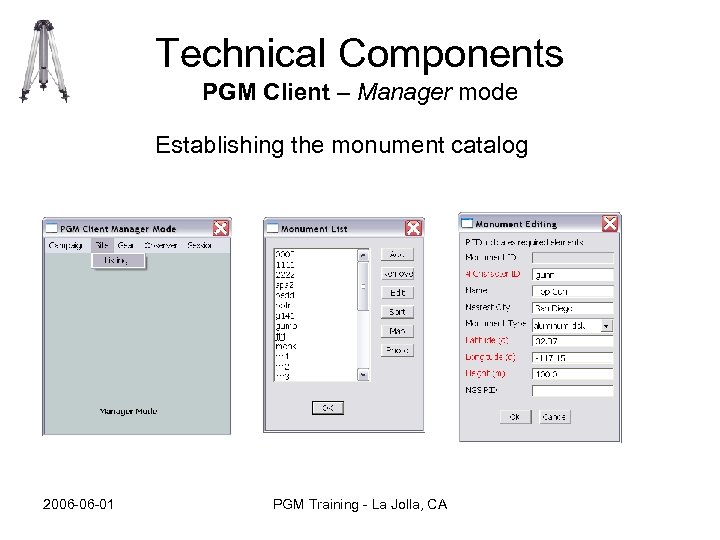
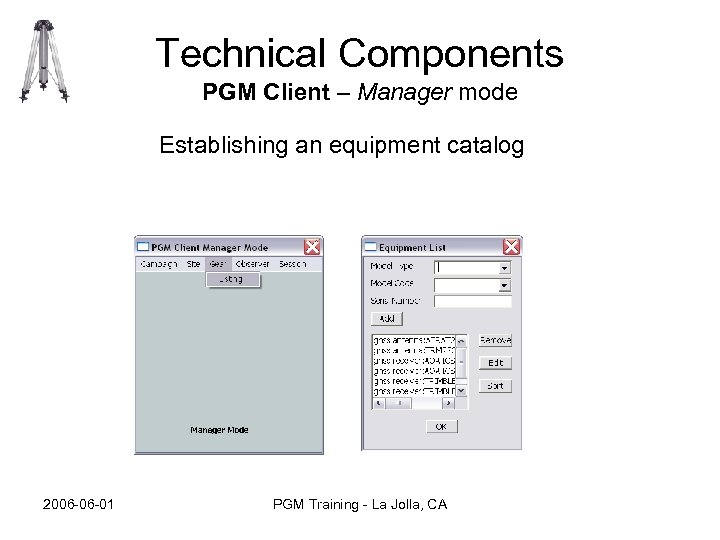
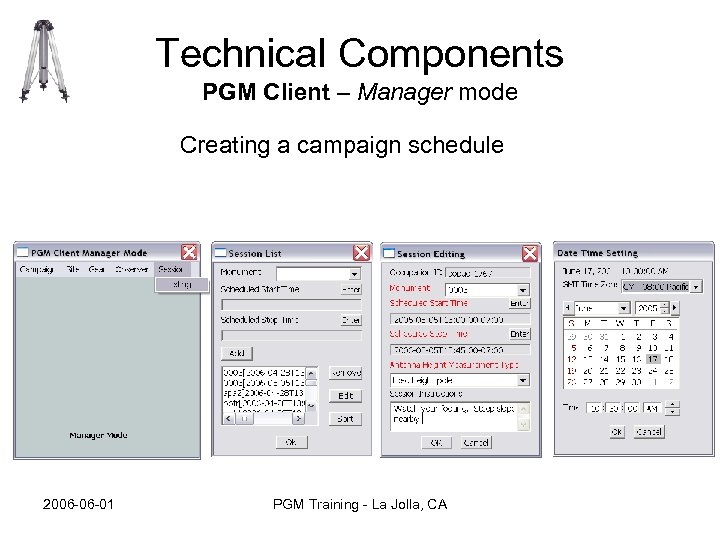
 Modes Manager mode • A Manager: – Prepares accurate value domains specific to their campaign, in order to remove ambiguity in field logs, reduce the chance of error, improve process clarity and communication among participants. Examples include: • • • Monument Catalog Observer Catalog Equipment Catalog Occupation Schedule Antenna Height Measurement Method – Campaign scope and Occupation scope – Produces instructions for others to refer to: • Campaign Scope – Instructions applicable to entire campaign • Occupation Scope – Instructions applicable to a single occupation – Reviews status of their campaign using online CSRC portal: • Before – configuration • During – execution • After – revision, quality control and analysis – Communicates with CSRC staff to uncover problems, make suggestions and provide valuable feedback to development efforts, via online forums 2006 -06 -01 PGM Training - La Jolla, CA
 Modes Technician mode • A Technician: – Works in PGM Client Technician mode – Uses a template created by the campaign manager(s) – Works “session-by-session”, submitting their completed sessions to the PGM Server hosting their campaign – Can work offline (e. g. no internet connection) once campaign is downloaded to PGM Client – Can use either PDA-compatible or desktop versions – Includes raw GPS data files in their submissions 2006 -06 -01 PGM Training - La Jolla, CA
 Technical Components PGM Client – Manager mode 2006 -06 -01 PGM Training - La Jolla, CA
 Technical Components PGM Client – Manager mode Establishing the monument catalog 2006 -06 -01 PGM Training - La Jolla, CA
 Technical Components PGM Client – Manager mode Establishing an equipment catalog 2006 -06 -01 PGM Training - La Jolla, CA
 Technical Components PGM Client – Manager mode Creating a campaign schedule 2006 -06 -01 PGM Training - La Jolla, CA
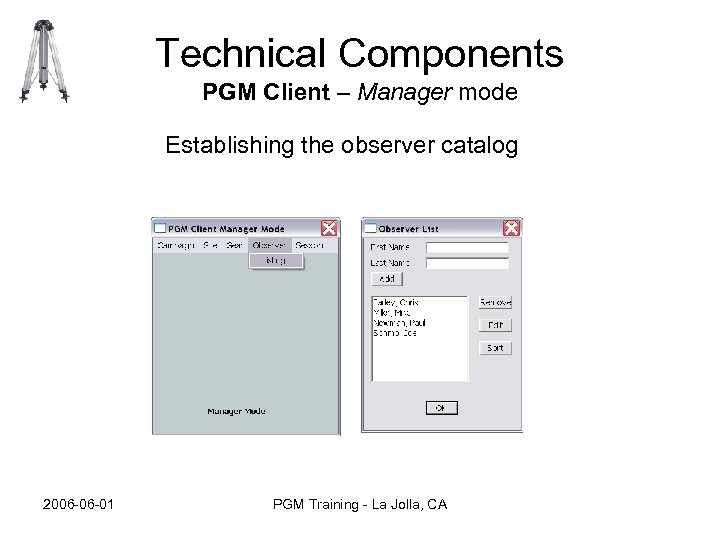 Technical Components PGM Client – Manager mode Establishing the observer catalog 2006 -06 -01 PGM Training - La Jolla, CA
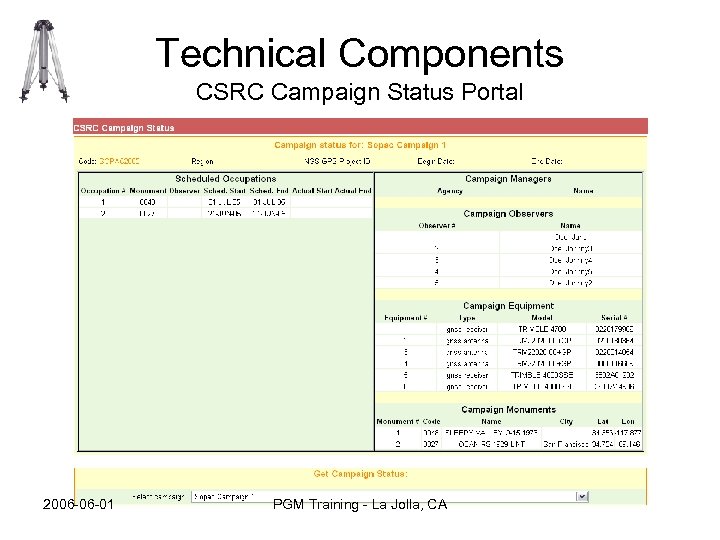 Technical Components CSRC Campaign Status Portal 2006 -06 -01 PGM Training - La Jolla, CA
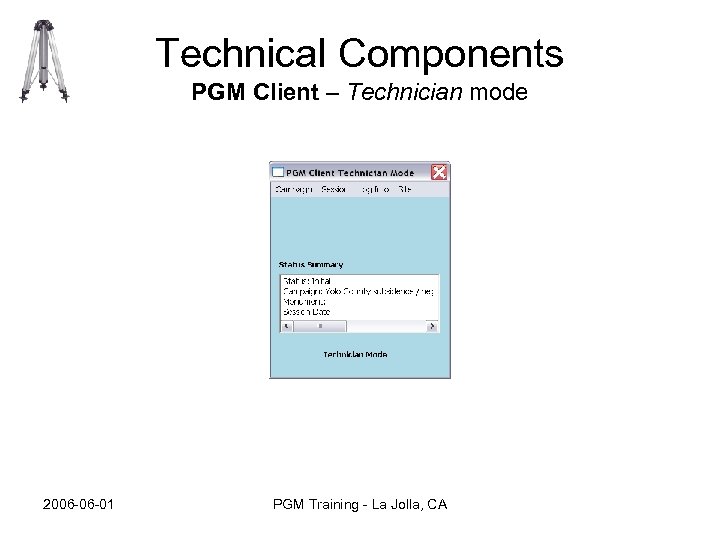 Technical Components PGM Client – Technician mode 2006 -06 -01 PGM Training - La Jolla, CA
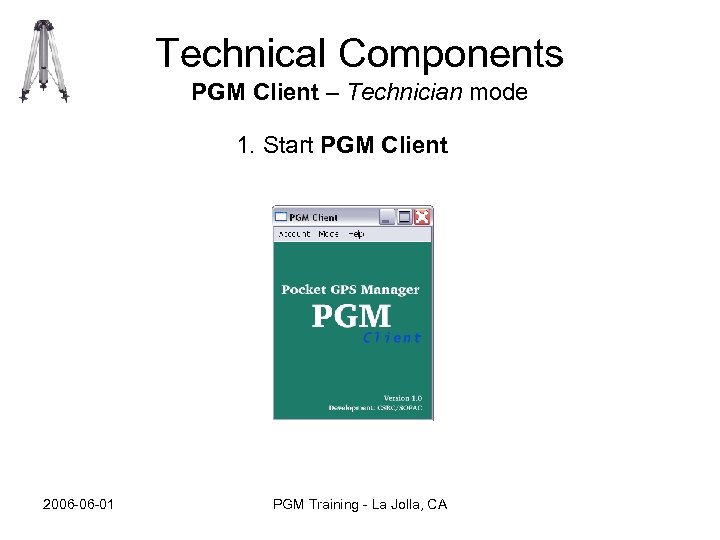 Technical Components PGM Client – Technician mode 1. Start PGM Client 2006 -06 -01 PGM Training - La Jolla, CA
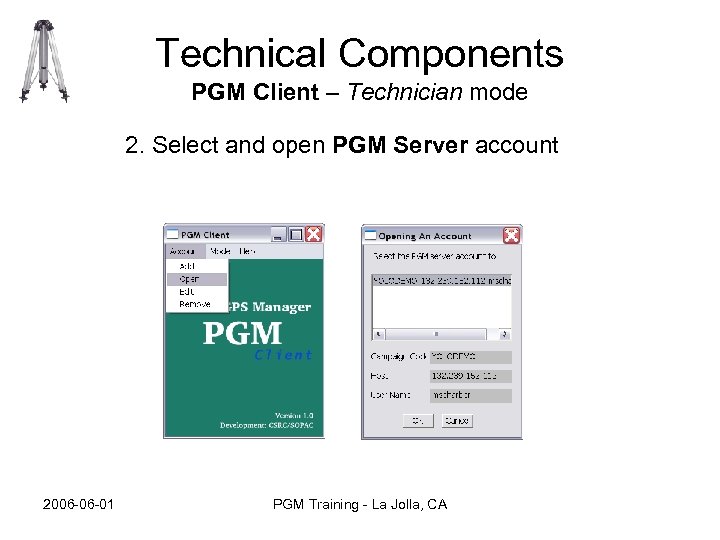 Technical Components PGM Client – Technician mode 2. Select and open PGM Server account 2006 -06 -01 PGM Training - La Jolla, CA
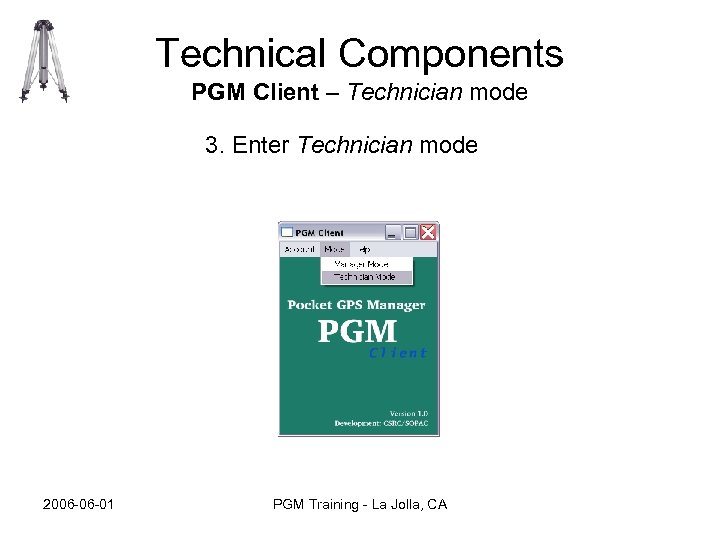 Technical Components PGM Client – Technician mode 3. Enter Technician mode 2006 -06 -01 PGM Training - La Jolla, CA
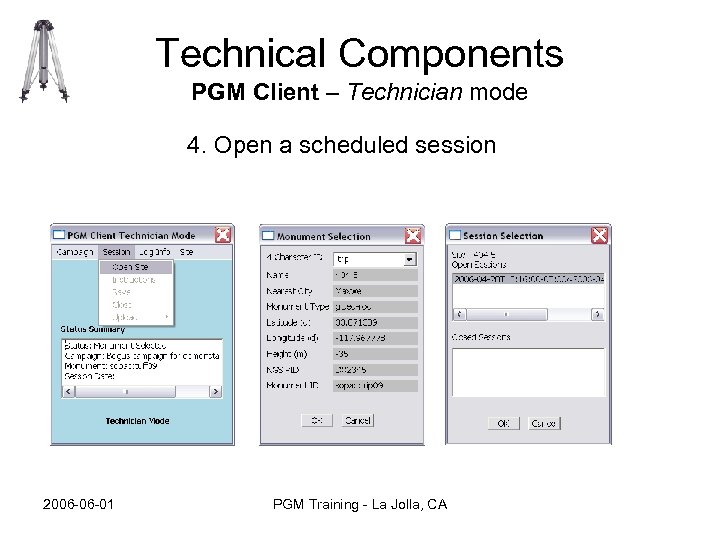 Technical Components PGM Client – Technician mode 4. Open a scheduled session 2006 -06 -01 PGM Training - La Jolla, CA
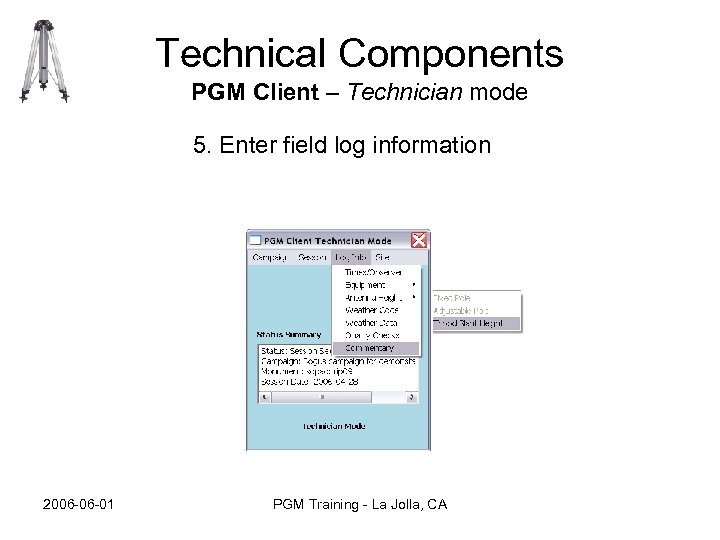 Technical Components PGM Client – Technician mode 5. Enter field log information 2006 -06 -01 PGM Training - La Jolla, CA
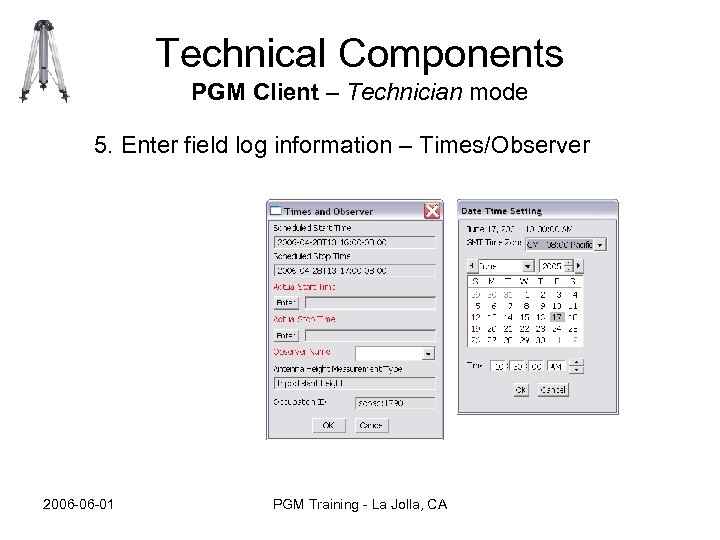 Technical Components PGM Client – Technician mode 5. Enter field log information – Times/Observer 2006 -06 -01 PGM Training - La Jolla, CA
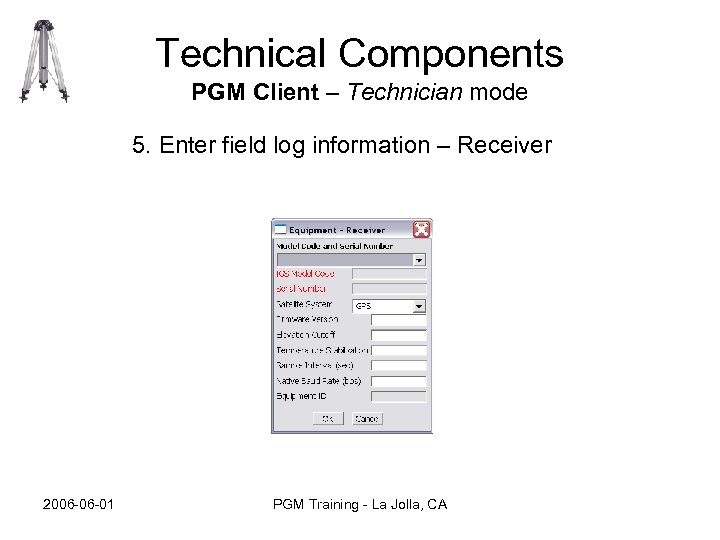 Technical Components PGM Client – Technician mode 5. Enter field log information – Receiver 2006 -06 -01 PGM Training - La Jolla, CA
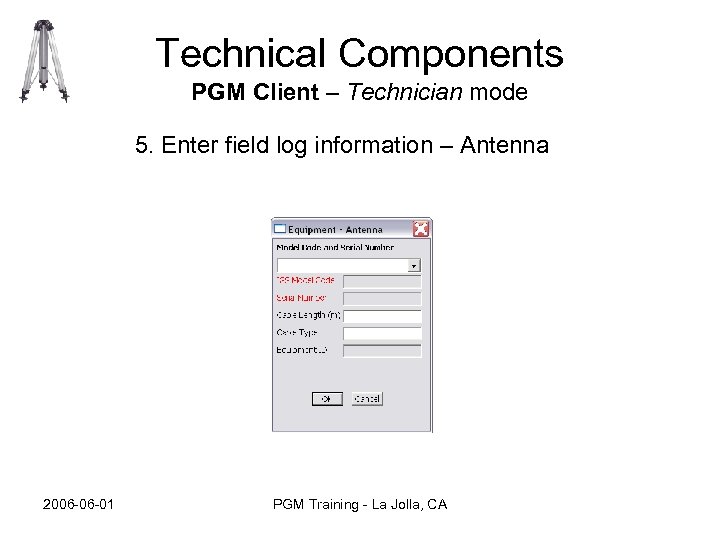 Technical Components PGM Client – Technician mode 5. Enter field log information – Antenna 2006 -06 -01 PGM Training - La Jolla, CA
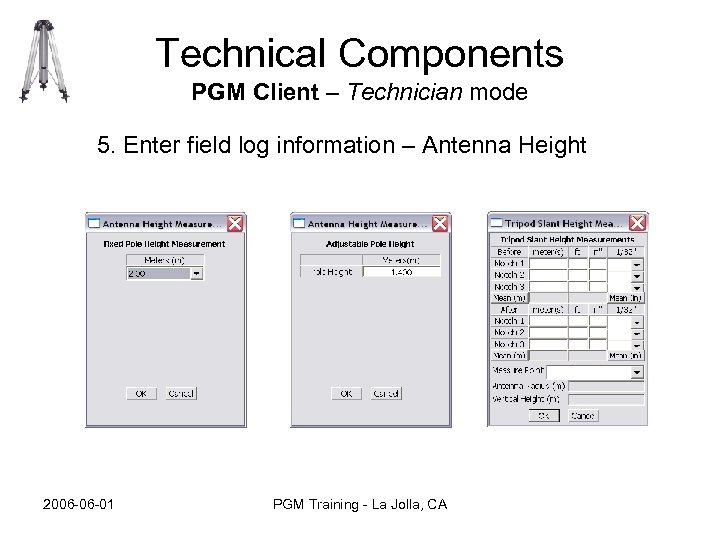 Technical Components PGM Client – Technician mode 5. Enter field log information – Antenna Height 2006 -06 -01 PGM Training - La Jolla, CA
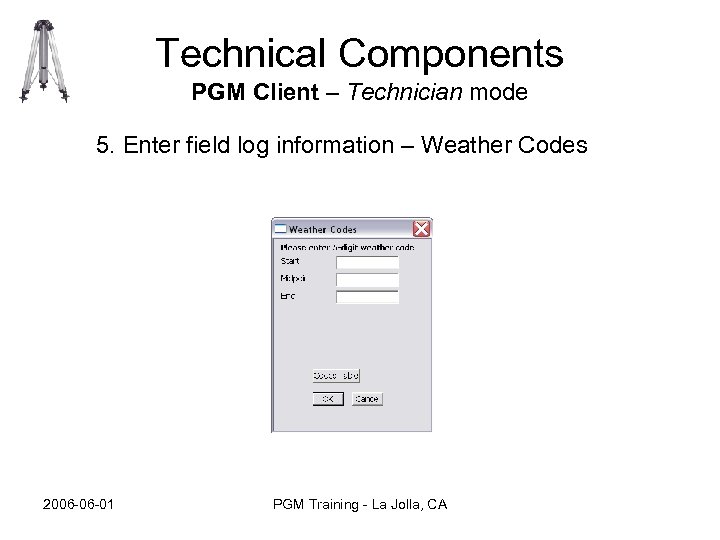 Technical Components PGM Client – Technician mode 5. Enter field log information – Weather Codes 2006 -06 -01 PGM Training - La Jolla, CA
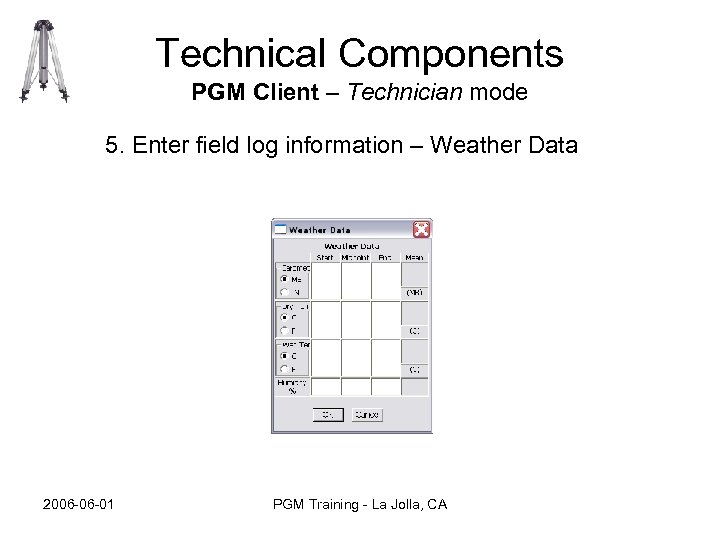 Technical Components PGM Client – Technician mode 5. Enter field log information – Weather Data 2006 -06 -01 PGM Training - La Jolla, CA
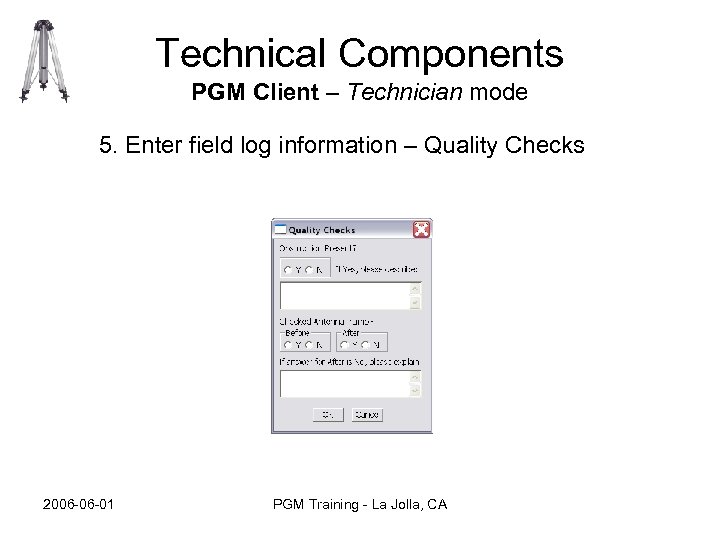 Technical Components PGM Client – Technician mode 5. Enter field log information – Quality Checks 2006 -06 -01 PGM Training - La Jolla, CA
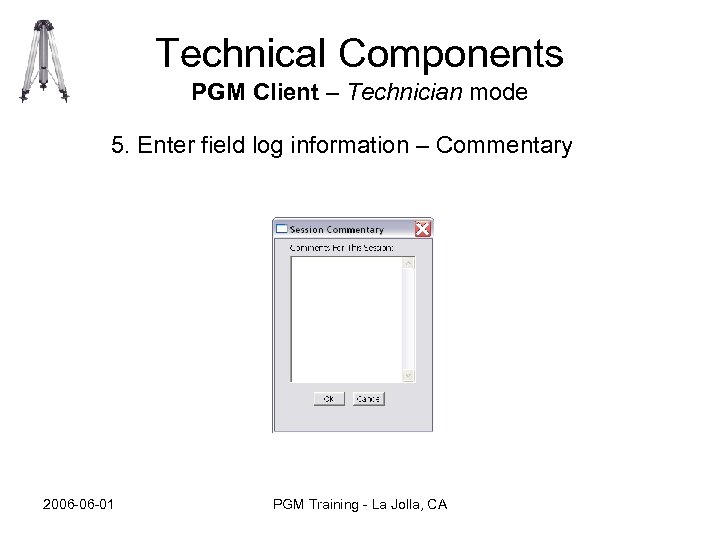 Technical Components PGM Client – Technician mode 5. Enter field log information – Commentary 2006 -06 -01 PGM Training - La Jolla, CA
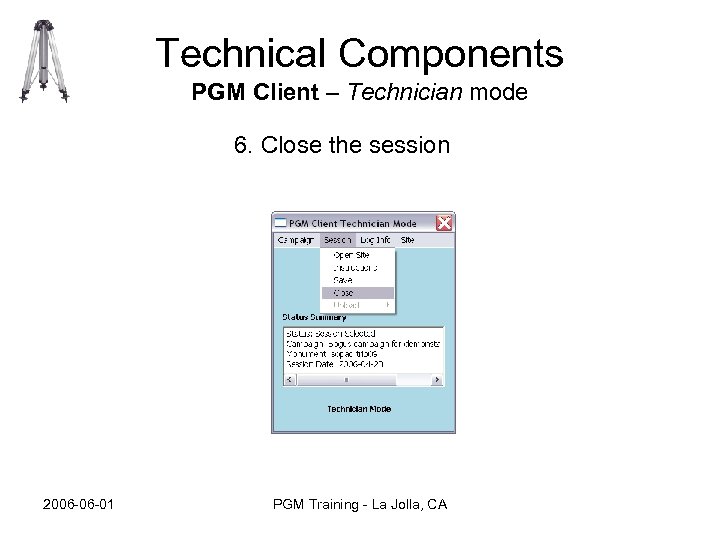 Technical Components PGM Client – Technician mode 6. Close the session 2006 -06 -01 PGM Training - La Jolla, CA
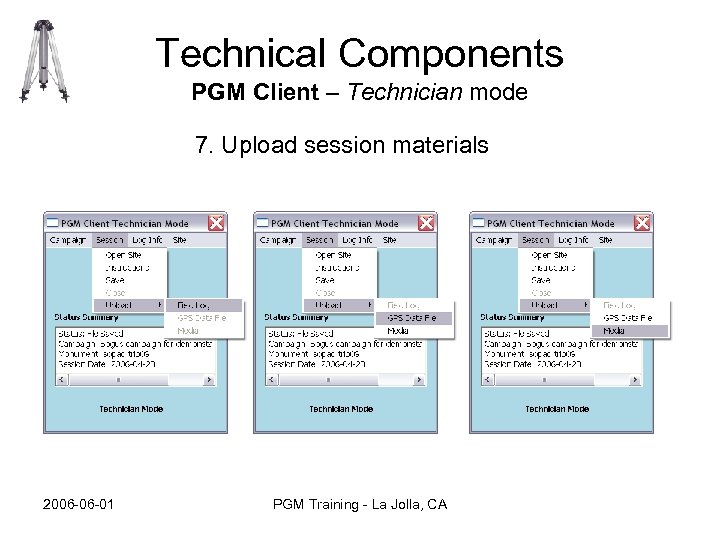 Technical Components PGM Client – Technician mode 7. Upload session materials 2006 -06 -01 PGM Training - La Jolla, CA
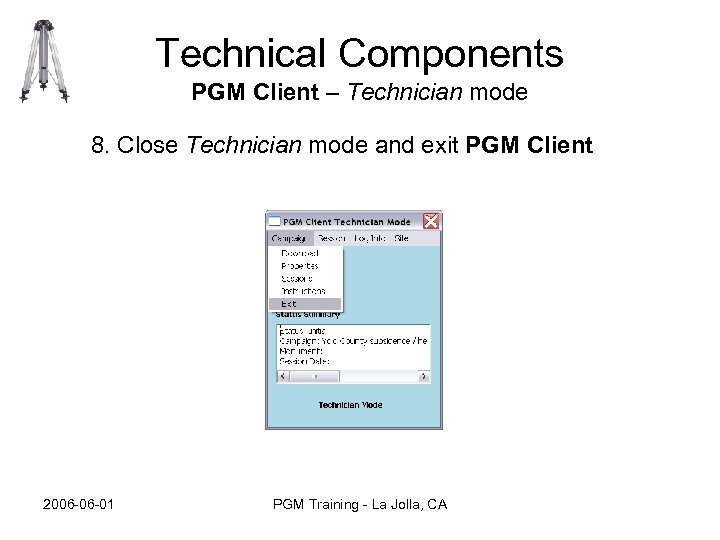 Technical Components PGM Client – Technician mode 8. Close Technician mode and exit PGM Client 2006 -06 -01 PGM Training - La Jolla, CA
 Future Developments • Site Information Management features to allow use of PGM in other contexts (e. g. outside of, in preparation for, or after completion of…GPS Campaigns). Ex. editing monument information at a given PGM repository. • Analyst mode (3 rd mode to deal with analysis strategies for a given campaign/project) • “Wizard” for Technician mode – step technician through pages in a normal work cycle • Leveling support • “Single Session” support – e. g. no apriori schedule or catalogs involved • Stronger Authentication Support • Optional connectivity to gazetteer web services • -----Too many other possibilities to mention----- 2006 -06 -01 PGM Training - La Jolla, CA