


 Скачать презентацию Platform as a Service Applications Cloud Platform
5803f79c19f06b8489c0b02e7e98374d.ppt
- Количество слайдов: 32
 Platform as a Service Applications
 Cloud Platform l Cloud platform acts as run-time enviroments that supports a set of programming languages, compiled or interpreted. l Cloud platform may offer additional services such as reusable components and libraries. l Typically, cloud platform will offer plug-ins into common development environments, such as Eclipse, to facilitate development, testing, and deployment
 Paa. S examples: - Google App Engine - Microsoft Windows Azure - Force. com l
 Google App Engine - Functions l Google App Engine enables developers to build web applications on the same scalable systems that power google’s own applications l It means that, by using Google App Engine, you can easily design scalable applications that grow from one user to millions of users without infrastructure headaches
 Set Development Environment for Google App Engine
 Install the Java SE Go to http: //www. oracle. com/technetwork/javase/ downloads/index. html to get the most updated Java SE l
 Install Eclipse Luna Go to https: //www. eclipse. org/downloads/ to get the most updated Eclipse l
 Install the App Engine SDK l l l We will develop and deploy Java application for Google App Engine using the App Engine Java software development kit (SDK). The SDK includes software for a web server that you can run on your own computer to test your Java applications. The server simulates all of the App Engine services, including a local version of the datastore, Google Accounts, and the ability to fetch URLs and send email from your computer using the App Engine APIs.
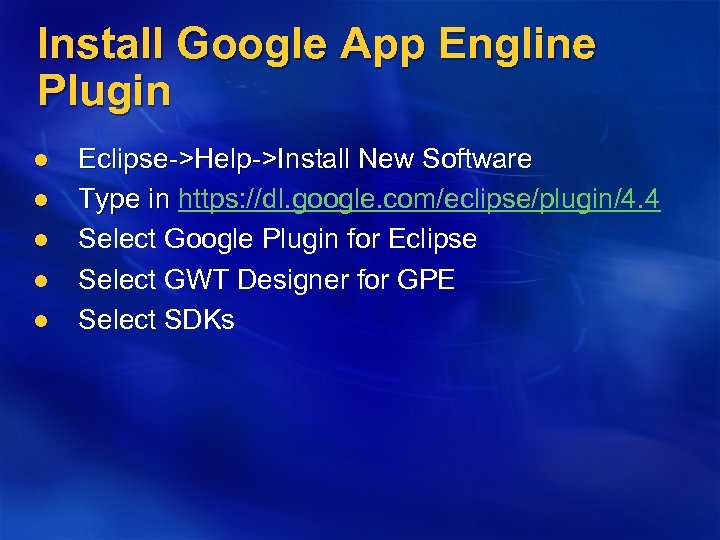 Install Google App Engline Plugin l l l Eclipse->Help->Install New Software Type in https: //dl. google. com/eclipse/plugin/4. 4 Type in Select Google Plugin for Eclipse Select GWT Designer for GPE Select SDKs
 Install Data. Nucleus Plugin l Data. Nucleus provides open source products supporting data access using all standardised APIs (JDO, JPA) to a very wide-range of datastores (RDBMS, ODBMS, Map-based, Web -based, documents, etc) supporting querying using a range of query languages
 l l Eclipse->Help->Install New Software Type in http: //www. datanucleus. org/downloads/eclipseupdate/
 l l l App Engine Java applications use the Java Servlet standard for interacting with the web server environment. An application's files, including compiled classes, JARs, static files and configuration files, are arranged in a directory structure using the WAR standard layout for Java web applications. A WAR file (or Web application ARchive) is a JAR file used to distribute a collection of Java. Server Pages, Java Servlets, Java classes, XML files, tag libraries, static web pages (HTML and related files) and other resources that together constitute a web application.
 Create a project My. Project l Create a new project by clicking the New Web Application Project button in the toolbar: Ø Ø Give the project a "Project name" of My. Project and a "Package" of myproject. Uncheck "Use Google Web Toolkit, " and ensure "Use Google App Engine" is checked.
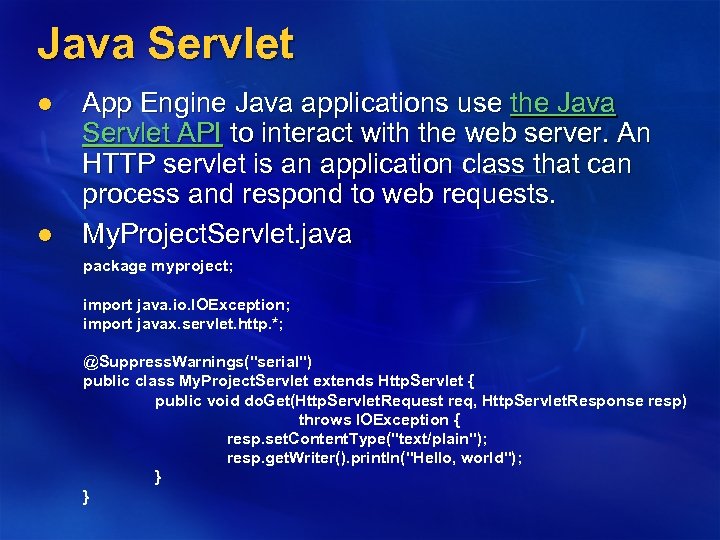 Java Servlet l l App Engine Java applications use the Java Servlet API to interact with the web server. An HTTP servlet is an application class that can process and respond to web requests. My. Project. Servlet. java package myproject; import java. io. IOException; import javax. servlet. http. *; @Suppress. Warnings("serial") public class My. Project. Servlet extends Http. Servlet { public void do. Get(Http. Servlet. Request req, Http. Servlet. Response resp) throws IOException { resp. set. Content. Type("text/plain"); resp. get. Writer(). println("Hello, world"); } }
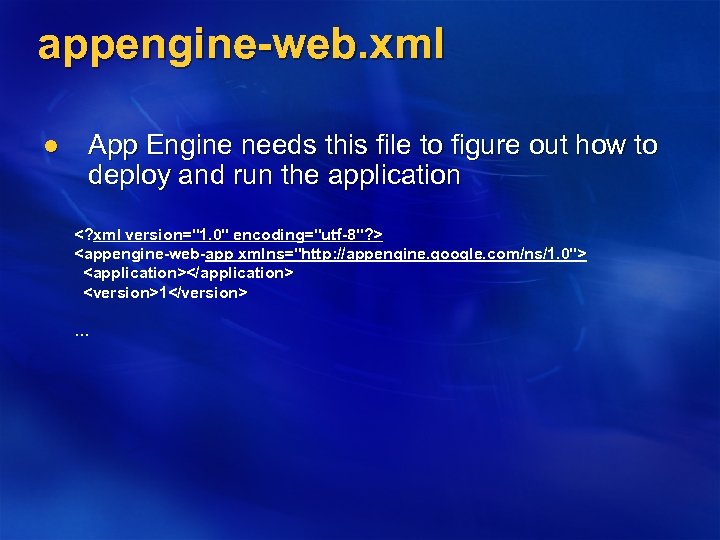 appengine-web. xml l App Engine needs this file to figure out how to deploy and run the application
 Test the application locally
 Deploy your application to Google App Engine You create and manage App Engine web applications from the App Engine Administration Console, at the following URL: https: //appengine. google. com/ l l Sign in to App Engine using your Google account.
 l l To create a new application, click the "Create an Application" button. Follow the instructions to register an application ID, a name unique to this application. Edit the appengine-web. xml file, then change the value of the
 The. URL for your website begins with your application ID: http: //your_app_id. appspot. com/ l
 Force. com is a cloud platform for building and runing - apps that automate and extend your business process - apps with workfolow and analytics - mobile apps - social apps l The application running on Force. com is more data-oriented than code-oriended. l
 Force. com provides a cloud platform that integrates: - infrastructure - software stack - backup and storages - performance optimizations - security l
 External Programmatic Access - Force. com exposes all customer specific configurations (forms, reports, workflows, user privileges, customization, business logic) as metadata with is programmatically accessible. - A Web Services API (SOAP) allows access to all Force. com application data from any environment. - In addition to conventional database access, Force. com employs an external search engine that provides full-indexing of unstructured data. l
 Apex - Force. com uses Apex to code business logics. - Apex is a proprietary programming language that uses a Java-like syntax but acts much more like database stored procedures. - It allows developers to add business logic to events, such as button clicks or record updates l
 User Interface Two tools are available for building the user interface for on-demand applications: UI builder and Visualforce - UI Builder is the simpler approach. It generates a default user interface based on the data properties of the application. For instance, the defined data types will influence input display components and options. l
 - Visualforce is much more powerful and can be used to create almost any user interface. -- It implements the MVC paradigm to enforce strict separation of logic from presentation and storage. -- The user interface can leverage dynamic, client-side disply functionality, such as CSS, DHTML, AJAX or Adobe Flex, in addition to ordinary HTML.
 App. Exchange - Force. com provides a marketplace called App. Exchange for buying and selling Saa. S service - Once developers have completed and tested their applications, they can request publication on App. Exchange providing a description of the services along with details of the pricing and support model. l
 Hands-on experience on Force. com l https: //developer. salesforce. com/
 Hands-on experience on Force. com l l l In your browser, go to http: //sforce. co/Yr. ZZJ 3. Fill in the fields about you and your company. In the Email Address field, make sure to use a public address you can easily check from a Web browser. Type a unique Username. Note that this field is also in the form of an email address, but it does not have to be the same as your email address, and in fact, it’s usually better if they aren’t the same. Your username is your login and your identity on developer. salesforce. com, so you’re often better served by choosing a username such as firstname@lastname. com. Read and then select the checkbox for the Master Subscription Agreement and then click Submit Registration. In a moment you’ll receive an email with a login link. Click the link and change your password.
 Hands-on experience on Force. com l l l When you create an app, you automatically create a data object that keeps track of all the elements of a particular item, such as its name, description, and price data objects are called custom objects. If you’re familiar with databases, you can think of them as a table An object comes with standard fields and screens that allow you to list, view, and edit information about the object. But you can also add your own fields to track or list just about anything you can think of
 Hands-on experience on Force. com l l Create an App Access the App from a Mobile Device Ø Ø Most things you create in Salesforce are available via a mobile device, giving your users full access to the information they need, no matter where they are Everything you do in the full site is reflected in the Salesforce 1 mobile app Go to www. salesforce. com/mobile, select the appropriate platform, and download Salesforce 1 From Setup click Mobile Administration | Salesforce 1 | Settings, and then Enable the Salesforce mobile browser app
 Hands-on experience on Force. com l Add an Field to your Object Ø Ø Ø From Setup, click Create | Objects Scroll down to Custom Fields and Relationships, and click New Try Out the App