


 Скачать презентацию Planetary Data Archiving at ESA IPDA Steering Committee
68469591da0af2e4696282c3053f76bd.ppt
- Количество слайдов: 23
 Planetary Data Archiving at ESA IPDA Steering Committee Meeting July 16 th - 19 th 2007 Dave Heather, Joe Zender, Christophe Arviset (ESA) dheather@rssd. esa. int
 Outline Definition and Aim - what is the PSA? History Standards Used - The PDS Services to the end-user The Classical User Interface Searching and Retrieving Data The Map Based Interface Services to the data producer Management Tools Current Status Open Issues and Lessons Learned
 Definition and Purpose The Planetary Science Archive (PSA) is the initiative, the setup, the process and the implementation to preserve data from ESA’s spacecraft to planetary bodies, as well as supplementary information acquired in laboratories or ground-based observatories. The prime objectives of the PSA are: Ø to support the experimenter teams in the preparation for the spacecraft and ground-based long-term archives Ø to enable and ensure the (long-term) preservation of these archives Ø distribution of scientific useful data to the world wide scientific community Ø provision of supplementary data services aiming to maximize the usage of planetary mission data and ease the scientific data analysis. The PSA will be advised by a PSA Scientific Advisory Group (name tbc) that meets at least yearly.
 Historical Perspective Ø GIOTTO Science Data Archive Ø ROSETTA Announcement of Opportunity Ø ROSETTA Science Management Plan Ø ROSETTA ESA/NASA Memorandum of Understanding Ø Mars Express Science Management Plan Ø Venus Express Ø Bebi-Colombo Science Management Plan Rosetta Science Management Plan (ESA/SPC(94)37, page 28): RO-EST-AO-001, 01 -03 -199: Science Management Plan. Opportunity ESA/C(2002)148: Rosetta ESA/NASA Mo. U Rosetta Annoucement of Mars Express Giotto Mission “ 6. Provide the reduced and calibrated scientific data sets from his/her instrument in useable form to the RSOC forspacecraft was reducedprepare the final Mars Express Scientific Data “ARTICLE 10 inclusion inthelaunched and 2 July 1985 to. OF SCIENTIFIC DATA Archive The Science “ 6. RIGHTS the AND DISTRIBUTION study comet 1 P/Halley. Giotto The Giotto Operations Centre will Science Data Archive. ” data sets from his/her - Provide IN Rosetta on calibrated scientific RSOC for inclusion (MESDA) within one year a useable formof the. Management Plan from the Rosetta Science encounteredinstrument in of the receipt to thecomplete data sets 596 km individual Mars comet 1 P/Halley on 13 March 1986 and came within in the of the nucleus. Bepi. Colombo, above, Page 42, RSOC period defined … Following the reponsibilities: in 10. 1 Scienceall scientific and ancillary Rosetta spacecraft data Data Archive Express encountered Lander 26 P/Grigg-Skjellerup on 10 July. Based on current technology and Giotto Orbiter and comet” Module science investigations. 1992. records will be deposited with the data, Data Library, and NASA’s Small Body Node of the U. S. ESA calibrated data, and Provide the scientific data (rawstandards data archiving andhigher level by theto Mars, the archivethe “the preparation of guidelines for science for scientific data of supported data), including to create - future missions PI team IMEWG recommendations on Planetary calibration products, using PDS format. NASA will place the science format a public archive Giotto Data System (PDS) archived. Bepi. Colombo ESA-JAXA archive in a data in that instrument data are to the in co-operation with NASA’s PDS Small Bodies Node relevantbe distributed as a set of CDROMS based on the NASA Planetary Data System. Rosetta Data Archive. ” would in thebewere Body Node on a set of CDROMs (“International Halley Watch Campaign”) and agreed with the of the U. S. Planetary Data System …” will Small distributed ESA SOC for application by the general science community. Page 42: “ 5. 4 Rosetta Scientific Data Archive A close collaboration with the PDS Small Bodies node was established and maintained up to The ESA-JAXA sciencescientific data which will be compatible with the be submitted to RSOC in a …today. this period, the data archive, products from the mission have to Planetary Data After System and calibrated form such that they can bethe Planetary Sciencecommunity. RSOC will reduced (PDS), will be based on and part of used by the scientific Archive (PSA) developed for Smart-1, Mars Express and Rosetta. one year of the receipt of the complete data sets prepare the Rosetta Scientific Data Archive within from the individual Rosetta science investigations. Based on current technology, the archive would be distributed as a set of CD-ROMs. …”
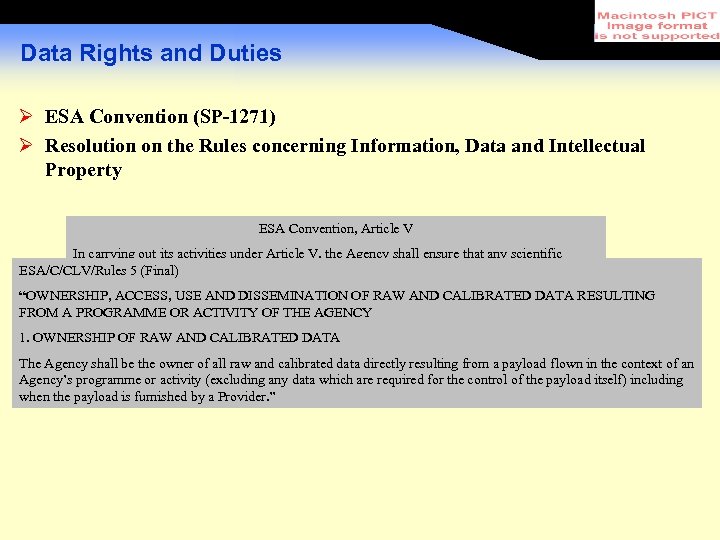 Data Rights and Duties Ø ESA Convention (SP-1271) Ø Resolution on the Rules concerning Information, Data and Intellectual Property ESA Convention, Article V In carrying out its activities under Article V, the Agency shall ensure that any scientific ESA/C/CLV/Rules 5 (Final) results shall be published or otherwise made widely available after prior use by the scientists responsible for the experiments. The resulting reduced data shall be the property of the “OWNERSHIP, ACCESS, USE AND DISSEMINATION OF RAW AND CALIBRATED DATA RESULTING Agency. FROM A PROGRAMME OR ACTIVITY OF THE AGENCY 1. OWNERSHIP OF RAW AND CALIBRATED DATA The Agency shall be the owner of all raw and calibrated data directly resulting from a payload flown in the context of an Agency’s programme or activity (excluding any data which are required for the control of the payload itself) including when the payload is furnished by a Provider. ”
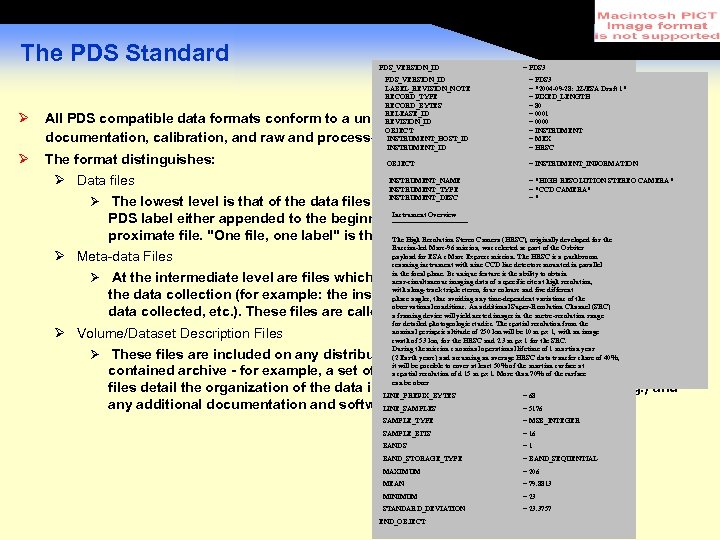 The PDS Standard PDS_VERSION_ID = PDS 3 /* PDS_VERSION_ID FILE DATA ELEMENTS */ LABEL_REVISION_NOTE RECORD_TYPE RECORD_BYTES RELEASE_ID FILE_RECORDS REVISION_ID OBJECT LABEL_RECORDS INSTRUMENT_HOST_ID /* POINTERS TO DATA OBJECTS */ INSTRUMENT_ID ^IMAGE_HEADER OBJECT ^IMAGE = PDS 3 = "2004 -09 -28: JZ/ESA Draft 1" = FIXED_LENGTH = 80 = 10420 = 0001 = 60291 = 0000 = = 2 INSTRUMENT = MEX = HRSC =3 = INSTRUMENT_INFORMATION =4 Ø All PDS compatible data formats conform to a unified standard format incorporating documentation, calibration, and raw and processed data files. Ø The format distinguishes: INSTRUMENT_NAME = "HIGH RESOLUTION STEREO CAMERA" /* IDENTIFICATION DATA ELEMENTS */ Ø Data files INSTRUMENT_TYPE = "CCD CAMERA" FILE_NAME = "H 0887_0000_ND 2. IMG" INSTRUMENT_DESC =" Ø The lowest level is that of the data files themselves. At this level each file will have a DATA_SET_ID = "MEX-M-HRSC-3 -RDR-V 2. 0" Instrument Overview DETECTOR_ID MEX_HRSC_NADIR PDS label either appended to the beginning of the file or, more=often, in a separate but ========== … proximate file. "One file, one label" is the. PROCESSING_LEVEL_ID Camera (HRSC), 2 originally developed for the general rule. The High Resolution Stereo = Russian-led Mars-96 mission, was selected as part of the Orbiter payload for RELEASE_ID ESA s Mars Express mission. The 0012 is a pushbroom = HRSC Ø Meta-data Files scanning instrument with nine CCD line detectors mounted in parallel REVISION_ID = 0000 in the focal plane. Its unique feature is the ability to obtain Ø At the intermediate level are files which describe the circumstancesresolution, parameters of near-simultaneous imaging data of a specific site at high and /* TIME DATA ELEMENTS */ with along-track triple SPACECRAFT_CLOCK_START_COUNT = "1/0044420119. 56188" the data collection (for example: the instrument used, stereo, fourobservatory the colours and five different phase angles, thus avoiding any time-dependent variations of site, the type of observational conditions. An additional SPACECRAFT_CLOCK_STOP_COUNT Super-Resolution Channel (SRC) = data collected, etc. ). These files are called "catalogwill yield nested images in the"1/0044420414. 62539" a framing device objects" or just "catalog" files. metre-resolution range START_TIME = 2004 -09 -28 T 02: 56: 14. 637 Z for detailed photogeologic studies. The spatial resolution from the nominal 10 m px 1, with an image STOP_TIMEperiapsis altitude of 250 km will be = 2004 -09 -28 T 02: 59: 53. 654 Z Ø Volume/Dataset Description Files swath of 53 km, for the HRSC and 2. 3 m px 1 for the SRC. … During the mission s nominal operational lifetime of 1 martian year Ø These files are included on any distribution. Earth years) and assuming an average HRSC data transfer share of 40%, selfto be (2 medium intended = IMAGE an entire, OBJECT it will be possible to cover at least 50% of the martian surface at INTERCHANGE_FORMAT file. The volume = contained archive - for example, a set of DVDs resolution ZIP m px 1. More than BINARY surfacedescription a spatial or a of d 15 70% of the can LINES be obser = 60288 files detail the organization of the data in LINE_PREFIX_BYTES (in terms = 68 directories, e. g. ) and the archive of any additional documentation and software which might be included. LINE_SAMPLES = 5176 SAMPLE_TYPE = MSB_INTEGER SAMPLE_BITS = 16 BANDS =1 BAND_STORAGE_TYPE = BAND_SEQUENTIAL MAXIMUM = 206 MEAN = 79. 8813 MINIMUM = 23 STANDARD_DEVIATION = 23. 3757 END_OBJECT
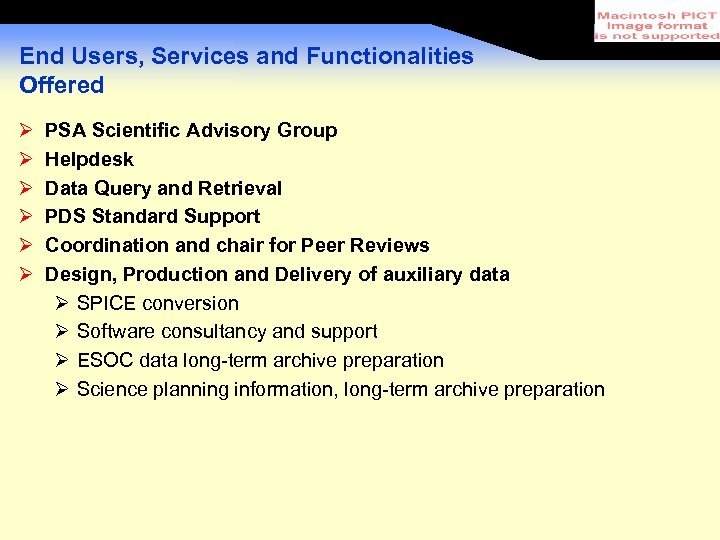 End Users, Services and Functionalities Offered Ø Ø Ø PSA Scientific Advisory Group Helpdesk Data Query and Retrieval PDS Standard Support Coordination and chair for Peer Reviews Design, Production and Delivery of auxiliary data Ø SPICE conversion Ø Software consultancy and support Ø ESOC data long-term archive preparation Ø Science planning information, long-term archive preparation
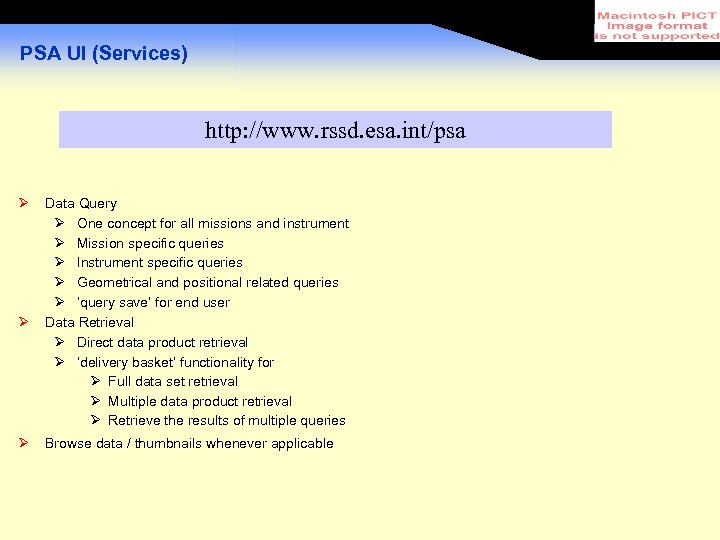 PSA UI (Services) http: //www. rssd. esa. int/psa Ø Ø Ø Data Query Ø One concept for all missions and instrument Ø Mission specific queries Ø Instrument specific queries Ø Geometrical and positional related queries Ø ‘query save’ for end user Data Retrieval Ø Direct data product retrieval Ø ‘delivery basket’ functionality for Ø Full data set retrieval Ø Multiple data product retrieval Ø Retrieve the results of multiple queries Browse data / thumbnails whenever applicable
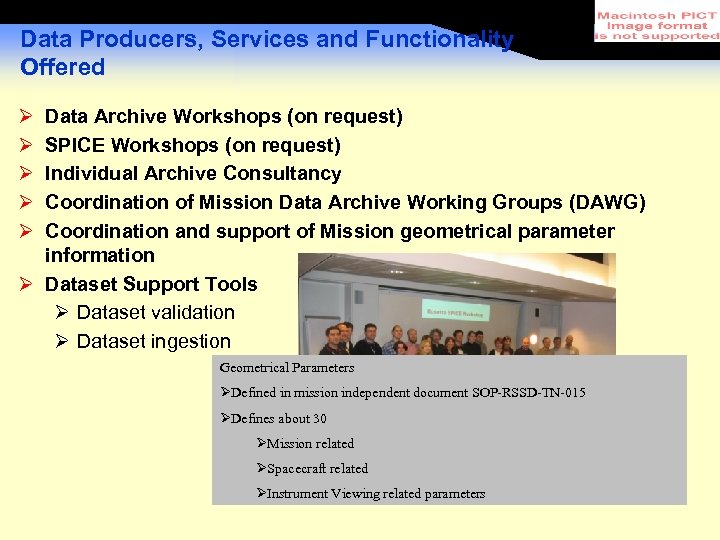 Data Producers, Services and Functionality Offered Ø Ø Ø Data Archive Workshops (on request) SPICE Workshops (on request) Individual Archive Consultancy Coordination of Mission Data Archive Working Groups (DAWG) Coordination and support of Mission geometrical parameter information Ø Dataset Support Tools Ø Dataset validation Ø Dataset ingestion Geometrical Parameters ØDefined in mission independent document SOP-RSSD-TN-015 ØDefines about 30 ØMission related ØSpacecraft related ØInstrument Viewing related parameters
 PSA Data Producer Service We offer a PSA Volume Verification Tool (PVV) Data producer • Can verify the structure of the whole data set • Can verify the content of the ODL language • Can verify the references, catalogue structure, etc Database • Can easily ingest data sets (expected to be less a working day) PVV includes Semi-automatic update of the tool Direct connection to the PSA database (network based) • Always the latest dictionary Support of former dictionary versions
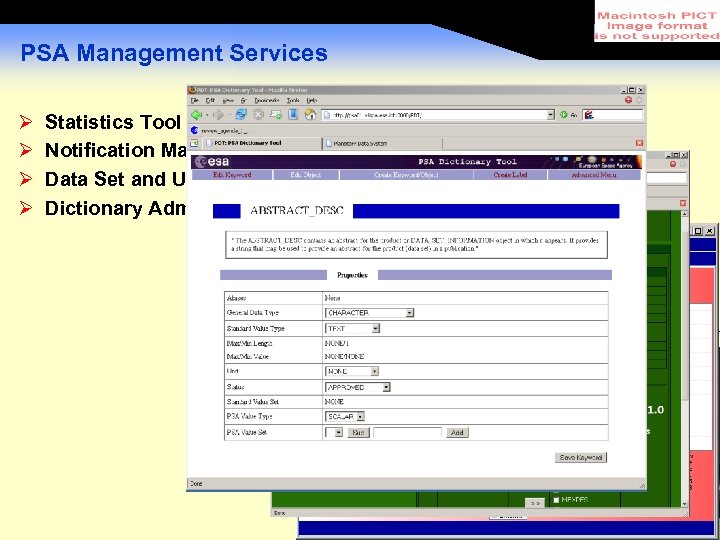 PSA Management Services Ø Ø Statistics Tool (PST) Notification Management Data Set and User Administration (PAT) Dictionary Administration (PDT)
 Current Status, Available Datasets Ø Ø Ø Ø Ø GIOTTO data from comet Halley and Gripp-Skellerup Comet Halley ground-based observations (Halley-Watch) Comet Wirtanen ground-based observations Mars Express instrument and auxiliary data Huygens instrument and housekeeping data Smart-1 instrument and auxiliary data, first data available soon Rosetta instrument and auxiliary data, planned for autumn 2007 Venus Express, first data release planned for autumn 2007 Bepi. Colombo data handling and archive support
 Open Issues Ø Incomplete deliveries to the scientific community as calibrated data deliveries are not available in time by some experimenter teams on the on-going planetary missions Ø Mars Express Independent Review clearly indicated Ø the need to distribute calibrated data Ø the need to distribute basic visualizing software Ø Insufficient resources within some of the experimenter teams Ø Parallel activities in member states Ø Involvement in PDS-Standard Evolution not clear
 Lesson’s Learned Post-mission archival requires a tremendous effort, sometimes impossible to achieve the final product Consistency between data sets is very difficult Discussions on keyword definitions are endless Discussion with dictionary entity are lengthy Discussions with team members to use the same keywords and values need quite some time, e. g. what is the TARGET_TYPE/NAME of a spacecraft environmental sensor? Can different mapping instruments on the same s/c use the same geometrical information? Database engineering (ORACLE, SYBASE) is very cost intensive Allegedly it is ‘really easy’ to connect two databases Evidently it is also extremely expensive! Most/some data producers are not funded adequately for the job they have to do!
 Lessons learned • Post-mission archival effort is a tremendous job, sometimes impossible to achieve the final product • Consistency between data sets is very difficult • Database engineering (ORACLE, SYBASE) is very cost intensive • Most/some data producers are not funded adequately for the job they have to do! Centralize database as early and as much as possible. Provide better tools for the data producer. Provide better tools for the end user (engineer, scientist). Give any available budget to the data producer. … and do not spend most of the budget on database activities …
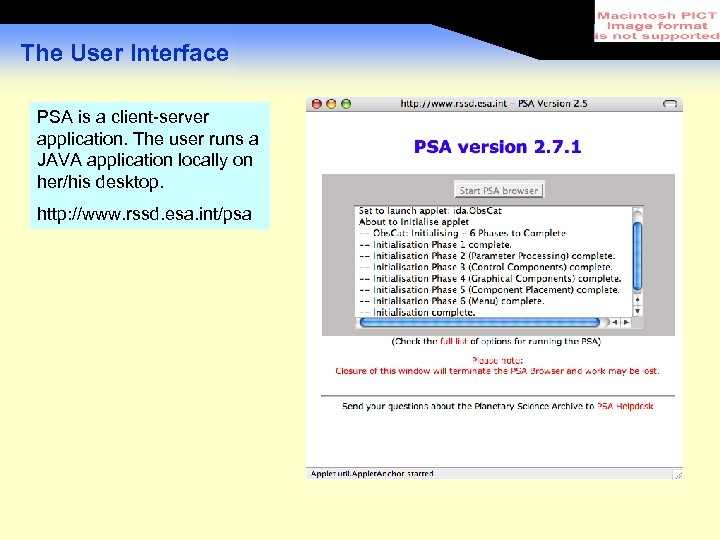 The User Interface PSA is a client-server application. The user runs a JAVA application locally on her/his desktop. http: //www. rssd. esa. int/psa
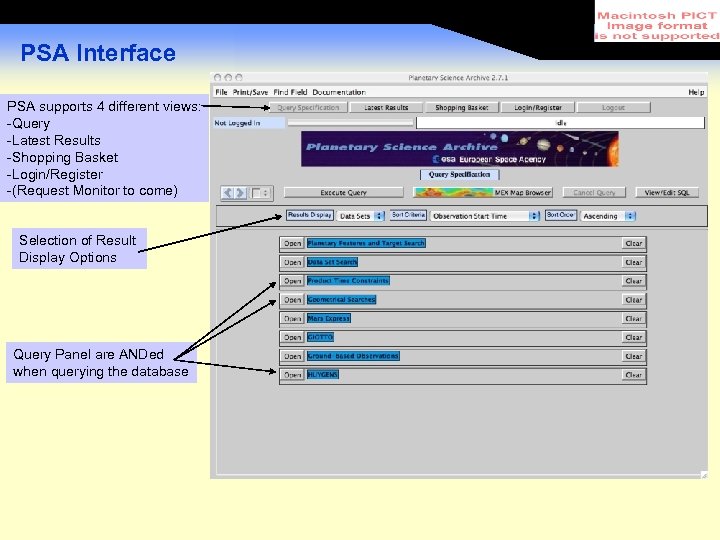 PSA Interface PSA supports 4 different views: -Query -Latest Results -Shopping Basket -Login/Register -(Request Monitor to come) Selection of Result Display Options Query Panel are ANDed when querying the database
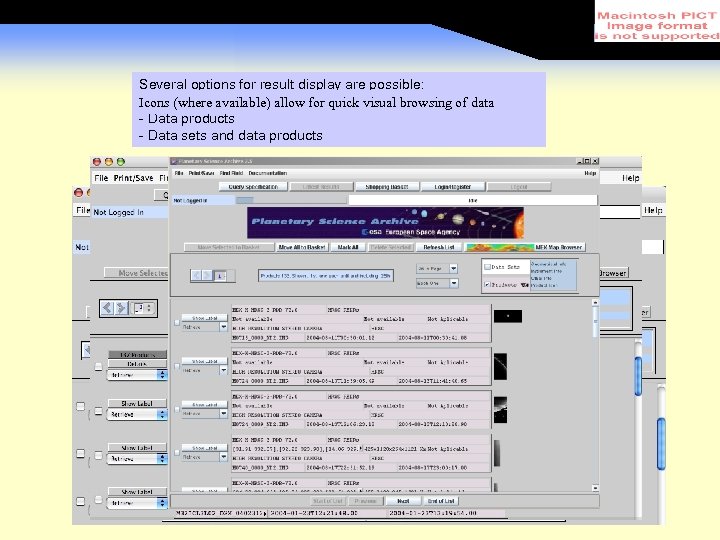 Several options for result display are possible: - Data sets available) allow for quick visual browsing of data Icons (where - Data products - Data sets and data products
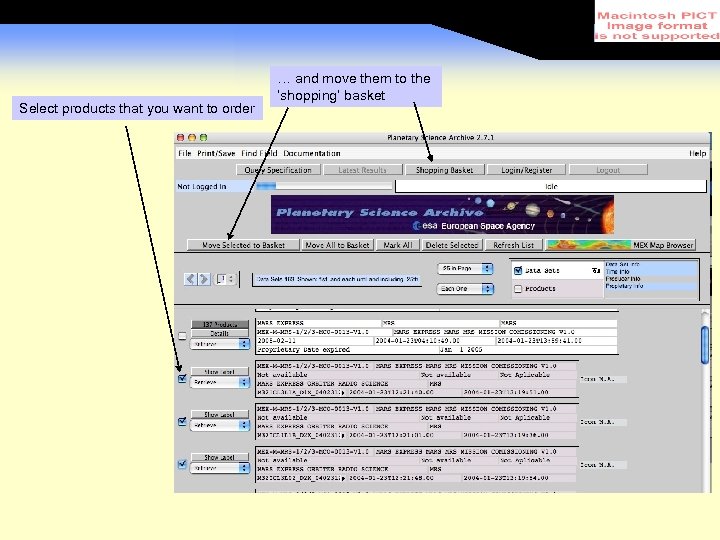 Select products that you want to order … and move them to the ‘shopping’ basket … check your shopping basket
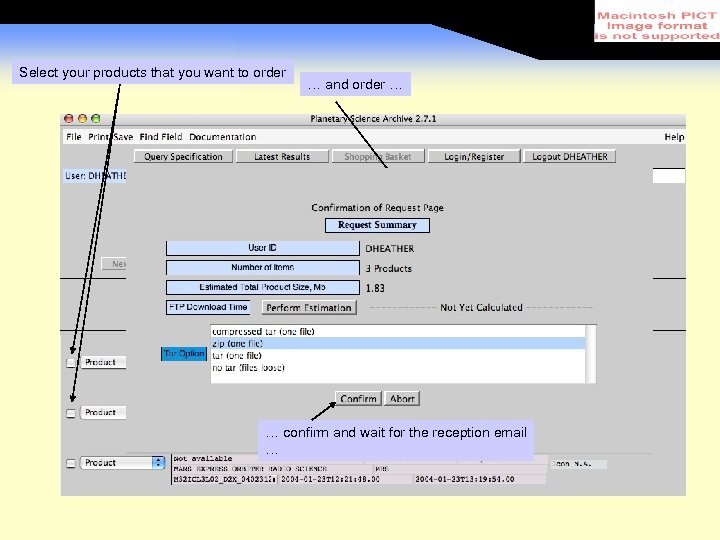 Select your products that you want to order … and order … … confirm and wait for the reception email …
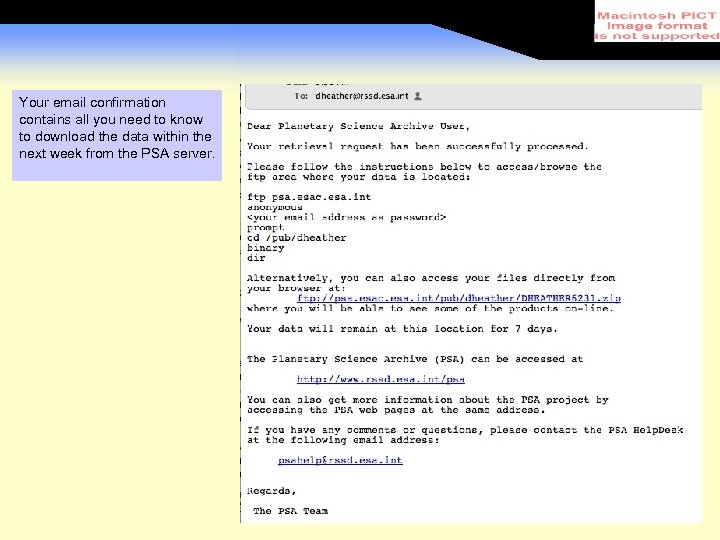 Your email confirmation contains all you need to know to download the data within the next week from the PSA server.
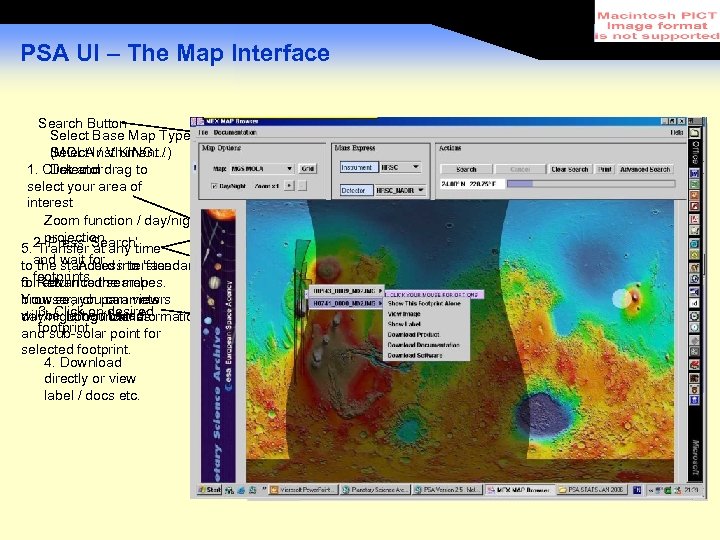 PSA UI – The Map Interface Search Button Select Base Map Type (MOLAInstrument / Select / VIKING…) Detector 1. Click and drag to select your area of interest Zoom function / day/night projection 5. 2. Press ‘Search’ Transfer at any time toand wait for interface the standard to ‘standard’ UI Access footprints the map for. Return to searches. 6. advanced Your search parameters browser, you can view will 3. Clickboundaries be remembered. day/night on/ desired Long Lat information footprint and sub-solar point for selected footprint. 4. Download directly or view label / docs etc.
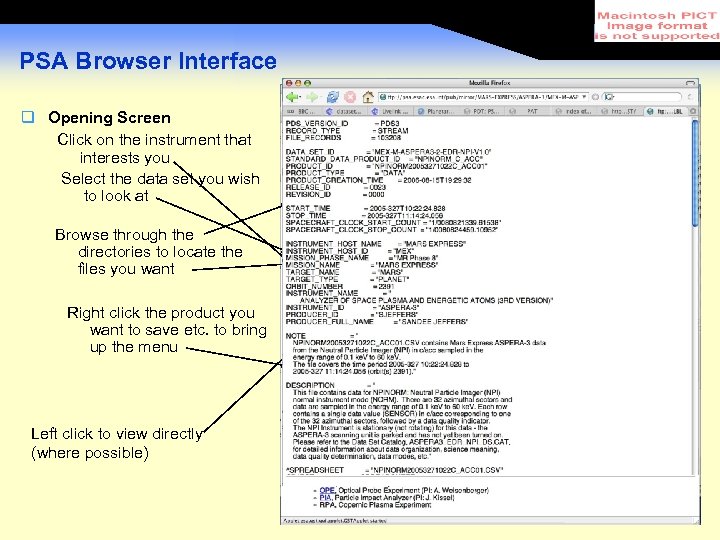 PSA Browser Interface Opening Screen Click on the instrument that interests you Select the data set you wish to look at Browse through the directories to locate the files you want Right click the product you want to save etc. to bring up the menu Left click to view directly (where possible)