 Скачать презентацию PLANET WLS-1280 Wireless LAN Switch The Enterprise Subscriber
d459283579162e79a0e4ff4e2c623f39.ppt
- Количество слайдов: 22



PLANET WLS-1280 Wireless LAN Switch The Enterprise Subscriber Gateway 2006. 10. 19
Presentation Outline l Why WLS-1280 l Product Overview l Product Features l Architecture Diagram l Web UI l Product Comparison 2
Wireless Network in Enterprise -1/2 l The current choice for enterprise personal computer l l l The new trend for office workers is turn to Notebook rather than Desktop PC just because of its mobility and the affordable cost And Wireless interface such as Centrio, is now the standard specification for any notebook -> The Enterprise need Wi. Fi network However, let’s see how the wireless network is built in the enterprise l Install: Wherever need a AP, just connect one there and wire to the switch l Management: Manage the AP one by one 3
Wireless Network in Enterprise -2/2 l The drawback l Hardware l l Maintain l l How to get the optimal location and power for the Access Point at the same time The manager install the AP one by one, yet manage the AP one by one Security l All the user packets in the air, the enterprise employees, guests, or hackers l WEP or WPA will be the only security l MAC filtering may help but hard to maintain 4
Intranet Access in the Enterprise -1/2 l User management for a middle-size enterprise l l The enterprise may have the own domain and user management system or may not Resources l The enterprise shall have the public resources, such as ERP, Database, File server, wired or wireless 5
Intranet Access in the Enterprise -2/2 l The situation l l l Manager need to maintain the user systems, employee, guest, but not for hackers through wireless Since hackers could coming in through wireless LAN, there is security issues to have the Wireless AP in the enterprise The solution WLS-1280 l Wireless LAN Switch l AAA for all the users l AP Managed l Secured accesses for all users to the Intranet / Internet 6
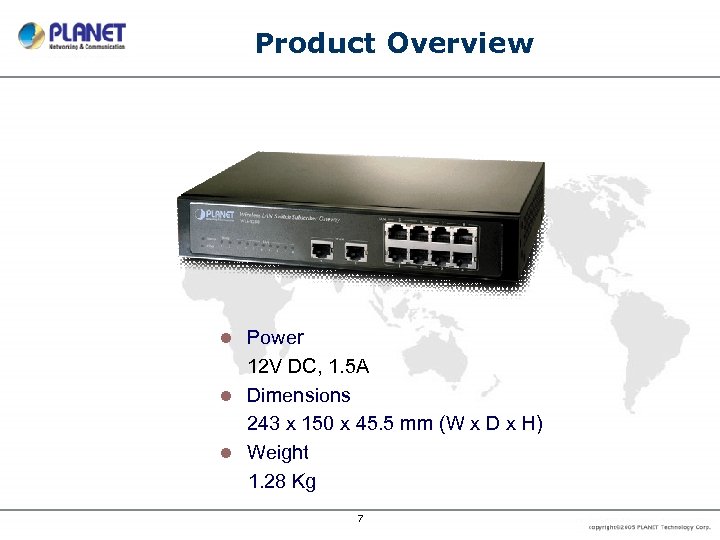
Product Overview Power 12 V DC, 1. 5 A l Dimensions 243 x 150 x 45. 5 mm (W x D x H) l Weight 1. 28 Kg l 7
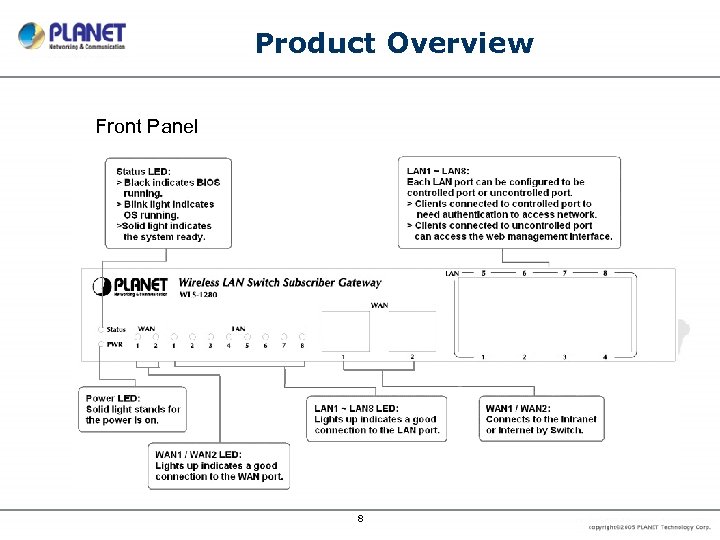
Product Overview Front Panel 8
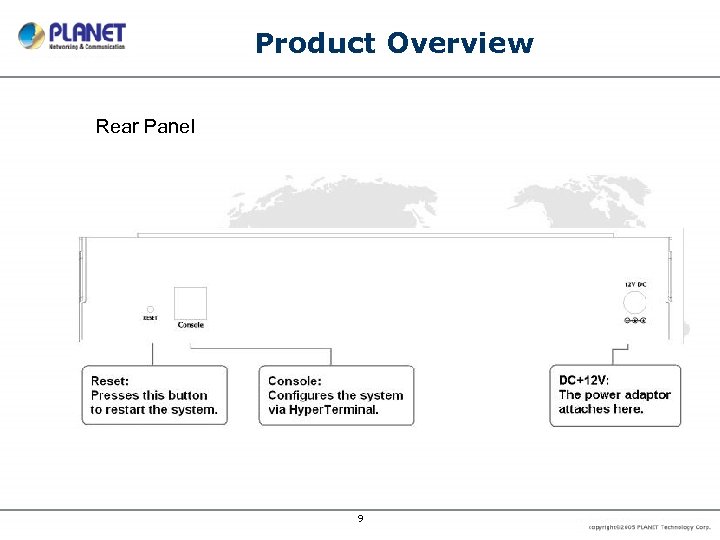
Product Overview Rear Panel 9
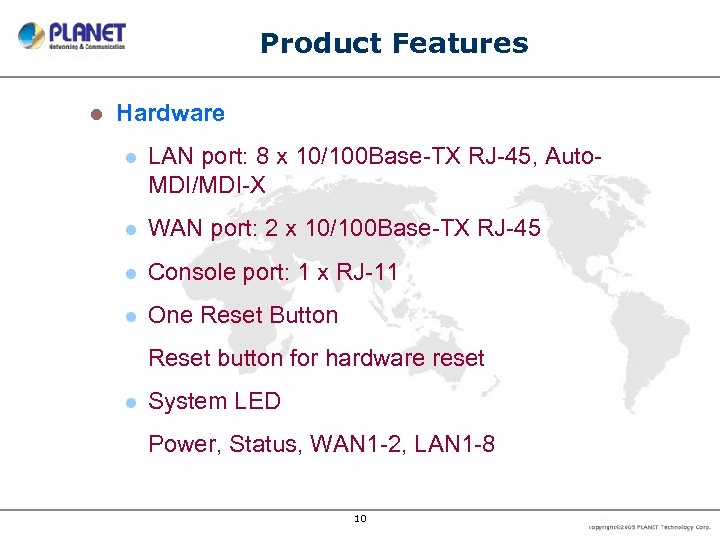
Product Features l Hardware l LAN port: 8 x 10/100 Base-TX RJ-45, Auto. MDI/MDI-X l WAN port: 2 x 10/100 Base-TX RJ-45 l Console port: 1 x RJ-11 l One Reset Button Reset button for hardware reset l System LED Power, Status, WAN 1 -2, LAN 1 -8 10
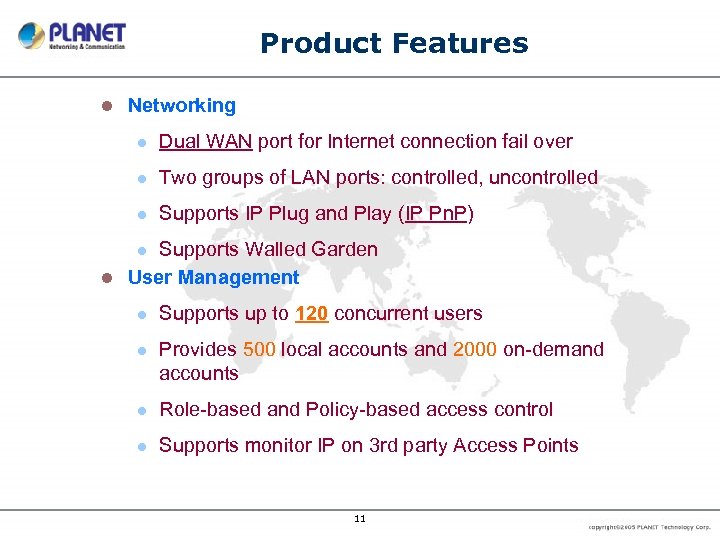
Product Features l Networking l Dual WAN port for Internet connection fail over l Two groups of LAN ports: controlled, uncontrolled l Supports IP Plug and Play (IP Pn. P) Supports Walled Garden l User Management l l Supports up to 120 concurrent users l Provides 500 local accounts and 2000 on-demand accounts l Role-based and Policy-based access control l Supports monitor IP on 3 rd party Access Points 11
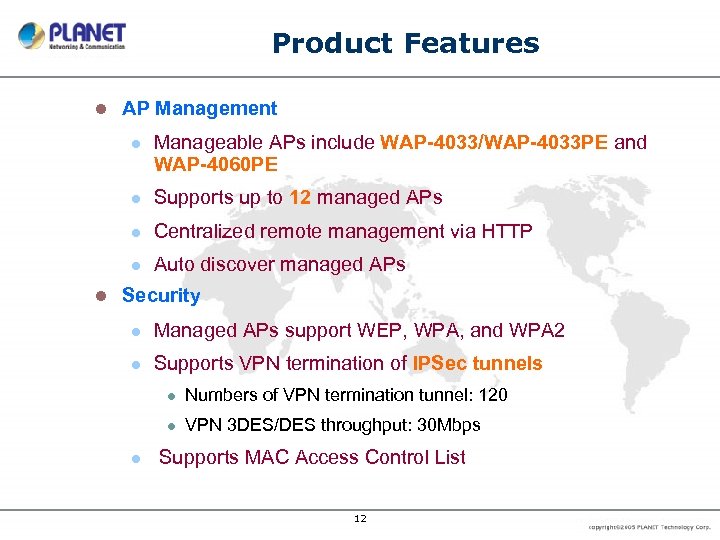
Product Features l AP Management l l Supports up to 12 managed APs l Centralized remote management via HTTP l l Manageable APs include WAP-4033/WAP-4033 PE and WAP-4060 PE Auto discover managed APs Security l Managed APs support WEP, WPA, and WPA 2 l Supports VPN termination of IPSec tunnels l l l Numbers of VPN termination tunnel: 120 VPN 3 DES/DES throughput: 30 Mbps Supports MAC Access Control List 12
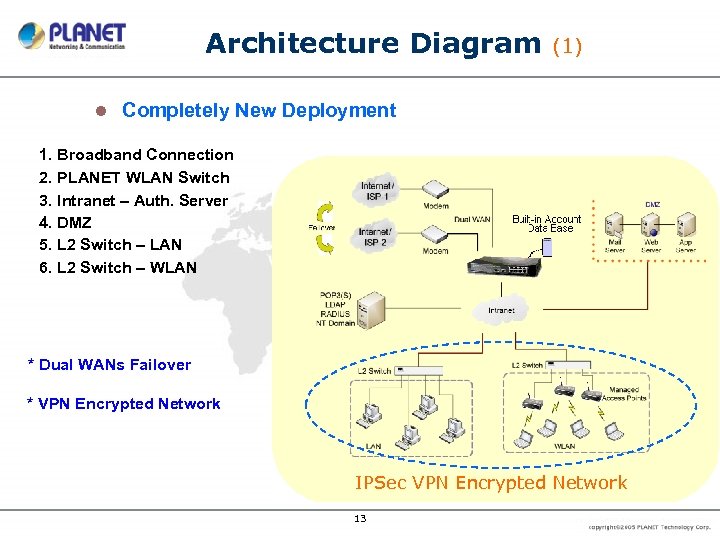
Architecture Diagram l (1) Completely New Deployment 1. Broadband Connection 2. PLANET WLAN Switch 3. Intranet – Auth. Server 4. DMZ 5. L 2 Switch – LAN 6. L 2 Switch – WLAN * Dual WANs Failover * VPN Encrypted Network IPSec VPN Encrypted Network 13
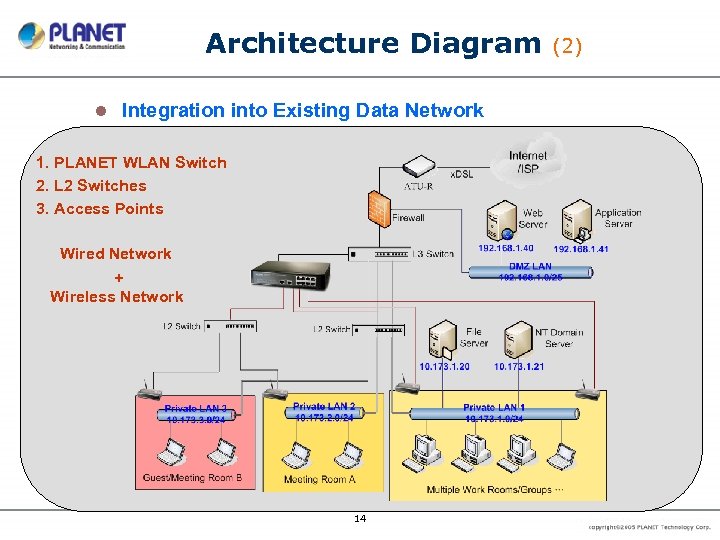
Architecture Diagram l Integration into Existing Data Network 1. PLANET WLAN Switch 2. L 2 Switches 3. Access Points Wired Network + Wireless Network 14 (2)
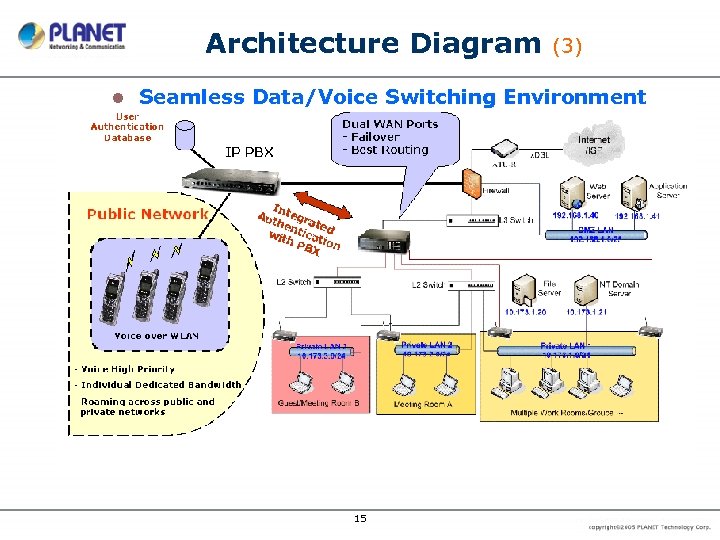
Architecture Diagram l (3) Seamless Data/Voice Switching Environment 15
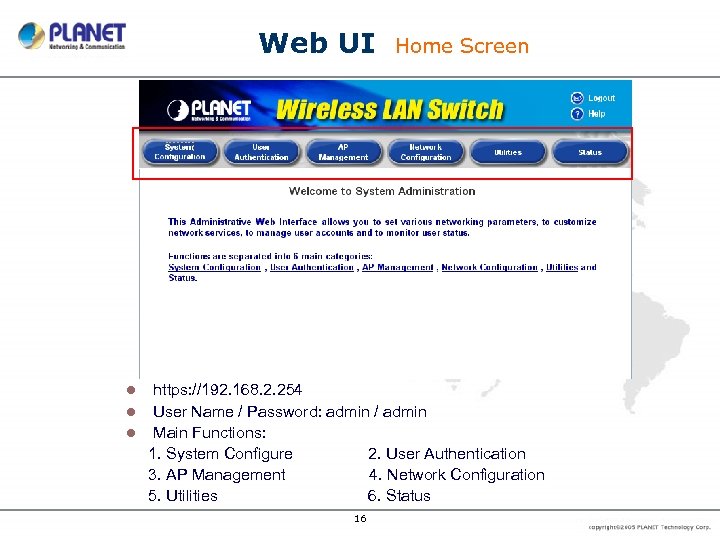
Web UI Home Screen https: //192. 168. 2. 254 l User Name / Password: admin / admin l Main Functions: 1. System Configure 2. User Authentication 3. AP Management 4. Network Configuration 5. Utilities 6. Status l 16
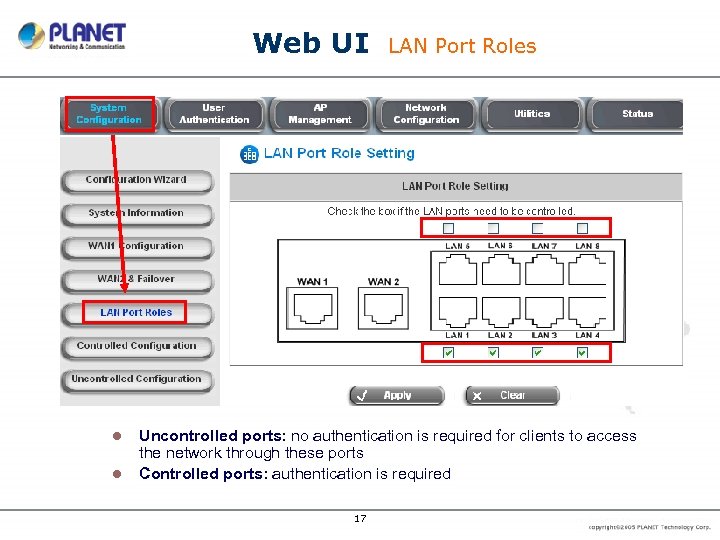
Web UI l l LAN Port Roles Uncontrolled ports: no authentication is required for clients to access the network through these ports Controlled ports: authentication is required 17
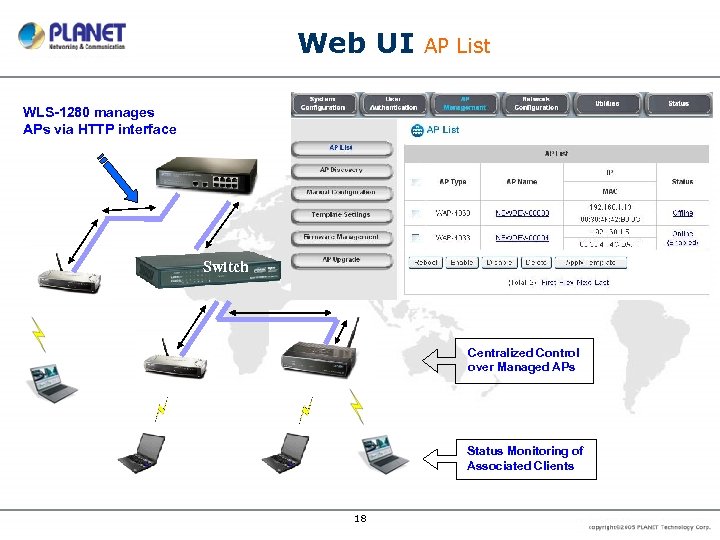
Web UI AP List WLS-1280 manages APs via HTTP interface Switch Centralized Control over Managed APs Status Monitoring of Associated Clients 18
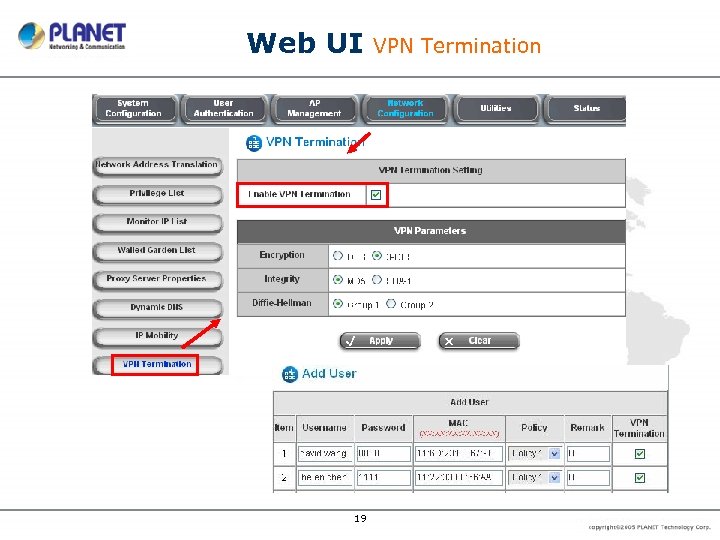
Web UI 19 VPN Termination
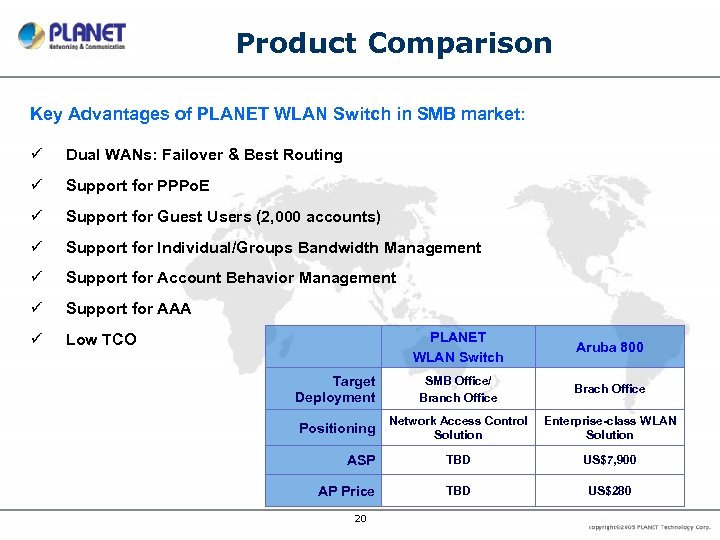
Product Comparison Key Advantages of PLANET WLAN Switch in SMB market: ü Dual WANs: Failover & Best Routing ü Support for PPPo. E ü Support for Guest Users (2, 000 accounts) ü Support for Individual/Groups Bandwidth Management ü Support for Account Behavior Management ü Support for AAA ü Low TCO PLANET WLAN Switch Aruba 800 Target Deployment SMB Office/ Branch Office Brach Office Positioning Network Access Control Solution Enterprise-class WLAN Solution ASP TBD US$7, 900 AP Price TBD US$280 20
Pioneer of IP Innovation
Appendix l Target customers l l l SI for small to middle size corporation / enterprise Enterprise with multiple branches worldwide, with one account roaming toward branches Aimed Markets l 100 ~ 150 users Enterprise l l Provide Users Internet Access Control, Intranet Access Control (AAA) Provide Wireless Access environment, Wireless LAN AP Control 22
Скачать презентацию PLANET WLS-1280 Wireless LAN Switch The Enterprise Subscriber
d459283579162e79a0e4ff4e2c623f39.ppt