


 Скачать презентацию PISA Workshop Wireless LAN Security Live Demo Presented
4ca284eaf9eb95e37be00af3e38cc18b.ppt
- Количество слайдов: 80
 PISA Workshop Wireless LAN Security Live Demo Presented by PISA members Mr. Alan Tam CISSP, CCSI, ICI Mr. Jim Shek CISSP, CISA Mr. Young, Wo Sang CISSP, CISA Mr. Marco Ho 27 July 2002 Supporting Organizations
 Table of Content 1. WLAN War Driving in Hong Kong Ø 2. WLAN Terms and Security Risks Ø 3. Young, Wo Sang Demo IV: Protection from Illegal Access with silent SSID Ø 8. Marco Ho WLAN Protection Strategy Ø 7. Alan Tam Demo III: Protection from Sniffing by VPN Encryption Ø 6. Jim Shek Demo II: WEP Weakness and Cracking Ø 5. Young, Wo Sang Demo I: Home made antenna, so easy! Ø 4. Jim Shek Marco Ho, Alan Tam The Powerful WLAN Tool: Kismet Ø Alan Tam
 1
1
 Wireless LAN Security Live Demo War Driving in Hong Kong Jim Shek
 What is War Driving? The concept of "war driving" is simple: You need a device capable of receiving an 802. 11 b signal, a device capable of moving around, and software that will log data from the second when a network is detected by the first. You then move these devices from place to place, letting them do their job. Over time, you build up a database comprised of the network name, signal strength, location, and ip/namespace in use.
 War Driving in Hong Kong • Background: • Date : • Time : • Weather: Jul 07, 2002 11: 35 am – 1: 40 pm Isolated Showers
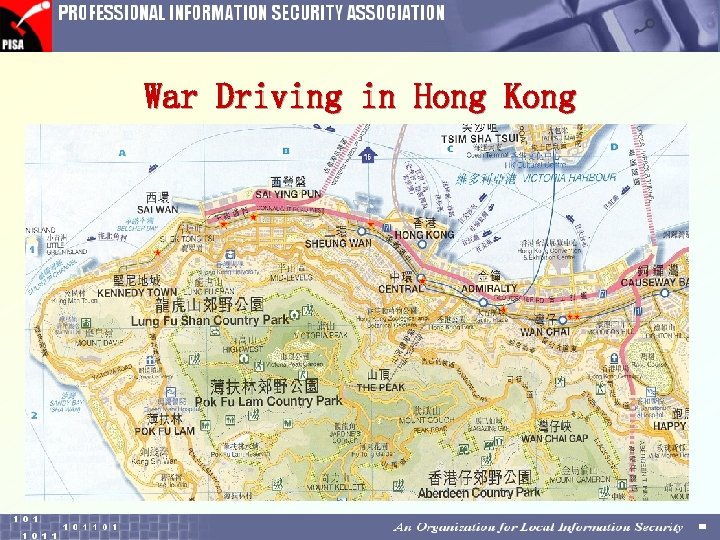
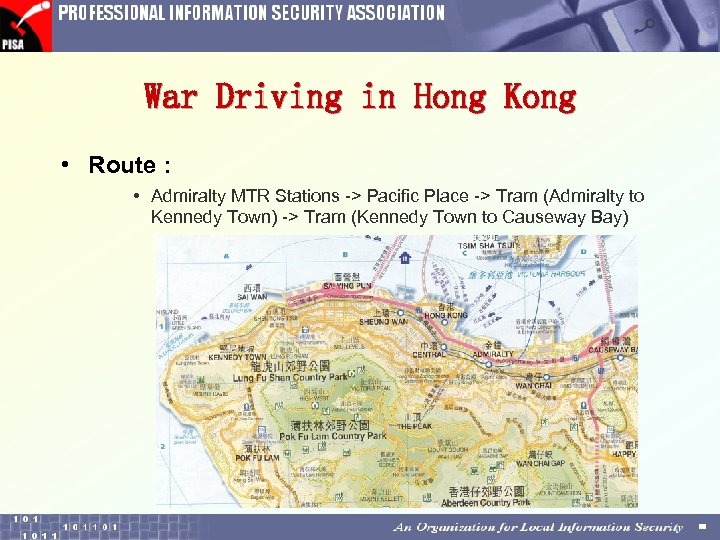 War Driving in Hong Kong • Route : • Admiralty MTR Stations -> Pacific Place -> Tram (Admiralty to Kennedy Town) -> Tram (Kennedy Town to Causeway Bay)
 War Driving in Hong Kong • Equipments: – Notebook + Avaya Gold Wireless LAN card + Windows XP + Net. Stumbler – Notebook + Avaya Gold Wireless LAN card + Antenna + Windows 2000 + Net. Stumbler • Notes : – The Scan Speed of Net. Stumbler was changed to Fastest. • Participants : – PISA
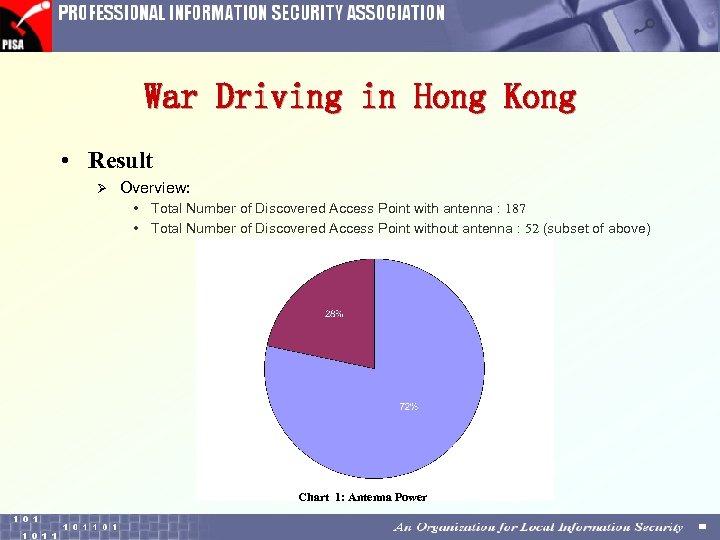 War Driving in Hong Kong • Result Ø Overview: • Total Number of Discovered Access Point with antenna : 187 • Total Number of Discovered Access Point without antenna : 52 (subset of above) Chart 1: Antenna Power
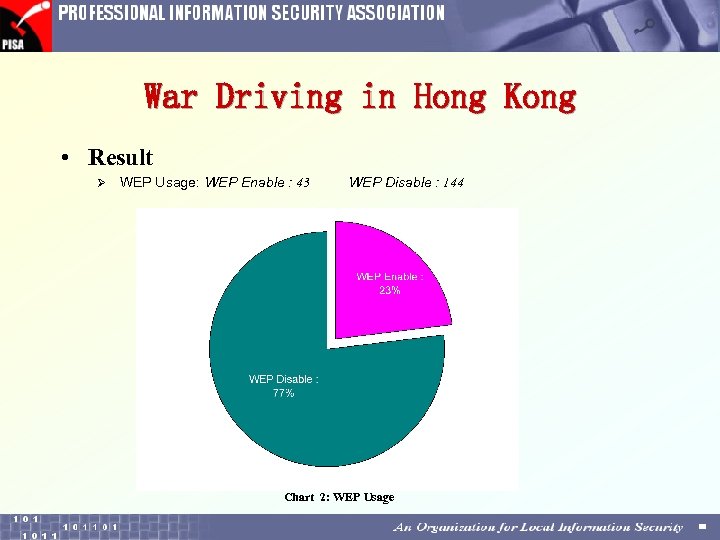 War Driving in Hong Kong • Result Ø WEP Usage: WEP Enable : 43 WEP Disable : 144 Chart 2: WEP Usage
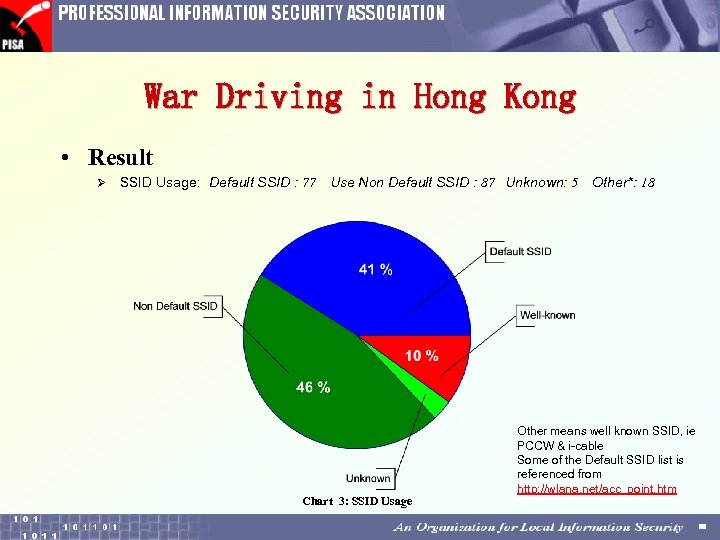 War Driving in Hong Kong • Result Ø SSID Usage: Default SSID : 77 Use Non Default SSID : 87 Unknown: 5 Chart 3: SSID Usage Other*: 18 Other means well known SSID, ie PCCW & i-cable Some of the Default SSID list is referenced from http: //wlana. net/acc_point. htm
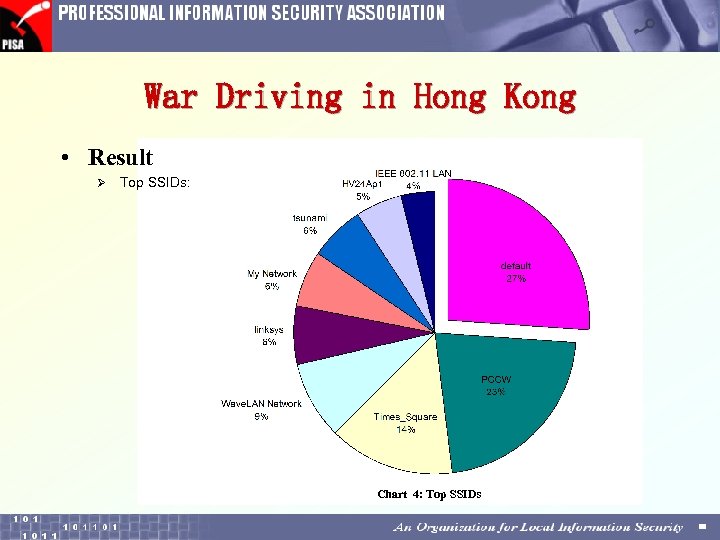 War Driving in Hong Kong • Result Ø Top SSIDs: Chart 4: Top SSIDs
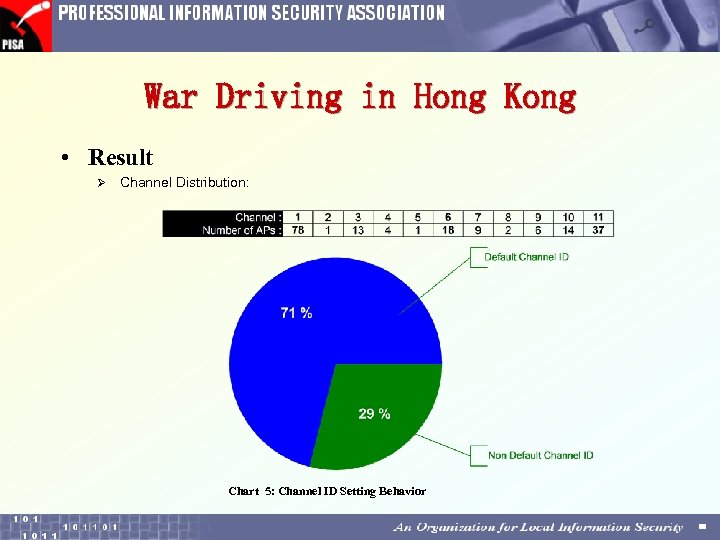 War Driving in Hong Kong • Result Ø Channel Distribution: Chart 5: Channel ID Setting Behavior
 War Driving in Hong Kong • Interesting Observations ð Building-to-Building WLAN • We discovered the signals of two APs with the same SSID name are very strong. These two APs are appeared in the list for 3 minutes while the tram is moving.
 War Driving in Hong Kong • Interesting Observations ð When the tram was stopped … • When the tram was stopped, the APs are easier to discover. One of the reasons are having longer time for the software to poll within the effective range. It is particular true when we using the machine without using the antenna.
 War Driving in Hong Kong • Interesting Observations Ø The Accessibility of APs • Some APs were accessible when the tram was stopped. We come across some place that with the APs ready for us to connect into it. Below is the snapshot.
 War Driving in Hong Kong • 堅城中心 • 中銀保險 創業商場 環球大廈 西區警局 警察總站 上環 MTR 大有商場 世界書局 英皇中心 298
 War Driving in Hong Kong • Another Discovery in Taikoo Place Ø Background: • Date : Jul 05, 2002 • Time : 03: 00 pm – 3: 20 pm • Route : Within Taikoo Place • Equipment: – Notebook + Avaya Gold Wireless LAN card + Antenna + Windows 2000 + Net. Stumbler • Notes : – The Scan Speed of Net. Stumbler was default (ie medium) • Participants : – PISA
 War Driving in Hong Kong • Another Discovery in Taikoo Place Ø Overview: • Total No. of Discovered Access Point with antenna : 30 Ø WEP Usage: • WEP Enable : 7 (23%) WEP Disable : 23 (77%) Ø SSID Usage: • Default SSID : 8 Non Default SSID : 14 • Unknown: 2 Other*: 6 (Problem SSID: 47%) Ø Channel Distribution: (Default Channel: 80%)
 2
2
 Wireless LAN Terms and Security Risks Young Wo Sang
 What is Wireless LAN? • • • It is a LAN Extension of Wired LAN Use High Frequency Radio Wave (RF) Speed : 2 Mbps to 54 Mbps Distance 100 feet to 15 miles
 WLAN Terms & Basic Concept • 802. 11 Ø Ø IEEE family of specifications for WLANs 2. 4 GHz 2 Mbps • 802. 11 a Ø 5 GHz, 54 Mbps • 802. 11 b Ø Often called Wi-Fi, 2. 4 GHz, 11 Mbps • 802. 11 e Ø Qo. S & Multimedia support to 802. 11 b & 802. 11 a • 802. 11 g Ø 2. 4 GHz, 54 Mbps • 802. 11 i Ø An alternative of WEP • 802. 1 x Ø A method of authentication and security for all Ethernet-like protocols
 WLAN Terms & Basic Concept • Access Point (AP) Ø A device that serves as a communications "hub" for wireless clients and provides a connection to a wired LAN • Beacon Message transmitted at regular intervals by the APs Ø Used to maintain and optimize communications to automatically connect to the AP Ø
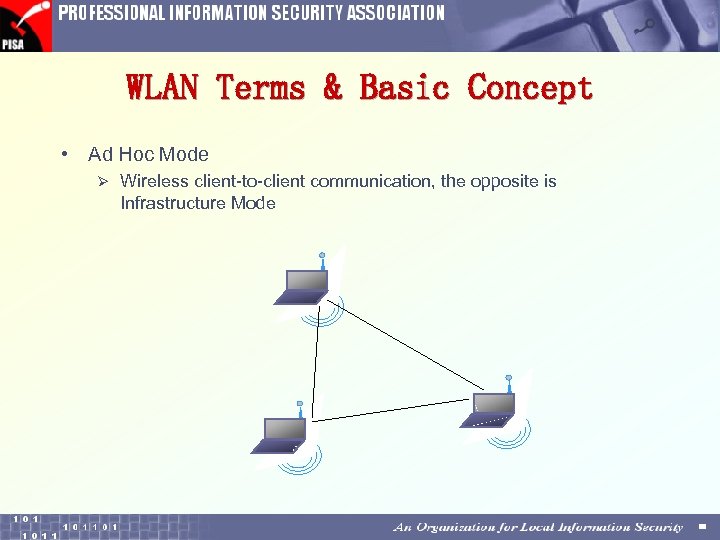 WLAN Terms & Basic Concept • Ad Hoc Mode Ø Wireless client-to-client communication, the opposite is Infrastructure Mode
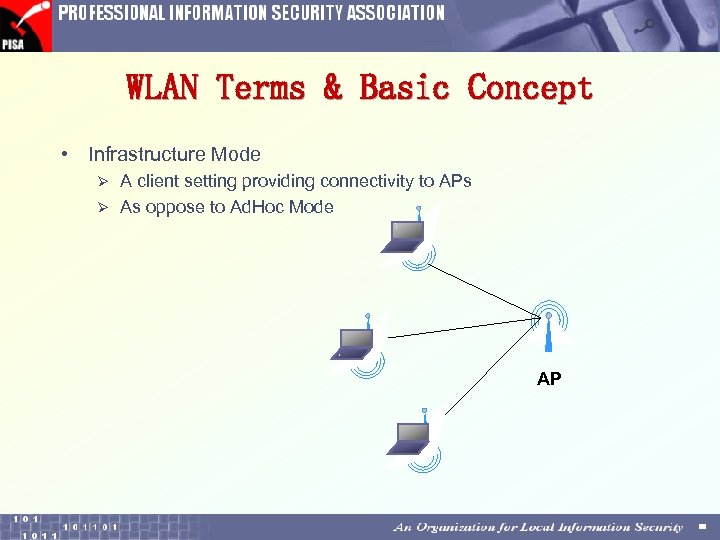 WLAN Terms & Basic Concept • Infrastructure Mode A client setting providing connectivity to APs Ø As oppose to Ad. Hoc Mode Ø AP
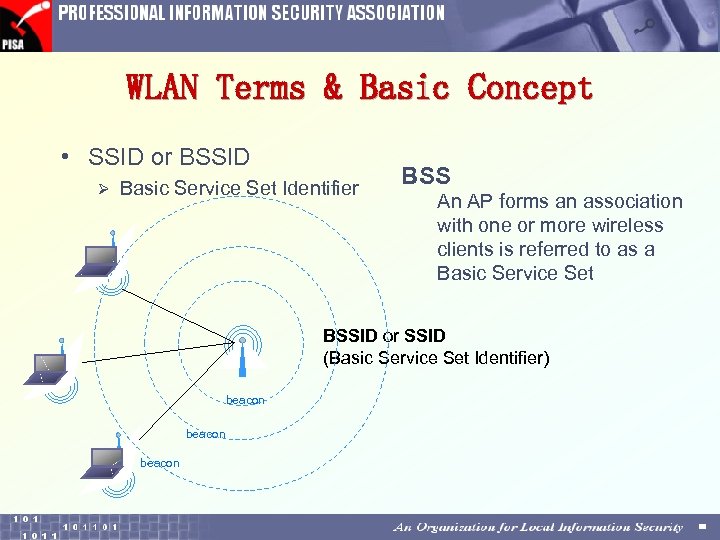 WLAN Terms & Basic Concept • SSID or BSSID Ø Basic Service Set Identifier BSS An AP forms an association with one or more wireless clients is referred to as a Basic Service Set BSSID or SSID (Basic Service Set Identifier) beacon
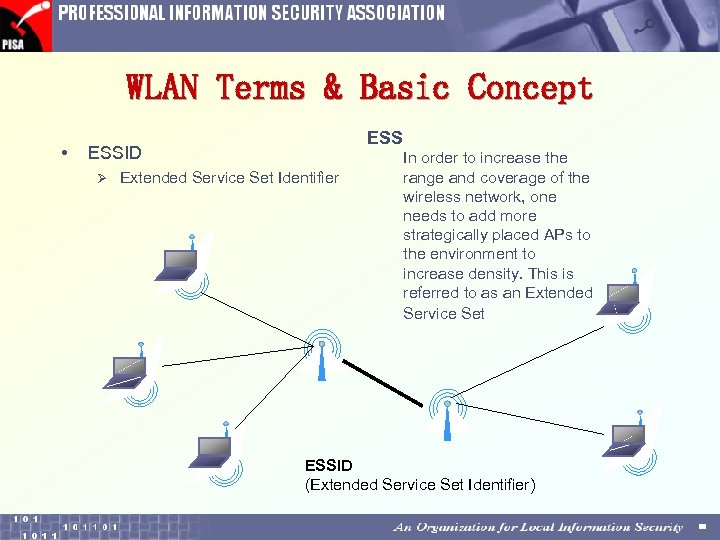 WLAN Terms & Basic Concept • ESSID Ø Extended Service Set Identifier In order to increase the range and coverage of the wireless network, one needs to add more strategically placed APs to the environment to increase density. This is referred to as an Extended Service Set ESSID (Extended Service Set Identifier)
 WLAN Terms & Basic Concept • WEP Ø optional cryptographic Ø confidentiality algorithm
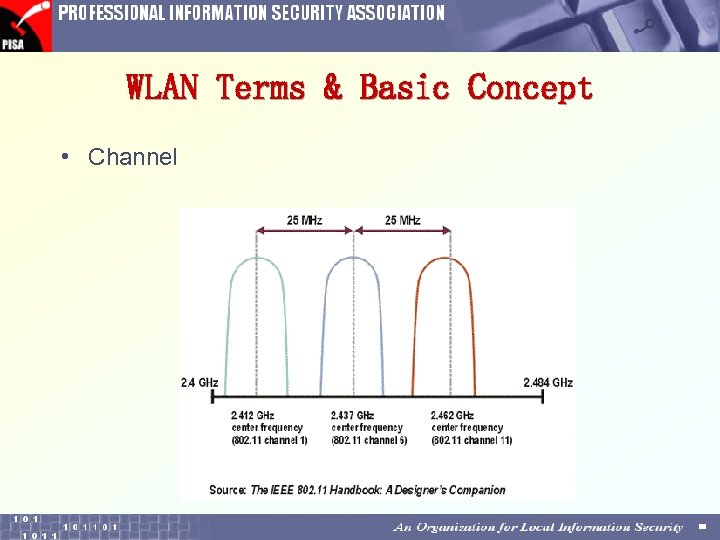 WLAN Terms & Basic Concept • Channel
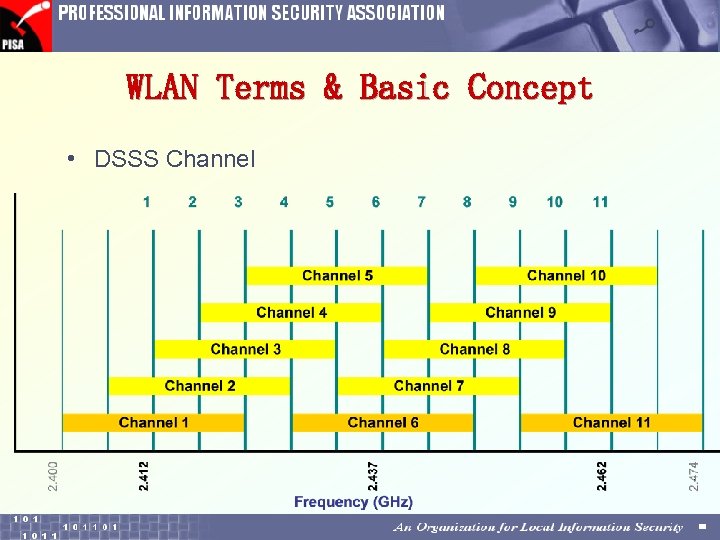 WLAN Terms & Basic Concept • DSSS Channel
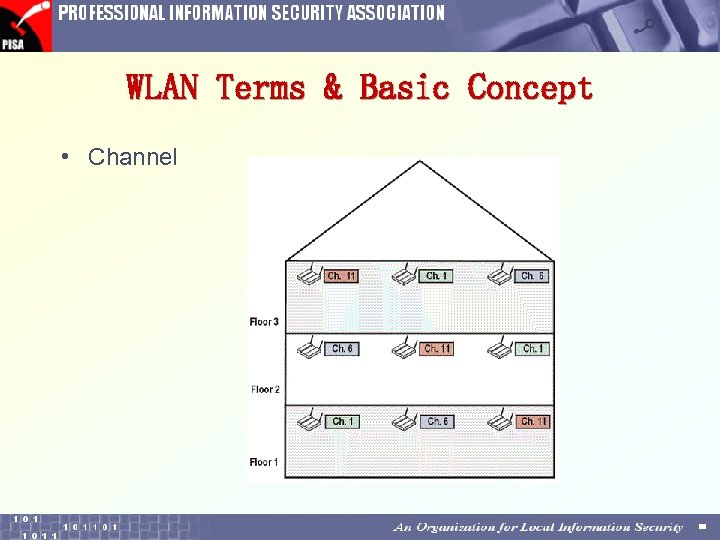 WLAN Terms & Basic Concept • Channel
 WLAN Terms & Basic Concept • DSSS Ø Direct Sequence Spread Spectrum, a RF carrier and pseudo-random pulse train are mixed to make a noise like wide-band signal. • FHSS Ø Frequency Hopping Spread Spectrum, transmitting on one frequency for a certain time, then randomly jumping to another, and transmitting again.
 Reading the Strengthen • d. Bm Ø Decibel referenced to 1 milli-watt into a 50Ω impedance (usually) Ø d. Bm = 10 * (log 10 m. W) Ø e. g. 0 d. Bm = 1 m. W • Attenuation/gain revision: Ø d. B = 10 * (log 10 [output / input]) Ø If output>input, then d. B will be +ve Ø If output
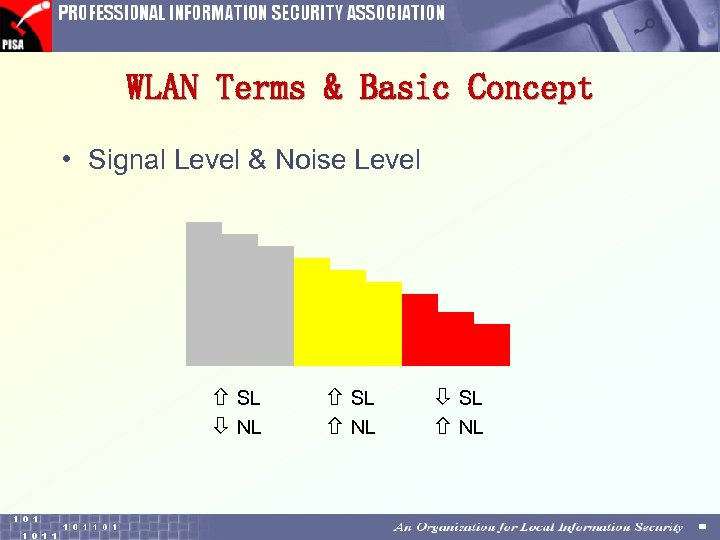 WLAN Terms & Basic Concept • Signal Level & Noise Level SL NL
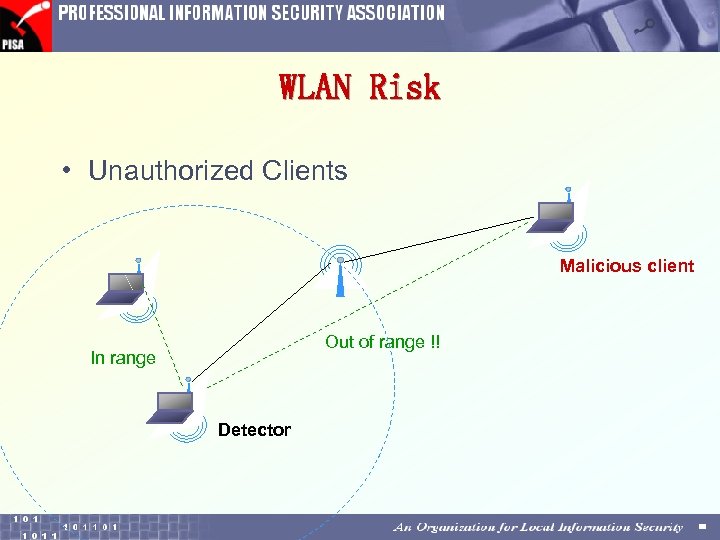 WLAN Risk • Unauthorized Clients Malicious client Out of range !! In range Detector
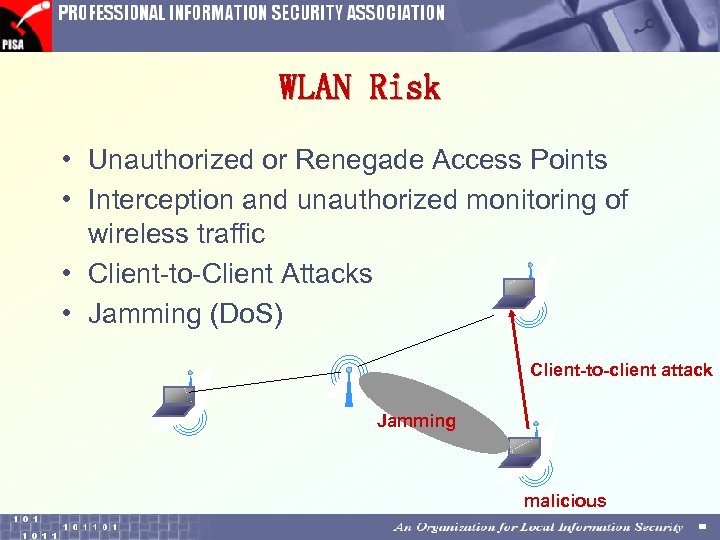 WLAN Risk • Unauthorized or Renegade Access Points • Interception and unauthorized monitoring of wireless traffic • Client-to-Client Attacks • Jamming (Do. S) Client-to-client attack Jamming malicious
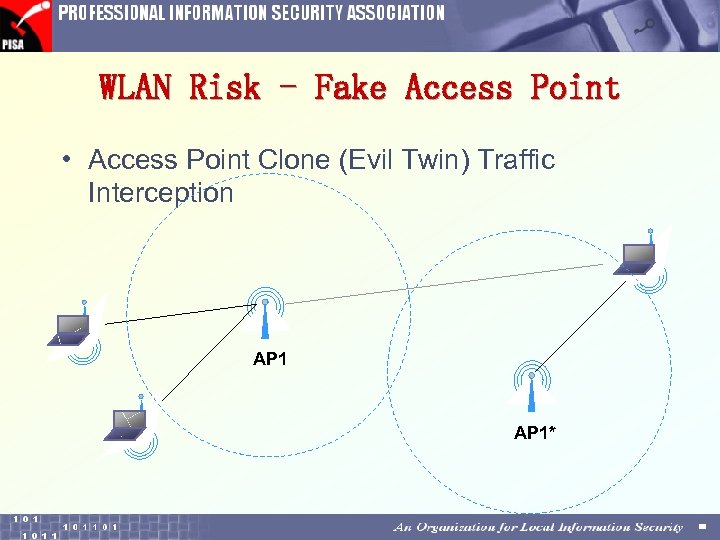 WLAN Risk - Fake Access Point • Access Point Clone (Evil Twin) Traffic Interception AP 1*
 WLAN Risk • Brute force attacks against access point passwords • WEP weakness • “Mis-configurations” Ø SSIDs Ø SNMP Community (RO & RW) Ø Administration (Web, Telnet, Serial) Ø Installation
 WLAN Risk • Deployment Ø In the Internal Network? ! Ø In the DMZ? ! Ø Who is allowed install AP? • Many $$ to secure the wired network • A user spend HK$2, 000 to break it Ø When were APs once installed? Ø Where are APs installed?
 WLAN Risk • Low cost product prevalent Ø limited features, insecure • Accidental detection and connection Ø Wireless card itself
 3
3
 Demo I Home made antenna, so easy Jim Shek
 Home made antenna, so easy • Use available material to hand make an antenna, gain from 3 d. B to 11 d. B (Real Object Shown) • Compared to commercial antenna with gain 6 d. B, costing HKD 600+ • Dimension is the key to success. Measurement available on web search. • With an antenna, the result of War Driving can be much improved so as to risk of exposure to hacking of your WLAN network!
 4
4
 Demo II WEP Weakness and Cracking Alan Tam
 WEP Weakness • • Background Weakness in KSA/RC 4 Proof of Concept Some counter actions
 The magic RFMON mode • Property: Like promiscuous mode in wired Ø Listen(Receive) only Ø Also known as “Monitor Mode” Ø • Chipset capable of RFMON (i. e. have specification opened) Cisco Aironet Ø Based on Intersil Prism 2 Ø Orinoco (well, not official) Ø
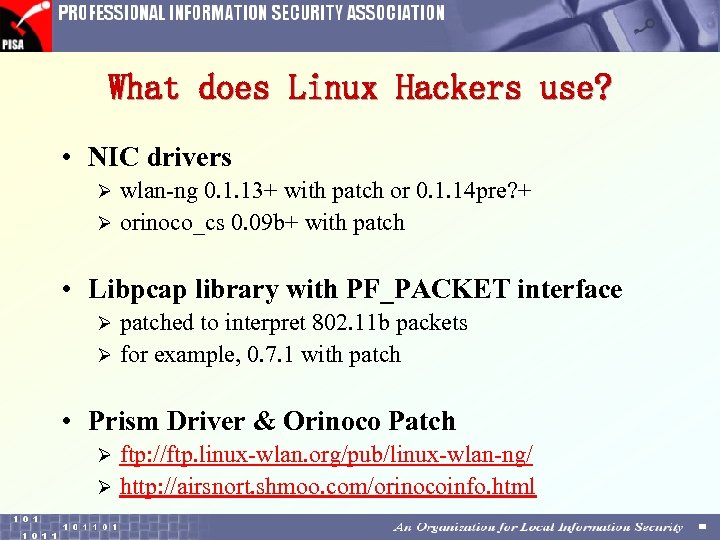 What does Linux Hackers use? • NIC drivers wlan-ng 0. 1. 13+ with patch or 0. 1. 14 pre? + Ø orinoco_cs 0. 09 b+ with patch Ø • Libpcap library with PF_PACKET interface patched to interpret 802. 11 b packets Ø for example, 0. 7. 1 with patch Ø • Prism Driver & Orinoco Patch ftp: //ftp. linux-wlan. org/pub/linux-wlan-ng/ Ø http: //airsnort. shmoo. com/orinocoinfo. html Ø
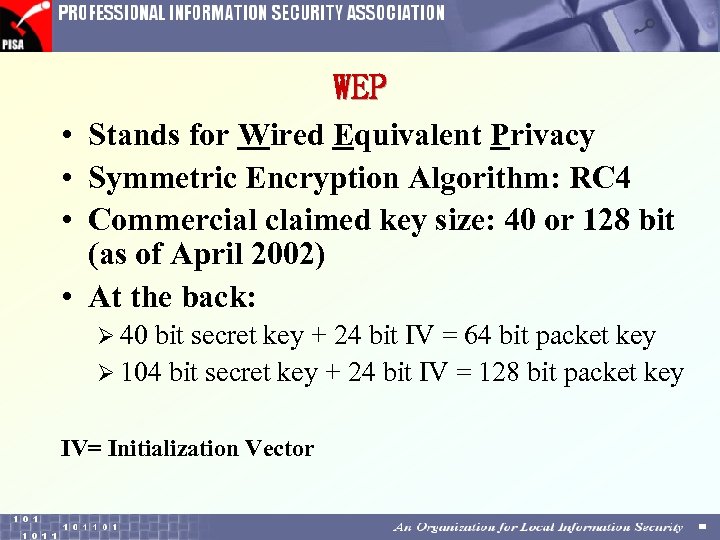 WEP • Stands for Wired Equivalent Privacy • Symmetric Encryption Algorithm: RC 4 • Commercial claimed key size: 40 or 128 bit (as of April 2002) • At the back: Ø 40 bit secret key + 24 bit IV = 64 bit packet key Ø 104 bit secret key + 24 bit IV = 128 bit packet key IV= Initialization Vector
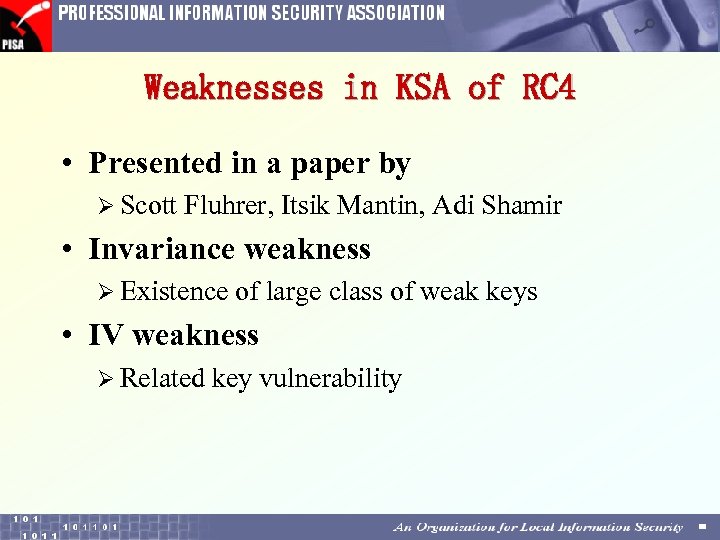 Weaknesses in KSA of RC 4 • Presented in a paper by Ø Scott Fluhrer, Itsik Mantin, Adi Shamir • Invariance weakness Ø Existence of large class of weak keys • IV weakness Ø Related key vulnerability
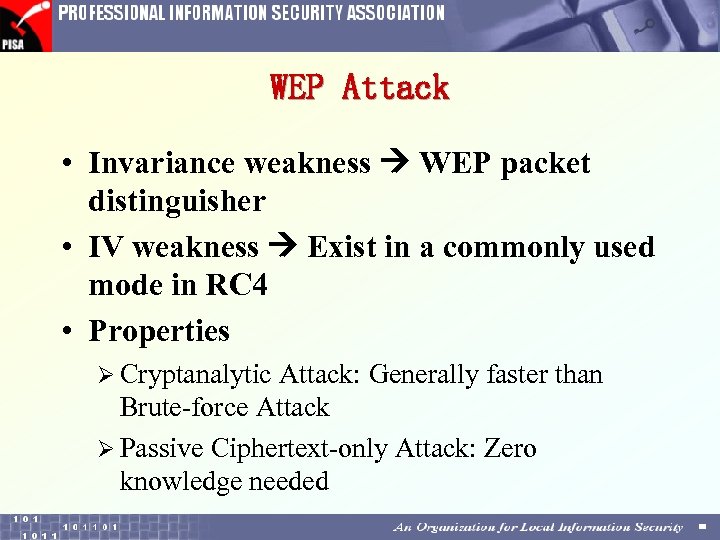 WEP Attack • Invariance weakness WEP packet distinguisher • IV weakness Exist in a commonly used mode in RC 4 • Properties Ø Cryptanalytic Attack: Generally faster than Brute-force Attack Ø Passive Ciphertext-only Attack: Zero knowledge needed
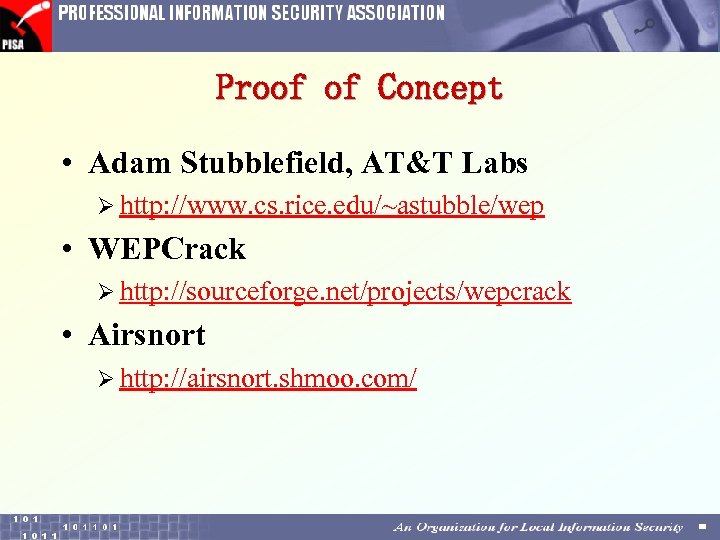 Proof of Concept • Adam Stubblefield, AT&T Labs Ø http: //www. cs. rice. edu/~astubble/wep • WEPCrack Ø http: //sourceforge. net/projects/wepcrack • Airsnort Ø http: //airsnort. shmoo. com/
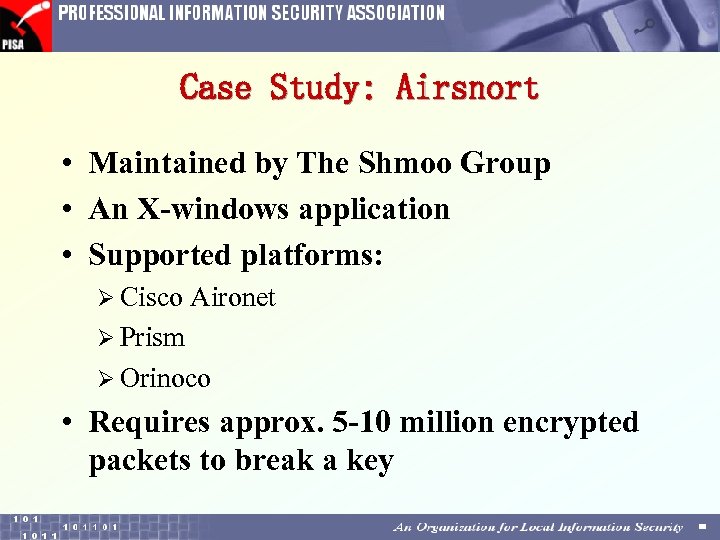 Case Study: Airsnort • Maintained by The Shmoo Group • An X-windows application • Supported platforms: Ø Cisco Aironet Ø Prism Ø Orinoco • Requires approx. 5 -10 million encrypted packets to break a key
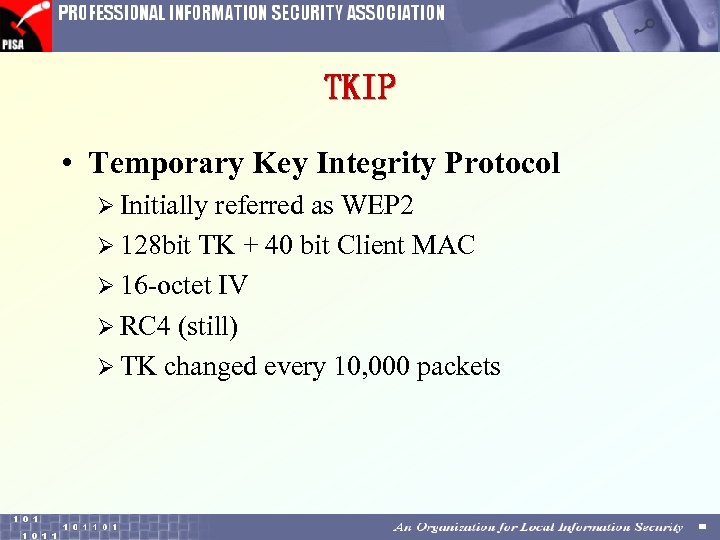 TKIP • Temporary Key Integrity Protocol Ø Initially referred as WEP 2 Ø 128 bit TK + 40 bit Client MAC Ø 16 -octet IV Ø RC 4 (still) Ø TK changed every 10, 000 packets
 Reference • Technical Knowledge Ø http: //www. qsl. net/n 9 zia/wireless/index. html Ø http: //www. 80211 -planet. com/tutorials • Access Points MAC addresses Ø http: //aptools. sourceforge. net/
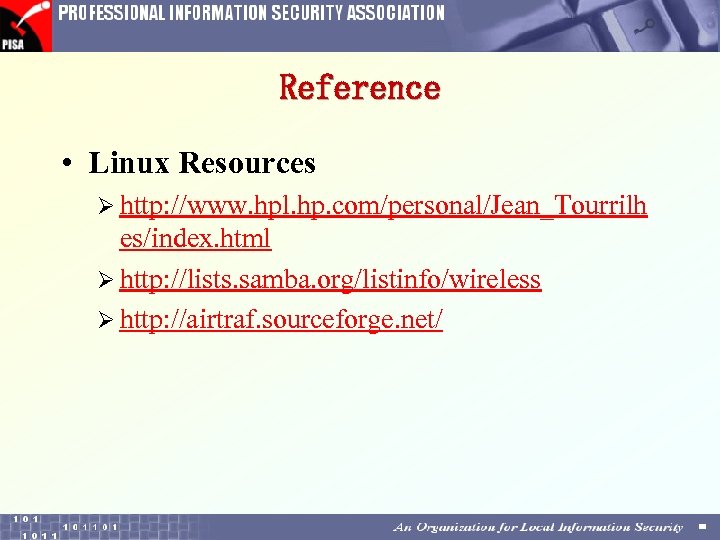 Reference • Linux Resources Ø http: //www. hpl. hp. com/personal/Jean_Tourrilh es/index. html Ø http: //lists. samba. org/listinfo/wireless Ø http: //airtraf. sourceforge. net/
 5
5
 Demo III Securing Wireless Networks by VPN Marco Ho
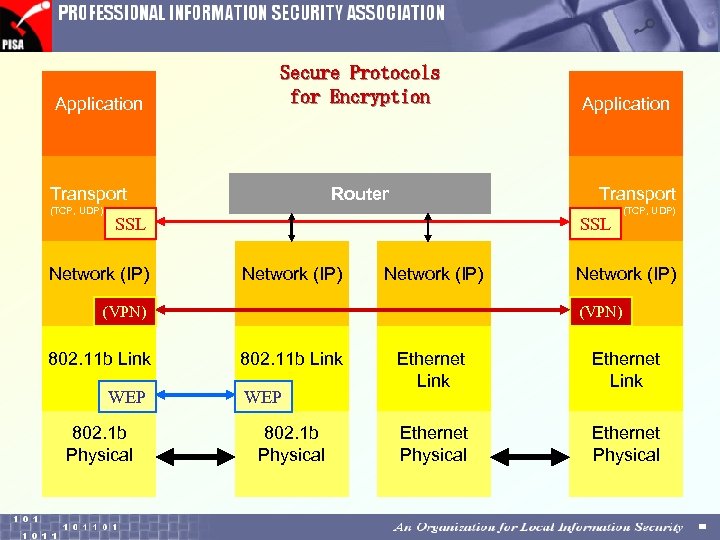 Application Secure Protocols for Encryption Transport (TCP, UDP) Transport Router SSL Network (IP) WEP 802. 1 b Physical (TCP, UDP) Network (IP) (VPN) 802. 11 b Link Application 802. 11 b Link WEP 802. 1 b Physical Ethernet Link Ethernet Physical
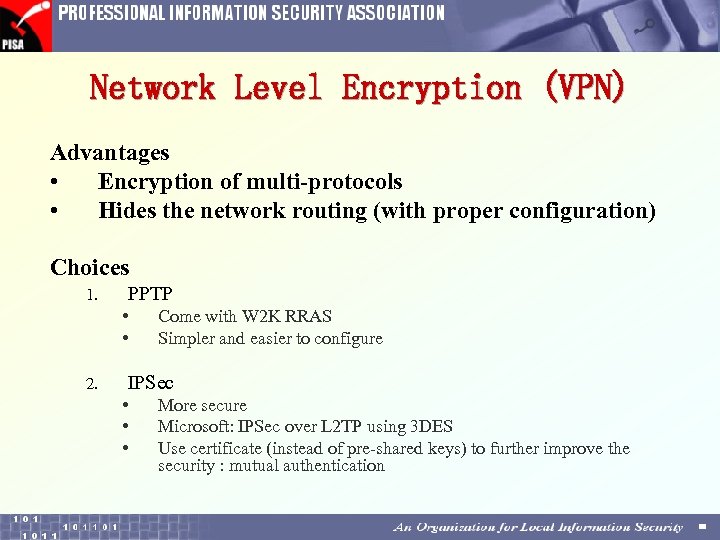 Network Level Encryption (VPN) Advantages • Encryption of multi-protocols • Hides the network routing (with proper configuration) Choices 1. PPTP • • 2. Come with W 2 K RRAS Simpler and easier to configure IPSec • • • More secure Microsoft: IPSec over L 2 TP using 3 DES Use certificate (instead of pre-shared keys) to further improve the security : mutual authentication
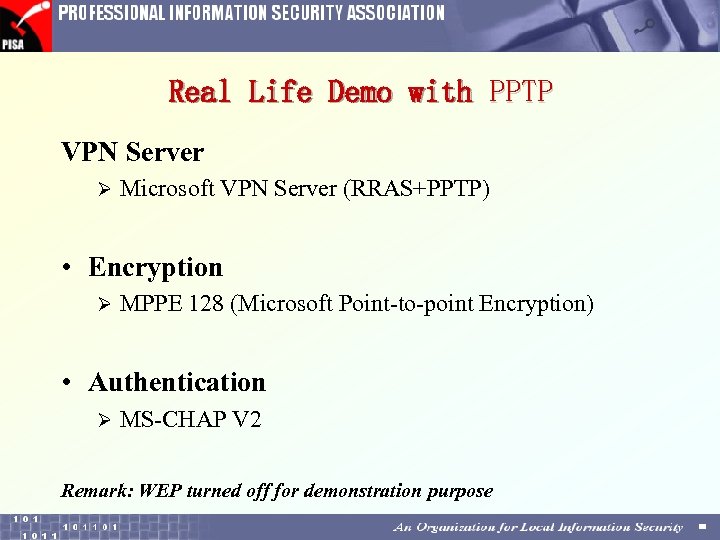 Real Life Demo with PPTP VPN Server Ø Microsoft VPN Server (RRAS+PPTP) • Encryption Ø MPPE 128 (Microsoft Point-to-point Encryption) • Authentication Ø MS-CHAP V 2 Remark: WEP turned off for demonstration purpose
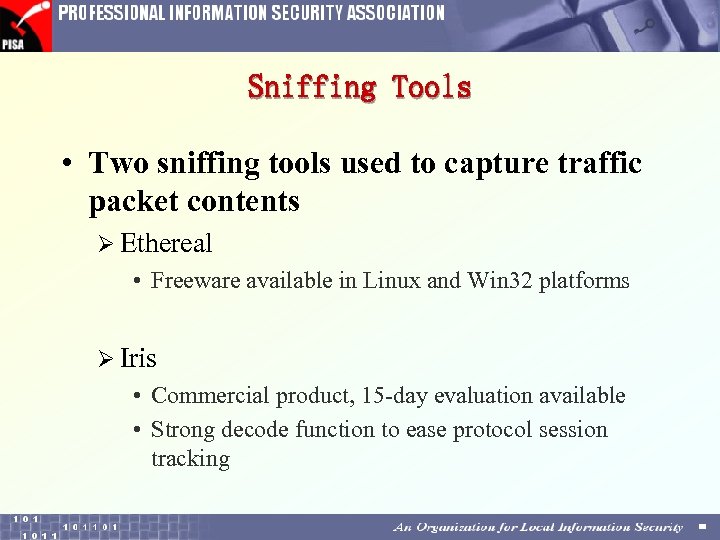 Sniffing Tools • Two sniffing tools used to capture traffic packet contents Ø Ethereal • Freeware available in Linux and Win 32 platforms Ø Iris • Commercial product, 15 -day evaluation available • Strong decode function to ease protocol session tracking
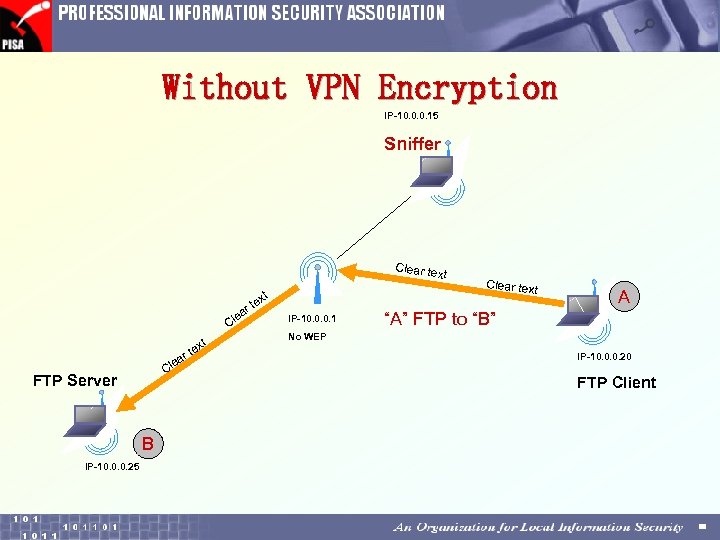 Without VPN Encryption IP-10. 0. 0. 15 Sniffer Clear te xt e ar Cl t ex e t ar Cl FTP Server B IP-10. 0. 0. 25 xt te IP-10. 0. 0. 1 Clear text A “A” FTP to “B” No WEP IP-10. 0. 0. 20 FTP Client
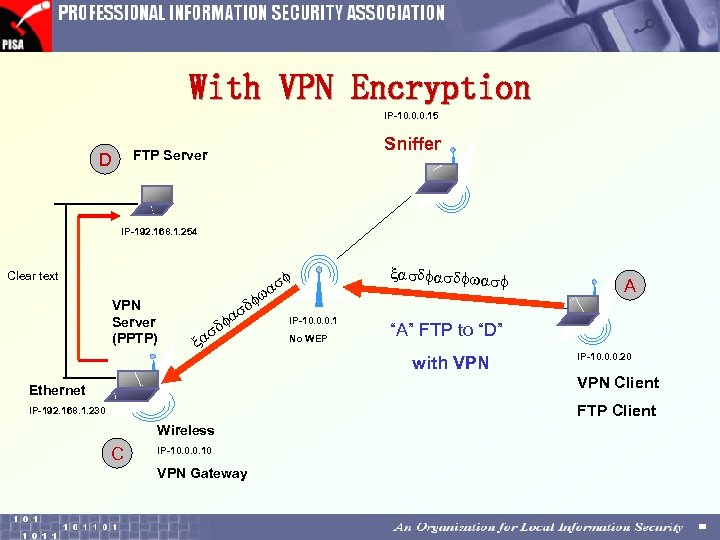 With VPN Encryption IP-10. 0. 0. 15 Sniffer FTP Server D IP-192. 168. 1. 254 f as w Clear text VPN Server (PPTP) xasdfwasf f d as f x IP-10. 0. 0. 1 No WEP A “A” FTP to “D” with VPN IP-10. 0. 0. 20 VPN Client Ethernet FTP Client IP-192. 168. 1. 230 Wireless C IP-10. 0. 0. 10 VPN Gateway
 6
6
 Wireless LAN Protection Strategies Young, Wo Sang
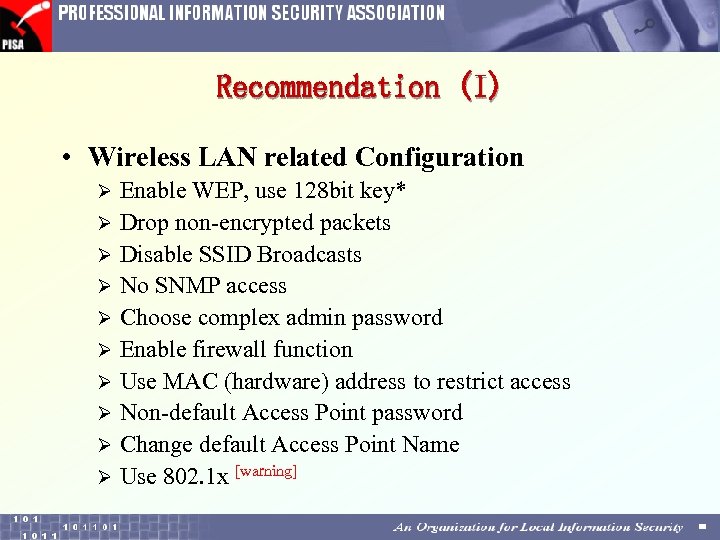 Recommendation (I) • Wireless LAN related Configuration Enable WEP, use 128 bit key* Ø Drop non-encrypted packets Ø Disable SSID Broadcasts Ø No SNMP access Ø Choose complex admin password Ø Enable firewall function Ø Use MAC (hardware) address to restrict access Ø Non-default Access Point password Ø Change default Access Point Name Ø Use 802. 1 x [warning] Ø
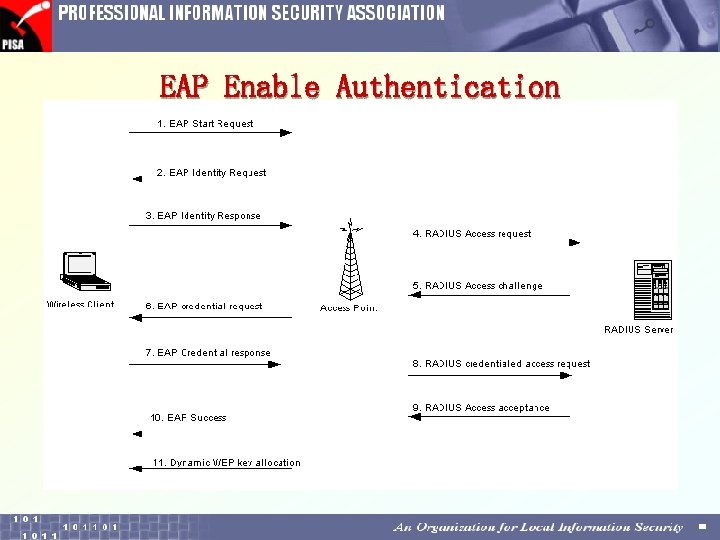 EAP Enable Authentication
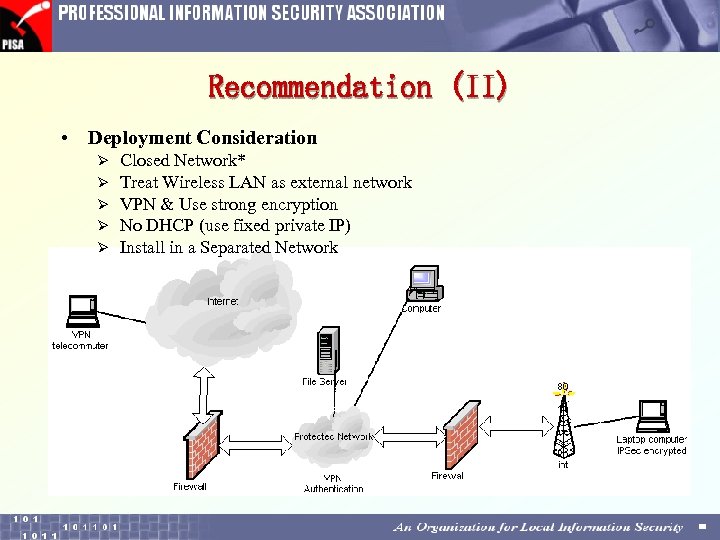 Recommendation (II) • Deployment Consideration Ø Ø Ø Closed Network* Treat Wireless LAN as external network VPN & Use strong encryption No DHCP (use fixed private IP) Install in a Separated Network
 Recommendation (III) • Always (wired or wireless) Install virus protection software plus automatic frequent pattern file update Ø Shared folders must impose password Ø • Management Issue Prohibit to install the AP without authorization Discover any new APs constantly (Net. Stumbler is free, Antenna is cheap) Ø Power off ADSL Modem when Internet access is not required Ø Carefully select the physical location of your AP, not near windows or front doors. Ø Ø
![The [warning] of 802. 1 x • Session hijacking Ø waits for successfully authenticated](https://present5.com/presentation/4ca284eaf9eb95e37be00af3e38cc18b/image-72.jpg "The [warning] of 802. 1 x • Session hijacking Ø waits for successfully authenticated") The [warning] of 802. 1 x • Session hijacking Ø waits for successfully authenticated Ø , acts as AP, tells , “you are disconnected” Ø AP thinks that is exists • Man-in-the-middle-attack Ø 802. 1 x is one way authentication mechanism Ø acts as an AP to the Ø acts as a user to the AP. Reference : http: //www. infoworld. com/articles/hn/xml/02/02/14/020214 hnwifispec. xml
The [warning] of 802. 1 x • Session hijacking Ø waits for successfully authenticated Ø , acts as AP, tells , “you are disconnected” Ø AP thinks that is exists • Man-in-the-middle-attack Ø 802. 1 x is one way authentication mechanism Ø acts as an AP to the Ø acts as a user to the AP. Reference : http: //www. infoworld. com/articles/hn/xml/02/02/14/020214 hnwifispec. xml
![The workaround to [warning] of 802. 1 x • Vendor Proprietary Implementation Ø “rekeying”](https://present5.com/presentation/4ca284eaf9eb95e37be00af3e38cc18b/image-73.jpg "The workaround to [warning] of 802. 1 x • Vendor Proprietary Implementation Ø “rekeying”") The workaround to [warning] of 802. 1 x • Vendor Proprietary Implementation Ø “rekeying” of WEP • “Standard” Ø TKIP or Temporal Key Integrity Protocol Ø changes the encryption key about every 10, 000 packets
The workaround to [warning] of 802. 1 x • Vendor Proprietary Implementation Ø “rekeying” of WEP • “Standard” Ø TKIP or Temporal Key Integrity Protocol Ø changes the encryption key about every 10, 000 packets
 7
7
 Demo IV Silent WLAN Access Point Marco Ho & Alan Tam
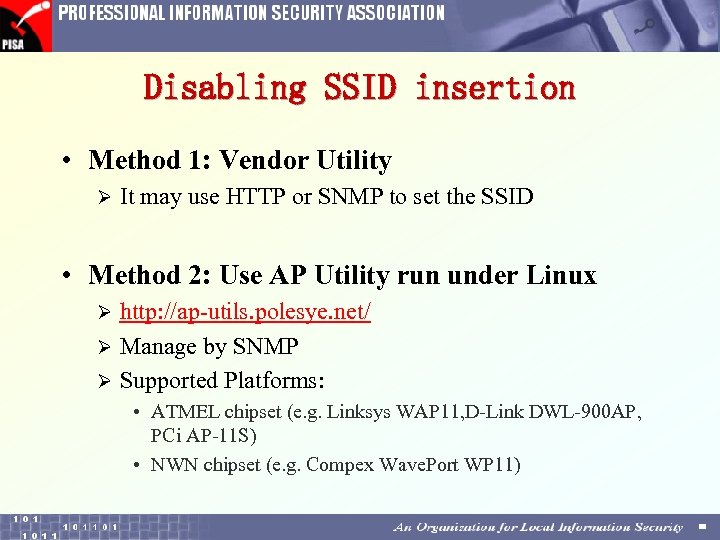 Disabling SSID insertion • Method 1: Vendor Utility Ø It may use HTTP or SNMP to set the SSID • Method 2: Use AP Utility run under Linux http: //ap-utils. polesye. net/ Ø Manage by SNMP Ø Supported Platforms: Ø • ATMEL chipset (e. g. Linksys WAP 11, D-Link DWL-900 AP, PCi AP-11 S) • NWN chipset (e. g. Compex Wave. Port WP 11)
 8
8
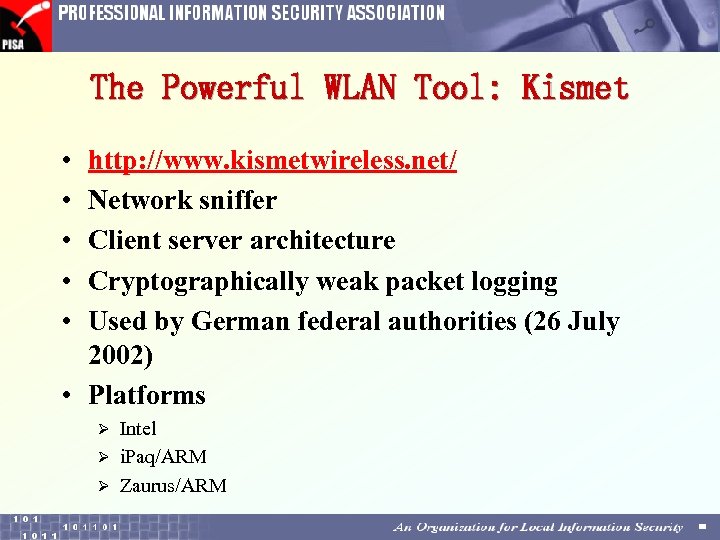 The Powerful WLAN Tool: Kismet • • • http: //www. kismetwireless. net/ Network sniffer Client server architecture Cryptographically weak packet logging Used by German federal authorities (26 July 2002) • Platforms Intel Ø i. Paq/ARM Ø Zaurus/ARM Ø
 Contributors The workshop was jointly presented by PISA members Alan Tam alan. tam@pisa. org. hk Jim Shek jim. shek@pisa. org. hk Marco Ho marcoho@hkpc. org Young, Wo Sang ws. young@pisa. org. hk On 27 July 2002, the eve of PISA 1 st anniversary of establishment Remark Another valuable presentation on theoretical part: PISA seminar “Critical Security Issues on Wireless LAN” by Ray Hunt, 13 June 2002 http: //www. pisa. org. hk/event/wlan_sec. pdf
 Copyright Professional Information Security Association (PISA) owns the copyright of the presentation. Any party can quote the whole or part of this presentation in an undistorted manner and with a clear reference to PISA. Disclaimer This is the handout of a presentation workshop. The points made here are kept concise for the purpose of presentation. If you require details of test and implementation please refer to technical references.