


 Скачать презентацию PIRSF Classification System Protein Classification and Functional Annotation
5f30097f456a628ae3156050e5d76769.ppt
- Количество слайдов: 17
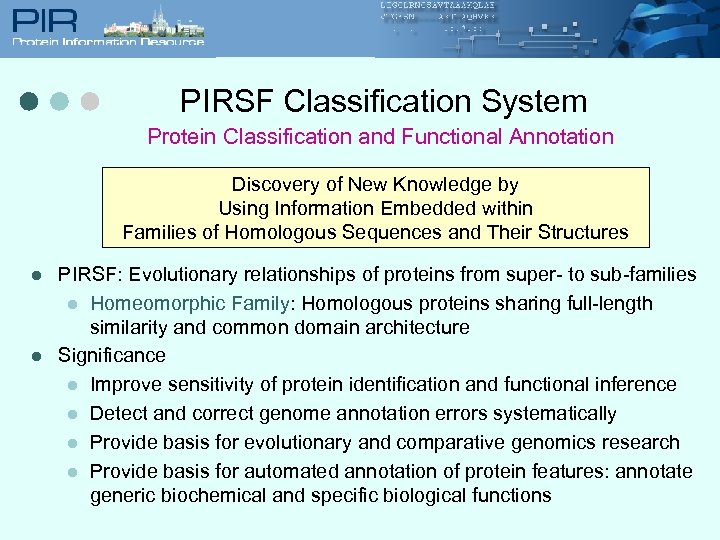 PIRSF Classification System Protein Classification and Functional Annotation Discovery of New Knowledge by Using Information Embedded within Families of Homologous Sequences and Their Structures l l PIRSF: Evolutionary relationships of proteins from super- to sub-families l Homeomorphic Family: Homologous proteins sharing full-length similarity and common domain architecture Significance l Improve sensitivity of protein identification and functional inference l Detect and correct genome annotation errors systematically l Provide basis for evolutionary and comparative genomics research l Provide basis for automated annotation of protein features: annotate generic biochemical and specific biological functions
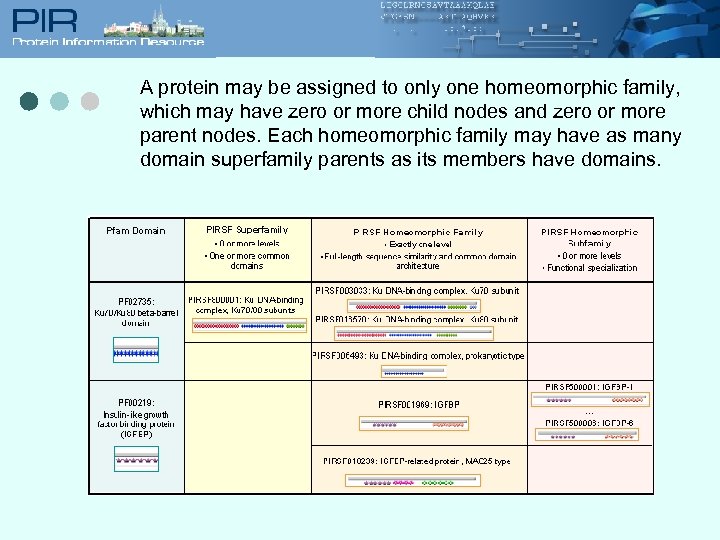 A protein may be assigned to only one homeomorphic family, which may have zero or more child nodes and zero or more parent nodes. Each homeomorphic family may have as many domain superfamily parents as its members have domains.
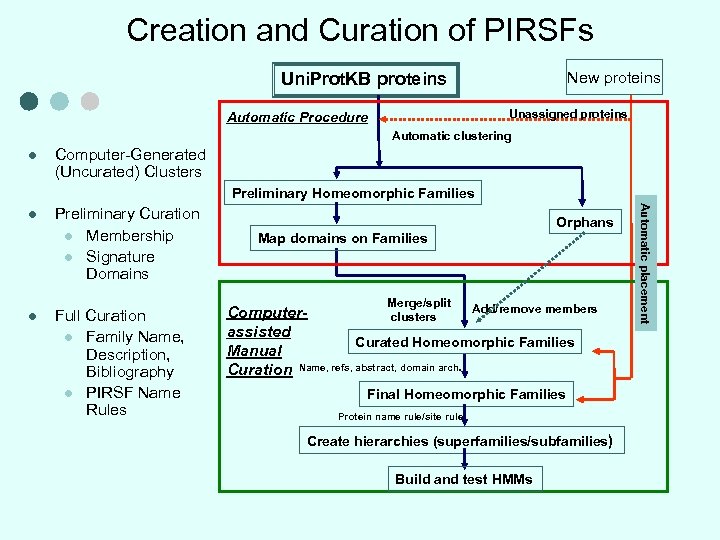 Creation and Curation of PIRSFs New proteins Uni. Prot. KB proteins Unassigned proteins Automatic Procedure Automatic clustering l Computer-Generated (Uncurated) Clusters Preliminary Homeomorphic Families l Preliminary Curation l Membership l Signature Domains Full Curation l Family Name, Description, Bibliography l PIRSF Name Rules Orphans Map domains on Families Merge/split Add/remove members Computerclusters assisted Curated Homeomorphic Families Manual Curation Name, refs, abstract, domain arch. Final Homeomorphic Families Protein name rule/site rule Create hierarchies (superfamilies/subfamilies) Build and test HMMs Automatic placement l
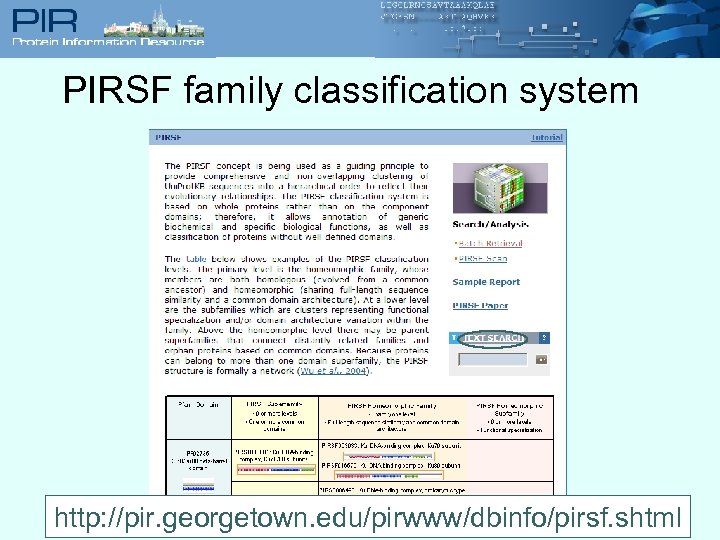 PIRSF family classification system http: //pir. georgetown. edu/pirwww/dbinfo/pirsf. shtml
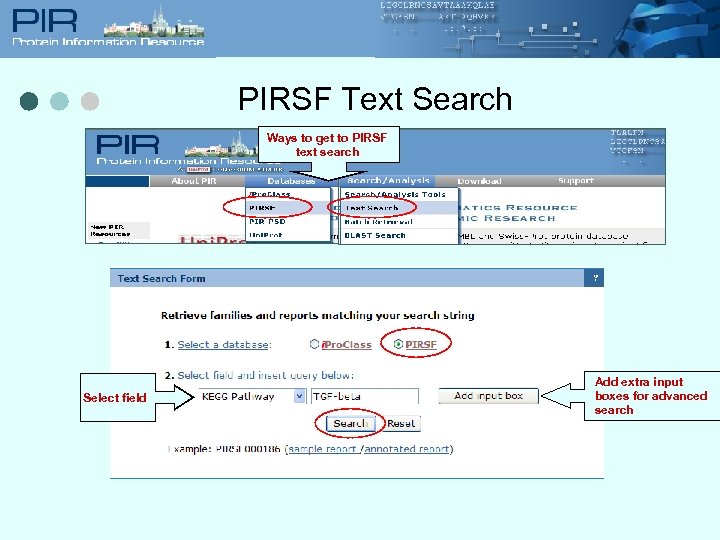 PIRSF Text Search Ways to get to PIRSF text search Select field Add extra input boxes for advanced search
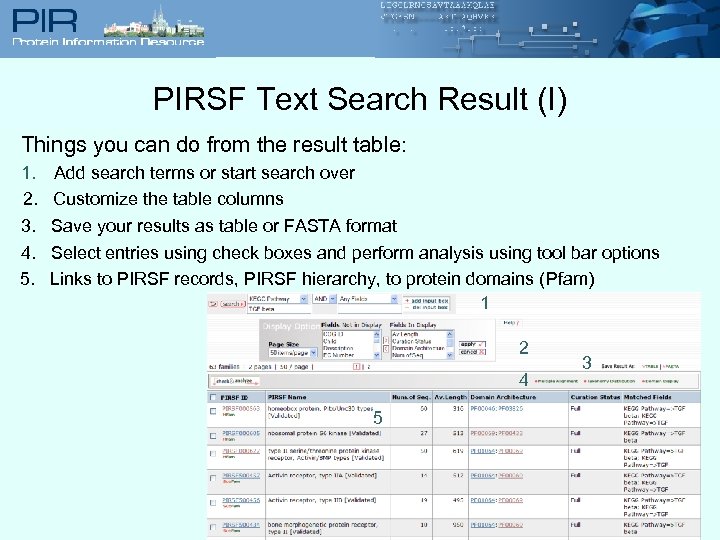 PIRSF Text Search Result (I) Things you can do from the result table: 1. Add search terms or start search over 2. Customize the table columns 3. Save your results as table or FASTA format 4. Select entries using check boxes and perform analysis using tool bar options 5. Links to PIRSF records, PIRSF hierarchy, to protein domains (Pfam) 1 2 4 5 3
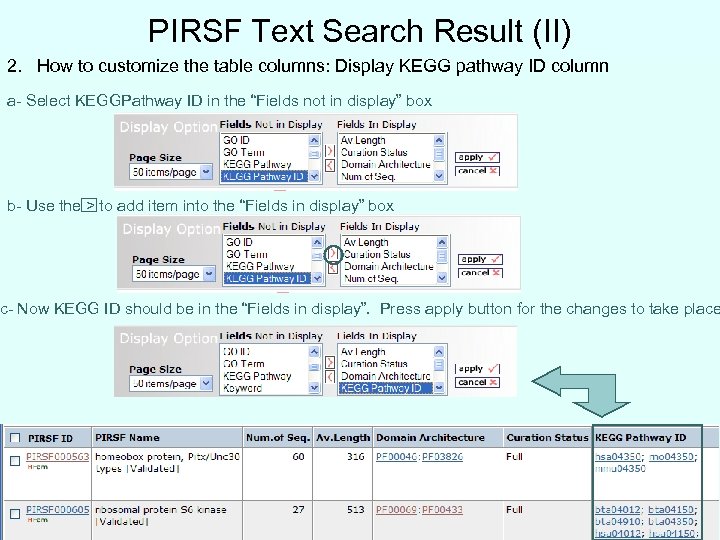 PIRSF Text Search Result (II) 2. How to customize the table columns: Display KEGG pathway ID column a- Select KEGGPathway ID in the “Fields not in display” box b- Use the > to add item into the “Fields in display” box c- Now KEGG ID should be in the “Fields in display”. Press apply button for the changes to take place
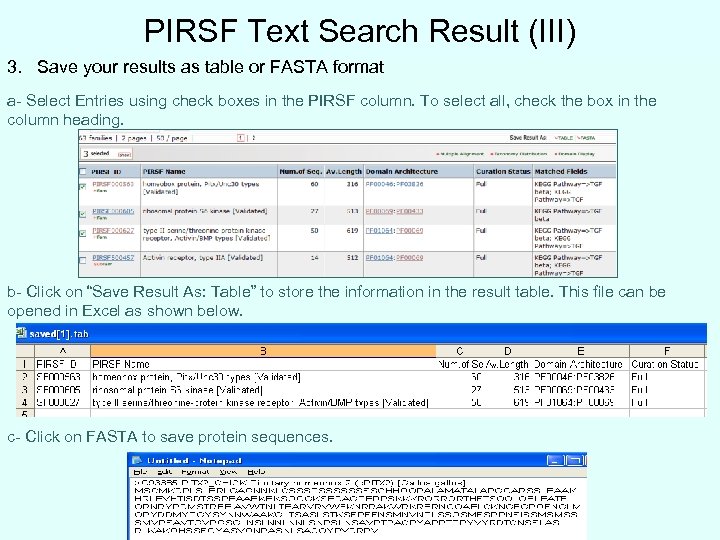 PIRSF Text Search Result (III) 3. Save your results as table or FASTA format a- Select Entries using check boxes in the PIRSF column. To select all, check the box in the column heading. b- Click on “Save Result As: Table” to store the information in the result table. This file can be opened in Excel as shown below. c- Click on FASTA to save protein sequences.
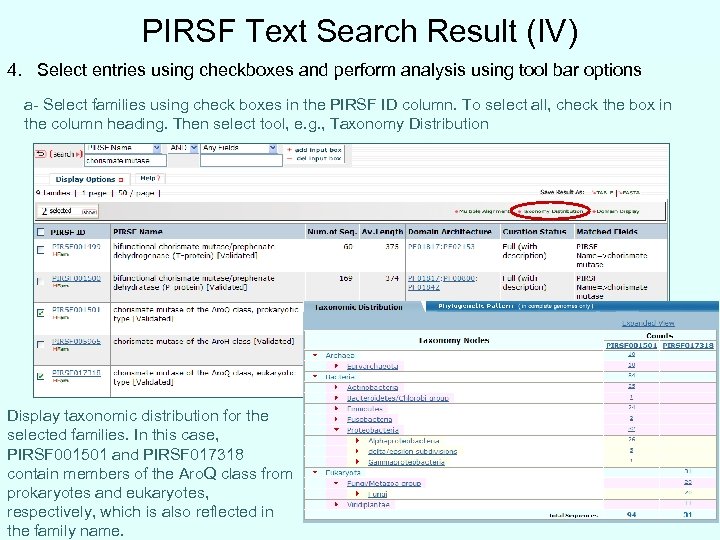 PIRSF Text Search Result (IV) 4. Select entries using checkboxes and perform analysis using tool bar options a- Select families using check boxes in the PIRSF ID column. To select all, check the box in the column heading. Then select tool, e. g. , Taxonomy Distribution Display taxonomic distribution for the selected families. In this case, PIRSF 001501 and PIRSF 017318 contain members of the Aro. Q class from prokaryotes and eukaryotes, respectively, which is also reflected in the family name.
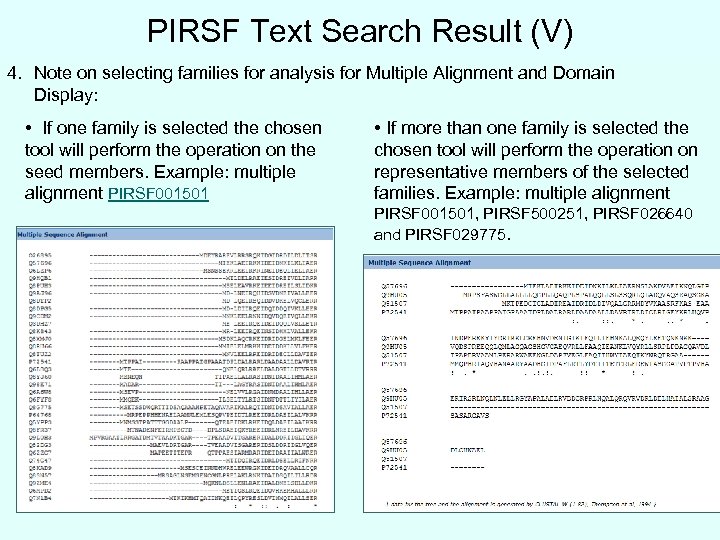 PIRSF Text Search Result (V) 4. Note on selecting families for analysis for Multiple Alignment and Domain Display: • If one family is selected the chosen tool will perform the operation on the seed members. Example: multiple alignment PIRSF 001501 • If more than one family is selected the chosen tool will perform the operation on representative members of the selected families. Example: multiple alignment PIRSF 001501, PIRSF 500251, PIRSF 026640 and PIRSF 029775.
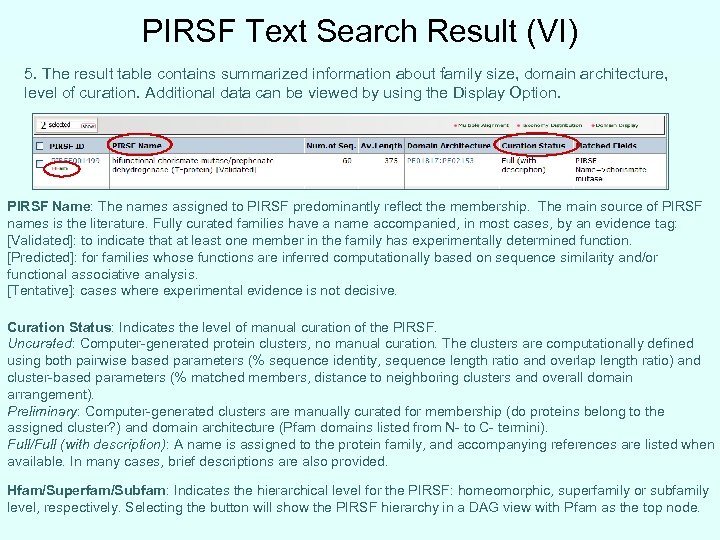 PIRSF Text Search Result (VI) 5. The result table contains summarized information about family size, domain architecture, level of curation. Additional data can be viewed by using the Display Option. PIRSF Name: The names assigned to PIRSF predominantly reflect the membership. The main source of PIRSF names is the literature. Fully curated families have a name accompanied, in most cases, by an evidence tag: [Validated]: to indicate that at least one member in the family has experimentally determined function. [Predicted]: for families whose functions are inferred computationally based on sequence similarity and/or functional associative analysis. [Tentative]: cases where experimental evidence is not decisive. Curation Status: Indicates the level of manual curation of the PIRSF. Uncurated: Computer-generated protein clusters, no manual curation. The clusters are computationally defined using both pairwise based parameters (% sequence identity, sequence length ratio and overlap length ratio) and cluster-based parameters (% matched members, distance to neighboring clusters and overall domain arrangement). Preliminary: Computer-generated clusters are manually curated for membership (do proteins belong to the assigned cluster? ) and domain architecture (Pfam domains listed from N- to C- termini). Full/Full (with description): A name is assigned to the protein family, and accompanying references are listed when available. In many cases, brief descriptions are also provided. Hfam/Superfam/Subfam: Indicates the hierarchical level for the PIRSF: homeomorphic, superfamily or subfamily level, respectively. Selecting the button will show the PIRSF hierarchy in a DAG view with Pfam as the top node.
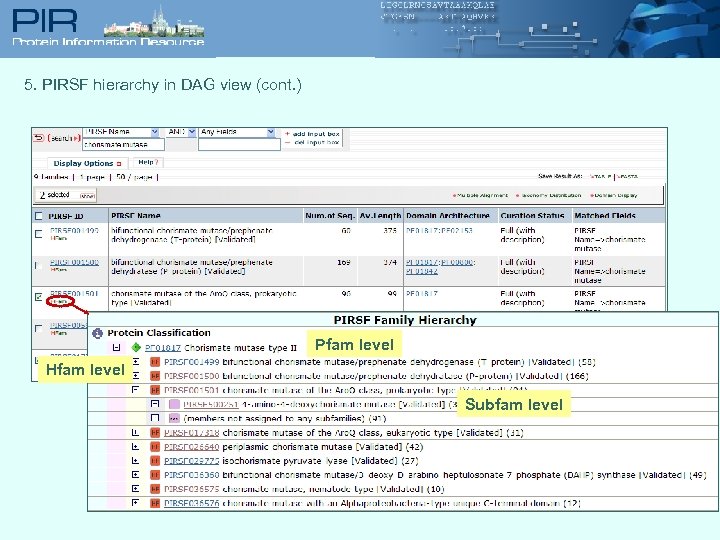 5. PIRSF hierarchy in DAG view (cont. ) Pfam level Hfam level Subfam level
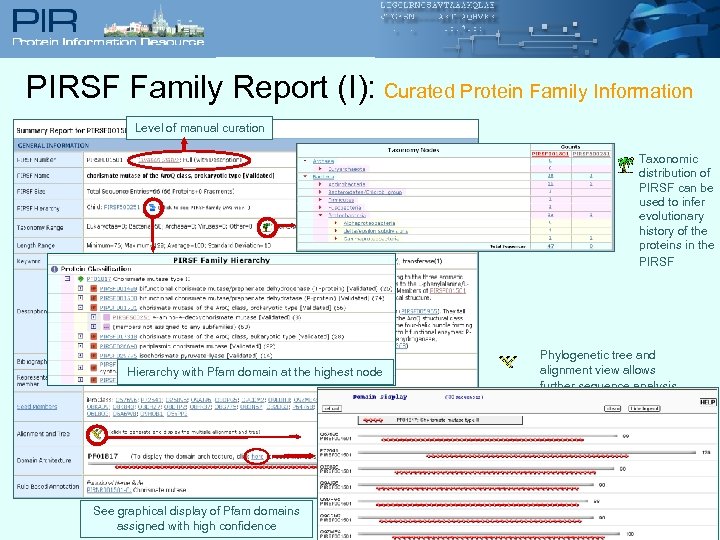 PIRSF Family Report (I): Curated Protein Family Information Level of manual curation Taxonomic distribution of PIRSF can be used to infer evolutionary history of the proteins in the PIRSF Hierarchy with Pfam domain at the highest node See graphical display of Pfam domains assigned with high confidence Phylogenetic tree and alignment view allows further sequence analysis
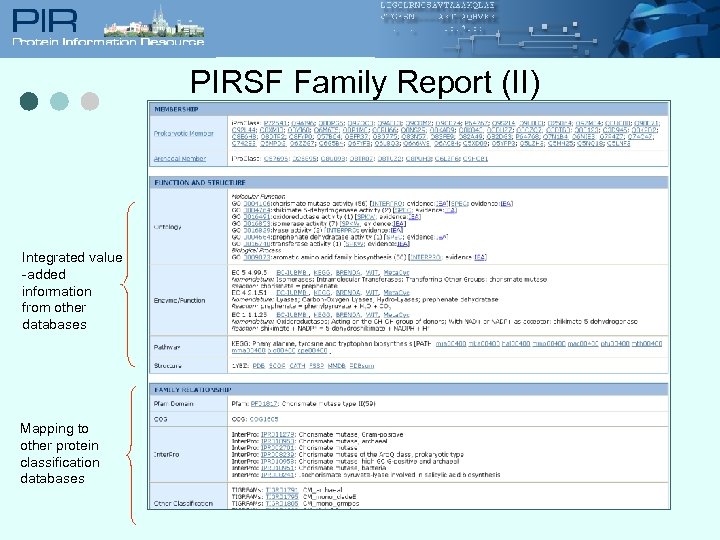 PIRSF Family Report (II) Integrated value -added information from other databases Mapping to other protein classification databases
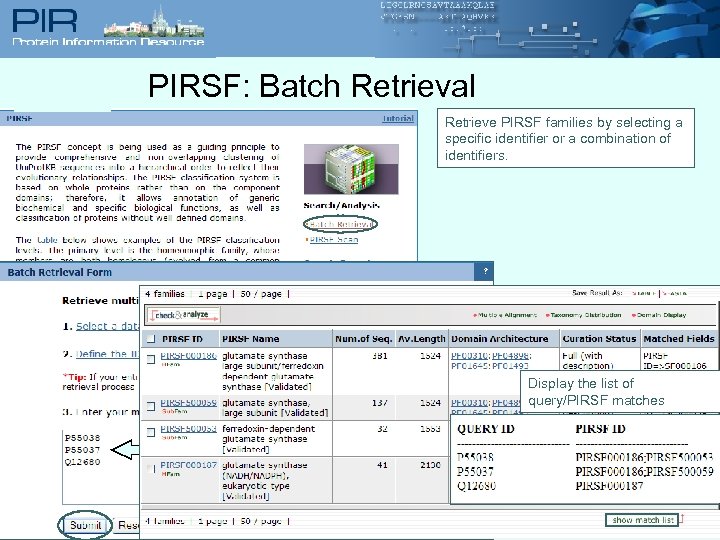 PIRSF: Batch Retrieval Retrieve PIRSF families by selecting a specific identifier or a combination of identifiers. Define IDs Display the list of query/PIRSF matches List IDs
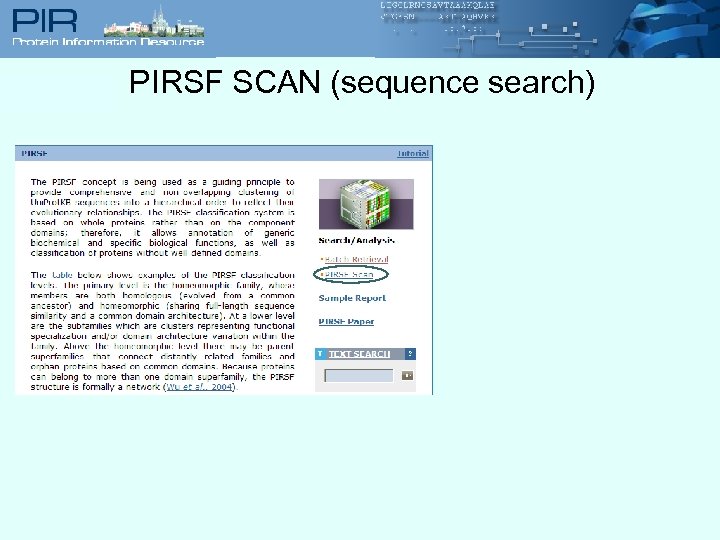 PIRSF SCAN (sequence search)
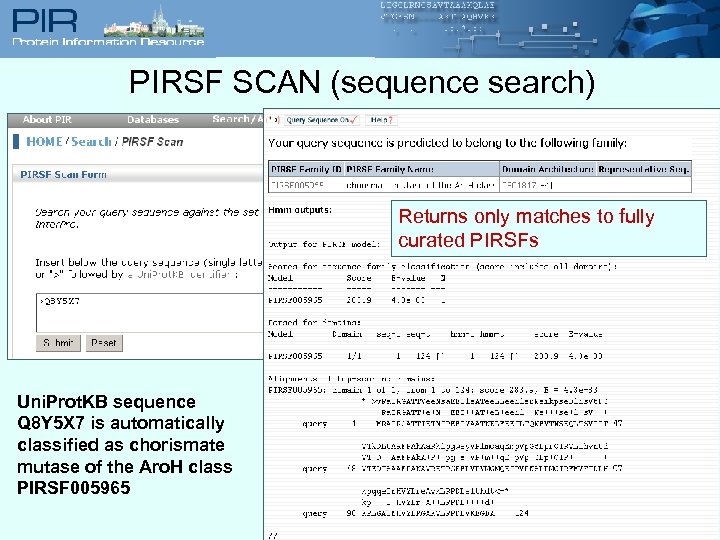 PIRSF SCAN (sequence search) Returns only matches to fully curated PIRSFs Uni. Prot. KB sequence Q 8 Y 5 X 7 is automatically classified as chorismate mutase of the Aro. H class PIRSF 005965