


 Скачать презентацию PILOT NAVIGATION Senior Master Air Cadet Learning Outcomes
ef472d7dc63a78e814beb4fea364bc3d.ppt
- Количество слайдов: 91
 PILOT NAVIGATION Senior/Master Air Cadet
 Learning Outcomes Know the basic features of air navigation and navigational aids Understand the techniques of flight planning Understand the affects of weather on aviation
 Flight Planning
 Introduction In Air Navigation, we discussed the Triangle of Velocities We shall now revise the components of the Triangle and learn how this helps us to plan a flight. Finally, we will learn how to co-ordinate our sortie with other agencies
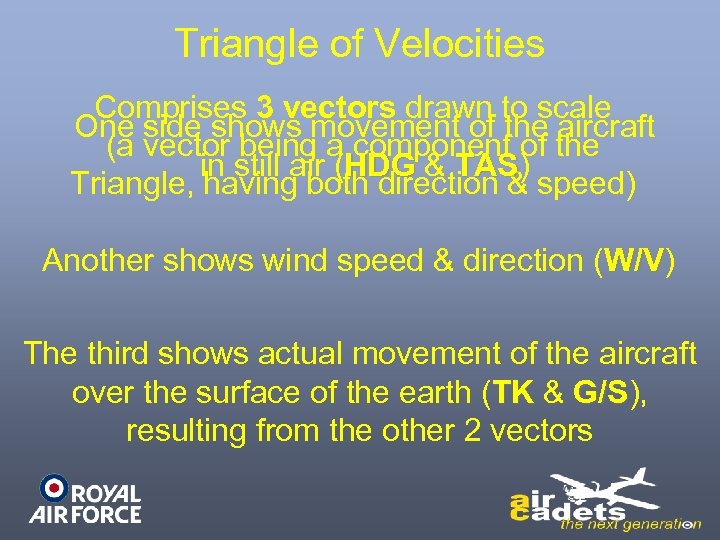 Triangle of Velocities Comprises 3 vectors drawn to scale One side shows movement of the aircraft (a vector being a component of the in still air (HDG & TAS) TAS Triangle, having both direction & speed) Another shows wind speed & direction (W/V) W/V The third shows actual movement of the aircraft over the surface of the earth (TK & G/S), G/S resulting from the other 2 vectors
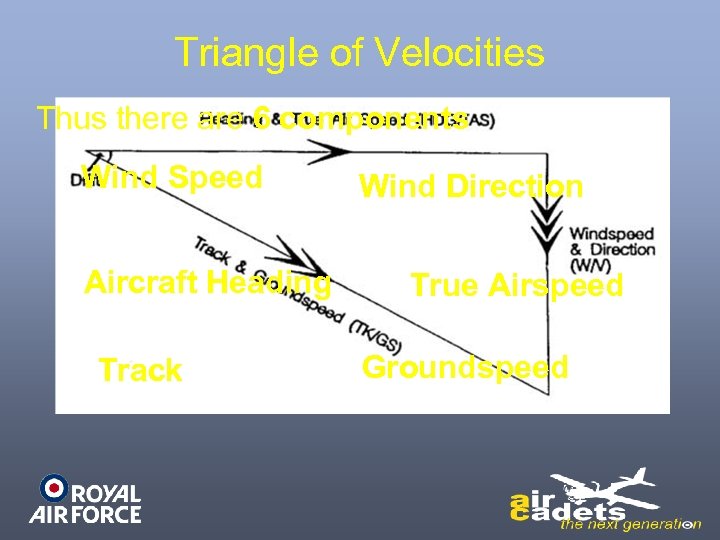 Triangle of Velocities Thus there are 6 components Wind Speed Aircraft Heading Track Wind Direction True Airspeed Groundspeed
 Solution of the Triangle As long as we have 4 of the components it can be solved by a number of methods: Scale drawing on graph paper or map/chart Dalton dead-reckoning Computer Mental arithmetic Micro computers
 Flight Planning Both in private aviation & military training, flight planning is carried out using a Pilot Nav Log Card On this card the flight is divided into a number of legs
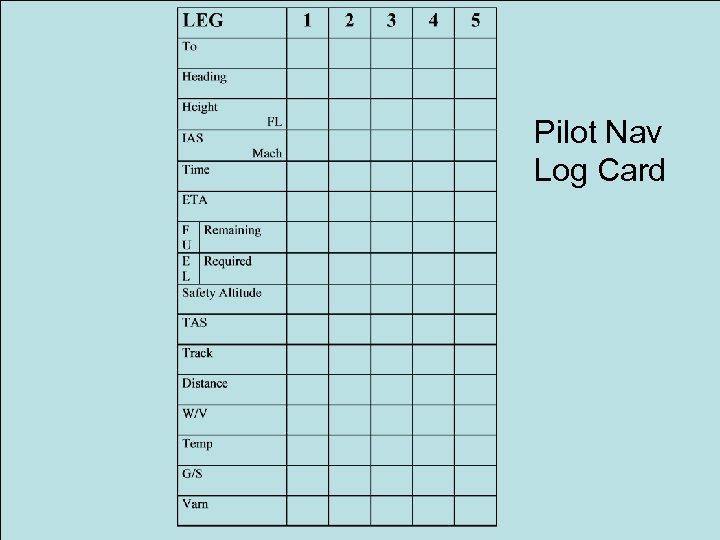 Pilot Nav Log Card
 Flight Planning Before flight, the Triangle Of Velocities is solved for each leg However, to do this, more information is required
 Flight Planning First, the pilot needs to know the Tracks and Distances of the various legs So he draws them on a route chart We will now plan a VFR Tutor flight from Leeming to Marham via Cottesmore at 3000 ft AMSL
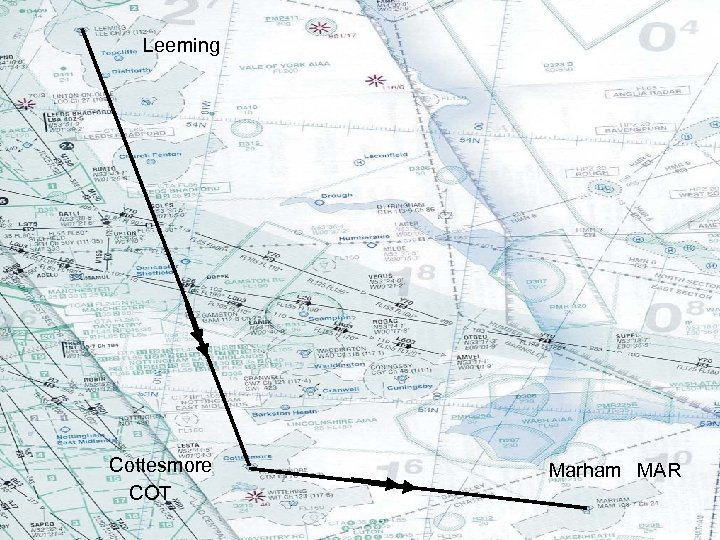 Leeming Cottesmore COT Marham MAR
 Flight Planning For the purposes of our exercise, we have ignored any airspace issues or any airspace changes since this version of the chart was produced
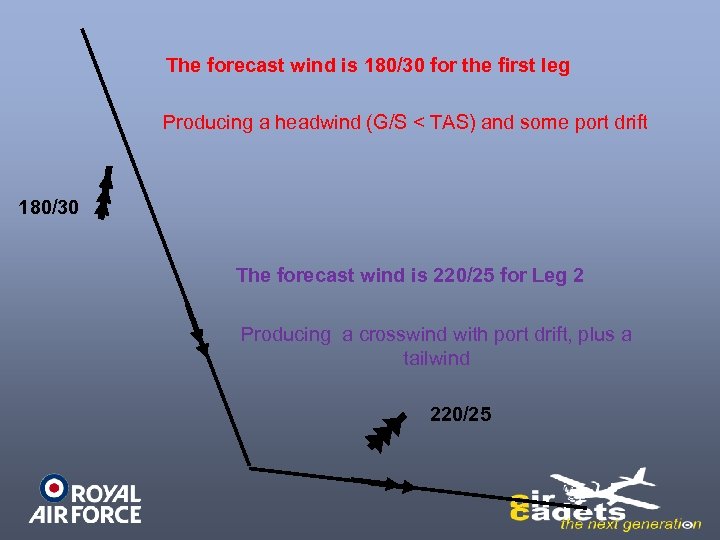 The forecast wind is 180/30 for the first leg Producing a headwind (G/S < TAS) and some port drift 180/30 The forecast wind is 220/25 for Leg 2 Producing a crosswind with port drift, plus a tailwind 220/25
 Flight Planning - Log Entries The Pilot must enter some Log Card details before solving the Triangle of Velocities: Track Measured With A Protractor Distance Measured from map/chart against the Latitude scale or using a Nav ruler of same scale
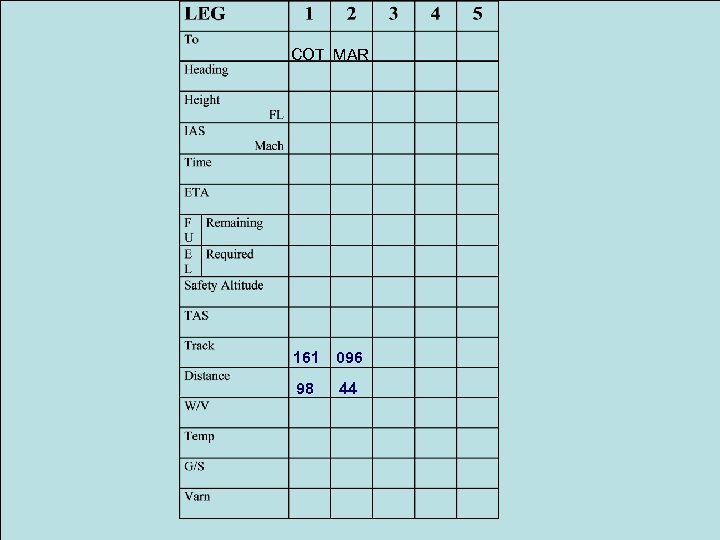 COT MAR 161 096 98 44
 Flight Planning - Log Entries Altitude or Height for each leg Decided by operational, weather, safety & other needs Forecast W/V Forecast Air Temperature (Temp) Indicated Air Speed (IAS) Normally The Recommending Cruising Speed
 Flight Planning - Log Entries True Airspeed (TAS) Calculated from the IAS/RAS & Air Temperature using a Dalton Computer Variation (Varn) Found on the map/chart
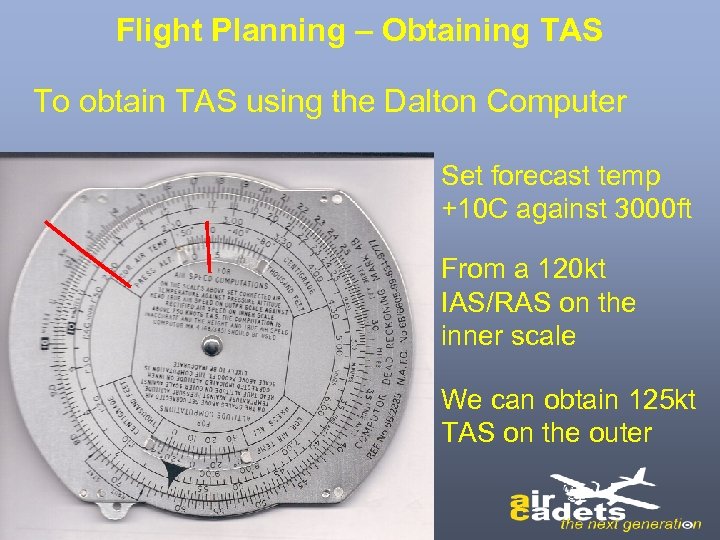 Flight Planning – Obtaining TAS To obtain TAS using the Dalton Computer Set forecast temp +10 C against 3000 ft From a 120 kt IAS/RAS on the inner scale We can obtain 125 kt TAS on the outer
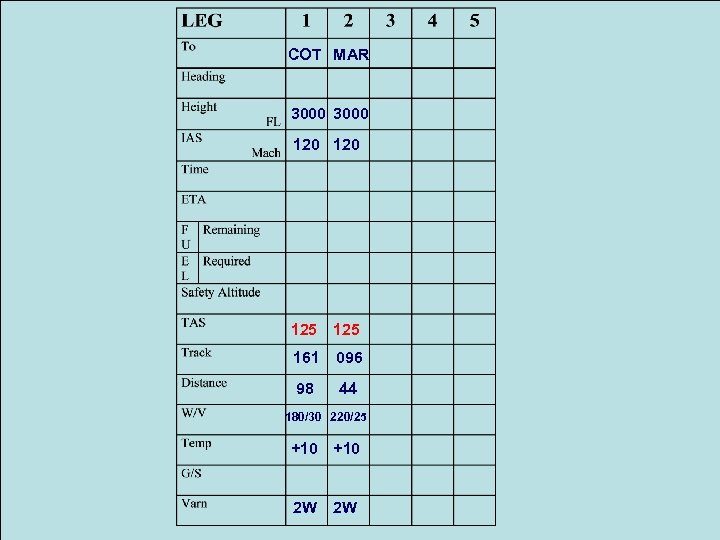 COT MAR 3000 120 125 161 096 98 44 180/30 220/25 +10 2 W 2 W
 Solving the Triangle of Velocities First we will use graph paper Later we will use the Dalton Computer The theory is the same but, as you will see, the Dalton Computer is quicker
 Flight Planning – Triangle of Velocities Once Track, Distance & TAS are known for each leg, the Triangle of Velocities can be used to calculate: The Heading to counter the wind & fly the desired Track The Groundspeed (G/S)
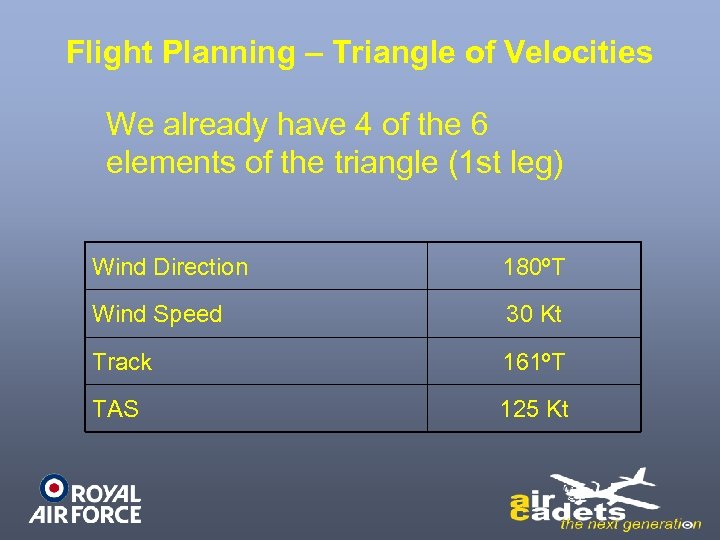 Flight Planning – Triangle of Velocities We already have 4 of the 6 elements of the triangle (1 st leg) Wind Direction 180ºT Wind Speed 30 Kt Track 161ºT TAS 125 Kt
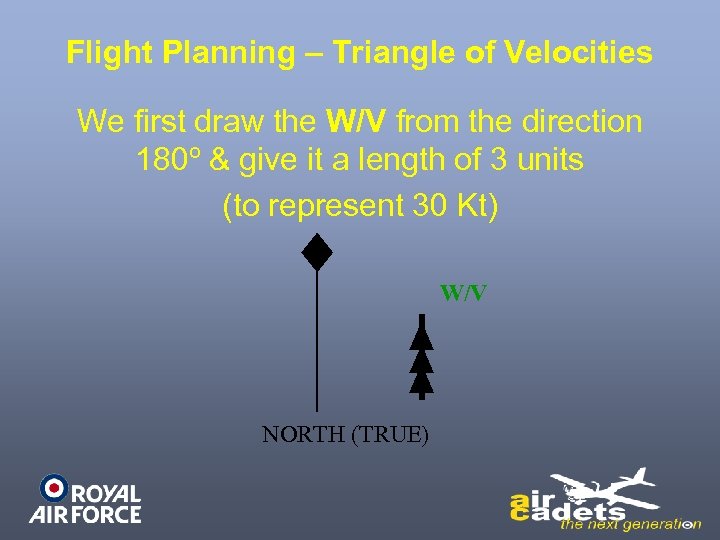 Flight Planning – Triangle of Velocities We first draw the W/V from the direction 180º & give it a length of 3 units (to represent 30 Kt) W/V NORTH (TRUE)
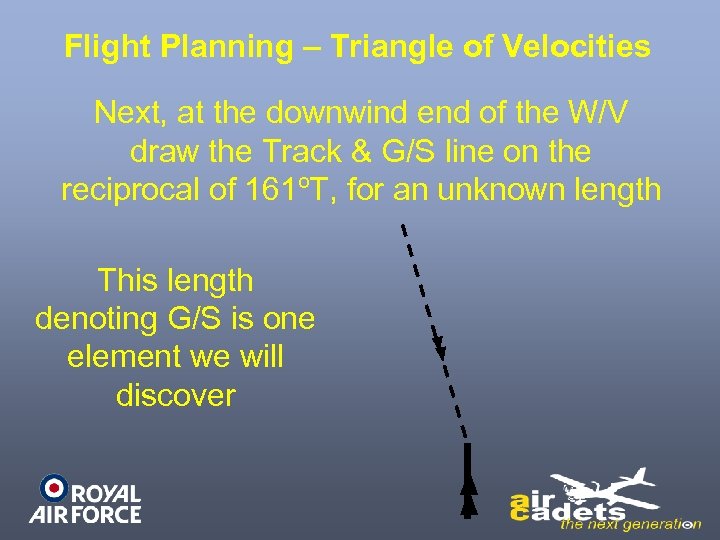 Flight Planning – Triangle of Velocities Next, at the downwind end of the W/V draw the Track & G/S line on the reciprocal of 161ºT, for an unknown length This length denoting G/S is one element we will discover
 Flight Planning – Triangle of Velocities All we currently know is that G/S will be less than our TAS of 125 Kt
 Flight Planning – Triangle of Velocities Next, from the upwind end of the W/V line, draw an arc representing TAS to a length of 12. 5 graph units (125 knots), until it crosses the Track & G/S line Then, with a protractor, measure the direction of the resultant Heading line & the length of the G/S line
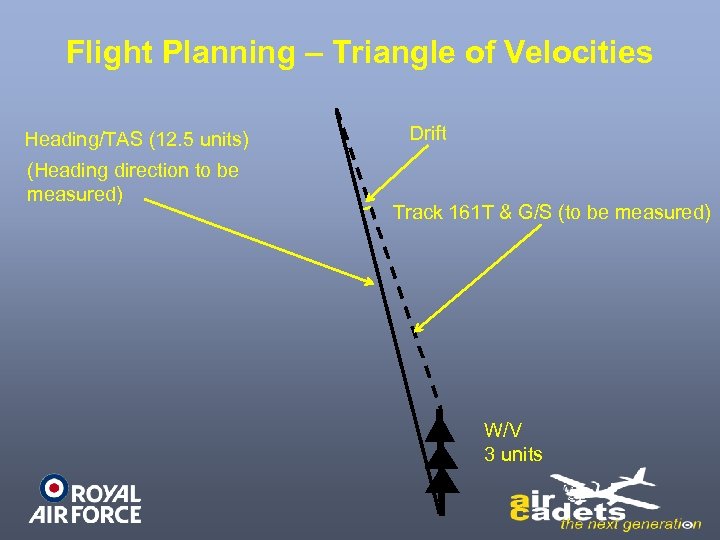 Flight Planning – Triangle of Velocities Heading/TAS (12. 5 units) (Heading direction to be measured) Drift Track 161 T & G/S (to be measured) W/V 3 units
 Flight Planning – Triangle of Velocities We calculate that the length of the Track & G/S line is 9. 6 units, so the G/S Will Be 96 Kt
 Flight Planning – Triangle of Velocities Using a protractor, the Heading is 166ºT We can now apply the Varn of 2ºW to 166º(T) to give a Heading of 168º(M) (True to Compass add West) After entering this information on the Log Card, we can then calculate the Leg 1 time by using a G/S of 96 knots & distance of 98 nm
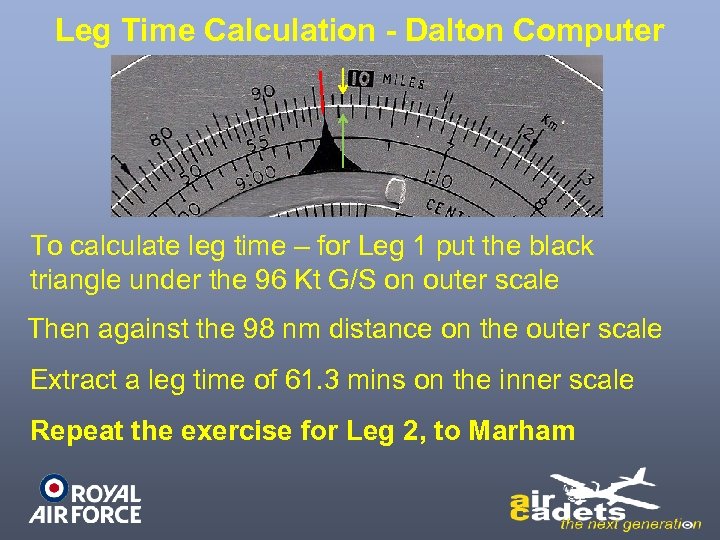 Leg Time Calculation - Dalton Computer To calculate leg time – for Leg 1 put the black triangle under the 96 Kt G/S on outer scale Then against the 98 nm distance on the outer scale Extract a leg time of 61. 3 mins on the inner scale Repeat the exercise for Leg 2, to Marham
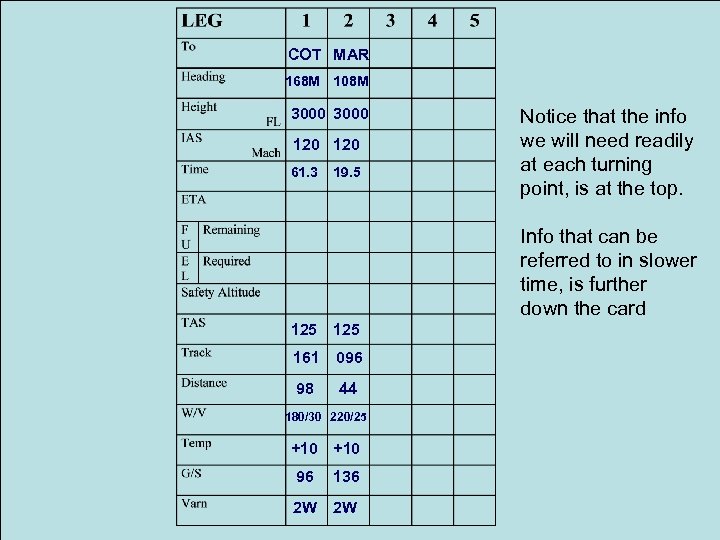 COT MAR 168 M 108 M 3000 120 61. 3 19. 5 Notice that the info we will need readily at each turning point, is at the top. Info that can be referred to in slower time, is further down the card 125 161 096 98 44 180/30 220/25 +10 96 136 2 W 2 W
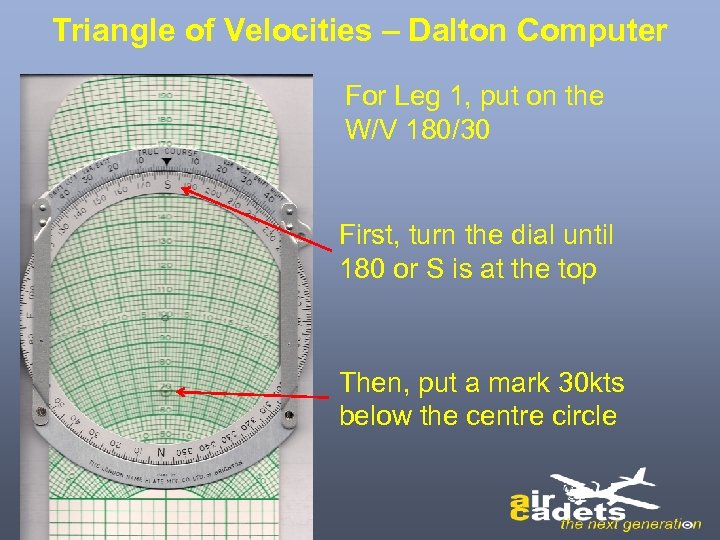 Triangle of Velocities – Dalton Computer For Leg 1, put on the W/V 180/30 First, turn the dial until 180 or S is at the top Then, put a mark 30 kts below the centre circle
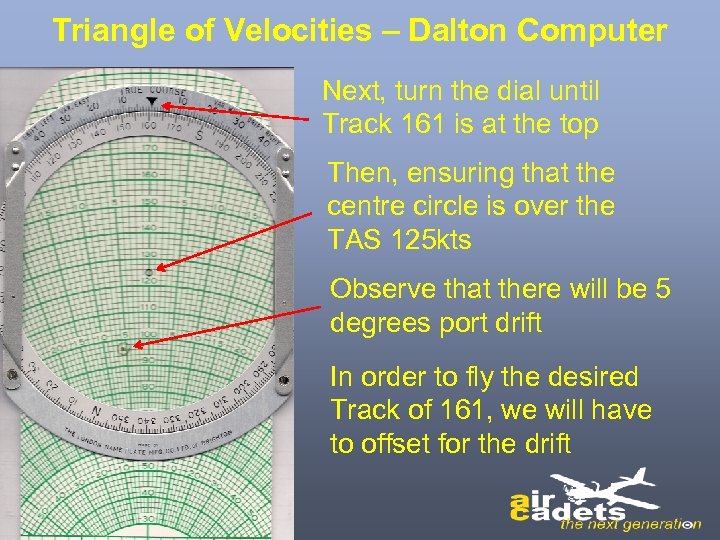 Triangle of Velocities – Dalton Computer Next, turn the dial until Track 161 is at the top Then, ensuring that the centre circle is over the TAS 125 kts Observe that there will be 5 degrees port drift In order to fly the desired Track of 161, we will have to offset for the drift
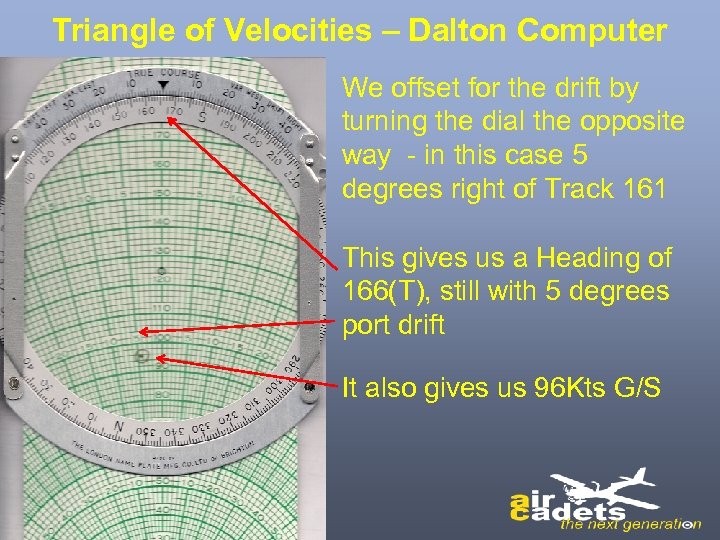 Triangle of Velocities – Dalton Computer We offset for the drift by turning the dial the opposite way - in this case 5 degrees right of Track 161 This gives us a Heading of 166(T), still with 5 degrees port drift It also gives us 96 Kts G/S
 Flight Planning – Triangle of Velocities Repeat the process for Leg 2 (remembering to change the wind) You can see that by using the Dalton Computer, we can solve the Triangle of Velocities more rapidly and conveniently than by scale drawing
 Flight Planning - ETA If we wished to arrive overhead Marham at a particular time, say 1000 hrs, we can now calculate a departure time from overhead Leeming, in addition to a time overhead Cottesmore Flight time is 61. 3 mins to Cottesmore and 80. 8 mins total to Marham Therefore we can annotate our Log Card with the desired times (ETA COT 0940. 5, ETA MAR 1000. 0 & ETD LEE 0839. 2
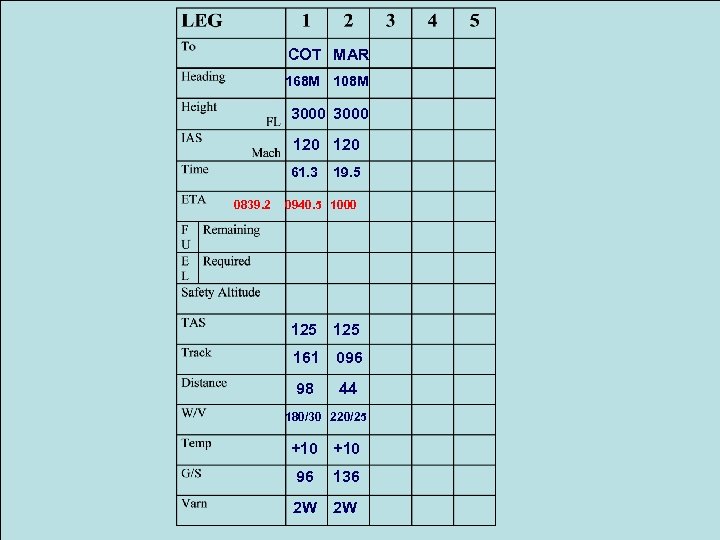 COT MAR 168 M 108 M 3000 120 61. 3 0839. 2 19. 5 0940. 5 1000 125 161 096 98 44 180/30 220/25 +10 96 136 2 W 2 W
 Fuel Planning
 Fuel Planning One of the main purposes of calculating flight times is to ensure sufficient fuel is available Running a car out of fuel will be inconvenient In an aircraft…… it could be fatal
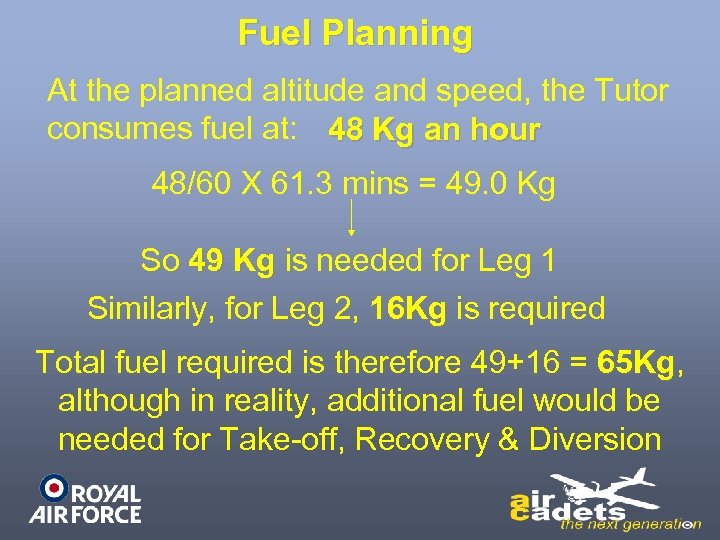 Fuel Planning At the planned altitude and speed, the Tutor consumes fuel at: 48 Kg an hour 48/60 X 61. 3 mins = 49. 0 Kg So 49 Kg is needed for Leg 1 Similarly, for Leg 2, 16 Kg is required Total fuel required is therefore 49+16 = 65 Kg, 65 Kg although in reality, additional fuel would be needed for Take-off, Recovery & Diversion
 Fuel Planning If we require 55 Kg minimum overhead Marham for recovery and diversion purposes, we can annotate our Log Card for fuel
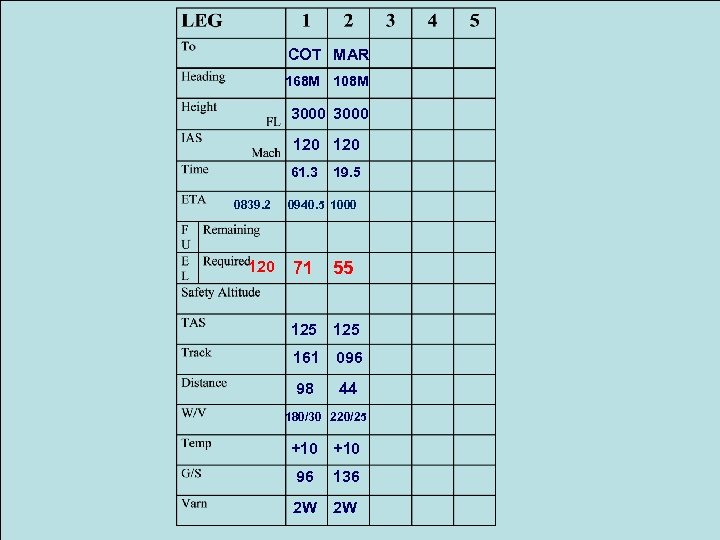 COT MAR 168 M 108 M 3000 120 61. 3 0839. 2 120 19. 5 0940. 5 1000 71 55 125 161 096 98 44 180/30 220/25 +10 96 136 2 W 2 W
 Other Information The most important is the Safety Altitude This is the altitude an aircraft must climb to or not fly below in Instrument Meteorological Conditions (IMC)
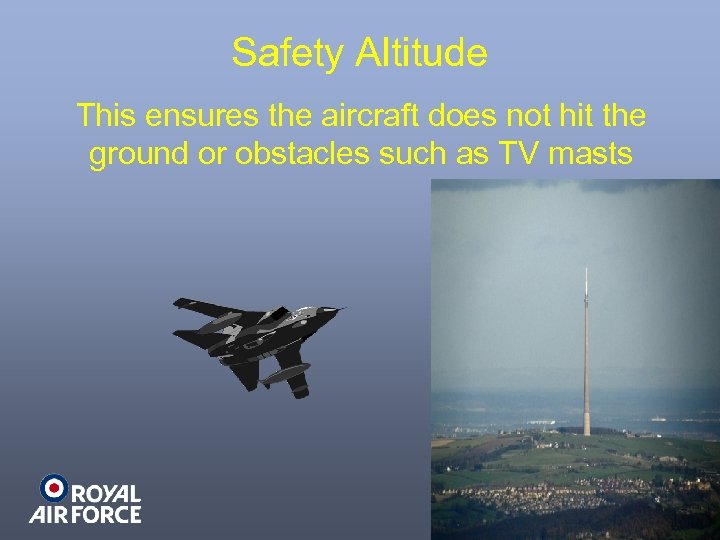 Safety Altitude This ensures the aircraft does not hit the ground or obstacles such as TV masts
 Safety Altitude is calculated by adding 1000 ft to the highest elevation on or close to the planned route (RAF use 30 nm) & rounding it up to the next 100 ft In mountainous regions, a greater safety margin is added
 Safety Altitude An aircraft can not descend below the Safety Altitude unless the crew has: Good visual contact with the ground or the services of ATC (Apart from specially equipped aircraft such as Tornado GR 4 which can, when appropriate, use TFR)
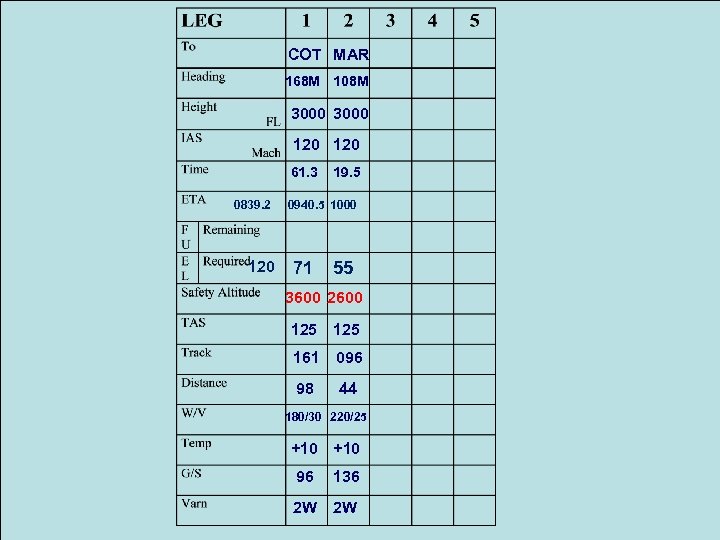
 Safety Altitude Using the guidelines, we calculate Safety Altitude as 3600 ft for Leg 1 & 2600 ft for Leg 2 As we plan to fly the route at 3000 ft AMSL, if we encountered poor weather during Leg 1, we would have to climb to 3600 ft until conditions improved We can now enter Safety Altitude figures on our Log Card
 COT MAR 168 M 108 M 3000 120 61. 3 0839. 2 120 19. 5 0940. 5 1000 71 55 3600 2600 125 161 096 98 44 180/30 220/25 +10 96 136 2 W 2 W
 Sortie Co-ordination Ideally prior to flight, aircraft crews must notify ATC of their sortie details, so that action can be initiated if the aircraft becomes overdue at its planned destination This notification is usually in the form of an ATC Flight Plan
 ATC Flight Plan Additionally, the crews of aircraft planned to enter busy airspace have to submit an ATC Flight Plan. This is to enable their flight to be coordinated with other aircraft using that airspace
 ATC Flight Plan ATC has a standard format for this, including: Aircraft type Aircraft callsign Time & place of departure Speed & altitude Route ETA and destination Safety info In the UK, we submit an ATC Flight Plan using a CA 48 or RAF Form 2919
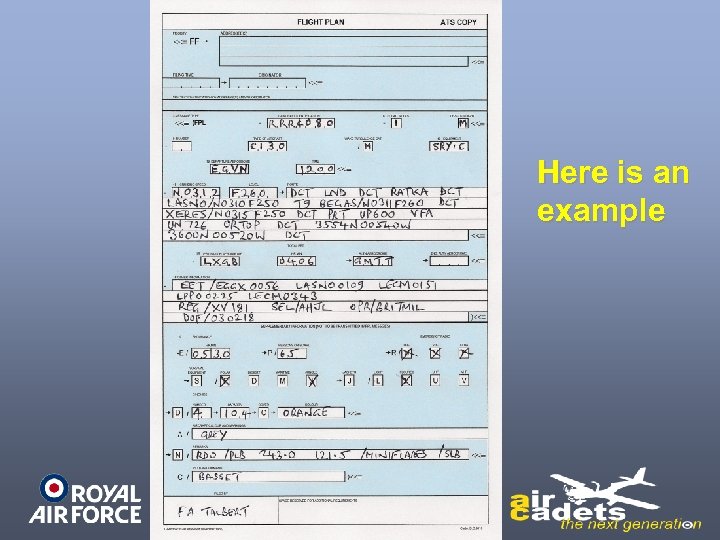 Here is an example
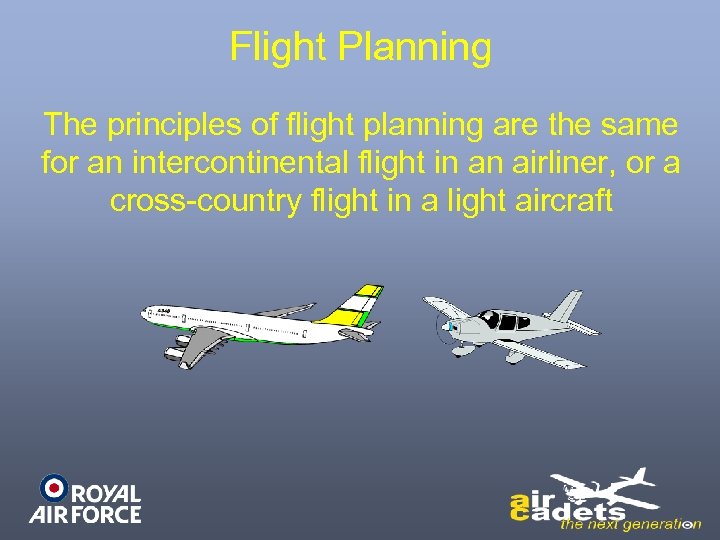 Flight Planning The principles of flight planning are the same for an intercontinental flight in an airliner, or a cross-country flight in a light aircraft
 Conclusion Prior to a flight we must: • Measure Tracks, Distances and Safety Altitude from the chart or current databases • Calculate the effects of the weather (especially wind) • Have sufficient fuel • Inform ATC of our planned route This will minimise risk and ensure that if anything goes wrong, assistance should be readily available
 Position Fixing ?
 Introduction In the pioneering days of aviation, aircraft would not usually fly unless the crew could see the ground, as map reading was the only means of navigation Later, aircraft were fitted with sextants & radio directionfinding equipment. However, significant improvements to navigation capability occurred during & after WW 2… with H 2 S radar and radio aids such as Gee
 Introduction It was not until the 1970’s that a navigational aid with world-wide coverage was available (apart from Astro Navigation) Omega
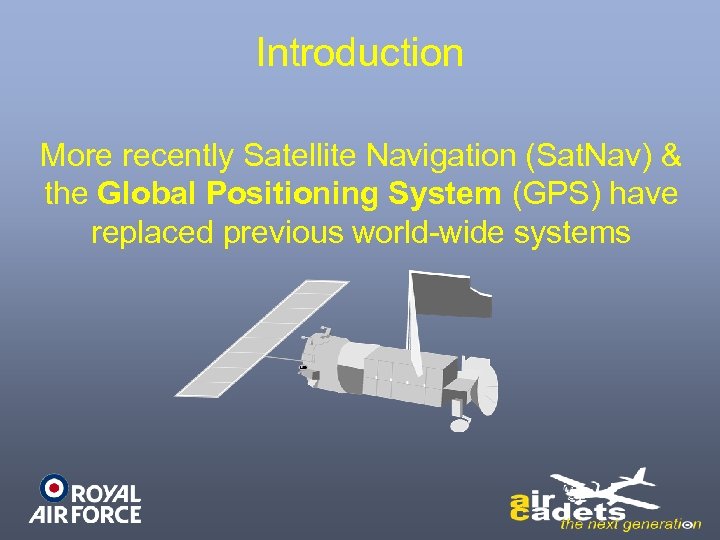 Introduction More recently Satellite Navigation (Sat. Nav) & the Global Positioning System (GPS) have replaced previous world-wide systems
 Introduction Any process of finding an aircraft’s position is known as Fixing During a sortie, aircrew need to be able to fix their position, not only to monitor progress against fuel reserves, but also to stay away from areas best avoided
 Visual Fixing There are many factors affecting map reading When we are able to determine our position with reference to ground features observed from the aircraft, this visual fix is known as a Pinpoint
 Visual Fixing The accuracy of our Pinpoint depends on the uniqueness of the features, distance from these features, accuracy of the map & skill of the observer Mapreading is a reliable method of navigation & it is used frequently by aircrew
 Radio Aids The use of radio aids for navigation enabled aircraft position to be fixed without reference to ground features If you rotate a radio aerial through 360º in the horizontal plane, you will find 2 directions where radio reception is better than others
 Radio Aids Radio Direction Finding (RDF) uses this principle. By turning the aerial until the best reception is received, aircraft equipment will display the bearing to a transmitting beacon. As long as the position of the beacon is known, a Position Line can be drawn from this, towards the estimated aircraft position, the aircraft being somewhere along this line
 Radio Aids If another position line can be obtained, preferably at 90º to the first, fixing is possible If 3 position lines can be plotted, from different sources, preferably at 60º to one another, then a ‘ 3 position line fix’ can be obtained If the 3 lines do not intersect, an indication of reliability may be possible, unlike with just 2 lines
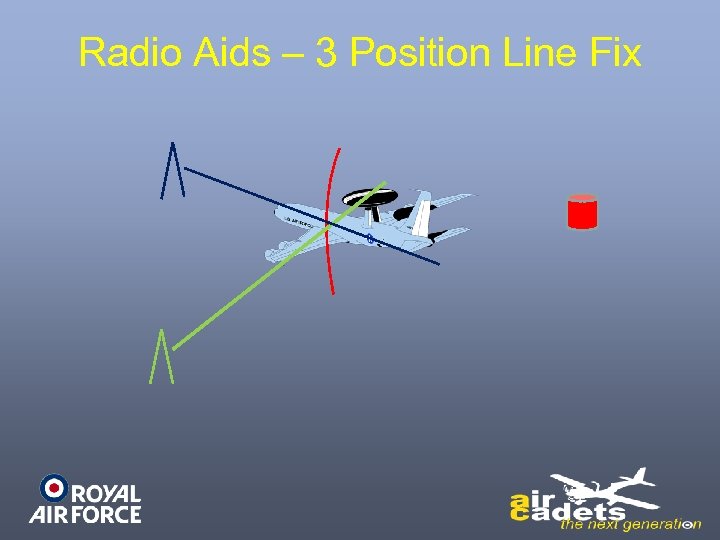 Radio Aids – 3 Position Line Fix
 Radio Aids Traditionally, using 3 position lines was a main method of fixing. However, the further the beacons, the greater the errors Also, at long distance from beacons such as during trans-oceanic flights, fixing opportunities were often lacking Furthermore, constructing fixes from position lines was very time consuming, requiring a crew member to act as Navigator
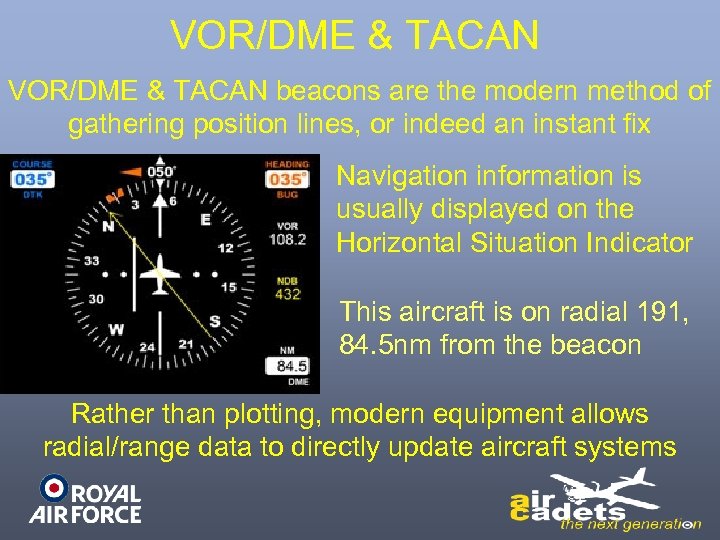 VOR/DME & TACAN beacons are the modern method of gathering position lines, or indeed an instant fix Navigation information is usually displayed on the Horizontal Situation Indicator This aircraft is on radial 191, 84. 5 nm from the beacon Rather than plotting, modern equipment allows radial/range data to directly update aircraft systems
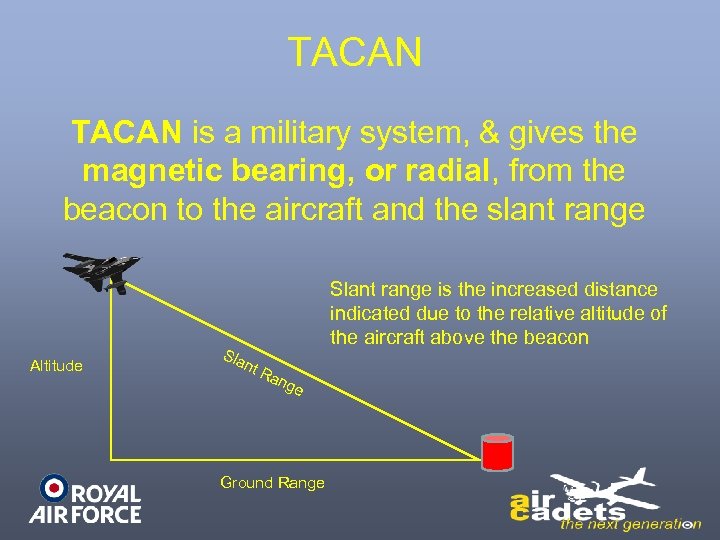 TACAN is a military system, & gives the magnetic bearing, or radial, from the beacon to the aircraft and the slant range Altitude Slant range is the increased distance indicated due to the relative altitude of the aircraft above the beacon nt R ang e Ground Range
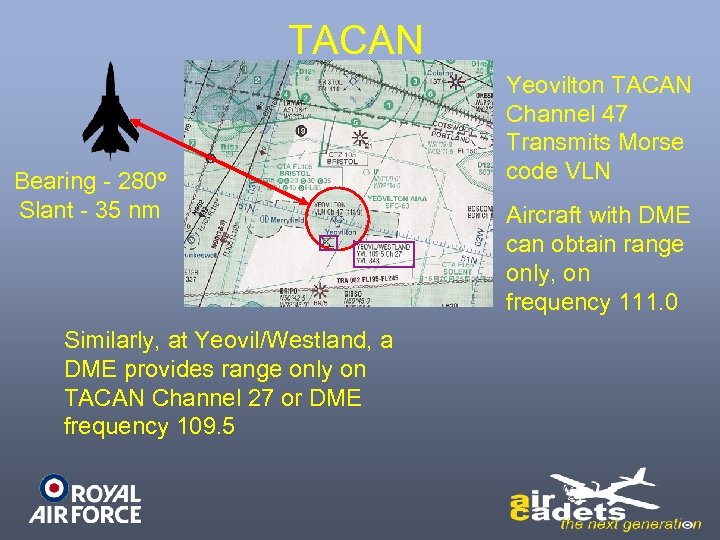 TACAN Bearing - 280º Slant - 35 nm Similarly, at Yeovil/Westland, a DME provides range only on TACAN Channel 27 or DME frequency 109. 5 Yeovilton TACAN Channel 47 Transmits Morse code VLN Aircraft with DME can obtain range only, on frequency 111. 0
 VOR/DME is a civilian system VOR/DME gives the magnetic bearing, or radial, from the beacon to the aircraft, plus the slant range. However, the bearing information is less accurate than TACAN Civil aircraft generally from beacon to beacon
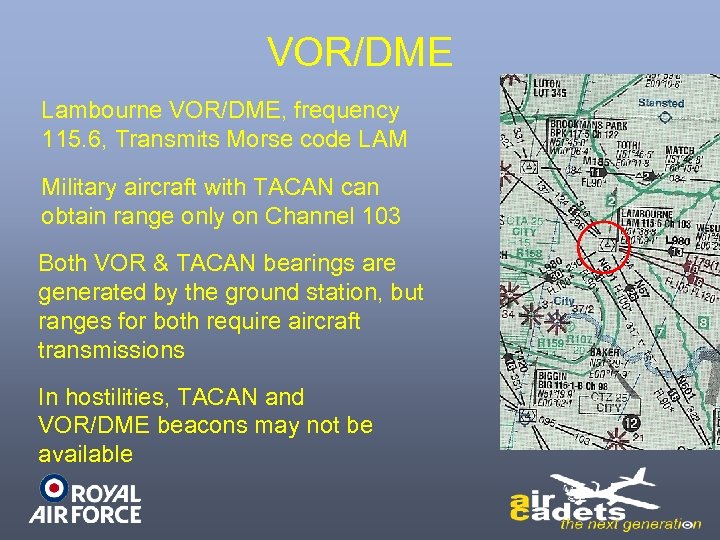 VOR/DME Lambourne VOR/DME, frequency 115. 6, Transmits Morse code LAM Military aircraft with TACAN can obtain range only on Channel 103 Both VOR & TACAN bearings are generated by the ground station, but ranges for both require aircraft transmissions In hostilities, TACAN and VOR/DME beacons may not be available
 Astro Navigation If radio beacons are lacking, such as during sorties across oceans, aircrew can also use the stars, or Astro Navigation The principle behind Astro is that if you have a reasonable estimate of your position, you can calculate the elevation of heavenly bodies such as the sun, the moon, the planets & the stars
 Astro Navigation Then, using a sextant to accurately measure the elevation of the heavenly body above the horizon, you can compare your actual position to the estimated one The difference between the 2 equates to a linear position error 2 or 3 position lines are still required for a fix, although an Astro line can be combined with lines from radio aids
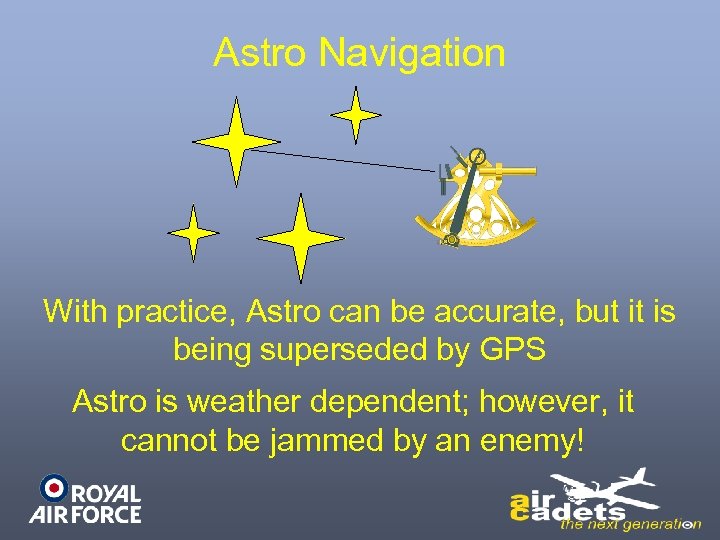 Astro Navigation With practice, Astro can be accurate, but it is being superseded by GPS Astro is weather dependent; however, it cannot be jammed by an enemy!
 Radar Navigation
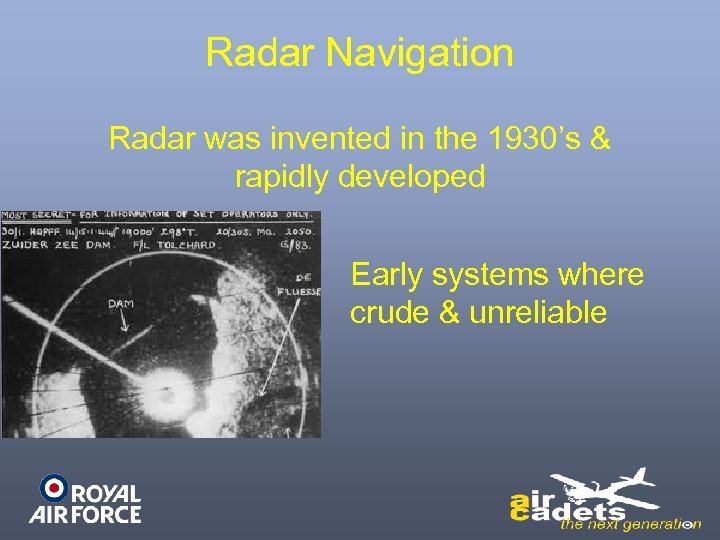 Radar Navigation Radar was invented in the 1930’s & rapidly developed Early systems where crude & unreliable
 Radar Navigation Modern systems , such as used in Tornado, are highly effective The radar is used to illuminate known ground features and rapidly update any error between estimated and actual position Aircrew can then concentrate on other tasks, such as weapon-system management
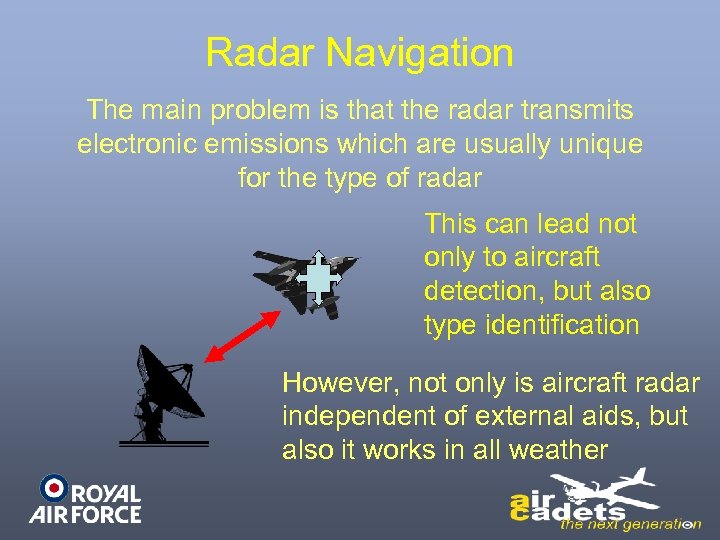 Radar Navigation The main problem is that the radar transmits electronic emissions which are usually unique for the type of radar This can lead not only to aircraft detection, but also type identification However, not only is aircraft radar independent of external aids, but also it works in all weather
 Long-Range Navigation With the rapid development of electronics in the 1950’s & 60’s, area navigation systems were also introduced : GEE DECCA LORAN OMEGA These systems involved signals transmitted from ground stations and not from the aircraft using them
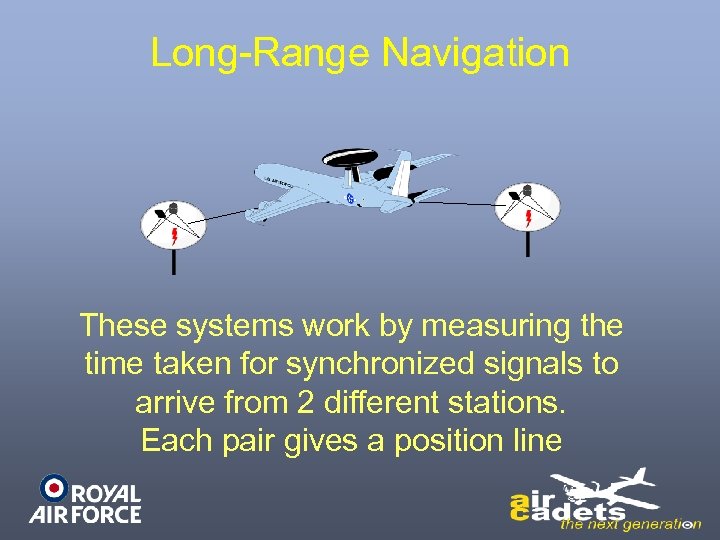 Long-Range Navigation These systems work by measuring the time taken for synchronized signals to arrive from 2 different stations. Each pair gives a position line
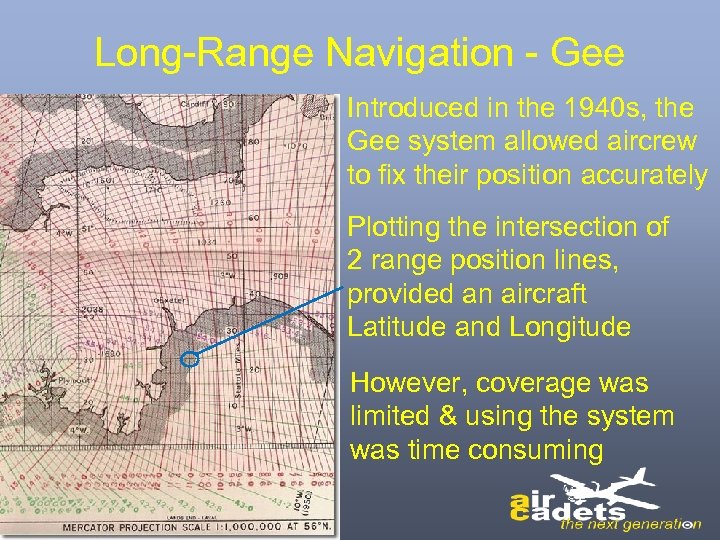 Long-Range Navigation - Gee Introduced in the 1940 s, the Gee system allowed aircrew to fix their position accurately Plotting the intersection of 2 range position lines, provided an aircraft Latitude and Longitude However, coverage was limited & using the system was time consuming
 Long-Range Navigation Later systems such as Decca & Loran worked on similar principles to Gee However, as technology progressed, systems became more automated & had greater coverage The ultimate system, Omega, had virtually worldwide coverage, while being linked directly to aircraft navigation systems, thereby reducing aircrew workload
 Long-Range Navigation With the advent of Sat. Nav & in particular GPS, fixes are available at the touch of a button, throughout the world, in 3 dimensions & with an accuracy of a few metres
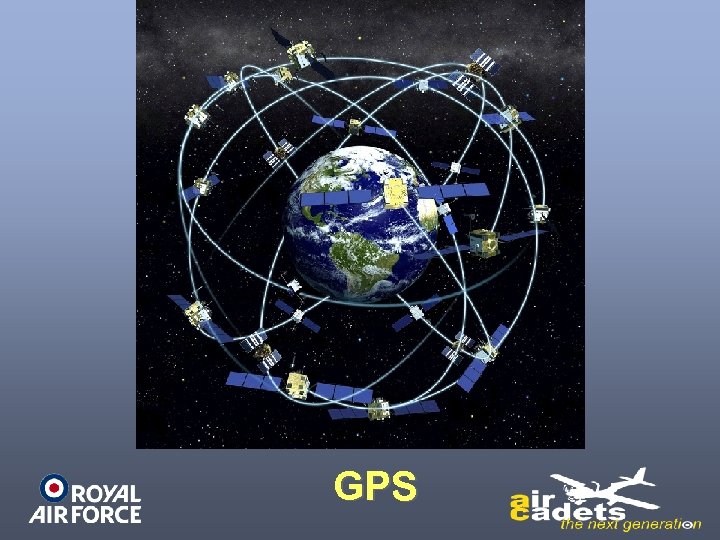 GPS
GPS
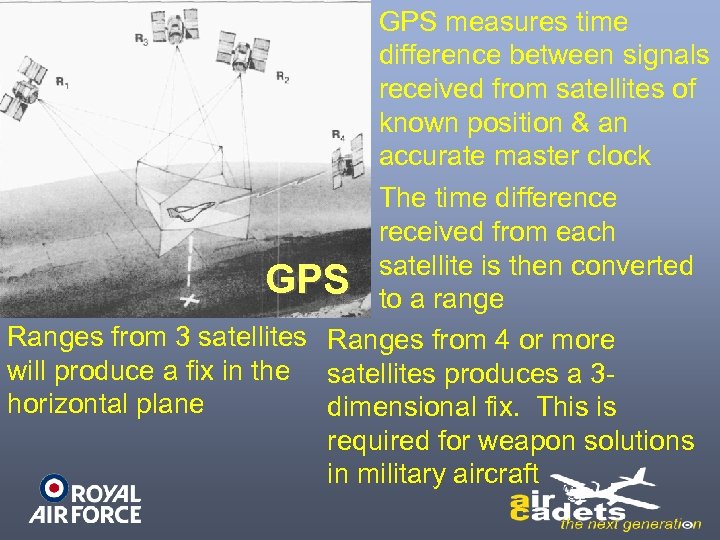 GPS measures time difference between signals received from satellites of known position & an accurate master clock The time difference received from each satellite is then converted GPS to a range Ranges from 3 satellites Ranges from 4 or more will produce a fix in the satellites produces a 3 horizontal plane dimensional fix. This is required for weapon solutions in military aircraft
 Active/Passive Systems As stated, the main disadvantage of radar is that it could alert an enemy to the presence of the aircraft, thereby invoking the timely activation of enemy forces or electronic countermeasures such as jamming Radar homing missiles have been developed against surface radars. In the future these could also be developed against radar-equipped aircraft
 Active/Passive Systems Developments in Electronic Warfare (EW), such as frequency-hopping radars which minimise the effect of jamming, can protect active navigation systems in a hostile environment However, the problem of aircraft detection still exists A solution is to use equipment that does not transmit, but merely receive Passive Systems
 Active/Passive Systems include GPS-blended navigation solutions, with fixing taking place continuously, to keep the navigation and weapon systems constantly updated Aircraft may also still retain active systems, not only for their role, but also for flexibility in poor weather & equipment redundancy
 Fixing - Summary Technological developments have enabled aircrew to fix their position in a variety of ways beyond Pinpoints Position-line fixing using radio aids and Astro has been superseded by instant fixing using TACAN or VOR/DME Long-range systems have gradually developed until accurate fixing is available instantly & world wide Radar permits rapid, independent fixing, but use of such an active system may forewarn a potential enemy Passive systems offer advantages but aircraft may retain active sensors for flexibility
 PILOT NAVIGATION END OF LEARNING OUTCOME 2