


 Скачать презентацию PI Visualization Tools Putting Your Data to Work
cd9ceb9aecc5df2d4b2cc45a936240b8.ppt
- Количество слайдов: 68
 PI Visualization Tools Putting Your Data to Work Laurie Dieffenbach, Product Manager Regional Seminar Series October 2008 © 2008 OSIsoft, Inc. | Company Confidential
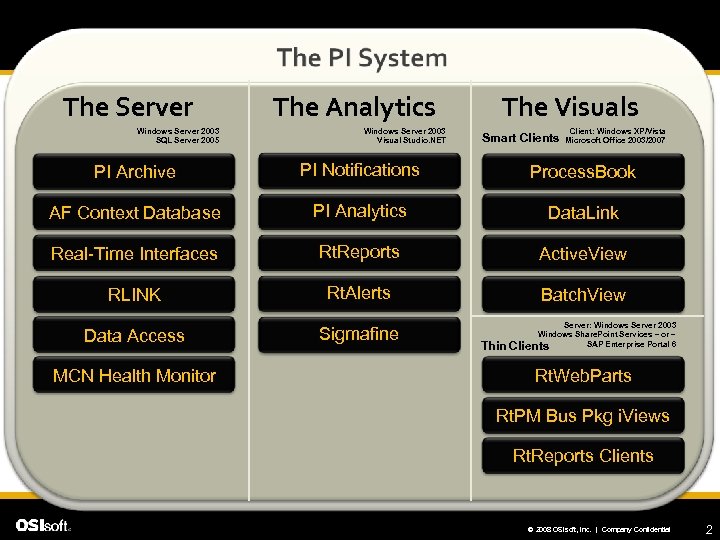 The Server Windows Server 2003 SQL Server 2005 The Analytics Windows Server 2003 Visual Studio. NET The Visuals Smart Clients Client: Windows XP/Vista Microsoft Office 2003/2007 PI Archive PI Notifications Process. Book AF Context Database PI Analytics Data. Link Real-Time Interfaces Rt. Reports Active. View RLINK Rt. Alerts Batch. View Data Access Sigmafine MCN Health Monitor Thin Server: Windows Server 2003 Windows Share. Point Services – or – SAP Enterprise Portal 6 Clients Rt. Web. Parts Rt. PM Bus Pkg i. Views Rt. Reports Clients © 2008 OSIsoft, Inc. | Company Confidential 2
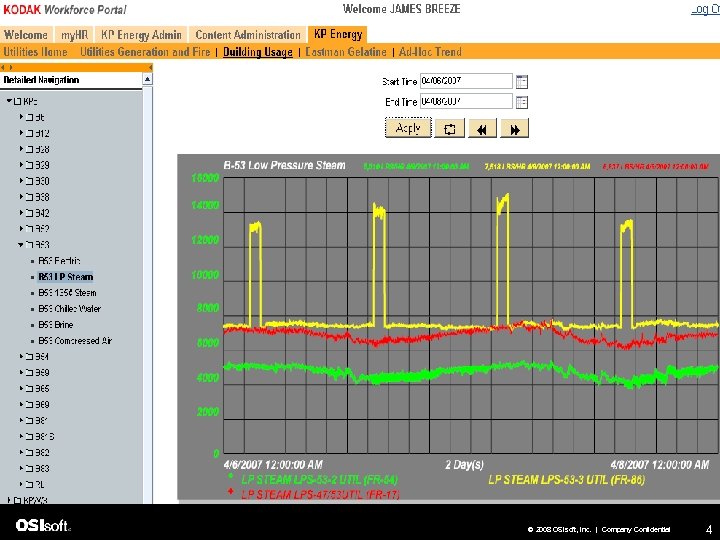
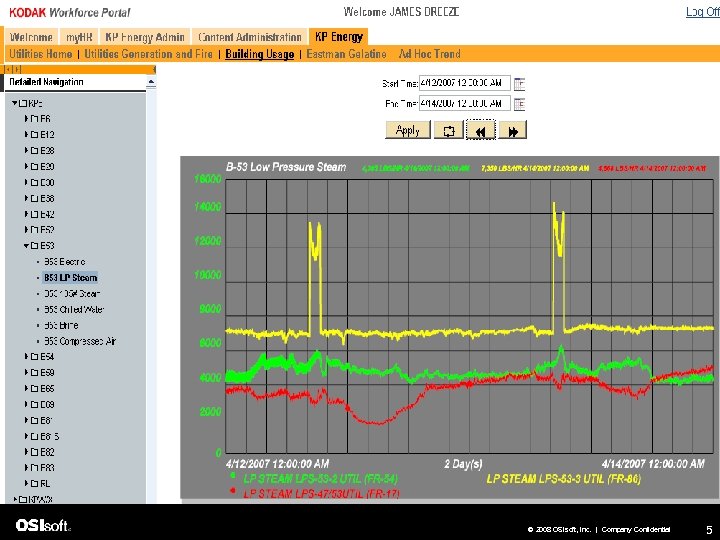
 Why Visualization? l Compare factors l See obvious issues l See obvious results from change © 2008 OSIsoft, Inc. | Company Confidential 3
 © 2008 OSIsoft, Inc. | Company Confidential 4
 © 2008 OSIsoft, Inc. | Company Confidential 5
 Visualization Tools l First, what will AF look like? l Process. Book l Data. Link l Rt. Web. Parts/i. Views l Data. Link for Excel Services l Rt. Reports l Manual Logger © 2008 OSIsoft, Inc. | Company Confidential 6
 AF functionality l Many visualization tools currently support finding data using references to a module, its properties, or its aliases l AF turns references to a module into references to an element and its attributes. © 2008 OSIsoft, Inc. | Company Confidential 7
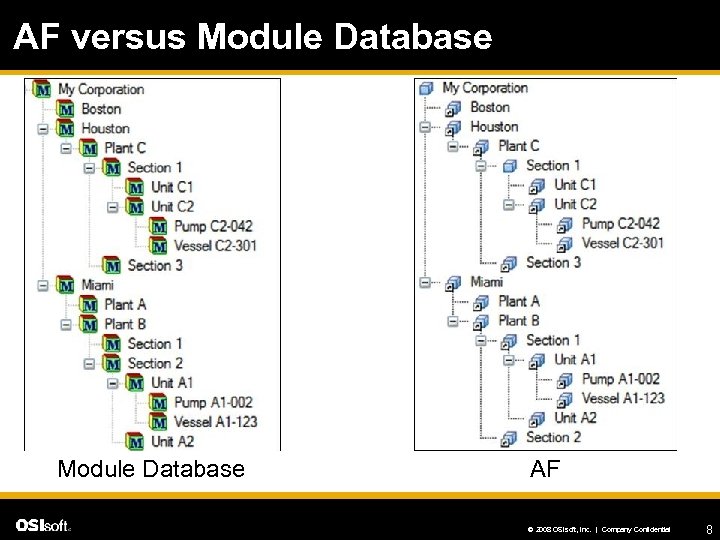 AF versus Module Database AF © 2008 OSIsoft, Inc. | Company Confidential 8
 Process. Book © 2008 OSIsoft, Inc. | Company Confidential
 What people use it for l Situational awareness (e. g. , in the control room) l Troubleshooting a present issue l Deep analysis of root cause or looking for efficiencies © 2008 OSIsoft, Inc. | Company Confidential 10
 Customer Requests Addressed in PB 3. 1 l Easier Formatting l Quick Trend Zoom & Pan l Data Details l Annotations l Vertical Trends l Linear Regression Line l Tooltip Statistics l Drag and Drop © 2008 OSIsoft, Inc. | Company Confidential 11
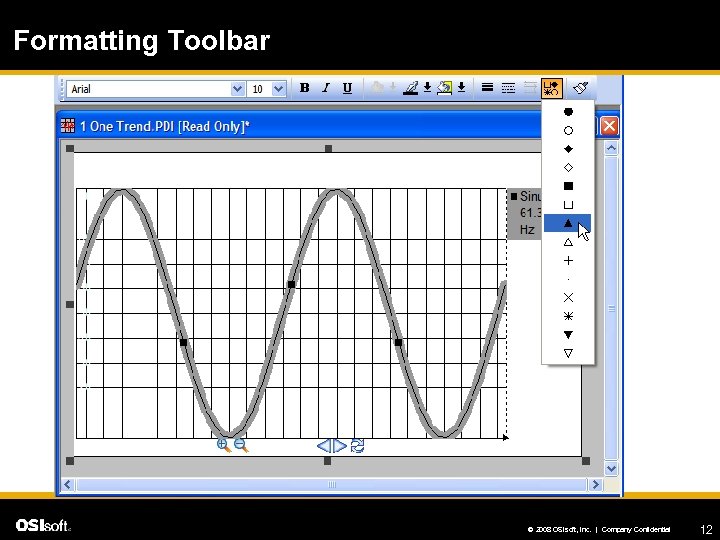 Formatting Toolbar © 2008 OSIsoft, Inc. | Company Confidential 12
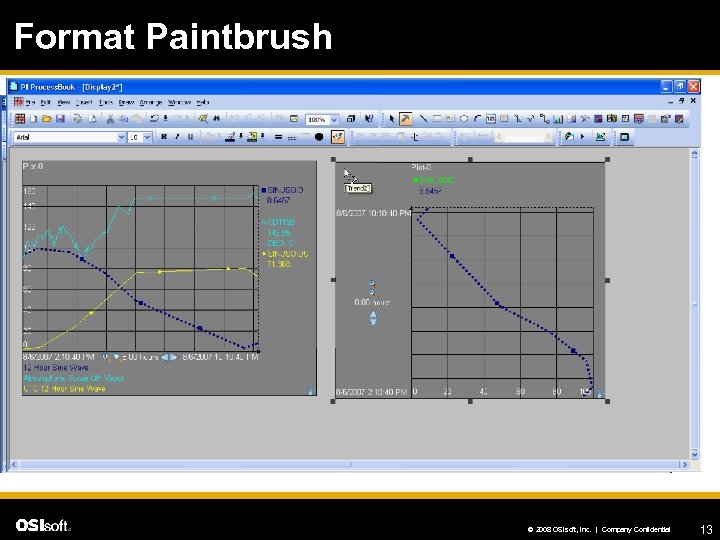 Format Paintbrush © 2008 OSIsoft, Inc. | Company Confidential 13
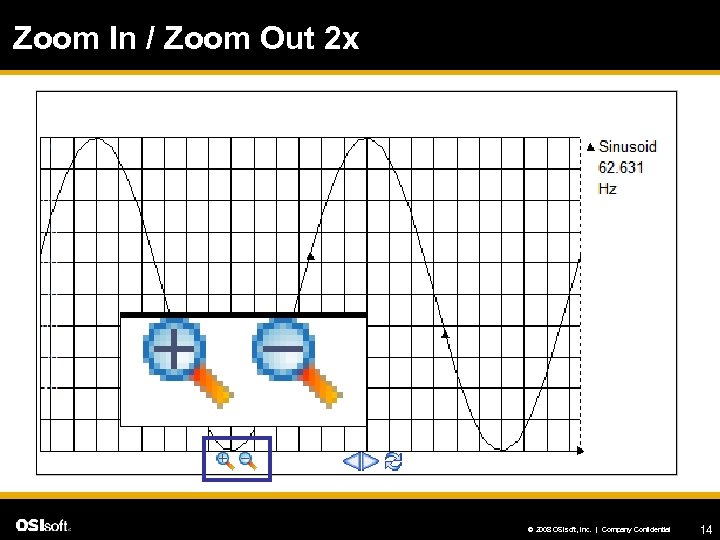 Zoom In / Zoom Out 2 x © 2008 OSIsoft, Inc. | Company Confidential 14
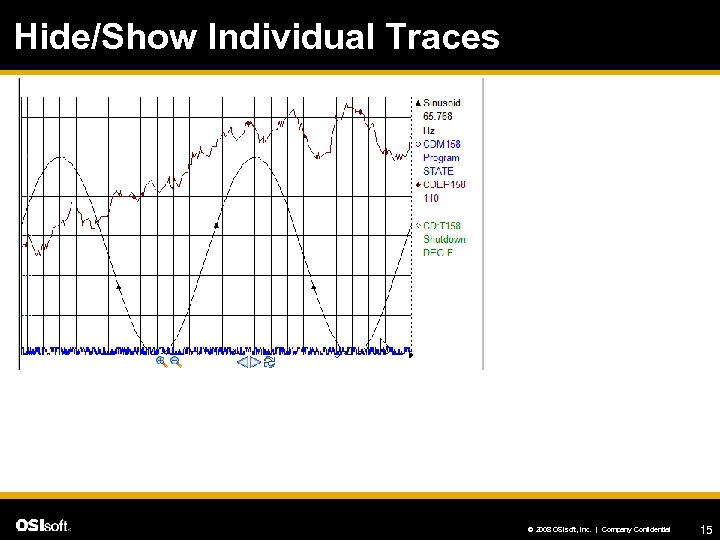 Hide/Show Individual Traces © 2008 OSIsoft, Inc. | Company Confidential 15
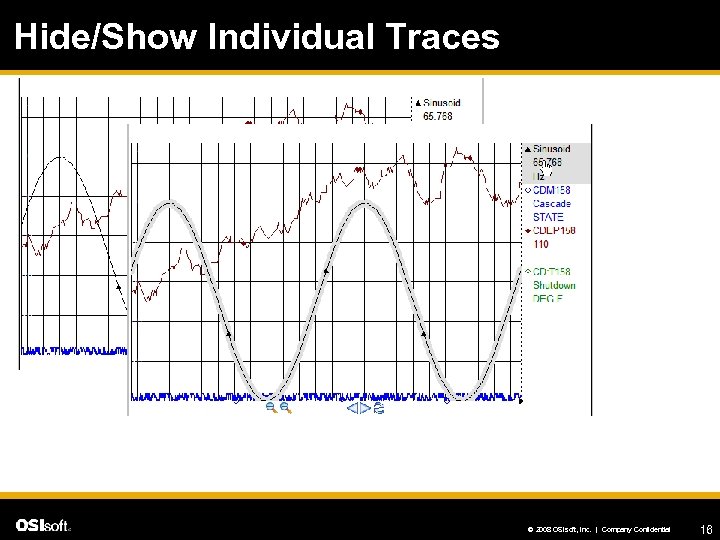 Hide/Show Individual Traces © 2008 OSIsoft, Inc. | Company Confidential 16
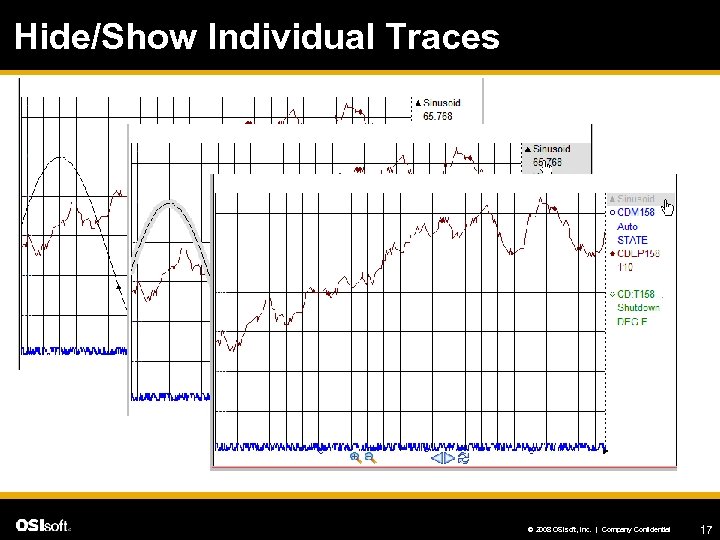 Hide/Show Individual Traces © 2008 OSIsoft, Inc. | Company Confidential 17
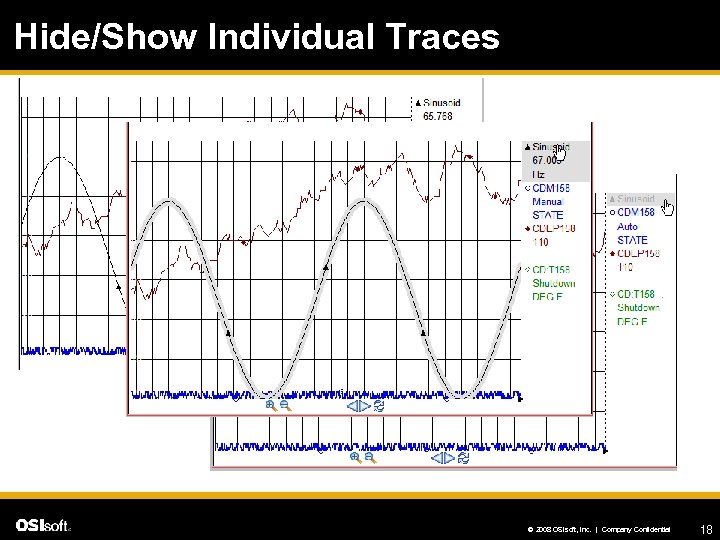 Hide/Show Individual Traces © 2008 OSIsoft, Inc. | Company Confidential 18
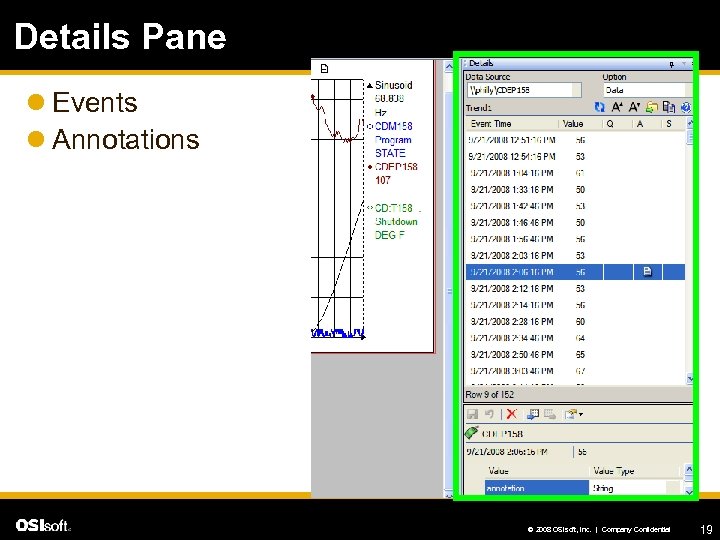 Details Pane l Events l Annotations © 2008 OSIsoft, Inc. | Company Confidential 19
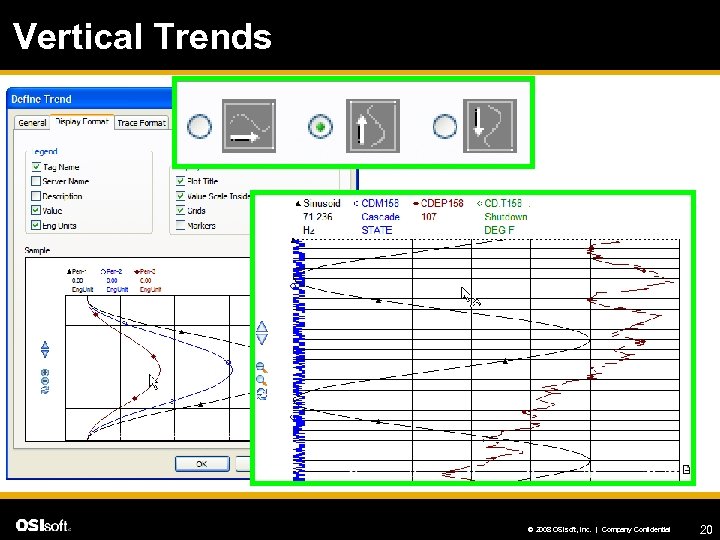 Vertical Trends © 2008 OSIsoft, Inc. | Company Confidential 20
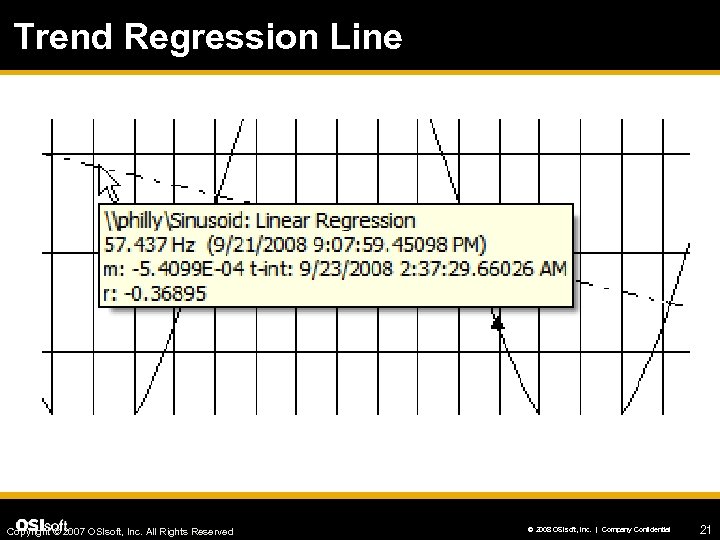 Trend Regression Line Copyright © 2007 OSIsoft, Inc. All Rights Reserved © 2008 OSIsoft, Inc. | Company Confidential 21
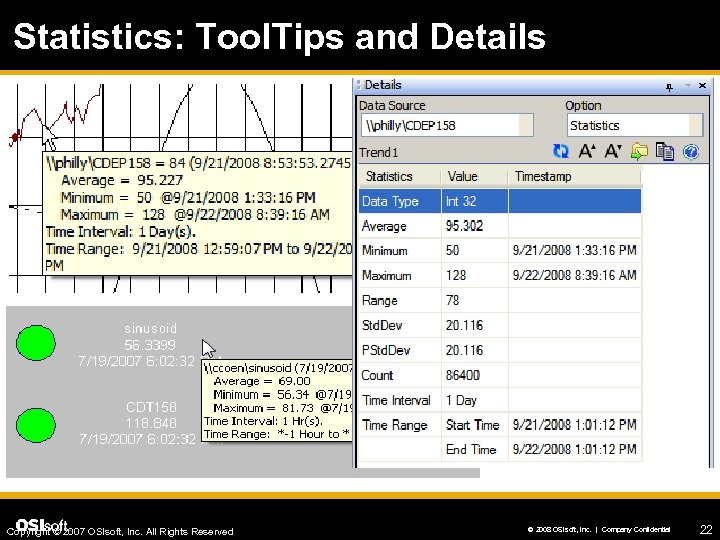 Statistics: Tool. Tips and Details Copyright © 2007 OSIsoft, Inc. All Rights Reserved © 2008 OSIsoft, Inc. | Company Confidential 22
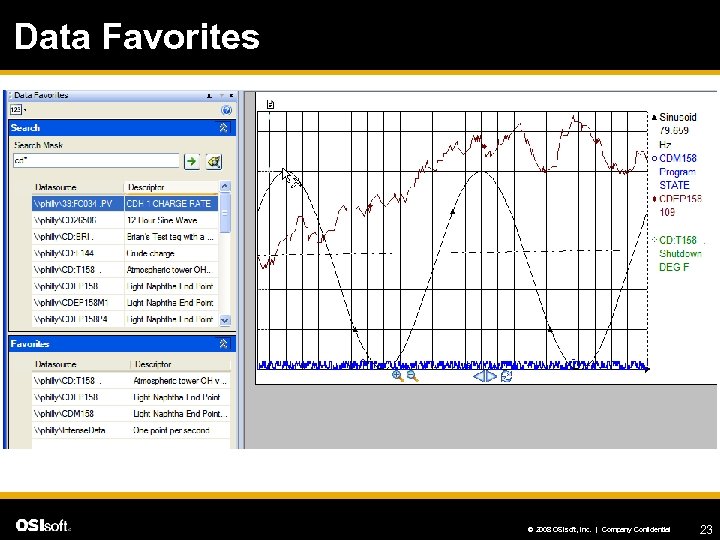 Data Favorites © 2008 OSIsoft, Inc. | Company Confidential 23
 Drag and Drop Configuration l From Favorites list l From Search results l From other applications (e. g. , Excel) l Add to existing trends l Create new symbols (Trend, XY plot, Bar, Value) l Build mode only l Data Favorites window © 2008 OSIsoft, Inc. | Company Confidential 24
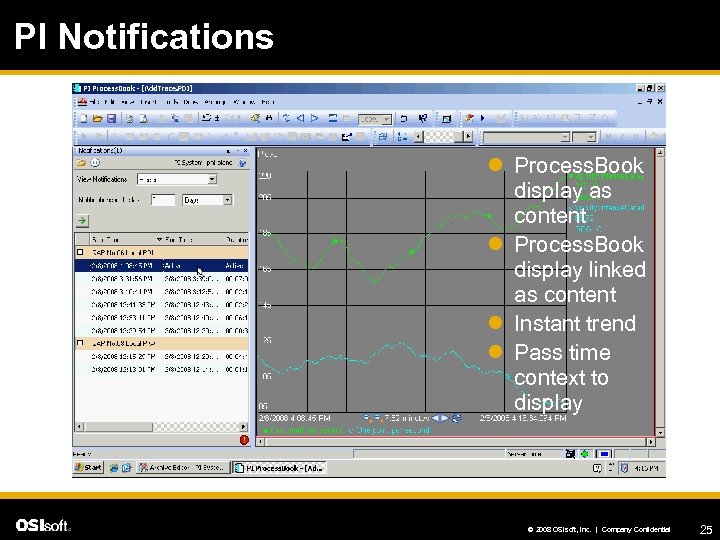 PI Notifications l Process. Book display as content l Process. Book display linked as content l Instant trend l Pass time context to display © 2008 OSIsoft, Inc. | Company Confidential 25
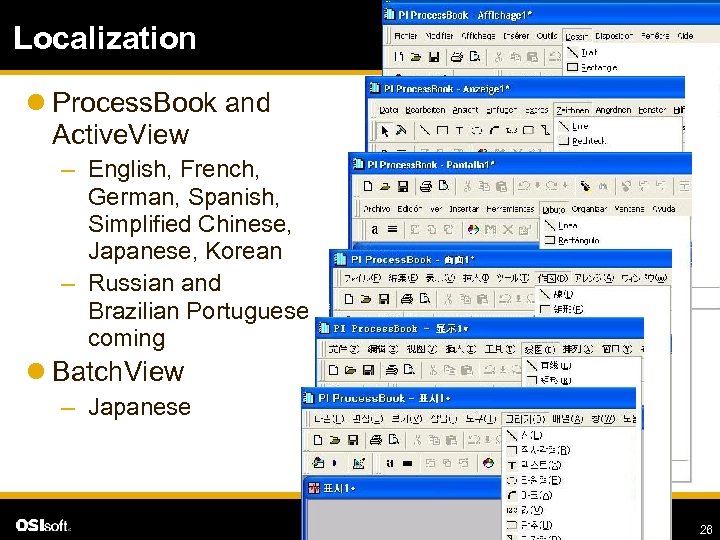 Localization l Process. Book and Active. View – English, French, German, Spanish, Simplified Chinese, Japanese, Korean – Russian and Brazilian Portuguese coming l Batch. View – Japanese © 2008 OSIsoft, Inc. | Company Confidential 26
 Process. Book Roadmap l Process. Book 3. 1 – Windows security integration – PI Notifications integration – Trending enhancements l Process. Book 3. 2 (PR 2) – More AF 2. 0 integration – Time handling improvements l Visualization Tools © 2008 OSIsoft, Inc. | Company Confidential 27
 Data. Link © 2008 OSIsoft, Inc. | Company Confidential
 What people use it for l Deeper analysis using calculations (e. g. , PI or Excel formulas) l Integrating data from different sources for analysis and comparison (e. g. , calculations across data sources) l Number-based reporting © 2008 OSIsoft, Inc. | Company Confidential 29
 OSIsoft and Microsoft l OSIsoft is a Gold Certified Partner – Partnership for 15+ years l Office 2007 – Invited to the Developer Advisory Council – Member of the Technology Adoption Program – Results in new Data. Link for Excel Services product l Office “ 14” – Invited to the Developer Advisory Council Copyright © 2007 OSIsoft, Inc. All Rights Reserved © 2008 OSIsoft, Inc. | Company Confidential 30
 Benefits of Data. Link + Excel 2007 l Provides a new Data. Link user experience l Supports the current Data. Link user experience l Allows Data. Link spreadsheets on the Web l Increased limits for larger spreadsheets – More data on a spreadsheet with 1 M rows by 16 K cols © 2008 OSIsoft, Inc. | Company Confidential 31
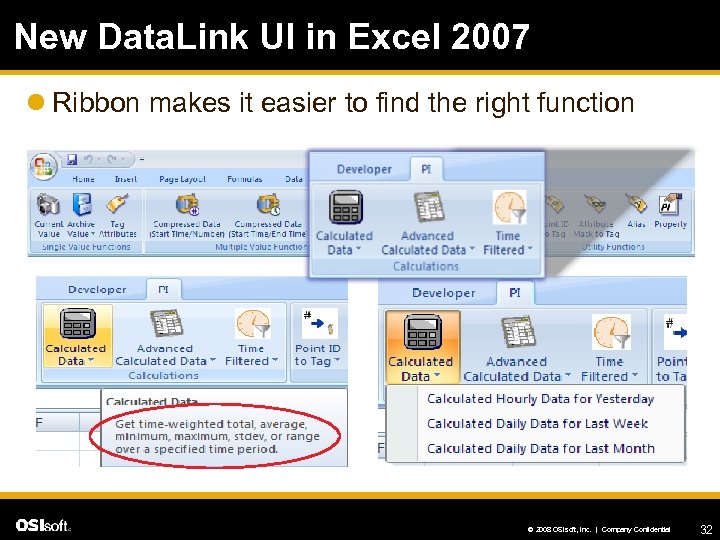 New Data. Link UI in Excel 2007 l Ribbon makes it easier to find the right function © 2008 OSIsoft, Inc. | Company Confidential 32
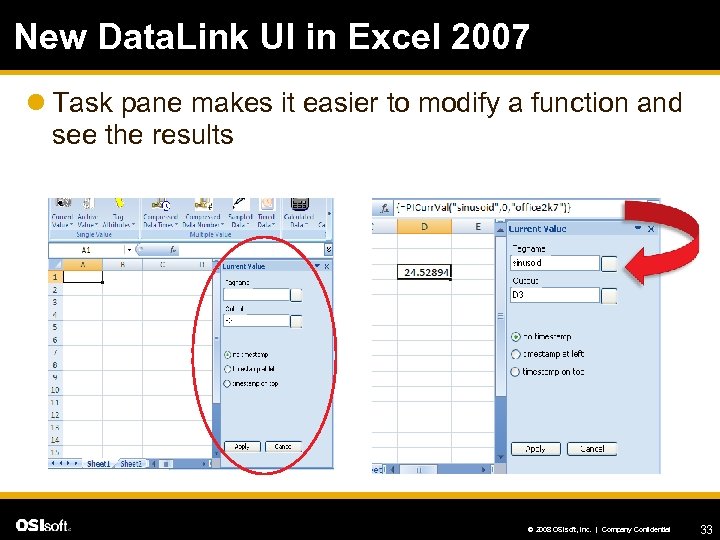 New Data. Link UI in Excel 2007 l Task pane makes it easier to modify a function and see the results © 2008 OSIsoft, Inc. | Company Confidential 33
 Data. Link Roadmap l Data. Link 3. 1. 6 (PR 1) – Support for Windows Vista – Localized in several languages l Data. Link 4. 0 – Support for Excel 2007 – Windows Security integration – PI Notifications Search add-in l Data. Link 4. 1 (PR 2) – AF 2. 0 integration l Visualization Tools © 2008 OSIsoft, Inc. | Company Confidential 34
 Rt. Web. Parts / i. Views © 2008 OSIsoft, Inc. | Company Confidential
 What people use it for l Provide access for more casual users l Elevate visibility across the enterprise (e. g. , management versus operations) l Provide visibility to vendors, suppliers, customers l Share knowledge throughout the corporation © 2008 OSIsoft, Inc. | Company Confidential 36
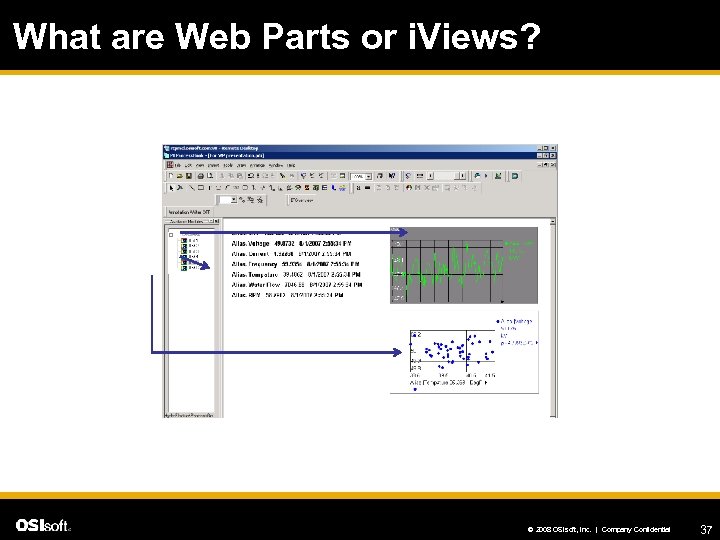 What are Web Parts or i. Views? © 2008 OSIsoft, Inc. | Company Confidential 37
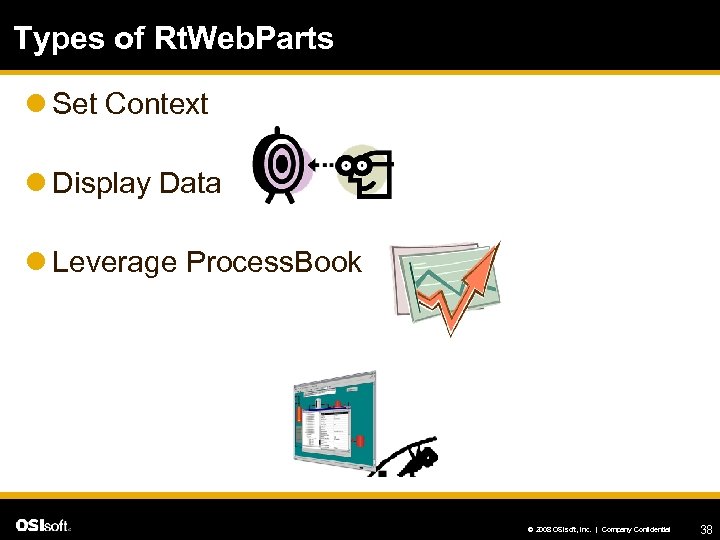 Types of Rt. Web. Parts l Set Context l Display Data l Leverage Process. Book © 2008 OSIsoft, Inc. | Company Confidential 38
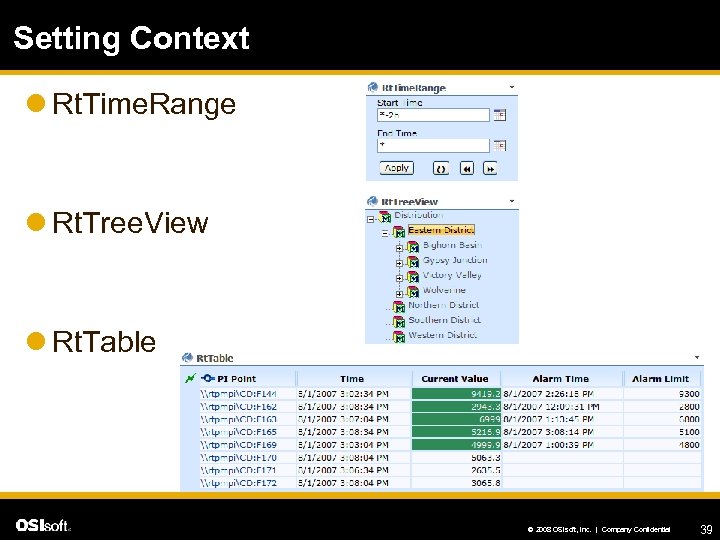 Setting Context l Rt. Time. Range l Rt. Tree. View l Rt. Table © 2008 OSIsoft, Inc. | Company Confidential 39
 Displaying Data l Rt. Trend l Rt. Gauge l Rt. XYPlot l Rt. Messenger l Rt. Values l Rt. Time. Series l Rt. Table © 2008 OSIsoft, Inc. | Company Confidential 40
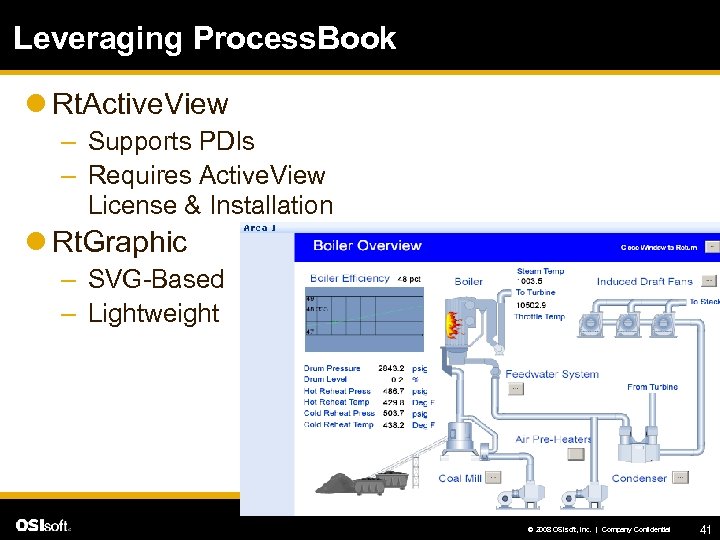 Leveraging Process. Book l Rt. Active. View – Supports PDIs – Requires Active. View License & Installation l Rt. Graphic – SVG-Based – Lightweight © 2008 OSIsoft, Inc. | Company Confidential 41
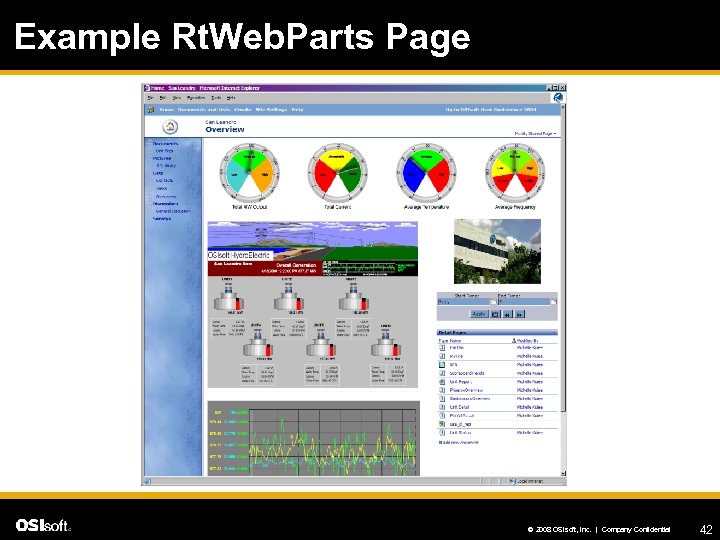 Example Rt. Web. Parts Page © 2008 OSIsoft, Inc. | Company Confidential 42
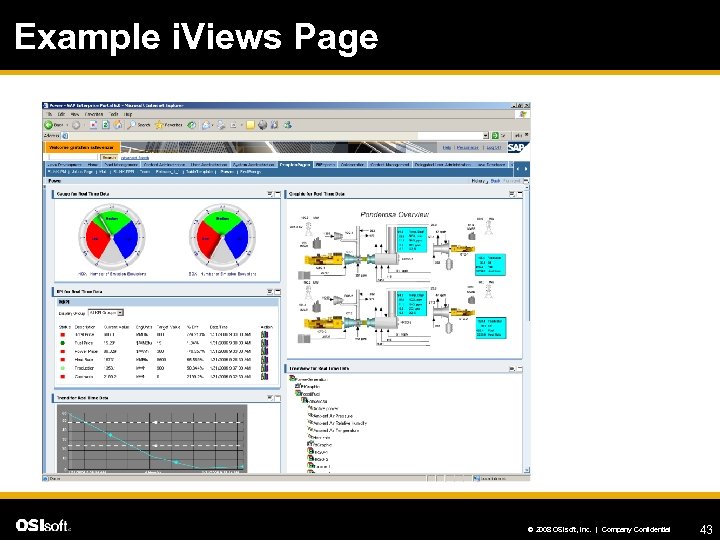 Example i. Views Page © 2008 OSIsoft, Inc. | Company Confidential 43
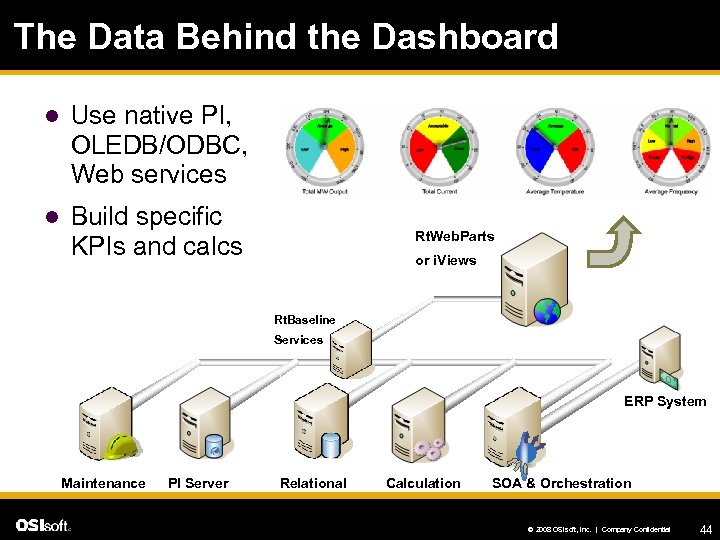 The Data Behind the Dashboard l Use native PI, OLEDB/ODBC, Web services l Build specific KPIs and calcs Rt. Web. Parts or i. Views Rt. Baseline Services ERP System Maintenance PI Server Relational Calculation SOA & Orchestration © 2008 OSIsoft, Inc. | Company Confidential 44
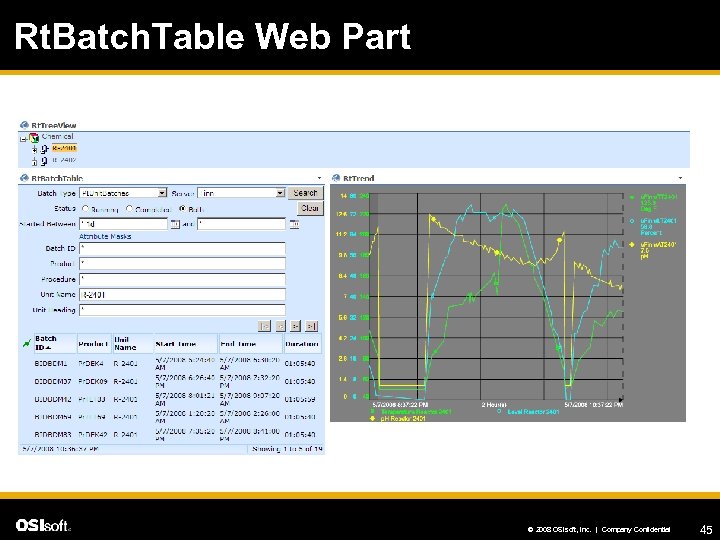 Rt. Batch. Table Web Part © 2008 OSIsoft, Inc. | Company Confidential 45
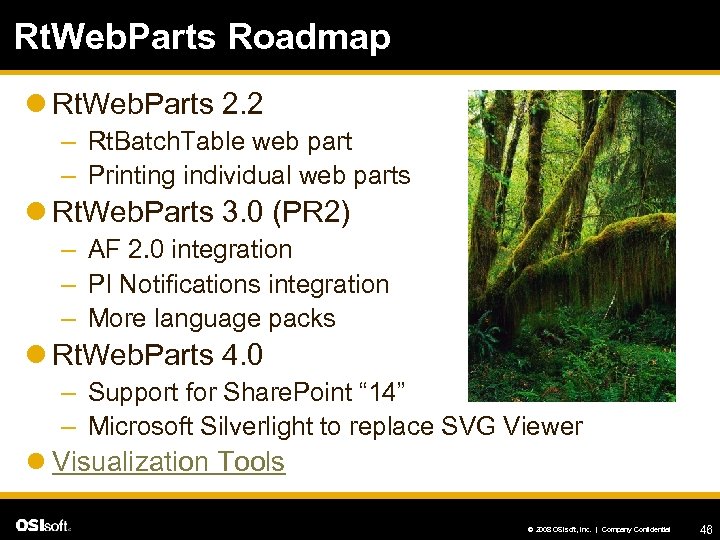 Rt. Web. Parts Roadmap l Rt. Web. Parts 2. 2 – Rt. Batch. Table web part – Printing individual web parts l Rt. Web. Parts 3. 0 (PR 2) – AF 2. 0 integration – PI Notifications integration – More language packs l Rt. Web. Parts 4. 0 – Support for Share. Point “ 14” – Microsoft Silverlight to replace SVG Viewer l Visualization Tools © 2008 OSIsoft, Inc. | Company Confidential 46
 Data. Link for Excel Services © 2008 OSIsoft, Inc. | Company Confidential
 What people use it for l Centralize the organizational expertise currently represented by spreadsheets on people’s hard drives l Integrate existing reports into portal applications l Elevate visibility across the enterprise © 2008 OSIsoft, Inc. | Company Confidential 48
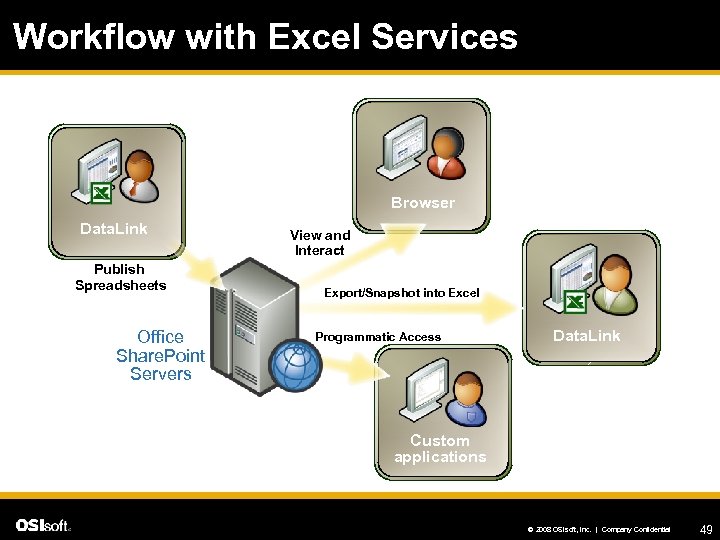 Workflow with Excel Services Browser Data. Link Publish Spreadsheets Office Share. Point Servers View and Interact Export/Snapshot into Excel Programmatic Access Data. Link Custom applications © 2008 OSIsoft, Inc. | Company Confidential 49
 Value of DLES + Excel Services l Shows “one version of the truth” – Simplify collaboration around spreadsheets l Provides enterprise content management – Make spreadsheets accessible and manageable l Enables business intelligence in real-time – Improve business insight into PI data on demand © 2008 OSIsoft, Inc. | Company Confidential 50
 DLES is Data. Link on the Web l Only requirement is a Web browser – No Data. Link needed on Client PC – Excel 2007 is not required anywhere l Enter parameters and recalculate PI data – Allow dynamic spreadsheets, but keep them secure l Create dashboards with Rt. Web. Parts – Display graphical, interactive pages using context – DLES is available with an active Rt. Web. Parts license © 2008 OSIsoft, Inc. | Company Confidential 51
 DLES Roadmap l DLES 3. 1. 6 (PR 1) – Support for Data. Link functions – Support for Batch. View search l DLES 4. 0 – Support for PI Notifications search l DLES 4. 1 (PR 2) – AF 2. 0 integration l Visualization Tools © 2008 OSIsoft, Inc. | Company Confidential 52
 Rt. Reports © 2008 OSIsoft, Inc. | Company Confidential
 What people use it for l Standardize reporting using templates l Easily generate a report by pointing to data of interest l Point-and-shoot reporting for those who just need to see it l Read-only environment l Support for compliance situations © 2008 OSIsoft, Inc. | Company Confidential 54
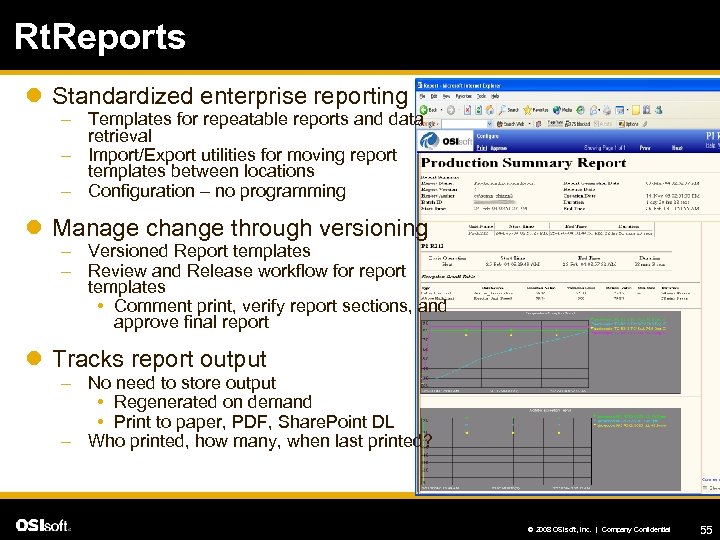 Rt. Reports l Standardized enterprise reporting – Templates for repeatable reports and data retrieval – Import/Export utilities for moving report templates between locations – Configuration – no programming l Manage change through versioning – Versioned Report templates – Review and Release workflow for report templates • Comment print, verify report sections, and approve final report l Tracks report output – No need to store output • Regenerated on demand • Print to paper, PDF, Share. Point DL – Who printed, how many, when last printed? © 2008 OSIsoft, Inc. | Company Confidential 55
 Rt. Reports Editions l Standard Edition – Intended for customers that need web-based, real-time reporting who are not constrained by regulatory requirements l Compliance Edition – Complies with government regulations to meet electronic signatures – Suitable for customers constrained by FDA or EPA © 2008 OSIsoft, Inc. | Company Confidential 56
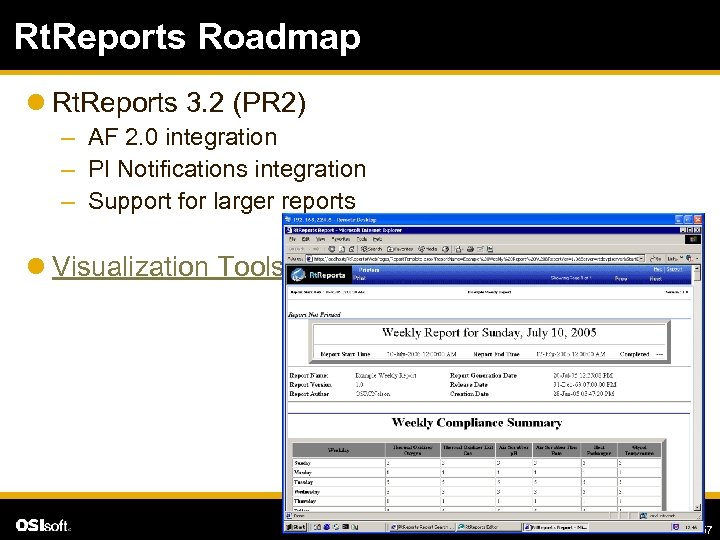 Rt. Reports Roadmap l Rt. Reports 3. 2 (PR 2) – AF 2. 0 integration – PI Notifications integration – Support for larger reports l Visualization Tools © 2008 OSIsoft, Inc. | Company Confidential 57
 Manual Logger © 2008 OSIsoft, Inc. | Company Confidential
 What people use it for l Manually collect data when automated collection is not an option – Older equipment – Instrumentation too expensive – Automation needs to be justified l Collect non-continuous data – Lab results – Discrete values that do not change often (e. g. , inventory) l Infrequent data collection (monthly, quarterly, etc. ) © 2008 OSIsoft, Inc. | Company Confidential 59
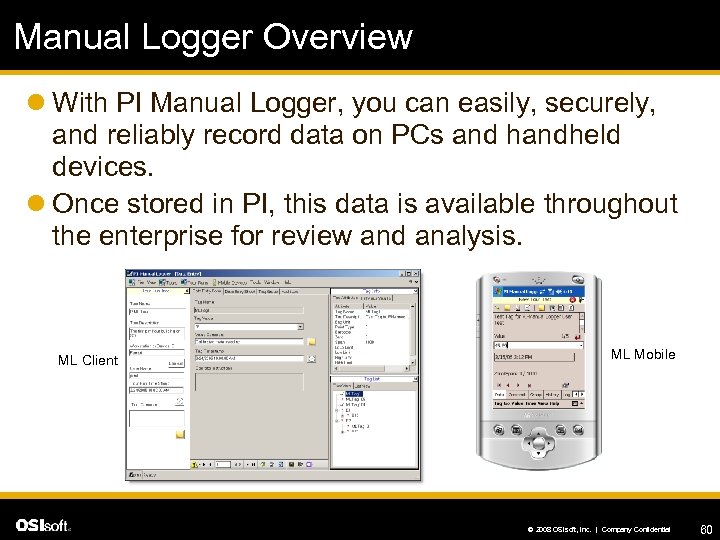 Manual Logger Overview l With PI Manual Logger, you can easily, securely, and reliably record data on PCs and handheld devices. l Once stored in PI, this data is available throughout the enterprise for review and analysis. ML Client ML Mobile © 2008 OSIsoft, Inc. | Company Confidential 60
 Features of Manual Logger l l l l l Multiplatform – enter data from PC, laptop, tablet, or mobile Multiuser – all data stored in a central SQL Server Workflow – review/edit/approve data before sending to PI Security – associate digital signature with values, audit trail, separate permissions for data entry and administration Limits – check for out-of-bounds values and prompt the user Conditional entry – on-the-fly calculation to determine if a tag or group of tags is due for data collection Scheduling – flexible hourly, daily, weekly, monthly, yearly schedule for data collection, e. g. first Mon at 8: 00 am Trending – ad hoc trend of tag archive values & annotations Barcode – use scanner to identify tags and enter data Networked – data transfer initiated from mobile device or PC © 2008 OSIsoft, Inc. | Company Confidential 61
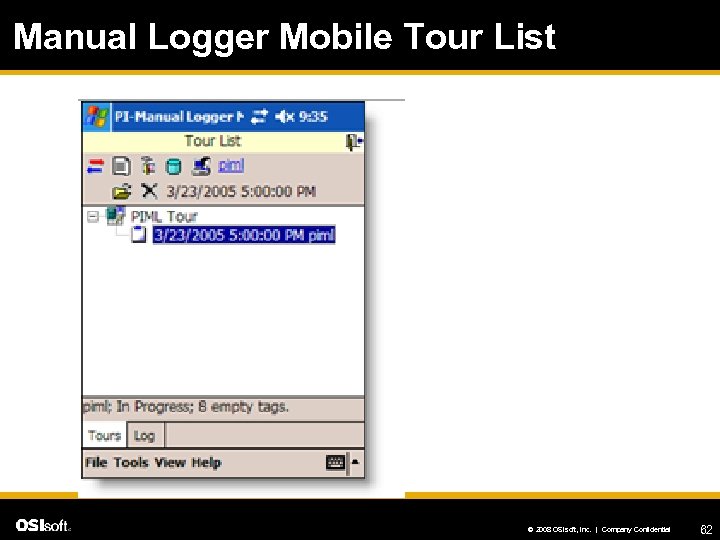 Manual Logger Mobile Tour List © 2008 OSIsoft, Inc. | Company Confidential 62
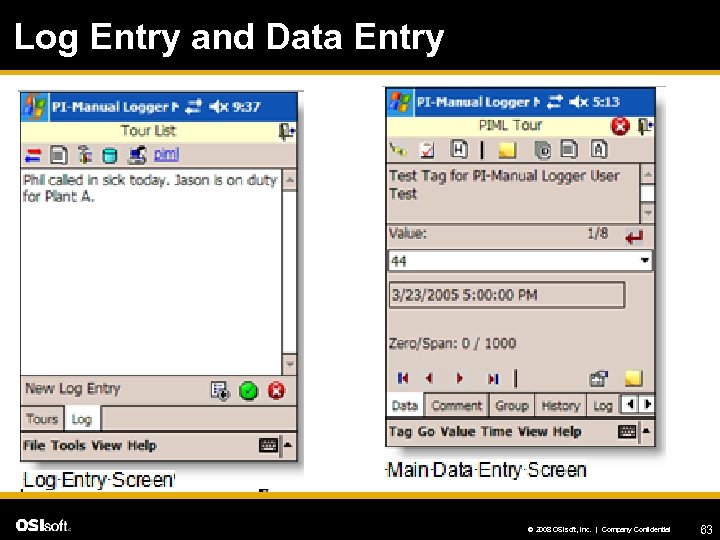 Log Entry and Data Entry © 2008 OSIsoft, Inc. | Company Confidential 63
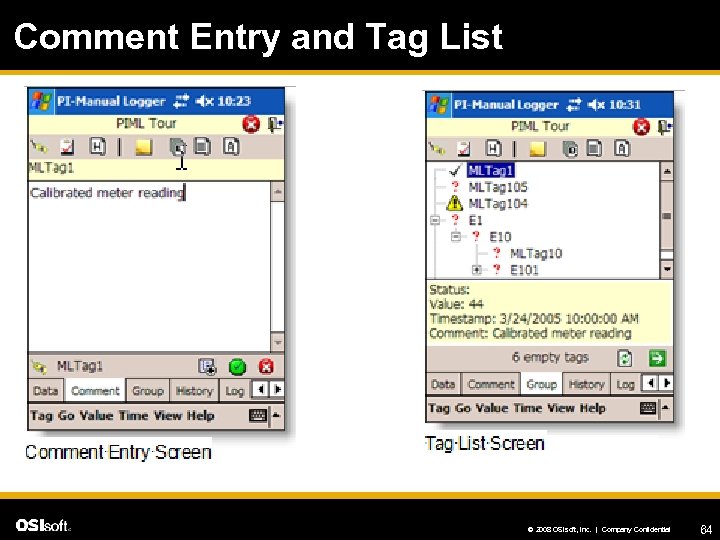 Comment Entry and Tag List © 2008 OSIsoft, Inc. | Company Confidential 64
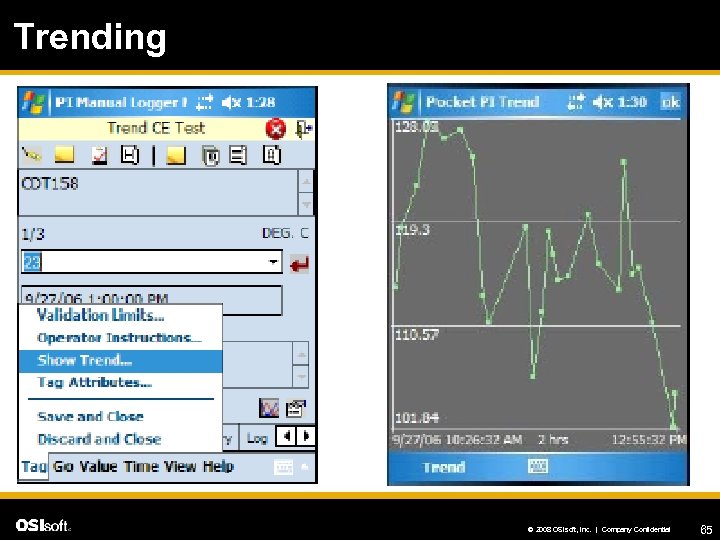 Trending © 2008 OSIsoft, Inc. | Company Confidential 65
 Manual Logger Roadmap l Manual Logger 2. 2 – Support for Windows Vista – Support for Windows Mobile 6. 0 devices – Conditional Manual Data Entry l Manual Logger 2. 2+ (PR 2) – – Windows security integration PI Notifications integration Replicated data with HA PI Support for WM 6. 1/7 devices l Visualization Tools © 2008 OSIsoft, Inc. | Company Confidential 66
 Now what? l When you get back…. – – – – Compare production variables Find an obvious issue Show the right people (with a picture!) Propose a solution Set up and monitor a trial Show obvious results from change Rinse and repeat © 2008 OSIsoft, Inc. | Company Confidential 67
 Questions? l Laurie Dieffenbach, Product Manager – LDieffenbach@osisoft. com – Product. Managers@osisoft. com l Thank You! © 2008 OSIsoft, Inc. | Company Confidential 68