


 Скачать презентацию Physical Information Security Fall 2009 CS 461 ECE 422
c63fc9540b3562ace882981d7e7b844e.ppt
- Количество слайдов: 47
 Physical Information Security Fall 2009 CS 461/ECE 422 Computer Security I
 Reading Material • Secrets of Computer Espionage Chapter 5 • Soft TEMPEST paper – http: //www. cl. cam. ac. uk/~mgk 25/ih 98 -tempest. pdf
 Outline • Forensics/Spying – Disks – Paper – Phones • Emissions Security (EMSEC) – TEMPEST
 Forensics Motivation • The watcher vs the watched – Understand where data can lurk – Understand how evidence is handled • Indirect means of finding information in broader computer systems – Range from common sense to arcane – Use your limited resources appropriate to the situation
 Forensic Techniques • Can be applied – In criminal investigation – In corporate or civil investigation q • Similar techniques apply in espionage – Bad guy is looking for information on your systems – May use non-traditional materials and techniques to acquire that information
 Computer Forensics • Support criminal or civil investigation – Generally working with computer disks – Perhaps other electronic equipment too • e. g. , game consoles • Chain of Custody – Careful documentation of how evidence was handled
 Computer Forensics • Acquiring computer – Pull the plug? – Document • Working with disk – Investigate on bit copy of disk • Huge disks make this more time consuming – Protect original! – Gather evidence with widely available and understood tools
 Hiding Information on File Systems • Many computer forensics books give guidance for looking – Non standard names – Non standard extensions – Root kit techniques to hide files from browser – Non-standard disk sectors – NT streams • file: alt – Compressed or UUEncoded data – Residual data
 Slack Space • File systems allocate fixed chunks to files • Generally last chunk is not full. This is Slack – Could contain remnants of previous allocations – Could contain consciously placed data
 Encrypting File Systems • Widely available – EFS in Windows XP http: //www. microsoft. com/technet/prodtechnol/ winxppro/deploy/cryptfs. mspx • Insert encryption/decryption shim in the file system stack – Bit. Locker in Windows Vista • Supports physically separate stored key – TCFS http: //www. tcfs. it for Unix/Linux • Distributed encrypted file system
 Encrypting File System Design Issues • When is the data encrypted/decrypted/removed? – Does data stay decrypted in cache? – What happens when a logged on user walks away? • Can the spy step up and copy the data? • Zero-Interaction Authentication, M. D. Croner and B. Noble, ACM MOBICOM, 2002 • How is data recovered if employee leaves or is hit by a bus? – Key escrow • What if you are legally forced to reveal the key? • Differences in laws between nations
 Deleting Files • File systems cheat when you ask to delete a file – For performance reasons merely update tables to cause file/directory/file system to not be directly accessible – Trivial to bring back if you know what to look for • Reformatting the disk does not remove the data completely either • A variety of free and commercial products will retrieve deleted/reformatted data and/or reconstruct data from partially damaged disks – http: //www. ontrack. com/
 Really Deleting Files • Wipe or scrub the disk – Write 0’s over the disk • E. g. in unix land - dd if=/dev/zero of=/dev/had – CITES FAQ on disk scrubbing • http: //www. cites. uiuc. edu/security/diskscrub/dsfaq. html – A single pass may not suffice • magnetic remanence: [A] magnetic representation of residual information remaining on a magnetic medium after the medium has been cleared • With special tools, can reconstruct original data from the remanence • Organizations generally have standards for “wiping” disks before repurposing or destruction – CS Dept makes 3 passes for reuse in department and 10 passes if disk is leaving department • 20 minutes per Giga. Byte for 10 passes – In extreme cases may even require destroying disks before throwing away (e. g. , dipping in acid)
 Common Applications • Web browsers – Cache – History – Favorites • Instant message – Buddies – Logged conversations • Email clients – Contacts – Sent emails
 Backups • Regular backups essential to information assurance – Add to headaches to track multiple copies of sensitive data • Where is the data stored? – At least one copy off-site • Should data be encrypted? – Bank of America “lost” personal information from many people from unencrypted backups gone missing in transit to backup storage • Who has access to create/restore the backups? – Separated privileges in OS • How is backup media destroyed?
 Data, Data Everywhere • More devices have significant storage – Memory sticks, game consoles, cameras • More devices are really little computers – PDAs, i. Phones
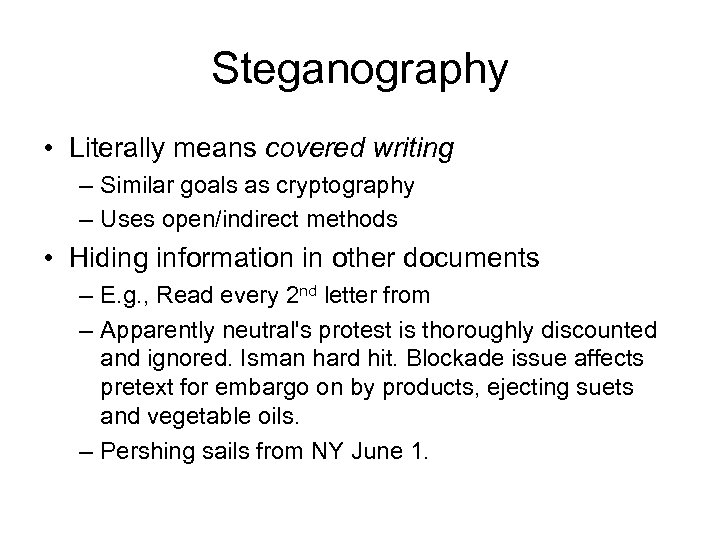 Steganography • Literally means covered writing – Similar goals as cryptography – Uses open/indirect methods • Hiding information in other documents – E. g. , Read every 2 nd letter from – Apparently neutral's protest is thoroughly discounted and ignored. Isman hard hit. Blockade issue affects pretext for embargo on by products, ejecting suets and vegetable oils. – Pershing sails from NY June 1.
 Steganography • Photos are good containers for steganographic messages – Embed data without affecting visual quality of resulting image • Example from S-Tools – Embed image http: //www. jjtc. com/stegdoc/sec 306. html – Into image http: //www. jjtc. com/stegdoc/sec 318. html
 Digital Watermarking • Use steganographic techniques to mark data to prove source of data – Identify movie, photo, music piracy – Different watermarks can be used to track channel of piracy (e. g. , movie theater in Hong Kong vs theater in New York) • Watermark design constraints – Difficult/impossible to remove without affecting data quality
 Looking at Logs • Standard logs can be court admissible • Even if not court admissible can help investigation – Mail Logs – ISP Logs – Web logs
 Scope of Physical Access • Who is allowed to come into physical access? – Guarded entrances? – Sign in procedures? – Cameras? • How are support employees vetted? • Do employees work from home? – Wireless networks, cordless phones, garbage – Employees and family using same computer? • Do employees work from coffee shops, airports, etc? – Stealing laptops, memory keys
 Paper Disposal • “Dumpster diving” can be an excellent source of information • Could incinerate or eat the paper • Generally organizations rely on shredding – Gov’t has standard on shredding – Many companies and universities do too • Many companies outsource (including UIUC) – Private citizens also shred • Identity theft concerns • Makes a nice mulch
 Paper Shredding • Two options – Stripping: cut paper into ½ to ¼ inch strips – Cross-cutting: cut in two dimensions to limit the length of strips • Gov’t requirements specify resulting paper fragment sizes depending on the classification of the data • Do people really reconstruct documents – Yes, example from US Embassy in Iran • http: //www. gwu. edu/~nsarchiv/NSAEBB 21/
 Copier/Printer/FAX Security • Basic physical concerns – Copier/FAX Leaving original on the glass – FAX confirmation comes after person left – Printer/FAX left in bin until redeemed – Information from logs • Printer/FAX machines that use ribbons leave copies of the original – Similar to type writer ribbons – Not an issue for ink jet versions
 Label Output Devices • Just being conscious of data security and physical security of output devices helps avoid accidents • In MLS Operating systems associated levels with printer/FAX devices – Ensure you don’t accidentally send top secret data to lobby printer
 Copier/Scanner/FAX Security • Bugged imaging devices – Large box would be easy to include something to copy aside the images – Popular Science article about CIA working with Xerox to enhance copier at Soviet Embassy
 Phone Security • Previously discussed legal issues and phone tapping • Encrypting phones exist – Use physical keys – “On three, go secure…” • Potential adversaries for wired PSTN – Nation states
 IP Phone Security • Pair-wise computers using encryption like IPSEC – PGPfone http: //www. pgpi. org/products/pgpfone/ • VOIP Services using SIP – E. g. , vonage – Use cryptography in authentication – No cryptography on data, although SIP allows for endto-end encryption – Recently made subject to CALEA laws
 IP Phone Security • P 2 P VOIP, e. g. , Skype • Uses centralized directory services – Register users – Help users find each other – Verify authentication information • Otherwise, phone conversation does not involve central servers • Not subject to CALEA, yet • Uses proprietary protocols – Does appear to use fairly standard security mechanisms (including data encryption) – Independent security evaluation http: //www. skype. com/security/files/2005031%20 security%20 evaluation. pdf
 Other Phone Security • Physical access to a phone yields a lot of information – Caller ID logs – Redial – Speed Dial • Cordless phone – Older phones could be picked up by neighbor’s baby monitor – Newer phones operate at higher frequencies, use spread spectrum technology, and handset codes • But still can be cracked by the dedicated party – http: //www. privacyrights. org/fs/fs 2 -wire. htm#1
 Cell Phones • Some cell networks easier to break than others – AMPS – Original cell networks were analog and trivial to snoop with police scanners • Princess Diana and the “Squidgy” call – GSM/ Time Division Multiple Access (TDMA) – Going digital blocks analog scanners. GSM adds encryption (A 5) • Pretty weak. Depending on the version can be cracked real time or within 8 hours – Code-Division Multiple Access (CDMA) – Use spread spectrum makes monitoring even more difficult. • Can buy cell phones with strong encryption – Pricey and you need two
 Cell Phone Location Tracking • Can use triangulation to measure distance to surrounding base stations. • With improved 911 service (E-911) new cell phones will have GPS units embedded – Carriers must have 50 meter accuracy for GPS enhanced phones • Most often used for good – Stranded motorists – Might be a concern for the paranoid • http: //www. tracerservices. com/cpl. htm
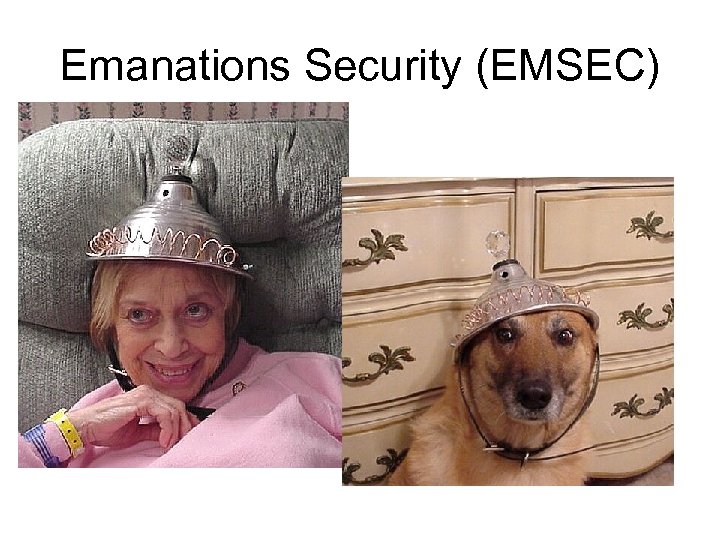 Emanations Security (EMSEC)
 Emanations Security (EMSEC) • Computing devices and related wires generate electromagnetic signals – Sometimes can derive information stored on computer or transmitted on wires – Tempest was US government codeword for this effort • Enables at-a-distance snooping – Good for movie plots – Definitely realm of sophisticated adversary • Tempest information classified – Unofficial information available http: //www. eskimo. com/~joelm/tempestintro. html – Little published in open research
 Monitor emanations • Wim Van Eck in ’ 85 showed how a Video Display Terminal (VDT) could be monitored from up to a kilometer away – Published plans for creating such a snooping device relatively cheaply • How relevant is Van Eck’s work now? – Many more monitors now – Lower power – More complex screens
 Monitor Emanations • Kuhn and Anderson ’ 98 shows validity of emanations monitoring in today’s technology – http: //www. cl. cam. ac. uk/~mgk 25/ih 98 tempest. pdf • Show two technologies – Using a AM radio to track the monitor display – Experimenting with what can be seen from a traditional TEMPEST monitor
 Radio Tracking Monitors • Kuhn and Anderson’s paper provide techniques to determine pixel values that will generate specified AM signal • Tempest for Eliza is a tool that implements this algorithm to play songs on your monitor – http: //www. erikyyy. de/tempest/
 Radio Virus • Attack scenario does not use radio to monitor random screen contents – Rather suggests it is a virus that uses the radio to send information back to home base – Virus wakes up at night and starts transmitting interesting data over AM monitor signal
 Video Display Eavesdropping • Kuhn and Anderson used ’ 80 s era Tempest monitor receiver – Basically a TV set with the tuning restrictions removed – Paper describes CRT experiments but claims that results apply to LCD’s too
 Modern Screen Display • In Van Eck’s day, monitors pulsed for each pixel – Giving eaves dropper a signal to work with • In modern computer, for a solid area beam only signaled on line a start of region and end of region – Not a problem for text, but makes pictures without strong verticals hard to eavesdrop • Dithering helps the eavesdropper – Mixing different colored pixels in a pattern – Changing colors causes more impulses which helps the eaves dropper – High frequency emanation signal easier to eavesdrop
 Hiding Information in Dither • User looking at screen cannot tell much different between a dither and a straight color • Eavesdropper can see the changes in the dither • See Figure 3, 4, and 5 from paper
 Information Hiding Goals • Again primarily looking at using the screen for emanation virus • Alternatively paper suggests software companies may embed patterns in licensed software – Drive around license detector vans to catch software pirates, like TV detector vans in England
 Anti-Tempest Fonts • Tempest monitor particularly sensitive to high frequency emanations • Adjust font design to remove top 30% of horizontal frequency spectrum – See Fig 7 and 8 in paper
 Protection from EMSEC • In general rely on shielding – Government provides specifications (classified) for building appropriate shielding – Shield devices or shield entire rooms or buildings – Very expensive • Physical separation of sensitive devices from unclassified or unknown devices – Sensitive devices in red zone – Unclassified devices in black zone – Red zone is shielded from or physically distant from black
 More Direct EMSEC Concerns • Radio-frequency identification (RFID) chips are becoming wide spread • Programmed to respond to radio queries • Originally used to track freight • Microchip pets – http: //public. homeagain. com/ • Track hotel guests
 Increasing Impact of RFID • Passports now contain RFIDs – Data encrypted, but still may be a problem – http: //www. youtube. com/watch? v=-XXaqra. F 7 p. I – http: //www. gadgettastic. com/2008/08/07/rfidhackproof-passports-hacked-within-an-hour/ • Credit and other ID cards are also gaining RFIDs • Can buy personal faraday cages to control when – http: //www. rfidblockr. com/ – http: //www. rfid-shield. com/
 Key Points • Must consider how the computer world interacts with physical world – Be paranoid and consider all threats – Know where to look for evidence • Some technology a bit out there. Probably don't need a tinfoil hat. – But you may want to consider one for your passport